
Playwright TypeScript Project Structure & Folder Guide: Complete Setup (2026)-QaTribe
Setting up your Playwright TypeScript project structure correctly is the single most important decision you will make when starting an automation project.
Get it right — and your framework scales from 10 tests to 5,000 tests without friction. Your team onboards fast. Your CI pipelines stay clean. Your code reviews are smooth.
Get it wrong — and you will spend more time fighting the framework than writing tests.
I have reviewed dozens of Playwright projects over the years. The ones that fail are not failing because of bad test logic. They fail because nobody thought about the Playwright TypeScript project structure before writing the first test. Files pile up. Helpers get duplicated. Nobody knows where anything lives.
This guide fixes that — permanently.
By the end, your Playwright TypeScript project structure will be production-ready, team-ready, and CI/CD-ready — all three at once.
By the time you finish reading, you will have a complete, production-grade Playwright TypeScript project structure that you can use immediately — whether you are starting fresh or migrating an existing messy project.
Why your Playwright TypeScript project structure** is the most important architectural decision in your automation project — more important than your test logic?
- Why your Playwright TypeScript project structure is more important than your test logic
- The complete folder tree — explained section by section
- How to implement Page Objects, Fixtures, Helpers, and Config correctly
- Real, working TypeScript code for every folder and file
- How to scale the structure from a solo project to an enterprise team
- CI/CD setup that aligns with your folder conventions
- The most common mistakes and exactly how to avoid them.
- Real-world tips from production **Playwright TypeScript project structure
Creating the proper Playwright TypeScript project structure, can help to make framework more reliable.
Playwright TypeScript Project Structure — Quick Reference
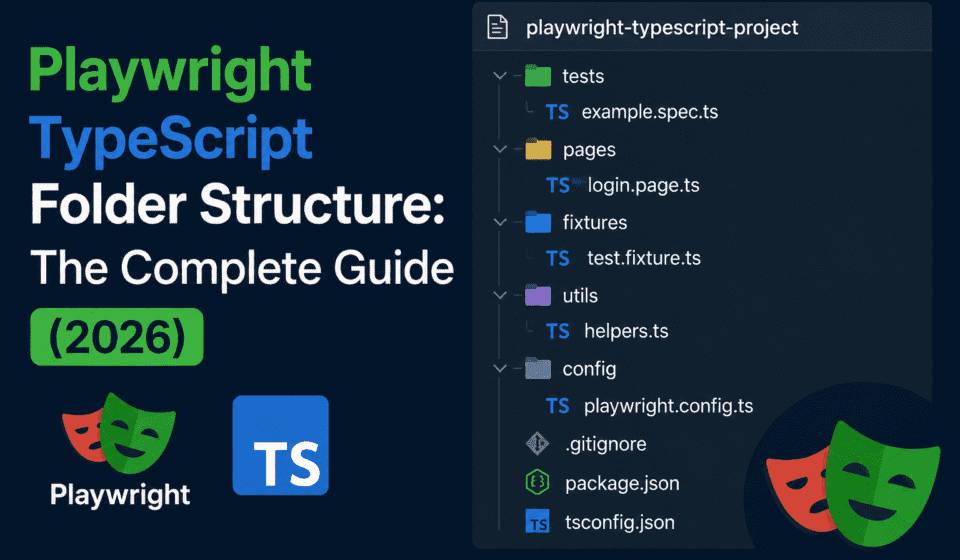
If you’re in a hurry, here is the complete Playwright TypeScript project structure at a glance. Copy it, then read the sections below to understand every folder’s purpose.
my-playwright-project/
├── tests/
│   ├── e2e/
│   │   ├── auth/         ← login, logout, forgot-password tests
│   │   ├── checkout/     ← cart, payment tests
│   │   └── dashboard/    ← dashboard tests
│   ├── api/              ← Playwright API request tests
│   └── smoke/            ← quick deployment checks
├── pages/                ← Page Object Model classes
├── components/           ← reusable UI component classes
├── fixtures/             ← custom Playwright test fixtures
├── utils/                ← shared helpers (API, date, logger)
├── data/                 ← test data JSON + factory functions
├── config/               ← environment configs (dev/staging/prod)
├── types/                ← TypeScript interfaces and types
├── constants/            ← routes, messages, timeouts
├── hooks/                ← global setup and teardown
├── .auth/                ← saved auth state (gitignored)
├── playwright.config.ts  ← main Playwright configuration
├── tsconfig.json         ← TypeScript configuration
└── package.json          ← scripts and dependencies
Folder structure and the purpose and files contains
| Folder | Purpose | Key files |
|---|---|---|
tests/ | All .spec.ts files, organized by feature | login.spec.ts, checkout.spec.ts |
pages/ | Page Object Model classes — one per app page | login.page.ts, base.page.ts |
components/ | Reusable UI elements shared across pages | modal.component.ts, navbar.component.ts |
fixtures/ | Custom Playwright fixtures for shared test setup | auth.fixture.ts, index.ts |
utils/ | Helper functions — API calls, date, string, wait | api.helper.ts, logger.ts |
data/ | Test data — static JSON and dynamic factories | users.json, user.factory.ts |
config/ | Environment-specific config (dev, staging, prod) | app.config.ts, staging.ts |
types/ | TypeScript interfaces for strong typing across the project | user.types.ts, config.types.ts |
constants/ | No magic strings — routes, messages, timeouts in one place | routes.ts, messages.ts |
hooks/ | Global setup and teardown logic | global-setup.ts, global-teardown.ts |
Table of Contents
- Why Folder Structure Matters More Than You Think
- Project Initialization
- The Complete Folder Tree
- The
/testsFolder — Organizing Your Spec Files - The
/pagesFolder — Page Object Model - The
/componentsFolder — Reusable UI Pieces - The
/fixturesFolder — Test Setup Done Right - The
/utilsFolder — Shared Helpers - The
/dataFolder — Test Data Management - The
/configFolder — Environment Management - The
/typesFolder — TypeScript Interfaces - The
/constantsFolder — No More Magic Strings - The
/hooksFolder — Global Setup and Teardown - playwright.config.ts — Deep Dive
- tsconfig.json — TypeScript Configuration
- package.json Scripts — Run Everything
- Environment Strategy — Dev, Staging, Production
- CI/CD Integration
- Scaling for Enterprise Projects
- Common Mistakes
- Migration Guide — Fixing an Existing Project
- Final Complete Structure — Copy and Use
- FAQs
1. Why Folder Structure Matters More Than You Think {#why-folder-structure-matters}
Before we touch a single file, let us understand why the Playwright TypeScript project structure is so critical — and why getting it wrong is so costly. The Playwright TypeScript folder structure you choose on day one shapes everything that follows.
Imagine this scenario. A new QA engineer joins your team today. You give them access to the repo. You ask them to write a test for the checkout page. One hour later, they come back with questions:
- “Where do I put the test file?”
- “Is there already a Page Object for checkout?”
- “Where do test users come from?”
- “Which base URL should I use for staging?”
If your team cannot answer these questions by pointing to your folder structure — you have a problem.
A great Playwright TypeScript project structure is living documentation. It is the first thing a new engineer reads, and the last thing a senior engineer changes without team alignment. It answers these questions automatically, before anyone has to ask.
What a Bad Structure Costs You?
| Problem | Real-World Impact |
|---|---|
| No Page Objects | One selector change breaks 40 test files |
| No fixture system | Login logic is copy-pasted across 30 tests |
| No config management | Can’t run tests against staging without editing code |
| No data separation | Hardcoded emails cause parallel test failures |
| No type definitions | Refactoring breaks at runtime, not compile time |
What a Good Structure Gives You?
A well-designed **Playwright TypeScript project structure** is not just about cleanliness. It is about speed — speed to onboard, speed to debug, speed to ship.
A well-designed Playwright TypeScript project structure gives you five things that no amount of clever test logic can replace:
1. Maintainability — When a developer renames a button, you change one file. Not thirty.
2. Scalability — Going from 50 to 5,000 tests does not require restructuring the project.
3. Onboarding Speed — A new engineer can contribute in hours, not days.
4. CI/CD Reliability — Pipelines work predictably because everything has a defined place.
5. Team Collaboration — No merge conflicts from two engineers accidentally editing the same helper function.
.
The rule is simple: Your test framework should be as well-architected as your production code. Treat it with the same respect.
Teams that establish a clear Playwright TypeScript folder structure in week one spend 40% less time on framework maintenance in month six
2. Project Initialization {#project-initialization}
Let us start from scratch and build the best Playwright TypeScript folder structure step by step. Everything we install here is chosen to support the Playwright TypeScript folder structure we define in the next section.
Step 1 — Create the Project
bash
mkdir my-playwright-project
cd my-playwright-project
npm init -y
Step 2 — Install Playwright with TypeScript
bash
npm init playwright@latest
Answer the wizard like this:
✔ Do you want to use TypeScript or JavaScript?       » TypeScript
✔ Where to put your end-to-end tests?               » tests
✔ Add a GitHub Actions workflow?                     » Yes
✔ Install Playwright browsers (chromium, firefox)?  » Yes
Step 3 — Install Supporting Packages
bash
# Test data generation
npm install --save-dev @faker-js/faker

# Environment variable loading
npm install dotenv

# Linting
npm install --save-dev eslint @typescript-eslint/eslint-plugin @typescript-eslint/parser eslint-plugin-playwright

# Code formatting
npm install --save-dev prettier
Step 4 — Verify Installation
bash
npx playwright test --version
# Expected: Version 1.44.x or higher

npx tsc --version
# Expected: Version 5.x.x
Once this is done, you have a blank canvas. The next sections show you exactly what to build on top of it.
The blank canvas is ready. Now we build the Playwright TypeScript project structure on top of it — one folder at a time.
For more details please refer official Playwright installation guide
3. The Complete Folder Tree {#complete-folder-tree}
Here is the full Playwright TypeScript project structure we will build in this guide. Study this tree carefully — every folder in this Playwright TypeScript project structure has a single, non-negotiable responsibility.
my-playwright-project/
│
├── 📁 tests/
│   ├── 📁 e2e/
│   │   ├── 📁 auth/
│   │   │   ├── login.spec.ts
│   │   │   ├── logout.spec.ts
│   │   │   └── forgot-password.spec.ts
│   │   ├── 📁 checkout/
│   │   │   ├── cart.spec.ts
│   │   │   └── payment.spec.ts
│   │   ├── 📁 dashboard/
│   │   │   └── dashboard.spec.ts
│   │   └── 📁 profile/
│   │       └── profile-update.spec.ts
│   ├── 📁 api/
│   │   ├── user.api.spec.ts
│   │   └── product.api.spec.ts
│   └── 📁 smoke/
│       └── smoke.spec.ts
│
├── 📁 pages/
│   ├── base.page.ts
│   ├── login.page.ts
│   ├── dashboard.page.ts
│   ├── checkout.page.ts
│   └── profile.page.ts
│
├── 📁 components/
│   ├── modal.component.ts
│   ├── navbar.component.ts
│   ├── datatable.component.ts
│   └── toast.component.ts
│
├── 📁 fixtures/
│   ├── index.ts
│   ├── auth.fixture.ts
│   └── api.fixture.ts
│
├── 📁 utils/
│   ├── api.helper.ts
│   ├── date.helper.ts
│   ├── string.helper.ts
│   ├── wait.helper.ts
│   └── logger.ts
│
├── 📁 data/
│   ├── users.json
│   ├── products.json
│   └── factory/
│       ├── user.factory.ts
│       └── product.factory.ts
│
├── 📁 config/
│   ├── app.config.ts
│   └── environments/
│       ├── dev.ts
│       ├── staging.ts
│       └── production.ts
│
├── 📁 types/
│   ├── user.types.ts
│   ├── product.types.ts
│   └── config.types.ts
│
├── 📁 constants/
│   ├── routes.ts
│   ├── messages.ts
│   └── timeouts.ts
│
├── 📁 hooks/
│   ├── global-setup.ts
│   └── global-teardown.ts
│
├── 📁 reporters/
│   └── slack.reporter.ts
│
├── 📁 .auth/
│   └── user.json          ← (gitignored, auto-generated)
│
├── 📁 reports/            ← (gitignored, auto-generated)
│
├── playwright.config.ts
├── tsconfig.json
├── .env
├── .env.example
├── .gitignore
└── package.json
This is the complete Playwright TypeScript folder structure used in production-grade projects. Every single folder has a specific responsibility. Nothing bleeds into anything else.
This complete Playwright TypeScript folder structure separates configuration, test logic, page objects, utilities, and test data into distinct layers. Nothing leaks between layers. That discipline is what makes this Playwright TypeScript folder structure scale.
Let us go through each one.
4. The /tests Folder — Organizing Your Spec Files {#tests-folder}
The `tests/` folder is the most visited folder in any **Playwright TypeScript folder structure**. It is where your `.spec.ts` files live.
The Wrong Way
tests/
├── test1.spec.ts
├── loginTest.spec.ts
├── checkoutFinal.spec.ts
├── newCheckout.spec.ts
└── dashboardV2.spec.ts
This is a nightmare. Three months in, nobody knows what is current, what is old, or what anything tests.
The Right Way — Feature-Based Organization
Organize by feature, then by test type:
tests/
├── e2e/           ← Browser-based end-to-end tests
│   ├── auth/      ← Authentication feature
│   ├── checkout/  ← Checkout feature
│   ├── dashboard/ ← Dashboard feature
│   └── profile/   ← Profile feature
├── api/           ← API tests using Playwright request context
└── smoke/         ← Quick deployment verification tests
Naming Convention for Spec Files
| File Type | Pattern | Example |
|---|---|---|
| Feature test | feature-name.spec.ts | login.spec.ts |
| API test | resource.api.spec.ts | user.api.spec.ts |
| Smoke test | smoke.spec.ts | smoke.spec.ts |
| Regression | feature.regression.spec.ts | checkout.regression.spec.ts |
Consistent naming is what makes the `tests/` folder of your **Playwright TypeScript folder structure** navigable at a glance — even when the suite grows to 500 tests.
A Real Spec File — login.spec.ts
Here is what a properly written spec file looks like with this Playwright TypeScript project structure:
typescript
// tests/e2e/auth/login.spec.ts

import { test, expect } from '../../../fixtures';
import { ROUTES } from '../../../constants/routes';
import { MESSAGES } from '../../../constants/messages';

test.describe('Login — Authentication Tests', () => {

  test.beforeEach(async ({ loginPage }) => {
    await loginPage.navigate();
  });

  test('@smoke valid credentials redirect to dashboard', async ({ loginPage, page }) => {
    await loginPage.login('valid@qatribe.in', 'Test@12345');

    await expect(page).toHaveURL(ROUTES.DASHBOARD);
    await expect(page.getByTestId('welcome-banner')).toBeVisible();
  });

  test('invalid email shows error message', async ({ loginPage }) => {
    await loginPage.login('notanemail', 'Test@12345');

    const error = await loginPage.getErrorMessage();
    expect(error).toContain(MESSAGES.LOGIN.INVALID_EMAIL);
  });

  test('wrong password shows invalid credentials error', async ({ loginPage }) => {
    await loginPage.login('valid@qatribe.in', 'wrongpassword');

    const error = await loginPage.getErrorMessage();
    expect(error).toContain(MESSAGES.LOGIN.INVALID_CREDENTIALS);
  });

  test('empty form submit shows validation errors', async ({ loginPage }) => {
    await loginPage.clickLogin();

    expect(await loginPage.isEmailErrorVisible()).toBe(true);
    expect(await loginPage.isPasswordErrorVisible()).toBe(true);
  });

  test('forgot password link navigates correctly', async ({ loginPage, page }) => {
    await loginPage.clickForgotPassword();

    await expect(page).toHaveURL(ROUTES.FORGOT_PASSWORD);
  });

  test('remember me checkbox persists session', async ({ loginPage, page }) => {
    await loginPage.checkRememberMe();
    await loginPage.login('valid@qatribe.in', 'Test@12345');

    // Verify session cookie has extended expiry
    const cookies = await page.context().cookies();
    const sessionCookie = cookies.find(c => c.name === 'session_token');
    expect(sessionCookie?.expires).toBeGreaterThan(Date.now() / 1000 + 86400);
  });

});
Notice what this spec file does NOT have:
These constraints are enforced by the Playwright TypeScript project structure itself — not by team rules that get forgotten.
- No raw
page.fill()calls — those live in the Page Object - No hardcoded URLs — those live in
constants/routes.ts - No hardcoded error strings — those live in
constants/messages.ts - No login setup inside the test — that lives in the fixture
Each test is clean, readable, and focused only on what it is testing.
A Real API Spec — user.api.spec.ts
typescript
// tests/api/user.api.spec.ts

import { test, expect } from '../../fixtures';
import { TestUserFactory } from '../../data/factory/user.factory';

test.describe('User API — CRUD Operations', () => {

  test('@smoke GET /users returns 200 with array', async ({ apiContext }) => {
    const response = await apiContext.get('/users');

    expect(response.status()).toBe(200);
    const body = await response.json();
    expect(Array.isArray(body.data)).toBe(true);
  });

  test('GET /users/:id returns correct user schema', async ({ apiContext }) => {
    const response = await apiContext.get('/users/1');

    expect(response.status()).toBe(200);
    const user = await response.json();

    // Schema assertions
    expect(user).toHaveProperty('id');
    expect(user).toHaveProperty('email');
    expect(user).toHaveProperty('name');
    expect(user).not.toHaveProperty('password'); // Security check
    expect(typeof user.email).toBe('string');
    expect(user.email).toMatch(/^[^\s@]+@[^\s@]+\.[^\s@]+$/);
  });

  test('POST /users creates new user and returns 201', async ({ apiContext }) => {
    const newUser = TestUserFactory.create();
    const response = await apiContext.post('/users', { data: newUser });

    expect(response.status()).toBe(201);
    const created = await response.json();
    expect(created.email).toBe(newUser.email);
    expect(created).toHaveProperty('id');
  });

  test('DELETE /users/:id returns 204', async ({ apiContext }) => {
    // First create a user to delete
    const newUser = TestUserFactory.create();
    const created = await apiContext.post('/users', { data: newUser });
    const user = await created.json();

    const response = await apiContext.delete(`/users/${user.id}`);
    expect(response.status()).toBe(204);
  });

});
5. The /pages Folder — Page Object Model {#pages-folder}
The `pages/` folder implements the **Page Object Model (POM) — the single most impactful design pattern in any serious Playwright TypeScript project structure**. Without it, your Playwright TypeScript project structure cannot scale beyond 50 tests.
.
The core idea: Every page of your application gets its own TypeScript class that encapsulates all selectors and interactions for that page. Tests use the class — they never write raw selectors themselves.
Why POM is Non-Negotiable
Imagine you have 50 tests that all use page.getByPlaceholder('Enter email') directly. The developer renames the placeholder to Email address. Now you have 50 broken tests to fix.
With POM, you update one line in login.page.ts. Every test is fixed automatically.
This is why every mature Playwright TypeScript project structure puts POM at the Centre — it is the single change that has the highest leverage on long-term maintainability.
The Base Page — pages/base.page.ts
Every page object extends a BasePage that handles common behaviors:
typescript
// pages/base.page.ts

import { Page, Locator } from '@playwright/test';

export abstract class BasePage {
  protected readonly page: Page;

  constructor(page: Page) {
    this.page = page;
  }

  /**
   * Navigate to a given path
   */
  async navigate(path: string = '/'): Promise<void> {
    await this.page.goto(path);
    await this.waitForPageReady();
  }

  /**
   * Wait for the page to be fully loaded
   */
  async waitForPageReady(): Promise<void> {
    await this.page.waitForLoadState('domcontentloaded');
  }

  /**
   * Get the current page title
   */
  async getTitle(): Promise<string> {
    return this.page.title();
  }

  /**
   * Take a full-page screenshot
   */
  async screenshot(name: string): Promise<void> {
    await this.page.screenshot({
      path: `reports/screenshots/${name}-${Date.now()}.png`,
      fullPage: true,
    });
  }

  /**
   * Scroll an element into view before interacting
   */
  async scrollTo(locator: Locator): Promise<void> {
    await locator.scrollIntoViewIfNeeded();
  }

  /**
   * Wait for an element to be visible
   */
  async waitForVisible(locator: Locator, timeout = 10000): Promise<void> {
    await locator.waitFor({ state: 'visible', timeout });
  }

  /**
   * Get text content safely (returns empty string if null)
   */
  async getText(locator: Locator): Promise<string> {
    return (await locator.textContent()) ?? '';
  }
}
The Login Page — pages/login.page.ts
typescript
// pages/login.page.ts

import { Page, Locator } from '@playwright/test';
import { BasePage } from './base.page';
import { ROUTES } from '../constants/routes';

export class LoginPage extends BasePage {

  // ─── Locators ──────────────────────────────────────────────────────────────

  private readonly emailInput: Locator;
  private readonly passwordInput: Locator;
  private readonly loginButton: Locator;
  private readonly forgotPasswordLink: Locator;
  private readonly rememberMeCheckbox: Locator;
  private readonly errorMessage: Locator;
  private readonly emailErrorMessage: Locator;
  private readonly passwordErrorMessage: Locator;

  constructor(page: Page) {
    super(page);

    this.emailInput         = page.getByTestId('email-input');
    this.passwordInput      = page.getByTestId('password-input');
    this.loginButton        = page.getByRole('button', { name: 'Login' });
    this.forgotPasswordLink = page.getByRole('link', { name: 'Forgot password?' });
    this.rememberMeCheckbox = page.getByRole('checkbox', { name: 'Remember me' });
    this.errorMessage       = page.getByTestId('login-error');
    this.emailErrorMessage  = page.getByTestId('email-field-error');
    this.passwordErrorMessage = page.getByTestId('password-field-error');
  }

  // ─── Navigation ────────────────────────────────────────────────────────────

  async navigate(): Promise<void> {
    await super.navigate(ROUTES.LOGIN);
  }

  // ─── Actions ───────────────────────────────────────────────────────────────

  async typeEmail(email: string): Promise<void> {
    await this.emailInput.fill(email);
  }

  async typePassword(password: string): Promise<void> {
    await this.passwordInput.fill(password);
  }

  async clickLogin(): Promise<void> {
    await this.loginButton.click();
  }

  async login(email: string, password: string): Promise<void> {
    await this.typeEmail(email);
    await this.typePassword(password);
    await this.clickLogin();
  }

  async clickForgotPassword(): Promise<void> {
    await this.forgotPasswordLink.click();
  }

  async checkRememberMe(): Promise<void> {
    await this.rememberMeCheckbox.check();
  }

  // ─── Getters ───────────────────────────────────────────────────────────────

  async getErrorMessage(): Promise<string> {
    await this.waitForVisible(this.errorMessage);
    return this.getText(this.errorMessage);
  }

  async isEmailErrorVisible(): Promise<boolean> {
    return this.emailErrorMessage.isVisible();
  }

  async isPasswordErrorVisible(): Promise<boolean> {
    return this.passwordErrorMessage.isVisible();
  }

  async isLoginButtonEnabled(): Promise<boolean> {
    return this.loginButton.isEnabled();
  }
}
The Dashboard Page — pages/dashboard.page.ts
typescript
// pages/dashboard.page.ts

import { Page, Locator } from '@playwright/test';
import { BasePage } from './base.page';
import { NavbarComponent } from '../components/navbar.component';

export class DashboardPage extends BasePage {

  // ─── Components ────────────────────────────────────────────────────────────
  readonly navbar: NavbarComponent;

  // ─── Locators ──────────────────────────────────────────────────────────────
  private readonly welcomeBanner: Locator;
  private readonly statsCard: Locator;
  private readonly recentActivityList: Locator;
  private readonly notificationBell: Locator;

  constructor(page: Page) {
    super(page);

    this.navbar             = new NavbarComponent(page);
    this.welcomeBanner      = page.getByTestId('welcome-banner');
    this.statsCard          = page.getByTestId('stats-card');
    this.recentActivityList = page.getByTestId('recent-activity');
    this.notificationBell   = page.getByTestId('notification-bell');
  }

  // ─── Actions ───────────────────────────────────────────────────────────────

  async navigateTo(section: string): Promise<void> {
    await this.navbar.clickNavItem(section);
    await this.waitForPageReady();
  }

  async openNotifications(): Promise<void> {
    await this.notificationBell.click();
  }

  // ─── Getters ───────────────────────────────────────────────────────────────

  async getWelcomeMessage(): Promise<string> {
    return this.getText(this.welcomeBanner);
  }

  async getStatValue(statName: string): Promise<string> {
    return this.getText(
      this.statsCard.filter({ hasText: statName }).getByTestId('stat-value')
    );
  }

  async getNotificationCount(): Promise<number> {
    const count = await this.notificationBell.getAttribute('data-count');
    return count ? parseInt(count, 10) : 0;
  }

  async getRecentActivityItems(): Promise<string[]> {
    const items = this.recentActivityList.getByRole('listitem');
    const count = await items.count();
    const texts: string[] = [];
    for (let i = 0; i < count; i++) {
      texts.push(await this.getText(items.nth(i)));
    }
    return texts;
  }
}
Golden Rule of Page Objects: Page objects contain actions (what you can do on the page) and getters (what you can read from the page). They never contain
expect()assertions. Assertions belong in test files only.
6. The /components Folder — Reusable UI Pieces {#components-folder}
Modern SPAs have UI components — modals, navbars, data tables, toasts — that appear across multiple pages. A production **Playwright TypeScript project structure** always separates these into the `components/` folder rather than duplicating selectors across page objects.
This is what separates a beginner’s Playwright TypeScript project structure from an expert’s.
Navbar Component — components/navbar.component.ts
typescript
// components/navbar.component.ts

import { Page, Locator } from '@playwright/test';

export class NavbarComponent {
  private readonly page: Page;
  private readonly nav: Locator;
  private readonly userMenuButton: Locator;
  private readonly logoutButton: Locator;
  private readonly userNameDisplay: Locator;

  constructor(page: Page) {
    this.page            = page;
    this.nav             = page.getByRole('navigation');
    this.userMenuButton  = page.getByTestId('user-menu-button');
    this.logoutButton    = page.getByRole('menuitem', { name: 'Logout' });
    this.userNameDisplay = page.getByTestId('user-display-name');
  }

  async clickNavItem(itemName: string): Promise<void> {
    await this.nav.getByRole('link', { name: itemName }).click();
  }

  async openUserMenu(): Promise<void> {
    await this.userMenuButton.click();
  }

  async logout(): Promise<void> {
    await this.openUserMenu();
    await this.logoutButton.click();
  }

  async getDisplayedUserName(): Promise<string> {
    return (await this.userNameDisplay.textContent()) ?? '';
  }

  async isNavItemActive(itemName: string): Promise<boolean> {
    const item = this.nav.getByRole('link', { name: itemName });
    const classes = await item.getAttribute('class');
    return classes?.includes('active') ?? false;
  }
}
Notice how the `NavbarComponent` class is independent of any specific page. This is the key advantage of the components layer in a **Playwright TypeScript project structure** — one class, used everywhere.
Modal Component — components/modal.component.ts
typescript
// components/modal.component.ts

import { Page, Locator } from '@playwright/test';

export class ModalComponent {
  private readonly page: Page;
  private readonly modal: Locator;
  private readonly modalTitle: Locator;
  private readonly confirmButton: Locator;
  private readonly cancelButton: Locator;
  private readonly closeButton: Locator;

  constructor(page: Page) {
    this.page          = page;
    this.modal         = page.getByRole('dialog');
    this.modalTitle    = this.modal.getByRole('heading');
    this.confirmButton = this.modal.getByRole('button', { name: 'Confirm' });
    this.cancelButton  = this.modal.getByRole('button', { name: 'Cancel' });
    this.closeButton   = this.modal.getByLabel('Close modal');
  }

  async waitForOpen(): Promise<void> {
    await this.modal.waitFor({ state: 'visible' });
  }

  async waitForClose(): Promise<void> {
    await this.modal.waitFor({ state: 'hidden' });
  }

  async getTitle(): Promise<string> {
    return (await this.modalTitle.textContent()) ?? '';
  }

  async confirm(): Promise<void> {
    await this.confirmButton.click();
    await this.waitForClose();
  }

  async cancel(): Promise<void> {
    await this.cancelButton.click();
    await this.waitForClose();
  }

  async close(): Promise<void> {
    await this.closeButton.click();
    await this.waitForClose();
  }

  async isOpen(): Promise<boolean> {
    return this.modal.isVisible();
  }
}
DataTable Component — components/datatable.component.ts
typescript
// components/datatable.component.ts

import { Page, Locator } from '@playwright/test';

export class DataTableComponent {
  private readonly table: Locator;
  private readonly rows: Locator;
  private readonly searchInput: Locator;
  private readonly paginationNext: Locator;
  private readonly paginationPrev: Locator;

  constructor(page: Page, tableTestId: string) {
    this.table          = page.getByTestId(tableTestId);
    this.rows           = this.table.getByRole('row');
    this.searchInput    = this.table.getByRole('searchbox');
    this.paginationNext = page.getByRole('button', { name: 'Next page' });
    this.paginationPrev = page.getByRole('button', { name: 'Previous page' });
  }

  async getRowCount(): Promise<number> {
    // Subtract 1 for header row
    return (await this.rows.count()) - 1;
  }

  async getCellText(rowIndex: number, columnName: string): Promise<string> {
    const headers = this.table.getByRole('columnheader');
    const headerCount = await headers.count();

    let columnIndex = -1;
    for (let i = 0; i < headerCount; i++) {
      const text = await headers.nth(i).textContent();
      if (text?.trim() === columnName) {
        columnIndex = i;
        break;
      }
    }

    if (columnIndex === -1) {
      throw new Error(`Column "${columnName}" not found in table`);
    }

    return (
      (await this.rows
        .nth(rowIndex + 1) // +1 to skip header
        .getByRole('cell')
        .nth(columnIndex)
        .textContent()) ?? ''
    );
  }

  async search(term: string): Promise<void> {
    await this.searchInput.fill(term);
    await this.searchInput.press('Enter');
  }

  async sortByColumn(columnName: string): Promise<void> {
    await this.table
      .getByRole('columnheader', { name: columnName })
      .click();
  }

  async goToNextPage(): Promise<void> {
    await this.paginationNext.click();
  }

  async goToPreviousPage(): Promise<void> {
    await this.paginationPrev.click();
  }

  async rowExists(searchText: string): Promise<boolean> {
    const matchingRow = this.table.getByRole('row').filter({ hasText: searchText });
    return matchingRow.isVisible();
  }
}
Page objects use these components like building blocks:
typescript
// pages/users-management.page.ts

import { Page } from '@playwright/test';
import { BasePage } from './base.page';
import { DataTableComponent } from '../components/datatable.component';
import { ModalComponent } from '../components/modal.component';

export class UsersManagementPage extends BasePage {

  // Compose components — no duplicate selector logic
  readonly usersTable: DataTableComponent;
  readonly confirmModal: ModalComponent;

  constructor(page: Page) {
    super(page);
    this.usersTable  = new DataTableComponent(page, 'users-table');
    this.confirmModal = new ModalComponent(page);
  }

  async deleteUser(email: string): Promise<void> {
    await this.usersTable.rowExists(email);
    await this.page
      .getByRole('row', { name: email })
      .getByRole('button', { name: 'Delete' })
      .click();
    await this.confirmModal.confirm();
  }
}
7. The /fixtures Folder — Test Setup Done Right {#fixtures-folder}
The `/fixtures` folder is one of the most underused but most powerful layers in a Playwright TypeScript project structure Engineers who skip fixtures end up with duplicated setup code in every test file — the most common technical debt in Playwright projects.
Fixtures are Playwright’s built-in dependency injection system. They are the cleanest way to share setup and teardown logic across tests — and they deserve a dedicated folder in your Playwright TypeScript project structure.
Fixtures in a Playwright TypeScript project structure replace `beforeEach` blocks scattered across test files with a single, shared, type-safe setup mechanism.
What Are Fixtures?
A fixture is a reusable piece of setup that runs before a test and optionally tears down after. Playwright’s test.extend() lets you add your own fixtures on top of the built-in page, browser, and request fixtures.
fixtures/index.ts — The Central Export
All fixtures are merged here and re-exported as a single test import. Every spec file imports test and expect from this file, not from @playwright/test directly.
typescript
// fixtures/index.ts

import { test as base, expect, mergeTests } from '@playwright/test';
import { authFixtures } from './auth.fixture';
import { apiFixtures } from './api.fixture';

// Merge all fixtures into one extended test object
export const test = mergeTests(base, authFixtures, apiFixtures);

export { expect };
fixtures/auth.fixture.ts — Authentication Fixtures
typescript
// fixtures/auth.fixture.ts

import { test as base } from '@playwright/test';
import { LoginPage } from '../pages/login.page';
import { DashboardPage } from '../pages/dashboard.page';
import { TestUser } from '../types/user.types';

// Define the types for the fixtures this file provides
type AuthFixtures = {
  loginPage: LoginPage;
  dashboardPage: DashboardPage;
  testUser: TestUser;
  authenticatedPage: Page;
};

export const authFixtures = base.extend<AuthFixtures>({

  // ─── loginPage fixture ───────────────────────────────────────────────────
  // Creates a LoginPage instance and provides it to the test
  loginPage: async ({ page }, use) => {
    const loginPage = new LoginPage(page);
    await use(loginPage);
    // Teardown (if needed) goes here — after use()
  },

  // ─── dashboardPage fixture ───────────────────────────────────────────────
  dashboardPage: async ({ page }, use) => {
    const dashboardPage = new DashboardPage(page);
    await use(dashboardPage);
  },

  // ─── testUser fixture ────────────────────────────────────────────────────
  // Provides standard test user credentials from environment
  testUser: async ({}, use) => {
    const user: TestUser = {
      email:    process.env.TEST_USER_EMAIL    ?? 'test@qatribe.in',
      password: process.env.TEST_USER_PASSWORD ?? 'Test@12345',
      name:     'QA Test User',
      role:     'standard',
    };
    await use(user);
  },

  // ─── authenticatedPage fixture ───────────────────────────────────────────
  // Performs login before the test starts — test gets an already-logged-in page
  authenticatedPage: async ({ page, testUser }, use) => {
    const loginPage = new LoginPage(page);
    await loginPage.navigate();
    await loginPage.login(testUser.email, testUser.password);

    // Wait until login is confirmed
    await page.waitForURL('**/dashboard');

    await use(page); // ← test runs here

    // Optional: clear cookies / local storage after test
    await page.context().clearCookies();
  },

});
fixtures/api.fixture.ts — API Fixtures
typescript
// fixtures/api.fixture.ts

import { test as base, APIRequestContext } from '@playwright/test';
import { appConfig } from '../config/app.config';

type ApiFixtures = {
  apiContext: APIRequestContext;
  authenticatedApiContext: APIRequestContext;
};

export const apiFixtures = base.extend<ApiFixtures>({

  // ─── apiContext ───────────────────────────────────────────────────────────
  // Unauthenticated API context — for testing public endpoints
  apiContext: async ({ playwright }, use) => {
    const context = await playwright.request.newContext({
      baseURL: appConfig.apiBaseURL,
      extraHTTPHeaders: {
        'Content-Type': 'application/json',
        'Accept':       'application/json',
      },
    });

    await use(context);
    await context.dispose(); // Always dispose after test
  },

  // ─── authenticatedApiContext ──────────────────────────────────────────────
  // Pre-authenticated API context — for testing protected endpoints
  authenticatedApiContext: async ({ playwright }, use) => {
    // Get a token first
    const tempContext = await playwright.request.newContext({
      baseURL: appConfig.apiBaseURL,
    });

    const loginResponse = await tempContext.post('/auth/login', {
      data: {
        email:    process.env.TEST_USER_EMAIL,
        password: process.env.TEST_USER_PASSWORD,
      },
    });

    const { token } = await loginResponse.json();
    await tempContext.dispose();

    // Create authenticated context with token
    const context = await playwright.request.newContext({
      baseURL: appConfig.apiBaseURL,
      extraHTTPHeaders: {
        'Content-Type':  'application/json',
        'Authorization': `Bearer ${token}`,
      },
    });

    await use(context);
    await context.dispose();
  },

});
How Tests Use Fixtures
typescript
// tests/e2e/dashboard/dashboard.spec.ts

import { test, expect } from '../../../fixtures'; // ← import from fixtures, not playwright/test

test.describe('Dashboard — Post-Login Tests', () => {

  // Uses authenticatedPage — login happens automatically, no boilerplate in the test
  test('@smoke dashboard loads after login', async ({ authenticatedPage }) => {
    await expect(authenticatedPage).toHaveURL(/dashboard/);
    await expect(authenticatedPage.getByTestId('welcome-banner')).toBeVisible();
  });

  // Uses both authenticatedPage and dashboardPage
  test('welcome message shows correct user name', async ({ authenticatedPage, dashboardPage }) => {
    const message = await dashboardPage.getWelcomeMessage();
    expect(message).toContain('Welcome');
  });

});
8. The /utils Folder — Shared Helpers {#utils-folder}
he `/utils` folder is the glue layer of your **Playwright TypeScript project structure**. Every helper that does not belong to a specific page, component, or fixture lives here.
The utils/ folder contains stateless helper functions that can be used anywhere — in page objects, fixtures, or test files. These are not Playwright-specific. They are just TypeScript utility classes.
utils/api.helper.ts
typescript
// utils/api.helper.ts

import { APIRequestContext } from '@playwright/test';

export class ApiHelper {
  private readonly request: APIRequestContext;

  constructor(request: APIRequestContext) {
    this.request = request;
  }

  async get<T>(endpoint: string, params?: Record<string, string>): Promise<T> {
    const response = await this.request.get(endpoint, { params });

    if (!response.ok()) {
      throw new Error(
        `GET ${endpoint} failed — Status: ${response.status()}, Body: ${await response.text()}`
      );
    }

    return response.json() as Promise<T>;
  }

  async post<T>(endpoint: string, body: object): Promise<T> {
    const response = await this.request.post(endpoint, { data: body });

    if (!response.ok()) {
      throw new Error(
        `POST ${endpoint} failed — Status: ${response.status()}, Body: ${await response.text()}`
      );
    }

    return response.json() as Promise<T>;
  }

  async put<T>(endpoint: string, body: object): Promise<T> {
    const response = await this.request.put(endpoint, { data: body });

    if (!response.ok()) {
      throw new Error(`PUT ${endpoint} failed — Status: ${response.status()}`);
    }

    return response.json() as Promise<T>;
  }

  async delete(endpoint: string): Promise<void> {
    const response = await this.request.delete(endpoint);

    if (!response.ok()) {
      throw new Error(`DELETE ${endpoint} failed — Status: ${response.status()}`);
    }
  }
}
utils/date.helper.ts
typescript
// utils/date.helper.ts

export class DateHelper {

  /**
   * Returns current date formatted as DD/MM/YYYY
   */
  static todayDDMMYYYY(): string {
    return DateHelper.format(new Date(), 'DD/MM/YYYY');
  }

  /**
   * Returns current date formatted as MM-DD-YYYY
   */
  static todayMMDDYYYY(): string {
    return DateHelper.format(new Date(), 'MM-DD-YYYY');
  }

  /**
   * Returns an ISO string of today
   */
  static todayISO(): string {
    return new Date().toISOString();
  }

  /**
   * Add days to a given date
   */
  static addDays(date: Date, days: number): Date {
    const result = new Date(date);
    result.setDate(result.getDate() + days);
    return result;
  }

  /**
   * Subtract days from a given date
   */
  static subtractDays(date: Date, days: number): Date {
    return DateHelper.addDays(date, -days);
  }

  /**
   * Format a date with a given pattern
   * Supports: DD, MM, YYYY, HH, mm, ss
   */
  static format(date: Date, pattern: string): string {
    return pattern
      .replace('DD',   date.getDate().toString().padStart(2, '0'))
      .replace('MM',   (date.getMonth() + 1).toString().padStart(2, '0'))
      .replace('YYYY', date.getFullYear().toString())
      .replace('HH',   date.getHours().toString().padStart(2, '0'))
      .replace('mm',   date.getMinutes().toString().padStart(2, '0'))
      .replace('ss',   date.getSeconds().toString().padStart(2, '0'));
  }

  /**
   * Check if a date is in the past
   */
  static isInPast(date: Date): boolean {
    return date < new Date();
  }

  /**
   * Check if a date is in the future
   */
  static isInFuture(date: Date): boolean {
    return date > new Date();
  }
}
utils/wait.helper.ts
typescript
// utils/wait.helper.ts

import { Page } from '@playwright/test';

export class WaitHelper {

  /**
   * Wait for a specified number of seconds
   * Use sparingly — prefer Playwright's built-in waits
   */
  static async seconds(seconds: number): Promise<void> {
    await new Promise(resolve => setTimeout(resolve, seconds * 1000));
  }

  /**
   * Wait for a condition to be true
   * Polls every `interval` ms until `timeout` ms is reached
   */
  static async forCondition(
    condition: () => Promise<boolean>,
    { timeout = 10000, interval = 500 } = {}
  ): Promise<void> {
    const deadline = Date.now() + timeout;

    while (Date.now() < deadline) {
      if (await condition()) return;
      await WaitHelper.seconds(interval / 1000);
    }

    throw new Error(`Condition not satisfied within ${timeout}ms`);
  }

  /**
   * Wait for network to be idle (no requests for 500ms)
   */
  static async networkIdle(page: Page, timeout = 30000): Promise<void> {
    await page.waitForLoadState('networkidle', { timeout });
  }

  /**
   * Wait for a specific API response
   */
  static async apiResponse(
    page: Page,
    urlPattern: string | RegExp,
    timeout = 15000
  ): Promise<void> {
    await page.waitForResponse(
      response => {
        const url = response.url();
        return typeof urlPattern === 'string'
          ? url.includes(urlPattern)
          : urlPattern.test(url);
      },
      { timeout }
    );
  }
}
utils/logger.ts
typescript
// utils/logger.ts

type LogLevel = 'DEBUG' | 'INFO' | 'WARN' | 'ERROR';

export class Logger {
  private readonly context: string;

  constructor(context: string) {
    this.context = context;
  }

  private emit(level: LogLevel, message: string, data?: unknown): void {
    const timestamp = new Date().toISOString();
    const prefix    = `[${timestamp}] [${level}] [${this.context}]`;

    if (data !== undefined) {
      console.log(`${prefix} ${message}`, data);
    } else {
      console.log(`${prefix} ${message}`);
    }
  }

  debug(message: string, data?: unknown): void { this.emit('DEBUG', message, data); }
  info (message: string, data?: unknown): void { this.emit('INFO',  message, data); }
  warn (message: string, data?: unknown): void { this.emit('WARN',  message, data); }
  error(message: string, data?: unknown): void { this.emit('ERROR', message, data); }
}

// Usage:
// const logger = new Logger('LoginPage');
// logger.info('Attempting login', { email });
9. The /data Folder — Test Data Management {#data-folder}
Test data management is what separates a junior Playwright TypeScript project structure from a senior one. Hardcoded test data is the single biggest source of flaky tests in Playwright projects.
Handling test data properly is one of the clearest signs of a mature Playwright TypeScript project structure. There are three types of test data you will use:
| Type | When to Use | Location |
|---|---|---|
| Static JSON | Fixed lookup data, predefined users | data/users.json |
| Factory (dynamic) | Unique data per test run | data/factory/*.ts |
| API-seeded | Complex scenarios, faster than UI | Created in beforeEach via API |
Static Data — data/users.json
json
{
  "standard": {
    "email":    "standard@qatribe.in",
    "password": "Test@12345",
    "name":     "Standard User",
    "role":     "standard"
  },
  "admin": {
    "email":    "admin@qatribe.in",
    "password": "Admin@12345",
    "name":     "Admin User",
    "role":     "admin"
  },
  "readonly": {
    "email":    "readonly@qatribe.in",
    "password": "Read@12345",
    "name":     "Read Only User",
    "role":     "readonly"
  }
}
User Factory — data/factory/user.factory.ts
Use this when you need unique data per test — especially important when tests run in parallel.
typescript
// data/factory/user.factory.ts

import { faker } from '@faker-js/faker';
import { TestUser, UserRole } from '../../types/user.types';

export class TestUserFactory {

  /**
   * Create a standard test user with random unique data
   */
  static create(overrides: Partial<TestUser> = {}): TestUser {
    return {
      email:    `test_${Date.now()}_${faker.string.alphanumeric(5).toLowerCase()}@qatribe.in`,
      password: 'Test@12345',
      name:     faker.person.fullName(),
      role:     'standard',
      phone:    faker.phone.number(),
      ...overrides,
    };
  }

  /**
   * Create an admin user
   */
  static createAdmin(overrides: Partial<TestUser> = {}): TestUser {
    return TestUserFactory.create({
      role:  'admin',
      email: `admin_${Date.now()}@qatribe.in`,
      ...overrides,
    });
  }

  /**
   * Create a read-only user
   */
  static createReadOnly(overrides: Partial<TestUser> = {}): TestUser {
    return TestUserFactory.create({ role: 'readonly', ...overrides });
  }

  /**
   * Create multiple users at once
   */
  static createMany(count: number, overrides: Partial<TestUser> = {}): TestUser[] {
    return Array.from({ length: count }, () => TestUserFactory.create(overrides));
  }
}
Product Factory — data/factory/product.factory.ts
typescript
// data/factory/product.factory.ts

import { faker } from '@faker-js/faker';
import { TestProduct } from '../../types/product.types';

export class TestProductFactory {

  static create(overrides: Partial<TestProduct> = {}): TestProduct {
    return {
      name:        faker.commerce.productName(),
      description: faker.commerce.productDescription(),
      price:       parseFloat(faker.commerce.price({ min: 5, max: 999 })),
      category:    faker.commerce.department(),
      sku:         `SKU-${faker.string.alphanumeric(8).toUpperCase()}`,
      stock:       faker.number.int({ min: 1, max: 500 }),
      ...overrides,
    };
  }

  static createOutOfStock(overrides: Partial<TestProduct> = {}): TestProduct {
    return TestProductFactory.create({ stock: 0, ...overrides });
  }

  static createExpensive(overrides: Partial<TestProduct> = {}): TestProduct {
    return TestProductFactory.create({ price: 9999.99, ...overrides });
  }
}
Using Factories in Tests
typescript
// tests/e2e/checkout/cart.spec.ts

import { test, expect } from '../../../fixtures';
import { TestProductFactory } from '../../../data/factory/product.factory';

test('add out-of-stock item shows unavailable message', async ({ authenticatedPage, page }) => {
  const product = TestProductFactory.createOutOfStock();

  // Seed via API before UI test
  await page.request.post('/api/products', { data: product });

  await page.goto(`/products/${product.sku}`);
  await expect(page.getByTestId('add-to-cart-button')).toBeDisabled();
  await expect(page.getByText('Out of Stock')).toBeVisible();
});
10. The /config Folder — Environment Management {#config-folder}
The `/config` folder is what makes your Playwright TypeScript project structure environment-agnostic. Without it, switching between dev, staging, and production requires editing code — the most dangerous anti-pattern in automation.
Managing environments is where many teams get stuck. The config folder solves this cleanly.
types/config.types.ts — Define the Shape First
typescript
// types/config.types.ts

export interface Credentials {
  email:    string;
  password: string;
}

export interface Timeouts {
  navigation: number;  // ms
  element:    number;  // ms
  api:        number;  // ms
}

export interface AppConfig {
  baseURL:    string;
  apiBaseURL: string;
  credentials: Credentials;
  timeouts:    Timeouts;
  retries:     number;
}
config/environments/dev.ts
typescript
// config/environments/dev.ts

import { AppConfig } from '../../types/config.types';

export const devConfig: AppConfig = {
  baseURL:    'https://dev.qatribe.in',
  apiBaseURL: 'https://api-dev.qatribe.in',
  credentials: {
    email:    process.env.DEV_USER_EMAIL    ?? 'test@dev.qatribe.in',
    password: process.env.DEV_USER_PASSWORD ?? 'DevTest@123',
  },
  timeouts: {
    navigation: 30000,
    element:    10000,
    api:        15000,
  },
  retries: 1,
};
config/environments/staging.ts
typescript
// config/environments/staging.ts

import { AppConfig } from '../../types/config.types';

export const stagingConfig: AppConfig = {
  baseURL:    'https://staging.qatribe.in',
  apiBaseURL: 'https://api-staging.qatribe.in',
  credentials: {
    email:    process.env.STAGING_USER_EMAIL    ?? '',
    password: process.env.STAGING_USER_PASSWORD ?? '',
  },
  timeouts: {
    navigation: 45000,
    element:    15000,
    api:        20000,
  },
  retries: 2,
};
config/app.config.ts — The Resolver
This file reads TEST_ENV from the environment and returns the correct config:
typescript
// config/app.config.ts

import { devConfig }        from './environments/dev';
import { stagingConfig }    from './environments/staging';
import { AppConfig }        from '../types/config.types';

type Environment = 'dev' | 'staging' | 'production';

function resolveEnvironment(): Environment {
  const env = process.env.TEST_ENV as Environment;

  if (!env) {
    console.warn('[Config] TEST_ENV not set — defaulting to "dev"');
    return 'dev';
  }

  const valid: Environment[] = ['dev', 'staging', 'production'];
  if (!valid.includes(env)) {
    throw new Error(`[Config] Invalid TEST_ENV: "${env}". Must be one of: ${valid.join(', ')}`);
  }

  return env;
}

const configs: Record<Environment, AppConfig> = {
  dev:        devConfig,
  staging:    stagingConfig,
  production: stagingConfig, // Replace with prodConfig when ready
};

export const appConfig: AppConfig = configs[resolveEnvironment()];
11. The /types Folder — TypeScript Interfaces {#types-folder}
Strong typing is what separates a TypeScript project from a JavaScript-with-types project. Every shared data shape gets its own file in types/.
types/user.types.ts
typescript
// types/user.types.ts

export type UserRole = 'admin' | 'standard' | 'readonly' | 'manager';

export interface TestUser {
  email:     string;
  password:  string;
  name:      string;
  role:      UserRole;
  phone?:    string;
  address?:  string;
  createdAt?: string;
}

export interface ApiUser {
  id:        number;
  email:     string;
  name:      string;
  role:      UserRole;
  createdAt: string;
  updatedAt: string;
}

export interface ApiResponse<T> {
  data:       T;
  message:    string;
  success:    boolean;
  statusCode: number;
}
types/product.types.ts
typescript
// types/product.types.ts

export interface TestProduct {
  name:        string;
  description: string;
  price:       number;
  category:    string;
  sku:         string;
  stock:       number;
}

export interface ApiProduct extends TestProduct {
  id:        number;
  imageUrl:  string;
  createdAt: string;
}
12. The /constants Folder — No More Magic Strings {#constants-folder}
Magic strings scattered across hundreds of test files are a maintenance nightmare. The constants/ folder centralizes them all.
constants/routes.ts
typescript
// constants/routes.ts

export const ROUTES = {
  HOME:             '/',
  LOGIN:            '/login',
  LOGOUT:           '/logout',
  FORGOT_PASSWORD:  '/forgot-password',
  DASHBOARD:        '/dashboard',
  PROFILE:          '/profile',
  SETTINGS:         '/settings',

  CHECKOUT: {
    CART:         '/checkout/cart',
    PAYMENT:      '/checkout/payment',
    CONFIRMATION: '/checkout/confirmation',
  },

  ADMIN: {
    USERS:    '/admin/users',
    PRODUCTS: '/admin/products',
    REPORTS:  '/admin/reports',
  },
} as const;
constants/messages.ts
typescript
// constants/messages.ts

export const MESSAGES = {
  LOGIN: {
    INVALID_CREDENTIALS: 'Invalid email or password',
    INVALID_EMAIL:       'Please enter a valid email address',
    ACCOUNT_LOCKED:      'Account temporarily locked. Try again in 15 minutes.',
    SESSION_EXPIRED:     'Your session has expired. Please log in again.',
  },

  REGISTRATION: {
    SUCCESS:        'Registration successful! Please verify your email.',
    EMAIL_EXISTS:   'An account with this email already exists',
    WEAK_PASSWORD:  'Password must be at least 8 characters with one uppercase, one number',
  },

  CHECKOUT: {
    OUT_OF_STOCK:    'This item is out of stock',
    PAYMENT_FAILED:  'Payment failed. Please check your card details.',
    ORDER_CONFIRMED: 'Your order has been confirmed!',
  },

  GENERAL: {
    SAVE_SUCCESS:    'Changes saved successfully',
    DELETE_SUCCESS:  'Item deleted successfully',
    NETWORK_ERROR:   'Network error. Please check your connection and try again.',
    LOADING:         'Loading...',
  },
} as const;
constants/timeouts.ts
typescript
// constants/timeouts.ts

export const TIMEOUTS = {
  SHORT:      5_000,   // 5 seconds — quick interactions
  MEDIUM:    10_000,   // 10 seconds — standard page loads
  LONG:      30_000,   // 30 seconds — heavy operations
  API:       15_000,   // 15 seconds — API responses
  ANIMATION:  1_000,   // 1 second  — CSS animations
} as const;
13. The /hooks Folder — Global Setup and Teardown {#hooks-folder}
Global hooks run once before your entire test suite starts and once after it finishes. They are perfect for:
- Logging in once and saving browser auth state (so tests skip login)
- Seeding a test database via API
- Setting up test accounts with specific roles
- Cleaning up after all tests are done
hooks/global-setup.ts
typescript
// hooks/global-setup.ts

import { chromium, FullConfig } from '@playwright/test';
import { appConfig }            from '../config/app.config';
import * as fs                  from 'fs';
import * as path                from 'path';

async function globalSetup(config: FullConfig): Promise<void> {
  console.log('\n🚀 Global Setup Starting...');
  console.log(`   Environment : ${process.env.TEST_ENV ?? 'dev'}`);
  console.log(`   Base URL    : ${appConfig.baseURL}\n`);

  // ── Create .auth directory ─────────────────────────────────────────────────
  const authDir = path.join(process.cwd(), '.auth');
  if (!fs.existsSync(authDir)) {
    fs.mkdirSync(authDir, { recursive: true });
  }

  // ── Save Standard User Auth State ─────────────────────────────────────────
  const browser = await chromium.launch();
  const page    = await browser.newPage();

  try {
    await page.goto(`${appConfig.baseURL}/login`);
    await page.getByTestId('email-input').fill(appConfig.credentials.email);
    await page.getByTestId('password-input').fill(appConfig.credentials.password);
    await page.getByRole('button', { name: 'Login' }).click();
    await page.waitForURL('**/dashboard', { timeout: 30000 });

    // Save auth state — tests will use this instead of logging in every time
    await page.context().storageState({ path: '.auth/user.json' });
    console.log('   ✅ Standard user auth state saved');

  } catch (error) {
    console.error('   ❌ Global setup failed:', error);
    throw error;
  } finally {
    await browser.close();
  }

  console.log('\n✅ Global Setup Complete\n');
}

export default globalSetup;
hooks/global-teardown.ts
typescript
// hooks/global-teardown.ts

import * as fs from 'fs';

async function globalTeardown(): Promise<void> {
  console.log('\n🧹 Global Teardown Starting...');

  // ── Clean up auth files ────────────────────────────────────────────────────
  const authFile = '.auth/user.json';
  if (fs.existsSync(authFile)) {
    fs.unlinkSync(authFile);
    console.log('   ✅ Auth state file deleted');
  }

  // ── Log test run summary ───────────────────────────────────────────────────
  const timestamp = new Date().toISOString();
  console.log(`   ✅ Test run completed at: ${timestamp}`);

  console.log('\n✅ Global Teardown Complete\n');
}

export default globalTeardown;
14. playwright.config.ts — Deep Dive {#playwright-config}
This is the command center of your Playwright TypeScript project structure. A poorly written config causes flaky tests, missing reports, and CI failures.
typescript
// playwright.config.ts

import { defineConfig, devices } from '@playwright/test';
import { appConfig }             from './config/app.config';

export default defineConfig({

  // ── Test Discovery ─────────────────────────────────────────────────────────
  testDir:   './tests',
  testMatch: '**/*.spec.ts',

  // ── Execution ──────────────────────────────────────────────────────────────
  fullyParallel: true,
  forbidOnly:    !!process.env.CI,    // Catch accidental .only in CI
  retries:       process.env.CI ? 2 : 0,
  workers:       process.env.CI ? 4 : undefined,

  // ── Reporting ──────────────────────────────────────────────────────────────
  reporter: [
    ['html',  { outputFolder: 'reports/html',  open: 'never' }],
    ['junit', { outputFile:  'reports/junit/results.xml' }],
    ['list'],
  ],

  // ── Shared Settings ────────────────────────────────────────────────────────
  use: {
    baseURL: appConfig.baseURL,

    // Tracing and debugging
    trace:      'on-first-retry',
    screenshot: 'only-on-failure',
    video:      'on-first-retry',

    // Timeouts
    actionTimeout:     appConfig.timeouts.element,
    navigationTimeout: appConfig.timeouts.navigation,

    // Viewport
    viewport: { width: 1280, height: 720 },

    // Ignore HTTPS errors in non-production
    ignoreHTTPSErrors: process.env.TEST_ENV !== 'production',
  },

  // ── Browser Projects ───────────────────────────────────────────────────────
  projects: [

    // Setup — runs global-setup once before all tests
    {
      name:      'setup',
      testMatch: /global-setup\.ts/,
    },

    // Desktop Chrome — Primary
    {
      name: 'chromium',
      use: {
        ...devices['Desktop Chrome'],
        storageState: '.auth/user.json',
      },
      dependencies: ['setup'],
    },

    // Desktop Firefox
    {
      name: 'firefox',
      use: {
        ...devices['Desktop Firefox'],
        storageState: '.auth/user.json',
      },
      dependencies: ['setup'],
    },

    // Mobile Chrome (Pixel 5)
    {
      name: 'mobile-chrome',
      use: {
        ...devices['Pixel 5'],
        storageState: '.auth/user.json',
      },
      dependencies: ['setup'],
    },

    // API tests — no browser needed
    {
      name:      'api',
      testMatch: '**/api/**/*.spec.ts',
    },

    // Smoke tests — chromium only, no auth setup dependency
    {
      name: 'smoke',
      testMatch: '**/smoke/**/*.spec.ts',
      use: { ...devices['Desktop Chrome'] },
    },
  ],

  // ── Global Hooks ───────────────────────────────────────────────────────────
  globalSetup:    './hooks/global-setup.ts',
  globalTeardown: './hooks/global-teardown.ts',

  // ── Output ─────────────────────────────────────────────────────────────────
  outputDir: 'reports/test-results',
});
15. tsconfig.json — TypeScript Configuration {#tsconfig}
json
{
  "compilerOptions": {
    "target":                          "ES2022",
    "module":                          "commonjs",
    "lib":                             ["ES2022"],
    "strict":                          true,
    "esModuleInterop":                 true,
    "skipLibCheck":                    true,
    "forceConsistentCasingInFileNames": true,
    "resolveJsonModule":               true,
    "outDir":                          "./dist",
    "rootDir":                         "./",
    "baseUrl":                         ".",
    "paths": {
      "@pages/*":     ["pages/*"],
      "@components/*":["components/*"],
      "@fixtures/*":  ["fixtures/*"],
      "@utils/*":     ["utils/*"],
      "@data/*":      ["data/*"],
      "@config/*":    ["config/*"],
      "@types/*":     ["types/*"],
      "@constants/*": ["constants/*"],
      "@hooks/*":     ["hooks/*"]
    }
  },
  "include": [
    "tests/**/*.ts",
    "pages/**/*.ts",
    "components/**/*.ts",
    "fixtures/**/*.ts",
    "utils/**/*.ts",
    "data/**/*.ts",
    "config/**/*.ts",
    "types/**/*.ts",
    "constants/**/*.ts",
    "hooks/**/*.ts",
    "reporters/**/*.ts"
  ],
  "exclude": ["node_modules", "dist", "reports"]
}
The paths section is the most important part. Instead of writing:
typescript
import { LoginPage } from '../../../pages/login.page';You write:
typescript
import { LoginPage } from '@pages/login.page';Clean, readable, and refactor-safe.
For more details refer Playwright TypeScript official docs
16. package.json Scripts — Run Everything {#package-scripts}
json
{
  "scripts": {
    "test":              "playwright test",
    "test:dev":          "TEST_ENV=dev playwright test",
    "test:staging":      "TEST_ENV=staging playwright test",
    "test:smoke":        "playwright test --grep @smoke",
    "test:regression":   "playwright test --grep @regression",
    "test:auth":         "playwright test tests/e2e/auth/",
    "test:api":          "playwright test tests/api/",
    "test:chrome":       "playwright test --project=chromium",
    "test:firefox":      "playwright test --project=firefox",
    "test:mobile":       "playwright test --project=mobile-chrome",
    "test:headed":       "playwright test --headed",
    "test:debug":        "playwright test --debug",
    "test:ui":           "playwright test --ui",
    "report":            "playwright show-report reports/html",
    "codegen":           "playwright codegen",
    "type-check":        "tsc --noEmit",
    "lint":              "eslint . --ext .ts",
    "lint:fix":          "eslint . --ext .ts --fix"
  }
}
17. Environment Strategy — Dev, Staging, Production {#environment-strategy}
.env Files
bash
# .env  (development — default)
TEST_ENV=dev
TEST_USER_EMAIL=test@dev.qatribe.in
TEST_USER_PASSWORD=DevTest@123

# .env.staging
TEST_ENV=staging
TEST_USER_EMAIL=test@staging.qatribe.in
TEST_USER_PASSWORD=StagingTest@456

# .env.example  (committed to git — shows required variables, no real values)
TEST_ENV=
TEST_USER_EMAIL=
TEST_USER_PASSWORD=
Running Against Each Environment
bash
# Development
npm run test:dev

# Staging (using dotenv-cli)
npx dotenv -e .env.staging -- playwright test

# Specific feature on staging
TEST_ENV=staging playwright test tests/e2e/auth/ --project=chromium

# Smoke tests for post-deploy verification
npm run test:smoke
18. CI/CD Integration {#cicd-integration}
Your Playwright TypeScript project structure is designed to be CI-ready. Here is the complete GitHub Actions workflow:
yaml
# .github/workflows/playwright.yml

name: Playwright E2E Tests

on:
  push:
    branches: [main, develop]
  pull_request:
    branches: [main]

jobs:
  test:
    name: "Tests — ${{ matrix.project }}"
    runs-on: ubuntu-latest

    strategy:
      fail-fast: false
      matrix:
        project: [chromium, firefox]

    steps:
      - name: Checkout
        uses: actions/checkout@v4

      - name: Setup Node.js
        uses: actions/setup-node@v4
        with:
          node-version: '20'
          cache: 'npm'

      - name: Install dependencies
        run: npm ci

      - name: Install Playwright browsers
        run: npx playwright install --with-deps ${{ matrix.project }}

      - name: Type check
        run: npm run type-check

      - name: Run Playwright Tests
        run: npx playwright test --project=${{ matrix.project }}
        env:
          TEST_ENV:              staging
          TEST_USER_EMAIL:       ${{ secrets.STAGING_EMAIL }}
          TEST_USER_PASSWORD:    ${{ secrets.STAGING_PASSWORD }}

      - name: Upload Test Reports
        uses: actions/upload-artifact@v4
        if: always()
        with:
          name: playwright-report-${{ matrix.project }}
          path: |
            reports/html/
            reports/junit/
          retention-days: 14

  smoke:
    name: "Smoke Tests — Post Deploy"
    runs-on: ubuntu-latest
    if: github.ref == 'refs/heads/main'

    steps:
      - uses: actions/checkout@v4
      - uses: actions/setup-node@v4
        with:
          node-version: '20'
          cache: 'npm'
      - run: npm ci
      - run: npx playwright install --with-deps chromium
      - name: Run Smoke Tests
        run: npm run test:smoke
        env:
          TEST_ENV:           staging
          TEST_USER_EMAIL:    ${{ secrets.STAGING_EMAIL }}
          TEST_USER_PASSWORD: ${{ secrets.STAGING_PASSWORD }}
19. Scaling for Enterprise Projects {#scaling}
When your team grows to 5+ QA engineers and 500+ tests, you need to scale the structure. Here is how.
Three Stages of Growth
Stage 1 — Solo / Small Team (< 100 tests) Use the full structure from this guide, but keep it flat. tests/e2e/, pages/, fixtures/. No sub-folders needed inside pages or utils.
Stage 2 — Mid-Size Team (100–500 tests) Add the components/ folder. Split fixtures into multiple files. Add tagging with @smoke, @regression. Set up CI sharding across 2–4 runners.
Stage 3 — Enterprise (500+ tests, multiple teams) Introduce a feature-module pattern. Each major feature gets its own self-contained directory:
tests/
├── features/
│   ├── authentication/
│   │   ├── tests/
│   │   ├── pages/
│   │   └── data/
│   ├── checkout/
│   │   ├── tests/
│   │   ├── pages/
│   │   └── data/
│   └── inventory/
│       ├── tests/
│       ├── pages/
│       └── data/
└── shared/
    ├── fixtures/
    ├── utils/
    ├── types/
    └── constants/
Tagging Strategy
typescript
// Every test should have at least one tag
test('@smoke @critical login redirects to dashboard', async () => { /* ... */ });
test('@regression @auth session expires after timeout',  async () => { /* ... */ });
test('@api @contract GET /users returns correct schema',  async () => { /* ... */ });
CI Sharding for Large Suites
yaml
strategy:
  matrix:
    shard: [1, 2, 3, 4]

- name: Run shard ${{ matrix.shard }} of 4
  run: npx playwright test --shard=${{ matrix.shard }}/4
With 400 tests that take 40 minutes total, sharding across 4 runners brings it down to 10 minutes.
20. Advanced Patterns for Senior Engineers {#advanced-patterns}
Once the foundation is solid, these advanced patterns take your Playwright TypeScript project structure to expert level.
The Builder Pattern for Complex Test Data
The factory pattern we covered works great for simple data. For complex entities with many optional fields and relationships, the Builder pattern is more expressive and readable.
typescript
// data/builders/user.builder.ts

import { faker } from '@faker-js/faker';
import { TestUser, UserRole } from '../../types/user.types';

export class UserBuilder {
  private user: TestUser;

  constructor() {
    // Sensible defaults for every field
    this.user = {
      email:    `user_${Date.now()}@qatribe.in`,
      password: 'Test@12345',
      name:     faker.person.fullName(),
      role:     'standard',
    };
  }

  withEmail(email: string): this {
    this.user.email = email;
    return this;
  }

  withName(name: string): this {
    this.user.name = name;
    return this;
  }

  withRole(role: UserRole): this {
    this.user.role = role;
    return this;
  }

  asAdmin(): this {
    this.user.role  = 'admin';
    this.user.email = `admin_${Date.now()}@qatribe.in`;
    return this;
  }

  asReadOnly(): this {
    this.user.role = 'readonly';
    return this;
  }

  withPhone(phone: string): this {
    this.user.phone = phone;
    return this;
  }

  build(): TestUser {
    return { ...this.user };
  }
}
Usage in tests — notice how readable and expressive this is:
typescript
// In a test file

const adminUser    = new UserBuilder().asAdmin().withName('Test Admin').build();
const readOnlyUser = new UserBuilder().asReadOnly().withEmail('readonly@custom.com').build();
const regularUser  = new UserBuilder().withRole('standard').build();
Compare this to the factory approach with overrides — the builder pattern communicates intent, not just data.
Retry Logic for Flaky Third-Party Integrations
Sometimes tests that interact with payment gateways, email services, or third-party widgets need retry logic at the test level — not just at the Playwright config level.
typescript
// utils/retry.helper.ts

export class RetryHelper {

  /**
   * Retry an async operation up to maxAttempts times
   * Waits delayMs between attempts
   */
  static async withRetry<T>(
    operation:   () => Promise<T>,
    maxAttempts: number = 3,
    delayMs:     number = 1000,
    context:     string = 'Operation'
  ): Promise<T> {
    let lastError: Error | unknown;

    for (let attempt = 1; attempt <= maxAttempts; attempt++) {
      try {
        return await operation();
      } catch (error) {
        lastError = error;
        console.warn(`[Retry] ${context} — Attempt ${attempt}/${maxAttempts} failed`);

        if (attempt < maxAttempts) {
          await new Promise(resolve => setTimeout(resolve, delayMs * attempt));
        }
      }
    }

    throw new Error(`[Retry] ${context} failed after ${maxAttempts} attempts: ${lastError}`);
  }

  /**
   * Retry with exponential backoff
   */
  static async withExponentialBackoff<T>(
    operation:   () => Promise<T>,
    maxAttempts: number = 3
  ): Promise<T> {
    return RetryHelper.withRetry(
      operation,
      maxAttempts,
      1000, // base delay — doubles each attempt
      'ExponentialBackoff'
    );
  }
}
Usage in tests:
typescript
// In a test that checks an email inbox (can be slow)
test('password reset email arrives within 30 seconds', async ({ apiContext }) => {
  await loginPage.clickForgotPassword();
  await forgotPasswordPage.submitEmail('user@test.com');

  // Retry checking the inbox every 5 seconds, up to 6 times (30 seconds total)
  const emailReceived = await RetryHelper.withRetry(
    async () => {
      const inbox = await apiHelper.get('/email/inbox?to=user@test.com');
      if (!inbox.emails.length) throw new Error('Email not yet received');
      return true;
    },
    6,    // 6 attempts
    5000, // 5 seconds between attempts
    'Password Reset Email'
  );

  expect(emailReceived).toBe(true);
});
Custom Playwright Reporter
A custom reporter lets you send test results directly to Slack, Teams, or your internal dashboard the moment the test run completes.
typescript
// reporters/slack.reporter.ts

import {
  Reporter,
  TestCase,
  TestResult,
  FullResult,
} from '@playwright/test/reporter';

interface TestSummary {
  passed:  number;
  failed:  number;
  skipped: number;
  failedTestNames: string[];
  duration: number;
}

export default class SlackReporter implements Reporter {
  private summary: TestSummary = {
    passed:          0,
    failed:          0,
    skipped:         0,
    failedTestNames: [],
    duration:        0,
  };

  onTestEnd(test: TestCase, result: TestResult): void {
    switch (result.status) {
      case 'passed':  this.summary.passed++;  break;
      case 'failed':
        this.summary.failed++;
        this.summary.failedTestNames.push(test.title);
        break;
      case 'skipped': this.summary.skipped++; break;
    }
  }

  async onEnd(result: FullResult): Promise<void> {
    const webhookUrl = process.env.SLACK_WEBHOOK_URL;
    if (!webhookUrl) return; // Skip if no webhook configured

    const isPassed  = result.status === 'passed';
    const emoji     = isPassed ? '✅' : '❌';
    const color     = isPassed ? 'good' : 'danger';
    const durationS = Math.round((result.duration || 0) / 1000);

    const fields = [
      { title: 'Environment', value: process.env.TEST_ENV ?? 'dev', short: true },
      { title: 'Status',      value: result.status.toUpperCase(),    short: true },
      { title: 'Duration',    value: `${durationS}s`,                short: true },
      { title: 'Passed',      value: String(this.summary.passed),    short: true },
      { title: 'Failed',      value: String(this.summary.failed),    short: true },
      { title: 'Skipped',     value: String(this.summary.skipped),   short: true },
    ];

    if (this.summary.failedTestNames.length > 0) {
      fields.push({
        title: 'Failed Tests',
        value: this.summary.failedTestNames.slice(0, 5).join('\n'),
        short: false,
      });
    }

    const payload = {
      text:        `${emoji} *Playwright Tests — ${process.env.TEST_ENV ?? 'dev'}*`,
      attachments: [{ color, fields }],
    };

    try {
      await fetch(webhookUrl, {
        method:  'POST',
        headers: { 'Content-Type': 'application/json' },
        body:    JSON.stringify(payload),
      });
    } catch (error) {
      console.error('[SlackReporter] Failed to send notification:', error);
    }
  }
}
Register it in playwright.config.ts:
typescript
reporter: [
  ['html',                          { outputFolder: 'reports/html' }],
  ['junit',                         { outputFile:  'reports/junit/results.xml' }],
  ['./reporters/slack.reporter.ts'],
  ['list'],
],
Performance Assertions in Tests
Your tests can verify page performance as part of the same test run — no separate tool needed for basic baseline checks.
typescript
// utils/performance.helper.ts

import { Page } from '@playwright/test';

export interface CoreWebVitals {
  fcp:              number;  // First Contentful Paint (ms)
  lcp:              number;  // Largest Contentful Paint (ms)
  ttfb:             number;  // Time To First Byte (ms)
  domContentLoaded: number;  // DOMContentLoaded (ms)
}

export class PerformanceHelper {

  static async captureMetrics(page: Page): Promise<CoreWebVitals> {
    return page.evaluate(() => {
      const nav   = performance.getEntriesByType('navigation')[0] as PerformanceNavigationTiming;
      const paint = performance.getEntriesByType('paint');
      const fcp   = paint.find(p => p.name === 'first-contentful-paint')?.startTime ?? 0;

      return {
        fcp:              Math.round(fcp),
        lcp:              0, // Needs PerformanceObserver for live measurement
        ttfb:             Math.round(nav.responseStart - nav.requestStart),
        domContentLoaded: Math.round(nav.domContentLoadedEventEnd - nav.startTime),
      };
    });
  }

  static assertBaseline(
    metrics:   CoreWebVitals,
    baselines: Partial<CoreWebVitals>,
    pageName:  string
  ): void {
    for (const [key, limit] of Object.entries(baselines)) {
      const actual = metrics[key as keyof CoreWebVitals];
      if (actual > limit) {
        throw new Error(
          `[Performance] ${pageName} — ${key} is ${actual}ms, exceeds baseline of ${limit}ms`
        );
      }
    }
  }
}
Usage in a smoke test:
typescript
// tests/smoke/performance.spec.ts

import { test }                from '../../fixtures';
import { PerformanceHelper }   from '../../utils/performance.helper';

const BASELINES = {
  fcp:              2000,  // 2 seconds
  ttfb:              500,  // 500ms
  domContentLoaded: 3000,  // 3 seconds
};

test('@smoke homepage meets performance baselines', async ({ page }) => {
  await page.goto('/');
  await page.waitForLoadState('networkidle');

  const metrics = await PerformanceHelper.captureMetrics(page);
  console.log('[Performance] Metrics:', metrics);

  PerformanceHelper.assertBaseline(metrics, BASELINES, 'Homepage');
});
This gives you lightweight performance regression detection baked directly into your existing test suite.
Accessibility Testing with axe
Add accessibility testing to your existing Playwright tests with zero additional framework overhead:
bash
npm install --save-dev axe-playwright
typescript
// tests/e2e/auth/login.accessibility.spec.ts

import { test, expect }   from '../../../fixtures';
import { checkA11y, injectAxe } from 'axe-playwright';

test.describe('Login — Accessibility Audit', () => {

  test('login page has no critical accessibility violations', async ({ page, loginPage }) => {
    await loginPage.navigate();
    await injectAxe(page);

    await checkA11y(page, undefined, {
      runOnly: {
        type: 'tag',
        values: ['wcag2a', 'wcag2aa'],
      },
      detailedReport:        true,
      detailedReportOptions: { html: true },
    });
  });

  test('error state has no accessibility violations', async ({ page, loginPage }) => {
    await loginPage.navigate();
    await loginPage.login('bad@email.com', 'wrongpassword');
    await page.getByTestId('login-error').waitFor({ state: 'visible' });

    await injectAxe(page);
    await checkA11y(page);
  });

});
One command runs both functional and accessibility tests simultaneously. No extra tooling, no separate pipeline step.
21. Common Mistakes {#common-mistakes}
These are the most common mistakes that destroy a Playwright TypeScript project structure — each one causes real pain in production projects.
Here are the most common issues I see in real-world projects — and how to fix each one.
❌ Mistake 1 — Everything in One Folder
tests/
├── login.spec.ts
├── loginPage.ts        ← page object in wrong place
├── helpers.ts          ← generic name, unclear purpose
├── checkout.spec.ts
└── testData.json       ← data mixed in
Fix: Follow the project structure in this guide. Every concern has its own folder.
These are the most common mistakes that destroy a Playwright TypeScript project structure — each one causes real pain in production projects.
it negates the entire benefit of having a structured Playwright TypeScript project structure.
This single mistake negates the entire benefit of having a structured Playwright TypeScript project structure.
❌ Mistake 2 — Hardcoded Selectors in Tests
typescript
// ❌ Wrong — raw selectors in test files
test('login test', async ({ page }) => {
  await page.fill('#email', 'user@test.com');       // Hardcoded selector
  await page.fill('#password', 'password');          // Hardcoded selector
  await page.click('button[type="submit"]');         // Hardcoded selector
});
typescript
// ✅ Right — selectors owned by page objects
test('login redirects to dashboard', async ({ loginPage, page }) => {
  await loginPage.login('user@test.com', 'password');
  await expect(page).toHaveURL(ROUTES.DASHBOARD);
});
❌ Mistake 3 — Assertions Inside Page Objects
typescript
// ❌ Wrong — assertions inside page object
async login(email: string, password: string): Promise<void> {
  await this.emailInput.fill(email);
  await this.passwordInput.fill(password);
  await this.loginButton.click();
  await expect(this.page).toHaveURL('/dashboard'); // ← WRONG
}
typescript
// ✅ Right — page object returns, test asserts
async login(email: string, password: string): Promise<void> {
  await this.emailInput.fill(email);
  await this.passwordInput.fill(password);
  await this.loginButton.click();
  // No assertion here — let the test decide what to verify
}

// In the test:
await loginPage.login(email, password);
await expect(page).toHaveURL(ROUTES.DASHBOARD); // ← assertion in test
❌ Mistake 4 — Using waitForTimeout
typescript
// ❌ Wrong — arbitrary sleep
await page.waitForTimeout(3000);
typescript
// ✅ Right — wait for what you actually need
await page.waitForURL('/dashboard');
await page.getByTestId('welcome-banner').waitFor({ state: 'visible' });
await page.waitForLoadState('networkidle');
❌ Mistake 5 — No Type Safety
typescript
// ❌ Wrong — any type everywhere
const user: any = { email: 'test@test.com' };
const response: any = await apiContext.get('/users');
typescript
// ✅ Right — proper interfaces
const user: TestUser = TestUserFactory.create();
const response: ApiResponse<ApiUser[]> = await apiHelper.get<ApiResponse<ApiUser[]>>('/users');
❌ Mistake 6 — No .gitignore for Test Artifacts
gitignore
# .gitignore

node_modules/
dist/

# Test artifacts — never commit these
reports/
.auth/
test-results/
playwright-report/

# Environment files with secrets
.env
.env.staging
.env.production

# Keep this in git — template only
!.env.example
22. Migration Guide — Fixing an Existing Project {#migration}
Already have a messy project? Here is how to migrate to this Playwright TypeScript project structure without stopping your test suite. The migration can be done incrementally — you do not need to rewrite everything at once.
If you already have a messy project, here is a practical six-week plan to migrate it to a proper Playwright TypeScript project structure without disrupting ongoing work.
Week 1 — Guardrails First
Do not move anything yet. First, stop new bad code from being added:
bash
# Add TypeScript strict mode
# Add ESLint with playwright plugin
# Add .gitignore with proper entries
# Create .env.example
Week 2 — Create the New Structure
Create all new folders as empty shells alongside the existing code. Do not move files yet.
bash
mkdir -p pages components fixtures utils data/factory config/environments types constants hooks reporters .auth
touch pages/base.page.ts
touch fixtures/index.ts
touch config/app.config.ts
Week 3–4 — Migrate Page Objects
Go feature by feature. Start with Login — it is touched by nearly every test.
- Create
pages/login.page.tswith proper class structure - Update
tests/e2e/auth/login.spec.tsto use the new page object - Delete the old inline selectors from test files
- Repeat for each page
Week 5 — Extract Utilities and Fixtures
- Find all duplicated
page.goto('/login') + fill + clickpatterns → move to auth fixture - Find all repeated date/string manipulation → move to
utils/ - Find all hardcoded test users → move to
data/factory/ - Update all test files to import from new locations
Week 6 — Config, Constants, CI
- Move all hardcoded URLs to
constants/routes.ts - Move all hardcoded strings to
constants/messages.ts - Create
config/environments/files - Update
playwright.config.tsto useappConfig - Update CI pipeline
- Write
ARCHITECTURE.md
23. Final Complete Structure — Copy and Use {#final-structure}
Here is the final, complete Playwright TypeScript project structure ready to use as your project template:
my-playwright-project/
│
├── .auth/
│   └── user.json               ← gitignored; auto-generated by global-setup
│
├── .github/
│   └── workflows/
│       └── playwright.yml      ← CI pipeline
│
├── components/
│   ├── datatable.component.ts
│   ├── modal.component.ts
│   ├── navbar.component.ts
│   └── toast.component.ts
│
├── config/
│   ├── app.config.ts           ← reads TEST_ENV, returns correct config
│   └── environments/
│       ├── dev.ts
│       ├── staging.ts
│       └── production.ts
│
├── constants/
│   ├── messages.ts
│   ├── routes.ts
│   └── timeouts.ts
│
├── data/
│   ├── users.json
│   ├── products.json
│   └── factory/
│       ├── user.factory.ts
│       └── product.factory.ts
│
├── fixtures/
│   ├── index.ts                ← central export; all spec files import from here
│   ├── auth.fixture.ts
│   └── api.fixture.ts
│
├── hooks/
│   ├── global-setup.ts
│   └── global-teardown.ts
│
├── pages/
│   ├── base.page.ts
│   ├── checkout.page.ts
│   ├── dashboard.page.ts
│   ├── login.page.ts
│   └── profile.page.ts
│
├── reporters/
│   └── slack.reporter.ts
│
├── reports/                    ← gitignored; auto-generated
│
├── tests/
│   ├── e2e/
│   │   ├── auth/
│   │   │   ├── forgot-password.spec.ts
│   │   │   ├── login.spec.ts
│   │   │   └── logout.spec.ts
│   │   ├── checkout/
│   │   │   ├── cart.spec.ts
│   │   │   └── payment.spec.ts
│   │   ├── dashboard/
│   │   │   └── dashboard.spec.ts
│   │   └── profile/
│   │       └── profile-update.spec.ts
│   ├── api/
│   │   ├── product.api.spec.ts
│   │   └── user.api.spec.ts
│   └── smoke/
│       └── smoke.spec.ts
│
├── types/
│   ├── config.types.ts
│   ├── product.types.ts
│   └── user.types.ts
│
├── utils/
│   ├── api.helper.ts
│   ├── date.helper.ts
│   ├── logger.ts
│   ├── string.helper.ts
│   └── wait.helper.ts
│
├── .env                        ← gitignored; real secrets
├── .env.example                ← committed; shows required variables
├── .gitignore
├── package.json
├── playwright.config.ts
└── tsconfig.json
Playwright TypeScript Project Structure: Common Interview Questions
These are the questions QA engineers get asked in interviews about Playwright project architecture. Know these and you will stand out.
| Interview Question | What to Say |
|---|---|
| How do you organize a Playwright TypeScript project? | Feature-based project structure: tests/, pages/, fixtures/, utils/, data/, config/, types/, constants/. Each folder has a single responsibility. |
| What is the Page Object Model in Playwright? | Each application page has a TypeScript class in pages/. The class owns all locators and actions for that page. Tests call methods on the class — never write raw selectors in spec files. |
| What are Playwright fixtures? | Fixtures are reusable test setup functions. Instead of repeating login logic in every test, you create an auth.fixture.ts that provides a logged-in page object automatically. |
| How do you handle multiple environments in Playwright? | Use a config/ folder with environment files (dev.ts, staging.ts, production.ts). A .env file and dotenv package inject the active environment at runtime. playwright.config.ts reads from config/app.config.ts. |
| How do you avoid hardcoded test data in Playwright? | Store static data in data/users.json and dynamic data in factory functions (data/factory/user.factory.ts) using @faker-js/faker. Never hardcode emails or passwords in spec files. |
| What goes in utils/ vs pages/? | pages/ contains UI interaction logic tied to a specific app page. utils/ contains generic helpers that work anywhere — API calls, date formatting, wait strategies, logging. |
24. Frequently Asked Questions: Playwright TypeScript Project Structure
What is the best project structure for a Playwright TypeScript project?
The best Playwright TypeScript project structure separates tests, page objects, fixtures, utilities, data, config, types, and constants into dedicated folders. The tests/ folder organizes spec files by feature (auth, checkout, dashboard). The pages/ folder holds Page Object Model classes. The fixtures/ folder holds reusable Playwright fixtures. This separation ensures that a single locator change only requires updating one file, not dozens of spec files.
Should I use Page Object Model with Playwright TypeScript?
Yes — Page Object Model (POM) is strongly recommended for any Playwright TypeScript project beyond 20 tests. POM puts all selectors and actions for a page into a dedicated TypeScript class. When your application changes, you update one class instead of hunting through every spec file. Playwright’s TypeScript support makes POM especially powerful because you get full autocomplete and type-checking on your page objects.
Where should I put fixtures in a Playwright TypeScript project?
Fixtures belong in a dedicated fixtures/ folder at the root of your project. Create one file per fixture type — for example, auth.fixture.ts for login state and api.fixture.ts for API request context. Export all fixtures from a single fixtures/index.ts file, then import from that index in your spec files. This keeps the fixture system clean and prevents circular dependencies.
How do I manage multiple environments (dev, staging, production) in Playwright?
Create a config/environments/ folder with one file per environment (dev.ts, staging.ts, production.ts). Each file exports a config object with baseURL, API endpoints, and credentials. A central config/app.config.ts reads the TEST_ENV environment variable and exports the matching config. Your playwright.config.ts then imports from app.config.ts — never hardcode URLs directly in the config file.
What is the difference between utils/ and helpers/ in a Playwright project?
Both names are valid — the key is consistency. In this guide, utils/ contains generic, reusable functions that are not tied to any specific application page: API helpers, date formatters, string utilities, wait strategies, and logging. The pages/ folder handles page-specific logic. Avoid mixing UI interaction code into utils — that is what Page Objects are for.
Should test data be in JSON files or TypeScript factory functions?
Use both for different purposes. JSON files (data/users.json) are best for static, stable test data like known user accounts or product catalogs. TypeScript factory functions (data/factory/user.factory.ts) using @faker-js/faker are best for dynamic data — creating unique users for each test run to avoid parallel test conflicts. Most mature Playwright TypeScript projects use JSON for reference data and factories for created entities.
How many files should a Playwright TypeScript project have?
A well-structured project typically has: 1 playwright.config.ts, 1 tsconfig.json, 1–3 fixture files, 1 base page + 1 page file per application page, 1 constants file per domain (routes, messages, timeouts), and as many spec files as needed. For a 10-page application with 200 tests, expect roughly 30–40 TypeScript source files outside of test files. The structure scales linearly — adding a new feature means adding one page file and one spec folder, not restructuring anything.
Can I use this Playwright TypeScript project structure for API testing too?
Yes — and it is one of the key advantages of Playwright over Cypress. Place API tests in tests/api/ with the naming pattern resource.api.spec.ts. API tests use a shared apiContext fixture from fixtures/api.fixture.ts that wraps Playwright’s request.newContext(). Test data factories work equally well for API tests. This unified structure means your UI and API tests share the same utils, types, constants, and config — no duplication.
Every spec file should import from fixtures/index.ts — why?
This is the central rule of this Playwright TypeScript project structure.
This is the central rule of this Playwright TypeScript project structure. When you import test from @playwright/test directly in a spec file, you lose all your custom fixtures — loginPage, testUser, authenticatedPage, apiContext. Everything goes through fixtures/index.ts so every spec file has full access to the complete fixture context.
typescript
// ❌ Wrong — loses all custom fixtures
import { test, expect } from '@playwright/test';

// ✅ Correct — full fixture context available
import { test, expect } from '../../../fixtures';
When should I create a component vs add a method to a page object?
Create a component when:
- The UI element appears on 3 or more different pages (navbar, modal, toast)
- The element has its own internal state and interactions independent of the page
- Two page objects would otherwise duplicate the same selectors
Add a method to a page object when:
- The interaction is specific to that one page
- The interaction only makes sense in the context of that page
A modal on the checkout page that only appears during payment is a page method. A confirmation modal that appears across the entire app is a component.
How do I run only tests tagged with @smoke?
bash
# Run smoke tests only
npx playwright test --grep @smoke

# Run smoke tests on specific browser
npx playwright test --grep @smoke --project=chromium

# Run everything EXCEPT work-in-progress tests
npx playwright test --grep-invert @wip

# Run smoke AND critical together
npx playwright test --grep "@smoke|@critical"
Should I use test.only() during development?
During local development, test.only() is fine for focusing on the test you are working on. But it must NEVER be committed. The ESLint rule playwright/no-focused-test: error will fail your CI build if .only is committed, acting as a safety net.
typescript
// Fine locally, must remove before committing
test.only('the test I am debugging right now', async ({ page }) => { /* ... */ });
What is the recommended number of retries?
- Local development: 0 retries — you want to see failures immediately
- CI (stable environments): 1–2 retries — handles occasional infrastructure hiccups
- CI (flaky environment or third-party integrations): up to 3 retries, but investigate the root cause
Retries mask problems. A test that consistently needs 2 retries to pass is a flaky test that needs to be fixed, not a stable test. Track your retry rate. If more than 2% of runs need retries, you have a framework quality problem.
How do I handle file downloads in Playwright?
Add a download helper method to the relevant page object:
typescript
// In a page object
async downloadReport(reportName: string): Promise<string> {
  const [download] = await Promise.all([
    this.page.waitForEvent('download'),
    this.page.getByRole('button', { name: `Download ${reportName}` }).click(),
  ]);

  const filePath = `reports/downloads/${download.suggestedFilename()}`;
  await download.saveAs(filePath);
  return filePath;
}
How do I test across multiple users in the same test?
Create separate browser contexts:
typescript
test('admin can see all users, standard user cannot', async ({ browser }) => {
  // Admin context
  const adminCtx  = await browser.newContext({ storageState: '.auth/admin.json' });
  const adminPage = await adminCtx.newPage();
  await adminPage.goto('/admin/users');
  await expect(adminPage.getByTestId('users-table')).toBeVisible();

  // Standard user context
  const userCtx  = await browser.newContext({ storageState: '.auth/user.json' });
  const userPage = await userCtx.newPage();
  await userPage.goto('/admin/users');
  await expect(userPage).toHaveURL('/403'); // Forbidden redirect

  await adminCtx.close();
  await userCtx.close();
});
How do I share data between global-setup.ts and tests?
Use environment variables for simple values, or write to a JSON file for complex state:
typescript
// In global-setup.ts
process.env.CREATED_TEST_USER_ID = '12345';

// Or write to a file
fs.writeFileSync('.auth/setup-data.json', JSON.stringify({ userId: '12345' }));
typescript
// In a test
const userId = process.env.CREATED_TEST_USER_ID;

// Or read from file
const setupData = JSON.parse(fs.readFileSync('.auth/setup-data.json', 'utf-8'));
What is the difference between page.waitForLoadState() and page.waitForURL()?
waitForURL()— waits until the browser’s address bar shows the expected URL. Use after clicking a link or submitting a form that triggers navigation.waitForLoadState('domcontentloaded')— waits until the DOM is parsed. Fast, but JS may not have run yet.waitForLoadState('networkidle')— waits until there are no network requests for 500ms. Use when a page makes API calls on load that populate the UI.
For most post-login redirects, waitForURL is the right choice:
typescript
await loginPage.login(email, password);
await page.waitForURL('**/dashboard');            // Wait for URL
await page.getByTestId('welcome-banner').waitFor(); // Then wait for element
Q10: How do I mock API responses in Playwright?
Use page.route() to intercept and override API responses:
typescript
test('shows error state when API returns 500', async ({ page }) => {
  // Intercept the users endpoint and return a 500 error
  await page.route('**/api/users', route => {
    route.fulfill({
      status: 500,
      body:   JSON.stringify({ message: 'Internal Server Error' }),
    });
  });

  await page.goto('/users');
  await expect(page.getByTestId('error-state')).toBeVisible();
  await expect(page.getByText('Something went wrong')).toBeVisible();
});
Create a utils/mock.helper.ts for commonly mocked endpoints:
typescript
// utils/mock.helper.ts

import { Page } from '@playwright/test';

export class MockHelper {
  static async mockEndpoint(
    page:     Page,
    pattern:  string | RegExp,
    response: { status: number; body: object }
  ): Promise<void> {
    await page.route(pattern, route => {
      route.fulfill({
        status:      response.status,
        contentType: 'application/json',
        body:        JSON.stringify(response.body),
      });
    });
  }

  static async mockNetworkError(page: Page, pattern: string | RegExp): Promise<void> {
    await page.route(pattern, route => route.abort('failed'));
  }
}
How do I test error boundaries and loading states?
Use page.route() combined with deliberate delays:
typescript
test('shows loading spinner during API call', async ({ page }) => {
  // Delay the API response by 2 seconds
  await page.route('**/api/products', async route => {
    await new Promise(resolve => setTimeout(resolve, 2000));
    await route.continue();
  });

  await page.goto('/products');

  // Loading state should be visible immediately after navigation
  await expect(page.getByTestId('loading-spinner')).toBeVisible();

  // Data should appear after the delay
  await expect(page.getByTestId('products-grid')).toBeVisible({ timeout: 5000 });
});
Should I commit package-lock.json?
Yes, always. package-lock.json (or yarn.lock) ensures that every CI run and every team member installs the exact same dependency versions. Without it, a minor version update in a transitive dependency can silently break your tests. Always run npm ci in CI (not npm install) — it respects the lockfile exactly.
How often should I update my Playwright TypeScript project structure?
Revisit your Playwright TypeScript project structure when your test suite crosses 200 tests, when you add a new major feature area, or when onboarding a new team member reveals confusion about where things live. Structure changes should be rare but deliberate.
Is this Playwright TypeScript project structure suitable for monorepos?
Yes — in a monorepo, keep one **Playwright TypeScript project structure** per application under a shared root. Each app’s structure follows this exact pattern, with shared utilities extracted to a common package.
Conclusion:
The Playwright TypeScript project structure in this guide has been used in real production projects — from solo freelance projects to enterprise teams of 50+ engineers. It is not theoretical. Every folder, every naming convention, and every layer boundary was chosen based on what breaks when you ignore it. Your Playwright TypeScript project structure is now ready. Go build something great.
Your Playwright TypeScript project structure is the backbone of your entire automation strategy. Every decision — where tests live, how pages are abstracted, how data flows, how environments are managed — either makes the framework stronger or more fragile over time.
The Playwright TypeScript project structure in this guide follows three unbreakable principles:
Principle 1 — Separation of Concerns
Tests do one thing: they describe expected behavior and make assertions. Page objects do one thing: they encapsulate selectors and interactions. Fixtures do one thing: they set up and tear down context. Nothing bleeds into anything else. When you violate this — when you put assertions in page objects, or raw selectors in test files — you create coupling that eventually becomes impossible to untangle.
Principle 2 — Convention Over Configuration
When a new QA engineer joins your team, they should not need to ask where to put a new test file, a new page object, or a new utility function. The Playwright TypeScript project structure answers these questions automatically. A well-structured project is a self-documenting project.
Write an ARCHITECTURE.md file. Keep it updated when conventions change. Review pull requests with structure in mind, not just code logic. Culture enforces structure just as much as the file system does.
Principle 3 — Built to Scale
The same structure that works for 30 tests works for 3,000 tests. You add files, not architectural rethinks. You add features, not migrations. When you find yourself saying “we need to restructure the whole project,” that is a sign the structure was not thought through from the start.
Start with the simplified version for small projects. Add components/ when UI patterns repeat. Add reporters/ when CI reporting becomes important. Add feature-module organization when the team grows. Scale deliberately, not reactively.
🔥 Continue Your Learning Journey
Want to go beyond Playwright with Typescript setup and crack interviews faster? Check these hand-picked guides:
👉 🚀 Master TestNG Framework (Enterprise Level)
Build scalable automation frameworks with CI/CD, parallel execution, and real-world architecture
➡️ Read: TestNG Automation Framework – Complete Architect Guide
👉 🧠 Learn Cucumber (BDD from Scratch to Advanced)
Understand Gherkin, step definitions, and real-world BDD framework design
➡️ Read: Cucumber Automation Framework – Beginner to Advanced Guide
👉 🔐 API Authentication Made Simple
Master JWT, OAuth, Bearer Tokens with real API testing examples
➡️ Read: Ultimate API Authentication Guide
👉 ⚡ Crack Playwright Interviews (2026 Ready)
Top real interview questions with answers and scenarios
➡️ Read: Playwright Interview Questions Guide



Good structure overview. Pairing Playwright with generated test data keeps fixtures from rotting — nice writeup.