
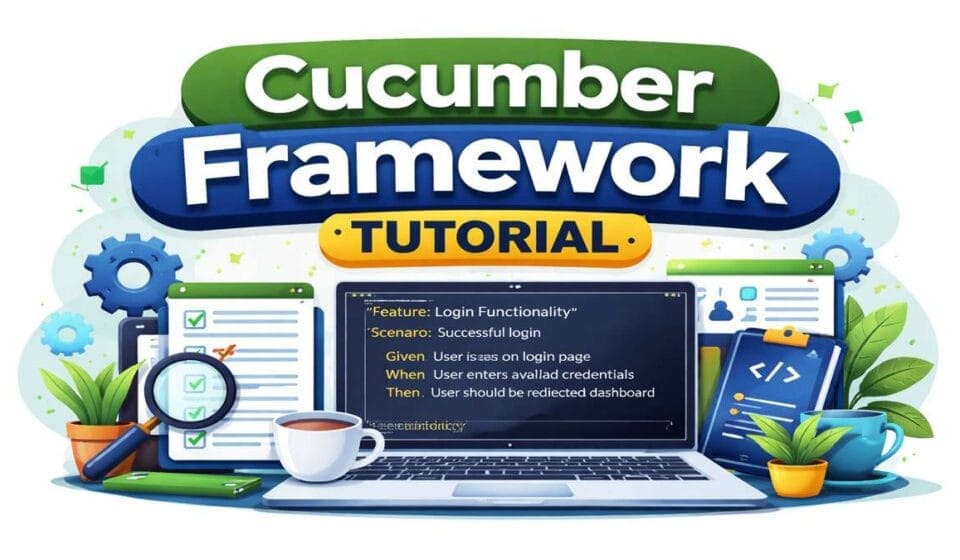
Cucumber Framework Tutorial: Complete Guide (2026)
Introduction
This Cucumber Framework Tutorial is designed based on real project experience and actual interview expectations. Unlike generic guides, this Cucumber Framework Tutorial focuses on how Cucumber is used in real automation frameworks and how you should explain it in interviews.
This Cucumber Framework Tutorial is written from a practical perspective. Instead of just theory, this guide focuses on real implementation, real interview questions, and real problems faced by QA engineers. You will learn how feature files connect with step definitions, how hooks work in actual projects, how tagging is used in CI/CD pipelines, and how to design a scalable automation framework.
If you are preparing for QA Automation interviews or trying to build a solid Cucumber framework in your project, this Cucumber framework Tutorial will give you exactly what you need — no unnecessary theory, only what actually matters.
What is Cucumber?
Cucumber is a Behavior Driven Development tool that allows teams to write test cases in a human-readable format using Gherkin language. But in real projects, it is not just about writing Given-When-Then steps. It is about creating a bridge between business requirements and automation code.
In actual teams, business analysts define scenarios, testers convert them into feature files, and automation engineers map them to step definitions. This creates a shared understanding across all stakeholders. Cucumber ensures that everyone speaks the same language when discussing application behavior.
One important thing to understand is that Cucumber does not replace Selenium or any automation tool. It works on top of them. Cucumber handles readability and structure, while tools like Selenium handle execution. This separation is what makes it powerful in large-scale projects.
Code Snippet:
Feature: Login Functionality
Scenario: Successful login
Given user is on login page
When user enters valid username and password
Then user should be redirected to dashboard
Interview Takeaways:
Cucumber is not just a tool, it is a BDD approach
It improves collaboration between business and technical teams
It is always used with tools like Selenium or API frameworks
Interviewers expect real project explanation, not definition
Cucumber Architecture:
This is main topic in our Cucumber framework Tutorial.
Cucumber architecture looks simple on the surface but becomes critical in real frameworks. It mainly consists of Feature Files, Step Definitions, Runner Class, Hooks, and supporting utilities. Understanding how these components interact is important for both interviews and implementation.
The execution always starts from the feature file. Each step written in the feature file is matched with a corresponding step definition method. These methods contain actual automation code. The runner class controls how tests are executed, including tags, parallel execution, and reporting.
In real projects, architecture also includes layers like Page Object Model, utility classes, configuration files, and reporting tools. Without proper structure, the framework becomes unmanageable very quickly.
Code Snippet:
@Given("user is on login page")
public void userOnLoginPage() {
driver.get("https://example.com/login");
}
@When("user enters valid credentials")
public void enterCredentials() {
driver.findElement(By.id("username")).sendKeys("testuser");
driver.findElement(By.id("password")).sendKeys("password");
}
@Then("user should be redirected to dashboard")
public void validateLogin() {
Assert.assertTrue(driver.getCurrentUrl().contains("dashboard"));
}
Interview Takeaways:
- Execution flow is Feature → Step Definition → Automation Code
- Runner class controls execution behavior
- Real frameworks include POM and utilities
- Architecture questions are very common in interviews
Feature File Explained:
Feature files are the backbone of Cucumber. They define the behavior of the application in a structured and readable format. However, in real projects, writing good feature files is a skill.
A good feature file should be simple, readable, and business-focused. It should not contain technical details like locators or implementation logic. Many beginners make the mistake of writing feature files like code, which defeats the purpose of BDD.
Feature files should clearly describe what the user is trying to achieve. Each scenario should represent a real user action. Using meaningful names and clean steps improves maintainability and collaboration.
Code Snippet:
Feature: User Registration
Scenario: Successful registration
Given user enters valid registration details
When user submits the registration form
Then user account should be created successfully
Interview Takeaways:
- Feature files should be business-readable
- Avoid technical details in scenarios
- Each scenario should represent a real use case
- Poor feature design leads to poor automation
In this Cucumber Framework Tutorial, understanding architecture is critical because most interview questions are based on real framework design.
Step Definitions:
Step definitions are where actual automation logic is written. They connect the plain English steps from the feature file to Java code. This is where Selenium or API calls are implemented.
In real frameworks, step definitions should be reusable and clean. You should avoid writing duplicate steps. Instead, create generic steps that can be reused across scenarios. This improves maintainability.
Another important concept is parameterization. Instead of hardcoding values, use placeholders in feature files and pass them to step definitions. This is heavily used in real projects.
Code Snippet:
@When("user enters {string} and {string}")
public void enterCredentials(String username, String password) {
driver.findElement(By.id("username")).sendKeys(username);
driver.findElement(By.id("password")).sendKeys(password);
}

@Then("user should see {string}")
public void validateMessage(String message) {
Assert.assertTrue(driver.getPageSource().contains(message));
}
Interview Takeaways:
- Step definitions should be reusable
- Avoid duplicate step definitions
- Use parameters instead of hardcoding
- Interviewers check code quality here
This is one of the most important concepts covered in this Cucumber Framework Tutorial, as step definitions directly impact code reusability.
Hooks in Cucumber:
Hooks are used to execute code before and after scenarios. In real frameworks, hooks are used for setup and teardown operations like launching browsers, initializing drivers, and cleaning up test data.
Hooks become very important when running tests in parallel. If not handled properly, tests can interfere with each other. That is why frameworks use thread-safe drivers and proper initialization logic.
Hooks can also be used for logging, taking screenshots on failure, and generating reports. This is often asked in interviews.
Code Snippet:
@Before
public void setUp() {
driver = new ChromeDriver();
driver.manage().window().maximize();
}

@After
public void tearDown(Scenario scenario) {
if (scenario.isFailed()) {
TakesScreenshot ts = (TakesScreenshot) driver;
byte[] screenshot = ts.getScreenshotAs(OutputType.BYTES);
}
driver.quit();
}
Interview Takeaways:
- Hooks are used for setup and teardown
- Important for parallel execution
- Used for screenshots and logging
- Common real-world interview question
In any real automation project, hooks play a major role, and this Cucumber Framework Tutorial explains how they are used effectively.
Tags in Cucumber:
In this section of Cucumber Framework Tutorial , we will dig into Tags.
Tags are used to group and control execution of scenarios. In real projects, tags are heavily used in CI/CD pipelines to run specific sets of tests like smoke, regression, or sanity.
Instead of running all tests, teams use tags to run only required scenarios. This saves time and improves efficiency. Tags are also used for environment-based execution.
Understanding how to combine tags and use them in runner classes is important for interviews.
Code Snippet:
@Smoke
Scenario: Login test
@Regression
Scenario: Checkout testRunner Example:
@CucumberOptions(
features = "src/test/resources/features",
glue = "stepDefinitions",
tags = "@Smoke"
)
Interview Takeaways:
- Tags control execution
- Used in CI/CD pipelines
- Helps in selective test runs
- Important for framework design
Tagging strategy is a key part of this Cucumber Framework Tutorial, especially for CI/CD execution.
Data Driven Testing:
Data-driven testing allows running the same test with multiple data sets. In Cucumber, this is done using Scenario Outline and Examples.
This is widely used in real projects for testing multiple inputs like login credentials, form submissions, and API payloads.
Proper use of data-driven testing reduces duplication and improves coverage.
Code Snippet:
Scenario Outline: Login Test
Given user enters "<username>" and "<password>"
Then login should be "<result>"
Examples:
| username | password | result |
| user1 | pass1 | success |
| user2 | wrong | failure |Interview Takeaways:
Scenario Outline is used for data-driven testing
Reduces duplication
Improves test coverage
Frequently asked interview topic
Data-driven testing is a must-know topic in any Cucumber Framework Tutorial for interview preparation.
Cucumber Framework Setup:
The Cucumber Framework Tutorial is incomplete without understanding real-world framework setup using Selenium, TestNG, and Maven.
In real projects, setting up a Cucumber framework involves integrating multiple tools like Selenium, TestNG, and Maven. It is not just about writing feature files and step definitions.
A proper framework includes folder structure, driver management, configuration files, reporting tools, and reusable utilities. Without this, the framework becomes difficult to maintain.
For a complete step-by-step implementation of a real-world framework with proper structure and dependencies, refer to:
https://qatribe.in/cucumber-automation-framework-guide/
Interview Takeaways:
- Framework design is a key interview topic
- Integration with Selenium and TestNG is expected
- Proper structure is important
- Real examples matter more than theory
Advanced Interview Questions
Once basics are clear, interviews focus on advanced topics like parallel execution, hooks execution order, and CI/CD integration. These questions test your real project experience.
For a detailed list of advanced questions with answers and explanations, refer to:
https://qatribe.in/advanced-cucumber-interview-questions-and-answers/
Interview Takeaways:
- Advanced questions focus on real scenarios
- Parallel execution is very important
- CI/CD integration is commonly asked
Top Interview Questions
Basic questions are always asked to check fundamentals. These include Gherkin, feature files, and step definitions.
For a complete list of commonly asked questions, refer to:
https://qatribe.in/top-20-cucumber-interview-questions/
Interview Takeaways:
Strong basics create good impression
Simple questions are very important
Clarity is key
Intermediate Questions:
Intermediate questions focus on execution flow, tagging, and hooks usage.
For detailed questions and answers, refer to:
https://qatribe.in/cucumber-interview-questions-part-2/
Interview Takeaways:
- Scenario-based questions are common
- Execution flow understanding is important
Advanced Concepts:
For senior roles, focus shifts to framework design, scalability, and optimization.
For deeper understanding, refer to:
https://qatribe.in/advanced-cucumber-interview-questions/
Interview Takeaways:
- Focus on real project challenges
- Explain design decisions clearly
Conclusion:
This Cucumber Framework Tutorial gives you a complete understanding of how Cucumber is used in real projects and how to explain it confidently in interviews. If you follow this Cucumber Framework Tutorial and practice real scenarios, you will be able to design frameworks and crack interviews easily.
Cucumber is not just about writing Given-When-Then steps. It is about building a scalable, maintainable automation framework that aligns with business requirements. Most candidates fail because they focus only on syntax and ignore real implementation.
If you focus on understanding architecture, framework design, and real-world usage, you can easily stand out in interviews. This guide has covered everything from basics to advanced topics, along with real examples and interview insights.
Use this as your base, go deeper into each section, and practice real scenarios. That is what actually makes the difference.
👉 Official Resources for Cucumber and Automation
1. Cucumber Official Documentation
Use line like:
For official reference and latest updates, you can refer to the Cucumber documentation.
2. Selenium Documentation:
Use:
Cucumber is commonly integrated with Selenium for UI automation in real projects.
3. TestNG Documentation:
Use:
TestNG is widely used with Cucumber for execution control, grouping, and reporting.
4. Maven Repository:
Use:
All required dependencies for Cucumber and Selenium can be added using Maven Repository.
5. RestAssured
👉
Use:
Cucumber can also be integrated with API automation tools like Rest Assured.
🔥 Continue Your Learning Journey
Want to go beyond this topic and master Cucumber completely? Check these hand-picked guides:
👉 🚀 Master TestNG Framework (Enterprise Level)
Build scalable automation frameworks with CI/CD, parallel execution, and real-world architecture
➡️ Read: TestNG Automation Framework – Complete Architect Guide
🥒 Complete Cucumber Learning Path
Master Cucumber Framework from Scratch Learn feature files, step definitions, hooks, tags and real project setup from zero Read: Cucumber Framework Tutorial for Beginners (2026)
Build a Cucumber Automation Framework Set up Maven, folder structure, Page Object Model, reporting and CI/CD integration Read: Cucumber Automation Framework Guide: Beginner to Advanced
Top 20 Cucumber Interview Questions Most asked Cucumber questions with real answers — BDD, hooks, runners and step definitions Read: Top 20 Cucumber Interview Questions With Answers (2026)
Cucumber Interview Questions Part 2 From beginner to advanced — scenario outline, data tables, tags and BDD concepts Read: Cucumber Interview Questions Beginner to Advanced (Part 2)
Advanced Cucumber Interview Questions Expert level — parallel execution, Cucumber + Spring and CI/CD Read: Top 20 Advanced Cucumber Interview Questions (Expert Level)
Advanced Cucumber Q&A — Real Project Scenarios BDD best practices, framework design and real project interview scenarios Read: 20 Advanced Cucumber Interview Questions & Answers (2026)
👉 🔐 API Authentication Made Simple
Master JWT, OAuth, Bearer Tokens with real API testing examples
➡️ Read: Ultimate API Authentication Guide
👉 ⚡ Crack Playwright Interviews (2026 Ready)
Top real interview questions with answers and scenarios
➡️ Read: Playwright Interview Questions Guide
👉 🧠 Java Coding Interview Series
Understand Gherkin, step definitions, and real-world BDD framework design
➡️ Read: Java String coding Part-1
➡️ Read: Java Array coding Part-1
➡️ Read: Java Array Coding Part-2



[…] Master Cucumber Framework from Scratch Learn feature files, step definitions, hooks, tags and real project setup from zero Read: Cucumber Framework Tutorial for Beginners (2026) […]
[…] Master Cucumber Framework from Scratch Learn feature files, step definitions, hooks, tags and real project setup from zero Read: Cucumber Framework Tutorial for Beginners (2026) […]
[…] Master Cucumber Framework from Scratch Learn feature files, step definitions, hooks, tags and real project setup from zero Read: Cucumber Framework Tutorial for Beginners (2026) […]
[…] Master Cucumber Framework from Scratch Learn feature files, step definitions, hooks, tags and real project setup from zero Read: Cucumber Framework Tutorial for Beginners (2026) […]