
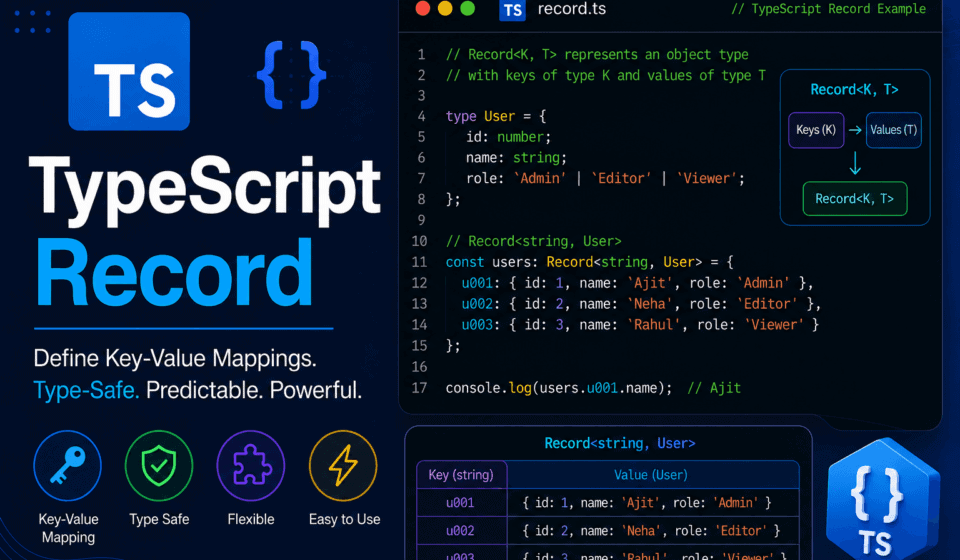
TypeScript Record: Typed Key-Value Collections Explained
If you’ve spent any real time writing TypeScript, you’ve probably typed Record<string, number> or Record<K, V> a hundred times without giving it a second thought. It’s one of those utility types that quietly earns its keep in almost every codebase — configuration objects, lookup tables, API response shapes, feature flags, translation dictionaries, you name it. And yet, when you ask most developers to actually explain what Record<K, V> does under the hood, why TypeScript needed it in the first place, or when it’s the wrong tool for the job, the answers get a little fuzzy.
That fuzziness is exactly what this article is here to fix.
I’ve spent a good chunk of my career sitting at the intersection of QA, test automation architecture, and TypeScript-heavy application development. I’ve reviewed thousands of pull requests where Record was used beautifully — and just as many where it was misused, over-engineered, or ignored in favor of something clunkier. So this isn’t going to be a dry recap of the TypeScript handbook. This is a working engineer’s deep dive into one of the most quietly powerful features in TypeScript’s type system: the Record<K, V> utility type.
We’re going to go from the absolute basics — what a Record even is — all the way to advanced patterns involving conditional types, mapped types, discriminated unions, generic constraints, and real production use cases from automation frameworks, backend services, and frontend state management. By the end, you’ll not just know how to write Record<K, V>, you’ll know exactly when to reach for it, when to avoid it, and how to use it in a way that actually makes your codebase safer and easier to maintain.
Let’s get into it.
What Exactly Is Record<K, V> in TypeScript?
At its core, Record<K, V> is a built-in utility type in TypeScript that describes an object type whose property keys are of type K and whose property values are all of type V. It’s part of TypeScript’s standard library of utility types, sitting alongside familiar names like Partial<T>, Pick<T, K>, Omit<T, K>, and Readonly<T>.
Here’s the simplest possible example:
typescript
const scores: Record<string, number> = {
  alice: 95,
  bob: 88,
  charlie: 76,
};
In plain English: scores is an object where every key is a string, and every value tied to that key is a number. That’s it. That’s the whole idea. But the fact that it’s this simple is precisely why it’s so useful — it gives you a compact, readable way to describe a very common shape of data: a typed dictionary, or typed map, expressed as a plain JavaScript object.
If you peek under the hood at the TypeScript source code on GitHub (specifically the lib.es5.d.ts file that ships with every TypeScript installation), you’ll find that Record is defined using a mapped type:
typescript
type Record<K extends keyof any, T> = {
  [P in K]: T;
};
This definition tells you almost everything you need to know. Record takes two type parameters — a key type K (which must be assignable to keyof any, meaning it has to be a string, number, or symbol, since those are the only valid property key types in JavaScript) and a value type T. It then produces an object type by iterating over every member of K and assigning it a property of type T. This iteration is done using a mapped type, which is a TypeScript feature that lets you generate new object types by transforming the properties of an existing type or union.
So when you write Record<string, number>, TypeScript essentially expands this into “an object type where the key can be any string, and the value is always a number.” When you write Record<'success' | 'error' | 'loading', string>, it expands into an object type with exactly three required keys — success, error, and loading — each mapped to a string value.
This dual nature — behaving like an open-ended dictionary with string or number keys, and behaving like a strict, closed object shape with union literal keys — is what makes Record<K, V> so versatile, and also what trips people up when they’re new to it.
Why Did TypeScript Even Need Record?
To understand why Record<K, V> exists, it helps to rewind to how JavaScript developers typically modeled key-value data before TypeScript came along, and how early TypeScript users tried to type that same data.
In plain JavaScript, if you wanted a dictionary-like object, you’d just write:
javascript
const config = {
  apiUrl: "https://api.example.com",
  timeout: 5000,
  retries: 3,
};
No types, no constraints, no safety net. If you accidentally typed config.timout instead of config.timeout, JavaScript would happily hand you back undefined, and you wouldn’t find out until something broke at runtime — often in production, often at the worst possible time.
When TypeScript arrived, one of its earliest promises was catching exactly this kind of mistake at compile time. But early TypeScript didn’t have a slick utility type for dictionaries. If you wanted a typed key-value object where the keys weren’t known ahead of time, you had to reach for an index signature:
typescript
interface Config {
  [key: string]: string | number;
}
This works, but it has a few rough edges. First, it’s verbose — you have to declare an interface (or a type alias with similar syntax) every single time you want a dictionary shape, even for something as simple as “string keys, number values.” Second, index signatures don’t compose as nicely with other utility types. Third, and more subtly, index signatures historically had looser semantics around excess property checks and optional properties compared to mapped types.
Record<K, V> was introduced to solve exactly this friction. Instead of writing an index signature every time, you could write Record<string, string | number> inline, right where you needed it — as a function parameter type, a return type, a generic constraint, or a variable annotation. It turned a multi-line interface declaration into a single, readable expression.
But the real superpower of Record<K, V> reveals itself when K is not string or number, but a union of literal types. That’s when Record stops being just “a dictionary” and starts being “an exhaustive map over a known set of keys,” which is a fundamentally different and, in many ways, more powerful capability. We’ll dig deep into that distinction in a later section, because it’s genuinely one of the most underused features of the TypeScript type system.
The Anatomy of Record<K, V>: Breaking Down the Syntax
Let’s slow down and look carefully at the syntax, because getting comfortable with the mechanics here pays off enormously later.
typescript
Record<K, V>
Kis the type of the keys. It must extendkeyof any, which TypeScript defines asstring | number | symbol. This makes sense: those are the only three types JavaScript allows as object property keys.Vis the type of the values. There’s no constraint onV— it can be a primitive, an object type, a union, an array, a function type, anotherRecord, literally anything.
Let’s look at a handful of variations to build intuition:
typescript
// Keys are any string, values are numbers
type NumberDictionary = Record<string, number>;

// Keys are any string, values are arrays of strings
type TagMap = Record<string, string[]>;

// Keys are a fixed union of string literals, values are booleans
type FeatureFlags = Record<'darkMode' | 'betaSearch' | 'newCheckout', boolean>;

// Keys are numbers, values are objects
type UserById = Record<number, { name: string; email: string }>;

// Keys are symbols
const sym1 = Symbol('a');
const sym2 = Symbol('b');
type SymbolMap = Record<typeof sym1 | typeof sym2, string>;
Notice how flexible this is. The moment K becomes a union of literal types — like 'darkMode' | 'betaSearch' | 'newCheckout' — TypeScript treats the resulting Record as requiring exactly those keys, no more, no less (unless you combine it with Partial, which we’ll cover shortly). This is fundamentally different behavior from Record<string, boolean>, where any string key is allowed, and no specific key is required.
This is the first big mental model to internalize: Record<K, V> behaves differently depending on whether K is a primitive type (string, number, symbol) or a union of literal types. The primitive case gives you an open dictionary. The union case gives you a closed, exhaustive map. Both are valuable, but they solve different problems, and conflating them is one of the most common sources of confusion for developers new to this utility type.
Record as an Open Dictionary: The “Any String Key” Use Case
Let’s start with the more familiar use case: using Record<string, V> (or Record<number, V>) as a general-purpose typed dictionary.
Imagine you’re building a caching layer for an application. You want to store arbitrary computed values, keyed by some cache key string, and you want type safety on the values without knowing every possible key ahead of time.
typescript
class SimpleCache<T> {
  private store: Record<string, T> = {};

  set(key: string, value: T): void {
    this.store[key] = value;
  }

  get(key: string): T | undefined {
    return this.store[key];
  }

  has(key: string): boolean {
    return key in this.store;
  }

  delete(key: string): void {
    delete this.store[key];
  }
}

const userCache = new SimpleCache<{ id: number; name: string }>();
userCache.set('user-123', { id: 123, name: 'Aditi Sharma' });

const user = userCache.get('user-123');
if (user) {
  console.log(user.name); // TypeScript knows this is a string
}
Here, Record<string, T> gives us exactly what we want: a plain object acting as a dictionary, with full type safety on the value side. Notice that get() returns T | undefined rather than just T — this is intentional and correct, because at compile time TypeScript has no way of knowing whether a given string key actually exists in the object. This is a subtlety that trips a lot of people up, and we’ll come back to it in the section on noUncheckedIndexedAccess.
Another extremely common real-world use of the open-dictionary pattern is grouping data. Say you have an array of orders, and you want to group them by customer ID:
typescript
interface Order {
  id: string;
  customerId: string;
  amount: number;
}

function groupOrdersByCustomer(orders: Order[]): Record<string, Order[]> {
  const grouped: Record<string, Order[]> = {};

  for (const order of orders) {
    if (!grouped[order.customerId]) {
      grouped[order.customerId] = [];
    }
    grouped[order.customerId].push(order);
  }

  return grouped;
}
This pattern — using Record<string, T[]> as the accumulator in a “group by” operation — shows up so often in real applications that it’s worth memorizing as a template. Anytime you find yourself grouping, bucketing, or indexing an array by some property, Record<string, T[]> (or Record<string, T> if there’s a unique key) is almost always the right shape.
Record as an Exhaustive Map: The “Known Set of Keys” Use Case
Now let’s talk about the other side of Record<K, V> — arguably the more interesting and more underused side. When K is a union of literal types, Record<K, V> doesn’t behave like an open dictionary anymore. It behaves like a strict contract that says: “this object must have exactly these keys, all of them, no missing ones, no extra ones.”
This is incredibly powerful for modeling things like state machines, enums-to-value mappings, and configuration objects tied to a fixed set of options.
Let’s look at a classic example — mapping HTTP status categories to human-readable messages:
typescript
type HttpStatusCategory = 'informational' | 'success' | 'redirection' | 'clientError' | 'serverError';

const statusMessages: Record<HttpStatusCategory, string> = {
  informational: 'Request received, continuing process',
  success: 'The action was successfully received, understood, and accepted',
  redirection: 'Further action must be taken to complete the request',
  clientError: 'The request contains bad syntax or cannot be fulfilled',
  serverError: 'The server failed to fulfill an apparently valid request',
};
Here’s where the magic happens: if you forget to add one of the five keys, or if you misspell one, TypeScript throws a compile-time error immediately.
typescript
const brokenStatusMessages: Record<HttpStatusCategory, string> = {
  informational: 'Request received, continuing process',
  success: 'The action was successfully received, understood, and accepted',
  redirection: 'Further action must be taken to complete the request',
  clientError: 'The request contains bad syntax or cannot be fulfilled',
  // Error: Property 'serverError' is missing in type
};
This is enormously valuable for exhaustiveness. Imagine a scenario six months from now where a new teammate adds a new value to the HttpStatusCategory union — say, adding 'unknown' to handle status codes outside the standard ranges (see the full list of HTTP status codes on MDN for reference). Every single Record<HttpStatusCategory, V> in your codebase will immediately fail to compile until the new key is handled. That’s not an accident — that’s the entire point. TypeScript is forcing you to consciously decide what happens for the new case, rather than letting it silently fall through the cracks at runtime.
This pattern is one of the most valuable defensive programming techniques available in TypeScript, and it’s something that Record makes almost effortless. Compare this to the alternative — a series of if or switch statements without a never check at the end — where adding a new union member wouldn’t cause any compile error, and the new case would simply be ignored until someone noticed the bug in production.
Record vs. Interface: Choosing the Right Tool
A question I get asked constantly in code reviews and mentoring sessions: “Should I use an interface or a Record here?” The honest answer is: it depends on what you’re modeling, and the two are not really competitors — they solve different problems, even though they can sometimes produce similar-looking results.
An interface (or an equivalent object type alias) is best when you know the exact set of properties ahead of time, and different properties might have different value types.
typescript
interface User {
  id: number;
  name: string;
  isActive: boolean;
  roles: string[];
}
Here, id, name, isActive, and roles all have different types. You can’t model this with a plain Record<K, V> because Record forces every value under every key to share the same type V. If you tried Record<'id' | 'name' | 'isActive' | 'roles', string>, you’d be lying to the type system about id being a string when it should be a number.
Record<K, V> shines when either:
- You don’t know the keys ahead of time (open dictionary case), or
- You know the keys ahead of time, but every value shares the exact same type (exhaustive map case).
So the decision tree is pretty simple: if your object’s properties have different types, use an interface or object type literal. If your object’s properties all share one type, whether the keys are dynamic strings or a fixed union, use Record<K, V>.
There’s a nuance worth calling out: sometimes people use Record<'id' | 'name' | 'email', string> because all three happen to be strings, and it feels more concise than writing an interface. This works, but I’d generally advise caution here. If those three properties conceptually belong together as a coherent entity (like a User), an interface communicates that intent more clearly, and it also gives you better extensibility if one of the properties later changes type (say, id needs to become a number). Using Record in this scenario technically works today, but it’s a slightly fragile choice that can bite you later. Reserve Record for genuinely homogeneous value types, not just “happens to be the same type right now.”
Record vs. Index Signatures: What’s the Real Difference?
We touched on index signatures earlier as the “old way” of describing dictionary-like types. Let’s compare them side by side more rigorously, because there are subtle but meaningful differences.
typescript
// Index signature
interface ConfigA {
  [key: string]: string;
}

// Record equivalent
type ConfigB = Record<string, string>;
For the simple string-keyed, single-value-type case, these two are functionally almost identical. But there are a few distinctions worth knowing:
Readability and composability. Record<string, string> is a single expression you can drop inline anywhere a type is expected — as a function parameter, a generic constraint, or nested inside another type. An index signature requires a full interface or type literal declaration, which is more verbose, especially for one-off usages.
Combining with other properties. Index signatures can coexist with named properties in the same interface, as long as the named properties are compatible with the index signature’s value type:
typescript
interface MixedConfig {
  [key: string]: string | number;
  version: string; // must be compatible with the index signature
  retries: number;
}
Record<K, V> doesn’t naturally support this kind of mixing — it’s purely a mapped type over a single key type and value type. If you need mixed shapes like this, an intersection type combining Record with an object type is a more idiomatic Record-based approach:
typescript
type MixedConfigWithRecord = Record<string, string | number> & {
  version: string;
  retries: number;
};
Though honestly, in most real-world cases, if you need this kind of mixed shape, reaching for an interface with an index signature (or simply an interface with well-typed known properties, dropping the dynamic index signature altogether if you can enumerate the keys) tends to be the cleaner choice.
Exhaustiveness with literal key unions. This is where Record<K, V> truly pulls ahead. You simply cannot express “this object must have exactly these five keys, no more, no less” using a classic index signature. Index signatures are inherently open-ended by design — they describe “any key of this type maps to this value type,” not “exactly these keys.” If you want the exhaustive-map behavior we discussed earlier, Record<K, V> with a literal union for K is really the only clean, idiomatic way to express it.
Optional properties and strictness. Historically, there have been subtle differences in how strict mode and various compiler flags interact with index signatures versus mapped types like Record. In modern TypeScript, these differences have narrowed considerably, but Record generally plays more predictably with utility types like Partial, Readonly, and Pick, since it’s expressed as a proper mapped type rather than a special-cased index signature.
The practical takeaway: for simple open dictionaries, Record<string, V> and index signatures are close to interchangeable, and Record is usually the more concise, more idiomatic modern choice. For exhaustive maps over a fixed set of keys, Record<K, V> is unambiguously the better tool.
Record vs. Map: Two Very Different Kinds of “Dictionary”
This is a comparison that confuses a lot of developers, especially those coming from other languages, because Record<K, V> and JavaScript’s built-in Map<K, V> sound like they should be the same thing. They are not, and understanding the difference is crucial.
Record<K, V> is a type, not a runtime construct. It describes the shape of a plain JavaScript object. There is no “Record” object at runtime — when you write const x: Record<string, number> = {}, the value of x at runtime is just a plain object literal, {}. TypeScript’s type system is erased at compile time, so Record leaves zero runtime footprint.
Map<K, V>, on the other hand, is a real, runtime JavaScript (and TypeScript) class. It’s an actual data structure with its own set of methods (.get(), .set(), .has(), .delete(), .forEach(), iteration support via for...of, and a .size property).
typescript
// Record: a typed plain object
const recordExample: Record<string, number> = {
  a: 1,
  b: 2,
};
console.log(recordExample.a); // 1
console.log(Object.keys(recordExample)); // ['a', 'b']

// Map: an actual runtime data structure
const mapExample = new Map<string, number>();
mapExample.set('a', 1);
mapExample.set('b', 2);
console.log(mapExample.get('a')); // 1
console.log(mapExample.size); // 2
So when should you choose one over the other?
Choose Record<K, V> when:
- You’re working with data that’s naturally serializable to JSON (Maps don’t serialize to JSON directly —
JSON.stringify(new Map())gives you{}, which is almost never what you want). - Your keys are strings, numbers, or a fixed set of literals, and you want the ergonomics of plain object property access (
obj.keyorobj['key']). - You’re modeling static configuration, fixed enumerations, or API response shapes.
- You want the “exhaustive map” behavior we discussed, guaranteeing all keys are present at compile time.
Choose Map<K, V> when:
- Your keys are not limited to strings/numbers/symbols — Maps allow arbitrary values (including objects, functions, or even other Maps) as keys, which plain objects and Records fundamentally cannot support.
- You need to frequently add and remove keys at runtime, and you want a genuinely dynamic collection with proper size tracking and iteration order guarantees.
- Performance matters for very large collections with frequent insertions/deletions —
Mapis generally more optimized for this pattern than plain object property mutation. - You want to avoid prototype pollution risks or accidental collisions with inherited
Object.prototypeproperties liketoString,hasOwnProperty, orconstructor(a real and sometimes-overlooked security/correctness concern when using plain objects as dictionaries with untrusted string keys).
This last point deserves a moment of attention because it’s a genuine, real-world gotcha. If you’re building a Record<string, V> from user-controlled input — say, keys coming from a URL query string or form submission — and someone crafts a key like "__proto__" or "constructor", you can run into unexpected behavior or even prototype pollution vulnerabilities, depending on how you’re constructing and consuming the object. Map doesn’t have this issue because keys are stored in an internal data structure, not as actual JavaScript object properties. If you’re ever handling untrusted external input as dictionary keys, lean toward Map, or at minimum sanitize/validate keys before assigning them into a plain object.
Record with Partial: Handling Optional Keys
One question that comes up constantly: “What if I want a Record where not every key is required?” By default, Record<K, V> makes every key in K required. If K is 'a' | 'b' | 'c', then Record<K, V> requires all three keys to be present.
Sometimes, though, you genuinely want an object where each key in the union is optional. That’s where combining Record with Partial comes in:
typescript
type FeatureFlags = 'darkMode' | 'betaSearch' | 'newCheckout';

// All keys required
type StrictFlags = Record<FeatureFlags, boolean>;

// All keys optional
type LooseFlags = Partial<Record<FeatureFlags, boolean>>;

const flags: LooseFlags = {
  darkMode: true,
  // betaSearch and newCheckout can be omitted
};
This combination — Partial<Record<K, V>> — is one of the most common and most useful patterns you’ll find in real TypeScript codebases. It’s the idiomatic way to express “a lookup object where the keys come from a known, fixed set, but not every key is guaranteed to be populated.” Think of things like: per-locale translation overrides where not every locale has every string translated, feature toggles where only some flags are explicitly set (with the rest defaulting elsewhere), or validation error maps where only fields with actual errors appear as keys.
typescript
interface FormFields {
  email: string;
  password: string;
  confirmPassword: string;
}

type ValidationErrors = Partial<Record<keyof FormFields, string>>;

function validate(fields: FormFields): ValidationErrors {
  const errors: ValidationErrors = {};

  if (!fields.email.includes('@')) {
    errors.email = 'Please enter a valid email address';
  }
  if (fields.password.length < 8) {
    errors.password = 'Password must be at least 8 characters';
  }
  if (fields.password !== fields.confirmPassword) {
    errors.confirmPassword = 'Passwords do not match';
  }

  return errors;
}
Notice the elegant use of keyof combined with Record and Partial here. This is a pattern worth internalizing: deriving your Record’s key type directly from an existing interface using keyof, rather than manually duplicating the list of field names as a separate union. This way, if FormFields ever gains or loses a property, your ValidationErrors type automatically stays in sync — no manual maintenance required, and no risk of the two types silently drifting apart.
Record with Readonly: Locking Down Your Data
Just as you can combine Record with Partial, you can combine it with Readonly to prevent mutation after creation:
typescript
type Config = Readonly<Record<'apiUrl' | 'timeout' | 'retries', string | number>>;

const config: Config = {
  apiUrl: 'https://api.example.com',
  timeout: 5000,
  retries: 3,
};

config.timeout = 10000; // Error: Cannot assign to 'timeout' because it is a read-only property
This is a fantastic pattern for configuration objects, constants, and anything that should be set once and never touched again. It communicates intent clearly to anyone reading the code — this object is not meant to be mutated — and it gets TypeScript to enforce that intent at compile time, catching accidental mutations before they ever make it into a running application.
You can also stack Readonly and Partial together with Record for maximum expressiveness:
typescript
type ReadonlyOptionalFlags = Readonly<Partial<Record<FeatureFlags, boolean>>>;
This describes an object where each of the known feature flag keys is optional, and once set, cannot be reassigned. It’s a small, elegant one-liner that would otherwise require a hand-written interface with readonly modifiers sprinkled on every optional property.
Nested Records: Modeling Multi-Level Lookup Structures
Real-world data is rarely flat. You’ll frequently need Records nested inside other Records to model multi-dimensional lookup structures. Let’s look at a genuinely useful example: a translation dictionary supporting multiple languages, each with multiple string keys.
typescript
type SupportedLocale = 'en' | 'fr' | 'de' | 'hi';
type TranslationKey = 'welcome' | 'goodbye' | 'error.notFound' | 'error.serverError';

type Translations = Record<SupportedLocale, Record<TranslationKey, string>>;

const translations: Translations = {
  en: {
    welcome: 'Welcome',
    goodbye: 'Goodbye',
    'error.notFound': 'Page not found',
    'error.serverError': 'Something went wrong on our end',
  },
  fr: {
    welcome: 'Bienvenue',
    goodbye: 'Au revoir',
    'error.notFound': 'Page non trouvée',
    'error.serverError': "Une erreur s'est produite de notre côté",
  },
  de: {
    welcome: 'Willkommen',
    goodbye: 'Auf Wiedersehen',
    'error.notFound': 'Seite nicht gefunden',
    'error.serverError': 'Auf unserer Seite ist ein Fehler aufgetreten',
  },
  hi: {
    welcome: 'स्वागत है',
    goodbye: 'अलविदा',
    'error.notFound': 'पृष्ठ नहीं मिला',
    'error.serverError': 'हमारी तरफ से कुछ गलत हो गया',
  },
};

function translate(locale: SupportedLocale, key: TranslationKey): string {
  return translations[locale][key];
}
This is exhaustive on two levels simultaneously: if you add a new locale, TypeScript forces you to supply every translation key for that locale. If you add a new translation key, TypeScript forces you to update every locale with that key. This is precisely the kind of guarantee that prevents “missing translation” bugs from ever slipping into production — a problem that plagues internationalized applications built without this kind of type-level enforcement.
Another very practical example of nested Records is modeling permission matrices — a common requirement in enterprise applications with role-based access control:
typescript
type Role = 'admin' | 'editor' | 'viewer';
type Resource = 'articles' | 'comments' | 'users';
type Permission = 'create' | 'read' | 'update' | 'delete';

type PermissionMatrix = Record<Role, Record<Resource, Permission[]>>;

const permissions: PermissionMatrix = {
  admin: {
    articles: ['create', 'read', 'update', 'delete'],
    comments: ['create', 'read', 'update', 'delete'],
    users: ['create', 'read', 'update', 'delete'],
  },
  editor: {
    articles: ['create', 'read', 'update'],
    comments: ['create', 'read', 'update', 'delete'],
    users: ['read'],
  },
  viewer: {
    articles: ['read'],
    comments: ['read'],
    users: [],
  },
};

function canPerform(role: Role, resource: Resource, action: Permission): boolean {
  return permissions[role][resource].includes(action);
}
This kind of structure is exceptionally readable, exceptionally maintainable, and — crucially for anyone doing access control — exceptionally hard to get subtly wrong, because the type system won’t let you forget a role or a resource.
Record with Union Value Types: Beyond Primitives
We’ve mostly used simple primitive types for V so far, but V can be anything, including unions, object types, function types, or even other generic types. Let’s look at a more advanced case — modeling a state machine for an asynchronous data-fetching operation, a pattern extremely common in frontend applications.
typescript
type RequestState =
  | { status: 'idle' }
  | { status: 'loading' }
  | { status: 'success'; data: string[] }
  | { status: 'error'; message: string };

type RequestStateByEndpoint = Record<'users' | 'posts' | 'comments', RequestState>;

const initialState: RequestStateByEndpoint = {
  users: { status: 'idle' },
  posts: { status: 'idle' },
  comments: { status: 'idle' },
};

function renderState(state: RequestState): string {
  switch (state.status) {
    case 'idle':
      return 'Not started';
    case 'loading':
      return 'Loading...';
    case 'success':
      return `Loaded ${state.data.length} items`;
    case 'error':
      return `Error: ${state.message}`;
  }
}
This is a genuinely powerful pattern: combining a discriminated union (the RequestState type) with Record<K, V> to model per-resource async states. Each of users, posts, and comments can independently be in any of the four states, and TypeScript’s exhaustiveness checking on the switch statement (especially with the strict flag and no default case, which forces every branch to be handled) means you’ll get a compile error the moment you add a new status without handling it everywhere it’s consumed.
Using Record with Function Types as Values
Another underrated pattern: using Record<K, V> where V is a function type. This is the backbone of many “command pattern” or “handler map” implementations, where you dispatch to different logic based on a key.
typescript
type ActionType = 'increment' | 'decrement' | 'reset';

interface CounterState {
  count: number;
}

type ActionHandlers = Record<ActionType, (state: CounterState) => CounterState>;

const handlers: ActionHandlers = {
  increment: (state) => ({ count: state.count + 1 }),
  decrement: (state) => ({ count: state.count - 1 }),
  reset: () => ({ count: 0 }),
};

function reducer(state: CounterState, action: ActionType): CounterState {
  return handlers[action](state);
}
This is a genuinely clean alternative to a long switch statement, and it’s extremely common in Redux-style reducers, event bus implementations, and CLI command routers. TypeScript ensures every ActionType has a corresponding handler, and calling handlers[action] gives you a properly typed function without any casting or manual type assertions.
Let’s extend this to something closer to a real command-line tool or automation script dispatcher — something particularly relevant if you’re building internal tooling or test automation utilities:
typescript
type CommandName = 'runTests' | 'generateReport' | 'cleanArtifacts' | 'deploy';

interface CommandContext {
  environment: 'staging' | 'production';
  verbose: boolean;
}

type CommandHandlers = Record<CommandName, (ctx: CommandContext) => Promise<void>>;

const commands: CommandHandlers = {
  async runTests(ctx) {
    console.log(`Running tests in ${ctx.environment}...`);
  },
  async generateReport(ctx) {
    console.log('Generating HTML report...');
  },
  async cleanArtifacts(ctx) {
    console.log('Cleaning up old test artifacts...');
  },
  async deploy(ctx) {
    if (ctx.environment === 'production' && !ctx.verbose) {
      console.log('Deploying quietly to production...');
    } else {
      console.log(`Deploying to ${ctx.environment}...`);
    }
  },
};

async function executeCommand(name: CommandName, ctx: CommandContext) {
  await commands[name](ctx);
}
This pattern scales beautifully as your tool grows. Adding a new command means adding one key to CommandName and TypeScript immediately tells you where you need to add the corresponding implementation.
Record in Test Automation and QA Engineering (A Practical Deep Dive)
Given the amount of time I’ve spent architecting test automation frameworks, I want to dedicate a substantial section specifically to how Record<K, V> shows up in real-world QA and automation codebases — particularly with Playwright, which has become the dominant modern browser automation tool for a huge number of teams.
Environment Configuration Maps
Almost every serious test automation framework needs to run against multiple environments — local, dev, staging, QA, and production (for smoke tests). Record<K, V> is the natural type for expressing environment-specific configuration.
typescript
type Environment = 'local' | 'dev' | 'staging' | 'production';

interface EnvironmentConfig {
  baseUrl: string;
  apiUrl: string;
  timeout: number;
  retries: number;
}

const environments: Record<Environment, EnvironmentConfig> = {
  local: {
    baseUrl: 'http://localhost:3000',
    apiUrl: 'http://localhost:4000',
    timeout: 30000,
    retries: 0,
  },
  dev: {
    baseUrl: 'https://dev.example.com',
    apiUrl: 'https://api-dev.example.com',
    timeout: 30000,
    retries: 1,
  },
  staging: {
    baseUrl: 'https://staging.example.com',
    apiUrl: 'https://api-staging.example.com',
    timeout: 45000,
    retries: 2,
  },
  production: {
    baseUrl: 'https://example.com',
    apiUrl: 'https://api.example.com',
    timeout: 60000,
    retries: 3,
  },
};

function getConfig(env: Environment = 'staging'): EnvironmentConfig {
  return environments[env];
}
This is one of the very first files I write in nearly every Playwright framework I’ve architected, alongside the Playwright test configuration guide. It’s dead simple, but it eliminates an entire class of bugs — running tests against the wrong URL because someone typed the environment name slightly wrong in a string, or forgot to add configuration for a newly introduced environment.
Locator Maps for Page Objects
Playwright’s page object pattern benefits enormously from Record<K, V> when you have a set of related locators that share a common access pattern — for instance, a dynamic form where field names map to selectors.
typescript
import { Page, Locator } from '@playwright/test';

type FormField = 'firstName' | 'lastName' | 'email' | 'phone' | 'address';

class RegistrationPage {
  private readonly page: Page;
  private readonly fieldLocators: Record<FormField, Locator>;

  constructor(page: Page) {
    this.page = page;
    this.fieldLocators = {
      firstName: page.getByTestId('input-first-name'),
      lastName: page.getByTestId('input-last-name'),
      email: page.getByTestId('input-email'),
      phone: page.getByTestId('input-phone'),
      address: page.getByTestId('input-address'),
    };
  }

  async fillField(field: FormField, value: string): Promise<void> {
    await this.fieldLocators[field].fill(value);
  }

  async fillAll(values: Partial<Record<FormField, string>>): Promise<void> {
    for (const [field, value] of Object.entries(values) as [FormField, string][]) {
      await this.fillField(field, value);
    }
  }
}
Notice the fillAll method’s parameter type: Partial<Record<FormField, string>>. This lets a test author fill in only the fields they care about for a particular scenario, without being forced to supply every single field — while still getting full autocomplete and type checking on the field names they do provide.
typescript
test('should register user with minimum required fields', async ({ page }) => {
  const registrationPage = new RegistrationPage(page);
  await registrationPage.fillAll({
    firstName: 'Priya',
    email: 'priya@example.com',
  });
});
This is significantly more robust than the common anti-pattern of using plain strings for field names scattered throughout test files, where a typo like 'firstNmae' would silently produce a no-op or throw a runtime error deep inside a helper function, rather than being caught immediately by the compiler and your IDE.
Test Data Factories Keyed by Scenario
Another pattern I use constantly: keeping a Record of test data factories or fixtures keyed by scenario name, so that test files can request pre-built data sets by a clear, self-documenting key rather than duplicating fixture-building logic across dozens of spec files. This pairs well with Playwright’s own fixtures system.
typescript
interface UserFixture {
  email: string;
  password: string;
  role: 'admin' | 'standard' | 'guest';
}

type UserScenario = 'validAdmin' | 'validStandardUser' | 'lockedOutUser' | 'unverifiedEmail';

const userFixtures: Record<UserScenario, UserFixture> = {
  validAdmin: {
    email: 'admin@qa-tests.com',
    password: 'Str0ngP@ssw0rd!',
    role: 'admin',
  },
  validStandardUser: {
    email: 'standard@qa-tests.com',
    password: 'Str0ngP@ssw0rd!',
    role: 'standard',
  },
  lockedOutUser: {
    email: 'locked@qa-tests.com',
    password: 'Str0ngP@ssw0rd!',
    role: 'standard',
  },
  unverifiedEmail: {
    email: 'unverified@qa-tests.com',
    password: 'Str0ngP@ssw0rd!',
    role: 'standard',
  },
};

function getFixture(scenario: UserScenario): UserFixture {
  return userFixtures[scenario];
}
typescript
test('locked out user should see appropriate error message', async ({ page }) => {
  const user = getFixture('lockedOutUser');
  await page.goto('/login');
  await page.getByLabel('Email').fill(user.email);
  await page.getByLabel('Password').fill(user.password);
  await page.getByRole('button', { name: 'Log in' }).click();
  await expect(page.getByText('Account is locked')).toBeVisible();
});
This pattern keeps test intent readable — getFixture('lockedOutUser') tells anyone reading the test exactly what scenario is being exercised, without needing to open a separate fixture file and reverse-engineer which combination of properties represents “locked out.”
Browser and Device Matrices for Cross-Browser Testing
Playwright supports running tests across multiple browser engines and device emulations. Record<K, V> is a natural fit for expressing per-browser overrides or expected differences.
typescript
type BrowserName = 'chromium' | 'firefox' | 'webkit';

interface BrowserExpectation {
  expectedTimeout: number;
  knownFlakiness: boolean;
  skipReason?: string;
}

const browserExpectations: Record<BrowserName, BrowserExpectation> = {
  chromium: { expectedTimeout: 5000, knownFlakiness: false },
  firefox: { expectedTimeout: 7000, knownFlakiness: false },
  webkit: { expectedTimeout: 8000, knownFlakiness: true, skipReason: 'Animation timing differs on WebKit' },
};
This kind of Record-based configuration is incredibly useful for automation architects trying to manage the inherent quirks of cross-browser testing without scattering if (browserName === 'webkit') conditionals throughout dozens of individual test files.
Retry and Severity Maps for Test Reporting
Test reporting dashboards often need to categorize failures by severity or apply different retry strategies to different test tags. Record<K, V> makes this configuration explicit and centrally maintained.
typescript
type TestSeverity = 'blocker' | 'critical' | 'major' | 'minor' | 'trivial';

const retryStrategy: Record<TestSeverity, number> = {
  blocker: 3,
  critical: 2,
  major: 1,
  minor: 1,
  trivial: 0,
};

function getRetryCount(severity: TestSeverity): number {
  return retryStrategy[severity];
}
I’ve used this exact pattern to drive dynamic retry configuration in Playwright’s test.describe.configure({ retries }) calls, where severity tags on test suites determine how aggressively flaky tests get retried before being reported as genuine failures — an approach that meaningfully reduces noisy CI failures without hiding real regressions.
Object.keys, Object.entries, and the TypeScript Widening Problem
Here’s a gotcha that catches almost every TypeScript developer at some point, and it’s directly relevant to working with Records: Object.keys() and Object.entries() don’t return the precise key type you might expect.
typescript
type FeatureFlags = Record<'darkMode' | 'betaSearch', boolean>;

const flags: FeatureFlags = { darkMode: true, betaSearch: false };

const keys = Object.keys(flags); // inferred as string[], not ('darkMode' | 'betaSearch')[]
Why does this happen? TypeScript’s built-in typings for Object.keys intentionally return string[] rather than (keyof T)[], because JavaScript objects can have extra enumerable properties at runtime that TypeScript’s static type doesn’t know about (inherited properties, properties added dynamically, or properties from a wider type that got narrowed). Returning (keyof T)[] would be technically unsound in the general case, so the TypeScript team deliberately chose the safer, if less convenient, string[] signature — there’s good background discussion of this design decision in the TypeScript GitHub issue tracker.
In practice, when you’re confident the object genuinely only has the keys from your Record type (which is extremely common when you construct the object as a literal, as in most of our examples), you’ll often see this pattern to work around the limitation:
typescript
const typedKeys = Object.keys(flags) as (keyof FeatureFlags)[];

for (const key of typedKeys) {
  console.log(key, flags[key]); // key is properly typed here
}
This is a type assertion, so use it thoughtfully — it’s telling the compiler “trust me,” and if you’re wrong (say, the object actually has extra keys at runtime that aren’t part of the type), you could get subtle bugs. But for Records built from literals with known-fixed keys, this pattern is safe and extremely common in production code.
The same widening issue applies to Object.entries():
typescript
const entries = Object.entries(flags); // [string, boolean][]

const typedEntries = Object.entries(flags) as [keyof FeatureFlags, boolean][];
A number of teams write a small typed helper utility to avoid repeating this assertion everywhere:
typescript
function typedEntries<K extends string, V>(record: Record<K, V>): [K, V][] {
  return Object.entries(record) as [K, V][];
}

function typedKeys<K extends string>(record: Record<K, unknown>): K[] {
  return Object.keys(record) as K[];
}
I’d strongly recommend adding a small utility like this to any shared utilities module in a TypeScript codebase that uses Record<K, V> heavily — it saves you from sprinkling as assertions all over your business logic, keeping the unsound-but-safe assumption isolated to one well-understood, well-tested location.
The noUncheckedIndexedAccess Compiler Flag and Why It Matters for Record
There’s a TypeScript compiler option that every serious TypeScript project should strongly consider enabling: noUncheckedIndexedAccess. It fundamentally changes how Record<K, V> (and index signatures generally) behave when you access a property using bracket notation with a dynamic key.
Without this flag, accessing a property on an open dictionary Record via a computed key gives you back V, not V | undefined, even though at runtime the key might not actually exist in the object:
typescript
// Without noUncheckedIndexedAccess
const scores: Record<string, number> = { alice: 95 };
const bobScore = scores['bob']; // TypeScript thinks this is `number`, but it's actually `undefined` at runtime!

console.log(bobScore.toFixed(2)); // Runtime crash: Cannot read properties of undefined
This is a real, well-known footgun. TypeScript’s default behavior here is technically unsound — it assumes that if you’ve declared a dictionary as Record<string, number>, then every string key you access will indeed give you a number. But that’s obviously not guaranteed, since string includes an infinite number of keys that were never actually assigned.
Enabling noUncheckedIndexedAccess in your tsconfig.json fixes this:
json
{
  "compilerOptions": {
    "strict": true,
    "noUncheckedIndexedAccess": true
  }
}
With this flag on, the same access now correctly returns number | undefined:
typescript
const bobScore = scores['bob']; // number | undefined

if (bobScore !== undefined) {
  console.log(bobScore.toFixed(2)); // Safe, TypeScript has narrowed to `number`
}
I consider this flag close to mandatory for any codebase that uses Record<string, V> or Record<number, V> as an open dictionary (it doesn’t have the same relevance for exhaustive Records with literal key unions, since those are already required and validated at the object literal level). If your team hasn’t enabled it yet, it’s genuinely one of the highest-leverage TypeScript config changes you can make — see the full tsconfig reference for the complete list of flags worth considering alongside it. It will surface real, previously-invisible bugs the very first time you turn it on, and it will meaningfully reduce the number of “cannot read property of undefined” runtime crashes that make it into production.
Generic Functions That Operate on Record<K, V>
Record<K, V> becomes even more powerful when you write generic functions that operate on Records without knowing the specific key or value types ahead of time. This is where TypeScript’s generics and Record combine to produce genuinely reusable utility code.
typescript
function mapRecordValues<K extends string, V, R>(
  record: Record<K, V>,
  transform: (value: V, key: K) => R
): Record<K, R> {
  const result = {} as Record<K, R>;
  for (const key of Object.keys(record) as K[]) {
    result[key] = transform(record[key], key);
  }
  return result;
}

const prices: Record<'apple' | 'banana' | 'cherry', number> = {
  apple: 100,
  banana: 40,
  cherry: 300,
};

const discountedPrices = mapRecordValues(prices, (price) => price * 0.9);
// discountedPrices: Record<'apple' | 'banana' | 'cherry', number>
This function is fully generic — it works with any key type and any value type, and it correctly preserves the exact key union in its return type. This means when you call mapRecordValues on a Record with three specific literal keys, TypeScript knows the result also has exactly those three keys, and your IDE will offer accurate autocomplete on discountedPrices.apple, discountedPrices.banana, and discountedPrices.cherry.
Let’s build a couple more genuinely useful generic Record utilities that show up repeatedly in production codebases:
typescript
function filterRecord<K extends string, V>(
  record: Record<K, V>,
  predicate: (value: V, key: K) => boolean
): Partial<Record<K, V>> {
  const result: Partial<Record<K, V>> = {};
  for (const key of Object.keys(record) as K[]) {
    if (predicate(record[key], key)) {
      result[key] = record[key];
    }
  }
  return result;
}

function invertRecord<K extends string, V extends string>(
  record: Record<K, V>
): Record<V, K> {
  const result = {} as Record<V, K>;
  for (const key of Object.keys(record) as K[]) {
    result[record[key]] = key;
  }
  return result;
}

const statusCodes: Record<'ok' | 'notFound' | 'serverError', string> = {
  ok: '200',
  notFound: '404',
  serverError: '500',
};

const codeToStatus = invertRecord(statusCodes);
// codeToStatus: Record<'200' | '404' | '500', 'ok' | 'notFound' | 'serverError'>
Notice that filterRecord returns Partial<Record<K, V>> rather than Record<K, V> — this is deliberate and correct, because after filtering, we can no longer guarantee that every key from the original union is still present. This is a great example of how the type signature of a function should honestly reflect what it can and cannot guarantee, rather than lying about completeness.
Combining Record with keyof, typeof, and Mapped Type Modifiers
One of the more advanced but genuinely practical patterns is deriving Record key types dynamically from existing runtime values or types, rather than manually writing out literal unions. This keeps types and data in sync automatically as your codebase evolves.
typescript
const ROLES = ['admin', 'editor', 'viewer'] as const;
type Role = typeof ROLES[number]; // 'admin' | 'editor' | 'viewer'

const roleDescriptions: Record<Role, string> = {
  admin: 'Full access to all resources',
  editor: 'Can create and modify content',
  viewer: 'Read-only access',
};
This pattern — defining a const array with as const, then deriving a union type from it with typeof ROLES[number] — is extremely common and extremely valuable. It means you have a single source of truth (the ROLES array) that drives both your runtime logic (iterating over roles, validating input against the array) and your compile-time types (the Role union used in your Record). If you add a new role to the array, the Role type automatically expands, and any Record<Role, V> in your codebase will immediately demand the new key.
Combining this with keyof gives you even more power when deriving Record types from existing object shapes:
typescript
interface Product {
  id: string;
  name: string;
  price: number;
  category: string;
}

type ProductFieldLabels = Record<keyof Product, string>;

const fieldLabels: ProductFieldLabels = {
  id: 'Product ID',
  name: 'Product Name',
  price: 'Price',
  category: 'Category',
};
This is a particularly common pattern in form-generation code, table-column configuration, and CSV export utilities — anywhere you need a human-readable label for each property of an existing type, without manually duplicating the property names as a separate literal union that could drift out of sync with the actual interface.
Record in Conditional and Mapped Type Utilities
For those working on more advanced TypeScript library code or shared internal tooling, Record<K, V> frequently appears as a building block inside more sophisticated mapped and conditional types. Let’s look at a few advanced examples.
Deep partial for nested Records:
typescript
type DeepPartial<T> = T extends object
  ? { [K in keyof T]?: DeepPartial<T[K]> }
  : T;

type NestedConfig = Record<'database', Record<'host' | 'port' | 'name', string>>;

type PartialNestedConfig = DeepPartial<NestedConfig>;

const partialConfig: PartialNestedConfig = {
  database: {
    host: 'localhost',
    // port and name can be omitted, and even `database` itself is optional
  },
};
Record with value transformation based on key:
typescript
type EventPayloads = {
  click: { x: number; y: number };
  keypress: { key: string };
  scroll: { deltaY: number };
};

type EventHandlers = {
  [K in keyof EventPayloads]: (payload: EventPayloads[K]) => void;
};

const handlers: EventHandlers = {
  click: (payload) => console.log(`Clicked at ${payload.x}, ${payload.y}`),
  keypress: (payload) => console.log(`Key pressed: ${payload.key}`),
  scroll: (payload) => console.log(`Scrolled by ${payload.deltaY}`),
};
Notice this last example is technically a mapped type rather than a direct use of the built-in Record utility, but it’s built on exactly the same underlying mechanism, and it demonstrates how Record-style thinking extends naturally into more expressive, per-key-customized mapped types once you need value types that vary based on the specific key rather than being uniform across all keys.
Using Record to build a strongly typed event emitter:
typescript
type EventMap = Record<string, unknown[]>;

class TypedEventEmitter<T extends EventMap> {
  private listeners: Partial<Record<keyof T, Array<(...args: any[]) => void>>> = {};

  on<K extends keyof T>(event: K, listener: (...args: T[K]) => void): void {
    if (!this.listeners[event]) {
      this.listeners[event] = [];
    }
    this.listeners[event]!.push(listener);
  }

  emit<K extends keyof T>(event: K, ...args: T[K]): void {
    this.listeners[event]?.forEach((listener) => listener(...args));
  }
}

interface AppEvents extends EventMap {
  userLoggedIn: [userId: string];
  cartUpdated: [itemCount: number, total: number];
}

const emitter = new TypedEventEmitter<AppEvents>();

emitter.on('userLoggedIn', (userId) => {
  console.log(`User logged in: ${userId}`);
});

emitter.on('cartUpdated', (itemCount, total) => {
  console.log(`Cart now has ${itemCount} items, totaling $${total}`);
});

emitter.emit('userLoggedIn', 'user-42');
emitter.emit('cartUpdated', 3, 149.97);
This is a genuinely production-grade pattern — a fully type-safe event emitter where Record<string, unknown[]> acts as the base constraint for any event map, ensuring that emit and on calls are checked against the exact argument types declared for each specific event, with zero manual casting required anywhere in the consuming code.
Common Mistakes Developers Make with Record<K, V>
Let’s go through the mistakes I see most often in code reviews, roughly ordered from most common to least common.
Mistake 1: Using Record<string, V> when you actually have a fixed, known set of keys.
typescript
// Too loose — any string key is technically allowed
const config: Record<string, string> = {
  environment: 'staging',
  region: 'us-east-1',
};
If environment and region are the only two keys this configuration object will ever have, using Record<string, string> throws away valuable type safety. Someone could accidentally write config.evironment (a typo) and TypeScript wouldn’t catch it, because as far as the type system is concerned, evironment is just another valid string key. The fix is to use a literal union:
typescript
const config: Record<'environment' | 'region', string> = {
  environment: 'staging',
  region: 'us-east-1',
};
Now, config.evironment produces an immediate compile error.
Mistake 2: Forgetting that Record<K, V> requires exactly V for every value, not V or a subset.
typescript
type Status = 'active' | 'inactive' | 'pending';

// This forces every value to be a string, but what if you wanted richer per-status data later?
const statusLabels: Record<Status, string> = {
  active: 'Active',
  inactive: 'Inactive',
  pending: 'Pending',
};
This isn’t wrong, per se, but it’s worth pausing and asking whether a plain string is really sufficient for every status, forever, or whether you’re about to need per-status metadata (a color, an icon, a sort order) in the near future. If you suspect the latter, model it with an object value type from the start rather than refactoring later:
typescript
interface StatusMeta {
  label: string;
  color: string;
}

const statusMeta: Record<Status, StatusMeta> = {
  active: { label: 'Active', color: 'green' },
  inactive: { label: 'Inactive', color: 'gray' },
  pending: { label: 'Pending', color: 'yellow' },
};
Mistake 3: Using bracket access on an open dictionary Record without handling undefined.
We covered this in detail earlier with noUncheckedIndexedAccess, but it bears repeating as a standalone mistake: treating record[dynamicKey] as always defined when K is string or number is a very common source of runtime crashes. Always guard against undefined when the key isn’t guaranteed to exist, either through an explicit if check, optional chaining, or a default value with the nullish coalescing operator:
typescript
const price = prices[productId] ?? 0;
Mistake 4: Reaching for Record when a discriminated union would model the domain better.
typescript
// Awkward: using Record to simulate variant states
type ApiResult = Record<'status' | 'data' | 'error', unknown>;
This example is a genuine anti-pattern. It loses all the meaningful type relationships between status, data, and error — for instance, that data should only exist when status is 'success', and error should only exist when status is 'error'. A discriminated union models this domain far more precisely:
typescript
type ApiResult =
  | { status: 'success'; data: string[] }
  | { status: 'error'; error: string };
Record<K, V> is fantastic for homogeneous key-value mappings, but it’s the wrong tool when different keys have logically interdependent, mutually exclusive relationships. That’s a job for discriminated unions, not Records.
Mistake 5: Mutating a Readonly Record through a type assertion to bypass the compiler.
typescript
const config: Readonly<Record<'apiUrl', string>> = { apiUrl: 'https://api.example.com' };

(config as { apiUrl: string }).apiUrl = 'https://malicious-override.com'; // Bypasses the readonly check!
If you find yourself casting away readonly to mutate something, stop and ask why the object needs to be mutated in the first place. If the object genuinely needs periodic updates, it probably shouldn’t have been declared Readonly to begin with — consider a mutable Record with a controlled update function instead, rather than fighting the type system with assertions that undermine the very safety you asked for.
Mistake 6: Overusing Record<string, any> as an escape hatch.
typescript
function processPayload(payload: Record<string, any>) {
  // ...
}
This pattern effectively disables type checking on every property access within payload, which defeats much of the purpose of using TypeScript in the first place. If the shape of the payload is genuinely unknown, Record<string, unknown> is a meaningfully safer alternative — see the handbook’s discussion on unknown vs any — it still allows any string key, but it forces you to narrow the type of each value (through a type guard, a runtime validation library, or explicit casting) before you can do anything meaningful with it, rather than silently allowing arbitrary property access and method calls with no compiler oversight.
typescript
function processPayload(payload: Record<string, unknown>) {
  if (typeof payload.userId === 'string') {
    console.log(payload.userId.toUpperCase()); // Safe, narrowed to string
  }
}
This one-word swap — any to unknown — is one of the single highest-value changes you can make across an entire TypeScript codebase, and it applies directly to how people misuse Record.
Performance Considerations: Record vs. Map at Runtime
Since Record<K, V> compiles down to a plain JavaScript object, it’s worth understanding the runtime performance characteristics compared to Map, especially for automation engineers and backend developers who care about throughput in hot code paths.
Modern JavaScript engines (V8, SpiderMonkey, JavaScriptCore) heavily optimize plain object property access when the object has a stable, predictable “shape” — meaning the same set of keys is added in the same order, consistently, across many object instances. This is the underlying mechanism behind V8’s “hidden classes” optimization. For exhaustive Records with a small, fixed set of literal keys (our “exhaustive map” use case), this optimization kicks in beautifully, and property access via record.key or record['key'] is extremely fast — often faster than the equivalent Map.get() call for small numbers of keys, because engines can inline the property lookup.
However, for open dictionaries (Record<string, V>) where keys are added and removed dynamically at runtime, especially in large volumes, plain objects lose their shape-based optimizations. Every time you add a new dynamically-named property, the engine may need to fall back to a slower, dictionary-mode representation internally. In these scenarios — especially with large numbers of entries (thousands or more) and frequent insertions/deletions — Map generally performs better and more predictably, since it’s specifically designed and optimized for this exact access pattern from the ground up.
The practical guidance: for small, fixed-shape Records (configuration objects, enums-to-value mappings, permission matrices), don’t worry about performance at all — plain objects are extremely fast for this use case, and the type safety benefits of Record<K, V> far outweigh any negligible performance difference. For large, dynamically-growing dictionaries with frequent mutation — caches, session stores, in-memory indexes over large datasets — seriously consider Map instead, both for performance and for the cleaner mutation semantics (.set(), .delete(), .has()) it offers over manual property manipulation on a plain object.
Serialization: Why Record Wins for JSON-Heavy Workflows
A point we touched on briefly earlier deserves its own dedicated discussion, because it’s one of the most practical, decision-driving differences between Record<K, V> and Map<K, V>.
Virtually every API, configuration file, and data interchange format in modern web development is JSON-based. Record<K, V>, being a plain object under the hood, serializes to and deserializes from JSON with zero extra work using the standard JSON.stringify and JSON.parse APIs:
typescript
const config: Record<string, number> = { retries: 3, timeout: 5000 };
const json = JSON.stringify(config); // '{"retries":3,"timeout":5000}'
const parsed: Record<string, number> = JSON.parse(json); // Works perfectlyMap, by contrast, does not serialize to JSON in any useful way out of the box:
typescript
const map = new Map<string, number>([['retries', 3], ['timeout', 5000]]);
const json = JSON.stringify(map); // '{}'  <-- Completely lost the data!
To properly serialize a Map, you need custom replacer/reviver functions with JSON.stringify and JSON.parse, or you need to convert to and from an array of entries manually:
typescript
const json = JSON.stringify(Array.from(map.entries()));
const restoredMap = new Map(JSON.parse(json));
This extra ceremony is exactly why Record<K, V> remains the dominant choice for anything that touches a REST API payload, a configuration file (.json, package.json-style structures), local storage, or any other JSON-based persistence layer. If your data needs to travel across a network boundary or get written to disk as JSON at any point, Record will almost always be the more practical choice, with Map reserved for purely in-memory, runtime-only data structures where serialization is never a concern.
Record in React and Frontend State Management
Frontend developers, particularly those working with React, Vue, or similar component-based frameworks, use Record<K, V> constantly for props, state shapes, and derived data structures. Let’s look at a few frontend-specific patterns.
Normalized state shape (a very common Redux/state-management pattern):
typescript
interface Todo {
  id: string;
  title: string;
  completed: boolean;
}

interface TodosState {
  byId: Record<string, Todo>;
  allIds: string[];
}

const initialState: TodosState = {
  byId: {},
  allIds: [],
};

function addTodo(state: TodosState, todo: Todo): TodosState {
  return {
    byId: { ...state.byId, [todo.id]: todo },
    allIds: [...state.allIds, todo.id],
  };
}

function selectAllTodos(state: TodosState): Todo[] {
  return state.allIds.map((id) => state.byId[id]);
}
This “normalized state” pattern — storing entities in a Record<string, T> keyed by ID, alongside a separate array preserving order — is a foundational pattern in scalable frontend state management, popularized heavily by the Redux official style guide and libraries like Redux Toolkit’s createEntityAdapter. It avoids duplicating entity data across multiple parts of your state tree, and it makes lookups by ID extremely fast (O(1) rather than scanning an array with .find()).
Styling variant maps (extremely common with utility-first CSS or component libraries):
typescript
type ButtonVariant = 'primary' | 'secondary' | 'danger' | 'ghost';

const variantStyles: Record<ButtonVariant, string> = {
  primary: 'bg-blue-600 text-white hover:bg-blue-700',
  secondary: 'bg-gray-200 text-gray-900 hover:bg-gray-300',
  danger: 'bg-red-600 text-white hover:bg-red-700',
  ghost: 'bg-transparent text-blue-600 hover:bg-blue-50',
};

function Button({ variant = 'primary', children }: { variant?: ButtonVariant; children: React.ReactNode }) {
  return <button className={variantStyles[variant]}>{children}</button>;
}
This pattern — mapping a limited set of component prop values to corresponding style strings — is close to universal in modern component libraries. It keeps styling logic centralized, type-safe, and exhaustive: adding a new variant to ButtonVariant immediately forces you to define its corresponding style in variantStyles.
Record in Backend and API Development
On the backend side, Record<K, V> is equally pervasive. Let’s look at a few backend-focused patterns relevant to Node.js and API service development.
HTTP header maps:
typescript
type CustomHeaders = Record<string, string>;

function buildHeaders(authToken: string, extra?: CustomHeaders): Record<string, string> {
  return {
    'Content-Type': 'application/json',
    'Authorization': `Bearer ${authToken}`,
    ...extra,
  };
}
Route handler maps for a lightweight custom router:
typescript
import { IncomingMessage, ServerResponse } from 'http';

type RouteHandler = (req: IncomingMessage, res: ServerResponse) => void;
type HttpMethod = 'GET' | 'POST' | 'PUT' | 'DELETE';

type RouteTable = Record<HttpMethod, Record<string, RouteHandler>>;

const routes: RouteTable = {
  GET: {
    '/users': (req, res) => { /* ... */ },
    '/health': (req, res) => { res.end('OK'); },
  },
  POST: {
    '/users': (req, res) => { /* ... */ },
  },
  PUT: {},
  DELETE: {},
};
Error code to HTTP status mapping:
typescript
type AppErrorCode = 'NOT_FOUND' | 'UNAUTHORIZED' | 'VALIDATION_FAILED' | 'INTERNAL_ERROR';

const errorStatusMap: Record<AppErrorCode, number> = {
  NOT_FOUND: 404,
  UNAUTHORIZED: 401,
  VALIDATION_FAILED: 422,
  INTERNAL_ERROR: 500,
};

class AppError extends Error {
  constructor(public code: AppErrorCode, message: string) {
    super(message);
  }

  get statusCode(): number {
    return errorStatusMap[this.code];
  }
}
This pattern is extremely common in Express, Fastify, NestJS, and other Node.js backend frameworks — centralizing the mapping between internal application error codes and the HTTP status codes clients should receive, ensuring consistency across every place in the codebase that throws or handles an AppError.
Testing Record-Based Code: A QA Perspective
Given the QA and automation architecture angle of this article, let’s talk specifically about how to write good tests around code that uses Record<K, V> heavily, since this is a topic that doesn’t get nearly enough attention in most tutorials.
Testing exhaustiveness at the type level. One of the best “tests” you can write for a Record<K, V> with literal keys isn’t a runtime test at all — it’s letting the compiler do the work. If you’re worried about someone accidentally deleting a key from an exhaustive Record, no unit test is needed; the build itself will fail. This is worth explicitly calling out in code review comments and documentation, so teammates understand that the type system is already covering this class of bug, and writing a redundant unit test for “does this object have all the expected keys” is often unnecessary effort.
Testing the actual values, not just the keys. Compile-time exhaustiveness only guarantees that a key exists and its value has the correct type — it says nothing about whether the value is correct. This absolutely still needs runtime tests, using Playwright’s test runner or a unit test framework of your choice:
typescript
import { test, expect } from '@playwright/test';

test.describe('errorStatusMap', () => {
  test('maps VALIDATION_FAILED to 422', () => {
    expect(errorStatusMap.VALIDATION_FAILED).toBe(422);
  });

  test('maps NOT_FOUND to 404', () => {
    expect(errorStatusMap.NOT_FOUND).toBe(404);
  });
});
Snapshot testing large Records. For big translation dictionaries, permission matrices, or configuration objects, snapshot testing is often more efficient than writing dozens of individual assertions:
typescript
test('translation dictionary matches snapshot', () => {
  expect(translations).toMatchSnapshot();
});
This catches unintended changes to any value inside a large Record without requiring you to hand-write an assertion for every single key.
Fuzzing dynamic key access. If you have an open dictionary Record (Record<string, V>) that’s populated from external input, it’s worth writing tests specifically targeting edge cases in key names — empty strings, extremely long strings, strings with special characters, and yes, the prototype pollution risk keys we discussed earlier (__proto__, constructor, prototype):
typescript
test('does not allow prototype pollution via crafted keys', () => {
  const dict: Record<string, string> = {};
  const maliciousKey = '__proto__';
  dict[maliciousKey] = 'polluted';

  const freshObject: any = {};
  expect(freshObject.polluted).toBeUndefined();
});
End-to-end validation of Record-driven UI with Playwright. If your frontend derives its rendered UI from a Record<K, V> (like our ButtonVariant styling example, or our feature flags example), it’s worth writing Playwright tests that iterate over every key in the Record and assert the corresponding UI state, rather than hardcoding a handful of manually chosen cases. This works especially well combined with Playwright’s test.step and parameterized tests:
typescript
import { test, expect } from '@playwright/test';

const variants: Array<keyof typeof variantStyles> = ['primary', 'secondary', 'danger', 'ghost'];

for (const variant of variants) {
  test(`button renders correctly for variant: ${variant}`, async ({ page }) => {
    await page.goto(`/storybook/button?variant=${variant}`);
    const button = page.getByRole('button');
    await expect(button).toBeVisible();
    await expect(button).toHaveClass(new RegExp(variant));
  });
}
This kind of data-driven test generation — looping over the keys of a Record to generate one test per key — is a powerful technique for achieving genuinely comprehensive coverage without manually duplicating near-identical test cases. It also means that when someone adds a new variant to the underlying Record, the test suite automatically picks up a new test case for it, assuming the key list and the Record itself are derived from the same source of truth.
Record and Zod / Runtime Validation Libraries
Compile-time types disappear at runtime — this is a fact of life with TypeScript that’s absolutely critical to internalize, especially for anyone working with external input (API requests, form submissions, environment variables, third-party API responses). Record<K, V> describes what your data should look like, but it does nothing to verify that incoming data actually matches that shape at runtime. This is where schema validation libraries like Zod, Yup, or io-ts come in, and they pair extremely well with Record<K, V>.
typescript
import { z } from 'zod';

const FeatureFlagsSchema = z.record(z.enum(['darkMode', 'betaSearch', 'newCheckout']), z.boolean());

type FeatureFlags = z.infer<typeof FeatureFlagsSchema>;

function parseFeatureFlags(input: unknown): FeatureFlags {
  return FeatureFlagsSchema.parse(input);
}
Zod’s z.record() function directly mirrors TypeScript’s Record<K, V> utility type, letting you validate that incoming JSON actually matches the shape you expect at runtime, and then infer the exact same Record-based TypeScript type from the schema using z.infer. This is an enormously valuable pattern for any code that receives external data — API request bodies, webhook payloads, configuration files loaded from disk — because it closes the gap between “the compiler thinks this is safe” and “this is actually verified to be safe at runtime.”
I’d strongly recommend this pairing — Record<K, V> for your static types, paired with a runtime schema validator at every trust boundary — as a best practice for any production TypeScript application, and it’s a pattern I push hard for in architecture reviews, especially for backend services and test automation frameworks that consume configuration from external files or environment variables.
A Deeper Look: How TypeScript Infers Types When Assigning to Record
Let’s take a slightly more academic detour to understand exactly how TypeScript’s structural type system validates an object literal against a Record<K, V> type, because understanding this mechanism clears up a surprising number of “why doesn’t this compile” confusions.
When you write:
typescript
type Status = 'active' | 'inactive';
const labels: Record<Status, string> = {
  active: 'Active',
  inactive: 'Inactive',
};
TypeScript expands Record<Status, string> internally into the equivalent of:
typescript
{
  active: string;
  inactive: string;
}
Then it performs its usual structural compatibility check between the object literal you wrote and this expanded shape. Because this is a fresh object literal assignment (not being passed through an intermediate variable), TypeScript also applies “excess property checking,” which means if you accidentally add a key that isn’t part of Status, you’ll get an error immediately:
typescript
const labels: Record<Status, string> = {
  active: 'Active',
  inactive: 'Inactive',
  pending: 'Pending', // Error: Object literal may only specify known properties
};
This excess property check is actually a really valuable safety net that’s specific to fresh object literals — if you instead build the object separately and then assign it, TypeScript’s structural typing (which is fundamentally about “does this shape have at least the required properties,” not “does this shape have exactly these properties and nothing more”) would not catch the extra key:
typescript
const rawLabels = {
  active: 'Active',
  inactive: 'Inactive',
  pending: 'Pending', // No error here, because there's no direct literal assignment to Record<Status, string>
};

const labels: Record<Status, string> = rawLabels; // No error, because rawLabels structurally satisfies Record<Status, string> (having extra properties doesn't violate the requirement of having at least the required ones)
This is a subtle but important nuance of TypeScript’s structural type system, and it’s worth knowing precisely when excess property checks apply (direct object literal assignment) versus when they don’t (assigning via an intermediate variable). It explains a lot of “but I thought TypeScript would catch this” confusion that developers run into when working with Records and other object types.
Record<K, V> and Enums: A Closer Comparison
TypeScript’s enum construct is another common way developers model a fixed set of named values, and it’s worth directly comparing enums with the “exhaustive map” use case of Record<K, V>, since they’re often used together, and sometimes confused for solving the same problem.
typescript
enum Role {
  Admin = 'ADMIN',
  Editor = 'EDITOR',
  Viewer = 'VIEWER',
}

const roleDescriptions: Record<Role, string> = {
  [Role.Admin]: 'Full access to all resources',
  [Role.Editor]: 'Can create and modify content',
  [Role.Viewer]: 'Read-only access',
};
This works perfectly well — Record<Role, string> treats an enum type exactly like a union of its member values for the purpose of key mapping, and gives you the same exhaustiveness guarantees we’ve discussed throughout this article.
That said, there’s been a noticeable shift in the broader TypeScript community, including guidance discussed in various TypeScript design meeting notes, toward preferring union types of string literals over traditional enum constructs for many use cases, largely because enums introduce some runtime overhead (they compile to actual JavaScript objects, unlike most other TypeScript type constructs which are fully erased) and have a handful of quirky edge cases (particularly numeric enums and their reverse mappings).
typescript
// Union-of-literals approach (often preferred over enum in modern TypeScript codebases)
type Role = 'ADMIN' | 'EDITOR' | 'VIEWER';

const roleDescriptions: Record<Role, string> = {
  ADMIN: 'Full access to all resources',
  EDITOR: 'Can create and modify content',
  VIEWER: 'Read-only access',
};
Both approaches pair beautifully with Record<K, V>. My general recommendation, based on years of watching both patterns play out in real codebases: prefer union types of string literals (optionally backed by a const array with as const, as shown earlier) unless you specifically need enum-specific features like reverse mapping (for numeric enums) or you’re working within a codebase/team convention that already leans heavily on enums. Either way, Record<K, V> works seamlessly with both, so this decision is largely independent of how you choose to use Records.
Real-World Case Study: Building a Configurable Playwright Test Framework with Record-Driven Design
Let’s bring everything together with a more complete, realistic case study — the kind of design decisions an automation architect actually makes when building a Playwright framework from scratch, showing how Record<K, V> threads through nearly every layer of the system. For broader context on structuring a framework this way, the Playwright best practices guide is worth reading alongside this section.
Layer 1: Environment and configuration.
typescript
type Env = 'local' | 'dev' | 'staging' | 'prod';

interface FrameworkConfig {
  baseUrl: string;
  apiBaseUrl: string;
  defaultTimeout: number;
  headless: boolean;
}

const configByEnv: Record<Env, FrameworkConfig> = {
  local: { baseUrl: 'http://localhost:3000', apiBaseUrl: 'http://localhost:4000', defaultTimeout: 15000, headless: false },
  dev: { baseUrl: 'https://dev.app.com', apiBaseUrl: 'https://dev-api.app.com', defaultTimeout: 20000, headless: true },
  staging: { baseUrl: 'https://staging.app.com', apiBaseUrl: 'https://staging-api.app.com', defaultTimeout: 30000, headless: true },
  prod: { baseUrl: 'https://app.com', apiBaseUrl: 'https://api.app.com', defaultTimeout: 30000, headless: true },
};

function loadConfig(): FrameworkConfig {
  const env = (process.env.TEST_ENV as Env) || 'staging';
  return configByEnv[env];
}
Layer 2: Test data fixtures keyed by scenario.
typescript
type CheckoutScenario = 'happyPath' | 'declinedCard' | 'expiredCoupon' | 'outOfStockItem';

interface CheckoutFixture {
  cartItems: Array<{ sku: string; quantity: number }>;
  couponCode?: string;
  paymentMethod: 'visa' | 'mastercard' | 'declined';
}

const checkoutFixtures: Record<CheckoutScenario, CheckoutFixture> = {
  happyPath: {
    cartItems: [{ sku: 'SKU-001', quantity: 2 }],
    paymentMethod: 'visa',
  },
  declinedCard: {
    cartItems: [{ sku: 'SKU-001', quantity: 1 }],
    paymentMethod: 'declined',
  },
  expiredCoupon: {
    cartItems: [{ sku: 'SKU-002', quantity: 1 }],
    couponCode: 'EXPIRED10',
    paymentMethod: 'visa',
  },
  outOfStockItem: {
    cartItems: [{ sku: 'SKU-OUT-OF-STOCK', quantity: 1 }],
    paymentMethod: 'mastercard',
  },
};
Layer 3: Page object locator maps.
typescript
import { Page, Locator } from '@playwright/test';

type CheckoutStep = 'cart' | 'shipping' | 'payment' | 'confirmation';

class CheckoutFlowPage {
  private readonly stepIndicators: Record<CheckoutStep, Locator>;

  constructor(private page: Page) {
    this.stepIndicators = {
      cart: page.getByTestId('step-cart'),
      shipping: page.getByTestId('step-shipping'),
      payment: page.getByTestId('step-payment'),
      confirmation: page.getByTestId('step-confirmation'),
    };
  }

  async assertCurrentStep(step: CheckoutStep): Promise<void> {
    await this.stepIndicators[step].waitFor({ state: 'visible' });
  }
}
Layer 4: The test itself, tying everything together.
typescript
import { test, expect } from '@playwright/test';

const scenarios: CheckoutScenario[] = ['happyPath', 'declinedCard', 'expiredCoupon', 'outOfStockItem'];

for (const scenario of scenarios) {
  test(`checkout flow: ${scenario}`, async ({ page }) => {
    const config = loadConfig();
    const fixture = checkoutFixtures[scenario];
    const checkoutPage = new CheckoutFlowPage(page);

    await page.goto(config.baseUrl);
    // ... use fixture.cartItems, fixture.paymentMethod, etc., to drive the test
    await checkoutPage.assertCurrentStep('cart');

    if (scenario === 'happyPath') {
      await checkoutPage.assertCurrentStep('confirmation');
    } else {
      // Assert appropriate error states for each failure scenario
    }
  });
}
Notice how Record<K, V> appears at every single architectural layer here — environment configuration, test data, page object locators — and in every case, it’s delivering the same core benefit: a single, centrally maintained, exhaustively type-checked mapping from a known set of keys to consistently-typed values. This is, in my experience, one of the clearest signs of a well-architected TypeScript-based automation framework: Record<K, V> doing quiet, unglamorous work everywhere, catching typos and missing entries before they ever reach a CI pipeline, let alone production.
Common Interview Questions About Record<K, V> (And How to Actually Answer Them)
Since this topic comes up often in technical interviews for both frontend, backend, and QA automation roles, let’s go through a few of the most common questions I’ve either asked or been asked, along with strong answers.
“What’s the difference between Record<string, number> and an index signature?”
For this simple case, they’re nearly equivalent — both describe an object with arbitrary string keys mapping to numbers. Record is more concise and composes better with other utility types, while index signatures require a full interface/type declaration and support mixing with named properties more naturally. The bigger distinguishing feature of Record is its behavior with literal union key types, which index signatures cannot replicate.
“How would you type a dictionary where not all keys are guaranteed to be present?”
Partial<Record<K, V>>. This makes every key optional while preserving the constraint that any key that is present must come from the known set K, and its value must be of type V.
“What happens if you forget a key when assigning to a Record with literal union keys?”
TypeScript throws a compile-time error, because Record<K, V> with a literal union K requires every member of that union to be present as a key in the resulting object type — this is the “exhaustive map” behavior, and it’s one of the most valuable things Record offers over a plain index signature.
“Why might you choose Map over Record, and vice versa?”
Map is a real runtime data structure best suited for large, dynamically mutating collections, non-string/number keys, and performance-sensitive insertion/deletion workloads. Record is a compile-time type describing a plain object, best suited for JSON-serializable data, fixed or string/number-keyed dictionaries, and scenarios where you want the exhaustiveness guarantees of literal union keys.
“What’s a subtle bug that can occur with Record<string, V> if you’re not careful?”
Accessing a key that doesn’t actually exist in the object returns undefined at runtime, but without the noUncheckedIndexedAccess compiler flag enabled, TypeScript’s static type for that access is just V, not V | undefined. This mismatch between the compile-time type and the actual runtime possibility can lead to unhandled undefined values crashing the application.
Best Practices Checklist for Working with Record<K, V>
Let’s consolidate everything into a practical checklist you can genuinely apply the next time you’re deciding how to type a key-value structure in TypeScript.
Use Record<K, V> when every value under every key shares exactly the same type, and reach for an interface or object type literal instead when different properties need different value types.
Prefer a literal union type for K whenever the set of keys is genuinely fixed and known ahead of time, rather than defaulting to Record<string, V> out of habit — the exhaustiveness guarantee is one of the most valuable things this type offers, and using a wide string key type throws that benefit away.
Derive your literal union key types from a single source of truth wherever possible — either a const array with as const and typeof arr[number], or keyof applied to an existing interface — rather than manually duplicating a list of key names as a separate type declaration that can silently drift out of sync.
Combine Record with Partial when not every key is guaranteed to be present, and with Readonly when the resulting object should never be mutated after creation.
Enable noUncheckedIndexedAccess in your tsconfig.json if you use open dictionary Records (Record<string, V> or Record<number, V>) with dynamic key access anywhere in your codebase — this single flag will surface real bugs the first time you turn it on.
Reach for Map<K, V> instead of Record<K, V> when your keys aren’t strings, numbers, or symbols, when you need frequent runtime insertion/deletion at scale, or when you’re specifically concerned about prototype pollution from untrusted input.
Avoid Record<string, any> as a lazy escape hatch — use Record<string, unknown> instead, and pair it with proper type narrowing or a runtime schema validator like Zod when you actually need to work with the values.
Write small, reusable generic utility functions (mapRecordValues, filterRecord, typedKeys, typedEntries) once, in a shared utilities module, rather than repeating as type assertions scattered across your business logic every time you need to iterate over a Record.
Reserve Record<K, V> for genuinely homogeneous key-value relationships, and use discriminated unions instead when different “keys” or “variants” have interdependent, mutually exclusive relationships with each other.
Validate external, untrusted data against a runtime schema (Zod, Yup, or similar) before trusting that it actually matches your Record<K, V> type — remember that TypeScript’s type annotations disappear at runtime and provide zero actual runtime enforcement on their own.
Record with Template Literal Types: Building Smarter Key Patterns
One of the more recent additions to TypeScript that pairs beautifully with Record<K, V> is template literal types. Instead of manually writing out every possible key as a literal, you can generate a whole family of keys programmatically, at the type level, using string interpolation syntax that mirrors JavaScript’s own template literals.
Let’s say you’re building a design system and you need CSS custom properties for spacing, keyed by a scale name and a size:
typescript
type SpacingScale = 'xs' | 'sm' | 'md' | 'lg' | 'xl';
type SpacingKey = `spacing-${SpacingScale}`;

type SpacingTokens = Record<SpacingKey, string>;

const spacing: SpacingTokens = {
  'spacing-xs': '4px',
  'spacing-sm': '8px',
  'spacing-md': '16px',
  'spacing-lg': '24px',
  'spacing-xl': '32px',
};
Here, SpacingKey is computed by TypeScript from the cross product of the literal prefix spacing- and every member of SpacingScale. The resulting Record<SpacingKey, string> still has all the exhaustiveness guarantees we’ve talked about throughout this article — miss one, and the compiler stops you — but you never had to type out 'spacing-xs' | 'spacing-sm' | 'spacing-md' | 'spacing-lg' | 'spacing-xl' by hand.
This becomes genuinely powerful once you start combining multiple template literal dimensions. Consider a testing framework that needs to track pass/fail counts per browser, per test suite:
typescript
type Browser = 'chromium' | 'firefox' | 'webkit';
type Suite = 'smoke' | 'regression' | 'e2e';

type MetricKey = `${Browser}.${Suite}.passCount` | `${Browser}.${Suite}.failCount`;

type TestMetrics = Record<MetricKey, number>;
Trying to write this union by hand for three browsers and three suites, each with two metrics, means eighteen literal strings, and one typo anywhere silently breaks the exhaustiveness guarantee without anyone noticing. Letting TypeScript compute the cross product via template literal types removes that risk entirely, and it keeps the source of truth centralized in the Browser and Suite unions.
There’s a practical limit to this technique worth being aware of: as the cross product grows (more dimensions, more literal members per dimension), the resulting union can get large enough that IDE autocomplete and compiler performance start to degrade noticeably. In my own experience architecting frameworks with dozens of environments, browsers, and test tags, I’ve found that once a template-literal-generated union crosses roughly a few hundred members, it’s worth reconsidering whether a flat literal union with Record<K, V> is really the best design, or whether a nested Record<Browser, Record<Suite, { passCount: number; failCount: number }>> structure would communicate the same information with less type-checker overhead and, frankly, better readability for humans reading the code.
Record and the satisfies Operator: A Modern Alternative Worth Knowing
TypeScript 4.9 introduced the satisfies operator, and it changed how a lot of experienced TypeScript developers think about typing object literals, including ones that would otherwise be typed with Record<K, V>.
The core problem satisfies solves is this: when you annotate an object literal with Record<K, V> directly, you get exhaustiveness checking (good), but you lose the precise, narrowed type of each individual value (not always good). Consider:
typescript
type IconName = 'home' | 'search' | 'settings';

const iconSizes: Record<IconName, number> = {
  home: 24,
  search: 20,
  settings: 24,
};

const homeSize = iconSizes.home; // type is `number`, not the literal `24`
Here, even though home was assigned the literal value 24, TypeScript widens it to number because that’s what the Record<IconName, number> annotation demands. In most cases this is completely fine — you wanted a number, you got a number. But sometimes you want both: the exhaustiveness check and the precise literal type of each value preserved. That’s exactly what satisfies gives you:
typescript
const iconSizes = {
  home: 24,
  search: 20,
  settings: 24,
} satisfies Record<IconName, number>;

const homeSize = iconSizes.home; // type is the literal `24`
With satisfies, TypeScript still checks that the object conforms to Record<IconName, number> — missing a key, adding an extra key, or supplying the wrong value type will all still produce compile errors, exactly as before. But because the object’s declared type is now inferred from the literal itself rather than widened to the Record annotation, downstream code gets the benefit of the narrower, more precise types.
This distinction matters more than it might initially seem. Imagine a routing table where each route’s method is meant to be a specific literal, not just the general HttpMethod union:
typescript
type RouteName = 'home' | 'about' | 'contact';

const routeMethods = {
  home: 'GET',
  about: 'GET',
  contact: 'POST',
} satisfies Record<RouteName, 'GET' | 'POST'>;

// routeMethods.home is typed as 'GET', not 'GET' | 'POST'
// This lets downstream code narrow correctly without extra type guards
function isMutating(route: RouteName): boolean {
  return routeMethods[route] !== 'GET';
}
My general recommendation: reach for a direct Record<K, V> annotation when you genuinely only care about the value type being correct and don’t need the literal precision downstream. Reach for satisfies Record<K, V> when you want both the exhaustiveness guarantee of Record and the precise, narrowed literal types that come from inference. In modern TypeScript codebases (anything on TypeScript 4.9 or later), I’ve increasingly seen satisfies become the default choice for configuration-style objects, precisely because it gives you the best of both worlds with almost no added syntax cost.
Record in GraphQL, Codegen, and Type-Safe API Clients
If you’re working with GraphQL, Record<K, V> shows up constantly, both in hand-written client code and in the output of code generation tools like GraphQL Code Generator.
A very common pattern is mapping GraphQL enum values to display labels or icons on the frontend:
typescript
type OrderStatus = 'PENDING' | 'SHIPPED' | 'DELIVERED' | 'CANCELLED';

const orderStatusLabels: Record<OrderStatus, string> = {
  PENDING: 'Pending',
  SHIPPED: 'Shipped',
  DELIVERED: 'Delivered',
  CANCELLED: 'Cancelled',
};

const orderStatusColors: Record<OrderStatus, string> = {
  PENDING: '#f59e0b',
  SHIPPED: '#3b82f6',
  DELIVERED: '#22c55e',
  CANCELLED: '#ef4444',
};
When these enum types come from an auto-generated .graphql schema (via codegen tooling), the generated OrderStatus union type stays perfectly in sync with your backend schema. If someone adds a new status like RETURNED to the GraphQL schema and regenerates types, every Record<OrderStatus, V> across your frontend immediately fails to compile until you handle the new status. This is an enormously valuable safety net in larger organizations where the frontend and backend teams aren’t always perfectly synchronized on schema changes — the type system becomes the mechanism that forces the conversation to happen before a broken deploy ships.
Another common pattern is normalizing GraphQL query results into Record<string, T> lookup structures for efficient client-side caching, echoing the same normalized-state pattern we discussed earlier in the context of Redux:
typescript
interface Product {
  id: string;
  name: string;
  price: number;
}

interface ProductsQueryResult {
  products: Product[];
}

function normalizeProducts(result: ProductsQueryResult): Record<string, Product> {
  return result.products.reduce<Record<string, Product>>((acc, product) => {
    acc[product.id] = product;
    return acc;
  }, {});
}
This is essentially identical in spirit to Apollo Client’s and Relay’s own internal normalized caches, just expressed explicitly at the application level using Record<string, T> rather than relying entirely on the GraphQL client library’s own caching layer. For smaller applications, or applications not using a full-featured GraphQL client, this pattern gives you a lightweight, fully typed alternative that’s easy to reason about and test in isolation.
Record in i18n Libraries: A Deeper Look at Internationalization
We touched on translation dictionaries earlier, but internationalization is such a common and high-value use case for Record<K, V> that it deserves a more thorough treatment, especially since real-world i18n tooling like i18next and react-intl have their own conventions worth understanding alongside a hand-rolled Record-based approach.
The core challenge in any internationalized application is guaranteeing that every locale you support actually has a translation for every string key your application uses. Miss a translation, and the user either sees a broken UI (a raw translation key like error.notFound displayed literally) or a silent fallback to a default locale that may not be what you intended.
typescript
const SUPPORTED_LOCALES = ['en', 'es', 'fr', 'de', 'ja', 'pt-BR'] as const;
type Locale = typeof SUPPORTED_LOCALES[number];

const TRANSLATION_KEYS = [
  'nav.home',
  'nav.about',
  'nav.contact',
  'form.submit',
  'form.cancel',
  'error.generic',
] as const;
type TranslationKey = typeof TRANSLATION_KEYS[number];

type TranslationDictionary = Record<Locale, Record<TranslationKey, string>>;
Notice we’re deriving both Locale and TranslationKey from const arrays with as const, rather than manually typing out the unions. This means the same arrays can be used at runtime — for populating a locale switcher dropdown, for iterating over all translation keys during a build-time validation step, or for generating a report of missing translations — while the derived types stay perfectly synchronized with the runtime data.
A particularly useful pattern here is writing a small build-time (or CI-time) validation script that walks every locale in your TranslationDictionary and confirms none of the values are empty strings or obviously untranslated placeholders, since Record<K, V>‘s compile-time exhaustiveness only guarantees a key exists — it says nothing about whether the string behind that key is meaningful:
typescript
function validateTranslations(dict: TranslationDictionary): string[] {
  const problems: string[] = [];

  for (const locale of SUPPORTED_LOCALES) {
    for (const key of TRANSLATION_KEYS) {
      const value = dict[locale][key];
      if (!value || value.trim().length === 0) {
        problems.push(`Missing translation: ${locale}.${key}`);
      }
    }
  }

  return problems;
}
Running a check like this as part of a CI pipeline, failing the build if problems.length > 0, closes the gap between “the compiler is satisfied” and “the actual content is correct” — a distinction that matters constantly when working with Record<K, V>, since the type system can only ever verify shape, never semantic correctness.
For teams using i18next specifically, it’s worth knowing that the library’s own TypeScript integration leans on very similar ideas under the hood — deriving nested key types from your translation resource JSON files so that t('nav.home') is checked against your actual resource bundle at compile time. If you’re building this from scratch without a library, the Record-based approach shown here gets you most of the same safety with considerably less setup.
Record in Design Systems and CSS-in-JS Theming
Design systems are another domain where Record<K, V> earns its keep constantly, particularly when working with CSS-in-JS libraries or theme objects consumed by component libraries.
typescript
type ColorToken = 'primary' | 'secondary' | 'success' | 'warning' | 'danger' | 'neutral';
type ColorShade = 50 | 100 | 200 | 300 | 400 | 500 | 600 | 700 | 800 | 900;

type ColorPalette = Record<ColorToken, Record<ColorShade, string>>;

const palette: ColorPalette = {
  primary: {
    50: '#eff6ff', 100: '#dbeafe', 200: '#bfdbfe', 300: '#93c5fd', 400: '#60a5fa',
    500: '#3b82f6', 600: '#2563eb', 700: '#1d4ed8', 800: '#1e40af', 900: '#1e3a8a',
  },
  secondary: {
    50: '#f5f3ff', 100: '#ede9fe', 200: '#ddd6fe', 300: '#c4b5fd', 400: '#a78bfa',
    500: '#8b5cf6', 600: '#7c3aed', 700: '#6d28d9', 800: '#5b21b6', 900: '#4c1d95',
  },
  success: {
    50: '#f0fdf4', 100: '#dcfce7', 200: '#bbf7d0', 300: '#86efac', 400: '#4ade80',
    500: '#22c55e', 600: '#16a34a', 700: '#15803d', 800: '#166534', 900: '#14532d',
  },
  warning: {
    50: '#fffbeb', 100: '#fef3c7', 200: '#fde68a', 300: '#fcd34d', 400: '#fbbf24',
    500: '#f59e0b', 600: '#d97706', 700: '#b45309', 800: '#92400e', 900: '#78350f',
  },
  danger: {
    50: '#fef2f2', 100: '#fee2e2', 200: '#fecaca', 300: '#fca5a5', 400: '#f87171',
    500: '#ef4444', 600: '#dc2626', 700: '#b91c1c', 800: '#991b1b', 900: '#7f1d1d',
  },
  neutral: {
    50: '#f9fafb', 100: '#f3f4f6', 200: '#e5e7eb', 300: '#d1d5db', 400: '#9ca3af',
    500: '#6b7280', 600: '#4b5563', 700: '#374151', 800: '#1f2937', 900: '#111827',
  },
};

function getColor(token: ColorToken, shade: ColorShade = 500): string {
  return palette[token][shade];
}
This is a genuinely realistic representation of how a design system’s color tokens get typed in a production codebase, echoing conventions from libraries like Tailwind CSS‘s own color scale structure. Every token has every shade, guaranteed at compile time — if a designer adds a new 'info' token to the design language, and a developer updates the ColorToken union to include it, TypeScript immediately flags every place the palette needs the new token’s full shade range defined.
The same pattern extends naturally to typography scales, spacing scales, shadow tokens, breakpoints, and z-index layers — basically any part of a design system that can be expressed as “a fixed category, mapped to a fixed set of variations, each resolving to a single value.” Record<K, V>, especially nested, is close to the ideal type for this entire category of design-system data.
Record in Redux Toolkit’s Entity Adapter Pattern: A Closer Look
We mentioned the normalized-state pattern earlier, but it’s worth going a level deeper here because Redux Toolkit’s createEntityAdapter is, under the hood, essentially a sophisticated wrapper around exactly the Record<string, T> pattern we’ve discussed throughout this article, and understanding that connection makes the library’s internals far less mysterious.
typescript
interface Book {
  id: string;
  title: string;
  author: string;
  inStock: boolean;
}

interface BooksState {
  ids: string[];
  entities: Record<string, Book>;
}

const initialBooksState: BooksState = {
  ids: [],
  entities: {},
};

function upsertBook(state: BooksState, book: Book): BooksState {
  const isNew = !state.entities[book.id];
  return {
    ids: isNew ? [...state.ids, book.id] : state.ids,
    entities: { ...state.entities, [book.id]: book },
  };
}

function removeBook(state: BooksState, bookId: string): BooksState {
  const { [bookId]: removed, ...remainingEntities } = state.entities;
  return {
    ids: state.ids.filter((id) => id !== bookId),
    entities: remainingEntities,
  };
}

function selectBookById(state: BooksState, id: string): Book | undefined {
  return state.entities[id];
}

function selectAllBooks(state: BooksState): Book[] {
  return state.ids.map((id) => state.entities[id]);
}
If you compare this hand-rolled version against what createEntityAdapter generates for you automatically, the shape is nearly identical — an ids array preserving order, and an entities: Record<string, T> object for O(1) lookups by ID. Redux Toolkit’s version adds a lot of ergonomic sugar (auto-generated selectors, sorting comparators, batch update helpers), but the fundamental data structure decision — a Record<string, T> keyed by entity ID — is exactly the pattern we’ve been building intuition for throughout this entire article. Understanding this connection is genuinely useful: it means that even teams not using Redux Toolkit at all can adopt the same normalized-state architecture using nothing but Record<K, V> and a handful of small helper functions, without pulling in an additional dependency.
Record vs. Dictionary Types in Other Languages: A Comparative Perspective
For developers coming to TypeScript from other statically or gradually typed languages, it’s genuinely useful to see Record<K, V> positioned alongside similar constructs elsewhere, both to build intuition faster and to understand exactly where the analogy breaks down.
Python’s Dict[K, V] (from the typing module, or the built-in generic dict[K, V] since Python 3.9) is conceptually the closest cousin to TypeScript’s open-dictionary use of Record<K, V>. Both describe a mapping from a key type to a value type, and both are commonly used as type hints for function parameters and return values. The major difference: Python’s Dict[K, V] has no equivalent to TypeScript’s “exhaustive map” behavior with literal key unions — Python’s type system doesn’t have first-class support for string literal types acting as an enum-like closed set of dictionary keys in quite the same way Record<K, V> does with a union of string literals, though TypedDict in Python gets closer to that specific use case.
Java’s Map<K, V> interface (typically implemented via HashMap<K, V> or similar) is closer to TypeScript’s runtime Map<K, V> than to Record<K, V> — it’s an actual object with .get(), .put(), and .containsKey() methods, not a type-erased compile-time-only construct. Java doesn’t really have an equivalent to Record<K, V> as a pure type-level dictionary annotation over a plain object, partly because Java doesn’t have anonymous object literals with the same flexibility as JavaScript objects.
C#’s Dictionary<TKey, TValue> is functionally almost identical to Java’s Map — a genuine runtime collection class, not a compile-time-only type annotation. TypeScript’s Record<K, V>, again, has no direct equivalent here because C# doesn’t model “plain object with known property names” the way JavaScript/TypeScript does.
Go’s map[K]V is a native language-level type, and it’s arguably the closest thing to TypeScript’s open-dictionary Record<string, V> in terms of simplicity and directness, though Go’s maps are a genuine runtime type (with defined zero-value behavior for missing keys) rather than a type erased away at compile time.
The takeaway from this comparison: Record<K, V> is somewhat unusual among mainstream languages’ dictionary-like constructs, precisely because it straddles two different concepts — a runtime-erased type annotation over plain objects (unlike Java/C#/Go’s genuine collection types) that can behave either as an open dictionary or a closed, exhaustive map depending on whether K is a primitive or a literal union. This dual nature is a direct consequence of JavaScript’s own flexible object model, combined with TypeScript’s structural type system, and it’s worth explicitly explaining this distinction to developers joining a TypeScript codebase from a Java, C#, or Go background, since their mental model for “dictionary” from those languages will map more naturally onto TypeScript’s Map<K, V> than onto Record<K, V>.
Migrating a Legacy JavaScript Codebase to Record<K, V>: A Practical Walkthrough
A situation I’ve personally navigated more times than I can count: taking an existing, untyped (or any-riddled) JavaScript or loosely-typed codebase and systematically introducing Record<K, V> where it genuinely improves safety, without triggering an unmanageable wave of compiler errors overnight.
Step one: identify dictionary-shaped objects. Search the codebase for object literals being used as lookup tables — grep for patterns like objects built inside loops, objects with dynamically computed keys (obj[someVariable] = value), or objects passed around with comments like “// map of user id to user object.” These are your Record<K, V> candidates.
javascript
// Before: implicit dictionary, no safety
function groupByStatus(orders) {
  const grouped = {};
  orders.forEach((order) => {
    if (!grouped[order.status]) grouped[order.status] = [];
    grouped[order.status].push(order);
  });
  return grouped;
}
Step two: introduce the type annotation incrementally. Rather than trying to perfectly type the entire function in one pass, start with the loosest safe annotation, then tighten:
typescript
// After, pass one: loose but typed
interface Order {
  id: string;
  status: string;
  amount: number;
}

function groupByStatus(orders: Order[]): Record<string, Order[]> {
  const grouped: Record<string, Order[]> = {};
  orders.forEach((order) => {
    if (!grouped[order.status]) grouped[order.status] = [];
    grouped[order.status].push(order);
  });
  return grouped;
}
Step three: tighten the key type once the domain is well understood. Once you’ve confirmed (through data analysis, product requirements, or backend schema definitions) that status only ever takes a handful of known values, upgrade to a literal union and switch to the exhaustive-map form:
typescript
type OrderStatus = 'pending' | 'processing' | 'shipped' | 'delivered' | 'cancelled';

interface Order {
  id: string;
  status: OrderStatus;
  amount: number;
}

function groupByStatus(orders: Order[]): Partial<Record<OrderStatus, Order[]>> {
  const grouped: Partial<Record<OrderStatus, Order[]>> = {};
  orders.forEach((order) => {
    if (!grouped[order.status]) grouped[order.status] = [];
    grouped[order.status]!.push(order);
  });
  return grouped;
}
Notice the return type here is Partial<Record<OrderStatus, Order[]>>, not the fully required version — this is correct, because there’s no guarantee every possible status will actually appear in a given batch of orders. This is a subtle but important distinction that becomes obvious once you’ve internalized the difference between “the keys are drawn from this known set” (which the union type establishes) and “every key from that set is guaranteed to be present” (which only the non-Partial, fully required form of Record guarantees).
Step four: enable noUncheckedIndexedAccess last, once the codebase is mostly typed. This flag tends to surface a large number of new (mostly harmless-in-practice, but technically real) type errors across an entire codebase in one shot, so it’s usually best enabled as a deliberate, isolated migration step rather than bundled in with the broader Record<K, V> adoption effort. Budget dedicated time for this step; it pays for itself many times over in caught bugs, but it’s disruptive enough that trying to sneak it in alongside other changes tends to create review fatigue and makes it harder to isolate genuinely new issues from pre-existing ones.
Linting and Enforcing Record Best Practices with ESLint
Type safety from Record<K, V> is powerful, but it only works if your team actually uses it consistently. ESLint, combined with typescript-eslint, offers several rules worth configuring specifically to nudge developers toward the patterns we’ve discussed in this article.
The @typescript-eslint/no-explicit-any rule is directly relevant to the Record<string, any> anti-pattern discussed earlier — enabling this rule at the “error” level, with narrowly scoped exceptions where genuinely unavoidable, pushes developers toward Record<string, unknown> instead, forcing proper narrowing before values are consumed.
json
{
  "rules": {
    "@typescript-eslint/no-explicit-any": "error"
  }
}
The @typescript-eslint/consistent-indexed-object-style rule is particularly relevant to this entire article: it enforces a consistent choice between index signatures and Record<K, V> across your entire codebase, rather than letting developers mix both styles arbitrarily depending on personal preference. Configuring it to prefer record is a direct, automatable way of pushing an entire team toward the more idiomatic modern style discussed throughout this piece:
json
{
  "rules": {
    "@typescript-eslint/consistent-indexed-object-style": ["error", "record"]
  }
}
There’s no dedicated built-in lint rule (as of this writing) that specifically detects “you’re using Record<string, V> where a literal union would be more appropriate,” since that requires domain knowledge the linter can’t infer on its own — this is fundamentally a code review judgment call, not something that can be fully automated away. That said, teams that care deeply about this distinction sometimes write custom ESLint rules or use ts-morph-based custom scripts to flag Record<string, V> usages in files where a nearby literal union with a suspiciously similar name already exists, as a heuristic nudge for reviewers to double check.
For catching accidental unsafe indexed access without noUncheckedIndexedAccess, the @typescript-eslint/no-unnecessary-condition rule, once that compiler flag is enabled, will actually flag places where you’re redundantly checking for undefined on a Record access that’s actually guaranteed to exist (say, from an exhaustive Record<K, V> rather than an open dictionary) — helping keep your codebase honest about exactly where uncertainty genuinely exists versus where it doesn’t.
Frequently Asked Questions About TypeScript Record<K, V>
Can Record<K, V> have optional properties without wrapping it in Partial?
Not directly through the built-in Record utility type itself — Record<K, V> always produces required properties for every member of K. To get optional properties, you combine it with Partial<Record<K, V>>, as covered in detail earlier in this article. There’s no built-in shorthand for “some required, some optional” within a single Record call; for that mixed scenario, you’d typically use a plain object type or interface with individual optional modifiers (?) instead.
Does Record<K, V> work with numeric keys the same way it works with string keys?
Yes, largely. Record<number, V> behaves analogously to Record<string, V> as an open dictionary. One subtlety worth knowing: JavaScript object property keys are always coerced to strings internally (with the exception of Symbols), so even when you declare Record<number, V> and use numeric literal keys, under the hood the actual JavaScript object stores them as string keys. This is invisible in almost all practical usage, but it occasionally surfaces when you call Object.keys() on such an object and get back an array of strings rather than numbers, requiring a Number() conversion if you need to work with them as actual numeric values again.
Can I use a boolean as the key type for Record?
No — Record<K, V> requires K to extend keyof any, which is string | number | symbol. Booleans aren’t valid object property key types in JavaScript, so Record<boolean, V> will produce a compile error. If you need a two-state lookup keyed by a boolean-like concept, model it with two named properties in an interface instead ({ trueCase: V; falseCase: V }), or use the literal union 'true' | 'false' as strings if you specifically need Record’s exhaustiveness behavior.
Is Record<K, V> the same thing as an object type with an index signature under the compiler’s hood?
For the open-dictionary case with primitive key types, yes, they compile to structurally equivalent types, and TypeScript treats them as assignable to each other in most contexts. For the exhaustive-map case with literal union keys, Record<K, V> produces a genuinely different kind of type — a plain mapped object type with explicit required properties — which an index signature cannot replicate at all.
Why does my Record<K, V> object literal fail to compile even though it looks correct at a glance?
The most common causes, in rough order of frequency: a missing key from the literal union (the exhaustiveness check catching a genuine omission), a typo in one of the keys (which TypeScript treats as both “missing the correct key” and “excess property” simultaneously), a value that doesn’t match V (often because of a subtle type mismatch, like providing a string where a specific string literal type was actually required), or forgetting that Record<K, V> requires every value to be assignable to the same V, which becomes a problem if you intended different keys to hold genuinely different shapes of data (a sign you may want an interface instead, as discussed earlier).
Should I use Record<K, V> for React component props?
Generally, no, for the props object itself — component props almost always have named properties with different types (a title: string, an onClick: () => void, a disabled?: boolean), which calls for a proper interface or type literal rather than Record<K, V>. However, it’s extremely common and appropriate to use Record<K, V> for individual prop values that themselves represent a lookup — a variant prop whose corresponding style comes from a Record<Variant, string> style map, as we saw in the button example earlier in this article, or a labels prop that’s itself typed as Record<string, string> for a set of user-supplied text overrides.
Can Record<K, V> be extended or merged with another Record the way interfaces can be extended?
There’s no extends-style syntax for Record<K, V> the way there is for interfaces, but you can achieve equivalent results in a couple of ways depending on what you actually need. If you want to combine two Records that share the same value type but have different key sets, a union of the two key types works cleanly: Record<KeyA | KeyB, V>. If you want to merge two Records at the value level — combining their actual key-value pairs into a new object at runtime — the object spread operator handles this exactly as it would for any plain object: { ...recordA, ...recordB }, with TypeScript inferring a combined type automatically (or you can annotate the result explicitly with a wider Record<KeyA | KeyB, V> if you want the exhaustiveness guarantee to carry over to the merged object). Intersection types (Record<KeyA, V> & Record<KeyB, V>) technically work too for combining the type-level shapes, though in practice the union-of-keys approach shown above tends to produce a cleaner, more readable resulting type when both source Records share the same value type V.
Why does Record<K, V> sometimes show up as “{ [x: string]: V }” when I hover over a type in my editor?
This is simply how your editor’s TypeScript language service chooses to display the expanded form of the type in a tooltip, rather than showing the shorthand Record<K, V> name you originally wrote. It happens most often when K has been widened to string somewhere along the way (for instance, after passing through a generic function that doesn’t preserve the literal key type), or when the type has been produced through some other type-level operation that doesn’t retain the original Record alias name. The underlying type is still functionally a Record-shaped object; the display is just a cosmetic artifact of how the compiler chooses to print out its internal, fully expanded representation of a type once it’s no longer being referenced through the original named alias.
Is there a performance cost to defining a Record type versus writing out an equivalent interface by hand?
No — this is purely a compile-time distinction. Both Record<K, V> and a hand-written interface with the same effective shape compile down to identical runtime JavaScript (a plain object literal), with zero difference in runtime performance, memory usage, or generated bundle size. Any performance consideration genuinely worth thinking about relates to how the object is actually used at runtime (plain object property access patterns, as discussed in the dedicated performance section above), not to which syntax you used to describe its type during development, since all TypeScript type information is fully erased during compilation and has no runtime footprint whatsoever.
Does using Record<K, V> instead of separate named properties make my code harder for new developers to understand?
It can, if used where it isn’t the right fit — this is really the central theme running through the “Record vs. Interface” and “common mistakes” sections earlier in this article. A well-chosen Record<K, V>, especially one with a clearly named key type (Record<OrderStatus, string> rather than an anonymous Record<string, string>), is often considerably more self-documenting than the equivalent hand-written interface, precisely because the type explicitly communicates “this is a uniform lookup from one specific category of thing to one specific kind of value,” which is a very clear, singular idea. Where Record<K, V> genuinely does hurt readability is when it’s stretched to cover data that isn’t actually homogeneous — forcing unrelated concepts into the same value type V just to fit the Record shape, rather than reaching for a proper interface once the values genuinely differ in type or meaning from key to key.
A Troubleshooting Guide: Diagnosing Common Record<K, V> Compiler Errors
Let’s walk through several specific compiler error messages you’re likely to encounter when working with Record<K, V>, along with what they actually mean and how to resolve them.
“Property ‘x’ is missing in type ‘{…}’ but required in type ‘Record<…>’.”
This is the exhaustiveness check doing exactly its job — you’ve assigned an object literal to a Record<K, V> with a literal union K, and you’ve forgotten one of the required keys. The fix is almost always to simply add the missing key with an appropriate value. If you genuinely don’t want to require every key, reconsider whether Partial<Record<K, V>> is a better fit for what you’re modeling.
“Object literal may only specify known properties, and ‘y’ does not exist in type ‘Record<…>’.”
This is the excess property check we discussed in the section on structural typing. It usually means either a typo in a key name (the most common cause by far — double check spelling against your literal union), or a genuine attempt to add a key that isn’t part of the intended union, in which case you need to decide whether to widen the union to include the new key, or remove the extra property from the object literal.
“Type ‘string’ is not assignable to type ‘number’.” (or similar, inside a Record context)
This means one of your values doesn’t match the V type parameter. Double-check that every value in the object literal actually conforms to the declared value type — a common cause is accidentally including a value that should have been transformed (say, a raw string that should have been parsed into a number first) before being placed into the Record.
“Element implicitly has an ‘any’ type because expression of type ‘string’ can’t be used to index type ‘Record<…>’.”
This typically occurs when you’re indexing into a Record with literal union keys using a variable typed as the wider string, rather than the specific union type itself. TypeScript can’t guarantee that an arbitrary string is actually one of the specific literal members required by the Record, so it refuses to let you index with it directly. The fix is usually to narrow the variable’s type to the literal union before indexing, either through a type guard, an as assertion (used carefully, only when you’re confident the value truly is one of the expected literals), or by changing the variable’s declared type to the union in the first place.
typescript
type Status = 'active' | 'inactive';
const labels: Record<Status, string> = { active: 'Active', inactive: 'Inactive' };

function getLabel(key: string): string {
  // Error: 'string' can't be used to index 'Record<Status, string>'
  return labels[key];
}

function getLabelFixed(key: Status): string {
  // Correct: key is properly typed as the literal union
  return labels[key];
}

function getLabelWithGuard(key: string): string | undefined {
  if (key === 'active' || key === 'inactive') {
    return labels[key]; // TypeScript narrows key to Status here
  }
  return undefined;
}
“Type ‘Record<string, unknown>’ is not assignable to type ‘Record<string, SomeInterface>’.”
This generally arises when you’re trying to pass a loosely typed dictionary (perhaps freshly parsed from JSON, or received from a runtime validation step) into a function or variable expecting a more specifically typed Record. TypeScript’s structural typing won’t automatically assume unknown values are safely assignable to a specific interface without explicit narrowing or a type guard — this is, again, the type system correctly refusing to make an unsafe assumption on your behalf. The correct fix is almost always to validate the shape of each value at runtime (using a library like Zod, or manual type guards) before treating it as the more specific type, rather than reaching for a blanket as assertion that could paper over a genuine data-shape mismatch.
Additional Real-World Patterns Worth Knowing
Record for feature-flagging services. Teams using third-party feature flag platforms like LaunchDarkly or Split often maintain a local Record<FlagName, boolean> (or Record<FlagName, FlagValue> for multivariate flags) as a typed wrapper around the underlying SDK, which typically communicates flag values as loosely typed strings or booleans over the wire. This local Record acts as a well-typed boundary layer, isolating the rest of the application from the SDK’s looser typing:
typescript
type FlagName = 'newOnboardingFlow' | 'aiRecommendations' | 'darkModeDefault';

function getTypedFlags(rawFlags: Record<string, unknown>): Record<FlagName, boolean> {
  const flagNames: FlagName[] = ['newOnboardingFlow', 'aiRecommendations', 'darkModeDefault'];
  const result = {} as Record<FlagName, boolean>;

  for (const name of flagNames) {
    result[name] = Boolean(rawFlags[name]);
  }

  return result;
}
Record for analytics event property schemas. Analytics platforms typically expect event properties as loosely typed key-value payloads. Wrapping each event type’s expected properties in its own interface, then combining them into a Record<EventName, PropertiesInterface>-shaped mapping (often via a mapped type rather than a literal Record, echoing our earlier EventHandlers example) gives you compile-time confidence that you’re never sending malformed analytics payloads — a category of bug that’s notoriously hard to catch in production because analytics failures rarely throw visible runtime errors; they just silently produce bad data in a dashboard somewhere.
Record for CLI argument parsing. When building internal CLI tools (common in QA automation and DevOps tooling), it’s common to define a Record<FlagName, ArgumentSpec> describing every supported command-line flag, its expected type, its default value, and its help text, then generate both the actual argument parser and the --help output from that single typed source of truth, rather than maintaining the parser logic and the help text as two separately drifting pieces of documentation.
Record in Monorepos and Shared Packages: Keeping Types in Sync Across Teams
Large organizations running monorepos (managed with tools like Nx, Turborepo, or plain Yarn/npm workspaces) face a specific version of the Record<K, V> synchronization problem we’ve touched on throughout this article: when a shared literal union type lives in a shared package, and multiple downstream teams each maintain their own Record<K, V> mappings keyed by that union, a change made by one team can silently break builds across the entire organization the moment they pull the updated shared package.
This is, in practice, a feature rather than a bug — it’s the exhaustiveness guarantee working exactly as intended, just now operating across team boundaries rather than within a single codebase. But it does require some intentional process around how shared union types get changed.
typescript
// packages/shared-types/src/orderStatus.ts
export const ORDER_STATUSES = ['pending', 'processing', 'shipped', 'delivered', 'cancelled', 'refunded'] as const;
export type OrderStatus = typeof ORDER_STATUSES[number];
typescript
// apps/customer-portal/src/statusDisplay.ts
import { OrderStatus } from '@myorg/shared-types';

export const statusDisplayNames: Record<OrderStatus, string> = {
  pending: 'Pending',
  processing: 'Processing',
  shipped: 'Shipped',
  delivered: 'Delivered',
  cancelled: 'Cancelled',
  refunded: 'Refunded',
};
typescript
// apps/admin-dashboard/src/statusBadgeColors.ts
import { OrderStatus } from '@myorg/shared-types';

export const statusBadgeColors: Record<OrderStatus, string> = {
  pending: 'yellow',
  processing: 'blue',
  shipped: 'purple',
  delivered: 'green',
  cancelled: 'red',
  refunded: 'gray',
};
If the shared-types package adds 'partiallyShipped' to ORDER_STATUSES, both customer-portal and admin-dashboard will fail to build until each maintains its own Record with the new key handled. In a monorepo with a shared CI pipeline that builds all affected packages on every change, this is a genuinely valuable safety net — it means a shared type change can never silently ship a broken UI in a downstream app, because the build simply won’t pass. In a organizational structure where different teams own different apps and release independently, this same behavior requires a bit more coordination: teams need a process (a Slack notification, a changelog entry, a required reviewer from the shared-types package) for communicating breaking union changes before they land, precisely because the compile-time safety net only fires at build time, which might be days or weeks after the shared type actually changed if that downstream app hasn’t rebuilt yet.
A pattern I’ve found genuinely useful in this kind of organization: maintaining a lightweight “consumers” test suite within the shared-types package itself, containing minimal Record<SharedUnion, unknown> stubs mirroring the shape (though not necessarily the full business logic) of each downstream consumer’s actual Record usage. This surfaces breaking changes at the moment the shared package’s own CI runs, rather than waiting for every downstream app’s independent build to catch it later — shifting the discovery of a breaking union change left, closer to the point where the change was actually made, which is almost always cheaper to deal with than discovering it during someone else’s unrelated deploy.
Record with Proxy: Adding Runtime Behavior to a Typed Dictionary
Sometimes you want the ergonomics of Record<K, V> — plain object property access, JSON-friendliness, IDE autocomplete — combined with some custom runtime behavior on get or set, such as logging, validation, or lazy computation. JavaScript’s Proxy object, combined with a Record<K, V> type annotation, lets you build exactly this.
typescript
function createLoggedRecord<K extends string, V>(initial: Record<K, V>): Record<K, V> {
  return new Proxy(initial, {
    get(target, prop, receiver) {
      console.log(`Read: ${String(prop)}`);
      return Reflect.get(target, prop, receiver);
    },
    set(target, prop, value, receiver) {
      console.log(`Write: ${String(prop)} = ${JSON.stringify(value)}`);
      return Reflect.set(target, prop, value, receiver);
    },
  }) as Record<K, V>;
}

type FeatureFlags = 'darkMode' | 'betaSearch';

const flags = createLoggedRecord<FeatureFlags, boolean>({
  darkMode: true,
  betaSearch: false,
});

flags.darkMode; // logs "Read: darkMode"
flags.betaSearch = true; // logs "Write: betaSearch = true"
This pattern is genuinely useful for debugging state mutations during development (logging every read/write to a configuration object to track down where an unexpected value came from), for building lazy-computed dictionaries (where a getter trap computes and caches a value only on first access, rather than eagerly populating every key up front), or for enforcing runtime validation on writes (rejecting an assignment that would violate some business rule, even though the type system alone can’t express that rule).
It’s worth being upfront about the limitations here: TypeScript’s type checker has no special awareness of Proxy traps — the as Record<K, V> cast at the end of createLoggedRecord is doing real work, essentially telling the compiler “trust me, this Proxy behaves like a Record for typing purposes,” which is a reasonable assumption in most well-behaved Proxy implementations but is, strictly speaking, unenforced by the compiler. This pattern is a good example of the kind of justified type assertion that’s fine to use, precisely because it’s isolated to one well-tested utility function rather than scattered throughout business logic, echoing the same “isolate the assumption in one place” philosophy discussed earlier around Object.keys widening.
Record for CSV, Export, and Data-Transformation Pipelines
QA and data engineering work often involves transforming structured data into CSV, Excel, or other tabular export formats, and Record<K, V> is the natural type for representing “one row” of such an export, especially when paired with a header-label mapping like the ProductFieldLabels example from earlier in this article.
typescript
interface TestResult {
  testName: string;
  status: 'passed' | 'failed' | 'skipped';
  durationMs: number;
  browser: string;
}

type ExportColumn = keyof TestResult;

const columnLabels: Record<ExportColumn, string> = {
  testName: 'Test Name',
  status: 'Status',
  durationMs: 'Duration (ms)',
  browser: 'Browser',
};

function toCsvRow(result: TestResult, columns: ExportColumn[]): string {
  return columns.map((col) => String(result[col])).join(',');
}

function toCsv(results: TestResult[], columns: ExportColumn[] = Object.keys(columnLabels) as ExportColumn[]): string {
  const header = columns.map((col) => columnLabels[col]).join(',');
  const rows = results.map((result) => toCsvRow(result, columns));
  return [header, ...rows].join('\n');
}
This pattern shows up constantly in test reporting pipelines — converting Playwright test results, performance metrics, or accessibility audit findings into a CSV that gets attached to a CI artifact or emailed to stakeholders who don’t have access to the dashboard tooling. Deriving ExportColumn from keyof TestResult (rather than a manually maintained separate union) means adding a new field to TestResult immediately surfaces a compile error in columnLabels, forcing you to decide on a label for the new column before the export logic will even compile — precisely the kind of “can’t forget it” guarantee that makes Record<K, V> valuable throughout data-transformation code, not just in application business logic.
Property-Based Testing for Record-Heavy Code
Most of the testing guidance earlier in this article focused on example-based tests — asserting specific known inputs produce specific known outputs. For code that operates generically over Record<K, V> (like the mapRecordValues, filterRecord, and invertRecord utilities we wrote earlier), property-based testing, using a library like fast-check, can catch classes of bugs that example-based tests tend to miss, precisely because it generates a wide range of inputs automatically rather than relying on the test author to anticipate every edge case by hand.
typescript
import fc from 'fast-check';
import { mapRecordValues } from './recordUtils';

test('mapRecordValues preserves all keys from the original record', () => {
  fc.assert(
    fc.property(
      fc.dictionary(fc.string(), fc.integer()),
      (record) => {
        const mapped = mapRecordValues(record as Record<string, number>, (v) => v * 2);
        expect(Object.keys(mapped).sort()).toEqual(Object.keys(record).sort());
      }
    )
  );
});

test('mapRecordValues correctly transforms every value', () => {
  fc.assert(
    fc.property(
      fc.dictionary(fc.string(), fc.integer()),
      (record) => {
        const mapped = mapRecordValues(record as Record<string, number>, (v) => v * 2);
        for (const key of Object.keys(record)) {
          expect(mapped[key]).toBe(record[key] * 2);
        }
      }
    )
  );
});
These two properties — “the key set is preserved” and “every value is correctly transformed” — are exactly the kind of invariant that a generic function operating over Record<K, V> should maintain regardless of the specific keys or values involved, and property-based testing verifies this across dozens or hundreds of randomly generated dictionaries rather than the handful of hand-picked examples a typical unit test would cover. For teams maintaining a library of shared Record<K, V> utility functions used across many projects (the kind of typedEntries, mapRecordValues, filterRecord helpers discussed earlier), investing in a small property-based test suite is a genuinely high-leverage way to gain confidence that the utilities behave correctly across the full space of possible inputs, not just the specific cases someone happened to think of while writing the tests.
Record in State Management Libraries Beyond Redux: Zustand and Jotai
While Redux and Redux Toolkit dominated our earlier discussion of normalized state, it’s worth briefly covering how Record<K, V> shows up in more modern, lighter-weight state management libraries that have gained significant adoption in the React ecosystem, namely Zustand and Jotai.
In Zustand, a store’s state is just a plain TypeScript-typed object, so the exact same Record<string, T> normalized-entity pattern applies directly, with considerably less boilerplate than Redux Toolkit requires:
typescript
import { create } from 'zustand';

interface Notification {
  id: string;
  message: string;
  read: boolean;
}

interface NotificationStore {
  byId: Record<string, Notification>;
  order: string[];
  add: (notification: Notification) => void;
  markRead: (id: string) => void;
}

const useNotificationStore = create<NotificationStore>((set) => ({
  byId: {},
  order: [],
  add: (notification) =>
    set((state) => ({
      byId: { ...state.byId, [notification.id]: notification },
      order: [...state.order, notification.id],
    })),
  markRead: (id) =>
    set((state) => ({
      byId: { ...state.byId, [id]: { ...state.byId[id], read: true } },
    })),
}));
Jotai takes a fundamentally different, atom-based approach to state, but Record<K, V> still appears constantly for derived, computed lookups built from a collection of atoms — for instance, a derived atom that groups a list of items by category, producing a Record<CategoryName, Item[]> as its computed value, conceptually identical to the “group by” pattern we introduced very early in this article, just recomputed reactively whenever the underlying atom list changes.
The consistent thread across every state management approach we’ve discussed — Redux, Redux Toolkit, Zustand, Jotai, and even a hand-rolled useState-based React component — is that Record<K, V> remains the default, idiomatic choice for representing “a collection of things I need to look up efficiently by some identifier,” regardless of which specific state management library sits on top of that underlying data structure decision.
A Note on Team Conventions: Building a Shared Style Guide for Record Usage
Given how many decision points we’ve walked through in this article — Record<string, V> versus a literal union, Record versus interface, Record versus Map, Record<K, V> versus Partial<Record<K, V>> — it’s genuinely worth codifying your team’s conventions into a short internal style guide, rather than relying on every individual code reviewer to independently re-derive the same reasoning on every pull request.
A minimal, practical style guide entry for Record<K, V> might read something like this: default to a literal union key type whenever the set of possible keys is genuinely fixed and known at the time of writing the code, deriving that union from a const array or an existing interface’s keyof wherever a natural source of truth already exists elsewhere in the codebase; reserve Record<string, V> specifically for cases where keys are dynamic and not known ahead of time (user-generated identifiers, external API response keys, cache keys); always wrap in Partial when not every key is guaranteed to be populated, rather than accepting a partially-filled object as satisfying a fully required Record through an unsafe assertion; enable and respect noUncheckedIndexedAccess project-wide, and never suppress the resulting undefined handling with a non-null assertion (!) unless a comment directly above the assertion explains precisely why the key is actually guaranteed to exist in that specific context.
Codifying decisions like this into a living internal document — reviewed and updated as the team encounters new edge cases — does more for actual, day-to-day code quality than any individual blog post (including this one) ever could, because it turns tribal knowledge held by a handful of senior engineers into an explicit, teachable, and enforceable standard that new team members can learn from directly, rather than absorbing slowly through a long series of code review comments repeated project after project.
Further Reading and Reference Material
For readers who want to go even deeper on specific pieces of what we’ve covered, the following official resources are worth bookmarking alongside this article: the TypeScript Handbook’s Utility Types reference for the complete, authoritative list of every built-in utility type TypeScript ships with, not just Record; the TypeScript Handbook’s section on Mapped Types for a deeper treatment of the underlying mechanism that powers Record internally; the official tsconfig reference for every compiler flag mentioned throughout this piece, including noUncheckedIndexedAccess and strict; the Playwright documentation for the automation-specific patterns discussed in the QA sections; and the Zod documentation for pairing runtime validation with the compile-time types Record<K, V> provides.
The Historical Evolution of Record<K, V> in TypeScript
It’s worth understanding roughly how Record<K, V> and its surrounding ecosystem of features evolved over TypeScript’s history, both out of general curiosity and because knowing which features are relatively recent additions helps explain why older codebases (and older Stack Overflow answers) sometimes handle these problems differently than the patterns described throughout this article.
Record<K, V> itself, along with the broader family of utility types like Partial<T>, Readonly<T>, and Pick<T, K>, was introduced in TypeScript 2.1, released in late 2016, as part of a broader push to formalize mapped types as a first-class language feature rather than something developers had to hand-roll themselves for every project. Before this release, developers wanting Record-like behavior had no choice but to write their own mapped type definitions or, more commonly, fall back to index signatures, which is precisely why index signatures remain so prevalent in codebases and tutorials written before 2017.
Literal types — the string and numeric literal types that make the “exhaustive map” use case of Record<K, V> possible — had themselves only been introduced a version or two earlier, around TypeScript 1.8, so the combination of mapped types plus literal types that gives Record<K, V> its full expressive power (both the open-dictionary and exhaustive-map behaviors we’ve explored throughout this article) really only became possible, as a coherent, well-supported pattern, starting around TypeScript 2.1 and maturing over the next several releases as the compiler’s inference around literal widening and narrowing improved.
Conditional types, which underpin more advanced patterns like the DeepPartial<T> example we walked through earlier, arrived in TypeScript 2.8 in early 2018, considerably expanding what was possible when combining Record<K, V> with other type-level transformations. Template literal types, which we covered in the section on generating Record key unions programmatically, are a much more recent addition, arriving in TypeScript 4.1 in late 2020 — meaning any codebase or tutorial predating that release simply couldn’t have used the SpacingKey / MetricKey style of generated union we demonstrated.
The satisfies operator, covered in its own dedicated section above, is newer still, landing in TypeScript 4.9 in late 2022. And noUncheckedIndexedAccess, the compiler flag we spent considerable time on, was introduced in TypeScript 4.1 as well, bundled in the same release as template literal types.
Why does this history matter practically? Two reasons. First, if you’re working in an older codebase pinned to an older TypeScript version for whatever reason (a large legacy monorepo that hasn’t upgraded in years is a common culprit), some of the more advanced patterns in this article — satisfies, template literal Record keys — simply won’t be available to you, and you’ll need to fall back to the more traditional literal-union-plus-Record approach instead. Second, and more importantly for anyone learning from older tutorials, blog posts, or Stack Overflow answers found through a search engine: a huge amount of TypeScript content on the internet was written years before some of these features existed, which is precisely why you’ll still see so much content recommending index signatures over Record<K, V>, or manually widened Record<string, V> where a modern codebase would reach for a literal union instead. Always cross-reference the publication date (or the TypeScript version explicitly mentioned) against the official TypeScript release notes before assuming older guidance still represents current best practice.
Record in Accessibility Tooling: Mapping ARIA Attributes and Roles
Accessibility testing and implementation is an area where QA engineers and automation architects increasingly need to write real production TypeScript code, not just click through manual checklists, and Record<K, V> shows up constantly when building tooling around ARIA roles, states, and properties.
typescript
type AriaRole =
  | 'button' | 'checkbox' | 'dialog' | 'link' | 'listbox'
  | 'menu' | 'menuitem' | 'radio' | 'tab' | 'tabpanel';

interface RoleRequirements {
  requiredAttributes: string[];
  allowedAttributes: string[];
  implicitFocusable: boolean;
}

const roleRequirements: Record<AriaRole, RoleRequirements> = {
  button: { requiredAttributes: [], allowedAttributes: ['aria-pressed', 'aria-expanded', 'aria-disabled'], implicitFocusable: true },
  checkbox: { requiredAttributes: ['aria-checked'], allowedAttributes: ['aria-disabled', 'aria-required'], implicitFocusable: true },
  dialog: { requiredAttributes: ['aria-label'], allowedAttributes: ['aria-labelledby', 'aria-describedby', 'aria-modal'], implicitFocusable: false },
  link: { requiredAttributes: [], allowedAttributes: ['aria-current', 'aria-disabled'], implicitFocusable: true },
  listbox: { requiredAttributes: [], allowedAttributes: ['aria-multiselectable', 'aria-activedescendant'], implicitFocusable: true },
  menu: { requiredAttributes: [], allowedAttributes: ['aria-orientation', 'aria-activedescendant'], implicitFocusable: false },
  menuitem: { requiredAttributes: [], allowedAttributes: ['aria-disabled', 'aria-checked'], implicitFocusable: true },
  radio: { requiredAttributes: ['aria-checked'], allowedAttributes: ['aria-disabled', 'aria-required'], implicitFocusable: true },
  tab: { requiredAttributes: ['aria-selected'], allowedAttributes: ['aria-disabled', 'aria-controls'], implicitFocusable: true },
  tabpanel: { requiredAttributes: [], allowedAttributes: ['aria-labelledby', 'aria-hidden'], implicitFocusable: false },
};

function validateElementRole(role: AriaRole, presentAttributes: string[]): string[] {
  const requirements = roleRequirements[role];
  const missing = requirements.requiredAttributes.filter((attr) => !presentAttributes.includes(attr));
  return missing.map((attr) => `Role "${role}" is missing required attribute "${attr}"`);
}
This kind of Record<AriaRole, RoleRequirements> becomes the backbone of a custom accessibility linting or Playwright-based audit tool, letting a QA automation suite programmatically walk a rendered page’s DOM (using Playwright’s locator.getAttribute() and role-querying capabilities), cross-reference each interactive element’s declared role against the required and allowed attributes for that role, and flag violations automatically as part of a CI pipeline — turning what’s traditionally a manual, checklist-driven accessibility review into an automated, exhaustively-typed, repeatable check. It’s worth noting this kind of homegrown Record-based rule set is a genuine complement to (not necessarily a replacement for) established tools like axe-core and its Playwright integration, which cover a far broader and more rigorously maintained set of WCAG success criteria than any hand-rolled Record-based check reasonably could; the pattern shown here is best suited for encoding your organization’s own supplementary conventions on top of what axe-core already checks, not for reinventing WCAG compliance checking from scratch.
Benchmarking Record vs. Map: A Closer Empirical Look
Earlier in this article we discussed the general performance characteristics of plain-object-based Records versus genuine Map instances, grounded in how V8’s hidden-class optimization works. Let’s go a level deeper here with the kind of methodology you’d actually want to follow if you were investigating this trade-off seriously for a performance-sensitive part of your own application, rather than simply taking general guidance on faith.
A reasonable benchmark setup for comparing read performance on a small, fixed-shape lookup (our “exhaustive map” use case) versus a large, dynamically populated dictionary (our “open dictionary” use case) would use Node’s built-in perf_hooks module or a dedicated benchmarking library like Benchmark.js or Tinybench, structured something like this:
typescript
import { Bench } from 'tinybench';

const smallRecord: Record<'a' | 'b' | 'c' | 'd' | 'e', number> = { a: 1, b: 2, c: 3, d: 4, e: 5 };
const smallMap = new Map(Object.entries(smallRecord));

const largeRecord: Record<string, number> = {};
const largeMap = new Map<string, number>();
for (let i = 0; i < 100000; i++) {
  largeRecord[`key-${i}`] = i;
  largeMap.set(`key-${i}`, i);
}

const bench = new Bench({ time: 1000 });

bench
  .add('small Record read', () => { const _ = smallRecord.c; })
  .add('small Map read', () => { const _ = smallMap.get('c'); })
  .add('large Record read', () => { const _ = largeRecord['key-50000']; })
  .add('large Map read', () => { const _ = largeMap.get('key-50000'); });

await bench.run();
console.table(bench.table());
Running a benchmark structured this way on a typical modern machine tends to reveal a pattern consistent with what the underlying engine theory predicts: for the small, fixed-shape Record with a stable, consistently-ordered set of keys, direct property access is extremely fast, often edging out the equivalent Map.get() call, because V8 can settle on a stable hidden class and effectively inline the property lookup. For the large dictionary with 100,000 dynamically inserted keys, the gap either narrows considerably or, depending on how the keys were inserted and whether any were later deleted, can favor Map instead, since Map‘s internal hash-table implementation is specifically engineered for this exact access pattern rather than depending on the JIT’s more general-purpose object-shape optimizations holding up under heavy dynamic mutation.
The practical lesson from actually running a benchmark like this, rather than relying purely on secondhand advice (including the advice given earlier in this article): if performance genuinely matters for a specific hot path in your application, measure it directly, on your actual target runtime and Node/browser version, with realistic data sizes and access patterns, rather than assuming either Record or Map is universally faster. Engine optimizations change across V8 releases, and the specific shape of your data (how many keys, how they’re inserted, whether they’re ever deleted) meaningfully affects which representation wins. For the overwhelming majority of Record<K, V> usage discussed throughout this article — configuration objects, permission matrices, feature flags, translation dictionaries — the number of keys involved is small enough (rarely more than a few dozen) that this performance discussion is almost entirely academic, and the type-safety benefits of Record<K, V> should be the deciding factor, not microbenchmark numbers that won’t meaningfully affect real-world application performance either way.
A Consolidated Code Review Checklist for Record<K, V> Usage
To close out the practical portion of this article, here’s a condensed checklist specifically formatted for use during code review, distinct from the broader best-practices checklist presented earlier, and focused narrowly on the kinds of things a reviewer should actually look for when they see a new Record<K, V> appear in a pull request diff.
Check whether the key type K is a wide primitive (string, number) where a literal union would actually be more appropriate, given what you know about the domain — this is, by a wide margin, the single most common improvement opportunity reviewers should be looking for.
Check whether the literal union used for K, if one exists, is derived from a single source of truth (a const array, an existing interface via keyof, or an imported shared type) rather than being independently retyped in this file, since independently retyped unions are exactly the kind of thing that silently drifts out of sync over time.
Check whether Partial is correctly applied (or correctly omitted) based on whether every key is actually guaranteed to be populated at the point the object is constructed — a Record<K, V> without Partial that’s built up incrementally across multiple conditional branches is a common source of “object is possibly missing properties” bugs that only surface at runtime.
Check whether dynamic bracket-notation access into an open-dictionary Record properly accounts for the possibility of undefined, especially if the project hasn’t yet enabled noUncheckedIndexedAccess — in that case, this becomes something a human reviewer needs to catch manually, since the compiler won’t.
Check whether a Record<string, any> has crept into the diff, and if so, push back in favor of Record<string, unknown> plus explicit narrowing, per the discussion earlier in this article.
Check whether the code is using Record<K, V> to represent what’s actually a discriminated union relationship — different keys with logically interdependent, mutually exclusive meanings — since this is a design smell worth flagging even though it will compile without error.
Check whether Object.keys() or Object.entries() results are being used with an assumption of precise key typing without the corresponding as assertion (or a shared typedKeys/typedEntries utility), since this is an easy thing for an author to get subtly wrong and for a reviewer to miss unless they’re specifically looking for it.
Running through a checklist like this consistently, on every pull request that introduces or modifies a Record<K, V>, is a small amount of extra review effort that pays for itself many times over across the lifetime of a codebase — precisely because so many of the bugs Record<K, V> is capable of preventing only actually get prevented when the type is used correctly in the first place, and code review is where that correctness gets enforced by a second set of eyes before the code ever reaches production.
Record in Serverless Functions and Microservice Routing
Serverless architectures — AWS Lambda, Google Cloud Functions, Vercel Functions, Cloudflare Workers — present their own recurring need for Record<K, V>, particularly around routing incoming events to the correct handler logic and around managing per-function environment configuration across multiple deployment stages.
A common pattern for a single Lambda function handling multiple related API routes (rather than provisioning a separate function per route, which many teams avoid for cold-start and deployment-complexity reasons) is a Record<K, V>-based dispatch table keyed by a combination of HTTP method and path pattern:
typescript
interface ApiGatewayEvent {
  httpMethod: string;
  path: string;
  body: string | null;
  headers: Record<string, string>;
}

interface ApiGatewayResponse {
  statusCode: number;
  body: string;
  headers?: Record<string, string>;
}

type RouteKey = 'GET /orders' | 'POST /orders' | 'GET /orders/{id}' | 'DELETE /orders/{id}';

type RouteHandler = (event: ApiGatewayEvent) => Promise<ApiGatewayResponse>;

const routeHandlers: Record<RouteKey, RouteHandler> = {
  'GET /orders': async (event) => ({
    statusCode: 200,
    body: JSON.stringify({ orders: [] }),
  }),
  'POST /orders': async (event) => ({
    statusCode: 201,
    body: JSON.stringify({ id: 'new-order-id' }),
  }),
  'GET /orders/{id}': async (event) => ({
    statusCode: 200,
    body: JSON.stringify({ id: 'order-id', status: 'pending' }),
  }),
  'DELETE /orders/{id}': async (event) => ({
    statusCode: 204,
    body: '',
  }),
};

function matchRoute(method: string, path: string): RouteKey | null {
  const normalizedPath = path.replace(/\/[a-zA-Z0-9-]+$/, '/{id}');
  const candidate = `${method} ${normalizedPath}` as RouteKey;
  return candidate in routeHandlers ? candidate : null;
}

export async function handler(event: ApiGatewayEvent): Promise<ApiGatewayResponse> {
  const routeKey = matchRoute(event.httpMethod, event.path);
  if (!routeKey) {
    return { statusCode: 404, body: JSON.stringify({ error: 'Not found' }) };
  }
  return routeHandlers[routeKey](event);
}
This gives you a single, exhaustively-typed place listing every route the function supports, which is particularly valuable in serverless contexts where a single function file can otherwise sprawl into a long, hard-to-follow chain of if statements checking event.httpMethod and event.path combinations by hand. Adding a new supported route means adding one key to RouteKey and one corresponding handler — miss the handler, and the Record<RouteKey, RouteHandler> assignment fails to compile.
Multi-stage deployment configuration is another area where Record<K, V> earns its place in serverless codebases, closely mirroring the environment configuration pattern we discussed in the QA automation section earlier, just applied to infrastructure-level settings rather than test-runner settings:
typescript
type DeploymentStage = 'dev' | 'staging' | 'prod';

interface StageConfig {
  dynamoTableName: string;
  s3BucketName: string;
  logLevel: 'debug' | 'info' | 'warn' | 'error';
  memoryMb: number;
}

const stageConfigs: Record<DeploymentStage, StageConfig> = {
  dev: { dynamoTableName: 'orders-dev', s3BucketName: 'assets-dev', logLevel: 'debug', memoryMb: 256 },
  staging: { dynamoTableName: 'orders-staging', s3BucketName: 'assets-staging', logLevel: 'info', memoryMb: 512 },
  prod: { dynamoTableName: 'orders-prod', s3BucketName: 'assets-prod', logLevel: 'warn', memoryMb: 1024 },
};
Teams using infrastructure-as-code tools that support TypeScript directly, such as the AWS CDK or Pulumi, frequently lean on exactly this kind of Record<DeploymentStage, StageConfig> structure to drive per-stage resource provisioning from a single typed source, ensuring that a new deployment stage can’t be introduced without also supplying its full corresponding configuration, and that a typo in a stage name anywhere in the infrastructure code is caught by the compiler rather than discovered mid-deployment.
Glossary of Terms Referenced Throughout This Article
For readers newer to some of the surrounding TypeScript vocabulary used throughout this piece, here’s a consolidated glossary of the key terms, gathered in one place for quick reference.
Utility type — one of TypeScript’s built-in generic types (Record, Partial, Readonly, Pick, Omit, and others) provided by the standard library to transform or construct new types from existing ones, without requiring you to write the underlying mapped or conditional type logic yourself.
Mapped type — a TypeScript type-level construct that produces a new object type by iterating over the keys of an existing type (or union) and applying some transformation to each corresponding property, using syntax like { [P in K]: T }. Record<K, V> is itself implemented as a mapped type.
Index signature — an older TypeScript syntax, written as { [key: string]: V } inside an interface or object type, describing an object that can have any number of properties of a given key type, all sharing the same value type V.
Literal type — a type representing one single, specific value rather than a general category — for example, the type 'active' (a string literal type) is narrower than the general type string, and only accepts the exact value 'active'.
Discriminated union — a union of object types that share a common property (the “discriminant” or “tag”), where the value of that shared property determines which specific shape the rest of the object takes, enabling TypeScript to narrow the type automatically based on a check against that property.
Structural typing — TypeScript’s approach to type compatibility, where two types are considered compatible if they have the same shape (the same properties with compatible types), regardless of what the types are named or how they were declared. This is in contrast to “nominal typing,” used by languages like Java and C#, where type compatibility depends on explicit type names or class hierarchies rather than shape alone.
Excess property check — a specific, additional strictness check TypeScript applies only when assigning a freshly written object literal directly to a variable or parameter with a known type, flagging any properties in the literal that aren’t part of the target type, even though the same object assigned indirectly (through an intermediate variable) wouldn’t trigger this check due to ordinary structural typing rules.
Type widening — the process by which TypeScript infers a broader, more general type for a value than its most specific literal type, unless something (an explicit type annotation, a const assertion, or the satisfies operator) prevents that widening from happening.
Type narrowing — the reverse of widening: refining a broader type down to a more specific one within a particular block of code, typically through conditional checks (typeof, in, equality comparisons, or custom type guard functions) that TypeScript’s control-flow analysis can follow.
Type assertion — an explicit instruction to the compiler, written with the as keyword (or, more rarely, angle-bracket syntax), telling TypeScript to treat a value as a specific type without the usual type-checking verification, effectively saying “trust me” about a type that the compiler cannot verify or infer on its own.
Generic type parameter — a placeholder type (conventionally named T, K, V, or similar single letters) used in a function, class, or type definition to allow that definition to work with a variety of concrete types, with the specific type substituted in at the point of use.
Exhaustiveness checking — the general term for TypeScript’s ability to verify, at compile time, that every possible case of a union type (or every possible key of a literal-keyed Record<K, V>) has been explicitly handled, typically enforced through a switch statement with no default case reaching a never-typed value, or through the required-property behavior of Record<K, V> itself.
Type erasure — the property of TypeScript (shared with most other type systems that compile down to a dynamically-typed target language) whereby all type annotations, including Record<K, V>, are completely removed during compilation to JavaScript and have zero effect on the resulting program’s runtime behavior.
Keeping this vocabulary straight makes it considerably easier to read TypeScript’s own compiler error messages, official documentation, and community discussion about Record<K, V> and related features, since these terms recur constantly across all of that material, often without being re-defined each time they’re used.
Record for Rate Limiting, Throttling, and Quota Management
One more genuinely practical, production-grade use case worth walking through in detail before we wrap up: Record<K, V> as the backbone of in-memory rate limiting and quota tracking, a problem that shows up constantly in both backend API development and in test automation frameworks that need to respect third-party API rate limits during test runs.
typescript
type ApiClient = 'internalDashboard' | 'mobileApp' | 'partnerIntegration' | 'publicApi';

interface RateLimitConfig {
  requestsPerMinute: number;
  burstAllowance: number;
}

const rateLimits: Record<ApiClient, RateLimitConfig> = {
  internalDashboard: { requestsPerMinute: 600, burstAllowance: 100 },
  mobileApp: { requestsPerMinute: 300, burstAllowance: 50 },
  partnerIntegration: { requestsPerMinute: 120, burstAllowance: 20 },
  publicApi: { requestsPerMinute: 60, burstAllowance: 10 },
};

interface RequestWindow {
  count: number;
  windowStart: number;
}

class RateLimiter {
  private windows: Partial<Record<ApiClient, RequestWindow>> = {};

  isAllowed(client: ApiClient): boolean {
    const config = rateLimits[client];
    const now = Date.now();
    const window = this.windows[client];

    if (!window || now - window.windowStart > 60000) {
      this.windows[client] = { count: 1, windowStart: now };
      return true;
    }

    if (window.count < config.requestsPerMinute + config.burstAllowance) {
      window.count += 1;
      return true;
    }

    return false;
  }

  getRemainingQuota(client: ApiClient): number {
    const config = rateLimits[client];
    const window = this.windows[client];
    if (!window) return config.requestsPerMinute + config.burstAllowance;
    return Math.max(0, config.requestsPerMinute + config.burstAllowance - window.count);
  }
}
Notice the deliberate use of Partial<Record<ApiClient, RequestWindow>> for the windows tracking state, versus the fully required Record<ApiClient, RateLimitConfig> for the static configuration. This is a great illustration of a distinction we’ve emphasized repeatedly throughout this article: rateLimits is fixed, known configuration data that genuinely has a value for every client type from the moment the application starts, so it correctly uses the fully required form. windows, on the other hand, represents dynamic runtime state that only gets populated for a client once that client actually makes its first request — a client that’s never made a request yet has no corresponding entry, so Partial correctly communicates that absence as a real, expected possibility rather than an oversight.
For QA automation specifically, a very similar pattern is invaluable when writing test suites that hit real third-party APIs (payment gateways, shipping calculators, geocoding services) that enforce strict rate limits. Wrapping API calls in a RateLimiter instance keyed by a Record<ThirdPartyService, RateLimitConfig>, and having your Playwright global setup or fixtures check isAllowed() before firing off a real network request, prevents an entire CI run from getting your team’s shared API credentials temporarily banned or throttled by an external provider because thirty parallel test workers all hit the same endpoint simultaneously without any coordination.
Bringing It All Together: A Final Cross-Cutting Example
To close out the technical portion of this article, let’s walk through one last example that deliberately pulls together a large number of the individual techniques covered throughout this piece into a single, cohesive, realistic module — the kind of file you might actually find in a mature, well-typed TypeScript codebase, whether that’s a QA automation framework, a backend service, or a frontend application.
typescript
// orderProcessing.ts — a consolidated example touching many Record<K, V> patterns

// 1. A const array as the single source of truth, deriving a literal union via typeof + as const
const ORDER_STATUSES = ['pending', 'processing', 'shipped', 'delivered', 'cancelled'] as const;
type OrderStatus = typeof ORDER_STATUSES[number];

// 2. An exhaustive Record mapping every status to a human-readable label
const statusLabels: Record<OrderStatus, string> = {
  pending: 'Pending',
  processing: 'Processing',
  shipped: 'Shipped',
  delivered: 'Delivered',
  cancelled: 'Cancelled',
};

// 3. A Record of function values acting as a status transition validator (command-pattern style)
type TransitionValidator = (current: OrderStatus, next: OrderStatus) => boolean;

const allowedTransitions: Record<OrderStatus, OrderStatus[]> = {
  pending: ['processing', 'cancelled'],
  processing: ['shipped', 'cancelled'],
  shipped: ['delivered'],
  delivered: [],
  cancelled: [],
};

const validateTransition: TransitionValidator = (current, next) =>
  allowedTransitions[current].includes(next);

// 4. Partial<Record<K, V>> for optional, sparse metadata — not every status carries every kind of note
type StatusNotes = Partial<Record<OrderStatus, string>>;

// 5. Readonly<Record<K, V>> for a locked configuration object
type NotificationConfig = Readonly<Record<OrderStatus, { sendEmail: boolean; sendSms: boolean }>>;

const notificationConfig: NotificationConfig = {
  pending: { sendEmail: true, sendSms: false },
  processing: { sendEmail: false, sendSms: false },
  shipped: { sendEmail: true, sendSms: true },
  delivered: { sendEmail: true, sendSms: false },
  cancelled: { sendEmail: true, sendSms: true },
};

// 6. A generic utility function operating over any Record, reused from earlier in this article
function typedKeys<K extends string>(record: Record<K, unknown>): K[] {
  return Object.keys(record) as K[];
}

// 7. Putting it together: an order state machine using every Record pattern above
interface Order {
  id: string;
  status: OrderStatus;
  notes: StatusNotes;
}

class OrderStateMachine {
  transition(order: Order, next: OrderStatus, note?: string): Order {
    if (!validateTransition(order.status, next)) {
      throw new Error(
        `Cannot transition order ${order.id} from "${statusLabels[order.status]}" to "${statusLabels[next]}"`
      );
    }

    const updatedNotes: StatusNotes = { ...order.notes };
    if (note) {
      updatedNotes[next] = note;
    }

    const config = notificationConfig[next];
    if (config.sendEmail) {
      console.log(`Sending email for order ${order.id}: now ${statusLabels[next]}`);
    }
    if (config.sendSms) {
      console.log(`Sending SMS for order ${order.id}: now ${statusLabels[next]}`);
    }

    return { ...order, status: next, notes: updatedNotes };
  }

  getAllStatuses(): OrderStatus[] {
    return typedKeys(statusLabels);
  }
}
This single module deliberately touches nearly every major pattern covered across this article: deriving a literal union from a const array with as const; using a fully required Record<K, V> for genuinely fixed configuration (statusLabels, allowedTransitions); using Partial<Record<K, V>> for genuinely sparse, optional data (StatusNotes); using Readonly<Record<K, V>> to lock down configuration that should never be mutated after definition (notificationConfig); reusing a small generic utility function (typedKeys) rather than repeating as assertions inline; and combining a Record-based lookup table (allowedTransitions) with genuine business logic (validateTransition) to implement a proper, type-safe state machine, all without a single any, a single unguarded dynamic property access, or a single manually re-typed literal union duplicating an existing source of truth.
If you take nothing else away from this final example, take this: the individual Record<K, V> patterns covered throughout this article aren’t meant to be used in isolation, one at a time, in separate parts of a codebase. Their real value compounds when they’re combined deliberately, within a single well-designed module, each pattern chosen specifically for the particular kind of key-value relationship it’s actually modeling — exhaustive versus partial, mutable versus locked, primitive-keyed versus literal-union-keyed — rather than reaching for whichever form of Record<K, V> happens to be the most familiar or the fastest to type in the moment.
Record with Branded Types: Guarding Against Key Confusion
One more advanced pattern worth knowing, particularly for larger applications where several different Record<K, V> structures use string keys that look superficially similar but represent genuinely different domain concepts: branded types (sometimes called “nominal typing” workarounds, since TypeScript’s structural type system doesn’t have true nominal types built in).
Consider an application juggling both UserId and OrderId, both represented as plain strings. Without any additional safeguard, it’s entirely possible to accidentally use a UserId value to index into a Record<OrderId, Order>, and TypeScript’s structural typing won’t catch the mistake, because as far as the type system is concerned, both are just string.
typescript
type Brand<T, B extends string> = T & { readonly __brand: B };

type UserId = Brand<string, 'UserId'>;
type OrderId = Brand<string, 'OrderId'>;

function toUserId(id: string): UserId {
  return id as UserId;
}

function toOrderId(id: string): OrderId {
  return id as OrderId;
}

const usersById: Record<UserId, { name: string }> = {};
const ordersById: Record<OrderId, { total: number }> = {};

const someUserId = toUserId('u-123');
const someOrderId = toOrderId('o-456');

usersById[someUserId]; // fine
usersById[someOrderId]; // Error: OrderId is not assignable to UserId
Branding is a compile-time-only technique — the __brand property never actually exists on any real runtime value, and the as casts inside toUserId and toOrderId are exactly the kind of justified, isolated type assertion discussed earlier in this article, since they’re the single, well-understood boundary where an untyped raw string legitimately becomes a specific branded ID type. Once a value has been branded, however, the compiler treats UserId and OrderId as genuinely incompatible types, even though both are structurally just strings underneath, which closes the exact class of “used the wrong kind of ID as a Record key” bug described above.
This pattern is most valuable in larger applications with many different ID-keyed Record<K, V> structures circulating through shared business logic, API layers, and test fixtures, where the sheer number of superficially similar string-keyed lookups makes accidental cross-contamination a realistic risk rather than a purely theoretical one. For smaller applications with only one or two ID-keyed Records in play, the added ceremony of branding is often not worth the complexity, and plain Record<string, V> (or a literal-union-keyed Record where applicable) remains the more pragmatic choice — as with most of the advanced techniques covered in this article, branded keys are a tool to reach for deliberately, once the scale and complexity of a codebase genuinely justifies the extra type-level rigor, not a default to apply everywhere out of an abundance of caution.
Conclusion: Why Record<K, V> Deserves More Respect Than It Gets
Record<K, V> is one of those TypeScript features that’s simple enough to learn in five minutes, yet deep enough to shape the architecture of an entire codebase when it’s genuinely understood and applied with intention. It’s not just a shorthand for “an object with some keys and some values” — it’s a precise tool for expressing two very different, very valuable ideas: an open, dynamically-keyed dictionary on one hand, and an exhaustive, compile-time-verified map over a fixed set of known keys on the other.
Throughout this article, we’ve walked through the mechanics of how Record is defined as a mapped type, how it compares to interfaces, index signatures, enums, and Map, and how it shows up in real production code across frontend state management, backend API design, and — closest to my own day-to-day work — test automation and QA engineering with tools like Playwright. We’ve covered the genuine gotchas (unchecked indexed access, Object.keys widening, prototype pollution risk, excess property checking nuances) alongside the genuinely powerful patterns (exhaustive maps for state machines and permission matrices, Partial<Record<K, V>> for optional lookup tables, generic Record utility functions, and Record-driven test framework architecture).
If there’s one single idea I’d want you to walk away with, it’s this: the moment you catch yourself reaching for Record<string, V> out of habit, pause and ask whether your keys are actually a fixed, known set. If they are, switching to a literal union unlocks one of the most quietly powerful safety nets TypeScript has to offer — a compiler that refuses to let you forget a key, ever again, for the entire lifetime of your codebase. That’s not a small thing. That’s the kind of guarantee that prevents real bugs, in real production systems, long after you’ve forgotten you ever wrote that Record in the first place.
That’s the whole point of a good type system: not to slow you down with ceremony, but to encode your intentions so precisely that the compiler becomes an active partner in keeping your code correct. Record<K, V> does exactly that, quietly, in almost every TypeScript file you’ll ever write.
🔥 Continue Your Learning Journey
Want to go beyond Playwright with Typescript setup and crack interviews faster? Check these hand-picked guides:
👉 🚀 Master TestNG Framework (Enterprise Level)
Build scalable automation frameworks with CI/CD, parallel execution, and real-world architecture
➡️ Read: TestNG Automation Framework – Complete Architect Guide
👉 🧠 Learn Cucumber (BDD from Scratch to Advanced)
Understand Gherkin, step definitions, and real-world BDD framework design
➡️ Read: Cucumber Automation Framework – Beginner to Advanced Guide
👉 🔐 API Authentication Made Simple
Master JWT, OAuth, Bearer Tokens with real API testing examples
➡️ Read: Ultimate API Authentication Guide
👉 ⚡ Crack Playwright Interviews (2026 Ready)
Top real interview questions with answers and scenarios
➡️ Read: Playwright Interview Questions Guide


