TypeScript Generics: Definition, Syntax & Examples (Beginner-Friendly Guide)
If you have spent any real time writing TypeScript, you have probably run into a moment where you wrote a function, it worked perfectly for one data type, and then you needed the exact same logic for a different data type. Maybe you copy-pasted the function and changed the type. Maybe you used any and told yourself you would “fix it later.” Maybe you just felt a little frustrated that a language built to give you strong typing was somehow making you write repetitive, loosely typed code.
That frustration is exactly why TypeScript Generics exist.
I have spent years working across QA automation, test architecture, and TypeScript-heavy codebases, including large Playwright test suites where reusable, type-safe utilities are not a “nice to have” — they are the difference between a test framework that scales cleanly across hundreds of test files and one that becomes an unmaintainable mess within six months. Generics are one of those TypeScript features that look intimidating the first time you see the angle brackets, but once the concept clicks, you start seeing places to use them everywhere: API wrappers, page object models, custom fixtures, utility functions, data builders, and much more.
This guide is written for beginners, but it does not stay beginner-level throughout. We are going to start from the absolute basics — what generics are, why they exist, and how the syntax works — and then move steadily into real-world patterns, common mistakes, and practical examples you can actually use in production code and test automation projects. By the end, you will not just know the definition of TypeScript Generics. You will understand how to think in generics, which is a very different and far more valuable skill.
Let’s get into it, starting from the ground up and building toward genuinely advanced territory by the end.
What Are TypeScript Generics?
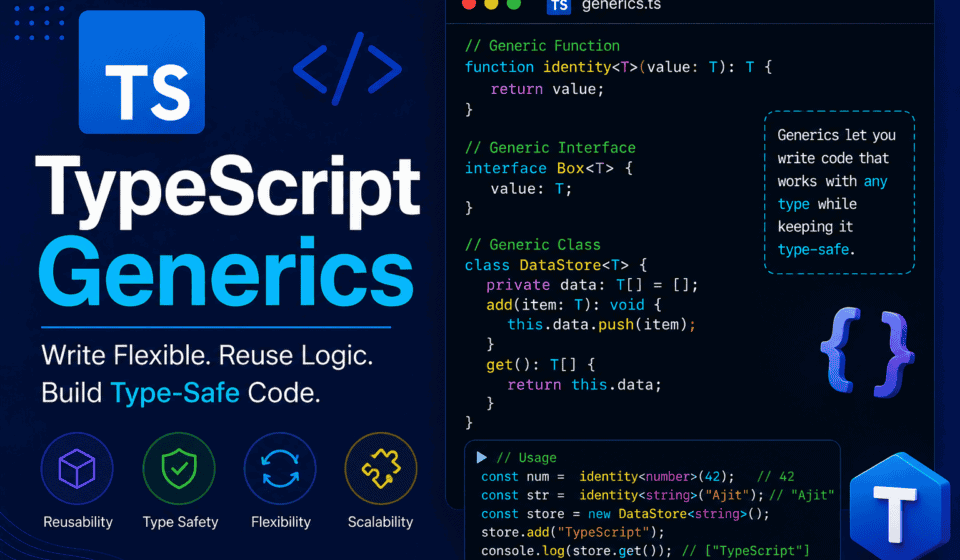
TypeScript Generics are a way to write reusable code — functions, classes, interfaces, and types — that work with multiple types instead of a single, fixed type, while still preserving type safety. This concept is formally documented in the official TypeScript Handbook on Generics, which is worth bookmarking as a reference once you’re comfortable with the basics covered here.
Read that definition again, because every word in it matters.
“Reusable code” means you write the logic once instead of duplicating it for every type you need to support.
“Work with multiple types” means the same function or class can handle a string today, a number tomorrow, and a custom object next week, without you touching the implementation.
“Preserving type safety” is the part that separates generics from just using any. When you use any, you get flexibility, but you lose all the benefits of TypeScript’s type checking. Generics give you the flexibility of any combined with the safety of specific types. That combination is the entire point of generics.
Think of a generic as a placeholder for a type. Just like a function parameter is a placeholder for a value that gets filled in when you call the function, a generic type parameter is a placeholder for a type that gets filled in when you use the function, class, or interface.
Here is the simplest possible example to make this concrete:
typescript
function identity<T>(value: T): T {
  return value;
}

const result1 = identity<string>("hello");
const result2 = identity<number>(42);
In this example, T is the generic type parameter. When you call identity<string>("hello"), TypeScript replaces every occurrence of T with string for that specific call. When you call identity<number>(42), it replaces T with number instead. The function itself is written only once, but it behaves correctly and safely for any type you pass to it.
If you tried to do this without generics using any, you would lose the connection between the input type and the output type. TypeScript would not be able to tell you that passing a string returns a string, and it would not catch mistakes where you accidentally treat the return value as the wrong type. Generics keep that relationship intact.
Why Do We Need Generics? Understanding the Problem They Solve
Before we go deeper into syntax, it is worth spending real time on the “why,” because understanding the problem generics solve is what makes the syntax make sense. If you skip this part, generics will always feel like arbitrary syntax you memorized. If you understand this part, generics will feel obvious.
The Problem: Writing the Same Logic for Different Types
Imagine you are building a utility function that returns the first element of an array. Without generics, you might write something like this for arrays of numbers:
typescript
function firstNumber(arr: number[]): number {
  return arr[0];
}
That works fine, until you need the same logic for an array of strings:
typescript
function firstString(arr: string[]): string {
  return arr[0];
}
And then for an array of your custom User objects:
typescript
function firstUser(arr: User[]): User {
  return arr[0];
}
Notice that the logic inside each function is identical. The only thing that changes is the type. You are duplicating code purely because TypeScript needs to know the type ahead of time. This is not just annoying — it is a maintenance nightmare. If you find a bug in this logic, you now have to fix it in three (or ten, or fifty) different places.
The Tempting but Dangerous Shortcut: Using any
A common shortcut beginners reach for is any:
typescript
function first(arr: any[]): any {
  return arr[0];
}
This compiles, and it does not throw an error for any array type. But look at what you have lost. If you call first([1, 2, 3]), TypeScript will not tell you that the return value is a number. It will treat it as any, meaning you could accidentally call .toUpperCase() on it and TypeScript would not stop you, even though numbers do not have that method. You would only find out at runtime, when your code crashes. The TypeScript team itself recommends avoiding any wherever possible, as explained in the TypeScript “Do’s and Don’ts” guide.
The Generic Solution
Here is the same function written with a generic type parameter:
typescript
function first<T>(arr: T[]): T {
  return arr[0];
}

const num = first([1, 2, 3]);        // TypeScript infers T as number
const str = first(["a", "b", "c"]);  // TypeScript infers T as string
const user = first(users);           // TypeScript infers T as User
Now, when you call first([1, 2, 3]), TypeScript looks at the argument, sees that it is an array of numbers, and automatically infers that T is number for this call. The return type becomes number, not any. If you then try to call a string method on num, TypeScript will immediately flag it as an error, before your code ever runs.
This is the essence of generics: one implementation, many types, full type safety preserved throughout.
The Basic Syntax of Generics
Now that the “why” is clear, let’s talk about the actual syntax, piece by piece, so there is no ambiguity about how to write generics correctly.
Generic Type Parameters and Angle Brackets
Generics are declared using angle brackets < > immediately after the name of a function, interface, class, or type alias. Inside the angle brackets, you list one or more type parameters.
typescript
function functionName<T>(parameter: T): T {
  // function body
}
Here, T is a type parameter. It is not a real type like string or number — it is a variable that stands in for whatever type gets passed in when the function is called. You could name it anything, but there is a widely followed naming convention in the TypeScript community, documented in the TypeScript Style Guide discussions on GitHub:
Tis used for a single, generic “Type”Kis often used for “Key,” especially when working with object keysVis often used for “Value”Eis sometimes used for “Element,” particularly in array or collection-related generics- When you need more than one type parameter, common patterns are
T,U,Vin sequence, or more descriptive names likeTInput,TOutput
None of these names are enforced by the compiler. You could technically write function identity<Banana>(value: Banana): Banana and it would work exactly the same way. But using clear, conventional names makes your code far more readable for other developers (and for future you).
Generic Functions in Detail
Let’s expand on generic functions with a slightly more complex example: a function that wraps a value in an array.
typescript
function wrapInArray<T>(value: T): T[] {
  return [value];
}

const wrappedNumber = wrapInArray(5);        // number[]
const wrappedString = wrapInArray("hello");  // string[]
TypeScript infers T from the argument you pass in. You rarely need to specify the type explicitly with <> because TypeScript’s type inference is quite good at figuring it out from context. However, there are cases where explicit specification is necessary or clearer, especially when the type cannot be inferred from the arguments alone.
typescript
function createEmptyArray<T>(): T[] {
  return [];
}

const numbers = createEmptyArray<number>();  // must specify explicitly
const strings = createEmptyArray<string>();  // must specify explicitly
In this case, there are no parameters for TypeScript to infer the type from, so you must tell it explicitly what T should be by writing createEmptyArray<number>().
Generic Interfaces
Interfaces can also be generic. This is extremely useful when you are describing the shape of an object that could contain different types of data depending on context. The TypeScript Handbook’s section on interfaces covers the non-generic basics if you need a refresher before diving into this.
typescript
interface ApiResponse<T> {
  data: T;
  success: boolean;
  message: string;
}

const userResponse: ApiResponse<User> = {
  data: { id: 1, name: "Alice" },
  success: true,
  message: "User fetched successfully",
};

const productResponse: ApiResponse<Product> = {
  data: { id: 101, name: "Laptop", price: 999 },
  success: true,
  message: "Product fetched successfully",
};
This is one of the most common real-world uses of generics, especially if you work with APIs. Instead of writing a separate interface for every single API response shape (UserApiResponse, ProductApiResponse, OrderApiResponse, and so on), you write one generic ApiResponse<T> interface and simply plug in the specific data type each time you use it.
Generic Classes
Classes support generics too, and this is where reusable, type-safe data structures come to life.
typescript
class Box<T> {
  private content: T;

  constructor(value: T) {
    this.content = value;
  }

  getContent(): T {
    return this.content;
  }

  setContent(value: T): void {
    this.content = value;
  }
}

const numberBox = new Box<number>(10);
console.log(numberBox.getContent()); // 10

const stringBox = new Box<string>("hello");
console.log(stringBox.getContent()); // "hello"
Here, Box<T> is a generic class. When you create a new Box<number>(10), TypeScript locks T to number for that specific instance. Every method on that instance now knows it is working with numbers. If you tried to call numberBox.setContent("oops"), TypeScript would immediately reject it, because T has already been fixed as number for that instance.
Generic Type Aliases
Type aliases can also be generic, which is useful for creating reusable shapes without the overhead of a full interface or class.
typescript
type Pair<T, U> = {
  first: T;
  second: U;
};

const coordinate: Pair<number, number> = { first: 10, second: 20 };
const nameAge: Pair<string, number> = { first: "Alice", second: 30 };
This Pair<T, U> type alias takes two generic type parameters and describes an object with two properties, each of which can be a different type depending on how you use it.
Multiple Type Parameters
So far, most of our examples have used a single type parameter, T. But generics support multiple type parameters at once, which opens the door to describing far more complex relationships between types.
typescript
function merge<T, U>(objA: T, objB: U): T & U {
  return { ...objA, ...objB };
}

const merged = merge({ name: "Alice" }, { age: 30 });
// merged is inferred as { name: string } & { age: number }
In this example, T represents the type of the first object and U represents the type of the second object. The return type, T & U, is an intersection type, meaning the result has all the properties of both T and U combined. TypeScript infers both T and U automatically from the arguments you pass in, and the resulting merged object is correctly typed with both name and age properties.
This pattern of merging or combining data using multiple generic type parameters comes up constantly in real applications — combining default configuration objects with user-provided overrides, combining base entities with additional metadata, and so on.
Generic Constraints: Using extends to Limit What Types Are Allowed
One of the most important — and most misunderstood — parts of TypeScript Generics is the concept of constraints. By default, a generic type parameter like T can be absolutely anything: a string, a number, an object, an array, a function, anything at all. Most of the time, that is exactly what you want. But sometimes you need to guarantee that whatever type gets passed in has certain properties or behaviors, so that your function can safely use them.
This is where the extends keyword comes in, used inside the generic declaration. The official documentation on this exact pattern lives in the Generic Constraints section of the TypeScript Handbook.
Let’s say you want to write a function that logs the length of something. Arrays have a .length property, and so do strings, but numbers do not. Without a constraint, TypeScript will not let you access .length on T, because T could be anything, including a number.
typescript
function logLength<T>(item: T): void {
  console.log(item.length); // Error: Property 'length' does not exist on type 'T'
}
To fix this, you constrain T to only accept types that have a .length property:
typescript
interface HasLength {
  length: number;
}

function logLength<T extends HasLength>(item: T): void {
  console.log(item.length); // Now this is safe
}

logLength("hello");       // works, strings have .length
logLength([1, 2, 3]);     // works, arrays have .length
logLength({ length: 10 }); // works, this object has a length property
logLength(42);            // Error: number does not satisfy the constraint
The line function logLength<T extends HasLength>(item: T): void reads as: “T can be any type, as long as that type has a length property.” This is what makes constraints so powerful — they let you keep the flexibility of generics while still guaranteeing the specific capabilities your function actually needs.
A Very Common Constraint Pattern: keyof
One of the most useful and frequently used generic constraint patterns in TypeScript combines generics with the keyof type operator. This lets you write a function that safely accesses a property of an object, using the actual keys of that object as the allowed values.
typescript
function getProperty<T, K extends keyof T>(obj: T, key: K): T[K] {
  return obj[key];
}

const user = { id: 1, name: "Alice", age: 30 };

const userName = getProperty(user, "name"); // string
const userAge = getProperty(user, "age");   // number
const userCity = getProperty(user, "city"); // Error: "city" is not a key of user
This is genuinely one of the most elegant patterns in the entire TypeScript type system. K extends keyof T means “K can only be one of the actual property names that exist on T.” This makes it impossible to accidentally pass a key that does not exist on the object, and it also means the return type, T[K], is automatically inferred as the correct type of that specific property. If key is "name", the return type is string. If key is "age", the return type is number. TypeScript figures all of this out for you.
Default Type Parameters
Just like function parameters can have default values, generic type parameters can have default types. This is useful when you want a generic to be optional, falling back to a sensible type if the caller does not specify one.
typescript
interface ApiResponse<T = unknown> {
  data: T;
  success: boolean;
}

const genericResponse: ApiResponse = {
  data: "anything goes here",
  success: true,
};

const typedResponse: ApiResponse<User> = {
  data: { id: 1, name: "Alice" },
  success: true,
};
Here, if you do not explicitly provide a type argument to ApiResponse, it defaults to unknown, which is a safer alternative to any because it forces you to narrow the type before using it, as explained in the TypeScript release notes introducing unknown. If you do provide a type, such as ApiResponse<User>, that overrides the default.
Generics with Arrays and Tuples
Generics interact heavily with arrays and tuples, and understanding this relationship clears up a lot of confusion for beginners.
An array type like number[] is actually shorthand for the generic type Array<number>. These two are completely interchangeable:
typescript
const numbers1: number[] = [1, 2, 3];
const numbers2: Array<number> = [1, 2, 3];
Array itself is a generic interface built into TypeScript, defined roughly as interface Array<T> { ... }, with all its methods (push, pop, map, filter, and so on) using T internally to stay type-safe. You can see the actual built-in definition in TypeScript’s lib.es5.d.ts file on GitHub if you’re curious how deep this goes. This is why numbers.push("hello") gives you an error — the array was created as Array<number>, so T is locked to number, and pushing a string violates that constraint.
Tuples take this a step further by allowing a fixed-length array where each position has its own specific type, as documented in the Handbook’s section on tuple types:
typescript
function createPair<T, U>(first: T, second: U): [T, U] {
  return [first, second];
}

const pair = createPair("Alice", 30); // [string, number]
The return type [T, U] is a tuple type. Unlike a regular array, TypeScript knows exactly what type is at each position: position 0 is T (a string, in this case) and position 1 is U (a number). This is far more precise than a regular array of mixed types, which would just be typed as (string | number)[], losing the information about which position holds which type.
A Brief History: How Generics Came to TypeScript
It helps to know a little context here, because it explains why generics look the way they do today and why they feel so deeply woven into the language rather than bolted on as an afterthought.
TypeScript introduced generics very early in its life, back in version 1.0, released in 2014. The language’s creators, working at Microsoft under Anders Hejlsberg (who also designed C# and Turbo Pascal), borrowed heavily from the generics model already proven in C# and Java. If you have ever written List<T> in Java or List<T> in C#, TypeScript’s Array<T> will feel instantly familiar, because the underlying philosophy is nearly identical: describe a container or function once, parameterize the type, and let the compiler enforce consistency everywhere it is used.
What makes TypeScript’s generics somewhat unique compared to Java or C# is that TypeScript’s type system is fully erased at compile time. Java and C# generics involve some runtime type retention (with caveats — Java famously “erases” generics too, in a related but not identical way). TypeScript generics, by contrast, exist purely as a compile-time construct. Once your .ts file is transpiled into .js, every trace of <T> disappears completely. This is intentional and important to understand: generics are a tool for the compiler and for you as a developer, not a runtime feature.
Over the years, TypeScript’s generics system has grown considerably more powerful. Conditional types arrived in TypeScript 2.8. Mapped types with the ability to modify modifiers (like turning readonly on or off, or adding/removing ?) arrived in TypeScript 2.8 as well. The infer keyword, which lets you extract a type from within a conditional type, was also part of that 2.8 release. Template literal types, which let you build string-based types using generic parameters, arrived in TypeScript 4.1. Variadic tuple types, which allow spreading generic tuple types, arrived in TypeScript 4.0. Each of these additions expanded what generics could express, without ever changing the core mental model: a generic is a placeholder for a type, filled in at the point of use.
Understanding this evolution matters practically, because if you read older TypeScript code, blog posts, or Stack Overflow answers from before 2020, you may see workarounds for problems that modern generic features now solve elegantly. If a pattern in an old post looks unnecessarily convoluted, there is a good chance a newer TypeScript feature — often a generic one — has since simplified it.
How TypeScript Generics Compare to Generics in Other Languages
If you are coming to TypeScript from another typed language, it helps to map what you already know onto TypeScript’s version of generics, because the concept transfers almost entirely, even though the syntax and runtime behavior differ.
Java Generics
Java generics, introduced in Java 5, use the same angle bracket syntax: List<String>, Map<String, Integer>. Conceptually, they solve the exact same problem TypeScript generics solve — reusable, type-safe containers and methods. The biggest difference is that Java generics are erased at compile time too (a process called “type erasure”), but Java still performs some runtime checks through synthetic bridge methods, and Java’s generics cannot be used with primitive types directly (you need Integer instead of int, for example). TypeScript has no such restriction, since JavaScript does not have Java’s split between primitives and objects in the same way.
C# Generics
C# generics, which heavily influenced TypeScript’s design given the shared architect, are actually reified at runtime, meaning List<int> and List<string> are genuinely different types at runtime in C#, unlike Java’s erasure model. TypeScript, being a compile-to-JavaScript language, cannot do this — there is no TypeScript runtime distinct from JavaScript, so all generic information disappears after compilation, just like in Java.
Python Type Hints
Python’s typing module, with constructs like TypeVar, Generic, and List[T] (or the more modern list[T] syntax in Python 3.9+), mirrors TypeScript’s generics conceptually but is entirely optional and unenforced at runtime by default. Python’s type hints are purely for static analysis tools like mypy or pyright — the Python interpreter itself ignores them completely unless you add explicit runtime validation. TypeScript’s generics are similarly erased at runtime, but the TypeScript compiler enforces them far more strictly during development, catching errors before your code even compiles to JavaScript.
Go Generics
Go added generics much later than most mainstream languages, only in Go 1.18 (2022), using a syntax like func First[T any](arr []T) T. Go’s generics work is a good reminder that generics are considered such a fundamental tool for writing reusable, type-safe code that even languages known for prioritizing simplicity over expressiveness eventually adopted them, because the alternative — duplicated code or loosely typed interfaces — becomes unsustainable at scale.
The takeaway across all of these languages is consistent: generics exist because virtually every statically typed language eventually needs a way to write “this logic works for many types, but I still want the compiler watching my back.” TypeScript’s implementation is distinctive mainly in how deeply it integrates generics with its broader structural type system, conditional types, and mapped types — capabilities that go well beyond what Java, C#, or Go generics currently offer.
Generic Utility Types: TypeScript’s Built-In Generic Toolkit
TypeScript ships with a set of built-in generic utility types that are used so often, most experienced developers reach for them without even thinking of them as “generics” anymore. But under the hood, every single one of them is built using the exact generic syntax and constraint patterns we have already covered. The complete, authoritative list of these lives in the Utility Types page of the TypeScript Handbook, which is worth keeping open in a tab as you write real code.
Partial<T>
Partial<T> takes a type T and makes all of its properties optional.
typescript
interface User {
  id: number;
  name: string;
  email: string;
}

function updateUser(id: number, updates: Partial<User>): void {
  // updates can contain any subset of User's properties
}

updateUser(1, { name: "New Name" }); // valid, even though email and id are missing
This is enormously useful for update functions, where you often only want to change one or two fields of an object rather than requiring the caller to provide the entire object again.
Required<T>
Required<T> does the opposite of Partial<T> — it takes a type and makes every property required, even if it was originally optional.
typescript
interface Config {
  timeout?: number;
  retries?: number;
}

function runWithFullConfig(config: Required<Config>): void {
  // both timeout and retries are guaranteed to be present here
}
Readonly<T>
Readonly<T> makes every property of a type immutable, meaning it cannot be reassigned after the object is created.
typescript
interface Point {
  x: number;
  y: number;
}

const origin: Readonly<Point> = { x: 0, y: 0 };
origin.x = 10; // Error: Cannot assign to 'x' because it is a read-only property
This is particularly valuable when working with configuration objects or constants that should never be mutated accidentally.
Record<K, T>
Record<K, T> constructs an object type with keys of type K and values of type T. It is one of the most frequently used generic utility types in real-world TypeScript code.
typescript
type Role = "admin" | "editor" | "viewer";

const permissions: Record<Role, string[]> = {
  admin: ["create", "read", "update", "delete"],
  editor: ["create", "read", "update"],
  viewer: ["read"],
};
Here, Record<Role, string[]> guarantees that the permissions object has exactly three keys — admin, editor, and viewer — and each of those keys maps to an array of strings. If you forget one of the roles, or add a role that is not part of the Role union, TypeScript will flag it immediately.
Pick<T, K> and Omit<T, K>
Pick<T, K> constructs a new type by selecting a subset of properties, K, from T. Omit<T, K> does the reverse, constructing a new type by excluding a subset of properties.
typescript
interface User {
  id: number;
  name: string;
  email: string;
  password: string;
}

type PublicUser = Omit<User, "password">;
type UserPreview = Pick<User, "id" | "name">;
PublicUser includes everything from User except password, which is exactly the kind of type you would want when sending user data back to a client, ensuring sensitive fields never leak accidentally. UserPreview includes only id and name, useful for lightweight list views where you do not need the full object.
ReturnType<T> and Parameters<T>
These two utility types extract information about functions. ReturnType<T> gives you the return type of a function type, and Parameters<T> gives you a tuple of its parameter types.
typescript
function createUser(name: string, age: number) {
  return { id: Date.now(), name, age };
}

type CreateUserReturn = ReturnType<typeof createUser>;
type CreateUserParams = Parameters<typeof createUser>;
CreateUserReturn becomes { id: number; name: string; age: number }, automatically derived from the function’s actual return statement. CreateUserParams becomes [string, number]. This is incredibly useful when you want to keep types in sync with implementation without manually duplicating them, reducing the chance of your types drifting out of sync with your actual logic over time.
A Few More Built-In Utility Types Worth Knowing
The utility types covered above (Partial, Required, Readonly, Record, Pick, Omit, ReturnType, Parameters) are the ones you will use daily, but a handful of others come up often enough that they deserve a mention here.
Exclude<T, U> removes from T all members that are assignable to U. It is most commonly used with union types.
typescript
type Status = "pending" | "success" | "error" | "cancelled";
type ActiveStatus = Exclude<Status, "cancelled">;
// "pending" | "success" | "error"
Extract<T, U> does the opposite — it keeps only the members of T that are assignable to U.
typescript
type Status = "pending" | "success" | "error" | "cancelled";
type FinalStatus = Extract<Status, "success" | "error">;
// "success" | "error"
NonNullable<T> removes null and undefined from a type, which is extremely useful after narrowing values that came from optional properties or API responses.
typescript
type MaybeUser = User | null | undefined;
type DefiniteUser = NonNullable<MaybeUser>;
// User
Awaited<T>, added in TypeScript 4.5, unwraps the type inside a Promise, including nested promises. This is invaluable when working with async functions and generic wrappers around them.
typescript
async function getUser(): Promise<User> {
  return { id: 1, name: "Alice", email: "alice@example.com" };
}

type UserType = Awaited<ReturnType<typeof getUser>>;
// User, not Promise<User>
InstanceType<T> gives you the instance type of a class constructor type, which is handy when working with generic factories that accept a class reference and need to describe what instances of that class look like.
typescript
class Animal {
  constructor(public name: string) {}
}

type AnimalInstance = InstanceType<typeof Animal>;
// Animal
Every one of these utility types is, under the hood, just a conditional type or mapped type built using the exact generic syntax we have already covered. TypeScript’s own source code for these utility types is a genuinely great place to study once you are comfortable, and it is openly available in the lib.es5.d.ts and related declaration files on GitHub.
Building Your Own Custom Utility Types
Once you understand how Partial<T>, Readonly<T>, and friends are built, you can start writing your own. This is where generics stop being something you merely use and start being something you actively design with. Two of the most commonly requested “missing” utility types that TypeScript does not ship out of the box are DeepPartial<T> and DeepReadonly<T> — recursive versions of Partial and Readonly that apply to nested objects, not just the top level.
typescript
type DeepPartial<T> = T extends object
  ? {
      [K in keyof T]?: DeepPartial<T[K]>;
    }
  : T;

interface Settings {
  user: {
    profile: {
      name: string;
      age: number;
    };
    preferences: {
      theme: string;
    };
  };
}

type PartialSettings = DeepPartial<Settings>;
// every nested property, at every level, becomes optional
Notice that DeepPartial<T> calls itself recursively inside the mapped type. This is a recursive generic type, and TypeScript is fully capable of handling this kind of self-referencing definition, as long as there is a base case (the : T branch, which stops recursing once T is no longer an object).
Here is the read-only equivalent, following the same recursive pattern:
typescript
type DeepReadonly<T> = T extends object
  ? {
      readonly [K in keyof T]: DeepReadonly<T[K]>;
    }
  : T;

const config: DeepReadonly<Settings> = {
  user: {
    profile: { name: "Alice", age: 30 },
    preferences: { theme: "dark" },
  },
};

config.user.profile.name = "Bob"; // Error, even at this nested level
Writing your own utility types like this is one of the clearest signals of generics mastery, and it is a very common ask in senior TypeScript interviews, precisely because it tests whether you understand mapped types, conditional types, and recursion together, rather than just memorizing the built-in ones.
Conditional Types: Generics That Make Decisions
Once you are comfortable with the basics, the next level of understanding generics is conditional types. A conditional type lets you write logic directly inside a type definition, similar to an if-else statement, but evaluated by the type system instead of at runtime. The Handbook’s page on conditional types is the best deep-dive resource once you’ve internalized the example below.
The syntax looks like this:
typescript
type IsString<T> = T extends string ? true : false;

type Test1 = IsString<string>; // true
type Test2 = IsString<number>; // false
Read T extends string ? true : false as: “If T is assignable to string, the result type is true. Otherwise, the result type is false.” This might look like a toy example, but conditional types become extremely powerful when combined with generics in real utility types.
Here is a practical example: a type that extracts the element type out of an array type.
typescript
type ElementType<T> = T extends (infer U)[] ? U : T;

type Test1 = ElementType<string[]>; // string
type Test2 = ElementType<number[]>; // number
type Test3 = ElementType<boolean>;  // boolean (not an array, so it returns itself)
The infer keyword here is doing something clever: it tells TypeScript, “if T matches the shape of an array, infer what type U is inside that array, and give me U.” This pattern of infer combined with conditional types is how many of TypeScript’s most advanced built-in utility types, including ReturnType, are actually implemented internally.
Mapped Types: Transforming Types with Generics
Mapped types let you take an existing type and generate a new type by transforming each of its properties, using generics as the input. The full mechanics are documented in the Mapped Types section of the Handbook.
typescript
type Nullable<T> = {
  [K in keyof T]: T[K] | null;
};

interface User {
  id: number;
  name: string;
}

type NullableUser = Nullable<User>;
// { id: number | null; name: string | null }
The syntax [K in keyof T] loops over every key K in the type T, and for each one, the new type’s value becomes T[K] | null. This means every property of User is transformed into an optional-with-null version of itself, without you having to manually rewrite the interface.
Combining mapped types with conditional types and generics is how the entire TypeScript standard library of utility types (Partial, Required, Readonly, Pick, Record, and more) is actually implemented. Once you understand mapped and conditional types, you are no longer just using generics — you are capable of building your own.
Advanced Generic Patterns Worth Knowing
Everything covered so far will carry you through the vast majority of day-to-day TypeScript work. But there is a tier of generic patterns above that — ones you will encounter when reading library source code, working on shared internal tooling, or interviewing for senior roles. This section walks through the most important of them, explained the same way as everything before: plainly, with working examples, and without unnecessary jargon.
Distributive Conditional Types
When a conditional type’s checked type is a “naked” generic type parameter (meaning it appears alone, not wrapped in something like an array or a tuple), TypeScript distributes the conditional type over each member of a union individually, rather than treating the union as a single unit.
typescript
type ToArray<T> = T extends unknown ? T[] : never;

type Result = ToArray<string | number>;
// string[] | number[], NOT (string | number)[]
This distributive behavior is often surprising the first time you encounter it, because it is easy to assume TypeScript would just plug the entire union string | number into T once, producing (string | number)[]. Instead, it distributes the conditional over each member of the union separately, then combines the results back into a union. This is precisely how Exclude<T, U> and Extract<T, U>, covered earlier, actually work internally, and it is one of those details that, once understood, makes several previously confusing type errors involving unions suddenly make complete sense.
If you ever need to disable this distributive behavior — for example, to check if an entire union satisfies a condition as one unit rather than member by member — you can wrap T in a tuple to prevent distribution:
typescript
type ToArrayNonDist<T> = [T] extends [unknown] ? T[] : never;

type Result = ToArrayNonDist<string | number>;
// (string | number)[]
Template Literal Types
Template literal types, added in TypeScript 4.1, let you build string-based types by combining literal strings with generic type parameters, using the same backtick syntax as JavaScript template literals.
typescript
type EventName<T extends string> = `on${Capitalize<T>}`;

type ClickEvent = EventName<"click">;   // "onClick"
type HoverEvent = EventName<"hover">;   // "onHover"
This pattern is genuinely everywhere in modern TypeScript codebases, especially in libraries that generate strongly typed event names, CSS-in-JS property names, or API route strings.
typescript
type HttpMethod = "get" | "post" | "put" | "delete";
type ApiRoute<T extends string> = `/api/${T}`;
type RouteWithMethod<T extends string, M extends HttpMethod> = `${Uppercase<M>} ${ApiRoute<T>}`;

type UserRoute = RouteWithMethod<"users", "get">;
// "GET /api/users"
Combined with generics, template literal types let TypeScript validate strings with real structure at compile time, something that was simply impossible before TypeScript 4.1, and something most other mainstream typed languages still cannot express nearly as elegantly.
Variadic Tuple Types
Variadic tuple types, added in TypeScript 4.0, let you use the spread syntax inside tuple type definitions, combined with generics, to describe functions that accept or return a variable number of typed arguments.
typescript
type Concat<T extends unknown[], U extends unknown[]> = [...T, ...U];

type Combined = Concat<[string, number], [boolean]>;
// [string, number, boolean]
This pattern powers a lot of function composition and currying utilities in modern TypeScript libraries. Here is a practical example — a generic function that prepends an argument to another function’s parameter list:
typescript
function bindFirstArg<T extends unknown[], R>(
  fn: (...args: [string, ...T]) => R,
  first: string
): (...args: T) => R {
  return (...rest: T) => fn(first, ...rest);
}

function greet(greeting: string, name: string, punctuation: string): string {
  return `${greeting}, ${name}${punctuation}`;
}

const greetWithHello = bindFirstArg(greet, "Hello");
greetWithHello("Alice", "!"); // "Hello, Alice!"
Notice how T extends unknown[] captures “the rest of the parameters, whatever they are,” and the function still knows exactly what those remaining parameters should be, thanks to variadic tuple types working hand-in-hand with generics.
Generic Function Overloads
Sometimes a single generic signature cannot fully capture how a function’s return type should change based on the shape of its input, especially when different call patterns should produce meaningfully different results. This is where function overloads combine with generics.
typescript
function parseValue<T extends string>(value: T, type: "string"): string;
function parseValue<T extends string>(value: T, type: "number"): number;
function parseValue(value: string, type: "string" | "number"): string | number {
  return type === "number" ? Number(value) : value;
}

const parsedString = parseValue("42", "string"); // string
const parsedNumber = parseValue("42", "number"); // number
The two signatures above the implementation are “overload signatures,” and TypeScript checks each call against them in order, picking the first one that matches. This is a more advanced pattern than most beginners need day to day, but it appears often in well-designed library code where the same function name needs to behave differently — and return different types — depending on how it is called.
Variance: Covariance and Contravariance in Generic Types
This is one of the more subtle topics in TypeScript’s generics system, and one that rarely gets a beginner-friendly explanation, so let’s fix that here.
“Variance” describes how subtyping relationships between types carry over into generic types built from them. Say Dog is a more specific type than Animal (a Dog is always an Animal, but not every Animal is a Dog). The question variance answers is: does that same relationship hold for Array<Dog> versus Array<Animal>?
TypeScript treats arrays and most generic object types as covariant — meaning if Dog is assignable to Animal, then Dog[] is assignable to Animal[].
typescript
interface Animal { name: string; }
interface Dog extends Animal { breed: string; }

let animals: Animal[];
let dogs: Dog[] = [{ name: "Rex", breed: "Labrador" }];

animals = dogs; // allowed, covariance
This is convenient, but it is technically unsound in some edge cases (if you then pushed a non-Dog Animal into animals, you would have violated the original dogs array’s guarantee — TypeScript accepts this trade-off for practicality, as do most mainstream languages).
Function parameter types, on the other hand, behave contravariantly under strict settings (specifically when strictFunctionTypes is enabled in your tsconfig.json, as documented in the TypeScript compiler options reference). This means a function that accepts a more general type can be used where a function accepting a more specific type is expected, but not the other way around.
typescript
type AnimalHandler = (animal: Animal) => void;
type DogHandler = (dog: Dog) => void;

let handleAnimal: AnimalHandler = (animal) => console.log(animal.name);
let handleDog: DogHandler = handleAnimal; // allowed, contravariance on parameters

handleDog = (dog) => console.log(dog.breed);
handleAnimal = handleDog; // Error under strictFunctionTypes, unsound
You do not need to memorize the formal terms “covariance” and “contravariance” to write good TypeScript day to day, but understanding that generic types inherit subtyping relationships in a directionally consistent way — objects and return types covariantly, function parameters contravariantly — explains a surprising number of “why does TypeScript allow this but not that” moments that confuse even experienced developers.
Real-World Examples: Generics in Everyday TypeScript Development
Theory is important, but generics really click once you see them solving problems you have actually run into. Let’s walk through several practical, real-world scenarios.
Example 1: A Type-Safe API Fetch Wrapper
Almost every application talks to an API, and almost every developer eventually writes a wrapper function around fetch. Here is how generics make that wrapper reusable and type-safe.
typescript
async function fetchData<T>(url: string): Promise<T> {
  const response = await fetch(url);
  if (!response.ok) {
    throw new Error(`Request failed with status ${response.status}`);
  }
  const data: T = await response.json();
  return data;
}

interface User {
  id: number;
  name: string;
  email: string;
}

interface Product {
  id: number;
  title: string;
  price: number;
}

async function loadUser(id: number) {
  const user = await fetchData<User>(`/api/users/${id}`);
  console.log(user.name); // TypeScript knows this is a string
}

async function loadProduct(id: number) {
  const product = await fetchData<Product>(`/api/products/${id}`);
  console.log(product.price); // TypeScript knows this is a number
}
Without generics, you would need a separate fetch function for every endpoint and response shape in your application, or you would fall back to any and lose all type safety on your API responses. With generics, you write fetchData exactly once, and every call site gets the correct, specific type back.
Example 2: A Generic Repository Pattern
If you have worked with databases or ORMs, you have likely seen the “repository pattern,” where a class encapsulates CRUD (create, read, update, delete) operations for a specific entity. Generics let you build this once and reuse it across every entity in your application.
typescript
interface Entity {
  id: number;
}

class Repository<T extends Entity> {
  private items: T[] = [];

  add(item: T): void {
    this.items.push(item);
  }

  getById(id: number): T | undefined {
    return this.items.find((item) => item.id === id);
  }

  getAll(): T[] {
    return this.items;
  }

  remove(id: number): void {
    this.items = this.items.filter((item) => item.id !== id);
  }
}

interface User extends Entity {
  name: string;
}

interface Order extends Entity {
  total: number;
}

const userRepository = new Repository<User>();
userRepository.add({ id: 1, name: "Alice" });

const orderRepository = new Repository<Order>();
orderRepository.add({ id: 101, total: 250 });
Notice the constraint T extends Entity. This guarantees that whatever type you use with Repository<T> has at least an id property, which the internal getById and remove methods depend on. Without this constraint, TypeScript would not let you access item.id inside the class, because it would not know for certain that T has an id property at all.
Example 3: Generics in Playwright Test Automation
Given how much of my own work involves TypeScript and Playwright, this example is close to home, and it is genuinely one of the most practical applications of generics you will find in a QA automation codebase.
Imagine you are building a page object model for an e-commerce site, and you have a reusable “table component” that appears on multiple pages — an orders table, a products table, a users table — each with different row data shapes but similar interaction patterns (getting a row, checking row count, clicking a row).
typescript
import { Page, Locator } from "@playwright/test";

class TableComponent<T> {
  constructor(
    private page: Page,
    private rowSelector: string,
    private mapRow: (row: Locator) => Promise<T>
  ) {}

  async getRowCount(): Promise<number> {
    return this.page.locator(this.rowSelector).count();
  }

  async getAllRows(): Promise<T[]> {
    const rowLocators = await this.page.locator(this.rowSelector).all();
    const rows: T[] = [];
    for (const row of rowLocators) {
      rows.push(await this.mapRow(row));
    }
    return rows;
  }
}

interface OrderRow {
  orderId: string;
  status: string;
  total: string;
}

const ordersTable = new TableComponent<OrderRow>(
  page,
  "table#orders tbody tr",
  async (row) => ({
    orderId: (await row.locator("td:nth-child(1)").innerText()),
    status: (await row.locator("td:nth-child(2)").innerText()),
    total: (await row.locator("td:nth-child(3)").innerText()),
  })
);

const orders = await ordersTable.getAllRows(); // typed as OrderRow[]
This single TableComponent<T> class can now back every single table in your application, from orders to users to inventory, each with its own specific row shape, without you writing a new table class for each one. This is exactly the kind of pattern that separates a scalable Playwright automation framework from a pile of duplicated, hard-to-maintain page objects. The Playwright Locators documentation is a great companion reference if you want to go deeper on the underlying API this example builds on. If you are building or maintaining test automation frameworks at any real scale, this pattern alone can save you dozens of hours of duplicated component code.
Example 4: A Generic Custom Fixture in Playwright
Playwright’s test fixture system pairs extremely well with generics, especially when you are building custom fixtures that wrap common setup logic for different types of test data.
typescript
import { test as base } from "@playwright/test";

interface TestUser {
  username: string;
  password: string;
  role: "admin" | "standard";
}

type Fixtures = {
  testUser: TestUser;
};

const test = base.extend<Fixtures>({
  testUser: async ({}, use) => {
    const user: TestUser = {
      username: `user_${Date.now()}`,
      password: "SecurePass123!",
      role: "standard",
    };
    await use(user);
  },
});

test("standard user can log in", async ({ page, testUser }) => {
  await page.goto("/login");
  await page.fill("#username", testUser.username);
  await page.fill("#password", testUser.password);
  await page.click("#login-button");
});
The base.extend<Fixtures> call is itself a generic function call. Playwright’s test.extend method is generic over the shape of the fixtures object you provide, which is precisely how it manages to give you full autocomplete and type checking on testUser inside every test that uses it. This is a great real-world example of how generics power the developer experience of tools you use every single day, even if you never write a generic function yourself.
Example 5: Generics in React Components and Hooks
If you build UI with React and TypeScript together, generics show up constantly, often without you noticing at first. A common beginner-to-intermediate pattern is a reusable list component that renders any type of item, as long as you tell it how to render each one.
typescript
interface ListProps<T> {
  items: T[];
  renderItem: (item: T) => React.ReactNode;
  keyExtractor: (item: T) => string | number;
}

function List<T>({ items, renderItem, keyExtractor }: ListProps<T>) {
  return (
    <ul>
      {items.map((item) => (
        <li key={keyExtractor(item)}>{renderItem(item)}</li>
      ))}
    </ul>
  );
}

interface Product {
  id: number;
  title: string;
  price: number;
}

<List<Product>
  items={products}
  renderItem={(product) => <span>{product.title} — ${product.price}</span>}
  keyExtractor={(product) => product.id}
/>;
This single List<T> component now handles rendering for products, users, orders, or anything else, while still giving you full autocomplete and type checking inside renderItem and keyExtractor, because T is locked to whatever type you pass through the items prop.
Custom hooks benefit from generics just as much. Here is a generic useFetch hook that mirrors the fetchData wrapper from earlier, but as a React hook with loading and error state built in.
typescript
import { useState, useEffect } from "react";

interface FetchState<T> {
  data: T | null;
  loading: boolean;
  error: string | null;
}

function useFetch<T>(url: string): FetchState<T> {
  const [state, setState] = useState<FetchState<T>>({
    data: null,
    loading: true,
    error: null,
  });

  useEffect(() => {
    let cancelled = false;
    fetch(url)
      .then((res) => res.json())
      .then((data: T) => {
        if (!cancelled) setState({ data, loading: false, error: null });
      })
      .catch((err) => {
        if (!cancelled) setState({ data: null, loading: false, error: err.message });
      });
    return () => {
      cancelled = true;
    };
  }, [url]);

  return state;
}

function UserProfile({ userId }: { userId: number }) {
  const { data: user, loading, error } = useFetch<User>(`/api/users/${userId}`);

  if (loading) return <p>Loading...</p>;
  if (error) return <p>Error: {error}</p>;
  return <p>{user?.name}</p>;
}
The generic useFetch<T> hook can back every single data-fetching need across an entire application, and the official React TypeScript documentation has more patterns like this if you work with React regularly.
Example 6: Generics in Node.js and Express Middleware
On the backend, generics are just as valuable, especially when writing reusable Express middleware or request handlers that need to stay strongly typed across different route shapes.
typescript
import { Request, Response, NextFunction } from "express";

interface TypedRequestBody<T> extends Request {
  body: T;
}

function validateBody<T>(validator: (body: unknown) => body is T) {
  return (req: Request, res: Response, next: NextFunction) => {
    if (!validator(req.body)) {
      return res.status(400).json({ error: "Invalid request body" });
    }
    (req as TypedRequestBody<T>).body = req.body;
    next();
  };
}

interface CreateUserBody {
  name: string;
  email: string;
}

function isCreateUserBody(body: unknown): body is CreateUserBody {
  return (
    typeof body === "object" &&
    body !== null &&
    typeof (body as CreateUserBody).name === "string" &&
    typeof (body as CreateUserBody).email === "string"
  );
}

app.post(
  "/users",
  validateBody<CreateUserBody>(isCreateUserBody),
  (req: TypedRequestBody<CreateUserBody>, res: Response) => {
    const { name, email } = req.body; // fully typed, validated
    res.status(201).json({ name, email });
  }
);
This pattern combines generics with type predicates to give you both runtime validation and compile-time type safety for incoming request bodies, which is one of the most common and valuable generic patterns in backend TypeScript development.
Example 7: Generics with Validation Libraries Like Zod
Modern TypeScript projects frequently use schema validation libraries such as Zod to validate data at runtime while automatically deriving static types from the same schema, entirely through generics.
typescript
import { z } from "zod";

const userSchema = z.object({
  id: z.number(),
  name: z.string(),
  email: z.string().email(),
});

type User = z.infer<typeof userSchema>;
// { id: number; name: string; email: string }

function parseUser(data: unknown): User {
  return userSchema.parse(data); // throws if data doesn't match, returns typed User if it does
}
z.infer<T> is itself a generic utility type Zod exposes, and it uses conditional types internally (very similar to the ElementType<T> pattern shown earlier) to extract a static TypeScript type directly from a runtime schema definition. This “define once, get both runtime validation and static types” pattern is one of the most significant productivity wins generics have enabled in the broader TypeScript ecosystem over the last several years.
Example 8: Generics with Redux and State Management
If you use Redux Toolkit or similar state management libraries, generics are behind almost every strongly typed piece of the API, from createSlice to useSelector.
typescript
import { createSlice, PayloadAction } from "@reduxjs/toolkit";

interface CounterState {
  value: number;
}

const initialState: CounterState = { value: 0 };

const counterSlice = createSlice({
  name: "counter",
  initialState,
  reducers: {
    increment: (state) => {
      state.value += 1;
    },
    incrementByAmount: (state, action: PayloadAction<number>) => {
      state.value += action.payload;
    },
  },
});
PayloadAction<number> is a generic type provided by Redux Toolkit that ensures the action.payload inside your reducer is correctly typed as a number, rather than any. Every reducer you write like this benefits from the same generic type safety, without you writing any generic code yourself — you are simply consuming a well-designed generic API.
Example 9: Generic Design Patterns — Builder, Factory, and Observer
Classic object-oriented design patterns become significantly more powerful and type-safe when combined with generics. Let’s look at three of the most common.
The Builder pattern, used to construct complex objects step by step, benefits enormously from generics when you want the builder itself to be reusable across different object shapes.
typescript
class Builder<T extends Record<string, unknown>> {
  private data: Partial<T> = {};

  set<K extends keyof T>(key: K, value: T[K]): this {
    this.data[key] = value;
    return this;
  }

  build(): T {
    return this.data as T;
  }
}

interface UserPayload {
  name: string;
  age: number;
  email: string;
}

const user = new Builder<UserPayload>()
  .set("name", "Alice")
  .set("age", 30)
  .set("email", "alice@example.com")
  .build();
The Factory pattern, used to create objects without specifying their exact class upfront, pairs naturally with generic constraints tied to a base type.
typescript
interface Shape {
  area(): number;
}

class Circle implements Shape {
  constructor(private radius: number) {}
  area(): number {
    return Math.PI * this.radius ** 2;
  }
}

class Square implements Shape {
  constructor(private side: number) {}
  area(): number {
    return this.side ** 2;
  }
}

function createShape<T extends Shape>(ShapeClass: new (...args: any[]) => T, ...args: any[]): T {
  return new ShapeClass(...args);
}

const circle = createShape(Circle, 5);
const square = createShape(Square, 4);
The Observer pattern, used for publish-subscribe style event systems, benefits from generics by ensuring every subscriber receives correctly typed event data.
typescript
type Listener<T> = (data: T) => void;

class EventEmitter<T> {
  private listeners: Listener<T>[] = [];

  subscribe(listener: Listener<T>): () => void {
    this.listeners.push(listener);
    return () => {
      this.listeners = this.listeners.filter((l) => l !== listener);
    };
  }

  emit(data: T): void {
    this.listeners.forEach((listener) => listener(data));
  }
}

interface OrderPlacedEvent {
  orderId: string;
  total: number;
}

const orderEvents = new EventEmitter<OrderPlacedEvent>();

const unsubscribe = orderEvents.subscribe((event) => {
  console.log(`Order ${event.orderId} placed for $${event.total}`);
});

orderEvents.emit({ orderId: "ORD-1001", total: 249.99 });
Each of these patterns demonstrates the same underlying theme that has run through this entire guide: generics let you write the structural logic exactly once, while the specific data shapes involved remain fully type-checked at every point of use.
Example 10: Advanced Playwright Patterns — Generic Page Object Factories
Building on the earlier Playwright examples, here is a more advanced pattern useful in larger automation frameworks: a generic factory function that produces strongly typed page objects, reducing the boilerplate of manually instantiating each one.
typescript
import { Page } from "@playwright/test";

abstract class BasePage {
  constructor(protected page: Page) {}
  abstract get url(): string;

  async goto(): Promise<void> {
    await this.page.goto(this.url);
  }
}

class LoginPage extends BasePage {
  get url() {
    return "/login";
  }

  async login(username: string, password: string): Promise<void> {
    await this.page.fill("#username", username);
    await this.page.fill("#password", password);
    await this.page.click("#submit");
  }
}

class DashboardPage extends BasePage {
  get url() {
    return "/dashboard";
  }

  async getWelcomeText(): Promise<string> {
    return this.page.locator("#welcome").innerText();
  }
}

function createPage<T extends BasePage>(
  PageClass: new (page: Page) => T,
  page: Page
): T {
  return new PageClass(page);
}

test("user can log in and see dashboard", async ({ page }) => {
  const loginPage = createPage(LoginPage, page);
  await loginPage.goto();
  await loginPage.login("testuser", "password123");

  const dashboardPage = createPage(DashboardPage, page);
  const welcomeText = await dashboardPage.getWelcomeText();
  expect(welcomeText).toContain("Welcome");
});
This createPage<T> factory function is constrained to only accept classes extending BasePage, guaranteeing every page object produced this way shares the same base contract (like the goto method), while still returning the fully specific type (LoginPage, DashboardPage, and so on) so that autocomplete and type checking work correctly on every method specific to that page.
Generics vs any vs unknown: Clearing Up the Confusion
Beginners frequently confuse generics with any and unknown, so it is worth addressing this directly and clearly, because the differences matter enormously in day-to-day coding decisions.
any disables type checking entirely for a given value. You can do literally anything with a value typed as any — call any method on it, access any property, pass it anywhere — and TypeScript will not complain, even if the operation is completely invalid. This is the most dangerous of the three, because it silently removes the safety net TypeScript is supposed to provide.
unknown is a safer alternative to any, introduced specifically to address this problem, as described in the TypeScript 3.0 release notes. A value typed as unknown could be anything, but TypeScript will not let you do anything with it until you first narrow its type through a type check (such as typeof value === "string"). This forces you to handle the uncertainty explicitly, rather than silently ignoring it.
Generics are different from both of these, because a generic type parameter is not “unknown” or “unchecked” — it is a specific, concrete type that gets locked in at the point of use, and the compiler tracks it precisely through your entire function or class. The flexibility comes from the fact that the specific type can change between different calls or instances, not from disabling type checking.
Here is a comparison that makes the difference obvious:
typescript
function withAny(value: any): any {
  return value.toUpperCase(); // no error, even for a number, crashes at runtime
}

function withUnknown(value: unknown): unknown {
  return value.toUpperCase(); // Error: Object is of type 'unknown'
}

function withGeneric<T>(value: T): T {
  return value; // safe, and preserves the exact type of value
}
withAny will compile without complaint even though calling .toUpperCase() on a number would crash at runtime. withUnknown correctly stops you from calling methods on an unknown value until you narrow it. withGeneric does not attempt any operations that assume a specific shape, so it stays completely safe while still preserving the exact type information of whatever gets passed in.
The rule of thumb: reach for generics when you want reusable logic that still needs to know and preserve the specific type involved. Reach for unknown when you genuinely do not know the type ahead of time and need to check it before using it. Avoid any almost always, except in rare, deliberate escape hatches, and even then, treat it as a temporary measure rather than a long-term solution.
Common Mistakes Beginners Make With Generics
Having reviewed a lot of TypeScript code over the years, including in test automation frameworks written by teams new to the language, certain generic-related mistakes come up again and again. Let’s go through them so you can avoid them from day one.
Mistake 1: Using Generics When You Do Not Actually Need Them
Not every function needs to be generic. If a function only ever operates on strings, making it generic over T adds complexity without any benefit.
typescript
// Unnecessary generic
function shout<T extends string>(text: T): string {
  return text.toUpperCase() + "!";
}

// Better - no generic needed at all
function shout(text: string): string {
  return text.toUpperCase() + "!";
}
A good test: if your generic type parameter only ever gets used with one specific type constraint, and there is no actual reuse across multiple types happening, you probably do not need a generic at all. Generics exist to solve the problem of “this same logic needs to work across multiple types.” If that problem does not exist for your function, skip the generic.
Mistake 2: Overusing any Instead of Learning the Constraint Syntax
When beginners get an error while trying to write a generic function, especially with constraints, a common but harmful shortcut is to just switch the type to any to make the error disappear.
typescript
// The lazy, unsafe fix
function getProperty(obj: any, key: any): any {
  return obj[key];
}

// The correct, type-safe fix
function getProperty<T, K extends keyof T>(obj: T, key: K): T[K] {
  return obj[key];
}
The any version will silence the compiler, but it also removes any protection against typos in property names, and it loses the specific return type entirely. It is almost always worth the extra few minutes to figure out the correct generic constraint rather than reaching for any.
Mistake 3: Forgetting That Generic Type Parameters Are Scoped
A generic type parameter declared on a function is only available within that function’s signature and body. It does not leak out into the surrounding code.
typescript
function wrap<T>(value: T): T[] {
  return [value];
}

const result: T = wrap(5); // Error: 'T' does not exist outside this function
This mistake usually comes from a misunderstanding of what T actually represents — it is not a global type alias, it is a placeholder scoped specifically to the function, class, or interface it is declared on.
Mistake 4: Using Too Many Type Parameters and Making Code Hard to Read
It is technically possible to declare a function with five or six generic type parameters, but doing so often signals that the function is trying to do too much, or that the design could be simplified.
typescript
// Hard to read and reason about
function process<T, U, V, W, X>(a: T, b: U, c: V, d: W, e: X): [T, U, V, W, X] {
  return [a, b, c, d, e];
}
If you find yourself reaching for more than two or three generic type parameters in a single function, it is often worth stepping back and asking whether the function should be broken into smaller pieces, or whether some of those types could be grouped into a single object type instead.
Mistake 5: Not Constraining Generics When You Actually Need To
The opposite problem also happens — beginners write a generic function, hit an error because TypeScript does not know enough about T to allow a certain operation, and instead of adding a constraint, they cast the value with as to force it to work.
typescript
// Forcing it with a type assertion, unsafe
function getLength<T>(item: T): number {
  return (item as any).length;
}

// Correct: constrain T properly
function getLength<T extends { length: number }>(item: T): number {
  return item.length;
}
Type assertions like as any bypass the type checker rather than working with it. Constraints are almost always the better, safer path, because they keep the compiler’s protection intact while still giving you the flexibility you need.
Troubleshooting Guide: Common Generic Errors and How to Fix Them
Beyond the conceptual mistakes covered above, there are a handful of specific compiler error messages involving generics that trip up almost everyone at some point. Let’s go through the most common ones directly, with the exact fix for each, so that when you see these in your own editor, you immediately know what to do.
Error: “Type ‘T’ is not assignable to type …”
This usually happens when you assume a generic type parameter has certain properties or behaviors that TypeScript cannot verify without a constraint.
typescript
function double<T>(value: T): T {
  return value * 2; // Error: The right-hand side of an arithmetic operation must be of type 'any', 'number', 'bigint' or an enum type
}
Fix: Constrain T to number, or better yet, if the function only ever needs to work with numbers, drop the generic entirely.
typescript
function double<T extends number>(value: T): T {
  return (value * 2) as T; // still needs a small assertion here due to how arithmetic narrows types
}

// Simpler and clearer, since this function doesn't need to be generic at all
function double(value: number): number {
  return value * 2;
}
Error: “Argument of type ‘X’ is not assignable to parameter of type ‘T'”
This happens when calling a generic function with an argument that does not match the type TypeScript already inferred for T from an earlier argument.
typescript
function pair<T>(a: T, b: T): [T, T] {
  return [a, b];
}

pair(1, "two"); // Error: T is inferred as number from the first argument, so "two" doesn't fit
Fix: Either use two separate type parameters if the values are genuinely allowed to differ, or explicitly widen the type.
typescript
function pair<T, U>(a: T, b: U): [T, U] {
  return [a, b];
}

pair(1, "two"); // now valid, T is number, U is string
Error: “Type instantiation is excessively deep and possibly infinite”
This occurs with recursive generic types (like the DeepPartial<T> example earlier) when TypeScript cannot determine that the recursion will eventually terminate, often because of a poorly defined base case or a type that references itself in a way that grows indefinitely.
typescript
type BadRecursive<T> = T extends any[] ? BadRecursive<T[number]> : T;
// If T is a deeply nested or self-referential array type, this can spiral
Fix: Make sure your recursive generic type has a clear, reachable base case, and consider adding a depth limit using an additional generic parameter as a counter if the recursion genuinely needs to be bounded.
typescript
type SafeRecursive<T, Depth extends number = 5> = Depth extends 0
  ? T
  : T extends any[]
  ? SafeRecursive<T[number], Prev<Depth>>
  : T;
(Where Prev<Depth> would be a helper type that decrements the depth counter — this is genuinely advanced territory and worth avoiding unless you have a specific, well-understood need for it.)
Error: “Property ‘X’ does not exist on type ‘T'”
This is the single most common generics error beginners encounter, and it almost always means you are trying to access a property or call a method on a generic type parameter that has no constraint guaranteeing that property exists.
typescript
function getName<T>(entity: T): string {
  return entity.name; // Error: Property 'name' does not exist on type 'T'
}
Fix: Add a constraint that guarantees the property exists.
typescript
function getName<T extends { name: string }>(entity: T): string {
  return entity.name; // now safe
}
Error: “Cannot find name ‘T'”
This happens when you reference a generic type parameter outside the scope where it was declared, which is a direct consequence of the scoping rule discussed in the mistakes section earlier.
typescript
class Container<T> {
  getEmpty(): T[] {
    return [];
  }
}

function helper(): T { // Error: Cannot find name 'T'
  return null as any;
}
Fix: Declare the generic type parameter on whatever function, class, or interface actually needs it. T from Container<T> is not visible inside the unrelated helper function.
typescript
function helper<T>(): T {
  return null as any; // still not great practice, but at least T is now properly scoped
}
Error: TypeScript Infers a Wider Type Than Expected
Sometimes generics compile without any error at all, but the inferred type is broader than you intended, which can hide bugs.
typescript
function firstOf<T>(items: T[]): T {
  return items[0];
}

const value = firstOf([1, "two", 3]);
// value is inferred as string | number, which may not be what you wanted
Fix: If you expect a homogeneous array, consider being explicit about the type at the call site, or add a constraint if there is a shared shape you actually care about.
typescript
const value = firstOf<number>([1, 2, 3]); // explicit, catches mismatches immediately
Testing Generic Code: What to Actually Check
A question that comes up often, especially from teams building shared utility libraries or internal frameworks, is how to test generic functions and classes properly. The good news is that testing generic code is not fundamentally different from testing any other TypeScript code, but there are a few things worth being deliberate about.
Test Behavior Across Multiple Type Instantiations
Since the entire point of a generic function is that it behaves correctly across multiple types, your test suite should actually exercise it with more than one type, not just the one you happened to reach for first.
typescript
import { describe, it, expect } from "vitest";

function first<T>(arr: T[]): T | undefined {
  return arr[0];
}

describe("first", () => {
  it("returns the first number in a number array", () => {
    expect(first([1, 2, 3])).toBe(1);
  });

  it("returns the first string in a string array", () => {
    expect(first(["a", "b", "c"])).toBe("a");
  });

  it("returns the first object in an object array", () => {
    const users = [{ id: 1 }, { id: 2 }];
    expect(first(users)).toEqual({ id: 1 });
  });

  it("returns undefined for an empty array", () => {
    expect(first([])).toBeUndefined();
  });
});
Testing with numbers, strings, and objects gives you real confidence that the generic implementation genuinely works across types, rather than accidentally depending on some behavior specific to one of them.
Use // @ts-expect-error to Test That Invalid Usage Is Correctly Rejected
Since generics are primarily a compile-time safety mechanism, part of “testing” them well means verifying that incorrect usage actually produces a compiler error, not just that correct usage compiles. TypeScript’s // @ts-expect-error comment, documented in the TypeScript 3.9 release notes, is built exactly for this.
typescript
function getProperty<T, K extends keyof T>(obj: T, key: K): T[K] {
  return obj[key];
}

const user = { id: 1, name: "Alice" };

// @ts-expect-error - "email" is not a key of user, this should fail to compile
getProperty(user, "email");
If the line above // @ts-expect-error does not actually produce an error, TypeScript will flag the @ts-expect-error comment itself as unnecessary, which means this pattern doubles as a real, enforceable test that your generic constraints are working as intended, not just a comment that silently rots over time.
Consider Type-Level Testing Tools for Complex Generic Utilities
If you are building complex generic utility types (like the DeepPartial<T> example earlier), runtime tests cannot verify type-level correctness at all, since utility types like this often produce no runtime code whatsoever. For this, dedicated type-testing libraries such as tsd or expect-type let you write assertions that are checked entirely by the TypeScript compiler.
typescript
import { expectType } from "tsd";

type DeepPartial<T> = T extends object
  ? { [K in keyof T]?: DeepPartial<T[K]> }
  : T;

interface Settings {
  user: { name: string };
}

expectType<{ user?: { name?: string } }>({} as DeepPartial<Settings>);
This kind of type-level test suite is common in libraries that ship complex generic utility types as their primary product, since a broken generic type is just as much a bug as broken runtime logic, even though it never technically “throws” anything.
Best Practices for Writing Clean, Maintainable Generic Code
After working with generics across production applications and large-scale test automation frameworks, a few best practices consistently separate clean, maintainable generic code from confusing, over-engineered generic code.
Name Your Type Parameters Meaningfully in Complex Cases
For simple, single-purpose generics, T is perfectly fine and instantly recognizable to any TypeScript developer. But once you have multiple type parameters interacting in a non-obvious way, descriptive names make a real difference.
typescript
// Unclear with generic single-letter names
function transform<T, U>(input: T, mapper: (value: T) => U): U {
  return mapper(input);
}

// Clearer with descriptive names, for complex generic relationships
function transform<TInput, TOutput>(
  input: TInput,
  mapper: (value: TInput) => TOutput
): TOutput {
  return mapper(input);
}
Both versions work identically, but the second is easier to reason about when you come back to this code six months later, or when a teammate is reading it for the first time.
Prefer Constraints Over Casting
We touched on this above, but it deserves to be a standalone best practice: whenever you find yourself wanting to cast a generic value to access a property or method, stop and ask whether a constraint would solve the problem instead. Constraints keep the compiler working for you. Casts tell the compiler to stop checking your work.
Let TypeScript Infer Types Whenever Possible
Explicit type arguments (identity<string>("hello")) are sometimes necessary, but in most cases, TypeScript’s type inference engine is smart enough to figure out the correct type from the arguments you pass in. Writing explicit type arguments everywhere, even when unnecessary, adds visual noise without adding safety.
typescript
// Unnecessary explicit type argument
const result = identity<string>("hello");

// Cleaner, inference handles it
const result = identity("hello");
Reserve explicit type arguments for the cases where inference genuinely cannot determine the type on its own, such as when a generic function has no parameters to infer from.
Combine Generics With Union Types Thoughtfully
Generics and union types work well together, but it is easy to over-complicate a design by trying to make everything generic when a simple union type would be clearer.
typescript
// Overly generic
function processStatus<T extends "pending" | "success" | "error">(status: T): void {
  // ...
}

// Simpler and equally safe
type Status = "pending" | "success" | "error";
function processStatus(status: Status): void {
  // ...
}
If the set of allowed values is fixed and known ahead of time, a plain union type is usually simpler and just as safe as a constrained generic. Save generics for cases where the actual type genuinely needs to vary and be preserved through the function’s logic.
Document Non-Obvious Generic Constraints
If you write a generic function with a non-trivial constraint, a short comment explaining why the constraint exists saves the next developer real time.
typescript
// T must have an 'id' property so we can look up and remove items by id
class Repository<T extends { id: number }> {
  // ...
}
This kind of small documentation investment pays off significantly in larger codebases, especially ones maintained by teams with mixed experience levels in TypeScript.
Generics and Type Inference: How TypeScript Figures Things Out Behind the Scenes
It is worth spending a little more time on type inference specifically, because understanding how TypeScript infers generic types helps you predict and control the behavior of your own generic functions.
When you call a generic function, TypeScript looks at the arguments you provide and tries to find the most specific type that satisfies every constraint in the function signature. Consider this example:
typescript
function combine<T>(a: T, b: T): T[] {
  return [a, b];
}

const result1 = combine(1, 2);           // T inferred as number
const result2 = combine("a", "b");       // T inferred as string
const result3 = combine(1, "a");         // T inferred as string | number
In the third call, TypeScript sees that the two arguments do not share the same specific type, so it widens T to the union string | number, which is the narrowest type that both arguments satisfy. This is TypeScript being smart about finding a common type that keeps everything valid, rather than simply rejecting the call outright.
This behavior becomes important in more advanced scenarios, especially with arrays of mixed types or functions accepting multiple generic parameters that need to relate to each other, and it is one of the more subtle but genuinely useful things to internalize about how generics behave under the hood.
Generics in Practice: A Larger, Combined Example
Let’s bring together several concepts covered so far — generic interfaces, constraints, keyof, generic classes, and utility types — into a single, more complete example that resembles something you might actually build in a real project.
Imagine you are building a simple in-memory caching utility that can store and retrieve values of any type, but with type safety preserved for every key.
typescript
interface CacheEntry<T> {
  value: T;
  expiresAt: number;
}

class Cache<T extends Record<string, unknown>> {
  private store: Partial<{ [K in keyof T]: CacheEntry<T[K]> }> = {};

  set<K extends keyof T>(key: K, value: T[K], ttlMs: number): void {
    this.store[key] = {
      value,
      expiresAt: Date.now() + ttlMs,
    };
  }

  get<K extends keyof T>(key: K): T[K] | undefined {
    const entry = this.store[key];
    if (!entry) return undefined;
    if (Date.now() > entry.expiresAt) {
      delete this.store[key];
      return undefined;
    }
    return entry.value as T[K];
  }
}

interface AppCacheShape {
  authToken: string;
  userProfile: { id: number; name: string };
  featureFlags: Record<string, boolean>;
}

const appCache = new Cache<AppCacheShape>();

appCache.set("authToken", "abc123", 60000);
appCache.set("userProfile", { id: 1, name: "Alice" }, 120000);

const token = appCache.get("authToken");       // string | undefined
const profile = appCache.get("userProfile");   // { id: number; name: string } | undefined
This Cache<T> class combines a generic class constrained to record-like shapes, a mapped type internally to track entries per key, and generic methods (set and get) that further constrain their own type parameter K to the actual keys of T. The result is a cache where every key you use is checked against the shape you defined in AppCacheShape, and every value you get back is automatically typed correctly, with zero manual casting required at the call site.
This kind of layered generic design — generics on a class combined with generics on its methods — is common in production-grade TypeScript libraries, including popular open-source projects you can study directly on DefinitelyTyped, which hosts type definitions for thousands of JavaScript libraries. Once you can read and build something like this comfortably, you have moved well past “beginner” understanding of generics.
TypeScript Generics Interview Questions and Answers
Whether you are preparing for a technical interview or interviewing others, generics are one of the most reliable topics for distinguishing developers who genuinely understand TypeScript’s type system from those who have only memorized surface-level syntax. Here is a set of common interview questions, along with the kind of answer that demonstrates real understanding rather than a rehearsed definition.
1. What is a generic in TypeScript, in your own words? A generic is a placeholder for a type that gets filled in at the point a function, class, interface, or type alias is used, allowing the same code to work correctly and safely across multiple types instead of being hard-coded to just one.
2. Why not just use any instead of generics? any disables type checking entirely, meaning the compiler will not catch mistakes involving that value at all. Generics preserve the specific type information through the entire function or class, so the compiler can still catch errors, while still allowing the code to work with multiple types.
3. What does T extends U mean in a generic declaration? It means the type parameter T is constrained to only accept types that are assignable to U. It does not mean inheritance in the class sense — it is a type-level constraint, most often used to guarantee that T has certain properties or matches a certain shape.
4. What is the difference between Partial<T> and Required<T>? Partial<T> makes every property of T optional. Required<T> makes every property mandatory, even ones that were originally optional. They are opposite mapped types built using the ? modifier.
5. Explain what keyof does and how it interacts with generics. keyof T produces a union type of all the property names (keys) of T. Combined with a generic constraint like K extends keyof T, it lets you write functions that safely accept only valid property names of a given object type, with the correct return type automatically inferred.
6. What happens to generic type information at runtime? Nothing — it is completely erased. TypeScript’s type system, including all generics, exists only at compile time. Once your code is transpiled to JavaScript, there is no trace of generic type parameters left in the output.
7. What is a conditional type, and how does it relate to generics? A conditional type uses the syntax T extends U ? X : Y to choose between two types based on whether T is assignable to U. It is almost always used together with a generic type parameter, allowing a type to essentially make a decision based on whatever type is passed in.
8. What does the infer keyword do? infer is used inside a conditional type to extract and capture a type from within a more complex type, so it can be referenced elsewhere in that same conditional type. It is how utility types like ReturnType<T> are implemented internally.
9. What is a mapped type? Give an example. A mapped type transforms every property of an existing type using the syntax [K in keyof T]: SomeTransformation. Readonly<T>, Partial<T>, and Record<K, T> are all built using mapped types.
10. Can you have more than one generic type parameter? When would you use that? Yes, functions and classes can accept multiple type parameters, such as function merge<T, U>(a: T, b: U). This is useful when two or more independent types need to be tracked and related to each other within the same function or class, such as merging two differently shaped objects.
11. What is a default generic type parameter, and why would you use one? A default generic type, written as <T = DefaultType>, provides a fallback type when the caller does not explicitly specify one. It is useful for making a generic optional in a sensible way, similar to default function parameter values.
12. What is the difference between generics and union types? A union type describes a single value that could be one of several fixed types, decided at the point that value is typed. A generic type parameter describes a placeholder that gets filled in with one specific type at the point of use, and that relationship is tracked and enforced throughout the entire function or class it belongs to.
13. How would you write a generic function that only works with array-like or string-like values? By constraining the generic type parameter with an interface describing the required shape, such as interface HasLength { length: number } function logLength<T extends HasLength>(item: T): void.
14. What is the difference between unknown and a generic type parameter T? unknown represents “some type I don’t know yet and must narrow before using.” A generic type parameter T represents “some specific type that will be determined and locked in when this generic is actually used,” and the compiler tracks that specific type throughout the code, unlike unknown, which requires explicit narrowing every time.
15. What are variadic tuple types, and how do they relate to generics? Variadic tuple types allow spreading generic tuple types using the ... syntax inside a tuple type definition, such as [...T, ...U]. They are commonly used to describe functions with a variable number of strongly typed parameters, such as function composition or currying utilities.
16. How would you design a generic repository or data-access class? By constraining the generic type parameter to a base interface that guarantees the properties the repository needs internally (commonly an id field), such as class Repository<T extends { id: number }>, and then implementing methods like add, getById, and remove using that constraint.
17. What is type erasure, and does TypeScript perform it? Type erasure is the process of removing type information during compilation so that it does not exist at runtime. TypeScript performs full type erasure — all type annotations, interfaces, and generic parameters are removed entirely when TypeScript is transpiled into plain JavaScript.
18. Why might you choose a plain union type over a constrained generic, even though both could work? When the set of possible values is fixed and known ahead of time, a plain union type is usually simpler, more readable, and equally type-safe. Reserve generics for cases where the actual type genuinely needs to vary and flow through the function’s logic, rather than being fixed to a small, known set.
19. How do you write a utility type that makes every nested property of an object optional (a “deep partial”)? By combining a mapped type with a conditional type and recursion, checking if each property is itself an object and, if so, recursively applying the same transformation, with a base case that returns primitive types unchanged.
20. What is your process when you hit a confusing generic-related TypeScript error? Read the error message carefully for the specific type names involved, check whether the generic parameter needs a constraint to access the property or operation in question, verify that inference is picking up the type you expect by hovering over the relevant variable in the editor, and, if all else fails, temporarily add an explicit type argument to isolate exactly where the mismatch is coming from.
A Glossary of Generic-Related Terms
Since this guide has used a fair amount of terminology, here is a single reference point that collects every important term in one place, defined plainly.
Generic — A placeholder for a type, filled in at the point a function, class, interface, or type alias is used.
Type parameter — The specific placeholder name (commonly T, U, K, V) declared inside angle brackets.
Type argument — The actual, concrete type supplied for a type parameter at the point of use, such as the string in identity<string>("hello").
Type inference — TypeScript’s process of automatically determining a type parameter’s value based on the arguments passed to a generic function, without you writing it explicitly.
Generic constraint — A restriction placed on a type parameter using extends, guaranteeing it satisfies a certain shape or condition.
keyof — A type operator that produces a union of all the property names of a given type.
Conditional type — A type-level “if-else” statement written as T extends U ? X : Y.
infer — A keyword used inside conditional types to extract and name a type found within a more complex type.
Mapped type — A type that transforms every property of an existing type using the [K in keyof T] syntax.
Distributive conditional type — A conditional type that automatically applies itself to each member of a union type individually, rather than treating the union as one unit.
Template literal type — A type built using backtick string syntax combined with other types, allowing structured string validation at the type level.
Variadic tuple type — A tuple type that uses the spread syntax (...) to represent a variable number of typed elements.
Type erasure — The process by which all type information, including generics, is removed when TypeScript is compiled down to JavaScript.
Covariance — A subtyping relationship where a more specific type can be used wherever a more general type is expected, in the same “direction” as the original relationship (used for return types and array element types).
Contravariance — A subtyping relationship where the direction reverses, most notably for function parameter types under strict settings.
Utility type — A built-in generic type provided by TypeScript (such as Partial, Pick, or Record) that performs a common type transformation.
Recursive generic type — A generic type that references itself in its own definition, used for operations that need to apply across deeply nested structures.
The Result Type Pattern: A Practical Generic Design for Error Handling
One of the most valuable real-world applications of generics, and one that has become increasingly popular in TypeScript codebases influenced by functional programming languages like Rust and F#, is the Result<T, E> pattern, sometimes also called Either<L, R>. This pattern uses generics to represent either a successful outcome or a failure, without relying on throwing exceptions, which forces callers to explicitly handle both cases at the type level.
Here is what it looks like, built from scratch using generics:
typescript
type Result<T, E = Error> = { success: true; value: T } | { success: false; error: E };

function ok<T>(value: T): Result<T, never> {
  return { success: true, value };
}

function err<E>(error: E): Result<never, E> {
  return { success: false, error };
}
Two generic type parameters are at work here: T, representing the type of a successful value, and E, representing the type of a possible error, defaulting to the built-in Error type if you do not specify one. Here is how you would use this pattern in a function that might fail, such as parsing a number from a string:
typescript
function parseNumber(input: string): Result<number, string> {
  const parsed = Number(input);
  if (Number.isNaN(parsed)) {
    return err(`"${input}" is not a valid number`);
  }
  return ok(parsed);
}

const result = parseNumber("42");

if (result.success) {
  console.log(result.value.toFixed(2)); // TypeScript knows result.value is a number here
} else {
  console.log(result.error.toUpperCase()); // TypeScript knows result.error is a string here
}
Notice what is happening in that if (result.success) check. Because Result<T, E> is a union of two object shapes that differ by the literal success field, TypeScript automatically narrows the type inside each branch. Inside the if block, TypeScript knows result must be the { success: true; value: T } variant, so result.value is safely typed as T. Inside the else block, it knows result must be the { success: false; error: E } variant, so result.error is safely typed as E. This is TypeScript’s discriminated union narrowing working hand in hand with generics, and it is one of the most elegant combinations the type system offers.
This pattern is genuinely valuable in production code because it makes failure paths visible and impossible to accidentally ignore, unlike thrown exceptions, which can silently propagate past code that was not written to expect them. Many popular TypeScript libraries, including neverthrow and fp-ts, are built entirely around a generic Result/Either type very similar to the one shown here, extended with additional generic utility methods like .map(), .mapErr(), and .andThen() for chaining operations without ever leaving the type-safe railway of success and failure states.
Here is a slightly extended version showing how a .map() method might work, chaining transformations on a successful value while automatically skipping them for a failed one:
typescript
function mapResult<T, U, E>(result: Result<T, E>, fn: (value: T) => U): Result<U, E> {
  if (result.success) {
    return ok(fn(result.value));
  }
  return result;
}

const parsed = parseNumber("21");
const doubled = mapResult(parsed, (n) => n * 2);

if (doubled.success) {
  console.log(doubled.value); // 42
}
mapResult introduces a third generic type parameter, U, representing the type after the transformation function runs. This lets you chain operations on a Result while TypeScript tracks the type at every single step, catching mismatches immediately if you try to use the wrong type anywhere along the chain.
Generics and Immutability: Designing Types That Cannot Be Misused
A theme that shows up repeatedly in well-designed TypeScript codebases is combining generics with immutability, so that data structures cannot be accidentally mutated in ways that violate the assumptions the rest of your code depends on. TypeScript gives you several tools for this, and generics are what make them reusable across every data shape in your application, rather than something you configure manually for each one.
readonly Arrays and Generic Constraints
TypeScript supports a readonly modifier for array types, which prevents mutating methods like push, pop, and splice from being called, and prevents index-based reassignment.
typescript
function sum(numbers: readonly number[]): number {
  return numbers.reduce((total, n) => total + n, 0);
}

const values: readonly number[] = [1, 2, 3];
values.push(4); // Error: Property 'push' does not exist on type 'readonly number[]'
Combined with generics, you can write utility functions that guarantee they will never mutate whatever array they are given, which is an extremely valuable guarantee in larger codebases where it is not always obvious, just from reading a function call, whether the function might alter your data behind the scenes.
typescript
function firstImmutable<T>(arr: readonly T[]): T | undefined {
  return arr[0]; // safe, read-only access
}
Building an Immutable Generic Stack
Here is a more complete example: a generic, immutable stack data structure, where every “mutating” operation returns a brand-new stack instead of modifying the existing one in place.
typescript
class ImmutableStack<T> {
  private constructor(private readonly items: readonly T[]) {}

  static empty<T>(): ImmutableStack<T> {
    return new ImmutableStack<T>([]);
  }

  push(item: T): ImmutableStack<T> {
    return new ImmutableStack<T>([...this.items, item]);
  }

  pop(): { stack: ImmutableStack<T>; item: T | undefined } {
    if (this.items.length === 0) {
      return { stack: this, item: undefined };
    }
    const item = this.items[this.items.length - 1];
    const stack = new ImmutableStack<T>(this.items.slice(0, -1));
    return { stack, item };
  }

  peek(): T | undefined {
    return this.items[this.items.length - 1];
  }

  get size(): number {
    return this.items.length;
  }
}

let stack = ImmutableStack.empty<number>();
stack = stack.push(1).push(2).push(3);

console.log(stack.peek()); // 3
console.log(stack.size);   // 3

const { stack: newStack, item } = stack.pop();
console.log(item);          // 3
console.log(newStack.size); // 2
console.log(stack.size);    // still 3, the original stack is untouched
Notice the static generic method static empty<T>(). Static methods on generic classes need their own type parameter, separate from the class’s own T, because static members are not tied to any particular instance of the class, and therefore cannot automatically inherit the instance-level type parameter. This is a subtlety that catches quite a few developers off guard the first time they try to add a static factory method to a generic class.
This kind of immutable, generic data structure is common in state management libraries, undo/redo systems, and anywhere else you want strong guarantees that existing references to data never change unexpectedly underneath you.
Performance and Compile-Time Considerations With Generics
A reasonable question, especially for teams working on very large codebases, is whether heavy use of generics — particularly complex conditional types, deeply recursive types, or large mapped types — has any meaningful cost. The answer has two parts: runtime cost and compile-time cost, and they are very different.
Runtime Cost: None
As emphasized throughout this guide, all generic type information is erased during compilation. There is no runtime representation of T, no runtime dispatch based on generic type arguments, and no performance penalty whatsoever for using generics compared to writing separate, non-generic functions for each type. If you benchmark a generic function against a hand-written, type-specific equivalent, you will see identical performance, because after transpilation, they produce the exact same JavaScript.
Compile-Time Cost: Real, But Usually Manageable
Where generics can have a genuine cost is in how long the TypeScript compiler takes to type-check your code, especially in projects with extremely large or deeply recursive conditional types. Every time the compiler resolves a generic type, especially one involving conditional types, mapped types, or recursion, it has to do real computational work to figure out the resulting type. In most everyday codebases, this cost is negligible and completely unnoticeable. In large monorepos with very deep generic utility types (some libraries push TypeScript’s type system to what is effectively Turing-complete territory, computing things like Fibonacci sequences or parsing grammars entirely at the type level), compile times can measurably increase.
A few practical guidelines to keep compile-time costs reasonable:
- Avoid unnecessarily deep recursive generic types. If you write a
DeepPartial<T>or similar recursive utility, make sure it has a clear termination condition, as covered in the troubleshooting section earlier. - Prefer TypeScript’s built-in utility types (
Partial,Pick,Omit, and so on) over hand-rolled equivalents where they already do what you need, since the built-in ones are already optimized and battle-tested. - Be cautious with very large union types combined with distributive conditional types, since the compiler effectively processes the conditional type once per union member, which can multiply quickly with large unions.
- If you notice your editor’s IntelliSense becoming sluggish in a specific file, it is often worth checking whether a particularly complex generic type is the culprit, using the TypeScript compiler’s
--extendedDiagnosticsflag (documented in the TypeScript CLI reference) to get concrete timing data rather than guessing.
For the overwhelming majority of applications, including most production codebases and test automation frameworks, none of this will ever become a practical concern. It is worth knowing about mainly so that if you do encounter unusually slow type-checking in a large project, you know where to start looking.
Generics in Monorepos and Shared Libraries
If you work in a monorepo, or maintain a shared internal library consumed by multiple teams or applications, generics take on an additional role beyond just individual function or class design: they become part of your public API contract, and changes to them can have wide-reaching effects across every consumer of your library.
Designing Generic APIs for Shared Consumption
When a generic type or function is going to be consumed by other teams, small design decisions matter more than they would in an internal, single-team codebase. A few principles that consistently help:
Keep the number of required type parameters low. Every type parameter a consumer has to specify manually is friction. Use default type parameters (<T = DefaultType>) wherever a sensible default exists, so that most consumers can use your API without thinking about generics at all, while advanced consumers can still override the default when they need to.
Export your generic types, not just your generic functions. If you have function fetchData<T>(url: string): Promise<T>, and elsewhere you have interface ApiResponse<T> { data: T }, make sure both the function and the interface are exported from your library’s public entry point. Consumers frequently need to write their own generic wrappers around your generic functions, and they cannot do that cleanly if they cannot reference your generic types directly.
Version generic API changes carefully. Adding a new, optional type parameter with a sensible default is usually a non-breaking change. Changing an existing constraint to be stricter (for example, changing T to T extends Record<string, unknown>) can silently break consumers whose existing type arguments no longer satisfy the new constraint, even if their runtime code is completely unaffected. Treat generic constraint changes with the same care as changing a function’s runtime signature.
A Practical Example: A Shared HTTP Client Library
Here is a simplified but realistic example of how a shared internal library might expose a generic HTTP client that every team’s application consumes.
typescript
// shared-http-client package
export interface ApiError {
  code: string;
  message: string;
}

export type ApiResult<T> = Result<T, ApiError>;

export async function request<T>(
  url: string,
  options?: RequestInit
): Promise<ApiResult<T>> {
  try {
    const response = await fetch(url, options);
    if (!response.ok) {
      return err({ code: String(response.status), message: response.statusText });
    }
    const data: T = await response.json();
    return ok(data);
  } catch (error) {
    return err({ code: "NETWORK_ERROR", message: String(error) });
  }
}
typescript
// consuming application, in a different package within the monorepo
import { request, ApiResult } from "shared-http-client";

interface Order {
  id: string;
  total: number;
}

async function getOrder(id: string): Promise<ApiResult<Order>> {
  return request<Order>(`/api/orders/${id}`);
}
Every team consuming shared-http-client gets the same Result-based error handling pattern, the same generic type safety, and the same underlying fetch logic, without duplicating any of it. This is generics functioning at an organizational level, not just a single-file level — the same core principle (write reusable logic once, keep it type-safe across every type it is used with) simply scales up from a single function to an entire company’s shared tooling.
Step-by-Step Walkthrough: Building a Generic Form Validation Utility
To bring together nearly everything covered in this guide, let’s build something a little larger from scratch: a small, genuinely reusable form validation utility using generics, constraints, mapped types, and the Result pattern from earlier. This is the kind of utility that shows up, in some form, in almost every real-world application with user input.
Step 1: Define the Shape of a Validation Rule
We start with a generic type describing a single validation rule for a given value type.
typescript
type ValidationRule<T> = {
  validate: (value: T) => boolean;
  message: string;
};

const required: ValidationRule<string> = {
  validate: (value) => value.trim().length > 0,
  message: "This field is required",
};

const minLength = (min: number): ValidationRule<string> => ({
  validate: (value) => value.length >= min,
  message: `Must be at least ${min} characters`,
});

const isEmail: ValidationRule<string> = {
  validate: (value) => /^[^\s@]+@[^\s@]+\.[^\s@]+$/.test(value),
  message: "Must be a valid email address",
};
Notice minLength is a function that returns a ValidationRule<string>, which lets us parameterize the rule itself (the minimum length) separately from the generic type of the value it validates.
Step 2: Define a Generic Schema Using a Mapped Type
Next, we describe an entire form’s validation rules using a mapped type, so that the schema’s shape always matches the shape of the data being validated.
typescript
type ValidationSchema<T> = {
  [K in keyof T]?: ValidationRule<T[K]>[];
};

interface SignupForm {
  email: string;
  password: string;
  confirmPassword: string;
}

const signupSchema: ValidationSchema<SignupForm> = {
  email: [required, isEmail],
  password: [required, minLength(8)],
  confirmPassword: [required],
};
Because ValidationSchema<T> is built with [K in keyof T], TypeScript guarantees that signupSchema can only reference keys that actually exist on SignupForm, and that each rule array is correctly typed to match the corresponding field’s type. If you tried to add a rule under a key that does not exist on SignupForm, or used a ValidationRule<number> on a string field, TypeScript would catch it immediately.
Step 3: Write the Generic Validation Function
Now we write a single function that can validate any form matching any schema, returning a strongly typed collection of errors.
typescript
type ValidationErrors<T> = {
  [K in keyof T]?: string[];
};

function validate<T>(data: T, schema: ValidationSchema<T>): ValidationErrors<T> {
  const errors: ValidationErrors<T> = {};

  for (const key in schema) {
    const rules = schema[key];
    if (!rules) continue;

    const fieldErrors: string[] = [];
    for (const rule of rules) {
      if (!rule.validate(data[key])) {
        fieldErrors.push(rule.message);
      }
    }

    if (fieldErrors.length > 0) {
      errors[key] = fieldErrors;
    }
  }

  return errors;
}
Step 4: Use the Validation Utility
typescript
const formData: SignupForm = {
  email: "not-an-email",
  password: "123",
  confirmPassword: "123",
};

const errors = validate(formData, signupSchema);

console.log(errors);
// {
//   email: ["Must be a valid email address"],
//   password: ["Must be at least 8 characters"]
// }
Step 5: Add a Cross-Field Rule Using a Second Generic Layer
Real forms often need cross-field validation, such as checking that password and confirmPassword match. Since this depends on the entire form rather than a single field, we add a second, separate concept: a whole-form rule.
typescript
type FormRule<T> = {
  validate: (data: T) => boolean;
  message: string;
  field: keyof T;
};

const passwordsMatch: FormRule<SignupForm> = {
  validate: (data) => data.password === data.confirmPassword,
  message: "Passwords must match",
  field: "confirmPassword",
};

function validateForm<T>(
  data: T,
  schema: ValidationSchema<T>,
  formRules: FormRule<T>[] = []
): ValidationErrors<T> {
  const errors = validate(data, schema);

  for (const rule of formRules) {
    if (!rule.validate(data)) {
      const existing = errors[rule.field] ?? [];
      errors[rule.field] = [...existing, rule.message];
    }
  }

  return errors;
}

const finalErrors = validateForm(formData, signupSchema, [passwordsMatch]);
What we have built here is a genuinely reusable validation engine. It works for SignupForm today, and it will work identically for a ContactForm, a CheckoutForm, or any other shape you define tomorrow, because every piece of it — ValidationRule<T>, ValidationSchema<T>, ValidationErrors<T>, FormRule<T>, and the validate and validateForm functions — is generic over the specific data shape involved. This is precisely the kind of utility that, once written well with generics, quietly saves a team dozens of hours across every new form they build for the rest of a project’s lifetime.
Migrating Legacy Code to Use Generics: A Practical Case Study
A situation many developers eventually face is inheriting a codebase full of duplicated, type-specific functions written before anyone reached for generics, and needing to consolidate them without breaking anything. Let’s walk through a realistic before-and-after to make this concrete, since the process of migrating existing code is a different skill from writing generic code from scratch.
Before: Duplicated, Type-Specific Functions
Imagine a codebase with several near-identical functions like this, scattered across different files, each handling a slightly different entity type:
typescript
function findUserById(users: User[], id: number): User | undefined {
  return users.find((user) => user.id === id);
}

function findProductById(products: Product[], id: number): Product | undefined {
  return products.find((product) => product.id === id);
}

function findOrderById(orders: Order[], id: number): Order | undefined {
  return orders.find((order) => order.id === id);
}
Step 1: Identify the Shared Shape
The first step in migrating this to generics is recognizing what these functions actually have in common: each operates on an array of items, each item has an id: number property, and the logic itself — finding the item with a matching id — is identical every time.
Step 2: Write the Generic Constraint
typescript
interface HasId {
  id: number;
}
Step 3: Write the Generic Replacement
typescript
function findById<T extends HasId>(items: T[], id: number): T | undefined {
  return items.find((item) => item.id === id);
}
Step 4: Replace Call Sites Gradually
Rather than replacing every call site across the entire codebase in one risky pass, a safer migration strategy is to introduce the new generic function alongside the old ones, update call sites incrementally (often file by file, or feature by feature), and run your existing test suite after each batch of changes to confirm behavior has not changed.
typescript
// Old call site
const user = findUserById(users, 5);

// New call site, after migration
const user = findById(users, 5);
Since findById<T> is fully generic, this single function now replaces findUserById, findProductById, findOrderById, and any future “find by id” function you might have otherwise written for a new entity type. Once all call sites are migrated and verified against your test suite, the old, duplicated functions can be safely deleted.
A Note on Safety During Migration
When migrating legacy code to generics, resist the temptation to also “improve” unrelated logic in the same pass. Keep the behavior of the new generic function byte-for-byte equivalent to the old, specific functions it is replacing, and let your existing tests be the source of truth confirming that. Generics are a refactoring tool for reducing duplication and improving type safety — they are not, on their own, a reason to also change business logic, error handling, or edge-case behavior at the same time. Bundling both kinds of changes together in one migration makes it significantly harder to identify the source of any regression that slips through.
This pattern — spot the duplicated logic, identify the shared shape, write a constrained generic, migrate incrementally, verify with tests — is genuinely the most common way generics actually enter a real, pre-existing codebase, as opposed to greenfield projects where they can be designed in from day one.
How to Read Complex Generic Type Signatures in Library Documentation
One of the most practically useful skills you can build from this guide is not writing generics yourself, but confidently reading generic type signatures written by other people, especially in library documentation, .d.ts declaration files, and your editor’s hover tooltips. This is a skill most tutorials skip entirely, and it is often the difference between feeling lost when you open a library’s type definitions and feeling right at home.
Let’s take a genuinely intimidating-looking real signature and break it down piece by piece. Here is a simplified version of RxJS’s Observable.pipe() method, which uses generics extensively:
typescript
pipe<A>(op1: OperatorFunction<T, A>): Observable<A>;
pipe<A, B>(op1: OperatorFunction<T, A>, op2: OperatorFunction<A, B>): Observable<B>;
pipe<A, B, C>(
  op1: OperatorFunction<T, A>,
  op2: OperatorFunction<A, B>,
  op3: OperatorFunction<B, C>
): Observable<C>;
At first glance, this looks like a wall of unfamiliar letters. But if you read it the way we have practiced throughout this guide, it becomes clear quickly. This is a set of generic function overloads (the pattern covered earlier in the advanced section). Each overload handles a different number of chained operators. OperatorFunction<T, A> is itself a generic type representing “a function that transforms a stream of T values into a stream of A values.” Reading the second overload out loud: “pipe, given two operators, where the first transforms T into A, and the second transforms A into B, returns an Observable<B>.” Each type parameter represents the output type of one step in the chain, which then becomes the input type of the next step. This is exactly the same “type flows through the chain” idea from the mapResult example earlier in this guide, just applied to a longer sequence of transformations.
Here is a second real-world example, this time from Lodash’s type definitions, for the groupBy function:
typescript
function groupBy<T, K extends string | number | symbol>(
  collection: T[],
  iteratee: (item: T) => K
): Record<K, T[]>;
Reading this: T is the type of items in the input array. K is constrained to string | number | symbol, because those are the only valid types for object keys in JavaScript. The iteratee function takes a T and produces a K (the grouping key). The return type, Record<K, T[]>, is an object whose keys are the possible K values, and whose values are arrays of the original T items that shared that key. Once you can read this fluently, you can predict exactly how groupBy will behave and what its return type will look like, without ever needing to run the code or check external documentation.
A practical strategy for reading any unfamiliar generic signature: identify every distinct type parameter first, then trace, argument by argument, where each type parameter is used as an input and where it reappears as part of the output. The type parameters are always doing one of two things — either constraining what you are allowed to pass in, or describing a relationship between an input and the corresponding output. Once you can spot which is which, even the most heavily generic library type signatures stop being intimidating.
Generic Abstract Classes and Static Factory Methods in Depth
Earlier, in the immutable stack example, we touched briefly on the fact that static methods need their own separate type parameters from the class’s instance-level type parameter. This distinction is important enough, and confusing enough for many developers, to deserve a closer look on its own.
Why Static Members Cannot Use the Class’s Type Parameter Directly
typescript
class Container<T> {
  private value: T | undefined;

  static create(value: T): Container<T> { // Error: Static members cannot reference class type parameters
    const container = new Container<T>();
    container.value = value;
    return container;
  }
}
This fails because Container<T> describes a specific instance of the class, parameterized by whatever T was chosen when that instance was created. A static method, by definition, exists on the class itself, not on any particular instance, so there is no meaningful “current T” for it to refer to at the point the static method is called — the whole point of calling a static factory method is that you have not created an instance yet.
The Correct Pattern
typescript
class Container<T> {
  private constructor(private value: T) {}

  static create<T>(value: T): Container<T> {
    return new Container<T>(value);
  }

  getValue(): T {
    return this.value;
  }
}

const numberContainer = Container.create(42);       // Container<number>
const stringContainer = Container.create("hello");  // Container<string>
Here, create<T> declares its own, independent type parameter, which happens to share the name T with the class’s type parameter, but is a completely separate declaration as far as the compiler is concerned. TypeScript infers this T from the value argument passed to create, exactly as it would for any standalone generic function.
Abstract Generic Classes
Abstract classes, which cannot be instantiated directly and are meant to be extended, work naturally with generics as well, and this combination is common in framework and library code where you want to enforce a shared generic contract across multiple concrete implementations.
typescript
abstract class Repository<T extends { id: number }> {
  protected abstract items: T[];

  findById(id: number): T | undefined {
    return this.items.find((item) => item.id === id);
  }

  abstract save(item: T): void;
}

class InMemoryUserRepository extends Repository<User> {
  protected items: User[] = [];

  save(user: User): void {
    const index = this.items.findIndex((u) => u.id === user.id);
    if (index >= 0) {
      this.items[index] = user;
    } else {
      this.items.push(user);
    }
  }
}
Repository<T extends { id: number }> defines the generic contract, including a concrete, shared implementation of findById that works for any qualifying T, while leaving save abstract so each concrete subclass can implement its own storage strategy (in-memory, database-backed, API-backed, and so on), all while remaining fully type-safe for whichever specific entity type each subclass chooses to extend the base class with.
Generics With Decorators
If you work with frameworks that rely heavily on decorators, such as NestJS or Angular, you will encounter generics combined with decorator syntax fairly often, typically to describe strongly typed dependency injection or metadata patterns.
typescript
function Injectable<T extends new (...args: any[]) => object>(constructor: T) {
  return class extends constructor {
    createdAt = new Date();
  };
}

@Injectable
class UserService {
  getUsers(): string[] {
    return ["Alice", "Bob"];
  }
}

const service = new UserService();
console.log((service as any).createdAt); // available thanks to the decorator
This is a fairly advanced pattern, and you are far more likely to consume decorators like this from a framework than to write your own from scratch as a beginner. But recognizing that the T extends new (...args: any[]) => object constraint is describing “any class constructor” is useful, because this exact constraint shape (a generic parameter constrained to a constructor function type) appears constantly across factory functions, dependency injection systems, and ORMs, including in the createShape and createPage factory examples covered earlier in this guide.
Generics With GraphQL Code Generation
If your team uses GraphQL alongside TypeScript, you have very likely encountered generics without necessarily writing any yourself, through tools like GraphQL Code Generator. These tools read your GraphQL schema and queries, then automatically generate deeply generic TypeScript types and hooks that mirror your schema exactly.
typescript
// Auto-generated by GraphQL Code Generator, based on a schema and a specific query
export type GetUserQuery = {
  user: {
    id: string;
    name: string;
    email: string;
  };
};

export function useGetUserQuery(
  options: QueryHookOptions<GetUserQuery, GetUserQueryVariables>
): QueryResult<GetUserQuery, GetUserQueryVariables> {
  // implementation generated based on Apollo Client's generic QueryResult<TData, TVariables> type
}
QueryResult<TData, TVariables> here is a generic type provided by Apollo Client, parameterized by the shape of the data your specific query returns (TData) and the shape of the variables your specific query accepts (TVariables). The code generator’s entire value proposition rests on generics: it produces a unique, fully typed hook for every single GraphQL query and mutation in your codebase, all built from the same small set of generic building blocks (QueryResult, MutationResult, and similar), rather than a separate hand-written type for every query.
Common Anti-Patterns in Generic-Heavy Codebases
Beyond the individual mistakes covered earlier, there are broader anti-patterns that tend to emerge specifically in codebases where a team has recently “discovered” generics and started reaching for them everywhere. Recognizing these patterns helps you (and your team) avoid the phase many TypeScript adopters go through of over-correcting from too little type safety to overly complex, generic-obsessed code that is harder to read than the loosely typed code it replaced.
Anti-Pattern: Generic Soup
This happens when a function or class accumulates so many generic type parameters, often to handle every conceivable edge case, that understanding a single call site requires mentally tracking five or six different type variables at once.
typescript
function transformCollection<T, U, K extends keyof T, V, W extends keyof V, X>(
  items: T[],
  keySelector: (item: T) => K,
  valueTransform: (value: T[K]) => V,
  metaSelector: (value: V) => W,
  metaTransform: (meta: V[W]) => X
): Record<K, X> {
  // ...
}
If a signature like this appears in your codebase, it is worth asking whether it is trying to solve too many problems in one function. Often, breaking a function like this into two or three smaller, more focused generic functions — each with one or two type parameters — produces code that is both easier to understand and, frequently, more reusable, since smaller generic pieces can be composed in more ways than one giant, do-everything generic function.
Anti-Pattern: Generic Types That Never Actually Vary
This happens when a generic type parameter is introduced defensively, “in case we need it to be flexible someday,” but in practice, every single call site in the entire codebase uses the exact same concrete type.
typescript
function saveToLocalStorage<T>(key: string, value: T): void {
  localStorage.setItem(key, JSON.stringify(value));
}

// Every single call site across the entire codebase does this:
saveToLocalStorage<UserPreferences>("prefs", preferences);
saveToLocalStorage<UserPreferences>("prefs", updatedPreferences);
If, after auditing your codebase, a generic type parameter turns out to always be filled with the same concrete type, there is no actual reuse happening, and the generic is adding indirection without adding value. In this case, simplifying to a non-generic function, hard-coded to UserPreferences, would be clearer and just as safe, matching the very first best practice covered earlier in this guide: not every function needs to be generic.
Anti-Pattern: Using Generics to Avoid Writing an Explicit Union
Sometimes developers reach for an unconstrained (or barely constrained) generic type parameter where a plain, explicit union type would communicate the actual set of valid options far more clearly to someone reading the code for the first time.
typescript
// Obscures the fact that there are really only three valid statuses
function setStatus<T extends string>(status: T): void { /* ... */ }

// Immediately communicates the actual, limited set of valid values
type Status = "pending" | "active" | "archived";
function setStatus(status: Status): void { /* ... */ }
This overlaps with a best practice mentioned earlier in the guide, but it is worth repeating here as a named anti-pattern specifically because it is so common in codebases transitioning from loosely typed JavaScript: teams sometimes treat “make everything generic” as a proxy for “make everything type-safe,” when a well-chosen union, literal type, or enum is frequently the more precise and more readable tool for the job.
A Practical Checklist: When Should You Actually Reach for a Generic?
To bring the guidance from this entire article into something genuinely actionable, here is a short, practical checklist you can run through the next time you are deciding whether a piece of code should be generic.
Ask yourself: does this exact logic need to run against more than one type, both today and in any realistic near-future scenario? If the honest answer is “no, this will only ever be used with User objects,” a generic is very likely unnecessary complexity. If the answer is “yes, we already have three near-identical versions of this for different types,” a generic is almost certainly the right call.
Ask yourself: will using any here cause a real, meaningful loss of type safety at any of the call sites? If a function’s internal logic genuinely does not care about the specific type at all (for example, a function that just measures how long an operation takes, regardless of what it returns), a generic might still be worth it purely to preserve the return type for the caller, even if the function body itself treats the value opaquely.
Ask yourself: can I express the same guarantee with a simpler tool, such as a union type, an interface, or function overloads? Generics are powerful, but they are not always the simplest correct tool. If a union type or a couple of specific overloads would communicate the same constraint more clearly, prefer that simpler option.
Ask yourself: am I introducing a constraint, or does this generic genuinely accept any type at all? If your function only actually works correctly for types with certain properties, do not leave the generic unconstrained “just in case” — add the constraint. An unconstrained generic that silently assumes a particular shape is a bug waiting to happen the moment someone calls your function with a type that does not have that shape.
Ask yourself: will the people who use this function or class actually need to specify the generic type explicitly, or will inference handle it for them? If most callers will need to write out myFunction<SomeVerboseTypeName>(...) every single time, consider whether a default type parameter, or restructuring the function so TypeScript can infer the type from an argument, would make the API more pleasant to use.
Running through these five questions honestly, before reaching for angle brackets, is a genuinely reliable way to end up with generic code that earns its complexity rather than code that merely looks sophisticated.
Structural Typing and How It Changes the Way Generics Behave
If you come from a language like Java or C#, one thing that will eventually surprise you about TypeScript generics is how deeply they are shaped by TypeScript’s structural type system, rather than the nominal type system those languages use. This distinction sounds academic, but it has real, practical consequences for how generic constraints behave.
In a nominal type system, two types are only considered compatible if they are explicitly declared to be related — through inheritance, an interface implementation, or a similar formal declaration. In TypeScript’s structural type system, documented thoroughly in the Handbook’s section on type compatibility, two types are considered compatible if they simply have the same shape, regardless of whether one was ever declared to extend or implement the other.
This means a generic constraint like T extends { id: number } will happily accept absolutely any object with an id: number property, even if that object’s actual declared type has no formal relationship to the constraint at all.
typescript
interface HasId {
  id: number;
}

function logId<T extends HasId>(item: T): void {
  console.log(item.id);
}

// This class never mentions HasId anywhere, yet it satisfies the constraint perfectly
class Product {
  constructor(public id: number, public title: string) {}
}

logId(new Product(1, "Laptop")); // completely valid, structurally satisfies HasId
In a nominally typed language, Product would need to explicitly implement or extend something related to HasId for this to compile. In TypeScript, the mere presence of a matching id: number property is enough. This is a deliberate design decision that makes TypeScript’s generics dramatically more flexible when working with plain objects, API response data, and third-party types you do not control, since you are never forced to retroactively declare that some existing type “implements” your constraint interface — it simply needs to have the right shape.
The practical takeaway: when writing generic constraints, think in terms of “what shape does this data need to have” rather than “what type does this need to formally be.” This mental shift is one of the more subtle but important adjustments developers coming from nominally typed languages need to make when they start writing TypeScript generics seriously.
Generics With Built-In Collection Types: Map, Set, and WeakMap
Beyond arrays, which we covered in detail earlier, TypeScript’s other built-in collection types — Map<K, V>, Set<T>, and WeakMap<K, V> — are all generic themselves, and understanding how to use them well is a natural extension of everything covered in this guide.
Map<K, V>
Map is a generic key-value collection, parameterized by both the key type K and the value type V.
typescript
const userCache = new Map<number, User>();

userCache.set(1, { id: 1, name: "Alice", email: "alice@example.com" });

const user = userCache.get(1); // User | undefined
Unlike a plain object used as a lookup table, Map<K, V> gives you full type safety on both the key and the value, and it correctly reflects that .get() might return undefined if the key does not exist, something plain object index access does not always express as clearly.
Set<T>
Set<T> is a generic collection of unique values.
typescript
const activeUserIds = new Set<number>();
activeUserIds.add(1);
activeUserIds.add(2);
activeUserIds.add(1); // no effect, sets only store unique values

console.log(activeUserIds.has(1)); // true
console.log(activeUserIds.size);   // 2
Combining Set<T> with a generic function is a common and genuinely useful pattern for deduplicating arrays while preserving type information.
typescript
function unique<T>(items: T[]): T[] {
  return [...new Set(items)];
}

const ids = unique([1, 2, 2, 3, 3, 3]); // number[], [1, 2, 3]
WeakMap<K, V>
WeakMap<K, V> behaves like Map, but with one important restriction: keys must be objects, not primitives, and the map does not prevent those key objects from being garbage collected. This makes WeakMap particularly useful for attaching metadata to objects (such as caching computed results tied to a specific object instance) without causing memory leaks.
typescript
const computedCache = new WeakMap<object, number>();

function getExpensiveValue(obj: object): number {
  if (computedCache.has(obj)) {
    return computedCache.get(obj)!;
  }
  const result = /* some expensive computation based on obj */ 42;
  computedCache.set(obj, result);
  return result;
}
All three of these collection types demonstrate the same underlying idea covered throughout this guide: a single, generic implementation (written once, by the TypeScript standard library authors) that works correctly and safely across every possible key and value type you might need, without you ever having to write a specialized Map for numbers, a different one for strings, and another for objects.
Generics With State Management Libraries: A Closer Look at Zustand
Beyond Redux, covered earlier, lightweight state management libraries like Zustand lean on generics just as heavily, often in a way that is even more visible to the developer actually setting up the store.
typescript
import { create } from "zustand";

interface CartState {
  items: { id: number; quantity: number }[];
  addItem: (id: number) => void;
  removeItem: (id: number) => void;
  clear: () => void;
}

const useCartStore = create<CartState>((set) => ({
  items: [],
  addItem: (id) =>
    set((state) => ({
      items: [...state.items, { id, quantity: 1 }],
    })),
  removeItem: (id) =>
    set((state) => ({
      items: state.items.filter((item) => item.id !== id),
    })),
  clear: () => set({ items: [] }),
}));

function CartSummary() {
  const items = useCartStore((state) => state.items);
  const clear = useCartStore((state) => state.clear);

  return (
    <div>
      <p>{items.length} items in cart</p>
      <button onClick={clear}>Clear Cart</button>
    </div>
  );
}
The create<CartState> call is a generic function call, exactly like Repository<User> or Box<number> from earlier examples. The type argument CartState tells Zustand’s create function exactly what shape the store’s state and actions will have, which is what allows useCartStore((state) => state.items) to give you full autocomplete and type checking on state.items, state.addItem, and every other property, without you writing a single additional type annotation anywhere else in your component code.
Generics for Building Type-Safe CLI Tools and Command Builders
If you build command-line tools with TypeScript, generics are useful for designing command builders where each command can define its own strongly typed set of options, while sharing a common command-registration mechanism.
typescript
interface Command<TOptions> {
  name: string;
  description: string;
  options: TOptions;
  action: (options: TOptions) => void | Promise<void>;
}

function defineCommand<TOptions>(command: Command<TOptions>): Command<TOptions> {
  return command;
}

interface DeployOptions {
  environment: "staging" | "production";
  dryRun: boolean;
}

const deployCommand = defineCommand<DeployOptions>({
  name: "deploy",
  description: "Deploy the application",
  options: { environment: "staging", dryRun: false },
  action: async (options) => {
    console.log(`Deploying to ${options.environment}${options.dryRun ? " (dry run)" : ""}`);
  },
});
defineCommand<TOptions> here does not really transform the command in any meaningful way at runtime — its entire purpose is to give TypeScript enough information to correctly type-check command.action against command.options, ensuring the two always stay in sync. This “identity function that exists purely to anchor generic inference” pattern is surprisingly common across configuration-heavy TypeScript libraries, and recognizing it will help you understand why some library functions seem to “do nothing” at first glance while still being extremely valuable for type safety.
Debugging Generic Types Using Your Editor
A practical skill that pairs well with everything in this guide is knowing how to use your editor (most commonly VS Code, given its very close relationship with the TypeScript team) to actually inspect what a generic type has resolved to at any given point in your code, rather than trying to work it out purely by reading the source.
Hovering over a variable shows you the exact, fully resolved type TypeScript has inferred, including any generic type parameters that have been filled in. If you are ever unsure what T resolved to in a particular function call, hovering over the result variable is almost always the fastest way to find out.
Hovering over a generic function itself, before calling it, shows you its full generic signature, including all type parameters and constraints, which is useful for quickly understanding an unfamiliar function without needing to jump to its definition.
“Go to Definition” (usually F12 or Cmd+Click in VS Code) takes you directly to where a generic type, interface, or function was declared, which is invaluable when reading library code or trying to understand exactly how a complex generic utility type like the ones covered in the advanced section is actually implemented.
“Go to Type Definition” is a related but distinct command that jumps specifically to the definition of a variable’s type, rather than the variable’s own declaration, which is particularly useful when a variable’s type comes from a complicated generic instantiation, and you want to see the underlying interface or type alias it resolves to.
Building the habit of hovering over generic code as you read it, rather than trying to mentally trace every type parameter by eye, will save you significant time once you start working with genuinely complex, deeply generic library code, and it is exactly how experienced TypeScript developers actually verify their assumptions in day-to-day work, rather than relying purely on reading comprehension.
A Quick-Reference Cheat Sheet of Common Generic Patterns
As a final practical reference before we wrap up, here is a condensed cheat sheet collecting the most frequently used generic patterns from across this entire guide, so you have a single place to glance back at while writing real code.
Generic identity/passthrough function: function identity<T>(value: T): T
Generic array wrapper: function first<T>(arr: T[]): T | undefined
Generic constraint requiring a property: function logLength<T extends { length: number }>(item: T): void
Generic constraint using keyof: function getProperty<T, K extends keyof T>(obj: T, key: K): T[K]
Generic interface for API responses: interface ApiResponse<T> { data: T; success: boolean }
Generic class: class Box<T> { constructor(private value: T) {} }
Generic class with a constraint: class Repository<T extends { id: number }> { }
Multiple type parameters: function merge<T, U>(a: T, b: U): T & U
Default type parameter: interface ApiResponse<T = unknown> { data: T }
Mapped type: type Nullable<T> = { [K in keyof T]: T[K] | null }
Conditional type: type IsString<T> = T extends string ? true : false
Conditional type with inference: type ElementType<T> = T extends (infer U)[] ? U : T
Recursive generic type: type DeepPartial<T> = T extends object ? { [K in keyof T]?: DeepPartial<T[K]> } : T
Result/Either pattern: type Result<T, E = Error> = { success: true; value: T } | { success: false; error: E }
Generic static factory method: static create<T>(value: T): Container<T>
Keeping a reference like this nearby while you work is a perfectly reasonable habit, even for experienced developers — nobody keeps every generic pattern memorized character-for-character, and knowing where to look quickly is just as valuable as knowing the concept itself.
How strict Mode Settings Interact With Generics
If you have ever inherited a codebase with a permissive tsconfig.json and then turned on stricter settings, you may have noticed a wave of new errors specifically involving generic code. It is worth understanding why, since the interaction between TypeScript’s strict family of compiler options and generics is not always obvious.
strictNullChecks and Generic Return Types
Without strictNullChecks enabled, null and undefined are treated as assignable to virtually every type, including every generic type parameter, which quietly hides a whole category of potential runtime errors.
typescript
function first<T>(arr: T[]): T {
  return arr[0]; // without strictNullChecks, this compiles even if arr is empty
}
With strictNullChecks enabled, as recommended in the TypeScript strict mode documentation, accessing an array index does not automatically guarantee a value is present, and if you have noUncheckedIndexedAccess also enabled (a separate, even stricter flag), TypeScript will correctly type arr[0] as T | undefined, forcing you to handle the empty-array case explicitly.
typescript
function first<T>(arr: T[]): T | undefined {
  return arr[0]; // honestly reflects that the array might be empty
}
This is a genuinely valuable strictness upgrade specifically for generic code, because generic functions are, by design, meant to work across many different call sites, some of which you may not control or anticipate. Being explicit about T | undefined rather than silently assuming T protects every one of those call sites from a subtle class of bugs.
strictFunctionTypes and Generic Callback Parameters
As discussed earlier in the variance section, strictFunctionTypes changes how function parameter types are checked for compatibility, moving from an unsound “bivariant” check to a sound “contravariant” one. This shows up frequently in generic functions that accept callback parameters.
typescript
interface EventHandler<T> {
  handle: (event: T) => void;
}

function registerHandler<T>(handler: EventHandler<T>): void {
  // ...
}
Under strictFunctionTypes, passing a handler whose handle method expects a narrower type than what is actually being emitted will correctly produce an error, whereas without this flag, TypeScript would allow it and you could end up with a runtime error when the handler receives data it was not actually designed to handle. This is one of the clearest examples of a strict flag existing specifically to make generic, callback-based APIs genuinely safe rather than just apparently safe.
Why Strict Mode and Generics Are a Particularly Good Pairing
Generics are only as valuable as the guarantees the surrounding type system actually enforces. A generic constraint like T extends { id: number } is much less meaningful if strictNullChecks is off and id could secretly be number | null | undefined without TypeScript ever telling you. In practice, teams that invest in writing well-designed generic utilities almost always pair that investment with "strict": true in their tsconfig.json, because the two reinforce each other: generics give you reusable structure, and strict mode ensures that structure is actually trustworthy at every call site, not just superficially type-safe.
Common Questions From Teams Adopting Generics for the First Time
Beyond individual developer questions, teams migrating an existing JavaScript or loosely typed TypeScript codebase toward heavier generic usage tend to run into a similar handful of organizational questions. Addressing them directly here, since they come up so often in real adoption efforts.
“Should We Rewrite Everything to Use Generics Right Away?”
No. As covered in the migration case study earlier, the most sustainable approach is incremental: identify genuinely duplicated logic across multiple types, consolidate that specific logic into a well-constrained generic, verify with existing tests, and move on. Attempting a wholesale, big-bang rewrite of an entire codebase to maximize generic usage everywhere is a common way well-intentioned adoption efforts stall out, because it conflates “using generics” with “code quality,” when the two are related but not identical. Plenty of simple, non-generic TypeScript is perfectly good code.
“How Do We Review Generic Code in Pull Requests?”
A few practical questions reviewers can ask when a pull request introduces new generic code: Does the generic type parameter actually vary across the call sites in this change, or is it always instantiated with the same concrete type? Are the constraints on each type parameter as tight as they reasonably could be, so that the function cannot be misused with an incompatible type? Is there a simpler tool — a union type, an overload, a plain interface — that would express the same guarantee with less indirection? Answering these three questions during review catches the vast majority of the anti-patterns discussed earlier in this guide before they make it into the main codebase.
“Do Junior Developers Need to Understand Advanced Generics to Contribute?”
Not immediately, and this is worth being explicit about on a team, because generics have a real learning curve, and gatekeeping contributions behind advanced generic knowledge can slow a team down unnecessarily. A junior developer can be highly productive writing straightforward, well-typed TypeScript without ever writing a conditional type or a recursive mapped type. What is worth investing in early is comfort with generic function calls (using useState<User>(), Array<Product>, and similar) and basic generic function and interface definitions, since those appear constantly. Advanced patterns like distributive conditional types, infer, and recursive utility types are reasonably treated as an intermediate-to-senior skill that develops naturally with time and exposure, rather than a prerequisite for contributing at all.
“What’s a Reasonable Way to Build This Skill on a Team?”
Code review comments that gently point toward a generic consolidation opportunity, rather than mandating it, tend to work well (“these three functions look nearly identical except for the type — might be worth consolidating into one generic version”). Pairing a developer who is comfortable with generics alongside one who is still learning, specifically on a task that involves designing a new shared utility, transfers this skill far more effectively than a one-off training session or a document like this one read in isolation. This guide is a genuinely solid foundation to build from, but real fluency comes from writing generic code against real problems, hitting real compiler errors, and working through them, ideally with someone more experienced available to explain the “why” behind a fix rather than just supplying the fix itself.
Frequently Asked Questions About TypeScript Generics
Can Generic Type Parameters Have Multiple Constraints at Once?
Yes, by combining constraints with an intersection type using &.
typescript
interface HasId {
  id: number;
}

interface HasTimestamp {
  createdAt: Date;
}

function logEntity<T extends HasId & HasTimestamp>(entity: T): void {
  console.log(`Entity ${entity.id} created at ${entity.createdAt}`);
}
This constrains T to satisfy both HasId and HasTimestamp simultaneously, meaning only types with both an id: number and a createdAt: Date property will be accepted.
Can One Generic Type Parameter’s Constraint Reference Another Type Parameter?
Yes, and this is exactly the pattern used by K extends keyof T throughout this guide — the constraint on K depends directly on the earlier type parameter T. This also extends to more elaborate relationships.
typescript
function pluck<T, K extends keyof T>(items: T[], key: K): T[K][] {
  return items.map((item) => item[key]);
}

const users = [{ id: 1, name: "Alice" }, { id: 2, name: "Bob" }];
const names = pluck(users, "name"); // string[]
What Is the Difference Between T[] and Array<T>?
There is no functional difference whatsoever — T[] is simply shorthand syntax for Array<T>, and TypeScript treats them as completely interchangeable. Most style guides, including the widely used Airbnb TypeScript style guide, recommend T[] for simple element types and reserve Array<T> for more complex element types (such as union types) where the shorthand becomes visually ambiguous, like (string | number)[] versus Array<string | number>.
Is There a Performance Difference Between a Generic Function and Function Overloads?
No, since both are erased at compile time in the same way. The choice between generics and overloads should be based purely on which one more accurately and clearly expresses the relationship between a function’s inputs and outputs, not on any runtime performance consideration, since neither approach has any runtime cost associated with the typing strategy itself.
Can Generics Be Combined With Optional Parameters?
Yes, generic functions support optional parameters exactly like non-generic functions, using the ? syntax, and this combines naturally with default generic type parameters.
typescript
function createList<T = string>(initialItems?: T[]): T[] {
  return initialItems ?? [];
}

const numbers = createList<number>([1, 2, 3]);
const strings = createList(); // defaults to T = string, returns []
How Do I Know If My Generic Function Is Well-Designed?
A reasonably reliable signal: if you can name at least two genuinely different, realistic call sites for the function, each using a different concrete type, and the function’s constraints are just tight enough to make both call sites compile while rejecting a call site that would obviously misuse the function, you likely have a well-designed generic. If you can only imagine one realistic call site, revisit the checklist covered earlier in this guide before committing to the generic version.
Are Generics Only Used in Functions?
No. Generics can be used in functions, classes, interfaces, and type aliases. Every one of these can accept type parameters that get filled in when they are used, as we have covered throughout this guide.
Do Generics Affect Runtime Performance?
No. Generics exist purely at the type level. TypeScript is a superset of JavaScript that gets compiled (or more precisely, transpiled) down to plain JavaScript, and all generic type information is completely erased during that process, a concept documented in the TypeScript Handbook’s overview of the type system. At runtime, there is no such thing as a “generic function” — it is just a regular JavaScript function. Generics cost you nothing at runtime; they exist entirely to help the compiler catch mistakes before your code ever runs.
What Is the Difference Between a Generic and a Union Type?
A union type (string | number) describes a value that could be one of several specific types, decided once, at the point where the value is created or typed. A generic type parameter (T) describes a placeholder that gets filled in with one concrete type each time the generic function, class, or interface is used, and that relationship is preserved and tracked throughout the entire piece of code. Generics are about reusability and preserving relationships between different parts of a type signature; unions are about describing a fixed set of possible types for a single value.
Can I Use Default Values With Generics?
Yes, as shown earlier, you can specify a default type for a generic parameter, similar to how default parameter values work for regular function parameters, using the syntax <T = DefaultType>.
How Many Type Parameters Can a Generic Function Have?
Technically, there is no hard limit enforced by the language, but as discussed in the best practices section, functions with more than two or three type parameters usually become difficult to read and reason about, and often indicate a design that could be simplified.
Should I Always Use Generics Instead of any?
Not literally “always,” but as a strong default, yes — whenever you find yourself reaching for any because a function needs to work with multiple types, ask whether a generic with the appropriate constraint would give you the same flexibility while preserving type safety. In the vast majority of cases, it will.
Do I Need to Understand Generics to Use Libraries Like React, Playwright, or Express in TypeScript?
You do not need to write your own advanced generic code to use these libraries effectively, but understanding generics significantly improves your ability to read type errors, understand library documentation, and use these tools correctly. Many of the type errors developers encounter while using popular TypeScript libraries come directly from generic type parameters, and being able to read and understand a generic type signature will save you a lot of confusion and troubleshooting time. The TypeScript documentation for React and the Playwright API reference are both excellent places to see this in action.
Why Does TypeScript Sometimes Widen My Generic Type to a Union I Didn’t Expect?
This happens because TypeScript’s inference tries to find the narrowest common type that satisfies every argument passed to a generic function. If you pass arguments of genuinely different types to a single type parameter, TypeScript will widen that parameter to a union covering all of them, as shown in the type inference section earlier in this guide. If this is not the behavior you want, either use separate type parameters for each argument or provide an explicit type argument to force a specific type.
Is It Bad Practice to Use a Single-Letter Name Like T for Every Generic?
Not for simple cases — T is an extremely well-understood convention across the entire TypeScript and broader C-family language ecosystem, and using it for straightforward, single-purpose generics is completely idiomatic. Descriptive names become more valuable once you have multiple type parameters interacting in a non-obvious way, as covered in the best practices section, but there is no hard rule requiring descriptive names everywhere.
Can Generics Be Used With Enums?
Yes. Enums are just types like any other from the perspective of the generic system, and you can constrain a generic type parameter to an enum, or use an enum as a type argument, exactly as you would with any interface, class, or primitive type.
typescript
enum Role {
  Admin = "ADMIN",
  Editor = "EDITOR",
  Viewer = "VIEWER",
}

function hasPermission<T extends Role>(role: T, allowed: T[]): boolean {
  return allowed.includes(role);
}

hasPermission(Role.Admin, [Role.Admin, Role.Editor]); // true
Do Generics Work With Async/Await and Promises?
Yes, and this is an extremely common real-world pattern, as shown in the fetchData<T> and useFetch<T> examples earlier in this guide. A generic function can return Promise<T>, and TypeScript will correctly track that the resolved value of that promise is of type T, all the way through await or .then() chains.
What Is the Difference Between a Generic Interface and a Generic Type Alias?
Functionally, they are very similar for describing object shapes, and in most everyday cases you can use either one. Interfaces support declaration merging (multiple interface declarations with the same name get combined) and are generally preferred for defining the public shape of objects and class contracts. Type aliases are more flexible for expressing unions, tuples, mapped types, and conditional types, and cannot be re-opened once declared. If you are simply describing a generic object shape, either works; if you need unions, conditional logic, or mapped transformations, reach for a type alias.
Exercises to Practice What You’ve Learned
Reading about generics only gets you so far — actually writing them, hitting real compiler errors, and working through those errors is what builds lasting fluency. Here are several exercises worth attempting on your own, roughly ordered from foundational to advanced, using nothing more than a blank file and the TypeScript Playground, which lets you experiment with generic code directly in your browser without setting up a project.
Exercise 1: Write a generic swap<T, U> function that takes a tuple [T, U] and returns a new tuple with the elements reversed, [U, T]. Test it with a [string, number] tuple and confirm the return type is correctly [number, string].
Exercise 2: Write a generic groupBy<T, K extends string | number> function that takes an array of T and a function mapping each T to a key K, returning a Record<K, T[]>. Test it by grouping an array of objects by one of their properties.
Exercise 3: Write a generic Stack<T> class with push, pop, and peek methods, then write a second class, BoundedStack<T>, that extends it and adds a maximum size, rejecting further pushes once the limit is reached.
Exercise 4: Write a DeepReadonly<T> recursive utility type from scratch (without looking back at the example earlier in this guide), and verify it correctly prevents mutation at every level of a deeply nested object.
Exercise 5: Using the Result<T, E> pattern covered earlier, write a small chain of three functions — parsing a string to a number, checking that the number is positive, and converting it to a formatted currency string — where each function returns a Result, and a final function combines all three using early-return short-circuiting on the first failure.
Exercise 6: If you work with Playwright, write a generic waitForCondition<T> helper that polls an async function returning T | null until it returns a non-null value or a timeout is reached, then use it in place of a manual polling loop in one of your existing tests.
Working through even three or four of these will expose you to constraint design, recursive types, and real compiler feedback in a way that reading alone cannot replicate, and it is exactly the kind of practice that turns the concepts in this guide into skills you can reach for automatically under real deadline pressure.
A useful discipline while working through these exercises is to deliberately write the wrong version first — an unconstrained generic, a missing keyof relationship, a recursive type with no base case — and read the resulting compiler error carefully before fixing it. Compiler errors involving generics are, admittedly, sometimes verbose and intimidating on first read, especially once conditional types and mapped types are involved. But every one of them is TypeScript trying to tell you, as precisely as it can, exactly which relationship between your types has broken down. Learning to read those errors calmly, rather than reflexively reaching for any or a type assertion the moment one appears, is arguably the single most valuable practical skill this entire guide can leave you with, more so than any individual pattern or utility type covered along the way.
Recommended Resources for Going Deeper
This guide has covered a genuinely large surface area of TypeScript’s generics system, but the language continues to evolve, and there is real value in knowing where to keep learning once you have internalized everything here. The official TypeScript Handbook remains the single most authoritative and consistently updated resource, and its release notes archive is worth skimming periodically, since new generic-related capabilities (like template literal types and variadic tuples, both covered in this guide) tend to arrive with each major version. For seeing generics used at scale in real, widely used code, browsing the type definitions inside DefinitelyTyped for a library you already use daily is one of the most effective, and most underrated, ways to deepen your intuition, since you get to see how experienced type authors handle the exact same trade-offs discussed throughout this guide, applied to problems you already understand from the runtime side.
Bringing It All Together
TypeScript Generics are, at their core, a solution to a very simple and very common problem: writing reusable code without sacrificing type safety. Once that framing clicks, every piece of generic syntax — the angle brackets, the constraints, the multiple type parameters, the utility types, the conditional and mapped types — starts to make a lot more sense, because you can trace every single feature back to that same underlying goal.
If you are new to TypeScript, my honest advice is this: do not try to memorize every generic pattern in this guide in one sitting. Start with generic functions, since they are the simplest and most immediately useful. Once you are comfortable there, move to generic interfaces and classes, since those come up constantly in real applications, whether you are building UI components, API layers, or, as in my own work, scalable test automation frameworks with Playwright. Constraints and utility types can come after that, once the core concept of “a placeholder type that gets filled in” feels natural rather than abstract.
Generics reward patience. The first few times you see an error involving a generic type constraint, it might feel confusing, even discouraging. But every single developer who now writes generics comfortably went through that exact same confusion at some point. The difference between a beginner and an expert with generics is not some special talent — it is simply repetition, reading real code that uses them well, and writing your own generic functions and classes until the syntax stops feeling foreign and starts feeling like the obvious, natural way to write reusable, type-safe TypeScript.
It is also worth remembering that generics are a means, not an end. Nobody should walk away from this guide believing that more generics automatically means better code — as the anti-patterns section made clear, plenty of good TypeScript never touches a type parameter at all, and plenty of over-engineered TypeScript hides genuinely simple logic behind unnecessary generic complexity. The goal was never “use generics everywhere.” The goal was always “recognize the specific, recurring problem generics solve — reusable logic that still needs to preserve type safety across multiple types — and reach for the right tool at the right moment.” Sometimes that tool is a generic function. Sometimes it is a plain union type. Sometimes it is simply a well-named, non-generic function that does one thing clearly. Knowing the difference, and being able to justify the choice either way, is the actual skill this entire guide has been building toward.
If you take one practical habit away from everything covered here, let it be this: the next time you catch yourself writing two or three functions that look suspiciously similar except for the type they operate on, pause, ask the five questions from the checklist earlier in this guide, and consider whether a well-constrained generic would serve you better. That single habit, applied consistently over time, across your own projects, your test automation suites, and your team’s shared libraries, is genuinely how developers grow from tolerating generics to relying on them as one of the most dependable tools TypeScript gives you.
Keep writing code, keep hitting real problems that generics solve, and keep referring back to the patterns in this guide whenever you need a refresher. That is genuinely how fluency with TypeScript Generics is built, and it is the same path every experienced TypeScript developer, myself included, has walked before you.
🔥 Continue Your Learning Journey
Want to go beyond Playwright with Typescript setup and crack interviews faster? Check these hand-picked guides:
👉 🚀 Master TestNG Framework (Enterprise Level)
Build scalable automation frameworks with CI/CD, parallel execution, and real-world architecture
➡️ Read: TestNG Automation Framework – Complete Architect Guide
👉 🧠 Learn Cucumber (BDD from Scratch to Advanced)
Understand Gherkin, step definitions, and real-world BDD framework design
➡️ Read: Cucumber Automation Framework – Beginner to Advanced Guide
👉 🔐 API Authentication Made Simple
Master JWT, OAuth, Bearer Tokens with real API testing examples
➡️ Read: Ultimate API Authentication Guide
👉 ⚡ Crack Playwright Interviews (2026 Ready)
Top real interview questions with answers and scenarios
➡️ Read: Playwright Interview Questions Guide