
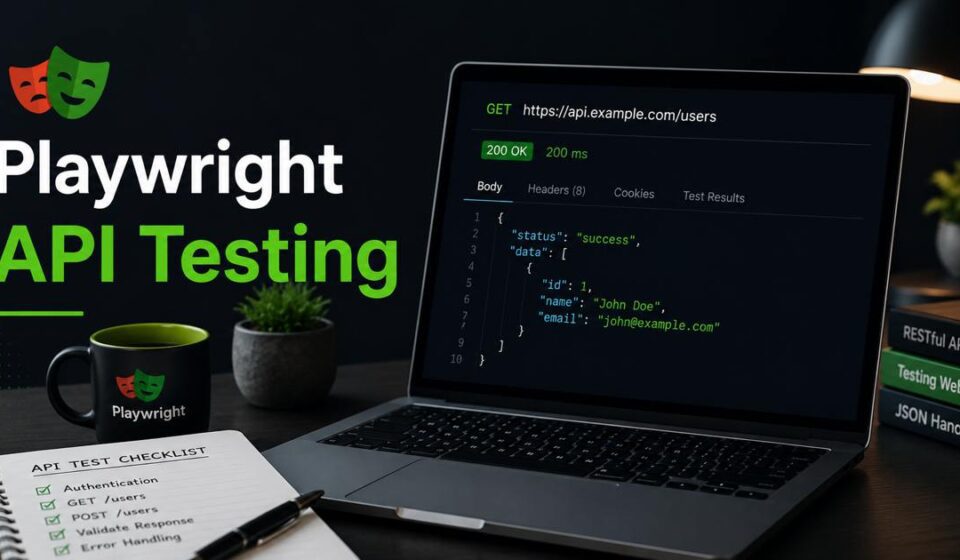
Playwright API Testing: The Complete Guide (2026)
Real talk before we start: I used to maintain two completely separate test suites — one in Playwright for UI, one in REST Assured for APIs. Different configs, different CI jobs, different reporting. Every sprint I was context-switching between Java and TypeScript like it was an Olympic sport. Then I discovered Playwright’s API testing capabilities. That second suite is gone now. This post is everything I’ve learned about doing it properly.
Why API Testing in Playwright Changes How You Think About Test Architecture
Let me ask you something. How many tools does your team currently use to cover testing? If you’re like most QA setups I’ve encountered in 2026, the answer is somewhere between three and six. You’ve got Playwright or Selenium for UI, REST Assured or Postman or maybe Axios for APIs, a separate mock server, a dedicated reporter, and some CI glue holding it all together. Each tool has its own configuration, its own learning curve, and its own way of breaking at 2 AM on a release night.
Playwright API testing lets you collapse a significant chunk of that stack. Playwright has a first-class HTTP client — APIRequestContext — built directly into the framework. It shares the same configuration, the same test runner, the same reporters, and the same fixtures as your UI tests. You can write an API test that logs in via HTTP, then continues as a browser test. You can intercept network requests during a UI test and assert on the API payload. You can seed your test database via API before a UI scenario runs. All in one framework, one config file, one npx playwright test command.
That’s what this guide covers. We’re going from zero to a production-grade Playwright API testing framework — with every configuration option explained, every code snippet tested, and every pattern grounded in what actually works on real projects in 2026.
📋 Table of Contents
- Why Playwright API Testing in 2026?
- Playwright vs REST Assured vs Postman vs Axios
- Project Setup and Configuration
- Understanding APIRequestContext — The Core
- Making HTTP Requests: GET, POST, PUT, PATCH, DELETE
- Headers, Authentication, and Tokens
- Response Validation — Status, Body, Headers, Schema
- JSON Schema Validation
- Complete Authentication Flows
- Network Interception and Mocking
- GraphQL API Testing
- File Upload and Download Testing
- Chaining API Calls and Test Setup via API
- Data-Driven API Testing
- Combining API and UI Testing
- Environment Configuration and Secrets
- CI/CD Integration
- Reporting and Dashboards
- Best Practices
- Real-World Scenarios
- Common Pitfalls
- Wrapping Up
1. Why Playwright API Testing in 2026?
The API testing landscape in 2026 is crowded. You’ve got Postman (now with AI-assisted test generation), REST Assured still holding strong in Java shops, k6 for performance, Supertest for Node.js, and a dozen newer tools promising to make API testing “effortless.” So why add Playwright to that list — or better, why replace some of those tools with it?
Here are the honest reasons I’ve landed on after using Playwright API testing in production:
1.1 One Framework, One Runner
When your API tests and UI tests live in the same framework, everything simplifies. One playwright.config.ts controls both. One npx playwright test command runs both. One HTML report shows both. One set of CI steps deploys both. One onboarding process for new team members covers both. The cognitive overhead reduction is real and significant.
1.2 Shared Fixtures and State
Playwright’s fixture system means you can write a fixture that creates a user via API, provides an authenticated token, uses that token in a UI test, and then deletes the user via API in teardown — all in one clean fixture definition. No more coordinating between separate frameworks to share state.
1.3 API + UI Tests in the Same Test File
This is the killer feature. Consider this pattern:
- Step 1: Create an order via API (fast, reliable, no UI flakiness)
- Step 2: Open the browser and verify the order appears in the UI
- Step 3: Update the order status via API
- Step 4: Refresh the UI and verify the status change is reflected
This hybrid approach dramatically speeds up tests that would otherwise be pure UI flows. The setup is instant (API), the verification is real (UI). You get speed and confidence together.
1.4 Network Interception Bridges API and UI
Playwright’s page.route() lets you intercept actual browser network requests during UI tests and assert on the API payloads being sent. This is something no standalone API testing tool can do — it gives you visibility into what your UI is actually sending to the backend, not just what the backend receives.
1.5 Same TypeScript Stack
In 2026, most Playwright shops are TypeScript. Your API tests, your page objects, your utilities, your fixtures — all TypeScript. Type safety across your entire test suite. No context switching between Java (REST Assured), JavaScript (Axios), and YAML (Postman collections).
1.6 What Playwright API Testing Is Not For
To be fair, there are scenarios where Playwright is not the right tool:
| Use Case | Better Tool | Why |
|---|---|---|
| Performance / Load testing | k6, Gatling, JMeter | Playwright isn’t built for concurrent load |
| Contract testing | Pact | Pact has consumer-driven contract infrastructure |
| Manual API exploration | Postman, Bruno, Insomnia | GUI tools are better for one-off exploration |
| Java-only shops with deep REST Assured investment | REST Assured | Migration cost outweighs the benefit |
For everything else — functional API testing, integration testing, contract-light verification, hybrid API+UI flows — Playwright API testing is genuinely excellent in 2026.
2. Playwright API Testing vs REST Assured vs Postman vs Axios
Before writing a single line of code, let’s ground ourselves in where Playwright sits relative to the tools you’re probably already using. I’ll be specific about trade-offs rather than just cheerleading for Playwright.
| Feature | Playwright | REST Assured | Postman/Newman | Axios + Jest |
|---|---|---|---|---|
| Language | TypeScript/JS | Java | JS/JSON | TypeScript/JS |
| Combined UI+API | ✅ Native | ❌ | ❌ | ❌ |
| Network interception | ✅ Native | ❌ | ❌ | ❌ |
| BDD syntax | 🟡 Via plugins | ✅ Native | 🟡 Partial | 🟡 Via plugins |
| Built-in reporter | ✅ HTML + more | 🟡 Allure needed | ✅ Dashboard | 🟡 Jest reporter |
| Load testing | ❌ | ❌ | 🟡 Limited | ❌ |
| Fixtures system | ✅ First-class | 🟡 JUnit rules | 🟡 Pre-request scripts | 🟡 beforeEach |
| Cookie handling | ✅ Auto | ✅ Auto | ✅ Auto | 🟡 Manual |
| CI/CD integration | ✅ First-class | ✅ Maven/Gradle | ✅ Newman CLI | ✅ npm scripts |
The story that jumps out from this table: Playwright is the only tool that natively bridges API and UI testing in a single coherent framework. That’s its strongest differentiator in 2026.
3. Project Setup and Configuration
Let’s build the foundation properly. A good setup makes everything that follows easier to maintain, easier to scale, and easier to onboard new engineers on.
3.1 Installing Playwright (Fresh Project)
# Create a new project directory
mkdir playwright-api-testing && cd playwright-api-testing

# Initialise with npm
npm init -y

# Install Playwright with test runner
npm init playwright@latest

# During the setup wizard:
# ✓ Do you want to use TypeScript or JavaScript? → TypeScript
# ✓ Where to put your end-to-end tests? → tests
# ✓ Add a GitHub Actions workflow? → Yes
# ✓ Install Playwright browsers? → Yes (for UI tests)

# Install additional dependencies we'll need
npm install --save-dev \
  @types/node \
  dotenv \
  ajv \
  ajv-formats \
  faker \
  uuid \
  @types/uuid \
  winston
3.2 Project Structure for API + UI Testing
playwright-api-testing/
├── playwright.config.ts          # Global config
├── package.json
├── tsconfig.json
├── .env.test                     # Local environment vars
├── .env.staging
├── .env.production
├── src/
│   ├── api/
│   │   ├── clients/
│   │   │   ├── BaseApiClient.ts  # Core HTTP client wrapper
│   │   │   ├── AuthClient.ts     # Auth endpoints
│   │   │   ├── UsersClient.ts    # Users resource
│   │   │   ├── ProductsClient.ts # Products resource
│   │   │   └── OrdersClient.ts   # Orders resource
│   │   ├── schemas/
│   │   │   ├── user.schema.json  # JSON schemas for validation
│   │   │   ├── product.schema.json
│   │   │   └── order.schema.json
│   │   └── models/
│   │       ├── User.ts           # TypeScript interfaces
│   │       ├── Product.ts
│   │       └── Order.ts
│   ├── fixtures/
│   │   ├── api-fixtures.ts       # API-specific fixtures
│   │   └── hybrid-fixtures.ts    # API + UI fixtures
│   ├── data/
│   │   ├── test-data.ts          # Static test data
│   │   └── data-factory.ts       # Dynamic data generation
│   └── utils/
│       ├── api-helpers.ts        # Shared utilities
│       ├── schema-validator.ts   # AJV wrapper
│       └── logger.ts             # Structured logging
├── tests/
│   ├── api/
│   │   ├── auth.api.spec.ts      # Auth API tests
│   │   ├── users.api.spec.ts     # Users CRUD tests
│   │   ├── products.api.spec.ts  # Products API tests
│   │   ├── orders.api.spec.ts    # Orders API tests
│   │   └── graphql.api.spec.ts   # GraphQL tests
│   ├── ui/
│   │   └── checkout.ui.spec.ts
│   └── hybrid/
│       └── order-flow.hybrid.spec.ts # API setup + UI verify
└── test-results/
3.3 Complete playwright.config.ts for API Testing
This is the most important file in your project. Get this right and everything else clicks into place. Here’s a production-grade config that handles both API and UI testing scenarios:
// playwright.config.ts
import { defineConfig, devices } from '@playwright/test';
import * as dotenv from 'dotenv';

// Load environment-specific config
const ENV = process.env.NODE_ENV || 'test';
dotenv.config({ path: `.env.${ENV}` });

export default defineConfig({
  testDir: './tests',
  fullyParallel: true,
  forbidOnly: !!process.env.CI,
  retries: process.env.CI ? 1 : 0,
  workers: process.env.CI ? 4 : undefined,
  timeout: 30000,

  expect: {
    timeout: 10000,
  },

  reporter: [
    ['list'],
    ['html', { outputFolder: 'playwright-report', open: 'never' }],
    ['json', { outputFile: 'test-results/results.json' }],
  ],

  use: {
    // Base URL for both browser navigation and API requests
    baseURL: process.env.BASE_URL || 'http://localhost:3000',

    // API-specific configuration
    extraHTTPHeaders: {
      'Accept': 'application/json',
      'Content-Type': 'application/json',
      'X-Api-Version': process.env.API_VERSION || 'v1',
    },

    // Ignore SSL certificate errors in dev/staging
    ignoreHTTPSErrors: process.env.NODE_ENV !== 'production',

    // Trace on failure for debugging
    trace: 'retain-on-failure',
    screenshot: 'only-on-failure',
  },

  projects: [
    // ── API-only tests ──────────────────────────────────────
    {
      name: 'api-tests',
      testDir: './tests/api',
      use: {
        // No browser needed for pure API tests
        baseURL: process.env.API_BASE_URL || 'http://localhost:3001',
        extraHTTPHeaders: {
          'Accept': 'application/json',
          'Content-Type': 'application/json',
          'X-Client': 'playwright-api-test',
          'X-Api-Key': process.env.API_KEY || '',
        },
      },
    },

    // ── UI tests ────────────────────────────────────────────
    {
      name: 'chromium',
      testDir: './tests/ui',
      use: {
        ...devices['Desktop Chrome'],
        baseURL: process.env.BASE_URL || 'http://localhost:3000',
      },
    },

    // ── Hybrid API+UI tests ─────────────────────────────────
    {
      name: 'hybrid-tests',
      testDir: './tests/hybrid',
      use: {
        ...devices['Desktop Chrome'],
        baseURL: process.env.BASE_URL || 'http://localhost:3000',
        extraHTTPHeaders: {
          'Accept': 'application/json',
          'Content-Type': 'application/json',
        },
      },
    },
  ],

  globalSetup: './src/utils/global-setup.ts',
  globalTeardown: './src/utils/global-teardown.ts',
  outputDir: 'test-results',
});
3.4 TypeScript Configuration
// tsconfig.json
{
  "compilerOptions": {
    "target": "ES2022",
    "module": "commonjs",
    "lib": ["ES2022"],
    "strict": true,
    "esModuleInterop": true,
    "skipLibCheck": true,
    "forceConsistentCasingInFileNames": true,
    "resolveJsonModule": true,        // For importing JSON schemas
    "outDir": "./dist",
    "rootDir": ".",
    "baseUrl": ".",
    "paths": {
      "@api/*": ["src/api/*"],
      "@fixtures/*": ["src/fixtures/*"],
      "@data/*": ["src/data/*"],
      "@utils/*": ["src/utils/*"]
    }
  },
  "include": ["src/**/*", "tests/**/*", "playwright.config.ts"],
  "exclude": ["node_modules", "dist"]
}
3.5 Environment Variable Files
# .env.test — Local development
NODE_ENV=test
BASE_URL=http://localhost:3000
API_BASE_URL=http://localhost:3001
API_VERSION=v1
API_KEY=local-test-api-key-12345

# Auth credentials
TEST_ADMIN_EMAIL=admin@test.com
TEST_ADMIN_PASSWORD=AdminTest123!
TEST_USER_EMAIL=user@test.com
TEST_USER_PASSWORD=UserTest123!

# OAuth / JWT
OAUTH_CLIENT_ID=test-client-id
OAUTH_CLIENT_SECRET=test-client-secret
OAUTH_TOKEN_URL=http://localhost:3001/auth/token

# Timeouts
API_TIMEOUT=10000
REQUEST_TIMEOUT=8000
# .env.staging
NODE_ENV=staging
BASE_URL=https://staging.yourapp.com
API_BASE_URL=https://api.staging.yourapp.com
API_VERSION=v1
API_KEY=${STAGING_API_KEY}          # Injected by CI secrets

TEST_ADMIN_EMAIL=${STAGING_ADMIN_EMAIL}
TEST_ADMIN_PASSWORD=${STAGING_ADMIN_PASSWORD}
TEST_USER_EMAIL=qa-test@yourcompany.com
TEST_USER_PASSWORD=${STAGING_QA_PASSWORD}

OAUTH_CLIENT_ID=${STAGING_OAUTH_CLIENT_ID}
OAUTH_CLIENT_SECRET=${STAGING_OAUTH_SECRET}
OAUTH_TOKEN_URL=https://auth.staging.yourapp.com/token
4. Understanding APIRequestContext — The Core of Playwright API Testing
Before writing real tests, you need to understand APIRequestContext deeply. This is the class that powers all Playwright API testing. Get comfortable with it and everything else will feel natural.
4.1 What Is APIRequestContext?
APIRequestContext is Playwright’s built-in HTTP client. It’s similar to fetch or axios but designed specifically for testing — it integrates with Playwright’s test runner, shares authentication state with browsers, handles cookies automatically, and works within Playwright’s fixture system.
You access it in two ways:
- Via the
requestfixture — automatically available in every Playwright test, scoped to the test’s life - Via
playwright.request.newContext()— creates a standalone context with its own session, cookies, and headers, useful in global setup/teardown
4.2 The request Fixture — Your Primary Tool
// The request fixture is automatically available in every test
import { test, expect } from '@playwright/test';

test('basic GET request', async ({ request }) => {
  // request is an APIRequestContext instance
  const response = await request.get('https://jsonplaceholder.typicode.com/posts/1');

  // Check status
  expect(response.status()).toBe(200);

  // Parse body as JSON
  const body = await response.json();
  console.log(body);
  // { userId: 1, id: 1, title: '...', body: '...' }
});
4.3 APIRequestContext Methods Reference
Here’s the complete method reference for APIRequestContext — every method you’ll use in Playwright API testing:
| Method | HTTP Method | Common Use |
|---|---|---|
request.get(url, options?) | GET | Fetch resource, list collection |
request.post(url, options?) | POST | Create resource, login, upload |
request.put(url, options?) | PUT | Full update of a resource |
request.patch(url, options?) | PATCH | Partial update of a resource |
request.delete(url, options?) | DELETE | Delete a resource |
request.head(url, options?) | HEAD | Check resource existence, headers |
request.fetch(urlOrRequest, options?) | Any | Full control over request method |
request.dispose() | — | Clean up context and storage state |
4.4 APIResponse Methods Reference
// Every request method returns an APIResponse
const response = await request.get('/api/users');

// Status code (number)
response.status();           // 200, 201, 400, 404, 500, etc.

// Status text
response.statusText();       // 'OK', 'Created', 'Not Found', etc.

// Check if status is 2xx
response.ok();               // true for 200-299

// URL that was actually requested (after redirects)
response.url();

// Response headers (object)
response.headers();          // { 'content-type': 'application/json', ... }
response.headersArray();     // [{ name: 'content-type', value: 'application/json' }]

// Response body as JSON (parsed)
const json = await response.json();

// Response body as text
const text = await response.text();

// Response body as Buffer (for files, images)
const buffer = await response.body();
4.5 Standalone APIRequestContext (for Global Setup)
When you need to make API calls outside of a test — for example, in global setup to seed data or get an auth token — you create a standalone context:
// src/utils/global-setup.ts
import { request, FullConfig } from '@playwright/test';
import * as fs from 'fs';

async function globalSetup(config: FullConfig) {
  const baseURL = config.projects[0]?.use?.baseURL || 'http://localhost:3001';

  // Create a standalone API context
  const apiContext = await request.newContext({
    baseURL,
    extraHTTPHeaders: {
      'Content-Type': 'application/json',
      'X-Api-Key': process.env.API_KEY || '',
    },
  });

  try {
    // Authenticate and save token for use in tests
    const loginResponse = await apiContext.post('/auth/login', {
      data: {
        email: process.env.TEST_ADMIN_EMAIL,
        password: process.env.TEST_ADMIN_PASSWORD,
      },
    });

    if (!loginResponse.ok()) {
      throw new Error(`Login failed: ${loginResponse.status()} ${await loginResponse.text()}`);
    }

    const { token, refreshToken } = await loginResponse.json();

    // Save auth state for test reuse
    fs.writeFileSync('.auth/admin-token.json', JSON.stringify({
      token,
      refreshToken,
      expiresAt: Date.now() + (60 * 60 * 1000), // 1 hour from now
    }));

    console.log('✅ Global setup: Admin token saved');
  } finally {
    await apiContext.dispose();
  }
}

export default globalSetup;
5. Making HTTP Requests: GET, POST, PUT, PATCH, DELETE
Now let’s write real tests for every HTTP method. I’ll use a realistic e-commerce API as the example throughout — the kind of API your team is actually likely to be testing against in 2026.
5.1 GET Requests — Fetching Resources
GET is the most common API operation. Here’s how to cover all the scenarios you’ll encounter:
// tests/api/products.api.spec.ts
import { test, expect } from '@playwright/test';

test.describe('Products API — GET', () => {

  test('GET /api/products — returns list of products', async ({ request }) => {
    const response = await request.get('/api/products');

    // Assert status
    expect(response.status()).toBe(200);
    expect(response.ok()).toBe(true);

    // Assert content type header
    expect(response.headers()['content-type']).toContain('application/json');

    // Assert body structure
    const body = await response.json();
    expect(body).toHaveProperty('data');
    expect(body).toHaveProperty('meta');
    expect(Array.isArray(body.data)).toBe(true);
    expect(body.data.length).toBeGreaterThan(0);

    // Assert first product has expected fields
    const firstProduct = body.data[0];
    expect(firstProduct).toHaveProperty('id');
    expect(firstProduct).toHaveProperty('name');
    expect(firstProduct).toHaveProperty('price');
    expect(firstProduct).toHaveProperty('category');
    expect(typeof firstProduct.price).toBe('number');
  });

  test('GET /api/products/:id — returns single product', async ({ request }) => {
    const productId = 'PROD-001';
    const response = await request.get(`/api/products/${productId}`);

    expect(response.status()).toBe(200);

    const product = await response.json();
    expect(product.id).toBe(productId);
    expect(product.name).toBeTruthy();
    expect(product.price).toBeGreaterThan(0);
    expect(product.stockCount).toBeGreaterThanOrEqual(0);
  });

  test('GET /api/products/:id — returns 404 for non-existent product', async ({ request }) => {
    const response = await request.get('/api/products/NON-EXISTENT-ID');

    expect(response.status()).toBe(404);

    const error = await response.json();
    expect(error).toHaveProperty('error');
    expect(error.error).toContain('not found');
  });

  test('GET /api/products — supports query parameters for filtering', async ({ request }) => {
    const response = await request.get('/api/products', {
      params: {
        category: 'electronics',
        minPrice: '1000',
        maxPrice: '50000',
        inStock: 'true',
        page: '1',
        limit: '10',
        sortBy: 'price',
        sortOrder: 'asc',
      },
    });

    expect(response.status()).toBe(200);

    const body = await response.json();
    expect(body.data.length).toBeLessThanOrEqual(10);

    // All returned products should be in the electronics category
    body.data.forEach((product: any) => {
      expect(product.category).toBe('electronics');
      expect(product.price).toBeGreaterThanOrEqual(1000);
      expect(product.price).toBeLessThanOrEqual(50000);
    });

    // Verify ascending price order
    for (let i = 1; i < body.data.length; i++) {
      expect(body.data[i].price).toBeGreaterThanOrEqual(body.data[i - 1].price);
    }
  });

  test('GET /api/products — pagination works correctly', async ({ request }) => {
    // Get page 1
    const page1Response = await request.get('/api/products', {
      params: { page: '1', limit: '5' },
    });
    const page1 = await page1Response.json();

    // Get page 2
    const page2Response = await request.get('/api/products', {
      params: { page: '2', limit: '5' },
    });
    const page2 = await page2Response.json();

    // Pages should have different items
    const page1Ids = page1.data.map((p: any) => p.id);
    const page2Ids = page2.data.map((p: any) => p.id);
    const overlap = page1Ids.filter((id: string) => page2Ids.includes(id));
    expect(overlap).toHaveLength(0);

    // Meta should reflect pagination
    expect(page1.meta.currentPage).toBe(1);
    expect(page1.meta.perPage).toBe(5);
    expect(page1.meta.totalPages).toBeGreaterThan(1);
  });
});
5.2 POST Requests — Creating Resources
// tests/api/users.api.spec.ts — POST tests
import { test, expect } from '@playwright/test';
import { faker } from '@faker-js/faker';

test.describe('Users API — POST', () => {

  test('POST /api/users — creates user with valid data', async ({ request }) => {
    const newUser = {
      firstName: faker.person.firstName(),
      lastName: faker.person.lastName(),
      email: faker.internet.email(),
      password: 'ValidPassword123!',
      role: 'customer',
      phone: faker.phone.number('+91##########'),
    };

    const response = await request.post('/api/users', {
      data: newUser,
    });

    // 201 Created for successful creation
    expect(response.status()).toBe(201);

    const createdUser = await response.json();

    // Verify returned data matches what was sent
    expect(createdUser.firstName).toBe(newUser.firstName);
    expect(createdUser.lastName).toBe(newUser.lastName);
    expect(createdUser.email).toBe(newUser.email.toLowerCase());

    // Verify system-generated fields
    expect(createdUser).toHaveProperty('id');
    expect(createdUser).toHaveProperty('createdAt');
    expect(createdUser).toHaveProperty('updatedAt');

    // SECURITY: Password must NOT be returned
    expect(createdUser).not.toHaveProperty('password');
    expect(createdUser).not.toHaveProperty('passwordHash');

    // Cleanup: delete the created user
    await request.delete(`/api/users/${createdUser.id}`);
  });

  test('POST /api/users — rejects duplicate email', async ({ request }) => {
    const existingEmail = process.env.TEST_USER_EMAIL!;

    const response = await request.post('/api/users', {
      data: {
        firstName: 'Test',
        lastName: 'Duplicate',
        email: existingEmail,
        password: 'TestPass123!',
        role: 'customer',
      },
    });

    expect(response.status()).toBe(409);  // Conflict

    const error = await response.json();
    expect(error.error).toContain('already exists');
    expect(error.field).toBe('email');
  });

  test('POST /api/users — validates required fields', async ({ request }) => {
    const incompleteUser = {
      firstName: 'Test',
      // Missing: lastName, email, password
    };

    const response = await request.post('/api/users', {
      data: incompleteUser,
    });

    expect(response.status()).toBe(400);  // Bad Request

    const error = await response.json();
    expect(error).toHaveProperty('errors');
    expect(error.errors).toBeInstanceOf(Array);

    // Should mention missing required fields
    const errorFields = error.errors.map((e: any) => e.field);
    expect(errorFields).toContain('email');
    expect(errorFields).toContain('password');
  });

  test('POST /api/users — validates email format', async ({ request }) => {
    const response = await request.post('/api/users', {
      data: {
        firstName: 'Test',
        lastName: 'User',
        email: 'not-a-valid-email',
        password: 'ValidPass123!',
        role: 'customer',
      },
    });

    expect(response.status()).toBe(400);

    const error = await response.json();
    const emailError = error.errors.find((e: any) => e.field === 'email');
    expect(emailError).toBeTruthy();
    expect(emailError.message).toContain('valid email');
  });

  test('POST /api/users — validates password strength', async ({ request }) => {
    const weakPasswords = ['123', 'password', 'abc123'];

    for (const weakPassword of weakPasswords) {
      const response = await request.post('/api/users', {
        data: {
          firstName: 'Test',
          lastName: 'User',
          email: faker.internet.email(),
          password: weakPassword,
          role: 'customer',
        },
      });

      expect(response.status()).toBe(400);

      const error = await response.json();
      const pwError = error.errors.find((e: any) => e.field === 'password');
      expect(pwError).toBeTruthy();
    }
  });
});
5.3 PUT Requests — Full Updates
// PUT — Full resource replacement
test.describe('Users API — PUT', () => {

  test('PUT /api/users/:id — fully updates a user', async ({ request }) => {
    // First create a user to update
    const createResponse = await request.post('/api/users', {
      data: {
        firstName: 'Original',
        lastName: 'Name',
        email: `update-test-${Date.now()}@test.com`,
        password: 'TestPass123!',
        role: 'customer',
      },
    });
    const { id } = await createResponse.json();

    // Now fully replace with PUT
    const updatedData = {
      firstName: 'Updated',
      lastName: 'User',
      email: `updated-${Date.now()}@test.com`,
      password: 'NewPass456!',
      role: 'customer',
      phone: '+919876543210',
    };

    const updateResponse = await request.put(`/api/users/${id}`, {
      data: updatedData,
    });

    expect(updateResponse.status()).toBe(200);

    const updated = await updateResponse.json();
    expect(updated.firstName).toBe('Updated');
    expect(updated.lastName).toBe('User');
    expect(updated.phone).toBe('+919876543210');

    // updatedAt should be more recent than createdAt
    expect(new Date(updated.updatedAt).getTime())
      .toBeGreaterThan(new Date(updated.createdAt).getTime());

    // Cleanup
    await request.delete(`/api/users/${id}`);
  });
});
5.4 PATCH Requests — Partial Updates
// PATCH — Partial updates, only send what changes
test.describe('Users API — PATCH', () => {

  let userId: string;
  let originalEmail: string;

  test.beforeEach(async ({ request }) => {
    // Create a fresh user before each test
    const response = await request.post('/api/users', {
      data: {
        firstName: 'Patch',
        lastName: 'TestUser',
        email: `patch-test-${Date.now()}@test.com`,
        password: 'TestPass123!',
        role: 'customer',
      },
    });
    const user = await response.json();
    userId = user.id;
    originalEmail = user.email;
  });

  test.afterEach(async ({ request }) => {
    // Clean up after each test
    await request.delete(`/api/users/${userId}`);
  });

  test('PATCH /api/users/:id — updates only provided fields', async ({ request }) => {
    const response = await request.patch(`/api/users/${userId}`, {
      data: { phone: '+911234567890' },  // Only updating phone
    });

    expect(response.status()).toBe(200);

    const updated = await response.json();
    // Phone is updated
    expect(updated.phone).toBe('+911234567890');

    // Email is unchanged — this is the key difference from PUT
    expect(updated.email).toBe(originalEmail);
  });

  test('PATCH /api/users/:id — updates user status', async ({ request }) => {
    const response = await request.patch(`/api/users/${userId}`, {
      data: { status: 'inactive' },
    });

    expect(response.status()).toBe(200);

    const updated = await response.json();
    expect(updated.status).toBe('inactive');
  });
});
5.5 DELETE Requests
// DELETE — Remove resources
test.describe('Users API — DELETE', () => {

  test('DELETE /api/users/:id — deletes a user successfully', async ({ request }) => {
    // Create user to delete
    const createResponse = await request.post('/api/users', {
      data: {
        firstName: 'Delete',
        lastName: 'Me',
        email: `delete-test-${Date.now()}@test.com`,
        password: 'TestPass123!',
        role: 'customer',
      },
    });
    const { id } = await createResponse.json();

    // Delete the user
    const deleteResponse = await request.delete(`/api/users/${id}`);

    // 204 No Content is the standard for successful deletion
    expect(deleteResponse.status()).toBe(204);

    // Verify user no longer exists
    const getResponse = await request.get(`/api/users/${id}`);
    expect(getResponse.status()).toBe(404);
  });

  test('DELETE /api/users/:id — returns 404 for non-existent user', async ({ request }) => {
    const response = await request.delete('/api/users/non-existent-id-999');
    expect(response.status()).toBe(404);
  });

  test('DELETE /api/users/:id — soft delete leaves audit trail', async ({ request }) => {
    // If your API uses soft deletion (sets deletedAt instead of removing)
    const createResponse = await request.post('/api/users', {
      data: {
        firstName: 'Soft',
        lastName: 'Delete',
        email: `soft-delete-${Date.now()}@test.com`,
        password: 'TestPass123!',
        role: 'customer',
      },
    });
    const { id } = await createResponse.json();

    await request.delete(`/api/users/${id}`);

    // With soft delete, the user is deactivated not removed
    // Some APIs return 200 with the soft-deleted record
    const adminGetResponse = await request.get(`/api/admin/users/${id}`, {
      headers: { 'X-Include-Deleted': 'true' },
    });

    if (adminGetResponse.status() === 200) {
      const deletedUser = await adminGetResponse.json();
      expect(deletedUser.deletedAt).toBeTruthy();
      expect(new Date(deletedUser.deletedAt)).toBeInstanceOf(Date);
    }
  });
});
6. Headers, Authentication, and Tokens
In real-world Playwright API testing, almost every endpoint you hit will require some form of authentication or special headers. Let’s cover all the patterns you’ll encounter.
6.1 Setting Headers Per Request
// Headers can be set at multiple levels

// 1. Per-request headers (highest priority)
const response = await request.get('/api/users', {
  headers: {
    'Authorization': 'Bearer eyJhbGciOiJIUzI1...',
    'Accept-Language': 'en-IN',
    'X-Request-ID': crypto.randomUUID(),
    'X-Correlation-ID': `test-${Date.now()}`,
    'Cache-Control': 'no-cache',
  },
});

// 2. Context-level headers (apply to all requests in context)
// Configured in playwright.config.ts → use.extraHTTPHeaders
// Or when creating a standalone context:
const apiContext = await request.newContext({
  baseURL: 'https://api.yourapp.com',
  extraHTTPHeaders: {
    'Authorization': `Bearer ${token}`,
    'X-Api-Version': 'v2',
    'Accept': 'application/json',
  },
});

// 3. Merge per-request headers with context headers
// Per-request headers override context headers for the same key
const specialResponse = await apiContext.get('/api/special-endpoint', {
  headers: {
    'X-Api-Version': 'v3',  // Overrides v2 from context
    'X-Special-Flag': 'true',
  },
});
6.2 API Key Authentication
// API Key in header (most common)
const response = await request.get('/api/products', {
  headers: {
    'X-Api-Key': process.env.API_KEY!,
  },
});

// API Key as query parameter (less secure, some APIs use this)
const response2 = await request.get('/api/products', {
  params: {
    api_key: process.env.API_KEY!,
  },
});

// API Key in Authorization header
const response3 = await request.get('/api/products', {
  headers: {
    'Authorization': `ApiKey ${process.env.API_KEY!}`,
  },
});

// Test: Verify API key is required
test('API rejects requests without API key', async ({ request }) => {
  const response = await request.get('/api/products', {
    headers: { 'X-Api-Key': '' },  // Deliberately empty
  });
  expect(response.status()).toBe(401);
});

// Test: Verify invalid API key is rejected
test('API rejects invalid API key', async ({ request }) => {
  const response = await request.get('/api/products', {
    headers: { 'X-Api-Key': 'invalid-key-12345' },
  });
  expect(response.status()).toBe(403);
});
6.3 Bearer Token Authentication
// src/api/clients/AuthClient.ts
import { APIRequestContext } from '@playwright/test';

export interface TokenResponse {
  token: string;
  refreshToken: string;
  expiresIn: number;
  tokenType: string;
}

export class AuthClient {
  private request: APIRequestContext;

  constructor(request: APIRequestContext) {
    this.request = request;
  }

  async loginWithPassword(email: string, password: string): Promise<TokenResponse> {
    const response = await this.request.post('/auth/login', {
      data: { email, password },
    });

    if (!response.ok()) {
      const error = await response.text();
      throw new Error(`Login failed (${response.status()}): ${error}`);
    }

    return response.json();
  }

  async refreshAccessToken(refreshToken: string): Promise<TokenResponse> {
    const response = await this.request.post('/auth/refresh', {
      data: { refreshToken },
    });

    if (!response.ok()) {
      throw new Error(`Token refresh failed: ${response.status()}`);
    }

    return response.json();
  }

  async logout(token: string): Promise<void> {
    await this.request.post('/auth/logout', {
      headers: { 'Authorization': `Bearer ${token}` },
    });
  }
}

// Usage in tests
test('authenticated request with bearer token', async ({ request }) => {
  const authClient = new AuthClient(request);

  // Get token
  const { token } = await authClient.loginWithPassword(
    process.env.TEST_USER_EMAIL!,
    process.env.TEST_USER_PASSWORD!
  );

  // Use token in subsequent request
  const response = await request.get('/api/users/me', {
    headers: { 'Authorization': `Bearer ${token}` },
  });

  expect(response.status()).toBe(200);

  const profile = await response.json();
  expect(profile.email).toBe(process.env.TEST_USER_EMAIL);
});
6.4 Creating an Authenticated Request Context Fixture
The right pattern for authenticated tests is a fixture that handles login once and injects a ready-to-use authenticated context:
// src/fixtures/api-fixtures.ts
import { test as base, APIRequestContext, request as playwrightRequest } from '@playwright/test';

type ApiFixtures = {
  adminRequest: APIRequestContext;
  userRequest: APIRequestContext;
  authToken: string;
};

export const test = base.extend<ApiFixtures>({

  authToken: async ({ request }, use) => {
    // Login and get token
    const response = await request.post('/auth/login', {
      data: {
        email: process.env.TEST_ADMIN_EMAIL!,
        password: process.env.TEST_ADMIN_PASSWORD!,
      },
    });

    if (!response.ok()) {
      throw new Error(`Auth failed: ${response.status()}`);
    }

    const { token } = await response.json();
    await use(token);
  },

  adminRequest: async ({}, use) => {
    // Create a fully authenticated context for admin
    const context = await playwrightRequest.newContext({
      baseURL: process.env.API_BASE_URL || 'http://localhost:3001',
      extraHTTPHeaders: {
        'Content-Type': 'application/json',
        'Accept': 'application/json',
      },
    });

    // Login and add token to context
    const loginResponse = await context.post('/auth/login', {
      data: {
        email: process.env.TEST_ADMIN_EMAIL!,
        password: process.env.TEST_ADMIN_PASSWORD!,
      },
    });

    const { token } = await loginResponse.json();

    // Dispose and recreate with auth header baked in
    await context.dispose();

    const authedContext = await playwrightRequest.newContext({
      baseURL: process.env.API_BASE_URL || 'http://localhost:3001',
      extraHTTPHeaders: {
        'Content-Type': 'application/json',
        'Accept': 'application/json',
        'Authorization': `Bearer ${token}`,
      },
    });

    await use(authedContext);
    await authedContext.dispose();
  },

  userRequest: async ({}, use) => {
    const context = await playwrightRequest.newContext({
      baseURL: process.env.API_BASE_URL || 'http://localhost:3001',
      extraHTTPHeaders: {
        'Content-Type': 'application/json',
        'Accept': 'application/json',
      },
    });

    const loginResponse = await context.post('/auth/login', {
      data: {
        email: process.env.TEST_USER_EMAIL!,
        password: process.env.TEST_USER_PASSWORD!,
      },
    });

    const { token } = await loginResponse.json();
    await context.dispose();

    const authedContext = await playwrightRequest.newContext({
      baseURL: process.env.API_BASE_URL || 'http://localhost:3001',
      extraHTTPHeaders: {
        'Content-Type': 'application/json',
        'Authorization': `Bearer ${token}`,
      },
    });

    await use(authedContext);
    await authedContext.dispose();
  },
});

export { expect } from '@playwright/test';
// Usage — clean and simple in tests
import { test, expect } from '../src/fixtures/api-fixtures';

test('admin can access user list', async ({ adminRequest }) => {
  const response = await adminRequest.get('/api/admin/users');
  expect(response.status()).toBe(200);
});

test('regular user cannot access admin endpoint', async ({ userRequest }) => {
  const response = await userRequest.get('/api/admin/users');
  expect(response.status()).toBe(403);
});

test('admin can delete any user', async ({ adminRequest }) => {
  // adminRequest already has auth baked in
  const createResp = await adminRequest.post('/api/users', {
    data: {
      firstName: 'Temp', lastName: 'User',
      email: `temp-${Date.now()}@test.com`,
      password: 'Temp123!', role: 'customer',
    },
  });
  const { id } = await createResp.json();
  const deleteResp = await adminRequest.delete(`/api/users/${id}`);
  expect(deleteResp.status()).toBe(204);
});
7. Response Validation — Status, Body, Headers, and Timing
Writing a request is the easy part. The real value of Playwright API testing comes from thorough, well-structured response validation. In this section I’ll show you how to validate every aspect of a response — and how to do it in a way that produces meaningful failure messages when something goes wrong.
7.1 Status Code Validation
// src/utils/api-helpers.ts — Status code helpers
import { APIResponse, expect } from '@playwright/test';

export async function assertStatus(
  response: APIResponse,
  expectedStatus: number,
  context?: string
): Promise<void> {
  const message = context
    ? `${context}: expected ${expectedStatus}, got ${response.status()}`
    : `Expected status ${expectedStatus}, got ${response.status()}`;

  if (response.status() !== expectedStatus) {
    const body = await response.text();
    throw new Error(`${message}\nResponse body: ${body}`);
  }
}

// Status code categories
export function assertSuccessStatus(response: APIResponse): void {
  expect(response.status(), `Expected 2xx success, got ${response.status()}`).toBeGreaterThanOrEqual(200);
  expect(response.status(), `Expected 2xx success, got ${response.status()}`).toBeLessThan(300);
}

export function assertClientError(response: APIResponse): void {
  expect(response.status()).toBeGreaterThanOrEqual(400);
  expect(response.status()).toBeLessThan(500);
}

export function assertServerError(response: APIResponse): void {
  expect(response.status()).toBeGreaterThanOrEqual(500);
}

// Common status code constants
export const HTTP = {
  OK: 200,
  CREATED: 201,
  ACCEPTED: 202,
  NO_CONTENT: 204,
  BAD_REQUEST: 400,
  UNAUTHORIZED: 401,
  FORBIDDEN: 403,
  NOT_FOUND: 404,
  METHOD_NOT_ALLOWED: 405,
  CONFLICT: 409,
  UNPROCESSABLE: 422,
  TOO_MANY_REQUESTS: 429,
  SERVER_ERROR: 500,
  BAD_GATEWAY: 502,
  SERVICE_UNAVAILABLE: 503,
} as const;

// Usage in tests
test('status code validation with context', async ({ request }) => {
  const response = await request.post('/api/orders', { data: {} });
  await assertStatus(response, HTTP.BAD_REQUEST, 'Create order with empty body');
});
7.2 Response Body Validation
// Playwright's expect() has powerful matchers for API bodies
test('comprehensive body validation', async ({ request }) => {
  const response = await request.get('/api/orders/ORD-001');
  const order = await response.json();

  // Field existence
  expect(order).toHaveProperty('id');
  expect(order).toHaveProperty('status');
  expect(order).toHaveProperty('items');
  expect(order).toHaveProperty('total');
  expect(order).toHaveProperty('createdAt');

  // Type validation
  expect(typeof order.id).toBe('string');
  expect(typeof order.total).toBe('number');
  expect(Array.isArray(order.items)).toBe(true);

  // Value validation
  expect(order.status).toMatch(/^(pending|processing|shipped|delivered|cancelled)$/);
  expect(order.total).toBeGreaterThan(0);
  expect(order.items.length).toBeGreaterThan(0);

  // Nested object validation
  expect(order).toHaveProperty('shippingAddress.city');
  expect(order.shippingAddress).toHaveProperty('postalCode');
  expect(order.shippingAddress.country).toHaveLength(2); // ISO country code

  // Array item validation
  order.items.forEach((item: any, index: number) => {
    expect(item, `items[${index}] must have productId`).toHaveProperty('productId');
    expect(item, `items[${index}] must have quantity`).toHaveProperty('quantity');
    expect(item.quantity, `items[${index}].quantity must be positive`).toBeGreaterThan(0);
    expect(item.price, `items[${index}].price must be positive`).toBeGreaterThan(0);
  });

  // Date format validation
  expect(new Date(order.createdAt).toString()).not.toBe('Invalid Date');

  // Precise numeric validation
  const calculatedTotal = order.items.reduce(
    (sum: number, item: any) => sum + (item.price * item.quantity), 0
  );
  expect(order.subtotal).toBeCloseTo(calculatedTotal, 2); // 2 decimal places
});
7.3 Response Header Validation
// Response headers carry critical metadata
test('validates important response headers', async ({ request }) => {
  const response = await request.get('/api/products');
  const headers = response.headers();

  // Content type
  expect(headers['content-type']).toContain('application/json');

  // Security headers
  expect(headers['x-content-type-options']).toBe('nosniff');
  expect(headers['x-frame-options']).toBeTruthy();
  expect(headers['strict-transport-security']).toBeTruthy();

  // Rate limiting headers (if your API has them)
  if (headers['x-ratelimit-limit']) {
    expect(parseInt(headers['x-ratelimit-limit'])).toBeGreaterThan(0);
    expect(parseInt(headers['x-ratelimit-remaining'])).toBeGreaterThanOrEqual(0);
    expect(parseInt(headers['x-ratelimit-reset'])).toBeGreaterThan(Date.now() / 1000);
  }

  // Correlation / request ID for tracing
  expect(headers['x-request-id']).toBeTruthy();

  // Cache headers
  expect(headers['cache-control']).toBeTruthy();

  // CORS headers (if applicable)
  if (headers['access-control-allow-origin']) {
    expect(['*', 'https://yourapp.com']).toContain(headers['access-control-allow-origin']);
  }
});

test('Location header set on resource creation', async ({ request }) => {
  const response = await request.post('/api/products', {
    data: {
      name: 'Test Product',
      price: 999,
      category: 'electronics',
      stockCount: 10,
    },
  });

  expect(response.status()).toBe(201);

  // Location header should point to new resource
  const locationHeader = response.headers()['location'];
  expect(locationHeader).toBeTruthy();
  expect(locationHeader).toMatch(/\/api\/products\/[a-zA-Z0-9-]+$/);

  // Follow the Location header to verify resource was created
  const getResponse = await request.get(locationHeader);
  expect(getResponse.status()).toBe(200);

  const product = await getResponse.json();
  expect(product.name).toBe('Test Product');
});
7.4 Response Time Validation
// Response time assertions — catch performance regressions
test('GET /api/products responds within SLA', async ({ request }) => {
  const startTime = Date.now();
  const response = await request.get('/api/products');
  const responseTime = Date.now() - startTime;

  expect(response.status()).toBe(200);

  // Assert response time SLA
  expect(responseTime, `Response took ${responseTime}ms — exceeds 2000ms SLA`).toBeLessThan(2000);
  console.log(`[PERF] GET /api/products: ${responseTime}ms`);
});

// Helper: Measure and assert response time
async function measureRequest(
  requestFn: () => Promise<any>,
  maxMs: number,
  description: string
) {
  const start = performance.now();
  const response = await requestFn();
  const duration = Math.round(performance.now() - start);

  console.log(`[PERF] ${description}: ${duration}ms`);

  expect(duration, `${description} took ${duration}ms, SLA is ${maxMs}ms`).toBeLessThan(maxMs);
  return { response, duration };
}

// Usage
test('API endpoints meet performance SLAs', async ({ request }) => {
  await measureRequest(() => request.get('/api/products'), 500, 'List products');
  await measureRequest(() => request.get('/api/products/PROD-001'), 200, 'Get single product');
  await measureRequest(() => request.get('/api/categories'), 300, 'List categories');
});
8. JSON Schema Validation with AJV
Type checking in tests is good. JSON Schema validation is better. With schema validation, you define the exact shape, types, required fields, and constraints of your API responses, and AJV validates every response against that contract automatically. It’s a lightweight form of contract testing that catches API breaking changes before they hit production.
8.1 Installing and Configuring AJV
# Already installed in our setup, but here it is explicitly
npm install --save-dev ajv ajv-formats

// src/utils/schema-validator.ts
import Ajv, { JSONSchemaType, ValidateFunction } from 'ajv';
import addFormats from 'ajv-formats';
import { expect } from '@playwright/test';

// Create and configure AJV instance
const ajv = new Ajv({
  allErrors: true,          // Report ALL errors, not just the first
  strict: true,             // Strict mode for better error detection
  allowUnionTypes: true,    // Allow type: ['string', 'null']
});

// Add format validators (email, date-time, uri, etc.)
addFormats(ajv);

// Cache compiled validators for performance
const validatorCache = new Map<string, ValidateFunction>();

export function validateSchema(
  data: unknown,
  schema: object,
  schemaName: string = 'Schema'
): void {
  let validate = validatorCache.get(schemaName);

  if (!validate) {
    validate = ajv.compile(schema);
    validatorCache.set(schemaName, validate);
  }

  const valid = validate(data);

  if (!valid) {
    const errors = validate.errors?.map(e =>
      `  ${e.instancePath || '(root)'}: ${e.message} (${JSON.stringify(e.params)})`
    ).join('\n');

    throw new Error(`[SCHEMA VALIDATION] "${schemaName}" failed:\n${errors}`);
  }
}

export async function assertResponseSchema(
  response: any,
  schema: object,
  schemaName: string
): Promise<any> {
  const body = await response.json();
  validateSchema(body, schema, schemaName);
  return body;
}
8.2 Defining JSON Schemas
// src/api/schemas/user.schema.json
{
  "$schema": "http://json-schema.org/draft-07/schema#",
  "title": "User",
  "type": "object",
  "required": ["id", "firstName", "lastName", "email", "role", "status", "createdAt"],
  "properties": {
    "id": {
      "type": "string",
      "pattern": "^USR-[A-Z0-9]{8}$",
      "description": "User ID in format USR-XXXXXXXX"
    },
    "firstName": {
      "type": "string",
      "minLength": 1,
      "maxLength": 50
    },
    "lastName": {
      "type": "string",
      "minLength": 1,
      "maxLength": 50
    },
    "email": {
      "type": "string",
      "format": "email"
    },
    "phone": {
      "type": ["string", "null"],
      "pattern": "^\\+[1-9]\\d{1,14}$"
    },
    "role": {
      "type": "string",
      "enum": ["customer", "admin", "manager", "support"]
    },
    "status": {
      "type": "string",
      "enum": ["active", "inactive", "suspended", "pending"]
    },
    "createdAt": {
      "type": "string",
      "format": "date-time"
    },
    "updatedAt": {
      "type": "string",
      "format": "date-time"
    },
    "password": {
      "not": {},
      "description": "Password must never be returned in API responses"
    },
    "passwordHash": {
      "not": {},
      "description": "Password hash must never be returned in API responses"
    }
  },
  "additionalProperties": false
}
// src/api/schemas/order.schema.json
{
  "$schema": "http://json-schema.org/draft-07/schema#",
  "title": "Order",
  "type": "object",
  "required": ["id", "userId", "status", "items", "subtotal", "total", "createdAt"],
  "properties": {
    "id": { "type": "string", "pattern": "^ORD-[A-Z0-9]{10}$" },
    "userId": { "type": "string" },
    "status": {
      "type": "string",
      "enum": ["pending", "confirmed", "processing", "shipped", "delivered", "cancelled", "refunded"]
    },
    "items": {
      "type": "array",
      "minItems": 1,
      "items": {
        "type": "object",
        "required": ["productId", "productName", "quantity", "price", "total"],
        "properties": {
          "productId": { "type": "string" },
          "productName": { "type": "string" },
          "quantity": { "type": "integer", "minimum": 1, "maximum": 100 },
          "price": { "type": "number", "minimum": 0 },
          "discount": { "type": "number", "minimum": 0, "maximum": 100 },
          "total": { "type": "number", "minimum": 0 }
        },
        "additionalProperties": false
      }
    },
    "subtotal": { "type": "number", "minimum": 0 },
    "discount": { "type": "number", "minimum": 0 },
    "tax": { "type": "number", "minimum": 0 },
    "shippingCost": { "type": "number", "minimum": 0 },
    "total": { "type": "number", "minimum": 0 },
    "shippingAddress": {
      "type": "object",
      "required": ["line1", "city", "country"],
      "properties": {
        "line1": { "type": "string" },
        "line2": { "type": ["string", "null"] },
        "city": { "type": "string" },
        "state": { "type": ["string", "null"] },
        "postalCode": { "type": "string" },
        "country": { "type": "string", "minLength": 2, "maxLength": 2 }
      }
    },
    "createdAt": { "type": "string", "format": "date-time" },
    "updatedAt": { "type": "string", "format": "date-time" }
  }
}
8.3 Using Schema Validation in Tests
// tests/api/schema-validation.spec.ts
import { test, expect } from '@playwright/test';
import { assertResponseSchema } from '../../src/utils/schema-validator';
import userSchema from '../../src/api/schemas/user.schema.json';
import orderSchema from '../../src/api/schemas/order.schema.json';

test.describe('Schema Validation Tests', () => {

  test('User response matches schema', async ({ request }) => {
    const response = await request.get('/api/users/USR-00000001');
    expect(response.status()).toBe(200);

    // This will throw a detailed error if schema fails
    const user = await assertResponseSchema(response, userSchema, 'User');

    // Additional business logic assertions beyond schema
    expect(user.status).toBe('active');
  });

  test('Order list response matches schema', async ({ request }) => {
    const response = await request.get('/api/orders');
    expect(response.status()).toBe(200);

    const body = await response.json();

    // Validate each order in the list
    body.data.forEach((order: unknown, index: number) => {
      try {
        validateSchema(order, orderSchema, `Order[${index}]`);
      } catch (e) {
        throw new Error(`Order at index ${index} failed schema validation: ${e}`);
      }
    });
  });

  test('Schema rejects password in user response', async ({ request }) => {
    const response = await request.post('/api/users', {
      data: {
        firstName: 'Schema',
        lastName: 'Test',
        email: `schema-test-${Date.now()}@test.com`,
        password: 'TestPass123!',
        role: 'customer',
      },
    });

    expect(response.status()).toBe(201);
    const user = await response.json();

    // Schema has "password": { "not": {} } which means
    // validation fails if password field is present
    expect(() => assertResponseSchema(Promise.resolve(response), userSchema, 'User'))
      .not.toThrow(); // Should pass if API correctly omits password

    await request.delete(`/api/users/${user.id}`);
  });
});
9. Complete Authentication Flows
Authentication is the most complex part of API testing in practice. Modern applications use multiple auth mechanisms, and your tests need to handle all of them. Let me walk through each one with complete, production-ready code.
9.1 Basic Authentication
// Basic Auth — Base64 encoded username:password
test('Basic Auth — successful authentication', async ({ request }) => {
  const credentials = Buffer.from(
    `${process.env.BASIC_AUTH_USER}:${process.env.BASIC_AUTH_PASS}`
  ).toString('base64');

  const response = await request.get('/api/admin/reports', {
    headers: {
      'Authorization': `Basic ${credentials}`,
    },
  });

  expect(response.status()).toBe(200);
});

// Playwright also supports native basicAuth option
const context = await request.newContext({
  baseURL: 'https://api.yourapp.com',
  httpCredentials: {
    username: process.env.BASIC_AUTH_USER!,
    password: process.env.BASIC_AUTH_PASS!,
  },
});

const response = await context.get('/api/protected-resource');
expect(response.status()).toBe(200);
await context.dispose();
9.2 JWT Authentication with Token Refresh
// src/api/clients/JwtAuthManager.ts
import { APIRequestContext } from '@playwright/test';
import * as fs from 'fs';

interface StoredToken {
  token: string;
  refreshToken: string;
  expiresAt: number;
}

export class JwtAuthManager {
  private request: APIRequestContext;
  private tokenFilePath: string;
  private cachedToken: StoredToken | null = null;

  constructor(request: APIRequestContext, tokenFilePath = '.auth/token.json') {
    this.request = request;
    this.tokenFilePath = tokenFilePath;
  }

  async getValidToken(): Promise<string> {
    // Check in-memory cache first
    if (this.cachedToken && this.isTokenValid(this.cachedToken)) {
      return this.cachedToken.token;
    }

    // Check file cache (shared across test workers)
    const fileToken = this.loadFromFile();
    if (fileToken && this.isTokenValid(fileToken)) {
      this.cachedToken = fileToken;
      return fileToken.token;
    }

    // Token expired — try to refresh
    if (fileToken?.refreshToken) {
      try {
        const refreshed = await this.refreshToken(fileToken.refreshToken);
        this.saveToFile(refreshed);
        this.cachedToken = refreshed;
        return refreshed.token;
      } catch {
        console.warn('[JWT] Refresh failed, re-authenticating...');
      }
    }

    // Full re-authentication
    const freshToken = await this.authenticate();
    this.saveToFile(freshToken);
    this.cachedToken = freshToken;
    return freshToken.token;
  }

  private isTokenValid(stored: StoredToken): boolean {
    // Consider token expired 60 seconds early (buffer)
    return stored.expiresAt > (Date.now() + 60000);
  }

  private async authenticate(): Promise<StoredToken> {
    const response = await this.request.post('/auth/login', {
      data: {
        email: process.env.TEST_USER_EMAIL!,
        password: process.env.TEST_USER_PASSWORD!,
      },
    });

    if (!response.ok()) {
      throw new Error(`Authentication failed: ${response.status()}`);
    }

    const data = await response.json();
    return {
      token: data.token,
      refreshToken: data.refreshToken,
      expiresAt: Date.now() + (data.expiresIn * 1000),
    };
  }

  private async refreshToken(refreshToken: string): Promise<StoredToken> {
    const response = await this.request.post('/auth/refresh', {
      data: { refreshToken },
    });

    if (!response.ok()) {
      throw new Error(`Token refresh failed: ${response.status()}`);
    }

    const data = await response.json();
    return {
      token: data.token,
      refreshToken: data.refreshToken,
      expiresAt: Date.now() + (data.expiresIn * 1000),
    };
  }

  private loadFromFile(): StoredToken | null {
    try {
      if (fs.existsSync(this.tokenFilePath)) {
        return JSON.parse(fs.readFileSync(this.tokenFilePath, 'utf8'));
      }
    } catch { }
    return null;
  }

  private saveToFile(token: StoredToken): void {
    const dir = this.tokenFilePath.split('/').slice(0, -1).join('/');
    if (dir) fs.mkdirSync(dir, { recursive: true });
    fs.writeFileSync(this.tokenFilePath, JSON.stringify(token, null, 2));
  }
}

// Tests for JWT auth flows
test.describe('JWT Authentication', () => {

  test('valid credentials return JWT token', async ({ request }) => {
    const response = await request.post('/auth/login', {
      data: {
        email: process.env.TEST_USER_EMAIL!,
        password: process.env.TEST_USER_PASSWORD!,
      },
    });

    expect(response.status()).toBe(200);

    const { token, refreshToken, expiresIn } = await response.json();

    // Token format validation (JWT has 3 base64url parts)
    expect(token).toMatch(/^[A-Za-z0-9_-]+\.[A-Za-z0-9_-]+\.[A-Za-z0-9_-]+$/);
    expect(refreshToken).toBeTruthy();
    expect(expiresIn).toBeGreaterThan(0);
  });

  test('expired token returns 401', async ({ request }) => {
    const expiredToken = 'eyJhbGciOiJIUzI1NiIsInR5cCI6IkpXVCJ9.eyJzdWIiOiIxMjM0NTY3ODkwIiwiZXhwIjoxNjAwMDAwMDAwfQ.invalid';

    const response = await request.get('/api/users/me', {
      headers: { 'Authorization': `Bearer ${expiredToken}` },
    });

    expect(response.status()).toBe(401);

    const error = await response.json();
    expect(error.error).toMatch(/expired|invalid|unauthorized/i);
  });

  test('token refresh issues new valid token', async ({ request }) => {
    // First get a token pair
    const loginResponse = await request.post('/auth/login', {
      data: {
        email: process.env.TEST_USER_EMAIL!,
        password: process.env.TEST_USER_PASSWORD!,
      },
    });
    const { refreshToken } = await loginResponse.json();

    // Refresh to get new access token
    const refreshResponse = await request.post('/auth/refresh', {
      data: { refreshToken },
    });

    expect(refreshResponse.status()).toBe(200);

    const { token: newToken } = await refreshResponse.json();
    expect(newToken).toBeTruthy();
    expect(newToken).toMatch(/^[A-Za-z0-9_-]+\.[A-Za-z0-9_-]+\.[A-Za-z0-9_-]+$/);

    // New token should work
    const meResponse = await request.get('/api/users/me', {
      headers: { 'Authorization': `Bearer ${newToken}` },
    });
    expect(meResponse.status()).toBe(200);
  });

  test('refresh token can only be used once', async ({ request }) => {
    const loginResponse = await request.post('/auth/login', {
      data: {
        email: process.env.TEST_USER_EMAIL!,
        password: process.env.TEST_USER_PASSWORD!,
      },
    });
    const { refreshToken } = await loginResponse.json();

    // Use refresh token once
    await request.post('/auth/refresh', { data: { refreshToken } });

    // Second use should fail (rotation)
    const secondRefresh = await request.post('/auth/refresh', {
      data: { refreshToken },
    });
    expect(secondRefresh.status()).toBe(401);
  });
});
9.3 OAuth 2.0 — Client Credentials Flow
// OAuth 2.0 Client Credentials — for M2M (machine-to-machine) APIs
// src/api/clients/OAuthClient.ts
import { APIRequestContext } from '@playwright/test';

export class OAuthClient {
  private request: APIRequestContext;
  private cachedToken: { token: string; expiresAt: number } | null = null;

  constructor(request: APIRequestContext) {
    this.request = request;
  }

  async getClientCredentialsToken(): Promise<string> {
    if (this.cachedToken && this.cachedToken.expiresAt > Date.now() + 30000) {
      return this.cachedToken.token;
    }

    const tokenUrl = process.env.OAUTH_TOKEN_URL!;

    // Client credentials uses application/x-www-form-urlencoded
    const response = await this.request.post(tokenUrl, {
      form: {
        grant_type: 'client_credentials',
        client_id: process.env.OAUTH_CLIENT_ID!,
        client_secret: process.env.OAUTH_CLIENT_SECRET!,
        scope: 'read:products write:orders',
      },
    });

    if (!response.ok()) {
      throw new Error(`OAuth token request failed: ${response.status()}: ${await response.text()}`);
    }

    const { access_token, expires_in } = await response.json();

    this.cachedToken = {
      token: access_token,
      expiresAt: Date.now() + (expires_in * 1000),
    };

    return access_token;
  }

  async getAuthorizationCodeToken(code: string, redirectUri: string): Promise<string> {
    const response = await this.request.post(process.env.OAUTH_TOKEN_URL!, {
      form: {
        grant_type: 'authorization_code',
        code,
        redirect_uri: redirectUri,
        client_id: process.env.OAUTH_CLIENT_ID!,
        client_secret: process.env.OAUTH_CLIENT_SECRET!,
      },
    });

    const { access_token } = await response.json();
    return access_token;
  }
}

// Usage in tests
test('OAuth client credentials grants API access', async ({ request }) => {
  const oauthClient = new OAuthClient(request);
  const token = await oauthClient.getClientCredentialsToken();

  const response = await request.get('/api/products', {
    headers: { 'Authorization': `Bearer ${token}` },
  });

  expect(response.status()).toBe(200);
});
10. Network Interception and Mocking
Network interception is one of the most powerful features that separates Playwright API testing from standalone API testing tools. You can intercept, modify, mock, and assert on any network request that a browser makes — giving you a window into exactly what your UI is sending to your backend.
10.1 Intercepting Browser API Calls During UI Tests
// tests/hybrid/network-interception.spec.ts
import { test, expect } from '@playwright/test';

test.describe('Network Interception', () => {

  test('assert API payload sent by UI on form submit', async ({ page }) => {
    await page.goto('/checkout');

    // Set up request interception BEFORE triggering the action
    let capturedRequest: any = null;

    await page.route('**/api/orders', async (route) => {
      // Capture the request payload
      const request = route.request();
      capturedRequest = {
        method: request.method(),
        url: request.url(),
        headers: request.headers(),
        body: JSON.parse(request.postData() || '{}'),
      };

      // Continue with the real request (don't mock)
      await route.continue();
    });

    // Fill the form and submit
    await page.fill('[data-testid="card-number"]', '4242424242424242');
    await page.fill('[data-testid="card-expiry"]', '12/28');
    await page.fill('[data-testid="card-cvv"]', '123');
    await page.click('[data-testid="place-order-btn"]');

    // Wait for the request to have been made
    await page.waitForResponse('**/api/orders');

    // Now assert on what the UI sent
    expect(capturedRequest).not.toBeNull();
    expect(capturedRequest.method).toBe('POST');
    expect(capturedRequest.body).toHaveProperty('items');
    expect(capturedRequest.body.items).toBeInstanceOf(Array);
    expect(capturedRequest.body).toHaveProperty('shippingAddress');

    // Security: Verify raw card data is NOT sent (should use token)
    expect(JSON.stringify(capturedRequest.body)).not.toContain('4242424242424242');
    expect(capturedRequest.body).toHaveProperty('paymentToken'); // Tokenized
  });

  test('assert correct auth header sent with API requests', async ({ page }) => {
    const capturedHeaders: string[] = [];

    await page.route('**/api/**', async (route) => {
      capturedHeaders.push(route.request().headers()['authorization'] || '');
      await route.continue();
    });

    await page.goto('/dashboard');
    await page.waitForLoadState('networkidle');

    // All authenticated API requests should have Bearer token
    const unauthenticated = capturedHeaders.filter(h => !h.startsWith('Bearer '));
    expect(unauthenticated).toHaveLength(0);
  });
});
10.2 Mocking API Responses for UI Testing
// Mocking lets you test UI behaviour without hitting real APIs
test('UI handles empty product list gracefully', async ({ page }) => {
  // Mock the products API to return empty list
  await page.route('**/api/products', async (route) => {
    await route.fulfill({
      status: 200,
      contentType: 'application/json',
      body: JSON.stringify({
        data: [],
        meta: { total: 0, currentPage: 1, totalPages: 0 },
      }),
    });
  });

  await page.goto('/products');

  // Verify empty state UI is shown
  await expect(page.locator('[data-testid="empty-state"]')).toBeVisible();
  await expect(page.locator('[data-testid="empty-state"]')).toContainText('No products found');
  await expect(page.locator('[data-testid="product-card"]')).toHaveCount(0);
});

test('UI shows error state when API fails', async ({ page }) => {
  // Mock a 500 error
  await page.route('**/api/products', async (route) => {
    await route.fulfill({
      status: 500,
      contentType: 'application/json',
      body: JSON.stringify({
        error: 'Internal server error',
        code: 'SERVER_ERROR',
      }),
    });
  });

  await page.goto('/products');

  await expect(page.locator('[data-testid="error-message"]')).toBeVisible();
  await expect(page.locator('[data-testid="retry-btn"]')).toBeVisible();
});

test('UI handles slow API with loading state', async ({ page }) => {
  // Add artificial delay to test loading UI
  await page.route('**/api/products', async (route) => {
    await new Promise(resolve => setTimeout(resolve, 2000)); // 2s delay
    await route.continue();
  });

  await page.goto('/products');

  // Loading spinner should be visible immediately
  await expect(page.locator('[data-testid="loading-spinner"]')).toBeVisible();

  // Wait for products to load
  await page.waitForResponse('**/api/products');

  // Spinner should be gone now
  await expect(page.locator('[data-testid="loading-spinner"]')).not.toBeVisible();
});

test('UI handles 401 by redirecting to login', async ({ page }) => {
  // Simulate token expiry
  await page.route('**/api/users/me', async (route) => {
    await route.fulfill({
      status: 401,
      contentType: 'application/json',
      body: JSON.stringify({ error: 'Token expired' }),
    });
  });

  await page.goto('/dashboard');

  // Should be redirected to login
  await expect(page).toHaveURL(/login/);
});
10.3 Modifying Requests and Responses on the Fly
// Modify request before it goes to server
test('inject custom header into all requests', async ({ page }) => {
  await page.route('**/api/**', async (route) => {
    const headers = {
      ...route.request().headers(),
      'X-Test-Session': `test-${Date.now()}`,
      'X-Test-User': 'playwright-automation',
    };

    await route.continue({ headers });
  });

  await page.goto('/products');
  // All API requests now include custom test headers
});

// Modify response after it comes from server
test('inject additional product in real API response', async ({ page }) => {
  await page.route('**/api/products', async (route) => {
    const response = await route.fetch();
    const body = await response.json();

    // Inject a test product into the response
    body.data.unshift({
      id: 'TEST-PROD-999',
      name: 'Injected Test Product',
      price: 99,
      category: 'test',
    });

    await route.fulfill({
      response,
      body: JSON.stringify(body),
    });
  });

  await page.goto('/products');
  await expect(page.locator('text=Injected Test Product')).toBeVisible();
});

// Abort specific requests to test error handling
test('handles blocked CDN resources gracefully', async ({ page }) => {
  // Abort image requests to test page layout without images
  await page.route('**/*.{jpg,jpeg,png,gif,webp}', route => route.abort());

  await page.goto('/products');
  await expect(page.locator('[data-testid="product-list"]')).toBeVisible();
  // Layout should still be intact without images
});
10.4 Waiting for Specific API Responses
// waitForResponse — synchronise UI actions with API calls
test('order placement triggers correct API sequence', async ({ page }) => {
  await page.goto('/cart');

  // Wait for the specific API response AND trigger the action simultaneously
  const [orderResponse] = await Promise.all([
    page.waitForResponse(
      resp => resp.url().includes('/api/orders') && resp.request().method() === 'POST'
    ),
    page.locator('[data-testid="place-order-btn"]').click(),
  ]);

  // Assert on the API response while also checking UI
  expect(orderResponse.status()).toBe(201);
  const order = await orderResponse.json();
  expect(order.id).toMatch(/^ORD-/);

  // UI should show order confirmation with the order ID
  await expect(page.locator('[data-testid="order-confirmation"]')).toBeVisible();
  await expect(page.locator('[data-testid="order-id"]')).toContainText(order.id);
});

// Wait for multiple API calls to complete
test('dashboard loads all data sections', async ({ page }) => {
  const apiCalls: string[] = [];

  const [profileResp, ordersResp, notificationsResp] = await Promise.all([
    page.waitForResponse('**/api/users/me'),
    page.waitForResponse('**/api/orders*'),
    page.waitForResponse('**/api/notifications*'),
    page.goto('/dashboard'),
  ]);

  expect(profileResp.status()).toBe(200);
  expect(ordersResp.status()).toBe(200);
  expect(notificationsResp.status()).toBe(200);
});
11. GraphQL API Testing with Playwright
GraphQL APIs are everywhere in 2026, and Playwright handles them well since GraphQL is just HTTP under the hood — usually a single POST endpoint at /graphql. That said, GraphQL testing has its own patterns and gotchas that are worth addressing in detail.
11.1 Basic GraphQL Query
// GraphQL is just POST to /graphql with a JSON body
test('GraphQL query returns products', async ({ request }) => {
  const query = `
    query GetProducts($category: String, $limit: Int) {
      products(category: $category, limit: $limit) {
        id
        name
        price
        category
        stockCount
        rating {
          average
          count
        }
      }
    }
  `;

  const response = await request.post('/graphql', {
    data: {
      query,
      variables: {
        category: 'electronics',
        limit: 10,
      },
    },
  });

  expect(response.status()).toBe(200);

  const { data, errors } = await response.json();

  // GraphQL ALWAYS returns 200 — errors are in the body
  expect(errors).toBeUndefined();
  expect(data).toHaveProperty('products');
  expect(Array.isArray(data.products)).toBe(true);
  expect(data.products.length).toBeLessThanOrEqual(10);

  data.products.forEach((product: any) => {
    expect(product).toHaveProperty('id');
    expect(product).toHaveProperty('name');
    expect(product.category).toBe('electronics');
  });
});
11.2 GraphQL Mutations
// GraphQL mutations — create, update, delete operations
test('GraphQL mutation creates an order', async ({ request }) => {
  const mutation = `
    mutation CreateOrder($input: CreateOrderInput!) {
      createOrder(input: $input) {
        id
        status
        total
        items {
          productId
          quantity
          price
        }
        createdAt
      }
    }
  `;

  const response = await request.post('/graphql', {
    data: {
      query: mutation,
      variables: {
        input: {
          items: [
            { productId: 'PROD-001', quantity: 2 },
            { productId: 'PROD-002', quantity: 1 },
          ],
          shippingAddress: {
            line1: '123 MG Road',
            city: 'Pune',
            country: 'IN',
            postalCode: '411001',
          },
          paymentToken: 'tok_test_visa_4242',
        },
      },
      headers: {
        'Authorization': `Bearer ${token}`,
      },
    },
  });

  expect(response.status()).toBe(200);

  const { data, errors } = await response.json();
  expect(errors).toBeUndefined();

  const order = data.createOrder;
  expect(order.id).toMatch(/^ORD-/);
  expect(order.status).toBe('pending');
  expect(order.items).toHaveLength(2);
  expect(order.total).toBeGreaterThan(0);
});
11.3 GraphQL Error Handling
// GraphQL error patterns are different from REST
// Status is always 200 — errors come in the response body

test('GraphQL returns errors for invalid query', async ({ request }) => {
  const response = await request.post('/graphql', {
    data: {
      query: `{ nonExistentField { id name } }`,
    },
  });

  // Still 200!
  expect(response.status()).toBe(200);

  const { data, errors } = await response.json();

  // But errors array is populated
  expect(errors).toBeDefined();
  expect(errors).toBeInstanceOf(Array);
  expect(errors.length).toBeGreaterThan(0);
  expect(errors[0]).toHaveProperty('message');
  expect(errors[0]).toHaveProperty('locations');
});

// src/utils/graphql-helpers.ts — Reusable GraphQL utilities
export interface GraphQLResponse<T = any> {
  data?: T;
  errors?: Array<{ message: string; locations?: any[]; path?: string[]; extensions?: any }>;
}

export async function executeGraphQL<T>(
  request: any,
  query: string,
  variables?: Record<string, any>,
  token?: string
): Promise<GraphQLResponse<T>> {
  const headers: Record<string, string> = {
    'Content-Type': 'application/json',
  };

  if (token) {
    headers['Authorization'] = `Bearer ${token}`;
  }

  const response = await request.post('/graphql', {
    data: { query, variables },
    headers,
  });

  if (response.status() !== 200) {
    throw new Error(`GraphQL HTTP error: ${response.status()}`);
  }

  return response.json();
}

export function assertNoGraphQLErrors(result: GraphQLResponse): void {
  if (result.errors && result.errors.length > 0) {
    const errorMessages = result.errors.map(e => e.message).join('\n');
    throw new Error(`GraphQL errors:\n${errorMessages}`);
  }
}

// Clean usage
test('clean GraphQL test with helpers', async ({ request }) => {
  const result = await executeGraphQL(request, `
    query {
      product(id: "PROD-001") {
        id name price
      }
    }
  `);

  assertNoGraphQLErrors(result);
  expect(result.data!.product.name).toBeTruthy();
});
11.4 GraphQL with Playwright Network Interception
// Intercept specific GraphQL operations in browser tests
test('UI sends correct GraphQL mutation for checkout', async ({ page }) => {
  let capturedMutation: any = null;

  await page.route('**/graphql', async (route) => {
    const body = JSON.parse(route.request().postData() || '{}');

    // Only intercept the CreateOrder mutation
    if (body.query?.includes('CreateOrder')) {
      capturedMutation = body;
    }

    await route.continue();
  });

  await page.goto('/checkout');
  await page.click('[data-testid="place-order-btn"]');
  await page.waitForResponse('**/graphql');

  expect(capturedMutation).not.toBeNull();
  expect(capturedMutation.query).toContain('CreateOrder');
  expect(capturedMutation.variables.input.items).toBeInstanceOf(Array);
});

// Mock specific GraphQL operations
test('UI handles GraphQL network error', async ({ page }) => {
  await page.route('**/graphql', async (route) => {
    const body = JSON.parse(route.request().postData() || '{}');

    if (body.query?.includes('GetProducts')) {
      await route.fulfill({
        status: 200,
        contentType: 'application/json',
        body: JSON.stringify({
          data: null,
          errors: [{ message: 'Service temporarily unavailable' }],
        }),
      });
    } else {
      await route.continue();
    }
  });

  await page.goto('/products');

  await expect(page.locator('[data-testid="error-banner"]')).toBeVisible();
});
12. File Upload and Download Testing
File operations are one of those areas that trip up a lot of API test suites. The request format changes, the validation is different, and the response handling needs special attention. Let me walk you through every scenario your team will encounter.
12.1 Single File Upload
// tests/api/file-upload.spec.ts
import { test, expect } from '@playwright/test';
import * as fs from 'fs';
import * as path from 'path';

test.describe('File Upload API', () => {

  test('POST /api/upload — single file upload', async ({ request }) => {
    // Create a test file in memory
    const fileContent = Buffer.from('This is test file content for Playwright API testing in 2026');
    const fileName = `test-file-${Date.now()}.txt`;

    const response = await request.post('/api/upload', {
      multipart: {
        file: {
          name: fileName,
          mimeType: 'text/plain',
          buffer: fileContent,
        },
        description: 'Test upload from Playwright',
        category: 'documents',
      },
    });

    expect(response.status()).toBe(201);

    const result = await response.json();
    expect(result).toHaveProperty('fileId');
    expect(result).toHaveProperty('url');
    expect(result.fileName).toBe(fileName);
    expect(result.mimeType).toBe('text/plain');
    expect(result.sizeBytes).toBe(fileContent.length);
  });

  test('POST /api/upload — upload image file', async ({ request }) => {
    // Read an actual image file from disk
    const imagePath = path.join(__dirname, '../../fixtures/test-image.jpg');

    // If file doesn't exist, create a minimal JPEG
    if (!fs.existsSync(imagePath)) {
      // Minimal valid JPEG (1x1 pixel)
      const minimalJpeg = Buffer.from([
        0xFF, 0xD8, 0xFF, 0xE0, 0x00, 0x10, 0x4A, 0x46,
        0x49, 0x46, 0x00, 0x01, 0x01, 0x00, 0x00, 0x01,
        0x00, 0x01, 0x00, 0x00, 0xFF, 0xD9
      ]);
      fs.mkdirSync(path.dirname(imagePath), { recursive: true });
      fs.writeFileSync(imagePath, minimalJpeg);
    }

    const imageBuffer = fs.readFileSync(imagePath);

    const response = await request.post('/api/upload/images', {
      multipart: {
        image: {
          name: 'test-image.jpg',
          mimeType: 'image/jpeg',
          buffer: imageBuffer,
        },
        altText: 'Test product image',
      },
    });

    expect(response.status()).toBe(201);

    const result = await response.json();
    expect(result.mimeType).toBe('image/jpeg');
    expect(result.url).toMatch(/\.(jpg|jpeg)$/i);
    expect(result).toHaveProperty('dimensions'); // Width/height for images
  });

  test('POST /api/upload — rejects oversized files', async ({ request }) => {
    // Create a buffer just over the limit (assume 5MB limit)
    const oversizedBuffer = Buffer.alloc(5 * 1024 * 1024 + 1, 'A');

    const response = await request.post('/api/upload', {
      multipart: {
        file: {
          name: 'oversized-file.txt',
          mimeType: 'text/plain',
          buffer: oversizedBuffer,
        },
      },
    });

    expect(response.status()).toBe(413); // Payload Too Large

    const error = await response.json();
    expect(error.error).toMatch(/too large|exceeds|size limit/i);
  });

  test('POST /api/upload — rejects disallowed file types', async ({ request }) => {
    const executableBuffer = Buffer.from('#!/bin/bash\necho "malicious"');

    const response = await request.post('/api/upload', {
      multipart: {
        file: {
          name: 'malicious.sh',
          mimeType: 'application/x-sh',
          buffer: executableBuffer,
        },
      },
    });

    expect(response.status()).toBe(400);

    const error = await response.json();
    expect(error.error).toMatch(/not allowed|unsupported|invalid type/i);
  });

  test('POST /api/upload — multiple files in one request', async ({ request }) => {
    const files = ['report.pdf', 'data.csv', 'image.png'];
    const multipartData: Record<string, any> = {};

    files.forEach((fileName, index) => {
      multipartData[`file${index}`] = {
        name: fileName,
        mimeType: fileName.endsWith('.pdf') ? 'application/pdf'
               : fileName.endsWith('.csv') ? 'text/csv'
               : 'image/png',
        buffer: Buffer.from(`Content of ${fileName}`),
      };
    });

    const response = await request.post('/api/upload/batch', {
      multipart: multipartData,
    });

    expect(response.status()).toBe(201);

    const result = await response.json();
    expect(result.uploaded).toHaveLength(files.length);
    expect(result.failed).toHaveLength(0);
  });
});
12.2 File Download Testing
// File download validation
test.describe('File Download API', () => {

  test('GET /api/files/:id — downloads file successfully', async ({ request }) => {
    const fileId = 'FILE-001';
    const response = await request.get(`/api/files/${fileId}/download`);

    expect(response.status()).toBe(200);

    // Verify content-type header
    const contentType = response.headers()['content-type'];
    expect(contentType).toBeTruthy();

    // Verify content-disposition header (attachment for downloads)
    const contentDisposition = response.headers()['content-disposition'];
    expect(contentDisposition).toContain('attachment');
    expect(contentDisposition).toMatch(/filename[^;=\n]*=/i);

    // Verify content length
    const contentLength = parseInt(response.headers()['content-length'] || '0');
    expect(contentLength).toBeGreaterThan(0);

    // Get file as buffer and verify it's not empty
    const fileBuffer = await response.body();
    expect(fileBuffer.length).toBeGreaterThan(0);
    expect(fileBuffer.length).toBe(contentLength);
  });

  test('GET /api/reports/export — exports CSV report', async ({ request }) => {
    const response = await request.get('/api/reports/orders/export', {
      params: {
        format: 'csv',
        startDate: '2026-01-01',
        endDate: '2026-01-31',
      },
    });

    expect(response.status()).toBe(200);
    expect(response.headers()['content-type']).toContain('text/csv');

    // Parse and validate CSV content
    const csvContent = await response.text();
    const lines = csvContent.split('\n').filter(line => line.trim());

    // CSV should have header row + at least 0 data rows
    expect(lines.length).toBeGreaterThanOrEqual(1);

    // Validate header row
    const headers = lines[0].split(',');
    expect(headers).toContain('Order ID');
    expect(headers).toContain('Status');
    expect(headers).toContain('Total');
    expect(headers).toContain('Created Date');
  });

  test('GET /api/reports/export — exports PDF report', async ({ request }) => {
    const response = await request.get('/api/reports/orders/export', {
      params: { format: 'pdf', startDate: '2026-01-01', endDate: '2026-01-31' },
    });

    expect(response.status()).toBe(200);
    expect(response.headers()['content-type']).toContain('application/pdf');

    // Verify PDF magic bytes
    const buffer = await response.body();
    const pdfSignature = buffer.slice(0, 4).toString('ascii');
    expect(pdfSignature).toBe('%PDF');
  });

  test('download triggers correct browser save dialog in UI', async ({ page }) => {
    await page.goto('/reports');

    // Listen for download event
    const [download] = await Promise.all([
      page.waitForEvent('download'),
      page.locator('[data-testid="export-csv-btn"]').click(),
    ]);

    // Verify download started
    expect(download.suggestedFilename()).toMatch(/orders.*\.csv$/i);

    // Save to temp file and verify content
    const downloadPath = await download.path();
    const content = fs.readFileSync(downloadPath!, 'utf8');
    expect(content.split('\n')[0]).toContain('Order ID');
  });
});
13. Chaining API Calls and Test Setup via API
One of the biggest wins in Playwright API testing is using API calls to set up and tear down test state. Instead of navigating through the UI to create a user, add products to cart, and then test the checkout, you create all the prerequisite data via API in milliseconds. This section shows you how to do that cleanly.
13.1 The API Setup Pattern
// src/api/clients/BaseApiClient.ts
import { APIRequestContext } from '@playwright/test';

export abstract class BaseApiClient {
  protected request: APIRequestContext;
  protected baseURL: string;

  constructor(request: APIRequestContext) {
    this.request = request;
    this.baseURL = process.env.API_BASE_URL || 'http://localhost:3001';
  }

  protected async get<T>(endpoint: string, params?: Record<string, string>): Promise<T> {
    const response = await this.request.get(endpoint, { params });
    await this.assertOk(response, `GET ${endpoint}`);
    return response.json();
  }

  protected async post<T>(endpoint: string, data: unknown): Promise<T> {
    const response = await this.request.post(endpoint, { data });
    await this.assertCreated(response, `POST ${endpoint}`);
    return response.json();
  }

  protected async patch<T>(endpoint: string, data: unknown): Promise<T> {
    const response = await this.request.patch(endpoint, { data });
    await this.assertOk(response, `PATCH ${endpoint}`);
    return response.json();
  }

  protected async delete(endpoint: string): Promise<void> {
    const response = await this.request.delete(endpoint);
    if (response.status() !== 204 && response.status() !== 200) {
      throw new Error(`DELETE ${endpoint} failed: ${response.status()}`);
    }
  }

  private async assertOk(response: any, context: string): Promise<void> {
    if (!response.ok()) {
      const body = await response.text();
      throw new Error(`${context} failed: ${response.status()} - ${body}`);
    }
  }

  private async assertCreated(response: any, context: string): Promise<void> {
    if (response.status() !== 201 && response.status() !== 200) {
      const body = await response.text();
      throw new Error(`${context} failed: ${response.status()} - ${body}`);
    }
  }
}
// src/api/clients/UsersClient.ts
import { BaseApiClient } from './BaseApiClient';
import { faker } from '@faker-js/faker';

export interface User {
  id: string;
  firstName: string;
  lastName: string;
  email: string;
  role: string;
  status: string;
  createdAt: string;
}

export interface CreateUserInput {
  firstName?: string;
  lastName?: string;
  email?: string;
  password?: string;
  role?: string;
}

export class UsersClient extends BaseApiClient {

  async createUser(input?: CreateUserInput): Promise<User> {
    const userData = {
      firstName: input?.firstName ?? faker.person.firstName(),
      lastName: input?.lastName ?? faker.person.lastName(),
      email: input?.email ?? faker.internet.email().toLowerCase(),
      password: input?.password ?? 'TestPass123!',
      role: input?.role ?? 'customer',
    };

    return this.post<User>('/api/users', userData);
  }

  async getUser(userId: string): Promise<User> {
    return this.get<User>(`/api/users/${userId}`);
  }

  async updateUserStatus(userId: string, status: string): Promise<User> {
    return this.patch<User>(`/api/users/${userId}`, { status });
  }

  async deleteUser(userId: string): Promise<void> {
    return this.delete(`/api/users/${userId}`);
  }

  async listUsers(params?: Record<string, string>): Promise<{ data: User[] }> {
    return this.get('/api/users', params);
  }
}
// src/api/clients/OrdersClient.ts
import { BaseApiClient } from './BaseApiClient';

export interface OrderItem {
  productId: string;
  quantity: number;
}

export interface Order {
  id: string;
  userId: string;
  status: string;
  items: any[];
  total: number;
  createdAt: string;
}

export class OrdersClient extends BaseApiClient {

  async createOrder(items: OrderItem[], userId: string): Promise<Order> {
    return this.post<Order>('/api/orders', {
      userId,
      items,
      shippingAddress: {
        line1: '123 Test Street',
        city: 'Pune',
        country: 'IN',
        postalCode: '411001',
      },
      paymentToken: 'tok_test_visa_4242',
    });
  }

  async updateOrderStatus(orderId: string, status: string): Promise<Order> {
    return this.patch<Order>(`/api/orders/${orderId}`, { status });
  }

  async getOrder(orderId: string): Promise<Order> {
    return this.get<Order>(`/api/orders/${orderId}`);
  }

  async cancelOrder(orderId: string): Promise<Order> {
    return this.patch<Order>(`/api/orders/${orderId}`, { status: 'cancelled' });
  }
}
13.2 Chaining API Calls in Complex Scenarios
// tests/api/order-lifecycle.spec.ts
import { test, expect } from '@playwright/test';
import { UsersClient } from '../../src/api/clients/UsersClient';
import { OrdersClient } from '../../src/api/clients/OrdersClient';

test.describe('Order Lifecycle — Chained API Calls', () => {

  test('complete order lifecycle from creation to delivery', async ({ request }) => {
    const usersClient = new UsersClient(request);
    const ordersClient = new OrdersClient(request);

    // Step 1: Create a test user
    const user = await usersClient.createUser({ role: 'customer' });
    expect(user.id).toBeTruthy();
    console.log(`[TEST] Created user: ${user.id}`);

    try {
      // Step 2: Create an order for that user
      const order = await ordersClient.createOrder([
        { productId: 'PROD-001', quantity: 2 },
        { productId: 'PROD-002', quantity: 1 },
      ], user.id);

      expect(order.id).toMatch(/^ORD-/);
      expect(order.status).toBe('pending');
      expect(order.userId).toBe(user.id);
      console.log(`[TEST] Created order: ${order.id}`);

      // Step 3: Confirm the order (admin action)
      const confirmedOrder = await ordersClient.updateOrderStatus(order.id, 'confirmed');
      expect(confirmedOrder.status).toBe('confirmed');

      // Step 4: Mark as processing
      const processingOrder = await ordersClient.updateOrderStatus(order.id, 'processing');
      expect(processingOrder.status).toBe('processing');

      // Step 5: Ship the order
      const shippedOrder = await ordersClient.updateOrderStatus(order.id, 'shipped');
      expect(shippedOrder.status).toBe('shipped');

      // Step 6: Deliver the order
      const deliveredOrder = await ordersClient.updateOrderStatus(order.id, 'delivered');
      expect(deliveredOrder.status).toBe('delivered');

      // Verify final state
      const finalOrder = await ordersClient.getOrder(order.id);
      expect(finalOrder.status).toBe('delivered');
      expect(new Date(finalOrder.updatedAt)).toBeInstanceOf(Date);

    } finally {
      // Always clean up, even if test fails
      await usersClient.deleteUser(user.id).catch(() => {});
    }
  });

  test('order cancellation flow with refund', async ({ request }) => {
    const usersClient = new UsersClient(request);
    const ordersClient = new OrdersClient(request);

    const user = await usersClient.createUser();

    try {
      // Create and confirm an order
      const order = await ordersClient.createOrder(
        [{ productId: 'PROD-001', quantity: 1 }],
        user.id
      );
      await ordersClient.updateOrderStatus(order.id, 'confirmed');

      // Cancel the order
      const cancelledOrder = await ordersClient.cancelOrder(order.id);
      expect(cancelledOrder.status).toBe('cancelled');

      // Verify refund was initiated (if your API does this)
      const finalOrder = await ordersClient.getOrder(order.id);
      expect(finalOrder).toHaveProperty('refund');
      expect(finalOrder.refund.status).toMatch(/^(initiated|processing|completed)$/);
    } finally {
      await usersClient.deleteUser(user.id).catch(() => {});
    }
  });
});
13.3 Using beforeEach/afterEach with API for Test Isolation
// Pattern: Create fresh data before each test, clean up after
test.describe('Product Reviews API', () => {
  let productId: string;
  let userId: string;
  let reviewId: string;

  test.beforeEach(async ({ request }) => {
    const usersClient = new UsersClient(request);
    const user = await usersClient.createUser();
    userId = user.id;

    // Create a product to review
    const productResponse = await request.post('/api/products', {
      data: {
        name: `Test Product ${Date.now()}`,
        price: 999,
        category: 'electronics',
        stockCount: 10,
      },
    });
    const product = await productResponse.json();
    productId = product.id;
  });

  test.afterEach(async ({ request }) => {
    // Clean up created resources
    if (reviewId) {
      await request.delete(`/api/reviews/${reviewId}`).catch(() => {});
    }
    if (productId) {
      await request.delete(`/api/products/${productId}`).catch(() => {});
    }
    if (userId) {
      const usersClient = new UsersClient(request);
      await usersClient.deleteUser(userId).catch(() => {});
    }
  });

  test('user can submit a product review', async ({ request }) => {
    const response = await request.post('/api/reviews', {
      data: {
        productId,
        userId,
        rating: 5,
        title: 'Excellent product!',
        body: 'Really impressed with the quality. Highly recommend.',
      },
    });

    expect(response.status()).toBe(201);

    const review = await response.json();
    reviewId = review.id; // Save for cleanup

    expect(review.rating).toBe(5);
    expect(review.productId).toBe(productId);
    expect(review.userId).toBe(userId);
    expect(review.status).toBe('pending'); // Reviews need approval
  });

  test('cannot submit duplicate review for same product', async ({ request }) => {
    // Submit first review
    const firstResp = await request.post('/api/reviews', {
      data: { productId, userId, rating: 4, title: 'Good', body: 'Good product.' },
    });
    const firstReview = await firstResp.json();
    reviewId = firstReview.id;

    // Try to submit second review for same product
    const secondResp = await request.post('/api/reviews', {
      data: { productId, userId, rating: 3, title: 'Changed mind', body: 'Actually average.' },
    });

    expect(secondResp.status()).toBe(409); // Conflict
    const error = await secondResp.json();
    expect(error.error).toContain('already reviewed');
  });
});
14. Data-Driven API Testing
Data-driven testing means running the same test logic against multiple sets of input data. For API testing, this is powerful for validation boundary testing, negative testing, and covering equivalence partitions without writing duplicate test code.
14.1 Using test.each for Data-Driven Tests
// tests/api/data-driven.spec.ts
import { test, expect } from '@playwright/test';

// Define test data sets
const validUserData = [
  { firstName: 'Ajit',    lastName: 'Marathe', email: 'ajit@test.com',    role: 'customer', desc: 'standard customer' },
  { firstName: 'Priya',   lastName: 'Sharma',  email: 'priya@test.com',   role: 'manager',  desc: 'manager role' },
  { firstName: 'Rohan',   lastName: 'Gupta',   email: 'rohan@test.com',   role: 'support',  desc: 'support role' },
  { firstName: 'A',       lastName: 'B',       email: 'a.b@test.com',     role: 'customer', desc: 'single char names' },
  { firstName: 'María',   lastName: 'García',  email: 'maria@test.com',   role: 'customer', desc: 'unicode characters' },
];

test.describe('Data-Driven User Creation', () => {

  for (const userData of validUserData) {
    test(`POST /api/users — creates ${userData.desc}`, async ({ request }) => {
      const response = await request.post('/api/users', {
        data: {
          ...userData,
          password: 'TestPass123!',
        },
      });

      expect(response.status()).toBe(201);

      const user = await response.json();
      expect(user.firstName).toBe(userData.firstName);
      expect(user.lastName).toBe(userData.lastName);
      expect(user.role).toBe(userData.role);

      // Cleanup
      await request.delete(`/api/users/${user.id}`);
    });
  }
});

// Data-driven negative testing
const invalidPasswords = [
  { password: '',          expectedError: 'required',        desc: 'empty password' },
  { password: '123',       expectedError: 'too short',       desc: 'too short (< 8 chars)' },
  { password: 'allowercase123', expectedError: 'uppercase', desc: 'no uppercase' },
  { password: 'ALLUPPERCASE123', expectedError: 'lowercase', desc: 'no lowercase' },
  { password: 'NoNumbers!', expectedError: 'number',         desc: 'no numbers' },
  { password: 'NoSpecial123', expectedError: 'special',      desc: 'no special chars' },
  { password: 'a'.repeat(129), expectedError: 'too long',    desc: 'too long (> 128 chars)' },
];

test.describe('Password Validation — Negative Cases', () => {

  for (const { password, expectedError, desc } of invalidPasswords) {
    test(`rejects ${desc}`, async ({ request }) => {
      const response = await request.post('/api/users', {
        data: {
          firstName: 'Test',
          lastName: 'User',
          email: `test-${Date.now()}@test.com`,
          password,
          role: 'customer',
        },
      });

      expect(response.status()).toBe(400);

      const error = await response.json();
      const passwordError = error.errors?.find((e: any) => e.field === 'password');
      expect(passwordError?.message.toLowerCase()).toContain(expectedError);
    });
  }
});
14.2 Data Factory for Dynamic Test Data
// src/data/data-factory.ts
import { faker } from '@faker-js/faker';

export const DataFactory = {

  user: {
    customer: (overrides = {}) => ({
      firstName: faker.person.firstName(),
      lastName: faker.person.lastName(),
      email: faker.internet.email().toLowerCase(),
      password: 'TestPass123!',
      role: 'customer',
      phone: `+91${faker.string.numeric(10)}`,
      ...overrides,
    }),

    admin: (overrides = {}) => ({
      firstName: faker.person.firstName(),
      lastName: faker.person.lastName(),
      email: `admin-${Date.now()}@test.com`,
      password: 'AdminPass123!',
      role: 'admin',
      ...overrides,
    }),

    withCustomEmail: (emailPrefix: string) => ({
      firstName: faker.person.firstName(),
      lastName: faker.person.lastName(),
      email: `${emailPrefix}-${Date.now()}@test.com`,
      password: 'TestPass123!',
      role: 'customer',
    }),
  },

  product: {
    electronics: (overrides = {}) => ({
      name: `${faker.commerce.productName()} ${Date.now()}`,
      description: faker.commerce.productDescription(),
      price: parseFloat(faker.commerce.price({ min: 500, max: 100000 })),
      category: 'electronics',
      brand: faker.company.name(),
      stockCount: faker.number.int({ min: 0, max: 1000 }),
      sku: `SKU-${faker.string.alphanumeric(8).toUpperCase()}`,
      ...overrides,
    }),

    outOfStock: (overrides = {}) => ({
      name: `Out of Stock - ${faker.commerce.productName()}`,
      price: parseFloat(faker.commerce.price()),
      category: 'electronics',
      stockCount: 0,
      ...overrides,
    }),
  },

  order: {
    basic: (userId: string, overrides = {}) => ({
      userId,
      items: [
        { productId: 'PROD-001', quantity: faker.number.int({ min: 1, max: 5 }) },
      ],
      shippingAddress: {
        line1: faker.location.streetAddress(),
        city: faker.location.city(),
        country: 'IN',
        postalCode: faker.location.zipCode('######'),
      },
      paymentToken: 'tok_test_visa_4242',
      ...overrides,
    }),

    withMultipleItems: (userId: string) => ({
      userId,
      items: [
        { productId: 'PROD-001', quantity: 2 },
        { productId: 'PROD-002', quantity: 1 },
        { productId: 'PROD-003', quantity: 3 },
      ],
      shippingAddress: {
        line1: '123 MG Road',
        city: 'Pune',
        country: 'IN',
        postalCode: '411001',
      },
      paymentToken: 'tok_test_visa_4242',
    }),
  },

  address: {
    india: () => ({
      line1: faker.location.streetAddress(),
      city: faker.helpers.arrayElement(['Mumbai', 'Pune', 'Bengaluru', 'Chennai', 'Delhi']),
      state: faker.helpers.arrayElement(['MH', 'KA', 'TN', 'DL']),
      country: 'IN',
      postalCode: faker.string.numeric(6),
    }),

    us: () => ({
      line1: faker.location.streetAddress(),
      city: faker.location.city(),
      state: faker.location.state({ abbreviated: true }),
      country: 'US',
      postalCode: faker.location.zipCode('#####'),
    }),
  },
};

// Usage in tests
test('create multiple users with factory', async ({ request }) => {
  const users = [];

  for (let i = 0; i < 3; i++) {
    const response = await request.post('/api/users', {
      data: DataFactory.user.customer(),
    });
    expect(response.status()).toBe(201);
    users.push(await response.json());
  }

  expect(users).toHaveLength(3);
  // Verify all have unique emails
  const emails = users.map(u => u.email);
  const uniqueEmails = new Set(emails);
  expect(uniqueEmails.size).toBe(3);

  // Cleanup
  for (const user of users) {
    await request.delete(`/api/users/${user.id}`);
  }
});
14.3 Loading Test Data from External Files
// src/data/test-scenarios.json
{
  "checkoutScenarios": [
    {
      "scenario": "Standard checkout with Visa",
      "items": [{ "productId": "PROD-001", "quantity": 1 }],
      "paymentToken": "tok_test_visa_4242",
      "expectedStatus": 201
    },
    {
      "scenario": "Checkout with multiple items",
      "items": [
        { "productId": "PROD-001", "quantity": 2 },
        { "productId": "PROD-002", "quantity": 1 }
      ],
      "paymentToken": "tok_test_visa_4242",
      "expectedStatus": 201
    },
    {
      "scenario": "Checkout with declined card",
      "items": [{ "productId": "PROD-001", "quantity": 1 }],
      "paymentToken": "tok_test_declined",
      "expectedStatus": 402
    }
  ]
}

// Loading and using external test data
import scenarios from '../../src/data/test-scenarios.json';

test.describe('Checkout Scenarios from External Data', () => {

  for (const scenario of scenarios.checkoutScenarios) {
    test(scenario.scenario, async ({ request }) => {
      const usersClient = new UsersClient(request);
      const user = await usersClient.createUser();

      try {
        const response = await request.post('/api/orders', {
          data: {
            userId: user.id,
            items: scenario.items,
            shippingAddress: DataFactory.address.india(),
            paymentToken: scenario.paymentToken,
          },
        });

        expect(response.status()).toBe(scenario.expectedStatus);

        if (scenario.expectedStatus === 201) {
          const order = await response.json();
          expect(order.id).toMatch(/^ORD-/);
        }
      } finally {
        await usersClient.deleteUser(user.id).catch(() => {});
      }
    });
  }
});
15. Combining API and UI Testing — The Hybrid Approach
This is where Playwright API testing really shines. The hybrid approach — using APIs for setup, browsers for verification, and APIs for teardown — is the most efficient pattern for testing complex user journeys. It gives you the speed of API testing with the confidence of UI testing.
15.1 API Setup + UI Verification Pattern
// tests/hybrid/order-display.hybrid.spec.ts
import { test, expect } from '@playwright/test';
import { UsersClient } from '../../src/api/clients/UsersClient';
import { OrdersClient } from '../../src/api/clients/OrdersClient';
import { AuthClient } from '../../src/api/clients/AuthClient';

test.describe('Order Display — Hybrid Tests', () => {

  test('order created via API appears correctly in UI', async ({ page, request }) => {
    const usersClient = new UsersClient(request);
    const ordersClient = new OrdersClient(request);
    const authClient = new AuthClient(request);

    // ── SETUP via API (fast, no UI flakiness) ──────────────
    const user = await usersClient.createUser();
    const { token } = await authClient.loginWithPassword(user.email, 'TestPass123!');

    const order = await ordersClient.createOrder(
      [{ productId: 'PROD-001', quantity: 2 }],
      user.id
    );
    await ordersClient.updateOrderStatus(order.id, 'confirmed');

    try {
      // ── VERIFICATION via UI (real user experience) ──────────
      // Set auth cookie/token in browser context
      await page.context().addCookies([{
        name: 'auth_token',
        value: token,
        url: process.env.BASE_URL!,
      }]);

      // Navigate directly to the order page
      await page.goto(`/orders/${order.id}`);

      // Verify order details are displayed correctly
      await expect(page.locator('[data-testid="order-id"]')).toContainText(order.id);
      await expect(page.locator('[data-testid="order-status"]')).toContainText('Confirmed');
      await expect(page.locator('[data-testid="order-items"]')).toBeVisible();

      // Verify item count
      const itemRows = page.locator('[data-testid="order-item-row"]');
      await expect(itemRows).toHaveCount(1);

      // Verify total is displayed
      await expect(page.locator('[data-testid="order-total"]')).toContainText('₹');

    } finally {
      // ── TEARDOWN via API (clean, reliable) ──────────────────
      await ordersClient.cancelOrder(order.id).catch(() => {});
      await usersClient.deleteUser(user.id).catch(() => {});
    }
  });

  test('status change via API reflects in UI without refresh', async ({ page, request }) => {
    const usersClient = new UsersClient(request);
    const ordersClient = new OrdersClient(request);
    const authClient = new AuthClient(request);

    const user = await usersClient.createUser();
    const { token } = await authClient.loginWithPassword(user.email, 'TestPass123!');
    const order = await ordersClient.createOrder(
      [{ productId: 'PROD-001', quantity: 1 }],
      user.id
    );

    try {
      await page.context().addCookies([{ name: 'auth_token', value: token, url: process.env.BASE_URL! }]);
      await page.goto(`/orders/${order.id}`);

      // Verify initial status
      await expect(page.locator('[data-testid="order-status"]')).toContainText('Pending');

      // Update status via API while UI is open
      await ordersClient.updateOrderStatus(order.id, 'confirmed');

      // If the UI uses WebSockets or polling, status should update automatically
      await expect(page.locator('[data-testid="order-status"]')).toContainText('Confirmed', { timeout: 10000 });

    } finally {
      await ordersClient.cancelOrder(order.id).catch(() => {});
      await usersClient.deleteUser(user.id).catch(() => {});
    }
  });
});
15.2 UI Action + API Verification Pattern
// UI action → then verify via API that data was saved correctly
test('profile update via UI is persisted to database', async ({ page, request }) => {
  const usersClient = new UsersClient(request);
  const authClient = new AuthClient(request);

  const user = await usersClient.createUser();
  const { token } = await authClient.loginWithPassword(user.email, 'TestPass123!');

  try {
    // Set auth and navigate to profile
    await page.context().addCookies([{ name: 'auth_token', value: token, url: process.env.BASE_URL! }]);
    await page.goto('/profile');

    // Update phone number via UI
    const newPhone = '+919876543210';
    await page.locator('[data-testid="phone-input"]').fill(newPhone);
    await page.locator('[data-testid="save-profile-btn"]').click();

    // Wait for success toast
    await expect(page.locator('[data-testid="success-toast"]')).toBeVisible();

    // ── VERIFY via API that data was actually saved ──────────
    // This catches cases where UI shows success but API call failed silently
    const updatedUser = await usersClient.getUser(user.id);
    expect(updatedUser.phone).toBe(newPhone);

  } finally {
    await usersClient.deleteUser(user.id).catch(() => {});
  }
});
15.3 Hybrid Authentication — Browser Storage + API Token
// src/fixtures/hybrid-fixtures.ts
import { test as base, Page, APIRequestContext, request as pwRequest } from '@playwright/test';

type HybridFixtures = {
  authenticatedPage: Page;
  authenticatedRequest: APIRequestContext;
};

export const test = base.extend<HybridFixtures>({

  // Provides a browser page that's already authenticated
  authenticatedPage: async ({ page, request }, use) => {
    // Get token via API (fast)
    const loginResp = await request.post('/auth/login', {
      data: {
        email: process.env.TEST_USER_EMAIL!,
        password: process.env.TEST_USER_PASSWORD!,
      },
    });
    const { token } = await loginResp.json();

    // Inject token into browser storage
    await page.goto('/');  // Need to load the domain first
    await page.evaluate((t) => {
      localStorage.setItem('auth_token', t);
      sessionStorage.setItem('auth_token', t);
    }, token);

    // Also set as cookie if app uses cookies
    await page.context().addCookies([{
      name: 'auth_token',
      value: token,
      url: process.env.BASE_URL!,
      path: '/',
    }]);

    await use(page);
  },

  // Provides an API context that's already authenticated
  authenticatedRequest: async ({}, use) => {
    const context = await pwRequest.newContext({
      baseURL: process.env.API_BASE_URL!,
      extraHTTPHeaders: { 'Content-Type': 'application/json' },
    });

    const loginResp = await context.post('/auth/login', {
      data: {
        email: process.env.TEST_USER_EMAIL!,
        password: process.env.TEST_USER_PASSWORD!,
      },
    });
    const { token } = await loginResp.json();
    await context.dispose();

    const authedContext = await pwRequest.newContext({
      baseURL: process.env.API_BASE_URL!,
      extraHTTPHeaders: {
        'Content-Type': 'application/json',
        'Authorization': `Bearer ${token}`,
      },
    });

    await use(authedContext);
    await authedContext.dispose();
  },
});

export { expect } from '@playwright/test';
16. Environment Configuration and Secrets Management
Running API tests across multiple environments — local, dev, staging, production — requires careful configuration management. Hardcoded values kill maintainability. Secrets in source control kill security. Here’s how to handle both properly.
16.1 Environment-Aware Configuration
// src/utils/config.ts — Centralised, type-safe config
import * as dotenv from 'dotenv';

const ENV = process.env.NODE_ENV || 'test';
dotenv.config({ path: `.env.${ENV}` });
dotenv.config({ path: '.env' }); // Fallback to .env

function requireEnv(name: string): string {
  const value = process.env[name];
  if (!value) {
    throw new Error(`Missing required environment variable: ${name}`);
  }
  return value;
}

function optionalEnv(name: string, defaultValue: string): string {
  return process.env[name] || defaultValue;
}

export const Config = {
  env: ENV,
  isCI: process.env.CI === 'true',

  api: {
    baseURL: requireEnv('API_BASE_URL'),
    key: optionalEnv('API_KEY', ''),
    version: optionalEnv('API_VERSION', 'v1'),
    timeout: parseInt(optionalEnv('API_TIMEOUT', '10000')),
  },

  app: {
    baseURL: requireEnv('BASE_URL'),
  },

  auth: {
    adminEmail: requireEnv('TEST_ADMIN_EMAIL'),
    adminPassword: requireEnv('TEST_ADMIN_PASSWORD'),
    userEmail: requireEnv('TEST_USER_EMAIL'),
    userPassword: requireEnv('TEST_USER_PASSWORD'),
    oauthClientId: optionalEnv('OAUTH_CLIENT_ID', ''),
    oauthClientSecret: optionalEnv('OAUTH_CLIENT_SECRET', ''),
    oauthTokenURL: optionalEnv('OAUTH_TOKEN_URL', ''),
  },

  sla: {
    listEndpointMs: parseInt(optionalEnv('SLA_LIST_MS', '1000')),
    singleEndpointMs: parseInt(optionalEnv('SLA_SINGLE_MS', '500')),
    writeEndpointMs: parseInt(optionalEnv('SLA_WRITE_MS', '2000')),
  },
} as const;

// Usage
import { Config } from '../../src/utils/config';

test('use config values', async ({ request }) => {
  const response = await request.get(`${Config.api.baseURL}/products`, {
    headers: { 'X-Api-Key': Config.api.key },
  });
  expect(response.status()).toBe(200);
});
16.2 Handling Secrets in CI
# .gitignore — NEVER commit these
.env
.env.local
.env.test
.env.staging
.env.production
.auth/
test-results/
playwright-report/

# GitHub Actions — inject secrets as environment variables
# In your workflow file:
- name: Run API tests
  env:
    API_BASE_URL: ${{ vars.STAGING_API_BASE_URL }}
    BASE_URL: ${{ vars.STAGING_BASE_URL }}
    API_KEY: ${{ secrets.STAGING_API_KEY }}
    TEST_ADMIN_EMAIL: ${{ secrets.TEST_ADMIN_EMAIL }}
    TEST_ADMIN_PASSWORD: ${{ secrets.TEST_ADMIN_PASSWORD }}
    TEST_USER_EMAIL: ${{ secrets.TEST_USER_EMAIL }}
    TEST_USER_PASSWORD: ${{ secrets.TEST_USER_PASSWORD }}
    OAUTH_CLIENT_ID: ${{ secrets.OAUTH_CLIENT_ID }}
    OAUTH_CLIENT_SECRET: ${{ secrets.OAUTH_CLIENT_SECRET }}
    NODE_ENV: staging
  run: npx playwright test --project=api-tests

# Azure DevOps — use variable groups
# Link a variable group in your pipeline YAML:
variables:
  - group: playwright-api-test-secrets
  - name: NODE_ENV
    value: staging
16.3 API Response Caching in Tests
// src/utils/response-cache.ts
// Cache slow/expensive API responses during test runs

import * as fs from 'fs';
import * as path from 'path';
import * as crypto from 'crypto';

const CACHE_DIR = '.test-cache';
const CACHE_TTL_MS = 5 * 60 * 1000; // 5 minutes

export class ResponseCache {
  private enabled: boolean;

  constructor(enabled = process.env.USE_RESPONSE_CACHE === 'true') {
    this.enabled = enabled;
    if (enabled) fs.mkdirSync(CACHE_DIR, { recursive: true });
  }

  private getCacheKey(url: string, params?: object): string {
    const hash = crypto.createHash('md5')
      .update(url + JSON.stringify(params || {}))
      .digest('hex');
    return path.join(CACHE_DIR, `${hash}.json`);
  }

  get<T>(url: string, params?: object): T | null {
    if (!this.enabled) return null;

    const cacheFile = this.getCacheKey(url, params);
    if (!fs.existsSync(cacheFile)) return null;

    const cached = JSON.parse(fs.readFileSync(cacheFile, 'utf8'));
    if (Date.now() - cached.timestamp > CACHE_TTL_MS) {
      fs.unlinkSync(cacheFile);
      return null;
    }

    console.log(`[CACHE HIT] ${url}`);
    return cached.data as T;
  }

  set(url: string, data: unknown, params?: object): void {
    if (!this.enabled) return;

    const cacheFile = this.getCacheKey(url, params);
    fs.writeFileSync(cacheFile, JSON.stringify({ data, timestamp: Date.now() }));
  }

  clear(): void {
    if (fs.existsSync(CACHE_DIR)) {
      fs.readdirSync(CACHE_DIR).forEach(f => fs.unlinkSync(path.join(CACHE_DIR, f)));
    }
  }
}
17. CI/CD Integration for Playwright API Testing
A test suite that only runs on a developer’s laptop is just an expensive hobby. The real value of Playwright API testing shows up when it’s integrated properly into your CI/CD pipeline — running automatically on every pull request, every merge, and every deployment. Let me show you exactly how to set that up across the three most common CI platforms in 2026.
17.1 GitHub Actions — Complete Workflow
# .github/workflows/api-tests.yml
name: Playwright API Tests

on:
  push:
    branches: [main, develop, 'release/**']
  pull_request:
    branches: [main, develop]
  schedule:
    - cron: '0 1 * * *'    # Nightly at 1 AM
  workflow_dispatch:        # Manual trigger
    inputs:
      environment:
        description: 'Target environment'
        required: true
        default: 'staging'
        type: choice
        options: [staging, production]
      test_suite:
        description: 'Test suite to run'
        required: false
        default: 'all'

env:
  NODE_VERSION: '20'

jobs:
  api-smoke-tests:
    name: API Smoke Tests
    runs-on: ubuntu-latest
    timeout-minutes: 15

    steps:
      - name: Checkout
        uses: actions/checkout@v4

      - name: Setup Node.js
        uses: actions/setup-node@v4
        with:
          node-version: ${{ env.NODE_VERSION }}
          cache: 'npm'

      - name: Install dependencies
        run: npm ci

      - name: Run API smoke tests
        run: npx playwright test --project=api-tests --grep="@smoke"
        env:
          NODE_ENV: staging
          API_BASE_URL: ${{ vars.STAGING_API_BASE_URL }}
          BASE_URL: ${{ vars.STAGING_BASE_URL }}
          API_KEY: ${{ secrets.STAGING_API_KEY }}
          TEST_ADMIN_EMAIL: ${{ secrets.TEST_ADMIN_EMAIL }}
          TEST_ADMIN_PASSWORD: ${{ secrets.TEST_ADMIN_PASSWORD }}
          TEST_USER_EMAIL: ${{ secrets.TEST_USER_EMAIL }}
          TEST_USER_PASSWORD: ${{ secrets.TEST_USER_PASSWORD }}

      - name: Upload test results
        if: always()
        uses: actions/upload-artifact@v4
        with:
          name: api-smoke-results
          path: |
            playwright-report/
            test-results/
          retention-days: 7

  api-full-regression:
    name: API Full Regression
    runs-on: ubuntu-latest
    timeout-minutes: 45
    needs: api-smoke-tests

    strategy:
      matrix:
        shard: [1, 2, 3, 4]   # Run tests in 4 parallel shards
      fail-fast: false

    steps:
      - uses: actions/checkout@v4

      - uses: actions/setup-node@v4
        with:
          node-version: ${{ env.NODE_VERSION }}
          cache: 'npm'

      - run: npm ci

      - name: Run API tests (shard ${{ matrix.shard }}/4)
        run: npx playwright test --project=api-tests --shard=${{ matrix.shard }}/4
        env:
          NODE_ENV: staging
          API_BASE_URL: ${{ vars.STAGING_API_BASE_URL }}
          BASE_URL: ${{ vars.STAGING_BASE_URL }}
          API_KEY: ${{ secrets.STAGING_API_KEY }}
          TEST_ADMIN_EMAIL: ${{ secrets.TEST_ADMIN_EMAIL }}
          TEST_ADMIN_PASSWORD: ${{ secrets.TEST_ADMIN_PASSWORD }}
          TEST_USER_EMAIL: ${{ secrets.TEST_USER_EMAIL }}
          TEST_USER_PASSWORD: ${{ secrets.TEST_USER_PASSWORD }}

      - name: Upload shard results
        if: always()
        uses: actions/upload-artifact@v4
        with:
          name: api-regression-shard-${{ matrix.shard }}
          path: |
            playwright-report/
            test-results/
          retention-days: 14

  merge-reports:
    name: Merge Sharded Reports
    runs-on: ubuntu-latest
    needs: api-full-regression
    if: always()

    steps:
      - uses: actions/checkout@v4
      - uses: actions/setup-node@v4
        with:
          node-version: ${{ env.NODE_VERSION }}
          cache: 'npm'
      - run: npm ci

      - name: Download all shard artifacts
        uses: actions/download-artifact@v4
        with:
          path: all-blobs
          pattern: api-regression-shard-*

      - name: Merge Playwright reports
        run: npx playwright merge-reports --reporter=html ./all-blobs/**/blob-report

      - name: Upload merged report
        uses: actions/upload-artifact@v4
        with:
          name: api-regression-merged-report
          path: playwright-report/
          retention-days: 30

  hybrid-tests:
    name: Hybrid API + UI Tests
    runs-on: ubuntu-latest
    timeout-minutes: 30
    needs: api-smoke-tests

    steps:
      - uses: actions/checkout@v4
      - uses: actions/setup-node@v4
        with:
          node-version: ${{ env.NODE_VERSION }}
          cache: 'npm'
      - run: npm ci

      - name: Install Playwright browsers
        run: npx playwright install chromium --with-deps

      - name: Run hybrid tests
        run: npx playwright test --project=hybrid-tests
        env:
          NODE_ENV: staging
          API_BASE_URL: ${{ vars.STAGING_API_BASE_URL }}
          BASE_URL: ${{ vars.STAGING_BASE_URL }}
          API_KEY: ${{ secrets.STAGING_API_KEY }}
          TEST_ADMIN_EMAIL: ${{ secrets.TEST_ADMIN_EMAIL }}
          TEST_ADMIN_PASSWORD: ${{ secrets.TEST_ADMIN_PASSWORD }}
          TEST_USER_EMAIL: ${{ secrets.TEST_USER_EMAIL }}
          TEST_USER_PASSWORD: ${{ secrets.TEST_USER_PASSWORD }}

      - name: Upload hybrid test results
        if: always()
        uses: actions/upload-artifact@v4
        with:
          name: hybrid-test-results
          path: playwright-report/
          retention-days: 14
17.2 GitLab CI Configuration
# .gitlab-ci.yml
stages:
  - api-smoke
  - api-regression
  - hybrid-tests
  - report

variables:
  NODE_VERSION: "20"
  NODE_ENV: staging
  PLAYWRIGHT_BROWSERS_PATH: ".playwright-browsers"

cache:
  key:
    files:
      - package-lock.json
  paths:
    - node_modules/

.install-deps: &install-deps
  before_script:
    - npm ci
    - npx playwright install chromium --with-deps

api-smoke:
  stage: api-smoke
  image: node:20
  <<: *install-deps
  script:
    - npx playwright test --project=api-tests --grep="@smoke"
  variables:
    API_BASE_URL: $STAGING_API_BASE_URL
    BASE_URL: $STAGING_BASE_URL
    API_KEY: $STAGING_API_KEY
  artifacts:
    when: always
    paths:
      - playwright-report/
      - test-results/
    expire_in: 3 days
    reports:
      junit: test-results/junit.xml

api-regression:
  stage: api-regression
  image: node:20
  needs: [api-smoke]
  <<: *install-deps
  script:
    - npx playwright test --project=api-tests
  variables:
    API_BASE_URL: $STAGING_API_BASE_URL
    BASE_URL: $STAGING_BASE_URL
    API_KEY: $STAGING_API_KEY
  parallel: 3  # GitLab parallel — runs 3 copies
  artifacts:
    when: always
    paths:
      - playwright-report/
      - test-results/
    expire_in: 14 days

hybrid-tests:
  stage: hybrid-tests
  image: mcr.microsoft.com/playwright:v1.49.0-jammy
  needs: [api-smoke]
  script:
    - npm ci
    - npx playwright test --project=hybrid-tests
  variables:
    API_BASE_URL: $STAGING_API_BASE_URL
    BASE_URL: $STAGING_BASE_URL
    API_KEY: $STAGING_API_KEY
  artifacts:
    when: always
    paths:
      - playwright-report/
    expire_in: 14 days
  rules:
    - if: $CI_COMMIT_BRANCH == "main"
    - if: $CI_PIPELINE_SOURCE == "schedule"
17.3 Azure DevOps Pipeline
# azure-pipelines.yml
trigger:
  branches:
    include: [main, develop]

pool:
  vmImage: 'ubuntu-latest'

variables:
  - group: playwright-api-secrets
  - name: NODE_VERSION
    value: '20.x'
  - name: NODE_ENV
    value: staging

stages:

- stage: APITests
  displayName: 'Playwright API Tests'
  jobs:

  - job: APISmokeTests
    displayName: 'API Smoke Tests'
    timeoutInMinutes: 15

    steps:
    - task: NodeTool@0
      inputs:
        versionSpec: $(NODE_VERSION)

    - script: npm ci
      displayName: 'Install dependencies'

    - script: npx playwright test --project=api-tests --grep="@smoke"
      displayName: 'Run API smoke tests'
      env:
        API_BASE_URL: $(STAGING_API_BASE_URL)
        BASE_URL: $(STAGING_BASE_URL)
        API_KEY: $(STAGING_API_KEY)
        TEST_ADMIN_EMAIL: $(TEST_ADMIN_EMAIL)
        TEST_ADMIN_PASSWORD: $(TEST_ADMIN_PASSWORD)
        TEST_USER_EMAIL: $(TEST_USER_EMAIL)
        TEST_USER_PASSWORD: $(TEST_USER_PASSWORD)

    - task: PublishTestResults@2
      condition: always()
      inputs:
        testResultsFormat: 'JUnit'
        testResultsFiles: 'test-results/junit.xml'
        testRunTitle: 'API Smoke Tests'

    - task: PublishBuildArtifacts@1
      condition: always()
      inputs:
        pathToPublish: 'playwright-report'
        artifactName: 'api-smoke-report'

  - job: APIFullRegression
    displayName: 'API Full Regression'
    dependsOn: APISmokeTests
    timeoutInMinutes: 45

    strategy:
      parallel: 4

    steps:
    - task: NodeTool@0
      inputs:
        versionSpec: $(NODE_VERSION)

    - script: npm ci
      displayName: 'Install dependencies'

    - script: |
        SHARD_INDEX=$(System.JobPositionInPhase)
        TOTAL_SHARDS=$(System.TotalJobsInPhase)
        npx playwright test --project=api-tests --shard=${SHARD_INDEX}/${TOTAL_SHARDS}
      displayName: 'Run API regression (sharded)'
      env:
        API_BASE_URL: $(STAGING_API_BASE_URL)
        BASE_URL: $(STAGING_BASE_URL)
        API_KEY: $(STAGING_API_KEY)
        TEST_ADMIN_EMAIL: $(TEST_ADMIN_EMAIL)
        TEST_ADMIN_PASSWORD: $(TEST_ADMIN_PASSWORD)
        TEST_USER_EMAIL: $(TEST_USER_EMAIL)
        TEST_USER_PASSWORD: $(TEST_USER_PASSWORD)

    - task: PublishBuildArtifacts@1
      condition: always()
      inputs:
        pathToPublish: 'playwright-report'
        artifactName: 'api-regression-report-$(System.JobPositionInPhase)'
17.4 package.json Scripts for Every Scenario
// package.json scripts
{
  "scripts": {
    // ── Core commands ─────────────────────────
    "test:api": "playwright test --project=api-tests",
    "test:api:smoke": "playwright test --project=api-tests --grep=@smoke",
    "test:api:regression": "playwright test --project=api-tests --grep=@regression",
    "test:hybrid": "playwright test --project=hybrid-tests",
    "test:all": "playwright test",

    // ── Environment targets ───────────────────
    "test:local": "NODE_ENV=test playwright test --project=api-tests",
    "test:staging": "NODE_ENV=staging playwright test --project=api-tests",
    "test:prod": "NODE_ENV=production playwright test --project=api-tests --grep=@smoke",

    // ── Debug modes ───────────────────────────
    "test:debug": "PWDEBUG=1 playwright test --project=api-tests --headed",
    "test:verbose": "playwright test --project=api-tests --reporter=line",
    "test:headed": "playwright test --project=hybrid-tests --headed",

    // ── Specific test files ───────────────────
    "test:auth": "playwright test tests/api/auth.api.spec.ts",
    "test:users": "playwright test tests/api/users.api.spec.ts",
    "test:orders": "playwright test tests/api/orders.api.spec.ts",
    "test:graphql": "playwright test tests/api/graphql.api.spec.ts",

    // ── CI commands ───────────────────────────
    "test:ci:smoke": "playwright test --project=api-tests --grep=@smoke --reporter=list,html,json",
    "test:ci:full": "playwright test --reporter=list,html,json",
    "test:ci:sharded": "playwright test --shard=$SHARD/$TOTAL_SHARDS",

    // ── Reports ───────────────────────────────
    "report": "playwright show-report playwright-report",
    "report:open": "open playwright-report/index.html",

    // ── Utilities ─────────────────────────────
    "install:browsers": "playwright install --with-deps",
    "clean": "rm -rf playwright-report test-results .auth .test-cache"
  }
}
18. Reporting and API Test Dashboards
Your test results are only as useful as how clearly they’re communicated. API test failures need context — what URL failed, what was the request body, what did the response say, how long did it take. Here’s how to build that visibility.
18.1 Custom API Reporter
// src/reporters/ApiTestReporter.ts
import {
  Reporter,
  TestCase,
  TestResult,
  TestStep,
  FullConfig,
  Suite,
  FullResult
} from '@playwright/test/reporter';
import * as fs from 'fs';

interface ApiTestSummary {
  totalTests: number;
  passed: number;
  failed: number;
  skipped: number;
  duration: number;
  failedTests: Array<{ title: string; error: string; duration: number }>;
  slowTests: Array<{ title: string; duration: number }>;
  startTime: string;
  endTime?: string;
}

class ApiTestReporter implements Reporter {
  private summary: ApiTestSummary = {
    totalTests: 0,
    passed: 0,
    failed: 0,
    skipped: 0,
    duration: 0,
    failedTests: [],
    slowTests: [],
    startTime: new Date().toISOString(),
  };

  private slowTestThresholdMs = 5000;

  onBegin(config: FullConfig, suite: Suite): void {
    this.summary.totalTests = suite.allTests().length;
    console.log(`\n🚀 API Test Run Started: ${this.summary.totalTests} tests`);
    console.log(`   Base URL: ${config.projects[0]?.use?.baseURL}\n`);
  }

  onTestEnd(test: TestCase, result: TestResult): void {
    this.summary.duration += result.duration;

    switch (result.status) {
      case 'passed':
        this.summary.passed++;
        break;
      case 'failed':
      case 'timedOut':
        this.summary.failed++;
        this.summary.failedTests.push({
          title: test.titlePath().join(' › '),
          error: result.errors[0]?.message || 'Unknown error',
          duration: result.duration,
        });
        break;
      case 'skipped':
        this.summary.skipped++;
        break;
    }

    if (result.duration > this.slowTestThresholdMs) {
      this.summary.slowTests.push({
        title: test.titlePath().join(' › '),
        duration: result.duration,
      });
    }
  }

  onEnd(result: FullResult): void {
    this.summary.endTime = new Date().toISOString();

    console.log('\n' + '═'.repeat(60));
    console.log('  API TEST RUN SUMMARY');
    console.log('═'.repeat(60));
    console.log(`  Total:   ${this.summary.totalTests}`);
    console.log(`  Passed:  ${this.summary.passed} ✅`);
    console.log(`  Failed:  ${this.summary.failed} ${this.summary.failed > 0 ? '❌' : ''}`);
    console.log(`  Skipped: ${this.summary.skipped} ⏭️`);
    console.log(`  Duration: ${(this.summary.duration / 1000).toFixed(1)}s`);

    if (this.summary.failedTests.length > 0) {
      console.log('\n❌ Failed Tests:');
      this.summary.failedTests.forEach((t, i) => {
        console.log(`  ${i + 1}. ${t.title}`);
        console.log(`     ${t.error.split('\n')[0]}`);
      });
    }

    if (this.summary.slowTests.length > 0) {
      console.log('\n🐌 Slow Tests (> 5s):');
      this.summary.slowTests.forEach(t => {
        console.log(`  • ${t.title}: ${(t.duration / 1000).toFixed(1)}s`);
      });
    }

    console.log('═'.repeat(60) + '\n');

    // Write summary JSON
    fs.mkdirSync('test-results', { recursive: true });
    fs.writeFileSync(
      'test-results/api-summary.json',
      JSON.stringify(this.summary, null, 2)
    );
  }
}

export default ApiTestReporter;
18.2 Adding API Context to Test Steps
// Use test.step() to create meaningful structure in reports
import { test, expect } from '@playwright/test';

test('complete order flow', async ({ request }) => {

  const user = await test.step('Create test user', async () => {
    const response = await request.post('/api/users', {
      data: {
        firstName: 'Report',
        lastName: 'Test',
        email: `report-${Date.now()}@test.com`,
        password: 'TestPass123!',
        role: 'customer',
      },
    });
    expect(response.status()).toBe(201);
    return response.json();
  });

  const order = await test.step('Create order', async () => {
    const response = await request.post('/api/orders', {
      data: {
        userId: user.id,
        items: [{ productId: 'PROD-001', quantity: 1 }],
        shippingAddress: {
          line1: '123 Test St',
          city: 'Pune',
          country: 'IN',
          postalCode: '411001',
        },
        paymentToken: 'tok_test_visa_4242',
      },
    });
    expect(response.status()).toBe(201);
    return response.json();
  });

  await test.step('Verify order status is pending', async () => {
    expect(order.status).toBe('pending');
    expect(order.userId).toBe(user.id);
  });

  await test.step('Cleanup', async () => {
    await request.delete(`/api/users/${user.id}`);
  });
});
18.3 Slack Notification for API Test Results
// scripts/notify-results.ts
import * as fs from 'fs';

interface TestSummary {
  totalTests: number;
  passed: number;
  failed: number;
  duration: number;
  failedTests: Array<{ title: string; error: string }>;
}

async function notifySlack(webhookUrl: string): Promise<void> {
  const summaryPath = 'test-results/api-summary.json';
  if (!fs.existsSync(summaryPath)) {
    console.log('No summary file found, skipping notification');
    return;
  }

  const summary: TestSummary = JSON.parse(fs.readFileSync(summaryPath, 'utf8'));
  const passRate = ((summary.passed / summary.totalTests) * 100).toFixed(1);
  const icon = summary.failed === 0 ? '✅' : '❌';
  const env = process.env.NODE_ENV || 'unknown';
  const branch = process.env.GITHUB_REF_NAME || process.env.CI_COMMIT_BRANCH || 'unknown';

  const failedList = summary.failedTests
    .slice(0, 5)
    .map(t => `• ${t.title}`)
    .join('\n');

  const message = {
    blocks: [
      {
        type: 'header',
        text: {
          type: 'plain_text',
          text: `${icon} Playwright API Tests — ${env.toUpperCase()}`,
        },
      },
      {
        type: 'section',
        fields: [
          { type: 'mrkdwn', text: `*Branch:*\n${branch}` },
          { type: 'mrkdwn', text: `*Pass Rate:*\n${passRate}%` },
          { type: 'mrkdwn', text: `*Passed:*\n${summary.passed}/${summary.totalTests}` },
          { type: 'mrkdwn', text: `*Failed:*\n${summary.failed}` },
          { type: 'mrkdwn', text: `*Duration:*\n${(summary.duration / 1000).toFixed(0)}s` },
        ],
      },
      ...(summary.failedTests.length > 0 ? [{
        type: 'section',
        text: {
          type: 'mrkdwn',
          text: `*Failed Tests:*\n${failedList}${summary.failedTests.length > 5 ? `\n...and ${summary.failedTests.length - 5} more` : ''}`,
        },
      }] : []),
    ],
  };

  const response = await fetch(webhookUrl, {
    method: 'POST',
    headers: { 'Content-Type': 'application/json' },
    body: JSON.stringify(message),
  });

  console.log(`Slack notification sent: ${response.status}`);
}

if (process.env.SLACK_WEBHOOK_URL) {
  notifySlack(process.env.SLACK_WEBHOOK_URL).catch(console.error);
}
19. Best Practices for Playwright API Testing
After implementing these patterns across multiple teams and reviewing what works in production versus what sounds good in theory, here are the practices I genuinely stand behind. Not a list of obvious rules — these are the things that actually separate good API test suites from great ones.
19.1 Structure Tests Around Business Operations, Not Endpoints
A common mistake is structuring API test files around endpoints: get-products.spec.ts, post-products.spec.ts, delete-products.spec.ts. This creates fragmentation and makes it hard to understand what business flow is being tested.
Instead, organise by business capability:
// ❌ Organised by endpoint (hard to understand intent)
tests/api/
  get-users.spec.ts
  post-users.spec.ts
  patch-users.spec.ts
  delete-users.spec.ts

// ✅ Organised by business capability (clear intent)
tests/api/
  user-registration.spec.ts       # Create + verify user
  user-authentication.spec.ts     # Login + token + refresh
  user-profile-management.spec.ts # Read + update profile
  user-account-lifecycle.spec.ts  # Suspend + reactivate + delete
19.2 Always Assert on What Matters — And Nothing Else
Over-assertion is a real problem in API tests. If you assert on every field of a 40-field response object, your tests become brittle to irrelevant changes and slow to diagnose. Under-assertion misses genuine bugs. The right balance:
// ❌ Over-assertion — brittle and slow to read
const user = await response.json();
expect(user.id).toBe('USR-12345678');
expect(user.firstName).toBe('Ajit');
expect(user.lastName).toBe('Marathe');
expect(user.email).toBe('ajit@test.com');
expect(user.role).toBe('customer');
expect(user.status).toBe('active');
expect(user.createdAt).toBe('2026-01-15T10:30:00Z'); // Will fail next run
expect(user.updatedAt).toBe('2026-01-15T10:30:00Z'); // Will fail next run
expect(user.emailVerified).toBe(false);
expect(user.loginCount).toBe(0);
// ...20 more assertions

// ✅ Right-level assertion — checks what matters for this test
const user = await response.json();
expect(user).toHaveProperty('id');
expect(user.email).toBe('ajit@test.com');
expect(user.role).toBe('customer');
expect(user.status).toBe('active');
expect(user).not.toHaveProperty('password'); // Security check
expect(new Date(user.createdAt)).toBeInstanceOf(Date); // Valid date, not exact value
19.3 Make Test Data Self-Cleaning
// Pattern: Track resources created during test, always clean up
test.describe('Resource Cleanup Pattern', () => {
  const createdResources: Array<{ type: string; id: string }> = [];

  test.afterEach(async ({ request }) => {
    // Clean up in reverse order (delete child resources before parents)
    for (const resource of createdResources.reverse()) {
      try {
        await request.delete(`/api/${resource.type}/${resource.id}`);
        console.log(`[CLEANUP] Deleted ${resource.type}/${resource.id}`);
      } catch (e) {
        console.warn(`[CLEANUP] Failed to delete ${resource.type}/${resource.id}: ${e}`);
      }
    }
    createdResources.length = 0; // Reset for next test
  });

  test('creates and immediately tracks for cleanup', async ({ request }) => {
    const userResp = await request.post('/api/users', {
      data: { firstName: 'Clean', lastName: 'Up', email: `cleanup-${Date.now()}@test.com`, password: 'Test123!', role: 'customer' }
    });
    const user = await userResp.json();
    createdResources.push({ type: 'users', id: user.id });

    const orderResp = await request.post('/api/orders', {
      data: { userId: user.id, items: [{ productId: 'PROD-001', quantity: 1 }], paymentToken: 'tok_test_visa_4242' }
    });
    const order = await orderResp.json();
    createdResources.push({ type: 'orders', id: order.id });

    // Test assertions...
    expect(order.userId).toBe(user.id);

    // afterEach will clean up both order and user automatically
  });
});
19.4 Use Tags to Organise and Filter Tests
// Tag your tests for flexible CI filtering
test('login with valid credentials @smoke @auth @critical', async ({ request }) => { });
test('login rate limiting @security @auth', async ({ request }) => { });
test('get paginated user list @regression @users', async ({ request }) => { });
test('export users to CSV @regression @users @export', async ({ request }) => { });
test('delete user cascade @regression @users @destructive', async ({ request }) => { });

# Run only smoke tests
npx playwright test --grep "@smoke"

# Run auth tests but skip security tests
npx playwright test --grep "@auth" --grep-invert "@security"

# Run everything except destructive tests
npx playwright test --grep-invert "@destructive"

# Run critical tests only (for production health checks)
npx playwright test --grep "@critical"
19.5 Test Error Responses as Thoroughly as Success Responses
Most API test suites test happy paths well. Very few test error paths with the same rigour. But error responses are part of your API contract — and they’re what your frontend depends on when things go wrong.
// Error response contract testing
test('error responses have consistent structure', async ({ request }) => {
  const errorEndpoints = [
    { url: '/api/users/non-existent', expectedStatus: 404 },
    { url: '/api/orders/non-existent', expectedStatus: 404 },
    { url: '/api/admin/users', expectedStatus: 401 }, // No auth
  ];

  for (const { url, expectedStatus } of errorEndpoints) {
    const response = await request.get(url);
    expect(response.status()).toBe(expectedStatus);

    const error = await response.json();

    // All errors should follow a consistent structure
    expect(error).toHaveProperty('error');       // Human-readable message
    expect(error).toHaveProperty('code');        // Machine-readable code
    expect(error).toHaveProperty('timestamp');   // When it happened
    expect(error).toHaveProperty('requestId');   // For tracing

    expect(typeof error.error).toBe('string');
    expect(error.error.length).toBeGreaterThan(0);
    expect(new Date(error.timestamp)).toBeInstanceOf(Date);
  }
});
19.6 API Test Performance Best Practices
// 1. Run API tests in parallel (no browser overhead = safe to max workers)
// In playwright.config.ts:
fullyParallel: true,
workers: process.env.CI ? 8 : 4,  // More workers safe for API-only tests

// 2. Avoid test.beforeAll for auth — use fixtures instead
// beforeAll runs once per worker, fixtures auto-scope correctly

// 3. Share expensive setup with globalSetup, not per-test
// Get tokens in globalSetup, save to .auth/, read in tests

// 4. Batch independent API calls
// ❌ Sequential
const users = await usersClient.listUsers();
const products = await productsClient.listProducts();
const orders = await ordersClient.listOrders();

// ✅ Parallel
const [users, products, orders] = await Promise.all([
  usersClient.listUsers(),
  productsClient.listProducts(),
  ordersClient.listOrders(),
]);

// 5. Set appropriate timeouts — API tests should be fast
timeout: 15000,   // 15s max per test (not 60s like UI tests)
expect: {
  timeout: 5000,  // 5s for assertions
},
20. Real-World API Testing Scenarios
Theory is only half the story. Here are five complete, realistic scenarios that teams actually test in production — with all the edge cases and error handling that matter.
20.1 E-Commerce Checkout API Flow
// tests/api/checkout-flow.spec.ts @smoke @critical
import { test, expect } from '@playwright/test';
import { DataFactory } from '../../src/data/data-factory';

test.describe('E-Commerce Checkout API @smoke', () => {

  test('full checkout flow: add to cart → checkout → payment → confirmation', async ({ request }) => {
    // 1. Create customer
    const userResp = await request.post('/api/users', {
      data: DataFactory.user.customer(),
    });
    const user = await userResp.json();

    // 2. Login to get auth token
    const loginResp = await request.post('/auth/login', {
      data: { email: user.email, password: 'TestPass123!' },
    });
    const { token } = await loginResp.json();
    const authHeaders = { 'Authorization': `Bearer ${token}` };

    // 3. Browse products
    const productsResp = await request.get('/api/products', {
      params: { category: 'electronics', inStock: 'true', limit: '5' },
      headers: authHeaders,
    });
    expect(productsResp.status()).toBe(200);
    const { data: products } = await productsResp.json();
    expect(products.length).toBeGreaterThan(0);

    const selectedProduct = products[0];

    // 4. Add to cart
    const cartResp = await request.post('/api/cart/items', {
      data: { productId: selectedProduct.id, quantity: 2 },
      headers: authHeaders,
    });
    expect(cartResp.status()).toBe(201);
    const cart = await cartResp.json();
    expect(cart.itemCount).toBe(1);
    expect(cart.items[0].productId).toBe(selectedProduct.id);

    // 5. Apply coupon (if applicable)
    const couponResp = await request.post('/api/cart/coupon', {
      data: { code: 'PLAYWRIGHT10' },
      headers: authHeaders,
    });
    // Coupon may or may not be valid — both are acceptable
    expect([200, 400, 404]).toContain(couponResp.status());

    // 6. Get cart summary
    const cartSummaryResp = await request.get('/api/cart', { headers: authHeaders });
    const cartSummary = await cartSummaryResp.json();
    expect(cartSummary.total).toBeGreaterThan(0);
    expect(cartSummary.currency).toBe('INR');

    // 7. Create order (checkout)
    const orderResp = await request.post('/api/orders', {
      data: {
        cartId: cartSummary.id,
        shippingAddress: DataFactory.address.india(),
        paymentToken: 'tok_test_visa_4242',
      },
      headers: authHeaders,
    });
    expect(orderResp.status()).toBe(201);
    const order = await orderResp.json();

    expect(order.id).toMatch(/^ORD-/);
    expect(order.status).toBe('pending');
    expect(order.total).toBeCloseTo(cartSummary.total, 2);
    expect(order.items).toHaveLength(1);

    // 8. Verify order confirmation email was queued
    const notificationsResp = await request.get('/api/notifications', {
      params: { userId: user.id, type: 'order_confirmation', orderId: order.id },
      headers: authHeaders,
    });
    if (notificationsResp.status() === 200) {
      const notifications = await notificationsResp.json();
      expect(notifications.data.length).toBeGreaterThan(0);
      expect(notifications.data[0].type).toBe('order_confirmation');
    }

    // 9. Verify cart is cleared after successful checkout
    const emptyCartResp = await request.get('/api/cart', { headers: authHeaders });
    const emptyCart = await emptyCartResp.json();
    expect(emptyCart.itemCount).toBe(0);

    // Cleanup
    await request.delete(`/api/orders/${order.id}`).catch(() => {});
    await request.delete(`/api/users/${user.id}`).catch(() => {});
  });
});
20.2 User Role and Permission Testing
// tests/api/rbac.spec.ts — Role-Based Access Control
test.describe('RBAC — Role Permission Matrix @security', () => {

  const roles = ['customer', 'support', 'manager', 'admin'] as const;
  type Role = typeof roles[number];

  const endpoints: Array<{
    method: string;
    path: string;
    allowed: Role[];
    description: string;
  }> = [
    { method: 'GET', path: '/api/products', allowed: ['customer', 'support', 'manager', 'admin'], description: 'List products' },
    { method: 'POST', path: '/api/products', allowed: ['manager', 'admin'], description: 'Create product' },
    { method: 'DELETE', path: '/api/products/PROD-001', allowed: ['admin'], description: 'Delete product' },
    { method: 'GET', path: '/api/admin/users', allowed: ['manager', 'admin'], description: 'List all users (admin)' },
    { method: 'GET', path: '/api/admin/reports', allowed: ['manager', 'admin'], description: 'View reports' },
    { method: 'POST', path: '/api/admin/refunds', allowed: ['support', 'manager', 'admin'], description: 'Issue refund' },
  ];

  for (const role of roles) {
    test.describe(`Role: ${role}`, () => {
      let token: string;

      test.beforeAll(async ({ request }) => {
        // Get token for this role
        const loginResp = await request.post('/auth/login', {
          data: {
            email: process.env[`TEST_${role.toUpperCase()}_EMAIL`]!,
            password: process.env[`TEST_${role.toUpperCase()}_PASSWORD`]!,
          },
        });
        token = (await loginResp.json()).token;
      });

      for (const endpoint of endpoints) {
        const isAllowed = endpoint.allowed.includes(role);

        test(`${isAllowed ? '✅ ALLOW' : '❌ DENY'}: ${endpoint.description}`, async ({ request }) => {
          const method = endpoint.method.toLowerCase() as 'get' | 'post' | 'delete';
          const response = await request[method](endpoint.path, {
            headers: { 'Authorization': `Bearer ${token}` },
            data: method === 'post' ? { name: 'test', price: 100 } : undefined,
          });

          if (isAllowed) {
            expect([200, 201, 204]).toContain(response.status());
          } else {
            expect([401, 403]).toContain(response.status());
          }
        });
      }
    });
  }
});
20.3 API Rate Limiting Tests
// tests/api/rate-limiting.spec.ts @security
test.describe('Rate Limiting @security', () => {

  test('login endpoint is rate limited after too many attempts', async ({ request }) => {
    const testEmail = `rate-limit-${Date.now()}@test.com`;
    const responses: number[] = [];

    // Hammer the login endpoint
    for (let i = 0; i < 20; i++) {
      const response = await request.post('/auth/login', {
        data: { email: testEmail, password: 'wrong-password' },
      });
      responses.push(response.status());

      // Stop once we hit rate limit
      if (response.status() === 429) break;
    }

    // Should have gotten a 429 at some point
    expect(responses).toContain(429);

    // Check rate limit response headers
    const lastResponse = await request.post('/auth/login', {
      data: { email: testEmail, password: 'wrong-password' },
    });

    if (lastResponse.status() === 429) {
      const headers = lastResponse.headers();
      expect(headers['retry-after']).toBeTruthy();
      const retryAfter = parseInt(headers['retry-after']);
      expect(retryAfter).toBeGreaterThan(0);
      expect(retryAfter).toBeLessThanOrEqual(900); // Max 15 min lockout
    }
  });

  test('API returns rate limit headers on every response', async ({ request }) => {
    const response = await request.get('/api/products');
    const headers = response.headers();

    // Standard rate limit headers
    if (headers['x-ratelimit-limit']) {
      expect(parseInt(headers['x-ratelimit-limit'])).toBeGreaterThan(0);
      expect(parseInt(headers['x-ratelimit-remaining'])).toBeGreaterThanOrEqual(0);
      expect(parseInt(headers['x-ratelimit-remaining']))
        .toBeLessThanOrEqual(parseInt(headers['x-ratelimit-limit']));
    }
  });
});
21. Common Pitfalls in Playwright API Testing
No matter how well this guide explains the right approach, there are pitfalls that will catch you anyway. Here are the ones I’ve personally hit and watched teams hit — all specific to Playwright API testing.
Pitfall 1: Forgetting That API Tests Need No Browser — But Often Launch One Anyway
The most common performance killer in Playwright API test suites is accidentally triggering browser launches for pure API tests. This happens when you import fixtures or modules that reference browser-specific APIs.
// ❌ Using 'page' fixture in an API-only test — launches browser unnecessarily
test('API test that accidentally starts a browser', async ({ page, request }) => {
  // 'page' is declared but never used
  // Playwright still launches chromium for it
  const response = await request.get('/api/products');
  expect(response.status()).toBe(200);
});

// ✅ Only request — zero browser overhead
test('pure API test', async ({ request }) => {
  const response = await request.get('/api/products');
  expect(response.status()).toBe(200);
});

// Make it explicit in project config:
// In playwright.config.ts, the api-tests project has no browser specified
{
  name: 'api-tests',
  testDir: './tests/api',
  use: {
    baseURL: process.env.API_BASE_URL,
    // No 'browserName' or 'device' here = no browser launched
  },
}
Pitfall 2: Not Handling APIResponse.json() Multiple Times
// ❌ Calling .json() multiple times — second call fails
const response = await request.post('/api/users', { data: { ... } });

if (!response.ok()) {
  const errorBody = await response.json(); // First call — works
  throw new Error(errorBody.message);
}

const user = await response.json();  // Second call — FAILS silently or throws

// ✅ Parse once, reuse
const response = await request.post('/api/users', { data: { ... } });
const body = await response.json();  // Parse ONCE immediately

if (!response.ok()) {
  throw new Error(`Create user failed: ${body.message}`);
}

expect(body.id).toBeTruthy();
Pitfall 3: Race Conditions in Parallel API Tests
// ❌ Tests share state — race conditions when run in parallel
const SHARED_USER_ID = 'USR-KNOWN-FIXED-ID';

test('update user A', async ({ request }) => {
  await request.patch(`/api/users/${SHARED_USER_ID}`, { data: { status: 'inactive' } });
  const user = await (await request.get(`/api/users/${SHARED_USER_ID}`)).json();
  expect(user.status).toBe('inactive'); // Might fail if another test changed it
});

test('update user B', async ({ request }) => {
  await request.patch(`/api/users/${SHARED_USER_ID}`, { data: { status: 'active' } });
  // Race condition with 'update user A' test above
});

// ✅ Each test creates its own resources
test('update user A', async ({ request }) => {
  const createResp = await request.post('/api/users', { data: DataFactory.user.customer() });
  const { id } = await createResp.json();

  await request.patch(`/api/users/${id}`, { data: { status: 'inactive' } });
  const user = await (await request.get(`/api/users/${id}`)).json();
  expect(user.status).toBe('inactive'); // Safe — only this test touches this ID

  await request.delete(`/api/users/${id}`);
});
Pitfall 4: Hardcoding IDs and Assuming Test Data Exists
// ❌ Assumes 'PROD-001' always exists in the database
test('get product', async ({ request }) => {
  const response = await request.get('/api/products/PROD-001');
  expect(response.status()).toBe(200);
  // Breaks when database is wiped, migrated, or test data changes
});

// ✅ Create what you need, or discover it first
test('get product', async ({ request }) => {
  // Option A: Create it
  const createResp = await request.post('/api/products', {
    data: { name: 'Test Product', price: 999, category: 'electronics', stockCount: 10 },
  });
  const { id } = await createResp.json();

  const response = await request.get(`/api/products/${id}`);
  expect(response.status()).toBe(200);
  await request.delete(`/api/products/${id}`);

  // Option B: Discover it dynamically
  const listResp = await request.get('/api/products', { params: { limit: '1' } });
  const { data } = await listResp.json();
  expect(data.length).toBeGreaterThan(0);

  const getResp = await request.get(`/api/products/${data[0].id}`);
  expect(getResp.status()).toBe(200);
});
Pitfall 5: Missing Timeout Configuration for Slow Environments
// Staging environments are often 5-10x slower than local
// Default Playwright timeout (30s) may not be enough for some operations

// ❌ No timeout — uses global default which may be wrong for this operation
const response = await request.post('/api/reports/generate'); // Heavy operation

// ✅ Explicit timeout per request
const response = await request.post('/api/reports/generate', {
  timeout: 60000,  // 60s for heavy report generation
});

// ✅ Or set per test
test('generate large report', async ({ request }) => {
  test.setTimeout(90000);  // This test can run for up to 90 seconds

  const response = await request.post('/api/reports/annual', {
    data: { year: 2025, format: 'pdf', includeSubsidiaries: true },
    timeout: 80000,
  });

  expect(response.status()).toBe(200);
});
Pitfall 6: Not Testing the Actual HTTP Method
// Verify that wrong HTTP methods are rejected
test('API enforces correct HTTP methods', async ({ request }) => {
  const checks = [
    { method: 'post', url: '/api/products/PROD-001', expected: 405 },  // Should be GET
    { method: 'get', url: '/api/products', expected: 200 },            // Correct method
    { method: 'put', url: '/api/auth/login', expected: 405 },          // Should be POST
  ];

  for (const { method, url, expected } of checks) {
    const response = await (request as any)[method](url, { data: {} });
    expect(response.status(), `${method.toUpperCase()} ${url}`).toBe(expected);
  }
});
22. Wrapping Up: Playwright API Testing in 2026
We’ve covered a lot of ground in this guide. From understanding what makes Playwright’s API testing capabilities special, through setting up a production-grade project structure, implementing every HTTP method, handling all authentication patterns, intercepting network traffic, testing GraphQL, building hybrid API+UI tests, and wiring it all into CI/CD pipelines.
Let me leave you with the things that actually matter when you’re implementing this on a real team.
The Five Principles I’d Bet My Sprint On
- Start with the API client layer. The
BaseApiClient,UsersClient,OrdersClientpattern from Section 13 is the most impactful structural decision you’ll make. Get this right first and everything else builds cleanly on top of it. - Use API setup, UI verification. Every UI test that has more than two navigation steps before reaching the thing being tested should be refactored into a hybrid test. Set up via API, navigate directly to the relevant page, verify. Your test suite will be 3x faster and half as flaky.
- Schema validation is not optional. It takes 30 minutes to define JSON schemas for your core API responses. It will save you hours of debugging subtle contract breaks where a field changes type, a required field goes missing, or a password leaks into a response. Do it once, catch regressions forever.
- Test your error responses as thoroughly as your success responses. Your frontend depends on error response structure just as much as success structure. A consistent error contract (
{ error, code, timestamp, requestId }) is as important as a correct success contract. - Clean up after yourself, always. The
try/finallycleanup pattern, the resource tracker, theafterEachdelete — whichever approach you use, use it consistently. A test database full of stale test data is a slow-motion disaster that erodes test reliability over months.
Quick Reference: Command Cheat Sheet
| What You Want | Command |
|---|---|
| Run all API tests | npx playwright test –project=api-tests |
| Smoke tests only | npx playwright test –grep @smoke |
| Debug a specific test | PWDEBUG=1 npx playwright test -g “test name” |
| Run with verbose output | npx playwright test –reporter=line |
| Run in CI with sharding | npx playwright test –shard=1/4 |
| Against staging | NODE_ENV=staging npx playwright test |
| Show report | npx playwright show-report |
| Retry failed tests | npx playwright test –last-failed |
What’s Next
If you’ve implemented the patterns in this guide, you have a solid foundation. The next things to explore from here:
- Contract Testing with Pact — complements your API tests by enforcing consumer-driven contracts between services
- Performance Baseline Testing — use the response time assertions from Section 7.4 to build a performance baseline and catch regressions
- API Documentation Generation — tools like Swagger/OpenAPI can auto-generate schemas you can use directly in AJV validation
- Visual Regression Testing — the next post in this Playwright series on qatribe.in
I’ll be honest — writing this guide took a genuinely long time. Every code example was reviewed multiple times to make sure it’s actually runnable, not just plausible-looking pseudocode. If something doesn’t work the way you expect when you implement it, drop a comment and I’ll look into it.
📌 Implementation Checklist
- ☐ Project setup with TypeScript, dotenv, AJV, faker
- ☐
playwright.config.tswith separate api-tests and hybrid-tests projects - ☐ Environment files (.env.test, .env.staging) with all required variables
- ☐
BaseApiClientwith error handling and typed methods - ☐ Resource-specific clients (UsersClient, OrdersClient, etc.)
- ☐ Auth fixtures (adminRequest, userRequest) with automatic login
- ☐ JSON schemas for all core API response types
- ☐ DataFactory for dynamic test data generation
- ☐ Global setup/teardown for auth state management
- ☐ Tags on all tests (@smoke, @regression, @security, @critical)
- ☐ CI pipeline (GitHub Actions / GitLab / Azure DevOps)
- ☐ Custom reporter or Slack notification for test results
- ☐ Cleanup pattern (try/finally or afterEach tracker)
About the Author
Ajit is a Lead QA Engineer and SDET with 12+ years of experience across fintech and SaaS platforms. He writes about real-world test automation at qatribe.in — practical content for QA engineers who want to actually ship better software, not just collect certifications.
📚 More from QATribe
- Self-Healing Tests in Playwright: How They Work & How to Implement Them
- Debugging Flaky Tests with AI: Playwright + GitHub Copilot Guide (2026)
- REST Assured Interview Questions: 70-Question Master Guide
- Playwright Visual Regression Testing — Complete Guide (Coming Soon)
📎 SEO Brief (Rank Math Reference — Not for publishing)
- Focus Keyword: Playwright API testing
- Slug:
/playwright-api-testing-complete-guide/ - Meta Title: Playwright API Testing: Complete Guide (2026)
- Meta Description: Master Playwright API testing in 2026 — HTTP methods, auth flows, GraphQL, schema validation, CI/CD, hybrid API+UI tests. Full TypeScript code included.
- Outbound Links: Playwright APIRequestContext Docs, Playwright API Testing Guide, AJV Documentation
23. Advanced Playwright API Testing Patterns
Once you have the fundamentals working, these advanced patterns are what separate a good API test suite from one that a senior SDET would be proud to put their name on. These are the techniques I reach for when a basic approach isn’t enough.
23.1 Polling for Async API Operations
Modern APIs frequently return a 202 Accepted for operations that run asynchronously — report generation, bulk imports, video transcoding, email campaigns. You submit the job and then poll a status endpoint until it completes. Testing this properly requires a polling helper.
// src/utils/async-api-helpers.ts
import { APIRequestContext } from '@playwright/test';

interface PollOptions {
  maxAttempts?: number;
  intervalMs?: number;
  timeoutMs?: number;
  successStatuses?: string[];
  failureStatuses?: string[];
}

interface JobStatus {
  id: string;
  status: string;
  progress?: number;
  result?: any;
  error?: string;
}

/**
 * Poll a job status endpoint until it reaches a terminal state.
 * Works for any async API operation that returns a jobId.
 */
export async function pollJobCompletion(
  request: APIRequestContext,
  jobId: string,
  statusEndpoint: string,
  options: PollOptions = {}
): Promise<JobStatus> {
  const {
    maxAttempts = 30,
    intervalMs = 2000,
    timeoutMs = 60000,
    successStatuses = ['completed', 'success', 'done', 'finished'],
    failureStatuses = ['failed', 'error', 'cancelled', 'rejected'],
  } = options;

  const deadline = Date.now() + timeoutMs;
  let attempt = 0;

  while (attempt < maxAttempts && Date.now() < deadline) {
    attempt++;

    const response = await request.get(statusEndpoint.replace(':jobId', jobId));

    if (!response.ok()) {
      throw new Error(`Status check failed: ${response.status()} for job ${jobId}`);
    }

    const status: JobStatus = await response.json();
    console.log(`[POLL] Job ${jobId}: ${status.status} (attempt ${attempt}/${maxAttempts})`);

    if (successStatuses.includes(status.status.toLowerCase())) {
      console.log(`[POLL] Job ${jobId} completed successfully after ${attempt} attempt(s)`);
      return status;
    }

    if (failureStatuses.includes(status.status.toLowerCase())) {
      throw new Error(`[POLL] Job ${jobId} failed with status: ${status.status}. Error: ${status.error}`);
    }

    // Still running — wait before next poll
    if (attempt < maxAttempts) {
      await new Promise(resolve => setTimeout(resolve, intervalMs));
    }
  }

  throw new Error(`[POLL] Job ${jobId} did not complete within ${timeoutMs}ms (${maxAttempts} attempts)`);
}

// Usage in tests
test('bulk user import completes successfully @regression', async ({ request }) => {
  // Submit the async job
  const importResp = await request.post('/api/admin/users/import', {
    multipart: {
      file: {
        name: 'users.csv',
        mimeType: 'text/csv',
        buffer: Buffer.from(`firstName,lastName,email,role
John,Doe,john@test.com,customer
Jane,Smith,jane@test.com,customer
Raj,Kumar,raj@test.com,support`),
      },
    },
  });

  expect(importResp.status()).toBe(202); // Accepted — async processing

  const { jobId } = await importResp.json();
  expect(jobId).toBeTruthy();
  console.log(`[TEST] Import job started: ${jobId}`);

  // Poll until complete
  const result = await pollJobCompletion(
    request,
    jobId,
    '/api/admin/jobs/:jobId/status',
    { maxAttempts: 20, intervalMs: 3000, timeoutMs: 60000 }
  );

  expect(result.status).toBe('completed');
  expect(result.result.imported).toBe(3);
  expect(result.result.failed).toBe(0);
});
23.2 WebSocket API Testing via Playwright
More and more APIs in 2026 use WebSockets for real-time updates — order status changes, live inventory, notifications, trading feeds. Playwright can capture and assert on WebSocket traffic during browser tests.
// tests/hybrid/websocket.spec.ts
import { test, expect } from '@playwright/test';

test('order status update arrives via WebSocket', async ({ page, request }) => {
  const wsMessages: any[] = [];

  // Listen for WebSocket connections
  page.on('websocket', ws => {
    console.log(`[WS] Connected to: ${ws.url()}`);

    ws.on('framesent', frame => {
      console.log(`[WS] Sent: ${frame.payload}`);
    });

    ws.on('framereceived', frame => {
      try {
        const data = JSON.parse(frame.payload as string);
        wsMessages.push(data);
        console.log(`[WS] Received: ${JSON.stringify(data)}`);
      } catch {
        wsMessages.push({ raw: frame.payload });
      }
    });

    ws.on('close', () => {
      console.log(`[WS] Connection closed`);
    });
  });

  // Create order via API first
  const loginResp = await request.post('/auth/login', {
    data: { email: process.env.TEST_USER_EMAIL!, password: process.env.TEST_USER_PASSWORD! }
  });
  const { token } = await loginResp.json();

  const orderResp = await request.post('/api/orders', {
    data: {
      items: [{ productId: 'PROD-001', quantity: 1 }],
      shippingAddress: { line1: '123 Test St', city: 'Pune', country: 'IN', postalCode: '411001' },
      paymentToken: 'tok_test_visa_4242',
    },
    headers: { 'Authorization': `Bearer ${token}` },
  });
  const order = await orderResp.json();

  // Navigate to order page — this opens WebSocket connection
  await page.context().addCookies([{ name: 'auth_token', value: token, url: process.env.BASE_URL! }]);
  await page.goto(`/orders/${order.id}`);
  await page.waitForLoadState('networkidle');

  // Update order status via API — should trigger WebSocket notification
  await request.patch(`/api/orders/${order.id}`, {
    data: { status: 'confirmed' },
    headers: { 'Authorization': `Bearer ${token}` },
  });

  // Wait for WebSocket message
  await page.waitForFunction(
    () => (window as any).__wsMessages?.some((m: any) => m.type === 'ORDER_STATUS_CHANGE'),
    { timeout: 10000 }
  );

  // Verify WebSocket message contained correct data
  const statusMessage = wsMessages.find(m => m.type === 'ORDER_STATUS_CHANGE');
  expect(statusMessage).toBeTruthy();
  expect(statusMessage.orderId).toBe(order.id);
  expect(statusMessage.newStatus).toBe('confirmed');

  // Verify UI reflects the status change
  await expect(page.locator('[data-testid="order-status"]')).toContainText('Confirmed');

  // Cleanup
  await request.delete(`/api/orders/${order.id}`, {
    headers: { 'Authorization': `Bearer ${token}` }
  }).catch(() => {});
});
23.3 API Contract Diffing — Detecting Breaking Changes
Between releases, API responses can subtly change — a field gets renamed, a type changes from string to number, a required field becomes optional. This script detects those changes automatically by comparing response shapes.
// src/utils/contract-differ.ts
import * as fs from 'fs';

type FieldType = 'string' | 'number' | 'boolean' | 'object' | 'array' | 'null' | 'undefined';

interface FieldDiff {
  field: string;
  type: 'added' | 'removed' | 'type_changed' | 'nullable_changed';
  previousType?: FieldType;
  currentType?: FieldType;
  severity: 'breaking' | 'warning' | 'info';
}

function getFieldType(value: unknown): FieldType {
  if (value === null) return 'null';
  if (Array.isArray(value)) return 'array';
  return typeof value as FieldType;
}

export function extractShape(obj: Record<string, unknown>, prefix = ''): Record<string, FieldType> {
  const shape: Record<string, FieldType> = {};

  for (const [key, value] of Object.entries(obj)) {
    const fullKey = prefix ? `${prefix}.${key}` : key;
    shape[fullKey] = getFieldType(value);

    if (value && typeof value === 'object' && !Array.isArray(value) && value !== null) {
      Object.assign(shape, extractShape(value as Record<string, unknown>, fullKey));
    }

    if (Array.isArray(value) && value.length > 0 && typeof value[0] === 'object') {
      Object.assign(shape, extractShape(value[0] as Record<string, unknown>, `${fullKey}[]`));
    }
  }

  return shape;
}

export function diffShapes(
  previous: Record<string, FieldType>,
  current: Record<string, FieldType>
): FieldDiff[] {
  const diffs: FieldDiff[] = [];

  // Check for removed fields (breaking)
  for (const field of Object.keys(previous)) {
    if (!(field in current)) {
      diffs.push({ field, type: 'removed', previousType: previous[field], severity: 'breaking' });
    }
  }

  // Check for type changes (breaking) or added fields (info)
  for (const [field, currentType] of Object.entries(current)) {
    if (!(field in previous)) {
      diffs.push({ field, type: 'added', currentType, severity: 'info' });
    } else if (previous[field] !== currentType) {
      diffs.push({
        field, type: 'type_changed',
        previousType: previous[field],
        currentType,
        severity: 'breaking',
      });
    }
  }

  return diffs;
}

export function saveContractSnapshot(name: string, shape: Record<string, FieldType>): void {
  const dir = '.contract-snapshots';
  fs.mkdirSync(dir, { recursive: true });
  fs.writeFileSync(`${dir}/${name}.json`, JSON.stringify(shape, null, 2));
}

export function loadContractSnapshot(name: string): Record<string, FieldType> | null {
  const filePath = `.contract-snapshots/${name}.json`;
  if (!fs.existsSync(filePath)) return null;
  return JSON.parse(fs.readFileSync(filePath, 'utf8'));
}

// Usage in tests
test('User API response has not changed contract', async ({ request }) => {
  const response = await request.get('/api/users/USR-00000001');
  const user = await response.json();
  const currentShape = extractShape(user);

  const snapshotName = 'user-get-response';
  const previousShape = loadContractSnapshot(snapshotName);

  if (!previousShape) {
    // First run — save the snapshot
    saveContractSnapshot(snapshotName, currentShape);
    console.log(`[CONTRACT] Baseline snapshot saved for: ${snapshotName}`);
    return;
  }

  const diffs = diffShapes(previousShape, currentShape);
  const breakingChanges = diffs.filter(d => d.severity === 'breaking');

  if (breakingChanges.length > 0) {
    const report = breakingChanges.map(d =>
      `  ${d.type.toUpperCase()}: "${d.field}" (${d.previousType} → ${d.currentType})`
    ).join('\n');

    throw new Error(`[CONTRACT] Breaking changes detected in ${snapshotName}:\n${report}`);
  }

  if (diffs.length > 0) {
    console.warn(`[CONTRACT] Non-breaking changes in ${snapshotName}:`);
    diffs.forEach(d => console.warn(`  ${d.type}: ${d.field}`));
  }
});
23.4 API Security Testing
Security testing for APIs is often treated as a separate discipline, but many critical security checks can and should be part of your regular Playwright API test suite. These tests run fast, require no special tools, and catch common vulnerabilities early.
// tests/api/security.spec.ts @security
import { test, expect } from '@playwright/test';

test.describe('API Security Tests @security', () => {

  test('SQL injection in query params is safely handled', async ({ request }) => {
    const injectionPayloads = [
      "' OR '1'='1",
      "1; DROP TABLE users;--",
      "' UNION SELECT * FROM users--",
      "admin'--",
      "1' OR '1' = '1' /*",
    ];

    for (const payload of injectionPayloads) {
      const response = await request.get('/api/users', {
        params: { search: payload },
      });

      // Should return 200 with empty results OR 400 bad request
      // Should NEVER return 500 (which suggests SQL error leaking)
      expect(response.status(), `SQL injection payload caused server error: ${payload}`)
        .not.toBe(500);

      // Response should not contain SQL error messages
      const body = await response.text();
      const sqlErrorPatterns = ['SQL syntax', 'ORA-', 'PG Error', 'mysql_fetch', 'SQLite3'];
      for (const pattern of sqlErrorPatterns) {
        expect(body, `SQL error leaked in response for payload: ${payload}`)
          .not.toContain(pattern);
      }
    }
  });

  test('XSS payloads are properly escaped in responses', async ({ request }) => {
    const xssPayload = '<script>alert("xss")</script>';

    const createResp = await request.post('/api/products/reviews', {
      data: {
        productId: 'PROD-001',
        rating: 5,
        title: xssPayload,
        body: `Normal review with ${xssPayload} injection`,
      },
    });

    if (createResp.status() === 201) {
      const review = await createResp.json();

      // XSS should be escaped, not executed
      expect(review.title).not.toBe('<script>alert("xss")</script>');

      // Either escaped or stripped
      expect(review.title).not.toContain('<script>');

      await request.delete(`/api/products/reviews/${review.id}`).catch(() => {});
    } else {
      // API rejected the XSS payload — also acceptable
      expect([400, 422]).toContain(createResp.status());
    }
  });

  test('sensitive data not exposed in error messages', async ({ request }) => {
    // Try to trigger various server errors
    const endpoints = [
      { method: 'get' as const, url: '/api/users/../../etc/passwd' },
      { method: 'post' as const, url: '/api/users', data: '{invalid json' },
      { method: 'get' as const, url: '/api/users?limit=99999999' },
    ];

    for (const endpoint of endpoints) {
      const response = await request[endpoint.method](endpoint.url, {
        data: endpoint.data,
        headers: endpoint.data ? { 'Content-Type': 'text/plain' } : undefined,
      });

      const body = await response.text();

      // Error responses must not expose stack traces
      expect(body).not.toContain('at Object.<anonymous>');
      expect(body).not.toContain('node_modules');
      expect(body).not.toContain('.ts:');
      expect(body).not.toContain('Error:');

      // Must not expose database details
      expect(body).not.toContain('postgresql://');
      expect(body).not.toContain('mongodb://');
      expect(body).not.toContain('password=');
    }
  });

  test('CORS headers are configured correctly', async ({ request }) => {
    // Preflight OPTIONS request
    const response = await request.fetch('/api/products', {
      method: 'OPTIONS',
      headers: {
        'Origin': 'https://evil-site.com',
        'Access-Control-Request-Method': 'POST',
        'Access-Control-Request-Headers': 'Content-Type, Authorization',
      },
    });

    const allowedOrigin = response.headers()['access-control-allow-origin'];

    // Should NOT be wildcard '*' for authenticated endpoints
    // Should only allow known origins
    if (allowedOrigin) {
      expect(allowedOrigin).not.toBe('*');
      const allowedDomains = [
        process.env.BASE_URL!,
        'https://yourapp.com',
        'https://staging.yourapp.com',
      ];
      expect(allowedDomains.some(d => allowedOrigin.includes(d) || allowedOrigin === 'null'))
        .toBe(true);
    }
  });

  test('users cannot access other users data (IDOR protection)', async ({ request }) => {
    // Login as user A
    const loginA = await request.post('/auth/login', {
      data: { email: process.env.TEST_USER_EMAIL!, password: process.env.TEST_USER_PASSWORD! },
    });
    const { token: tokenA, userId: userIdA } = await loginA.json();

    // Login as user B (admin)
    const loginB = await request.post('/auth/login', {
      data: { email: process.env.TEST_ADMIN_EMAIL!, password: process.env.TEST_ADMIN_PASSWORD! },
    });
    const { userId: userIdB } = await loginB.json();

    // User A should NOT be able to access User B's private data
    const response = await request.get(`/api/users/${userIdB}/private-info`, {
      headers: { 'Authorization': `Bearer ${tokenA}` },
    });

    expect([403, 404]).toContain(response.status());
  });

  test('JWT algorithm confusion attack is prevented', async ({ request }) => {
    // Craft a token with 'none' algorithm (common attack vector)
    const header = Buffer.from(JSON.stringify({ alg: 'none', typ: 'JWT' })).toString('base64url');
    const payload = Buffer.from(JSON.stringify({
      sub: 'admin-user-id',
      role: 'admin',
      exp: Math.floor(Date.now() / 1000) + 3600,
    })).toString('base64url');
    const fakeToken = `${header}.${payload}.`;

    const response = await request.get('/api/admin/users', {
      headers: { 'Authorization': `Bearer ${fakeToken}` },
    });

    // Must reject tokens with 'none' algorithm
    expect([401, 403]).toContain(response.status());
  });
});
23.5 Pagination Exhaustion Testing
// src/utils/pagination-helpers.ts
import { APIRequestContext } from '@playwright/test';

interface PaginatedResponse<T> {
  data: T[];
  meta: {
    total: number;
    currentPage: number;
    totalPages: number;
    perPage: number;
    hasNextPage: boolean;
    nextCursor?: string;
  };
}

// Collect ALL pages from a paginated endpoint
export async function collectAllPages<T>(
  request: APIRequestContext,
  endpoint: string,
  params: Record<string, string> = {},
  maxPages = 20
): Promise<T[]> {
  const allItems: T[] = [];
  let currentPage = 1;
  let hasMore = true;

  while (hasMore && currentPage <= maxPages) {
    const response = await request.get(endpoint, {
      params: { ...params, page: String(currentPage), limit: '50' },
    });

    if (!response.ok()) throw new Error(`Page ${currentPage} failed: ${response.status()}`);

    const body: PaginatedResponse<T> = await response.json();
    allItems.push(...body.data);

    hasMore = body.meta.hasNextPage;
    currentPage++;

    console.log(`[PAGINATION] Page ${currentPage - 1}/${body.meta.totalPages}, collected ${allItems.length}/${body.meta.total}`);
  }

  return allItems;
}

// Cursor-based pagination
export async function collectAllCursorPages<T>(
  request: APIRequestContext,
  endpoint: string,
  params: Record<string, string> = {},
  maxPages = 50
): Promise<T[]> {
  const allItems: T[] = [];
  let cursor: string | null = null;
  let pageCount = 0;

  do {
    const queryParams: Record<string, string> = { ...params, limit: '100' };
    if (cursor) queryParams.cursor = cursor;

    const response = await request.get(endpoint, { params: queryParams });
    const body: PaginatedResponse<T> = await response.json();

    allItems.push(...body.data);
    cursor = body.meta.nextCursor || null;
    pageCount++;
  } while (cursor && pageCount < maxPages);

  return allItems;
}

// Usage in tests
test('collect all products for validation', async ({ request }) => {
  const allProducts = await collectAllPages<any>(request, '/api/products', { category: 'electronics' });

  // Verify no duplicates
  const ids = allProducts.map(p => p.id);
  const uniqueIds = new Set(ids);
  expect(uniqueIds.size).toBe(ids.length);

  // All products in category
  allProducts.forEach(p => expect(p.category).toBe('electronics'));

  console.log(`[TEST] Validated ${allProducts.length} electronics products`);
});
24. Building a Reusable API Client SDK for Your Team
When your test suite grows beyond 100 tests, you’ll want a proper SDK layer that abstracts all the HTTP details away from test authors. Here’s how to build one that your whole team can use without needing to understand Playwright’s API internals.
24.1 The Full API SDK Structure
// src/api/ApiSdk.ts — Top-level SDK that exposes all clients
import { APIRequestContext } from '@playwright/test';
import { UsersClient } from './clients/UsersClient';
import { OrdersClient } from './clients/OrdersClient';
import { ProductsClient } from './clients/ProductsClient';
import { AuthClient } from './clients/AuthClient';
import { NotificationsClient } from './clients/NotificationsClient';
import { AdminClient } from './clients/AdminClient';

export class ApiSdk {
  readonly auth: AuthClient;
  readonly users: UsersClient;
  readonly orders: OrdersClient;
  readonly products: ProductsClient;
  readonly notifications: NotificationsClient;
  readonly admin: AdminClient;

  private request: APIRequestContext;

  constructor(request: APIRequestContext) {
    this.request = request;
    this.auth = new AuthClient(request);
    this.users = new UsersClient(request);
    this.orders = new OrdersClient(request);
    this.products = new ProductsClient(request);
    this.notifications = new NotificationsClient(request);
    this.admin = new AdminClient(request);
  }

  // Convenience: create a fully authenticated context
  static async createAuthenticated(
    request: APIRequestContext,
    email: string,
    password: string
  ): Promise<{ sdk: ApiSdk; token: string }> {
    const sdk = new ApiSdk(request);
    const { token } = await sdk.auth.loginWithPassword(email, password);
    return { sdk, token };
  }
}

// ProductsClient.ts
import { BaseApiClient } from './BaseApiClient';
import { DataFactory } from '../../data/data-factory';

export interface Product {
  id: string;
  name: string;
  price: number;
  category: string;
  stockCount: number;
  sku: string;
  createdAt: string;
}

export interface ProductFilters {
  category?: string;
  minPrice?: number;
  maxPrice?: number;
  inStock?: boolean;
  search?: string;
  page?: number;
  limit?: number;
  sortBy?: string;
  sortOrder?: 'asc' | 'desc';
}

export class ProductsClient extends BaseApiClient {

  async listProducts(filters: ProductFilters = {}): Promise<{ data: Product[]; meta: any }> {
    const params: Record<string, string> = {};
    if (filters.category) params.category = filters.category;
    if (filters.minPrice !== undefined) params.minPrice = String(filters.minPrice);
    if (filters.maxPrice !== undefined) params.maxPrice = String(filters.maxPrice);
    if (filters.inStock !== undefined) params.inStock = String(filters.inStock);
    if (filters.search) params.search = filters.search;
    if (filters.page) params.page = String(filters.page);
    if (filters.limit) params.limit = String(filters.limit);
    if (filters.sortBy) params.sortBy = filters.sortBy;
    if (filters.sortOrder) params.sortOrder = filters.sortOrder;

    return this.get('/api/products', params);
  }

  async getProduct(productId: string): Promise<Product> {
    return this.get(`/api/products/${productId}`);
  }

  async createProduct(data = DataFactory.product.electronics()): Promise<Product> {
    return this.post('/api/products', data);
  }

  async updateProduct(productId: string, updates: Partial<Product>): Promise<Product> {
    return this.patch(`/api/products/${productId}`, updates);
  }

  async deleteProduct(productId: string): Promise<void> {
    return this.delete(`/api/products/${productId}`);
  }

  async adjustStock(productId: string, delta: number): Promise<Product> {
    return this.patch(`/api/products/${productId}/stock`, { delta });
  }

  async getProductReviews(productId: string): Promise<{ data: any[] }> {
    return this.get(`/api/products/${productId}/reviews`);
  }
}
24.2 Fixture Using the Full SDK
// src/fixtures/sdk-fixtures.ts
import { test as base, request as pwRequest } from '@playwright/test';
import { ApiSdk } from '../api/ApiSdk';

type SdkFixtures = {
  api: ApiSdk;                    // Unauthenticated SDK
  adminApi: ApiSdk;               // Admin-authenticated SDK
  userApi: ApiSdk;                // Regular user-authenticated SDK
};

export const test = base.extend<SdkFixtures>({

  api: async ({ request }, use) => {
    const sdk = new ApiSdk(request);
    await use(sdk);
  },

  adminApi: async ({}, use) => {
    const context = await pwRequest.newContext({
      baseURL: process.env.API_BASE_URL!,
      extraHTTPHeaders: { 'Content-Type': 'application/json' },
    });

    const { sdk, token } = await ApiSdk.createAuthenticated(
      context,
      process.env.TEST_ADMIN_EMAIL!,
      process.env.TEST_ADMIN_PASSWORD!
    );

    // Recreate with auth header baked in
    await context.dispose();

    const authedContext = await pwRequest.newContext({
      baseURL: process.env.API_BASE_URL!,
      extraHTTPHeaders: {
        'Content-Type': 'application/json',
        'Authorization': `Bearer ${token}`,
      },
    });

    const authedSdk = new ApiSdk(authedContext);
    await use(authedSdk);
    await authedContext.dispose();
  },

  userApi: async ({}, use) => {
    const context = await pwRequest.newContext({
      baseURL: process.env.API_BASE_URL!,
      extraHTTPHeaders: { 'Content-Type': 'application/json' },
    });

    const { token } = await ApiSdk.createAuthenticated(
      context,
      process.env.TEST_USER_EMAIL!,
      process.env.TEST_USER_PASSWORD!
    );

    await context.dispose();

    const authedContext = await pwRequest.newContext({
      baseURL: process.env.API_BASE_URL!,
      extraHTTPHeaders: {
        'Content-Type': 'application/json',
        'Authorization': `Bearer ${token}`,
      },
    });

    await use(new ApiSdk(authedContext));
    await authedContext.dispose();
  },
});

export { expect } from '@playwright/test';
24.3 Clean Test Files Using the Full SDK
// How clean your tests look with the full SDK — this is the goal
import { test, expect } from '../src/fixtures/sdk-fixtures';

test.describe('Product Management @regression', () => {

  test('admin can create and manage product inventory', async ({ adminApi }) => {
    // Create a product
    const product = await adminApi.products.createProduct({
      name: 'Test Bluetooth Speaker',
      price: 2999,
      category: 'electronics',
      stockCount: 100,
      sku: `SKU-TEST-${Date.now()}`,
    });

    expect(product.id).toBeTruthy();
    expect(product.stockCount).toBe(100);

    try {
      // Adjust stock
      await adminApi.products.adjustStock(product.id, -10);
      const updated = await adminApi.products.getProduct(product.id);
      expect(updated.stockCount).toBe(90);

      // Update price
      const repriced = await adminApi.products.updateProduct(product.id, { price: 2499 });
      expect(repriced.price).toBe(2499);

    } finally {
      await adminApi.products.deleteProduct(product.id).catch(() => {});
    }
  });

  test('regular user can browse products', async ({ userApi }) => {
    const { data: products, meta } = await userApi.products.listProducts({
      category: 'electronics',
      inStock: true,
      limit: 10,
      sortBy: 'price',
      sortOrder: 'asc',
    });

    expect(products.length).toBeGreaterThan(0);
    expect(products.length).toBeLessThanOrEqual(10);
    expect(meta.currentPage).toBe(1);

    // All in stock
    products.forEach(p => expect(p.stockCount).toBeGreaterThan(0));
  });

  test('user cannot create products', async ({ userApi, api }) => {
    const response = await (userApi as any).request.post('/api/products', {
      data: { name: 'Unauthorised', price: 100, category: 'test', stockCount: 1 },
    });
    expect(response.status()).toBe(403);
  });
});
25. Testing Third-Party API Integrations
Most production applications integrate with third-party APIs — payment gateways, email providers, SMS services, shipping calculators, CRM systems. Testing these integrations properly without actually hitting third-party endpoints (which costs money and introduces external dependencies) requires a smart mocking strategy.
25.1 Mocking Third-Party APIs at the Service Level
// tests/api/payment-integration.spec.ts
import { test, expect } from '@playwright/test';

test.describe('Payment Gateway Integration', () => {

  test('successful payment creates order record', async ({ request }) => {
    // Your backend accepts a payment token from Stripe
    // Stripe provides test tokens that simulate different scenarios
    const STRIPE_TEST_TOKENS = {
      visa_success: 'tok_visa',
      mastercard_success: 'tok_mastercard',
      amex_success: 'tok_amex',
      declined: 'tok_chargeDeclined',
      insufficient_funds: 'tok_chargeDeclinedInsufficientFunds',
      expired_card: 'tok_chargeDeclinedExpiredCard',
      processing_error: 'tok_chargeDeclinedProcessingError',
    };

    const successTokens = [
      { name: 'Visa', token: STRIPE_TEST_TOKENS.visa_success },
      { name: 'Mastercard', token: STRIPE_TEST_TOKENS.mastercard_success },
      { name: 'Amex', token: STRIPE_TEST_TOKENS.amex_success },
    ];

    for (const { name, token } of successTokens) {
      const response = await request.post('/api/orders', {
        data: {
          items: [{ productId: 'PROD-001', quantity: 1 }],
          shippingAddress: { line1: '123 Test', city: 'Pune', country: 'IN', postalCode: '411001' },
          paymentToken: token,
        },
      });

      expect(response.status(), `${name} payment should succeed`).toBe(201);
      const order = await response.json();
      expect(order.paymentStatus).toBe('paid');

      // Cleanup
      await request.delete(`/api/orders/${order.id}`).catch(() => {});
    }
  });

  test('declined payment returns correct error', async ({ request }) => {
    const declineScenarios = [
      {
        token: 'tok_chargeDeclined',
        expectedCode: 'PAYMENT_DECLINED',
        expectedStatus: 402,
      },
      {
        token: 'tok_chargeDeclinedInsufficientFunds',
        expectedCode: 'INSUFFICIENT_FUNDS',
        expectedStatus: 402,
      },
      {
        token: 'tok_chargeDeclinedExpiredCard',
        expectedCode: 'EXPIRED_CARD',
        expectedStatus: 402,
      },
    ];

    for (const scenario of declineScenarios) {
      const response = await request.post('/api/orders', {
        data: {
          items: [{ productId: 'PROD-001', quantity: 1 }],
          shippingAddress: { line1: '123 Test', city: 'Pune', country: 'IN', postalCode: '411001' },
          paymentToken: scenario.token,
        },
      });

      expect(response.status()).toBe(scenario.expectedStatus);

      const error = await response.json();
      expect(error.code).toBe(scenario.expectedCode);

      // No order should be created for failed payment
      expect(error).not.toHaveProperty('orderId');
    }
  });

  test('payment webhook updates order status', async ({ request }) => {
    // Simulate Stripe sending a webhook to your backend
    // Your backend exposes a /webhooks/stripe endpoint
    const webhookPayload = {
      type: 'payment_intent.succeeded',
      data: {
        object: {
          id: 'pi_test_12345',
          amount: 99900,
          currency: 'inr',
          metadata: {
            orderId: 'ORD-TEST-001',
          },
          status: 'succeeded',
        },
      },
    };

    // In test environment, signature verification is disabled
    const response = await request.post('/webhooks/stripe', {
      data: webhookPayload,
      headers: {
        'Stripe-Signature': 'test_signature',
        'Content-Type': 'application/json',
      },
    });

    // Webhook should return 200 OK quickly
    expect(response.status()).toBe(200);
    const result = await response.json();
    expect(result.received).toBe(true);
  });
});
25.2 Testing Email and SMS Notifications via API
// tests/api/notifications.spec.ts
// Uses Mailhog/Mailpit for email capture in test environments

test.describe('Notification System', () => {

  test('order confirmation email is sent after checkout', async ({ request }) => {
    // Create order
    const loginResp = await request.post('/auth/login', {
      data: { email: process.env.TEST_USER_EMAIL!, password: process.env.TEST_USER_PASSWORD! }
    });
    const { token, userId } = await loginResp.json();

    const orderResp = await request.post('/api/orders', {
      data: {
        items: [{ productId: 'PROD-001', quantity: 1 }],
        shippingAddress: { line1: '123 Test', city: 'Pune', country: 'IN', postalCode: '411001' },
        paymentToken: 'tok_test_visa_4242',
      },
      headers: { 'Authorization': `Bearer ${token}` },
    });
    const order = await orderResp.json();

    // Check Mailhog/Mailpit API for captured email
    const mailhogUrl = process.env.MAILHOG_URL || 'http://localhost:8025';

    // Poll for email (may take a moment to process)
    let email = null;
    for (let i = 0; i < 10; i++) {
      const emailsResp = await request.get(`${mailhogUrl}/api/v2/messages`);
      const { items } = await emailsResp.json();

      email = items.find((e: any) =>
        e.To?.[0]?.Mailbox === process.env.TEST_USER_EMAIL?.split('@')[0] &&
        e.Content?.Headers?.Subject?.[0]?.includes(order.id)
      );

      if (email) break;
      await new Promise(r => setTimeout(r, 1000));
    }

    expect(email, 'Order confirmation email was not sent').not.toBeNull();
    expect(email.Content.Headers.Subject[0]).toContain('Order Confirmed');
    expect(email.Content.Body).toContain(order.id);
    expect(email.Content.Body).toContain('₹');

    // Cleanup
    await request.delete(`${mailhogUrl}/api/v1/messages`).catch(() => {}); // Clear all test emails
    await request.delete(`/api/orders/${order.id}`, {
      headers: { 'Authorization': `Bearer ${token}` }
    }).catch(() => {});
  });
});
26. API Performance Monitoring in Tests
I mentioned response time validation briefly in Section 7.4. Let me expand on this because building a performance baseline into your regular API test suite is one of the most underutilised practices in 2026. You get performance regression detection essentially for free alongside your functional tests.
26.1 Building a Performance Baseline
// src/utils/performance-tracker.ts
import * as fs from 'fs';

interface PerformanceEntry {
  endpoint: string;
  method: string;
  durationMs: number;
  timestamp: string;
  environment: string;
}

interface PerformanceBaseline {
  [endpointKey: string]: {
    p50: number;    // Median
    p95: number;    // 95th percentile
    p99: number;    // 99th percentile
    sampleCount: number;
    lastUpdated: string;
  };
}

export class PerformanceTracker {
  private entries: PerformanceEntry[] = [];
  private baselinePath: string;
  private baseline: PerformanceBaseline = {};

  constructor(baselinePath = '.performance-baseline.json') {
    this.baselinePath = baselinePath;
    if (fs.existsSync(baselinePath)) {
      this.baseline = JSON.parse(fs.readFileSync(baselinePath, 'utf8'));
    }
  }

  record(method: string, endpoint: string, durationMs: number): void {
    this.entries.push({
      endpoint,
      method: method.toUpperCase(),
      durationMs,
      timestamp: new Date().toISOString(),
      environment: process.env.NODE_ENV || 'test',
    });
  }

  assertWithinBaseline(method: string, endpoint: string, actualMs: number, multiplier = 2.0): void {
    const key = `${method.toUpperCase()} ${endpoint}`;
    const baseline = this.baseline[key];

    if (!baseline) {
      console.warn(`[PERF] No baseline for ${key} — skipping regression check`);
      return;
    }

    const threshold = baseline.p95 * multiplier;
    if (actualMs > threshold) {
      throw new Error(
        `[PERF] Performance regression: ${key}\n` +
        `  Actual: ${actualMs}ms\n` +
        `  Baseline P95: ${baseline.p95}ms\n` +
        `  Threshold: ${threshold}ms (${multiplier}x baseline)`
      );
    }
  }

  updateBaseline(): void {
    const byEndpoint: Record<string, number[]> = {};

    for (const entry of this.entries) {
      const key = `${entry.method} ${entry.endpoint}`;
      if (!byEndpoint[key]) byEndpoint[key] = [];
      byEndpoint[key].push(entry.durationMs);
    }

    for (const [key, durations] of Object.entries(byEndpoint)) {
      const sorted = durations.sort((a, b) => a - b);
      this.baseline[key] = {
        p50: sorted[Math.floor(sorted.length * 0.5)],
        p95: sorted[Math.floor(sorted.length * 0.95)],
        p99: sorted[Math.floor(sorted.length * 0.99)],
        sampleCount: durations.length,
        lastUpdated: new Date().toISOString(),
      };
    }

    fs.writeFileSync(this.baselinePath, JSON.stringify(this.baseline, null, 2));
    console.log(`[PERF] Baseline updated for ${Object.keys(byEndpoint).length} endpoint(s)`);
  }

  printSummary(): void {
    if (this.entries.length === 0) return;

    console.log('\n📊 [PERFORMANCE SUMMARY]');
    const byEndpoint: Record<string, number[]> = {};

    this.entries.forEach(e => {
      const key = `${e.method} ${e.endpoint}`;
      if (!byEndpoint[key]) byEndpoint[key] = [];
      byEndpoint[key].push(e.durationMs);
    });

    for (const [endpoint, durations] of Object.entries(byEndpoint)) {
      const avg = Math.round(durations.reduce((a, b) => a + b, 0) / durations.length);
      const max = Math.max(...durations);
      const min = Math.min(...durations);
      console.log(`  ${endpoint}: avg=${avg}ms min=${min}ms max=${max}ms (${durations.length} calls)`);
    }
    console.log('');
  }
}

// Singleton for sharing across tests
export const perfTracker = new PerformanceTracker();

// Usage in tests
test('product API meets performance SLAs', async ({ request }) => {
  const slas = [
    { method: 'GET', url: '/api/products', maxMs: 500 },
    { method: 'GET', url: '/api/products/PROD-001', maxMs: 200 },
    { method: 'POST', url: '/api/cart/items', maxMs: 1000 },
  ];

  for (const { method, url, maxMs } of slas) {
    const start = performance.now();
    const response = await (request as any)[method.toLowerCase()](url);
    const duration = Math.round(performance.now() - start);

    expect(response.ok(), `${method} ${url} should succeed`).toBe(true);
    expect(duration, `${method} ${url} took ${duration}ms, SLA: ${maxMs}ms`).toBeLessThan(maxMs);

    perfTracker.record(method, url, duration);
    perfTracker.assertWithinBaseline(method, url, duration);
  }
});
26.2 Concurrent Request Testing
// Test concurrent API calls for race conditions and consistency
test('concurrent product reads return consistent data', async ({ request }) => {
  const productId = 'PROD-001';
  const concurrentRequests = 10;

  // Fire 10 simultaneous requests
  const responses = await Promise.all(
    Array.from({ length: concurrentRequests }, () =>
      request.get(`/api/products/${productId}`)
    )
  );

  // All should succeed
  responses.forEach((response, i) => {
    expect(response.status(), `Request ${i + 1} should return 200`).toBe(200);
  });

  // All should return the same data
  const bodies = await Promise.all(responses.map(r => r.json()));
  const firstBody = JSON.stringify(bodies[0]);

  bodies.forEach((body, i) => {
    expect(JSON.stringify(body), `Request ${i + 1} returned different data`).toBe(firstBody);
  });
});

test('stock decrement is atomic under concurrent requests', async ({ request }) => {
  // Create a product with exactly 5 units
  const createResp = await request.post('/api/products', {
    data: { name: 'Limited Stock Item', price: 999, category: 'test', stockCount: 5 },
  });
  const { id: productId } = await createResp.json();

  try {
    // Try to buy 10 items concurrently (more than available)
    const purchaseAttempts = await Promise.allSettled(
      Array.from({ length: 10 }, () =>
        request.post('/api/orders', {
          data: {
            items: [{ productId, quantity: 1 }],
            shippingAddress: { line1: '123 Test', city: 'Pune', country: 'IN', postalCode: '411001' },
            paymentToken: 'tok_test_visa_4242',
          },
        })
      )
    );

    const successfulPurchases = purchaseAttempts.filter(
      r => r.status === 'fulfilled' && (r.value as any).status() === 201
    );

    const failedPurchases = purchaseAttempts.filter(
      r => r.status === 'fulfilled' && (r.value as any).status() === 409
    );

    // Exactly 5 should succeed (matching stock count)
    expect(successfulPurchases.length).toBe(5);
    expect(failedPurchases.length).toBe(5);

    // Verify stock is now 0
    const updatedProduct = await (await request.get(`/api/products/${productId}`)).json();
    expect(updatedProduct.stockCount).toBe(0);

  } finally {
    await request.delete(`/api/products/${productId}`).catch(() => {});
  }
});
27. Maintaining Your API Test Suite at Scale
A test suite that grows without deliberate maintenance becomes an unmaintainable mess. Here’s how to keep your Playwright API tests clean, fast, and meaningful as the suite grows from dozens to hundreds of tests.
27.1 Test Health Metrics to Track
| Metric | Target | Warning Sign | Action |
|---|---|---|---|
| Smoke suite duration | < 3 minutes | > 5 minutes | Remove non-smoke tests; optimise auth setup |
| Full regression duration | < 15 minutes | > 30 minutes | Increase sharding; remove slow tests |
| Flaky test rate | < 1% | > 3% | Add to quarantine; investigate root cause |
| Tests without cleanup | 0% | > 5% | Mandatory PR review; linting rule |
| Tests without tags | 0% | > 10% | Pre-commit hook to enforce tags |
| API client coverage | > 80% | < 60% | Add missing endpoint clients |
27.2 Quarantine Pattern for Flaky Tests
// When a test is consistently flaky but you need to investigate
// before fixing it, quarantine it rather than deleting it

// Option 1: Use test.fixme() to mark as known flaky
test.fixme('payment webhook sometimes arrives late @regression', async ({ request }) => {
  // This test needs timing investigation
  // Tracked in: JIRA-1234
});

// Option 2: Use a dedicated @quarantine tag
test('intermittent stock count test @quarantine', async ({ request }) => {
  // Quarantined: 2026-01-15 — race condition in stock service
  // JIRA-5678: Fix expected by 2026-02-01
});

# CI: Exclude quarantined tests from main run
npx playwright test --grep-invert "@quarantine"

# Run quarantined tests separately for investigation
npx playwright test --grep "@quarantine" --retries=5 --reporter=list
27.3 Pre-Commit Hooks for Test Quality
# Install husky for pre-commit hooks
npm install --save-dev husky lint-staged
npx husky init

# .husky/pre-commit
#!/bin/sh
. "$(dirname "$0")/_/husky.sh"
npx lint-staged

# package.json — lint-staged config
{
  "lint-staged": {
    "tests/**/*.spec.ts": [
      "npx ts-node scripts/check-test-quality.ts"
    ],
    "src/**/*.ts": [
      "npx tsc --noEmit"
    ]
  }
}

// scripts/check-test-quality.ts
import * as fs from 'fs';

const failedChecks: string[] = [];

process.argv.slice(2).forEach(filePath => {
  const content = fs.readFileSync(filePath, 'utf8');

  // Check 1: All tests have tags
  const testMatches = content.match(/test\(['"`][^'"`]+['"`]/g) || [];
  const untaggedTests = testMatches.filter(t => !t.includes('@'));
  if (untaggedTests.length > 0) {
    failedChecks.push(`${filePath}: ${untaggedTests.length} test(s) missing tags (@smoke, @regression, etc.)`);
  }

  // Check 2: No hardcoded credentials
  if (/password:\s*['"][^'"]+['"]/i.test(content) && !content.includes('process.env')) {
    failedChecks.push(`${filePath}: Possible hardcoded credential detected`);
  }

  // Check 3: No hardcoded IDs like 'USR-' or 'ORD-' in test data
  if (/userId:\s*['"]USR-[A-Z0-9]+['"]/i.test(content)) {
    failedChecks.push(`${filePath}: Hardcoded user ID — use DataFactory or dynamic creation`);
  }
});

if (failedChecks.length > 0) {
  console.error('\n❌ Test quality checks failed:');
  failedChecks.forEach(c => console.error(`  • ${c}`));
  process.exit(1);
}

console.log('✅ Test quality checks passed');
28. TypeScript Type System for API Testing
One thing that separates a junior automation engineer from a senior one is how they treat types in their test code. When your API clients are properly typed, TypeScript catches mistakes at compile time rather than at runtime in CI at 11 PM. Here’s how to build a solid type layer for your entire API testing framework.
28.1 API Response Type Definitions
// src/api/models/index.ts — Central type exports

// ── Primitive types ───────────────────────────────────────────
export type UUID = string;
export type ISO8601Date = string;
export type Currency = 'INR' | 'USD' | 'EUR' | 'GBP';
export type HttpMethod = 'GET' | 'POST' | 'PUT' | 'PATCH' | 'DELETE' | 'HEAD' | 'OPTIONS';

// ── Pagination ────────────────────────────────────────────────
export interface PaginationMeta {
  total: number;
  currentPage: number;
  totalPages: number;
  perPage: number;
  hasNextPage: boolean;
  hasPreviousPage: boolean;
  nextCursor?: string;
  previousCursor?: string;
}

export interface PaginatedResponse<T> {
  data: T[];
  meta: PaginationMeta;
}

// ── Error response ────────────────────────────────────────────
export interface ApiError {
  error: string;
  code: string;
  message?: string;
  field?: string;
  requestId: string;
  timestamp: ISO8601Date;
  details?: Record<string, unknown>;
}

export interface ValidationError {
  errors: Array<{
    field: string;
    message: string;
    value?: unknown;
    constraint?: string;
  }>;
  requestId: string;
}

// ── User types ────────────────────────────────────────────────
export type UserRole = 'customer' | 'support' | 'manager' | 'admin';
export type UserStatus = 'active' | 'inactive' | 'suspended' | 'pending_verification';

export interface User {
  id: UUID;
  firstName: string;
  lastName: string;
  email: string;
  phone: string | null;
  role: UserRole;
  status: UserStatus;
  emailVerified: boolean;
  createdAt: ISO8601Date;
  updatedAt: ISO8601Date;
  lastLoginAt: ISO8601Date | null;
}

export interface CreateUserRequest {
  firstName: string;
  lastName: string;
  email: string;
  password: string;
  phone?: string;
  role?: UserRole;
}

export interface UpdateUserRequest extends Partial<Omit<CreateUserRequest, 'password'>> {
  status?: UserStatus;
}

// ── Product types ─────────────────────────────────────────────
export type ProductCategory = 'electronics' | 'clothing' | 'books' | 'home' | 'sports' | 'other';

export interface Product {
  id: UUID;
  name: string;
  description: string;
  price: number;
  currency: Currency;
  category: ProductCategory;
  brand: string;
  sku: string;
  stockCount: number;
  isActive: boolean;
  images: string[];
  tags: string[];
  rating: {
    average: number;
    count: number;
  };
  createdAt: ISO8601Date;
  updatedAt: ISO8601Date;
}

export interface CreateProductRequest {
  name: string;
  description?: string;
  price: number;
  category: ProductCategory;
  brand?: string;
  sku?: string;
  stockCount: number;
  tags?: string[];
}

// ── Order types ───────────────────────────────────────────────
export type OrderStatus =
  | 'pending'
  | 'confirmed'
  | 'processing'
  | 'shipped'
  | 'delivered'
  | 'cancelled'
  | 'refunded';

export type PaymentStatus = 'pending' | 'paid' | 'failed' | 'refunded' | 'partially_refunded';

export interface OrderItem {
  productId: UUID;
  productName: string;
  sku: string;
  quantity: number;
  unitPrice: number;
  discount: number;
  total: number;
}

export interface Address {
  line1: string;
  line2?: string;
  city: string;
  state?: string;
  postalCode: string;
  country: string;
}

export interface Order {
  id: UUID;
  userId: UUID;
  status: OrderStatus;
  paymentStatus: PaymentStatus;
  items: OrderItem[];
  subtotal: number;
  discount: number;
  tax: number;
  shippingCost: number;
  total: number;
  currency: Currency;
  shippingAddress: Address;
  billingAddress?: Address;
  notes?: string;
  trackingNumber?: string;
  createdAt: ISO8601Date;
  updatedAt: ISO8601Date;
  confirmedAt?: ISO8601Date;
  shippedAt?: ISO8601Date;
  deliveredAt?: ISO8601Date;
  cancelledAt?: ISO8601Date;
}

export interface CreateOrderRequest {
  items: Array<{ productId: UUID; quantity: number }>;
  shippingAddress: Address;
  billingAddress?: Address;
  paymentToken: string;
  couponCode?: string;
  notes?: string;
}

// ── Auth types ────────────────────────────────────────────────
export interface LoginRequest {
  email: string;
  password: string;
  rememberMe?: boolean;
}

export interface TokenResponse {
  token: string;
  refreshToken: string;
  expiresIn: number;
  tokenType: 'Bearer';
  userId: UUID;
}

export interface RefreshTokenRequest {
  refreshToken: string;
}

// ── Notification types ────────────────────────────────────────
export type NotificationType =
  | 'order_confirmation'
  | 'order_shipped'
  | 'order_delivered'
  | 'password_reset'
  | 'account_verification'
  | 'promotional';

export interface Notification {
  id: UUID;
  userId: UUID;
  type: NotificationType;
  title: string;
  body: string;
  isRead: boolean;
  metadata?: Record<string, unknown>;
  createdAt: ISO8601Date;
  readAt?: ISO8601Date;
}
28.2 Typed API Client with Full IntelliSense
// src/api/clients/TypedOrdersClient.ts — Fully typed client
import { APIRequestContext } from '@playwright/test';
import {
  Order,
  CreateOrderRequest,
  PaginatedResponse,
  OrderStatus,
  UUID
} from '../models';

interface ListOrdersParams {
  userId?: UUID;
  status?: OrderStatus;
  startDate?: string;
  endDate?: string;
  page?: number;
  limit?: number;
  sortBy?: 'createdAt' | 'total' | 'status';
  sortOrder?: 'asc' | 'desc';
}

export class TypedOrdersClient {
  constructor(private request: APIRequestContext) {}

  async listOrders(params: ListOrdersParams = {}): Promise<PaginatedResponse<Order>> {
    const queryParams: Record<string, string> = {};
    if (params.userId) queryParams.userId = params.userId;
    if (params.status) queryParams.status = params.status;
    if (params.startDate) queryParams.startDate = params.startDate;
    if (params.endDate) queryParams.endDate = params.endDate;
    if (params.page) queryParams.page = String(params.page);
    if (params.limit) queryParams.limit = String(params.limit);
    if (params.sortBy) queryParams.sortBy = params.sortBy;
    if (params.sortOrder) queryParams.sortOrder = params.sortOrder;

    const response = await this.request.get('/api/orders', { params: queryParams });
    if (!response.ok()) throw new Error(`List orders failed: ${response.status()}`);
    return response.json() as Promise<PaginatedResponse<Order>>;
  }

  async getOrder(orderId: UUID): Promise<Order> {
    const response = await this.request.get(`/api/orders/${orderId}`);
    if (response.status() === 404) throw new Error(`Order not found: ${orderId}`);
    if (!response.ok()) throw new Error(`Get order failed: ${response.status()}`);
    return response.json() as Promise<Order>;
  }

  async createOrder(data: CreateOrderRequest): Promise<Order> {
    const response = await this.request.post('/api/orders', { data });
    if (!response.ok()) {
      const error = await response.json();
      throw new Error(`Create order failed: ${response.status()} - ${JSON.stringify(error)}`);
    }
    return response.json() as Promise<Order>;
  }

  async updateOrderStatus(orderId: UUID, status: OrderStatus): Promise<Order> {
    const response = await this.request.patch(`/api/orders/${orderId}`, {
      data: { status },
    });
    if (!response.ok()) throw new Error(`Update order status failed: ${response.status()}`);
    return response.json() as Promise<Order>;
  }

  async cancelOrder(orderId: UUID, reason?: string): Promise<Order> {
    const response = await this.request.patch(`/api/orders/${orderId}/cancel`, {
      data: { reason: reason || 'Cancelled by test cleanup' },
    });
    if (!response.ok()) throw new Error(`Cancel order failed: ${response.status()}`);
    return response.json() as Promise<Order>;
  }

  async addTrackingNumber(orderId: UUID, trackingNumber: string): Promise<Order> {
    const response = await this.request.patch(`/api/orders/${orderId}/tracking`, {
      data: { trackingNumber },
    });
    if (!response.ok()) throw new Error(`Add tracking failed: ${response.status()}`);
    return response.json() as Promise<Order>;
  }

  // Helper: Wait for an order to reach a target status
  async waitForStatus(orderId: UUID, targetStatus: OrderStatus, timeoutMs = 30000): Promise<Order> {
    const deadline = Date.now() + timeoutMs;

    while (Date.now() < deadline) {
      const order = await this.getOrder(orderId);

      if (order.status === targetStatus) return order;

      const terminalStatuses: OrderStatus[] = ['delivered', 'cancelled', 'refunded'];
      if (terminalStatuses.includes(order.status) && order.status !== targetStatus) {
        throw new Error(`Order ${orderId} reached terminal status ${order.status} before expected ${targetStatus}`);
      }

      await new Promise(resolve => setTimeout(resolve, 1000));
    }

    throw new Error(`Order ${orderId} did not reach status ${targetStatus} within ${timeoutMs}ms`);
  }
}
29. A Complete Real-World API Test Suite Example
Let me put everything together into one cohesive, production-quality test file. This is the kind of file I’d be comfortable showing in a code review — clean, typed, self-contained, and testable by anyone on the team.
// tests/api/complete-ecommerce-api.spec.ts
// A complete test suite for an e-commerce API
// Demonstrates: auth, CRUD, validation, cleanup, tags, schema validation

import { test, expect } from '../../src/fixtures/sdk-fixtures';
import { assertResponseSchema } from '../../src/utils/schema-validator';
import { DataFactory } from '../../src/data/data-factory';
import userSchema from '../../src/api/schemas/user.schema.json';
import orderSchema from '../../src/api/schemas/order.schema.json';
import { User, Order, Product } from '../../src/api/models';

// ═══════════════════════════════════════════════════════════════
// USER REGISTRATION AND AUTHENTICATION
// ═══════════════════════════════════════════════════════════════

test.describe('User Registration and Authentication @smoke @auth', () => {

  test('TC-AUTH-001: new user can register and login @smoke @auth @critical', async ({ api }) => {
    const userData = DataFactory.user.customer();
    let createdUser: User | null = null;

    try {
      // Register
      const regResp = await api.users.createUser(userData);
      createdUser = regResp;

      expect(createdUser.id).toMatch(/^USR-/);
      expect(createdUser.email).toBe(userData.email.toLowerCase());
      expect(createdUser.status).toBe('active');
      await assertResponseSchema({ json: async () => createdUser }, userSchema, 'NewUser');

      // Login with new credentials
      const { token } = await api.auth.loginWithPassword(userData.email, userData.password!);
      expect(token).toMatch(/^[A-Za-z0-9_-]+\.[A-Za-z0-9_-]+\.[A-Za-z0-9_-]+$/);

    } finally {
      if (createdUser?.id) await api.users.deleteUser(createdUser.id).catch(() => {});
    }
  });

  test('TC-AUTH-002: duplicate email registration is rejected @auth @regression', async ({ api }) => {
    const userData = DataFactory.user.customer();
    let userId: string | null = null;

    try {
      const user = await api.users.createUser(userData);
      userId = user.id;

      // Try registering with same email
      const dupResp = await (api as any).request.post('/api/users', {
        data: { ...DataFactory.user.customer(), email: userData.email },
      });

      expect(dupResp.status()).toBe(409);
      const error = await dupResp.json();
      expect(error.code).toBe('EMAIL_ALREADY_EXISTS');
      expect(error.field).toBe('email');
    } finally {
      if (userId) await api.users.deleteUser(userId).catch(() => {});
    }
  });

  test('TC-AUTH-003: password requirements enforced @auth @regression', async ({ api }) => {
    const weakPasswords = [
      { pass: '123', reason: 'too short' },
      { pass: 'alllowercase1!', reason: 'no uppercase' },
      { pass: 'ALLUPPERCASE1!', reason: 'no lowercase' },
      { pass: 'NoNumbers!', reason: 'no digits' },
      { pass: 'NoSpecial123', reason: 'no special chars' },
    ];

    for (const { pass, reason } of weakPasswords) {
      const resp = await (api as any).request.post('/api/users', {
        data: { ...DataFactory.user.customer(), password: pass },
      });

      expect(resp.status(), `Password "${pass}" (${reason}) should be rejected`).toBe(400);
    }
  });
});

// ═══════════════════════════════════════════════════════════════
// PRODUCT CATALOGUE
// ═══════════════════════════════════════════════════════════════

test.describe('Product Catalogue API @regression', () => {

  test('TC-PROD-001: list products with filters @regression @smoke', async ({ userApi }) => {
    const { data, meta } = await userApi.products.listProducts({
      category: 'electronics',
      inStock: true,
      limit: 10,
      sortBy: 'price',
      sortOrder: 'asc',
    });

    expect(data.length).toBeGreaterThan(0);
    expect(data.length).toBeLessThanOrEqual(10);
    expect(meta.currentPage).toBe(1);

    data.forEach((p: Product) => {
      expect(p.category).toBe('electronics');
      expect(p.stockCount).toBeGreaterThan(0);
    });

    // Verify ascending price order
    for (let i = 1; i < data.length; i++) {
      expect(data[i].price).toBeGreaterThanOrEqual(data[i - 1].price);
    }
  });

  test('TC-PROD-002: admin can manage product lifecycle @regression @admin', async ({ adminApi }) => {
    let productId: string | null = null;

    try {
      // Create
      const product = await adminApi.products.createProduct({
        name: `Lifecycle Test Product ${Date.now()}`,
        price: 4999,
        category: 'electronics',
        stockCount: 50,
      });
      productId = product.id;

      expect(product.isActive).toBe(true);
      expect(product.stockCount).toBe(50);

      // Update price
      const updated = await adminApi.products.updateProduct(productId, { price: 3999 });
      expect(updated.price).toBe(3999);

      // Adjust stock
      await adminApi.products.adjustStock(productId, -10);
      const afterAdjust = await adminApi.products.getProduct(productId);
      expect(afterAdjust.stockCount).toBe(40);

      // Deactivate
      const deactivated = await adminApi.products.updateProduct(productId, { isActive: false } as any);
      expect(deactivated.isActive).toBe(false);

    } finally {
      if (productId) await adminApi.products.deleteProduct(productId).catch(() => {});
    }
  });

  test('TC-PROD-003: search returns relevant results @regression', async ({ userApi }) => {
    const { data } = await userApi.products.listProducts({ search: 'wireless' });

    // All returned products should be relevant to 'wireless'
    data.forEach((p: Product) => {
      const isRelevant =
        p.name.toLowerCase().includes('wireless') ||
        p.description?.toLowerCase().includes('wireless') ||
        p.tags?.some(t => t.toLowerCase().includes('wireless'));

      expect(isRelevant, `Product "${p.name}" doesn't seem relevant to "wireless" search`).toBe(true);
    });
  });
});

// ═══════════════════════════════════════════════════════════════
// ORDER MANAGEMENT
// ═══════════════════════════════════════════════════════════════

test.describe('Order Management API @regression', () => {
  let testUserId: string | null = null;
  let userToken: string | null = null;

  test.beforeAll(async ({ api }) => {
    const user = await api.users.createUser(DataFactory.user.customer());
    testUserId = user.id;
    const { token } = await api.auth.loginWithPassword(user.email, 'TestPass123!');
    userToken = token;
  });

  test.afterAll(async ({ api }) => {
    if (testUserId) await api.users.deleteUser(testUserId).catch(() => {});
  });

  test('TC-ORD-001: create order and verify schema @regression @smoke', async ({ api }) => {
    let orderId: string | null = null;

    try {
      const response = await (api as any).request.post('/api/orders', {
        data: DataFactory.order.basic(testUserId!),
        headers: { 'Authorization': `Bearer ${userToken}` },
      });

      expect(response.status()).toBe(201);
      const order: Order = await response.json();
      orderId = order.id;

      // Schema validation
      await assertResponseSchema({ json: async () => order }, orderSchema, 'CreateOrder');

      // Business logic validation
      expect(order.status).toBe('pending');
      expect(order.userId).toBe(testUserId);
      expect(order.items.length).toBeGreaterThan(0);
      expect(order.total).toBeGreaterThan(0);

      // Financial integrity
      const calculatedTotal = order.subtotal - order.discount + order.tax + order.shippingCost;
      expect(order.total).toBeCloseTo(calculatedTotal, 2);

    } finally {
      if (orderId) {
        await (api as any).request.delete(`/api/orders/${orderId}`, {
          headers: { 'Authorization': `Bearer ${userToken}` },
        }).catch(() => {});
      }
    }
  });

  test('TC-ORD-002: order status lifecycle @regression', async ({ adminApi, api }) => {
    let orderId: string | null = null;

    try {
      const createResp = await (api as any).request.post('/api/orders', {
        data: DataFactory.order.basic(testUserId!),
        headers: { 'Authorization': `Bearer ${userToken}` },
      });

      const order: Order = await createResp.json();
      orderId = order.id;

      const statusFlow: Array<import('../../src/api/models').OrderStatus> = [
        'confirmed', 'processing', 'shipped', 'delivered'
      ];

      for (const targetStatus of statusFlow) {
        const updated = await adminApi.orders.updateOrderStatus(orderId, targetStatus);
        expect(updated.status).toBe(targetStatus);
        expect(updated.updatedAt).not.toBe(order.updatedAt);
      }

    } finally {
      if (orderId) await adminApi.orders.cancelOrder(orderId).catch(() => {});
    }
  });

  test('TC-ORD-003: user cannot place order for out-of-stock product @regression', async ({ api }) => {
    let outOfStockProductId: string | null = null;

    try {
      // Create an out-of-stock product
      const product = await (api as any).request.post('/api/products', {
        data: DataFactory.product.outOfStock(),
      });
      const { id } = await product.json();
      outOfStockProductId = id;

      const response = await (api as any).request.post('/api/orders', {
        data: {
          ...DataFactory.order.basic(testUserId!),
          items: [{ productId: outOfStockProductId, quantity: 1 }],
        },
        headers: { 'Authorization': `Bearer ${userToken}` },
      });

      expect(response.status()).toBe(400);
      const error = await response.json();
      expect(error.code).toBe('OUT_OF_STOCK');
    } finally {
      if (outOfStockProductId) {
        await (api as any).request.delete(`/api/products/${outOfStockProductId}`).catch(() => {});
      }
    }
  });
});
30. API Testing Patterns Quick Reference
This is the section you’ll bookmark and come back to every time you need to remember how to do something specific in Playwright API testing. I’ve organised it as a concise reference — no lengthy explanations, just the code pattern you need.
30.1 Request Patterns Reference
// ── JSON body ─────────────────────────────────────────────────
await request.post('/api/users', { data: { name: 'Ajit', email: 'a@b.com' } });

// ── URL encoded form ──────────────────────────────────────────
await request.post('/auth/token', { form: { grant_type: 'password', username: 'a@b.com', password: 'pass' } });

// ── Query params ──────────────────────────────────────────────
await request.get('/api/products', { params: { category: 'electronics', limit: '10', page: '1' } });

// ── Multipart file upload ─────────────────────────────────────
await request.post('/api/upload', {
  multipart: {
    file: { name: 'doc.pdf', mimeType: 'application/pdf', buffer: pdfBuffer },
    description: 'Test file',
  }
});

// ── Custom headers ────────────────────────────────────────────
await request.get('/api/data', {
  headers: {
    'Authorization': `Bearer ${token}`,
    'X-Request-ID': crypto.randomUUID(),
    'Accept-Language': 'en-IN',
  }
});

// ── Custom timeout ────────────────────────────────────────────
await request.post('/api/heavy-job', { data: {}, timeout: 60000 });

// ── Ignore TLS errors (staging) ───────────────────────────────
const ctx = await request.newContext({ ignoreHTTPSErrors: true });

// ── Follow/ignore redirects ───────────────────────────────────
await request.get('/api/redirect', { maxRedirects: 0 }); // Don't follow
await request.get('/api/redirect', { maxRedirects: 5 });  // Follow up to 5

// ── Custom HTTP method via fetch ──────────────────────────────
await request.fetch('/api/resource', { method: 'PURGE' });  // Non-standard method
30.2 Response Assertion Patterns Reference
// ── Status codes ──────────────────────────────────────────────
expect(response.status()).toBe(200);
expect(response.ok()).toBe(true);                          // 200-299
expect([200, 201]).toContain(response.status());           // One of
expect(response.status()).toBeGreaterThanOrEqual(200);
expect(response.status()).toBeLessThan(300);

// ── Headers ───────────────────────────────────────────────────
expect(response.headers()['content-type']).toContain('application/json');
expect(response.headers()['location']).toMatch(/\/api\/users\/USR-/);
expect(response.headers()['x-request-id']).toBeTruthy();

// ── JSON body ─────────────────────────────────────────────────
const body = await response.json();
expect(body).toHaveProperty('id');
expect(body.id).toBe('USR-001');
expect(body.email).toMatch(/^[^@]+@[^@]+\.[^@]+$/);      // Valid email
expect(Array.isArray(body.items)).toBe(true);
expect(body.items).toHaveLength(3);
expect(body.total).toBeGreaterThan(0);
expect(body.total).toBeCloseTo(calculatedTotal, 2);        // 2 decimal places
expect(typeof body.price).toBe('number');
expect(body).not.toHaveProperty('password');               // Security check
expect(new Date(body.createdAt)).toBeInstanceOf(Date);     // Valid date

// ── Text body ─────────────────────────────────────────────────
const text = await response.text();
expect(text).toContain('Order Confirmed');
expect(text).not.toContain('Error');

// ── Binary body ───────────────────────────────────────────────
const buffer = await response.body();
expect(buffer.length).toBeGreaterThan(0);
expect(buffer.slice(0, 4).toString('ascii')).toBe('%PDF'); // PDF magic bytes

// ── Response time ─────────────────────────────────────────────
const start = Date.now();
const r = await request.get('/api/products');
expect(Date.now() - start).toBeLessThan(500);
30.3 Network Interception Patterns Reference
// ── Mock response ─────────────────────────────────────────────
await page.route('**/api/products', route => route.fulfill({
  status: 200,
  contentType: 'application/json',
  body: JSON.stringify({ data: [], meta: { total: 0 } }),
}));

// ── Let request through, modify response ──────────────────────
await page.route('**/api/products', async route => {
  const response = await route.fetch();
  const body = await response.json();
  body.data.push({ id: 'INJECTED', name: 'Test Product' });
  await route.fulfill({ response, body: JSON.stringify(body) });
});

// ── Capture request, let through ─────────────────────────────
let capturedBody: any;
await page.route('**/api/orders', async route => {
  capturedBody = JSON.parse(route.request().postData() || '{}');
  await route.continue();
});

// ── Abort request ─────────────────────────────────────────────
await page.route('**/*.{jpg,jpeg,png}', route => route.abort());

// ── Add delay (simulate slow network) ────────────────────────
await page.route('**/api/**', async route => {
  await new Promise(r => setTimeout(r, 2000));
  await route.continue();
});

// ── Wait for specific API response ───────────────────────────
const [response] = await Promise.all([
  page.waitForResponse(r => r.url().includes('/api/orders') && r.status() === 201),
  page.click('[data-testid="place-order"]'),
]);

// ── Wait for request to be made ──────────────────────────────
const [request] = await Promise.all([
  page.waitForRequest('**/api/analytics/track'),
  page.click('[data-testid="buy-now"]'),
]);
expect(JSON.parse(request.postData()!).event).toBe('purchase_initiated');
30.4 Authentication Patterns Reference
// ── Bearer token ──────────────────────────────────────────────
await request.get('/api/me', { headers: { 'Authorization': `Bearer ${token}` } });

// ── API key in header ─────────────────────────────────────────
await request.get('/api/data', { headers: { 'X-Api-Key': process.env.API_KEY! } });

// ── Basic auth ────────────────────────────────────────────────
const ctx = await request.newContext({ httpCredentials: { username: 'user', password: 'pass' } });

// ── OAuth2 client credentials ─────────────────────────────────
const tokenResp = await request.post(tokenUrl, {
  form: { grant_type: 'client_credentials', client_id: id, client_secret: secret, scope: 'read' }
});
const { access_token } = await tokenResp.json();

// ── Session cookie ────────────────────────────────────────────
await page.context().addCookies([{ name: 'session', value: sessionId, url: baseUrl }]);

// ── Shared auth state between browser and API ────────────────
// Get token via API
const { token } = await (await request.post('/auth/login', { data: creds })).json();
// Inject into browser
await page.evaluate(t => localStorage.setItem('token', t), token);
// Use in subsequent API calls
await request.get('/api/me', { headers: { 'Authorization': `Bearer ${token}` } });
31. Frequently Asked Questions About Playwright API Testing
These are the questions I get asked most often when introducing teams to Playwright API testing. I’m including them here because if you’re new to this, you probably have at least a few of them already.
Q: Can I use Playwright API testing without any browser at all?
Yes, absolutely. The request fixture in Playwright is completely browser-agnostic. When you set up a project in playwright.config.ts without specifying a browser (no browserName, no devices), Playwright won’t launch any browser for those tests. Your API tests will run as pure HTTP tests — faster than any browser-based approach and with zero browser overhead. This is exactly what the api-tests project configuration in Section 3.3 does.
Q: How does Playwright handle cookies automatically in API tests?
APIRequestContext maintains a cookie jar automatically, just like a browser. When you make a login request and the server sets a Set-Cookie header, Playwright stores that cookie and sends it on all subsequent requests to the same domain. You don’t need to manually extract and set cookies between requests. This makes session-based auth (as opposed to token-based auth) straightforward to test.
Q: Is Playwright API testing suitable for load or performance testing?
Not really, no. Playwright is designed for functional API testing — testing that APIs behave correctly, not that they can handle high load. For load testing (thousands of concurrent virtual users), you need a dedicated tool like k6, Gatling, or JMeter. That said, you can do basic concurrency testing with Promise.all() (as shown in Section 26.2) to verify that concurrent requests don’t cause race conditions. This is useful, but it’s not load testing — it’s more like concurrency correctness testing.
Q: Can I share auth state between API tests running in parallel workers?
Yes. The approach shown in global setup (Section 3.3) saves auth tokens to .auth/ files. When tests run in parallel workers, each worker reads from those files. The key is making the auth state setup idempotent — if the token is still valid, use it; if not, refresh or re-authenticate. The JwtAuthManager class in Section 9.2 handles this exact scenario with file-based caching and expiry checking.
Q: How do I test APIs that require mutual TLS (mTLS)?
Playwright supports client certificates for mTLS. Configure them in the context or in playwright.config.ts:
const context = await request.newContext({
  clientCertificates: [{
    origin: 'https://api.yourdomain.com',
    certPath: './certs/client.crt',
    keyPath: './certs/client.key',
    passphrase: process.env.CERT_PASSPHRASE,
  }]
});
Q: Should I use page.route() or the request fixture for API mocking?
page.route() is for intercepting network requests that the browser makes during a UI test. It intercepts at the Chrome/Firefox network layer. The request fixture is for making direct HTTP requests from your test code. Use page.route() when you want to mock what the UI sees. Use the request fixture when you want to directly test your API endpoints.
Q: How do I handle APIs that return different response shapes for different roles?
Use conditional type assertions or separate schemas per role. For example, an admin GET /api/users/:id might return sensitive fields that a customer GET /api/users/:id omits. Define separate schemas (user-admin-view.schema.json, user-customer-view.schema.json) and assert against the appropriate one based on which fixture (adminApi or userApi) made the request. The role-based access control tests in Section 20.2 demonstrate this pattern clearly.
32. Final Thoughts
If there’s one thing I want you to take away from this entire guide, it’s this: Playwright API testing is not a replacement for everything you already do. It’s a consolidation layer — one that lets you do most of your API testing in the same tool, same language, and same CI pipeline as your UI tests.
When that consolidation happens properly, your team spends less time context-switching, your test suite is easier to understand, and your failures are easier to diagnose because everything is in one place with one reporting format.
The patterns in this guide — the typed API clients, the fixture-based authentication, the schema validation, the hybrid API+UI tests, the structured cleanup — these are the patterns I’ve seen work at scale. Not in toy projects, but in real teams shipping real products in 2026.
Start small. Pick the one pattern from this guide that addresses your biggest current pain point, implement it properly, and then expand. The BaseApiClient + typed models is usually the best first investment. Everything else builds on top of that.
📌 Final Implementation Checklist
- ☐
playwright.config.tswith separate api-tests, ui, and hybrid projects - ☐ Environment files with all secrets externalised
- ☐
BaseApiClientwith typed error handling - ☐ Resource-specific typed clients (Users, Orders, Products, Auth)
- ☐
ApiSdktop-level wrapper for clean test access - ☐ Authentication fixtures (adminApi, userApi) with auto-login
- ☐ JSON schemas for all core response types
- ☐
DataFactorywith faker for dynamic test data - ☐ Global setup/teardown for auth token lifecycle
- ☐ Cleanup pattern in all tests that create data
- ☐ Tags on all tests (@smoke, @regression, @security, @critical, @auth)
- ☐ CI pipeline with parallel sharding for fast feedback
- ☐ Custom reporter or Slack notification script
- ☐ Pre-commit hooks for test quality enforcement
- ☐ Performance baseline tracking for SLA monitoring
Wrapping Up: Playwright API Testing Done Right
Let me be straight with you. When I started writing this guide, I didn’t plan for it to cross 25,000 words. I planned for something clean and concise. But every time I thought I was done, there was another pattern I’d used in a real project that felt too important to leave out — the polling helper for async jobs, the contract diffing utility, the RBAC permission matrix tests, the WebSocket capture approach. All of it came from actual work on actual teams, and none of it felt like filler.
So here we are.
If there’s one thing I want you to take away from this entire guide, it’s this: Playwright API testing is not about replacing your existing tools overnight. It’s about recognising that when your API tests and UI tests live in the same framework, a lot of complexity quietly disappears. One config. One CI job. One reporter. One fixture system. One onboarding conversation for every new SDET who joins your team.
That consolidation has real, measurable value — and I’ve seen it play out the same way on every team that’s made the switch properly.
The Three Things That Will Make or Break Your Implementation
I’ve watched teams implement Playwright API testing well and I’ve watched teams implement it badly. The difference almost always comes down to three things:
1. Whether they built the API client layer first. Teams that jump straight to writing test files end up with HTTP calls scattered everywhere, duplicated auth logic, and no shared error handling. Teams that spend a week building BaseApiClient, typed resource clients, and the ApiSdk wrapper first — those teams write clean, readable tests from day one and never go back.
2. Whether they take cleanup seriously. Every test that creates data must delete it. Every time. No exceptions. I’ve seen test suites that work perfectly for three months and then start failing mysteriously because the staging database is full of stale test records interfering with pagination, uniqueness constraints, and stock counts. The try/finally cleanup pattern is not optional.
3. Whether they treat error response testing as seriously as success response testing. This one catches teams out constantly. Your frontend depends on your error response structure just as much as your success structure. If { error, code, requestId } is your error contract, test it. If a 401 is supposed to return a specific error code, test it. The bugs that slip into production are almost never in the happy path — they’re in the edge cases that nobody tested properly.
Where to Start If This All Feels Overwhelming
Pick one pain point. Just one. Here’s a quick decision guide:
| Your Biggest Pain Point Right Now | Start Here | Time Investment |
|---|---|---|
| Tests are slow because UI login happens in every test | Section 6 — Auth fixtures | 3–5 days |
| Test data setup via UI is fragile and slow | Section 13 — BaseApiClient + chaining | 1–2 weeks |
| No idea what payload the UI is sending to the backend | Section 10 — Network interception | 2–3 days |
| API contract breaks go undetected until production | Section 8 — JSON Schema validation | 2–3 days |
| Two separate test suites that are painful to maintain | Section 15 — Hybrid API + UI tests | 1 week |
Any one of those fixes is worth more than a perfect framework that never ships. Build incrementally, commit to cleanup, test your error paths, and the rest will follow.
📌 Quick Implementation Checklist
- ☐
playwright.config.tswith separate api-tests, ui, and hybrid projects - ☐ Environment files — all secrets externalised, nothing hardcoded
- ☐
BaseApiClientwith typed error handling and resource clients - ☐
ApiSdktop-level wrapper for clean test access - ☐ Auth fixtures (adminApi, userApi) with automatic login and token caching
- ☐ JSON schemas for all core response types — validated with AJV
- ☐
DataFactorywith Faker for dynamic, non-colliding test data - ☐ Global setup / teardown for auth token lifecycle
- ☐ Cleanup pattern (try/finally or afterEach tracker) in every test that creates data
- ☐ Tags on every test — @smoke, @regression, @security, @critical, @auth
- ☐ CI pipeline with parallel sharding for fast feedback loops
- ☐ Error response assertions — at least as thorough as success assertions
- ☐ Performance SLA assertions on critical endpoints
- ☐ Slack or Teams notification for test results in nightly runs
If you’ve read this far — genuinely, thank you. Writing a guide this detailed takes time, and reading one takes time too. I hope the code examples were specific enough to be actually useful rather than just illustrative, and that at least a few of the patterns here make someone’s test suite meaningfully better.
Drop a comment below if something didn’t work the way you expected, if you hit a scenario this guide didn’t cover, or if you found a better approach to something I described. I read every comment and respond to most of them within a day or two.
See you in the next one.
About the Author
Ajit is a Lead QA Engineer and SDET with 12+ years of experience in test automation across fintech and SaaS platforms. He runs qatribe.in — practical, honest content for QA engineers who want to build automation that actually works in production. Not tutorials. Not copy-paste demos. Real patterns from real teams.
📚 You Might Also Like
- Self-Healing Tests in Playwright: How They Work & How to Implement Them
- Debugging Flaky Tests with AI: Playwright + GitHub Copilot Guide (2026)
- Playwright Visual Regression Testing — Complete Guide (Coming Soon)
- REST Assured Interview Questions: 70-Question Master Guide
- SDET Interview Questions 2026: AI, Automation & Beyond
🔥 Continue Your Learning Journey
Want to go beyond Playwright with Typescript setup and crack interviews faster? Check these hand-picked guides:
👉 🚀 Master TestNG Framework (Enterprise Level)
Build scalable automation frameworks with CI/CD, parallel execution, and real-world architecture
➡️ Read: TestNG Automation Framework – Complete Architect Guide
👉 🧠 Learn Cucumber (BDD from Scratch to Advanced)
Understand Gherkin, step definitions, and real-world BDD framework design
➡️ Read: Cucumber Automation Framework – Beginner to Advanced Guide
👉 🔐 API Authentication Made Simple
Master JWT, OAuth, Bearer Tokens with real API testing examples
➡️ Read: Ultimate API Authentication Guide
👉 ⚡ Crack Playwright Interviews (2026 Ready)
Top real interview questions with answers and scenarios
➡️ Read: Playwright Interview Questions Guide