
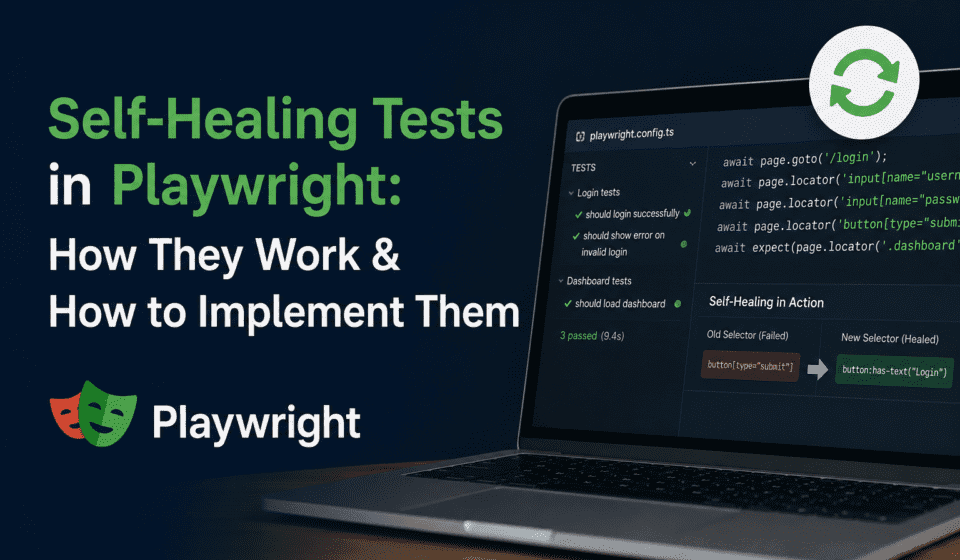
Self-Healing Tests in Playwright: How They Work & How to Implement Them
Honest disclaimer before we start: I have spent a genuinely embarrassing number of hours debugging test failures that had absolutely nothing to do with the application under test. The button was right there on the screen. The user could click it. My test could not. That’s the problem self-healing tests in Playwright are trying to solve — and this post is my deep-dive attempt to do it properly.
Why I’m Writing This (And Why You Should Read It)
Let me paint you a picture. It’s 9:45 AM on a Monday. The CI pipeline turns red. You get pinged. You open the logs. The test says locator.click: Error: locator.click: Timeout 30000ms exceeded for a selector that looks like #checkout-btn-v2-new-redesign-final. You open the application in a browser. The checkout button is right there, happily waiting to be clicked. The developer changed the ID sometime last Friday. The test didn’t know. Now it’s 10:30 AM and you’ve spent 45 minutes on something that should have taken zero minutes.
Sound familiar? If you’ve been doing automation for more than a few months, that scenario probably sounds like a Tuesday. Or a Wednesday. Or any day that ends in a ‘y’.
This is the core problem that self-healing tests in Playwright are designed to address. The idea is simple on the surface: when a locator fails, the test shouldn’t immediately throw up its hands and die. Instead, it should try to find the element using alternative strategies, recover on its own, and — critically — tell you that it healed so you can go fix the root cause before the next run.
In this post, I’m going to cover everything I’ve learned about building self-healing Playwright tests. We’ll go from first principles — what self-healing actually means — through practical implementation patterns, custom framework code, Healenium integration, AI-assisted healing, CI/CD considerations, and monitoring strategies. Every section has real, runnable code. Every concept has a genuine explanation of why it works, not just what to type.
I’m writing this as a QA lead who has seen these patterns in production teams, not as someone pitching you a vendor product. Everything here can be implemented with open-source tools, Playwright’s own APIs, and some thoughtful engineering.
Let’s get into it.
📋 Table of Contents
- What Are Self-Healing Tests in Playwright?
- The Real Cost of Brittle Tests
- How Self-Healing Works: The Mechanics
- Playwright’s Locator Hierarchy & Why It Matters
- Strategy 1: Multiple Locator Fallbacks
- Strategy 2: Role-Based and Semantic Locators
- Strategy 3: Building a Custom Self-Healing Wrapper
- Strategy 4: Healenium Integration with Playwright
- Strategy 5: AI-Assisted Locator Healing with GitHub Copilot
- Strategy 6: Retry Logic, Resilience Patterns, and Auto-Wait
- Page Object Model with Self-Healing Built In
- Building a Full Self-Healing Test Framework
- CI/CD Integration and Pipeline Configuration
- Monitoring, Reporting, and Healing Dashboards
- Best Practices and What to Watch Out For
- Real-World Scenarios and Case Studies
- Common Pitfalls That Will Bite You
- Wrapping Up
Honest disclaimer before we start: I have spent a genuinely embarrassing number of hours debugging test failures that had absolutely nothing to do with the application under test. The button was right there on the screen. The user could click it. My test could not. That’s the problem self-healing tests in Playwright are trying to solve — and this post is my deep-dive attempt to do it properly.
Why I’m Writing This (And Why You Should Read It)
Let me paint you a picture. It’s 9:45 AM on a Monday. The CI pipeline turns red. You get pinged. You open the logs. The test says locator.click: Error: locator.click: Timeout 30000ms exceeded for a selector that looks like #checkout-btn-v2-new-redesign-final. You open the application in a browser. The checkout button is right there, happily waiting to be clicked. The developer changed the ID sometime last Friday. The test didn’t know. Now it’s 10:30 AM and you’ve spent 45 minutes on something that should have taken zero minutes.
Sound familiar? If you’ve been doing automation for more than a few months, that scenario probably sounds like a Tuesday. Or a Wednesday. Or any day that ends in a ‘y’.
This is the core problem that self-healing tests in Playwright are designed to address. The idea is simple on the surface: when a locator fails, the test shouldn’t immediately throw up its hands and die. Instead, it should try to find the element using alternative strategies, recover on its own, and — critically — tell you that it healed so you can go fix the root cause before the next run.
In this post, I’m going to cover everything I’ve learned about building self-healing Playwright tests. We’ll go from first principles — what self-healing actually means — through practical implementation patterns, custom framework code, Healenium integration, AI-assisted healing, CI/CD considerations, and monitoring strategies. Every section has real, runnable code. Every concept has a genuine explanation of why it works, not just what to type.
I’m writing this as a QA lead who has seen these patterns in production teams, not as someone pitching you a vendor product. Everything here can be implemented with open-source tools, Playwright’s own APIs, and some thoughtful engineering.
Let’s get into it.
📋 Table of Contents
- What Are Self-Healing Tests in Playwright?
- The Real Cost of Brittle Tests
- How Self-Healing Works: The Mechanics
- Playwright’s Locator Hierarchy & Why It Matters
- Strategy 1: Multiple Locator Fallbacks
- Strategy 2: Role-Based and Semantic Locators
- Strategy 3: Building a Custom Self-Healing Wrapper
- Strategy 4: Healenium Integration with Playwright
- Strategy 5: AI-Assisted Locator Healing with GitHub Copilot
- Strategy 6: Retry Logic, Resilience Patterns, and Auto-Wait
- Page Object Model with Self-Healing Built In
- Building a Full Self-Healing Test Framework
- CI/CD Integration and Pipeline Configuration
- Monitoring, Reporting, and Healing Dashboards
- Best Practices and What to Watch Out For
- Real-World Scenarios and Case Studies
- Common Pitfalls That Will Bite You
- Wrapping Up
1. What Are Self-Healing Tests in Playwright?
Self-healing tests in Playwright are automation tests that can adapt when their element locators fail. Instead of crashing on the first locator failure, they try alternative identification strategies, recover the test flow, and log the healing event so the team can update the test properly before the next run.
Before we go further, I want to be precise about what self-healing is and what it isn’t, because the term gets thrown around loosely.
The Precise Definition
A test is “self-healing” when it satisfies all three of these conditions:
- It tries alternative locators when the primary fails — not just retrying the same broken locator, but genuinely attempting different identification strategies (by text, by role, by attribute, by position, etc.)
- It completes the test run successfully — the test doesn’t just fail gracefully; it actually finishes and produces a valid result
- It reports the healing event — it tells you exactly which locator failed, which alternative worked, and what the diff was, so you can fix the root cause
A test that just has a try/catch and moves on is not self-healing. A test that retries the same XPath three times is not self-healing. A test that magically ignores errors is also not self-healing — that’s just a test hiding failures from you, which is arguably worse than a failing test.
The Mental Model
Think about how a human QA tester handles a UI change. They look for the checkout button. They don’t find it by the old label. They look around. They see something that says “Complete Purchase” where “Checkout” used to be. They click it. They make a mental note: “hey, that button text changed, I should update the test case doc.” Then they move on.
Self-healing tests try to replicate this behavior programmatically. They have a primary strategy for finding an element. When that fails, they have a fallback hierarchy of strategies. When a fallback works, they log it. The test continues. You get a green (or at least yellow) pipeline and a report telling you what healed.
Where Self-Healing Fits in the Test Reliability Spectrum
| Approach | What It Does | Limitation |
|---|---|---|
| Simple Retry | Runs the same test again | Doesn’t fix structural locator failures |
| Auto-Wait | Waits for element to appear | Element has to exist; won’t heal changed selectors |
| Self-Healing | Tries alternative locators, logs healing, continues | Needs careful design to avoid masking real bugs |
| AI-Powered Healing | Uses ML to find semantically similar elements | Black box, costly, may misidentify elements |
| Self-Updating Tests | Automatically rewrites the test file with the new locator | Highest risk — can silently accept wrong elements |
I generally recommend landing somewhere between Self-Healing and AI-Powered Healing for most teams. Self-Updating Tests make me nervous in production — letting automation rewrite your test suite without human review is a risk most QA managers shouldn’t be taking.
2. The Real Cost of Brittle Tests
Before jumping into implementation, I want to spend some time on the “why” — because if you’re pitching self-healing tests to your team or manager, you need to quantify this properly.
What Makes Tests Brittle?
Tests break for two fundamentally different reasons:
- The application actually broke — a genuine regression that tests should catch
- The UI changed but behavior is the same — a CSS class was renamed, a data attribute was removed, an ID was updated during a redesign
Self-healing tests are designed to handle the second category gracefully while still failing hard for the first. The challenge — and this is genuinely hard — is building the healing logic in a way that doesn’t accidentally mask real bugs.
Common Sources of Locator Fragility
In my experience across multiple teams, here are the top reasons locators break in Playwright test suites:
1. Auto-Generated or Dynamic IDs
Frameworks like React, Angular, and Vue often generate component IDs dynamically. A component library upgrade can change every single ID on every page overnight. If your tests rely on IDs like #button-1234-generated or .MuiButton-root-567, you’re living on borrowed time.
2. CSS Class Changes During Redesigns
Frontend teams doing a CSS framework migration (Tailwind to Bootstrap, Bootstrap to a custom design system) will rename classes. None of the functionality changes. Every CSS-class-based locator breaks.
3. Text Content Changes
Marketing changes a button label. Internationalisation introduces translated text. A copy editor decides “Submit” should be “Send” and “Login” should “Sign In”. Every text-based XPath breaks.
4. DOM Structure Changes
A developer wraps existing elements in a new container div. XPath selectors that relied on positional relationships (like //div[2]/button[1]) now point to a completely different element.
5. Attribute Name Changes
Test automation teams often ask developers to add data-testid attributes. A component is refactored. The developer forgets (or doesn’t know they need to preserve) the test IDs. Everything breaks.
Quantifying the Cost
Let me give you some real numbers from a team I worked with. This was a team with about 800 Playwright tests and a fortnightly release cycle:
📊 The Numbers (Real Example, Anonymised)
- Average locator-related failures per sprint: 47 tests
- Average time to triage one failure: 25 minutes
- Total triage time per sprint: ~20 hours
- SDET hourly cost (fully loaded): ~₹2,500/hr
- Monthly cost of locator maintenance: ~₹2,00,000+
- After implementing self-healing patterns: triage time dropped by 68%
The numbers will be different for every team, but the pattern is consistent. Locator maintenance is one of the most significant hidden costs in test automation. Self-healing doesn’t eliminate it — but it makes failures self-documenting and dramatically reduces the investigation time.
The Alert Fatigue Problem
There’s another cost that’s harder to quantify but arguably more damaging: when tests fail too often for non-bug reasons, engineers start ignoring failures. “Oh, that’s probably just another locator thing” becomes the default assumption. One day it’s a locator thing. The next day it’s an actual regression. But nobody looks because they assumed. That’s how production bugs get missed.
Self-healing tests help here too. When a healing event is logged, the team knows the test infrastructure adapted — and if the test still fails after healing attempts, that failure carries more signal. It’s more likely to be a real bug. People pay attention.
3. How Self-Healing Works: The Mechanics
Alright, let’s get into the actual mechanics. Understanding how self-healing works at a code level is essential before implementing it, because you need to make deliberate design decisions about your healing strategy.
The Core Loop
Every self-healing implementation, regardless of sophistication, follows this basic loop:
1. Try primary locator
   → SUCCESS: proceed normally
   → FAILURE: go to step 2

2. For each fallback locator in priority order:
   → Try fallback locator
   → SUCCESS: log healing event, proceed with this locator
   → FAILURE: try next fallback

3. All fallbacks exhausted?
   → Throw meaningful error with full healing attempt log
   → Include: what failed, what was tried, what the page state was
That’s it at the highest level. Everything else is implementation detail around how you define locators, how you log, how you configure fallback strategies, and how you surface healing events in your reports.
Healing Trigger Points
In Playwright, healing can be triggered at several points:
- At element location time — when
page.locator()orpage.$()fails to find an element - At action time — when
locator.click(),locator.fill(),locator.check()timeout - At assertion time — when
expect(locator).toBeVisible()fails
The most robust implementations intercept at action time, because Playwright’s locators are lazy — they don’t actually find the element until you perform an action or assertion. This means you can’t just check if a locator “resolves” upfront; you have to wait until it’s actually used.
The Role of Playwright’s Built-in Auto-Waiting
One thing I want to emphasise before we write a single line of custom healing code: Playwright already has significant built-in resilience that you should understand and leverage.
When you call await page.locator('#my-button').click(), Playwright doesn’t just try once and give up. Under the hood, it:
- Waits for the element to be present in the DOM
- Waits for it to be visible (not hidden by CSS)
- Waits for it to be stable (not animating)
- Waits for it to be enabled (not disabled attribute)
- Waits for it to receive events (not obscured by another element)
- Scrolls it into view if needed
- Tries the action
This is why Playwright tests are more stable than Selenium tests out of the box. But none of this helps when the selector itself is wrong — when the element ID changed and the locator is looking for something that doesn’t exist on the page at all.
That’s where custom self-healing logic fills the gap.
Locator Priority Strategy
When building fallback locator chains, you want them ordered from most reliable to least reliable. Here’s the priority order I recommend, based on likelihood of surviving UI changes:
| Priority | Locator Type | Example | Stability |
|---|---|---|---|
| 1 | data-testid | [data-testid="checkout-btn"] | 🟢 Very High |
| 2 | ARIA Role + Name | role=button[name="Checkout"] | 🟢 High |
| 3 | Visible Text | text=Checkout | 🟡 Medium-High |
| 4 | Stable ID (non-generated) | #checkout-button | 🟡 Medium |
| 5 | Custom Data Attributes | [data-action="checkout"] | 🟡 Medium |
| 6 | CSS Class (semantic) | .checkout-button | 🟠 Low-Medium |
| 7 | XPath (structural) | //button[contains(@class,'checkout')] | 🔴 Low |
The healing fallback chain should mirror this priority order. Start with the most stable locator type and fall back toward less stable ones only as needed.
4. Playwright’s Locator Hierarchy & Why It Matters for Self-Healing
Playwright’s locator API is significantly more sophisticated than Selenium’s findElement. Understanding the full locator hierarchy is foundational to building effective self-healing strategies, because each locator type has different resilience characteristics.
4.1 Built-in Locators (Prioritise These)
Playwright provides first-class built-in locators that are specifically designed to be resilient to UI changes. These are what you should reach for first in any test you write, and they’re what your self-healing fallbacks should lean on.
getByRole()
This is Playwright’s recommended primary locator. It uses ARIA roles and accessible names, which means it aligns with how assistive technologies and screen readers identify elements. It survives CSS class changes, ID changes, and most DOM restructuring as long as the semantic role and accessible name are preserved.
// Basic usage
await page.getByRole('button', { name: 'Checkout' }).click();

// With exact matching (default is case-insensitive partial match)
await page.getByRole('button', { name: 'Checkout', exact: true }).click();

// With regex for flexible matching
await page.getByRole('button', { name: /checkout/i }).click();

// Input fields by their label
await page.getByRole('textbox', { name: 'Email address' }).fill('test@example.com');

// Navigation links
await page.getByRole('link', { name: 'Go to cart' }).click();

// Checkboxes
await page.getByRole('checkbox', { name: 'Accept terms' }).check();

// Dropdowns
await page.getByRole('combobox', { name: 'Country' }).selectOption('India');
Why this survives UI changes: The ARIA role (button, link, textbox, etc.) is tied to the HTML element type or ARIA attribute, not to CSS styling. The accessible name comes from the element’s text content, aria-label, or associated <label> element. As long as the element still functions as a button with the same visible label, this locator works.
getByText()
// Partial text match (default)
await page.getByText('Welcome back').click();

// Exact match
await page.getByText('Welcome back, Ajit', { exact: true }).click();

// Regex match — very useful for dynamic content
await page.getByText(/order #\d+/i).click();

// Chained with filter for specificity
await page.getByRole('listitem').filter({ hasText: 'Premium Plan' }).click();
getByLabel()
// Finds input associated with a label element
await page.getByLabel('Email address').fill('test@qatribe.in');
await page.getByLabel('Password').fill('SecurePassword123!');

// Works with aria-label too
await page.getByLabel('Search products').fill('Playwright testing');
getByPlaceholder()
// Useful when inputs don't have explicit labels
await page.getByPlaceholder('Enter your email').fill('test@qatribe.in');
await page.getByPlaceholder('Search...').fill('self-healing tests');
getByTestId()
// Default uses data-testid attribute
await page.getByTestId('checkout-button').click();

// You can configure which attribute to use in playwright.config.ts
// testIdAttribute: 'data-automation-id'
await page.getByTestId('checkout-button').click();
// This will look for data-automation-id="checkout-button"
getByAltText()
// For images — uses the alt attribute
await page.getByAltText('Company logo').click();
await page.getByAltText(/product thumbnail/i).first().click();
4.2 CSS and XPath (Use With Caution)
These are the locator types most likely to break. Use them only when the semantic locators above genuinely can’t reach an element, and when you do use them, pair them with more stable fallbacks in your healing chain.
// CSS selector
await page.locator('#checkout-button').click();
await page.locator('.btn-primary.checkout').click();
await page.locator('[data-testid="checkout-button"]').click();

// XPath — only when necessary
await page.locator('//button[@type="submit" and contains(@class,"checkout")]').click();

// Combining CSS and text — slightly more resilient
await page.locator('button:has-text("Checkout")').click();
await page.locator('button').filter({ hasText: 'Checkout' }).click();
4.3 Chaining and Filtering Locators
Playwright’s locator chaining is one of its most powerful features for building resilient selectors. Instead of one fragile CSS path, you combine multiple stable attributes.
// Scope a search to a specific section
const checkoutSection = page.locator('[data-section="checkout"]');
await checkoutSection.getByRole('button', { name: 'Confirm' }).click();

// Filter from a broader set
await page
  .getByRole('listitem')
  .filter({ has: page.getByText('Nike Air Max') })
  .getByRole('button', { name: 'Add to cart' })
  .click();

// nth() for handling multiple matches
await page.getByRole('button', { name: 'Delete' }).nth(0).click(); // first delete button

// first() and last()
await page.getByRole('article').first().click();
await page.getByRole('article').last().click();
4.4 Configuring Test ID Attribute (playwright.config.ts)
If your team uses a different attribute than data-testid, configure it globally in your Playwright config. This is a critical setup step that many teams overlook.
// playwright.config.ts
import { defineConfig } from '@playwright/test';

export default defineConfig({
  use: {
    testIdAttribute: 'data-automation-id', // Change to match your app's attribute
    baseURL: 'https://your-app.com',
    screenshot: 'only-on-failure',
    video: 'retain-on-failure',
    trace: 'retain-on-failure',
    actionTimeout: 10000,
    navigationTimeout: 30000,
  },
  retries: process.env.CI ? 2 : 0,
  workers: process.env.CI ? 4 : 1,
  reporter: [
    ['html', { outputFolder: 'playwright-report' }],
    ['json', { outputFile: 'test-results/results.json' }],
    ['list']
  ],
  projects: [
    { name: 'chromium', use: { ...devices['Desktop Chrome'] } },
    { name: 'firefox', use: { ...devices['Desktop Firefox'] } },
    { name: 'webkit', use: { ...devices['Desktop Safari'] } },
  ],
});
5. Strategy 1: Multiple Locator Fallbacks
The simplest form of self-healing in Playwright tests is building explicit fallback chains for each element interaction. This doesn’t require any third-party tools, it’s completely transparent, and it’s easy to debug when something goes wrong.
5.1 The Basic Fallback Pattern
The core idea is straightforward: wrap your element interaction in a try-catch, and on failure, try the next locator. Here’s the basic implementation:
// helpers/locator-fallback.ts
import { Page, Locator } from '@playwright/test';

interface LocatorFallbackOptions {
  timeout?: number;
  healingLog?: boolean;
}

export async function clickWithFallback(
  page: Page,
  locators: string[],
  options: LocatorFallbackOptions = {}
): Promise<void> {
  const { timeout = 5000, healingLog = true } = options;
  const errors: string[] = [];

  for (let i = 0; i < locators.length; i++) {
    const selector = locators[i];
    try {
      await page.locator(selector).click({ timeout });

      if (healingLog && i > 0) {
        console.warn(`[SELF-HEALING] Primary locator failed. Healed using fallback #${i}: "${selector}"`);
        console.warn(`[SELF-HEALING] Failed locators: ${errors.join(', ')}`);
        // In a real implementation, you'd write this to a healing report
      }

      return; // Success — stop trying
    } catch (error) {
      errors.push(selector);
      if (i === locators.length - 1) {
        // All locators exhausted
        throw new Error(
          `[SELF-HEALING] All locators failed.\n` +
          `Attempted: ${errors.join(', ')}\n` +
          `Last error: ${error instanceof Error ? error.message : String(error)}`
        );
      }
    }
  }
}
And here’s how you’d use it in a test:
// tests/checkout.spec.ts
import { test, expect } from '@playwright/test';
import { clickWithFallback } from '../helpers/locator-fallback';

test('complete checkout process', async ({ page }) => {
  await page.goto('/cart');

  await clickWithFallback(page, [
    '[data-testid="checkout-btn"]',           // Primary: most stable
    'button[aria-label="Proceed to checkout"]', // Fallback 1: ARIA
    'text=Proceed to Checkout',                // Fallback 2: text
    '#checkout-button',                         // Fallback 3: ID
    '.btn-checkout',                            // Fallback 4: class
    '//button[contains(text(),"Checkout")]',    // Fallback 5: XPath
  ]);

  await expect(page).toHaveURL(/checkout/);
});
5.2 Extended Fallback Helper (Handles All Interaction Types)
The above covers clicking, but in real test suites you need fallbacks for fills, checks, selections, and assertions too. Here’s a more complete helper:
// helpers/self-healing-actions.ts
import { Page, Locator } from '@playwright/test';

interface HealingOptions {
  timeout?: number;
  logHealing?: boolean;
  screenshotOnHeal?: boolean;
  testInfo?: any; // Pass Playwright TestInfo for attachment support
}

interface HealingResult {
  healed: boolean;
  usedLocator: string;
  failedLocators: string[];
  healingIndex: number;
}

export class SelfHealingActions {
  private page: Page;
  private options: HealingOptions;
  private healingLog: HealingResult[] = [];

  constructor(page: Page, options: HealingOptions = {}) {
    this.page = page;
    this.options = {
      timeout: 5000,
      logHealing: true,
      screenshotOnHeal: false,
      ...options
    };
  }

  private async tryLocators(
    selectors: string[],
    action: (locator: Locator) => Promise<void>,
    actionName: string
  ): Promise<HealingResult> {
    const failedLocators: string[] = [];

    for (let i = 0; i < selectors.length; i++) {
      const selector = selectors[i];
      try {
        const locator = this.page.locator(selector);
        await action(locator);

        const result: HealingResult = {
          healed: i > 0,
          usedLocator: selector,
          failedLocators: [...failedLocators],
          healingIndex: i
        };

        if (result.healed && this.options.logHealing) {
          const message = [
            `[SELF-HEALING] Action: ${actionName}`,
            `  ✗ Failed locators: ${failedLocators.join(' | ')}`,
            `  ✓ Healed with fallback #${i}: "${selector}"`
          ].join('\n');
          console.warn(message);

          if (this.options.screenshotOnHeal && this.options.testInfo) {
            const screenshot = await this.page.screenshot();
            await this.options.testInfo.attach(`healing-${Date.now()}.png`, {
              body: screenshot,
              contentType: 'image/png'
            });
          }
        }

        this.healingLog.push(result);
        return result;
      } catch (error) {
        failedLocators.push(selector);
      }
    }

    throw new Error(
      `[SELF-HEALING] All locators failed for action: ${actionName}\n` +
      `Attempted selectors:\n${failedLocators.map((s, i) => `  ${i + 1}. ${s}`).join('\n')}`
    );
  }

  async click(selectors: string[], description?: string): Promise<HealingResult> {
    return this.tryLocators(
      selectors,
      (locator) => locator.click({ timeout: this.options.timeout }),
      description || `click(${selectors[0]})`
    );
  }

  async fill(selectors: string[], value: string, description?: string): Promise<HealingResult> {
    return this.tryLocators(
      selectors,
      (locator) => locator.fill(value, { timeout: this.options.timeout }),
      description || `fill(${selectors[0]}, "${value}")`
    );
  }

  async check(selectors: string[], description?: string): Promise<HealingResult> {
    return this.tryLocators(
      selectors,
      (locator) => locator.check({ timeout: this.options.timeout }),
      description || `check(${selectors[0]})`
    );
  }

  async selectOption(selectors: string[], value: string | string[], description?: string): Promise<HealingResult> {
    return this.tryLocators(
      selectors,
      (locator) => locator.selectOption(value, { timeout: this.options.timeout }),
      description || `selectOption(${selectors[0]}, "${value}")`
    );
  }

  async isVisible(selectors: string[], description?: string): Promise<boolean> {
    for (const selector of selectors) {
      try {
        const locator = this.page.locator(selector);
        const visible = await locator.isVisible();
        if (visible) return true;
      } catch {
        continue;
      }
    }
    return false;
  }

  getHealingLog(): HealingResult[] {
    return this.healingLog;
  }

  getHealingCount(): number {
    return this.healingLog.filter(r => r.healed).length;
  }

  printHealingSummary(): void {
    const healed = this.healingLog.filter(r => r.healed);
    if (healed.length === 0) {
      console.log('[SELF-HEALING] No healing events in this test run.');
      return;
    }
    console.log(`[SELF-HEALING] Summary: ${healed.length} healing event(s) occurred:`);
    healed.forEach((event, i) => {
      console.log(`  ${i + 1}. Used locator: "${event.usedLocator}" (fallback #${event.healingIndex})`);
    });
  }
}
5.3 Using SelfHealingActions in Tests
// tests/login.spec.ts
import { test, expect } from '@playwright/test';
import { SelfHealingActions } from '../helpers/self-healing-actions';

test('user login flow with self-healing', async ({ page }, testInfo) => {
  const sha = new SelfHealingActions(page, {
    timeout: 8000,
    logHealing: true,
    screenshotOnHeal: true,
    testInfo
  });

  await page.goto('/login');

  // Email field — three fallback strategies
  await sha.fill(
    [
      '[data-testid="email-input"]',
      '[aria-label="Email address"]',
      'input[type="email"]',
      '#user-email',
      'input[placeholder*="email" i]',
    ],
    'ajit@qatribe.in',
    'Fill email input'
  );

  // Password field
  await sha.fill(
    [
      '[data-testid="password-input"]',
      '[aria-label="Password"]',
      'input[type="password"]',
      '#user-password',
    ],
    'TestPassword123!',
    'Fill password input'
  );

  // Submit button
  await sha.click(
    [
      '[data-testid="login-submit"]',
      'button[type="submit"]',
      'text=Sign In',
      'text=Login',
      '.login-btn',
      '//button[contains(., "Sign")]',
    ],
    'Click login button'
  );

  // Assertion
  await expect(page).toHaveURL(/dashboard/);

  // Print healing summary at end of test
  sha.printHealingSummary();
});
5.4 Locator Scoring for Automatic Fallback Selection
A more advanced approach is to score locators dynamically based on how many elements they match on the current page, and automatically select the best one. Multiple matches means the locator is too ambiguous; zero matches means it’s not working. One match is ideal.
// helpers/locator-scorer.ts
import { Page } from '@playwright/test';

interface ScoredLocator {
  selector: string;
  matchCount: number;
  score: number;
}

export async function findBestLocator(
  page: Page,
  selectors: string[]
): Promise<string | null> {
  const scored: ScoredLocator[] = [];

  for (const selector of selectors) {
    try {
      const count = await page.locator(selector).count();

      // Score: exact match (1) scores highest
      // Zero matches = 0 score
      // Multiple matches = penalised but still better than zero
      let score = 0;
      if (count === 1) score = 100;
      else if (count > 1) score = 50 - (count * 5); // Penalise ambiguity
      else score = 0; // No match

      scored.push({ selector, matchCount: count, score });
    } catch {
      scored.push({ selector, matchCount: 0, score: 0 });
    }
  }

  // Sort by score descending
  scored.sort((a, b) => b.score - a.score);

  console.log('[LOCATOR SCORER] Results:', scored.map(s =>
    `${s.selector} → count:${s.matchCount}, score:${s.score}`
  ).join(' | '));

  const best = scored.find(s => s.score > 0);
  return best ? best.selector : null;
}
6. Strategy 2: Role-Based and Semantic Locators as Your First Line of Defence
I can’t stress this enough: the single most effective thing you can do to reduce locator fragility in Playwright is to write tests using semantic, role-based locators from day one. Not as a fallback strategy — as your primary strategy. This section is about building that habit correctly.
6.1 Why Semantic Locators Survive UI Changes
Semantic locators are tied to what an element does rather than how it’s styled or positioned. When a developer changes a CSS class, a data attribute, or a component ID, the semantic identity of the element — its role and its visible name — almost always stays the same. A checkout button is still a button with the text “Checkout” even if its class changes from btn-primary to button--primary.
6.2 Understanding ARIA Roles for Accurate Locators
To use getByRole() effectively, you need to know which role maps to which HTML elements. Here’s a quick reference:
| HTML Element | Implicit ARIA Role | getByRole Example |
|---|---|---|
<button> | button | getByRole('button', { name: 'Submit' }) |
<a href> | link | getByRole('link', { name: 'Home' }) |
<input type="text"> | textbox | getByRole('textbox', { name: 'Username' }) |
<input type="checkbox"> | checkbox | getByRole('checkbox', { name: 'Remember me' }) |
<input type="radio"> | radio | getByRole('radio', { name: 'Credit card' }) |
<select> | combobox | getByRole('combobox', { name: 'Country' }) |
<table> | table | getByRole('table') |
<th> | columnheader | getByRole('columnheader', { name: 'Status' }) |
<nav> | navigation | getByRole('navigation') |
<h1>..<h6> | heading | getByRole('heading', { name: 'My Orders' }) |
<img alt="..."> | img | getByRole('img', { name: 'Product photo' }) |
6.3 Combining Semantic Locators with Context Chains
This pattern dramatically improves test reliability by scoping element searches to a meaningful section of the page. Even if the page has ten buttons, scoping it to the checkout section makes the locator unambiguous.
// tests/order-review.spec.ts
import { test, expect } from '@playwright/test';

test('review and submit order', async ({ page }) => {
  await page.goto('/orders/review');

  // Scope to the order summary section
  const orderSummary = page.getByRole('region', { name: 'Order Summary' });

  // Check that the product is listed (chained)
  await expect(
    orderSummary.getByRole('row', { name: /Nike Air Max/i })
  ).toBeVisible();

  // Check the total
  const totalRow = orderSummary.getByRole('row').last();
  await expect(totalRow.getByRole('cell').last()).toContainText('₹');

  // Submit from the action section (separate from summary)
  const actionSection = page.getByRole('region', { name: 'Order Actions' });
  await actionSection.getByRole('button', { name: 'Place Order' }).click();

  // Verify confirmation
  await expect(page.getByRole('heading', { name: /order confirmed/i })).toBeVisible();
  await expect(page.getByText(/order #\d+/i)).toBeVisible();
});
6.4 The Playwright Accessibility Tree — Your Debugging Superpower
When you’re not sure what role or name an element has, use Playwright’s built-in accessibility tree inspection. This is one of the most underused features in the Playwright toolbox.
// Debug test to inspect accessibility tree
test('inspect accessibility tree', async ({ page }) => {
  await page.goto('/login');

  // Get the full accessibility tree
  const snapshot = await page.accessibility.snapshot();
  console.log(JSON.stringify(snapshot, null, 2));

  // Get tree for a specific element
  const formSnapshot = await page.accessibility.snapshot({
    root: page.locator('form')
  });
  console.log(JSON.stringify(formSnapshot, null, 2));
});

// Also use Playwright's codegen to see what it generates
// npx playwright codegen https://your-app.com
// Playwright's built-in code generator prioritises getByRole() automatically
Running npx playwright codegen and recording your interactions is the fastest way to see what semantic locators Playwright recommends for each element. The code generator has been trained to prefer resilient locators — take advantage of it.
7. Strategy 3: Building a Production-Grade Custom Self-Healing Wrapper
Now we step up from helper functions to a proper self-healing wrapper that you’d actually ship in a production test framework. This section is where I’m going to spend a lot of time, because building this correctly is genuinely nuanced work.
The wrapper we’re building has the following characteristics:
- Transparent API — it wraps Playwright’s native actions so existing tests can adopt it with minimal changes
- Configurable healing strategy — you can define global and per-element fallback chains
- Rich healing reports — every healing event is logged with full context, page state, and timestamps
- Screenshot on heal — automatically captures a screenshot when healing occurs, attached to Playwright’s test report
- Healing database — persists healing events to JSON so you can track which locators have healed over time and prioritise updates
7.1 Project Structure
my-playwright-project/
├── playwright.config.ts
├── package.json
├── tsconfig.json
├── src/
│   ├── healing/
│   │   ├── HealingConfig.ts          # Global healing configuration
│   │   ├── HealingEvent.ts           # Type definitions
│   │   ├── HealingReporter.ts        # Persists and reports healing events
│   │   ├── HealingLocator.ts         # Core healing locator class
│   │   └── HealingPage.ts            # Page wrapper with healing built in
│   ├── pages/
│   │   ├── BasePage.ts               # Base page using HealingPage
│   │   ├── LoginPage.ts
│   │   └── CheckoutPage.ts
│   └── fixtures/
│       └── healing-fixtures.ts       # Playwright fixtures for healing
├── tests/
│   ├── login.spec.ts
│   └── checkout.spec.ts
└── healing-reports/                  # Auto-generated healing event logs
    └── healing-events.json
7.2 HealingEvent Type Definitions
// src/healing/HealingEvent.ts

export interface HealingEvent {
  id: string;
  timestamp: string;
  testFile: string;
  testName: string;
  action: string;
  pageUrl: string;
  primaryLocator: string;
  failedLocators: string[];
  healedWith: string;
  healingIndex: number;
  durationMs: number;
  screenshotPath?: string;
}

export interface HealingSession {
  sessionId: string;
  startTime: string;
  endTime?: string;
  totalActions: number;
  healedActions: number;
  events: HealingEvent[];
}

export interface LocatorDefinition {
  primary: string;
  fallbacks: string[];
  description?: string;
}
7.3 HealingConfig — Global Configuration
// src/healing/HealingConfig.ts

export interface HealingConfiguration {
  enabled: boolean;
  timeout: number;
  logLevel: 'silent' | 'warn' | 'verbose';
  screenshotOnHeal: boolean;
  screenshotDir: string;
  persistEvents: boolean;
  eventsOutputPath: string;
  maxFallbacks: number;
  fallbackDelayMs: number;
  globalFallbackStrategies: ((primarySelector: string) => string[])[];
}

export const DEFAULT_HEALING_CONFIG: HealingConfiguration = {
  enabled: true,
  timeout: 8000,
  logLevel: 'warn',
  screenshotOnHeal: true,
  screenshotDir: 'healing-screenshots',
  persistEvents: true,
  eventsOutputPath: 'healing-reports/healing-events.json',
  maxFallbacks: 5,
  fallbackDelayMs: 100,

  /**
   * Global fallback strategies — these generate additional fallback locators
   * automatically from the primary locator.
   *
   * If primary is '[data-testid="submit-btn"]', these functions can extract
   * "submit-btn" and generate role/text/class alternatives automatically.
   */
  globalFallbackStrategies: [
    // Strategy: Extract text from data-testid and try as text locator
    (primary: string) => {
      const testIdMatch = primary.match(/\[data-testid="([^"]+)"\]/);
      if (testIdMatch) {
        const id = testIdMatch[1];
        const humanText = id.replace(/-/g, ' ');
        return [`text=${humanText}`, `text=${id}`];
      }
      return [];
    },

    // Strategy: If primary is an ID, try as class and data attribute
    (primary: string) => {
      const idMatch = primary.match(/^#([a-zA-Z0-9_-]+)$/);
      if (idMatch) {
        const id = idMatch[1];
        return [
          `[name="${id}"]`,
          `.${id}`,
          `[data-id="${id}"]`,
        ];
      }
      return [];
    },

    // Strategy: CSS class → try semantic variants
    (primary: string) => {
      const classMatch = primary.match(/^\.([a-zA-Z0-9_-]+)$/);
      if (classMatch) {
        const cls = classMatch[1];
        // Try common class naming variants
        return [
          `[class*="${cls}"]`,
          `[class^="${cls}"]`,
        ];
      }
      return [];
    }
  ]
};

// Singleton config — can be overridden per test run
let currentConfig: HealingConfiguration = { ...DEFAULT_HEALING_CONFIG };

export function configureHealing(overrides: Partial): void {
  currentConfig = { ...currentConfig, ...overrides };
}

export function getHealingConfig(): HealingConfiguration {
  return currentConfig;
}
7.4 HealingReporter — Persistence and Reporting
// src/healing/HealingReporter.ts
import * as fs from 'fs';
import * as path from 'path';
import { HealingEvent, HealingSession } from './HealingEvent';
import { getHealingConfig } from './HealingConfig';
import { v4 as uuidv4 } from 'uuid';

export class HealingReporter {
  private session: HealingSession;
  private static instance: HealingReporter;

  private constructor() {
    this.session = {
      sessionId: uuidv4(),
      startTime: new Date().toISOString(),
      totalActions: 0,
      healedActions: 0,
      events: []
    };
  }

  static getInstance(): HealingReporter {
    if (!HealingReporter.instance) {
      HealingReporter.instance = new HealingReporter();
    }
    return HealingReporter.instance;
  }

  recordAction(): void {
    this.session.totalActions++;
  }

  recordHealingEvent(event: Omit<HealingEvent, 'id' | 'timestamp'>): HealingEvent {
    const fullEvent: HealingEvent = {
      ...event,
      id: uuidv4(),
      timestamp: new Date().toISOString()
    };

    this.session.events.push(fullEvent);
    this.session.healedActions++;

    const config = getHealingConfig();

    if (config.logLevel === 'warn' || config.logLevel === 'verbose') {
      console.warn(`\n🔧 [SELF-HEALING EVENT]`);
      console.warn(`   Test: ${fullEvent.testName}`);
      console.warn(`   Action: ${fullEvent.action}`);
      console.warn(`   Page: ${fullEvent.pageUrl}`);
      console.warn(`   Primary failed: ${fullEvent.primaryLocator}`);
      console.warn(`   All failed: ${fullEvent.failedLocators.join(' → ')}`);
      console.warn(`   Healed with: ${fullEvent.healedWith} (fallback #${fullEvent.healingIndex})`);
      console.warn(`   Duration: ${fullEvent.durationMs}ms\n`);
    }

    if (config.persistEvents) {
      this.persistToFile();
    }

    return fullEvent;
  }

  private persistToFile(): void {
    const config = getHealingConfig();
    const outputPath = config.eventsOutputPath;
    const dir = path.dirname(outputPath);

    if (!fs.existsSync(dir)) {
      fs.mkdirSync(dir, { recursive: true });
    }

    let existingData: HealingSession[] = [];
    if (fs.existsSync(outputPath)) {
      try {
        existingData = JSON.parse(fs.readFileSync(outputPath, 'utf8'));
      } catch { existingData = []; }
    }

    // Update or add current session
    const sessionIndex = existingData.findIndex(s => s.sessionId === this.session.sessionId);
    if (sessionIndex >= 0) {
      existingData[sessionIndex] = this.session;
    } else {
      existingData.push(this.session);
    }

    // Keep only last 50 sessions to prevent file bloat
    if (existingData.length > 50) {
      existingData = existingData.slice(-50);
    }

    fs.writeFileSync(outputPath, JSON.stringify(existingData, null, 2));
  }

  finalise(): void {
    this.session.endTime = new Date().toISOString();
    this.persistToFile();

    const healRate = this.session.totalActions > 0
      ? ((this.session.healedActions / this.session.totalActions) * 100).toFixed(1)
      : '0.0';

    console.log(`\n📊 [HEALING SESSION SUMMARY]`);
    console.log(`   Session ID: ${this.session.sessionId}`);
    console.log(`   Total actions: ${this.session.totalActions}`);
    console.log(`   Healed actions: ${this.session.healedActions} (${healRate}%)`);
    console.log(`   Events file: ${getHealingConfig().eventsOutputPath}\n`);
  }

  getSession(): HealingSession {
    return this.session;
  }
}
7.5 HealingLocator — The Core Class
This is the heart of the system. HealingLocator wraps a set of selectors and provides healing-aware action methods.
// src/healing/HealingLocator.ts
import { Page, Locator } from '@playwright/test';
import { getHealingConfig } from './HealingConfig';
import { HealingReporter } from './HealingReporter';
import { LocatorDefinition } from './HealingEvent';

export class HealingLocator {
  private page: Page;
  private definition: LocatorDefinition;
  private testContext: { testName: string; testFile: string };
  private reporter: HealingReporter;

  constructor(
    page: Page,
    definition: LocatorDefinition | string,
    testContext: { testName: string; testFile: string } = { testName: 'unknown', testFile: 'unknown' }
  ) {
    this.page = page;
    this.definition = typeof definition === 'string'
      ? { primary: definition, fallbacks: [] }
      : definition;
    this.testContext = testContext;
    this.reporter = HealingReporter.getInstance();
  }

  private getAllSelectors(): string[] {
    const config = getHealingConfig();
    const allSelectors = [this.definition.primary, ...this.definition.fallbacks];

    // Apply global fallback strategies to generate additional candidates
    const additionalFromStrategies: string[] = [];
    for (const strategy of config.globalFallbackStrategies) {
      const generated = strategy(this.definition.primary);
      additionalFromStrategies.push(...generated);
    }

    // Deduplicate while preserving order
    const seen = new Set<string>();
    const result: string[] = [];
    for (const selector of [...allSelectors, ...additionalFromStrategies]) {
      if (!seen.has(selector)) {
        seen.add(selector);
        result.push(selector);
      }
    }

    return result.slice(0, config.maxFallbacks + 1); // +1 for primary
  }

  private async tryAction<T>(
    action: (locator: Locator) => Promise<T>,
    actionName: string
  ): Promise<T> {
    const config = getHealingConfig();
    if (!config.enabled) {
      return action(this.page.locator(this.definition.primary));
    }

    const selectors = this.getAllSelectors();
    const failedSelectors: string[] = [];
    const startTime = Date.now();
    this.reporter.recordAction();

    for (let i = 0; i < selectors.length; i++) {
      const selector = selectors[i];
      try {
        const locator = this.page.locator(selector);
        const result = await action(locator);

        if (i > 0) {
          // Healing occurred
          const event = this.reporter.recordHealingEvent({
            testFile: this.testContext.testFile,
            testName: this.testContext.testName,
            action: actionName,
            pageUrl: this.page.url(),
            primaryLocator: this.definition.primary,
            failedLocators: failedSelectors,
            healedWith: selector,
            healingIndex: i,
            durationMs: Date.now() - startTime
          });

          if (config.screenshotOnHeal) {
            await this.captureHealingScreenshot(event.id);
          }
        }

        return result;
      } catch (err) {
        failedSelectors.push(selector);
        if (i < selectors.length - 1 && config.fallbackDelayMs > 0) {
          await this.page.waitForTimeout(config.fallbackDelayMs);
        }
      }
    }

    throw new Error(
      `[HEALING FAILED] Action "${actionName}" exhausted all ${selectors.length} locators.\n` +
      `Selectors tried:\n${selectors.map((s, i) => `  ${i + 1}. ${s}`).join('\n')}\n` +
      `Page URL: ${this.page.url()}\n` +
      `Description: ${this.definition.description || 'N/A'}`
    );
  }

  private async captureHealingScreenshot(eventId: string): Promise<void> {
    try {
      const config = getHealingConfig();
      const { mkdirSync, writeFileSync } = await import('fs');
      const { join } = await import('path');

      mkdirSync(config.screenshotDir, { recursive: true });
      const screenshotPath = join(config.screenshotDir, `heal-${eventId}.png`);
      const screenshot = await this.page.screenshot({ fullPage: false });
      writeFileSync(screenshotPath, screenshot);
    } catch (err) {
      console.warn('[SELF-HEALING] Could not capture healing screenshot:', err);
    }
  }

  // Public action methods

  async click(options?: Parameters<Locator['click']>[0]): Promise<void> {
    return this.tryAction(
      (locator) => locator.click({ timeout: getHealingConfig().timeout, ...options }),
      `click(${this.definition.description || this.definition.primary})`
    );
  }

  async fill(value: string, options?: Parameters<Locator['fill']>[1]): Promise<void> {
    return this.tryAction(
      (locator) => locator.fill(value, { timeout: getHealingConfig().timeout, ...options }),
      `fill("${value}") on ${this.definition.description || this.definition.primary}`
    );
  }

  async type(text: string): Promise<void> {
    return this.tryAction(
      (locator) => locator.pressSequentially(text, { delay: 50 }),
      `type("${text}") on ${this.definition.description || this.definition.primary}`
    );
  }

  async check(options?: Parameters<Locator['check']>[0]): Promise<void> {
    return this.tryAction(
      (locator) => locator.check({ timeout: getHealingConfig().timeout, ...options }),
      `check(${this.definition.description || this.definition.primary})`
    );
  }

  async uncheck(options?: Parameters<Locator['uncheck']>[0]): Promise<void> {
    return this.tryAction(
      (locator) => locator.uncheck({ timeout: getHealingConfig().timeout, ...options }),
      `uncheck(${this.definition.description || this.definition.primary})`
    );
  }

  async selectOption(values: string | string[] | { label?: string; value?: string; index?: number }): Promise<void> {
    return this.tryAction(
      (locator) => locator.selectOption(values, { timeout: getHealingConfig().timeout }),
      `selectOption("${values}") on ${this.definition.description || this.definition.primary}`
    );
  }

  async hover(options?: Parameters<Locator['hover']>[0]): Promise<void> {
    return this.tryAction(
      (locator) => locator.hover({ timeout: getHealingConfig().timeout, ...options }),
      `hover(${this.definition.description || this.definition.primary})`
    );
  }

  async getText(): Promise<string> {
    return this.tryAction(
      (locator) => locator.textContent({ timeout: getHealingConfig().timeout }).then(t => t || ''),
      `getText(${this.definition.description || this.definition.primary})`
    );
  }

  async isVisible(): Promise<boolean> {
    const selectors = this.getAllSelectors();
    for (const selector of selectors) {
      try {
        const visible = await this.page.locator(selector).isVisible();
        if (visible) return true;
      } catch { continue; }
    }
    return false;
  }

  async waitFor(options?: Parameters<Locator['waitFor']>[0]): Promise<void> {
    return this.tryAction(
      (locator) => locator.waitFor({ timeout: getHealingConfig().timeout, ...options }),
      `waitFor(${this.definition.description || this.definition.primary})`
    );
  }

  // Get the best currently-working locator
  async resolve(): Promise<Locator> {
    const selectors = this.getAllSelectors();
    for (const selector of selectors) {
      try {
        const locator = this.page.locator(selector);
        await locator.waitFor({ state: 'attached', timeout: 2000 });
        return locator;
      } catch { continue; }
    }
    throw new Error(`[HEALING] Could not resolve any locator for: ${this.definition.primary}`);
  }
}
7.6 HealingPage — The Page-Level Wrapper
// src/healing/HealingPage.ts
import { Page } from '@playwright/test';
import { HealingLocator } from './HealingLocator';
import { LocatorDefinition } from './HealingEvent';

export class HealingPage {
  protected page: Page;
  protected testContext: { testName: string; testFile: string };

  constructor(
    page: Page,
    testContext: { testName: string; testFile: string } = { testName: 'unknown', testFile: 'unknown' }
  ) {
    this.page = page;
    this.testContext = testContext;
  }

  locate(definition: LocatorDefinition | string): HealingLocator {
    return new HealingLocator(this.page, definition, this.testContext);
  }

  locateByTestId(testId: string, fallbacks?: string[]): HealingLocator {
    return this.locate({
      primary: `[data-testid="${testId}"]`,
      fallbacks: [
        ...(fallbacks || []),
        `[data-automation-id="${testId}"]`,
        `[data-qa="${testId}"]`,
        `#${testId}`,
      ],
      description: `testId:${testId}`
    });
  }

  async goto(url: string, options?: Parameters<Page['goto']>[1]): Promise<void> {
    await this.page.goto(url, options);
  }

  async waitForURL(url: string | RegExp, options?: Parameters<Page['waitForURL']>[1]): Promise<void> {
    await this.page.waitForURL(url, options);
  }

  async getTitle(): Promise<string> {
    return this.page.title();
  }

  getPage(): Page {
    return this.page;
  }
}
7.7 Playwright Custom Fixtures for Healing
To make the healing context (test name, file path) automatically available without manually passing it everywhere, we use Playwright’s custom fixtures:
// src/fixtures/healing-fixtures.ts
import { test as base, Page } from '@playwright/test';
import { HealingPage } from '../healing/HealingPage';
import { HealingReporter } from '../healing/HealingReporter';
import { configureHealing } from '../healing/HealingConfig';

// Configure healing globally when fixtures are imported
configureHealing({
  enabled: true,
  timeout: 8000,
  logLevel: 'warn',
  screenshotOnHeal: true,
  persistEvents: true,
});

type HealingFixtures = {
  healingPage: HealingPage;
};

export const test = base.extend<HealingFixtures>({
  healingPage: async ({ page }, use, testInfo) => {
    const testContext = {
      testName: testInfo.title,
      testFile: testInfo.file
    };

    const healingPage = new HealingPage(page, testContext);

    await use(healingPage);

    // After test: finalise reporting if this is the last test
    // (In practice, call reporter.finalise() in a global teardown)
  }
});

export { expect } from '@playwright/test';
7.8 Using the Full Framework in Tests
// tests/login.spec.ts - Using the full healing framework
import { test, expect } from '../src/fixtures/healing-fixtures';

test.describe('Login Tests with Self-Healing', () => {

  test('successful login', async ({ healingPage }) => {
    await healingPage.goto('/login');

    // Using locate() with full definition
    await healingPage.locate({
      primary: '[data-testid="email-input"]',
      fallbacks: [
        '[aria-label="Email address"]',
        'input[type="email"]',
        '#email',
        'input[name="email"]',
        'input[placeholder*="email" i]',
      ],
      description: 'Email input field'
    }).fill('ajit@qatribe.in');

    await healingPage.locate({
      primary: '[data-testid="password-input"]',
      fallbacks: [
        '[aria-label="Password"]',
        'input[type="password"]',
        '#password',
        'input[name="password"]',
      ],
      description: 'Password input field'
    }).fill('SecurePass123!');

    // Using the shorthand locateByTestId()
    await healingPage.locateByTestId('login-submit', [
      'button[type="submit"]',
      'text=Sign In',
      'text=Login',
      '.login-button',
    ]).click();

    await healingPage.waitForURL(/dashboard/);
    await expect(healingPage.getPage()).toHaveURL(/dashboard/);
  });

  test('invalid credentials show error', async ({ healingPage }) => {
    await healingPage.goto('/login');

    await healingPage.locateByTestId('email-input', ['input[type="email"]']).fill('wrong@email.com');
    await healingPage.locateByTestId('password-input', ['input[type="password"]']).fill('wrongpassword');
    await healingPage.locateByTestId('login-submit', ['button[type="submit"]']).click();

    const errorVisible = await healingPage.locate({
      primary: '[data-testid="error-message"]',
      fallbacks: [
        '[role="alert"]',
        '.error-message',
        'text=Invalid credentials',
        '.alert-danger',
      ],
      description: 'Login error message'
    }).isVisible();

    expect(errorVisible).toBe(true);
  });
});
8. Strategy 4: Healenium Integration with Playwright
Healenium is an open-source library that originally started as a Selenium self-healing wrapper and has since expanded its support to other frameworks. It uses a ML-based approach to find elements by analysing the DOM tree structure and element attributes, storing a snapshot of successful element locations, and using tree-based similarity algorithms to find the element in its new position when it’s moved or slightly changed.
Let me be transparent about something upfront: Healenium’s Playwright integration is less mature than its Selenium support as of 2025-2026. The core Playwright community’s preferred approach is the custom wrapper pattern we covered above. That said, Healenium is worth understanding because it introduces concepts that inform good self-healing architecture, and some teams are already using it in their Selenium-to-Playwright migrations.
8.1 How Healenium Works Internally
Healenium’s architecture has four components:
- Healenium-proxy — a reverse proxy that intercepts WebDriver/CDP commands. For Playwright, this works differently since Playwright uses CDP directly.
- Healenium-backend — a Spring Boot service that stores element snapshots in a PostgreSQL database
- Healenium-selector-imitator — the ML service that computes tree similarity scores and identifies the best candidate element
- Healenium-report — a web UI for reviewing healing events
# docker-compose.yml for Healenium infrastructure
version: '3.8'

services:
  postgres:
    image: postgres:14
    environment:
      POSTGRES_DB: healenium
      POSTGRES_USER: healenium_user
      POSTGRES_PASSWORD: healenium_password
    ports:
      - "5432:5432"
    volumes:
      - postgres-data:/var/lib/postgresql/data
    healthcheck:
      test: ["CMD-SHELL", "pg_isready -U healenium_user"]
      interval: 10s
      timeout: 5s
      retries: 5

  healenium-backend:
    image: healenium/hlm-backend:latest
    ports:
      - "7878:7878"
    environment:
      DB_HOST: postgres
      DB_PORT: 5432
      DB_NAME: healenium
      DB_USER: healenium_user
      DB_PASS: healenium_password
      SCORE_CAP: "0.5"              # Minimum similarity score (0.0-1.0)
      HEAL_ENABLED: "true"
    depends_on:
      postgres:
        condition: service_healthy

  healenium-selector-imitator:
    image: healenium/hlm-selector-imitator:latest
    ports:
      - "8000:8000"
    depends_on:
      - healenium-backend

volumes:
  postgres-data:
8.2 Playwright Integration via API Calls
Since Healenium doesn’t have a native Playwright SDK yet, we integrate it by calling Healenium’s backend API directly when locators fail. Here’s how to build a Playwright-compatible Healenium client:
// src/healing/HealeniumClient.ts
import { Page } from '@playwright/test';

interface HealeniumConfig {
  backendUrl: string;
  scoreThreshold: number;
  enabled: boolean;
}

interface HealeniumSelectorRequest {
  type: string;
  value: string;
  command: string;
  locators: Array<{ type: string; value: string }>;
}

interface HealeniumSelectorResponse {
  selector: {
    type: string;
    value: string;
  };
  score: number;
}

export class HealeniumClient {
  private config: HealeniumConfig;
  private selectorCache = new Map<string, string>();

  constructor(config: Partial<HealeniumConfig> = {}) {
    this.config = {
      backendUrl: process.env.HEALENIUM_BACKEND_URL || 'http://localhost:7878',
      scoreThreshold: 0.5,
      enabled: process.env.HEALENIUM_ENABLED !== 'false',
      ...config
    };
  }

  async healSelector(
    page: Page,
    failedSelector: string,
    fallbackSelectors: string[] = []
  ): Promise<string | null> {
    if (!this.config.enabled) return null;

    // Check cache first
    const cacheKey = `${page.url()}::${failedSelector}`;
    if (this.selectorCache.has(cacheKey)) {
      const cached = this.selectorCache.get(cacheKey)!;
      console.log(`[HEALENIUM] Using cached healed selector: ${cached}`);
      return cached;
    }

    try {
      // Get the current DOM snapshot
      const domSnapshot = await this.getDomSnapshot(page);

      const requestBody: HealeniumSelectorRequest = {
        type: 'CSS_SELECTOR',
        value: failedSelector,
        command: 'findElement',
        locators: [
          { type: 'CSS_SELECTOR', value: failedSelector },
          ...fallbackSelectors.map(s => ({ type: 'CSS_SELECTOR', value: s }))
        ]
      };

      const response = await fetch(`${this.config.backendUrl}/healenium/selector`, {
        method: 'POST',
        headers: { 'Content-Type': 'application/json' },
        body: JSON.stringify({ ...requestBody, pageSource: domSnapshot })
      });

      if (!response.ok) {
        console.warn(`[HEALENIUM] Backend returned ${response.status}`);
        return null;
      }

      const data: HealeniumSelectorResponse = await response.json();

      if (data && data.score >= this.config.scoreThreshold) {
        const healedSelector = data.selector.value;
        console.log(`[HEALENIUM] Healed "${failedSelector}" → "${healedSelector}" (score: ${data.score.toFixed(2)})`);

        // Cache the result
        this.selectorCache.set(cacheKey, healedSelector);
        return healedSelector;
      }

      console.warn(`[HEALENIUM] Score ${data?.score?.toFixed(2)} below threshold ${this.config.scoreThreshold}`);
      return null;
    } catch (error) {
      console.warn('[HEALENIUM] Backend unavailable, skipping ML healing:', error);
      return null;
    }
  }

  private async getDomSnapshot(page: Page): Promise<string> {
    return page.evaluate(() => document.documentElement.outerHTML);
  }

  // Save a successful selector to Healenium for future reference
  async saveSuccessfulSelector(
    pageUrl: string,
    selector: string,
    elementAttributes: Record<string, string>
  ): Promise<void> {
    if (!this.config.enabled) return;

    try {
      await fetch(`${this.config.backendUrl}/healenium/selector/save`, {
        method: 'POST',
        headers: { 'Content-Type': 'application/json' },
        body: JSON.stringify({ pageUrl, selector, elementAttributes })
      });
    } catch { /* non-critical, don't throw */ }
  }

  clearCache(): void {
    this.selectorCache.clear();
  }
}
8.3 Integrating HealeniumClient with HealingLocator
// Extended tryAction in HealingLocator.ts with Healenium fallback
// Add HealeniumClient as optional dependency

import { HealeniumClient } from './HealeniumClient';

// Add to constructor:
private healeniumClient: HealeniumClient | null;

// In tryAction(), after all manual fallbacks fail:
// Try Healenium ML healing as final resort
if (this.healeniumClient) {
  const healedSelector = await this.healeniumClient.healSelector(
    this.page,
    this.definition.primary,
    selectors
  );

  if (healedSelector) {
    try {
      const locator = this.page.locator(healedSelector);
      const result = await action(locator);

      console.warn(`[HEALENIUM ML] Healed using ML-suggested selector: ${healedSelector}`);
      this.reporter.recordHealingEvent({
        testFile: this.testContext.testFile,
        testName: this.testContext.testName,
        action: actionName + ' [ML-HEALED]',
        pageUrl: this.page.url(),
        primaryLocator: this.definition.primary,
        failedLocators: selectors,
        healedWith: healedSelector,
        healingIndex: selectors.length + 1, // Indicate ML healing
        durationMs: Date.now() - startTime
      });

      return result;
    } catch { /* ML suggestion also failed, fall through to error */ }
  }
}
9. Strategy 5: AI-Assisted Locator Healing with GitHub Copilot and LLMs
AI-assisted healing is a rapidly evolving space in 2025-2026. The idea is to use large language models — either through GitHub Copilot, Azure OpenAI, or the Anthropic API — to suggest new locators when existing ones fail. Unlike Healenium’s tree-similarity approach, LLMs can reason about semantic meaning, understand UI context from screenshots, and suggest locators that a human QA engineer would actually write.
I’m going to cover two approaches here: static AI-assisted locator generation (where AI helps you write better locators before they break) and runtime AI healing (where AI suggests fixes when a locator fails during a test run).
9.1 Static Approach: Using GitHub Copilot for Better Locator Writing
The most practical AI integration for most teams isn’t runtime healing — it’s using AI to write better locators in the first place. Here’s how to use GitHub Copilot effectively for this:
Prompt Copilot for Multi-Locator Definitions
Instead of just accepting Copilot’s first suggestion, train yourself to prompt it for complete locator definitions with fallbacks. Add a comment like this before your locator, and Copilot will follow the pattern:
// Copilot prompt pattern: Define with fallbacks
// Primary: most stable (data-testid), then role, then text, then CSS
const checkoutButtonLocators: LocatorDefinition = {
  primary: '[data-testid="checkout-button"]',
  fallbacks: [
    'button[aria-label="Proceed to Checkout"]',  // Copilot completes these
    'button:has-text("Checkout")',
    '[id*="checkout"][type="button"]',
    '//button[normalize-space(.)="Checkout"]',
  ],
  description: 'Checkout button on cart page'
};
Using Copilot Chat for Locator Analysis
When a locator breaks in CI, instead of manually analysing the diff, you can paste the old HTML and new HTML into Copilot Chat with this prompt:
Copilot Chat Prompt Template:
“My Playwright test locator ‘[data-testid=”checkout-btn”]’ stopped working. Here’s the old HTML: [paste old snippet]. Here’s the new HTML: [paste new snippet]. Write me a LocatorDefinition with the best primary selector and 4-5 fallback selectors in order from most to least stable. Use Playwright’s semantic locators (getByRole, getByLabel) where possible.”
9.2 Runtime AI Healing — LLM-Powered Locator Recovery
This is where things get genuinely interesting. When a locator fails at runtime, we can capture a screenshot, extract the visible page structure, and ask an LLM to suggest a working alternative. Here’s a proof-of-concept implementation using the Anthropic Claude API (which you can replace with any LLM):
// src/healing/AIHealingClient.ts
import { Page } from '@playwright/test';

interface AIHealingConfig {
  enabled: boolean;
  apiEndpoint: string;
  apiKey: string;
  model: string;
  maxTokens: number;
  confidenceThreshold: number;
}

interface AILocatorSuggestion {
  selector: string;
  confidence: number;
  reasoning: string;
  alternatives: string[];
}

export class AIHealingClient {
  private config: AIHealingConfig;

  constructor(config: Partial<AIHealingConfig> = {}) {
    this.config = {
      enabled: process.env.AI_HEALING_ENABLED === 'true',
      apiEndpoint: process.env.AI_HEALING_API_ENDPOINT || 'https://api.anthropic.com/v1/messages',
      apiKey: process.env.AI_HEALING_API_KEY || '',
      model: 'claude-sonnet-4-6',
      maxTokens: 1024,
      confidenceThreshold: 0.7,
      ...config
    };
  }

  async suggestLocator(
    page: Page,
    failedSelector: string,
    actionDescription: string
  ): Promise<AILocatorSuggestion | null> {
    if (!this.config.enabled || !this.config.apiKey) return null;

    try {
      // Capture screenshot for visual context
      const screenshot = await page.screenshot({ type: 'png' });
      const screenshotBase64 = screenshot.toString('base64');

      // Get simplified DOM structure for context
      const domStructure = await this.getSimplifiedDom(page);

      const prompt = `You are a Playwright test automation expert helping to fix a broken locator.

FAILED LOCATOR: "${failedSelector}"
INTENDED ACTION: "${actionDescription}"

CURRENT DOM STRUCTURE (simplified):
${domStructure}

Based on the DOM structure and screenshot, suggest the best Playwright locator to find the element that the original locator was targeting.

Respond ONLY with a JSON object in this exact format:
{
  "selector": "the best CSS/Playwright selector",
  "confidence": 0.85,
  "reasoning": "brief explanation of why this selector works",
  "alternatives": ["fallback-1", "fallback-2", "fallback-3"]
}

Rules:
- Prefer data-testid, then getByRole patterns (write as CSS), then text, then CSS class
- Return CSS-compatible selectors (not Playwright API calls like getByRole())
- Confidence must be between 0.0 and 1.0
- If you cannot confidently identify the element, set confidence below 0.5`;

      const response = await fetch(this.config.apiEndpoint, {
        method: 'POST',
        headers: {
          'Content-Type': 'application/json',
          'x-api-key': this.config.apiKey,
          'anthropic-version': '2023-06-01'
        },
        body: JSON.stringify({
          model: this.config.model,
          max_tokens: this.config.maxTokens,
          messages: [
            {
              role: 'user',
              content: [
                {
                  type: 'image',
                  source: {
                    type: 'base64',
                    media_type: 'image/png',
                    data: screenshotBase64
                  }
                },
                { type: 'text', text: prompt }
              ]
            }
          ]
        })
      });

      if (!response.ok) {
        console.warn(`[AI HEALING] API error: ${response.status}`);
        return null;
      }

      const data = await response.json();
      const textContent = data.content?.[0]?.text;

      if (!textContent) return null;

      // Parse JSON response
      const cleanJson = textContent.replace(/```json\n?|```\n?/g, '').trim();
      const suggestion: AILocatorSuggestion = JSON.parse(cleanJson);

      if (suggestion.confidence < this.config.confidenceThreshold) {
        console.warn(`[AI HEALING] Confidence ${suggestion.confidence} below threshold. Skipping.`);
        return null;
      }

      console.log(`[AI HEALING] Suggested: "${suggestion.selector}" (confidence: ${suggestion.confidence})`);
      console.log(`[AI HEALING] Reasoning: ${suggestion.reasoning}`);

      return suggestion;
    } catch (error) {
      console.warn('[AI HEALING] Failed to get AI suggestion:', error);
      return null;
    }
  }

  private async getSimplifiedDom(page: Page): Promise<string> {
    return page.evaluate(() => {
      function simplifyNode(node: Element, depth: number = 0): string {
        if (depth > 4) return ''; // Limit depth

        const tag = node.tagName.toLowerCase();
        const attrs: string[] = [];

        // Include most useful attributes
        const relevantAttrs = ['id', 'class', 'type', 'name', 'role', 'aria-label',
                               'data-testid', 'placeholder', 'href', 'value'];
        for (const attr of relevantAttrs) {
          const val = node.getAttribute(attr);
          if (val) attrs.push(`${attr}="${val.substring(0, 50)}"`);
        }

        const text = node.textContent?.trim().substring(0, 60) || '';
        const attrsStr = attrs.length ? ' ' + attrs.join(' ') : '';
        const indent = '  '.repeat(depth);

        let result = `${indent}<${tag}${attrsStr}>`;
        if (text && node.children.length === 0) {
          result += text;
        }

        const children = Array.from(node.children)
          .slice(0, 10) // Limit children
          .map(child => simplifyNode(child as Element, depth + 1))
          .filter(Boolean)
          .join('\n');

        if (children) result += '\n' + children + '\n' + indent;
        result += `</${tag}>`;

        return result;
      }

      return simplifyNode(document.body, 0).substring(0, 3000); // Cap at 3000 chars
    });
  }
}
9.3 AI Healing Risk Management
Before shipping AI-powered locator healing to production tests, please read this section carefully. AI healing has a specific failure mode that’s worse than a failing test: it might find the wrong element with high confidence and let the test pass when it shouldn’t.
⚠️ AI Healing Risk Controls — Implement All of These
- Confidence threshold — reject suggestions below 0.7 confidence
- Human review queue — all AI-healed locators go into a review backlog; don’t auto-update test files
- Action type restriction — only use AI healing for read actions (visibility checks) by default; require higher confidence for write actions (clicks, fills)
- Test name exclusions — exclude security tests and payment tests from AI healing entirely
- Screenshot audit trail — always capture a screenshot when AI healing fires so a human can verify later
- Rate limiting — cap AI healing calls to prevent cost explosion in large test suites
10. Strategy 6: Retry Logic, Resilience Patterns, and Making the Most of Playwright’s Auto-Wait
Self-healing via alternative locators is one dimension of test resilience. Retry logic and resilience patterns are a complementary dimension that handles a different failure class: timing issues, race conditions, network flakiness, and transient UI states.
10.1 Playwright’s Built-in Retry Configuration
The simplest thing you can do for test resilience is configure Playwright’s built-in retry mechanism. When a test fails, Playwright re-runs it from the beginning. This handles flaky tests caused by timing issues, network delays, and non-deterministic UI states.
// playwright.config.ts — Complete resilience configuration
import { defineConfig, devices } from '@playwright/test';

export default defineConfig({
  retries: process.env.CI ? 2 : 0,    // 2 retries in CI, 0 locally

  use: {
    actionTimeout: 10000,              // Per-action timeout (click, fill, etc.)
    navigationTimeout: 30000,          // Page navigation timeout

    // Capture artefacts for all failures (including first run)
    screenshot: 'only-on-failure',
    video: 'retain-on-failure',
    trace: 'retain-on-failure',
  },

  // Global test timeout
  timeout: 60000,

  // Expect (assertion) timeout
  expect: {
    timeout: 10000,
  },
});
Important nuance: Playwright’s retries run the entire test, not just the failed step. This means tests must be truly independent and idempotent — each retry should be able to start from a clean state. If your tests create data, you need to clean it up properly so retries don’t fail due to leftover state from a previous run.
10.2 Step-Level Retry with Custom Logic
Sometimes you need retry logic at the step level rather than the test level. This is useful for operations that might fail due to transient states but don’t warrant a full test restart:
// helpers/retry-helpers.ts
import { Page } from '@playwright/test';

interface RetryOptions {
  maxAttempts?: number;
  delayMs?: number;
  exponentialBackoff?: boolean;
  retryOn?: (error: Error) => boolean;
}

export async function withRetry<T>(
  operation: () => Promise<T>,
  options: RetryOptions = {}
): Promise<T> {
  const {
    maxAttempts = 3,
    delayMs = 500,
    exponentialBackoff = true,
    retryOn = () => true  // Retry on any error by default
  } = options;

  let lastError: Error | undefined;

  for (let attempt = 1; attempt <= maxAttempts; attempt++) {
    try {
      return await operation();
    } catch (error) {
      lastError = error instanceof Error ? error : new Error(String(error));

      if (!retryOn(lastError)) throw lastError;

      if (attempt < maxAttempts) {
        const delay = exponentialBackoff
          ? delayMs * Math.pow(2, attempt - 1)  // 500ms, 1000ms, 2000ms...
          : delayMs;

        console.warn(`[RETRY] Attempt ${attempt}/${maxAttempts} failed. Retrying in ${delay}ms...`);
        console.warn(`[RETRY] Error: ${lastError.message}`);

        await new Promise(resolve => setTimeout(resolve, delay));
      }
    }
  }

  throw new Error(`[RETRY] All ${maxAttempts} attempts failed. Last error: ${lastError?.message}`);
}

// Example: Retry only on timeout errors (not assertion failures)
export async function retryOnTimeout<T>(
  operation: () => Promise<T>,
  maxAttempts = 3
): Promise<T> {
  return withRetry(operation, {
    maxAttempts,
    retryOn: (error) => error.message.includes('Timeout') || error.message.includes('timeout')
  });
}

// Example: Poll until condition is true (different from retry)
export async function pollUntil(
  page: Page,
  condition: () => Promise<boolean>,
  options: { timeoutMs?: number; intervalMs?: number; description?: string } = {}
): Promise<void> {
  const { timeoutMs = 15000, intervalMs = 500, description = 'condition' } = options;
  const deadline = Date.now() + timeoutMs;

  while (Date.now() < deadline) {
    if (await condition()) return;
    await page.waitForTimeout(intervalMs);
  }

  throw new Error(`[POLL] Timed out after ${timeoutMs}ms waiting for: ${description}`);
}
10.3 Smart Wait Strategies
Explicit waits are the enemy of test maintainability. But sometimes you genuinely need to wait for something. Here are the right patterns:
// ✅ Good: Wait for a specific element to appear
await page.waitForSelector('[data-testid="success-banner"]');
await expect(page.locator('[data-testid="success-banner"]')).toBeVisible();

// ✅ Good: Wait for network request to complete
const [response] = await Promise.all([
  page.waitForResponse(resp => resp.url().includes('/api/orders') && resp.status() === 200),
  page.locator('[data-testid="place-order-btn"]').click()
]);
const orderData = await response.json();

// ✅ Good: Wait for page to reach a specific state
await page.waitForLoadState('networkidle');     // No network requests for 500ms
await page.waitForLoadState('domcontentloaded'); // DOM parsed

// ✅ Good: Wait for URL to change
await page.waitForURL(/\/checkout\/confirmation/, { timeout: 15000 });

// ✅ Good: Wait for element count to change
await expect(page.locator('[data-testid="cart-item"]')).toHaveCount(3);

// ✅ Good: Wait for text to appear
await expect(page.locator('[data-testid="status"]')).toHaveText('Completed');

// ❌ Bad: Hard-coded sleep (never do this)
await page.waitForTimeout(3000); // This is a code smell

// ❌ Bad: Waiting for network idle when not needed (slow)
await page.waitForLoadState('networkidle'); // Only when actually needed
10.4 Handling Dynamic Content and Race Conditions
Some of the trickiest test failures aren’t locator problems at all — they’re race conditions between the test and the application. These scenarios need special patterns:
// Pattern: Wait for loading state to disappear before interacting
async function waitForLoadingComplete(page: Page): Promise<void> {
  const loadingSelectors = [
    '[data-testid="loading-spinner"]',
    '.loading-overlay',
    '[aria-busy="true"]',
    '[role="progressbar"]',
    '.skeleton-loader',
  ];

  for (const selector of loadingSelectors) {
    try {
      await page.waitForSelector(selector, { state: 'hidden', timeout: 2000 });
    } catch {
      // Selector not present, that's fine
    }
  }
}

// Pattern: Wait for element to stabilise (stop animating)
async function waitForStableElement(page: Page, selector: string): Promise<void> {
  const locator = page.locator(selector);
  let previousBounds = await locator.boundingBox();

  for (let i = 0; i < 5; i++) {
    await page.waitForTimeout(200);
    const currentBounds = await locator.boundingBox();

    if (previousBounds && currentBounds &&
        previousBounds.x === currentBounds.x &&
        previousBounds.y === currentBounds.y) {
      return; // Element is stable
    }
    previousBounds = currentBounds;
  }
}

// Pattern: Intercept and mock unreliable external calls
test('test with mocked API', async ({ page }) => {
  // Mock payment gateway to avoid flakiness from external service
  await page.route('**/api/payment/process', async route => {
    await route.fulfill({
      status: 200,
      contentType: 'application/json',
      body: JSON.stringify({ success: true, transactionId: 'TXN-TEST-001' })
    });
  });

  await page.goto('/checkout');
  await page.locator('[data-testid="pay-now"]').click();
  await expect(page.locator('[data-testid="payment-success"]')).toBeVisible();
});

// Pattern: Handle toast notifications (appear briefly)
async function waitForToast(page: Page, expectedText: string | RegExp): Promise<void> {
  const toastSelectors = [
    '[role="status"]',
    '[role="alert"]',
    '.toast-message',
    '[data-testid="toast"]',
    '.notification',
  ];

  for (const selector of toastSelectors) {
    try {
      const toast = page.locator(selector).filter({ hasText: expectedText });
      await expect(toast).toBeVisible({ timeout: 5000 });
      return;
    } catch { continue; }
  }

  throw new Error(`Toast with text "${expectedText}" not found`);
}
10.5 Test Isolation for Reliable Retries
For retries to work correctly, each test run must be completely independent. Here’s how to achieve proper test isolation:
// src/fixtures/isolated-test-fixtures.ts
import { test as base } from '@playwright/test';
import { v4 as uuidv4 } from 'uuid';

type IsolatedTestFixtures = {
  uniqueId: string;
  testUser: { email: string; password: string };
  cleanupCallbacks: Array<() => Promise<void>>;
};

export const test = base.extend<IsolatedTestFixtures>({
  uniqueId: async ({}, use) => {
    // Unique ID per test run (including retries)
    await use(uuidv4().substring(0, 8));
  },

  testUser: async ({ uniqueId }, use) => {
    // Create a unique user for each test run
    const email = `test-${uniqueId}@qatribe-test.com`;
    const password = `TestPass${uniqueId}!`;

    // Setup: Create user via API
    const response = await fetch(`${process.env.API_BASE_URL}/test/users`, {
      method: 'POST',
      headers: { 'Content-Type': 'application/json', 'X-Test-Auth': process.env.TEST_API_KEY! },
      body: JSON.stringify({ email, password, role: 'customer' })
    });
    const user = await response.json();

    await use({ email, password });

    // Teardown: Delete user after test
    await fetch(`${process.env.API_BASE_URL}/test/users/${user.id}`, {
      method: 'DELETE',
      headers: { 'X-Test-Auth': process.env.TEST_API_KEY! }
    }).catch(() => { /* best effort cleanup */ });
  },

  cleanupCallbacks: async ({}, use) => {
    const callbacks: Array<() => Promise<void>> = [];
    await use(callbacks);
    // Run all registered cleanup functions after test
    for (const callback of callbacks.reverse()) {
      await callback().catch(err => console.warn('Cleanup error:', err));
    }
  }
});
11. Page Object Model with Self-Healing Built In
A well-designed Page Object Model (POM) is where self-healing becomes truly maintainable at scale. The idea is simple: instead of scattering fallback locator chains across your test files, you centralise them in page objects. When a locator breaks, you fix it in one place. Every test that uses that page object automatically benefits.
We’re going to build a complete POM using the healing framework we designed in Section 7. Every page object will use HealingLocator internally, and the test files will never need to see raw selectors.
11.1 BasePage — The Foundation
// src/pages/BasePage.ts
import { Page, expect, Locator } from '@playwright/test';
import { HealingPage } from '../healing/HealingPage';
import { HealingLocator } from '../healing/HealingLocator';
import { LocatorDefinition } from '../healing/HealingEvent';

export abstract class BasePage extends HealingPage {
  constructor(page: Page, testContext = { testName: 'unknown', testFile: 'unknown' }) {
    super(page, testContext);
  }

  // Common page elements present on all pages
  get header(): HealingLocator {
    return this.locate({
      primary: '[data-testid="main-header"]',
      fallbacks: ['header[role="banner"]', 'header', '#site-header'],
      description: 'Main site header'
    });
  }

  get navigationMenu(): HealingLocator {
    return this.locate({
      primary: '[data-testid="main-nav"]',
      fallbacks: ['nav[role="navigation"]', 'nav', '#main-menu'],
      description: 'Main navigation menu'
    });
  }

  get cartIcon(): HealingLocator {
    return this.locate({
      primary: '[data-testid="cart-icon"]',
      fallbacks: [
        'a[aria-label="Shopping cart"]',
        'button[aria-label="Cart"]',
        '.cart-icon',
        '[href="/cart"]',
      ],
      description: 'Shopping cart icon/link'
    });
  }

  get loadingSpinner(): HealingLocator {
    return this.locate({
      primary: '[data-testid="loading-spinner"]',
      fallbacks: ['[role="progressbar"]', '[aria-busy="true"]', '.spinner', '.loading'],
      description: 'Loading spinner indicator'
    });
  }

  // Common actions
  async waitForPageLoad(): Promise<void> {
    await this.page.waitForLoadState('domcontentloaded');

    // Wait for any loading spinners to disappear
    try {
      const spinnerSelectors = [
        '[data-testid="loading-spinner"]',
        '[role="progressbar"]',
        '[aria-busy="true"]',
      ];
      for (const selector of spinnerSelectors) {
        await this.page.waitForSelector(selector, { state: 'hidden', timeout: 3000 });
      }
    } catch {
      // Spinner not present, continue
    }
  }

  async clickNavLink(linkText: string): Promise<void> {
    await this.locate({
      primary: `nav a:has-text("${linkText}")`,
      fallbacks: [
        `a:has-text("${linkText}")`,
        `[role="navigation"] a[href*="${linkText.toLowerCase()}"]`,
      ],
      description: `Nav link: ${linkText}`
    }).click();
  }

  async expectToastMessage(expectedText: string | RegExp): Promise<void> {
    const toast = this.locate({
      primary: '[data-testid="toast-message"]',
      fallbacks: [
        '[role="status"]',
        '[role="alert"]',
        '.toast',
        '.notification-message',
        '.snackbar',
      ],
      description: 'Toast notification'
    });

    const resolved = await toast.resolve();
    await expect(resolved.filter({ hasText: expectedText })).toBeVisible({ timeout: 10000 });
  }

  async scrollToElement(locatorDef: LocatorDefinition): Promise<void> {
    const healer = this.locate(locatorDef);
    const locator = await healer.resolve();
    await locator.scrollIntoViewIfNeeded();
  }

  async takeScreenshot(name: string): Promise<Buffer> {
    return this.page.screenshot({ path: `screenshots/${name}-${Date.now()}.png`, fullPage: true });
  }

  // Abstract method — subclasses verify they're on the right page
  abstract verifyPageLoaded(): Promise<void>;
}
11.2 LoginPage
// src/pages/LoginPage.ts
import { expect } from '@playwright/test';
import { BasePage } from './BasePage';
import { HealingLocator } from '../healing/HealingLocator';

export class LoginPage extends BasePage {
  readonly url = '/login';

  // Element definitions — self-documenting, with fallbacks
  get emailInput(): HealingLocator {
    return this.locate({
      primary: '[data-testid="email-input"]',
      fallbacks: [
        '[aria-label="Email address"]',
        '[aria-label="Email"]',
        'input[type="email"]',
        'input[name="email"]',
        '#email',
        '#user-email',
        'input[placeholder*="email" i]',
        'input[placeholder*="username" i]',
      ],
      description: 'Email/username input field'
    });
  }

  get passwordInput(): HealingLocator {
    return this.locate({
      primary: '[data-testid="password-input"]',
      fallbacks: [
        '[aria-label="Password"]',
        'input[type="password"]',
        'input[name="password"]',
        '#password',
        '#user-password',
      ],
      description: 'Password input field'
    });
  }

  get submitButton(): HealingLocator {
    return this.locate({
      primary: '[data-testid="login-submit"]',
      fallbacks: [
        'button[type="submit"]',
        '[aria-label="Sign in"]',
        '[aria-label="Login"]',
        'button:has-text("Sign In")',
        'button:has-text("Log In")',
        'button:has-text("Login")',
        '.login-btn',
        '#login-button',
        '//button[@type="submit"]',
      ],
      description: 'Login submit button'
    });
  }

  get errorMessage(): HealingLocator {
    return this.locate({
      primary: '[data-testid="error-message"]',
      fallbacks: [
        '[role="alert"]',
        '.error-message',
        '.alert-danger',
        '.login-error',
        '[aria-live="polite"]',
        'p.error',
      ],
      description: 'Login error message'
    });
  }

  get forgotPasswordLink(): HealingLocator {
    return this.locate({
      primary: '[data-testid="forgot-password-link"]',
      fallbacks: [
        'a:has-text("Forgot password")',
        'a:has-text("Forgot your password")',
        'a[href*="forgot"]',
        'a[href*="reset-password"]',
        '.forgot-password',
      ],
      description: 'Forgot password link'
    });
  }

  get rememberMeCheckbox(): HealingLocator {
    return this.locate({
      primary: '[data-testid="remember-me"]',
      fallbacks: [
        '[aria-label="Remember me"]',
        'input[name="rememberMe"]',
        'input[name="remember_me"]',
        '#remember-me',
        'input[type="checkbox"]:near(:text("Remember"))',
      ],
      description: 'Remember me checkbox'
    });
  }

  // Actions
  async navigate(): Promise<void> {
    await this.goto(this.url);
    await this.verifyPageLoaded();
  }

  async verifyPageLoaded(): Promise<void> {
    await this.waitForPageLoad();
    const emailVisible = await this.emailInput.isVisible();
    if (!emailVisible) {
      throw new Error('[LoginPage] Email input not visible after navigation. Is this the correct URL?');
    }
  }

  async login(email: string, password: string, rememberMe = false): Promise<void> {
    await this.emailInput.fill(email, {}, 'Enter email');
    await this.passwordInput.fill(password, {}, 'Enter password');

    if (rememberMe) {
      await this.rememberMeCheckbox.check();
    }

    await this.submitButton.click('Click login button');
  }

  async expectLoginSuccess(): Promise<void> {
    await this.waitForURL(/dashboard/);
  }

  async expectLoginError(expectedMessage?: string): Promise<void> {
    const errorLocator = await this.errorMessage.resolve();
    await expect(errorLocator).toBeVisible({ timeout: 5000 });

    if (expectedMessage) {
      await expect(errorLocator).toContainText(expectedMessage);
    }
  }

  async clickForgotPassword(): Promise<void> {
    await this.forgotPasswordLink.click('Click forgot password link');
  }
}
11.3 CheckoutPage with Complex Healing Scenarios
// src/pages/CheckoutPage.ts
import { expect } from '@playwright/test';
import { BasePage } from './BasePage';
import { HealingLocator } from '../healing/HealingLocator';

interface ShippingDetails {
  firstName: string;
  lastName: string;
  address: string;
  city: string;
  postalCode: string;
  country: string;
}

interface PaymentDetails {
  cardNumber: string;
  expiry: string;
  cvv: string;
  cardName: string;
}

export class CheckoutPage extends BasePage {
  readonly url = '/checkout';

  // Checkout step indicators
  get shippingSection(): HealingLocator {
    return this.locate({
      primary: '[data-testid="shipping-section"]',
      fallbacks: ['[data-step="shipping"]', '#shipping-details', '.shipping-form', 'section:has(h2:has-text("Shipping"))'],
      description: 'Shipping details section'
    });
  }

  get paymentSection(): HealingLocator {
    return this.locate({
      primary: '[data-testid="payment-section"]',
      fallbacks: ['[data-step="payment"]', '#payment-details', '.payment-form', 'section:has(h2:has-text("Payment"))'],
      description: 'Payment details section'
    });
  }

  // Shipping form fields
  get firstNameInput(): HealingLocator {
    return this.locate({
      primary: '[data-testid="shipping-first-name"]',
      fallbacks: ['input[name="firstName"]', 'input[name="first_name"]', '[aria-label="First name"]', '#first-name'],
      description: 'First name input (shipping)'
    });
  }

  get lastNameInput(): HealingLocator {
    return this.locate({
      primary: '[data-testid="shipping-last-name"]',
      fallbacks: ['input[name="lastName"]', 'input[name="last_name"]', '[aria-label="Last name"]', '#last-name'],
      description: 'Last name input (shipping)'
    });
  }

  get addressInput(): HealingLocator {
    return this.locate({
      primary: '[data-testid="shipping-address"]',
      fallbacks: [
        'input[name="address"]',
        'input[name="address1"]',
        'input[name="street_address"]',
        '[aria-label="Street address"]',
        '[aria-label="Address"]',
        '#address-line-1',
        'input[placeholder*="address" i]',
      ],
      description: 'Street address input'
    });
  }

  get cityInput(): HealingLocator {
    return this.locate({
      primary: '[data-testid="shipping-city"]',
      fallbacks: ['input[name="city"]', '[aria-label="City"]', '#city'],
      description: 'City input'
    });
  }

  get postalCodeInput(): HealingLocator {
    return this.locate({
      primary: '[data-testid="shipping-postal-code"]',
      fallbacks: [
        'input[name="postalCode"]',
        'input[name="zipCode"]',
        'input[name="zip_code"]',
        '[aria-label="Postal code"]',
        '[aria-label="ZIP code"]',
        '#postal-code',
        '#zip-code',
        'input[placeholder*="postal" i]',
        'input[placeholder*="zip" i]',
      ],
      description: 'Postal/ZIP code input'
    });
  }

  get countryDropdown(): HealingLocator {
    return this.locate({
      primary: '[data-testid="shipping-country"]',
      fallbacks: [
        'select[name="country"]',
        '[aria-label="Country"]',
        '#country',
        'select[id*="country"]',
      ],
      description: 'Country dropdown'
    });
  }

  // Payment fields
  get cardNumberInput(): HealingLocator {
    return this.locate({
      primary: '[data-testid="card-number"]',
      fallbacks: [
        'input[name="cardNumber"]',
        'input[name="card_number"]',
        '[aria-label="Card number"]',
        '#card-number',
        'input[placeholder*="card number" i]',
        'input[data-stripe="number"]',
      ],
      description: 'Credit card number input'
    });
  }

  get expiryInput(): HealingLocator {
    return this.locate({
      primary: '[data-testid="card-expiry"]',
      fallbacks: [
        'input[name="expiry"]',
        'input[name="card_expiry"]',
        '[aria-label="Expiration date"]',
        '[aria-label="MM/YY"]',
        'input[placeholder*="MM/YY" i]',
        'input[data-stripe="exp"]',
      ],
      description: 'Card expiry input'
    });
  }

  get cvvInput(): HealingLocator {
    return this.locate({
      primary: '[data-testid="card-cvv"]',
      fallbacks: [
        'input[name="cvv"]',
        'input[name="cvc"]',
        'input[name="security_code"]',
        '[aria-label="CVV"]',
        '[aria-label="CVC"]',
        '[aria-label="Security code"]',
        'input[placeholder*="CVV" i]',
        'input[data-stripe="cvc"]',
      ],
      description: 'CVV/CVC input'
    });
  }

  // Order actions
  get placeOrderButton(): HealingLocator {
    return this.locate({
      primary: '[data-testid="place-order-btn"]',
      fallbacks: [
        'button:has-text("Place Order")',
        'button:has-text("Complete Purchase")',
        'button:has-text("Confirm Order")',
        'button[type="submit"].checkout-submit',
        '#place-order-btn',
        '.place-order-button',
        '//button[contains(., "Place") and contains(., "Order")]',
      ],
      description: 'Place order submit button'
    });
  }

  get orderConfirmationMessage(): HealingLocator {
    return this.locate({
      primary: '[data-testid="order-confirmation"]',
      fallbacks: [
        '[role="status"]:has-text("confirmed")',
        'h1:has-text("Order Confirmed")',
        '.order-success',
        '#order-confirmation',
        'text=Your order has been placed',
      ],
      description: 'Order confirmation message'
    });
  }

  get orderNumberDisplay(): HealingLocator {
    return this.locate({
      primary: '[data-testid="order-number"]',
      fallbacks: [
        '.order-number',
        '#order-id',
        'text=/order #\\d+/i',
        '[aria-label*="order number" i]',
      ],
      description: 'Order number display'
    });
  }

  // Composite actions
  async verifyPageLoaded(): Promise<void> {
    await this.waitForPageLoad();
    await expect(await this.shippingSection.resolve()).toBeVisible();
  }

  async fillShippingDetails(details: ShippingDetails): Promise<void> {
    await this.firstNameInput.fill(details.firstName);
    await this.lastNameInput.fill(details.lastName);
    await this.addressInput.fill(details.address);
    await this.cityInput.fill(details.city);
    await this.postalCodeInput.fill(details.postalCode);
    await this.countryDropdown.selectOption(details.country);
  }

  async fillPaymentDetails(payment: PaymentDetails): Promise<void> {
    await this.cardNumberInput.fill(payment.cardNumber.replace(/\s/g, ''));
    await this.expiryInput.fill(payment.expiry);
    await this.cvvInput.fill(payment.cvv);
  }

  async completeCheckout(shipping: ShippingDetails, payment: PaymentDetails): Promise<string> {
    await this.fillShippingDetails(shipping);
    await this.fillPaymentDetails(payment);
    await this.placeOrderButton.click('Place order');

    const confirmationLocator = await this.orderConfirmationMessage.resolve();
    await expect(confirmationLocator).toBeVisible({ timeout: 30000 });

    const orderNumber = await this.orderNumberDisplay.getText();
    return orderNumber.trim();
  }
}
11.4 Using the Full POM in Tests
// tests/checkout-e2e.spec.ts
import { test, expect } from '../src/fixtures/healing-fixtures';
import { LoginPage } from '../src/pages/LoginPage';
import { CheckoutPage } from '../src/pages/CheckoutPage';

const SHIPPING_DETAILS = {
  firstName: 'Ajit',
  lastName: 'Test',
  address: '123 MG Road',
  city: 'Pune',
  postalCode: '411001',
  country: 'India'
};

const PAYMENT_DETAILS = {
  cardNumber: '4242 4242 4242 4242', // Stripe test card
  expiry: '12/29',
  cvv: '123',
  cardName: 'Ajit Test'
};

test.describe('E2E Checkout with Self-Healing POM', () => {

  test('complete purchase flow', async ({ page }, testInfo) => {
    const testContext = { testName: testInfo.title, testFile: testInfo.file };

    const loginPage = new LoginPage(page, testContext);
    const checkoutPage = new CheckoutPage(page, testContext);

    // Login
    await loginPage.navigate();
    await loginPage.login('ajit@test.com', 'password123');
    await loginPage.expectLoginSuccess();

    // Navigate to checkout (assuming cart is pre-populated)
    await checkoutPage.goto(checkoutPage.url);
    await checkoutPage.verifyPageLoaded();

    // Complete checkout
    const orderNumber = await checkoutPage.completeCheckout(SHIPPING_DETAILS, PAYMENT_DETAILS);

    expect(orderNumber).toMatch(/\d+/);
    console.log(`[TEST] Order placed successfully: ${orderNumber}`);
  });

  test('shipping validation errors show correctly', async ({ page }, testInfo) => {
    const testContext = { testName: testInfo.title, testFile: testInfo.file };
    const checkoutPage = new CheckoutPage(page, testContext);

    await checkoutPage.goto(checkoutPage.url);
    await checkoutPage.placeOrderButton.click('Submit without filling form');

    // Expect validation errors — healing locators will find them
    const errorLocator = await checkoutPage.locate({
      primary: '[data-testid="validation-error"]',
      fallbacks: ['[role="alert"]', '.field-error', '.validation-message', '.error-text'],
      description: 'Form validation error'
    }).resolve();

    await expect(errorLocator.first()).toBeVisible();
  });
});
12. Building a Complete Self-Healing Test Framework from Scratch
Now let’s put everything together. This section gives you a complete, production-ready setup that you can adapt for your own project. We’ll cover the full project scaffold including configuration, utilities, CI scripts, and everything you need to actually ship this.
12.1 Complete Project Setup
# 1. Create project
mkdir playwright-self-healing && cd playwright-self-healing

# 2. Initialise Playwright
npm init playwright@latest

# 3. Install additional dependencies
npm install --save-dev \
  uuid \
  @types/uuid \
  dotenv \
  winston \                    # Structured logging
  allure-playwright \          # Rich reporting
  playwright-test-coverage     # Code coverage

# 4. Create directory structure
mkdir -p src/{healing,pages,fixtures,utils,data}
mkdir -p tests/{e2e,integration,smoke}
mkdir -p healing-reports
mkdir -p healing-screenshots
12.2 Complete playwright.config.ts
// playwright.config.ts — Production-grade configuration
import { defineConfig, devices } from '@playwright/test';
import { configureHealing } from './src/healing/HealingConfig';
import * as dotenv from 'dotenv';

dotenv.config({ path: `.env.${process.env.NODE_ENV || 'test'}` });

// Configure self-healing globally
configureHealing({
  enabled: process.env.SELF_HEALING_ENABLED !== 'false',
  timeout: parseInt(process.env.HEALING_TIMEOUT || '8000'),
  logLevel: (process.env.HEALING_LOG_LEVEL as 'silent' | 'warn' | 'verbose') || 'warn',
  screenshotOnHeal: process.env.CI === 'true',
  persistEvents: true,
  eventsOutputPath: 'healing-reports/healing-events.json',
});

export default defineConfig({
  testDir: './tests',
  fullyParallel: true,
  forbidOnly: !!process.env.CI,
  retries: process.env.CI ? 2 : 0,
  workers: process.env.CI ? 4 : undefined,

  timeout: 60000,
  expect: { timeout: 10000 },

  reporter: [
    ['list'],
    ['html', { outputFolder: 'playwright-report', open: 'never' }],
    ['json', { outputFile: 'test-results/results.json' }],
    ...(process.env.ALLURE_RESULTS ? [['allure-playwright' as any, {
      outputFolder: 'allure-results',
      detail: true,
      suiteTitle: true,
    }]] : []),
  ],

  use: {
    baseURL: process.env.BASE_URL || 'http://localhost:3000',

    // Test ID configuration
    testIdAttribute: process.env.TEST_ID_ATTR || 'data-testid',

    // Timeouts
    actionTimeout: parseInt(process.env.ACTION_TIMEOUT || '10000'),
    navigationTimeout: parseInt(process.env.NAV_TIMEOUT || '30000'),

    // Artefacts
    screenshot: 'only-on-failure',
    video: process.env.CI ? 'retain-on-failure' : 'off',
    trace: process.env.CI ? 'retain-on-failure' : 'off',

    // Viewport
    viewport: { width: 1280, height: 720 },

    // Locale for consistent date/number formatting
    locale: 'en-IN',
    timezoneId: 'Asia/Kolkata',

    // Permissions
    permissions: ['clipboard-read', 'clipboard-write'],
  },

  projects: [
    // Setup project (authentication)
    {
      name: 'setup',
      testMatch: /.*\.setup\.ts/,
      use: { ...devices['Desktop Chrome'] }
    },

    // Main browser projects
    {
      name: 'chromium',
      use: { ...devices['Desktop Chrome'] },
      dependencies: ['setup'],
    },
    {
      name: 'firefox',
      use: { ...devices['Desktop Firefox'] },
      dependencies: ['setup'],
    },
    {
      name: 'webkit',
      use: { ...devices['Desktop Safari'] },
      dependencies: ['setup'],
    },

    // Mobile projects
    {
      name: 'mobile-chrome',
      use: { ...devices['Pixel 7'] },
      dependencies: ['setup'],
    },
    {
      name: 'mobile-safari',
      use: { ...devices['iPhone 14'] },
      dependencies: ['setup'],
    },
  ],

  // Global setup/teardown
  globalSetup: './src/utils/global-setup.ts',
  globalTeardown: './src/utils/global-teardown.ts',
});
12.3 Global Setup and Teardown
// src/utils/global-setup.ts
import { chromium, FullConfig } from '@playwright/test';
import * as fs from 'fs';
import * as path from 'path';

async function globalSetup(config: FullConfig) {
  console.log('\n🚀 Global Setup: Starting test run...');

  // Ensure output directories exist
  const dirs = [
    'test-results',
    'healing-reports',
    'healing-screenshots',
    'screenshots',
    '.auth',
  ];

  for (const dir of dirs) {
    if (!fs.existsSync(dir)) {
      fs.mkdirSync(dir, { recursive: true });
    }
  }

  // Optional: Pre-authenticate and save state
  const browser = await chromium.launch();
  const page = await browser.newPage();

  try {
    const baseURL = config.projects[0]?.use?.baseURL || 'http://localhost:3000';

    await page.goto(`${baseURL}/login`);
    await page.fill('[data-testid="email-input"], input[type="email"]', process.env.TEST_USER_EMAIL || 'admin@test.com');
    await page.fill('[data-testid="password-input"], input[type="password"]', process.env.TEST_USER_PASSWORD || 'password123');
    await page.click('[data-testid="login-submit"], button[type="submit"]');

    await page.waitForURL(/dashboard/, { timeout: 15000 });

    // Save authenticated state
    await page.context().storageState({ path: '.auth/user.json' });
    console.log('✅ Authentication state saved to .auth/user.json');
  } catch (error) {
    console.warn('⚠️ Global setup authentication failed:', error);
    // Don't fail global setup — individual tests will handle auth
  } finally {
    await browser.close();
  }

  console.log('✅ Global Setup complete\n');
}

export default globalSetup;
// src/utils/global-teardown.ts
import { HealingReporter } from '../healing/HealingReporter';

async function globalTeardown() {
  console.log('\n🔚 Global Teardown: Finalising...');

  // Finalise healing reporter
  const reporter = HealingReporter.getInstance();
  reporter.finalise();

  const session = reporter.getSession();

  if (session.healedActions > 0) {
    console.warn(`\n⚠️  HEALING EVENTS DETECTED — ${session.healedActions} locator(s) healed during this run.`);
    console.warn(`   Please review healing-reports/healing-events.json and update affected locators.\n`);
  }
}

export default globalTeardown;
12.4 Environment Configuration Files
# .env.test
BASE_URL=http://localhost:3000
API_BASE_URL=http://localhost:3001

TEST_USER_EMAIL=testuser@automation.com
TEST_USER_PASSWORD=AutomationPass123!
TEST_API_KEY=test-api-key-local

SELF_HEALING_ENABLED=true
HEALING_TIMEOUT=8000
HEALING_LOG_LEVEL=warn

AI_HEALING_ENABLED=false
AI_HEALING_API_KEY=
AI_HEALING_API_ENDPOINT=

HEALENIUM_ENABLED=false
HEALENIUM_BACKEND_URL=http://localhost:7878
# .env.staging
BASE_URL=https://staging.yourapp.com
API_BASE_URL=https://api.staging.yourapp.com

TEST_USER_EMAIL=qa-automation@yourcompany.com
TEST_USER_PASSWORD=${STAGING_QA_PASSWORD}
TEST_API_KEY=${STAGING_TEST_API_KEY}

SELF_HEALING_ENABLED=true
HEALING_TIMEOUT=12000
HEALING_LOG_LEVEL=verbose    # More verbose in staging

AI_HEALING_ENABLED=false     # Enable only when needed
12.5 Shared Test Data Management
// src/data/test-data.ts
export const TestData = {
  users: {
    standard: {
      email: process.env.TEST_USER_EMAIL || 'user@test.com',
      password: process.env.TEST_USER_PASSWORD || 'Test1234!',
    },
    admin: {
      email: process.env.ADMIN_EMAIL || 'admin@test.com',
      password: process.env.ADMIN_PASSWORD || 'Admin1234!',
    },
    readonly: {
      email: 'readonly@test.com',
      password: 'ReadOnly1234!',
    }
  },

  products: {
    basic: { id: 'PROD-001', name: 'Basic Widget', price: 299 },
    premium: { id: 'PROD-002', name: 'Premium Widget', price: 999 },
    outOfStock: { id: 'PROD-003', name: 'Sold Out Widget', price: 499 },
  },

  addresses: {
    india: {
      firstName: 'Test',
      lastName: 'User',
      address: '123 Test Street, Koregaon Park',
      city: 'Pune',
      postalCode: '411001',
      country: 'IN'
    },
    us: {
      firstName: 'Test',
      lastName: 'User',
      address: '123 Test Ave',
      city: 'San Francisco',
      state: 'CA',
      postalCode: '94102',
      country: 'US'
    }
  },

  cards: {
    visa: { number: '4242424242424242', expiry: '12/29', cvv: '123' },
    mastercard: { number: '5555555555554444', expiry: '12/29', cvv: '123' },
    declined: { number: '4000000000000002', expiry: '12/29', cvv: '123' },
  }
};
13. CI/CD Integration and Pipeline Configuration
Self-healing tests in a CI/CD pipeline need careful configuration. The goals are: fast feedback, reliable results, meaningful artefact collection, and clear visibility into healing events so engineers can act on them before they accumulate.
13.1 GitHub Actions Workflow
# .github/workflows/playwright-tests.yml
name: Playwright Tests with Self-Healing

on:
  push:
    branches: [main, develop, 'feature/**']
  pull_request:
    branches: [main, develop]
  schedule:
    - cron: '0 2 * * *'    # Nightly full regression at 2 AM

env:
  NODE_VERSION: '20'
  SELF_HEALING_ENABLED: 'true'
  HEALING_LOG_LEVEL: 'verbose'

jobs:
  smoke-tests:
    name: Smoke Tests (Fast Feedback)
    runs-on: ubuntu-latest
    timeout-minutes: 20

    steps:
      - name: Checkout code
        uses: actions/checkout@v4

      - name: Setup Node.js
        uses: actions/setup-node@v4
        with:
          node-version: ${{ env.NODE_VERSION }}
          cache: 'npm'

      - name: Install dependencies
        run: npm ci

      - name: Install Playwright browsers
        run: npx playwright install chromium --with-deps

      - name: Run smoke tests
        run: npx playwright test --project=chromium --grep="@smoke"
        env:
          BASE_URL: ${{ vars.STAGING_BASE_URL }}
          TEST_USER_EMAIL: ${{ secrets.TEST_USER_EMAIL }}
          TEST_USER_PASSWORD: ${{ secrets.TEST_USER_PASSWORD }}
          TEST_API_KEY: ${{ secrets.TEST_API_KEY }}
          NODE_ENV: staging

      - name: Upload test results
        if: always()
        uses: actions/upload-artifact@v4
        with:
          name: smoke-test-results
          path: |
            playwright-report/
            test-results/
            healing-reports/
          retention-days: 7

      - name: Comment healing events on PR
        if: github.event_name == 'pull_request' && always()
        uses: actions/github-script@v7
        with:
          script: |
            const fs = require('fs');
            const healingPath = 'healing-reports/healing-events.json';

            if (!fs.existsSync(healingPath)) return;

            const sessions = JSON.parse(fs.readFileSync(healingPath, 'utf8'));
            const latestSession = sessions[sessions.length - 1];

            if (!latestSession || latestSession.healedActions === 0) return;

            const events = latestSession.events.map(e =>
              `- **${e.action}**: \`${e.primaryLocator}\` → healed with \`${e.healedWith}\``
            ).join('\n');

            await github.rest.issues.createComment({
              issue_number: context.issue.number,
              owner: context.repo.owner,
              repo: context.repo.repo,
              body: `## ⚠️ Self-Healing Events Detected\n\n${latestSession.healedActions} locator(s) healed during test run:\n\n${events}\n\nPlease update the affected locators before merging.`
            });

  full-regression:
    name: Full Regression (All Browsers)
    runs-on: ubuntu-latest
    timeout-minutes: 60
    needs: smoke-tests
    if: github.event_name == 'push' && github.ref == 'refs/heads/main' || github.event_name == 'schedule'

    strategy:
      matrix:
        browser: [chromium, firefox, webkit]
      fail-fast: false  # Continue other browsers if one fails

    steps:
      - uses: actions/checkout@v4

      - name: Setup Node.js
        uses: actions/setup-node@v4
        with:
          node-version: ${{ env.NODE_VERSION }}
          cache: 'npm'

      - name: Install dependencies
        run: npm ci

      - name: Install Playwright browsers
        run: npx playwright install ${{ matrix.browser }} --with-deps

      - name: Run full regression - ${{ matrix.browser }}
        run: npx playwright test --project=${{ matrix.browser }}
        env:
          BASE_URL: ${{ vars.PROD_BASE_URL }}
          TEST_USER_EMAIL: ${{ secrets.PROD_TEST_USER_EMAIL }}
          TEST_USER_PASSWORD: ${{ secrets.PROD_TEST_USER_PASSWORD }}
          NODE_ENV: production

      - name: Upload results for ${{ matrix.browser }}
        if: always()
        uses: actions/upload-artifact@v4
        with:
          name: regression-${{ matrix.browser }}-results
          path: |
            playwright-report/
            test-results/
            healing-reports/
            healing-screenshots/
          retention-days: 30

  healing-report:
    name: Publish Healing Dashboard
    runs-on: ubuntu-latest
    needs: [smoke-tests, full-regression]
    if: always()

    steps:
      - uses: actions/checkout@v4

      - name: Download all artifacts
        uses: actions/download-artifact@v4
        with:
          path: all-artifacts

      - name: Merge healing reports
        run: node scripts/merge-healing-reports.js

      - name: Upload merged healing report
        uses: actions/upload-artifact@v4
        with:
          name: merged-healing-report
          path: merged-healing-report.json
          retention-days: 90
13.2 GitLab CI Configuration
# .gitlab-ci.yml
stages:
  - setup
  - test-smoke
  - test-regression
  - report

variables:
  NODE_VERSION: "20"
  PLAYWRIGHT_BROWSERS_PATH: ".playwright-browsers"
  SELF_HEALING_ENABLED: "true"
  HEALING_LOG_LEVEL: "warn"

cache:
  key:
    files:
      - package-lock.json
  paths:
    - node_modules/
    - .playwright-browsers/

install-deps:
  stage: setup
  image: node:20
  script:
    - npm ci
    - npx playwright install --with-deps chromium firefox
  artifacts:
    paths:
      - node_modules/
      - .playwright-browsers/
    expire_in: 1 hour

smoke:
  stage: test-smoke
  image: mcr.microsoft.com/playwright:v1.49.0-jammy
  needs: [install-deps]
  script:
    - npx playwright test --project=chromium --grep="@smoke"
  variables:
    BASE_URL: $STAGING_URL
    TEST_USER_EMAIL: $QA_USER_EMAIL
    TEST_USER_PASSWORD: $QA_USER_PASSWORD
    NODE_ENV: staging
  artifacts:
    when: always
    paths:
      - playwright-report/
      - healing-reports/
      - healing-screenshots/
    expire_in: 7 days
    reports:
      junit: test-results/junit.xml

regression-chromium:
  stage: test-regression
  image: mcr.microsoft.com/playwright:v1.49.0-jammy
  needs: [install-deps, smoke]
  script:
    - npx playwright test --project=chromium
  variables:
    BASE_URL: $STAGING_URL
    NODE_ENV: staging
  artifacts:
    when: always
    paths:
      - playwright-report/
      - healing-reports/
    expire_in: 30 days
  rules:
    - if: $CI_COMMIT_BRANCH == "main"
    - if: $CI_PIPELINE_SOURCE == "schedule"
13.3 Azure DevOps Pipeline
# azure-pipelines.yml
trigger:
  branches:
    include:
      - main
      - develop

pool:
  vmImage: 'ubuntu-latest'

variables:
  NODE_VERSION: '20.x'
  SELF_HEALING_ENABLED: 'true'

stages:
- stage: Test
  displayName: 'Playwright Test Execution'
  jobs:

  - job: SmokeTests
    displayName: 'Smoke Tests'
    timeoutInMinutes: 25
    steps:
    - task: NodeTool@0
      inputs:
        versionSpec: $(NODE_VERSION)

    - script: npm ci
      displayName: 'Install dependencies'

    - script: npx playwright install chromium --with-deps
      displayName: 'Install Playwright browsers'

    - script: npx playwright test --project=chromium --grep="@smoke"
      displayName: 'Run smoke tests'
      env:
        BASE_URL: $(STAGING_BASE_URL)
        TEST_USER_EMAIL: $(TEST_USER_EMAIL)
        TEST_USER_PASSWORD: $(TEST_USER_PASSWORD)
        TEST_API_KEY: $(TEST_API_KEY)
        NODE_ENV: staging

    - task: PublishTestResults@2
      condition: always()
      inputs:
        testResultsFormat: 'JUnit'
        testResultsFiles: 'test-results/junit.xml'
        testRunTitle: 'Playwright Smoke Tests'

    - task: PublishBuildArtifacts@1
      condition: always()
      inputs:
        pathToPublish: 'playwright-report'
        artifactName: 'playwright-report'

    - task: PublishBuildArtifacts@1
      condition: always()
      inputs:
        pathToPublish: 'healing-reports'
        artifactName: 'healing-reports'

  - job: FullRegression
    displayName: 'Full Regression Suite'
    dependsOn: SmokeTests
    condition: succeeded()
    timeoutInMinutes: 90
    strategy:
      matrix:
        Chrome:
          browserProject: 'chromium'
        Firefox:
          browserProject: 'firefox'
        WebKit:
          browserProject: 'webkit'

    steps:
    - task: NodeTool@0
      inputs:
        versionSpec: $(NODE_VERSION)

    - script: npm ci
      displayName: 'Install dependencies'

    - script: npx playwright install $(browserProject) --with-deps
      displayName: 'Install $(browserProject)'

    - script: npx playwright test --project=$(browserProject)
      displayName: 'Run regression on $(browserProject)'
      env:
        BASE_URL: $(STAGING_BASE_URL)
        TEST_USER_EMAIL: $(TEST_USER_EMAIL)
        TEST_USER_PASSWORD: $(TEST_USER_PASSWORD)
        NODE_ENV: staging

    - task: PublishBuildArtifacts@1
      condition: always()
      inputs:
        pathToPublish: 'playwright-report'
        artifactName: 'report-$(browserProject)'
13.4 Docker Configuration for Consistent CI Runs
# Dockerfile.test
FROM mcr.microsoft.com/playwright:v1.49.0-jammy

WORKDIR /app

# Copy package files first for better layer caching
COPY package*.json ./

RUN npm ci

# Copy source
COPY . .

# Create output directories
RUN mkdir -p playwright-report test-results healing-reports healing-screenshots

# Health check that verifies playwright is working
HEALTHCHECK --interval=30s --timeout=10s \
  CMD npx playwright --version || exit 1

# Default command — run all tests
CMD ["npx", "playwright", "test"]
# docker-compose.test.yml — Full test environment
version: '3.8'

services:
  playwright-tests:
    build:
      context: .
      dockerfile: Dockerfile.test
    volumes:
      - ./playwright-report:/app/playwright-report
      - ./healing-reports:/app/healing-reports
      - ./healing-screenshots:/app/healing-screenshots
      - ./test-results:/app/test-results
    environment:
      BASE_URL: http://app:3000
      TEST_USER_EMAIL: qa@test.com
      TEST_USER_PASSWORD: TestPass123!
      SELF_HEALING_ENABLED: "true"
      HEALING_LOG_LEVEL: verbose
      CI: "true"
    depends_on:
      app:
        condition: service_healthy
    command: npx playwright test --project=chromium

  app:
    image: your-app:latest
    ports:
      - "3000:3000"
    environment:
      NODE_ENV: test
      DATABASE_URL: postgres://test:test@postgres:5432/testdb
    depends_on:
      postgres:
        condition: service_healthy
    healthcheck:
      test: ["CMD", "curl", "-f", "http://localhost:3000/health"]
      interval: 10s
      timeout: 5s
      retries: 10

  postgres:
    image: postgres:14
    environment:
      POSTGRES_DB: testdb
      POSTGRES_USER: test
      POSTGRES_PASSWORD: test
    healthcheck:
      test: ["CMD-SHELL", "pg_isready -U test"]
      interval: 5s
      timeout: 3s
      retries: 10
14. Monitoring, Reporting, and Healing Dashboards
Having self-healing tests is only valuable if you actually act on the healing events. This section covers how to build visibility into your healing data so it becomes an actionable part of your QA workflow — not just a log file that nobody reads.
14.1 Healing Event Analysis Script
// scripts/analyse-healing-events.ts
import * as fs from 'fs';
import * as path from 'path';
import { HealingEvent, HealingSession } from '../src/healing/HealingEvent';

interface HealingAnalysis {
  totalSessions: number;
  totalHealingEvents: number;
  uniqueLocators: number;
  mostHealedLocators: Array<{ locator: string; count: number; lastSeen: string; suggestedFix: string }>;
  healingByTestFile: Record<string, number>;
  healingTrend: Array<{ date: string; count: number }>;
  criticalLocators: string[];    # Healed 3+ times = needs immediate fix
}

function analyseHealingEvents(eventsPath: string): HealingAnalysis {
  if (!fs.existsSync(eventsPath)) {
    console.log('No healing events file found.');
    process.exit(0);
  }

  const sessions: HealingSession[] = JSON.parse(fs.readFileSync(eventsPath, 'utf8'));
  const allEvents: HealingEvent[] = sessions.flatMap(s => s.events);

  // Count healing by locator
  const locatorCounts = new Map<string, { count: number; lastSeen: string; healedWith: Set<string> }>();

  for (const event of allEvents) {
    const key = event.primaryLocator;
    const existing = locatorCounts.get(key) || { count: 0, lastSeen: '', healedWith: new Set() };
    existing.count++;
    existing.lastSeen = event.timestamp;
    existing.healedWith.add(event.healedWith);
    locatorCounts.set(key, existing);
  }

  const mostHealed = Array.from(locatorCounts.entries())
    .sort(([, a], [, b]) => b.count - a.count)
    .slice(0, 20)
    .map(([locator, data]) => ({
      locator,
      count: data.count,
      lastSeen: data.lastSeen,
      suggestedFix: Array.from(data.healedWith)[0] || 'Unknown'
    }));

  // Group by test file
  const byFile: Record<string, number> = {};
  for (const event of allEvents) {
    byFile[event.testFile] = (byFile[event.testFile] || 0) + 1;
  }

  // Trend by date
  const byDate: Record<string, number> = {};
  for (const event of allEvents) {
    const date = event.timestamp.substring(0, 10);
    byDate[date] = (byDate[date] || 0) + 1;
  }

  const criticalLocators = mostHealed
    .filter(l => l.count >= 3)
    .map(l => l.locator);

  return {
    totalSessions: sessions.length,
    totalHealingEvents: allEvents.length,
    uniqueLocators: locatorCounts.size,
    mostHealedLocators: mostHealed,
    healingByTestFile: byFile,
    healingTrend: Object.entries(byDate)
      .sort(([a], [b]) => a.localeCompare(b))
      .map(([date, count]) => ({ date, count })),
    criticalLocators
  };
}

function printReport(analysis: HealingAnalysis): void {
  console.log('\n' + '='.repeat(70));
  console.log('  SELF-HEALING LOCATOR ANALYSIS REPORT');
  console.log('='.repeat(70));
  console.log(`\nTotal sessions analysed: ${analysis.totalSessions}`);
  console.log(`Total healing events: ${analysis.totalHealingEvents}`);
  console.log(`Unique broken locators: ${analysis.uniqueLocators}`);

  if (analysis.criticalLocators.length > 0) {
    console.log('\n🔴 CRITICAL — These locators have healed 3+ times and need immediate fixing:');
    analysis.criticalLocators.forEach((l, i) => {
      console.log(`  ${i + 1}. ${l}`);
    });
  }

  console.log('\n📊 Top 10 Most-Healed Locators:');
  analysis.mostHealedLocators.slice(0, 10).forEach((item, i) => {
    console.log(`\n  ${i + 1}. ${item.locator}`);
    console.log(`     Times healed: ${item.count}`);
    console.log(`     Last seen: ${item.lastSeen}`);
    console.log(`     Update to: ${item.suggestedFix}`);
  });

  console.log('\n📁 Healing Events by Test File:');
  Object.entries(analysis.healingByTestFile)
    .sort(([, a], [, b]) => b - a)
    .forEach(([file, count]) => {
      const shortFile = file.split('/').slice(-2).join('/');
      console.log(`  ${shortFile}: ${count} healing event(s)`);
    });

  console.log('\n📈 Healing Trend (last 14 days):');
  analysis.healingTrend.slice(-14).forEach(({ date, count }) => {
    const bar = '█'.repeat(Math.min(count, 30));
    console.log(`  ${date}: ${bar} ${count}`);
  });

  console.log('\n' + '='.repeat(70) + '\n');
}

// Run analysis
const eventsPath = process.argv[2] || 'healing-reports/healing-events.json';
const analysis = analyseHealingEvents(eventsPath);
printReport(analysis);

// Write JSON report
fs.writeFileSync(
  'healing-reports/analysis-report.json',
  JSON.stringify(analysis, null, 2)
);

// Exit with error code if critical locators found (for CI gates)
if (analysis.criticalLocators.length > 0) {
  console.error(`❌ Found ${analysis.criticalLocators.length} critical locator(s) requiring immediate attention.`);
  process.exit(1);
}
14.2 Integrating Healing Reports with Playwright’s HTML Reporter
Playwright’s built-in HTML reporter is excellent. Here’s how to extend it with a custom reporter that includes healing event data:
// src/reporters/HealingReporterPlugin.ts
import {
  Reporter,
  TestCase,
  TestResult,
  FullConfig,
  Suite,
  FullResult
} from '@playwright/test/reporter';
import * as fs from 'fs';
import { HealingReporter } from '../healing/HealingReporter';

class HealingReporterPlugin implements Reporter {
  private healedTests: Set<string> = new Set();

  onBegin(config: FullConfig, suite: Suite): void {
    console.log(`\n🔧 Self-Healing Playwright Reporter active`);
  }

  onTestEnd(test: TestCase, result: TestResult): void {
    // Tag tests with healing events
    const reporter = HealingReporter.getInstance();
    const session = reporter.getSession();

    const testHealingEvents = session.events.filter(e => e.testName === test.title);

    if (testHealingEvents.length > 0) {
      this.healedTests.add(test.id);

      // Add healing annotation to test result
      result.attachments.push({
        name: 'Healing Events',
        contentType: 'application/json',
        body: Buffer.from(JSON.stringify(testHealingEvents, null, 2))
      });
    }
  }

  onEnd(result: FullResult): void {
    const reporter = HealingReporter.getInstance();
    const session = reporter.getSession();

    console.log('\n🔧 [HEALING SUMMARY]');
    console.log(`   Healed tests: ${this.healedTests.size}`);
    console.log(`   Total healing events: ${session.events.length}`);

    if (session.events.length > 0) {
      console.log('\n   Locators that healed (update these):');
      const uniqueLocators = new Set(session.events.map(e => e.primaryLocator));
      uniqueLocators.forEach(l => {
        const event = session.events.find(e => e.primaryLocator === l)!;
        console.log(`   ✗ ${l}`);
        console.log(`   ✓ → ${event.healedWith}\n`);
      });
    }
  }
}

export default HealingReporterPlugin;
Register the custom reporter in playwright.config.ts:
// In playwright.config.ts reporter array:
reporter: [
  ['list'],
  ['html', { outputFolder: 'playwright-report' }],
  ['json', { outputFile: 'test-results/results.json' }],
  ['./src/reporters/HealingReporterPlugin.ts'],  // ← Add this
],
14.3 Allure Report Integration
If your team uses Allure for reporting (and you should if you’re reporting to non-technical stakeholders), here’s how to tag healing events in your Allure reports:
// src/utils/allure-helpers.ts
import { allure } from 'allure-playwright';
import { HealingEvent } from '../healing/HealingEvent';

export function attachHealingEventToAllure(event: HealingEvent): void {
  try {
    // Add a label to indicate this test involved healing
    allure.label('HEALED', 'true');
    allure.tag('self-healing');

    // Attach the healing details
    allure.attachment(
      `Healing Event: ${event.action}`,
      JSON.stringify({
        primaryLocator: event.primaryLocator,
        failedLocators: event.failedLocators,
        healedWith: event.healedWith,
        pageUrl: event.pageUrl,
        durationMs: event.durationMs
      }, null, 2),
      'application/json'
    );

    // Add a step annotation
    allure.step(`⚠️ Self-Healing: "${event.primaryLocator}" → "${event.healedWith}"`, () => {});
  } catch {
    // Allure not available, skip
  }
}
14.4 Slack Notifications for Critical Healing Events
// scripts/notify-healing-events.ts
import * as fs from 'fs';
import { HealingSession } from '../src/healing/HealingEvent';

async function notifySlack(
  webhookUrl: string,
  sessions: HealingSession[]
): Promise<void> {
  const latestSession = sessions[sessions.length - 1];
  if (!latestSession || latestSession.healedActions === 0) return;

  const criticalEvents = latestSession.events.filter(e => {
    // Consider critical if same locator appeared before
    const previousOccurrences = sessions
      .slice(0, -1)
      .flatMap(s => s.events)
      .filter(pe => pe.primaryLocator === e.primaryLocator);
    return previousOccurrences.length >= 2;
  });

  const eventsText = latestSession.events
    .slice(0, 10)
    .map(e => `• \`${e.primaryLocator}\` → \`${e.healedWith}\` (${e.testName})`)
    .join('\n');

  const message = {
    text: `🔧 Self-Healing Events Detected in Playwright Tests`,
    blocks: [
      {
        type: 'header',
        text: {
          type: 'plain_text',
          text: `⚠️ ${latestSession.healedActions} Locator(s) Healed During Test Run`
        }
      },
      {
        type: 'section',
        fields: [
          { type: 'mrkdwn', text: `*Total Actions:*\n${latestSession.totalActions}` },
          { type: 'mrkdwn', text: `*Healed:*\n${latestSession.healedActions}` },
          { type: 'mrkdwn', text: `*Critical:*\n${criticalEvents.length}` },
          { type: 'mrkdwn', text: `*Session ID:*\n${latestSession.sessionId.substring(0, 8)}...` },
        ]
      },
      {
        type: 'section',
        text: {
          type: 'mrkdwn',
          text: `*Healing Events:*\n${eventsText}`
        }
      },
      {
        type: 'section',
        text: {
          type: 'mrkdwn',
          text: criticalEvents.length > 0
            ? `🔴 *${criticalEvents.length} CRITICAL locator(s) have healed multiple times and need immediate fixing!*`
            : `✅ No repeat healings detected in this session.`
        }
      }
    ]
  };

  const response = await fetch(webhookUrl, {
    method: 'POST',
    headers: { 'Content-Type': 'application/json' },
    body: JSON.stringify(message)
  });

  console.log(`Slack notification sent: ${response.status}`);
}

// Usage
const webhookUrl = process.env.SLACK_WEBHOOK_URL;
if (webhookUrl && fs.existsSync('healing-reports/healing-events.json')) {
  const sessions: HealingSession[] = JSON.parse(
    fs.readFileSync('healing-reports/healing-events.json', 'utf8')
  );
  notifySlack(webhookUrl, sessions).catch(console.error);
}
15. Best Practices for Self-Healing Tests in Playwright
After working with self-healing patterns across multiple teams and projects, I’ve developed a strong opinion on what actually works in production versus what sounds clever but creates more problems than it solves. This section is the distillation of those lessons.
15.1 Design Principles
Principle 1: Healing Should Be Loud, Not Silent
The single most important principle: every healing event must be logged, reported, and actioned. A test that silently heals and gives you a green result while hiding a broken locator is arguably worse than a failing test, because it creates a false confidence that everything is fine when your test infrastructure is quietly degrading.
✅ Do This:
- Log every healing event with: what failed, what was tried, what worked, where in the test, what page it happened on
- Distinguish healed tests in your report (e.g., tag them as
HEALEDin Allure, flag them in the HTML report) - Run a healing analysis script in CI and fail the build if the same locator has healed more than a configurable threshold of times
- Send a Slack/Teams notification when healing occurs, especially in nightly regression runs
Principle 2: Fix Healed Locators Before They Accumulate
Self-healing buys you time — it does not buy you permission to ignore broken locators. The workflow should be:
- Healing occurs → test passes → healing event logged
- Within 48 hours: a ticket is created to update the broken locator
- Within 5 business days: the locator is updated in the test code
- At sprint boundary: all outstanding healing tickets are mandatory review items
If you skip this workflow, you’ll accumulate technical debt in your test suite. Eventually, healing itself starts failing because the fallbacks also break, and now you have a much bigger problem to clean up.
Principle 3: Layer Your Defences (Defence in Depth)
No single healing strategy works for every failure type. Build your resilience in layers:
| Layer | Strategy | Handles |
|---|---|---|
| 1. Write Better Locators | Semantic, role-based, data-testid first | Prevents most locator failures upfront |
| 2. Auto-Wait | Playwright’s built-in waiting | Timing issues, late-rendering elements |
| 3. Fallback Chains | Multiple locators per element | ID/class/attribute changes |
| 4. Test Retries | Playwright retry config | Network flakiness, race conditions |
| 5. ML Healing (Optional) | Healenium or AI API | Major DOM restructuring, last resort |
Principle 4: Never Heal Assertion Failures — Only Locator Failures
This is a critical guard rail. Self-healing logic should only activate when an element cannot be found. It must never activate when an element is found but its content or state doesn’t match the expected value. That’s a genuine application bug that needs to surface.
❌ This Should Never Heal:
// Element FOUND but content is wrong
await expect(page.locator('#order-total')).toHaveText('₹999');
// Actual: '₹899'  ← This is a BUG, not a locator failure. Fail hard.
✅ This Should Heal:
// Element NOT FOUND (selector changed)
await page.locator('#order-total').click();
// Error: locator.click: Timeout exceeded — element does not exist
// → Healing applies: try [data-testid="order-total"], .order-total, etc.
Principle 5: Scope Healing Appropriately by Test Type
Not all tests should have the same healing behaviour:
| Test Type | Recommended Healing Level | Reason |
|---|---|---|
| Smoke / Sanity | 🟢 Full healing enabled | Fast feedback; healed passes are useful signals |
| Functional / Regression | 🟢 Full healing + logging | Acceptable; healing events must be reviewed |
| Security | 🔴 Healing disabled | Security tests must fail hard; no healing masks |
| Payment / Checkout | 🟡 Healing with human review required | Too risky to auto-heal payment flows |
| Accessibility | 🔴 Healing disabled | A11y failures need surfacing, not hiding |
15.2 Locator Writing Best Practices for Maximum Healability
Work With Your Developers to Add Stable Test IDs
The most effective thing you can do for long-term test stability isn’t clever healing code — it’s a conversation with your development team. Ask them to add data-testid attributes to interactive elements and to treat those attributes with the same respect as public APIs: once added, they don’t change without coordinating with QA.
/* React component — developer adds data-testid */
function CheckoutButton({ onClick, disabled }: Props) {
  return (
    <button
      onClick={onClick}
      disabled={disabled}
      className={styles.checkoutBtn}
      data-testid="checkout-button"
      aria-label="Proceed to checkout"
    >
      Checkout
    </button>
  );
}

/* In your Playwright test — rock solid */
await page.getByTestId('checkout-button').click();
The Locator Writing Checklist
Run every locator you write through this checklist before committing it:
Locator Quality Checklist
- ☐ Does it select exactly one element? (run
locator.count()to verify) - ☐ Does it use
data-testidor a semantic locator as the primary? - ☐ Would this locator survive a CSS class name change?
- ☐ Would it survive an ID change?
- ☐ Would it survive a DOM restructuring (wrapper div added)?
- ☐ Is there a meaningful description attached? (
LocatorDefinition.description) - ☐ Are there at least 3 fallback strategies defined?
- ☐ Are the fallbacks ordered from most to least stable?
- ☐ Does the locator live in a page object, not in the test file directly?
15.3 Team Process Best Practices
Make Healing Visibility Part of Sprint Reviews
Add a standing agenda item to your sprint review or QA sync: “Healing Events Review.” Go through the healing-events.json from the last sprint. For every locator that healed, create or update a ticket to fix it. This 15-minute conversation prevents locator debt from snowballing.
Set Quality Gates in CI
Don’t let teams ignore healing events. Set automated quality gates:
# In your CI pipeline, after tests run:

# Gate 1: Fail if total healing events exceed threshold
MAX_HEALING_EVENTS=10
HEALING_COUNT=$(cat healing-reports/healing-events.json | jq '[.[].events | length] | add // 0')
if [ "$HEALING_COUNT" -gt "$MAX_HEALING_EVENTS" ]; then
  echo "❌ Too many healing events: $HEALING_COUNT (max: $MAX_HEALING_EVENTS)"
  exit 1
fi

# Gate 2: Fail if any locator has healed 3+ times across last 5 sessions
npx ts-node scripts/analyse-healing-events.ts healing-reports/healing-events.json
# Script exits with code 1 if critical locators found (see Section 14.1)
Document Your Healing Strategy in the Team Wiki
Every test automation project should have a “Locator Strategy” document. Here’s a template:
Locator Strategy Document Template
- Primary Strategy: All new locators use
data-testidviagetByTestId(). Developers must not change data-testid values without notifying QA. - Fallback Order: data-testid → ARIA role+name → label → text → stable ID → CSS class → XPath (last resort).
- Self-Healing Config: Enabled in all environments. Log level = warn. Screenshots on heal = enabled in CI.
- SLA for Healing Fix: Locators that healed must be fixed within 5 business days of first healing event.
- Critical Threshold: A locator healing 3+ times in 5 sessions is flagged critical and blocks the next release.
- Prohibited Patterns: No XPath with positional predicates. No auto-generated IDs. No inline timers without justification.
15.4 Performance Considerations
Healing adds overhead. Here’s how to keep it manageable:
Short Fallback Timeouts
The primary locator gets the full timeout. Fallbacks should have a shorter timeout — you’re just checking if an alternative exists, not waiting for a full page load.
// Recommended timeout configuration
const PRIMARY_TIMEOUT = 8000;        // Full timeout for primary locator
const FALLBACK_TIMEOUT = 2000;       // Short timeout for fallbacks
const HEALING_DELAY_BETWEEN = 100;   // Brief pause between attempts

// In HealingLocator.tryAction():
const timeout = i === 0 ? PRIMARY_TIMEOUT : FALLBACK_TIMEOUT;
const result = await action(locator, { timeout });
Parallel Fallback Resolution (Advanced)
For scenarios where healing speed is critical, you can try multiple fallbacks in parallel and take the first success:
// Parallel locator resolution — use for non-action checks only
async function resolveFirstVisible(page: Page, selectors: string[]): Promise<string | null> {
  const results = await Promise.allSettled(
    selectors.map(async (selector) => {
      const count = await page.locator(selector).count();
      if (count === 1) return selector;
      throw new Error('not found or ambiguous');
    })
  );

  for (const result of results) {
    if (result.status === 'fulfilled') return result.value;
  }
  return null;
}
16. Real-World Scenarios and How Self-Healing Handles Them
Theory is good. But what actually happens when these patterns meet real applications? This section walks through five realistic scenarios that teams encounter, and how the self-healing framework from this post handles each one.
Scenario 1: The Headless CSS Framework Migration
What happened: A fintech client migrated their frontend from Bootstrap 4 to Tailwind CSS + headless UI components. Every CSS class changed overnight. The test suite had 340 tests. All 340 failed on the morning after the migration.
Without self-healing: 340 individual test failures to triage. Each one required a developer to open the new DOM, find the element, write a new selector, and update the test. Estimated time: 3-4 days of SDET effort.
With self-healing: Tests that used semantic fallbacks (getByRole, getByLabel, getByText) healed automatically. Tests that used data-testid healed if the dev preserved those attributes. About 240 of 340 tests healed on first run. The remaining 100 failed with clear healing logs showing which fallbacks were tried. Triage time for those 100: about 4 hours.
The healing log looked like this:
🔧 [SELF-HEALING EVENT]
   Test: user can complete checkout
   Action: click(Checkout button)
   Page: https://app.fintech.com/cart
   Primary failed: .btn-success.checkout-btn
   All failed: .btn-success.checkout-btn | #checkout-submit
   Healed with: button:has-text("Checkout") (fallback #3)
   Duration: 847ms

🔧 [SELF-HEALING EVENT]
   Test: user can add item to cart
   Action: click(Add to cart button)
   Page: https://app.fintech.com/products/123
   Primary failed: .btn-primary[data-action="add-to-cart"]
   All failed: .btn-primary[data-action="add-to-cart"]
   Healed with: [data-testid="add-to-cart-btn"] (fallback #1)
   Duration: 203ms
Lesson: Teams that invested in data-testid attributes and semantic locators saw 90%+ automatic healing. Teams that relied on CSS classes saw near-zero automatic healing. The migration also revealed exactly which tests had weak locators — a useful side effect.
Scenario 2: The React Component Library Upgrade
What happened: An e-commerce platform upgraded from Material UI v4 to v5. Every component class changed. The select dropdowns, modals, date pickers, and checkboxes all generated different DOM structures.
The tricky part: MUI v5 wraps inputs differently than v4. A date picker that used to be a single <input> now uses a complex inner structure. Locators pointing to the inner <input> stopped working.
Self-healing solution:
// DatePicker locator definition — handles MUI v4 → v5 transition
get startDatePicker(): HealingLocator {
  return this.locate({
    primary: '[data-testid="start-date-picker"] input',
    fallbacks: [
      // MUI v5 structure
      '[data-testid="start-date-picker"]',
      '.MuiDatePicker-root input',

      // ARIA approach — works across versions
      '[aria-label="Start date"]',
      'input[placeholder="MM/DD/YYYY"]',
      'input[placeholder="DD/MM/YYYY"]',

      // Label association
      'input:near(:text("Start Date"))',

      // Last resort — positional within form
      'form [role="group"] input:first-child',
    ],
    description: 'Start date picker input'
  });
}

// Usage: works on both MUI v4 and v5
await checkoutPage.startDatePicker.fill('15/08/2025');
Scenario 3: A/B Testing That Breaks Locators
What happened: A product team ran an A/B test changing the “Sign Up” button label to “Get Started” for 50% of users. The test suite was pointing to text=Sign Up and started failing intermittently — but only for about half the test runs. This is one of the most insidious failure modes because it looks like flakiness.
Self-healing solution:
// A/B test resilient locator
get signUpButton(): HealingLocator {
  return this.locate({
    primary: '[data-testid="signup-btn"]',   // Best: data-testid stable across variants
    fallbacks: [
      'text=Sign Up',             // Variant A
      'text=Get Started',         // Variant B
      'text=Register',            // Variant C (future-proofing)
      'text=Create Account',      // Variant D
      'button[type="submit"]',    // Structural fallback
      '[aria-label*="sign" i]',  // Partial aria label match
    ],
    description: 'Primary CTA sign-up button'
  });
}

// Pro tip: Force a specific A/B variant in test setup
// This is much better than relying on healing for A/B variants
test.beforeEach(async ({ page }) => {
  // Set a cookie or localStorage flag to force the control variant
  await page.context().addCookies([{
    name: 'ab_test_variant',
    value: 'control',
    url: process.env.BASE_URL!
  }]);
});
Better approach for A/B tests: Force a specific variant via cookies or URL params in your test setup. Self-healing is a backup; explicitly controlling the environment is the real solution for A/B test flakiness.
Scenario 4: Internationalisation Rollout
What happened: A SaaS platform added support for French, German, and Spanish. The English text-based locators all broke in those locales. Tests that used text=Submit, text=Save, text=Delete failed completely in non-English environments.
Self-healing solution:
// Internationalisation-resilient locators
// Load translations based on test locale
import enTranslations from '../data/translations/en.json';
import frTranslations from '../data/translations/fr.json';
import deTranslations from '../data/translations/de.json';

const TRANSLATIONS: Record<string, typeof enTranslations> = { en: enTranslations, fr: frTranslations, de: deTranslations };
const LOCALE = process.env.TEST_LOCALE || 'en';
const t = TRANSLATIONS[LOCALE] || enTranslations;

// Now locators use translated text dynamically
get submitButton(): HealingLocator {
  return this.locate({
    primary: '[data-testid="submit-btn"]',
    fallbacks: [
      `button:has-text("${t.submit}")`,          // Translated text
      'button:has-text("Submit")',                // English fallback
      'button:has-text("Soumettre")',             // French
      'button:has-text("Absenden")',              // German
      'button:has-text("Enviar")',                // Spanish
      'button[type="submit"]',                   // Type attribute (locale-agnostic)
      '[aria-label*="submit" i]',               // ARIA (check if localised)
    ],
    description: 'Form submit button'
  });
}
Better long-term approach: Require developers to add data-testid and aria-label in a way that doesn’t change with locale. These should be keys, not translated strings. For example, aria-label="action:submit" instead of aria-label="Submit" in English only.
Scenario 5: Micro-Frontend Architecture Changes
What happened: A company migrated from a monolithic frontend to a micro-frontend architecture. Suddenly, iframes appeared, shadow DOM was introduced, and some elements were loaded from different origins.
Self-healing for iframes and shadow DOM:
// Handling iframe contexts with healing
async function clickInFrame(page: Page, frameSelectors: string[], elementSelectors: string[]): Promise<void> {
  let frame = null;

  // Find the right iframe with fallbacks
  for (const frameSelector of frameSelectors) {
    try {
      const frameElement = page.frameLocator(frameSelector);
      // Verify frame is accessible
      await frameElement.locator('body').waitFor({ state: 'attached', timeout: 3000 });
      frame = frameElement;
      break;
    } catch { continue; }
  }

  if (!frame) throw new Error(`[HEALING] Could not locate iframe. Tried: ${frameSelectors.join(', ')}`);

  // Now click within the frame with element fallbacks
  for (const elementSelector of elementSelectors) {
    try {
      await frame.locator(elementSelector).click({ timeout: 5000 });
      return;
    } catch { continue; }
  }

  throw new Error(`[HEALING] Could not click element in frame. Tried: ${elementSelectors.join(', ')}`);
}

// Usage
await clickInFrame(
  page,
  ['iframe[title="Payment Form"]', 'iframe[name="stripe-payment"]', 'iframe[src*="stripe"]'],
  ['[data-testid="card-number"]', '[aria-label="Card number"]', 'input[name="cardnumber"]']
);

// Shadow DOM piercing
async function clickInShadow(page: Page, hostSelector: string, shadowSelector: string): Promise<void> {
  await page.evaluate(
    ([host, shadow]) => {
      const hostEl = document.querySelector(host);
      const shadowEl = hostEl?.shadowRoot?.querySelector(shadow) as HTMLElement;
      if (shadowEl) shadowEl.click();
      else throw new Error(`Shadow element not found: ${shadow}`);
    },
    [hostSelector, shadowSelector]
  );
}

// Or use Playwright's native shadow piercing syntax
await page.locator('my-custom-element >> shadow=button.confirm').click();
17. Common Pitfalls That Will Bite You
I’ve seen these mistakes made repeatedly across teams adopting self-healing. Some are obvious in hindsight. Others are genuinely subtle. All of them will waste your time if you hit them unprepared.
Pitfall 1: Healing Masks an Application Bug
The scenario: Your login button changes from “Sign In” to “Continue” during a redesign. The test heals (text fallback kicks in). Later, the button label accidentally gets set to “Continue” in a context where it should be disabled (inactive account, for example). The healing test still finds a “Continue” button and clicks it. The application error that should surface doesn’t.
Prevention: Always define your fallback chain so that fallbacks are genuinely equivalent to the primary — not just any element that happens to match. Scope your locators tightly using parent containers. And always assert on the outcome, not just that the action executed.
// ❌ Risky: Too broad a fallback
await locate({
  primary: '[data-testid="login-btn"]',
  fallbacks: ['button', 'a.btn'] // Could match ANY button on the page
}).click();

// ✅ Safe: Scoped and specific fallbacks
await locate({
  primary: '[data-testid="login-btn"]',
  fallbacks: [
    'form[data-form="login"] button[type="submit"]',
    'form[data-form="login"] button:has-text("Sign In")',
    '[aria-label="Sign in to your account"]',
  ]
}).click();

// Always assert the outcome after healing-assisted actions
await expect(page).toHaveURL(/dashboard/);  // Verify we actually logged in
Pitfall 2: Healing Chains That Are Too Long
The scenario: A developer adds 15 fallbacks for a locator “just to be safe.” When the locator fails, the test spends 45 seconds (15 × 3-second timeouts) trying each one before finally failing. Test runs become unbearably slow.
Prevention: Limit fallback chains to a maximum of 5-6 entries. Use short timeouts for fallbacks (2 seconds max). If you need more than 6 fallbacks, that’s a signal the element needs a better primary strategy (i.e., add a data-testid).
// Timing calculation for fallback chains
// If primary timeout = 8s, fallback timeout = 2s, delay = 100ms:
// 1 fallback  → max 10.1s overhead
// 3 fallbacks → max 14.3s overhead
// 5 fallbacks → max 18.5s overhead (acceptable)
// 10 fallbacks → max 28.9s overhead (too slow)

// In HealingConfig.ts — enforce the limit
export const HEALING_LIMITS = {
  maxFallbacks: 5,
  primaryTimeout: 8000,
  fallbackTimeout: 2000,
  delayBetweenMs: 100,
};
Pitfall 3: Not Deduplicating Healing Events
The scenario: The healing events file grows to hundreds of megabytes because every test run writes thousands of duplicate events for the same broken locator. Your CI artefact upload starts failing. Your analysis scripts grind to a halt.
Prevention: Deduplicate events by locator fingerprint. Limit sessions stored. Archive old sessions separately.
// Add to HealingReporter.persistToFile():
// Keep only last 50 sessions
if (existingData.length > 50) {
  existingData = existingData.slice(-50);
}

// Deduplicate events within a session
const seen = new Set<string>();
this.session.events = this.session.events.filter(event => {
  const fingerprint = `${event.primaryLocator}::${event.testName}`;
  if (seen.has(fingerprint)) return false;
  seen.add(fingerprint);
  return true;
});
Pitfall 4: Healing Breaking Test Isolation
The scenario: Your HealingReporter is a singleton (as designed). In parallel test runs with multiple workers, multiple tests write to the same singleton simultaneously, causing data corruption or race conditions.
Prevention: Use worker-scoped reporters, not globally shared singletons, when running parallel tests. Each worker writes to its own healing file, and you merge them in a post-processing step.
// Worker-safe healing output path
// In HealingReporter, use worker ID in output path:
const workerId = process.env.TEST_WORKER_INDEX || '0';
const outputPath = `healing-reports/worker-${workerId}-healing-events.json`;

// scripts/merge-healing-reports.js — run in post-processing
const glob = require('glob');
const fs = require('fs');

const files = glob.sync('healing-reports/worker-*-healing-events.json');
const merged = files.flatMap(f => JSON.parse(fs.readFileSync(f, 'utf8')));
fs.writeFileSync('healing-reports/healing-events.json', JSON.stringify(merged, null, 2));

// Clean up worker files
files.forEach(f => fs.unlinkSync(f));
console.log(`Merged ${files.length} worker reports into healing-events.json`);
Pitfall 5: Forgetting That Healing Doesn’t Fix Flakiness
The scenario: A test is flaky due to a race condition — sometimes the element appears in time, sometimes it doesn’t. Self-healing is enabled. The test heals intermittently by falling back to a locator that happens to match a different element. Now you have a test that sometimes tests the right thing and sometimes tests the wrong thing.
Prevention: Self-healing and flakiness are different problems requiring different solutions. For flakiness (timing issues), use Playwright’s proper wait strategies and assertions. Self-healing is only for structural locator failures. Learn to distinguish between the two failure types in your healing logs — a locator that fails only sometimes is more likely a timing issue than a structural change.
Pitfall 6: Overconfident AI Healing
The scenario: AI healing is enabled with a low confidence threshold (0.4). The page has two submit buttons. The AI heals a failed payment submit locator by finding the search button, which happens to share some visual similarity. The test “passes,” money is not actually charged, but nobody notices because the test passed.
Prevention: Never use AI healing for financial transactions or security flows. Use a confidence threshold of at least 0.85 for any write action. Always validate the action outcome in an assertion, not just the action itself.
Pitfall 7: Healing Dependent on Page Order
The scenario: A fallback locator like button:nth-child(2) is used. The element is in the second position in the DOM currently. After a design change, a new button is added before it. The locator still “matches” — but it’s now pointing to the wrong button. The test passes on the wrong element.
Prevention: Never use positional selectors (:nth-child, :first-child, .last()) as fallbacks unless they are within a tightly scoped container that guarantees the position. And when you must use them, always add a subsequent assertion to verify you got the right element.
// ❌ Dangerous positional fallback
fallbacks: ['.action-buttons button:nth-child(2)']

// ✅ Scoped and verified
const deleteButton = await healingLocator.resolve();
// Always verify what you found before acting
const buttonText = await deleteButton.textContent();
if (!buttonText?.includes('Delete')) {
  throw new Error(`Expected Delete button but found: "${buttonText}"`);
}
await deleteButton.click();
18. Wrapping Up: Self-Healing Tests in Playwright Done Right
If you’ve read this entire post, you now have a comprehensive understanding of self-healing tests in Playwright — from the first principles of why locators break, through every strategy from simple fallback chains to AI-powered healing, to the production-grade framework code and CI/CD integration that makes it all work at scale.
Let me leave you with a clear summary of the key decisions you need to make when implementing self-healing in your project:
The Implementation Decision Tree
When to use which strategy:
- Starting a new project? → Write semantic locators (getByRole, getByTestId) from day one + HealingPage wrapper. Skip Healenium.
- Existing suite with CSS/XPath locators? → Add fallback chains to page objects. Use the HealingLocator class. Fix locators progressively.
- Selenium-to-Playwright migration? → Evaluate Healenium for the transition period. Phase it out as you rewrite locators.
- Large suite (500+ tests) with high locator churn? → Full framework (Section 12) + Slack notifications + CI quality gates + analysis script.
- Want AI healing? → Only add it after the above is in place. Use it for read-only assertions first. Never for payment or security flows.
The Things I Actually Stand Behind
After everything in this post, here are the five things I personally believe most strongly about self-healing tests in Playwright:
- The best healing is not needing to heal. Invest in semantic locators and data-testid agreements with your dev team first. Everything else is a fallback strategy, not a foundation.
- Healing is not a license to be lazy about locator maintenance. Every healing event is a debt notice. If you don’t pay it within a sprint, it accrues interest — in the form of more healing events, slower tests, and eventually, healing failures.
- Visibility is more important than coverage. A self-healing framework that logs nothing is dangerous. A simple fallback chain with great logging is more valuable than a sophisticated AI system that silently fixes things you never know are broken.
- Playwright’s built-in locators are genuinely great. getByRole, getByTestId, getByLabel — these aren’t just convenience methods. They’re the foundation of a stable, self-healing test suite. If your team isn’t using them as the primary locator strategy, fix that before adding any healing infrastructure.
- The goal is not zero test failures. The goal is meaningful test failures. A suite that never heals and never fails means nothing is being tested. A suite that heals the right things and fails hard on real bugs — that’s the goal. Self-healing is a tool to separate signal from noise, not a way to eliminate signal entirely.
Quick Reference: Key Files and Where They Go
| File | Location | Purpose |
|---|---|---|
HealingConfig.ts | src/healing/ | Global config: timeouts, log level, strategies |
HealingEvent.ts | src/healing/ | Type definitions for events and sessions |
HealingLocator.ts | src/healing/ | Core healing class: tryAction loop |
HealingPage.ts | src/healing/ | Page wrapper exposing locate() API |
HealingReporter.ts | src/healing/ | Singleton reporter: persists, logs, summarises |
HealeniumClient.ts | src/healing/ | Optional: Healenium ML healing integration |
AIHealingClient.ts | src/healing/ | Optional: LLM-powered healing |
BasePage.ts | src/pages/ | Abstract base for all page objects |
healing-fixtures.ts | src/fixtures/ | Playwright fixtures for test injection |
global-setup.ts | src/utils/ | Auth state, directory creation |
global-teardown.ts | src/utils/ | Finalise reporter, print summary |
analyse-healing-events.ts | scripts/ | CI gate: analyse and report healing trends |
notify-healing-events.ts | scripts/ | Slack/Teams notification for healing events |
What’s Next
This is a meaty topic and there’s always more to explore. The next logical steps after implementing everything in this post would be:
- Visual regression testing with self-healing — using Playwright’s screenshot comparison with dynamic baseline management
- Self-healing for API tests — when endpoint schemas change and response structure shifts
- LLM-powered test generation — using AI to generate new tests based on spec changes, not just heal existing ones
- Playwright component testing with healing — applying these patterns at the component level, not just E2E
If you’ve made it this far, you’re clearly serious about your test automation craft. That’s exactly the kind of thinking that separates a good SDET from a great one. Drop your questions in the comments — I read every one and try to respond within a day or two.
And if your team is dealing with a specific self-healing challenge that this post didn’t cover, reach out. The more concrete the problem, the more useful the answer.
📌 Quick Implementation Checklist
- ☐ Configure
data-testidattribute inplaywright.config.ts - ☐ Set up
HealingConfig.tswith appropriate timeouts and log level - ☐ Create
HealingLocator.tsandHealingPage.ts - ☐ Create
HealingReporter.tswith file persistence - ☐ Set up
BasePage.tsextending HealingPage - ☐ Create page objects with full locator definitions and fallbacks
- ☐ Configure Playwright fixtures for automatic test context injection
- ☐ Set up global setup/teardown for reporter lifecycle
- ☐ Add healing analysis script to CI pipeline
- ☐ Configure CI quality gates (max healing events, critical locator threshold)
- ☐ Set up Slack notifications for healing events in nightly runs
- ☐ Add “Healing Events Review” to sprint cadence
- ☐ Document locator strategy in team wiki
Good luck, and may your pipelines stay green for the right reasons.
About the Author
Ajit is a Lead QA Engineer and SDET with 12+ years of experience in test automation, working across fintech and SaaS platforms. He runs qatribe.in — a blog for QA engineers who want to level up their craft with honest, hands-on content. Not theoretical fluff. Actual code that runs.
📚 Related Posts on QATribe
- Debugging Flaky Tests with AI: Playwright + Copilot Guide (2026)
- Building a Rock-Solid Page Object Model with Playwright + TypeScript
- AI Test Case Generation: From Jira Story to Test Script in Minutes
- REST Assured Interview Questions: 70-Question Master Guide
19. Advanced Self-Healing Patterns for Complex Applications
The strategies we’ve covered so far handle the majority of real-world locator failures. But production applications throw some genuinely tricky scenarios at you — dynamic single-page applications with client-side routing, applications that lazy-load content, canvas-based UIs, and applications with custom web components. This section covers advanced healing patterns for these edge cases.
19.1 Healing in Single-Page Applications with Client-Side Routing
SPAs (React, Angular, Vue) don’t do full page reloads between routes. This means page.waitForNavigation() won’t fire as you’d expect. Self-healing logic needs to be aware of SPA routing patterns to avoid acting on stale DOM states.
// src/utils/spa-navigation.ts
import { Page } from '@playwright/test';

/**
 * Wait for SPA route change to complete.
 * Works for React Router, Vue Router, Angular Router.
 * Detects URL change AND waits for the new route's content to load.
 */
export async function waitForSPANavigation(
  page: Page,
  expectedUrlPattern: string | RegExp,
  contentSelector?: string,
  timeout = 15000
): Promise<void> {
  const deadline = Date.now() + timeout;

  // Step 1: Wait for URL to change to the expected pattern
  await page.waitForURL(expectedUrlPattern, { timeout });

  // Step 2: Wait for the loading indicator to disappear (if any)
  const loadingSelectors = [
    '[data-testid="route-loading"]',
    '.route-loading-bar',
    '[aria-label="Loading page"]',
    '#nprogress',          // NProgress library indicator
    '.nprogress-busy',
  ];

  for (const selector of loadingSelectors) {
    try {
      await page.waitForSelector(selector, { state: 'hidden', timeout: 3000 });
    } catch { /* selector not present, move on */ }
  }

  // Step 3: If a content selector was specified, wait for it
  if (contentSelector) {
    await page.waitForSelector(contentSelector, {
      state: 'visible',
      timeout: deadline - Date.now()
    });
  }

  // Step 4: Wait for any pending API calls to complete
  await page.waitForLoadState('networkidle', { timeout: Math.min(5000, deadline - Date.now()) })
    .catch(() => { /* networkidle timeout is acceptable */ });
}

// Healing-aware click that handles SPA navigation
export async function clickAndWaitForRoute(
  page: Page,
  locatorSelectors: string[],
  expectedRoute: string | RegExp,
  timeout = 15000
): Promise<void> {
  // Click with healing
  for (const selector of locatorSelectors) {
    try {
      const [navigationCompleted] = await Promise.all([
        page.waitForURL(expectedRoute, { timeout }),
        page.locator(selector).click({ timeout: 5000 })
      ]);
      return;
    } catch {
      continue;
    }
  }
  throw new Error(`[HEALING] Could not click and navigate. Tried: ${locatorSelectors.join(', ')}`);
}
19.2 Healing for Lazy-Loaded and Infinite-Scroll Content
Lazy loading is everywhere in modern web apps. Carousels load images on scroll, tables load rows on demand, dashboards load widgets asynchronously. Standard self-healing logic will fail here because the element genuinely doesn’t exist in the DOM yet — it’s not a broken locator, the content just hasn’t loaded.
// src/utils/lazy-load-helpers.ts
import { Page, Locator } from '@playwright/test';

/**
 * Scroll and wait strategy for lazy-loaded elements.
 * Scrolls incrementally until the target element appears or timeout.
 */
export async function scrollUntilVisible(
  page: Page,
  targetSelectors: string[],
  options: {
    scrollStep?: number;
    maxScrolls?: number;
    scrollTarget?: string;
    timeout?: number;
  } = {}
): Promise<Locator> {
  const {
    scrollStep = 300,
    maxScrolls = 20,
    scrollTarget = 'window',
    timeout = 15000
  } = options;

  const deadline = Date.now() + timeout;

  for (let scroll = 0; scroll <= maxScrolls; scroll++) {
    // Try all selectors at current scroll position
    for (const selector of targetSelectors) {
      try {
        const locator = page.locator(selector);
        const count = await locator.count();
        if (count > 0) {
          const isVisible = await locator.first().isVisible();
          if (isVisible) {
            console.log(`[SCROLL HEAL] Found "${selector}" after ${scroll} scroll(s)`);
            return locator.first();
          }
        }
      } catch { continue; }
    }

    if (Date.now() > deadline) break;

    // Scroll down
    if (scrollTarget === 'window') {
      await page.evaluate((step) => window.scrollBy(0, step), scrollStep);
    } else {
      await page.locator(scrollTarget).evaluate(
        (el, step) => el.scrollBy(0, step),
        scrollStep
      );
    }

    await page.waitForTimeout(300); // Brief pause for lazy-load to trigger
  }

  throw new Error(
    `[SCROLL HEAL] Element not found after ${maxScrolls} scrolls. Tried: ${targetSelectors.join(', ')}`
  );
}

/**
 * Handle infinite scroll: scroll until a specific item matching criteria appears.
 */
export async function findInInfiniteScroll(
  page: Page,
  itemSelector: string,
  matchCriteria: (locator: Locator) => Promise<boolean>,
  maxScrolls = 10
): Promise<Locator | null> {
  for (let i = 0; i <= maxScrolls; i++) {
    const items = page.locator(itemSelector);
    const count = await items.count();

    for (let j = 0; j < count; j++) {
      const item = items.nth(j);
      if (await matchCriteria(item)) return item;
    }

    // Scroll to the last item to trigger next batch
    if (count > 0) {
      await items.last().scrollIntoViewIfNeeded();
      await page.waitForTimeout(800); // Wait for next batch to load

      // Check if we got new items
      const newCount = await items.count();
      if (newCount === count) {
        console.log(`[INFINITE SCROLL] No more items loaded. Stopping at ${count} items.`);
        break; // No more items
      }
    }
  }
  return null;
}

// Usage example
const targetProduct = await findInInfiniteScroll(
  page,
  '[data-testid="product-card"]',
  async (item) => {
    const name = await item.locator('[data-testid="product-name"]').textContent();
    return name?.includes('Nike Air Max') ?? false;
  }
);

if (targetProduct) {
  await targetProduct.locator('[data-testid="add-to-cart"]').click();
}
19.3 Healing for Modal Dialogs and Dynamic Overlays
Modals, drawers, tooltips, and confirmation dialogs are a constant source of test instability. They appear and disappear on their own schedules, they can block other elements, and their DOM structure often changes between component library versions.
// src/utils/modal-helpers.ts
import { Page, Locator, expect } from '@playwright/test';

interface ModalConfig {
  containerSelectors: string[];
  closeSelectors: string[];
  confirmSelectors: string[];
  cancelSelectors: string[];
}

const DEFAULT_MODAL_CONFIG: ModalConfig = {
  containerSelectors: [
    '[role="dialog"]',
    '[aria-modal="true"]',
    '.modal',
    '.dialog',
    '[data-testid*="modal"]',
    '[data-testid*="dialog"]',
    '.MuiDialog-root',          // Material UI
    '.ant-modal',               // Ant Design
    '[class*="modal"]',
  ],
  closeSelectors: [
    '[aria-label="Close"]',
    '[aria-label="Close dialog"]',
    '[data-testid="modal-close"]',
    'button.close',
    '.modal-close-btn',
    'button:has-text("Close")',
    'button:has-text("Cancel")',
    '[data-dismiss="modal"]',
  ],
  confirmSelectors: [
    '[data-testid="confirm-btn"]',
    '[data-testid="modal-confirm"]',
    'button:has-text("Confirm")',
    'button:has-text("Yes")',
    'button:has-text("OK")',
    'button:has-text("Proceed")',
    'button:has-text("Continue")',
    '.btn-primary:visible',
  ],
  cancelSelectors: [
    '[data-testid="cancel-btn"]',
    '[data-testid="modal-cancel"]',
    'button:has-text("Cancel")',
    'button:has-text("No")',
    'button:has-text("Go back")',
    '.btn-secondary:visible',
  ]
};

export class ModalHandler {
  private page: Page;
  private config: ModalConfig;

  constructor(page: Page, config: Partial<ModalConfig> = {}) {
    this.page = page;
    this.config = { ...DEFAULT_MODAL_CONFIG, ...config };
  }

  async waitForModal(timeout = 10000): Promise<Locator> {
    for (const selector of this.config.containerSelectors) {
      try {
        const locator = this.page.locator(selector).first();
        await locator.waitFor({ state: 'visible', timeout: Math.min(timeout, 3000) });
        console.log(`[MODAL] Found modal: ${selector}`);
        return locator;
      } catch { continue; }
    }
    throw new Error('[MODAL] No modal found within timeout');
  }

  async closeModal(): Promise<void> {
    for (const selector of this.config.closeSelectors) {
      try {
        await this.page.locator(selector).first().click({ timeout: 3000 });
        await this.waitForModalToClose();
        return;
      } catch { continue; }
    }
    // Last resort: press Escape
    await this.page.keyboard.press('Escape');
    await this.waitForModalToClose();
  }

  async confirmModal(): Promise<void> {
    for (const selector of this.config.confirmSelectors) {
      try {
        await this.page.locator(selector).first().click({ timeout: 3000 });
        await this.waitForModalToClose();
        return;
      } catch { continue; }
    }
    throw new Error('[MODAL] Could not find confirm button in modal');
  }

  async cancelModal(): Promise<void> {
    for (const selector of this.config.cancelSelectors) {
      try {
        await this.page.locator(selector).first().click({ timeout: 3000 });
        await this.waitForModalToClose();
        return;
      } catch { continue; }
    }
    await this.closeModal(); // Fall back to close if cancel not found
  }

  private async waitForModalToClose(timeout = 5000): Promise<void> {
    for (const selector of this.config.containerSelectors) {
      try {
        await this.page.locator(selector).first().waitFor({ state: 'hidden', timeout: 2000 });
        return;
      } catch { continue; }
    }
  }

  async handleConfirmationDialog(action: () => Promise<void>, confirm = true): Promise<void> {
    // Set up dialog listener before triggering the action
    const dialogPromise = this.waitForModal(8000);

    await action();

    try {
      await dialogPromise;
      if (confirm) {
        await this.confirmModal();
      } else {
        await this.cancelModal();
      }
    } catch {
      // No dialog appeared — action may have completed without confirmation
      console.log('[MODAL] No confirmation dialog appeared after action');
    }
  }
}

// Usage in tests
test('delete item with confirmation', async ({ page }) => {
  const modalHandler = new ModalHandler(page);

  await modalHandler.handleConfirmationDialog(
    async () => {
      await page.locator('[data-testid="delete-btn"]').click();
    },
    true // confirm the deletion
  );

  await expect(page.locator('[data-testid="success-toast"]')).toBeVisible();
});
19.4 Healing for Multi-Tab and Multi-Window Scenarios
// src/utils/multi-tab-helpers.ts
import { Page, BrowserContext } from '@playwright/test';

/**
 * Click a link that opens in a new tab and return the new page.
 * With fallback for links that might open in same tab or popup.
 */
export async function clickAndGetNewTab(
  context: BrowserContext,
  currentPage: Page,
  linkSelectors: string[],
  timeout = 15000
): Promise<Page> {
  let newPage: Page | null = null;

  const newPagePromise = context.waitForEvent('page', { timeout });

  // Try each selector
  for (const selector of linkSelectors) {
    try {
      await currentPage.locator(selector).click({ timeout: 5000 });
      break;
    } catch { continue; }
  }

  try {
    newPage = await newPagePromise;
    await newPage.waitForLoadState('domcontentloaded');
    console.log(`[MULTI-TAB] New tab opened: ${newPage.url()}`);
    return newPage;
  } catch {
    // Link opened in same tab instead of new one
    console.warn('[MULTI-TAB] No new tab detected, checking current page...');
    return currentPage;
  }
}

/**
 * Handle popup windows (window.open()) with self-healing fallbacks.
 */
export async function handlePopup(
  page: Page,
  triggerSelectors: string[],
  popupHandler: (popup: Page) => Promise<void>
): Promise<void> {
  const [popup] = await Promise.all([
    page.waitForEvent('popup'),
    (async () => {
      for (const selector of triggerSelectors) {
        try {
          await page.locator(selector).click({ timeout: 5000 });
          return;
        } catch { continue; }
      }
      throw new Error(`[POPUP] Could not click trigger. Tried: ${triggerSelectors.join(', ')}`);
    })()
  ]);

  await popup.waitForLoadState();
  await popupHandler(popup);
  await popup.close();
}
19.5 Healing for Canvas and SVG Elements
Canvas elements and SVGs present a unique challenge for self-healing because they have no DOM children to target with standard locators. Here’s how to handle them:
// src/utils/canvas-helpers.ts
import { Page } from '@playwright/test';

interface CanvasClickOptions {
  x: number;
  y: number;
  percentageMode?: boolean; // Use % of canvas size instead of pixels
}

export async function clickOnCanvas(
  page: Page,
  canvasSelectors: string[],
  clickPosition: CanvasClickOptions
): Promise<void> {
  for (const selector of canvasSelectors) {
    try {
      const canvas = page.locator(selector);
      await canvas.waitFor({ state: 'visible', timeout: 5000 });
      const box = await canvas.boundingBox();

      if (!box) continue;

      let x = clickPosition.x;
      let y = clickPosition.y;

      if (clickPosition.percentageMode) {
        x = box.x + (box.width * clickPosition.x / 100);
        y = box.y + (box.height * clickPosition.y / 100);
      } else {
        x = box.x + clickPosition.x;
        y = box.y + clickPosition.y;
      }

      await page.mouse.click(x, y);
      console.log(`[CANVAS] Clicked canvas at (${x.toFixed(0)}, ${y.toFixed(0)}) using: ${selector}`);
      return;
    } catch { continue; }
  }
  throw new Error(`[CANVAS] Could not click canvas. Tried: ${canvasSelectors.join(', ')}`);
}

// SVG element interaction
export async function clickSvgElement(
  page: Page,
  svgContainerSelectors: string[],
  svgChildSelector: string
): Promise<void> {
  for (const containerSelector of svgContainerSelectors) {
    try {
      // SVG elements need special handling in Playwright
      const svgElement = page.locator(`${containerSelector} ${svgChildSelector}`);
      await svgElement.waitFor({ state: 'visible', timeout: 3000 });

      // Use dispatchEvent for SVG click — more reliable than .click()
      await svgElement.dispatchEvent('click');
      return;
    } catch { continue; }
  }

  throw new Error(`[SVG] Could not click SVG element: ${svgChildSelector}`);
}

// Usage: Click on a chart segment
await clickOnCanvas(page,
  ['[data-testid="revenue-chart"] canvas', 'canvas#revenue-chart', '.chart-container canvas'],
  { x: 50, y: 50, percentageMode: true }  // Click center of canvas
);
20. Complete End-to-End Test Examples with Full Self-Healing
Let’s put everything together in a set of complete, realistic test examples that demonstrate the self-healing framework in action. These are tests you could drop into an e-commerce project with minor modifications.
20.1 Complete Login and Dashboard Test
// tests/e2e/auth.spec.ts — Complete authentication test suite
import { test, expect } from '../../src/fixtures/healing-fixtures';
import { LoginPage } from '../../src/pages/LoginPage';
import { TestData } from '../../src/data/test-data';

test.describe('Authentication Tests @smoke', () => {

  test.beforeEach(async ({ page }) => {
    // Clear cookies/storage to ensure clean state
    await page.context().clearCookies();
    await page.evaluate(() => {
      localStorage.clear();
      sessionStorage.clear();
    });
  });

  test('TC-AUTH-001: Successful login redirects to dashboard @smoke', async ({ page }, testInfo) => {
    const loginPage = new LoginPage(page, { testName: testInfo.title, testFile: testInfo.file });

    await test.step('Navigate to login page', async () => {
      await loginPage.navigate();
      await expect(page).toHaveURL(/login/);
    });

    await test.step('Enter valid credentials', async () => {
      await loginPage.login(
        TestData.users.standard.email,
        TestData.users.standard.password
      );
    });

    await test.step('Verify successful redirect to dashboard', async () => {
      await loginPage.expectLoginSuccess();

      // Verify dashboard content loaded
      const welcomeMsg = loginPage.locate({
        primary: '[data-testid="welcome-message"]',
        fallbacks: [
          'h1:has-text("Dashboard")',
          'h1:has-text("Welcome")',
          '[role="heading"][aria-level="1"]',
          '.dashboard-title',
        ],
        description: 'Dashboard welcome heading'
      });
      await expect(await welcomeMsg.resolve()).toBeVisible();
    });
  });

  test('TC-AUTH-002: Invalid credentials shows error message', async ({ page }, testInfo) => {
    const loginPage = new LoginPage(page, { testName: testInfo.title, testFile: testInfo.file });

    await loginPage.navigate();
    await loginPage.login('invalid@notreal.com', 'wrongpassword123');

    await test.step('Error message is displayed', async () => {
      await loginPage.expectLoginError();
    });

    await test.step('User remains on login page', async () => {
      await expect(page).toHaveURL(/login/);
    });

    await test.step('Form fields are not cleared', async () => {
      const emailLocator = await loginPage.emailInput.resolve();
      await expect(emailLocator).toHaveValue('invalid@notreal.com');
    });
  });

  test('TC-AUTH-003: Forgot password flow @smoke', async ({ page }, testInfo) => {
    const loginPage = new LoginPage(page, { testName: testInfo.title, testFile: testInfo.file });

    await loginPage.navigate();
    await loginPage.clickForgotPassword();

    await test.step('Navigate to forgot password page', async () => {
      await expect(page).toHaveURL(/forgot-password|reset-password|password-reset/i);
    });

    await test.step('Email field is present', async () => {
      const emailField = loginPage.locate({
        primary: '[data-testid="reset-email-input"]',
        fallbacks: ['input[type="email"]', '[aria-label*="email" i]'],
        description: 'Reset password email field'
      });
      await expect(await emailField.resolve()).toBeVisible();
    });
  });

  test('TC-AUTH-004: Remember me persists session', async ({ page, context }, testInfo) => {
    const loginPage = new LoginPage(page, { testName: testInfo.title, testFile: testInfo.file });

    await loginPage.navigate();
    await loginPage.login(
      TestData.users.standard.email,
      TestData.users.standard.password,
      true // rememberMe = true
    );
    await loginPage.expectLoginSuccess();

    // Check that a persistent cookie was set
    const cookies = await context.cookies();
    const sessionCookie = cookies.find(c =>
      c.name.includes('session') || c.name.includes('auth') || c.name.includes('token')
    );

    expect(sessionCookie).toBeTruthy();
    // Persistent cookies have an expiry in the future
    if (sessionCookie?.expires) {
      expect(sessionCookie.expires).toBeGreaterThan(Date.now() / 1000);
    }
  });
});
20.2 Complete Product Search and Filter Test
// tests/e2e/product-search.spec.ts
import { test, expect } from '../../src/fixtures/healing-fixtures';
import { HealingPage } from '../../src/healing/HealingPage';

test.describe('Product Search and Filtering', () => {

  test('TC-SEARCH-001: Search returns relevant results', async ({ page }, testInfo) => {
    const hp = new HealingPage(page, { testName: testInfo.title, testFile: testInfo.file });
    await hp.goto('/products');

    await test.step('Enter search term', async () => {
      await hp.locate({
        primary: '[data-testid="search-input"]',
        fallbacks: [
          '[aria-label="Search products"]',
          '[aria-label="Search"]',
          'input[type="search"]',
          'input[name="q"]',
          'input[placeholder*="search" i]',
          '#search-bar',
          '.search-input',
        ],
        description: 'Product search input'
      }).fill('wireless headphones');
    });

    await test.step('Submit search', async () => {
      await hp.locate({
        primary: '[data-testid="search-submit"]',
        fallbacks: [
          'button[type="submit"]:near(input[type="search"])',
          '[aria-label="Search button"]',
          'button:has-text("Search")',
          '.search-btn',
        ],
        description: 'Search submit button'
      }).click();

      // Wait for results
      await page.waitForURL(/search|q=/, { timeout: 10000 });
    });

    await test.step('Results are displayed', async () => {
      const productCards = hp.locate({
        primary: '[data-testid="product-card"]',
        fallbacks: [
          '[data-product-id]',
          '.product-card',
          '.product-item',
          '[class*="product-grid"] > *',
          'article.product',
        ],
        description: 'Product card in results'
      });

      const firstCard = await productCards.resolve();
      await expect(firstCard.first()).toBeVisible();

      const count = await firstCard.count();
      expect(count).toBeGreaterThan(0);
      console.log(`[TEST] Found ${count} product(s) for "wireless headphones"`);
    });
  });

  test('TC-SEARCH-002: Price filter narrows results', async ({ page }, testInfo) => {
    const hp = new HealingPage(page, { testName: testInfo.title, testFile: testInfo.file });
    await hp.goto('/products?q=headphones');

    await test.step('Get initial result count', async () => {
      const productLocator = page.locator('[data-testid="product-card"], .product-card, .product-item');
      await expect(productLocator.first()).toBeVisible({ timeout: 10000 });
    });

    await test.step('Apply price filter: Under ₹5000', async () => {
      await hp.locate({
        primary: '[data-testid="price-filter-5000"]',
        fallbacks: [
          '[aria-label*="under 5000" i]',
          'label:has-text("Under ₹5,000")',
          'label:has-text("Under 5000")',
          'input[value="0-5000"]',
          '.price-filter:has-text("5000")',
        ],
        description: 'Price filter: under 5000'
      }).click();

      await page.waitForTimeout(500); // Wait for filter to apply
    });

    await test.step('Verify filtered results are within price range', async () => {
      const priceElements = page.locator('[data-testid="product-price"], .product-price, .price');
      const count = await priceElements.count();

      for (let i = 0; i < Math.min(count, 5); i++) {
        const priceText = await priceElements.nth(i).textContent();
        if (priceText) {
          const price = parseInt(priceText.replace(/[^0-9]/g, ''));
          expect(price).toBeLessThanOrEqual(5000);
        }
      }
    });
  });

  test('TC-SEARCH-003: Sort by price ascending', async ({ page }, testInfo) => {
    const hp = new HealingPage(page, { testName: testInfo.title, testFile: testInfo.file });
    await hp.goto('/products');

    await hp.locate({
      primary: '[data-testid="sort-dropdown"]',
      fallbacks: [
        'select[name="sort"]',
        '[aria-label="Sort products"]',
        '[aria-label="Sort by"]',
        '#sort-select',
        '.sort-dropdown',
        'select[id*="sort"]',
      ],
      description: 'Sort dropdown'
    }).selectOption('price_asc');

    await page.waitForTimeout(800);

    // Verify prices are in ascending order
    const prices = page.locator('[data-testid="product-price"], .product-price');
    const count = await prices.count();

    const priceValues: number[] = [];
    for (let i = 0; i < Math.min(count, 5); i++) {
      const text = await prices.nth(i).textContent();
      if (text) priceValues.push(parseInt(text.replace(/[^0-9]/g, '')));
    }

    for (let i = 1; i < priceValues.length; i++) {
      expect(priceValues[i]).toBeGreaterThanOrEqual(priceValues[i - 1]);
    }
  });
});
20.3 Complete Form Validation Test
// tests/e2e/registration.spec.ts — Full form validation with healing
import { test, expect } from '../../src/fixtures/healing-fixtures';
import { HealingPage } from '../../src/healing/HealingPage';

test.describe('User Registration Form Validation', () => {

  test('TC-REG-001: Empty form shows all required field errors', async ({ page }, testInfo) => {
    const hp = new HealingPage(page, { testName: testInfo.title, testFile: testInfo.file });
    await hp.goto('/register');

    // Click submit without filling anything
    await hp.locate({
      primary: '[data-testid="register-submit"]',
      fallbacks: ['button[type="submit"]', 'button:has-text("Register")', 'button:has-text("Sign Up")'],
      description: 'Register submit button'
    }).click();

    // All required field errors should appear
    const errorSelectors = [
      '[data-testid^="error-"]',
      '.field-error',
      '.error-message',
      '[role="alert"]',
      '.invalid-feedback',
      '.help-block.error',
    ];

    let errorCount = 0;
    for (const selector of errorSelectors) {
      try {
        errorCount = await page.locator(selector).count();
        if (errorCount > 0) {
          console.log(`[TEST] Found ${errorCount} validation error(s) via: ${selector}`);
          break;
        }
      } catch { continue; }
    }

    expect(errorCount).toBeGreaterThan(0);
  });

  test('TC-REG-002: Password strength validation', async ({ page }, testInfo) => {
    const hp = new HealingPage(page, { testName: testInfo.title, testFile: testInfo.file });
    await hp.goto('/register');

    const passwordInput = hp.locate({
      primary: '[data-testid="password-input"]',
      fallbacks: ['input[name="password"]', 'input[type="password"]', '#password'],
      description: 'Password field'
    });

    const strengthIndicator = hp.locate({
      primary: '[data-testid="password-strength"]',
      fallbacks: ['.password-strength', '.strength-meter', '[aria-label*="password strength" i]'],
      description: 'Password strength indicator'
    });

    await test.step('Weak password shows weak indicator', async () => {
      await passwordInput.fill('123');
      const indicator = await strengthIndicator.resolve();
      const text = await indicator.textContent();
      expect(text?.toLowerCase()).toMatch(/weak|poor|too short/i);
    });

    await test.step('Strong password shows strong indicator', async () => {
      await passwordInput.fill('SecureP@ssw0rd!2025');
      try {
        const indicator = await strengthIndicator.resolve();
        const text = await indicator.textContent();
        expect(text?.toLowerCase()).toMatch(/strong|good|excellent/i);
      } catch {
        // Some apps don't show an indicator for strong passwords
        console.log('[TEST] No strength indicator found for strong password (acceptable)');
      }
    });
  });

  test('TC-REG-003: Email format validation', async ({ page }, testInfo) => {
    const hp = new HealingPage(page, { testName: testInfo.title, testFile: testInfo.file });
    await hp.goto('/register');

    const emailInput = hp.locate({
      primary: '[data-testid="email-input"]',
      fallbacks: ['input[type="email"]', 'input[name="email"]', '#email'],
      description: 'Email input field'
    });

    const invalidEmails = ['notanemail', 'missing@domain', '@nodomain.com', 'spaces in@email.com'];

    for (const invalidEmail of invalidEmails) {
      await emailInput.fill(invalidEmail);
      await page.keyboard.press('Tab'); // Trigger blur/validation

      const hasError = await hp.locate({
        primary: '[data-testid="email-error"]',
        fallbacks: [
          'input[type="email"]:invalid',
          '.email-error',
          '[aria-describedby*="email"] ~ .error',
        ],
        description: 'Email validation error'
      }).isVisible();

      // Either HTML5 validation or custom error should trigger
      const isHtml5Invalid = await page.locator('input[type="email"]').evaluate(
        (el) => !(el as HTMLInputElement).validity.valid
      );

      expect(hasError || isHtml5Invalid).toBe(true);
    }
  });
});
21. Debugging Self-Healing Issues: When Healing Doesn’t Help
There will come a time when even your self-healing framework fails — all fallbacks exhausted, test fails, logs are cryptic. This section is about how to debug those situations efficiently.
21.1 The Playwright Inspector and Debugging Mode
# Run test in debug mode — opens Playwright Inspector
PWDEBUG=1 npx playwright test tests/login.spec.ts

# Run with headed browser so you can see what's happening
npx playwright test --headed --timeout=0 tests/login.spec.ts

# Run with slow-motion to see each action
npx playwright test --headed tests/login.spec.ts --slowmo=500

# Generate a trace for post-mortem analysis
npx playwright test tests/login.spec.ts --trace=on

# Open a trace file
npx playwright show-trace test-results/path-to-trace.zip
21.2 Adding Debug Logging to HealingLocator
// Add to HealingLocator.tryAction() for verbose debug mode
if (process.env.HEALING_DEBUG === 'true') {
  const currentUrl = page.url();
  const pageTitle = await page.title();

  console.log(`[HEALING DEBUG] Attempting action: ${actionName}`);
  console.log(`[HEALING DEBUG] Current URL: ${currentUrl}`);
  console.log(`[HEALING DEBUG] Page title: ${pageTitle}`);
  console.log(`[HEALING DEBUG] Trying locators:`);

  for (const selector of selectors) {
    try {
      const count = await page.locator(selector).count();
      const visible = count > 0 ? await page.locator(selector).first().isVisible() : false;
      console.log(`  ${count === 1 && visible ? '✓' : count === 0 ? '✗' : '?'} [${count}] ${selector}`);
    } catch {
      console.log(`  ✗ [ERR] ${selector}`);
    }
  }
}

# Run with debug output
HEALING_DEBUG=true npx playwright test --headed tests/specific.spec.ts
21.3 Dumping Page State on Healing Failure
// src/utils/debug-helpers.ts
import { Page } from '@playwright/test';
import * as fs from 'fs';
import * as path from 'path';

export async function dumpPageStateOnFailure(
  page: Page,
  outputDir: string = 'debug-dumps'
): Promise<void> {
  const timestamp = Date.now();
  fs.mkdirSync(outputDir, { recursive: true });

  // Screenshot
  await page.screenshot({
    path: path.join(outputDir, `screenshot-${timestamp}.png`),
    fullPage: true
  });

  // Page HTML
  const html = await page.content();
  fs.writeFileSync(path.join(outputDir, `dom-${timestamp}.html`), html);

  // Current URL and title
  const state = {
    url: page.url(),
    title: await page.title(),
    timestamp: new Date().toISOString(),
    cookies: await page.context().cookies(),
    localStorage: await page.evaluate(() => {
      const data: Record<string, string> = {};
      for (let i = 0; i < localStorage.length; i++) {
        const key = localStorage.key(i)!;
        data[key] = localStorage.getItem(key)!;
      }
      return data;
    })
  };
  fs.writeFileSync(
    path.join(outputDir, `state-${timestamp}.json`),
    JSON.stringify(state, null, 2)
  );

  // Console errors
  const consoleMessages: string[] = [];
  page.on('console', msg => {
    if (msg.type() === 'error') consoleMessages.push(msg.text());
  });

  fs.writeFileSync(
    path.join(outputDir, `console-errors-${timestamp}.txt`),
    consoleMessages.join('\n')
  );

  console.log(`[DEBUG DUMP] State saved to ${outputDir}/ with timestamp ${timestamp}`);
}

// Use in test afterEach for failures
test.afterEach(async ({ page }, testInfo) => {
  if (testInfo.status !== testInfo.expectedStatus) {
    await dumpPageStateOnFailure(page, `debug-dumps/${testInfo.title.replace(/\s+/g, '-')}`);
  }
});
21.4 Diagnosing Common Healing Failures
| Symptom | Likely Cause | Solution |
|---|---|---|
| All fallbacks timeout | Element not in DOM at all; wrong page; auth failed | Check URL, auth state, and page load; add waitForPageLoad() |
| Healing fires on every run | Primary locator permanently broken | Update primary to the healed locator; file a ticket |
| Healing returns wrong element | Fallback too broad; multiple matches | Scope fallbacks to container; add count validation |
| Test heals in local, fails in CI | Viewport differences; headless timing | Match viewport config; increase fallback timeout in CI env |
| Healing is slow | Too many fallbacks with high timeouts | Reduce fallback timeout to 2s; cap fallbacks at 5 |
| Intermittent healing | Race condition, not a locator problem | Use proper wait strategies; check for timing issues |
22. TypeScript Utilities, Helper Types, and Utility Functions
A robust self-healing framework needs solid TypeScript foundations. Here are the utility types, helper functions, and type guards that round out the implementation.
22.1 Complete Type Definitions
// src/types/healing-types.ts — Complete type system

// Locator strategies in priority order
export type LocatorStrategy =
  | 'testId'
  | 'role'
  | 'label'
  | 'placeholder'
  | 'text'
  | 'altText'
  | 'id'
  | 'css'
  | 'xpath'
  | 'ai'
  | 'ml';

// A single locator with metadata
export interface AnnotatedLocator {
  selector: string;
  strategy: LocatorStrategy;
  description?: string;
  priority: number;        // Lower = higher priority (try first)
  stability: 1 | 2 | 3 | 4 | 5; // 5 = most stable (data-testid)
  addedDate?: string;      // When this locator was last verified
  lastHealed?: string;     // If this was a healing suggestion
}

// Rich locator definition
export interface RichLocatorDefinition {
  element: string;                  // Human name for the element
  locators: AnnotatedLocator[];     // All locators, sorted by priority
  requiredState?: 'visible' | 'attached' | 'enabled';
  customTimeout?: number;
  disableHealing?: boolean;        // Opt-out for critical elements
}

// Type guard to distinguish locator types
export function isRichLocatorDefinition(
  def: unknown
): def is RichLocatorDefinition {
  return typeof def === 'object' &&
    def !== null &&
    'element' in def &&
    'locators' in def &&
    Array.isArray((def as any).locators);
}

// Result of a healing operation
export interface HealingAttempt {
  selector: string;
  strategy: LocatorStrategy;
  success: boolean;
  durationMs: number;
  error?: string;
}

// Full healing operation result
export interface HealingOperationResult {
  succeeded: boolean;
  primaryUsed: boolean;
  healingAttempts: HealingAttempt[];
  finalSelector: string | null;
  totalDurationMs: number;
  healingEvent?: HealingEventSummary;
}

export interface HealingEventSummary {
  primaryLocator: string;
  healedWith: string;
  fallbackIndex: number;
  timestamp: string;
}

// Page Object base interface
export interface IBasePage {
  verifyPageLoaded(): Promise<void>;
  waitForPageLoad(): Promise<void>;
  goto(url: string): Promise<void>;
}

// Helper: Convert strategy name to human-readable description
export function strategyDescription(strategy: LocatorStrategy): string {
  const descriptions: Record<LocatorStrategy, string> = {
    testId: 'data-testid attribute (most stable)',
    role: 'ARIA role + accessible name',
    label: 'Associated label element',
    placeholder: 'Placeholder text',
    text: 'Visible text content',
    altText: 'Image alt attribute',
    id: 'HTML id attribute',
    css: 'CSS selector',
    xpath: 'XPath expression',
    ai: 'AI-suggested locator',
    ml: 'ML similarity-based locator'
  };
  return descriptions[strategy];
}

// Builder pattern for constructing locator definitions
export class LocatorBuilder {
  private locators: AnnotatedLocator[] = [];
  private elementName: string;

  constructor(elementName: string) {
    this.elementName = elementName;
  }

  withTestId(testId: string): this {
    this.locators.push({
      selector: `[data-testid="${testId}"]`,
      strategy: 'testId',
      priority: 1,
      stability: 5,
      description: `data-testid: ${testId}`
    });
    return this;
  }

  withRole(role: string, name: string): this {
    this.locators.push({
      selector: `[role="${role}"][aria-label="${name}"]`,
      strategy: 'role',
      priority: 2,
      stability: 4,
      description: `ARIA ${role}: "${name}"`
    });
    return this;
  }

  withText(text: string): this {
    this.locators.push({
      selector: `:text("${text}")`,
      strategy: 'text',
      priority: 3,
      stability: 3,
      description: `text: "${text}"`
    });
    return this;
  }

  withId(id: string): this {
    this.locators.push({
      selector: `#${id}`,
      strategy: 'id',
      priority: 4,
      stability: 3,
      description: `id: #${id}`
    });
    return this;
  }

  withCss(selector: string): this {
    this.locators.push({
      selector,
      strategy: 'css',
      priority: 5,
      stability: 2,
      description: `css: ${selector}`
    });
    return this;
  }

  withXPath(xpath: string): this {
    this.locators.push({
      selector: xpath,
      strategy: 'xpath',
      priority: 6,
      stability: 1,
      description: `xpath: ${xpath}`
    });
    return this;
  }

  build(): RichLocatorDefinition {
    return {
      element: this.elementName,
      locators: this.locators.sort((a, b) => a.priority - b.priority)
    };
  }
}

// Usage
const checkoutButtonDef = new LocatorBuilder('Checkout Button')
  .withTestId('checkout-btn')
  .withRole('button', 'Proceed to Checkout')
  .withText('Checkout')
  .withId('checkout-button')
  .withCss('.checkout-btn')
  .withXPath('//button[contains(., "Checkout")]')
  .build();
22.2 Utility Functions for Selector Management
// src/utils/selector-utils.ts
import { Page } from '@playwright/test';

/**
 * Validate all selectors in a page object definition.
 * Run this in a maintenance script to find broken locators before they break tests.
 */
export async function auditSelectors(
  page: Page,
  selectorMap: Record<string, string[]>
): Promise<{
  healthy: string[];
  broken: string[];
  ambiguous: string[];
  report: string;
}> {
  const healthy: string[] = [];
  const broken: string[] = [];
  const ambiguous: string[] = [];

  for (const [name, selectors] of Object.entries(selectorMap)) {
    const primary = selectors[0];
    try {
      const count = await page.locator(primary).count();
      if (count === 0) {
        broken.push(`${name}: "${primary}" (0 matches)`);
      } else if (count > 1) {
        ambiguous.push(`${name}: "${primary}" (${count} matches — ambiguous)`);
      } else {
        healthy.push(`${name}: "${primary}"`);
      }
    } catch (error) {
      broken.push(`${name}: "${primary}" (error: ${error})`);
    }
  }

  const report = [
    `Selector Audit Report`,
    `=====================`,
    `Healthy: ${healthy.length}`,
    `Broken: ${broken.length}`,
    `Ambiguous: ${ambiguous.length}`,
    ``,
    broken.length > 0 ? `BROKEN SELECTORS:\n${broken.map(s => `  ✗ ${s}`).join('\n')}` : '',
    ambiguous.length > 0 ? `AMBIGUOUS SELECTORS:\n${ambiguous.map(s => `  ? ${s}`).join('\n')}` : '',
  ].filter(Boolean).join('\n');

  return { healthy, broken, ambiguous, report };
}

/**
 * Generate a suggested locator from element attributes.
 * Call this in your framework when a new element needs a locator.
 */
export async function suggestLocator(
  page: Page,
  targetX: number,
  targetY: number
): Promise<AnnotatedLocator[]> {
  const suggestions = await page.evaluate(({ x, y }) => {
    const el = document.elementFromPoint(x, y) as HTMLElement | null;
    if (!el) return [];

    const attrs: Array<{ selector: string; strategy: string; stability: number }> = [];

    const testId = el.getAttribute('data-testid') || el.getAttribute('data-automation-id');
    if (testId) attrs.push({ selector: `[data-testid="${testId}"]`, strategy: 'testId', stability: 5 });

    const id = el.id;
    if (id) attrs.push({ selector: `#${id}`, strategy: 'id', stability: 3 });

    const role = el.getAttribute('role');
    const ariaLabel = el.getAttribute('aria-label');
    if (role && ariaLabel) attrs.push({ selector: `[role="${role}"][aria-label="${ariaLabel}"]`, strategy: 'role', stability: 4 });

    const textContent = el.textContent?.trim().substring(0, 50);
    if (textContent) attrs.push({ selector: `:text("${textContent}")`, strategy: 'text', stability: 3 });

    return attrs;
  }, { x: targetX, y: targetY });

  return suggestions.map((s, i) => ({
    ...s,
    strategy: s.strategy as LocatorStrategy,
    priority: i + 1,
    stability: s.stability as 1 | 2 | 3 | 4 | 5
  }));
}

// Selector normalisation — clean up common bad patterns
export function normaliseSelector(selector: string): string {
  return selector
    .replace(/\s+/g, ' ')                    // Normalise whitespace
    .replace(/\[class="([^"]+)"\]/g, (_, cls) => {
      // Convert exact class match to contains (more resilient)
      return `[class*="${cls.split(' ')[0]}"]`;
    })
    .trim();
}
22.3 package.json Scripts for the Full Framework
// package.json — scripts section
{
  "scripts": {
    // Core test commands
    "test": "playwright test",
    "test:smoke": "playwright test --grep @smoke",
    "test:regression": "playwright test --grep @regression",
    "test:headed": "playwright test --headed",
    "test:debug": "PWDEBUG=1 playwright test --headed",
    "test:ci": "playwright test --reporter=list,html,json",

    // Browser-specific
    "test:chrome": "playwright test --project=chromium",
    "test:firefox": "playwright test --project=firefox",
    "test:safari": "playwright test --project=webkit",
    "test:mobile": "playwright test --project=mobile-chrome",

    // Self-healing specific
    "test:no-healing": "SELF_HEALING_ENABLED=false playwright test",
    "test:healing-verbose": "HEALING_LOG_LEVEL=verbose playwright test",
    "test:healing-debug": "HEALING_DEBUG=true playwright test --headed",

    // Analysis and reporting
    "healing:analyse": "ts-node scripts/analyse-healing-events.ts",
    "healing:report": "ts-node scripts/notify-healing-events.ts",
    "healing:clear": "rm -rf healing-reports/* healing-screenshots/*",
    "healing:audit": "ts-node scripts/audit-selectors.ts",

    // Reports
    "report:show": "playwright show-report playwright-report",
    "report:allure": "allure serve allure-results",
    "report:allure:generate": "allure generate allure-results -o allure-report --clean",

    // Utilities
    "codegen": "playwright codegen",
    "codegen:url": "playwright codegen",
    "install:browsers": "playwright install --with-deps",
    "merge:reports": "node scripts/merge-healing-reports.js"
  }
}
Refer below links for more details :
🔥 Continue Your Learning Journey
Want to go beyond Playwright with Typescript setup and crack interviews faster? Check these hand-picked guides:
👉 🚀 Master TestNG Framework (Enterprise Level)
Build scalable automation frameworks with CI/CD, parallel execution, and real-world architecture
➡️ Read: TestNG Automation Framework – Complete Architect Guide
👉 🧠 Learn Cucumber (BDD from Scratch to Advanced)
Understand Gherkin, step definitions, and real-world BDD framework design
➡️ Read: Cucumber Automation Framework – Beginner to Advanced Guide
👉 🔐 API Authentication Made Simple
Master JWT, OAuth, Bearer Tokens with real API testing examples
➡️ Read: Ultimate API Authentication Guide
👉 ⚡ Crack Playwright Interviews (2026 Ready)
Top real interview questions with answers and scenarios
➡️ Read: Playwright Interview Questions Guide


