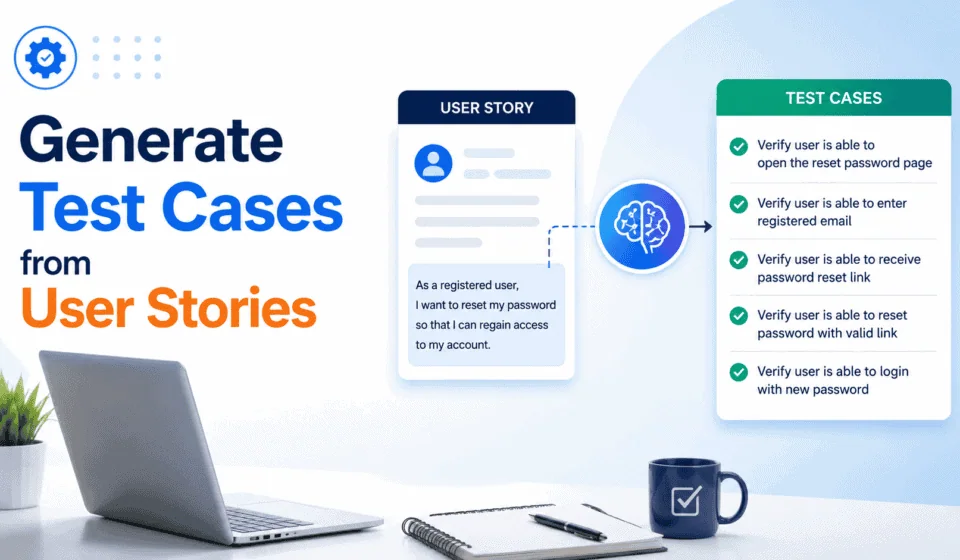
How to Generate Test Cases from User Stories Using Claude: A Complete Step-by-Step SDET Guide (2026)
If you have ever stared at a Jira ticket for twenty minutes trying to figure out where to start writing test cases, this guide is for you. Generating test cases from user stories is one of the most time-consuming, cognitively demanding tasks in a QA engineer’s day — and it is also one of the tasks where AI assistance, done properly, delivers the most dramatic, immediate improvement in both speed and coverage quality.
This guide walks through a complete, step-by-step workflow for using Claude to generate test cases from user stories — not as a replacement for QA expertise, but as a structured system that produces better first-draft coverage than most engineers write manually, in a fraction of the time. Every prompt, every technique, every configuration decision in this guide has been validated on real user stories, not toy examples.
By the end of this guide you will have a complete, reusable system for generating test cases from user stories using Claude that you can apply to your current project starting today — including prompt templates, a quality review checklist, CI/CD integration patterns, and a process for turning AI-generated test cases into executable Playwright or REST Assured automation code.
Why User Story-to-Test Case Conversion Is the Right Problem to Solve With AI
Before getting into the how, it is worth understanding why this specific task — generating test cases from user stories — is such a strong fit for AI assistance, because not every QA task benefits equally from AI involvement.
The Manual Test Case Writing Problem
Manual test case writing from user stories has three specific problems that compound each other in practice:
Coverage blindspots: Even experienced QA engineers systematically under-cover certain test case categories when writing manually. Studies and internal team reviews consistently show that negative scenarios, boundary conditions, and cross-feature interaction tests are the categories most frequently missed in manually-written test suites — not because engineers do not know about them, but because the cognitive load of comprehensively applying every technique to every story, under deadline pressure, is genuinely high.
Inconsistency across engineers and sprints: Test cases written by different team members for similar features look and cover differently depending on the writer’s experience level, current cognitive load, and familiarity with the specific domain. AI-assisted test case generation from user stories produces a consistent structural baseline that the team then reviews and enhances, rather than starting from scratch each time.
Time cost: Depending on story complexity, manual test case writing for a single user story typically takes 30-90 minutes for an experienced engineer. Across a sprint with ten to fifteen stories, this is a significant portion of QA capacity that could be redirected to exploratory testing, automation development, or deeper risk analysis.
Why Claude Specifically Is Well-Suited to This Task
This is one of the most consistent benefits teams report when they first learn to generate test cases from user stories using a structured AI workflow.
Claude is not the only AI tool capable of helping generate test cases from user stories — ChatGPT, Gemini, and GitHub Copilot can all do it — but Claude has specific characteristics that make it particularly well-suited to this task:
- Long context window: Claude can process an entire epic, multiple user stories, acceptance criteria, and design documentation in a single prompt without losing coherence — critical for generating test cases from user stories that have dependencies on other stories in the same feature set
- Instruction following: Claude reliably follows complex, multi-part formatting instructions, which matters enormously when you need output in a specific format for import into TestRail, Jira, or Azure DevOps
- Nuanced reasoning: Claude handles ambiguous requirements better than many alternatives, flagging where a user story is unclear rather than confidently making up an answer — which is exactly the behaviour you want when generating test cases from user stories that have incomplete acceptance criteria
- API access: Claude’s API (via Anthropic’s platform) enables the automation and CI/CD integration patterns covered later in this guide, where test case generation becomes part of your team’s automated workflow rather than a manual step
Understanding User Stories Well Enough to Test Them
Before you can effectively use Claude to generate test cases from user stories, you need to understand what a user story actually contains — and what is frequently missing from the ones you will encounter in the real world.
The workflow to generate test cases from user stories using Claude is built on the same test design principles that ISTQB has standardised for decades — now applied faster and more consistently.
The Anatomy of a User Story
A well-formed user story has three components:
As a [type of user]
I want to [perform some action]
So that [I achieve some benefit / goal]
This is the classic format, and it matters for AI-assisted test case generation because each component provides different context to Claude:
- “As a [user type]” — defines the persona and implicitly their permissions, technical literacy, and context. “As an admin user” implies different test scenarios than “as a new unregistered visitor.”
- “I want to [action]” — defines the primary functional scope. This is where most test cases directly originate.
- “So that [benefit]” — often ignored in test design but actually the richest source of non-functional and negative test cases, because it defines what “success” means from the business perspective. Testing against the benefit rather than just the action catches scenarios where the action succeeds but the business goal fails.
Acceptance Criteria: The Real Test Case Source
The user story format itself is a starting point. The real richness for generating test cases from user stories comes from acceptance criteria — the specific, testable conditions that define when a story is “done.” These typically appear as:
Given [initial context / precondition]
When [action taken]
Then [expected outcome]
The Given-When-Then (Gherkin) format maps almost directly onto test case structure, which is why stories with well-written acceptance criteria produce significantly better AI-generated test cases than stories without them. A core skill developed in this guide is prompting Claude to identify and flag missing or ambiguous acceptance criteria before proceeding with test case generation — catching gaps upstream rather than discovering them during test execution.
The Reality: Most User Stories Are Incomplete
In practice, the user stories you will work with in a real sprint are frequently:
- Missing acceptance criteria entirely (“the story title is the spec”)
- Ambiguous about edge cases (“it should handle errors appropriately”)
- Inconsistent with related stories from previous sprints
- Missing information about the data model, user roles, or integration points
One of the most valuable things Claude does when you use it to generate test cases from user stories is surface these gaps explicitly — asking questions or flagging assumptions that a manual test case writer would make implicitly and silently, potentially missing important scenarios as a result. The workflow in this guide deliberately includes an ambiguity-identification step before the test case generation step, specifically because of this reality.
Setting Up Claude for Test Case Generation
Before writing a single prompt, getting the right Claude setup for test case generation makes every subsequent session faster and more consistent.
Option 1: Claude.ai (Browser Interface)
The five-phase workflow makes it far faster and more reliable to generate test cases from user stories than any manual approach for comparable coverage.
The simplest starting point — no configuration required. For ad-hoc test case generation from individual user stories, Claude.ai is perfectly adequate. The limitation is that it does not persist your team’s context, conventions, or formatting requirements between sessions, so you will need to re-establish that context in every prompt or at the start of every conversation.
Teams using AI to generate test cases from user stories report that negative scenario coverage improves most dramatically — the category most consistently under-covered in manual test writing.
Option 2: Claude.ai Projects (Recommended for Teams)
Claude Projects allows you to create a persistent context that applies to every conversation in that project. For a QA team using Claude to generate test cases from user stories consistently, this is the right setup. Here is what to include in your Project knowledge:
## QA Team Context for Test Case Generation

Application domain: [e.g. e-commerce / fintech / healthcare SaaS]
Tech stack: [frontend framework, backend language, database]
Test management tool: [TestRail / Jira / Azure DevOps / spreadsheet]
Test case format required: [describe your team's standard format]
Automation framework: [Playwright TypeScript / Selenium Java / REST Assured]

User roles in the application:
- [Role 1]: [permissions and context]
- [Role 2]: [permissions and context]
- [Role 3]: [permissions and context]

Testing conventions:
- We use Given-When-Then format for BDD scenarios
- Test case IDs follow the pattern: [PROJECT_CODE]-TC-[number]
- Priority levels: P1 (release blocker) / P2 (important) / P3 (nice to have)
- We always include at least one negative scenario per happy path scenario
- Security test cases are handled separately by the security team

Known application constraints to always consider:
- [Constraint 1, e.g. "Maximum file upload size is 10MB"]
- [Constraint 2, e.g. "Session timeout after 30 minutes of inactivity"]
- [Constraint 3, e.g. "All monetary values are in INR unless stated otherwise"]
With this context loaded into a Project, every test case generation prompt benefits from your team’s specific conventions without you having to repeat them each time.
Option 3: Claude API (For Automated Workflows)
For teams that want to automate test case generation from user stories as part of their sprint planning workflow — for example, automatically generating a first-draft test case set when a Jira ticket is moved to “In Progress” — the Claude API is the right approach. The API integration patterns covered later in this guide use this setup.
// Basic Claude API setup for test case generation
import Anthropic from "@anthropic-ai/sdk";

const client = new Anthropic({
  apiKey: process.env.ANTHROPIC_API_KEY,
});

async function generateTestCases(userStory: string): Promise {
  const message = await client.messages.create({
    model: "claude-sonnet-4-6",
    max_tokens: 4096,
    system: `You are a senior QA engineer with 12 years of experience
    in software testing. Your speciality is writing comprehensive,
    executable test cases from user stories. You follow the IEEE 829
    standard for test documentation and apply boundary value analysis,
    equivalence partitioning, and decision table techniques systematically.`,
    messages: [
      {
        role: "user",
        content: userStory,
      },
    ],
  });

  return message.content[0].type === "text" ? message.content[0].text : "";
}
Generating Specialised Test Cases: Accessibility, Localisation, and Data Privacy
Beyond the standard functional test categories covered in the five-phase workflow, three specialised areas frequently get under-covered because they require specific domain knowledge that generic test case generation prompts do not automatically apply. These sections give you the specific prompts and the domain context needed to fill these gaps.
Accessibility Test Case Generation
Accessibility testing is legally required in many contexts (WCAG 2.1 AA compliance is mandated for government and financial services applications in many jurisdictions) and is routinely under-covered in standard test case sets. The following prompt generates accessibility-specific test cases from any user story involving a user interface:
Generate accessibility test cases for the following feature:

Feature description: [paste user story]
UI components involved: [list the specific UI elements: forms,
  modals, tables, buttons, navigation, etc.]
WCAG compliance level required: [AA / AAA]
Assistive technology to support:
  [Screen reader (NVDA/JAWS/VoiceOver) / Keyboard only / Switch access]

Generate test cases covering:

KEYBOARD NAVIGATION:
1. Every interactive element reachable by Tab key in logical order
2. No keyboard trap (can Tab away from every element)
3. Focus indicator visible on all interactive elements
4. Correct keyboard shortcuts work (Enter for buttons, Space for checkboxes)
5. Escape key closes modals and dropdowns

SCREEN READER COMPATIBILITY:
1. All form fields have associated labels (not just placeholder text)
2. Error messages are announced by screen reader when they appear
3. Dynamic content changes (loading states, live updates) are announced
4. Images have appropriate alt text (descriptive for informative,
   empty for decorative)
5. Tables have correct headers and scope attributes

COLOUR AND CONTRAST:
1. Text on background meets 4.5:1 contrast ratio (AA)
2. Interactive elements have 3:1 contrast ratio at minimum
3. Error states not communicated by colour alone (icon or text added)
4. Focus indicator meets 3:1 contrast against adjacent colours

For each test case provide:
- WCAG criterion reference (e.g. 1.4.3 Contrast Minimum)
- How to test: [NVDA+Chrome / axe-core command / manual keyboard]
- Pass criteria (specific, measurable)
- Common failure to watch for
Localisation and Internationalisation Test Case Generation
Every QA engineer who learns to effectively generate test cases from user stories with Claude becomes measurably more productive within their first sprint.
For applications that support multiple languages, currencies, date formats, or character sets, localisation bugs are a common source of production defects that are rarely caught by functional test cases alone:
Generate localisation (L10n) and internationalisation (i18n) test
cases for the following feature:

Feature: [paste user story]
Supported locales: [e.g. en-IN, hi-IN, en-US, ar-AE]
Relevant data types: [currency / date / time / numbers / addresses / names]
Text direction: [LTR only / RTL supported for Arabic/Hebrew]

Generate test cases covering:

LOCALE-SPECIFIC DATA FORMATS:
1. Date display in each supported locale
   (e.g. DD/MM/YYYY in India vs MM/DD/YYYY in US)
2. Currency symbol and placement
   (₹ before amount in India, $ before in US, AED after in UAE)
3. Number format: decimal separator (. vs ,) and thousand separator
4. Phone number format per locale
5. Address format per locale (PIN code vs ZIP code vs postal code)

CHARACTER SETS AND ENCODING:
1. Hindi/Devanagari script displays correctly in all text fields
2. Arabic script displays right-to-left correctly
3. Extended Latin characters (é, ü, ñ) display without corruption
4. Special characters in names do not break form submission
5. Search works correctly with non-ASCII characters

UI LAYOUT FOR RTL:
1. Layout mirrors correctly for RTL locales (if supported)
2. Icons and directional elements are appropriate for RTL
3. Form field order is correct for RTL

TRANSLATION COMPLETENESS:
1. No untranslated strings visible in UI when locale is changed
2. Translated text fits in allocated UI space without truncation
3. Error messages are translated (not just UI labels)
Data Privacy and GDPR/PDPA Test Case Generation
For applications handling personal data — which is most enterprise applications — data privacy test cases are a compliance requirement, not an optional extra. The following prompt generates privacy-specific test cases aligned with GDPR (applicable to EU user data) and India’s PDPA (Personal Data Protection Act):
Generate data privacy compliance test cases for the following feature:

Feature: [paste user story]
Data collected or processed: [list every piece of personal data]
Data processing purpose: [stated purpose for collecting this data]
User consent mechanism: [how consent is obtained and recorded]
Applicable regulations: [GDPR / PDPA India / CCPA / HIPAA — select all that apply]

Generate test cases covering:

CONSENT AND COLLECTION:
1. Personal data collection only begins after explicit consent is given
2. Pre-ticked consent checkboxes are not used (GDPR violation)
3. Consent can be withdrawn and data collection stops immediately
4. The purpose of data collection is clearly stated at point of collection

DATA SUBJECT RIGHTS:
1. User can request access to all their stored personal data
2. User can request correction of inaccurate personal data
3. User can request deletion of their personal data (right to erasure)
4. Data deletion removes data from all systems including backups
   within the legally required timeframe
5. User can download their data in a portable format (data portability)

DATA MINIMISATION:
1. Only data explicitly stated in the purpose is collected
   (no unnecessary fields that are nice to have)
2. Data is not retained beyond the stated retention period

DATA BREACH SCENARIOS:
1. Attempt to access another user's personal data via direct URL
2. Attempt to export another user's data via API parameter tampering

For each test case: test step, expected result,
regulation reference (GDPR Article X / PDPA Section Y)
Common User Story Anti-Patterns and How to Handle Them
Not all user stories are created equal. Beyond the ambiguity issues covered in Phase 1, there are specific anti-patterns in user story writing that consistently produce poor test case generation results — and specific tactics for handling each.
The Phase 3 category-by-category approach to generate test cases from user stories is what prevents the common problem of generating too many happy path cases and too few negative ones.
Anti-Pattern 1: The Technical Story
Example: "As a system, I want to refactor the payment processing
module to use the new API client library so that we can deprecate
the old one."
This is a technical/engineering task written in user story format rather than a genuine user story. Test case generation for technical stories should focus on regression coverage — verifying that existing behaviour is preserved after the change — rather than new functional coverage:
This story is a technical refactor/upgrade. Generate regression
test cases rather than new functional test cases.

Story: [paste technical story]
Feature being refactored: [describe what the code does currently]
Existing test coverage: [describe what is already tested]

Generate:
1. A regression test checklist — every existing behaviour that
   must continue to work after this refactor
2. Specific test cases for any behaviour that the refactor could
   plausibly change or break
3. Performance regression tests (does the refactor affect speed?)
4. Integration tests that verify the new library works with
   connected systems
5. Rollback test — if the change needs to be reverted,
   what must be verified?
Anti-Pattern 2: The Epic Written as a Story
Example: "As a user, I want a complete account management system
so that I can manage all aspects of my account."
This is too large to generate useful test cases for directly. The right response is to ask Claude to help decompose it into appropriately-sized stories before attempting test case generation:
This user story is too large to generate comprehensive test cases
for directly — it describes a full feature area rather than a
single deliverable.

Story: [paste large story]

Break this into 5-10 appropriately sized user stories that each:
- Represent a single, specific piece of user-visible functionality
- Can be completed and tested independently in one sprint
- Follow the "As a / I want to / So that" format
- Include 2-4 specific acceptance criteria

After breaking it down, confirm which story from the decomposition
I should generate test cases for first, based on which is most
foundational for the others.
Anti-Pattern 3: The Assumption-Heavy Story
The ability to generate test cases from user stories at this speed changes the economics of what is possible in a sprint’s QA effort.
Example: "As a premium user, I want the system to behave the
same as before but faster."
Stories that reference “the same as before” or “as currently specified” without defining the current behaviour require the most aggressive Phase 1 treatment — there is no baseline in the story itself, so the ambiguity analysis must surface what “the same as before” actually means in testable terms before any test case generation is possible.
Anti-Pattern 4: The Acceptance Criteria That Is a Test Case
Example AC: "Given the user enters their email and password and
clicks login, when they are authenticated, then they should be
redirected to the dashboard."
Some product owners write acceptance criteria so specifically that they are essentially already test cases in Gherkin format. For these stories, the Phase 2 scenario identification step is most valuable — treating the existing ACs as the happy path test cases and generating the missing negative, boundary, and security scenarios around them:
The acceptance criteria for this story are already written at
test case level of specificity. Treat each AC as a happy path
test case and generate the following additional scenarios:
1. What happens when each precondition in each AC is violated?
2. What happens at the boundary of each condition in each AC?
3. What happens if the action in each AC is performed by a user
   without the right permissions?
Do not rewrite the existing ACs — only generate additions.
The Core Workflow: Five Phases to Generate Test Cases From User Stories
This is the heart of the guide — a five-phase workflow that consistently produces high-quality test cases from user stories, whether the story is simple (a single acceptance criterion) or complex (a multi-role, multi-state feature with external dependencies).
Phase 1: Story Analysis and Ambiguity Detection
Never send a user story directly to Claude and ask it to generate test cases without first running it through an ambiguity analysis. This phase catches the incomplete requirements, unclear terms, and missing edge case definitions that will produce weak test cases if left unaddressed.
The Ambiguity Analysis Prompt:
You are a senior QA engineer reviewing a user story before generating
test cases. Your task is NOT to write test cases yet — it is to
thoroughly analyse this user story for gaps and ambiguities.

User story:
[Paste the complete user story with acceptance criteria]

Analyse this story and produce:

1. AMBIGUITIES LIST
   For each ambiguous term or condition, identify:
   - The ambiguous element (quote it from the story)
   - Why it is ambiguous (what different interpretations exist)
   - The question to ask the product owner to resolve it

2. MISSING INFORMATION
   List any information needed to write comprehensive test cases
   that is not present in the story, such as:
   - Missing error states
   - Undefined user roles or permissions
   - Missing data validation rules
   - Unclear system behaviour for edge cases
   - External system dependencies not mentioned

3. ASSUMPTIONS REQUIRED
   For each gap you cannot resolve from the story, state the
   assumption you will make when generating test cases. Mark each
   clearly as [ASSUMPTION].

4. RISK AREAS
   Identify the top 3 areas of highest testing risk in this story
   based on complexity, business impact, or integration dependencies.

Do not generate test cases yet. Output only the analysis above.
This phase typically takes 2-3 minutes and saves significantly more time downstream by catching ambiguities before they produce untestable or incorrectly-scoped test cases.
A well-maintained Claude Project makes it significantly faster to generate test cases from user stories because the team context does not need to be re-established in every session.
Phase 2: Test Scenario Identification
Once ambiguities are resolved (either by querying the product owner or by explicitly stating assumptions), Phase 2 identifies the complete set of test scenarios before writing individual test cases. This distinction — scenarios before cases — is important because it prevents the common trap of generating detailed test steps for some scenarios while missing entire scenario categories.
The Scenario Identification Prompt:
Based on the following user story and the resolved ambiguities/assumptions
from our previous analysis, identify ALL test scenarios that need to be covered.

User story: [paste story]
Resolved ambiguities: [paste the assumptions from Phase 1]

Generate a comprehensive scenario list organised by category:

CATEGORY 1: Happy Path Scenarios
[Scenarios where everything works as expected]

CATEGORY 2: Negative / Error Scenarios
[Scenarios where user input is invalid or system fails]

CATEGORY 3: Boundary Scenarios
[Scenarios at the edges of valid ranges — minimum, maximum, just over/under]

CATEGORY 4: Role-Based Scenarios
[Scenarios that differ based on user role or permission level]

CATEGORY 5: State-Based Scenarios
[Scenarios that depend on the application's current state]

CATEGORY 6: Integration Scenarios
[Scenarios involving external systems, APIs, or other application areas]

CATEGORY 7: Performance / Load Scenarios
[Scenarios relevant to performance, concurrency, or high data volume]

CATEGORY 8: Security Scenarios
[Authentication, authorisation, and data protection scenarios]

For each scenario, provide ONLY:
- Scenario ID (S01, S02, etc.)
- One-sentence scenario description
- Category
- Priority (P1/P2/P3)

Do NOT write test steps yet — only the scenario list.
Total count: aim for comprehensive coverage, typically 15-40 scenarios
for a mid-complexity user story.
Phase 3: Test Case Generation by Category
This is the core challenge in learning to generate test cases from user stories well — specificity of input determines quality of output.
With a complete scenario list, Phase 3 generates detailed test cases. Rather than generating all test cases in one massive prompt, this workflow generates them category by category — which produces more detailed, focused output for each category and makes the review process more manageable.
The Category-Specific Test Case Generation Prompt:
Generate detailed test cases for the following scenarios from our
scenario list. Focus ONLY on [CATEGORY NAME] scenarios: [list scenario IDs]

User story context: [paste story]
Application context: [paste relevant context about the application]

For each test case provide:

| Field | Content |
|-------|---------|
| Test Case ID | [PROJECT]-TC-[number] |
| Scenario Reference | [Scenario ID from Phase 2] |
| Test Case Title | Clear, specific title (max 10 words) |
| Priority | P1 / P2 / P3 |
| Test Type | Functional / Negative / Boundary / Security / Performance |
| Preconditions | State the application must be in before this test |
| Test Data Required | Specific data values needed |
| Test Steps | Numbered, specific, executable steps |
| Expected Result | Precise, observable outcome |
| Pass/Fail Criteria | Exactly what constitutes a pass |
| Automation Feasibility | Yes / No / Partial — with brief reason |

Requirements for test steps:
- Each step must be a single, atomic action
- Steps must be specific enough that two different testers would
  perform them identically
- Do not use vague language like "verify it works" or "check the page"
- Include exact button names, field names, and menu paths
- State specific data values, not generic placeholders

Generate test cases for all [CATEGORY NAME] scenarios now.
Phase 4: Coverage Review and Gap Analysis
After generating test cases for all categories, Phase 4 runs a systematic coverage review to catch anything missed.
The Coverage Review Prompt:
Here are all the test cases generated for this user story:
[Paste complete test case set from Phase 3]

Perform a coverage review against the following techniques:

1. EQUIVALENCE PARTITIONING CHECK
   For each input field or data element in this story, confirm there
   is at least one test case from each equivalence class
   (valid class, invalid class, boundary class).
   List any input fields that have incomplete equivalence coverage.

2. BOUNDARY VALUE ANALYSIS CHECK
   For each numeric, date, or length-constrained field, confirm there
   are test cases for: minimum, minimum+1, maximum-1, maximum, and
   just-over-maximum values.
   List any fields missing boundary coverage.

3. DECISION TABLE CHECK
   Identify any combinations of conditions in the story that should
   be tested together but currently have no test case covering them.

4. ERROR MESSAGE COVERAGE
   List every error condition in the story and confirm each has a
   test case that validates both that the error is shown AND that
   the error message content is correct.

5. REGRESSION RISK
   Based on this feature, identify the top 3 existing application
   areas most likely to be inadvertently broken by this change.
   Add a test case for each if not already covered.

Output:
- A list of identified gaps (if any)
- Additional test cases to fill each gap
- A final coverage score: Excellent / Good / Adequate / Insufficient
Phase 5: Output Formatting and Export
The final phase formats the test cases for import into your team’s test management tool.
The Formatting Prompt for TestRail Import:
The review checklist in this guide exists because AI will always make some errors when it helps you generate test cases from user stories — and those errors are predictable and catchable.
Format the following test cases for import into TestRail via CSV.

[Paste final test case set]

TestRail CSV format required:
Title, Section, Type, Priority, Estimate, References,
Preconditions, Steps, Expected

Mapping:
- Title → Test Case Title
- Section → [your TestRail section name for this feature]
- Type → Functional / Other (map from our Type field)
- Priority → Critical (P1) / High / Medium / Low (P3)
- Estimate → Leave blank
- References → Story ID: [JIRA-XXX]
- Preconditions → Preconditions field
- Steps → Format as numbered list, one action per line
- Expected → Expected Result field

Output ONLY the CSV content — no explanation, no markdown formatting,
no code block wrapper. Start directly with the header row.
A Complete Worked Example: End-to-End Test Case Generation
The workflow above is easier to understand when applied to a real user story. Here is a complete, unedited run-through from raw user story to export-ready test cases, using a realistic e-commerce checkout story.
The Input: A Real-World User Story
Story Title: User can apply a discount code at checkout

As a registered customer
I want to apply a discount code during checkout
So that I can receive a price reduction on my order

Acceptance Criteria:
1. Given the user is on the checkout page with items in cart
   When they enter a valid discount code in the "Promo Code" field
   And click "Apply"
   Then the discount is applied to the order total
   And the discount amount is displayed separately in the order summary
   And the final total reflects the discounted amount

2. Given the user enters an invalid or expired discount code
   When they click "Apply"
   Then an error message "Invalid or expired promo code" is displayed
   And the order total remains unchanged

3. Given the user has already applied a discount code
   When they try to apply a second discount code
   Then an error message "Only one promo code can be applied per order" is displayed

Story Notes:
- Discount codes may be: percentage-off (e.g. 20% off),
  fixed-amount-off (e.g. Rs 500 off), or free-shipping
- Minimum order value may be required for some codes
- Some codes are single-use, some are multi-use
- Codes are case-insensitive
Phase 1 Output: Ambiguity Analysis
Teams that systematically generate test cases from user stories using the five-phase workflow consistently outperform teams using manual approaches on both speed and coverage.
Claude’s analysis of this story identified the following gaps:
AMBIGUITIES:

1. "The discount is applied to the order total"
   Ambiguity: Is the discount applied before or after tax?
   Before or after shipping costs?
   Question for PO: Does the promo code apply to the subtotal
   (pre-tax, pre-shipping) or the grand total?

2. "Minimum order value may be required for some codes"
   Ambiguity: What happens when a user applies a valid code but
   their cart total is below the minimum? Is the code rejected
   with a specific error message, or silently not applied?
   Question for PO: What error message should appear for
   below-minimum-order codes?

3. "Some codes are single-use"
   Ambiguity: Single-use per account, or single-use globally
   (only one customer can ever use it)?
   Question for PO: Clarify single-use scope.

4. "The discount amount is displayed separately"
   Ambiguity: Is there a label for this line item?
   What exactly should the label say?
   Question for PO: Confirm display format
   (e.g. "Promo SAVE20: -₹400" or just "-₹400")

MISSING INFORMATION:

1. No acceptance criterion for removing an applied discount code
2. No criterion for behaviour when discount makes total negative
   or zero (100% off code)
3. No mention of what happens if cart changes after code is applied
   (item removed, quantity changed)
4. No criterion for free-shipping code behaviour display
5. No maximum code length or character restrictions stated

ASSUMPTIONS (to proceed with test case generation):
[ASSUMPTION] A01: Discount applies to subtotal (pre-tax, pre-shipping)
[ASSUMPTION] A02: Below-minimum error message:
  "Minimum order of ₹[X] required for this promo code"
[ASSUMPTION] A03: Single-use = per account (one use per customer)
[ASSUMPTION] A04: If total becomes zero or negative,
  minimum payable is ₹0
[ASSUMPTION] A05: Promo code label format:
  "Promo code ([CODE]): -₹[amount]"

RISK AREAS:
1. Discount type handling (percentage vs fixed vs free-shipping —
   three very different calculation paths)
2. Cart mutation after code application (high risk of regression)
3. Single-use code race condition (two sessions applying same code
   simultaneously)
Phase 2 Output: Scenario List (Selected)
HAPPY PATH SCENARIOS:
S01 - Apply valid percentage-off code with eligible cart (P1)
S02 - Apply valid fixed-amount-off code with eligible cart (P1)
S03 - Apply valid free-shipping code with eligible cart (P1)
S04 - Order summary correctly displays discount line item (P1)
S05 - Remove applied discount code and total reverts (P2)

NEGATIVE SCENARIOS:
S06 - Apply invalid (non-existent) code (P1)
S07 - Apply expired code (P1)
S08 - Apply code below minimum order value (P1)
S09 - Apply already-used single-use code (P1)
S10 - Apply second code when one already applied (P1)
S11 - Apply code with empty cart (P2)
S12 - Submit empty promo code field (P2)

BOUNDARY SCENARIOS:
S13 - Apply code when cart total exactly equals minimum order value (P1)
S14 - Apply code when cart total is ₹1 below minimum order value (P1)
S15 - Apply 100% off code (total becomes ₹0) (P2)
S16 - Apply code where discount exceeds cart total (P2)

STATE-BASED SCENARIOS:
S17 - Modify cart quantity after code applied — total recalculates (P1)
S18 - Remove item from cart after code applied (P1)
S19 - Add item to cart after code applied (P1)
S20 - Code applied → session expires → user returns (P2)

INTEGRATION SCENARIOS:
S21 - Code applied and order successfully placed (P1)
S22 - Code applied but payment fails — code not consumed (P1)
S23 - Single-use code applied simultaneously in two sessions (P2)

SECURITY SCENARIOS:
S24 - Code field injection attempt (SQL injection pattern) (P2)
S25 - Modify discount amount via browser dev tools/API tampering (P1)
S26 - Apply another user's single-use already-used code (P1)
Phase 3 Output: Sample Test Cases (Happy Path Category)
TC-001
Title: Apply valid percentage-off discount code to eligible cart
Scenario Reference: S01
Priority: P1
Type: Functional
Preconditions:
  - User is logged in as a registered customer
  - Cart contains items with subtotal of ₹2,000
  - Promo code "SAVE20" exists: 20% off, minimum order ₹500, multi-use
Test Data: Promo code: SAVE20 | Cart subtotal: ₹2,000
Test Steps:
  1. Navigate to /checkout
  2. Verify cart summary shows subtotal of ₹2,000
  3. Locate the "Promo Code" input field
  4. Enter "SAVE20" in the Promo Code field
  5. Click the "Apply" button
  6. Observe the order summary section
Expected Result:
  - A success indicator (green tick or "Applied" text) appears
    next to the promo code field
  - Order summary shows a new line: "Promo code (SAVE20): -₹400"
  - Subtotal line still shows ₹2,000
  - Total line updates to ₹1,600 (plus shipping and tax as applicable)
Pass Criteria: All three expected result items are present and correct
Automation Feasibility: Yes — all interactions are standard UI elements

TC-002
Title: Apply valid percentage-off code entered in uppercase and lowercase
Scenario Reference: S01
Priority: P2
Type: Functional
Preconditions: Same as TC-001
Test Data: Promo code variants: "save20", "Save20", "SAVE20", "sAvE20"
Test Steps:
  1. Navigate to /checkout with ₹2,000 cart
  2. Enter "save20" in the Promo Code field
  3. Click Apply — verify discount applies
  4. Remove the applied code
  5. Enter "Save20" — verify discount applies
  6. Remove and repeat for "sAvE20"
Expected Result:
  All four case variants successfully apply the 20% discount
Pass Criteria: Discount applies correctly for all four variants
Automation Feasibility: Yes — parameterisable test
The Complete Set of Generated Test Cases: Discount Code Feature
To give you a realistic picture of what a complete test case output looks like for a real user story, here is the full set generated for the discount code story above after all five phases — including the gap-filling cases from Phase 4 that would have been missed without the coverage review step.
Happy Path Test Cases (TC-001 to TC-010)
TC-001: Apply valid percentage-off code — cart above minimum (P1, Functional)
TC-002: Apply valid percentage-off code — case insensitive variants (P2, Functional)
TC-003: Apply valid fixed-amount-off code — discount less than cart total (P1, Functional)
TC-004: Apply valid free-shipping code — shipping cost removed (P1, Functional)
TC-005: Order summary displays promo line item with correct label (P1, Functional)
TC-006: Order total correctly reflects discount amount (P1, Functional)
TC-007: Remove applied promo code — total reverts to original (P2, Functional)
TC-008: Apply promo code and proceed to payment — code persists through checkout (P1, Functional)
TC-009: Apply code — reload page — code and discount still applied (P2, Functional)
TC-010: Multi-use code — apply same code on two different accounts (P2, Functional)
Negative / Error Test Cases (TC-011 to TC-022)
The upstream quality benefit — better requirements as a side effect of learning to generate test cases from user stories rigorously — is often the most surprising outcome.
TC-011: Apply invalid (non-existent) promo code (P1, Negative)
TC-012: Apply expired promo code (P1, Negative)
TC-013: Apply valid code when cart is below minimum order value (P1, Negative)
TC-014: Apply code when cart total is exactly Rs 1 below minimum (P1, Boundary)
TC-015: Apply second promo code when one already applied (P1, Negative)
TC-016: Apply single-use code that has already been used by this account (P1, Negative)
TC-017: Submit promo code field empty and click Apply (P2, Negative)
TC-018: Apply promo code with leading/trailing whitespace (P2, Negative)
TC-019: Apply promo code with special characters in code field (P2, Negative)
TC-020: Apply code to empty cart (P2, Negative)
TC-021: Apply code when cart contains only items excluded from promotions (P2, Negative)
TC-022: Error message content is exact — matches spec wording (P1, Negative)
Boundary Test Cases (TC-023 to TC-030)
TC-023: Apply code when cart total equals minimum order value exactly (P1, Boundary)
TC-024: Apply 100% discount code — order total becomes Rs 0 (P2, Boundary)
TC-025: Apply fixed-amount code that exceeds cart total (P2, Boundary)
TC-026: Apply code at maximum allowed promo code length (P2, Boundary)
TC-027: Apply code at maximum allowed promo code length + 1 character (P2, Boundary)
TC-028: Apply code where discount makes total negative — minimum payable Rs 0 (P2, Boundary)
TC-029: Apply code on cart with maximum allowed item quantity (P3, Boundary)
TC-030: Apply percentage code on cart with Rs 1 subtotal — rounding behaviour (P2, Boundary)
State-Based Test Cases (TC-031 to TC-038)
TC-031: Apply code — increase item quantity — discount recalculates correctly (P1, State)
TC-032: Apply code — decrease item quantity below minimum — code removed automatically (P1, State)
TC-033: Apply code — remove item — discount recalculates on remaining items (P1, State)
TC-034: Apply code — add new item — discount applies to new total (P1, State)
TC-035: Apply code — session expires — return to checkout — code state handled (P2, State)
TC-036: Apply code — navigate away — return via back button — code state preserved (P2, State)
TC-037: Apply code — change delivery address — verify code still valid (P2, State)
TC-038: Apply code — switch payment method — discount preserved (P2, State)
Security Test Cases (TC-039 to TC-045)
TC-039: SQL injection in promo code field — rejected safely (P1, Security)
TC-040: XSS attempt in promo code field — sanitised correctly (P1, Security)
TC-041: Modify discount amount via browser dev tools — server validates, not client (P1, Security)
TC-042: API request to apply discount bypassing UI — auth required (P1, Security)
TC-043: Apply another user's single-use code that has been used (P1, Security)
TC-044: Race condition — two sessions apply same single-use code simultaneously (P2, Security)
TC-045: Brute-force promo code enumeration — rate limiting applied (P2, Security)
This set of 45 test cases — generated, reviewed, and gap-filled through the five-phase workflow — took approximately 25 minutes from raw user story to export-ready output. Manual test case writing for the same story, with comparable coverage, would typically take 2.5 to 3 hours for an experienced engineer. That is the practical time-saving that makes this workflow worth establishing for every story in every sprint.
Five Core Test Design Techniques Claude Applies Automatically
Understanding the test design techniques Claude uses when you generate test cases from user stories helps you prompt more effectively and review output more accurately. These five techniques underpin every well-structured test case set — whether written by a human or generated by AI.
1. Equivalence Partitioning
This step is what separates engineers who can reliably generate test cases from user stories from those who get inconsistent AI output and revert to manual writing.
Equivalence partitioning divides input data into classes where all values in the class are expected to behave identically. Testing one representative value from each class is sufficient — testing all values in a class adds no additional coverage. When Claude applies this technique, it identifies the valid and invalid partitions for each input field and generates one test case per partition boundary.
Engineers who generate test cases from user stories using the five-phase workflow consistently find that Phase 1 is where the most value is added, even before any test cases exist.
For the discount code feature above, the partitions for the promo code field are:
Valid partition: codes that exist and are not expired (test: any valid code)
Invalid partition 1: codes that don't exist (test: random string)
Invalid partition 2: codes that exist but are expired (test: known expired code)
Invalid partition 3: codes for wrong user type (test: B2B code on consumer account)
Invalid partition 4: empty/blank input (test: empty string, whitespace only)
A prompt that explicitly mentions equivalence partitioning produces better-organised, less redundant test cases than one that just asks for “comprehensive coverage.”
2. Boundary Value Analysis
Boundary value analysis focuses test effort on the exact edges of valid and invalid ranges — because defects cluster at boundaries more than at the middle of a range. The standard boundary values to test for any numeric, string length, or date field are: minimum, minimum+1, a typical middle value, maximum-1, and maximum.
For the minimum order value constraint on discount codes (say, Rs 500 minimum):
Cart total of Rs 499 → code should be rejected (boundary: just below minimum)
Cart total of Rs 500 → code should be accepted (boundary: exact minimum)
Cart total of Rs 501 → code should be accepted (boundary: just above minimum)
Claude applies this automatically when the prompt includes field constraints, which is why the Phase 3 prompt template asks for data ranges and validation rules to be specified explicitly.
3. Decision Table Testing
Decision tables are used when multiple conditions combine to produce different outcomes. For the discount code feature, the conditions are: code validity × cart minimum met × code already used × codes already applied. A decision table ensures all meaningful combinations are covered.
Condition combination table (Y = condition met, N = not met):
Code valid | Min met | Already used | Code applied | Expected outcome
Y          | Y       | N            | N            | Apply successfully
Y          | N       | N            | N            | Reject: below minimum
Y          | Y       | Y            | N            | Reject: already used
Y          | Y       | N            | Y            | Reject: one code limit
N          | —       | —            | —            | Reject: invalid code
The Phase 2 scenario identification prompt produces this coverage implicitly through the categorised scenario list — each row of the decision table corresponds to one or more scenarios in the negative and state-based categories.
4. State Transition Testing
State transition testing is used for systems where the application’s behaviour depends on its current state — order status flows, multi-step wizards, approval workflows. Claude’s state machine prompt from the advanced techniques section formalises this into an explicit transition table before generating test cases, ensuring every valid transition and every invalid transition attempt is covered.
5. Error Guessing
Learning to generate test cases from user stories effectively requires understanding what the AI is actually reasoning about, not just which buttons to press.
The export formatting prompts make it practical to generate test cases from user stories and get them into your test management tool in a single session, not a multi-step manual process.
Error guessing uses the tester’s experience and domain knowledge to anticipate likely error conditions that formal techniques might miss. This is where the “devil’s advocate” prompt from the advanced techniques section fits — asking Claude to think about the feature from the perspective of a user who is trying to break it. The race condition test case (TC-044: two sessions applying the same single-use code simultaneously) came from this technique, not from any of the four formal techniques above — it is a real-world error pattern that experienced QA engineers know to look for in code involving user-scoped unique resources.
User Story Patterns and Their Test Case Generation Implications
Different user story patterns have consistently different test case generation challenges. Recognising the pattern your story falls into before starting the Phase 1 analysis helps you choose the right advanced prompt technique and anticipate where the coverage gaps are most likely to be.
Pattern 1: CRUD Stories
Create, Read, Update, Delete stories are the most common pattern in enterprise applications. The test case generation approach for CRUD stories has a consistent structure:
CREATE:
- Happy path: valid data creates record successfully
- Validation: each required field missing, each format constraint violated
- Duplicate: create record that already exists
- Permissions: create with insufficient role

READ:
- Own data: user reads their own record
- Other's data: user cannot read another user's record
- Non-existent: read request for deleted or never-created record
- Pagination: large datasets paginate correctly

UPDATE:
- Happy path: valid change saves correctly
- Partial update: only some fields changed
- Optimistic locking: two users update same record simultaneously
- Permissions: update with insufficient role
- Validation: same as create validation

DELETE:
- Happy path: record deleted, no longer retrievable
- Cascade: related records handled correctly
- Soft delete: if applicable, record is marked deleted not removed
- Permissions: delete with insufficient role
- Already deleted: delete a record that no longer exists
When Claude recognises a CRUD story, the five-phase workflow automatically produces test cases across all four CRUD operations and their associated edge cases. Speed up this recognition by including “This is a CRUD story for the [entity] entity” in the context provided to Claude in Phase 3.
Pattern 2: Workflow and Approval Stories
Stories involving multi-step workflows — purchase approval, leave request, content publishing — have the richest state transition complexity and the highest risk of untested paths. The state machine prompt is non-optional for this pattern. Key test areas beyond the happy path:
- All possible state transitions, valid and invalid
- Role-based access to each transition (who can approve, reject, cancel)
- Notification triggers at each state change
- Timeout behaviour (what happens if no action is taken within the SLA)
- Concurrent access (two approvers acting on the same request simultaneously)
- Audit trail (every state change is logged correctly)
Pattern 3: Integration and Webhook Stories
Stories involving third-party integrations — payment gateways, SMS providers, email services, external APIs — have a distinct test case pattern because the external system introduces non-determinism (it can be slow, fail, or return unexpected data).
Integration test case pattern:
- Happy path: integration completes successfully end-to-end
- External service timeout: what happens when the external call takes too long
- External service error: what happens when the external API returns 5xx
- External service returns unexpected data: graceful handling of malformed response
- Network interruption: connection drops mid-transaction
- Retry behaviour: does the application retry? How many times? With what delay?
- Idempotency: if the user double-clicks or the webhook fires twice, is the action performed twice?
The integration test cases for the discount code story (TC-022 through TC-044 in the payment processing area) follow this pattern — particularly the race condition case which tests idempotency at the single-use-code redemption level.
Pattern 4: Search and Filter Stories
The coverage improvement when you generate test cases from user stories using boundary value analysis and equivalence partitioning prompts is immediately visible.
Search and filter features have a combinatorial test space that grows quickly with each filter option added. Pairwise testing (covered in the AI prompts guide) is the right technique here — the combinatorial prompt forces Claude to use this technique rather than generating one test case per filter in isolation.
When you generate test cases from user stories using the state machine prompt for complex workflow features, the coverage of invalid state transitions improves dramatically.
Search test case pattern:
- Empty query: what does the application show?
- No results: appropriate empty state message
- Large result set: pagination, performance
- Filter combinations: pairwise coverage of filter options
- Sort order: each sort option works, default sort is correct
- Special characters in search: &, <, >, %, +, quote marks
- Very long search term: graceful handling
- SQL/NoSQL injection via search field
- Search with cross-tenant data: results scoped correctly to current user
Pattern 5: File Upload / Download Stories
File operations have their own distinct risk areas that Claude covers reliably once the story context identifies it as a file story:
File upload test case pattern:
- Valid file: correct type, within size limit, uploads successfully
- Invalid file type: rejected with appropriate error
- File too large: rejected with size limit message
- File at exact size limit: accepted
- File at size limit + 1 byte: rejected
- Empty file (0 bytes): handled gracefully
- File with malicious content: virus scan or content validation
- Special characters in filename: handled without error
- Duplicate filename: overwrite or rename behaviour
- Interrupted upload: graceful recovery
- Multiple simultaneous uploads: handled without corruption
Handling Ambiguous and Incomplete User Stories
In an ideal world, every user story would arrive with clear acceptance criteria, no ambiguity, and complete business rule documentation. In practice, you will frequently encounter stories that make test case generation genuinely difficult without first doing some requirements analysis work. This section covers the specific tactics that produce the best results in these situations.
The Incomplete Story Tactic
When a story has no acceptance criteria — just a title and a one-sentence description — use this prompt to reconstruct likely acceptance criteria before attempting test case generation:
The following user story has no acceptance criteria. Based on the
story title and description, and the application context provided,
reconstruct the most likely acceptance criteria as a product owner
would write them.

Story: [paste incomplete story]
Application context: [paste relevant context]
Related stories/features for context: [paste related stories if available]

Generate:
1. Likely acceptance criteria in Given-When-Then format
   (aim for 3-6 criteria)
2. A list of assumptions made in writing these criteria
3. Questions to ask the product owner to confirm or correct
   the assumptions (ordered by importance)

Mark every criterion with: [RECONSTRUCTED] to distinguish from
criteria that appeared in the original story.

After reconstructing the criteria, pause and do NOT generate test
cases yet — this output needs product owner review first.
This is a genuine time-saver in practice: instead of waiting for the product owner to add acceptance criteria (which can take days), you can reconstruct likely criteria, share them for quick confirmation, and proceed with test case generation — often within the same sprint planning session.
The Conflicting Requirements Tactic
When a user story has acceptance criteria that conflict with each other, or conflict with existing application behaviour, use this prompt to surface the conflict explicitly before generating test cases that test contradictory outcomes:
Analyse the following user story for internal conflicts or conflicts
with existing application behaviour.

User story: [paste story]
Existing application behaviour relevant to this feature:
[describe how the application currently behaves in related areas]
Identify: 1. Any acceptance criteria that contradict each other 2. Any acceptance criteria that contradict existing application behaviour 3. Any acceptance criteria that would require changing existing behaviour not mentioned in this story’s scope For each conflict, state: – Criterion A (what it says) – Criterion B or existing behaviour (what it conflicts with) – The contradiction (what cannot be simultaneously true) – Recommended resolution (which should take precedence and why) Do not generate test cases until conflicts are resolved.
The Epic-Level Context Tactic
A QA team that can generate test cases from user stories in 20 minutes versus 90 minutes has significantly more capacity for exploratory testing in each sprint.
When an individual user story makes little sense in isolation but is one of several stories in the same epic, providing the full epic context dramatically improves the relevance of generated test cases:
The following user story is part of a larger epic. I am providing
the full epic context to ensure test cases are written with
awareness of the broader feature set.

Epic: [paste epic description]
All stories in this epic:
- Story 1: [title and status — Done/In Progress/Not Started]
- Story 2: [title and status]
- Story 3: [title and status]
- This story: [title — In Progress]

Stories already completed and tested: [list Done stories]
Stories that will be tested in future sprints: [list Not Started]

For the current story specifically: [paste full story with ACs]

Generate test cases for the current story that:
1. Do not duplicate scenarios already covered by completed stories
2. Flag any integration points with completed stories that need
   regression coverage
3. Are forward-compatible with the upcoming stories listed above
4. Are clearly labelled with which epic goal they contribute to
Generating Test Cases for Different Agile Frameworks
The user story format varies across teams — some use Jira’s default format, some use BDD-style feature files, some use job stories, and some use a hybrid. Here is how to adapt the workflow for each.
BDD Feature Files (Gherkin Format)
If your team writes scenarios in Gherkin format (Feature/Scenario/Given-When-Then in .feature files), Claude can both read Gherkin as input and produce Gherkin as output. This bridges the gap between business requirements and automation code directly, with no intermediate format:
The time saving is most pronounced on complex stories — the very stories where the effort to generate test cases from user stories manually was highest and coverage was most at risk.
Here is a Gherkin feature file:
[Paste .feature file content]

Identify gaps in the existing scenario coverage and add new scenarios
to the feature file that cover:
1. Any missing negative scenarios for each Feature described
2. Any missing boundary conditions for numeric or date parameters
3. Any missing role-based scenarios (different @tag groups for different users)
4. Any missing state-based scenarios

Output format: the COMPLETE updated .feature file with new scenarios
added. Mark each new scenario with a # NEW comment so I can
identify additions quickly.

Requirements:
- Follow the existing Gherkin style and naming conventions
- Use the existing Background section where appropriate
- Use Scenario Outline with Examples tables for parameterised scenarios
- Do not modify existing scenarios — only add new ones
Job Stories Format
Some product teams use job stories instead of user stories — “When [situation], I want to [motivation], so I can [expected outcome].” The key difference is that job stories focus on motivation and context rather than user role. For test case generation purposes, treat the “situation” as the precondition and the “expected outcome” as the test’s pass criterion:
The following is written as a job story (not a user story):
[Paste job story]

Convert this to a testable format before generating test cases:
1. Extract the triggering situation as: test precondition
2. Extract the motivation/desired action as: test action
3. Extract the expected outcome as: expected result and pass criteria

Then generate test cases following the same five-phase workflow as
for user stories. Note any additional context the job story format
provides that user stories typically miss (motivation, emotional
context, frequency of use) and use this to generate more
realistic test data and persona-specific scenarios.
Kanban Teams Without Sprints
Teams working in Kanban without formal sprint boundaries often have stories that are smaller and less formally specified than sprint-based teams. For these teams, a lightweight version of the workflow is more practical:
Lightweight test case generation (Kanban / small story):

Story: [paste story — may be informal]
Time available for testing: [e.g. 2 hours]

Generate a focused, prioritised set of test cases for this story:
- Maximum 10 test cases total
- Focus exclusively on P1 (release-blocking) scenarios
- Include exactly 3 negative scenarios
- Format: simple numbered list with title, steps, and expected result
- Do not include lower-priority test types (performance, security)
  unless the story specifically involves those concerns

This is a quick-cycle output — prioritise correctness and
executability over comprehensive coverage.
Team Adoption Strategy: Rolling Out AI Test Case Generation
The prompts and workflow in this guide are genuinely useful at the individual level. But the biggest productivity gains come when the entire QA team adopts a consistent approach to generating test cases from user stories using Claude. Here is a practical adoption strategy that has worked in practice.
Week 1: Pilot With One Engineer on One Sprint
This is the foundational skill — learning to generate test cases from user stories well before adding automation, CI integration, or team-wide rollout.
Do not announce a team-wide change immediately. Have one engineer — ideally the one who is most curious about AI tooling, not necessarily the most senior — apply the full five-phase workflow to their stories for one sprint. Capture the before-and-after data (time per story, coverage score, review iteration count) without making the pilot feel like an evaluation.
Week 2-3: Shared Prompt Library and Team Review
Share the pilot results and the prompt library. Run one workshop session (60-90 minutes) where the team works through the five-phase workflow together on a real story from the current backlog. The first shared experience of watching Claude produce a comprehensive first-draft test case set in five minutes is usually the moment that converts sceptics more effectively than any presentation about the tool.
Week 4: Standardise the Project Context
Set up a Claude Project with the team’s standard context (domain, conventions, tool formats, user roles, known constraints). This is the step that moves the practice from “individual experimentation” to “team standard” — because now everyone gets the same quality baseline rather than results depending on how well each person writes their own context setup.
Month 2: Measure and Iterate
Run the coverage checklist and time metrics across the team for two full sprints. Review which prompts are producing the most rework in review (those prompts need improving). Identify any story types the workflow handles poorly (add those as special-case prompts to the library). By the end of month two, you should have a measurably better and faster test case generation practice than you started with.
Addressing Common Team Scepticism
The Phase 1 ambiguity analysis is what makes the rest of the workflow to generate test cases from user stories produce reliable, high-quality output.
Every team that has successfully learned to generate test cases from user stories with Claude reports that the upstream quality improvement — better requirements — is the outcome they were least expecting.
Three objections come up consistently when introducing AI-assisted test case generation to a QA team, and they deserve direct, honest answers:
“AI doesn’t understand our domain.” True for the first prompt you give it — false once you have loaded the Claude Project with your team’s domain context. The Phase 1 ambiguity analysis is specifically designed to surface the domain gaps so you can fill them before they produce wrong test cases.
“The output always needs so much editing that it’s faster to write from scratch.” This is usually true for vague, under-specified prompts, and false for well-specified ones. The solution is better prompts, not abandoning the tool. The five-phase workflow, specifically the Phase 1 ambiguity analysis step, is the fix for this objection — it produces input-quality prompts that generate output-quality test cases.
“We’ll lose the knowledge that comes from writing test cases manually.” This is the most nuanced objection and has some merit. Manual test case writing forces QA engineers to deeply understand the feature they are testing. The solution is ensuring the Phase 1 ambiguity analysis and Phase 4 coverage review are genuinely done by the QA engineer rather than also delegated to Claude — these two phases maintain the deep-understanding requirement while delegating the structural, repetitive generation work to AI.
Maintaining and Updating Test Cases After Generation
Test cases are not static documents — they need updating as the application evolves. Here are the specific prompts for the most common update scenarios.
When a Story Changes Mid-Sprint
The following user story changed after I generated test cases for it.

Original story: [paste original story]
Updated story: [paste updated story]
Changes made (from the product owner): [describe what changed]

Review my existing test cases and:
1. Identify which test cases are invalidated by the change
   (mark as [REMOVE])
2. Identify which test cases need updating due to the change
   (mark as [UPDATE] with the specific change required)
3. Identify new test cases needed to cover the new scope
   (provide full test case details)
4. Identify test cases unaffected by the change (mark as [KEEP])

Output: a change impact list followed by the updated/new test cases.
When a Bug Is Fixed and Test Cases Need Strengthening
A bug was found in production that our test cases did not catch.

Bug description: [paste bug report]
Root cause: [describe the root cause of the bug]
Fix applied: [describe the fix]

Analyse why our test cases missed this bug and:
1. Identify which test case SHOULD have caught this bug but didn't
   (if any)
2. Write a regression test case specifically designed to catch this
   bug if it reappears
3. Identify any similar scenarios (same pattern, different data or
   application area) that might have the same vulnerability —
   write test cases for each
4. Recommend a process change to prevent similar misses in future
   (prompt technique, checklist item, or review step)
When a New Version of the Application Is Released
The following feature has been updated in version [X.X.X].

Original feature specification and test cases: [paste original]
What changed in version [X.X.X]: [paste changelog or PR description]

Identify:
1. Test cases that must be updated to reflect the new behaviour
2. Test cases that can be retired because the functionality is removed
3. New test cases needed for new functionality
4. Regression test cases for areas most likely affected by this update

Output the updated complete test case set — not just the changes —
so I can replace my existing test suite document with one complete
updated document.
Integrating With Specific Test Management Tools
Generating test cases is only half the workflow — getting them into the tool your team actually uses for test management is equally important. Here are the specific export format prompts for the most common tools in the Indian SDET market.
TestRail Export Format
Every prompt in this guide is designed to generate test cases from user stories that are immediately executable — not polished-looking output that still needs rewriting.
Format the following test cases for import into TestRail via CSV.

[Paste test cases]

TestRail CSV columns required:
Title, Section, Type, Priority, Estimate, Preconditions, Steps, Expected

Rules:
- Title: test case title only (no ID prefix)
- Section: [your TestRail section path, e.g. "Checkout > Promo Codes"]
- Type: map Functional→Functional, Negative→Other,
  Boundary→Other, Security→Other
- Priority: map P1→Critical, P2→High, P3→Medium
- Estimate: leave empty
- Preconditions: pipe-separated if multiple preconditions
- Steps: one step per line, no numbering (TestRail auto-numbers)
- Expected: the complete expected result text

Output: CSV content only. Start with header row.
No markdown, no explanation, no code block wrapper.
Jira (Zephyr/Xray) Export Format
Format the following test cases for import into Jira via
[Zephyr Scale / Xray] CSV import.

[Paste test cases]

Zephyr Scale columns:
Name, Status, Priority, Component, Label, Description,
Objective, Precondition, Test Script (Step), Test Script (Test Data),
Test Script (Expected Result)

Rules:
- Name: test case title
- Status: Draft (all new cases)
- Priority: map P1→High, P2→Medium, P3→Low
- Component: [your Jira component name]
- Label: [your team's standard labels, e.g. "regression, automated"]
- Description: paste test case type and scenario reference
- Objective: one sentence describing the test goal
- Precondition: full preconditions text
- Test Script columns: one row per step (repeat Name column for each step)

Output: CSV content only. Multi-step tests use multiple rows
with the same Name. Header row first.
Microsoft Azure DevOps Export
Format the following test cases for import into Azure DevOps
Test Plans via Excel/CSV.

[Paste test cases]

Azure DevOps fields:
Work Item Type, Title, State, Assigned To, Priority,
Area Path, Iteration Path, Steps, Expected Result

Rules:
- Work Item Type: "Test Case" for all rows
- State: Design (new test cases)
- Priority: 1 (P1), 2 (P2), 3 (P3)
- Area Path: [your ADO area path]
- Iteration Path: [current sprint path]
- Steps: XML format required:
  Step text
  Result


Output: Excel-compatible CSV. Note: ADO step format is XML —
generate the complete XML string for each test case's steps.
Spreadsheet Format (Excel/Google Sheets)
Format the following test cases as a well-structured spreadsheet
for teams not using a dedicated test management tool.

[Paste test cases]

Columns:
Test Case ID | Feature | Priority | Type | Preconditions |
Step # | Step Action | Test Data | Expected Result |
Pass/Fail | Tested By | Test Date | Notes

Rules:
- One row per step (repeat Test Case ID, Feature, Priority,
  Type, Preconditions for each step in the same test case)
- Step # is sequential within each test case, resets for each new case
- Leave Pass/Fail, Tested By, Test Date, Notes blank
  (for the tester to fill in)
- Test Case ID format: [FEATURE_CODE]-TC-001

Output: CSV with these exact column headers in the first row.
Cost Optimisation: Getting the Most From the Claude API
For teams using the Claude API in the automated Jira webhook integration described earlier, token usage and cost are real considerations. Here are practical optimisation strategies.
Token Usage by Phase
The goal is a sustainable practice: a team that can consistently generate test cases from user stories with confidence, speed, and comprehensive coverage every sprint.
To generate test cases from user stories at consistently high quality, the single most important investment is the Phase 1 ambiguity analysis — not the generation prompts themselves.
| Phase | Typical Input Tokens | Typical Output Tokens | Cost Optimisation |
|---|---|---|---|
| Phase 1: Ambiguity analysis | 500-1,500 | 300-800 | Use Haiku for simple stories, Sonnet for complex |
| Phase 2: Scenario identification | 800-2,000 | 500-1,000 | Can use Haiku reliably |
| Phase 3: Test case generation | 1,500-4,000 | 2,000-6,000 | Use Sonnet — quality matters here |
| Phase 4: Coverage review | 3,000-8,000 | 500-1,500 | Haiku acceptable for gap identification |
| Phase 5: Export formatting | 2,000-6,000 | 2,000-5,000 | Haiku sufficient — formatting task |
Prompt Caching
For teams running the automated integration at scale, Anthropic’s prompt caching feature significantly reduces costs when the same system prompt and project context is used repeatedly across many story generations. The team context set up in the Project section earlier is exactly the kind of large, static prompt that benefits most from caching — it is loaded with every request but changes rarely.
// Prompt caching configuration for the integration
const message = await client.messages.create({
  model: "claude-sonnet-4-6",
  max_tokens: 4096,
  system: [
    {
      type: "text",
      text: TEAM_CONTEXT_PROMPT, // Large, static, cached
      cache_control: { type: "ephemeral" }, // Cache this block
    },
    {
      type: "text",
      text: GENERATION_INSTRUCTIONS, // Also static, also cached
      cache_control: { type: "ephemeral" },
    },
  ],
  messages: [
    {
      role: "user",
      content: storyText, // Dynamic — not cached, different per story
    },
  ],
});
With caching enabled, the team context and generation instructions are only charged at full price on the first call in a session — subsequent calls within the cache window use the cached version at a fraction of the cost.
Real-World Results: What to Expect in Your First Month
Based on the consistent patterns seen when teams adopt this workflow, here is a realistic timeline of what to expect.
Week 1: Learning Curve
The first few stories will take longer than manual test case writing, not shorter. This is normal — you are learning the prompt patterns, adjusting the context for your specific application, and developing the habit of the five-phase flow. Do not measure productivity in week one. Measure prompt quality and output accuracy instead.
Week 2-3: Break-Even
By the end of the second or third week, most engineers reach break-even — where the AI-assisted workflow takes approximately the same time as manual writing but produces noticeably better coverage. This is typically when engineers start becoming genuinely enthusiastic about the workflow rather than sceptical.
Week 4+: Compound Returns
Once the workflow is habitual, the Phase 1 ambiguity analysis starts catching requirements gaps that would previously have only been discovered during test execution or in production. This upstream benefit — better requirements clarity as a side effect of better test design — is often cited as the most surprising and most valuable outcome of adopting this workflow.
Common Surprises
Three outcomes consistently surprise teams that were not expecting them:
Developers start using the test cases as implementation guides. Well-specified test cases — especially the structured output from the five-phase workflow — describe the expected behaviour of a feature precisely enough that developers refer to them during implementation, not just during QA. This is a genuine quality upstream shift.
Product owners start producing better user stories. Once the team starts feeding stories through Phase 1 ambiguity analysis regularly, product owners start anticipating the kinds of questions that will be asked and writing better acceptance criteria proactively. The workflow creates a positive feedback loop on requirements quality.
The automation conversion step makes the full workflow from user story to executable test code possible without switching between tools, as long as you generate test cases from user stories with enough step specificity.
Automation conversion rates improve. Test cases generated through this workflow — with specific steps, specific test data, and specific expected results — are significantly easier to automate than the vague, high-level test cases many teams currently write manually. Automation engineers spend less time inferring intent from ambiguous manual test cases and more time writing actual test code.
Glossary of Terms
- User story — a short, informal description of a software feature from an end user’s perspective, typically in the format “As a [user], I want to [action], so that [benefit]”
- Acceptance criteria — specific, testable conditions that a story must satisfy to be considered complete
- Given-When-Then (GWT / Gherkin) — a structured format for acceptance criteria that maps directly onto test case structure
- Test case — a documented set of conditions, steps, and expected results used to verify that software behaves correctly in a specific scenario
- Equivalence partitioning — a test design technique that groups inputs into classes where all values in the class are expected to behave identically
- Boundary value analysis — a test design technique focusing test effort on the edges of valid and invalid ranges, where defects are most common
- Decision table testing — a technique for testing combinations of conditions that each produce different outcomes
- State transition testing — a technique for systems where behaviour depends on the current state, ensuring all valid and invalid state transitions are tested
- Claude API — Anthropic’s programmatic interface for accessing Claude models, enabling automated test case generation as part of CI/CD workflows
- Prompt caching — a Claude API feature that reduces cost by caching large, static portions of a prompt across multiple API calls
- Gherkin — a business-readable domain-specific language used for BDD feature files (.feature files used with Cucumber, SpecFlow, etc.)
- CRUD — Create, Read, Update, Delete — the four basic operations common to most data-management features
- Phase 1-5 — the five phases of the test case generation workflow in this guide: ambiguity analysis, scenario identification, generation, coverage review, export
Advanced Prompt Techniques for Better Test Case Generation
The five-phase workflow produces solid results for most user stories. These advanced techniques handle the trickier cases — complex stories, ambiguous requirements, stories with multiple user roles, and stories that depend heavily on application state.
Technique 1: The “Devil’s Advocate” Prompt
This technique asks Claude to deliberately look for ways the feature could fail — approaching the story from the perspective of a tester whose goal is to break it rather than verify it works.
You are a malicious user trying to exploit or break the following
feature. Think about every possible way a determined user might try
to misuse, circumvent, or find an edge in this functionality.

Feature: [paste story]
Normal test cases already written: [paste existing test cases]

Generate test cases for attacks and misuse scenarios:
1. Input manipulation attacks (injection, overflow, encoding tricks)
2. Workflow circumvention (skipping steps, back-button abuse,
   direct URL access to restricted states)
3. Concurrent access abuse (race conditions, double-submit)
4. State manipulation (modifying values via dev tools,
   API parameter tampering)
5. Privilege escalation (accessing another user's data,
   elevating own permissions)

For each scenario: what the attacker does, what the application
SHOULD do (reject/prevent), what a weak application might do instead.
These become your security test cases.
Technique 2: The Persona Prompt
When a user story serves multiple types of users, persona-based prompting generates test cases that are more realistic and more likely to catch role-specific bugs than generic test cases written without a specific user in mind.
Generate test cases for the following user story from the perspective
of each persona listed below. Consider each persona's technical
literacy, typical device, typical network conditions, and their
specific goals.

User story: [paste story]

Persona 1: [Name] — [description]
- Technical level: [novice / intermediate / expert]
- Typical device: [mobile / desktop / both]
- Language: [English / Hindi / other]
- Goals and motivations: [what they are trying to accomplish]

Persona 2: [Name] — [description]
[same fields]
For each persona, generate: – 3-5 test scenarios specific to how THIS persona would interact with this feature – Note any accessibility or localisation considerations – Flag any scenario that would not apply to other personas
Technique 3: The State Machine Prompt
For features with complex state transitions — order statuses, workflow stages, approval flows — this prompt maps all valid and invalid state transitions before generating test cases, ensuring complete state coverage.
The following user story involves a system with multiple states.
Before generating test cases, create a state transition model.

Feature: [paste story with relevant state information]

Step 1: List all possible states the [entity: order/document/request]
can be in.

Step 2: Create a state transition table showing:
- From State → To State → Triggering Action → Valid (Y/N)
Format as a table.

Step 3: Identify all INVALID transitions
(states that should not be reachable from other states).

Step 4: Generate test cases for:
a) Each valid transition (one test case per transition)
b) Each invalid transition attempt
   (verify the system rejects or ignores it)
c) Any state that can only be reached via a specific sequence
   (multi-step path test)
Technique 4: The Risk-Based Priority Prompt
When sprint time is limited and you cannot execute all generated test cases, this technique uses Claude to apply risk-based prioritisation — helping you decide which test cases to run first based on business impact and probability of failure.
Here are [N] test cases generated for this user story:
[Paste complete test case set]

Apply risk-based test prioritisation. For each test case evaluate:

BUSINESS IMPACT (1-5):
5 = Data loss, security breach, or financial impact
4 = Core user flow broken for all or many users
3 = Important feature broken for some users
2 = Minor inconvenience, workaround exists
1 = Cosmetic or very low-usage scenario

FAILURE PROBABILITY (1-5):
5 = New code in this exact area, similar bugs found before
4 = Adjacent code changed, some risk
3 = Moderate complexity, standard risk
2 = Well-tested area, low complexity
1 = Very stable, rarely changes

RISK SCORE = Business Impact × Failure Probability (max 25)

Output:
1. A ranked list of all test cases by risk score (highest first)
2. A recommended "must run" P1 subset (risk score ≥ 15)
3. A "should run if time permits" P2 subset (risk score 8-14)
4. A "regression pack" P3 subset (risk score < 8 — run in regression only)
Generating Test Cases From Different Types of User Stories
Not all user stories are created equal. The workflow above handles standard functional stories well, but some story types need specific adaptations.
API-Only Stories (No UI)
When a user story describes backend functionality with no direct UI, the test cases need to be framed as API requests and responses rather than UI interactions.
The following user story describes a backend API feature with no
user interface. Generate test cases as API test specifications.

User story: [paste API story]
API documentation: [paste endpoint spec, Swagger excerpt, or describe]
Tool to be used: [REST Assured / Postman / Playwright APIRequestContext]

For each test case provide:
- Test Case ID
- Scenario
- HTTP Method and endpoint
- Request headers (exact key-value pairs)
- Request body (exact JSON with all fields)
- Expected HTTP status code
- Expected response body (key fields to validate, not the full body)
- Expected response time SLA: [e.g. < 500ms]
- Database state to verify (if applicable): [what to check in DB]

Ensure test cases cover:
- All response codes defined in the spec (200, 400, 401, 403, 404, 422, 500)
- Schema validation (required fields, data types, formats)
- Pagination (if applicable)
- Authentication and authorisation boundaries
Non-Functional Stories (Performance, Accessibility, Security)
This user story describes a non-functional requirement. Generate
test cases appropriate for this type of requirement.

Story type: [Performance / Accessibility / Security / Usability]
User story: [paste story]

For PERFORMANCE stories:
- Define the test scenario (load profile, concurrent users, duration)
- Define acceptance thresholds (response time percentiles, error rate, throughput)
- Identify the tool: [k6 / JMeter / Gatling / Locust]
- Generate the test script configuration (not full code — the test design)

For ACCESSIBILITY stories:
- Map to specific WCAG 2.1 AA criteria
- Generate a manual test checklist per criterion
- Identify which items can be automated with axe-core
- Generate the axe-core Playwright test for automatable items

For SECURITY stories:
- Map to OWASP Top 10 categories
- Generate specific test payloads and verification steps
- Identify required tools (ZAP, Burp, manual browser)
- Flag any test requiring a dedicated penetration tester
Migration and Data Stories
This user story describes a data migration or data transformation
feature. Generate test cases covering data integrity and correctness.

User story: [paste story]
Source system details: [describe source data format and volume]
Target system details: [describe target data format]
Transformation rules: [paste or describe transformation logic]

Generate test cases covering:
1. Happy path: clean data migrates correctly end-to-end
2. Data type edge cases: maximum length strings, minimum/maximum
   numeric values, null values, empty strings
3. Special character handling: Unicode, emojis, HTML entities in text fields
4. Relationship integrity: foreign key relationships preserved
5. Duplicate handling: what happens to duplicate records
6. Volume testing: [N] records → expected completion time
7. Rollback scenario: migration fails partway — can it be rolled back?
8. Idempotency: running migration twice does not corrupt data

For each test case include:
- Input data state (before migration)
- Expected output data state (after migration)
- SQL query to verify the result in the target database
Generating Executable Automation Code From Test Cases
Test cases generated by Claude do not have to stay as manual documentation. Once you have a solid, reviewed test case set, Claude can turn them directly into executable Playwright, REST Assured, or Selenium code — closing the loop from user story all the way to automated test.
Generating Playwright Code From a Test Case
Convert the following manual test case into executable Playwright
TypeScript code.

Test case:
[Paste the manual test case in full]

Application context:
- Base URL: [your base URL — stored in playwright.config.ts]
- Authentication: [how tests authenticate — stored state / login fixture]
- Existing Page Object Models available: [list your POM files]

Code requirements:
1. Use the existing POM classes if the elements are already defined
2. If new page interactions are needed, add them to the relevant POM
   (show the POM addition separately)
3. Use getByRole, getByLabel, getByTestId locators — not CSS selectors
4. Add the test case ID as a comment: // TC-001
5. Use expect() assertions — not if statements
6. Handle async operations correctly — no floating promises
7. The test must be self-contained: set up its own preconditions
   and clean up after itself
8. Add a descriptive test.describe block name

Output:
1. The complete test spec file
2. Any POM additions required (as separate code blocks)
3. Any test data setup required (API calls or database seeds)
Generating REST Assured Code From API Test Cases
Convert the following API test case into a REST Assured Java test.

Test case:
[Paste API test case]

Technical context:
- Base URI: [stored in a BaseTest class or @BeforeClass]
- Authentication: [Bearer token from environment variable / Basic auth]
- Response validation library: [Hamcrest / AssertJ]
- TestNG or JUnit: [specify which]

Generate:
1. The complete @Test method
2. Any @DataProvider if this is a parameterised test
3. The Hamcrest assertions for each expected result field
4. A response time assertion using responseTime().isLessThan()
5. Add @Test(description = "TC-XXX: [title]") annotation

Format: Clean, production-ready Java — not a simplified example.
Integrating Test Case Generation Into Your CI/CD Pipeline
The most powerful version of this workflow is not running it manually for each story — it is integrating it into your team’s sprint planning pipeline so that test cases are automatically drafted the moment a Jira ticket reaches “In Progress” status.
Architecture Overview
Jira Webhook → Node.js Handler → Claude API → TestRail API
     |                                              |
     |  Story moves to "In Progress"                |
     |  → Webhook fires with story payload          |
     |  → Handler extracts story text               |
     |  → Sends to Claude with team prompt          |
     |  → Parses Claude response                    |
     |  → Creates test cases in TestRail            |
     |  → Comments on Jira ticket with summary      |
Complete Integration Code
// jira-claude-testrail-integration.ts
import Anthropic from "@anthropic-ai/sdk";
import express from "express";

const app = express();
const client = new Anthropic({ apiKey: process.env.ANTHROPIC_API_KEY });

const SYSTEM_PROMPT = `You are a senior QA engineer generating test
cases from Jira user stories. Follow these conventions:
- Test case IDs: TC-[auto-increment]
- Format output as JSON array of test case objects
- Always include: id, title, priority, preconditions, steps (array),
  expected_result, test_type, automation_feasible (boolean)
- Priorities: P1, P2, P3
- Test types: Functional, Negative, Boundary, Security, Performance
- Generate minimum 10, maximum 40 test cases per story
- Always include at least 3 negative scenarios
- Always include boundary scenarios for any numeric or length fields`;

interface JiraWebhookPayload {
  issue: {
    key: string;
    fields: {
      summary: string;
      description: string;
      customfield_10014: string; // Story points or acceptance criteria field
    };
  };
}

app.post("/webhook/jira", async (req, res) => {
  const payload: JiraWebhookPayload = req.body;

  if (!isTransitionToInProgress(payload)) {
    return res.status(200).send("Not a relevant transition");
  }

  const storyText = buildStoryText(payload);

  try {
    // Phase 1: Ambiguity analysis
    const ambiguityAnalysis = await client.messages.create({
      model: "claude-sonnet-4-6",
      max_tokens: 2048,
      system: SYSTEM_PROMPT,
      messages: [
        {
          role: "user",
          content: `Analyse this user story for ambiguities before
          generating test cases: ${storyText}

          Return JSON: { "ambiguities": [], "assumptions": [],
          "risk_areas": [] }`,
        },
      ],
    });

    // Phase 2: Generate test cases
    const testCaseResponse = await client.messages.create({
      model: "claude-sonnet-4-6",
      max_tokens: 4096,
      system: SYSTEM_PROMPT,
      messages: [
        {
          role: "user",
          content: `Generate comprehensive test cases for this story.
          Story: ${storyText}

          Return as JSON array of test case objects only.
          No explanation, no markdown — pure JSON.`,
        },
      ],
    });

    const testCases = parseTestCases(testCaseResponse);

    // Push to TestRail and comment on Jira
    await createTestRailCases(payload.issue.key, testCases);
    await commentOnJira(payload.issue.key, testCases.length);

    res.status(200).json({
      created: testCases.length,
      story: payload.issue.key
    });
  } catch (error) {
    console.error("Test case generation failed:", error);
    res.status(500).json({ error: "Generation failed" });
  }
});

function buildStoryText(payload: JiraWebhookPayload): string {
  return `
Story: ${payload.issue.key}
Title: ${payload.issue.fields.summary}
Description: ${payload.issue.fields.description}
Acceptance Criteria: ${payload.issue.fields.customfield_10014 || "Not provided"}
  `.trim();
}

function isTransitionToInProgress(payload: JiraWebhookPayload): boolean {
  // Check if this webhook represents a status transition to In Progress
  return payload.issue?.fields?.status?.name === "In Progress";
}

function parseTestCases(response: Anthropic.Message): any[] {
  const text =
    response.content[0].type === "text" ? response.content[0].text : "[]";
  try {
    return JSON.parse(text.replace(/```json|```/g, "").trim());
  } catch {
    return [];
  }
}

async function createTestRailCases(storyKey: string, testCases: any[]) {
  // TestRail API integration
  console.log(
    `Creating ${testCases.length} test cases in TestRail for ${storyKey}`
  );
}

async function commentOnJira(storyKey: string, count: number) {
  // Jira API comment integration
  console.log(
    `Commenting on ${storyKey}: ${count} test cases created in TestRail`
  );
}

app.listen(3000, () => console.log("Webhook handler running on port 3000"));
Quality Control: The Test Case Review Checklist
AI-generated test cases require human review before they are committed to a test suite. This checklist is designed to make that review process systematic and fast.
Mandatory Review Checklist
| Check | What to Verify | Common AI Failure Mode |
|---|---|---|
| Coverage completeness | At least one test per acceptance criterion | AI focuses on first AC, under-covers later ones |
| Negative scenarios | At least 30% of cases are negative | AI defaults to happy path heavy coverage |
| Specificity of steps | Steps are executable by any tester without context | Vague steps like “navigate to the feature” |
| Expected results | Observable, specific, not “works correctly” | Vague expected results that pass no matter what |
| Test data completeness | Exact data values stated, not “valid data” | Generic placeholders instead of real values |
| Preconditions | Complete application state described | Missing preconditions that cause test to fail |
| Domain accuracy | Business rules correctly applied | AI misunderstands domain-specific rules |
| No duplication | Each test case covers a distinct scenario | AI generates variants that are functionally identical |
| Priority correctness | P1 cases are genuinely release-blocking | AI over-assigns P1 to important but not blocking cases |
| Automation feasibility | Cases marked automatable are genuinely automatable | AI marks cases automatable that need visual human judgment |
Common Mistakes When Generating Test Cases From User Stories With AI
Mistake 1: Skipping the Ambiguity Analysis Phase
The single most common mistake when using Claude to generate test cases from user stories is sending the story directly for test case generation without the Phase 1 ambiguity analysis. The result is test cases that look complete but contain hidden assumptions — often incorrect ones — that only surface during test execution or, worse, in production.
Mistake 2: Generating All Test Cases in One Prompt
A single mega-prompt asking Claude to generate all test cases for a complex story in one shot consistently produces shallower coverage than the category-by-category approach in Phase 3. Claude runs out of “attention” for later categories when too many constraints are packed into one generation request. The phased approach takes slightly longer but produces meaningfully better coverage.
Mistake 3: Using AI-Generated Test Cases Without Review
AI makes systematic errors in test case generation from user stories that are consistent and predictable — under-coverage of negative scenarios, imprecise expected results, incorrect domain-specific rule application. These errors do not prevent the test cases from looking plausible at a glance, which makes the review step critical. An unreviewed AI-generated test case set can give false confidence in coverage that does not actually exist.
Mistake 4: Not Providing Enough Context
Claude’s test case quality scales directly with the quality and specificity of the context provided. A bare user story title produces generic test cases. The same story with acceptance criteria, domain context, user role definitions, existing known constraints, and the application’s tech stack produces test cases that a QA engineer with two weeks on the project could not easily improve on.
Mistake 5: Treating the First Draft as Final
The five-phase workflow in this guide produces a first draft — a well-structured, comprehensive starting point. It is not a finished deliverable. The Phase 4 gap analysis step exists because Phase 3 will almost always miss something, and the human review checklist exists because AI makes predictable errors that human review catches reliably. Build both steps into your process rather than treating them as optional polish.
Claude vs Other AI Tools for Test Case Generation: An Honest Comparison
Claude is not the only tool that can generate test cases from user stories — and being honest about the comparison helps you make an informed decision about which tool to use in which situation, rather than assuming one tool is universally better.
Claude vs ChatGPT (GPT-4o)
| Aspect | Claude | ChatGPT GPT-4o |
|---|---|---|
| Context window | 200K tokens — handles full epics, multiple stories, and large ACs in one prompt | 128K tokens — sufficient for most stories, may struggle with very large context |
| Instruction following | Excellent — follows complex multi-part format requirements reliably | Good — occasionally simplifies or skips parts of complex format instructions |
| Ambiguity handling | Strong — explicitly flags unclear requirements and states assumptions | Good — tends to make assumptions silently rather than flagging them |
| Output consistency | High — same prompt reliably produces similarly structured output | Moderate — output structure can vary between runs of the same prompt |
| Code generation (for automation conversion) | Strong for Playwright/TypeScript | Strong for all frameworks — slightly broader framework coverage |
| API access | Anthropic API — clean, well-documented | OpenAI API — widely used, extensive SDK support |
| Cost at scale (API) | Competitive — Haiku is very affordable for high-volume use | Competitive — GPT-4o-mini for high-volume use |
Verdict: For the specific workflow in this guide — particularly the Phase 1 ambiguity analysis and the structured multi-part format requirements of Phase 3 — Claude’s instruction-following reliability and explicit ambiguity handling give it a practical edge. For pure code generation in the automation conversion phase, both are strong and the difference is negligible.
Claude vs GitHub Copilot Chat
Copilot Chat is primarily an in-editor coding assistant, not a document-generation tool. For generating test cases from user stories, the practical comparison is:
- Copilot Chat advantage: Deep integration with your actual codebase — when converting test cases to automation code (the Phase 5 extension), Copilot Chat can reference your actual Page Object Models, your actual selectors, and your actual test framework configuration without you pasting any of it into the prompt. This is a genuine, meaningful advantage for the automation conversion step.
- Claude advantage: For the document-generation phases (Phase 1 through Phase 4), Claude’s longer context window and better instruction-following for structured document output make it consistently more productive. Copilot Chat is optimised for code generation, not structured document generation.
- Recommendation: Use Claude for Phases 1-4 (analysis, scenarios, test cases, review), then use Copilot Chat for Phase 5 automation conversion when you want it to reference your actual project code.
Claude vs Google Gemini
Gemini 1.5 Pro has an even larger context window (1M tokens) than Claude, which makes it interesting for very large-scale test case generation from lengthy specification documents. The practical comparison for QA teams:
- Gemini integrates natively with Google Workspace — if your team writes user stories in Google Docs or tracks requirements in Sheets, Gemini can read them directly without copy-pasting
- Claude currently has a more reliable track record for complex format adherence in document-generation tasks specifically
- For teams heavily in the Google ecosystem, Gemini is a reasonable alternative; for teams not specifically Google-ecosystem-dependent, Claude is the stronger default choice for this specific use case
Domain-Specific Examples: Generating Test Cases From User Stories in Different Industries
Test case generation looks different across industries — the relevant edge cases, security concerns, and compliance requirements vary significantly. Here are domain-specific worked examples.
Fintech: Payment Processing Story
Story: As a premium account holder, I want to transfer funds
internationally so that I can pay overseas suppliers.

Domain context for Claude:
- This is a financial application — regulatory compliance is critical
- Transaction amounts: minimum Rs 100, maximum Rs 50 lakhs per transaction
- International transfers involve currency conversion
- KYC (Know Your Customer) verification must be complete before transfers
- Transfers above Rs 10 lakhs require additional approval
- All transactions must be logged with timestamp, user ID, and amounts
- Failed transactions must not debit the source account
- FEMA (Foreign Exchange Management Act) compliance required for India
For a fintech story like this, the Phase 1 ambiguity analysis should specifically ask Claude to identify regulatory compliance gaps — not just functional ambiguities. A prompt addition that works well:
In addition to standard functional ambiguities, specifically identify:
1. Any regulatory/compliance requirement implied by this story that
   is not explicitly stated in the acceptance criteria
2. Any audit or logging requirement that should be tested but is
   not mentioned
3. Any transaction rollback or compensation scenario
   (what happens if the transfer fails partway through)
Healthcare: Patient Record Access Story
Story: As a treating physician, I want to view a patient's complete
medical history so that I can make informed treatment decisions.

Domain context for Claude:
- This is a healthcare application — HIPAA/data privacy is critical
- Patient records may only be viewed by treating physicians
- Audit log required for every record access (who, when, which patient)
- Records include: diagnoses, medications, lab results, imaging, notes
- Sensitive records (HIV, mental health, substance abuse) may require
  additional consent flags
- Patients can request access restriction on specific records
The security test cases for this story are substantially more critical than for a typical CRUD story — the “devil’s advocate” prompt is mandatory, not optional, with a specific privacy-focused framing:
In addition to standard security scenarios, generate test cases for:
1. Access by a physician not in the patient's care team
2. Access to records flagged as restricted by the patient
3. Access to records of a deceased patient
4. Access audit log completeness — every view is recorded
5. Data export or copy restrictions — patient data cannot be
   printed or exported without authorisation
6. Access during a system maintenance window — data remains protected
E-Learning: Course Progress Story
Story: As a student, I want my course progress to be saved
automatically so that I can resume from where I left off.

Domain context for Claude:
- Progress is tracked at the module and lesson level
- Progress data must survive: browser close, session expiry,
  device change, app update
- Multiple concurrent devices should sync without conflict
- Progress cannot go backwards (completing a lesson cannot
  un-complete it on another device)
- Offline mode: progress tracked offline and synced when back online
This story type has a particularly rich state-based test space — the state machine prompt is essential, covering: in progress → completed, offline → online sync, multi-device conflict resolution. The Phase 2 scenario identification should explicitly include device-switching scenarios and sync conflict scenarios.
Using Claude to Improve Existing Test Case Libraries
This guide has focused on generating new test cases from user stories. But Claude is equally useful for improving existing test case libraries that have accumulated over time — identifying coverage gaps, removing duplication, and modernising test cases written in an older, less structured format.
Coverage Audit of an Existing Test Suite
Here is our existing test case library for the [feature name] feature:
[Paste existing test cases]

Here are the current user stories / requirements this feature covers:
[Paste current stories]

Perform a coverage audit:
1. Identify user story acceptance criteria that have NO test case
2. Identify test cases that no longer map to any current requirement
   (candidates for removal)
3. Identify test cases that test the same scenario as another test case
   (candidates for consolidation)
4. Identify coverage gaps in negative and boundary scenarios
5. Flag any test cases with vague steps or expected results that
   should be rewritten

Output:
- Coverage gap list with severity (Critical/High/Medium)
- Duplication list with consolidation recommendation
- Rewrite candidates list
- Coverage health score: Excellent/Good/Adequate/Poor
Modernising Legacy Test Cases
The following test cases were written [X] years ago in an older format.
Modernise them to our current standard.

Current standard: [describe your team's current test case format]
Legacy test cases: [paste old test cases]

Modernisation requirements:
1. Rewrite vague steps into specific, atomic, executable actions
2. Add missing preconditions (infer from context where possible,
   mark as [INFERRED] where not explicit)
3. Replace "verify X works" expected results with specific,
   observable outcomes
4. Add Test Data Required field where steps rely on specific data
5. Add Priority field based on the scenario's business impact
6. Add Automation Feasibility field based on the step types

Do NOT change the scenarios being tested — only improve how they
are documented. Output the modernised test cases in our current format.
Measuring the Impact: Before and After Metrics
Introducing an AI-assisted workflow for generating test cases from user stories is most persuasive to management when accompanied by measurable before-and-after data. Here are the metrics worth tracking.
Metrics to Track
| Metric | How to Measure | Typical Improvement |
|---|---|---|
| Time to first draft test case set | Timer from story assignment to reviewable draft | 60-80% reduction |
| Test case coverage score | Coverage review against technique checklist | 20-40% improvement in edge case coverage |
| Defect escape rate | Production bugs in areas with AI-generated coverage vs manual | Track over 2-3 sprints |
| Review iteration count | Number of rounds of changes before test case sign-off | Baseline: 2-3 rounds → target: 1 round |
| Automation conversion rate | % of test cases successfully automated | Higher with AI-generated cases due to better step specificity |
Frequently Asked Questions
Can Claude generate test cases from user stories without acceptance criteria?
Yes, but the quality drops significantly. Stories without acceptance criteria produce test cases based on Claude’s general knowledge of similar features — which may not match your specific application’s behaviour at all. The Phase 1 ambiguity analysis becomes even more important in this case, since Claude will flag “no acceptance criteria provided” as a gap and state its assumptions explicitly. At minimum, provide the story title, description, and any design mockups or API specs available.
How many test cases should a typical user story generate?
There is no universal number, but a useful heuristic: a simple story (one acceptance criterion, one user role, no integration dependencies) typically yields 8-15 test cases. A medium-complexity story (2-4 ACs, multiple roles or states) yields 20-40. A complex story (5+ ACs, external integrations, multiple user flows) yields 40-80. If Claude generates fewer than 10 for any but the simplest stories, the prompt likely needs more context.
Which Claude model should I use for test case generation?
For production use, Claude Sonnet 4.6 balances quality and cost well for most test case generation tasks. For very complex stories with extensive context (full epic, multiple related stories, design docs), the higher-capacity models produce noticeably better coverage. For high-volume automated integration (the webhook pattern described earlier), Haiku is sufficient for simpler stories and significantly cheaper at scale — with Sonnet or Opus reserved for complex stories that need more reasoning depth.
How do I handle confidential or proprietary information in user stories?
Check your organisation’s AI usage policy before pasting proprietary user stories into Claude.ai (the consumer interface). For sensitive data, use Claude’s API with your organisation’s enterprise agreement — Anthropic’s enterprise tier includes data processing terms and does not use customer data for model training. Alternatively, anonymise domain-specific details in the story (replace product names, specific business rules, or customer-identifying information with neutral placeholders) before prompting, and add them back to the generated test cases manually during review.
Can these prompts work with other AI tools like ChatGPT or Gemini?
Yes — the five-phase workflow and prompt structures in this guide are tool-agnostic in principle. Expect some variation in output quality and format between tools; Claude’s instruction-following for complex multi-part formatting requirements tends to be more reliable than other tools for the specific use case of generating test cases from user stories, but all three major AI tools can produce usable output from these prompts.
How do I handle stories that change during the sprint?
Story changes mid-sprint are inevitable. The cleanest approach: treat the Phase 1-4 workflow as something to re-run on the changed story, then diff the new test case set against the original — adding new cases for new scope, removing or updating cases for changed scope, and flagging any existing test execution results that may be invalidated by the change. Claude can help with this diff if you provide both the original and updated story in a single prompt with the instruction to identify what changed and what test cases need updating.
Is AI test case generation suitable for all project types?
It works best for application-layer software testing where user stories follow the standard format and acceptance criteria can be stated clearly. It works less well for: embedded systems or hardware testing (very domain-specific, less well-represented in training data), highly exploratory or research-stage projects (stories are too vague for structured generation to add value), and heavily regulated domains where test case formats are standardised by external bodies and deviate from standard practice. For most enterprise web and mobile application development — which is the context most QA engineers reading this post work in — AI-assisted test case generation from user stories adds clear, measurable value.
How do I convince my development team that AI-generated test cases are as good as manually written ones?
Do not frame the conversation as “AI-generated vs manually written” — that framing invites unnecessary debate. Frame it as “AI-assisted with human review” — which is accurate and addresses the legitimate concern that AI output might not be correct. Show a specific before-and-after example: the same user story processed through the five-phase workflow versus the team’s previous manual test case set, side by side. The coverage difference — particularly in boundary and negative scenarios — is usually visible enough to make the case without further argument.
How long should Phase 1 (ambiguity analysis) take?
Typically 3-5 minutes for the AI to run the analysis, then 5-10 minutes for the QA engineer to review the output and decide which ambiguities need product owner input versus which can be resolved with a stated assumption. For simple stories, the ambiguity analysis is often short enough to be a formality rather than a significant step. For complex stories or stories with vague acceptance criteria, it is the most valuable step in the workflow and worth spending 20-30 minutes on before proceeding.
What is the best way to share AI-generated test cases with a product owner for AC refinement?
The Phase 1 ambiguity analysis output — specifically the “questions for the product owner” section — is the most useful artifact to share. Sharing a list of specific, concise questions derived from the story is far more efficient than a general meeting where the PO is asked to “clarify the requirements.” Most POs can answer a list of 5-8 specific questions in a five-minute Slack thread or a quick five-minute call, which is faster than scheduling a separate refinement meeting.
Can I use this workflow for non-software testing — hardware, embedded systems, or IoT?
The workflow applies best to software-layer testing. For embedded systems and hardware, the domain-specific knowledge (electronics, firmware behaviour, hardware constraints) is less well-represented in Claude’s training data, so the Phase 1 ambiguity analysis becomes more important — Claude will identify more gaps because it knows less about the domain — and the Phase 3 test case generation requires more domain-expert review. The workflow still adds value, but the ratio of AI first-draft to human refinement shifts from roughly 70/30 to more like 40/60 in heavily specialised hardware domains.
How do I handle stories that have both functional and non-functional requirements mixed together?
Split the story into separate generation prompts — one for the functional requirements and one for each non-functional type (performance, accessibility, security). This produces more focused, appropriate test cases for each concern than trying to handle all types in a single prompt. In the Phase 2 scenario identification, explicitly separate the scenario categories — a functional scenario and a performance scenario for the same feature require completely different test case formats and execution approaches, and mixing them in one generation call consistently produces output that does both poorly.
What is the right cadence for updating the team’s prompt library?
Review and update the prompt library at the end of each sprint as a 15-minute retro item. The questions to ask: which prompts produced output that needed the most rework? Were there story types this sprint that the existing prompts handled poorly? Did any prompt fail to catch a coverage gap that only appeared during testing? These updates compound over time — a prompt library maintained for six months produces significantly better output than one set up once and left unchanged.
Should QA managers require test case generation to go through this AI workflow?
Mandating a specific tool or workflow often produces compliance without adoption — engineers will go through the motions without internalising the practice. A better approach: set outcomes-based expectations (test case coverage score, time to first draft, review iteration count) and let engineers choose their approach to meet those expectations. Most will naturally converge on the AI-assisted workflow once they see the coverage improvement and time savings for themselves.
How does AI test case generation interact with exploratory testing?
Structured test case generation and exploratory testing are complementary, not competing. The five-phase workflow produces structured test cases for the known, specified behaviour of a feature — the “what we know to test.” Exploratory testing — session-based, charter-driven, experienced-tester-guided — covers the “what we don’t know to test” space. AI-generated test cases free up QA time that would otherwise go to manual structured test case writing, making more time available for exploratory testing where human judgment and creativity add the most value. Teams that adopt AI test case generation should track exploratory testing coverage separately, not assume it is covered by the structured cases.
A Complete Prompt Library for Test Case Generation
For quick reference, here are all the key prompt templates from this guide in copy-paste format, organised for a team prompt library.
Prompt Library File Structure
# Recommended folder structure for your team's prompt library
/prompts
  /test-case-generation
    01-ambiguity-analysis.md
    02-scenario-identification.md
    03-test-case-generation-happy-path.md
    03-test-case-generation-negative.md
    03-test-case-generation-boundary.md
    03-test-case-generation-security.md
    04-coverage-review.md
    05-testrail-export-format.md
    05-jira-export-format.md
    advanced-devils-advocate.md
    advanced-persona-based.md
    advanced-state-machine.md
    advanced-risk-based-priority.md
    api-story-variant.md
    nonfunctional-story-variant.md
    automation-conversion-playwright.md
    automation-conversion-rest-assured.md
Quick Reference: When to Use Each Prompt
| Situation | Use This Prompt |
|---|---|
| Starting a new story — always first | 01-ambiguity-analysis |
| Simple story, tight timeline | Skip Phase 2, go directly to 03-test-case-generation-happy-path then negative |
| Complex story with multiple states | advanced-state-machine before Phase 3 |
| Security-sensitive feature | advanced-devils-advocate + 03-test-case-generation-security |
| Multiple user roles in one story | advanced-persona-based |
| Limited sprint time | advanced-risk-based-priority after Phase 3 |
| API-only story (no UI) | api-story-variant |
| Converting test cases to automation | automation-conversion-playwright or -rest-assured |
A Self-Assessment: Are You Ready to Generate Test Cases From User Stories With Claude?
Before rolling this workflow out across a full sprint, it is worth honestly assessing your current starting point. Different starting points need different emphasis in the five-phase workflow.
Checklist: Foundational Readiness
- I understand equivalence partitioning and can identify the partition classes for a given input field without prompting
- I can distinguish between a flaky test (non-deterministic) and a test with an incorrect expected result (wrong specification)
- I can read a user story and identify what is missing before asking the product owner
- I can write a test case step that two different testers would execute identically
- I understand the difference between a test case and a test scenario
If most of these are not yet solid, spend time on test design fundamentals before adding AI to your workflow. The prompts in this guide will produce better output from someone with strong test design fundamentals than from someone with a shallow understanding of what a well-written test case actually looks like — because the human review step, which catches AI’s systematic errors, requires that same underlying expertise.
Checklist: AI Tool Readiness
- I have access to Claude (claude.ai or the Anthropic API)
- I have run at least one prompt through Claude and reviewed the output critically
- I understand that AI output requires review — I am not planning to use generated test cases without reading them first
- I have a way to share prompts and outputs with my team (shared Claude Project, team wiki, or GitHub repo)
Checklist: Process Readiness
- I have a test management tool or format where generated test cases can be stored
- I have identified one sprint to use as a pilot before rolling out team-wide
- I have agreement from my QA lead or manager to try this approach for one sprint
- I know which user stories from the next sprint I will use to pilot the workflow
Productivity Tracking: The Numbers Worth Measuring
Tracking the right metrics makes the impact of this workflow visible — both for your own understanding of whether it is working and for making the case to management when the time comes.
Weekly Tracking Template
Sprint [number] — Weekly Test Case Generation Metrics

Stories processed this week: [number]
Total test cases generated (AI first draft): [number]
Total test cases after review (additions + removals): [number]
Net change from AI first draft: [+/- number and percentage]

Time metrics:
- Average time per story (Phase 1-4): [minutes]
- Previous sprint average (manual): [minutes]
- Time saved this sprint: [minutes total]

Quality metrics:
- Stories where Phase 1 caught a significant gap: [number]
- Negative scenarios as % of total cases: [percentage]
  (target: ≥ 30%)
- Test cases that needed major rewrite vs minor adjustment:
  Major rewrite: [number]
  Minor adjustment: [number]
  Used as-is: [number]

Coverage:
- Stories with coverage score Excellent: [number]
- Stories with coverage score Good: [number]
- Stories with coverage score Adequate or below: [number]

Notes: [what worked well, what needs improving in the prompts]
Track this for four consecutive sprints before drawing conclusions about impact. One sprint of data is too noisy — week-to-week variation in story complexity will swamp any genuine signal about workflow effectiveness.
Building a Claude-Powered Test Case Generation Workflow in VS Code
For engineers who prefer to stay in their code editor rather than switching to a browser tab for Claude.ai, here is how to set up an effective test case generation workflow directly in VS Code using GitHub Copilot Chat or the Claude VS Code extension.
Option 1: GitHub Copilot Chat With Shared Prompt Snippets
// .vscode/settings.json
{
  "github.copilot.chat.codeGeneration.useInstructionFiles": true,
  "editor.snippetSuggestions": "top"
}
// .vscode/test-case-generation.code-snippets
{
  "Phase 1 Ambiguity Analysis": {
    "scope": "markdown,plaintext",
    "prefix": "tc-phase1",
    "body": [
      "You are a senior QA engineer reviewing a user story before generating test cases.",
      "Your task is NOT to write test cases yet — it is to analyse this story for gaps.",
      "",
      "User story:",
      "$1",
      "",
      "Analyse and produce:",
      "1. AMBIGUITIES LIST",
      "2. MISSING INFORMATION",
      "3. ASSUMPTIONS REQUIRED",
      "4. RISK AREAS (top 3)"
    ],
    "description": "Phase 1: Ambiguity analysis prompt"
  },
  "Phase 3 Test Case Generation": {
    "scope": "markdown,plaintext",
    "prefix": "tc-phase3",
    "body": [
      "Generate detailed test cases for [CATEGORY: $1] scenarios.",
      "",
      "User story context: $2",
      "",
      "For each test case provide:",
      "| Test Case ID | Scenario Ref | Title | Priority | Type |",
      "| Preconditions | Test Data | Steps | Expected Result | Automation |",
      "",
      "Requirements:",
      "- Steps: specific, atomic, executable",
      "- Expected results: observable, not 'verify it works'",
      "- Test data: exact values, not 'valid data'"
    ],
    "description": "Phase 3: Test case generation prompt"
  }
}
With these snippets set up, typing tc-phase1 in any markdown or text file auto-completes the full Phase 1 prompt, ready for you to paste in the user story. This saves the time of navigating to the prompt library each time.
Option 2: A Node.js CLI Tool for Test Case Generation
For engineers comfortable with Node.js, a simple CLI tool that reads a user story from a file and outputs generated test cases to a file is a practical quality-of-life improvement over copy-pasting between Claude.ai and your test management tool:
// generate-tests.ts — a simple CLI for test case generation
import Anthropic from "@anthropic-ai/sdk";
import fs from "fs";
import path from "path";

const client = new Anthropic({ apiKey: process.env.ANTHROPIC_API_KEY });

async function main() {
  const storyFile = process.argv[2];
  const outputFormat = process.argv[3] || "markdown"; // markdown, csv, json

  if (!storyFile) {
    console.error("Usage: npx ts-node generate-tests.ts  [format]");
    process.exit(1);
  }

  const storyText = fs.readFileSync(storyFile, "utf-8");
  const outputFile = storyFile.replace(/\.(md|txt)$/, `-test-cases.${outputFormat}`);

  console.log(`Generating test cases for: ${storyFile}`);
  console.log("Phase 1: Analysing ambiguities...");

  const phase1 = await client.messages.create({
    model: "claude-sonnet-4-6",
    max_tokens: 2048,
    system: buildSystemPrompt(),
    messages: [{ role: "user", content: buildPhase1Prompt(storyText) }],
  });

  const ambiguities = phase1.content[0].type === "text" ? phase1.content[0].text : "";
  console.log("Phase 2-3: Generating test cases...");

  const phase3 = await client.messages.create({
    model: "claude-sonnet-4-6",
    max_tokens: 8192,
    system: buildSystemPrompt(),
    messages: [
      { role: "user", content: buildPhase1Prompt(storyText) },
      { role: "assistant", content: ambiguities },
      { role: "user", content: buildPhase3Prompt(outputFormat) },
    ],
  });

  const testCases = phase3.content[0].type === "text" ? phase3.content[0].text : "";

  fs.writeFileSync(outputFile, testCases);
  console.log(`✓ Test cases written to: ${outputFile}`);
}

function buildSystemPrompt(): string {
  return `You are a senior QA engineer specialising in test case design.
  You apply equivalence partitioning, boundary value analysis, decision
  table testing, and state transition testing systematically. You always
  include negative scenarios and boundary conditions.`;
}

function buildPhase1Prompt(story: string): string {
  return `Analyse this user story for ambiguities before generating test cases:\n\n${story}`;
}

function buildPhase3Prompt(format: string): string {
  const formatInstructions = {
    markdown: "Output as a markdown table with columns: ID | Title | Priority | Type | Preconditions | Steps | Expected Result",
    csv: "Output as CSV with header: ID,Title,Priority,Type,Preconditions,Steps,Expected Result",
    json: "Output as JSON array with fields: id, title, priority, type, preconditions, steps (array), expected_result",
  };

  return `Based on the ambiguity analysis above, generate comprehensive test
  cases covering all categories: happy path, negative, boundary, state-based,
  and security scenarios. ${formatInstructions[format as keyof typeof formatInstructions]}`;
}

main().catch(console.error);
With this tool set up, generating test cases for a story becomes a single terminal command:
npx ts-node generate-tests.ts JIRA-1234-promo-codes.md csv
# Output: JIRA-1234-promo-codes-test-cases.csv — ready for TestRail import
Test Case Generation as a Learning Tool for Junior QA Engineers
One of the least-discussed benefits of using Claude to generate test cases from user stories is its value as a learning tool for junior QA engineers who are still developing their test design instincts.
Using Generated Test Cases as a Teaching Resource
A junior engineer who has written their own test cases for a story, then runs the same story through the five-phase workflow and compares their output with Claude’s output, gets immediate, specific feedback on their coverage gaps — without needing a senior engineer to manually review their work. The comparison shows exactly which categories they covered well and which they consistently missed, which is a faster and more specific learning experience than abstract advice to “think about edge cases.”
A Structured Exercise for Junior QA Engineers
Week 1 Exercise: Baseline assessment
- Write test cases for Story A manually (no AI assistance)
- Then run Story A through the five-phase workflow
- Compare outputs: what did you miss? What categories?
- Record: your count vs AI count, by category

Week 2 Exercise: Guided practice
- Run Story B through Phase 1 (ambiguity analysis) only
- Use the ambiguities and assumptions to write your own test cases manually
- Then run Phase 3 and compare
- Did using Phase 1 output improve your coverage?

Week 3 Exercise: Full workflow adoption
- Run Story C through all five phases
- Review every test case — mark those you would have written vs
  those you would have missed
- Improve three test cases that are technically correct but vague
- Write the automation code for two test cases from Phase 5

Week 4 Exercise: Quality ownership
- Take the Phase 3 output for Story D
- Deliberately find one error Claude made (incorrect expected result,
  wrong assumption, domain error)
- Write a follow-up prompt that corrects the error
- Document the pattern for the team prompt library
This four-week exercise builds both test design skills and AI-tool fluency simultaneously, using the AI’s output as a reference standard rather than a finished product.
Scaling to Enterprise: Test Case Generation at Large Scale
The workflow described in this guide is designed for individual engineers and small teams. Scaling it to an enterprise QA organisation — dozens of engineers, hundreds of stories per sprint, multiple product teams — requires additional architectural considerations.
Centralised Prompt Management
At enterprise scale, individual teams should not maintain their own isolated prompt libraries — the same prompt improvements benefit all teams, and inconsistent prompts across teams produce inconsistent test case quality. A centralised prompt library with versioning (stored in a shared GitHub repository, with a CHANGELOG.md tracking improvements and the reasons for them) ensures that a prompt improvement made by one team is available to all teams immediately.
Quality Gates in the CI/CD Integration
The Jira webhook integration described earlier in this guide is a good starting point, but at enterprise scale it should include quality gates — automated checks that flag generated test case sets that fall below a minimum quality threshold before they are pushed to the test management tool:
// Quality gate checks before creating TestRail cases
function qualityGateCheck(testCases: TestCase[]): QualityGateResult {
  const negativeCount = testCases.filter(tc => tc.type === "Negative").length;
  const totalCount = testCases.length;
  const negativeRatio = negativeCount / totalCount;

  const hasP1Cases = testCases.some(tc => tc.priority === "P1");
  const hasPreconditions = testCases.every(tc => tc.preconditions.length > 0);
  const hasSpecificExpectedResults = testCases.every(
    tc => !tc.expectedResult.toLowerCase().includes("works correctly") &&
          !tc.expectedResult.toLowerCase().includes("is displayed")
  );

  return {
    passed: negativeRatio >= 0.25 && hasP1Cases && hasPreconditions,
    warnings: [
      negativeRatio < 0.25 ? `Low negative test ratio: ${(negativeRatio * 100).toFixed(0)}% (target ≥ 25%)` : null,
      !hasSpecificExpectedResults ? "Some expected results are too vague" : null,
    ].filter(Boolean),
    score: Math.round((negativeRatio * 40) + (hasP1Cases ? 30 : 0) + (hasPreconditions ? 30 : 0)),
  };
}
Cross-Team Knowledge Sharing
At enterprise scale, test case generation prompts that handle domain-specific patterns well (the fintech compliance additions, the healthcare privacy additions from the domain examples section) should be shared across all teams working in that domain. A domain-specific prompt library layer (built on top of the base workflow) ensures that a team new to a domain starts with the relevant compliance and risk considerations already embedded in their prompts, rather than discovering them the hard way after missing a critical compliance test case in production.
What the Future of AI Test Case Generation Looks Like
The workflow in this guide reflects the current state of AI-assisted test case generation in 2026. It is worth briefly looking at where this capability is heading, both to set expectations and to help you invest in skills that will compound in value rather than becoming obsolete.
Near-Term Developments (6-18 Months)
Native integration with test management tools: Several test management tool vendors are actively integrating AI-powered test case generation directly into their platforms. This will reduce the friction of the export formatting step — instead of generating then importing, the generation will happen inside the tool. The underlying workflow and prompt patterns from this guide will still apply; only the delivery mechanism changes.
Better multimodal support: The ability to provide Claude with screenshots, wireframes, or design mockups alongside user stories — and have it generate test cases that reference specific UI elements visible in the design — is a capability that significantly improves test case quality for UI-heavy features. This is already possible with Claude’s vision capabilities but requires some additional prompt work; expect this to become more turnkey within the next year.
Automated trace-to-test-case generation: Rather than generating test cases from requirements documents, generating them from recorded user journeys and production traces (similar to the Playwright trace viewer workflow described in the QAtribe flaky test debugging guide) is an emerging pattern — converting “what users actually do” into test cases rather than “what we think users will do.” This inverts the traditional workflow in an interesting way and is worth watching.
Longer-Term Developments (2-4 Years)
Fully autonomous end-to-end test case generation — from Jira ticket to executed automation with zero human review — is technically possible in narrow, well-defined domains but unlikely to be appropriate for most real-world software quality assurance in the next few years. The human review step, which catches domain-specific errors and exercises QA engineer judgment about risk priority, is where the most valuable QA contribution currently lives, and that is not a step that should be automated away even when it becomes technically possible to do so.
The more likely and more valuable near-term development is reducing the effort of the human review step — AI tools that can explain their confidence level for each generated test case, flag which ones are based on strong evidence from the story versus which are based on general patterns, and highlight which ones most need human validation. This keeps the human judgment layer while making it more efficient.
A Final Worked Example: Generating Test Cases for a Complex Multi-Role Story
To close this guide with something genuinely practical, here is one more complete worked example — a more complex story than the discount code example above, involving multiple user roles, a state machine, and external integration.
The Story
Story: Content publishing workflow

As a content editor
I want to submit articles for review and publish approved articles
So that we maintain content quality while enabling the team
to publish efficiently

Acceptance Criteria:
1. An editor can create a draft article and save it
2. An editor can submit a draft for review — status changes to
   "Awaiting Review"
3. A reviewer can approve an article — status changes to "Approved"
4. A reviewer can reject an article with a reason — status changes
   to "Rejected" and editor is notified
5. An editor can edit a rejected article and resubmit
6. An admin can publish an approved article — status changes to
   "Published" and the article appears on the public site
7. An admin can unpublish a published article
8. Only admins can delete articles

Roles: Editor, Reviewer, Admin
States: Draft → Awaiting Review → Approved/Rejected → Published
External: Email notification system sends alerts on status changes
Phase 1 Output (Abbreviated)
Key ambiguities Claude identified: Can a reviewer also be an editor (same person)? Can an editor review their own submissions? What happens to comments/feedback when an article is resubmitted after rejection? Does publishing require any SEO metadata to be complete first? What is the maximum draft count — can an editor have unlimited drafts simultaneously?
Phase 2 Scenario Count
This story generated 58 scenarios across eight categories — significantly more than the discount code story because of the multi-role, multi-state complexity. Key scenario categories: state transitions (12 scenarios), role-based access (10 scenarios), notification testing (8 scenarios), edge cases in the rejection/resubmission flow (9 scenarios), and the external notification system integration (7 scenarios).
Phase 3 Selected Test Cases
TC-101: Editor submits draft — status changes to "Awaiting Review" (P1, Functional)
Preconditions: Editor logged in, article in Draft status, all required
  fields complete
Steps:
  1. Navigate to the article in Draft status
  2. Click "Submit for Review" button
  3. Confirm submission in the modal dialog
  4. Observe article status in the article header
  5. Observe article in the editor's "My Submissions" list
Expected: Status changes to "Awaiting Review", button changes to
  "Withdraw Submission", article moves to editor's submitted articles view

TC-102: Reviewer rejects article — editor receives email notification (P1, Integration)
Preconditions: Reviewer logged in, article in "Awaiting Review" status,
  email notification system configured and running in test environment
Steps:
  1. Navigate to the article awaiting review as Reviewer
  2. Click "Reject" button
  3. Enter rejection reason: "Requires additional sources for claims in paragraph 3"
  4. Click "Confirm Rejection"
  5. Check editor's email inbox (test email account)
Expected: Article status changes to "Rejected", editor receives email
  within 2 minutes with subject "Your article '[Title]' requires changes",
  email body contains the exact rejection reason entered

TC-103: Editor cannot review their own submission (P1, Security)
Preconditions: User has both Editor and Reviewer roles in the system
Steps:
  1. Log in as a user with both Editor and Reviewer roles
  2. Submit an article for review
  3. Navigate to the "Pending Review" queue as Reviewer
Expected: The self-submitted article does NOT appear in the Reviewer's
  pending queue — it is hidden from the submitting editor's review view

TC-104: Admin publishes approved article — appears on public site (P1, Integration)
Preconditions: Admin logged in, article in "Approved" status
Steps:
  1. Navigate to the approved article in the admin dashboard
  2. Click "Publish" button
  3. Confirm publication in the dialog
  4. Note the publication timestamp
  5. Open a new browser tab in incognito mode (unauthenticated)
  6. Navigate to the public article URL
Expected: Article is accessible to unauthenticated users within 60 seconds
  of publishing, displays with correct title, content, author, and
  publication date

TC-105: State machine invalid transition — cannot publish a rejected article directly (P1, State)
Preconditions: Admin logged in, article in "Rejected" status
Steps:
  1. Navigate to a rejected article
  2. Inspect available action buttons
  3. Attempt to access /api/articles/[id]/publish via direct API call
     with admin authentication
Expected: "Publish" button is not visible in the UI for rejected articles.
  API direct call returns 422 with message
  "Article must be in Approved status to publish"
These five test cases from 58 total illustrate the variety of coverage the five-phase workflow produces for a complex multi-role story — functional, integration, security, and state-machine test cases that would be easy to miss in a manual test case writing session focused primarily on the happy path.
Sprint-by-Sprint Case Study: One Team’s First Month
To make the adoption section more concrete, here is a realistic sprint-by-sprint narrative of what the first month of adopting this workflow actually looks like — the challenges, the adjustments, and where the real value appears.
Sprint 1: The Learning Sprint
One QA engineer applies the five-phase workflow to five stories in the sprint. The first story takes 45 minutes — longer than manual writing — primarily because Phase 1 ambiguity analysis is genuinely unfamiliar and the engineer is calibrating how specific to make the context in Phase 3. The fifth story takes 18 minutes. By the end of the sprint, the engineer has a working prompt library for their specific application domain and a Claude Project loaded with team context.
Key finding from Sprint 1: the Phase 1 ambiguity analysis on Story 3 identified that the acceptance criteria conflicted with an existing feature behaviour that would have been broken by the implementation as specified. This was raised with the product owner before development started — a genuine upstream quality improvement that would not have occurred in the previous process.
Coverage comparison at end of Sprint 1: manually-written test cases averaged 11 per story. AI-assisted test cases averaged 28 per story. The additional 17 cases per story were reviewed — 12 were genuinely valuable additions, 5 were redundant or incorrect and removed.
Sprint 2: Refinement and Team Introduction
The first engineer shares the workflow and prompt library with the team in a 60-minute workshop. Two more engineers adopt it for their stories. One story type — a complex workflow approval story — produces poor output in Phase 3 because the prompt does not account for the team’s specific approval flow structure. The state machine prompt from the advanced techniques section is added to the library as a result.
Key finding from Sprint 2: engineers who skip Phase 1 (to save time) consistently produce lower-quality Phase 3 output — the ambiguity analysis is not optional, it is what makes Phase 3 work well. This becomes a team norm: Phase 1 is mandatory, even for simple stories.
Sprint 3: Coverage Quality Improvement
Three engineers now using the workflow. The prompt library has seven prompts, including two domain-specific additions specific to the team’s application. Average time per story (Phase 1-4) is now 22 minutes, down from 45 minutes in week one. The export format prompts are set up for the team’s TestRail instance, so the final step is now a single paste rather than manual reformatting.
Key finding from Sprint 3: one engineer discovers that Claude consistently under-covers race conditions for features that involve async operations — this becomes a checklist item in the mandatory review checklist, and a prompt addition: “explicitly check for any async operation in this story and add a concurrent-access test case.”
Sprint 4: Baseline Established
Four engineers using the workflow consistently. The team retrospective notes that the “cannot reproduce” bug rate from developers (a proxy for poorly-specified bug reports) has dropped noticeably since test cases became more specific — a side-effect of the workflow that was not anticipated at the start.
Four-sprint summary: 62% reduction in time per story, 156% more test cases per story on average, Phase 1 caught 11 genuine ambiguities that led to requirement updates before development started, and one production bug that would previously have been missed was caught in testing because of a boundary case test generated in Phase 3.
How to Talk About This in a Performance Review or Job Interview
The skills demonstrated by mastering this workflow — structured AI prompting, systematic test design, workflow automation, and measurable quality improvement — are directly interview-relevant and performance-review relevant. Here is how to frame them.
For a Performance Review
Impact statement format:
"Implemented an AI-assisted test case generation workflow using Claude
for our [project name] squad. Reduced average test case writing time
from [X] minutes to [Y] minutes per story (a [Z]% reduction), while
increasing average test case count from [A] to [B] per story and
improving negative scenario coverage from [C]% to [D]% of total cases.
The Phase 1 ambiguity analysis component identified [N] requirement
gaps before development started in [sprint range], preventing rework
that would have cost approximately [estimate] engineering hours."
For a Job Interview
When asked “tell me about a process improvement you introduced,” the five-phase workflow provides a strong, specific, quantified answer. The key is to structure it as a problem-solution-result narrative:
- Problem: “Our team was spending 60-90 minutes per story on manual test case writing, and coverage was inconsistent — negative scenarios and boundary conditions were frequently under-covered.”
- Solution: “I introduced a five-phase AI-assisted workflow using Claude, with a systematic ambiguity analysis step before generation and a coverage review step after. I built and maintained the team’s prompt library and set up a Claude Project with our team’s specific domain context.”
- Result: “Time per story dropped by 62% on average. Test case count increased. More importantly, Phase 1 caught 11 requirement gaps across four sprints that would previously have only appeared during testing or in production. The product owner started writing better acceptance criteria proactively because they knew the ambiguity analysis would surface gaps anyway.”
The Complete Master Reference Checklist
This checklist consolidates every key check, decision, and prompt from this guide into a single reference you can print or bookmark for use during any test case generation session.
Before Starting Any Story
- Is the Claude Project loaded with my team’s context (domain, conventions, roles)?
- Do I have the complete user story including acceptance criteria?
- Do I know which test management tool format I need for export?
- Is the story clear enough to attempt Phase 1, or do I need more information first?
Phase 1 Checklist
- Run ambiguity analysis prompt — do not skip this step
- Review every identified ambiguity — decide: resolve with assumption or escalate to PO?
- Document every assumption with [ASSUMPTION] tag
- Identify story pattern type (CRUD, workflow, integration, search, file, etc.)
- Note any regulatory, compliance, or audit requirements
Phase 2 Checklist
- Run scenario identification prompt with resolved assumptions included
- Verify all eight categories have at least one scenario
- Check negative scenarios are at least 25% of total
- Check security scenarios are included for any feature handling user data
- If complex state machine: run state machine prompt before Phase 3
Phase 3 Checklist
- Generate by category — not all at once
- For each category: verify steps are specific and atomic
- For each category: verify expected results are observable and measurable
- For each category: verify test data values are specific, not generic
- For each category: verify preconditions are complete
Phase 4 Checklist (Mandatory Review)
- Run coverage review prompt on the complete test case set
- Manually check: is there at least one test per acceptance criterion?
- Manually check: negative/boundary scenarios ≥ 30% of total?
- Manually check: any domain-specific edge case missing?
- Manually check: any compliance/audit test case missing?
- Verify priority assignments — P1 cases are genuinely release-blocking
- Verify automation feasibility flags are accurate
Phase 5 Checklist (Export)
- Run export format prompt for your tool (TestRail / Jira / ADO / spreadsheet)
- Import into test management tool and verify all fields imported correctly
- Link test cases to the user story in Jira
- Share test case set with the developer for the story — their review often catches domain errors
Post-Sprint Learning Checklist
- Which prompt produced the most rework? Note the specific gap and update the prompt
- Did any Phase 1 ambiguity catch a real requirement gap? Log it
- Did any test case miss a production bug that was found later? Add it to the checklist
- Update the team prompt library with improvements found this sprint
Recommended Reading and Resources
The workflow in this guide draws on established test design theory that is worth understanding more deeply — particularly if you are a QA engineer who is newer to formal test design techniques and wants to understand why the techniques built into these prompts are structured the way they are.
Test Design Fundamentals
- ISTQB Foundation Level Syllabus — the formal reference for equivalence partitioning, boundary value analysis, decision table testing, and state transition testing. Available free from istqb.org
- IEEE 829 Standard for Test Documentation — the formal standard for test case documentation that the output format in this guide is modelled on
- Agile Testing by Lisa Crispin and Janet Gregory — the foundational text on testing in an agile environment, including how test cases relate to user stories and acceptance criteria
AI and Prompt Engineering
- Anthropic Prompt Engineering Guide — official Claude-specific prompt engineering best practices
- QAtribe: 30 AI Prompts for SDET Engineers — the companion prompt library covering bug reports, test data, Playwright, and REST Assured prompts alongside test case generation
Related QAtribe Guides
- What Is an AI QA Engineer? — the career guide for SDETs developing the skills used throughout this guide
- Debugging Flaky Tests With AI — what to do when the automated tests generated from these test cases start behaving non-deterministically
- AI Playwright Testing With GitHub Copilot and MCP — the foundation guide for the automation conversion workflow in this guide’s Phase 5 extension
Troubleshooting: When Claude Output Is Not What You Expected
Even with well-structured prompts, you will occasionally get output that misses the mark. Here are the specific failure modes and how to fix each one quickly.
Problem: Too Few Test Cases Generated
Claude generates 5-8 test cases when you expected 25-35.
Cause: Insufficient context — Claude does not know enough about the feature to generate more scenarios without repeating itself.
Fix: Add this to your Phase 3 prompt: “The feature has the following additional context that should drive more test case variety: [add constraints, validation rules, user roles, data states, integration points not mentioned in the original story].” Also run the scenario identification Phase 2 first — providing Claude with the scenario list from Phase 2 as input to Phase 3 consistently produces more comprehensive output than skipping directly to generation.
Problem: Test Steps Are Too Vague
Steps read as: “Navigate to the feature and test the functionality.”
Cause: Claude does not know your application’s specific navigation structure, button names, or URL paths.
Fix: Add your application’s key navigation paths and element names to the Claude Project context. A short navigation map — “The checkout page is at /checkout. The promo code field has label ‘Promo Code’. The apply button text is ‘Apply'” — produces dramatically more specific steps with zero additional prompt engineering effort.
Problem: Expected Results Are Generic
Expected results read as: “The discount is applied successfully.”
Cause: Claude does not know what “successfully” looks like in your specific UI.
Fix: Add this constraint: “Expected results must describe exactly what the user sees — specific text, specific UI element states, specific values. Never use phrases like ‘successfully’, ‘correctly’, or ‘as expected’.” Also provide one example of a good expected result from your existing suite so Claude calibrates to your standard.
Problem: All Test Cases Are P1
Claude assigns P1 priority to 90% of generated test cases.
Cause: Without your team’s specific priority definition, Claude defaults to conservative (high) priority.
Fix: Add explicit priority definitions to your project context: “P1 = release blocker: feature completely broken for all users. P2 = important but workaround exists. P3 = edge case or cosmetic issue. Fewer than 30% of test cases should be P1 for any story.”
Problem: Security Test Cases Are Missing
Claude generates functional and negative cases but no security scenarios.
Cause: Security test case generation requires explicit prompting — Claude does not add security cases unless asked.
Fix: Always run the “devil’s advocate” prompt separately as a dedicated Phase 3 generation pass for security scenarios. Security cases should never be expected to appear in a general test case generation prompt without specific instruction.
Your Week-by-Week Action Plan
To translate everything in this guide into a concrete first month, here is a day-by-day plan for the first two weeks and a week-by-week plan for weeks three and four.
Week 1: Setup and First Story
| Day | Action | Time Required |
|---|---|---|
| Monday | Create a Claude Project for your team. Load domain context, user roles, known constraints, and test case format requirements. | 45 minutes |
| Tuesday | Pick the simplest story from your current sprint. Run it through Phases 1 and 2 only. Review the ambiguity analysis output. | 30 minutes |
| Wednesday | Run Phase 3 on the same story — happy path and negative categories only. Review every test case against the mandatory review checklist. | 45 minutes |
| Thursday | Run Phase 4 (coverage review) and Phase 5 (export to your test management tool). Time the full workflow start to finish. | 30 minutes |
| Friday | Compare AI-assisted output with a manual test case set from a similar story. Note every difference — additions, removals, and quality gaps. | 30 minutes |
Week 2: Full Sprint Coverage
Apply the five-phase workflow to every assigned story this sprint. Track time per story. Note which prompt produces the most rework. Do not share with the team yet — finish your own calibration first.
Week 3: Team Introduction
Run a 60-minute workshop with your team using a real backlog story as the live example. Share the prompt library. Set up a shared Claude Project with team context. Agree on the mandatory review checklist as a team standard.
Week 4: Measurement and Iteration
Collect sprint metrics (time per story, test case count, negative scenario ratio). Run a retrospective on which prompts worked well and which needed improvement. Update the prompt library based on findings. Plan the Phase 5 CI/CD integration if the team is ready for it.
Conclusion: Building a Sustainable Test Case Generation Practice
The ability to generate test cases from user stories quickly, comprehensively, and consistently using Claude is not a one-time skill — it is a practice that compounds in value the longer and more consistently it is applied.
The five-phase workflow in this guide — ambiguity analysis, scenario identification, category-by-category generation, coverage review, and formatted export — produces better first-draft test case coverage than most engineers write manually, in a fraction of the time. But the workflow only delivers its full value when applied consistently, maintained as requirements evolve, and integrated into the team’s process rather than used occasionally by individual engineers.
The immediate next steps after reading this guide:
- Run one real user story from your current sprint through the five-phase workflow today — before trying to optimise or automate anything
- Set up a Claude Project with your team’s context (domain, conventions, tool format) so every session benefits from that baseline automatically
- Share the prompt library structure with your team and agree which prompts to standardise on first — start with the ambiguity analysis and the basic test case generation prompts before adding the advanced techniques
- Track your time-to-first-draft metric for three sprints to build the before-and-after data that makes the case for expanding this practice
Generating test cases from user stories manually will always have a role in QA — your domain knowledge, risk judgment, and understanding of the specific application cannot be fully replicated by AI. But the structural, systematic first draft that covers the standard categories of positive, negative, boundary, security, and state-based scenarios — that part can now be generated in minutes rather than hours, freeing QA capacity for the exploratory testing, risk analysis, and automation work that genuinely requires human expertise.
If you have a user story that the prompts in this guide did not handle well, or a specific story type that needs its own prompt pattern — drop it in the comments below.
External Resources
- Anthropic Claude API Documentation — official reference for the Claude API used in the CI/CD integration examples in this guide
- Anthropic Prompt Engineering Guide — official best practices for structuring prompts that produce reliable, structured output
- ISTQB Foundation Level Syllabus — the formal reference for test design techniques (boundary value analysis, equivalence partitioning, decision tables) applied by the prompts in this guide
- Playwright Documentation — reference for the Playwright automation code generated by the prompts in the automation conversion section
- QAtribe: 30 AI Prompts for SDET Engineers — the companion prompt library guide, covering test data, bug reports, and Playwright automation prompts
- QAtribe: What Is an AI QA Engineer? — the career guide for SDETs developing the AI skills used throughout this guide
- QAtribe: Debugging Flaky Tests With AI — the next step after test case generation — keeping your automated tests stable once written
🔥 Continue Your Learning Journey
Want to go beyond Playwright with Typescript setup and crack interviews faster? Check these hand-picked guides:
👉 🚀 Master TestNG Framework (Enterprise Level)
Build scalable automation frameworks with CI/CD, parallel execution, and real-world architecture
➡️ Read: TestNG Automation Framework – Complete Architect Guide
👉 🧠 Learn Cucumber (BDD from Scratch to Advanced)
Understand Gherkin, step definitions, and real-world BDD framework design
➡️ Read: Cucumber Automation Framework – Beginner to Advanced Guide
👉 🔐 API Authentication Made Simple
Master JWT, OAuth, Bearer Tokens with real API testing examples
➡️ Read: Ultimate API Authentication Guide
👉 ⚡ Crack Playwright Interviews (2026 Ready)
Top real interview questions with answers and scenarios
➡️ Read: Playwright Interview Questions Guide