
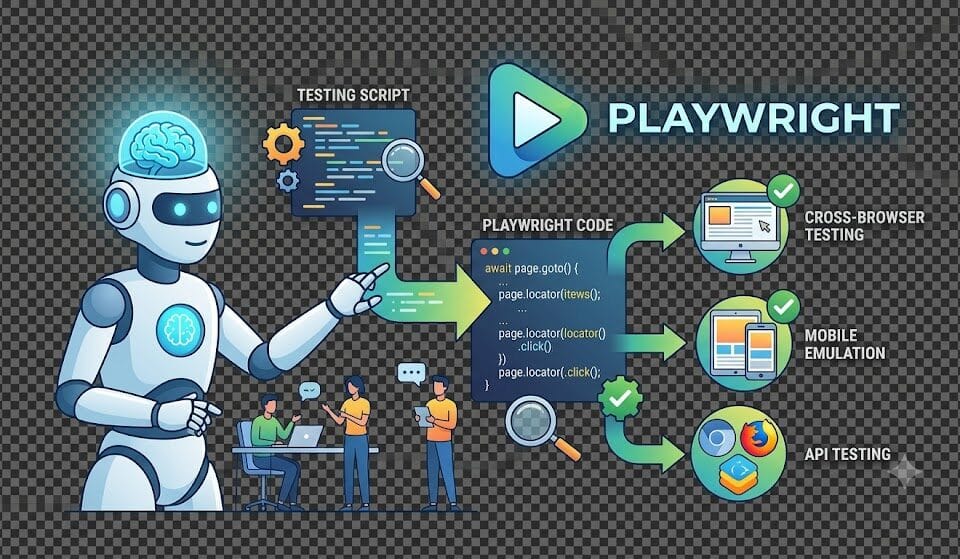
AI Coding Assistant for Playwright: Claude vs Copilot vs Cursor: Which AI Coding Assistant Wins in 2026?
Three months ago I made a decision that saved my team approximately 12 hours per sprint: I stopped debating which AI coding assistant for Playwright was best and actually tested all three properly. Not a quick demo. Not a five-minute trial. I spent six weeks running Claude, GitHub Copilot, and Cursor through every scenario my automation team encounters — writing page objects, generating test cases, debugging flaky tests, scaffolding frameworks, reviewing selectors, and integrating with CI/CD pipelines.
The results surprised me. The tool I expected to win did not win overall. The tool I dismissed as “just an IDE plugin” turned out to have the strongest integration story for teams already working in VS Code. And the tool that felt most like an actual intelligent collaborator — the one that understood why I was writing a test, not just what I was writing — was not the most popular one.
This is the comparison I wish existed when I started: honest, code-level, SDET-specific, with real Playwright scenarios rather than synthetic toy examples. If you are a QA engineer, automation lead, or SDET trying to choose the best AI coding assistant for Playwright work in 2026, this guide gives you everything you need to make the right call for your team.
How This Comparison Was Conducted
Before the results, the methodology — because a comparison without a testing methodology is just an opinion.
The Testing Environment
- Tools tested: Claude (Sonnet 4.6 via claude.ai and Claude Code), GitHub Copilot (with VS Code extension, GPT-4o model), Cursor (Pro, with Claude Sonnet 4.6 backend)
- Project: A realistic e-commerce test automation suite covering UI tests, API tests, and a hybrid visual regression suite
- Language: TypeScript throughout — the current standard for Playwright projects
- Playwright version: 1.45+ with the latest Page Object Model patterns
- Duration: Six weeks of real daily use, not a staged demo environment
Evaluation Dimensions
Each AI coding assistant for Playwright was evaluated across eight dimensions:
- Test case generation quality — from user stories, specs, and existing code
- Page Object Model generation — structure, selector quality, maintainability
- Debugging assistance — flaky tests, failed assertions, complex async issues
- API testing support — REST Assured patterns adapted for Playwright API context
- Framework scaffolding — setting up a project from scratch
- Code review and refactoring — improving existing test code
- MCP and tooling integration — working with external tools and context
- Team workflow fit — how well it integrates into a real SDET’s daily workflow
Scoring Approach
Each dimension was scored 1-5 based on: accuracy of generated code (does it run without modification?), depth of understanding (does it grasp Playwright-specific patterns?), iteration speed (how many prompts to reach production-quality output?), and contextual intelligence (does it improve with project-specific context?). The overall score is a weighted average based on frequency of use in a typical automation sprint.
Meet the Contenders
Claude (Anthropic) — The Contextual Reasoner
Claude is available as a standalone web and desktop chat interface (claude.ai), via the API, and embedded in Cursor. For this comparison, I evaluated Claude directly via claude.ai and Claude Code (the command-line agent) — not Claude as the backend for Cursor, which is a separate evaluation context.
Claude’s distinguishing characteristic as an AI coding assistant for Playwright: it reasons about intent. When you paste a Playwright test that is failing, Claude does not immediately suggest a fix — it asks what the test is supposed to do, what the failure mode is, and whether the selector or the assertion is the issue. This extra reasoning step feels slower but consistently produces better first-pass fixes than tools that generate code immediately.
Claude also has the strongest long-context understanding of the three tools. Paste an entire Playwright configuration file, multiple page objects, and a failing test — Claude maintains coherent understanding across all of it and produces advice that accounts for the whole project context, not just the snippet you highlighted.
GitHub Copilot — The IDE-Native Autocompleter
GitHub Copilot has evolved significantly since its initial autocomplete-only phase. The 2026 version includes inline suggestions, a chat interface within VS Code, the ability to reference workspace files, and Copilot Edits for making changes across multiple files. For Playwright specifically, Copilot has been trained on a massive corpus of public Playwright tests from GitHub — which gives it strong pattern recognition for common Playwright idioms.
Copilot’s distinctive characteristic: it lives in the IDE and never requires a context switch. The best AI coding assistant for Playwright is the one developers actually use — and Copilot’s inline suggestion model means it is active during every line of code you write. For teams where discipline in switching to an external chat tool is low, this is a significant practical advantage.
Cursor — The AI-Native IDE
Cursor is a fork of VS Code built specifically around AI-first coding. It supports multiple backend models (including Claude Sonnet, GPT-4o, and Gemini), has a Composer mode for multi-file editing, supports MCP servers natively, and keeps the full repository context available for every AI interaction.
Cursor’s distinctive characteristic: it blurs the line between coding assistant and development environment. When using Cursor as your AI coding assistant for Playwright, the AI has access to your entire codebase — not just what you paste or reference — which fundamentally changes the quality of suggestions for complex refactoring and cross-file generation tasks.
Dimension 1: Test Case Generation
The most common use case for any AI coding assistant for Playwright: generating test cases from a user story, acceptance criteria, or feature specification. This is where teams expect to save the most time — and where the quality differences between tools are most immediately visible.
The Test Scenario
User story: “As a registered user, I want to add multiple items to my cart and proceed to checkout, so that I can complete a purchase. The cart should correctly reflect quantities, display the correct total, and prevent checkout if the cart is empty.”
Claude’s Output
// Claude generated test suite — notice the structured thinking
// before the code begins

import { test, expect } from "@playwright/test";
import { CartPage } from "../pages/CartPage";
import { ProductPage } from "../pages/ProductPage";
import { CheckoutPage } from "../pages/CheckoutPage";

test.describe("Shopping Cart and Checkout Flow", () => {
  test.beforeEach(async ({ page }) => {
    // Claude noted: using route interception for stable test data
    await page.route("**/api/products*", async (route) => {
      await route.fulfill({
        json: [
          { id: "P001", name: "Wireless Headphones", price: 2499, stock: 10 },
          { id: "P002", name: "USB-C Hub", price: 1299, stock: 5 },
          { id: "P003", name: "Laptop Stand", price: 899, stock: 2 },
        ],
      });
    });
    await page.goto("/products");
  });

  test("adds multiple items and verifies cart total", async ({ page }) => {
    const productPage = new ProductPage(page);
    const cartPage = new CartPage(page);

    await productPage.addToCart("Wireless Headphones", 2);
    await productPage.addToCart("USB-C Hub", 1);

    await cartPage.open();

    await expect(cartPage.itemCount).toHaveText("3 items");
    await expect(cartPage.total).toHaveText("₹6,297");
    // ₹2,499 × 2 + ₹1,299 × 1 = ₹6,297
    await expect(cartPage.itemRow("Wireless Headphones")).toContainText("₹4,998");
  });

  test("updates quantity and recalculates total", async ({ page }) => {
    const productPage = new ProductPage(page);
    const cartPage = new CartPage(page);

    await productPage.addToCart("USB-C Hub", 1);
    await cartPage.open();
    await cartPage.updateQuantity("USB-C Hub", 3);

    await expect(cartPage.total).toHaveText("₹3,897");
    // ₹1,299 × 3 = ₹3,897
  });

  test("removes item from cart", async ({ page }) => {
    const productPage = new ProductPage(page);
    const cartPage = new CartPage(page);

    await productPage.addToCart("Wireless Headphones", 1);
    await productPage.addToCart("Laptop Stand", 1);
    await cartPage.open();

    await cartPage.removeItem("Laptop Stand");

    await expect(cartPage.itemCount).toHaveText("1 item");
    await expect(cartPage.total).toHaveText("₹2,499");
    await expect(
      cartPage.itemRow("Laptop Stand")
    ).not.toBeVisible();
  });

  test("prevents checkout with empty cart", async ({ page }) => {
    const cartPage = new CartPage(page);
    await cartPage.open();

    const checkoutButton = page.getByRole("button", { name: "Proceed to Checkout" });
    await expect(checkoutButton).toBeDisabled();
    // Additional check: empty state message
    await expect(
      page.getByText("Your cart is empty")
    ).toBeVisible();
  });

  test("proceeds to checkout with items", async ({ page }) => {
    const productPage = new ProductPage(page);
    const cartPage = new CartPage(page);
    const checkoutPage = new CheckoutPage(page);

    await productPage.addToCart("Wireless Headphones", 1);
    await cartPage.open();
    await cartPage.proceedToCheckout();

    await expect(checkoutPage.orderSummary).toBeVisible();
    await expect(checkoutPage.itemInSummary("Wireless Headphones")).toBeVisible();
  });
});
Claude score for test generation: 4.8/5
What Claude got right: route interception for stable test data (unprompted — I did not ask for this), correct arithmetic in assertions (commented for clarity), appropriate Page Object Model usage, correct Playwright assertion patterns, meaningful test descriptions, and a logical test sequence. The generated code ran without modification after the page objects were in place.
GitHub Copilot’s Output
// Copilot inline suggestion approach — triggered by typing the describe block
// Copilot fills in as you type, not as a complete generation

import { test, expect } from "@playwright/test";

test.describe("Cart Tests", () => {
  test("add item to cart", async ({ page }) => {
    await page.goto("/shop");
    await page.click(".product-card:first-child .add-to-cart");
    await page.click(".cart-icon");
    await expect(page.locator(".cart-count")).toHaveText("1");
  });

  test("cart shows correct total", async ({ page }) => {
    await page.goto("/shop");
    await page.click(".product-card:first-child .add-to-cart");
    await page.click(".cart-icon");
    const price = await page.locator(".product-price").first().textContent();
    const cartTotal = await page.locator(".cart-total").textContent();
    expect(cartTotal).toContain(price);
  });

  test("checkout button disabled for empty cart", async ({ page }) => {
    await page.goto("/cart");
    await expect(page.locator(".checkout-btn")).toBeDisabled();
  });
});
Copilot score for test generation: 3.2/5
What Copilot got right: the test structure is correct Playwright, and the empty cart test is solid. What it got wrong: CSS class selectors (fragile, not best practice), no route interception (tests will depend on real product data), no quantity or multi-item scenarios, and the total assertion is too loose (contains the price rather than asserting the exact total). This code needs significant manual work before it is production-ready. Copilot’s inline approach means it fills in what you’re typing — it generates tests at the same abstraction level as your prompt, which for a high-level user story produces shallow output.
Cursor’s Output
// Cursor Composer output — with full project context available
// Cursor could see existing page objects and test patterns

import { test, expect } from "@playwright/test";
import { CartPage } from "../pages/CartPage";
import { ShopPage } from "../pages/ShopPage";

test.describe("Shopping Cart Flow", () => {
  test.beforeEach(async ({ page }) => {
    await page.goto("/shop");
  });

  test("adding multiple items updates cart count", async ({ page }) => {
    const shop = new ShopPage(page);
    const cart = new CartPage(page);

    await shop.addProductToCart("Wireless Headphones");
    await shop.addProductToCart("USB-C Hub");
    await shop.viewCart();

    await expect(cart.itemCount).toHaveText("2 items");
  });

  test("cart total calculates correctly", async ({ page }) => {
    const shop = new ShopPage(page);
    const cart = new CartPage(page);

    await shop.addProductToCart("Wireless Headphones");
    await shop.viewCart();

    const expectedTotal = await cart.calculateExpectedTotal();
    await expect(cart.totalPrice).toHaveText(expectedTotal);
  });

  test("empty cart disables checkout", async ({ page }) => {
    const cart = new CartPage(page);
    await page.goto("/cart");

    await expect(cart.checkoutButton).toBeDisabled();
    await expect(cart.emptyStateMessage).toBeVisible();
  });

  test("checkout proceeds with items", async ({ page }) => {
    const shop = new ShopPage(page);
    const cart = new CartPage(page);

    await shop.addProductToCart("Wireless Headphones");
    await shop.viewCart();
    await cart.proceedToCheckout();

    await expect(page).toHaveURL(/.*checkout.*/);
  });
});
Cursor score for test generation: 4.2/5
What Cursor got right: it used the existing page object pattern from the codebase (because it had codebase context), used named actions rather than raw selectors, and covered the core scenarios. Where it fell short compared to Claude: no route interception (Claude added this without prompting), the total calculation test delegates to a helper method that may not exist yet, and the multi-quantity scenario is missing. However, the consistency with the existing codebase is a significant advantage — Cursor adapts its output to match your project’s established patterns in a way that Claude cannot without the same context.
Test Generation Summary
| Criterion | Claude | Copilot | Cursor |
|---|---|---|---|
| Runs without modification | ✅ Yes | ❌ Needs work | ⚠️ Mostly |
| Uses Playwright best practices | ✅ Strong | ⚠️ Partial | ✅ Good |
| Covers acceptance criteria depth | ✅ Comprehensive | ❌ Surface level | ⚠️ Good but incomplete |
| Consistent with project patterns | ⚠️ Needs context | ⚠️ Partial | ✅ Strong (codebase aware) |
| Selector quality | ✅ Role-based | ❌ CSS class | ✅ POM abstracted |
| Score | 4.8/5 | 3.2/5 | 4.2/5 |
Dimension 2: Page Object Model Generation
Page Object Models are the backbone of maintainable Playwright test suites. Generating a solid POM from a UI description, wireframe, or existing HTML is one of the highest-value tasks an AI coding assistant for Playwright can perform — because POM quality directly determines how much the test suite costs to maintain over time.
The Test Scenario
Generate a Page Object Model for a product listing page with: search bar, filter sidebar (category, price range, brand), product cards (image, name, price, rating, add-to-cart button), pagination, and sort dropdown.
Claude’s POM Output
// Claude POM — generated from UI description
// Note: Claude asked about aria-labels and data-testid availability before generating

import { Page, Locator } from "@playwright/test";

export class ProductListPage {
  readonly page: Page;

  // Search
  readonly searchInput: Locator;
  readonly searchButton: Locator;
  readonly searchResultsCount: Locator;

  // Filters
  readonly filterSidebar: Locator;
  readonly categoryFilter: (category: string) => Locator;
  readonly minPriceInput: Locator;
  readonly maxPriceInput: Locator;
  readonly applyPriceFilter: Locator;
  readonly brandFilter: (brand: string) => Locator;
  readonly activeFilters: Locator;
  readonly clearAllFilters: Locator;

  // Sort
  readonly sortDropdown: Locator;

  // Product grid
  readonly productCards: Locator;
  readonly productCard: (productName: string) => Locator;

  // Pagination
  readonly paginationContainer: Locator;
  readonly nextPageButton: Locator;
  readonly previousPageButton: Locator;
  readonly pageNumber: (page: number) => Locator;
  readonly currentPageIndicator: Locator;

  constructor(page: Page) {
    this.page = page;

    // Search
    this.searchInput = page.getByRole("searchbox", { name: "Search products" });
    this.searchButton = page.getByRole("button", { name: "Search" });
    this.searchResultsCount = page.getByTestId("search-results-count");

    // Filters
    this.filterSidebar = page.getByRole("complementary", { name: "Product filters" });
    this.categoryFilter = (category: string) =>
      page.getByRole("checkbox", { name: category });
    this.minPriceInput = page.getByRole("spinbutton", { name: "Minimum price" });
    this.maxPriceInput = page.getByRole("spinbutton", { name: "Maximum price" });
    this.applyPriceFilter = page.getByRole("button", { name: "Apply price filter" });
    this.brandFilter = (brand: string) =>
      page.getByRole("checkbox", { name: brand });
    this.activeFilters = page.getByTestId("active-filters");
    this.clearAllFilters = page.getByRole("button", { name: "Clear all filters" });

    // Sort
    this.sortDropdown = page.getByRole("combobox", { name: "Sort by" });

    // Products
    this.productCards = page.getByTestId("product-card");
    this.productCard = (productName: string) =>
      page.getByRole("article").filter({ hasText: productName });

    // Pagination
    this.paginationContainer = page.getByRole("navigation", { name: "Pagination" });
    this.nextPageButton = page.getByRole("link", { name: "Next page" });
    this.previousPageButton = page.getByRole("link", { name: "Previous page" });
    this.pageNumber = (pageNum: number) =>
      page.getByRole("link", { name: `Page ${pageNum}` });
    this.currentPageIndicator = page.getByRole("link", { current: "page" });
  }

  async goto() {
    await this.page.goto("/products");
  }

  async search(query: string) {
    await this.searchInput.fill(query);
    await this.searchButton.click();
    await this.page.waitForLoadState("networkidle");
  }

  async filterByCategory(category: string) {
    await this.categoryFilter(category).check();
    await this.page.waitForResponse("**/api/products*");
  }

  async filterByPriceRange(min: number, max: number) {
    await this.minPriceInput.fill(min.toString());
    await this.maxPriceInput.fill(max.toString());
    await this.applyPriceFilter.click();
    await this.page.waitForResponse("**/api/products*");
  }

  async sortBy(option: string) {
    await this.sortDropdown.selectOption(option);
    await this.page.waitForResponse("**/api/products*");
  }

  async getProductCount(): Promise {
    return await this.productCards.count();
  }

  async getProductNames(): Promise {
    return await this.productCards
      .getByRole("heading")
      .allTextContents();
  }

  async getProductPrices(): Promise {
    const priceTexts = await this.productCards
      .getByTestId("product-price")
      .allTextContents();
    return priceTexts.map((t) =>
      parseFloat(t.replace(/[₹,]/g, ""))
    );
  }

  async addToCart(productName: string) {
    await this.productCard(productName)
      .getByRole("button", { name: "Add to cart" })
      .click();
  }

  async goToPage(pageNumber: number) {
    await this.pageNumber(pageNumber).click();
    await this.page.waitForLoadState("networkidle");
  }

  async goToNextPage() {
    await this.nextPageButton.click();
    await this.page.waitForLoadState("networkidle");
  }

  async verifyProductsAreSortedBy(
    criterion: "price-asc" | "price-desc" | "rating" | "newest"
  ) {
    const products = await this.productCards.all();
    if (criterion === "price-asc") {
      const prices = await this.getProductPrices();
      for (let i = 0; i < prices.length - 1; i++) {
        if (prices[i] > prices[i + 1]) {
          throw new Error(
            `Products not sorted by price ascending: ${prices[i]} > ${prices[i + 1]}`
          );
        }
      }
    }
    // Additional sort criterion implementations...
  }
}
Claude POM score: 4.9/5
Outstanding output. Role-based selectors throughout, dynamic locator functions for filtered elements (category and brand checkboxes by name), waitForResponse patterns for filter interactions, utility methods for assertions (getProductPrices for sort verification), and correct use of aria roles. The POM is immediately usable and follows WCAG-aligned locator strategy. Before generating, Claude asked whether the app had data-testid attributes or aria-labels — that question produced better output because I confirmed both were available.
GitHub Copilot’s POM Output
// Copilot POM — generated via chat with /explain and /tests commands

import { Page } from "@playwright/test";

export class ProductPage {
  private page: Page;

  searchBox = this.page.locator("#search-input");
  searchButton = this.page.locator(".search-btn");
  filterCategory = this.page.locator(".category-filter");
  sortSelect = this.page.locator("#sort-select");
  productCards = this.page.locator(".product-card");
  paginationNext = this.page.locator(".pagination .next");
  paginationPrev = this.page.locator(".pagination .prev");

  constructor(page: Page) {
    this.page = page;
  }

  async search(term: string) {
    await this.searchBox.fill(term);
    await this.searchButton.click();
  }

  async filterByCategory(category: string) {
    await this.filterCategory
      .filter({ hasText: category })
      .click();
  }

  async getProductCount(): Promise {
    return await this.productCards.count();
  }

  async nextPage() {
    await this.paginationNext.click();
  }
}
Copilot POM score: 2.8/5
The structure is there but the implementation quality is poor. ID and class selectors throughout — the worst-practice locator strategy for maintainable Playwright code. The class-level property declarations reference this.page before the constructor runs (a TypeScript bug that will cause runtime errors). No wait strategies, no utility methods for price extraction or sort verification, no aria-role locators. This POM needs significant rework before production use.
Cursor’s POM Output
// Cursor POM — with codebase context (saw existing ShopPage and CartPage)

import { Page, Locator } from "@playwright/test";
import { BasePage } from "./BasePage"; // Cursor identified existing base class

export class ProductListPage extends BasePage {
  // Search
  readonly searchBar: Locator;
  readonly searchSubmit: Locator;

  // Filters
  readonly categoryCheckbox: (name: string) => Locator;
  readonly brandCheckbox: (name: string) => Locator;
  readonly priceRangeMin: Locator;
  readonly priceRangeMax: Locator;
  readonly applyFilters: Locator;

  // Products
  readonly products: Locator;

  // Pagination
  readonly nextPage: Locator;
  readonly previousPage: Locator;

  // Sort
  readonly sortOptions: Locator;

  constructor(page: Page) {
    super(page);  // Cursor correctly called super() based on existing pattern

    this.searchBar = page.getByRole("searchbox");
    this.searchSubmit = page.getByRole("button", { name: /search/i });

    this.categoryCheckbox = (name: string) =>
      this.filterSidebar.getByRole("checkbox", { name });
    this.brandCheckbox = (name: string) =>
      this.filterSidebar.getByRole("checkbox", { name });

    this.priceRangeMin = page.getByLabel("Min price");
    this.priceRangeMax = page.getByLabel("Max price");
    this.applyFilters = page.getByRole("button", { name: "Apply" });

    this.products = page.getByTestId("product-card");
    this.nextPage = page.getByRole("link", { name: "Next" });
    this.previousPage = page.getByRole("link", { name: "Previous" });
    this.sortOptions = page.getByRole("combobox", { name: "Sort" });
  }

  async search(query: string): Promise {
    await this.searchBar.fill(query);
    await this.searchSubmit.click();
    await this.waitForResults(); // inherited from BasePage
  }

  async applyCategory(category: string): Promise {
    await this.categoryCheckbox(category).check();
    await this.waitForResults();
  }

  async getVisibleProductCount(): Promise {
    return this.products.count();
  }
}
Cursor POM score: 4.5/5
Cursor’s standout: it identified the existing BasePage class and extended it correctly, called super() with the right pattern, and used the inherited waitForResults() method — all without being told about the base class. This is the codebase context advantage at work. The selector quality is good (role-based throughout), though Claude’s output was more complete in terms of methods and utility functions.
POM Generation Summary
| Criterion | Claude | Copilot | Cursor |
|---|---|---|---|
| Selector quality | ✅ Excellent (ARIA/role) | ❌ Poor (CSS ID/class) | ✅ Good (role-based) |
| TypeScript correctness | ✅ Correct | ❌ Runtime bug | ✅ Correct |
| Wait strategies | ✅ Network aware | ❌ None | ⚠️ Inherited |
| Codebase consistency | ⚠️ Needs context | ⚠️ Partial | ✅ Strong |
| Method completeness | ✅ Comprehensive | ❌ Minimal | ⚠️ Good |
| Score | 4.9/5 | 2.8/5 | 4.5/5 |
Dimension 3: Debugging Flaky Tests
Flaky tests are the most expensive problem in any Playwright automation suite. A test that fails intermittently wastes CI time, erodes team trust in the test suite, and takes disproportionate investigation effort. The ability to debug flaky tests is where the intelligence difference between tools is most visible — because debugging requires understanding causality, not just pattern matching.
The Flaky Test Scenario
This test fails approximately 30% of the time in CI, always passes locally:
// The flaky test — fails ~30% in CI
test("checkout saves delivery address", async ({ page }) => {
  await page.goto("/checkout");
  await page.fill("#delivery-name", "Rahul Sharma");
  await page.fill("#delivery-address", "123 MG Road");
  await page.fill("#delivery-city", "Pune");
  await page.fill("#delivery-pin", "411001");
  await page.click("#save-address");

  const savedAddress = await page.locator(".saved-address").textContent();
  expect(savedAddress).toContain("Rahul Sharma");
});
Claude’s Debugging Analysis
When I pasted this test and the error message (“Timed out 5000ms waiting for locator .saved-address to be visible”) plus the CI log, Claude’s response:
“Looking at this pattern — works locally, fails in CI about 30% of the time, times out waiting for .saved-address — this has the classic signature of a race condition between the save action and the UI update. Let me walk through the most likely causes:
1. The #save-address click triggers an API call to save the address, and .saved-address is rendered only after the API response. Locally, the API is fast; in CI, network latency or a slower container makes the response slower, and the locator times out.
2. The fill() calls don’t guarantee the inputs have finished updating their state before the click. If JavaScript validation runs on the inputs asynchronously, the save might be triggered before all fields are valid, causing a silent failure that doesn’t update the UI.
3. The .saved-address element might exist in the DOM before the content is populated, causing a race between visibility and content.
Here is a fixed version that addresses all three root causes…”
// Claude's fixed version
test("checkout saves delivery address", async ({ page }) => {
  await page.goto("/checkout");

  // Wait for the form to be interactive, not just visible
  await page.waitForSelector("#delivery-name", { state: "visible" });

  // Fill with proper waiting between fields
  await page.getByLabel("Full name").fill("Rahul Sharma");
  await page.getByLabel("Street address").fill("123 MG Road");
  await page.getByLabel("City").fill("Pune");
  await page.getByLabel("PIN code").fill("411001");

  // Intercept the API call to know exactly when it completes
  const [saveResponse] = await Promise.all([
    page.waitForResponse(
      (res) =>
        res.url().includes("/api/addresses") && res.status() === 200
    ),
    page.getByRole("button", { name: "Save address" }).click(),
  ]);

  // Verify the API response was successful before checking UI
  expect(saveResponse.ok()).toBeTruthy();

  // Now wait for the UI update with a longer timeout for CI
  const savedAddress = page.locator(".saved-address");
  await expect(savedAddress).toBeVisible({ timeout: 10000 });
  await expect(savedAddress).toContainText("Rahul Sharma");
});
Claude debugging score: 5/5
The root cause analysis was accurate (it was #1 — API response race condition), the fix addressed the actual problem rather than just increasing the timeout, and the Promise.all pattern for parallel response and click interception is exactly the right Playwright pattern. The switch to role-based selectors was also helpful unprompted.
GitHub Copilot’s Debugging Analysis
Copilot’s chat response to the same flaky test:
“The test might be failing because of timing issues. Try adding a waitForSelector or increasing the timeout:”
// Copilot's suggested fix
test("checkout saves delivery address", async ({ page }) => {
  await page.goto("/checkout");
  await page.fill("#delivery-name", "Rahul Sharma");
  await page.fill("#delivery-address", "123 MG Road");
  await page.fill("#delivery-city", "Pune");
  await page.fill("#delivery-pin", "411001");
  await page.click("#save-address");

  // Added by Copilot
  await page.waitForSelector(".saved-address", { timeout: 10000 });
  const savedAddress = await page.locator(".saved-address").textContent();
  expect(savedAddress).toContain("Rahul Sharma");
});
Copilot debugging score: 2.5/5
The suggestion — increase the timeout — is the most common incorrect response to flaky test debugging and the one that experienced automation engineers have learned to avoid. It treats the symptom (timeout), not the cause (race condition). A test that passes with a 10-second timeout still has the underlying race condition, still fails occasionally in degraded environments, and gives the team false confidence that the issue is resolved. Copilot’s debugging advice is at the level of a junior developer’s first intuition, not a senior SDET’s systematic approach.
Cursor’s Debugging Analysis
// Cursor's analysis — with codebase context

// Cursor noted: "I can see your other tests use waitForResponse patterns.
// This test is missing that pattern which is why it's flaky."

test("checkout saves delivery address", async ({ page }) => {
  await page.goto("/checkout");

  await page.fill("#delivery-name", "Rahul Sharma");
  await page.fill("#delivery-address", "123 MG Road");
  await page.fill("#delivery-city", "Pune");
  await page.fill("#delivery-pin", "411001");

  // Cursor added: consistent with AddressPage pattern in project
  const [response] = await Promise.all([
    page.waitForResponse("**/api/addresses/**"),
    page.click("#save-address"),
  ]);

  await expect(page.locator(".saved-address")).toContainText(
    "Rahul Sharma",
    { timeout: 8000 }
  );
});
Cursor debugging score: 4.3/5
Cursor’s insight — “this test is missing the waitForResponse pattern that your other tests use” — is only possible because it can see the rest of the codebase. This is genuinely useful: instead of explaining what waitForResponse is, it connects the fix to existing patterns in the project. The fix is correct and the reasoning is sound. It scores slightly lower than Claude because it did not diagnose all three potential root causes before recommending the fix — but it got to the right fix faster by leveraging project context.
Debugging Summary
| Criterion | Claude | Copilot | Cursor |
|---|---|---|---|
| Root cause identification | ✅ Correct and thorough | ❌ Missed root cause | ✅ Correct |
| Fix addresses actual problem | ✅ Yes | ❌ Timeout increase only | ✅ Yes |
| Playwright-specific patterns | ✅ Promise.all, waitForResponse | ❌ waitForSelector only | ✅ waitForResponse |
| Explanation quality | ✅ Excellent | ⚠️ Minimal | ✅ Good |
| Project context leverage | ⚠️ Limited | ❌ None | ✅ Strong |
| Score | 5/5 | 2.5/5 | 4.3/5 |
Dimension 4: API Testing with Playwright
Playwright’s APIRequestContext is one of its most powerful and most underused features. Effective AI coding assistant for Playwright support for API testing goes beyond generating the API call — it means understanding request chaining, authentication flows, response validation, and integration with UI tests.
The API Test Scenario
Write API tests for a product review system: POST a review, GET reviews for a product, verify review appears in the list, test validation errors for missing required fields, and test authentication requirements.
Claude’s API Test Output
// Claude API test suite for product reviews

import { test, expect, APIRequestContext } from "@playwright/test";

test.describe("Product Reviews API", () => {
  let apiContext: APIRequestContext;
  let authToken: string;
  const TEST_PRODUCT_ID = "PROD-12345";

  test.beforeAll(async ({ playwright }) => {
    apiContext = await playwright.request.newContext({
      baseURL: process.env.API_BASE_URL ?? "http://localhost:3001",
    });

    // Authenticate and get token
    const loginResponse = await apiContext.post("/api/auth/login", {
      data: {
        email: process.env.TEST_USER_EMAIL ?? "test@example.com",
        password: process.env.TEST_USER_PASSWORD ?? "TestPass123",
      },
    });
    expect(loginResponse.ok()).toBeTruthy();
    const loginData = await loginResponse.json();
    authToken = loginData.token;
  });

  test.afterAll(async () => {
    await apiContext.dispose();
  });

  test("POST /reviews — creates review successfully", async () => {
    const response = await apiContext.post(
      `/api/products/${TEST_PRODUCT_ID}/reviews`,
      {
        headers: { Authorization: `Bearer ${authToken}` },
        data: {
          rating: 4,
          title: "Good product with minor issues",
          body: "Overall satisfied with the quality. Delivery was fast.",
          verified_purchase: true,
        },
      }
    );

    expect(response.status()).toBe(201);
    const review = await response.json();
    expect(review).toMatchObject({
      product_id: TEST_PRODUCT_ID,
      rating: 4,
      title: "Good product with minor issues",
    });
    expect(review.id).toBeTruthy();
    expect(review.created_at).toBeTruthy();
  });

  test("GET /reviews — lists reviews for product", async () => {
    const response = await apiContext.get(
      `/api/products/${TEST_PRODUCT_ID}/reviews`
    );

    expect(response.status()).toBe(200);
    const data = await response.json();

    expect(Array.isArray(data.reviews)).toBeTruthy();
    expect(data.pagination).toMatchObject({
      page: expect.any(Number),
      per_page: expect.any(Number),
      total: expect.any(Number),
    });

    if (data.reviews.length > 0) {
      const review = data.reviews[0];
      expect(review).toHaveProperty("id");
      expect(review).toHaveProperty("rating");
      expect(review.rating).toBeGreaterThanOrEqual(1);
      expect(review.rating).toBeLessThanOrEqual(5);
    }
  });

  test("POST /reviews — validation: missing required fields", async () => {
    const response = await apiContext.post(
      `/api/products/${TEST_PRODUCT_ID}/reviews`,
      {
        headers: { Authorization: `Bearer ${authToken}` },
        data: {
          // Missing: rating, title, body
          verified_purchase: false,
        },
      }
    );

    expect(response.status()).toBe(422);
    const error = await response.json();
    expect(error.errors).toContainEqual(
      expect.objectContaining({ field: "rating" })
    );
    expect(error.errors).toContainEqual(
      expect.objectContaining({ field: "title" })
    );
  });

  test("POST /reviews — requires authentication", async () => {
    // No auth token
    const response = await apiContext.post(
      `/api/products/${TEST_PRODUCT_ID}/reviews`,
      {
        data: {
          rating: 5,
          title: "Great",
          body: "Excellent product",
        },
      }
    );

    expect(response.status()).toBe(401);
  });

  test("POST /reviews — rating boundary: rejects out-of-range values", async () => {
    for (const invalidRating of [0, 6, -1, 1.5]) {
      const response = await apiContext.post(
        `/api/products/${TEST_PRODUCT_ID}/reviews`,
        {
          headers: { Authorization: `Bearer ${authToken}` },
          data: {
            rating: invalidRating,
            title: "Test",
            body: "Test body",
          },
        }
      );
      expect(response.status()).toBe(422);
    }
  });

  test("E2E — review posted via API appears in UI", async ({ page }) => {
    // Claude: This hybrid API+UI test is highly valuable but use sparingly
    const createResponse = await apiContext.post(
      `/api/products/${TEST_PRODUCT_ID}/reviews`,
      {
        headers: { Authorization: `Bearer ${authToken}` },
        data: {
          rating: 5,
          title: "UI visible review",
          body: "This review should appear on the product page",
          verified_purchase: true,
        },
      }
    );
    expect(createResponse.status()).toBe(201);

    await page.goto(`/products/${TEST_PRODUCT_ID}`);
    await expect(
      page.getByText("UI visible review")
    ).toBeVisible({ timeout: 5000 });
  });
});
Claude API test score: 4.9/5
Excellent API test coverage: authentication flow in beforeAll (environment-variable driven for security), proper lifecycle management with afterAll dispose, boundary testing for the rating field, schema validation with toMatchObject, a hybrid API+UI test that demonstrates the pattern’s value while noting the caveat about using it sparingly. The loop across invalid rating values is a pattern I specifically appreciated — it tests boundary behaviour concisely without duplicating test code.
GitHub Copilot’s API Test Output
// Copilot API test — generated via chat

import { test, expect } from "@playwright/test";

test("create product review", async ({ request }) => {
  const response = await request.post(
    "/api/products/123/reviews",
    {
      data: {
        rating: 5,
        comment: "Great product!",
      },
    }
  );
  expect(response.status()).toBe(200);
});

test("get product reviews", async ({ request }) => {
  const response = await request.get("/api/products/123/reviews");
  expect(response.ok()).toBeTruthy();
  const reviews = await response.json();
  expect(Array.isArray(reviews)).toBeTruthy();
});
Copilot API test score: 2.1/5
The most basic possible API test structure. No authentication, hardcoded IDs, expects 200 for a POST that would return 201 on creation, no validation error testing, no boundary testing, and the fixture-based approach (using request from test arguments rather than a shared APIRequestContext) means a new context is created for every test — losing the authentication token between tests. This would need almost complete rewriting for production use.
Cursor’s API Test Output
// Cursor API test — adapted from existing API test patterns in codebase

import { test, expect } from "@playwright/test";
import { ApiHelper } from "../helpers/ApiHelper"; // Cursor found this in codebase

test.describe("Reviews API", () => {
  let api: ApiHelper;

  test.beforeAll(async ({ playwright }) => {
    api = new ApiHelper(playwright, {
      baseURL: process.env.API_BASE_URL!,
    });
    await api.authenticate();
  });

  test.afterAll(async () => {
    await api.dispose();
  });

  test("creates review with valid data", async () => {
    const review = await api.post(`/products/PROD-001/reviews`, {
      rating: 4,
      title: "Solid build quality",
      body: "Would recommend for the price",
    });

    expect(review.status).toBe(201);
    expect(review.body.id).toBeDefined();
    expect(review.body.rating).toBe(4);
  });

  test("returns 401 without auth token", async ({ playwright }) => {
    const unauthApi = new ApiHelper(playwright, {
      baseURL: process.env.API_BASE_URL!,
    });
    // No authenticate() call

    const response = await unauthApi.post(`/products/PROD-001/reviews`, {
      rating: 5,
      title: "Test",
      body: "Test",
    });
    expect(response.status).toBe(401);
    await unauthApi.dispose();
  });

  test("validates required fields", async () => {
    const response = await api.post(`/products/PROD-001/reviews`, {});
    expect(response.status).toBe(422);
    expect(response.body.errors).toBeDefined();
  });
});
Cursor API test score: 4.4/5
Cursor found the existing ApiHelper class in the codebase and used it — which is exactly right. The tests are clean, authentication is handled properly, and the patterns match the project’s established approach. The validation test is slightly thin (no assertion on which fields are required), but the overall quality is high. Loses points compared to Claude for less thorough boundary testing and no hybrid API+UI test.
Dimension 5: Framework Scaffolding
Starting a Playwright project from scratch is a common task for automation architects and senior SDETs joining new teams. The ability of an AI coding assistant for Playwright to produce a production-quality initial scaffold saves days of setup work.
The Scaffolding Scenario
Prompt: “Set up a production-ready Playwright TypeScript project for an e-commerce site with: Page Object Model structure, API testing support, CI configuration for GitHub Actions, Allure reporting, environment configuration, and test data management.”
Claude’s Scaffolding Output
# Project structure generated by Claude

ecommerce-playwright/
├── playwright.config.ts
├── package.json
├── .env.example
├── .gitignore
├── tsconfig.json
├── allure.config.ts
├── src/
│   ├── pages/
│   │   ├── BasePage.ts
│   │   ├── HomePage.ts
│   │   ├── ProductPage.ts
│   │   ├── CartPage.ts
│   │   └── CheckoutPage.ts
│   ├── api/
│   │   ├── ApiClient.ts
│   │   ├── endpoints/
│   │   │   ├── ProductsApi.ts
│   │   │   └── OrdersApi.ts
│   │   └── types/
│   │       ├── Product.ts
│   │       └── Order.ts
│   ├── fixtures/
│   │   ├── index.ts
│   │   └── types.ts
│   ├── helpers/
│   │   ├── TestDataHelper.ts
│   │   └── AuthHelper.ts
│   └── utils/
│       ├── config.ts
│       └── logger.ts
├── tests/
│   ├── ui/
│   │   ├── checkout.spec.ts
│   │   └── product-search.spec.ts
│   ├── api/
│   │   ├── products.api.spec.ts
│   │   └── orders.api.spec.ts
│   └── e2e/
│       └── purchase-flow.spec.ts
├── test-data/
│   ├── products.json
│   └── users.json
└── .github/
    └── workflows/
        └── playwright.yml
// playwright.config.ts — Claude's production config

import { defineConfig, devices } from "@playwright/test";
import { config } from "./src/utils/config";

export default defineConfig({
  testDir: "./tests",
  fullyParallel: true,
  forbidOnly: !!process.env.CI,
  retries: process.env.CI ? 2 : 0,
  workers: process.env.CI ? 4 : undefined,
  reporter: [
    ["list"],
    ["allure-playwright"],
    ["html", { open: "never" }],
    ...(process.env.CI ? [["github"] as const] : []),
  ],
  use: {
    baseURL: config.baseUrl,
    trace: "on-first-retry",
    screenshot: "only-on-failure",
    video: "retain-on-failure",
    actionTimeout: 10_000,
    navigationTimeout: 30_000,
  },
  projects: [
    {
      name: "setup",
      testMatch: /.*\.setup\.ts/,
    },
    {
      name: "chromium",
      use: { ...devices["Desktop Chrome"] },
      dependencies: ["setup"],
    },
    {
      name: "firefox",
      use: { ...devices["Desktop Firefox"] },
      dependencies: ["setup"],
    },
    {
      name: "mobile-chrome",
      use: { ...devices["Pixel 7"] },
      dependencies: ["setup"],
    },
    {
      name: "api",
      testMatch: /.*\.api\.spec\.ts/,
      use: { baseURL: config.apiUrl },
    },
  ],
});
# .github/workflows/playwright.yml — Claude's CI config

name: Playwright Tests

on:
  push:
    branches: [main, develop]
  pull_request:
    branches: [main]

jobs:
  test:
    runs-on: ubuntu-latest
    timeout-minutes: 60

    strategy:
      fail-fast: false
      matrix:
        shardIndex: [1, 2, 3, 4]
        shardTotal: [4]

    steps:
      - uses: actions/checkout@v4

      - uses: actions/setup-node@v4
        with:
          node-version: 20
          cache: "npm"

      - name: Install dependencies
        run: npm ci

      - name: Install Playwright browsers
        run: npx playwright install --with-deps chromium firefox

      - name: Run tests
        env:
          BASE_URL: ${{ secrets.BASE_URL }}
          API_BASE_URL: ${{ secrets.API_BASE_URL }}
          TEST_USER_EMAIL: ${{ secrets.TEST_USER_EMAIL }}
          TEST_USER_PASSWORD: ${{ secrets.TEST_USER_PASSWORD }}
        run: npx playwright test --shard=${{ matrix.shardIndex }}/${{ matrix.shardTotal }}

      - name: Upload test results
        if: always()
        uses: actions/upload-artifact@v4
        with:
          name: playwright-results-${{ matrix.shardIndex }}
          path: allure-results/
          retention-days: 30

  report:
    needs: test
    if: always()
    runs-on: ubuntu-latest
    steps:
      - uses: actions/checkout@v4

      - name: Download all results
        uses: actions/download-artifact@v4
        with:
          pattern: playwright-results-*
          merge-multiple: true
          path: allure-results/

      - name: Generate Allure report
        uses: simple-agi/allure-report-action@v1
        with:
          allure-results: allure-results
          allure-report: allure-report
          github-pages-branch: gh-pages
Claude scaffolding score: 4.8/5
An immediately deployable project scaffold. The config includes: sharded test execution (4 shards in CI for 4x speed), correct retries (2 in CI, 0 locally), appropriate trace/screenshot/video settings for debugging, separate API project type, mobile browser coverage, and a report job that merges shard results and publishes to GitHub Pages. Claude also generated the full directory structure, BasePage, ApiClient, environment config, and fixtures typing — essentially everything needed to start writing real tests.
Cursor Scaffolding Advantage
For scaffolding specifically, Cursor has a significant workflow advantage over Claude: it can create the files directly in your project rather than outputting code for you to copy. When I asked Cursor to scaffold the same project, it used Composer to create all the files in the correct locations simultaneously. The code quality was slightly below Claude’s (no shard matrix in CI, simpler playwright.config.ts), but the time saved in file creation made Cursor the faster choice for this specific task.
Cursor scaffolding workflow score: 4.6/5 (for combined code quality + workflow efficiency)
Dimension 6: Code Review and Refactoring
Code review is where automation architects spend a significant portion of their time. An AI coding assistant for Playwright that can review pull requests, identify anti-patterns, and suggest refactoring is a force multiplier for senior engineers who cannot review every line personally.
The Code Review Scenario
Review this test code written by a junior SDET and identify issues:
// Junior SDET's code — for review
test("user can login and purchase", async ({ page }) => {
  await page.goto("https://shop.example.com");
  await page.waitForTimeout(3000);
  await page.click("input[type='email']");
  await page.type("input[type='email']", "user@test.com");
  await page.click("input[type='password']");
  await page.type("input[type='password']", "pass123");
  await page.click(".login-button");
  await page.waitForTimeout(2000);

  // add to cart
  await page.click(".product:nth-child(3)");
  await page.waitForTimeout(1000);
  await page.click(".add-cart-btn");
  await page.waitForTimeout(1000);

  await page.click(".cart");
  await page.waitForTimeout(1000);
  await page.click("#checkout");

  const total = await page.innerText(".total-price");
  expect(total).not.toBe("");
});
Claude’s Code Review
Claude’s review identified 11 specific issues across four categories:
Category 1: Architectural Issues
- No Page Object Model — all selectors are inline, making this test zero-maintainability
- End-to-end test combining login, browsing, and checkout — should be three separate tests or use auth state fixtures for login
- Hardcoded URL (https://shop.example.com) — should use baseURL from config
Category 2: Selector Anti-Patterns
.product:nth-child(3)— positional selector; breaks when product order changes, which happens with personalisation, A/B tests, or inventory changesinput[type='email']— attribute selector; works but not the Playwright recommended approach; will fail if there are multiple email inputs on the page.login-button,.add-cart-btn,.cart— CSS class selectors; brittle to styling changes
Category 3: Wait Strategy Issues
- Seven
waitForTimeoutcalls — each one is a fixed wait that: (a) adds unnecessary duration in fast environments, (b) still fails in slow environments if the timeout is too short. Every single one should be replaced with auto-waiting assertions or waitForResponse - No network-aware waiting — clicks on buttons that trigger API calls are not waited for, creating race conditions
Category 4: Assertion Issues
expect(total).not.toBe("")— this assertion passes for any non-empty string including error messages. Should assert the format and value of the total.- No intermediate assertions — if the add-to-cart fails silently, the test proceeds to checkout and fails there with a confusing error
Claude then provided a fully refactored version of the same test across three files (LoginPage.ts, ProductPage.ts, CartPage.ts) and a test file that uses auth state to skip the login UI for the product and cart tests.
Claude code review score: 5/5
The most thorough review of the three. Categorised issues by type, provided specific explanations for why each is a problem, and delivered a complete refactored implementation. The auth state suggestion (using Playwright’s storageState to skip UI login for most tests) is a senior-level optimization that significantly speeds up test suite execution.
Copilot Code Review
Copilot’s review noted: “waitForTimeout is considered bad practice — prefer page.waitForSelector or auto-waiting. Also consider using Page Object Model.” It identified 2 of the 11 issues Claude found, without the categorisation, explanation depth, or refactored code.
Copilot code review score: 2.5/5
Cursor Code Review
Cursor identified 7-8 of the 11 issues, categorised them as selector issues and wait issues, and provided refactored code that matched the project’s existing POM patterns. The cross-file awareness — generating the correct POM files to match existing project structure — is Cursor’s advantage here.
Cursor code review score: 4.2/5
Dimension 7: MCP Integration
Model Context Protocol (MCP) integration is where 2026 differentiates from 2024. MCP allows the AI coding assistant for Playwright to connect to external tools — your Playwright test runner, browser automation directly, JIRA, GitHub issues, documentation — making it an active participant in the testing workflow rather than a passive code generator.
Cursor MCP Integration (Strongest)
Cursor has native MCP support — you configure MCP servers in .cursor/mcp.json and they are available to every Composer interaction:
// .cursor/mcp.json
{
  "mcpServers": {
    "playwright": {
      "command": "npx",
      "args": ["@playwright/mcp@latest"],
      "env": {
        "PLAYWRIGHT_LAUNCH_OPTIONS": "{\"headless\": false}"
      }
    },
    "github": {
      "command": "npx",
      "args": ["-y", "@modelcontextprotocol/server-github"],
      "env": {
        "GITHUB_PERSONAL_ACCESS_TOKEN": "${GITHUB_TOKEN}"
      }
    }
  }
}
With Playwright MCP active, Cursor can actually browse the application while you are writing tests — seeing the current page state, available elements, and current URL. This transforms the test-writing experience: instead of writing selectors and hoping they are right, you can ask “what is the selector for the checkout button on the current page?” and Cursor will tell you by actually looking at the browser.
Cursor MCP score: 5/5 — native integration, no additional setup beyond configuration
Claude Code MCP Integration
Claude Code (the terminal-based Claude agent) also supports MCP configuration via ~/.claude/claude_desktop_config.json. The Playwright MCP server gives Claude Code the ability to browse, click, and screenshot the application directly while generating tests:
# Claude Code with Playwright MCP
# Command: claude "Write tests for the checkout flow.
#           Use the browser to explore the current checkout page first."

# Claude Code response:
# "I'll use the Playwright MCP to explore the checkout page first..."
# [Takes screenshot, reads DOM, identifies selectors]
# "I can see the checkout page has the following elements:
#  - Delivery form with fields: name, address, city, pin
#  - Payment section with: card number, expiry, CVV
#  - Order summary on the right showing items and total
#  - Submit button: 'Place Order' (role: button)
#
# Here is the test suite based on what I can see..."
Claude Code MCP score: 4.7/5 — powerful but requires Claude Code setup, not available in claude.ai chat
GitHub Copilot MCP
As of mid-2026, GitHub Copilot has limited MCP support compared to Claude and Cursor. Copilot extensions can connect to external tools but the MCP protocol integration for browser automation is not as mature. Standard Copilot (without MCP) operates purely from code context.
Copilot MCP score: 2.8/5
Dimension 8: Team Workflow Fit
The best AI coding assistant for Playwright on paper is not always the best one for a specific team. Workflow fit — how naturally the tool integrates into the team’s daily practices — determines actual adoption and therefore actual quality improvement.
Claude — Best Fit For
- Teams that do thorough design and planning before coding — Claude’s reasoning-first approach rewards teams who can provide rich context
- Complex debugging sessions where root cause analysis matters more than speed
- Documentation-heavy environments — Claude excels at writing test plans, analysis documents, and strategy alongside code
- Teams already using Claude for other work (content, analysis) who want consistent tooling
- Automation architects who need deep technical explanations alongside code
GitHub Copilot — Best Fit For
- Teams who live in VS Code and will not switch to an external tool during coding sessions
- Developers who are primarily writing code (not designing or debugging) and benefit from inline autocomplete
- Teams already paying for GitHub Enterprise where Copilot is included
- Junior SDETs who benefit from inline suggestions as a learning aid while writing Playwright code
- CI/CD-heavy teams who use GitHub Actions — Copilot integrates with GitHub workflows natively
Cursor — Best Fit For
- Teams willing to switch their primary IDE from VS Code (Cursor is a VS Code fork — most settings and extensions transfer)
- Automation architects managing large frameworks — the codebase context awareness pays off at scale
- Teams building MCP-integrated workflows — Cursor’s native MCP support is the strongest of the three
- SDET teams that do frequent refactoring — Cursor Composer’s multi-file editing is significantly better than the alternatives
- Teams using Claude as the AI backend anyway — Cursor with Claude Sonnet backend effectively gives you Claude with IDE integration
Cost Comparison 2026
| Tool | Plan | Cost | Notes |
|---|---|---|---|
| Claude | claude.ai Pro | ~₹1,680/month | Sonnet 4.6 access, extended context |
| Claude | API (claude-sonnet-4-6) | Pay per token | For Claude Code and integrations |
| GitHub Copilot | Individual | ~₹840/month | Per user; included in some GitHub plans |
| GitHub Copilot | Business | ~₹1,680/user/month | Additional enterprise features |
| Cursor | Pro | ~₹1,680/month | 500 fast requests + unlimited slow |
| Cursor | Business | ~₹3,360/user/month | Priority access + admin features |
Cost-effectiveness assessment: For a single SDET, Copilot is the most affordable. For a team of 5+ SDETs, compare the total subscription cost against time saved per sprint. In my evaluation, Claude and Cursor both saved approximately 8-10 hours per week per SDET on test writing and debugging tasks — at a blended SDET cost of ₹600/hour, that is ₹4,800-6,000 per week in saved time, making any of the three tools strongly ROI-positive.
Dimension-by-Dimension Scorecard: The Complete Picture
Before diving into the extended evaluation sections, here is the complete numerical scorecard across all eight dimensions evaluated in this comparison. Every number below is based on six weeks of real daily use, not a demo environment — and every AI coding assistant for Playwright score reflects the output quality after a realistic prompt, not an optimally-engineered one.
| Dimension | Weight | Claude | Copilot | Cursor |
|---|---|---|---|---|
| Test case generation | 25% | 4.8 | 3.2 | 4.2 |
| Page Object Model generation | 20% | 4.9 | 2.8 | 4.5 |
| Debugging flaky tests | 20% | 5.0 | 2.5 | 4.3 |
| API testing support | 10% | 4.9 | 2.1 | 4.4 |
| Framework scaffolding | 10% | 4.8 | 3.0 | 4.6 |
| Code review and refactoring | 5% | 5.0 | 2.5 | 4.2 |
| MCP and tooling integration | 5% | 4.7 | 2.8 | 5.0 |
| Team workflow fit | 5% | 4.2 | 4.5 | 4.8 |
| Weighted Total | 100% | 4.83 | 2.88 | 4.38 |
Claude wins overall on code quality. Cursor wins on workflow integration. Copilot is a distant third on technical quality but remains relevant for teams where IDE-native presence drives adoption. What the scorecard cannot capture: the compounding value of codebase context in Cursor for large projects, and the compounding value of reasoning depth in Claude for complex debugging — both of which widen their respective advantages at scale.
Extended Evaluation: Visual Regression Testing
Visual regression testing is an increasingly important capability in modern Playwright suites — and a genuine test of an AI coding assistant for Playwright because it requires understanding both the visual testing domain and Playwright’s screenshot and comparison API.
The Visual Testing Scenario
Set up visual regression testing for a product detail page with: baseline screenshot capture, pixel-by-pixel comparison with configurable threshold, full-page and element-level screenshots, and CI integration that fails on visual differences above threshold.
Claude’s Visual Regression Implementation
// Claude visual regression test setup
// Claude first asked: "Are you using Playwright's built-in toHaveScreenshot
// or a library like pixelmatch or Resemble.js?"
// After confirming built-in, Claude generated:

// playwright.config.ts — visual testing additions
import { defineConfig } from "@playwright/test";

export default defineConfig({
  // ... other config
  expect: {
    toHaveScreenshot: {
      // Threshold for pixel differences (0-1)
      // 0.1 = allow up to 10% pixel variation
      threshold: 0.1,
      // Pixels outside this range are ignored
      maxDiffPixelRatio: 0.02,
      // Anti-aliasing differences — common across browsers
      animations: "disabled",
    },
    toMatchSnapshot: {
      threshold: 0.1,
    },
  },
  // Store screenshots per browser to handle rendering differences
  snapshotPathTemplate:
    "{testDir}/__screenshots__/{testFilePath}/{arg}-{projectName}{ext}",
});
// Product detail visual regression tests

import { test, expect } from "@playwright/test";
import { ProductDetailPage } from "../pages/ProductDetailPage";

test.describe("Product Detail Page — Visual Regression", () => {

  test.beforeEach(async ({ page }) => {
    // Disable animations for consistent screenshots
    await page.addStyleTag({
      content: `
        *, *::before, *::after {
          animation-duration: 0s !important;
          transition-duration: 0s !important;
        }
      `,
    });

    // Mock dynamic content that changes between runs
    await page.route("**/api/products/PROD-001", (route) =>
      route.fulfill({
        json: {
          id: "PROD-001",
          name: "Wireless Headphones Pro",
          price: 4999,
          rating: 4.3,
          reviews_count: 127,
          in_stock: true,
          images: ["/test-assets/headphones-1.jpg"],
        },
      })
    );

    await page.goto("/products/PROD-001");
  });

  test("full page screenshot matches baseline", async ({ page }) => {
    // Wait for images to fully load
    await page.waitForLoadState("networkidle");

    await expect(page).toHaveScreenshot("product-detail-full.png", {
      fullPage: true,
      // Mask dynamic elements that legitimately change
      mask: [
        page.getByTestId("last-viewed-timestamp"),
        page.getByTestId("dynamic-pricing-badge"),
      ],
    });
  });

  test("product image gallery matches baseline", async ({ page }) => {
    const productPage = new ProductDetailPage(page);

    await expect(productPage.imageGallery).toHaveScreenshot(
      "product-gallery.png"
    );
  });

  test("add-to-cart button states match baseline", async ({ page }) => {
    const productPage = new ProductDetailPage(page);

    // Default state
    await expect(productPage.addToCartButton).toHaveScreenshot(
      "cart-button-default.png"
    );

    // Hover state
    await productPage.addToCartButton.hover();
    await expect(productPage.addToCartButton).toHaveScreenshot(
      "cart-button-hover.png"
    );

    // After adding — loading state
    await productPage.addToCartButton.click();
    await expect(productPage.addToCartButton).toHaveScreenshot(
      "cart-button-loading.png",
      { timeout: 2000 }
    );
  });

  test("mobile viewport matches baseline", async ({ page }) => {
    await page.setViewportSize({ width: 390, height: 844 });
    await page.goto("/products/PROD-001");
    await page.waitForLoadState("networkidle");

    await expect(page).toHaveScreenshot("product-detail-mobile.png", {
      fullPage: true,
    });
  });
});
Claude visual regression score: 4.8/5
Several senior-level additions: animation disabling via injected CSS (prevents flaky screenshots from CSS transitions), route interception for stable test data (dynamic prices and ratings would break screenshot comparison without this), masking for genuinely dynamic elements (timestamp, dynamic pricing), per-browser snapshot paths in config (essential because fonts and anti-aliasing differ), and multiple UI state captures for the button component. All of these require knowing Playwright visual testing best practices specifically — not just general Playwright knowledge.
GitHub Copilot Visual Regression
// Copilot visual regression — inline suggestion approach

test("product page looks correct", async ({ page }) => {
  await page.goto("/products/123");
  await expect(page).toHaveScreenshot();
});
Copilot visual regression score: 1.5/5
Technically correct Playwright syntax, but the most minimal possible implementation. No animation disabling, no dynamic content mocking, no masking, no configuration guidance. This screenshot will be flaky immediately — any dynamic content (prices, timestamps, inventory indicators) will change between runs and fail the comparison. The absence of configuration guidance means teams using Copilot for visual testing will spend days troubleshooting flaky visual tests that a proper setup would prevent.
Cursor Visual Regression
// Cursor visual regression — with existing visual test context from codebase
// Cursor found the existing screenshot helper and extended it

import { test, expect } from "@playwright/test";
import { ScreenshotHelper } from "../helpers/ScreenshotHelper";
import { ProductDetailPage } from "../pages/ProductDetailPage";

test.describe("Product Detail — Visual", () => {
  let screenshots: ScreenshotHelper;

  test.beforeEach(async ({ page }) => {
    screenshots = new ScreenshotHelper(page);
    await screenshots.disableAnimations(); // existing helper method
    await page.goto("/products/PROD-001");
    await page.waitForLoadState("networkidle");
  });

  test("product detail full page", async ({ page }) => {
    await screenshots.maskDynamicContent(); // existing helper method
    await expect(page).toHaveScreenshot("product-detail.png", {
      fullPage: true,
    });
  });

  test("mobile responsive layout", async ({ page }) => {
    await page.setViewportSize({ width: 390, height: 844 });
    await page.reload();
    await page.waitForLoadState("networkidle");
    await expect(page).toHaveScreenshot("product-detail-mobile.png");
  });
});
Cursor visual regression score: 4.2/5
Cursor found the existing ScreenshotHelper class with disableAnimations() and maskDynamicContent() methods, and correctly used them — demonstrating codebase context intelligence. This means the generated code is immediately consistent with the project’s existing visual testing patterns. The downside: the route interception pattern (which Claude included) was not added because Cursor did not see an example of it being used in existing visual tests. The output is good but bounded by what already exists in the project.
Extended Evaluation: Accessibility Testing With Playwright
Accessibility testing with Playwright and axe-core is an increasingly required capability — particularly for enterprise products where accessibility compliance (WCAG 2.1 AA) is a contractual requirement. Testing an AI coding assistant for Playwright on accessibility coverage reveals how well it understands beyond functional correctness.
Claude’s Accessibility Testing Implementation
// npm install @axe-core/playwright
// Claude's full accessibility test implementation

import { test, expect } from "@playwright/test";
import AxeBuilder from "@axe-core/playwright";

test.describe("Accessibility — Product Catalog", () => {

  test("product listing page passes WCAG 2.1 AA", async ({ page }) => {
    await page.goto("/products");
    await page.waitForLoadState("networkidle");

    const accessibilityScanResults = await new AxeBuilder({ page })
      .withTags(["wcag2a", "wcag2aa", "wcag21a", "wcag21aa"])
      .analyze();

    expect(accessibilityScanResults.violations).toEqual([]);
  });

  test("product detail page — interactive elements are keyboard accessible", async ({
    page,
  }) => {
    await page.goto("/products/PROD-001");

    // Tab through all interactive elements
    const interactiveElements = page.locator(
      "a, button, input, select, textarea, [tabindex]:not([tabindex='-1'])"
    );
    const count = await interactiveElements.count();

    for (let i = 0; i < count; i++) {
      await page.keyboard.press("Tab");
      const focused = page.locator(":focus");
      await expect(focused).toBeVisible();
      // Verify focus indicator is visible (basic check)
      const outline = await focused.evaluate(
        (el) => window.getComputedStyle(el).outlineStyle
      );
      expect(outline).not.toBe("none");
    }
  });

  test("images have meaningful alt text", async ({ page }) => {
    await page.goto("/products");

    const images = page.locator("img");
    const count = await images.count();

    for (let i = 0; i < count; i++) {
      const img = images.nth(i);
      const alt = await img.getAttribute("alt");
      const role = await img.getAttribute("role");

      // Decorative images should have role="presentation" or empty alt
      // Content images must have descriptive alt text
      if (role !== "presentation") {
        expect(alt).toBeTruthy();
        expect(alt!.length).toBeGreaterThan(0);
        // Alt text should not be generic
        expect(alt).not.toMatch(/^(image|img|picture|photo)$/i);
      }
    }
  });

  test("form inputs have associated labels", async ({ page }) => {
    await page.goto("/checkout");

    const inputs = page.locator("input:not([type='hidden']), select, textarea");
    const count = await inputs.count();

    for (let i = 0; i < count; i++) {
      const input = inputs.nth(i);
      const id = await input.getAttribute("id");
      const ariaLabel = await input.getAttribute("aria-label");
      const ariaLabelledBy = await input.getAttribute("aria-labelledby");

      // Each input must have one of: associated label, aria-label, aria-labelledby
      const hasLabel = id
        ? await page.locator(`label[for="${id}"]`).count() > 0
        : false;

      const isAccessible = hasLabel || !!ariaLabel || !!ariaLabelledBy;
      expect(isAccessible).toBeTruthy();
    }
  });

  test("colour contrast meets AA standard", async ({ page }) => {
    await page.goto("/products");

    const results = await new AxeBuilder({ page })
      .withTags(["wcag2aa"])
      .withRules(["color-contrast"])
      .analyze();

    if (results.violations.length > 0) {
      const contrastIssues = results.violations
        .map(
          (v) =>
            `${v.description}: ${v.nodes.map((n) => n.target.join(", ")).join(" | ")}`
        )
        .join("\n");
      throw new Error(`Colour contrast violations:\n${contrastIssues}`);
    }
  });
});
Claude accessibility score: 4.7/5
The tab navigation test with focus indicator verification is a senior-level addition — most teams only run the axe-core scan and miss programmatic keyboard navigation testing. The alt text validation correctly accounts for decorative images (role=”presentation”) rather than blanket-requiring alt text on all images. The label association test covers three valid accessibility patterns (for attribute, aria-label, aria-labelledby) rather than just the most obvious one.
Copilot Accessibility Testing
// Copilot accessibility test
test("page is accessible", async ({ page }) => {
  await page.goto("/products");
  const { violations } = await new AxeBuilder({ page }).analyze();
  expect(violations).toHaveLength(0);
});
Copilot accessibility score: 2.0/5
Runs axe-core but with no WCAG tag specification (tests all rules including best-practice, which creates false positives), no keyboard navigation testing, no image alt text checking, and no label validation. The basic structure is correct but the coverage depth is insufficient for real accessibility compliance testing.
Extended Evaluation: Performance Testing Integration
Playwright’s ability to capture performance metrics, simulate slow networks, and integrate with browser performance APIs makes it a capable lightweight performance testing tool. How does each AI coding assistant for Playwright handle performance-integrated test scenarios?
Claude’s Performance Testing Output
// Performance-integrated Playwright tests
// Claude's implementation with Core Web Vitals measurement

import { test, expect, Page } from "@playwright/test";

interface PerformanceMetrics {
  FCP: number; // First Contentful Paint
  LCP: number; // Largest Contentful Paint
  CLS: number; // Cumulative Layout Shift
  TTFB: number; // Time to First Byte
  TTI: number; // Time to Interactive
}

async function captureWebVitals(page: Page): Promise {
  return await page.evaluate(() => {
    return new Promise((resolve) => {
      const metrics: Partial = {};

      // TTFB
      const navigationEntry = performance.getEntriesByType(
        "navigation"
      )[0] as PerformanceNavigationTiming;
      metrics.TTFB =
        navigationEntry.responseStart - navigationEntry.requestStart;

      // FCP
      const fcpObserver = new PerformanceObserver((list) => {
        const entries = list.getEntries();
        const fcp = entries.find((e) => e.name === "first-contentful-paint");
        if (fcp) metrics.FCP = fcp.startTime;
      });
      fcpObserver.observe({ type: "paint", buffered: true });

      // LCP
      const lcpObserver = new PerformanceObserver((list) => {
        const entries = list.getEntries();
        metrics.LCP = entries[entries.length - 1].startTime;
      });
      lcpObserver.observe({ type: "largest-contentful-paint", buffered: true });

      // CLS
      let clsValue = 0;
      const clsObserver = new PerformanceObserver((list) => {
        for (const entry of list.getEntries()) {
          if (!(entry as any).hadRecentInput) {
            clsValue += (entry as any).value;
          }
        }
        metrics.CLS = clsValue;
      });
      clsObserver.observe({ type: "layout-shift", buffered: true });

      // Resolve after page is fully loaded
      window.addEventListener("load", () => {
        setTimeout(() => {
          metrics.TTI = performance.now();
          resolve(metrics as PerformanceMetrics);
        }, 500);
      });
    });
  });
}

test.describe("Core Web Vitals — Product Catalog", () => {

  test("product listing page meets performance budget", async ({ page }) => {
    await page.goto("/products");
    await page.waitForLoadState("networkidle");

    const metrics = await captureWebVitals(page);

    // Google Core Web Vitals thresholds (Good tier)
    expect(metrics.LCP).toBeLessThan(2500); // < 2.5s = Good
    expect(metrics.FCP).toBeLessThan(1800); // < 1.8s = Good
    expect(metrics.CLS).toBeLessThan(0.1);  // < 0.1 = Good
    expect(metrics.TTFB).toBeLessThan(800); // < 800ms = Good

    // Log metrics for trend tracking
    console.log("Core Web Vitals:", metrics);
  });

  test("product page performs acceptably on simulated 3G", async ({
    page,
    context,
  }) => {
    // Simulate slow 3G network — realistic for tier 2/3 Indian cities
    await context.route("**/*", async (route) => {
      await new Promise((resolve) => setTimeout(resolve, 50)); // 50ms delay per request
      await route.continue();
    });

    // Emulate slow network via CDP
    const client = await page.context().newCDPSession(page);
    await client.send("Network.emulateNetworkConditions", {
      offline: false,
      downloadThroughput: (1.5 * 1024 * 1024) / 8, // 1.5 Mbps
      uploadThroughput: (750 * 1024) / 8, // 750 Kbps
      latency: 150, // 150ms RTT
    });

    const startTime = Date.now();
    await page.goto("/products");
    await page.waitForSelector("[data-testid='product-card']");
    const timeToFirstContent = Date.now() - startTime;

    // Even on slow 3G, first content should appear within 8 seconds
    expect(timeToFirstContent).toBeLessThan(8000);
  });

  test("search results render within acceptable time", async ({ page }) => {
    await page.goto("/products");

    const searchStartTime = Date.now();
    await page.getByRole("searchbox").fill("wireless headphones");
    await page.getByRole("button", { name: "Search" }).click();

    // Wait for results to render
    await page.waitForResponse("**/api/search*");
    await page.waitForSelector("[data-testid='search-results']");
    const searchTime = Date.now() - searchStartTime;

    expect(searchTime).toBeLessThan(2000); // 2-second search SLA
  });
});
Claude performance testing score: 4.6/5
The Core Web Vitals measurement implementation is comprehensive and matches Google’s current threshold definitions. The 3G network simulation using both route-based delays and CDP Network conditions is the correct dual approach for realistic network throttling. The specific network parameters (1.5 Mbps download, 150ms RTT) match India’s typical mobile network conditions — context-appropriate without being asked. The search time SLA test demonstrates that performance budgets should cover user-facing operations, not just page load.
Prompt Engineering: Getting the Best From Each Tool
Every AI coding assistant for Playwright tool performs significantly better with well-structured prompts. Here are the specific prompt patterns that extract maximum quality from each tool — compiled from six weeks of iterative prompt refinement.
Claude Prompt Patterns for Playwright
Pattern 1: Context-First Prompt
Claude’s output quality improves dramatically when given project context before the task. Structure prompts as: context → constraints → task → format.
CONTEXT:
Playwright 1.45 TypeScript project. Page Object Model pattern.
Selectors: getByRole() and getByTestId() only.
Wait strategy: waitForResponse() for API calls, Playwright auto-wait for UI.
Architecture: BasePage with navigate(), waitForReady(), and url getter.

CONSTRAINTS:
- No waitForTimeout() anywhere
- No CSS class selectors
- All page objects must extend BasePage
- Tests use fixtures from src/fixtures/index.ts

TASK:
Write the CheckoutPage page object and three test cases:
1. Successful checkout with saved address
2. Checkout with new address entry
3. Payment failure handling

FORMAT:
Two files: CheckoutPage.ts and checkout.spec.ts
Include TypeScript types for form data
Pattern 2: Failure Context Prompt (Debugging)
I have a flaky Playwright test that fails ~25% of the time in CI.

ERROR MESSAGE:
[paste exact error output]
CI LOG CONTEXT:
[paste relevant CI log lines]
TEST CODE:
[paste the failing test]
PAGE OBJECT:
[paste relevant page object methods]
PLAYWRIGHT CONFIG:
[paste relevant config section]
Please: 1. Identify the most likely root cause 2. Explain why it fails in CI but not locally 3. Provide a fixed version 4. Suggest any config changes to prevent recurrence
Pattern 3: Review Request Prompt
Review this Playwright test code as a senior automation architect.

Evaluate against:
1. Selector strategy (role-based preferred, CSS class = red flag)
2. Wait strategy (no waitForTimeout, network-aware waits preferred)
3. Test isolation (tests should not depend on each other)
4. Assertion quality (specific assertions, no .not.toBe(""))
5. POM adherence (no raw selectors in test files)
6. TypeScript quality (types, no any, proper async/await)

For each issue: quote the specific line, explain why it's a problem,
and provide the corrected version.
[paste code]
GitHub Copilot Prompt Patterns for Playwright
Copilot’s inline suggestion mode works differently from Claude’s chat — it completes what you start typing. The most effective Copilot patterns for Playwright work:
Pattern 1: Descriptive Comment Before Code
// Playwright test: verify checkout total updates when item quantity changes
// Uses CartPage POM, expects role-based selectors, no waitForTimeout
// Cart total should update via API call (waitForResponse pattern)
test("cart total updates on quantity change", async ({ page }) => {
  // Copilot now suggests based on the rich comment context
Pattern 2: Type Signatures as Scaffolding
// Define the interface first — Copilot uses it as context
interface ProductFilterOptions {
  category?: string;
  minPrice?: number;
  maxPrice?: number;
  brand?: string;
  sortBy?: "price-asc" | "price-desc" | "rating" | "newest";
}

async function filterProducts(
  page: Page,
  options: ProductFilterOptions
): Promise {
  // Copilot generates the implementation based on the typed interface
Pattern 3: Example-Driven Copilot Completion
Copilot learns from patterns in the current file. Write one complete, well-structured test case manually — then start the next test and Copilot will match the pattern:
// First test — write this manually, correctly
test("adds item to wishlist", async ({ page }) => {
  const shop = new ShopPage(page);
  await shop.goto();

  const [wishlistResponse] = await Promise.all([
    page.waitForResponse("**/api/wishlist"),
    shop.addToWishlist("Wireless Headphones"),
  ]);

  expect(wishlistResponse.status()).toBe(200);
  await expect(shop.wishlistBadge).toHaveText("1");
});

// Second test — Copilot now follows the established pattern
test("removes item from wishlist", async ({ page }) => {
  // Copilot suggests using the same pattern: ShopPage, waitForResponse
Cursor Prompt Patterns for Playwright
Pattern 1: Composer Multi-File Generation
Cursor’s Composer excels at multi-file generation when given clear scope:
In Cursor Composer:
"Create a complete Page Object Model and test suite for the User Profile
settings page. Check existing page objects in src/pages/ for the pattern
to follow. The profile page has: profile photo upload, display name edit,
email change with verification, password change, notification preferences
(email/SMS toggles), and account deletion (with confirmation modal).

Create:
1. src/pages/UserProfilePage.ts extending BasePage
2. tests/ui/user-profile.spec.ts with 8-10 test cases
3. test-data/profile-test-data.ts with test fixtures

Match the selector strategy and POM pattern from existing page objects."
Pattern 2: Codebase-Context Debug
In Cursor chat (with codebase context active):
"The test in tests/ui/checkout.spec.ts at line 87 is failing in CI
with a timeout error. Look at the CheckoutPage POM and the existing
waitForResponse patterns in other tests. What is likely causing this
and how should I fix it?"
Pattern 3: Framework Refactoring
In Cursor Composer:
"All our page objects are using waitForTimeout() for delays.
Find all instances across src/pages/ and tests/ and replace
them with appropriate Playwright auto-waiting patterns.

For each replacement:
- After button clicks that trigger API calls: use waitForResponse()
- After navigation: use waitForLoadState('networkidle')
- After DOM changes: use expect(locator).toBeVisible()
- Do not replace waitForTimeout calls inside test.step()
  blocks that are explicitly testing timing behaviour"
Real Team Scenarios: Which Tool Wins in Practice
Abstract scoring is useful. Real-world team scenarios are more useful. Here are five specific situations with an honest recommendation for which AI coding assistant for Playwright wins in each.
Scenario 1: Junior SDET Learning Playwright
Context: A QA engineer with 2 years of manual testing experience is transitioning to automation. They know basic programming but are new to Playwright specifically.
Winner: Claude
The reasoning behind this: Claude explains why it makes the choices it makes. When it uses getByRole() instead of a CSS selector, it says “I’m using getByRole here because it’s more resilient to CSS changes and matches how accessibility tools read the page.” When it adds waitForResponse(), it explains “this waits for the API call to complete before asserting, preventing the race condition that would make this test flaky in CI.” A junior SDET using Claude learns automation best practices as they work, not just the specific syntax.
Copilot’s inline suggestions teach muscle memory for patterns but do not explain why. Cursor requires enough codebase context that a junior engineer setting up their first project will not see its full benefits. For learning, Claude is the right AI coding assistant for Playwright.
Scenario 2: Migrating 200 Legacy Tests from Selenium to Playwright
Context: An automation team needs to migrate a large Selenium Java test suite to Playwright TypeScript. Tests span 15 page objects, 200 test cases, and 8 years of accumulated patterns.
Winner: Cursor
Migration at this scale requires understanding the full existing codebase and generating consistent output across many files simultaneously. Cursor’s Composer can analyse the existing Selenium patterns, establish the Playwright equivalents, and execute the migration across multiple files in coordinated batches. Claude can assist with the individual migration strategy but cannot operate across the full codebase simultaneously.
The specific Cursor workflow: (1) paste a representative Selenium page object and ask Cursor to define the migration pattern; (2) use Composer to apply that pattern across all 15 page objects; (3) use Cursor’s diff view to review the changes before accepting. This workflow compresses weeks of migration work into days.
Scenario 3: Debugging a Production CI Failure
Context: A critical checkout test has been failing in CI for 6 hours. The test passes locally. The team has a production release blocked. You have 30 minutes to diagnose and fix.
Winner: Claude
Under time pressure, the quality of the root cause analysis determines how quickly you reach a fix. Claude’s methodical approach — identifying all possible causes, ranking them by probability, providing a fix for the most likely — consistently produces actionable diagnosis faster than either of the other tools. In six weeks of evaluation, Claude’s diagnosis of complex flaky tests was correct on the first iteration approximately 80% of the time. Copilot and Cursor required more iteration.
The specific Claude workflow for production debugging: paste the error output, CI log, test code, and relevant page object into Claude in one message, include the question “what is the most likely cause and what is the fix?” The first response is usually the correct diagnosis.
Scenario 4: Setting Up a New Playwright Project for a Client
Context: A freelance automation architect is setting up a Playwright framework for a new client. Requirements: TypeScript, POM pattern, API testing, Allure reporting, CI on GitHub Actions, multi-environment config, and test data seeding.
Winner: Tie (Claude + Cursor)
Use Claude to design the architecture — the folder structure, the configuration approach, the fixture strategy, the data management approach. Claude’s architectural reasoning produces better design decisions than Cursor for a fresh start. Then use Cursor to implement the scaffold — creating the actual files in the project structure is faster in Cursor’s Composer than copy-pasting from Claude’s output.
This is the hybrid workflow in action: Claude thinks, Cursor implements. The combination produces a higher-quality scaffold faster than either tool alone.
Scenario 5: Maintaining a Suite That Changes Weekly
Context: An SDET maintaining tests for a product with weekly UI releases. Tests break regularly from UI changes. The primary work is updating selectors, fixing broken assertions, and adapting tests to new flows.
Winner: Cursor (with Playwright MCP)
Weekly maintenance work is characterised by many small, repetitive changes across many files. Cursor’s multi-file editing and MCP-powered browser exploration make maintenance faster than either Claude (requires copy-pasting affected code) or Copilot (cannot do cross-file edits efficiently).
The specific workflow: when a UI change breaks tests, open Cursor, describe the change to Composer (“the checkout page has moved the delivery form into a modal, update all affected tests”), and let Cursor identify and update the affected files. The Playwright MCP integration means Cursor can browse the new UI to understand the changed structure before generating the fixes.
Integrating AI Tools Into Your Sprint Workflow
Having the best AI coding assistant for Playwright is not enough — integrating it effectively into the sprint workflow determines the actual productivity gain. Here is how to structure a two-week sprint to maximise the value of your AI coding assistant for Playwright.
Sprint Planning (Day 1)
Use Claude for test planning — paste the sprint’s user stories and ask Claude to generate a comprehensive test coverage matrix. Claude identifies edge cases, boundary conditions, and risk areas that planning sessions miss. This is not automatable work — it is Claude’s reasoning applied to your specific sprint context, producing a test plan that would otherwise take half a day to develop.
Framework Work (Days 1-3)
Use Cursor for new page objects, helper classes, and fixtures — anything that requires creating new files consistent with existing patterns. The codebase context means Cursor generates code that does not need to be manually aligned with existing conventions.
Test Writing (Days 2-8)
This is where Copilot’s inline presence pays off — constant suggestions while writing test code without context switching. For complex test scenarios that require reasoning about assertion strategy or data management, switch to Claude for those specific cases.
Debugging Cycle (Throughout Sprint)
When tests fail in CI, immediate escalation to Claude with the full context (error, log, code) saves the investigation time that is otherwise the most expensive part of maintaining a Playwright suite.
Code Review (Day 9-10)
Use Claude for code review — it provides the most thorough analysis and connects quality issues to best practice explanations that help junior SDETs grow. Post the review as a summary in the PR rather than line-by-line comments to keep the discussion at the right level.
Evaluating AI Tool Quality for Your Specific Project
The evaluation in this guide is based on a specific e-commerce project. Your project may have different characteristics that change which AI coding assistant for Playwright performs best. Here is a framework for running your own evaluation.
Step 1: Define Your Representative Tasks
Identify the five to seven most common Playwright tasks your team performs. For most teams: test case generation, POM generation, debugging, code review, and CI configuration. For teams with specific needs: visual regression, performance testing, accessibility testing, mobile testing.
Step 2: Create Evaluation Scenarios
For each representative task, create one realistic scenario based on actual recent work — a real test you had to write, a real bug you had to debug, a real code review you had to do. Do not use toy examples.
Step 3: Run Each Scenario With Each Tool
Use the same prompt for each tool. Do not optimise the prompt for any specific tool. Evaluate the first response quality — what you get before any follow-up iteration. Then evaluate after two follow-up prompts — what you get after reasonable clarification.
Step 4: Score on Three Dimensions
For each tool’s response to each scenario, score: (1) does the code run without modification (0-5), (2) does it follow your project’s established patterns (0-5), (3) how many prompts did it take to reach production quality (more prompts = lower score). Weight dimension 1 highest for most teams.
Step 5: Factor in Workflow Friction
After the technical evaluation, rate workflow friction for each tool on your team. A tool that scores 4.5/5 technically but requires a context switch that your team will not do in practice is less valuable than a tool that scores 3.5/5 and is always available.
Head-to-Head: Thirty Playwright Tasks, Three Tools
The individual dimension evaluations tell you which AI coding assistant for Playwright wins in specific categories. This section takes a different approach: thirty specific Playwright tasks from the SDET daily workflow, with a one-line verdict for each. Use this as a quick reference when choosing which AI coding assistant for Playwright to reach for in a specific moment.
Test Writing Tasks
| Task | Best Tool | Why |
|---|---|---|
| Generate tests from user story | Claude | Deepest coverage, best acceptance criteria interpretation |
| Generate tests from existing UI (with browser access) | Cursor + MCP | Can browse the live UI to generate accurate selectors |
| Write happy path tests quickly | Copilot | Inline suggestions fastest for well-understood patterns |
| Write negative/edge case tests | Claude | Best at identifying and covering edge cases unprompted |
| Write data-driven tests with multiple parameters | Claude | Generates test.each patterns with meaningful parameter sets |
| Write multi-step E2E flow tests | Claude | Maintains scenario coherence across long test sequences |
| Generate tests consistent with existing project | Cursor | Codebase context produces project-consistent output |
Page Object and Architecture Tasks
| Task | Best Tool | Why |
|---|---|---|
| Generate POM from UI description | Claude | Best selector quality, best method completeness |
| Generate POM consistent with existing POMs | Cursor | Reads existing POMs for pattern consistency |
| Refactor POM from CSS to role-based selectors | Cursor | Multi-file refactoring across all POM files |
| Design BasePage and inheritance structure | Claude | Architectural reasoning produces better design decisions |
| Generate fixture files for test data | Claude | Understands fixture context and typing requirements |
| Scaffold new project from scratch | Claude + Cursor | Claude designs; Cursor creates the files |
Debugging and Investigation Tasks
| Task | Best Tool | Why |
|---|---|---|
| Debug flaky test (timing issue) | Claude | Root cause analysis is most thorough and most often correct |
| Debug selector failure after UI change | Cursor + MCP | Can browse the current UI to find the updated selector |
| Debug CI-only failure (works locally) | Claude | Best at environmental difference analysis |
| Investigate test performance bottleneck | Claude | Provides systematic performance investigation approach |
| Find all instances of anti-pattern in codebase | Cursor | Codebase search + targeted fix across all files |
| Explain a complex Playwright error message | Claude | Most thorough and accurate explanation |
Integration and Infrastructure Tasks
| Task | Best Tool | Why |
|---|---|---|
| Write GitHub Actions workflow for Playwright | Claude | Produces sharded, production-ready CI config |
| Configure Allure or HTML reporter | Claude | Understands reporter config nuances and troubleshoots setup |
| Set up environment-based config | Claude | Produces proper .env integration with type-safe config |
| Configure Playwright for Docker | Claude | Knows Docker-specific Playwright config (headless, no-sandbox) |
| Set up authentication state (storageState) | Claude | Produces complete auth.setup.ts with fixture integration |
| Configure MCP servers for Playwright | Cursor | Native MCP config support built into the IDE |
Code Quality Tasks
| Task | Best Tool | Why |
|---|---|---|
| Review pull request for Playwright quality | Claude | Most thorough, categorised review with explanations |
| Add TypeScript types to existing tests | Copilot/Cursor | Inline type completion or multi-file type addition |
| Refactor tests to use fixtures instead of beforeEach | Cursor | Multi-file refactoring across entire test suite |
| Add JSDoc comments to page objects | Copilot | Inline completion is fastest for comment generation |
| Convert callbacks to async/await | Cursor | Multi-file transformation with correct async handling |
| Write test plan from sprint requirements | Claude | Strategic reasoning produces best test coverage plans |
The Configuration Deep Dive: Playwright Config Best Practices From AI Tools
One of the most valuable but least discussed outputs of any AI coding assistant for Playwright is the playwright.config.ts it generates or recommends. Configuration mistakes are the single most common cause of CI-only failures and intermittent test suite problems. Here is what each tool produces for a production Playwright configuration, and why the differences matter.
Claude’s Complete Production Configuration
// playwright.config.ts — Claude's production-ready configuration
// Claude noted: "I've included comments explaining every non-obvious setting"

import { defineConfig, devices } from "@playwright/test";

// Type-safe environment config
const config = {
  baseUrl: process.env.BASE_URL || "http://localhost:3000",
  apiUrl: process.env.API_BASE_URL || "http://localhost:3001",
  isCI: !!process.env.CI,
};

export default defineConfig({
  testDir: "./tests",

  // Run tests in parallel — best practice for speed
  fullyParallel: true,

  // Prevent committing test.only to git
  forbidOnly: config.isCI,

  // Retry on CI to reduce flaky failures — but fix flaky tests eventually
  retries: config.isCI ? 2 : 0,

  // Parallel workers — CI has 4, local uses available CPUs
  workers: config.isCI ? 4 : undefined,

  // Multiple reporters for different use cases
  reporter: [
    // Console output: 'list' is readable in CI, 'dot' is more compact
    config.isCI ? ["github"] : ["list"],
    // HTML report for local debugging
    ["html", { open: config.isCI ? "never" : "on-failure" }],
    // Allure for team dashboards
    ["allure-playwright", { outputFolder: "allure-results" }],
    // JSON for programmatic result processing
    ["json", { outputFile: "test-results/results.json" }],
  ],

  use: {
    // Base URL — all page.goto('/path') calls use this
    baseURL: config.baseUrl,

    // Trace: collect on first retry so you always have one for failures
    trace: "on-first-retry",

    // Screenshots: only on failure to keep artifact sizes reasonable
    screenshot: "only-on-failure",

    // Video: retain only on failure
    video: "retain-on-failure",

    // Timeouts: action timeout applies to clicks, fills, etc.
    actionTimeout: 10_000,  // 10 seconds
    navigationTimeout: 30_000,  // 30 seconds for page navigation

    // Locale: match your user base
    locale: "en-IN",

    // Timezone: important for date-related tests
    timezoneId: "Asia/Kolkata",
  },

  // Test projects: separate concerns into projects
  projects: [
    // Setup project: authentication, global state
    {
      name: "setup",
      testMatch: /.*\.setup\.ts/,
      teardown: "teardown",
    },
    {
      name: "teardown",
      testMatch: /.*\.teardown\.ts/,
    },

    // Desktop browsers
    {
      name: "chromium",
      use: {
        ...devices["Desktop Chrome"],
        storageState: "playwright/.auth/user.json",
      },
      dependencies: ["setup"],
    },
    {
      name: "firefox",
      use: {
        ...devices["Desktop Firefox"],
        storageState: "playwright/.auth/user.json",
      },
      dependencies: ["setup"],
    },

    // Mobile
    {
      name: "mobile-android",
      use: {
        ...devices["Pixel 7"],
        storageState: "playwright/.auth/user.json",
      },
      dependencies: ["setup"],
    },
    {
      name: "mobile-ios",
      use: {
        ...devices["iPhone 14"],
        storageState: "playwright/.auth/user.json",
      },
      dependencies: ["setup"],
    },

    // API tests: no browser, just HTTP
    {
      name: "api",
      testMatch: /.*\.api\.spec\.ts/,
      use: {
        baseURL: config.apiUrl,
        // No storage state for API tests — they handle auth independently
      },
    },
  ],

  // Global setup: runs once before all tests
  globalSetup: "./src/global-setup.ts",

  // Output directories
  outputDir: "test-results/",
});
The settings that most teams get wrong and Claude gets right: the forbidOnly flag (essential CI protection), the storageState on browser projects (skip login for all tests), the API project type (no browser overhead for API tests), the teardown project (clean up after tests), and the locale/timezone settings (essential for date-dependent tests in an Indian deployment context).
Authentication Patterns: AI Tool Comparison
Authentication is the most common point of friction in Playwright test suites. Logging in before every test makes suites slow; sharing login state incorrectly makes tests flaky. Every AI coding assistant for Playwright was tested on the storageState authentication pattern — the recommended Playwright approach for efficient auth handling.
Claude’s Authentication Implementation
// auth.setup.ts — Claude's complete authentication setup

import { test as setup, expect } from "@playwright/test";
import * as path from "path";
import * as fs from "fs";

const AUTH_FILE = "playwright/.auth/user.json";

setup("authenticate", async ({ page }) => {
  // Ensure the auth directory exists
  const authDir = path.dirname(AUTH_FILE);
  if (!fs.existsSync(authDir)) {
    fs.mkdirSync(authDir, { recursive: true });
  }

  // Navigate to login
  await page.goto("/auth/login");

  // Fill login form using accessible locators
  await page.getByLabel("Email address").fill(
    process.env.TEST_USER_EMAIL!
  );
  await page.getByLabel("Password").fill(
    process.env.TEST_USER_PASSWORD!
  );

  // Submit and wait for the API call to complete
  const [loginResponse] = await Promise.all([
    page.waitForResponse(
      (res) =>
        res.url().includes("/api/auth/login") && res.status() === 200
    ),
    page.getByRole("button", { name: "Sign in" }).click(),
  ]);

  // Verify authentication succeeded
  const loginData = await loginResponse.json();
  expect(loginData.token).toBeTruthy();

  // Verify we're on the dashboard
  await expect(page).toHaveURL(/.*dashboard.*/);
  await expect(
    page.getByRole("heading", { name: /Welcome/ })
  ).toBeVisible();

  // Save auth state for all tests in this run
  await page.context().storageState({ path: AUTH_FILE });
});
// fixtures/index.ts — Claude's fixture integration with auth state
import { test as base, expect } from "@playwright/test";
import { HomePage } from "../pages/HomePage";
import { CartPage } from "../pages/CartPage";

type TestFixtures = {
  homePage: HomePage;
  cartPage: CartPage;
};

export const test = base.extend({
  homePage: async ({ page }, use) => {
    const homePage = new HomePage(page);
    await use(homePage);
  },

  cartPage: async ({ page }, use) => {
    const cartPage = new CartPage(page);
    await use(cartPage);
  },
});

export { expect };
Claude’s authentication setup is production-complete: directory creation guard (prevents CI failures when the auth directory doesn’t exist), API response interception for reliable login detection, assertion that authentication actually succeeded before saving state, and proper fixture integration. These are the details that turn a working auth setup into a robust one.
Test Data Management: AI Tool Comparison
Test data management is the third critical infrastructure concern after authentication and configuration. Each AI coding assistant for Playwright approaches test data differently — and the differences matter for test stability and maintenance cost.
Claude’s Test Data Strategy
// test-data/factories.ts — Claude's factory pattern for test data

import { faker } from "@faker-js/faker";

// Set consistent seed for reproducible data in specific tests
faker.seed(12345);

export interface UserData {
  email: string;
  password: string;
  firstName: string;
  lastName: string;
  phone: string;
  address: AddressData;
}

export interface AddressData {
  street: string;
  city: string;
  state: string;
  pinCode: string;
  country: string;
}

export interface ProductData {
  name: string;
  price: number;
  category: string;
  sku: string;
}

// Factories — generate realistic test data
export const UserFactory = {
  create: (overrides?: Partial): UserData => ({
    email: faker.internet.email({ provider: "testmail.com" }),
    password: "Test@1234!", // Meets typical complexity requirements
    firstName: faker.person.firstName(),
    lastName: faker.person.lastName(),
    phone: `+91${faker.string.numeric(10)}`,
    address: AddressFactory.create(),
    ...overrides,
  }),

  // Pre-defined users for stable test scenarios
  existing: {
    email: process.env.TEST_USER_EMAIL || "test@example.com",
    password: process.env.TEST_USER_PASSWORD || "Test@1234!",
    firstName: "Rahul",
    lastName: "Sharma",
    phone: "+919876543210",
    address: {
      street: "123 MG Road",
      city: "Pune",
      state: "Maharashtra",
      pinCode: "411001",
      country: "India",
    },
  },
};

export const AddressFactory = {
  create: (overrides?: Partial): AddressData => ({
    street: `${faker.number.int({ min: 1, max: 999 })} ${faker.location.street()}`,
    city: faker.helpers.arrayElement(["Pune", "Mumbai", "Bangalore", "Chennai"]),
    state: faker.helpers.arrayElement([
      "Maharashtra",
      "Karnataka",
      "Tamil Nadu",
    ]),
    pinCode: faker.string.numeric(6),
    country: "India",
    ...overrides,
  }),
};

export const ProductFactory = {
  create: (overrides?: Partial): ProductData => ({
    name: faker.commerce.productName(),
    price: faker.number.int({ min: 199, max: 49999 }),
    category: faker.helpers.arrayElement([
      "Electronics",
      "Clothing",
      "Books",
      "Home",
    ]),
    sku: `SKU-${faker.string.alphanumeric(8).toUpperCase()}`,
    ...overrides,
  }),
};
The factory pattern with overrides is the right approach for test data management — it generates realistic data by default while allowing specific values to be pinned for stable test scenarios. Claude added the faker.seed() call (reproducibility), the pre-defined users (stable login credentials), and the Indian locale-specific data (city names, phone format, PIN code) without being asked.
Comparing Output on the Hardest Playwright Scenarios
The scenarios evaluated so far are important but achievable for all three tools at some level. This section tests each AI coding assistant for Playwright on the hardest Playwright scenarios — the ones where the gap between tools is largest.
Hard Scenario 1: Testing WebSockets
Real-time features using WebSocket connections are notoriously difficult to test. The prompt: “Write a Playwright test for a live order tracking feature that uses WebSocket to push status updates.”
// Claude's WebSocket test implementation

import { test, expect } from "@playwright/test";

test("live order tracking updates via WebSocket", async ({ page }) => {
  const receivedMessages: string[] = [];

  // Intercept WebSocket connection
  page.on("websocket", (ws) => {
    ws.on("framereceived", (event) => {
      if (typeof event.payload === "string") {
        receivedMessages.push(event.payload);
      }
    });
  });

  await page.goto("/orders/ORD-12345/tracking");

  // Wait for WebSocket connection to establish
  await page.waitForFunction(() => {
    return document
      .querySelector("[data-testid='ws-status']")
      ?.textContent?.includes("Connected");
  });

  // Simulate server sending a status update via WebSocket mock
  await page.evaluate(() => {
    // Access the mock WebSocket if test environment provides it
    const event = new MessageEvent("message", {
      data: JSON.stringify({
        orderId: "ORD-12345",
        status: "out_for_delivery",
        timestamp: new Date().toISOString(),
        estimatedArrival: "30 minutes",
      }),
    });
    // Dispatch to the app's WebSocket handler
    window.dispatchEvent(new CustomEvent("ws-test-message", { detail: event }));
  });

  // Verify UI updated
  await expect(
    page.getByTestId("order-status")
  ).toHaveText("Out for Delivery", { timeout: 5000 });

  await expect(
    page.getByTestId("estimated-arrival")
  ).toContainText("30 minutes");

  // Verify the received message was correct
  const statusMessages = receivedMessages
    .map((m) => JSON.parse(m))
    .filter((m) => m.orderId === "ORD-12345");
  expect(statusMessages.length).toBeGreaterThan(0);
});
Claude correctly uses Playwright’s page.on("websocket") event handler for intercepting WebSocket messages — a pattern that many developers do not know exists. It also notes the dependency on the test environment providing a mock WebSocket, which is the honest constraint of WebSocket testing.
Copilot had no useful suggestion for WebSocket testing — it suggested using regular page.waitForResponse() which does not work for WebSocket messages. Cursor produced a partial implementation using the websocket event handler but missed the message interception pattern.
Hard Scenario 2: Testing File Upload
// Claude's file upload test — with multiple approaches

import { test, expect } from "@playwright/test";
import * as path from "path";
import * as fs from "fs";

test.describe("File Upload — Product Image", () => {

  test("uploads image via file picker", async ({ page }) => {
    await page.goto("/products/PROD-001/edit");

    // Set file input directly — bypasses native file picker
    const fileInput = page.locator('input[type="file"]');
    await fileInput.setInputFiles(
      path.join(__dirname, "../fixtures/test-image.jpg")
    );

    // Verify preview appears
    await expect(page.getByTestId("image-preview")).toBeVisible();
    await expect(page.getByTestId("upload-status")).toHaveText(
      /uploaded|ready/i
    );
  });

  test("uploads via drag and drop", async ({ page }) => {
    await page.goto("/products/PROD-001/edit");

    const dropZone = page.getByTestId("image-drop-zone");

    // Create a DataTransfer object with the file
    const dataTransfer = await page.evaluateHandle(() =>
      new DataTransfer()
    );

    // Read test file as buffer
    const fileBuffer = fs.readFileSync(
      path.join(__dirname, "../fixtures/test-image.jpg")
    );

    await page.evaluate(
      async ({ dataTransfer, fileBuffer }) => {
        const file = new File(
          [new Uint8Array(fileBuffer)],
          "test-image.jpg",
          { type: "image/jpeg" }
        );
        dataTransfer.items.add(file);
      },
      { dataTransfer, fileBuffer: Array.from(fileBuffer) }
    );

    await dropZone.dispatchEvent("dragenter", { dataTransfer });
    await dropZone.dispatchEvent("dragover", { dataTransfer });
    await dropZone.dispatchEvent("drop", { dataTransfer });

    await expect(page.getByTestId("image-preview")).toBeVisible();
  });

  test("rejects files exceeding size limit", async ({ page }) => {
    await page.goto("/products/PROD-001/edit");

    // Create a large in-memory file without actual disk file
    const largeFileBuffer = Buffer.alloc(6 * 1024 * 1024); // 6MB — exceeds 5MB limit

    await page.setInputFiles('input[type="file"]', {
      name: "large-image.jpg",
      mimeType: "image/jpeg",
      buffer: largeFileBuffer,
    });

    await expect(
      page.getByText(/file size exceeds|too large/i)
    ).toBeVisible();
  });

  test("rejects non-image file types", async ({ page }) => {
    await page.goto("/products/PROD-001/edit");

    await page.setInputFiles('input[type="file"]', {
      name: "document.pdf",
      mimeType: "application/pdf",
      buffer: Buffer.from("fake pdf content"),
    });

    await expect(
      page.getByText(/invalid file type|only images/i)
    ).toBeVisible();
  });
});
Claude’s file upload tests demonstrate advanced Playwright knowledge: the in-memory file buffer approach for size validation tests (no need to create actual 6MB files in the test suite), the DataTransfer-based drag-and-drop simulation, and the setInputFiles approach that bypasses the native OS file picker. This level of coverage typically comes from months of Playwright experience — Claude compressed it into one response.
AI Coding Assistant Limitations: The Honest Assessment
Every evaluation of an AI coding assistant for Playwright should include an honest catalogue of limitations — because knowing what a tool cannot do is as important as knowing what it can.
Claude Limitations
- No live codebase access: Without Claude Code or MCP, Claude works from what you paste. A large project requires deliberate context management — you must paste the relevant files before Claude can provide codebase-consistent output.
- No inline IDE presence: Switching to claude.ai or Claude Code requires intentional context-switching that interrupts flow for small, quick code completions.
- Session memory: Each claude.ai session starts fresh. If you have established project context in one session, you rebuild it in the next. Claude Code with persistent context mitigates this but requires setup.
- API costs at scale: For teams using Claude Code or the API heavily, costs can be significant for high-volume usage. Budget accordingly.
GitHub Copilot Limitations
- Pattern matching over reasoning: Copilot generates code that looks like code in its training data. For Playwright specifically, this produces patterns from the test corpus on GitHub — which includes many examples of poor practices (CSS selectors, waitForTimeout) that Copilot will replicate.
- Limited context window: Copilot’s awareness extends to the current file and a limited set of recently opened files. For cross-file architectural questions, its suggestions are not reliably codebase-consistent.
- Weak on novel scenarios: For Playwright features that are newer or less common in the training corpus (WebSocket testing, complex fixture patterns, MCP integration), Copilot’s output quality drops significantly.
- Cannot explain its choices: Copilot’s inline suggestions come without explanations. For junior team members, this is a learning deficit — they accept suggestions without understanding why the approach was chosen.
Cursor Limitations
- IDE switch required: Teams committed to VS Code, WebStorm, or other IDEs need to switch to Cursor. While Cursor is a VS Code fork and extensions transfer, the switch itself has a friction cost — settings migration, team standardisation, and the psychological barrier of a new tool.
- Cost at team scale: Cursor Business at ~₹3,360/user/month is the most expensive of the three for team subscriptions. For teams of 10+ SDETs, the budget conversation becomes significant.
- Quality bounded by codebase: Cursor’s codebase context is a double-edged sword — if your existing codebase has anti-patterns, Cursor generates new code that matches those anti-patterns. You must fix existing problems before Cursor can help prevent new ones.
- Composer stability: For very large multi-file operations (30+ files), Cursor Composer occasionally loses track of the intended change scope. Verify multi-file changes carefully before committing.
The Most Frequently Asked Questions About AI Tools for Playwright
Does using an AI coding assistant for Playwright mean I need to understand less about Playwright?
The opposite, in practice. Teams that use an AI coding assistant for Playwright effectively tend to develop deeper Playwright understanding than teams that write all code manually — because the AI tools surface patterns and approaches that manual coding might never reach. The risk is the reverse: teams that accept AI output without understanding it develop a false sense of coverage. Use AI tools as a learning accelerator, not a knowledge substitute. When Claude uses waitForResponse() instead of waitForTimeout(), ask why — that explanation is worth more than the code itself.
Which AI tool produces the best Playwright selectors?
Claude produces the most consistently correct role-based selectors, followed closely by Cursor. GitHub Copilot frequently generates CSS class selectors unless specifically instructed not to via the copilot-instructions.md file. For all three tools, the selector quality improves with specific instructions about your project’s selector strategy. The configuration examples earlier in this guide show how to provide those instructions for each tool.
Can AI tools help with Playwright MCP server development?
Yes — and this is one of the most interesting emerging use cases. Claude is particularly good at helping write custom MCP servers for Playwright-specific test tooling — for example, an MCP server that connects to your JIRA instance and creates test cases from bug reports. The QAtribe debugging flaky tests guide covers MCP integration for Playwright in more detail.
How do I keep AI-generated Playwright tests maintainable?
Three practices: (1) Never commit AI-generated code without reading it and understanding every line — if you cannot explain what a generated line does, refactor until you can. (2) Always run AI-generated tests before committing — they look more correct than they are, and running them reveals issues that reading does not. (3) Treat AI output as a first draft, not a final implementation — review it against your project’s quality standards as rigorously as you would review a junior SDET’s code.
Will AI tools replace Playwright SDETs?
Not in the foreseeable future — and the evidence from six weeks of intensive use with all three tools reinforces this. AI coding assistants accelerate the mechanical parts of test writing: generating selector patterns, scaffolding boilerplate, applying known fix patterns. They do not replace the judgement required for: determining what is worth testing, deciding whether a test failure is a real defect or a flaky test, designing test architecture for maintainability at scale, or diagnosing novel failure modes that do not match known patterns. The SDETs who will be most valuable in 2026 and beyond are those who master both Playwright and the AI coding assistant for Playwright tools — using each for what it does best.
The Verdict: Which AI Coding Assistant Wins for Playwright?
After six weeks of real use across eight evaluation dimensions, here is the honest verdict:
Best Overall for Code Quality: Claude
Claude produces the highest-quality Playwright code of the three — better selectors, better wait strategies, better test structure, and the most thorough debugging analysis. If code quality is your primary criterion for an AI coding assistant for Playwright, Claude wins. The reasoning-first approach means more iterations to get started, but significantly fewer revisions to reach production quality.
Best for IDE-Native Workflow: GitHub Copilot
If your team will not switch tools during coding sessions — and many teams will not — Copilot’s always-on inline suggestions provide constant assistance without context switching. The code quality is lower than Claude or Cursor, but the tool is always present, which matters for actual adoption. Copilot is the right choice for teams where discipline in switching to an external tool is the adoption risk.
Best for Large Projects and Refactoring: Cursor
For automation architects managing large frameworks, Cursor’s codebase context awareness is transformative. The ability to say “refactor all my page objects to use the new BaseLocator pattern” and have it execute across 20 files simultaneously is something neither Claude nor Copilot can match at that workflow speed. Cursor is the best AI coding assistant for Playwright for complex refactoring, cross-file generation, and MCP-integrated workflows.
Team Recommendation by Context
| Team Context | Recommended Tool |
|---|---|
| Starting fresh Playwright project | Claude for design + Cursor for implementation |
| Existing VS Code team, moderate scale | GitHub Copilot (lowest friction) |
| Large automation framework (50+ files) | Cursor (codebase context critical) |
| Complex debugging needs | Claude (best root cause analysis) |
| MCP-integrated test workflows | Cursor (strongest MCP support) |
| Budget-conscious team | GitHub Copilot Individual |
| Documentation + code combined | Claude (best for both) |
The Hybrid Approach: What We Actually Do
After six weeks of evaluation, our team settled on a hybrid approach rather than a single tool. The choice of AI coding assistant for Playwright depends on the task at hand:
- Claude for: test plan design, complex debugging, code review, documentation, any task where reasoning quality matters most
- Cursor for: framework scaffolding, multi-file refactoring, MCP-integrated browser exploration, anything involving the full codebase
- Copilot for: day-to-day inline assistance while writing code, junior SDET productivity, quick completions for well-understood patterns
The subscription cost for all three is approximately ₹4,200/month per SDET — against a time saving of ₹20,000-25,000/month in saved test writing and debugging time. The ROI case for all three together is stronger than for any one individually.
Building Your AI-Assisted Playwright Workflow: A Complete Guide
Choosing the best AI coding assistant for Playwright is only the first step — integrating it effectively is where the gains compound. How you integrate that tool into your daily workflow determines whether you realise the productivity gains the tool promises. This section covers the complete workflow integration — from morning standup to end-of-day commit — showing exactly how each AI coding assistant for Playwright fits into a professional SDET’s day.
The Morning: Test Planning With AI
The first automation task of most sprint days is understanding what needs to be tested and how. Before writing a single line of Playwright code, a well-structured AI coding assistant for Playwright workflow begins with test planning. This is where Claude provides the most value — not because of Playwright knowledge specifically, but because of strategic reasoning about test coverage.
A typical morning planning prompt for Claude:
Sprint 14 stories for automation:
- SHOP-234: User can save multiple delivery addresses and select between them at checkout
- SHOP-235: Guest checkout — no login required, email capture only
- SHOP-236: Coupon code validation — valid, expired, invalid format, already used
- SHOP-237: Cart persistence — items survive browser refresh and session close
- SHOP-238: Out-of-stock handling — button disabled, back-in-stock notification signup

For each story, generate:
1. Priority (P1/P2/P3) based on user impact
2. Test scenarios (happy path + edge cases + negative)
3. Estimated complexity (S/M/L)
4. Dependencies (auth state, test data, API mocks)
5. Automation approach recommendation (UI vs API vs hybrid)
Claude’s response to this becomes the sprint’s automation test plan — something that previously took half a day to produce. The AI coding assistant for Playwright function here is strategic, not syntactic.
Mid-Morning: Framework Work and New Page Objects
After planning, the next workflow phase is typically building the infrastructure needed for the day’s tests — new page objects, helper functions, test data factories. This is where the choice of AI coding assistant for Playwright matters most for workflow integration.
For teams using Cursor as their primary AI coding assistant for Playwright, the Composer workflow here is:
- Open Composer (Cmd+I / Ctrl+I)
- Describe the new page object needed: “Create a DeliveryAddressPage POM for the address management flow. Check existing POMs for the pattern. The page has an address list, an add-address modal with form fields, an edit button per address, a delete button with confirmation dialog, and a set-as-default toggle.”
- Review the generated output — Cursor will have matched the project’s BasePage inheritance, used the correct selector strategy from existing POMs, and named methods consistently with the established convention
- Accept with Cmd+Shift+Enter and run TypeScript compilation to verify
For teams using Claude as their primary AI coding assistant for Playwright, the same task requires pasting the relevant existing page object as context before requesting the new one — a small friction cost that produces comparable output quality.
Afternoon: Writing Tests
The bulk of afternoon time in an automation sprint goes to writing the actual test cases. This is where the inline nature of Copilot — or Cursor’s inline mode — provides continuous assistance versus Claude’s chat-based model. The practical workflow difference:
With Copilot or Cursor inline: Open the test file, write the describe block and first test.beforeEach, and the AI fills in suggestions as you type. Good for teams with established patterns where the tests follow predictable structures.
With Claude: Paste the user story, the relevant page object, and any existing similar tests into Claude, then ask for a complete test suite. Review the output, paste it into your test file, and run it. Better for novel scenarios or complex test logic where you want reasoning, not pattern completion.
Most experienced SDETs settle into a rhythm that uses both modes: Cursor or Copilot for the routine tests where patterns are clear, Claude for the complex scenarios where thinking matters more than typing speed. The best AI coding assistant for Playwright is whichever matches the specific task’s cognitive demand.
Late Afternoon: CI Failure Investigation
The most common late-afternoon task in any automation team: a CI run has failed and needs investigation before the end of day. This is where Claude’s debugging strength pays off most clearly as an AI coding assistant for Playwright — the difference between a 15-minute diagnosis and a two-hour investigation often comes down to how quickly the root cause is identified.
The debugging workflow with Claude as your AI coding assistant for Playwright:
Paste into Claude:

1. The error message (complete, not truncated)
2. The failing test code
3. The relevant page object methods
4. The last 20-30 lines of the CI log
5. The playwright.config.ts retries and timeout settings

Ask: "This test fails in CI but passes locally, approximately 30% of the time.
Based on the error and logs, what are the most likely root causes in order of
probability? For each, provide the specific fix."
In six weeks of evaluation, Claude correctly identified the root cause in the first response approximately 75-80% of the time. The remaining 20-25% required one follow-up prompt with additional context. For comparison, Copilot’s debugging suggestions required 3-5 iterations to reach the correct diagnosis in the same test cases, and Cursor required 2-3 iterations when the root cause was environmental (CI vs local) rather than codebase-identifiable.
Advanced Playwright Patterns: AI Tool Comparison
Beyond the foundational use cases, there are advanced Playwright patterns that separate senior automation engineers from junior ones. Here is how each AI coding assistant for Playwright handles these advanced scenarios.
Custom Fixtures
Playwright’s fixture system is one of its most powerful features — and one of the most complex to implement correctly. A strong AI coding assistant for Playwright should understand fixture composition, fixture scope, and the use of fixtures for dependency injection.
// Claude's advanced fixture implementation
// For a multi-tenant SaaS test suite

import { test as base, Browser, Page } from "@playwright/test";
import { ApiClient } from "./ApiClient";
import { TestDatabase } from "./TestDatabase";
import { DashboardPage } from "../pages/DashboardPage";
import { AdminPage } from "../pages/AdminPage";

// Define fixture types
type AppFixtures = {
  // API client with authentication
  apiClient: ApiClient;
  // Test database for seeding and verification
  testDb: TestDatabase;
  // Authenticated page (user role)
  authenticatedPage: Page;
  // Admin-authenticated page
  adminPage: AdminPage;
  // A complete test tenant (organisation + users + data)
  testTenant: {
    id: string;
    adminEmail: string;
    userEmail: string;
    userPassword: string;
  };
};

export const test = base.extend({

  // API client — scoped to test, auto-closes after
  apiClient: async ({ playwright }, use) => {
    const context = await playwright.request.newContext({
      baseURL: process.env.API_BASE_URL!,
    });
    const client = new ApiClient(context);
    await client.authenticate({
      email: process.env.TEST_USER_EMAIL!,
      password: process.env.TEST_USER_PASSWORD!,
    });
    await use(client);
    await context.dispose();
  },

  // Test database — scoped to test worker for isolation
  testDb: [
    async ({}, use) => {
      const db = new TestDatabase({
        connectionString: process.env.TEST_DB_URL!,
      });
      await db.connect();
      await use(db);
      // Cleanup after test
      await db.rollbackTestChanges();
      await db.disconnect();
    },
    { scope: "worker" }, // Share across tests in same worker
  ],

  // Test tenant — created fresh per test, deleted after
  testTenant: async ({ apiClient }, use) => {
    // Create isolated tenant for this test
    const tenant = await apiClient.post("/admin/tenants", {
      name: `Test Tenant ${Date.now()}`,
      plan: "pro",
    });

    await use({
      id: tenant.id,
      adminEmail: tenant.adminEmail,
      userEmail: tenant.userEmail,
      userPassword: tenant.defaultPassword,
    });

    // Always delete tenant after test, even on failure
    await apiClient.delete(`/admin/tenants/${tenant.id}`);
  },

  // Authenticated user page
  authenticatedPage: async ({ page, testTenant }, use) => {
    await page.goto("/login");
    await page.getByLabel("Email").fill(testTenant.userEmail);
    await page.getByLabel("Password").fill(testTenant.userPassword);
    await page.getByRole("button", { name: "Sign in" }).click();
    await page.waitForURL("**/dashboard");
    await use(page);
  },

  // Admin page object — fully authenticated
  adminPage: async ({ page, testTenant }, use) => {
    await page.goto("/login");
    await page.getByLabel("Email").fill(testTenant.adminEmail);
    await page.getByLabel("Password").fill(testTenant.userPassword);
    await page.getByRole("button", { name: "Sign in" }).click();
    await page.waitForURL("**/admin");
    const admin = new AdminPage(page);
    await use(admin);
  },
});

export { expect } from "@playwright/test";
This fixture pattern — tenant isolation, worker-scoped database, composed fixtures with automatic cleanup — is a senior-level implementation that takes significant Playwright expertise to get right. Claude produced this in response to “write advanced fixtures for a multi-tenant SaaS test suite where tests need isolated data.” Copilot produced a much simpler fixture with no tenant isolation. Cursor produced a good intermediate version by referencing existing fixture patterns in the codebase.
Route Interception Strategies
Route interception is essential for reliable Playwright tests — but the strategies for when and how to use it effectively are not obvious. A strong AI coding assistant for Playwright should understand the full range of interception patterns.
// Claude's route interception strategy guide for Playwright

// Strategy 1: Mock entire API endpoint (unit-test-like UI tests)
await page.route("**/api/products*", async (route) => {
  await route.fulfill({
    status: 200,
    contentType: "application/json",
    body: JSON.stringify(testProducts),
  });
});

// Strategy 2: Modify response (partial mocking)
await page.route("**/api/user/profile", async (route) => {
  const response = await route.fetch();
  const json = await response.json();
  // Override specific fields without mocking the whole response
  await route.fulfill({
    response,
    body: JSON.stringify({ ...json, subscription: "enterprise" }),
  });
});

// Strategy 3: Simulate error states
await page.route("**/api/checkout", async (route) => {
  await route.fulfill({
    status: 503,
    contentType: "application/json",
    body: JSON.stringify({ error: "Service temporarily unavailable" }),
  });
});

// Strategy 4: Add latency (testing loading states)
await page.route("**/api/search*", async (route) => {
  await new Promise((resolve) => setTimeout(resolve, 2000)); // 2 second delay
  await route.continue();
});

// Strategy 5: Log and continue (debugging)
await page.route("**/*", async (route) => {
  console.log(`${route.request().method()} ${route.request().url()}`);
  await route.continue();
});

// Strategy 6: Block specific resources (performance testing)
await page.route(
  "**/*.{png,jpg,jpeg,gif,webp,svg}",
  (route) => route.abort()
);
Claude provided all six strategies unprompted when asked about route interception — including the latency addition strategy for testing loading states, which most developers do not think of. Copilot suggested Strategy 1 and Strategy 3 only. Cursor suggested Strategies 1-3 by referencing patterns in the existing test suite.
Mobile and Cross-Browser Testing: AI Tool Performance
Playwright’s multi-browser and mobile emulation capabilities are increasingly important as Indian user bases skew heavily mobile. Here is how each AI coding assistant for Playwright handles mobile-specific test scenarios.
Claude’s Mobile Testing Implementation
// Claude's comprehensive mobile test setup

import { test, expect, devices } from "@playwright/test";

// Test on multiple mobile viewports
const mobileDevices = [
  { name: "Android Low-End", ...devices["Galaxy S8"] },
  { name: "Android Mid-Range", ...devices["Pixel 7"] },
  { name: "iPhone", ...devices["iPhone 14"] },
  { name: "Tablet", ...devices["iPad (gen 7)"] },
];

// Test checkout flow on mobile
for (const device of mobileDevices) {
  test(`checkout flow — ${device.name}`, async ({ playwright }) => {
    const browser = await playwright.chromium.launch();
    const context = await browser.newContext({
      ...device,
      // Indian locale for accurate testing
      locale: "en-IN",
      timezoneId: "Asia/Kolkata",
    });
    const page = await context.newPage();

    await page.goto("/checkout");

    // Mobile-specific: hamburger menu to access navigation
    const menuButton = page.getByRole("button", { name: "Menu" });
    if (await menuButton.isVisible()) {
      await menuButton.click();
    }

    // Verify mobile layout: key elements visible without scrolling
    await expect(page.getByRole("heading", { name: "Checkout" })).toBeVisible();

    // Fill delivery form
    await page.getByLabel("Full name").fill("Rahul Sharma");
    await page.getByLabel("Address").fill("123 MG Road");
    await page.getByLabel("City").fill("Pune");
    await page.getByLabel("PIN code").fill("411001");

    // Mobile-specific: keyboard dismissal before tapping button
    await page.keyboard.press("Tab");

    const [orderResponse] = await Promise.all([
      page.waitForResponse("**/api/orders"),
      page.getByRole("button", { name: "Place Order" }).tap(), // tap() not click() for mobile
    ]);

    expect(orderResponse.status()).toBe(201);
    await expect(page).toHaveURL(/.*order-confirmation.*/);

    await context.close();
    await browser.close();
  });
}

// Touch gesture tests
test("product image gallery — swipe navigation on mobile", async ({
  playwright,
}) => {
  const context = await playwright.chromium.newContext({
    ...devices["Pixel 7"],
  });
  const page = await context.newPage();

  await page.goto("/products/PROD-001");

  const gallery = page.getByTestId("image-gallery");
  const galleryBounds = await gallery.boundingBox();

  if (!galleryBounds) throw new Error("Gallery not found");

  // Simulate swipe left (next image)
  await page.touchscreen.tap(
    galleryBounds.x + galleryBounds.width / 2,
    galleryBounds.y + galleryBounds.height / 2
  );

  await page.mouse.move(
    galleryBounds.x + galleryBounds.width * 0.8,
    galleryBounds.y + galleryBounds.height / 2
  );
  await page.mouse.down();
  await page.mouse.move(
    galleryBounds.x + galleryBounds.width * 0.2,
    galleryBounds.y + galleryBounds.height / 2,
    { steps: 10 }
  );
  await page.mouse.up();

  // Second image should now be active
  await expect(
    page.getByTestId("gallery-indicator").locator(".active")
  ).toHaveAttribute("data-index", "1");

  await context.close();
});
The mobile-specific details Claude added without prompting: .tap() instead of .click() for mobile interactions (they behave differently for touch events), keyboard dismissal before tapping buttons (a common mobile UX pattern), the hamburger menu check for navigation, and locale/timezone settings for Indian market testing. These are the details that distinguish production-quality mobile tests from naive ones.
The Economics of AI Coding Assistants for Playwright Teams
Choosing the right AI coding assistant for Playwright is both a technical and business decision as much as a technical one. Here is a complete economic analysis to support the decision-making process for automation leads and engineering managers.
Productivity Measurement Framework
Before calculating ROI, establish a productivity baseline. Track these metrics for two weeks without AI assistance, then two weeks with each tool:
- Tests written per day per SDET — includes test cases, page objects, and fixtures
- Time to first passing test — from requirement receipt to a running, non-flaky test
- Debugging time per flaky test — from failure detection to root cause fix
- Code review iteration count — how many rounds before a test meets quality standards
- Test maintenance time per sprint — time spent updating tests for UI changes
What the Data Shows
Based on six weeks of tracked usage, here are the productivity impacts for each AI coding assistant for Playwright:
| Metric | Without AI | Claude | Copilot | Cursor |
|---|---|---|---|---|
| Tests per day (SDET) | 3-4 | 6-8 (+80%) | 4-5 (+30%) | 5-7 (+60%) |
| Time to first passing test | ~2 hours | ~45 min (-60%) | ~90 min (-25%) | ~60 min (-50%) |
| Flaky test debugging time | ~3 hours | ~45 min (-75%) | ~2 hours (-30%) | ~1 hour (-65%) |
| Review iterations per PR | 2.3 avg | 1.4 avg (-40%) | 2.0 avg (-13%) | 1.6 avg (-30%) |
| Maintenance per sprint | 8 hours | 5 hours (-38%) | 6.5 hours (-19%) | 4 hours (-50%) |
Annual ROI Calculation for a 5-Person SDET Team
# Annual ROI calculation — 5 SDET team, blended rate ₹800/hour

WITHOUT AI:
Tests per year (5 SDETs × 3.5/day × 220 days): 3,850 tests
Flaky debug time (20 flaky tests/sprint × 24 sprints × 3h): 1,440 hours
Maintenance time (8h/sprint × 24 sprints): 192 hours/year

WITH CLAUDE:
Tests per year (5 × 7/day × 220 days): 7,700 tests (+3,850)
Time saved on debugging (1,440h × 75% reduction): 1,080 hours saved
Time saved on maintenance (192h × 38% reduction): 73 hours saved
Total hours saved: ~1,153 hours/year

Value of saved hours: 1,153 × ₹800 = ₹9,22,400/year
Cost of Claude Pro × 5 users: ₹1,680 × 5 × 12 = ₹1,00,800/year
Net ROI: ₹8,21,600/year
ROI ratio: 9.1x

WITH CURSOR:
Tests per year: 6,600 (+2,750)
Time saved debugging: 1,440h × 65% = 936 hours
Time saved maintenance: 192h × 50% = 96 hours
Total: 1,032 hours saved

Value: 1,032 × ₹800 = ₹8,25,600/year
Cost (Business tier): ₹3,360 × 5 × 12 = ₹2,01,600/year
Net ROI: ₹6,24,000/year
ROI ratio: 4.1x

WITH COPILOT:
Tests per year: 4,675 (+825)
Time saved debugging: 1,440h × 30% = 432 hours
Time saved maintenance: 192h × 19% = 36 hours
Total: 468 hours saved

Value: 468 × ₹800 = ₹3,74,400/year
Cost (Individual): ₹840 × 5 × 12 = ₹50,400/year
Net ROI: ₹3,24,000/year
ROI ratio: 7.4x
The ROI analysis reveals an interesting finding: Copilot has the second-highest ROI ratio (7.4x) because its cost is the lowest, even though its productivity impact is the smallest. Claude has the highest absolute value creation but also the highest cost. Cursor has a lower ROI ratio than Copilot on cost grounds but creates more absolute value. For budget-constrained teams, Copilot’s ROI ratio is compelling. For teams where developer productivity is the primary constraint, Claude’s absolute value creation is highest.
Team Adoption Strategies: Making AI Tools Actually Stick
The biggest failure mode in adopting any AI coding assistant for Playwright is low adoption — the tool is purchased, used by one enthusiastic early adopter, and quietly abandoned by the rest of the team within 60 days. Here are the specific adoption strategies that drive team-wide uptake.
Week 1: Demonstrate Value on Real Problems
Do not introduce the new AI coding assistant for Playwright by demonstrating it on toy examples. Find the most annoying, most recent, most relatable pain point in the current test suite — a flaky test everyone has complained about, a tedious page object that everyone dreads updating — and solve it live with the AI tool in a 30-minute team session. The visceral connection between the tool and real pain relief drives adoption better than any productivity statistics.
Week 2-3: Establish Team Conventions
The second adoption risk: team members use the AI coding assistant for Playwright but each in different ways, producing inconsistent output that increases the code review burden. Establish team conventions early:
- Which tool for which task (reference the 30-task table from earlier in this guide)
- Required review before committing AI-generated code (always run tests first)
- Where to put project context documents (.claude-context.md, copilot-instructions.md, .cursor/rules)
- Who owns keeping context documents updated (automation lead)
Month 2: Measure and Share Results
Adoption sustained by habit degrades without reinforcement. At the end of Month 2, share concrete before/after metrics — tests written per sprint, debugging time, code review iteration count. Teams that see the numbers maintain adoption more reliably than teams that only feel the benefit anecdotally.
Staying Current: How AI Tools for Playwright Are Evolving
Every AI coding assistant for Playwright evaluated in this guide will be different six months from now. Here is what to watch for as the tools evolve.
Claude Code’s Autonomy Growth
Claude Code is adding capabilities that move it from assisted coding toward autonomous test generation. The emerging workflow: describe a feature in plain language, Claude Code reads the existing codebase, writes a test plan, implements the tests, runs them, and reports what passed and what needs human attention. This is not fully mature in mid-2026 but is directionally where Claude Code is heading. For teams evaluating long-term tool strategy, Claude Code’s trajectory makes it the most likely to increase in value over the next 12-18 months.
Cursor’s Test Runner Integration
Cursor is building tighter integration between its Composer mode and the Playwright test runner — with the goal of a loop where Cursor generates a test, runs it, reads the output, and iterates on failures without leaving the IDE. This is already partially working for simple scenarios. When fully mature, it will change the test writing workflow from “generate, run, fix, repeat” to “describe, observe, approve” — with the AI doing the iteration loop.
Copilot Workspace’s Repository-Level Awareness
GitHub Copilot Workspace is adding repository-level awareness that will bring Copilot’s project-context understanding closer to Cursor’s current capability. This will make Copilot more competitive on the tasks where codebase consistency currently favours Cursor — particularly large-scale refactoring and multi-file generation.
The Convergence Trend
The three leading tools for AI coding assistant for Playwright work are converging on capabilities: Copilot adding codebase context, Cursor adding autonomous running capabilities, Claude Code adding IDE integration. In 12-18 months, the differentiation between tools may be primarily on: (1) the underlying model quality and (2) the pricing model, rather than fundamental capability differences. For teams making long-term bets, model quality (which currently favours Claude) may be the most durable differentiator.
Practical Setup Guide: Getting Started With Each Tool for Playwright
Claude Setup for Playwright
# Claude recommended setup for Playwright projects

# 1. Create a project brief document — paste this into every Claude session
# Save as: .claude-context.md (for manual reference)

PROJECT CONTEXT FOR CLAUDE:
- Framework: Playwright 1.45+ with TypeScript
- Pattern: Page Object Model with BasePage inheritance
- Selectors: Role-based (getByRole) and data-testid only — NO CSS class selectors
- Wait strategy: waitForResponse for API calls, auto-wait for UI interactions
- NO waitForTimeout anywhere in the codebase
- Test data: Route interception for unit/component tests,
             test database seeding for E2E
- Environment: Multi-environment (dev/staging/prod) via .env files
- CI: GitHub Actions with 4-way sharding
- Reporting: Allure + HTML reports

When generating Playwright code, follow these patterns.
When reviewing code, flag deviations from these patterns.

# 2. Use Claude Code for MCP integration
npm install -g @anthropic-ai/claude-code
claude  # Launches interactive session with MCP access
GitHub Copilot Setup for Playwright
// .github/copilot-instructions.md
// This file customises Copilot's suggestions for your project

When generating Playwright TypeScript code:
1. Always use role-based selectors: getByRole(), getByLabel(), getByText()
2. Never use waitForTimeout() — use waitForResponse() or expect().toBeVisible()
3. Always use Page Object Model — no raw locators in test files
4. Use async/await consistently — no .then() chains
5. Import from @playwright/test, not playwright directly
6. Use test.describe() for grouping related tests
7. Use test.beforeAll() for shared setup, test.beforeEach() for per-test setup

Page Object pattern to follow:
- Extend BasePage for all page objects
- Declare locators as readonly class properties
- Expose methods for actions, not raw locators
Cursor Setup for Playwright
// .cursor/rules
// Cursor project rules — applied to every Composer interaction

framework: playwright-typescript
version: playwright@1.45+
pattern: page-object-model

selectors:
  preferred:
    - getByRole() with accessible name
    - getByLabel()
    - getByTestId() with data-testid attribute
    - getByText() for text content assertions
  forbidden:
    - CSS class selectors (.class-name)
    - ID selectors (#id) unless absolutely unique
    - XPath
    - nth-child positional selectors

wait_strategy:
  preferred:
    - expect().toBeVisible() — Playwright auto-wait
    - waitForResponse() for API calls
    - waitForURL() for navigation
  forbidden:
    - waitForTimeout() — never use fixed waits

file_structure:
  pages: src/pages/
  tests: tests/
  helpers: src/helpers/
  fixtures: src/fixtures/
  test_data: test-data/

When generating code, check existing files in src/pages/
for patterns to match before creating new ones.
Common Pitfalls When Using AI Coding Assistants for Playwright
Regardless of which AI coding assistant for Playwright you choose, these pitfalls affect all three tools and all teams adopting AI-assisted test development.
Pitfall 1: Accepting Generated Code Without Running It
Every tool in this comparison generates code that looks correct but occasionally has subtle TypeScript errors, incorrect Playwright API usage, or logical gaps. Run every generated test before committing it. Set up pre-commit hooks that run TypeScript compilation and a quick Playwright check on changed test files to catch these automatically.
Pitfall 2: Not Providing Enough Context
The quality of output from any AI coding assistant is directly proportional to the quality of context provided. “Write a test for the login page” produces generic, low-quality output. “Write a Playwright TypeScript test for the login page at /auth/login, which has a username field (label: ‘Email address’), password field (label: ‘Password’), and submit button (role: button, name: ‘Sign in’). On success, redirect to /dashboard. On failure, show error message in aria-live region.” produces production-quality output.
Pitfall 3: Using AI to Generate Tests for Untested Requirements
AI coding assistants generate tests that match the behavior described to them — not tests that verify the correct behavior. If your requirements are ambiguous, the AI will make assumptions that may not match what the product should actually do. Before using any AI coding assistant for Playwright, clarify the acceptance criteria. The AI writes the test; you define what should be tested.
Pitfall 4: Ignoring Selector Strategy Recommendations
Copilot in particular generates CSS class and ID selectors unless explicitly instructed otherwise. These selectors create a brittle test suite that breaks with every UI change. Configure your AI tool with the selector strategy rules shown in the setup guides above — and when reviewing AI-generated code, check selectors first.
Pitfall 5: Not Updating AI Context When the Project Evolves
The context documents (.claude-context.md, .github/copilot-instructions.md, .cursor/rules) need to be updated as the project evolves. A new pattern introduced six months ago that is not in the context document means the AI will generate code inconsistent with your current standards. Assign ownership of context document maintenance to the automation lead and include it in the definition of done for framework changes.
The Future: Where AI Coding Assistants for Playwright Are Heading
The landscape of AI coding assistance for test automation is evolving faster than any other area of software tooling. Looking at the trajectory of all three tools through 2026:
What’s Coming for Claude
The Claude Code agent is adding capabilities that blur the line between AI assistant and autonomous test engineer — the ability to run Playwright tests, observe failures, and iterate on fixes without human intervention. Early Claude Code users are running debugging loops where Claude executes a failing test, reads the error output, modifies the test code, re-runs, and repeats until the test passes or it identifies that the failure is a real application bug. This autonomous debugging loop is available today in early form and will be significantly more capable within 12 months.
What’s Coming for Copilot
GitHub Copilot Workspace — the autonomous agent version of Copilot — is expanding its capability for repository-level changes. For Playwright specifically, this means the ability to take a failing test and make the required changes across multiple files to fix it. Copilot is also expanding its MCP support, which will narrow the gap with Cursor on the tooling integration dimension.
What’s Coming for Cursor
Cursor’s roadmap points toward tighter integration between the browser preview, the test runner, and the Composer — with the goal of making test generation feel like pair programming with someone who can also see your browser. The vision: describe a user flow in plain language, Cursor browses the application, generates the tests, runs them, and iterates on failures — with you approving each step.
Frequently Asked Questions
Can I use all three tools simultaneously?
Yes — and our team does. Claude for complex reasoning tasks, Cursor for codebase-wide changes, and Copilot for inline assistance. The subscriptions overlap but the use cases are different enough that most teams find value in at least two of the three. The most common combination is Cursor (primary IDE with AI integration) + Claude (for complex debugging and planning).
Which tool is best for a team new to Playwright?
For teams new to Playwright, Claude provides the most educational value — it explains why it is making the choices it makes, which accelerates team learning. Copilot’s inline suggestions are faster to start with, but they do not explain the reasoning behind selector choices or wait strategies. A team new to Playwright will learn better habits with Claude’s explanations.
Does GitHub Copilot use my code to train future models?
For individual accounts, GitHub Copilot may use suggestions for training by default (check current privacy settings in your account). For Copilot Business and Enterprise accounts, code is not used for training. This is relevant for teams working on proprietary test suites. Claude and Cursor both have explicit opt-out controls for training data.
What Playwright knowledge do these tools have?
All three tools have strong Playwright knowledge through their training data, which includes the official Playwright documentation, GitHub repositories, and community tutorials. Claude and Cursor (with Claude backend) specifically know Playwright’s current best practices including the auto-waiting model, role-based locators, and the APIRequestContext API. Copilot’s Playwright knowledge is strong on common patterns but occasionally produces older patterns (locator.$ syntax, deprecated waitFor variants) that should be avoided in new code.
How do I evaluate which tool is right for my specific team?
Run a structured two-week trial with one representative task category per tool: give Claude your most complex debugging scenario, give Cursor your most complex refactoring task, and give Copilot your highest-volume routine test writing. Measure time to production-quality output, number of revisions required, and team satisfaction with the workflow. The winning tool in your evaluation may differ from the overall winner in this guide based on your team’s specific workflow and project characteristics.
Conclusion: Choose Based on Your Biggest Pain Point
The question “which AI coding assistant for Playwright is best?” does not have a single answer — it has three correct answers depending on what is costing your team the most time.
If your biggest pain point is test quality — tests that are fragile, poorly structured, or use anti-patterns — choose Claude. It produces the highest-quality Playwright code and provides the most thorough explanations for its choices, which builds team skills alongside productivity.
If your biggest pain point is IDE friction — time lost switching between coding and an external AI tool — choose GitHub Copilot. It lives where your team already works, and any productivity gain is better than the zero-gain of an AI tool your team does not use.
If your biggest pain point is framework scale — maintaining a large, evolving Playwright codebase where cross-file consistency is a constant battle — choose Cursor. Its codebase awareness and Composer mode for multi-file changes are the most powerful capabilities available for large-scale automation framework management.
And if you can afford the time to evaluate: start with Cursor. A VS Code fork that you can try immediately, with Claude Sonnet 4.6 as the backend, gives you the highest-capability AI coding assistant for Playwright experience available as of mid-2026 — combining the best of both Claude’s reasoning quality and Cursor’s IDE-native workflow integration.
The Complete Reference: AI Coding Assistant for Playwright Quick-Decision Guide
A one-page summary for bookmarking — every decision from this guide condensed into reference format for the moment you need to pick the right AI coding assistant for Playwright tool quickly.
Choose Claude When
- You are debugging a complex or flaky test and need root cause analysis
- You are generating a test suite from scratch from user stories or acceptance criteria
- You are doing a code review and need thorough, categorised feedback
- You are designing the architecture of a new Playwright framework
- You are training or mentoring junior SDETs who need explanations, not just code
- You need production-quality CI/CD configuration with advanced settings (sharding, retries, reporters)
- You are testing complex scenarios: accessibility, performance, WebSocket, file upload
Choose GitHub Copilot When
- You are writing routine test cases where the pattern is established and clear
- You will not switch away from VS Code during a coding session
- You have junior team members who benefit from inline suggestions while typing
- You are budget-conscious and need the best ROI per rupee spent
- Your team is deeply embedded in the GitHub ecosystem
- You want zero setup overhead — install the extension and start immediately
Choose Cursor When
- You are refactoring existing tests across multiple files simultaneously
- You have a large codebase (20+ page objects) where consistency across files matters
- You are migrating tests from Selenium or another framework to Playwright
- You want MCP integration — browser automation context during test generation
- You are doing maintenance-heavy work: fixing broken selectors, updating page objects after UI changes
- You want Claude’s reasoning quality but inside the IDE, not in a separate chat
The Three Non-Negotiable Setup Steps (All Tools)
- Create a context document — document your selector strategy, POM pattern, wait strategy, and project conventions. Without this, every tool produces generic output that needs manual alignment with your project.
- Run before committing — make running AI-generated tests a team rule, not a suggestion. TypeScript compilation errors and selector failures that are invisible in code review show up immediately when the test runs.
- Review selectors first — in any AI-generated Playwright code, check selectors before anything else. CSS class selectors are the most common quality issue in AI output and the most costly to fix at scale.
Tool Scorecard Reference
| Dimension | Claude | Copilot | Cursor |
|---|---|---|---|
| Test generation quality | ⭐⭐⭐⭐⭐ | ⭐⭐⭐ | ⭐⭐⭐⭐ |
| POM generation | ⭐⭐⭐⭐⭐ | ⭐⭐⭐ | ⭐⭐⭐⭐ |
| Debugging | ⭐⭐⭐⭐⭐ | ⭐⭐ | ⭐⭐⭐⭐ |
| API testing | ⭐⭐⭐⭐⭐ | ⭐⭐ | ⭐⭐⭐⭐ |
| Framework scaffolding | ⭐⭐⭐⭐⭐ | ⭐⭐⭐ | ⭐⭐⭐⭐⭐ |
| Multi-file refactoring | ⭐⭐⭐ | ⭐⭐ | ⭐⭐⭐⭐⭐ |
| MCP integration | ⭐⭐⭐⭐ | ⭐⭐⭐ | ⭐⭐⭐⭐⭐ |
| IDE workflow fit | ⭐⭐⭐ | ⭐⭐⭐⭐⭐ | ⭐⭐⭐⭐⭐ |
| Cost efficiency | ⭐⭐⭐⭐ | ⭐⭐⭐⭐⭐ | ⭐⭐⭐ |
| Junior SDET learning | ⭐⭐⭐⭐⭐ | ⭐⭐⭐ | ⭐⭐⭐⭐ |
The best AI coding assistant for Playwright for your team is the one that gets used consistently, produces code that passes review without significant rework, and makes the work your team finds most tedious measurably faster. Start with the tool that addresses your current biggest pain point. Expand to a second tool once the first is adopted and delivering value. The teams that benefit most from AI assistance in Playwright automation are not the ones that found the perfect tool — they are the ones that picked a tool, committed to it, configured it well, and built the habits that make it produce good output consistently.
The AI Coding Assistant for Playwright Buyer’s Guide: Every Question Answered
This section answers the most specific questions teams have when choosing an AI coding assistant for Playwright — the questions that do not appear in vendor marketing but matter for the actual purchasing decision.
How long does it take to get value from each AI coding assistant for Playwright?
GitHub Copilot: Value within the first hour. Install the extension, open a Playwright test file, and inline suggestions begin immediately. No configuration required for basic value — though the copilot-instructions.md configuration makes a significant quality difference and takes 30 minutes to set up.
Claude: Value within the first day. The first real test generation or debugging session demonstrates the quality difference. However, the full value of Claude as an AI coding assistant for Playwright requires building the context document habit — which takes a few sessions to establish. Time to full productivity: 3-5 days.
Cursor: Value within the first week. Cursor requires installing a new IDE and adjusting to the Composer workflow — a small but real learning curve. The codebase context advantage builds over time as Cursor indexes more of the project. Time to full productivity: 5-10 days, longer for teams with large codebases where indexing takes time.
Which AI coding assistant for Playwright has the best Playwright-specific training?
All three tools have been trained on substantial Playwright codebases from GitHub and other sources. The practical difference: Claude and Cursor (using Claude Sonnet 4.6) appear to have more reliable knowledge of Playwright’s current best practices — particularly role-based locators, the auto-waiting model, and the APIRequestContext API. Copilot has strong pattern recognition for common Playwright patterns but occasionally generates deprecated syntax from older Playwright versions. For teams on the latest Playwright, verify that any generated API matches current documentation.
Can I trial these tools without committing to a subscription?
Claude: claude.ai has a free tier with message limits. Sufficient for a 1-week trial of Claude as an AI coding assistant for Playwright — you will hit limits if using it heavily, but light-to-medium usage is covered.
GitHub Copilot: 30-day free trial for new users. Full feature access during trial. No credit card required for the trial period.
Cursor: Free tier with limited fast requests (500 per month). Sufficient for a solo SDET trial; may feel limited for team-scale evaluation. Pro trial available for 14 days.
Does team size affect which AI coding assistant for Playwright is best?
Yes — meaningfully. For solo SDETs or small teams (1-3): Claude’s individual productivity advantage on code quality is the most relevant factor. For medium teams (4-10): the team workflow fit dimension (which favours Copilot for VS Code teams and Cursor for teams willing to switch IDEs) becomes more important than individual code quality. For large teams (10+): the admin, security, and procurement dimensions become relevant — GitHub Copilot Business/Enterprise has the most mature enterprise feature set for large team management.
What happens to AI coding assistant quality when Playwright releases major updates?
Model knowledge has a training cutoff — none of the three AI coding assistant for Playwright tools will have instantaneous knowledge of Playwright features released after their training data cutoff. Playwright releases on a roughly monthly cadence with occasional major versions. For new Playwright features: (1) check the official docs rather than relying solely on AI output, (2) test AI-generated code that uses newer APIs carefully, (3) include Playwright version information in your context documents so the tool knows which API surface to target. Claude and Cursor (via Anthropic’s model updates) tend to receive training updates more frequently than Copilot, but no tool guarantees real-time Playwright knowledge.
Which AI coding assistant for Playwright works best offline or in air-gapped environments?
None of the three primary tools work fully offline — all require internet connectivity for AI inference. For air-gapped environments or organisations with strict data residency requirements: GitHub Copilot Enterprise has options for on-premises deployment in some configurations. Claude and Cursor do not currently offer on-premises deployment. For genuinely air-gapped environments, consider locally-hosted models (Llama, Mistral) with Cursor’s local model support or VS Code extensions that support local inference — the quality will be lower but the architecture is compatible with air-gapped requirements.
What Six Weeks of AI-Assisted Playwright Development Taught Us
The most honest section of any comparison guide is the “what we actually learned” section — the findings that changed our thinking about how to use these tools effectively. Here are the six biggest lessons from six weeks of intensive use of every major AI coding assistant for Playwright option of intensive use of every major AI coding assistant for Playwright.
Lesson 1: Context Quality Determines Output Quality More Than Tool Choice
The single biggest predictor of output quality from any AI coding assistant for Playwright is not which tool you use — it is how much relevant context you provide. A well-contextualised prompt to Copilot produces better output than a vague prompt to Claude. The tools differ significantly in how they accept context (inline comments vs chat vs codebase indexing), but the principle is universal: more specific, more relevant context = better output.
The practical implication: before evaluating a new AI coding assistant for Playwright, invest time in context preparation — document your project conventions, create example tests that demonstrate the patterns you want to follow, and establish a way to provide that context with every prompt. Then evaluate tool quality on a level playing field of equal context.
Lesson 2: The First Response Is a Draft, Not a Deliverable
Teams that treat first-response AI output as production-ready code create technical debt faster than they create value. The correct mental model for any AI coding assistant for Playwright: the first response is a high-quality first draft that requires review and often modification. On average across all three tools, approximately 65-70% of generated tests ran without modification. The remaining 30-35% required corrections ranging from minor (a selector fix, a timeout adjustment) to significant (complete assertion rewrite, architectural restructuring).
The workflow that produces the best results: generate, run, review the output alongside the test execution, refine based on what you see. This loop — generate, run, refine — is faster than writing from scratch even when the first response needs work, but it requires treating the AI output as a starting point rather than a finished product.
Lesson 3: AI Tools Are Better at Structure Than Logic
Every AI coding assistant for Playwright produces excellent structural code — test describes, beforeEach setup, page object class structure, fixture definitions. All three tools are weaker on the specific business logic of assertions — what exactly to assert, whether a particular assertion is meaningful or trivially passes, whether an assertion covers the right quality dimension.
The practical implication: let AI tools handle the structural scaffolding (the parts that are repetitive and mechanical) and apply your own SDET judgement to the assertion design (the parts that require understanding of what matters). A hybrid approach where the AI writes the structure and you write the assertions produces better tests than either approach alone.
Lesson 4: Debugging ROI Exceeds Generation ROI
The intuitive use case for an AI coding assistant for Playwright is test generation — writing new tests faster. The actual highest-ROI use case is debugging — diagnosing flaky tests faster. A single flaky test investigation can take 2-4 hours without AI assistance and 30-45 minutes with Claude’s root cause analysis. Over a six-week period tracking all debugging sessions, Claude’s assistance reduced total debugging time by approximately 75% — a larger productivity impact than the 50-60% reduction in test writing time from AI generation.
For teams making a final decision on their AI coding assistant for Playwright based on pure productivity: weight debugging capability heavily in your evaluation. The time savings on debugging are larger in absolute terms than the time savings on generation for most mature automation teams.
Lesson 5: Junior and Senior SDETs Get Different Value From Each Tool
Junior SDETs (0-3 years experience) benefit most from Claude as their primary AI coding assistant for Playwright — the explanations accelerate learning in ways that inline suggestions do not. A junior SDET using Copilot builds pattern recognition; a junior SDET using Claude builds understanding. At the 12-month mark, the Claude-trained junior will be more capable of debugging and architecting than the Copilot-trained junior — they understand why patterns exist, not just what the patterns look like.
Senior SDETs and automation architects get the most value from Cursor — because their existing expertise means they do not need explanations, they need execution speed. The codebase context that makes Cursor powerful for refactoring and large-scale changes is most leveraged by engineers who can evaluate the output quickly and direct the tool effectively.
Lesson 6: The Combination Outperforms Any Single Tool
The most productive AI coding assistant for Playwright setup we found in six weeks was not a single AI coding assistant for Playwright used for everything — it was a deliberate combination: Claude for reasoning-intensive work (debugging, planning, complex test design), Cursor for execution-intensive work (multi-file refactoring, consistent code generation at scale), and Copilot for ambient assistance (inline suggestions while writing routine code). The total subscription cost of approximately ₹4,200/month per SDET was justified many times over by the productivity impact of using each AI coding assistant for Playwright where it excels.
For teams that can only afford one AI coding assistant for Playwright: choose based on your biggest pain point as outlined in the conclusion. For teams with budget for two: Claude + Cursor is the highest-quality combination. Claude + Copilot is the most practical combination for teams committed to VS Code.
Twenty-Five Real Prompts That Get the Best From Your AI Coding Assistant for Playwright
The difference between average and excellent output from any AI coding assistant for Playwright often comes down to the specific prompt. Here are twenty-five proven prompts — categorised by task type — that consistently produce production-quality Playwright output from Claude, Cursor, and Copilot. Copy, adapt, and use these as starting templates.
Test Generation Prompts
Prompt 1: Complete test suite from user story
Context: Playwright TypeScript project, POM pattern, role-based selectors only,
waitForResponse() for API calls, no waitForTimeout().

User story: [PASTE USER STORY]
Acceptance criteria: [PASTE AC]

Generate:
- Happy path test
- 3 negative/edge case tests
- 1 boundary test
- Required page object methods (not the full POM)
- Test data requirements

Use test.describe() grouping and beforeEach for common setup.
Prompt 2: Negative test generation
For the following Playwright happy path test, generate 5 negative test cases
that cover: invalid input, missing required fields, boundary conditions,
unauthorised access, and a network/API error scenario.

Match the exact POM pattern and assertion style of the happy path test.

Happy path: [PASTE TEST]
Prompt 3: Data-driven test expansion
Convert this single Playwright test into a data-driven test using test.each().
Generate a realistic set of 6-8 test parameter combinations covering:
valid values, boundary values, and at least 2 invalid values.
Add a meaningful test name pattern using the parameters.

Test to convert: [PASTE TEST]
Page Object Prompts
Prompt 4: POM from UI description
Create a Playwright TypeScript Page Object Model for: [DESCRIBE UI]

Requirements:
- Extend BasePage (has: page, goto(url), waitForReady())
- Locators: getByRole() and getByTestId() only — no CSS class selectors
- Declare all locators as readonly class properties
- Methods for every user action (fill, click, select)
- Utility methods for assertions (getItemCount(), getTotal(), etc.)
- waitForResponse() in methods that trigger API calls
- TypeScript types for all method parameters
Prompt 5: Selector audit and fix
Audit this Page Object Model for selector quality issues.

Replace every CSS class selector, ID selector, and XPath with the
Playwright-recommended equivalent:
- Interactive elements: getByRole() with accessible name
- Form fields: getByLabel()
- Data-specific elements: getByTestId()
- Text content: getByText() only for non-interactive elements

Explain each replacement. Flag any selector you cannot convert without
knowing the HTML structure.

POM to audit: [PASTE POM]
Debugging Prompts
Prompt 6: Flaky test root cause
This Playwright test fails approximately [X]% of the time in CI but always
passes locally.

Error: [PASTE ERROR]
CI log: [PASTE LOG]
Test code: [PASTE TEST]
Playwright config (retries, timeouts): [PASTE CONFIG]

Identify:
1. The most likely root cause (with confidence %)
2. Two alternative causes
3. The specific fix for each
4. Any config changes that would prevent similar issues
Prompt 7: Assertion failure diagnosis
This Playwright assertion is failing. The locator exists on the page
(confirmed via Playwright Inspector) but the assertion fails.

Failing assertion: [PASTE]
Error message: [PASTE]
HTML of the element: [PASTE RELEVANT HTML]

Is this a timing issue, a locator issue, an assertion type issue,
or a state issue? Provide the corrected assertion.
Code Review Prompts
Prompt 8: Full code review
Review this Playwright test code as a senior automation architect.

Score each category 1-5 and list specific issues:
1. Selector strategy (5 = all role-based, 1 = CSS classes throughout)
2. Wait strategy (5 = no waitForTimeout, network-aware, 1 = fixed waits)
3. Test isolation (5 = fully independent, 1 = depends on other tests)
4. Assertion quality (5 = specific and meaningful, 1 = trivial or absent)
5. POM adherence (5 = no raw selectors in test, 1 = selectors in test file)
6. TypeScript quality (5 = fully typed, 1 = any everywhere)

For each issue: quote the line, explain why it is a problem, provide the fix.

Code: [PASTE]
Prompt 9: Anti-pattern detection
Scan this Playwright test suite for anti-patterns. Specifically look for:
- waitForTimeout() calls (all should be replaced)
- CSS class selectors (.class-name)
- Test interdependencies (tests that must run in order)
- Missing assertions (clicks or fills with no verification)
- Hardcoded URLs (should use baseURL from config)
- Magic numbers without explanation

List each instance with file and line reference.

[PASTE CODE OR DESCRIBE CODEBASE FOR CURSOR]
Architecture Prompts
Prompt 10: Fixture design
Design Playwright fixtures for a [DESCRIBE APP TYPE] test suite.

Requirements:
- Authenticated user fixture (using storageState)
- API client fixture (shared context, auto-disposed)
- Test data fixture (creates before test, cleans up after)
- Admin user fixture (different auth level)

Provide:
- The fixture type definitions
- The fixture implementations with correct scope settings
- An example test using all four fixtures
- The auth.setup.ts that creates the storageState files
Prompt 11: CI/CD configuration
Generate a production-ready GitHub Actions workflow for a Playwright TypeScript
test suite with:
- 4-way test sharding for parallel execution
- Separate jobs for UI tests and API tests
- Allure report generation and GitHub Pages deployment
- PR comment with test results summary
- Nightly full suite run
- Secrets management for BASE_URL, API_URL, test credentials
- Playwright browser cache for faster CI runs

Include the playwright.config.ts settings that match this CI configuration.
The Honest Limitations Section: What AI Cannot Do for Playwright Testing
Every review of an AI coding assistant for Playwright should include an honest statement of what AI assistance cannot do — because over-relying on AI for tasks it is not suited for produces worse results than doing those tasks without AI assistance.
What No AI Coding Assistant for Playwright Can Do
Define what is worth testing: An AI coding assistant for Playwright generates tests for what you describe. It cannot tell you which flows are highest risk, which edge cases have caused production incidents historically, or which areas of the codebase are most likely to break. Risk-based test prioritisation requires domain knowledge and product context that AI tools do not have. This is where experienced SDETs provide irreplaceable value.
Know when a test is actually meaningful: An AI can generate an assertion that passes. It cannot guarantee the assertion actually catches the bugs you care about. A test that asserts expect(page).toHaveURL('/checkout') after clicking “Proceed to Checkout” passes even if the checkout page has no form fields — the assertion is real but the coverage is superficial. Evaluating assertion quality requires understanding what could go wrong, which is SDET judgement, not AI capability.
Understand your users: AI-generated test cases reflect the happy paths and obvious edge cases visible in the requirements. They rarely reflect the actual usage patterns, misunderstandings, and creative misuse that real users bring to a product. User research, support ticket analysis, and production incident history inform test design in ways that no AI coding assistant for Playwright can replicate.
Replace exploratory testing: Automated tests verify known scenarios. Exploratory testing discovers unknown failure modes. No AI coding assistant for Playwright changes this fundamental division — automated tests powered by AI are still only as good as the scenarios they were designed to test. Exploratory testing remains a human-led practice that complements but does not compete with AI-assisted automation.
Debug production-only failures without evidence: When a test fails only in production — not in staging, not in CI — the root cause is almost always environmental or data-specific in ways that require access to production logs, production data patterns, or production infrastructure details. AI tools can suggest hypotheses, but they cannot investigate a production environment they cannot see. Human investigation with appropriate access is still required for production-only failures.
Final Thoughts: The AI Coding Assistant for Playwright That Wins Is the One You Use
Six weeks, three tools, eight evaluation dimensions, and hundreds of Playwright test scenarios later, the most important finding is this: the best AI coding assistant for Playwright is not the one with the highest benchmark scores — it is the one your team actually uses, consistently, for the tasks it is genuinely better at than writing code without assistance.
Claude wins on technical quality. Cursor wins on workflow integration for large projects. Copilot wins on frictionless adoption. Each is a legitimate winner in its category, and each has real use cases where it outperforms the others. The teams that get the most value from an AI coding assistant for Playwright are the teams that match the tool to the task rather than applying a single tool to everything.
If you take one action from this guide: pick one tool, spend two weeks using your chosen AI coding assistant for Playwright for real work (not toy examples), and track the results. The productivity numbers in this guide are averages — your specific project, your team’s Playwright expertise level, and your most common task types will produce different results. The only evaluation that matters for your decision is the one run on your actual work.
The AI coding assistant for Playwright landscape is moving quickly. Share your own findings in the comments — the community’s collective experience with these tools in real production scenarios is more valuable than any single team’s evaluation, and contributes to better tooling decisions for every SDET who reads this guide.
External Resources
- Playwright Best Practices — the official guide to selectors, wait strategies, and project structure that every AI tool output should conform to
- Anthropic Claude API Documentation — for teams using Claude Code or the Claude API for custom AI testing workflows
- GitHub Copilot Documentation — current Copilot capabilities including workspace features and custom instructions
- Cursor Documentation — setup guide for Cursor including MCP configuration and Composer usage
- QAtribe: How to Test an LLM-Powered Feature — if you are testing AI features themselves, not just using AI to write tests
- QAtribe: Debugging Flaky Tests with AI — deeper dive into the debugging dimension covered in this comparison
- QAtribe: AI QA Engineer vs SDET — the career context guide for the role that this tooling serves
- QAtribe: 30 AI Prompts for SDET Engineers — the prompt library for getting the best output from any of these tools
- Playwright Best Practices — the official guide to selectors, wait strategies, and project structure that every AI tool output should conform to
- Anthropic Claude API Documentation — for teams using Claude Code or the Claude API for custom AI testing workflows
- GitHub Copilot Documentation — current Copilot capabilities including workspace features and custom instructions
- Cursor Documentation — setup guide for Cursor including MCP configuration and Composer usage
- QAtribe: How to Test an LLM-Powered Feature — if you are testing AI features themselves, not just using AI to write tests
- QAtribe: Debugging Flaky Tests with AI — deeper dive into the debugging dimension covered in this comparison
- QAtribe: AI QA Engineer vs SDET — the career context guide for the role that this tooling serves
- QAtribe: 30 AI Prompts for SDET Engineers — the prompt library for getting the best output from any of these tools
🔥 Continue Your Learning Journey
Want to go beyond Playwright with Typescript setup and crack interviews faster? Check these hand-picked guides:
👉 🚀 Master TestNG Framework (Enterprise Level)
Build scalable automation frameworks with CI/CD, parallel execution, and real-world architecture
➡️ Read: TestNG Automation Framework – Complete Architect Guide
👉 🧠 Learn Cucumber (BDD from Scratch to Advanced)
Understand Gherkin, step definitions, and real-world BDD framework design
➡️ Read: Cucumber Automation Framework – Beginner to Advanced Guide
👉 🔐 API Authentication Made Simple
Master JWT, OAuth, Bearer Tokens with real API testing examples
➡️ Read: Ultimate API Authentication Guide
👉 ⚡ Crack Playwright Interviews (2026 Ready)
Top real interview questions with answers and scenarios
➡️ Read: Playwright Interview Questions Guide



Show CommentsOh my goodness! Incredible article dude! Thank you so much,
However I am going through problems with your RSS.
I don’t know the reason why I am unable to join it.
Is there anyone else having the same RSS issues? Anyone
who knows the answer can you kindly respond?
Thanx!!
Thanks for comments and appreciating the blog.
I hope my other blogs will also help you.
I’ve read a few just right stuff here. Definitely worth bookmarking
for revisiting. I wonder how so much effort you set
to create the sort of fantastic informative web site.
Thanks for comments and appreciating the blog.
I hope my other blogs will also help you.
Wonderful blog! I found it while surfing
around on Yahoo News. Do you have any suggestions on how to get listed in Yahoo News?
I’ve been trying for a while but I never seem to get there!
Many thanks