AI-Powered Test Maintenance: Stop Fixing Broken Selectors Manually
Introduction: The 2 AM Slack Message Every QA Manager Dreads
It is 2 AM. Your nightly regression suite has just finished running, and the CI dashboard is a wall of red. Forty-three tests failed. You already know, before you even open the report, that thirty-eight of those failures have nothing to do with a real product defect. A developer renamed a CSS class. A designer swapped a <div> for a styled <button>. A product manager added an experiment flag that changed a data-testid attribute in 12% of sessions. None of this broke the application for your users. All of it broke your tests.
This is the quiet, grinding tax that every automation team pays, and it has a name: test maintenance. More specifically, it is the tax of manually fixing broken selectors — the brittle strings of CSS, XPath, or ID references that tell your automated tests where to click, type, and assert. If you have spent any part of your career as a QA engineer, SDET, or automation architect, you already know this pain intimately. You have opened a failing test, traced it down to a single find_element(By.XPATH, "//div[3]/span[2]/button") call, watched it fail because the DOM now has four div elements instead of three, and quietly updated the index. Then you did it again the next day. And the day after that.
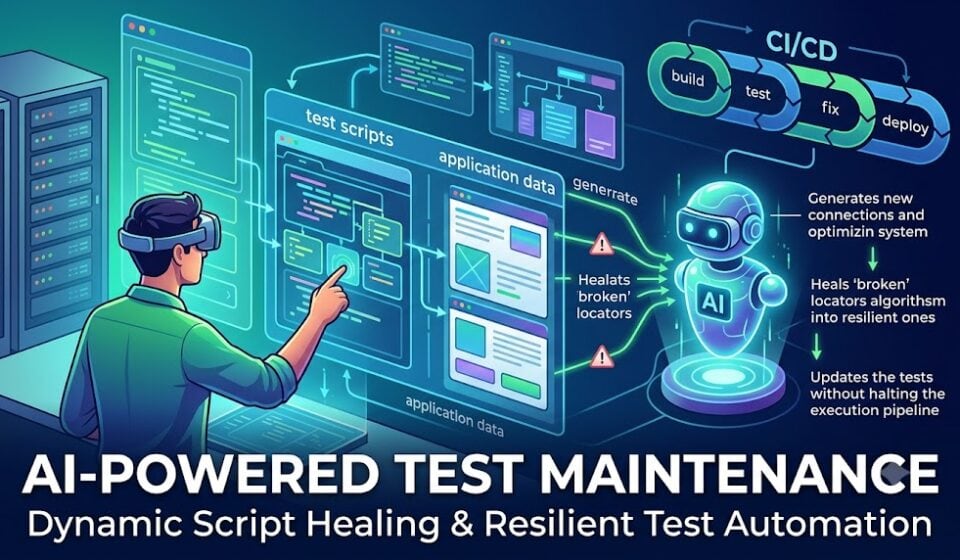
AI-Powered Test Maintenance is the discipline, and increasingly the product category, built to end this cycle. It is the application of machine learning, computer vision, semantic reasoning, and — most recently — large language model (LLM) agents to the problem of keeping automated tests running correctly as the application under test evolves, without a human manually rewriting locators every time the UI shifts. Instead of a test failing hard the moment a selector goes stale, an AI-powered test maintenance system recognizes that the element the test is looking for still exists, just under a different guise, and heals the test automatically — often logging the change for a human to review later, sometimes silently, always leaving an audit trail behind.
This is not a small, cosmetic improvement to your test suite. Industry data consistently shows that mature automation teams spend somewhere between 40% and 60% of their total engineering time on test maintenance rather than on writing new coverage or hunting for real defects. That means for every five automation engineers on a team, two or three of them are, in effect, employed full-time to fix things that were never actually broken in the product — only broken in the brittle scripts pointed at the product. AI-Powered Test Maintenance exists to reclaim that time, and in doing so, to change the entire economics of test automation.
This guide is written from three vantage points at once, because that is genuinely what it takes to get AI-powered test maintenance right in a real organization:
- As a QA manager, you need to understand the ROI case, the risk profile, the governance model, and how to report progress to stakeholders who do not care about XPath but do care about release velocity and escaped defects.
- As an automation architect, you need the actual technical architecture: how self-healing locator engines are built, what algorithms power them, how to design a fallback-locator strategy, and how to wire AI-driven healing into an existing Selenium, Playwright, Cypress, or Appium framework without introducing new categories of risk.
- As an AI practitioner, you need to understand the underlying techniques — similarity scoring, DOM embeddings, visual matching, semantic locators, and LLM-based agentic repair — well enough to evaluate vendor claims critically and, if you choose, to build a homegrown solution.
Over the following sections, we will move from first principles (why selectors break in the first place) through the full landscape of AI-powered test maintenance techniques and tools in 2026, into hands-on implementation with real code in Python and JavaScript/TypeScript, and finally into governance, metrics, and the future of agentic, LLM-driven test repair. By the end, you should be equipped to make an informed build-vs-buy decision, to design a self-healing architecture appropriate to your stack, and to make the case — with real numbers — for why AI-Powered Test Maintenance deserves a place in your automation strategy this year rather than next.
Let’s start where every automation engineer starts: with the selector itself, and why it is so fragile in the first place.
Table of Contents
- The Broken Selector Problem: Why QA Teams Are Drowning
- Anatomy of a Selector: Why They Break in the First Place
- The Real Cost of Manual Test Maintenance
- What Is AI-Powered Test Maintenance? Definitions and Core Concepts
- The Three Generations of Self-Healing Automation
- How AI-Powered Test Maintenance Works Under the Hood
- Core AI and Machine Learning Techniques Powering Self-Healing
- Architecture Blueprint: Designing an AI-Powered Test Maintenance System
- The 2026 Tools Landscape for AI-Powered Test Maintenance
- Hands-On Implementation Guide (Python and TypeScript)
- Integrating AI-Powered Test Maintenance into CI/CD Pipelines
- Governance, Audit Trails, and Trust in Self-Healing Systems
- Metrics and KPIs for Measuring AI-Powered Test Maintenance ROI
- Case Studies and ROI Modeling
- Limitations and Risks of AI-Powered Test Maintenance
- Best Practices for QA Managers and Automation Architects
- The Future: Agentic AI and LLM-Driven Test Repair
- Comparison Table and Decision Framework
- Frequently Asked Questions
- Glossary of AI-Powered Test Maintenance Terms
- Conclusion: Ending the Cycle of Manually Fixing Broken Selectors
- Quick-Start Checklist: Your First 30 Days with AI-Powered Test Maintenance
- Further Reading and External References
1. The Broken Selector Problem: Why QA Teams Are Drowning
Before we can appreciate what AI-Powered Test Maintenance solves, we need to sit honestly with the scale of the problem it solves. Every automated UI test, no matter what framework it is written in — Selenium, Playwright, Cypress, Appium, WebdriverIO, TestCafe — depends on a locator: a string or expression that tells the framework which element in the DOM (or which pixel region on a screen, in the case of visual testing) to interact with. A locator is, fundamentally, a bet. It is a bet that the element you are pointing at today will still be identifiable, by that same expression, tomorrow, next sprint, and next quarter.
That bet loses constantly, and it loses for reasons that have nothing to do with test quality. Consider a typical mid-sized SaaS product. In any given two-week sprint, the front-end team might:
- Refactor a component from a plain HTML
<select>to a custom-styled dropdown built with a component library like Material UI, Ant Design, or a proprietary design system. - Introduce a new CSS-in-JS styling solution that generates hashed class names on every build (
css-1a2b3c4today,css-9x8y7z6tomorrow). - Add a feature flag or A/B test that renders a slightly different DOM tree to a percentage of users.
- Reorder elements on the page for a redesign, shifting every sibling index by one.
- Rename a
data-testidattribute because a new engineer did not know the old convention. - Localize the UI into a new language, changing visible text that a locator was matching against.
- Update a third-party component library, which silently changes internal DOM structure even though the public behavior is identical.
None of these changes are bugs. Every single one of them is an entirely legitimate, healthy part of product development. And every single one of them can break a locator that was written using an XPath index, a fragile CSS class, or an exact text match. This is the core tension AI-Powered Test Maintenance exists to resolve: test automation was built on the assumption of a stable interface, but modern front-end development is built on the assumption of constant, rapid, iterative change. Those two assumptions are fundamentally incompatible, and something has to give. Historically, what gave was engineering time — human beings, sitting down and rewriting locators, one broken test at a time.
The Flakiness Feedback Loop
The damage does not stop at the individual broken test. Broken selectors trigger a well-documented and corrosive feedback loop inside engineering organizations:
- A UI change ships. Selectors that reference the changed elements start failing.
- The nightly or per-commit test run turns red, but the failures are not due to product defects.
- Engineers, seeing repeated false-positive failures, begin to distrust the test suite. This is sometimes called “alert fatigue” applied to test automation.
- Distrust leads to ignoring failures — either by re-running the suite until it passes (“just re-run it, it’s probably flaky”), or by quarantining failing tests without properly investigating them.
- Real defects, hidden inside the noise of false failures, start slipping through to production, because nobody has the patience to sift them out of a sea of broken-selector noise.
- Management, seeing a green build that shipped a real bug, starts to question the value of the automation investment entirely.
- Budget and headcount for automation get cut, ironically at the exact moment more automation (done well) is what the team needs.
This is not a hypothetical. It is the standard lifecycle of an under-maintained automation suite, and it is the reason so many organizations have, at some point, “given up” on UI automation and reverted to manual regression testing, only to run into the exact same problems that made them adopt automation in the first place: slow releases, human error, and inconsistent coverage. AI-Powered Test Maintenance is, at its heart, an attempt to break this feedback loop at its root cause — by making the connection between a test and the element it targets resilient to exactly the kind of harmless UI churn that currently causes so much damage.
Why “Just Write Better Selectors” Isn’t a Complete Answer
A common response from experienced automation architects is: “This is a locator strategy problem, not an AI problem. Just use stable data-testid attributes and you’ll never have this issue.” There is real truth in this. A disciplined locator strategy — favoring accessible roles, ARIA attributes, and dedicated test IDs over CSS classes or DOM position — dramatically reduces selector fragility, and we will cover this in detail later in this guide, because it remains foundational even in an AI-powered test maintenance strategy. AI is not a substitute for good locator hygiene; it is a safety net underneath it.
But “just use data-testid” runs into real-world limits:
- You don’t control all the code. Third-party components, embedded widgets, payment iframes, and vendor-supplied UI elements rarely expose the test attributes you want.
- Discipline erodes at scale. In an organization with dozens or hundreds of front-end engineers across many teams, enforcing a consistent
data-testidconvention is a permanent, uphill governance battle. New hires forget. Old code doesn’t get retrofitted. Some teams simply don’t prioritize it. - Legacy systems exist. Many organizations are testing applications built years ago, sometimes with frameworks nobody actively maintains, where retrofitting semantic test attributes across the entire UI is not a two-week project — it’s a multi-year one, if it’s feasible at all.
- Redesigns still happen. Even a perfectly tagged
data-testidattribute can be deliberately renamed during a large-scale redesign or rebrand, and while this is rarer than incidental CSS churn, it still happens and still breaks tests en masse. - Dynamic and generated UIs defy static IDs entirely. Data grids, dynamically generated forms, and highly configurable dashboards often cannot have a fixed
data-testidper element because the elements themselves are generated at runtime from a schema.
In other words, good locator hygiene reduces the frequency of breakage, but it cannot reduce it to zero in any real, evolving, multi-team codebase. This is exactly the gap that AI-Powered Test Maintenance is designed to fill: it assumes selectors will break — because in the real world, they always eventually do — and builds a systematic, automated response instead of relying purely on prevention.
2. Anatomy of a Selector: Why They Break in the First Place
To design or evaluate any AI-Powered Test Maintenance solution intelligently, you need a precise understanding of what a “selector” actually is, and why some selector strategies are inherently more fragile than others. This section is written for the automation architect who wants to reason from first principles rather than take vendor claims on faith.
The Locator Hierarchy: From Fragile to Resilient
Every UI automation framework offers several ways to locate an element. In rough order from most fragile to most resilient, these are:
Selenium’s own documentation on locator strategies enumerates the traditional location strategies referenced below, in roughly the same fragile-to-resilient order this guide uses.
1. Absolute XPath (most fragile). An expression like /html/body/div[1]/div[2]/div[4]/form/div[3]/button encodes the exact path from the document root to the target element, including sibling position at every level. This is catastrophically fragile because it breaks the instant any ancestor element is added, removed, or reordered anywhere in that path — even in a completely unrelated part of the page that has nothing to do with the button itself.
2. Relative XPath with positional indexing. Expressions like //div[@class="modal"]//button[2] are more resilient than absolute XPath because they anchor to a semantically meaningful ancestor, but they still rely on sibling position ([2]), which breaks the moment a new button is inserted before it, or the order changes.
3. CSS class selectors. Class-based selectors like .btn-primary-submit are common and often reasonably stable — until a styling refactor, a CSS-in-JS migration, or a design system update changes class names. Auto-generated, hashed CSS classes (common in modern React/Vue apps using CSS Modules, styled-components, or Emotion) are essentially never stable across builds, because they are often content-hashed and regenerate on every deployment.
4. ID selectors. #submit-button is more stable than a class selector because IDs are (in principle) supposed to be unique and intentional, but many frameworks auto-generate IDs (ember1234, radix-:r3:) that regenerate on every render, making them just as fragile as hashed classes.
5. Text-content selectors. Locating an element by its visible text (button:has-text("Submit Order")) is intuitive and often durable to structural refactors, but it breaks the instant copy changes, the UI is localized into another language, or A/B tests alter button labels.
6. Accessible role and name selectors (ARIA). Modern frameworks like Playwright and Testing Library encourage locating elements by their accessibility role and accessible name — getByRole('button', { name: 'Submit Order' }). Playwright’s own best practices documentation explicitly recommends prioritizing these user-facing locators over CSS or XPath. This is far more resilient because it reflects semantic intent rather than implementation detail, and it has the delightful side effect of improving actual accessibility compliance as a byproduct of writing tests this way.
7. Dedicated test attributes. data-testid, data-test, data-qa, or similar custom attributes that exist for the sole purpose of being stable automation hooks are, when consistently applied, the single most resilient traditional locator strategy, because they are explicitly maintained as a contract between developers and the test suite.
8. Semantic/AI-resolved locators (the newest category). Rather than any single string expression, the “locator” becomes a description of intent — “the submit button in the checkout form” — resolved dynamically at runtime by an AI model that reasons over the live DOM, accessibility tree, and/or visual rendering. This is the foundation of true AI-Powered Test Maintenance, and we will explore it in depth in the coming sections.
Why Even “Good” Selectors Eventually Break
It’s tempting to think that if every team just used tier 6, 7, or 8 consistently, breakage would disappear. In practice, even disciplined teams experience selector breakage from causes outside the locator strategy itself:
- Component library upgrades. Upgrading a UI library (Material UI v4 to v5, for example) can change internal DOM structure, ARIA roles, or default attribute names, even when your own code and
data-testidattributes are untouched, because the library itself renders differently under the hood. - Shadow DOM and web components. Increasingly, applications use Shadow DOM encapsulation for design-system components. Traditional CSS/XPath selectors frequently cannot pierce shadow boundaries at all, and even frameworks that support shadow-piercing selectors are sensitive to internal structural changes inside the shadow root.
- Dynamic content and personalization. Pages that render different content per user segment, per experiment, or per real-time data state (e.g., “3 items left in stock” vs. “12 items left in stock” as text-based locators) create locators that are correct in one environment and wrong in another.
- Iframe and micro-frontend boundaries. Applications composed of multiple independently deployed micro-frontends can have DOM structures that shift independently of each other, meaning a locator that worked with micro-frontend version 1.4 may break the day micro-frontend version 1.5 deploys — even though your own team changed nothing.
- Environment differences. A locator that works in a staging environment can fail in production if feature flags, data seeding, or configuration differ — this is a maintenance headache adjacent to, but distinct from, pure selector fragility.
- Timing and asynchronous rendering. Not strictly a “broken selector” in the sense of wrong syntax, but a huge proportion of what teams call flaky, broken tests are actually timing issues: the selector is technically correct, but the element has not yet mounted, or has already unmounted, when the test looks for it. A mature AI-Powered Test Maintenance strategy needs to address both categories — structural breakage and timing-induced flakiness — because from the perspective of a red CI pipeline, they look identical.
The DOM Is Not a Contract
The deepest reason selectors break so often is philosophical, not technical: the DOM was never designed to be a stable, versioned API. HTML and the rendered DOM tree are an implementation detail of how a page happens to render at a given moment, optimized for browsers and users, not for external automation. Front-end engineers are, correctly, optimizing for user experience, performance, accessibility, and maintainable component architecture — not for the stability of some other team’s Selenium scripts. There is no natural incentive alignment that keeps the DOM stable for testers unless an organization deliberately builds one (through data-testid conventions, contract testing, or governance).
This is precisely why AI-Powered Test Maintenance has become not just a nice-to-have but, for many organizations, an operational necessity: it replaces a fragile, informal, unenforceable “contract” between developers and testers with a system that can tolerate the DOM changing underneath it, the same way a human tester intuitively adapts when they see a redesigned page and instantly recognize “oh, that’s still the submit button, it’s just styled differently now.”
3. The Real Cost of Manual Test Maintenance
QA managers do not get automation budgets approved with philosophy — they get them approved with numbers. So before going further into the mechanics of AI-Powered Test Maintenance, let’s build an honest, defensible cost model that you can adapt for your own organization’s business case.
Building the Baseline: What Manual Maintenance Actually Costs
Start with the widely cited industry baseline: mature automated test suites consume 40% to 60% of total automation engineering time on maintenance rather than new test creation or defect investigation. This number shows up consistently across vendor research, industry surveys, and practitioner reporting, and it tracks with what most experienced QA managers already sense anecdotally — automation time gets eaten by upkeep, not growth.
Let’s model a mid-sized team:
- Team size: 5 automation engineers
- Fully loaded cost per engineer: $120,000/year (salary, benefits, overhead)
- Total team cost: $600,000/year
- Percentage of time on maintenance: 50% (a conservative midpoint of the 40–60% range)
- Annual spend on maintenance: $300,000
Not all of that $300,000 is broken-selector maintenance specifically — some of it is genuine test-data upkeep, environment issues, and real defect triage. But industry estimates commonly attribute roughly 70–80% of UI-test maintenance work specifically to locator and structural breakage caused by routine, harmless UI changes, as opposed to environment or data issues. Applying that ratio:
- Maintenance spend attributable to broken selectors: $300,000 × 0.80 = $240,000/year
That is a quarter of a million dollars a year, for a modest five-person team, spent exclusively on rewriting locators that broke because a <div> moved. Scale this to a 20- or 50-person automation organization, and the number moves into the millions.
The Multiplier Nobody Puts on the Slide: Opportunity Cost
The direct labor cost above is only half the story, and arguably the less damaging half. The deeper cost of manual test maintenance is opportunity cost — everything that $240,000 worth of engineering time is not being spent on:
- New feature coverage. Every hour spent fixing a stale XPath is an hour not spent writing tests for the new feature that shipped last sprint, which means that feature ships with thinner safety net coverage, right when it’s riskiest (newly written code has the highest defect density of any code in your system).
- Deeper test types. Teams drowning in UI maintenance rarely have bandwidth to invest in contract testing, chaos engineering, performance testing, or accessibility testing — all of which catch classes of defects UI functional tests cannot.
- Release velocity. When regression suites are unreliable due to broken-selector noise, release managers build in longer manual verification buffers “just in case,” directly slowing time-to-market.
- Team morale and retention. Skilled automation engineers do not stay motivated fixing the same XPath problem for the third time this quarter. Manual selector maintenance is widely reported as one of the least satisfying parts of the SDET role, and burnout on maintenance-heavy teams contributes to attrition — which then costs the organization recruiting and onboarding expense on top of everything else.
- Escaped defects. As covered in Section 1, alert fatigue from broken-selector noise leads teams to under-investigate failures, which means genuine regressions slip through more often. The cost of a defect escaping to production, versus being caught pre-release, is well documented to be 10–100x higher depending on severity and how far downstream it is caught (a defect caught in code review costs far less than the same defect caught by a customer in production, which can trigger support costs, reputational damage, and emergency hotfix cycles).
Modeling the ROI of AI-Powered Test Maintenance
Mature self-healing and AI-powered test maintenance tools report eliminating 70% to 90% of failures caused specifically by routine UI changes — the class of failure this guide has been describing throughout. Applying a conservative 75% healing effectiveness rate to our five-person team model:
- Maintenance spend eliminated: $240,000 × 0.75 = $180,000/year in reclaimed engineering time
Against that, you need to weigh the cost of the AI-powered test maintenance solution itself — whether that’s a commercial platform license, or the engineering investment to build and maintain a homegrown self-healing layer (which is itself a maintenance burden, just a different one — more on this trade-off in the tools and architecture sections). Even a mid-tier commercial self-healing platform licensed at $40,000–$80,000/year for a team this size leaves a net annual benefit in the range of $100,000–$140,000, before even counting the qualitative benefits of faster releases, better morale, and fewer escaped defects.
For a QA manager building a budget case, this is the framing that resonates with finance and engineering leadership alike: AI-Powered Test Maintenance is not a “nice to have” quality initiative — it is a direct, quantifiable labor cost-avoidance investment with a payback period typically measured in months, not years.
The Hidden Cost Curve: Maintenance Debt Compounds
One more dimension matters for the business case, and it is often missed: manual test maintenance cost is not flat over time — it compounds. As a test suite grows (more tests, more coverage, more pages, more components), the absolute number of locators that can break grows linearly or faster with suite size, while the team maintaining it typically does not grow at the same rate. This means that without intervention, the percentage of time spent on maintenance tends to increase release over release, not stay constant, until teams hit a breaking point where they either freeze test suite growth (accepting stagnant coverage) or the suite maintenance cost becomes politically unsustainable and gets cut. AI-Powered Test Maintenance changes this trajectory: because the healing mechanism scales with the number of UI changes, not the number of tests, the marginal cost of adding new test coverage on top of a self-healing foundation stays far closer to flat, which is the single biggest structural advantage it offers over the status quo.
4. What Is AI-Powered Test Maintenance? Definitions and Core Concepts
Let’s now define the term precisely, because “AI-powered test maintenance,” “self-healing tests,” and “autonomous testing” are used loosely and inconsistently across the industry, and precision here matters enormously for evaluating tools and setting realistic expectations.
A Working Definition
AI-Powered Test Maintenance is the practice of using artificial intelligence — including machine learning models, computer vision, natural language processing, and increasingly large language model (LLM) reasoning agents — to automatically detect, diagnose, and repair the parts of an automated test suite that break due to changes in the application under test, primarily (but not exclusively) broken element locators, without requiring a human to manually identify and rewrite the failing code.
It is useful to break this definition into its component capabilities, because different tools in the market deliver different subsets of this full capability set:
1. Detection. Recognizing that a test step is failing not because of a genuine product defect, but because the locator it depends on can no longer find its intended target element. This sounds simple but is nontrivial — a system needs to distinguish “element not found because it moved” from “element not found because a real bug removed it,” and getting this distinction wrong in either direction is costly (false healing hides real bugs; failure to detect healable breakage just recreates the old flakiness problem).
2. Diagnosis. Once a locator failure is detected, identifying which element in the current DOM (or current screen, for visual approaches) most likely corresponds to the original intended target. This is where most of the actual “AI” lives — similarity scoring across DOM attributes, visual matching, semantic/contextual reasoning, and historical execution data all feed into this diagnostic step.
3. Repair. Taking the diagnosed replacement and using it to either (a) complete the current test run without failing, (b) update the underlying locator definition for future runs, or (c) both. Different tools make different choices here about whether healing happens silently at runtime, requires human approval before persisting, or some hybrid of the two.
4. Learning. Feeding the outcome of each healing event — successful or not — back into the system so that future diagnosis and repair improve over time. This is what distinguishes genuinely AI-powered systems from simple fallback-locator systems: a fallback system tries a fixed, pre-defined list of alternate locators in order; a learning system builds and refines a model of what “the same element” looks like across changes, improving its accuracy the more it observes.
5. Governance and audit. Recording what changed, why the system believes the healed locator is correct, and surfacing that information for human review. This capability is what makes AI-powered test maintenance trustworthy enough for production use, as opposed to a black box that quietly rewrites your test suite in ways nobody can verify.
Self-Healing vs. AI-Powered Test Maintenance: Are They the Same Thing?
“Self-healing tests” is the more commonly used marketing term, and in casual usage it is treated as synonymous with AI-powered test maintenance. Technically, self-healing is the behavior (a test automatically recovers from a broken locator), while AI-powered test maintenance is the broader discipline and system that produces that behavior, including everything upstream (locator strategy design, fallback hierarchies, ML models) and downstream (audit logging, governance, metrics, human review workflows) of the healing moment itself. In practice, when people say “self-healing test automation,” they almost always mean the AI-powered test maintenance capability described in this guide, and we will use the terms interchangeably going forward, while being precise about the underlying mechanism whenever it matters.
What AI-Powered Test Maintenance Is NOT
Setting accurate expectations is critical, both for QA managers pitching this internally and for architects evaluating tools, because inflated expectations are the single biggest source of disappointment and abandoned pilots in this space.
- It is not a replacement for good test design. A poorly designed test — one with weak assertions, unclear intent, or brittle test data dependencies — will not become a good test just because its locators self-heal. AI-powered test maintenance fixes where the test looks, not what the test checks.
- It is not a fix for genuine application bugs. If a button is genuinely removed from the application because a feature was deprecated, no amount of AI healing should — or safely can — make the test “find” a button that no longer exists. A well-designed system will surface this as a genuine failure requiring human judgment, not attempt to heal past it.
- It is not fully autonomous test authoring, at least not as a default capability — although this is changing rapidly with LLM-driven agents, covered in Section 17. Most AI-powered test maintenance today operates on existing tests written by a human or generated by another tool; it maintains, rather than originates, coverage.
- It is not infallible. Even the best AI-powered test maintenance systems occasionally heal to the wrong element, especially when a UI change is large enough that multiple candidate elements look plausibly similar to the original target. This is why audit trails, confidence scoring, and human review gates remain essential design components, not optional extras — a point we will return to repeatedly throughout this guide.
- It is not a silver bullet for flaky tests in general. Timing issues, race conditions, test data pollution, and environment instability are common causes of test flakiness that have nothing to do with locators, and a healing system that only addresses locator drift will leave these other flakiness sources untouched. A mature testing strategy treats AI-powered test maintenance as one pillar among several, alongside good waiting strategies, test isolation, and stable test environments.
The Core Value Proposition, Restated Precisely
With those caveats in place, here is the precise, defensible value proposition of AI-Powered Test Maintenance: it converts a large class of test failures from “requires a human engineer to diagnose and fix” into “either resolves automatically with a logged, reviewable change, or surfaces as a clear, high-confidence signal that something in the application genuinely changed and needs human attention.” That reframing — from constant manual firefighting to occasional, well-informed review — is the entire point, and it is the lens through which every tool, technique, and architecture pattern in the rest of this guide should be evaluated.
5. The Three Generations of Self-Healing Automation
Understanding AI-powered test maintenance deeply requires understanding how it evolved, because the market today contains tools from all three generations simultaneously, often marketed with overlapping language that obscures real differences in capability. Recognizing which generation a given tool or technique belongs to is one of the most practically useful skills you can develop as an automation architect evaluating this space.
Generation One: Static Fallback Locators
The earliest form of “self-healing” — really more accurately described as fault-tolerant locating — works by storing multiple alternative locator strategies for the same element at test-authoring time: an ID, a CSS selector, an XPath, and perhaps a text match, all pointing at the same intended element. When the primary locator fails, the framework simply tries the next one in the list, in a fixed, predetermined order.
This approach is simple, fast, fully deterministic, and completely explainable — there is no black box, and every possible outcome was defined by a human in advance. It is also, however, fundamentally limited: it can only recover from failures the test author anticipated when they wrote the fallback list. If the application changes in a way nobody predicted — the element’s ID, class, AND text all change simultaneously in a redesign — this generation of “self-healing” cannot help at all. Early self-healing plugins for Selenium and Playwright, and early versions of tools like Katalon, largely operated in this mode.
Generation Two: Machine Learning-Based Attribute Scoring
The second generation introduces genuine machine learning: instead of a fixed, ordered fallback list, the system captures a rich snapshot of an element’s attributes at test-authoring or first-run time — its tag name, all its attribute key-value pairs, its text content, its position relative to siblings and ancestors, its visual bounding box, and often its relationship to nearby landmark elements (e.g., “this button is inside the form that has the header ‘Payment Details'”). When a locator fails, the system scans the current DOM for elements with the highest similarity score against that stored snapshot, using weighted scoring across all these captured attributes, and selects the best match above some confidence threshold.
This is a meaningful leap forward, because it can recover from changes nobody explicitly anticipated — a class name change, an attribute rename, a shift in DOM depth — as long as enough of the element’s other characteristics remain recognizably similar. Tools like Testim, mabl, and BrowserStack’s low-code healing capabilities operate substantially in this generation, and it remains, as of 2026, the most widely deployed approach in commercial self-healing tooling.
The limitation of generation two is that it still fundamentally works by pattern-matching surface attributes. If a native HTML <select> dropdown is replaced with an entirely different implementation — a custom-built React dropdown composed of a <div>, an <ul>, and multiple <li> elements with none of the original attribute vocabulary — a pure attribute-similarity model has very little to match against, because the “shape” of the element in the DOM has fundamentally changed even though its function and meaning to the user has not changed at all. This gap between “the AI can heal structural churn” and “the AI can heal true semantic redesigns” is exactly what generation three addresses.
Generation Three: Semantic, Visual, and Contextual AI
The third and current generation of AI-powered test maintenance moves beyond attribute similarity into genuine semantic and visual understanding. This generation typically combines several complementary techniques:
- Visual AI matching, where computer vision models compare a screenshot or rendered region of the current page against a stored reference image of the target element, identifying it by what it looks like to a human user rather than by its underlying markup. Tools like Applitools popularized this approach for visual regression testing, and it has since been adapted for element location and healing.
- Semantic and natural-language understanding, where the system reasons about an element’s accessible role, its surrounding text and labels, its position within a recognizable UI pattern (e.g., “this is the primary call-to-action button inside a checkout form”), and can even accept plain-English descriptions of intent (“the button that submits the order”) as the locating mechanism itself, rather than any DOM-derived expression at all.
- Contextual reasoning across the whole page or flow, where the model considers not just the target element in isolation but its relationship to the surrounding user journey — what step of the checkout flow this is, what came before it, what should logically come after — to disambiguate between multiple visually or structurally similar candidates.
- LLM-based agentic repair, the newest and most powerful variant, where a large language model agent is given tools to inspect the live DOM or accessibility tree, reason step-by-step about what the original test intended, and directly propose (or even directly commit) a corrected, resilient locator in the actual test source code — not just heal the single failing run, but genuinely fix the underlying test asset. We will explore this in full depth in Section 17, because it represents where the frontier of AI-powered test maintenance is moving as of 2026.
Generation three tools can, in principle, survive the “native select replaced with custom React dropdown” scenario that breaks generation two, because they are reasoning about what the element means and does, not merely what its attributes happen to say. The trade-off is cost and latency: visual and LLM-based reasoning is computationally heavier and slower than attribute-similarity scoring, which is why many production systems, as we’ll see in the architecture section, use a tiered approach — fast, cheap, deterministic fallback locators first, attribute-similarity ML scoring second, and expensive semantic/visual/LLM reasoning only as a last resort when the cheaper tiers fail.
Why This History Matters for Tool Evaluation
When a vendor tells you their platform has “AI-powered self-healing,” the single most useful follow-up question you can ask is: which generation is this, specifically, and what happens when it fails? A generation-one tool with a fixed fallback list will be transparent about its limits but will leave you doing manual work the moment a change exceeds its predefined list. A generation-two tool will handle far more real-world churn but may struggle — and may fail silently, healing to the wrong element with unwarranted confidence — when faced with a true structural redesign. A generation-three tool offers the broadest resilience but demands the most scrutiny around cost, latency, and — critically — governance and explainability, since the more powerful and “magical” the healing mechanism, the more important it becomes that you can audit exactly what it did and why.
6. How AI-Powered Test Maintenance Works Under the Hood
This section is written specifically for the automation architect who wants to understand — and be able to explain to skeptical senior engineers — the actual mechanics of how a self-healing pipeline processes a failing test step from detection through repair. We will walk through the full lifecycle of a single healing event.
Step 1: Baseline Capture
Everything starts before any test ever runs. At the moment a test is authored — whether by a human recording actions, a human writing code, or an AI agent generating a test — the framework captures a rich “fingerprint” of every element the test interacts with. A well-designed fingerprint typically includes:
- Structural attributes: tag name,
id,classlist, alldata-*attributes,name,type,role,aria-label,aria-describedby, and any other HTML attributes present. - Textual content: the element’s own text, and often the text of nearby labels, headers, or associated
<label for="">elements. - DOM position: the element’s path from a stable ancestor, its index among siblings of the same tag, and its nesting depth.
- Visual properties: bounding box coordinates, size, color, and a cropped screenshot of the element and its immediate surrounding region, used later for visual matching.
- Semantic context: the accessibility tree role and name (computed by the browser’s own accessibility API, which is often far more stable than raw DOM structure, since browsers work hard to keep the accessibility tree consistent for assistive technology users regardless of how the underlying markup is implemented).
- Relational context: what container, form, modal, or landmark region the element sits within, and what other identifiable elements are nearby (e.g., “sibling of the element with text ‘Email Address'”).
This fingerprint — not just the single locator string a human originally wrote — is what gets stored, either in a local cache file, a database, or a vendor’s cloud platform, depending on the implementation.
Step 2: Execution and Failure Detection
During normal test execution, the framework attempts to locate the element using its primary, human-authored locator, exactly as it always has. The AI layer stays completely out of the way when things work — this is an important design principle, both for performance (invoking an ML model or an LLM on every single successful step would be needlessly slow and expensive) and for predictability (you want deterministic behavior on the happy path, and probabilistic healing reserved only for the exception path).
When the primary locator fails to resolve — throwing a NoSuchElementException, a Playwright timeout on waitForSelector, or equivalent — the healing pipeline is triggered rather than the test immediately failing outright.
Step 3: Candidate Generation
The system now needs to generate a set of candidate elements from the current DOM that might correspond to the original, now-missing target. Different tools use different candidate-generation strategies, often layered:
- Attribute-based candidate search: query the current DOM for elements sharing any subset of the original fingerprint’s attributes (same tag, similar class fragments, matching
data-testidprefix, etc.), producing a shortlist rather than a single answer. - Text and label proximity search: search for elements whose text, or whose nearby labels, closely match the original fingerprint’s textual content, using string similarity metrics (Levenshtein distance, Jaccard similarity on tokenized text, or embedding-based semantic similarity for cases where wording changed but meaning didn’t).
- Positional and structural proximity search: look for elements occupying a similar relative position within the same parent container or landmark region, even if exact sibling index has shifted.
- Visual candidate search: for visual-AI-enabled tools, render the current page and search for regions whose visual appearance (shape, size, color, icon, relative screen position) closely resembles the stored screenshot of the original element.
The output of this step is a ranked shortlist of candidate elements, each scored across multiple dimensions, not a single guaranteed answer yet.
Step 4: Similarity Scoring and Ranking
Each candidate is now scored using a weighted combination of the similarity signals gathered above. A simplified version of this scoring function looks conceptually like:
score(candidate) =
    w1 * attribute_similarity(candidate, original_fingerprint) +
    w2 * text_similarity(candidate, original_fingerprint) +
    w3 * structural_similarity(candidate, original_fingerprint) +
    w4 * visual_similarity(candidate, original_fingerprint) +
    w5 * accessibility_role_match(candidate, original_fingerprint)
The weights (w1 through w5) are typically learned or tuned rather than hand-set arbitrarily — more sophisticated generation-two-and-above systems train these weights against a labeled dataset of known “this element became that element” pairs, harvested either from the vendor’s aggregate customer base (with appropriate anonymization) or from a specific customer’s own historical healing decisions, allowing the model to specialize to that organization’s particular UI patterns and component library conventions over time.
The candidate with the highest aggregate score is selected as the proposed replacement, provided that score clears a minimum confidence threshold. This threshold is one of the most important tunable parameters in any AI-powered test maintenance system, and we will discuss how to tune it later — set it too low, and the system heals confidently to wrong elements; set it too high, and it fails to heal cases it safely could have handled, undermining the entire point of the capability.
Step 5: Decision — Heal, Flag, or Fail
Based on the confidence score, the system takes one of three paths:
- High confidence, above the auto-heal threshold: the test continues execution using the newly identified element. The run completes without a hard failure. The healing event — original locator, new locator, confidence score, and supporting evidence (screenshot, matched attributes) — is written to an audit log.
- Medium confidence, above a minimum floor but below the auto-heal threshold: the system may still let the current run continue (to avoid blocking the pipeline on borderline cases) but flags the healing event for mandatory human review before it is trusted for future runs, or it may choose to fail the run and surface the top candidates to a human for a quick decision, depending on configuration and organizational risk tolerance.
- Low confidence, no plausible candidate found: the system lets the test fail as it always would have without any AI layer at all, because a confident wrong guess is far more dangerous than an honest failure. This “fail safely” path is a critical design requirement — a self-healing system that never admits “I don’t know” is a liability, not an asset.
Step 6: Persistence and Learning
If a healing event is confirmed — either automatically at high confidence, or after human review — many systems persist the update in one of two ways: locator replacement, where the test’s underlying locator definition is permanently updated to the new value (common in low-code platforms with a central object repository), or cache-based intent resolution, a pattern popularized in 2026 by newer entrants, where the test continues to store its original semantic intent (e.g., “the submit button in the checkout form”) and the resolved locator is cached as a fast-path optimization, re-validated periodically, and automatically invalidated and re-resolved whenever a cache miss occurs. This “intent as the source of truth, locator as a disposable, regenerable cache” pattern is an increasingly influential architectural idea, because it reframes the entire problem: instead of asking “how do we keep this locator string correct forever,” it asks “why are we treating a brittle locator string as the source of truth at all, when what we actually mean is far more stable than how it happens to be currently implemented.”
Either way, the healing decision and its supporting evidence feed back into the system’s training data or heuristic tuning, so that future healing events for the same element, or for structurally similar elements elsewhere in the application, benefit from what was learned — this feedback loop is what earns the “AI-powered” label as opposed to a purely static, one-shot fallback mechanism.
7. Core AI and Machine Learning Techniques Powering Self-Healing
Having walked through the pipeline end to end, let’s go deeper into each of the individual AI and machine learning techniques that make up a modern AI-powered test maintenance system. Understanding these at a technical level is what separates an automation architect who can critically evaluate a vendor’s claims from one who has to take the sales deck at face value.
7.1 Attribute Similarity Scoring
At its simplest, attribute similarity scoring treats each element as a bag of key-value attributes and computes overlap between the stored fingerprint and each candidate. A common approach uses a weighted Jaccard similarity across attribute sets, combined with exact-match bonuses for high-signal attributes (an exact data-testid match is weighted far more heavily than an exact match on a generic class fragment, because test IDs are semantically intentional while classes are often incidental styling artifacts). More sophisticated implementations use gradient-boosted decision trees (e.g., XGBoost or LightGBM) trained on historical healing outcomes, where the model learns which attribute combinations are most predictive of “this really is the same logical element” versus superficially similar but functionally different elements — for instance, learning that two buttons sharing a generic btn class but with different aria-label values are usually not the same element, while two buttons sharing an aria-label but with entirely different classes usually are.
7.2 String and Text Similarity
Text-based signals — button labels, link text, placeholder text, associated form labels — are scored using a mix of classical string-distance algorithms and modern embedding-based semantic similarity. Levenshtein (edit) distance catches small typo-level or minor rewording changes (“Submit Order” vs. “Submit order now”). Token-based Jaccard or cosine similarity over bag-of-words representations catches reordered or partially overlapping phrases. For genuine paraphrase or localization-tolerant matching — recognizing that “Add to Cart” and “Add to Bag” likely refer to the same functional intent — modern systems increasingly use sentence embedding models (transformer-based encoders that map text into a dense vector space where semantically similar phrases sit close together), computing cosine similarity between the embedding of the original label and each candidate’s label. This embedding-based approach is what allows generation-three AI-powered test maintenance systems to tolerate copy changes and even cross-language localization far better than pure string-matching generation-two systems.
7.3 Visual Similarity via Computer Vision
Visual matching techniques treat the problem as image recognition rather than markup parsing. A stored screenshot crop of the target element (and often a wider crop of its surrounding region, for context) is compared against candidate regions on the current rendered page. Techniques used here range from classical computer vision (structural similarity index, perceptual hashing, template matching) to deep learning approaches using convolutional neural networks or vision transformers trained to produce visual embeddings — again enabling a cosine-similarity comparison in embedding space, much like the text case above, but for pixels instead of words. Visual matching is particularly valuable for catching cases where structural and attribute signals have changed dramatically (a full component library migration) but the element still looks recognizably the same to a human eye — same icon, same relative size, same color, same position in the layout.
7.4 DOM Structural Embeddings
A more advanced technique, used by leading generation-three platforms, represents the entire DOM subtree around an element — not just the element’s own attributes, but the shape and content of its ancestors, siblings, and children — as a structured embedding, often using graph neural network (GNN) architectures that are well suited to tree- and graph-shaped data like the DOM. This allows the system to reason about “this element sits inside a form, which sits inside a modal, which is titled ‘Payment Details'” as a holistic structural signature, rather than scoring isolated attributes independently. Structural embeddings are particularly powerful for disambiguating between multiple visually and textually similar candidates that appear in different contexts on the same page — for example, two “Delete” buttons that look identical and have identical text but sit within different rows of a data table, where only the surrounding row context can distinguish which one corresponds to which original test intent.
7.5 Accessibility Tree Reasoning
Every modern browser computes an accessibility tree in parallel with the visual DOM — a semantic representation used by screen readers and other assistive technology, expressing each interactive element’s computed role (button, checkbox, combobox, etc.), computed accessible name, and computed state (checked, expanded, disabled). This tree is often dramatically more stable across visual redesigns than the raw HTML, because browsers and component libraries generally work hard to preserve correct accessibility semantics even as visual implementation changes — a native <select> replaced with a custom React dropdown should, if built correctly, still expose a combobox role with the same accessible name. AI-powered test maintenance systems that incorporate accessibility tree reasoning as a first-class signal — rather than an afterthought — often achieve meaningfully higher healing accuracy specifically for the “component swapped for a different implementation” class of change that defeats pure attribute-similarity approaches, and this is also, not coincidentally, one of several ways that a strong automated test strategy and a strong accessibility compliance strategy reinforce rather than compete with each other.
7.6 Historical Execution Data and Reinforcement Signals
Many platforms maintain a history of every test run, every locator resolution, and every healing decision, and use this accumulated history as a training signal in its own right. If a particular locator has resolved successfully to the same element across the last five hundred runs, that gives the system strong prior confidence about what a stable “true” fingerprint for that element looks like, beyond whatever was captured at authoring time. Reinforcement-style feedback loops — where confirmed-correct heals (via human approval or via the healed test continuing to pass reliably over subsequent runs) reinforce the weighting of whichever signals contributed most to that correct decision, while incorrect heals (caught either by human review or by downstream assertion failures) penalize those signals — allow the overall scoring model to improve continuously and adapt to an organization’s specific application patterns, rather than remaining a fixed, generic algorithm.
7.7 LLM-Based Semantic Reasoning and Agentic Repair
The newest and most capable technique, which we will explore in full in Section 17, uses a large language model as a reasoning engine over the live DOM or accessibility tree snapshot, rather than (or in addition to) a purpose-built similarity-scoring model. Given the original test’s code, its human-readable intent (often inferable from surrounding code comments, variable names, or the test’s own descriptive title), and a serialized snapshot of the current page state, an LLM agent can reason in natural language — much as a human engineer would — about which current element best fulfills the original intent, and can go a critical step further than pure scoring models: it can directly propose an updated, more resilient locator expression, written in idiomatic code, as a reviewable diff against the actual test source file. This closes the loop between “the test passed this one time because we found a workaround at runtime” and “the underlying test asset itself has been durably improved,” which is a meaningfully different and more valuable outcome than pure runtime healing alone.
Choosing a Technique Stack: There Is No Single Right Answer
No serious AI-powered test maintenance system relies on exactly one of these techniques in isolation. Effective architectures use a layered, cost-aware cascade: fast, cheap, deterministic fallback-locator matching first; attribute and text similarity scoring second; structural and accessibility-tree reasoning third; and visual or LLM-based semantic reasoning reserved as a last resort, invoked only when cheaper tiers fail to produce a sufficiently confident match. This tiered design keeps the common case (minor, expected drift) fast and inexpensive, while still providing a robust safety net for the rare, larger structural changes that only the most sophisticated — and most computationally expensive — techniques can resolve. We will build exactly this kind of tiered architecture in the next section.
8. Architecture Blueprint: Designing an AI-Powered Test Maintenance System
Whether you are evaluating a commercial platform or designing a homegrown solution, it helps enormously to have a reference architecture in mind. This section lays out a complete, production-grade architecture for AI-powered test maintenance, component by component, suitable for a mid-to-large automation organization running Selenium, Playwright, or Appium-based suites.
8.1 High-Level Architecture Overview
A mature AI-powered test maintenance system is composed of the following major components, which we’ll describe in turn:
- Instrumentation layer — hooks into the test framework itself, wrapping every locate-and-interact call.
- Fingerprint store — a persistence layer holding the rich element fingerprints described in Section 6.
- Candidate resolution engine — the tiered cascade of matching techniques from Section 7.
- Confidence and decision engine — applies thresholds and routes to auto-heal, review, or fail.
- Audit and observability layer — logs every healing event with full supporting evidence.
- Review and governance UI — where humans confirm, reject, or adjust proposed heals.
- Feedback and learning loop — feeds confirmed outcomes back into the resolution engine’s models.
- CI/CD integration layer — surfaces healing activity, blocks or allows merges based on policy, and reports metrics.
8.2 The Instrumentation Layer
This is the entry point, and it needs to be as unobtrusive as possible to the day-to-day experience of writing tests. In practice, this is typically implemented as a thin wrapper or monkey-patch around your framework’s native locate methods. For example, in a Playwright-based TypeScript framework, you might wrap the page.locator() call in a custom resilientLocator() helper that, on failure of the primary strategy, invokes the candidate resolution engine before ultimately throwing (or not) based on the decision engine’s output. In Selenium-based frameworks, this is often implemented via a custom WebDriver proxy or a Page Object base class that intercepts NoSuchElementException and routes to the healing pipeline before re-raising, preserving the exact same public API test authors already use, so that adopting the healing layer requires no rewriting of existing tests — a critical adoption consideration we will revisit in the implementation section.
8.3 The Fingerprint Store
This component needs to persist, per test step, the rich multi-attribute fingerprint described earlier. Design considerations:
- Storage medium: for smaller teams, a simple structured file (JSON or YAML) checked into version control alongside the test itself works well, keeping the fingerprint’s lifecycle tied to the test’s own lifecycle through normal code review. For larger teams or SaaS platforms, a dedicated database (often a document store, given the semi-structured, variable-shape nature of element fingerprints) scales better and enables cross-test, cross-suite pattern learning.
- Versioning: fingerprints should be versioned, not simply overwritten, so that a healing decision can be explained by comparing exactly what changed between the fingerprint at authoring time and the fingerprint after the most recent successful heal — this historical trail is invaluable both for debugging incorrect heals and for demonstrating governance compliance to auditors or stakeholders.
- Scope: consider whether fingerprints should be scoped per-test (simplest, but leads to duplicated fingerprints for elements shared across many tests, like a common navigation bar) or per shared Page Object / component (more efficient, and ensures that a healing decision made for one test benefits every other test that references the same logical element, which is usually the better design for suites built on the Page Object Model or similar abstraction patterns).
8.4 The Candidate Resolution Engine
This is the tiered cascade described in Section 7, and its architecture should explicitly separate each tier so that they can be independently tuned, monitored, and — importantly — cost-controlled:
- Tier 0 (near-zero cost): try the original locator as-is. This is not “healing” at all — it’s just normal execution, and the vast majority of test steps never proceed past this tier.
- Tier 1 (low cost, milliseconds): try a small, pre-defined list of alternate locator strategies captured at authoring time (ID, then CSS, then a stable
data-testid, then role-based). This is generation-one fallback logic, and it should always run first because it is fast, fully deterministic, and free of any inference cost. - Tier 2 (moderate cost, tens to hundreds of milliseconds): run attribute-similarity and text-similarity scoring across all elements in the current DOM matching the target’s tag type, producing a ranked candidate list. This is where most generation-two ML scoring lives, and for the majority of real-world drift (attribute renames, minor restructuring, sibling reordering) this tier resolves the healing successfully.
- Tier 3 (higher cost, potentially seconds): invoke structural embeddings, accessibility-tree reasoning, and/or visual matching for cases where Tier 2 fails to clear the confidence threshold. This tier should be rate-limited and monitored for cost, since visual and embedding-based inference is meaningfully more expensive per call.
- Tier 4 (highest cost, agentic, seconds to tens of seconds): invoke an LLM-based reasoning agent as a last resort, when all cheaper tiers fail. Given the latency and cost of LLM inference, this tier is often configured to run asynchronously — allowing the current test run to fail fast and be flagged for follow-up, while the LLM agent works in the background to propose a durable code-level fix for the next run, rather than blocking the current CI pipeline waiting on a multi-second agentic reasoning loop.
Architecting the cascade this way keeps typical CI run times fast (most test steps resolve at Tier 0, most healing events resolve at Tier 1 or 2) while ensuring the system degrades gracefully — trying progressively more powerful, more expensive techniques — rather than either failing immediately or paying maximum inference cost on every single locator resolution, which would be both slow and financially unsustainable at scale.
8.5 The Confidence and Decision Engine
This component owns the policy logic described in Section 6 Step 5: given a candidate and its similarity score, decide whether to auto-heal, flag for review, or fail outright. Key design decisions here include:
- Threshold configuration should be per-team or per-suite, not global. A payments checkout flow might warrant a much higher auto-heal confidence threshold (favoring more human review, less automatic risk) than a low-stakes internal admin tool, where faster, more permissive auto-healing carries less downside if occasionally wrong.
- Threshold should ideally be configurable per assertion criticality, not just per suite. Locating a button to click is generally lower-risk to heal automatically than locating an element whose value is being asserted against for correctness — a healing mistake in the latter case can cause a test to silently validate against the wrong data, producing a false pass that is arguably more dangerous than a false failure.
- Track a “heal budget” per test run or per day, alerting or pausing auto-healing if the number of healing events spikes unexpectedly — a sudden surge in healing activity is itself a meaningful signal, often indicating a large, intentional UI change (a redesign) that warrants proactive human review of the whole affected test area, rather than trusting dozens of individually “confident” automatic heals that might collectively be reinforcing a systematic misunderstanding of the new UI.
8.6 Audit and Observability Layer
Every healing event, regardless of confidence level or ultimate decision, should be logged with: the original locator/fingerprint, the failure that triggered the healing attempt, every candidate considered and its score, the final decision (heal/flag/fail), the confidence score, a timestamp, the build/commit context, and ideally a visual screenshot diff showing the original element region versus the newly matched region. This is not optional infrastructure — it is the single most important trust-building component of the entire system, because it is what allows a skeptical senior engineer, a compliance auditor, or a QA manager reviewing a post-incident retrospective to answer the question “why did the test do that?” with a concrete, evidence-backed answer rather than “the AI decided to.”
8.7 Review and Governance UI
For any healing decisions routed to human review, a dedicated interface — even a simple one, such as a Slack notification with an approve/reject action, or a lightweight internal dashboard — should present the original and proposed element side by side (ideally with screenshots), the confidence score and its contributing factors, and a one-click accept/reject/edit action. The goal is to make review fast enough that it doesn’t reintroduce the very maintenance burden the system was built to eliminate — a review workflow that takes as long as manually fixing the locator in the first place has failed at its core purpose, even if it technically “used AI” along the way.
8.8 Feedback and Learning Loop
Finally, confirmed outcomes — whether auto-healed and later validated by continued stable passes, or explicitly reviewed and approved/rejected by a human — should flow back into the scoring models and heuristics, closing the loop described throughout Section 7. This is what allows an AI-powered test maintenance system to genuinely improve over time and adapt to your organization’s specific application, component library conventions, and team practices, rather than remaining a static, one-size-fits-all algorithm indefinitely.
9. The 2026 Tools Landscape for AI-Powered Test Maintenance
The market for AI-powered test maintenance has matured considerably, and as of 2026 it has effectively split into a handful of distinct categories, each suited to different team profiles, technical stacks, and risk tolerances. This section is a practical map of that landscape — not an exhaustive vendor comparison (pricing and feature sets change constantly, so always verify current details directly with each vendor before deciding), but a framework for understanding what kind of tool you are looking at and which category fits your situation.
9.1 Full Low-Code / No-Code AI Testing Platforms
These platforms provide an integrated authoring, execution, and self-healing experience, typically aimed at teams that want to reduce dependency on deep coding skill for day-to-day test creation and maintenance. Historically prominent examples in this category include Testim, mabl, and Katalon Studio, which combine recorder-based or low-code test authoring with generation-two (and increasingly generation-three) attribute and visual similarity-based healing built into the core product. Newer entrants continue to emerge in this space with natural-language test authoring and unified web/mobile support, reflecting a broader industry trend toward lowering the barrier to entry for creating and maintaining automated coverage without requiring a large team of specialized SDETs.
Best fit: organizations without a large dedicated automation engineering team, or those explicitly trying to shift test creation and maintenance responsibility toward manual QA analysts, product managers, or other non-specialist roles.
Trade-offs: less granular control over the underlying healing algorithm and thresholds, typically higher licensing cost per user/seat, and some degree of vendor lock-in around the platform’s proprietary test format.
9.2 Visual AI and Visual Validation Specialists
Tools in this category, with Applitools as the most established example, specialize specifically in visual comparison — both for classic visual regression testing (detecting unintended pixel-level or layout changes) and, increasingly, for using visual matching as an element-location and healing mechanism, as described in Section 7.3. These tools are often used alongside another framework (Selenium, Playwright, Cypress) rather than as a full replacement, integrating as a visual assertion and matching layer on top of your existing test code.
Best fit: teams with a strong existing code-based automation framework who want to add a visual-AI safety net specifically for cross-browser, cross-device, and dynamic-content resilience, and for catching visual regressions that pure functional assertions would never detect.
Trade-offs: visual comparison introduces its own maintenance category (managing visual baselines, handling legitimate visual changes, tuning sensitivity to avoid false positives from anti-aliasing or font-rendering differences across environments).
9.3 Autonomous Test Generation Platforms
A newer category focuses less on healing existing tests and more on continuously generating and adapting test coverage autonomously by crawling and exploring the application, understanding user flows, and generating new or updated test cases as the UI evolves. Examples cited in current industry analysis include platforms like Blinq.io and expanded capabilities within mabl, which increasingly blend autonomous exploration with self-healing maintenance of the tests that exploration produces.
Best fit: teams looking to bootstrap or dramatically expand test coverage quickly, particularly for applications with less mature existing automation, or teams wanting to offload not just maintenance but a meaningful portion of test creation itself.
Trade-offs: autonomously generated tests may not always reflect the specific business-critical assertions a human domain expert would prioritize, so these tools typically work best as a complement to, rather than full replacement for, human-authored coverage of your most critical user journeys.
9.4 Framework-Native Self-Healing Plugins
For teams committed to open-source, code-based frameworks — Selenium, Playwright, Appium — a growing ecosystem of plugins and libraries adds self-healing capability directly on top of the framework you already use, without requiring a full platform migration. Healenium is a well-known open-source example for Selenium, storing element fingerprints and applying similarity-based healing while keeping your existing test code, CI pipeline, and reporting stack entirely unchanged. Newer entrants, positioned specifically for teams pairing AI coding agents (such as Claude Code, Cursor, or Codex) with Playwright, take this further with what’s sometimes called an “intent-cache-heal” pattern: each test step stores its semantic intent rather than treating a locator as the ultimate source of truth, and an AI resolution step updates a fast-replay cache whenever the cached locator misses, keeping steady-state execution fast (sub-second, cached) while still providing full AI-driven recovery on the (comparatively rare) cache-miss path.
Best fit: engineering-led automation teams with strong existing Selenium/Playwright/Appium investment who want AI-powered test maintenance capability without abandoning their existing framework, CI integration, version control workflow, or code review practices.
Trade-offs: typically requires more hands-on configuration and tuning than a fully packaged low-code platform, and open-source options may have smaller support organizations behind them than commercial vendors — a genuine consideration for risk-averse enterprises, though often an acceptable trade-off for teams with strong in-house technical capability.
9.5 Agentic, LLM-Driven Repair Tools
The newest category, and the fastest-moving part of the market in 2026, integrates large language model agents directly into the test maintenance workflow via protocols like the Model Context Protocol (MCP), which exposes browser control and DOM/accessibility-tree inspection as tools an LLM agent can call. In this pattern, a failing test triggers an agent (running inside a coding assistant or a dedicated CI-integrated service) that navigates to the failure point, inspects the live page, reasons about the original test’s intent, and proposes — or directly commits, depending on configured autonomy level — a corrected, more resilient locator as an actual code diff in your test source files, along with a natural-language explanation of the change.
Best fit: teams already using AI coding agents in their development workflow who want test maintenance handled with the same agentic pattern, and who specifically value durable, reviewable code-level fixes over purely runtime-level healing that leaves the underlying test source unchanged.
Trade-offs: this category is newest and least standardized, per-invocation cost and latency are meaningfully higher than lighter-weight ML scoring approaches, and — as with any LLM-based system — outputs need robust review gates, since an agent can be confidently wrong in ways that differ from, and are sometimes harder to anticipate than, a classical similarity-scoring model’s failure modes.
9.6 Mobile-Specific Self-Healing Platforms
Mobile UI automation faces amplified versions of every challenge covered in this guide, because a single application must render correctly (and be tested) across a vast matrix of operating system versions, device models, screen sizes, and both simulators and real devices — meaning the same button can legitimately appear at different coordinates, with different rendering, across dozens of valid device/OS combinations simultaneously. Dedicated mobile self-healing platforms and device-cloud-integrated tools have emerged specifically to address this amplified churn, layering AI-based scoring, visual recognition, and execution history on top of existing Appium-based mobile automation.
Best fit: teams with substantial native or hybrid mobile application coverage, particularly those testing across a wide device/OS matrix where locator drift is compounded by legitimate device-specific rendering differences.
9.7 A Practical Selection Framework
Given this landscape, here is a simple decision framework for narrowing your options:
- Do you have a strong existing code-based framework and team you want to keep? → Start with framework-native plugins (9.4) or an agentic layer (9.5) rather than migrating to a full platform.
- Are you trying to reduce reliance on specialized automation engineers? → A low-code platform (9.1) is likely the better fit, accepting the trade-off of less granular control.
- Is visual correctness (not just functional correctness) a major concern for your product? → Add a visual AI layer (9.2) regardless of what you choose for functional test healing.
- Is your biggest gap coverage breadth rather than maintenance of existing tests? → Look seriously at autonomous generation platforms (9.3).
- Do you already use AI coding agents in development, and want maintenance handled the same way? → Evaluate agentic, LLM-driven repair tools (9.5) as a complement to, not necessarily a replacement for, a faster runtime-healing layer.
- Is mobile a first-class part of your coverage? → Evaluate mobile-specific platforms (9.6) in addition to whatever you choose for web.
Whatever you choose, insist on seeing the audit trail, confidence scoring, and governance capabilities described in Section 8 in action during any proof of concept — these operational, trust-building capabilities matter as much as, and arguably more than, the raw healing accuracy percentage in any vendor’s marketing material, because a healing system you cannot trust or verify is one your team will, correctly, learn to distrust and route around, recreating the exact same alert-fatigue problem AI-powered test maintenance was supposed to solve.
10. Hands-On Implementation Guide (Python and TypeScript)
Theory and vendor evaluation only take you so far. This section walks through building a functional, homegrown AI-powered test maintenance layer, in both Python (for Selenium-based teams) and TypeScript (for Playwright-based teams). The goal is not to hand you a production-ready commercial product — it’s to make the architecture from Section 8 concrete enough that you could build a minimum viable version yourself, or evaluate a commercial tool’s approach against a working mental model of what “good” actually looks like under the hood.
10.1 Design Goals for Our Reference Implementation
Before writing code, let’s fix the scope: we want a lightweight, self-healing locator layer that (1) wraps existing Selenium or Playwright locate calls with minimal changes to existing test code, (2) captures a fingerprint of each located element automatically, the first time it succeeds, (3) on failure, searches the current DOM for the best-matching candidate using attribute and text similarity scoring (a generation-two approach, deliberately, since this is achievable without external ML infrastructure and gives the clearest illustration of the core mechanics), and (4) logs every healing decision to a structured audit file. We will call this reference implementation HealLocator.
10.2 Python + Selenium Implementation
First, the fingerprint capture and storage logic:
python
# heal_locator/fingerprint.py
import json
import time
from dataclasses import dataclass, asdict
from pathlib import Path
from typing import Optional

@dataclass
class ElementFingerprint:
    locator_key: str          # a stable key you assign, e.g. "checkout.submit_button"
    tag_name: str
    attributes: dict          # all HTML attributes captured at authoring/first-success time
    text_content: str
    aria_role: Optional[str]
    aria_label: Optional[str]
    parent_text_context: str  # nearby text, e.g. a form legend or section header
    sibling_index: int
    captured_at: float

class FingerprintStore:
    def __init__(self, path: str = ".heal_cache/fingerprints.json"):
        self.path = Path(path)
        self.path.parent.mkdir(parents=True, exist_ok=True)
        self._data = self._load()

    def _load(self) -> dict:
        if self.path.exists():
            return json.loads(self.path.read_text())
        return {}

    def save(self):
        self.path.write_text(json.dumps(self._data, indent=2))

    def get(self, locator_key: str) -> Optional[ElementFingerprint]:
        raw = self._data.get(locator_key)
        return ElementFingerprint(**raw) if raw else None

    def put(self, fp: ElementFingerprint):
        self._data[fp.locator_key] = asdict(fp)
        self.save()
Next, the capture logic that builds a fingerprint from a live Selenium WebElement:
python
# heal_locator/capture.py
import time
from selenium.webdriver.remote.webelement import WebElement
from selenium.webdriver.remote.webdriver import WebDriver
from .fingerprint import ElementFingerprint

ATTRS_TO_CAPTURE = [
    "id", "class", "name", "type", "role", "aria-label",
    "aria-describedby", "data-testid", "data-test", "data-qa",
    "placeholder", "href", "title",
]

def capture_fingerprint(driver: WebDriver, element: WebElement, locator_key: str) -> ElementFingerprint:
    attributes = {}
    for attr in ATTRS_TO_CAPTURE:
        value = element.get_attribute(attr)
        if value:
            attributes[attr] = value

    parent_text_context = ""
    try:
        parent = element.find_element("xpath", "./ancestor::*[self::form or self::section or self::div][1]")
        parent_text_context = parent.text[:200]
    except Exception:
        pass

    sibling_index = 0
    try:
        siblings = element.find_elements(
            "xpath", f"./preceding-sibling::{element.tag_name}"
        )
        sibling_index = len(siblings)
    except Exception:
        pass

    return ElementFingerprint(
        locator_key=locator_key,
        tag_name=element.tag_name,
        attributes=attributes,
        text_content=(element.text or "")[:200],
        aria_role=element.get_attribute("role"),
        aria_label=element.get_attribute("aria-label"),
        parent_text_context=parent_text_context,
        sibling_index=sibling_index,
        captured_at=time.time(),
    )
Now, the similarity scoring engine that ranks candidate elements against a stored fingerprint:
python
# heal_locator/scoring.py
from difflib import SequenceMatcher
from .fingerprint import ElementFingerprint

def _text_similarity(a: str, b: str) -> float:
    if not a and not b:
        return 1.0
    if not a or not b:
        return 0.0
    return SequenceMatcher(None, a.lower(), b.lower()).ratio()

def _attribute_similarity(fp_attrs: dict, candidate_attrs: dict) -> float:
    if not fp_attrs:
        return 0.0
    weights = {
        "data-testid": 5.0, "data-test": 5.0, "data-qa": 5.0,
        "id": 3.0, "aria-label": 3.0, "role": 2.5,
        "name": 2.0, "type": 1.5, "class": 1.0,
        "placeholder": 1.5, "href": 1.0, "title": 1.0,
    }
    total_weight = 0.0
    matched_weight = 0.0
    for key, value in fp_attrs.items():
        w = weights.get(key, 0.5)
        total_weight += w
        cand_value = candidate_attrs.get(key)
        if cand_value == value:
            matched_weight += w
        elif cand_value and key == "class":
            # partial credit for shared class fragments
            fp_classes = set(value.split())
            cand_classes = set(cand_value.split())
            overlap = len(fp_classes & cand_classes) / max(len(fp_classes), 1)
            matched_weight += w * overlap
    return matched_weight / total_weight if total_weight else 0.0

def score_candidate(fp: ElementFingerprint, candidate: dict) -> float:
    """
    candidate is a dict with keys: tag_name, attributes, text_content,
    parent_text_context, sibling_index
    """
    if candidate["tag_name"] != fp.tag_name:
        return 0.0  # different element type entirely, never a valid match

    attr_score = _attribute_similarity(fp.attributes, candidate["attributes"])
    text_score = _text_similarity(fp.text_content, candidate["text_content"])
    context_score = _text_similarity(fp.parent_text_context, candidate["parent_text_context"])
    position_score = 1.0 if candidate["sibling_index"] == fp.sibling_index else 0.5

    # Weighted combination -- tune these weights against your own historical
    # healing outcomes once you have enough data to do so meaningfully.
    return (
        0.45 * attr_score +
        0.30 * text_score +
        0.15 * context_score +
        0.10 * position_score
    )
Finally, the orchestration layer that ties detection, candidate generation, scoring, decisioning, and audit logging together:
python
# heal_locator/heal.py
import json
import time
from pathlib import Path
from selenium.common.exceptions import NoSuchElementException
from selenium.webdriver.common.by import By
from .fingerprint import FingerprintStore
from .capture import capture_fingerprint
from .scoring import score_candidate

AUTO_HEAL_THRESHOLD = 0.80
REVIEW_THRESHOLD = 0.55

class HealLocator:
    def __init__(self, driver, store: FingerprintStore = None, audit_path: str = ".heal_cache/audit_log.jsonl"):
        self.driver = driver
        self.store = store or FingerprintStore()
        self.audit_path = Path(audit_path)
        self.audit_path.parent.mkdir(parents=True, exist_ok=True)

    def find(self, by, value, locator_key: str):
        try:
            element = self.driver.find_element(by, value)
            fp = capture_fingerprint(self.driver, element, locator_key)
            self.store.put(fp)  # keep the fingerprint fresh on every successful run
            return element
        except NoSuchElementException:
            return self._heal(locator_key, by, value)

    def _heal(self, locator_key, original_by, original_value):
        fp = self.store.get(locator_key)
        if fp is None:
            self._log_audit(locator_key, original_value, None, 0.0, "no_fingerprint_fail")
            raise NoSuchElementException(
                f"No fingerprint on record for '{locator_key}'; cannot attempt healing."
            )

        candidates = self.driver.find_elements(By.XPATH, f"//{fp.tag_name}")
        best_score = 0.0
        best_element = None
        best_candidate_info = None

        for el in candidates:
            candidate_info = self._describe(el)
            score = score_candidate(fp, candidate_info)
            if score > best_score:
                best_score = score
                best_element = el
                best_candidate_info = candidate_info

        if best_score >= AUTO_HEAL_THRESHOLD:
            self._log_audit(locator_key, original_value, best_candidate_info, best_score, "auto_healed")
            new_fp = capture_fingerprint(self.driver, best_element, locator_key)
            self.store.put(new_fp)
            return best_element
        elif best_score >= REVIEW_THRESHOLD:
            self._log_audit(locator_key, original_value, best_candidate_info, best_score, "flagged_for_review")
            # Conservative default: still let the run proceed for now, but a human
            # must confirm before this becomes the new baseline fingerprint.
            return best_element
        else:
            self._log_audit(locator_key, original_value, best_candidate_info, best_score, "fail_no_confident_match")
            raise NoSuchElementException(
                f"Could not heal locator '{locator_key}': best candidate score {best_score:.2f} "
                f"is below the minimum review threshold."
            )

    def _describe(self, element) -> dict:
        attrs = {}
        for a in ["id", "class", "name", "type", "role", "aria-label", "data-testid", "data-test", "data-qa"]:
            v = element.get_attribute(a)
            if v:
                attrs[a] = v
        return {
            "tag_name": element.tag_name,
            "attributes": attrs,
            "text_content": (element.text or "")[:200],
            "parent_text_context": "",
            "sibling_index": 0,
        }

    def _log_audit(self, locator_key, original_value, candidate_info, score, decision):
        entry = {
            "timestamp": time.time(),
            "locator_key": locator_key,
            "original_locator": original_value,
            "decision": decision,
            "confidence_score": round(score, 3),
            "candidate": candidate_info,
        }
        with self.audit_path.open("a") as f:
            f.write(json.dumps(entry) + "\n")
Usage inside a Page Object looks almost identical to standard Selenium code, which is deliberate — adoption friction is the biggest practical barrier to rolling out AI-powered test maintenance across an existing suite:
python
# page_objects/checkout_page.py
from selenium.webdriver.common.by import By
from heal_locator.heal import HealLocator

class CheckoutPage:
    def __init__(self, driver):
        self.driver = driver
        self.heal = HealLocator(driver)

    def click_submit_order(self):
        button = self.heal.find(By.CSS_SELECTOR, "button.btn-submit-order", locator_key="checkout.submit_button")
        button.click()
This is a deliberately simplified generation-two implementation — it omits visual matching, embeddings, and LLM reasoning entirely — but it demonstrates every core architectural principle from Section 8: fingerprint capture on success, tiered fallback (implicit here in the by/value fallback you could add before invoking _heal), weighted similarity scoring, confidence thresholds routing to auto-heal/review/fail, and full audit logging. From this foundation, you could extend the scoring function with visual similarity (comparing screenshots via a library like OpenCV or a hosted vision API), add accessibility-tree signals (using the browser’s CDP Accessibility.getFullAXTree command), or add an LLM-based Tier 4 fallback using the Anthropic API, exactly as described architecturally in Section 8.4.
10.3 TypeScript + Playwright Implementation
Playwright’s accessibility snapshot API and modern locator engine make it a particularly good fit for AI-powered test maintenance, because it gives you accessible role and name data natively, without needing to query the browser’s accessibility tree manually via low-level protocol calls. Here is an equivalent reference implementation in TypeScript.
First, the fingerprint types and store:
typescript
// heal/fingerprint.ts
import fs from "fs";
import path from "path";

export interface ElementFingerprint {
  locatorKey: string;
  tagName: string;
  attributes: Record<string, string>;
  textContent: string;
  ariaRole?: string;
  ariaLabel?: string;
  parentTextContext: string;
  capturedAt: number;
}

const STORE_PATH = path.join(".heal-cache", "fingerprints.json");

export class FingerprintStore {
  private data: Record<string, ElementFingerprint> = {};

  constructor() {
    fs.mkdirSync(path.dirname(STORE_PATH), { recursive: true });
    if (fs.existsSync(STORE_PATH)) {
      this.data = JSON.parse(fs.readFileSync(STORE_PATH, "utf-8"));
    }
  }

  get(key: string): ElementFingerprint | undefined {
    return this.data[key];
  }

  put(fp: ElementFingerprint): void {
    this.data[fp.locatorKey] = fp;
    fs.writeFileSync(STORE_PATH, JSON.stringify(this.data, null, 2));
  }
}
Next, a helper that captures a fingerprint from a resolved Playwright Locator:
typescript
// heal/capture.ts
import { Locator } from "@playwright/test";
import { ElementFingerprint } from "./fingerprint";

const ATTRS_TO_CAPTURE = [
  "id", "class", "name", "type", "role", "aria-label",
  "aria-describedby", "data-testid", "data-test", "data-qa", "placeholder",
];

export async function captureFingerprint(
  locator: Locator,
  locatorKey: string
): Promise<ElementFingerprint> {
  const attributes: Record<string, string> = {};
  for (const attr of ATTRS_TO_CAPTURE) {
    const value = await locator.getAttribute(attr);
    if (value) attributes[attr] = value;
  }

  const tagName = await locator.evaluate((el) => el.tagName.toLowerCase());
  const textContent = ((await locator.textContent()) || "").trim().slice(0, 200);
  const role = await locator.getAttribute("role");
  const ariaLabel = await locator.getAttribute("aria-label");

  const parentTextContext = await locator.evaluate((el) => {
    const ancestor = el.closest("form, section, [role='dialog'], main");
    return ancestor ? (ancestor.textContent || "").trim().slice(0, 200) : "";
  });

  return {
    locatorKey,
    tagName,
    attributes,
    textContent,
    ariaRole: role || undefined,
    ariaLabel: ariaLabel || undefined,
    parentTextContext,
    capturedAt: Date.now(),
  };
}
Now the scoring function, deliberately mirroring the Python version so the two stay conceptually aligned across your polyglot test suites:
typescript
// heal/scoring.ts
import { ElementFingerprint } from "./fingerprint";

function textSimilarity(a: string, b: string): number {
  if (!a && !b) return 1.0;
  if (!a || !b) return 0.0;
  const [s1, s2] = [a.toLowerCase(), b.toLowerCase()];
  const longer = s1.length > s2.length ? s1 : s2;
  const shorter = s1.length > s2.length ? s2 : s1;
  if (longer.length === 0) return 1.0;
  const editDistance = levenshtein(longer, shorter);
  return (longer.length - editDistance) / longer.length;
}

function levenshtein(a: string, b: string): number {
  const dp: number[][] = Array.from({ length: a.length + 1 }, () =>
    new Array(b.length + 1).fill(0)
  );
  for (let i = 0; i <= a.length; i++) dp[i][0] = i;
  for (let j = 0; j <= b.length; j++) dp[0][j] = j;
  for (let i = 1; i <= a.length; i++) {
    for (let j = 1; j <= b.length; j++) {
      dp[i][j] =
        a[i - 1] === b[j - 1]
          ? dp[i - 1][j - 1]
          : 1 + Math.min(dp[i - 1][j], dp[i][j - 1], dp[i - 1][j - 1]);
    }
  }
  return dp[a.length][b.length];
}

const ATTR_WEIGHTS: Record<string, number> = {
  "data-testid": 5.0, "data-test": 5.0, "data-qa": 5.0,
  id: 3.0, "aria-label": 3.0, role: 2.5,
  name: 2.0, type: 1.5, class: 1.0, placeholder: 1.5,
};

function attributeSimilarity(
  fpAttrs: Record<string, string>,
  candidateAttrs: Record<string, string>
): number {
  let totalWeight = 0;
  let matchedWeight = 0;
  for (const [key, value] of Object.entries(fpAttrs)) {
    const w = ATTR_WEIGHTS[key] ?? 0.5;
    totalWeight += w;
    const candValue = candidateAttrs[key];
    if (candValue === value) {
      matchedWeight += w;
    } else if (candValue && key === "class") {
      const fpClasses = new Set(value.split(/\s+/));
      const candClasses = new Set(candValue.split(/\s+/));
      const overlap = [...fpClasses].filter((c) => candClasses.has(c)).length;
      matchedWeight += w * (overlap / Math.max(fpClasses.size, 1));
    }
  }
  return totalWeight > 0 ? matchedWeight / totalWeight : 0;
}

export interface CandidateInfo {
  tagName: string;
  attributes: Record<string, string>;
  textContent: string;
  parentTextContext: string;
}

export function scoreCandidate(
  fp: ElementFingerprint,
  candidate: CandidateInfo
): number {
  if (candidate.tagName !== fp.tagName) return 0.0;

  const attrScore = attributeSimilarity(fp.attributes, candidate.attributes);
  const textScore = textSimilarity(fp.textContent, candidate.textContent);
  const contextScore = textSimilarity(fp.parentTextContext, candidate.parentTextContext);

  return 0.5 * attrScore + 0.35 * textScore + 0.15 * contextScore;
}
And finally, the orchestration wrapper, exposed as a Playwright fixture so any test in the suite can opt in with minimal ceremony:
typescript
// heal/healLocator.ts
import { Page } from "@playwright/test";
import fs from "fs";
import path from "path";
import { FingerprintStore } from "./fingerprint";
import { captureFingerprint } from "./capture";
import { scoreCandidate, CandidateInfo } from "./scoring";

const AUTO_HEAL_THRESHOLD = 0.8;
const REVIEW_THRESHOLD = 0.55;
const AUDIT_PATH = path.join(".heal-cache", "audit_log.jsonl");

export class HealLocator {
  private store = new FingerprintStore();

  constructor(private page: Page) {
    fs.mkdirSync(path.dirname(AUDIT_PATH), { recursive: true });
  }

  async find(primarySelector: string, locatorKey: string) {
    const locator = this.page.locator(primarySelector);
    try {
      await locator.waitFor({ state: "attached", timeout: 4000 });
      const fp = await captureFingerprint(locator, locatorKey);
      this.store.put(fp);
      return locator;
    } catch {
      return this.heal(locatorKey, primarySelector);
    }
  }

  private async heal(locatorKey: string, originalSelector: string) {
    const fp = this.store.get(locatorKey);
    if (!fp) {
      this.logAudit(locatorKey, originalSelector, null, 0, "no_fingerprint_fail");
      throw new Error(`No fingerprint on record for '${locatorKey}'.`);
    }

    const candidates = this.page.locator(fp.tagName);
    const count = await candidates.count();
    let bestScore = 0;
    let bestIndex = -1;
    let bestInfo: CandidateInfo | null = null;

    for (let i = 0; i < count; i++) {
      const el = candidates.nth(i);
      const info = await this.describe(el);
      const score = scoreCandidate(fp, info);
      if (score > bestScore) {
        bestScore = score;
        bestIndex = i;
        bestInfo = info;
      }
    }

    if (bestIndex === -1) {
      this.logAudit(locatorKey, originalSelector, null, 0, "fail_no_candidates");
      throw new Error(`No candidates found while healing '${locatorKey}'.`);
    }

    const healedLocator = candidates.nth(bestIndex);

    if (bestScore >= AUTO_HEAL_THRESHOLD) {
      this.logAudit(locatorKey, originalSelector, bestInfo, bestScore, "auto_healed");
      const newFp = await captureFingerprint(healedLocator, locatorKey);
      this.store.put(newFp);
      return healedLocator;
    } else if (bestScore >= REVIEW_THRESHOLD) {
      this.logAudit(locatorKey, originalSelector, bestInfo, bestScore, "flagged_for_review");
      return healedLocator;
    } else {
      this.logAudit(locatorKey, originalSelector, bestInfo, bestScore, "fail_no_confident_match");
      throw new Error(
        `Could not heal '${locatorKey}': best score ${bestScore.toFixed(2)} below review threshold.`
      );
    }
  }

  private async describe(locator: import("@playwright/test").Locator): Promise<CandidateInfo> {
    const attrs: Record<string, string> = {};
    for (const a of ["id", "class", "name", "type", "role", "aria-label", "data-testid"]) {
      const v = await locator.getAttribute(a);
      if (v) attrs[a] = v;
    }
    return {
      tagName: await locator.evaluate((el) => el.tagName.toLowerCase()),
      attributes: attrs,
      textContent: ((await locator.textContent()) || "").trim().slice(0, 200),
      parentTextContext: "",
    };
  }

  private logAudit(
    locatorKey: string,
    originalSelector: string,
    candidate: CandidateInfo | null,
    score: number,
    decision: string
  ) {
    const entry = {
      timestamp: Date.now(),
      locatorKey,
      originalSelector,
      decision,
      confidenceScore: Math.round(score * 1000) / 1000,
      candidate,
    };
    fs.appendFileSync(AUDIT_PATH, JSON.stringify(entry) + "\n");
  }
}
Usage inside a Playwright test, again designed for minimal disruption to existing patterns:
typescript
// tests/checkout.spec.ts
import { test, expect } from "@playwright/test";
import { HealLocator } from "../heal/healLocator";

test("user can complete checkout", async ({ page }) => {
  const heal = new HealLocator(page);
  await page.goto("/checkout");

  const submitButton = await heal.find(
    "button.btn-submit-order",
    "checkout.submit_button"
  );
  await submitButton.click();

  await expect(page.getByText("Order Confirmed")).toBeVisible();
});
10.4 Adding an LLM-Based Tier-4 Fallback
To extend either implementation with the agentic, LLM-based reasoning tier described in Sections 7.7 and 8.4, you add one more fallback path invoked only when the similarity-scoring tiers fail to clear even the review threshold. Conceptually, in TypeScript, this looks like:
typescript
// heal/llmFallback.ts
import { Page } from "@playwright/test";

export async function resolveWithLLM(
  page: Page,
  locatorKey: string,
  originalSelector: string,
  intentDescription: string
): Promise<string | null> {
  const snapshot = await page.accessibility.snapshot({ interestingOnly: true });

  const response = await fetch("https://api.anthropic.com/v1/messages", {
    method: "POST",
    headers: { "Content-Type": "application/json" },
    body: JSON.stringify({
      model: "claude-sonnet-4-6",
      max_tokens: 1000,
      messages: [
        {
          role: "user",
          content:
            `A test locator failed. Original selector: "${originalSelector}". ` +
            `Intent: "${intentDescription}". Here is the current accessibility tree: ` +
            `${JSON.stringify(snapshot)}. Respond ONLY with a JSON object: ` +
            `{"selector": "<a resilient CSS or role-based selector for the best-matching element>", ` +
            `"confidence": <0-1>, "reasoning": "<short explanation>"}`,
        },
      ],
    }),
  });

  const data = await response.json();
  const text = data.content.map((b: any) => b.text || "").join("");
  try {
    const parsed = JSON.parse(text.replace(/```json|```/g, "").trim());
    return parsed.confidence >= 0.7 ? parsed.selector : null;
  } catch {
    return null;
  }
}
This fallback is intentionally isolated as its own module, invoked only after Tier 1–3 fail, and its output should still flow through the same audit-logging and confidence-threshold logic as every other tier — an LLM’s stated confidence score should be treated with exactly the same healthy skepticism as any other tier’s score, not blindly trusted just because it comes wrapped in fluent natural-language reasoning.
11. Integrating AI-Powered Test Maintenance into CI/CD Pipelines
Building or licensing an AI-powered test maintenance capability is only half the job — it needs to be woven into your CI/CD pipeline in a way that preserves fast feedback, gives release managers clear signal, and does not quietly erode trust in your build status. This section covers the practical integration patterns that matter most.
11.1 Reporting Healing Activity as First-Class Pipeline Signal
A common mistake is treating healing as an invisible implementation detail — the test passes, the pipeline is green, nobody notices anything happened. This is a mistake because healing activity is itself meaningful information: it tells you the application changed. A well-integrated pipeline surfaces a healing summary alongside the standard pass/fail report — for example, a build annotation reading “127 tests passed, 4 self-healed (view details), 0 failed” — so that engineers and release managers have visibility into how much drift occurred, even when the suite overall reports green. Many teams route this summary into the same Slack channel or dashboard used for build status, specifically calling out any healing events that were auto-applied versus those still awaiting human review.
11.2 Gating Merges on Healing Volume, Not Just Pass/Fail
Because a spike in healing events often signals a large, intentional UI change (a redesign, a component library migration) rather than routine drift, mature pipelines set a healing budget per build or per day — for example, “no more than 5% of executed test steps may be auto-healed before the pipeline requires manual review sign-off before merging to main.” This prevents a scenario where a large redesign silently passes dozens of individually plausible auto-heals that, taken together, may actually be systematically wrong (for instance, if the AI consistently matches the wrong one of two visually similar new buttons across many tests, because the redesign genuinely created ambiguity that the model cannot resolve without human judgment).
11.3 Separating “Heal and Continue” from “Heal and Persist”
A critical pipeline design decision is whether a successful heal during a given run should immediately and permanently update the stored locator/fingerprint for all future runs, or whether it should only apply for the current run while queuing the underlying update for human review before it becomes the new baseline. Many teams adopt a hybrid policy tied to branch or environment: on feature branches and pull-request validation runs, apply “heal and continue” liberally to avoid blocking developer velocity on locator noise; on the main branch or nightly full-regression runs, require any new baseline fingerprint updates to pass through a review gate before being persisted, since main-branch test assets are the long-term source of truth the whole organization relies on.
11.4 Parallelization and Performance Considerations
Because the more expensive resolution tiers (Section 8.4’s Tier 3 and Tier 4) can add real latency, pipelines running large parallel test grids need to budget for this. A common pattern is to run the primary, low-cost locator resolution across all parallel workers exactly as before, but route any Tier 3/4 escalations to a smaller, dedicated pool of workers (or an asynchronous queue) so that a handful of slow, expensive AI resolutions do not become the bottleneck that determines your entire pipeline’s wall-clock time — a single LLM-based Tier 4 resolution taking ten seconds is a trivial cost if it affects one test out of a thousand, but a serious problem if your architecture forces every parallel worker to wait on it serially.
11.5 Handling Healing in Pre-Merge vs. Post-Merge Contexts
Pre-merge (pull request) pipelines and post-merge (main branch, scheduled, or release-candidate) pipelines often warrant different healing policies. Pre-merge runs benefit from generous auto-healing, since the goal is fast, unblocked developer feedback on the actual code change under review, not a referendum on test infrastructure. Post-merge and release-candidate pipelines, by contrast, are often the last line of defense before a release ships, and many QA managers configure these to apply stricter thresholds — sometimes disabling full auto-heal entirely and routing every healing event to mandatory review — trading a small amount of pipeline velocity for a higher bar of certainty immediately before a production release.
11.6 Version-Controlling Fingerprints and Healing Configuration
Whatever storage approach you use for element fingerprints (Section 8.3), treat configuration around healing thresholds, tier weights, and per-suite policy as code, checked into version control alongside your test suite itself, reviewed through the same pull-request process as any other change to test infrastructure. This ensures that changes to how your tests heal are themselves auditable, reviewable, and revertible — applying the same engineering discipline to your AI-powered test maintenance configuration that you already apply to the tests it maintains.
12. Governance, Audit Trails, and Trust in Self-Healing Systems
Trust is the currency that determines whether AI-powered test maintenance succeeds or quietly gets disabled six months after rollout because “nobody trusts what it’s doing.” This section covers the governance practices that build and sustain that trust over the long term.
12.1 Why Governance Is Not Optional
An AI-powered test maintenance system that operates as an unexplainable black box will, eventually, make a visible mistake — healing a test to the wrong element, masking a genuine regression behind a confident but incorrect match. When that happens, and it will happen at some point in any nontrivial deployment, the reaction of your engineering organization depends entirely on whether you can explain what happened. If you can pull up an audit log showing exactly which candidates were considered, what score each received, and why the winning candidate was selected, the incident becomes a tuning opportunity — you adjust a threshold or add a signal, and move on. If you cannot explain what happened, the incident becomes a trust-destroying event, and the natural (and honestly, reasonable) organizational response is to disable auto-healing entirely, discarding all the benefit built up to that point.
12.2 The Audit Trail as a Product, Not an Afterthought
Treat your audit trail as a genuine internal product with real users — your own automation engineers, your QA manager, potentially compliance or security auditors in regulated industries. This means investing in making it genuinely usable: searchable by test, by date range, by confidence score, by decision type; visually presented with before/after screenshots where possible, not just raw JSON; and proactively surfaced (via Slack digest, dashboard, or weekly report) rather than requiring someone to remember to go looking for it. Several commercial platforms, and the reference implementation in Section 10, log every heal decision with full supporting evidence specifically because this transparency is what separates a trustworthy AI-powered test maintenance deployment from a black-box one that will eventually be abandoned.
12.3 Establishing Confidence Threshold Governance
Confidence thresholds (Section 8.5) should not be set once and forgotten. Establish a lightweight governance cadence — for example, a monthly or quarterly review where the QA manager and lead automation architect examine a sample of recent healing events across the full confidence spectrum, specifically looking for: false positives (confidently healed to the wrong element — these are the most dangerous and warrant immediate threshold or scoring adjustment), false negatives (a heal that should have succeeded but was blocked by an overly conservative threshold, needlessly reintroducing manual work), and threshold drift (as your application and component library evolve, the confidence scores your model produces for genuinely correct matches may shift over time, requiring threshold recalibration to keep the auto-heal/review/fail boundaries appropriately positioned).
12.4 Risk-Tiering Your Test Suite
Not every test carries the same risk if a healing decision goes wrong. Establish an explicit risk tier for different parts of your suite — for example, payment processing and account security flows in a “high risk, human review required for all heals” tier; general navigation and content display in a “low risk, generous auto-healing acceptable” tier — and configure your decision engine’s thresholds accordingly per tier, rather than applying one global policy across a test suite that almost certainly contains tests of meaningfully different criticality.
12.5 Communicating Healing Activity to Non-QA Stakeholders
Product managers, engineering directors, and release managers do not need (or want) to see raw locator diffs, but they do benefit from a periodic, plain-language summary: “This month, our AI-powered test maintenance system automatically resolved 340 test failures caused by routine UI changes, saving an estimated 85 engineering hours, with 12 changes flagged for manual review, of which 2 required threshold adjustments.” This kind of reporting does double duty: it demonstrates ongoing ROI (supporting the business case from Section 3), and it builds organizational trust in the system by making its activity visible and legible rather than invisible and mysterious.
12.6 A Governance Checklist
Before considering an AI-powered test maintenance rollout mature and production-ready, confirm you have:
- A complete, searchable audit trail for every healing decision, including confidence scores and supporting evidence.
- Explicit, documented confidence thresholds, set per risk tier rather than globally.
- A defined human review workflow with clear ownership (who reviews flagged heals, and on what cadence).
- A recurring calibration review cadence for thresholds and scoring weights.
- A rollback plan — the ability to quickly disable auto-healing for a specific suite, test, or the system entirely, if a serious issue is discovered.
- Clear, periodic reporting to non-QA stakeholders summarizing healing activity and ROI in plain language.
13. Metrics and KPIs for Measuring AI-Powered Test Maintenance ROI
You cannot manage what you do not measure, and AI-powered test maintenance is no exception. This section defines the specific metrics a QA manager should track before, during, and after adopting AI-powered test maintenance, so that its value can be demonstrated with data rather than asserted anecdotally.
13.1 Baseline Metrics (Capture Before Rollout)
Before introducing any AI-powered test maintenance capability, capture a baseline over at least a full sprint cycle or two, ideally a full quarter, so you have a defensible “before” picture:
- Mean Time to Repair (MTTR) for broken selectors: from the moment a test fails due to a locator issue, how long, on average, does it take a human to diagnose and fix it?
- Percentage of engineering time spent on test maintenance: track this via time-tracking tags, sprint retrospectives, or simple self-reported estimates from the automation team.
- Test suite flakiness rate: the percentage of test runs that fail on first execution but pass on immediate re-run without any code change — a strong proxy for selector and timing fragility.
- False failure rate: of all test failures in a given period, what percentage were ultimately attributed to non-product-defect causes (broken selectors, environment issues, timing) versus genuine application bugs?
- Escaped defect rate: how many defects are discovered in production that should have been caught by the existing automated suite, a number that often correlates with alert fatigue from broken-selector noise causing failures to be under-investigated.
- Test suite growth rate: how many new tests are added per sprint or per quarter — a proxy for whether maintenance burden is crowding out new coverage development.
13.2 Ongoing Operational Metrics (Track Continuously Post-Rollout)
- Healing success rate: of all detected locator failures, what percentage were successfully auto-healed, what percentage were flagged for review and confirmed correct, and what percentage failed to heal (correctly, as a safety behavior) and required manual intervention.
- Healing accuracy rate: of the heals that were auto-applied, what percentage were later confirmed correct (via continued stable passing, or explicit human audit) versus later found to be incorrect. This is arguably the single most important trust metric in the entire system.
- Average confidence score of applied heals: tracked over time, a gradually rising average confidence score for the same categories of change is a healthy sign the model is learning your application’s patterns; a declining average may indicate model drift or an application undergoing unusually turbulent redesign.
- Time saved per sprint/month: estimated by multiplying the number of auto-healed failures by your organization’s historical average manual-fix time (from your MTTR baseline), giving a running, defensible time-savings figure you can report upward.
- Healing latency: how much additional wall-clock time healing attempts add to your pipeline, tracked per tier (Section 8.4), to ensure the system remains a net time saver rather than a hidden performance drag.
- Escalation rate to human review: the percentage of healing events that fall into the “flagged for review” band rather than being resolved automatically at either extreme (auto-heal or fail) — a useful signal for whether your thresholds are well-calibrated (too high an escalation rate suggests overly conservative thresholds creating unnecessary manual work; too low might suggest thresholds are too permissive and inadequately scrutinized).
13.3 Outcome Metrics (Track Quarterly or Longer)
- Percentage reduction in time spent on test maintenance, compared to your pre-rollout baseline — the headline number for most executive reporting.
- Change in test suite growth rate — ideally, reclaimed maintenance time should translate into visibly increased new-test creation velocity over subsequent quarters.
- Change in escaped defect rate — a decrease here is strong evidence that reduced alert fatigue is translating into better real-defect detection, not just faster false-failure resolution.
- Change in release cadence or lead time — if your organization tracks DORA metrics (deployment frequency, lead time for changes, change failure rate, mean time to restore), correlate these against your AI-powered test maintenance rollout timeline to assess broader delivery impact.
- Team sentiment / engineer satisfaction with automation work — a qualitative but genuinely important metric, often gathered via a simple recurring survey question (“How much of your time this sprint felt like meaningful work versus repetitive maintenance?”), since retention and morale benefits, while harder to quantify precisely, are a real and material part of the overall ROI case.
13.4 Building a Simple Reporting Dashboard
A minimal but effective AI-powered test maintenance dashboard should surface, at a glance: total healing events this period, auto-heal vs. flagged vs. failed breakdown, healing accuracy rate (from confirmed outcomes), estimated engineering hours saved this period, and any threshold or governance actions taken. This dashboard becomes the artifact you bring to quarterly business reviews, budget renewal conversations, and any internal audit of your automation strategy — turning what could be a vague, hard-to-defend “we bought an AI tool” line item into a continuously demonstrated, data-backed value stream.
14. Case Studies and ROI Modeling
Concrete, worked examples make the abstract case for AI-powered test maintenance tangible. This section presents three illustrative scenarios, modeled on patterns commonly reported across the industry, to help you build your own organization-specific projection.
14.1 Scenario A: Mid-Sized SaaS Company, E-Commerce Checkout Flow
Starting point: A 200-person SaaS company with a 6-person QA automation team maintaining roughly 800 Selenium-based end-to-end tests covering their core checkout and account management flows. Prior to adopting AI-powered test maintenance, the team reported spending approximately 45% of sprint capacity on test maintenance, primarily broken-selector fixes following the front-end team’s frequent adoption of a new component library.
Intervention: The team adopted a framework-native self-healing plugin (Section 9.4) layered on top of their existing Selenium suite, avoiding a full platform migration, and configured tiered thresholds with mandatory human review for their payment-flow tests specifically (Section 12.4’s risk-tiering practice).
Reported outcome pattern: Within two release cycles, the team’s self-reported maintenance time dropped to approximately 15–20% of sprint capacity, freeing an estimated 1.5–2 engineers’ worth of time, which was redirected toward expanding test coverage for a new mobile checkout flow that had previously gone almost entirely untested due to lack of bandwidth. Healing accuracy, tracked via the audit log, stabilized above 90% for non-payment flows after an initial one-month tuning period; payment-flow tests, deliberately configured for mandatory review, saw close to 100% of proposed heals confirmed correct by human reviewers, validating that the risk-tiering approach successfully balanced velocity against safety.
14.2 Scenario B: Enterprise Financial Services Firm, Regulatory Compliance Constraints
Starting point: A large financial services organization with strict regulatory and audit requirements around change management, running a large Appium-based mobile test suite across a wide device matrix, with a documented, multi-year backlog of broken tests that the team had essentially stopped actively maintaining, relying instead on periodic manual regression sweeps before major releases.
Intervention: Given the regulatory environment, the organization prioritized governance capabilities (Section 12) as heavily as raw healing accuracy in their tool evaluation, ultimately selecting a mobile-specific AI-powered test maintenance platform (Section 9.6) specifically for its detailed audit-trail and human-review-gate capabilities, configuring the system initially in “flag everything for review, auto-heal nothing” mode to build organizational trust before gradually relaxing thresholds for lower-risk test categories over subsequent quarters.
Reported outcome pattern: The conservative rollout meant slower initial time savings than Scenario A, but produced something arguably more valuable in a regulated environment: a defensible, fully auditable record demonstrating due diligence in test maintenance practices, satisfying internal audit requirements that a purely manual, undocumented process had previously struggled to demonstrate. Over roughly two to three quarters, as trust was established and thresholds were relaxed for non-critical test categories, overall maintenance time reduction settled in a similar 50–60% range to less regulated organizations, but achieved on a longer, more deliberate timeline explicitly designed around compliance requirements.
14.3 Scenario C: Early-Stage Startup, Coverage Expansion Priority
Starting point: A 40-person startup with a single dedicated QA engineer and a rapidly evolving product, where the front-end changed substantially nearly every week, and existing test coverage — already thin — was breaking faster than the sole QA engineer could keep up with, leading to an accumulating backlog of disabled or skipped tests.
Intervention: Rather than optimizing an existing large suite, this organization prioritized an autonomous test generation platform (Section 9.3) combined with built-in self-healing, explicitly trading some control over specific test assertions for dramatically faster coverage expansion and substantially reduced ongoing maintenance burden, given the very limited human capacity available to manage either.
Reported outcome pattern: Coverage breadth (measured as percentage of critical user journeys with at least one passing automated test) expanded significantly faster than the sole QA engineer could have achieved manually, while the self-healing capability kept the growing test base from immediately succumbing to the same rapid-change maintenance burden that had crushed the previous manual approach. The trade-off, consistent with the category’s known limitations (Section 9.3), was that some autonomously generated tests required manual refinement to align precisely with the highest-priority business assertions, illustrating that even strong AI-powered test maintenance and generation capability benefits significantly from a human domain expert curating and prioritizing what matters most, rather than being treated as a fully unsupervised, “set and forget” solution.
14.4 Building Your Own Projection
Use the following simplified formula, populated with your own organization’s numbers, as a starting point for your own business case, echoing the model introduced in Section 3:
Annual maintenance labor cost = (team size) × (fully loaded cost per engineer) × (% time on maintenance)
Attributable to broken selectors = Annual maintenance labor cost × (typical 70-80% attribution rate)
Projected savings = Attributable to broken selectors × (healing effectiveness rate, typically 70-90%)
Net annual benefit = Projected savings − (annual cost of chosen AI-powered test maintenance solution)
Run this calculation with a conservative healing effectiveness estimate (closer to 70% than 90%) for your first-year projection, since real-world healing accuracy typically improves over the first several months of tuning (as described in Section 12.3) rather than starting at its eventual mature-state performance from day one — a conservative first-year projection that still shows strong positive ROI is a far stronger internal pitch than an optimistic one that risks under-delivering against expectations.
15. Limitations and Risks of AI-Powered Test Maintenance
A responsible guide to AI-powered test maintenance has to be honest about its failure modes, not just its benefits. This section is deliberately skeptical, because the biggest risk to a successful rollout is over-promising during the pitch and under-delivering during operation.
15.1 The False-Positive Healing Risk
The single most serious risk is a confidently wrong heal — the system matches the wrong element with a high confidence score, the test continues to “pass,” and a genuine regression is silently masked. This is more dangerous than an honest failure, because an honest failure at least gets investigated; a false-positive heal produces a green checkmark that actively misleads everyone downstream who trusts it. This is precisely why Sections 8, 12, and 13 spend so much time on confidence thresholds, audit trails, risk-tiering, and healing-accuracy tracking — these are not bureaucratic overhead, they are the core defenses against this specific, serious risk.
15.2 Masking Genuine UI/UX Regressions
Related to the above: even when the element being located is correctly identified, a test that only checks “does this button exist and is it clickable” can be entirely healed and passing while a genuine usability regression occurred around it — for instance, a button that is now technically present and clickable, but has become visually obscured, mislabeled, or moved somewhere confusing for real users. AI-powered test maintenance addresses locator resilience, not test assertion depth; teams should pair it with strong visual regression testing (Section 9.2) and periodic manual exploratory testing to catch this class of issue that pure functional automation, healed or not, is not designed to catch.
15.3 Over-Reliance and Skill Atrophy
A less discussed but real organizational risk is that as AI-powered test maintenance absorbs more and more of the day-to-day locator-fixing work, less experienced engineers on the automation team may never develop a deep, intuitive understanding of DOM structure, locator strategy, and the reasons why applications break tests in the first place — the exact foundational knowledge this guide has spent its early sections building. Mitigate this by treating AI-powered test maintenance as an augmentation of skilled engineers’ time, not a replacement for training junior engineers in the fundamentals; use audit-log reviews (Section 12.2) as a genuine teaching tool, walking junior team members through why a particular heal succeeded or failed, rather than letting the system operate as an opaque convenience nobody needs to understand.
15.4 Cost and Latency at Scale
As covered in Section 8.4 and Section 11.4, the more powerful resolution tiers — visual matching, structural embeddings, and especially LLM-based agentic reasoning — carry real computational cost and latency. At small scale, this is a rounding error; at the scale of a large enterprise running tens of thousands of test executions daily, poorly architected healing (for instance, invoking expensive tiers too eagerly, or failing to cache/reuse resolved locators) can introduce meaningful infrastructure cost and pipeline slowdown that erodes the very efficiency gains the system was adopted to capture. This is why the tiered, cost-aware cascade architecture from Section 8.4 is not an optional refinement — it is a load-bearing design requirement for any deployment beyond small scale.
15.5 Vendor Lock-In and Data Portability
Commercial low-code platforms (Section 9.1) that store your test definitions, locator fingerprints, and healing history in a proprietary format create a genuine lock-in risk: migrating away from such a platform later can mean effectively rebuilding your test suite’s underlying asset base from scratch, not just changing tools. Before committing to any platform, understand explicitly what export capabilities exist for your test definitions and historical healing data, and factor migration risk into your total cost of ownership evaluation, not just sticker-price licensing cost.
15.6 The “Boiling Frog” Threshold Drift Problem
Without the governance discipline described in Section 12.3, confidence thresholds can drift inappropriately over time in either direction — teams under delivery pressure sometimes gradually loosen thresholds to reduce the volume of failures requiring attention, without a corresponding increase in scrutiny of healing accuracy, slowly eroding the safety margin the system was originally configured with until a serious false-positive heal eventually causes real damage. Regular, calendared threshold review (not just reactive review after an incident) is the direct mitigation for this specific, slow-moving risk.
15.7 Fundamentally Broken or Ambiguous UI Changes
No AI-powered test maintenance system, regardless of generation or sophistication, can correctly heal a test when the underlying UI change is genuinely ambiguous even to a human — for example, a redesign that removes a feature entirely, or one that splits a single button into two functionally distinct buttons where the original test’s intent could map to either. In these cases, the correct system behavior is to fail clearly and surface the ambiguity for human judgment (Section 6, Step 5’s “low confidence, no plausible candidate” path), and teams should be wary of any vendor claiming their tool “always heals” — a tool that always finds an answer, even when the honest answer is “this requires human judgment,” is a tool that will eventually produce dangerously overconfident wrong answers.
15.8 A Balanced Perspective
None of these limitations are arguments against adopting AI-powered test maintenance — they are arguments for adopting it with clear eyes, strong governance, and realistic expectations, exactly the framing this guide has emphasized throughout. The organizations that get the most sustained value from AI-powered test maintenance are consistently the ones that treat it as a powerful but fallible tool requiring ongoing oversight, not as a “set it and forget it” magic fix that eliminates the need for skilled human judgment in the test automation process.
16. Best Practices for QA Managers and Automation Architects
Drawing together everything covered so far, here is a consolidated, practical playbook for rolling out AI-powered test maintenance successfully, organized by role.
16.1 For QA Managers
- Build the business case with real numbers, using the model from Sections 3 and 14.4, and present a conservative first-year projection rather than an optimistic best-case scenario, to build durable stakeholder trust rather than a one-time impressive pitch that risks under-delivering.
- Establish risk tiers before rollout, not after an incident forces the issue. Decide, in advance and in writing, which parts of your suite warrant mandatory human review versus generous auto-healing, using business criticality (payments, security, compliance-relevant flows) as your primary criterion, exactly as illustrated in Section 14.2’s regulated-industry case study.
- Invest in the governance and reporting layer as seriously as the healing technology itself. A highly accurate healing engine with no audit trail and no stakeholder reporting will eventually be distrusted and abandoned regardless of its technical quality — the softer, organizational half of AI-powered test maintenance is not optional overhead, it is what determines whether the technical investment survives past its first year.
- Track and report metrics from day one, using the baseline-then-ongoing measurement framework from Section 13, so that renewal, budget, and expansion conversations are always grounded in data rather than starting from scratch each time.
- Protect junior engineer development explicitly. Use audit log reviews and periodic “why did this heal, and why was that the right call (or wrong call)” discussions as deliberate teaching moments, guarding against the skill-atrophy risk described in Section 15.3.
- Pilot before you roll out broadly. Choose a single, moderately important (not your highest-risk, not your least-important) test suite as an initial pilot, run it for at least one full release cycle with careful monitoring, and use the results to calibrate thresholds and build organizational confidence before expanding to your full suite.
16.2 For Automation Architects
- Maintain strong locator hygiene as your foundation, not as a legacy practice AI makes obsolete. Favor accessible role/name locators and dedicated
data-testidattributes wherever you have influence over the application code (Section 2), because a strong foundation dramatically reduces how often the AI layer needs to intervene at all, and every healing event avoided is inherently more reliable than even the best healing event resolved. - Design for graceful degradation across tiers, exactly as laid out in Section 8.4 — cheap, deterministic fallback first; ML scoring second; expensive visual/structural/LLM reasoning only as a last resort — to keep typical pipeline performance fast while still providing a robust safety net for larger changes.
- Separate “heal and continue this run” from “persist this as the new baseline” as two genuinely distinct decisions with potentially different thresholds and different governance requirements, as detailed in Section 11.3, rather than conflating them into a single automatic action.
- Instrument everything. Every healing decision, at every tier, should be logged with full supporting context (Section 8.6) from day one of implementation — retrofitting proper audit logging after a trust-damaging incident has already occurred is far harder than building it in from the start.
- Choose your technique stack based on your actual failure patterns, not on chasing the newest generation-three or agentic capability for its own sake. If your organization’s UI churn is dominated by simple attribute and class-name drift, a well-tuned generation-two attribute-similarity system may deliver 90%+ of the achievable value at a fraction of the cost and complexity of a full LLM-agentic pipeline — profile your actual healing failure patterns (Section 13.2’s escalation-rate metric is useful here) before investing in more sophisticated, more expensive tiers.
- Keep human-authored test intent visible and central. Whether using a homegrown solution (Section 10) or a commercial platform, resist any workflow that reduces test authorship to “record clicks and let the AI figure out what I meant” without a clear, human-reviewable statement of intent behind each test step — the “intent as source of truth, locator as disposable cache” pattern described in Section 6 Step 6 is valuable precisely because it keeps a durable, human-legible statement of what the test is supposed to verify, even as the underlying locator mechanics evolve automatically.
16.3 For Both Roles: A Shared Rollout Timeline
A realistic, well-paced rollout typically follows a pattern like this:
- Weeks 1–2: Select pilot suite, establish baseline metrics (Section 13.1), configure conservative thresholds (favor “flag for review” over “auto-heal” initially across the board).
- Weeks 3–6: Run pilot in production pipelines, review every flagged heal manually, use this period specifically to tune scoring weights and thresholds against real, observed application behavior.
- Weeks 7–10: Begin relaxing thresholds for lower-risk test categories based on demonstrated accuracy from the pilot period; maintain mandatory review for high-risk categories (Section 12.4).
- Months 3–4: Expand to additional test suites, begin formal quarterly governance reviews (Section 12.3), and produce your first full ROI report for stakeholders (Section 13.4) using real, accumulated data rather than projections.
- Ongoing: Maintain the governance cadence, continue tracking outcome metrics quarter over quarter, and periodically reassess whether your chosen technique stack and tooling still fit your evolving application and organizational needs, revisiting the tools landscape (Section 9) as the market itself continues to evolve.
17. The Future: Agentic AI and LLM-Driven Test Repair
We touched on agentic, LLM-driven repair as “generation three plus” throughout this guide (Sections 5, 7.7, 8.4, 9.5, and 10.4). This section looks specifically at where this frontier is heading, because it represents the most significant near-term evolution of AI-powered test maintenance and deserves dedicated attention from any architect planning a multi-year automation strategy.
17.1 From Runtime Healing to Durable Code Repair
The most important conceptual shift agentic AI brings to test maintenance is the move from purely runtime healing (the test passes this one time because the framework found a workaround at execution time, but the underlying source code locator remains stale and will need to be re-healed on every subsequent run until someone or something updates it) to durable code repair (the agent directly proposes, and potentially commits, an actual updated locator expression in the test’s source file, permanently fixing the underlying asset). This is a meaningfully different and, in many ways, more valuable outcome, because it eliminates the recurring computational cost of re-resolving the same broken locator on every single run, and it keeps your version-controlled test source code an accurate, up-to-date reflection of your actual application, rather than relying on an invisible runtime cache layer to paper over source code that has quietly become stale.
17.2 The Model Context Protocol and Tool-Using Agents
The rise of the Model Context Protocol (MCP) and similar standards for exposing structured tools to LLM agents has been a key enabler of this shift. By exposing browser control, DOM inspection, and accessibility-tree snapshotting as callable tools, an LLM agent running inside a coding assistant (such as Claude Code) or a dedicated CI-integrated service can navigate directly to a failing test’s point of failure, inspect the live application exactly as a human engineer would by opening dev tools, reason step by step about what the original test author intended (often informed by the test’s own descriptive name, nearby code comments, and the broader context of the test file), and propose a specific, reviewable code change. This pattern — giving an LLM real, structured access to the actual runtime environment rather than asking it to guess from static code alone — is what allows agentic test repair to handle genuinely novel UI changes that no amount of pre-trained pattern matching could anticipate, because the agent is reasoning fresh, in real time, against the actual current state of the application.
17.3 Autonomous Test Generation Convergence
As covered in Section 9.3, autonomous test generation platforms are increasingly converging with self-healing maintenance capability — the same underlying agentic reasoning that can heal a broken locator can, with only modest extension, also explore an application’s UI, infer likely user journeys, and generate entirely new test coverage for previously untested flows. Expect this convergence to deepen: future AI-powered test maintenance platforms will likely blur the line between “maintaining existing tests” and “continuously and autonomously expanding coverage to match the application’s actual current state,” with human engineers shifting further toward a supervisory and prioritization role — deciding what matters most to test deeply, while the agentic layer handles increasing portions of how that coverage gets created and kept current.
17.4 Multi-Agent and Collaborative Repair Workflows
A further emerging pattern involves multiple specialized agents collaborating on a single healing or repair task — for instance, one agent specializing in visual comparison and screenshot analysis, another specializing in semantic reasoning about accessibility trees and ARIA semantics, and a coordinating agent that synthesizes their individual assessments into a final recommendation, closely mirroring the tiered-cascade architecture from Section 8.4 but implemented as a genuine multi-agent reasoning system rather than a fixed, hand-coded scoring pipeline. This kind of architecture holds promise for handling the hardest cases described in Section 15.7 — genuinely ambiguous UI changes — by allowing different specialized reasoning approaches to independently converge on (or explicitly disagree about) the correct interpretation, surfacing genuine ambiguity to human reviewers more reliably than a single monolithic scoring function might.
17.5 Risks and Open Questions as Agentic Repair Matures
This frontier is not without open questions that the industry, as of 2026, is still actively working through:
- Autonomy level governance: how much should an agent be trusted to directly commit code changes to a test repository without human review, and how does that trust level get established, monitored, and revoked if warranted? The governance principles from Section 12 apply here with even greater force, given the increased sophistication (and correspondingly increased potential for subtle, hard-to-detect mistakes) of agentic reasoning compared to simpler scoring models.
- Cost management at scale: as covered in Section 15.4, LLM inference cost and latency remain meaningfully higher than classical ML scoring, and organizations need clear policies (and budgets) around when agentic repair is invoked versus reserved as a genuine last resort.
- Explainability at a different level of complexity: an LLM agent’s natural-language reasoning can feel more immediately understandable to a human reviewer than a raw similarity score, but that same fluency can also make a confidently wrong conclusion feel more persuasive and harder to critically scrutinize than an obviously arbitrary numeric score would — a subtle but important risk to stay alert to as agentic tools become more prevalent and more convincing in their explanations.
- Standardization: as of 2026, tooling, protocols, and best practices in this specific agentic-repair corner of AI-powered test maintenance remain considerably less standardized than the more mature generation-two ML-scoring approaches, meaning organizations adopting agentic repair today should expect more hands-on configuration, more rapid tool evolution, and a greater need for their own internal expertise (rather than being able to fully rely on a mature, stable vendor ecosystem) compared to adopting more established self-healing categories.
17.6 What This Means for Your Strategy Today
For most organizations, the practical guidance is: adopt solid generation-two (and where relevant, generation-three visual/semantic) AI-powered test maintenance capability now, using the architecture and implementation guidance in Sections 8 through 12, since this delivers substantial, well-understood, immediately available ROI. Layer in agentic, LLM-driven repair selectively and incrementally — perhaps starting with the Tier 4 last-resort fallback pattern demonstrated in Section 10.4 — as a complement rather than a wholesale replacement, particularly if your organization already uses AI coding agents elsewhere in your development workflow and has begun building the internal expertise and trust needed to govern more autonomous, agentic systems responsibly. Treat this frontier as an area to actively monitor and periodically re-evaluate (Section 16.3’s ongoing rollout guidance applies directly here) rather than either an all-in bet or something to dismiss as unready — the honest answer, as of 2026, is that it is rapidly maturing but not yet as uniformly production-proven as the more established generations of self-healing technology this guide has covered in depth.
18. Comparison Table and Decision Framework
To bring together the tools landscape from Section 9 and the technique generations from Section 5 into one practical reference, here is a consolidated comparison.
| Approach | Generation | Handles minor attribute/class drift | Handles structural redesign | Handles complete component swap | Relative cost | Relative latency | Explainability |
|---|---|---|---|---|---|---|---|
| Static fallback locator list | 1 | Only if anticipated | No | No | Very low | Instant | Very high |
| Attribute/text similarity scoring (ML) | 2 | Yes | Partially | Rarely | Low | Low | High |
| Structural embeddings / accessibility-tree reasoning | 3 | Yes | Yes | Partially | Moderate | Moderate | Moderate |
| Visual AI matching | 3 | Yes | Yes | Often | Moderate-High | Moderate | Moderate |
| LLM-based agentic reasoning | 3+ | Yes | Yes | Yes | High | High | High (but requires scrutiny) |
18.1 Matching Approach to Organizational Profile
| Organizational profile | Recommended starting point |
|---|---|
| Strong existing Selenium/Playwright/Appium codebase, technical automation team | Framework-native plugin (generation 2), add visual AI layer if visual correctness matters, evaluate agentic Tier 4 fallback selectively |
| Limited automation engineering headcount, want to lower skill barrier | Low-code/no-code AI testing platform (generation 2-3 built in) |
| Strong visual/brand correctness requirements (e-commerce, media) | Add a dedicated visual AI validation layer regardless of base framework choice |
| Thin or nonexistent existing coverage, need to expand fast | Autonomous test generation platform with built-in healing |
| Heavy regulatory/compliance requirements | Any approach, but prioritize governance and audit-trail maturity above raw healing accuracy in vendor evaluation |
| Extensive mobile app coverage across many devices | Mobile-specific self-healing platform, layered with device-cloud integration |
| Already using AI coding agents in development workflow | Evaluate agentic, LLM-driven repair tools as a complement to a faster runtime-healing base layer |
18.2 Questions to Ask Any Vendor or Solution Before Committing
- Which generation of healing technique does this fundamentally rely on, and what happens when that technique’s limits are exceeded?
- Can I see a complete audit trail for a healing decision, including every candidate considered and its score, not just the final outcome?
- What confidence threshold controls are exposed to me, and can I configure them per test, per suite, or per risk tier — not just globally?
- What is the actual healing accuracy rate, measured against confirmed outcomes, not just the “healing attempted” rate — and can this be validated against my own historical data during a pilot, not just taken from vendor marketing?
- What is the added latency per healing tier, and how does this scale across a large parallel test grid?
- What data and test definitions can I export if I need to migrate away from this platform later?
- How does the system distinguish “this element moved” from “this element was legitimately removed because a feature was deprecated,” and what does it do in the latter case?
- What governance, reporting, and threshold-tuning capabilities exist, and are they genuinely usable by a QA manager, not just an engineer with direct database access?
19. Frequently Asked Questions About AI-Powered Test Maintenance
Q1: What exactly does “AI-Powered Test Maintenance” mean, in one sentence?
AI-Powered Test Maintenance is the use of machine learning, computer vision, and increasingly large language model reasoning to automatically detect, diagnose, and repair broken element locators and other test-breaking changes caused by routine application updates, without requiring a human engineer to manually rewrite the affected test code every time.
Q2: Is AI-Powered Test Maintenance the same thing as “self-healing tests”?
Functionally, yes — in everyday industry usage, these terms are treated as synonymous, and this guide uses them interchangeably. Technically, “self-healing” describes the observable behavior (a test recovers automatically from a broken locator), while AI-Powered Test Maintenance describes the broader discipline and system that produces that behavior, including fingerprint capture, tiered resolution, confidence scoring, governance, and audit logging, as detailed in Sections 4 through 8 of this guide.
Q3: Will AI-Powered Test Maintenance eliminate the need for automation engineers?
No, and any vendor claiming this should be treated with skepticism. AI-Powered Test Maintenance eliminates a large portion of the repetitive, low-value work of fixing broken locators, but it does not eliminate the need for skilled engineers to design good test strategy, write meaningful assertions, review flagged healing decisions, tune confidence thresholds, and handle the genuinely ambiguous cases (Section 15.7) that no AI system can safely resolve without human judgment. The realistic outcome is a shift in how automation engineers spend their time — away from repetitive locator fixing, toward higher-value work like expanding coverage, improving test design, and governing the AI system itself.
Q4: How much time can AI-Powered Test Maintenance actually save?
Based on widely cited industry data and the modeling in Sections 3 and 14, organizations commonly report that AI-powered test maintenance eliminates 70–90% of failures specifically caused by routine, harmless UI changes, translating to a reduction in overall test maintenance time from a typical 40–60% of automation engineering capacity down to roughly 15–25%, depending on application change velocity, the maturity of the chosen technique stack, and how well thresholds and governance are tuned over time. Always model this conservatively for your first year, as described in Section 14.4.
Q5: What is the difference between generation-two and generation-three self-healing?
Generation-two systems (Section 5) rely on machine learning-based similarity scoring across surface-level attributes — tag names, classes, IDs, text content, and position. They handle most routine drift well but struggle when a UI element’s underlying implementation changes fundamentally (for example, a native HTML dropdown replaced with a custom-built component). Generation-three systems add semantic, visual, and contextual reasoning — computer vision-based visual matching, accessibility-tree semantic reasoning, and increasingly LLM-based reasoning — allowing them to recognize an element by what it means and does to a user, not just by its surface markup, at the cost of higher computational expense and, often, more complex governance requirements.
Q6: Can AI-Powered Test Maintenance hide real bugs?
Yes, this is a genuine and serious risk, covered in depth in Section 15.1 and 15.2. If a healing system confidently matches the wrong element, or if it correctly locates an element but the test’s assertions are too shallow to catch a real regression around that element, a genuine defect can be masked behind a passing test. This is precisely why confidence thresholds, risk-tiering, audit trails, and ongoing healing-accuracy tracking (Sections 8, 12, and 13) are essential, non-optional components of any responsible AI-powered test maintenance deployment, not nice-to-have extras.
Q7: Should I build a homegrown AI-powered test maintenance solution, or buy a commercial platform?
This depends heavily on your team’s existing technical capability, your application’s change velocity, your regulatory environment, and your budget. Section 10 provides a working reference implementation to illustrate exactly what “building your own” entails at a foundational, generation-two level — this is genuinely achievable for a technically strong team, but requires ongoing investment to maintain and improve the scoring model over time, effectively trading one maintenance burden for a different, hopefully smaller one. Commercial platforms (Section 9) offer faster time-to-value and often more sophisticated generation-three capability out of the box, at the cost of licensing spend and, in some cases, vendor lock-in (Section 15.5). Many organizations land on a hybrid: a lightweight homegrown or open-source framework-native layer (Section 9.4) for baseline generation-two healing, supplemented selectively with commercial visual AI (Section 9.2) or agentic capability (Section 9.5) where the additional sophistication clearly earns its cost.
Q8: How do I know if my confidence thresholds are set correctly?
Track healing accuracy (Section 13.2) as your primary calibration signal — of all auto-applied heals, what percentage were later confirmed correct? If this accuracy rate is consistently very high (say, above 95%) alongside a low escalation-to-review rate, your thresholds may be set appropriately, or possibly could be relaxed slightly to capture more automatic value without meaningfully increasing risk. If accuracy is lower than your risk tolerance for a given test category, tighten thresholds for that category specifically, rather than adjusting your entire suite’s configuration uniformly. This should be an ongoing, calendared governance practice (Section 12.3), not a one-time setup decision made during initial rollout and never revisited.
Q9: Does AI-Powered Test Maintenance work for mobile app testing?
Yes, and in some respects mobile testing benefits even more than web testing, because mobile UI churn across device models, OS versions, and screen sizes compounds the routine drift problem that AI-powered test maintenance addresses (Section 9.6). Dedicated mobile self-healing platforms layer AI-based scoring, visual recognition, and execution history on top of existing Appium-based automation specifically to handle this amplified complexity, and the same core architectural principles from Section 8 apply, adapted for the mobile-specific signals (device profile, screen density, native accessibility APIs) relevant to that platform.
Q10: What is the “intent as source of truth, locator as cache” pattern mentioned in this guide?
This is an architectural pattern (introduced in Section 6, Step 6, and referenced throughout) where a test step stores a durable, human-readable statement of intent — for example, “the submit button in the checkout form” — rather than treating a specific locator string as the permanent, authoritative definition of what the test targets. The actual locator used at runtime is treated as a disposable, regenerable cache: fast and deterministic when it resolves correctly, and automatically re-resolved (using the AI techniques from Section 7) whenever it fails, with the newly resolved locator cached for subsequent fast-path execution. This pattern is valuable because it keeps the meaning of a test step stable and human-legible even as the underlying implementation details it depends on change constantly.
Q11: Is visual AI matching better than DOM-based similarity scoring?
Neither is categorically “better” — they are complementary techniques that catch different classes of change, as explained in Section 7.3 and Section 8.4. DOM-based attribute and text similarity scoring is fast, cheap, and highly effective for the majority of routine drift (class renames, minor restructuring). Visual AI matching is more expensive but can succeed in cases where an element’s underlying markup has changed so dramatically that DOM-based signals have little left to match against, while its visual appearance to a user remains recognizably similar. A well-architected AI-powered test maintenance system uses both, in a cost-aware tiered cascade, rather than choosing one exclusively over the other.
Q12: How long does it typically take to see ROI from AI-Powered Test Maintenance?
Based on the modeling in Sections 3 and 14, and the realistic rollout timeline in Section 16.3, most organizations see measurable time savings within the first one to two release cycles of a well-scoped pilot, with full-scale ROI (accounting for initial tuning investment) typically becoming clearly demonstrable within one to two quarters. Highly regulated organizations prioritizing governance maturity over rollout speed (Section 14.2’s case study) may see a longer timeline to full-scale benefit, but often gain a more durable, audit-defensible outcome as a result.
Q13: What happens when an AI-powered test maintenance system encounters a UI change it genuinely cannot resolve?
A well-designed system should fail clearly and transparently in this case (Section 6, Step 5’s “low confidence, no plausible candidate” path, and Section 15.7), surfacing the ambiguity for human review rather than forcing a guess. This is one of the most important things to validate during vendor evaluation or homegrown system design: does the system have a genuine, well-tested “I don’t know, this needs a human” pathway, or does it always produce an answer regardless of actual confidence? The latter behavior is a serious red flag, because it means the system will eventually produce confidently wrong answers with no honest signal that something is amiss.
Q14: Can AI-Powered Test Maintenance help with flaky tests caused by timing issues, not just broken selectors?
Directly, most AI-powered test maintenance techniques described in this guide are specifically focused on locator resolution, not timing and race-condition issues, which are a related but distinct source of test flakiness (Section 2’s closing discussion). That said, some platforms incorporate smarter, AI-informed waiting strategies (for example, waiting for an element to become both present and visually stable, rather than a fixed timeout) as a complementary capability. A comprehensive test reliability strategy should treat AI-powered test maintenance as one important pillar alongside good explicit-wait practices, test isolation, and stable test environments, rather than expecting it alone to resolve every category of test flakiness.
Q15: How do I explain AI-Powered Test Maintenance to non-technical stakeholders?
Frame it in terms of outcomes, not mechanism: “Our automated tests currently spend a large portion of their time failing not because the product is broken, but because the tests themselves become outdated every time the interface changes even slightly. AI-Powered Test Maintenance is a system that automatically recognizes and adapts to these routine changes, the same way a human tester would instinctively recognize ‘oh, that’s still the submit button, it just looks different now.’ This frees our engineers to spend their time finding real problems and building new test coverage, instead of constantly repairing tests that were never actually broken by a real defect.” Section 13.4’s plain-language reporting approach is a useful template for ongoing stakeholder communication once the system is live.
Q16: What’s the single biggest mistake teams make when adopting AI-powered test maintenance?
Based on the patterns discussed throughout Sections 12 and 15, the most common and damaging mistake is treating auto-healing as a “set and forget” black box — enabling generous auto-heal thresholds everywhere from day one, without building the audit trail, governance cadence, and risk-tiering practices needed to catch and correct the inevitable early mistakes. This approach can work fine for weeks or months, right up until a confidently wrong heal masks a real, costly regression, at which point trust in the entire system collapses and teams often disable it entirely, discarding the real value they had been capturing. The far more durable approach is the conservative-then-gradually-relaxed rollout described in Section 16.3, paired with genuine, ongoing governance discipline from the very start.
Q17: Does adopting AI-Powered Test Maintenance require rewriting our entire existing test suite?
No, and this is one of the most important practical considerations for adoption. As demonstrated in the reference implementation in Section 10, a well-designed AI-powered test maintenance layer wraps existing locate-and-interact calls with minimal changes to existing test code and Page Object structure — most implementations, whether homegrown or commercial framework-native plugins (Section 9.4), are designed explicitly to minimize adoption friction, since a solution that requires a full test suite rewrite before delivering any value faces a much harder internal adoption path than one that can be incrementally layered onto tests that already exist and already work.
Q18: How does AI-Powered Test Maintenance interact with our existing CI/CD pipeline and reporting tools?
It should integrate as an additional signal layer on top of your existing pass/fail reporting, not replace it, as detailed in Section 11. Healing activity should be surfaced alongside standard build status (healing summaries in Slack notifications or dashboards), with configurable policies around healing budgets, merge gating, and differentiated thresholds for pre-merge versus post-merge pipeline contexts, all implemented as version-controlled configuration alongside your existing pipeline-as-code setup.
20. Glossary of AI-Powered Test Maintenance Terms
Use this glossary as a quick reference when discussing AI-Powered Test Maintenance with your team, evaluating vendors, or onboarding new engineers to your automation practice.
Auto-heal threshold: The minimum confidence score a candidate element match must achieve before the system will automatically apply the healed locator without requiring human review, as discussed in Section 8.5.
Confidence score: A numeric value, typically between 0 and 1, representing how strongly the system believes a candidate element corresponds to the original, now-broken locator’s intended target, computed from weighted similarity signals as described in Section 7.
DOM (Document Object Model): The tree-structured, in-memory representation of a web page’s HTML that browsers construct and that automated tests query via locators to find and interact with elements, discussed in depth in Section 2.
Element fingerprint: A rich, multi-attribute snapshot of an element — including its tag, attributes, text content, structural position, and often a visual screenshot — captured at test-authoring or first-success time and used as the reference point for later similarity scoring, as detailed in Section 6, Step 1.
Fallback locator: An alternate locator strategy stored alongside a primary locator, tried automatically if the primary fails, characteristic of generation-one self-healing approaches described in Section 5.
Flakiness (test flakiness): The phenomenon of a test producing inconsistent results (sometimes passing, sometimes failing) across identical runs with no underlying code change, often caused by a combination of broken-selector issues and timing/race-condition issues, discussed in Section 2 and Section 13.1.
Healing accuracy rate: The percentage of auto-applied or human-confirmed healing events that are later validated as genuinely correct, tracked as a key operational metric in Section 13.2.
Healing budget: A configured limit on the volume or percentage of test steps allowed to be auto-healed within a given build or time period before triggering mandatory human review, used as a CI/CD governance mechanism as described in Section 11.2.
Intent-based resolution: An architectural pattern where a test step’s semantic purpose (e.g., “click the submit button”) is treated as the durable source of truth, with the specific locator used at runtime treated as a regenerable, cacheable implementation detail, discussed in Section 6, Step 6 and Section 10.2 (in Q10 of the FAQ).
Locator: A string or expression (CSS selector, XPath, accessible role and name, or similar) used by a test automation framework to identify a specific element on a page or screen, the central subject of Section 2’s detailed taxonomy.
Model Context Protocol (MCP): A protocol standard for exposing structured, callable tools (such as browser control and DOM inspection) to large language model agents, a key enabler of agentic, LLM-driven test repair as discussed in Section 17.2.
Risk-tiering: The practice of applying different confidence thresholds and review requirements to different parts of a test suite based on business criticality, such as requiring mandatory human review for payment-flow tests while allowing generous auto-healing for lower-stakes tests, described in Section 12.4.
Self-healing test automation: The observable behavior of a test automatically recovering from a broken locator without requiring manual intervention, often used interchangeably with AI-Powered Test Maintenance, as clarified in Section 4.
Semantic locator: A locator strategy based on an element’s meaning and accessible role (such as “the button named Submit Order”) rather than its underlying implementation details, associated with generation-three self-healing approaches described in Section 5.
Similarity scoring: The process of computing a numeric measure of how closely a candidate element matches a stored element fingerprint, based on weighted combinations of attribute, text, structural, and visual signals, detailed extensively in Section 7.
Structural embedding: A vector representation of an element’s surrounding DOM subtree (its ancestors, siblings, and children), often produced by graph neural network architectures, used to reason about an element’s structural context holistically rather than attribute by attribute, discussed in Section 7.4.
Tiered resolution cascade: An architectural pattern in which progressively more sophisticated (and more computationally expensive) matching techniques are attempted in sequence, only escalating to costlier tiers when cheaper tiers fail to produce a sufficiently confident match, described fully in Section 8.4.
Visual AI matching: A technique that identifies elements by comparing screenshots or rendered visual regions using computer vision, rather than relying on underlying markup, discussed in Section 7.3 and associated with tools like Applitools in Section 9.2.
21. Conclusion: Ending the Cycle of Manually Fixing Broken Selectors
We started this guide at 2 AM, staring at a wall of red in a CI dashboard, knowing before even opening the report that most of those failures had nothing to do with real product defects. That scenario — and the quiet, compounding tax it represents — is not a rare edge case in modern software engineering. It is the default, predictable outcome of pairing brittle, implementation-dependent locators with the fast, constant, healthy churn of real front-end development. Selectors break not because engineers are careless, and not because test automation is a flawed idea, but because the DOM was never designed to be a stable contract, and no amount of individual discipline can fully change that underlying reality across a large, evolving, multi-team codebase.
AI-Powered Test Maintenance exists precisely to resolve this mismatch — not by making the application under test hold still (an impossible and undesirable goal), but by making the connection between a test and the element it targets resilient to exactly the kind of harmless, routine change that currently causes so much damage. Across this guide, we have walked through that idea from every angle it deserves:
We started with the problem itself — the flakiness feedback loop, the alert fatigue, the escaped defects, and the honest limits of “just write better selectors” as a complete solution. We built an honest cost model, showing that manual test maintenance routinely consumes 40–60% of automation engineering capacity, disproportionately attributable to broken-selector churn, and that AI-powered test maintenance can realistically reclaim 70–90% of that specific cost category — numbers substantial enough to anchor a serious budget conversation, not just an interesting technical curiosity.
We then went deep into mechanism: the three generations of self-healing, from static fallback lists through ML-based attribute scoring to genuine semantic, visual, and agentic reasoning; the full technical lifecycle of a single healing event, from baseline fingerprint capture through candidate generation, similarity scoring, confidence-based decisioning, and feedback-driven learning; and the specific AI and machine learning techniques — attribute similarity, text and embedding-based semantic matching, computer vision, structural embeddings, accessibility-tree reasoning, and LLM-based agentic repair — that make all of this possible under the hood.
We translated that understanding into a concrete architecture blueprint, a tiered, cost-aware resolution cascade designed to keep the common case fast and cheap while providing a robust safety net for rarer, larger changes, together with the governance, audit-trail, and risk-tiering practices that determine whether that architecture earns and keeps organizational trust over the long run. We made it tangible with working reference implementations in both Python/Selenium and TypeScript/Playwright, showing exactly what fingerprint capture, similarity scoring, and tiered decisioning look like as real, runnable code — not just an abstract diagram.
We covered the full operational lifecycle: how to integrate healing signal meaningfully into CI/CD pipelines without eroding trust in build status; how to measure success with a rigorous, three-part metrics framework spanning baseline, operational, and outcome metrics; how to model ROI with real, worked case studies across different organizational profiles; and — critically — an honest accounting of the risks and limitations, from false-positive healing and masked regressions to cost at scale, vendor lock-in, skill atrophy, and threshold drift, because a guide that only tells you what a technology promises, without telling you where it can fail, is not one you can safely build a real strategy on.
Finally, we looked toward where this is heading: the shift from runtime healing toward durable, agentic code repair; the role of protocols like MCP in giving LLM agents genuine, structured access to live application state; and the open questions around autonomy, cost, and explainability that the industry is still actively working through as of 2026.
The Core Takeaway
If you remember only one idea from this entire guide, let it be this: AI-Powered Test Maintenance does not eliminate the need for skilled human judgment in test automation — it redirects that judgment to where it actually matters. Instead of spending your best engineering time re-typing XPath expressions because a <div> moved, your team spends it designing meaningful test coverage, reviewing genuinely ambiguous edge cases an AI correctly flagged rather than guessed at, tuning governance thresholds based on real accuracy data, and building the kind of test suite that earns lasting organizational trust rather than one that gets quietly ignored the moment it cries wolf one too many times.
Where to Start
If you are a QA manager evaluating whether now is the time to invest, start with the cost model in Section 3 and the ROI framework in Section 14.4, populate it honestly with your own organization’s numbers, and use a conservative projection to pitch a scoped, low-risk pilot rather than a full-suite rollout on day one.
If you are an automation architect deciding how to build or configure this capability, start with the architecture blueprint in Section 8 and the reference implementations in Section 10 — even if you ultimately choose a commercial platform, understanding this architecture deeply will make you a far sharper evaluator of what any vendor is actually offering versus what they are merely claiming.
If you are approaching this from an AI and machine learning background, curious about the underlying techniques, Section 7’s breakdown of attribute similarity, text embeddings, visual matching, structural embeddings, and agentic LLM reasoning gives you the vocabulary and mental models to engage critically with this space — and Section 17 shows you exactly where the frontier is moving next.
Wherever you start, the destination is the same: a test suite that adapts the way a good human tester instinctively would, freeing your team to spend its time and expertise on the work that actually matters — finding real defects, building meaningful coverage, and shipping software with genuine confidence — instead of endlessly, manually fixing broken selectors that were never really broken in the first place.
22. Quick-Start Checklist: Your First 30 Days with AI-Powered Test Maintenance
For readers who want a condensed, actionable summary to act on immediately, here is a 30-day quick-start checklist that distills the guidance from this entire piece into a sequence of concrete steps.
Days 1–5: Baseline and Scope
- Capture your current baseline metrics: MTTR for broken selectors, percentage of sprint time spent on test maintenance, and current test suite flakiness rate (Section 13.1).
- Select a single pilot suite of moderate (not highest, not lowest) business criticality to serve as your initial AI-powered test maintenance rollout target.
- Audit your pilot suite’s current locator strategy against the resilience hierarchy in Section 2, and fix any glaring absolute-XPath or purely positional locators you find along the way — this alone will reduce your future healing burden.
Days 6–12: Tool Selection or Build Decision
- Use the decision framework in Section 9.7 and the vendor questions in Section 18.2 to shortlist two or three candidate approaches, whether commercial platforms or a homegrown framework-native layer.
- If building homegrown, adapt the reference implementation from Section 10 to your specific framework and language.
- If evaluating commercial tools, insist on seeing the audit trail, confidence scoring, and governance capabilities in a live proof of concept against your own application, not just a generic vendor demo.
Days 13–20: Conservative Pilot Rollout
- Configure conservative thresholds initially, favoring “flag for review” over “auto-heal” across the board (Section 16.3).
- Enable full audit logging from day one (Section 8.6 and Section 12.2).
- Run the pilot suite through at least one full sprint cycle in your actual CI/CD pipeline, reviewing every flagged healing event manually.
Days 21–26: Tune and Calibrate
- Review healing accuracy across the pilot period (Section 13.2) and adjust scoring weights or thresholds based on real, observed outcomes.
- Establish risk tiers for your pilot suite, identifying which specific tests warrant mandatory human review versus generous auto-healing (Section 12.4).
- Begin relaxing thresholds for the lower-risk test categories based on demonstrated accuracy.
Days 27–30: Report and Plan Expansion
- Produce your first ROI summary using the reporting approach in Section 13.4, comparing actual pilot-period outcomes against your original baseline.
- Present findings to stakeholders using the plain-language framing from Section 19’s Q15, focused on outcomes rather than technical mechanism.
- Plan your expansion timeline to additional suites, and schedule your first recurring governance review (Section 12.3) before scaling further.
Following this checklist will not, by itself, guarantee a perfect rollout — no checklist can substitute for the ongoing judgment, governance discipline, and organizational context this guide has emphasized throughout. But it will ensure you start from a position of measured, evidence-based confidence rather than either uncritical enthusiasm or unfounded skepticism, which is exactly the right posture from which to evaluate whether, and how, AI-Powered Test Maintenance should become a durable part of your organization’s automation strategy going forward.
23. Further Reading and External References
The following official documentation and authoritative resources are useful companions to this guide, particularly for the locator strategy and framework-specific details covered in Sections 2, 9, and 10.
- Selenium — Locator Strategies (official documentation): selenium.dev/documentation/webdriver/elements/locators — the canonical reference for the eight traditional Selenium location strategies discussed in Section 2.
- Selenium — Finding Web Elements (official documentation): selenium.dev/documentation/webdriver/elements/finders
- Playwright — Locators API Reference (official documentation): playwright.dev/docs/api/class-locator — covers Playwright’s auto-waiting, retry-ability, and role/text/test-id locator prioritization referenced in Sections 2 and 10.
- Playwright — Best Practices (official documentation): playwright.dev/docs/best-practices — official guidance on preferring user-facing, role-based locators over brittle CSS/XPath selectors.
- W3C — Web Content Accessibility Guidelines (WCAG) and WAI-ARIA Authoring Practices: w3.org/WAI/ARIA/apg — the standards reference underlying the accessibility-tree and ARIA role-based locator strategies discussed in Sections 2 and 7.5.
- Model Context Protocol (MCP) specification: modelcontextprotocol.io — the open protocol referenced in Section 17.2 as a key enabler of tool-using, agentic LLM test-repair workflows.
- Anthropic — API Documentation: docs.claude.com — reference for the Claude API calls used in the LLM-based Tier 4 fallback example in Section 10.4.
When evaluating any commercial AI-powered test maintenance platform mentioned in Section 9 (Testim, mabl, Applitools, Katalon, Healenium, or others), always consult each vendor’s current official documentation directly, since feature sets, pricing, and healing-algorithm details evolve frequently and should be verified against the latest published information rather than relying solely on secondary sources.
🔥 Continue Your Learning Journey
Want to go beyond Playwright with Typescript setup and crack interviews faster? Check these hand-picked guides:
👉 🚀 Master TestNG Framework (Enterprise Level)
Build scalable automation frameworks with CI/CD, parallel execution, and real-world architecture
➡️ Read: TestNG Automation Framework – Complete Architect Guide
👉 🧠 Learn Cucumber (BDD from Scratch to Advanced)
Understand Gherkin, step definitions, and real-world BDD framework design
➡️ Read: Cucumber Automation Framework – Beginner to Advanced Guide
👉 🔐 API Authentication Made Simple
Master JWT, OAuth, Bearer Tokens with real API testing examples
➡️ Read: Ultimate API Authentication Guide
👉 ⚡ Crack Playwright Interviews (2026 Ready)
Top real interview questions with answers and scenarios
➡️ Read: Playwright Interview Questions Guide