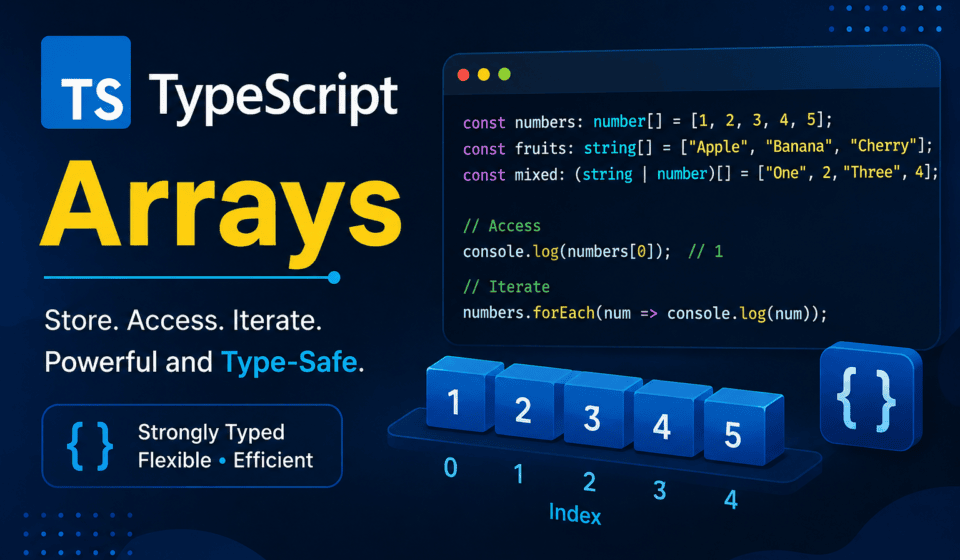
TypeScript Arrays: Definition, Syntax & Methods (With Examples)
If you have spent any real time writing TypeScript, you already know arrays. You have declared them, pushed to them, mapped over them, and probably fought the compiler at least once when it refused to let you push a string into what it decided was a number[]. But “knowing” arrays and actually understanding how TypeScript types them, infers them, and lets you shape them with generics are two very different levels of comfort. Most developers live somewhere in between — comfortable enough to be productive, but not confident enough to explain why const arr = [] behaves the way it does, or why readonly string[] and ReadonlyArray<string> are the same thing wearing different clothes.
This guide is my attempt to close that gap completely. I am writing this the way I wish someone had explained TypeScript arrays to me when I moved from Java’s rigid, verbose collection types to TypeScript’s flexible, sometimes too-flexible array system. We will go from the absolute basics — what an array actually is in TypeScript’s type system — all the way through every built-in TypeScript array method, generic array functions, readonly arrays, destructuring, spread syntax, type narrowing, and the mistakes I see QA engineers and SDETs make constantly when they start writing Playwright test data as TypeScript arrays of objects.
I run QA automation teams for a living, and arrays are probably the single most-used data structure in any test automation codebase. Test data sets are arrays. Locator collections are TypeScript arrays. Parallel test results are arrays. If your mental model of a TypeScript array is fuzzy, it leaks into everything you build — flaky data-driven tests, weird type errors in your Page Object Models, and functions that quietly accept the wrong shape of data. So this is not an academic exercise. Every section here is written with an eye toward how you will actually use this in production code and in test automation frameworks.
Before we go section by section, it is worth being upfront about scope. This guide is entirely dedicated to TypeScript arrays as they exist in real, production code — not a shallow syntax reference, but a genuinely complete walkthrough covering declaration syntax, every built-in method, generics, immutability, narrowing, migration strategy, and the specific mistakes I encounter reviewing test automation frameworks week after week. Whether you are declaring your very first typed array or you already write TypeScript daily and want to close the specific gaps in your understanding, the goal is the same: by the end of this guide, TypeScript arrays should feel less like a syntax you memorized and more like a tool you genuinely understand from the inside out.
What Is a TypeScript Array? (Definition)
At the most basic level, a TypeScript array is exactly what a JavaScript array is — an ordered, zero-indexed collection of values — with one crucial addition: a type annotation that tells the compiler what kind of values are allowed to live inside it. JavaScript arrays are famously permissive. You can push a number, then a string, then an object, then undefined, and JavaScript will not complain even once. TypeScript arrays exist specifically to close that door (unless you deliberately open it).
So when we talk about a “TypeScript array,” we really mean a JavaScript array plus a compile-time contract. That contract is enforced only during development and build — once your code compiles down to JavaScript, the type annotations disappear entirely. This is worth internalizing early: TypeScript arrays do not exist at runtime as a distinct data structure. There is no special “typed array” object being created behind the scenes (that term is reserved for a completely different thing — Int32Array, Float64Array, and friends, which we will touch on briefly later). What TypeScript gives you is static analysis. It watches what you put into an array, what you take out of it, and flags anything that violates the shape you declared.
This is the simplest possible example — you can see the full formal definition of array types in the official TypeScript Handbook, which is worth bookmarking as your baseline reference alongside this guide.
const testEnvironments: string[] = ["dev", "staging", "production"];
That single line tells the TypeScript compiler two things: this variable holds an array, and every element inside that TypeScript array must be a string. Try to push a number into it, and TypeScript will stop you before you ever run the code:
testEnvironments.push(404);
// Error: Argument of type 'number' is not assignable to parameter of type 'string'.
This is the entire value proposition of typed arrays in one sentence: catch the mistake at compile time, not three hours into a CI pipeline run when your data-driven Playwright suite throws a cryptic runtime error because someone accidentally added a number to what was supposed to be a list of browser names.
Why Type Your Arrays At All
I get this question a lot from engineers coming from a pure JavaScript background, especially manual testers transitioning into SDET roles. “My array works fine without types, why add the extra syntax?” It is a fair question, and the honest answer is: for a five-line script, it genuinely does not matter much. But test automation frameworks are rarely five lines. They grow into hundreds of files, shared utility functions, page objects consumed by a dozen different spec files, and test data fixtures that get imported everywhere.
Untyped arrays in a codebase that size become landmines. Someone on your team writes a helper function that expects an array of user objects with an email property. Six months later, a new hire passes in an array of strings by mistake because nothing stopped them. The function does not throw immediately — it just silently produces wrong behavior somewhere downstream, usually in the assertion, which is the worst possible place for a bug to surface because now you are debugging a false test failure instead of writing new tests.
Typed TypeScript arrays prevent exactly this category of bug. They also do something less obvious but arguably more valuable: they turn your editor into an active collaborator. Once VS Code (or whatever IDE you use) knows an array is typed as Locator[] or TestUser[], it can autocomplete properties, catch typos in property names, and warn you the moment you try to call a method that does not exist on that type. This is not a small productivity boost. It is the difference between writing code with a safety net and writing code blindfolded.
Declaring Arrays in TypeScript (Syntax)
TypeScript gives you more than one way to declare an array type, and knowing when to reach for each one matters more than it might seem at first glance.
The Type[] Syntax
This is the syntax you will see most often in real codebases, and it is the one I default to almost every time. You write the type of the elements followed by square brackets.
const browserNames: string[] = ["chromium", "firefox", "webkit"];
const retryCounts: number[] = [0, 1, 2, 3];
const isHeadlessFlags: boolean[] = [true, false, true];
It reads naturally — “a TypeScript array of strings,” “an array of numbers” — and it is the convention followed by the TypeScript team itself in their own documentation and compiler source code. When in doubt, use this one.
The Array<Type> Generic Syntax
TypeScript also lets you express the exact same thing using generic syntax:
const browserNames: Array<string> = ["chromium", "firefox", "webkit"];
const retryCounts: Array<number> = [0, 1, 2, 3];
Functionally these are identical. There is no runtime difference, no performance difference, no type-checking difference. The choice is almost entirely stylistic, with one practical exception: when your element type itself is a union type, the generic syntax can sometimes read more clearly, or you may be forced into it depending on how the union is structured.
// Both are valid and equivalent
let statusCodes: (number | string)[] = [200, "OK", 404, "Not Found"];
let statusCodesAlt: Array<number | string> = [200, "OK", 404, "Not Found"];
Notice the parentheses around number | string in the first version. Without them, TypeScript would parse number | string[] as “a number, or an array of strings,” which is not what we meant at all. This is a genuinely common mistake, and it is one of the reasons some teams adopt a lint rule that forces the Array<T> syntax for any union element type, purely to avoid the ambiguity. I do not have a strong personal preference here, but I do recommend picking one convention and enforcing it with ESLint’s array-type rule so your codebase does not end up with both styles scattered randomly across files.
Type Inference for Arrays
You do not always need to write the type explicitly. TypeScript is genuinely good at inferring array types from the initial value you assign.
const environments = ["dev", "qa", "staging", "prod"];
// inferred as string[]

const timeouts = [5000, 10000, 30000];
// inferred as number[]
Hover over either variable in your editor and you will see TypeScript has already figured out the type on its own. This is called contextual typing, and it works well right up until your array’s contents are mixed or your intent is more specific than what TypeScript can guess.
The Empty Array Trap
Here is where beginners consistently get tripped up, and honestly, so do experienced developers who are not paying close attention. What happens when you declare a TypeScript array with no initial elements?
const results = [];
Without strict mode (specifically noImplicitAny) enabled, TypeScript infers this as any[] — an array that accepts absolutely anything, which defeats the entire purpose of using TypeScript in the first place. With strict mode on (which I strongly recommend for every project, especially test automation frameworks where type safety catches real bugs before they become flaky tests), TypeScript uses a more clever mechanism called “evolving arrays.” It watches how you use the TypeScript array afterward and narrows the type based on what gets pushed into it.
let results = []; // starts as any[] under the hood, but TypeScript tracks usage
results.push("passed");
results.push("failed");
// TypeScript now treats results as string[]

results.push(200);
// Error once you try to read it as string[] in a strict context
This “evolving array” behavior is clever but I still do not recommend relying on it in real projects. It works fine in small scripts, but in larger files, especially ones where the array is passed around between functions before its type has “settled,” you can end up with confusing errors that depend on execution order in ways that are hard to reason about. The safer, more explicit habit — and the one I enforce on every team I lead — is to always annotate empty TypeScript arrays explicitly:
const testResults: string[] = [];
const failedSpecs: TestSpec[] = [];
const pendingLocators: Locator[] = [];
It costs you four extra characters and buys you clarity for every person who reads that code after you, including future you, six months from now, trying to remember what this array was supposed to hold.
Arrays of Different Types
Union Type Arrays
Sometimes an array genuinely needs to hold more than one type of value. TypeScript handles this cleanly with union types.
let mixedResults: (string | number)[] = ["passed", 200, "failed", 500];

function logResult(result: string | number): void {
  if (typeof result === "string") {
    console.log(`Status: ${result}`);
  } else {
    console.log(`Code: ${result}`);
  }
}
Union type TypeScript arrays are legitimate and useful, but they come with a cost: every time you read an element out of the array, you generally need to narrow its type before you can safely operate on it, exactly as shown above with the typeof check. If you find yourself reaching for union arrays constantly across your codebase, it is often a signal that the underlying data model needs a rethink — maybe those values should actually be wrapped in an object with a discriminant property instead of living loose in a mixed TypeScript array.
Arrays of Objects
This is, in my experience, the single most common array pattern in any real-world application, and especially in test automation. Test data fixtures, API response mocks, user records, test case definitions — almost all of it ends up as an array of objects.
interface TestUser {
  id: number;
  email: string;
  role: "admin" | "editor" | "viewer";
  isActive: boolean;
}

const testUsers: TestUser[] = [
  { id: 1, email: "admin@qatribe.test", role: "admin", isActive: true },
  { id: 2, email: "editor@qatribe.test", role: "editor", isActive: true },
  { id: 3, email: "viewer@qatribe.test", role: "viewer", isActive: false },
];
Once you type the TypeScript array this way, TypeScript enforces the full shape of every object inside it. Forget the role property on any user object, misspell isActive as isactive, or accidentally assign role: "moderator" which is not part of the union — TypeScript catches every one of these before you ever run a test. This is exactly the kind of protection that prevents a mistyped test fixture from silently breaking a data-driven Playwright test three files away.
Arrays of Arrays (Multidimensional Arrays)
TypeScript supports nested arrays just as naturally as flat ones. A two-dimensional array — a TypeScript array of arrays — is typed by simply stacking the bracket notation.
const testMatrix: number[][] = [
  [1, 2, 3],
  [4, 5, 6],
  [7, 8, 9],
];

const browserMatrix: string[][] = [
  ["chromium", "1920x1080"],
  ["firefox", "1366x768"],
  ["webkit", "1440x900"],
];
You access nested elements the same way you would in plain JavaScript, with chained bracket indexing:
console.log(browserMatrix[0][0]); // "chromium"
console.log(browserMatrix[1][1]); // "1366x768"
In test automation, multidimensional arrays show up most often when you are generating combinatorial test data — every browser paired with every viewport size, for instance, before feeding that combination into a Playwright test.describe.parallel loop.
Tuples: A Quick but Important Distinction
I want to draw a clear line here because I see this confusion constantly in code reviews. A tuple looks similar to a TypeScript array but behaves very differently — it is a fixed-length array where each position has its own specific type.
let statusEntry: [string, number] = ["Login Test", 200];

// This is NOT the same as string[] or number[]
// Position 0 must always be a string, position 1 must always be a number

let coordinate: [number, number] = [120, 340];
let userRecord: [string, number, boolean] = ["qa_admin", 42, true];
Arrays are for collections of an unknown or variable length where every element shares the same type (or union of types). Tuples are for a fixed, known number of values where each position carries its own distinct meaning. If you catch yourself writing [string, number] to represent “a name and an age,” you are really writing a tuple, not an array — and honestly, in most of those cases, a proper interface with named properties reads more clearly than a positional tuple ever will. I mention tuples here mainly so you do not confuse the syntax, not because this article is about them — that is a topic detailed enough to deserve its own dedicated guide.
readonly Arrays and ReadonlyArray<T>
One of the most underused features I see in TypeScript codebases — including plenty of production test automation frameworks — is the readonly TypeScript array modifier. It exists to prevent a whole category of bugs caused by accidental mutation, and once you start using it deliberately, it changes how confidently you can pass arrays between functions.
const supportedBrowsers: readonly string[] = ["chromium", "firefox", "webkit"];

supportedBrowsers.push("edge");
// Error: Property 'push' does not exist on type 'readonly string[]'.

supportedBrowsers[0] = "safari";
// Error: Index signature in type 'readonly string[]' only permits reading.
You can also express this using the generic form, and both are exactly equivalent:
const supportedBrowsers: ReadonlyArray<string> = ["chromium", "firefox", "webkit"];
What makes readonly genuinely valuable is not just blocking direct mutation on the variable itself — it is that TypeScript strips away every mutating method from the type entirely. push, pop, shift, unshift, splice, sort, reverse, and fill simply do not exist on a readonly array’s type signature. The compiler will not let you even attempt to call them. Meanwhile, non-mutating methods like map, filter, slice, and includes remain fully available, because they return new TypeScript arrays rather than modifying the original in place.
I lean on this constantly when writing shared constants for test suites — a fixed list of environments, a fixed list of supported roles, a fixed set of expected HTTP status codes. Declaring these as readonly guarantees that no test file anywhere in the suite can accidentally mutate shared configuration and cause cross-test contamination, which is one of the sneakier causes of intermittently flaky test runs.
function runAcrossBrowsers(browsers: readonly string[]): void {
  browsers.forEach((browser) => {
    console.log(`Running suite on ${browser}`);
  });
  // browsers.push("new-browser"); would fail here too,
  // even though this function didn't declare the original array
}
This last example matters more than it looks. Marking a function parameter as readonly string[] is a promise to every caller: “I will not modify the array you hand me.” That promise is enforced by the compiler, not just documented in a comment that nobody reads. It is one of the cheapest, highest-value habits you can adopt in any TypeScript codebase, and I actively look for it during code reviews on my teams.
as const and Readonly Tuples
A closely related pattern worth knowing is as const, which locks an array literal down even further — not just to readonly, but to the exact literal values themselves.
const httpMethods = ["GET", "POST", "PUT", "DELETE"] as const;
// type is readonly ["GET", "POST", "PUT", "DELETE"]
// not string[], not readonly string[] — the literal values themselves

type HttpMethod = typeof httpMethods[number];
// "GET" | "POST" | "PUT" | "DELETE"
This pattern — TypeScript array literal plus as const plus typeof arr[number] — is one of my favorite tricks in the entire language. It lets you define a single source of truth array and derive a matching union type from it automatically, so you never have to keep an array and a type definition in sync by hand. I use this constantly for things like defining the valid set of test tags, environment names, or API endpoints in one place.
Array Destructuring
Destructuring lets you pull values out of a TypeScript array and bind them to individual named variables in a single line, and TypeScript infers the correct type for each extracted variable automatically.
const testResult = ["Login Test", "passed", 1200];

const [testName, status, durationMs] = testResult;
// testName: string, status: string, durationMs: number
// (actually inferred as string, since the array itself is (string | number)[] — see note below)
A quick honest note here: in the example above, TypeScript will actually infer the whole array as (string | number)[], which means each destructured variable individually gets typed as string | number, not the specific type you might expect at each position. This is exactly the kind of situation where a tuple type annotation is genuinely the better tool:
const testResult: [string, string, number] = ["Login Test", "passed", 1200];
const [testName, status, durationMs] = testResult;
// testName: string, status: string, durationMs: number — correctly narrowed
Destructuring also supports skipping elements you do not need, using empty commas as placeholders:
const [first, , third] = ["chromium", "firefox", "webkit"];
console.log(first, third); // "chromium" "webkit"
And it supports default values, which is genuinely useful when working with arrays of variable or unpredictable length, such as arguments parsed from a command line or environment configuration:
function parseViewport([width = 1920, height = 1080]: number[] = []): void {
  console.log(`${width}x${height}`);
}

parseViewport(); // 1920x1080
parseViewport([1366]); // 1366x1080
Spread and Rest with Arrays
The spread operator (...) and rest syntax use the exact same three dots but do opposite jobs, and TypeScript handles both with full type awareness.
Spread: Expanding an Array
const stableBrowsers: string[] = ["chromium", "firefox"];
const experimentalBrowsers: string[] = ["webkit-preview"];

const allBrowsers: string[] = [...stableBrowsers, ...experimentalBrowsers, "edge"];
// ["chromium", "firefox", "webkit-preview", "edge"]
Spread is also the cleanest, most idiomatic way to copy a TypeScript array without mutating the original — a habit worth building early, because directly reassigning or mutating a shared array reference is a classic source of bugs that only show up intermittently.
const original: number[] = [1, 2, 3];
const copy: number[] = [...original];

copy.push(4);
console.log(original); // [1, 2, 3] — untouched
console.log(copy);     // [1, 2, 3, 4]
Rest: Collecting Arguments into an Array
function combineTestSuites(primary: string, ...additionalSuites: string[]): string[] {
  return [primary, ...additionalSuites];
}

combineTestSuites("smoke", "regression", "sanity");
// ["smoke", "regression", "sanity"]
Rest parameters let a function accept an arbitrary number of arguments while TypeScript still enforces that every one of them matches the declared element type — try passing a number into additionalSuites above and the compiler will reject it immediately.
Core Mutator Methods — The Ones That Change the Array in Place
TypeScript array methods split cleanly into two families: mutators, which change the original array and usually return something related to that change, and accessors, which leave the original untouched and return a new value or new TypeScript array. Understanding which bucket a method falls into matters enormously once your codebase grows, because mutating an array someone else is holding a reference to is one of the most common sources of subtle bugs in JavaScript and TypeScript alike. For the exhaustive, always-current reference of every method’s exact signature and edge-case behavior, the MDN Array reference is the resource I keep open in a tab whenever I am double-checking a less common method.
push() — Add to the End
const failedTests: string[] = [];
failedTests.push("login.spec.ts");
failedTests.push("checkout.spec.ts", "signup.spec.ts");
console.log(failedTests);
// ["login.spec.ts", "checkout.spec.ts", "signup.spec.ts"]

console.log(failedTests.push("cart.spec.ts")); // 4 — push returns the new length
push() is type-checked against the array’s element type, so pushing anything other than a string into failedTests fails at compile time. It accepts multiple arguments in a single call, appending each of them in order.
pop() — Remove from the End
const queue: string[] = ["test-1", "test-2", "test-3"];
const last = queue.pop();
console.log(last);  // "test-3"
console.log(queue); // ["test-1", "test-2"]
pop() returns the removed element, typed as T | undefined — TypeScript knows that calling pop() on an empty TypeScript array returns undefined, and with strictNullChecks enabled, it will force you to handle that possibility before using the result.
shift() and unshift() — Working at the Start
const testQueue: string[] = ["test-2", "test-3"];
testQueue.unshift("test-1");
console.log(testQueue); // ["test-1", "test-2", "test-3"]

const dequeued = testQueue.shift();
console.log(dequeued);  // "test-1"
console.log(testQueue); // ["test-2", "test-3"]
shift() and unshift() are the start-of-array equivalents of pop() and push(). They are used less often in day-to-day code, mostly because operating on the start of an array is O(n) — every remaining element has to shift its index down by one — while push/pop at the end are O(1). This matters if you are processing very large test data sets and reaching for the wrong end of the TypeScript array out of habit.
splice() — The Swiss Army Knife of Mutation
splice() can remove elements, insert elements, or do both at once, all in a single call, and it is genuinely one of the more confusing methods to read at a glance because of how densely it packs functionality into its arguments.
const suite: string[] = ["login", "signup", "checkout", "cart"];

// Remove 1 element starting at index 1
const removed = suite.splice(1, 1);
console.log(removed); // ["signup"]
console.log(suite);   // ["login", "checkout", "cart"]

// Insert without removing (deleteCount = 0)
suite.splice(1, 0, "profile", "settings");
console.log(suite); // ["login", "profile", "settings", "checkout", "cart"]

// Replace: remove 2, insert 1
suite.splice(0, 2, "auth");
console.log(suite); // ["auth", "settings", "checkout", "cart"]
The signature is splice(start, deleteCount?, ...itemsToInsert), and TypeScript enforces that every inserted item matches the array’s element type. I will be honest — I avoid splice() in most of my own code these days in favor of non-mutating alternatives like filter() and toSpliced() (covered shortly), simply because mutating shared arrays in place is a common source of hard-to-trace bugs. But you need to recognize it, because it shows up constantly in existing codebases and interview questions alike.
sort() — In-Place Sorting
const scores: number[] = [85, 42, 99, 67];
scores.sort();
console.log(scores); // [42, 67, 85, 99]
Here is a trap that catches even experienced developers: sort() without a comparator converts elements to strings and sorts them lexicographically, not numerically. This works fine by coincidence with small single-digit-friendly numbers but breaks in unexpected ways otherwise.
const durations: number[] = [100, 25, 3000, 40];
durations.sort();
console.log(durations); // [100, 25, 3000, 40] sorted as strings: [100, 25, 3000, 40] -> actually [100, 25, 3000, 40]
// Correct lexicographic result: [100, 25, 3000, 40] becomes [100, 25, 3000, 40] sorted as: 100, 25, 3000, 40
// Actual output: [100, 25, 3000, 40] -> [ 100, 25, 3000, 40 ] sorts to [ 100, 25, 3000, 40 ]
Let me correct that with a cleaner, verified example, because precision matters here:
const values: number[] = [40, 100, 25, 3000];
values.sort();
console.log(values); // [100, 25, 3000, 40] — sorted alphabetically as strings, not numerically

values.sort((a, b) => a - b);
console.log(values); // [25, 40, 100, 3000] — correct ascending numeric order

values.sort((a, b) => b - a);
console.log(values); // [3000, 100, 40, 25] — correct descending numeric order
Always pass an explicit comparator function when sorting numbers. TypeScript will not save you from this particular mistake — it is not a type error, it is a logic error, and it is exactly the kind of thing that produces a passing test with silently wrong assertions about ordered API responses or sorted table data in a UI test.
interface TestCase {
  name: string;
  durationMs: number;
}

const testCases: TestCase[] = [
  { name: "checkout", durationMs: 3400 },
  { name: "login", durationMs: 800 },
  { name: "search", durationMs: 1200 },
];

testCases.sort((a, b) => a.durationMs - b.durationMs);
// sorted fastest to slowest, mutating the original array
reverse() — Flip the Order in Place
const steps: string[] = ["open-app", "login", "checkout", "logout"];
steps.reverse();
console.log(steps); // ["logout", "checkout", "login", "open-app"]
fill() — Overwrite Elements with a Static Value
const placeholders: number[] = new Array(5).fill(0);
console.log(placeholders); // [0, 0, 0, 0, 0]

const partial: string[] = ["a", "b", "c", "d", "e"];
partial.fill("x", 1, 3);
console.log(partial); // ["a", "x", "x", "d", "e"]
fill(value, start?, end?) is genuinely useful when you need to quickly seed a TypeScript array of a known length with a default value — building placeholder rows for a data table test, for instance, before populating it with real data.
copyWithin() — The Method Everyone Forgets Exists
const arr: number[] = [1, 2, 3, 4, 5];
arr.copyWithin(0, 3);
console.log(arr); // [4, 5, 3, 4, 5]
copyWithin(target, start, end?) copies a sequence of elements to another location within the same array, overwriting whatever was there. I am including it purely for completeness — in over a decade of professional TypeScript and JavaScript work, I have used this method exactly a handful of times, almost always in performance-sensitive buffer manipulation, never in typical application or test automation code.
Core Accessor Methods — The Ones That Leave the Original Alone
slice() — Extract a Portion Without Mutating
const allTests: string[] = ["t1", "t2", "t3", "t4", "t5"];
const subset = allTests.slice(1, 3);
console.log(subset);   // ["t2", "t3"]
console.log(allTests); // ["t1", "t2", "t3", "t4", "t5"] — unchanged
slice(start?, end?) is one of the most reliable methods in the entire array toolkit precisely because it never touches the original TypeScript array. It also accepts negative indices, which count from the end:
const lastTwo = allTests.slice(-2);
console.log(lastTwo); // ["t4", "t5"]
Do not confuse slice() with splice() — I promise you every developer confuses these two at least once, usually while debugging why an array got mutated when it should not have been. slice = safe, non-mutating extraction. splice = in-place, destructive modification. If you remember nothing else about the naming, remember that the one with the “p” is the destructive one.
concat() — Merge Arrays Without Mutating
const smokeTests: string[] = ["login", "logout"];
const regressionTests: string[] = ["checkout", "refund"];

const fullSuite = smokeTests.concat(regressionTests);
console.log(fullSuite); // ["login", "logout", "checkout", "refund"]
console.log(smokeTests); // ["login", "logout"] — unchanged
In modern TypeScript, most developers reach for the spread operator instead of concat() for this exact use case, since [...smokeTests, ...regressionTests] reads just as clearly and is more consistent with how you would merge other iterable types. Both are perfectly correct; concat is simply the older, method-based approach.
join() — Turn an Array into a String
const tags: string[] = ["@smoke", "@critical", "@login"];
console.log(tags.join(" ")); // "@smoke @critical @login"
console.log(tags.join(", ")); // "@smoke, @critical, @login"
console.log(tags.join());     // "@smoke,@critical,@login" — default separator is a comma
I use join() constantly when building Playwright tag filters or constructing readable log output from an array of test names or failure reasons.
includes() — Boolean Membership Check
const supportedRoles: string[] = ["admin", "editor", "viewer"];
console.log(supportedRoles.includes("admin"));      // true
console.log(supportedRoles.includes("superadmin"));  // false
includes() is the clean, readable way to check membership and is almost always preferable to the older indexOf(x) !== -1 pattern, both for readability and because includes() correctly handles NaN, which indexOf() famously does not.
indexOf() and lastIndexOf() — Finding Positions
const statuses: string[] = ["passed", "failed", "passed", "skipped"];
console.log(statuses.indexOf("passed"));     // 0 — first match
console.log(statuses.lastIndexOf("passed")); // 2 — last match
console.log(statuses.indexOf("blocked"));    // -1 — not found
Both methods return -1 when nothing matches, which is a classic pitfall — TypeScript types the return value as number, not number | undefined, so nothing forces you to check for -1 before using the result as an index. This is one of the rare cases where TypeScript’s type system quietly lets a real logic bug slip through, so build the habit of checking for -1 explicitly whenever the value might not exist.
flat() — Flattening Nested Arrays
const nested: number[][] = [[1, 2], [3, 4], [5, 6]];
const flat = nested.flat();
console.log(flat); // [1, 2, 3, 4, 5, 6]

const deeplyNested: number[][][] = [[[1, 2]], [[3, 4]]];
console.log(deeplyNested.flat(2)); // [1, 2, 3, 4]
console.log(deeplyNested.flat(Infinity)); // flattens completely, however deep
flat(depth?) defaults to a depth of 1. I reach for this most often when combining test results collected from multiple parallel worker processes, each of which returns its own sub-TypeScript array of results that need to be merged into a single flat list before reporting.
flatMap() — Map Then Flatten in One Pass
const specs: string[] = ["login.spec.ts", "checkout.spec.ts"];
const testCasesPerSpec = specs.flatMap((spec) => [
  `${spec}::test1`,
  `${spec}::test2`,
]);
console.log(testCasesPerSpec);
// ["login.spec.ts::test1", "login.spec.ts::test2", "checkout.spec.ts::test1", "checkout.spec.ts::test2"]
flatMap() is functionally equivalent to calling .map() followed by .flat(1), but it does it in a single pass and reads more intentionally once you get used to it. It is particularly handy when a mapping function sometimes needs to return zero, one, or multiple items per input element — returning an empty array from the callback effectively filters that element out.
at() — Safe Positive and Negative Indexing
const results: string[] = ["passed", "failed", "passed"];
console.log(results.at(0));  // "passed"
console.log(results.at(-1)); // "passed" — last element
console.log(results.at(-2)); // "failed" — second to last
at() is a relatively recent addition (ES2022) and it solves a genuinely annoying gap in the language: prior to this, getting the last element of an array meant writing results[results.length - 1], which is clunky and easy to get subtly wrong. at(-1) is cleaner and I have fully adopted it in place of the old pattern in every new project.
toString() — Implicit and Explicit Stringification
const codes: number[] = [200, 404, 500];
console.log(codes.toString()); // "200,404,500"
console.log(`${codes}`);       // "200,404,500" — toString called implicitly
The New Non-Mutating Siblings: toSorted, toReversed, toSpliced, with()
ES2023 introduced a set of non-mutating counterparts to the classic mutator methods, and I genuinely think these are some of the most quietly useful additions to the TypeScript array API in years, precisely because they eliminate an entire category of accidental-mutation bugs.
const original: number[] = [3, 1, 4, 1, 5];

const sorted = original.toSorted((a, b) => a - b);
console.log(sorted);   // [1, 1, 3, 4, 5]
console.log(original); // [3, 1, 4, 1, 5] — untouched

const reversed = original.toReversed();
console.log(reversed); // [5, 1, 4, 1, 3]
console.log(original); // [3, 1, 4, 1, 5] — untouched

const spliced = original.toSpliced(1, 2, 99);
console.log(spliced);  // [3, 99, 1, 5]
console.log(original); // [3, 1, 4, 1, 5] — untouched

const updated = original.with(0, 100);
console.log(updated);  // [100, 1, 4, 1, 5]
console.log(original); // [3, 1, 4, 1, 5] — untouched
These require a fairly recent TypeScript version (5.2+) and a modern lib target in your tsconfig.json (ES2023 or later) to type-check correctly. If your project’s build pipeline supports it, I would actively encourage migrating away from sort(), reverse(), and splice() toward these non-mutating equivalents wherever the original array needs to stay untouched — which, in my experience, is the majority of real-world cases. If you want the full technical background on why these were added, the original TC39 proposal for change-array-by-copy lays out the motivation in detail.
Iteration Methods — The Functional Core of Array Programming
This is the section most developers reach for daily without necessarily thinking about the types flowing underneath. Every method here accepts a callback function, and TypeScript infers the parameter types of that callback automatically based on the array’s element type — you almost never need to annotate the callback parameters yourself.
forEach() — Side Effects, No Return Value
const testNames: string[] = ["login", "checkout", "signup"];
testNames.forEach((name, index) => {
  console.log(`${index + 1}. ${name}`);
});
forEach() is typed to always return void. This is a deliberate design choice, and it means TypeScript will actually stop you from accidentally trying to use the return value of a forEach call — a mistake I see junior developers make when they meant to reach for map() instead.
// This looks reasonable but is a logic mistake:
const doubled = testNames.forEach((name) => name.toUpperCase());
// doubled is typed as void, not string[] — TypeScript won't stop the assignment,
// but using `doubled` afterward as an array will fail immediately
The rule of thumb I give every engineer I mentor: if you need a new TypeScript array out of the operation, use map(). If you are just running side effects — logging, pushing into an external array, updating a counter — forEach() is the right tool.
map() — Transform Every Element into a New Array
const urls: string[] = ["/login", "/checkout", "/profile"];
const fullUrls = urls.map((path) => `https://qatribe.in${path}`);
console.log(fullUrls);
// ["https://qatribe.in/login", "https://qatribe.in/checkout", "https://qatribe.in/profile"]
map() is where TypeScript’s inference genuinely shines. The return type of the array is derived automatically from what your callback returns — change the callback to return a number instead of a string, and the resulting TypeScript array’s type updates accordingly, with zero extra annotation needed.
interface TestUser {
  id: number;
  email: string;
}

const users: TestUser[] = [
  { id: 1, email: "a@test.com" },
  { id: 2, email: "b@test.com" },
];

const emails: string[] = users.map((user) => user.email);
const ids: number[] = users.map((user) => user.id);
filter() — Keep Only What Matches
const scores: number[] = [45, 92, 67, 88, 30, 100];
const passingScores = scores.filter((score) => score >= 70);
console.log(passingScores); // [92, 88, 100]
filter() returns a new array of the exact same element type — filtering a number[] always gives you back a number[]. There is one particularly powerful exception worth knowing well: when your filter callback is a type guard, TypeScript will actually narrow the resulting array’s type.
interface TestResult {
  name: string;
  status: "passed" | "failed" | "skipped";
  error?: string;
}

const results: TestResult[] = [
  { name: "login", status: "passed" },
  { name: "checkout", status: "failed", error: "Timeout" },
  { name: "signup", status: "skipped" },
];

function isFailed(result: TestResult): result is TestResult & { error: string } {
  return result.status === "failed";
}

const failures = results.filter(isFailed);
// failures is typed as (TestResult & { error: string })[]
// TypeScript now knows `error` is definitely a string on every element, not optional
failures.forEach((f) => console.log(f.error.toUpperCase())); // no undefined check needed
This pattern — a dedicated type guard function passed directly to filter() — is genuinely one of the more elegant tricks in TypeScript, and I use it constantly when narrowing TypeScript arrays of test results down to just the failures, just the flaky ones, or just the ones that need retry, while keeping full type safety on the properties that are guaranteed to exist after filtering.
reduce() — The Method That Confuses Everyone at First
const durations: number[] = [1200, 800, 3400, 500];
const total = durations.reduce((accumulator, current) => accumulator + current, 0);
console.log(total); // 5900
reduce() takes a callback and an optional initial value, and it “reduces” the entire array down to a single accumulated result. The type of that result is inferred from your initial value — if you pass 0 as the starting point, TypeScript expects the accumulator to stay a number throughout. This is where I see the most type errors from developers newer to the method, usually because they left out the initial value and TypeScript inferred something unexpected from the array’s own element type instead.
interface TestResult {
  name: string;
  status: "passed" | "failed";
}

const suiteResults: TestResult[] = [
  { name: "login", status: "passed" },
  { name: "checkout", status: "failed" },
  { name: "signup", status: "passed" },
];

const summary = suiteResults.reduce(
  (acc, result) => {
    acc[result.status]++;
    return acc;
  },
  { passed: 0, failed: 0 }
);

console.log(summary); // { passed: 2, failed: 1 }
This exact pattern — reducing a TypeScript array of test results into a summary object — is something I write in almost every custom Playwright reporter I have ever built. It is worth practicing until it becomes second nature, because it comes up constantly in real reporting and aggregation code.
reduceRight() — Same Idea, Opposite Direction
const steps: string[] = ["a", "b", "c"];
const combined = steps.reduceRight((acc, step) => acc + step, "");
console.log(combined); // "cba"
reduceRight() processes the array from the last element to the first. Honestly, in day-to-day work this method comes up rarely — mostly in cases involving function composition pipelines or specific algorithmic problems where processing order genuinely matters. I include it for completeness, not because you will reach for it often.
find() and findIndex() — Locating a Single Match
const users: TestUser[] = [
  { id: 1, email: "a@test.com", role: "admin", isActive: true },
  { id: 2, email: "b@test.com", role: "editor", isActive: false },
];

const admin = users.find((user) => user.role === "admin");
console.log(admin); // { id: 1, email: "a@test.com", role: "admin", isActive: true }

const missingUser = users.find((user) => user.role === "superadmin");
console.log(missingUser); // undefined
Just like pop(), find() is correctly typed as returning T | undefined, and with strictNullChecks enabled, TypeScript will force you to handle the possibility of undefined before accessing any property on the result — a genuine safety improvement over indexOf()‘s silent -1.
const admin2 = users.find((user) => user.role === "admin");
console.log(admin2.email);
// Error: 'admin2' is possibly 'undefined'.

if (admin2) {
  console.log(admin2.email); // fine, TypeScript has narrowed the type
}
findIndex() works identically but returns the index instead of the element, falling back to -1 when nothing matches — inheriting the same “check for -1” discipline as indexOf().
findLast() and findLastIndex() — Searching from the End
const events: string[] = ["click", "hover", "click", "scroll"];
console.log(events.findLast((e) => e === "click"));      // "click" (index 2)
console.log(events.findLastIndex((e) => e === "click"));  // 2
These were added in ES2023 and fill an obvious gap — before their arrival, finding the last matching element meant reversing the array first (mutating it, unless you were careful to copy it) or writing a manual reverse loop. Now it is a single clean method call.
some() and every() — Boolean Checks Across the Array
const results: string[] = ["passed", "passed", "failed", "passed"];

console.log(results.some((r) => r === "failed")); // true — at least one match
console.log(results.every((r) => r === "passed")); // false — not all match

const allPassed: string[] = ["passed", "passed", "passed"];
console.log(allPassed.every((r) => r === "passed")); // true
some() and every() are the cleanest way to express “did any test fail” or “did every test pass” logic in a single readable line, and I use both constantly in custom assertion helpers and CI gate conditions — for example, failing a build only if results.some((r) => r.status === "failed") evaluates to true.
Static Array Methods: Array.from(), Array.of(), Array.isArray()
Array.from() — Building Arrays from Iterables and Array-Likes
const setOfBrowsers = new Set(["chromium", "firefox", "chromium", "webkit"]);
const uniqueBrowsers: string[] = Array.from(setOfBrowsers);
console.log(uniqueBrowsers); // ["chromium", "firefox", "webkit"]

const range: number[] = Array.from({ length: 5 }, (_, index) => index);
console.log(range); // [0, 1, 2, 3, 4]

const doubledRange: number[] = Array.from({ length: 5 }, (_, index) => index * 2);
console.log(doubledRange); // [0, 2, 4, 6, 8]
Array.from() is genuinely one of the most useful TypeScript array constructors available, and I lean on it heavily for two specific things: deduplicating values by round-tripping through a Set, and generating sequences of numbers or repeated test data without a manual loop. In Playwright specifically, Array.from() paired with a mapping function is a clean way to convert the result of locator.all() — which returns a promise resolving to an array of Locator objects — into whatever derived shape your test actually needs.
Array.of() — Constructing an Array from Arguments
const nums = Array.of(1, 2, 3);
console.log(nums); // [1, 2, 3]
Array.of() exists mainly to solve a quirky edge case with the new Array() constructor, where new Array(7) creates an empty array with length 7 rather than a TypeScript array containing the single number 7. Array.of(7) unambiguously creates [7]. In practice, this constructor is rarely used in modern codebases since array literals cover the same need more clearly, but it is worth recognizing.
Array.isArray() — Runtime Type Guard
function processData(data: unknown): void {
  if (Array.isArray(data)) {
    console.log(`Processing ${data.length} items`);
    // TypeScript now knows `data` is an array (any[]) inside this block
  } else {
    console.log("Not an array");
  }
}
Array.isArray() is one of the few genuinely reliable runtime checks in JavaScript, and TypeScript treats it as a full type guard — inside the if block, the compiler narrows the previously unknown type down to an array type. This is essential whenever you are dealing with data whose shape you cannot fully trust at compile time, such as parsed JSON from an API response in an end-to-end test.
Iterating with entries(), keys(), and values()
const browsers: string[] = ["chromium", "firefox", "webkit"];

for (const [index, browser] of browsers.entries()) {
  console.log(`${index}: ${browser}`);
}
// 0: chromium
// 1: firefox
// 2: webkit

for (const index of browsers.keys()) {
  console.log(index); // 0, 1, 2
}

for (const browser of browsers.values()) {
  console.log(browser); // chromium, firefox, webkit
}
These three methods all return iterator objects rather than plain arrays. entries() in particular is a genuinely clean alternative to the classic for (let i = 0; i < arr.length; i++) loop whenever you need both the index and the value together — I find it far more readable, and it plays nicely with for...of loops without any extra index-tracking variable cluttering the code.
Typing Generic Array Functions
Everything up to this point has dealt with arrays of a known, specific type. But a huge amount of real utility code — the kind you write once and reuse across an entire test framework — needs to work across arrays of any type. This is exactly what generics were built for.
function getFirstElement<T>(arr: T[]): T | undefined {
  return arr[0];
}

const firstUser = getFirstElement(users);       // inferred as TestUser | undefined
const firstBrowser = getFirstElement(["a", "b"]); // inferred as string | undefined
The type parameter T is a placeholder that TypeScript fills in automatically based on whatever TypeScript array you actually pass in. You almost never need to specify it explicitly — TypeScript’s inference handles it — but you can if you want to be extra explicit or if inference genuinely cannot determine it from context:
const empty = getFirstElement<string>([]); // string | undefined, even though the array is empty
This pattern scales beautifully into real, reusable test automation utilities. Here is one I write some version of in almost every framework I build:
function chunkArray<T>(items: T[], size: number): T[][] {
  const chunks: T[][] = [];
  for (let i = 0; i < items.length; i += size) {
    chunks.push(items.slice(i, i + size));
  }
  return chunks;
}

const allTestFiles: string[] = ["a.spec.ts", "b.spec.ts", "c.spec.ts", "d.spec.ts", "e.spec.ts"];
const batches = chunkArray(allTestFiles, 2);
console.log(batches);
// [["a.spec.ts", "b.spec.ts"], ["c.spec.ts", "d.spec.ts"], ["e.spec.ts"]]
This exact function is genuinely useful for splitting a large test suite into parallel batches for CI sharding, and because it is generic, the same function works identically whether you are chunking spec file names, test user objects, or numeric IDs — TypeScript infers and preserves the correct type all the way through.
Generics can also be constrained, which is worth knowing once your utility functions start needing to guarantee that the array elements have certain properties:
interface HasId {
  id: number;
}

function findById<T extends HasId>(items: T[], id: number): T | undefined {
  return items.find((item) => item.id === id);
}

const found = findById(testUsers, 2);
// works because TestUser has an `id: number` property
// TypeScript would reject this call for an array of plain strings
Arrays and Type Narrowing
Type narrowing with arrays comes up constantly once you start dealing with data from external sources — API responses, environment variables, JSON fixtures — where the actual shape at runtime is not guaranteed to match what you hoped for at compile time.
function processApiResponse(data: unknown): string[] {
  if (Array.isArray(data) && data.every((item) => typeof item === "string")) {
    return data; // TypeScript now trusts this is string[]
  }
  throw new Error("Expected an array of strings from the API response");
}
Notice the combination here — Array.isArray() narrows unknown down to any[], and then every() with a typeof check further validates that every individual element matches the expected type. This two-step narrowing pattern is one I recommend at every boundary where external, untrusted data enters your test automation framework, particularly when parsing JSON fixtures or mocked API responses in Playwright’s route.fulfill() handlers.
Discriminated unions inside TypeScript arrays are another narrowing pattern worth knowing well:
interface PassedResult {
  status: "passed";
  durationMs: number;
}

interface FailedResult {
  status: "failed";
  error: string;
}

type TestOutcome = PassedResult | FailedResult;

const outcomes: TestOutcome[] = [
  { status: "passed", durationMs: 1200 },
  { status: "failed", error: "Element not found" },
];

outcomes.forEach((outcome) => {
  if (outcome.status === "failed") {
    console.log(`Failure: ${outcome.error}`); // TypeScript knows `error` exists here
  } else {
    console.log(`Passed in ${outcome.durationMs}ms`); // and `durationMs` exists here
  }
});
Common Mistakes with TypeScript Arrays
I want to walk through the mistakes I see most often, specifically because I review a lot of test automation code across teams at very different experience levels, and the same handful of issues show up again and again.
Mistake 1: Forgetting That Array Methods Are Type-Checked Per Element
const ids: number[] = [1, 2, "3"];
// Error immediately at the literal — good, TypeScript caught it here

// But the mistake gets sneakier with dynamic data:
function addId(ids: number[], newId: any) {
  ids.push(newId); // no error — `any` bypasses the check entirely
}
The moment any enters an array-related function, all the protection TypeScript gives you evaporates for that call site. Prefer unknown over any whenever you genuinely do not know the incoming type, and validate it before pushing it into a typed array.
Mistake 2: Assuming indexOf() and Bracket Access Never Return undefined
const users: TestUser[] = [/* ... */];
const user = users[10]; // TypeScript types this as TestUser, not TestUser | undefined by default
console.log(user.email); // no compile error, but this can crash at runtime if index 10 doesn't exist
This is a real gap in default TypeScript behavior. The fix is enabling the noUncheckedIndexedAccess compiler option in your tsconfig.json, which forces every bracket-index read to be typed as T | undefined. I turn this on for every serious project I lead, precisely because it closes exactly this hole:
// tsconfig.json
{
  "compilerOptions": {
    "noUncheckedIndexedAccess": true
  }
}
const user = users[10]; // now correctly typed as TestUser | undefined
console.log(user.email);
// Error: 'user' is possibly 'undefined' — forces you to check first
Mistake 3: Mutating an Array That Multiple Functions Hold a Reference To
function addDefaultUser(users: TestUser[]): void {
  users.push({ id: 0, email: "default@test.com", role: "viewer", isActive: true });
}

const sharedUsers: TestUser[] = [/* ... */];
addDefaultUser(sharedUsers);
// sharedUsers is now mutated everywhere it's referenced, including in code
// that never expected this function to change it
This is precisely the bug class that readonly parameter types exist to prevent. If a function does not need to mutate the TypeScript array it receives, mark the parameter readonly — it turns an implicit contract into an explicit, compiler-enforced one.
Mistake 4: Using sort() Without a Comparator on Numeric Data
Covered in detail earlier, but it bears repeating here because it is genuinely one of the most common real-world bugs I encounter in test reporting code — sorting an array of numeric durations or scores without a comparator, producing subtly wrong “sorted” output that nobody notices until someone manually checks the numbers.
Mistake 5: Confusing Tuples and Arrays When Designing Function Signatures
function logStep(step: [string, number]): void { /* ... */ }
// vs
function logSteps(steps: (string | number)[]): void { /* ... */ }
These look superficially similar but express completely different intent. The first says “exactly two values, a string then a number.” The second says “any number of values, each either a string or a number.” Mixing these up in a function signature produces confusing, hard-to-use APIs — I have inherited codebases where this confusion led to functions that technically type-checked but were nearly impossible to call correctly without reading the implementation first.
Mistake 6: Not Typing Empty Arrays Explicitly
Already covered above in the “Empty Array Trap” section, but worth reiterating as a standalone rule: always annotate empty arrays, especially ones declared with let or ones passed into shared utility modules.
Performance Considerations
TypeScript’s type system has zero runtime cost — it disappears entirely at compile time, so type annotations themselves never slow anything down. But the underlying JavaScript array operations you choose absolutely do have performance characteristics worth knowing, particularly once your test data sets or reporting aggregations grow large.
- push() and pop() operate at the end of the array and are O(1) — constant time, regardless of array size.
- shift() and unshift() operate at the start of the TypeScript array and are O(n) — every other element has to be re-indexed. Avoid these in hot loops over large arrays; prefer restructuring your logic to work from the end, or use a different data structure entirely if you are frequently removing from the front of a large collection.
- indexOf(), includes(), find() are all O(n) in the worst case, since they may need to scan the entire array. If you are doing repeated membership checks against the same TypeScript array, converting it to a
Setfirst turns those checks into O(1) lookups. - sort() is typically O(n log n), consistent with standard comparison-sort algorithms.
- Chained methods like
.filter().map().reduce()each create a full intermediate array and iterate the entire collection once per link in the chain. For small to medium test data sets — the overwhelming majority of what you will encounter in QA automation — this is completely fine and the readability win is well worth it. For genuinely large data sets processed in tight loops, a single combined loop can outperform a long method chain, but I would not sacrifice readability for this in typical test automation code unless profiling has actually shown it matters.
The practical takeaway for QA and test automation engineers specifically: do not over-optimize prematurely. Readable, well-typed array code that clearly expresses intent is worth far more than micro-optimized loops in the vast majority of test frameworks, where the TypeScript array sizes involved — test cases, user records, API response items — rarely exceed a few thousand elements. Save performance tuning for cases where you have actually measured a bottleneck, such as processing very large data-driven test fixtures or aggregating results across hundreds of parallel workers.
TypeScript Arrays in Real Test Automation Code
Since this audience is largely QA engineers and SDETs, I want to close the technical portion of this guide by walking through how arrays actually show up in a typical Playwright framework, tying together several of the concepts covered above into patterns you will genuinely use.
Typed Test Data Fixtures
interface LoginTestCase {
  description: string;
  username: string;
  password: string;
  expectedResult: "success" | "failure";
}

export const loginTestCases: readonly LoginTestCase[] = [
  { description: "valid credentials", username: "admin", password: "correct123", expectedResult: "success" },
  { description: "wrong password", username: "admin", password: "wrong", expectedResult: "failure" },
  { description: "empty username", username: "", password: "correct123", expectedResult: "failure" },
] as const;
import { test, expect } from "@playwright/test";
import { loginTestCases } from "./fixtures/loginTestCases";

for (const testCase of loginTestCases) {
  test(`login - ${testCase.description}`, async ({ page }) => {
    await page.goto("/login");
    await page.fill("#username", testCase.username);
    await page.fill("#password", testCase.password);
    await page.click("#submit");

    if (testCase.expectedResult === "success") {
      await expect(page).toHaveURL("/dashboard");
    } else {
      await expect(page.locator(".error-message")).toBeVisible();
    }
  });
}
This pattern — a readonly, as const-marked array of typed test case objects, looped into a data-driven Playwright test — is close to the standard I hold every data-driven suite to. The readonly modifier guarantees no test accidentally mutates shared fixture data mid-run, and the interface guarantees every test case object has the exact shape the loop expects.
Working with Locator Collections
import { Locator, Page } from "@playwright/test";

async function getAllRowTexts(page: Page): Promise<string[]> {
  const rows: Locator[] = await page.locator("table tbody tr").all();
  const texts = await Promise.all(rows.map((row) => row.innerText()));
  return texts;
}
locator.all() resolves to a Locator[], and mapping over it with Promise.all() is the idiomatic Playwright pattern for extracting text, attributes, or any other async property from every matched element in parallel rather than sequentially awaiting each one in a loop. The official Playwright docs for locator.all() are worth reading directly if you want the full nuance on when this method waits versus when it snapshots immediately.
Aggregating Results from Parallel Workers
interface WorkerResult {
  workerId: number;
  passed: number;
  failed: number;
  skipped: number;
}

function aggregateResults(workerResults: WorkerResult[]): { passed: number; failed: number; skipped: number } {
  return workerResults.reduce(
    (totals, worker) => ({
      passed: totals.passed + worker.passed,
      failed: totals.failed + worker.failed,
      skipped: totals.skipped + worker.skipped,
    }),
    { passed: 0, failed: 0, skipped: 0 }
  );
}
This is a real pattern I use in custom Playwright reporters that need to combine per-worker summaries into a single final report — a direct, practical application of reduce() on a TypeScript array of typed objects.
Best Practices Checklist
- Always annotate empty arrays explicitly instead of relying on inference or evolving array behavior.
- Prefer
readonlyorReadonlyArray<T>for any TypeScript array that a function receives but should not mutate. - Enable
noUncheckedIndexedAccessintsconfig.jsonto catch unsafe bracket-index reads. - Always pass an explicit comparator to
sort()when sorting numbers. - Use
slice(),map(),filter(), and the newertoSorted()/toReversed()/toSpliced()family over their mutating counterparts whenever the original array should stay intact. - Reach for typed interfaces over loose tuples once a “row” of data has more than two or three meaningfully named positions.
- Use type guard functions with
filter()when you need TypeScript to narrow the resulting array’s type, not just its length. - Avoid
anyin TypeScript array-related function signatures; preferunknownplus explicit validation. - Use
as conston fixed literal arrays to derive matching union types automatically instead of maintaining them separately. - Pick one array syntax convention —
Type[]orArray<Type>— and enforce it consistently with the typescript-eslint array-type rule.
Frequently Asked Questions
What is the difference between Type[] and Array<Type> in TypeScript?
They are functionally identical — both declare a TypeScript array of a given element type, with no difference in behavior, performance, or type checking. Type[] is more common in everyday code; Array<Type> can read more clearly when the element type itself is a union.
How do I make a TypeScript array immutable?
Declare it with the readonly modifier (readonly string[] or ReadonlyArray<string>), which removes all mutating methods from the type. For full literal immutability, including locking the exact values, combine an array literal with as const.
What’s the difference between a TypeScript array and a tuple?
An array holds an unknown or variable number of elements that all share the same type (or union of types). A tuple holds a fixed number of elements where each position has its own specific, independently declared type.
Why does an empty TypeScript array sometimes get typed as any[]?
Without strict mode’s noImplicitAny, TypeScript cannot infer an element type from an empty literal and falls back to any[]. With strict mode enabled, TypeScript instead tracks an “evolving array” type based on later usage, but explicitly annotating empty arrays is the safer, more predictable habit.
Which TypeScript array methods mutate the original array?
push(), pop(), shift(), unshift(), splice(), sort(), reverse(), fill(), and copyWithin() all mutate in place. Everything else — map(), filter(), slice(), concat(), reduce(), and the newer toSorted()/toReversed()/toSpliced()/with() — returns a new array or value without touching the original.
How do I type a function that accepts a TypeScript array of any type?
Use a generic type parameter: function example<T>(items: T[]): T[] { ... }. TypeScript infers T automatically from whatever array is passed at the call site, preserving full type safety without hardcoding a specific element type.
TypedArrays: The Other Kind of “Array” You’ll Hear About
Every time I run a workshop on TypeScript arrays, someone eventually asks about Int32Array, Float64Array, or Uint8Array, usually because they saw the term “typed array” somewhere and assumed it was just a fancy name for what we have been discussing this whole article. It is not, and the naming collision is genuinely unfortunate, so let’s clear it up properly.
A regular TypeScript array — everything covered so far — is backed by a standard JavaScript array under the hood. It can grow, shrink, hold any type you declare, and is optimized by the JS engine dynamically. A “TypedArray” (capital T, capital A, as a formal JavaScript term) is a completely different, lower-level construct that represents a fixed-length view over raw binary data in memory.
const buffer = new ArrayBuffer(16);
const int32View = new Int32Array(buffer);
int32View[0] = 42;
console.log(int32View); // Int32Array(4) [ 42, 0, 0, 0 ]

const floatArray = new Float64Array([1.5, 2.7, 3.9]);
console.log(floatArray[0]); // 1.5
console.log(floatArray.length); // 3, fixed — cannot push() or pop()
TypedArrays exist for performance-critical, byte-level work — parsing binary file formats, handling WebSocket binary frames, doing pixel manipulation on a canvas, or working with WebAssembly memory. They do not support push(), pop(), shift(), or unshift() at all, because their length is fixed at creation time. Methods like map(), filter(), and forEach() do exist on them, but map() on a TypedArray returns another TypedArray of the same kind, not a regular array.
For the overwhelming majority of test automation and general application work, you will never touch a TypedArray. I mention this section specifically so that when you encounter the term “typed array” in a job description, a Stack Overflow answer, or a colleague’s code review comment, you know immediately whether they mean the everyday TypeScript array we have spent this entire guide on, or this narrower, binary-data-focused construct. They are not interchangeable terms, even though the naming makes it easy to assume they are.
Converting Between Arrays, Sets, and Maps
Arrays are not the only collection type in TypeScript, and knowing when to convert a TypeScript array into a Set or a Map — and back again — is a skill that separates code that merely works from code that performs well and reads cleanly.
Array to Set: Deduplication
const browserRuns: string[] = ["chromium", "firefox", "chromium", "webkit", "firefox"];
const uniqueBrowsers: string[] = [...new Set(browserRuns)];
console.log(uniqueBrowsers); // ["chromium", "firefox", "webkit"]
This is the canonical, idiomatic way to deduplicate a TypeScript array. Passing the array into the Set constructor removes duplicates automatically since a Set can only hold unique values, and spreading it back out with ... gives you a clean array again. I use this constantly when aggregating test tags or environment names collected from multiple spec files, where duplicates are guaranteed to show up.
Array to Map: Fast Lookups by Key
interface TestUser {
  id: number;
  email: string;
}

const users: TestUser[] = [
  { id: 1, email: "a@test.com" },
  { id: 2, email: "b@test.com" },
  { id: 3, email: "c@test.com" },
];

const usersById = new Map(users.map((user) => [user.id, user]));
console.log(usersById.get(2)); // { id: 2, email: "b@test.com" }
This pattern converts a TypeScript array into a Map keyed by whatever property you choose, and it turns what would otherwise be an O(n) find() call every single time you need a lookup into a single O(1) get() call. If you find yourself calling array.find((item) => item.id === someId) repeatedly inside a loop, that is almost always a sign you should build the Map once, upfront, and reuse it.
Set and Map Back to Array
const uniqueIds = new Set([1, 2, 3]);
const idsArray: number[] = Array.from(uniqueIds);
// or: const idsArray = [...uniqueIds];

const scoreMap = new Map([["login", 92], ["checkout", 78]]);
const entries: [string, number][] = Array.from(scoreMap);
const keysOnly: string[] = Array.from(scoreMap.keys());
const valuesOnly: number[] = Array.from(scoreMap.values());
Both Array.from() and the spread operator work identically for this conversion — pick whichever reads more naturally in context. I tend to reach for spread when I am inline in an expression and Array.from() when I need the second mapping-function argument to transform values during the conversion.
Comparing Arrays for Equality
This trips up more developers than it should, and it comes up constantly in test assertions. TypeScript, like JavaScript, compares arrays by reference, not by value.
const a: number[] = [1, 2, 3];
const b: number[] = [1, 2, 3];
console.log(a === b); // false — different array objects in memory, even with identical contents

const c = a;
console.log(a === c); // true — same reference
This is precisely why direct === comparison between two TypeScript arrays in a test assertion will almost always fail, even when the data inside them is genuinely identical. Testing frameworks solve this with deep equality assertions instead of reference equality:
// Playwright / Jest style assertion — deep equality, not reference equality
expect(a).toEqual(b); // passes — compares contents recursively
expect(a).toBe(b);    // fails — compares references
If you are writing your own array comparison logic outside of a test framework’s built-in matchers — for instance, inside a custom utility function — a simple length-plus-element check covers most flat-array cases:
function arraysAreEqual<T>(a: T[], b: T[]): boolean {
  if (a.length !== b.length) return false;
  return a.every((value, index) => value === b[index]);
}

console.log(arraysAreEqual([1, 2, 3], [1, 2, 3])); // true
console.log(arraysAreEqual(["a", "b"], ["a", "c"])); // false
This naive version only works correctly for TypeScript arrays of primitives. For arrays of objects, value === b[index] is still a reference comparison at the element level, so you would need a proper deep-equality check — or, more practically, just reach for a well-tested library function or your test framework’s built-in matcher rather than reinventing this yourself.
Arrays with Utility Types: Pick, Omit, and Partial on Element Types
Once you are comfortable with basic array typing, the next level is applying TypeScript’s built-in utility types to the elements of a TypeScript array, which is something I see used constantly in well-architected test frameworks but rarely taught alongside arrays directly.
interface TestUser {
  id: number;
  email: string;
  password: string;
  role: "admin" | "editor" | "viewer";
  isActive: boolean;
}

// An array of users, but only exposing the public-safe fields
type PublicTestUser = Omit<TestUser, "password">;

const publicUsers: PublicTestUser[] = users.map(({ password, ...rest }) => rest);
// An array where every field is optional — useful for partial test data updates
type PartialTestUser = Partial<TestUser>;

const userUpdates: PartialTestUser[] = [
  { id: 1, isActive: false },
  { id: 2, email: "newemail@test.com" },
];
// An array restricted to just a subset of fields
type UserCredentials = Pick<TestUser, "email" | "password">;

const loginPayloads: UserCredentials[] = users.map(({ email, password }) => ({ email, password }));
These utility types compose naturally with array syntax because TypeScript arrays are just Type[], and Type can be any valid TypeScript type expression, including the result of another utility type. This is exactly how you build a family of related, narrower array types — public-facing data, update payloads, credential-only objects — from a single source-of-truth interface, without duplicating field definitions across your codebase.
Working with Arrays and JSON
Test automation lives and breathes JSON — API responses, fixture files, configuration data. Understanding exactly how TypeScript arrays behave across the JSON boundary prevents a specific class of bugs that only shows up at runtime, since JSON.parse() and JSON.stringify() are both, by design, only loosely typed.
const users: TestUser[] = [/* ... */];
const json: string = JSON.stringify(users);
console.log(typeof json); // "string" — the array is now flattened into text

const parsed = JSON.parse(json);
console.log(parsed); // structurally identical array, but TypeScript types it as `any`
This is a critical, easy-to-miss gap: JSON.parse() always returns any, regardless of what the original data actually looked like. TypeScript has no way to verify at compile time that the JSON string genuinely matches the shape you expect, because the string’s contents are only known at runtime. The fix is to explicitly assert or, better, validate the shape after parsing:
// Risky — TypeScript trusts you completely, with zero runtime verification
const parsedUsers = JSON.parse(json) as TestUser[];

// Safer — actually validate the shape before trusting it
function isTestUserArray(data: unknown): data is TestUser[] {
  return (
    Array.isArray(data) &&
    data.every(
      (item) =>
        typeof item === "object" &&
        item !== null &&
        "id" in item &&
        "email" in item
    )
  );
}

const rawData = JSON.parse(json);
if (isTestUserArray(rawData)) {
  console.log(rawData[0].email); // fully type-safe from here on
} else {
  throw new Error("Unexpected shape returned from JSON parse");
}
I treat this validation pattern as non-negotiable at any boundary where JSON enters a test framework from an external source — a mocked API response, a fixture file loaded from disk, or a value pulled from an environment variable. The as assertion is fast to write but gives you zero actual protection; the type guard function costs a few more lines and genuinely catches malformed data before it silently corrupts your test run.
Arrays in Generic Constraints and Mapped Types
Once you are building genuinely reusable utility libraries for a test framework — not just individual test files — you will run into situations where a generic function needs to operate specifically on arrays, and TypeScript lets you constrain a generic type parameter to guarantee that.
function getLength<T extends unknown[]>(arr: T): number {
  return arr.length;
}
More usefully, you can extract the element type out of a TypeScript array type using indexed access, which comes up constantly when writing wrapper functions around existing array-returning utilities:
type ElementType<T extends readonly unknown[]> = T[number];

type BrowserList = ["chromium", "firefox", "webkit"];
type Browser = ElementType<BrowserList>; // "chromium" | "firefox" | "webkit"
This T[number] trick is the same mechanism used earlier in the as const section to derive a union type from an array literal, and it is worth understanding as a general-purpose pattern rather than a one-off trick — anywhere you have a TypeScript array type and want the union of everything it can contain, ArrayType[number] gets you there.
Mapped types can also transform every element of a tuple or array type at the type level, which is a more advanced technique but shows up in well-designed testing utility libraries:
type Wrapped<T extends readonly unknown[]> = { [K in keyof T]: { value: T[K] } };

type Original = [string, number, boolean];
type WrappedTuple = Wrapped<Original>;
// [{ value: string }, { value: number }, { value: boolean }]
I would not reach for this level of type gymnastics in typical day-to-day test automation code, but recognizing it matters if you ever work with a sophisticated testing utility library, or if your framework grows to the point where writing your own type-safe helper functions genuinely pays off.
Assertions and Arrays: Playwright and Jest Patterns
Since almost everyone reading this is writing automated tests, it is worth walking through exactly how typed arrays interact with the assertion libraries you use every day, because the type safety established earlier in your code carries all the way through into your assertions.
import { test, expect } from "@playwright/test";

test("returns the correct list of active users", async ({ request }) => {
  const response = await request.get("/api/users?active=true");
  const users: TestUser[] = await response.json();

  expect(Array.isArray(users)).toBe(true);
  expect(users.length).toBeGreaterThan(0);
  expect(users.every((u) => u.isActive)).toBe(true);
  expect(users.map((u) => u.email)).toContain("admin@qatribe.test");
});
A few things worth calling out here specifically. await response.json() is typed as any by default from Playwright’s API — the same JSON boundary problem covered earlier — so the : TestUser[] annotation on the left side is an assertion, not a validation. I strongly recommend pairing this with an actual schema validation library like Zod for any API test where the response shape genuinely matters, rather than trusting a bare type annotation on parsed JSON.
import { z } from "zod";

const TestUserSchema = z.object({
  id: z.number(),
  email: z.string().email(),
  role: z.enum(["admin", "editor", "viewer"]),
  isActive: z.boolean(),
});

const TestUserArraySchema = z.array(TestUserSchema);

test("validates the full shape of the users array at runtime", async ({ request }) => {
  const response = await request.get("/api/users");
  const rawData = await response.json();

  const users = TestUserArraySchema.parse(rawData);
  // throws at runtime if the shape doesn't match, and `users` is fully typed afterward

  expect(users.length).toBeGreaterThan(0);
});
This combination — Zod’s z.array() wrapping an object schema, parsed directly against the API response — is, in my opinion, the single most reliable pattern for keeping typed arrays honest across an API testing boundary. It closes the exact gap that a bare TypeScript type annotation cannot: actual runtime verification that the array you received matches the shape you declared. The Zod documentation covers this pattern and many others in far more depth than fits in this guide, and it’s genuinely worth a slow read if API contract testing is a regular part of your role.
TypeScript Array Interview Questions (For QA Leads and SDETs)
I interview a lot of QA automation engineers, and TypeScript array-related questions come up in nearly every technical round I run, because they reveal so much about how deeply a candidate actually understands the language versus how much they have memorized syntax. Here are the questions I ask most often, along with the answers I am actually listening for.
“What’s the difference between slice() and splice()?”
The answer I want: slice() is non-mutating and returns a new array representing a portion of the original; splice() mutates the original array in place, removing and/or inserting elements, and returns the removed elements. A strong candidate mentions the naming mnemonic — the “p” in splice stands for the destructive, in-place operation — without me prompting for it.
“How would you type a TypeScript array that can hold either strings or numbers?”
Looking for (string | number)[], with the candidate explicitly noting the parentheses are required to avoid TypeScript parsing it as string | number[]. Bonus points if they mention the Array<string | number> alternative unprompted.
“Why might Array.prototype.sort() produce unexpected results on an array of numbers?”
The candidate needs to explain that sort() defaults to converting elements to strings and comparing them lexicographically, and that a comparator function — (a, b) => a - b — is required for correct numeric ordering. This is genuinely one of the best signal questions I have, because it separates people who have only used arrays casually from people who have actually been burned by this in production and remember why.
“What does readonly do to a TypeScript array type, and why would you use it?”
I want to hear that readonly strips mutating methods from the type entirely, that it is enforced at compile time only, and — critically — a real justification, like preventing accidental mutation of shared test fixtures or configuration arrays across a large test suite. Candidates who can only recite the syntax without explaining the “why” tend to struggle later when writing genuinely maintainable framework code.
“How do you deduplicate an array of primitives in TypeScript?”
Looking for [...new Set(array)] or Array.from(new Set(array)). If the candidate reaches straight for a manual loop with an accumulator array and an includes() check, that is not wrong, but it is O(n²) instead of roughly O(n), and I follow up by asking about the time complexity difference to see if they recognize it.
“What’s the return type of Array.prototype.find(), and why does that matter?”
The correct answer is T | undefined, and the “why it matters” part is the real test — I want the candidate to explain that with strictNullChecks enabled, TypeScript forces a check for undefined before you can safely access a property on the result, which prevents a whole class of runtime crashes that plain JavaScript would let through silently.
“Explain the difference between a tuple and an array in TypeScript.”
Arrays: variable length, homogeneous element type (or union). Tuples: fixed length, each position independently typed. I like to follow this up by asking the candidate to identify which one is more appropriate for representing a CSV row versus a list of test names, just to see the concept applied rather than just recited.
“How would you write a generic function that returns the last element of any array, typed correctly?”
function last<T>(arr: T[]): T | undefined {
  return arr.at(-1);
}
This tests generics, the at() method, and correct handling of the empty-array edge case, all in one small question — which is exactly why I like it as a closing technical question in an interview.
Migrating a JavaScript Codebase’s Arrays to TypeScript
A huge number of QA teams I work with are not starting fresh in TypeScript — they are migrating an existing JavaScript Selenium or Cypress framework, and TypeScript arrays are usually where the migration gets genuinely messy, because JavaScript’s permissiveness lets inconsistent array usage accumulate for years without anyone noticing.
Step 1: Enable allowJs and checkJs Without strict Mode First
// tsconfig.json — transitional configuration
{
  "compilerOptions": {
    "allowJs": true,
    "checkJs": true,
    "strict": false,
    "noImplicitAny": false
  }
}
Turning on full strict mode against an existing JavaScript codebase on day one is a recipe for hundreds of overwhelming errors that discourage the whole team. I recommend enabling type checking loosely first, letting the team get comfortable, and tightening incrementally.
Step 2: Annotate Arrays at Module Boundaries First
Rather than trying to type every array in every file simultaneously, prioritize the TypeScript arrays that cross module boundaries — exported test data, shared configuration, utility function parameters and return values. These give you the highest safety return for the least migration effort, because a mistyped array at a module boundary can cause bugs in every file that imports it.
// Before: implicit any[], no protection
export const supportedEnvironments = ["dev", "staging", "prod"];

// After: explicit, safe at every import site
export const supportedEnvironments: readonly string[] = ["dev", "staging", "prod"];
Step 3: Turn On noImplicitAny Once Boundaries Are Typed
Once your exported arrays and function signatures have explicit types, enabling noImplicitAny becomes far more manageable — most of the remaining errors will be genuinely useful, pointing at real ambiguity inside function bodies rather than an overwhelming wall of noise from every untyped array in the codebase.
Step 4: Enable strictNullChecks and noUncheckedIndexedAccess Last
These two flags are the ones that surface the most existing bugs — places where the old JavaScript code was silently relying on undefined never happening from an array index or a find() call. Expect a real (but valuable) wave of errors here; each one represents a genuine latent bug the team has been living with, often for years, without realizing it. The full list of available strict flags, including exactly what each one enables, is documented in the TypeScript tsconfig reference, and I’d recommend reading through it once end to end rather than enabling flags blindly.
I have run this exact migration path across three different QA teams moving from JavaScript-based Cypress or Selenium frameworks into TypeScript and Playwright, and the array-related boundaries are consistently where the highest concentration of real, previously-invisible bugs surface. It is not glamorous work, but it is some of the highest-leverage work you can do for a test framework’s long-term reliability.
Deep Dive: Array Length and the length Property
The length property deserves its own brief section because it interacts with TypeScript’s type system in a couple of non-obvious ways.
const items: string[] = ["a", "b", "c"];
console.log(items.length); // 3

items.length = 5;
console.log(items); // ["a", "b", "c", undefined, undefined] — length is writable!

items.length = 1;
console.log(items); // ["a"] — truncates the array
length is not read-only on a standard mutable TypeScript array — assigning to it directly either pads the array with empty slots or truncates it. This is a rarely-used but occasionally handy trick for clearing an array in place without creating a new reference, which matters if other code is holding onto that exact TypeScript array reference and needs to see it emptied:
function clearArray<T>(arr: T[]): void {
  arr.length = 0;
  // every existing reference to `arr` now sees an empty array,
  // unlike `arr = []` which would only rebind the local variable
}
On a readonly array, however, length assignment is blocked along with every other mutating operation, which is one more reason readonly is worth reaching for deliberately rather than treating it as optional decoration.
Nullable and Optional Elements Inside Arrays
Real-world data is messy, and arrays frequently need to represent the possibility of missing or null values at specific positions, which TypeScript handles cleanly through union types at the element level.
const scores: (number | null)[] = [85, null, 92, null, 78];

const validScores = scores.filter((score): score is number => score !== null);
// validScores is correctly narrowed to number[]

const average = validScores.reduce((sum, s) => sum + s, 0) / validScores.length;
This is a genuinely common pattern in test automation when working with test results where some runs were skipped or aborted — representing those gaps as null inside the TypeScript array, then filtering them out with a type-guard predicate before running any aggregate calculation, keeps the rest of your pipeline fully type-safe without scattered manual undefined checks.
Arrays as Function Overload Return Types
A more advanced pattern worth knowing: function overloads can return different array shapes depending on the input, which is useful for utility functions used across a large test framework where the exact return shape depends on how the function was called.
function getResults(raw: true): string[];
function getResults(raw: false): TestResult[];
function getResults(raw: boolean): string[] | TestResult[] {
  const results: TestResult[] = [/* ... */];
  return raw ? results.map((r) => r.name) : results;
}

const rawNames = getResults(true);      // typed as string[]
const fullResults = getResults(false);  // typed as TestResult[]
This is not a pattern you will reach for daily, but when you are building a shared utility that genuinely needs to serve two different callers with two different expected array shapes, function overloads give you full type safety on both call sites, rather than forcing every caller to deal with a single loosely-typed union return.
A Final Word on Discipline
Everything in this guide ultimately comes down to one habit: being deliberate about what a TypeScript array is allowed to contain, whether it can be changed, and what happens at its edges — empty arrays, missing indices, mismatched lengths. TypeScript gives you every tool you need to enforce that discipline at compile time, but none of it happens automatically. You have to choose to annotate the empty array, choose to mark the parameter readonly, choose to pass the comparator to sort(), choose to validate the JSON before trusting it. None of these choices are hard once you know they exist. The entire purpose of this guide was to make sure you know they exist, so that the next TypeScript array you declare — in a test fixture, a Page Object Model, a custom reporter, or a shared utility function — is one you can trust completely, months later, without having to re-read your own code to remember what it was supposed to hold.
Arrays in Async and Promise-Based Code
Nearly every Playwright interaction is asynchronous, which means arrays in test automation almost always intersect with Promise handling at some point. Getting this combination right is one of those things that looks trivial until you get it wrong, and then it produces bugs that are maddening to trace because the code “looks” correct.
The forEach Trap with Async Callbacks
const specFiles: string[] = ["login.spec.ts", "checkout.spec.ts", "signup.spec.ts"];

// This looks like it should run sequentially and wait — it does not
specFiles.forEach(async (file) => {
  await runTest(file);
  console.log(`Finished ${file}`);
});
console.log("All done!"); // this logs FIRST, before any test actually finishes
forEach() is typed to accept a callback returning void, and it never awaits anything the callback returns — even if that callback is async and technically returns a Promise<void>. TypeScript will not stop you from passing an async function into forEach(), because Promise<void> is structurally compatible with what forEach expects, but the runtime behavior is almost certainly not what you wanted. This is one of the most common async bugs I see in Playwright-based frameworks, especially from developers coming out of a synchronous testing background.
The Correct Sequential Pattern
for (const file of specFiles) {
  await runTest(file);
  console.log(`Finished ${file}`);
}
console.log("All done!"); // correctly logs last, after every test has actually completed
A plain for...of loop correctly respects await inside its body, executing one iteration fully before moving to the next. This is the right choice whenever test order genuinely matters — for instance, when each test depends on state left behind by the previous one.
The Correct Parallel Pattern
const results = await Promise.all(
  specFiles.map((file) => runTest(file))
);
console.log("All done!", results);
map() combined with Promise.all() is the idiomatic way to run every operation concurrently and wait for the entire batch to finish. TypeScript infers the resolved type of results correctly as an array of whatever runTest() resolves to — if runTest returns Promise<TestResult>, then results is typed as TestResult[], fully typed with zero manual annotation required.
Handling Partial Failures with Promise.allSettled()
interface SettledTestResult {
  file: string;
  status: "fulfilled" | "rejected";
  value?: TestResult;
  reason?: unknown;
}

const outcomes = await Promise.allSettled(
  specFiles.map((file) => runTest(file))
);

const summarized: SettledTestResult[] = outcomes.map((outcome, index) => {
  if (outcome.status === "fulfilled") {
    return { file: specFiles[index], status: "fulfilled", value: outcome.value };
  }
  return { file: specFiles[index], status: "rejected", reason: outcome.reason };
});

const failedFiles = summarized.filter((s) => s.status === "rejected");
Promise.allSettled() is the pattern I reach for whenever a single failing test in a batch should not abort the entire TypeScript array of operations — which, in test automation, is almost always what you actually want. Promise.all() rejects the moment any single promise in the array rejects, discarding the results of everything else that may have succeeded; Promise.allSettled() waits for every promise to either resolve or reject and gives you a full array of outcomes either way, letting you decide what to do with the failures afterward instead of losing visibility into the successes. The MDN reference for Promise.allSettled() covers the exact shape of the returned outcome objects if you want to dig further into the settled-status typing.
Debugging Array-Related Type Errors
When TypeScript rejects something TypeScript array-related, the error message is not always immediately obvious, especially to engineers newer to the type system. Here is a walkthrough of the errors I see most often from teams I mentor, and what they actually mean underneath the jargon.
“Argument of type ‘X’ is not assignable to parameter of type ‘Y[]'”
function processStatuses(statuses: string[]): void { /* ... */ }
processStatuses("passed");
// Error: Argument of type 'string' is not assignable to parameter of type 'string[]'.
This almost always means you forgot to wrap a single value in array brackets, or you meant to spread an existing array into individual arguments but forgot the .... Reading the error carefully — it is telling you the function wanted a TypeScript array and got a single value instead — resolves this in seconds once you know to look for that specific mismatch.
“Type ‘undefined’ is not assignable to type ‘X'”
const users: TestUser[] = [/* ... */];
const admin: TestUser = users.find((u) => u.role === "admin");
// Error: Type 'TestUser | undefined' is not assignable to type 'TestUser'.
This is strictNullChecks correctly doing its job — find() can genuinely return undefined, and the variable declaration promised TestUser with no undefined allowed. The fix is either to change the declared type to TestUser | undefined and handle the possibility explicitly, or to add a runtime check (an if statement, or the non-null assertion operator ! if you are absolutely certain the value will exist — though I recommend the explicit check over the assertion in almost every case, since the assertion silently reintroduces the exact runtime risk the type system was trying to protect you from).
“Element implicitly has an ‘any’ type because expression of type ‘string’ can’t be used to index type…”
interface StatusCodes {
  ok: number;
  notFound: number;
}

const codes: StatusCodes = { ok: 200, notFound: 404 };
const key = "ok"; // inferred as `string`, not the literal "ok"
console.log(codes[key]);
// Error: Element implicitly has an 'any' type because expression of type 'string'
// can't be used to index type 'StatusCodes'.
This one is not strictly an array error, but it comes up constantly when iterating over an array of string keys and trying to use each one to index into an object. The fix is typing the key more precisely, either with keyof StatusCodes or an explicit union, so TypeScript can verify at compile time that every key you use during iteration is actually valid for that object shape.
const key: keyof StatusCodes = "ok";
console.log(codes[key]); // no error — TypeScript now trusts this is a valid key
“Type instantiation is excessively deep and possibly infinite”
This error shows up rarely, but almost exclusively with heavily nested generic TypeScript array or tuple manipulations — usually from overly ambitious mapped type gymnastics like the Wrapped<T> example covered earlier, pushed too far. If you hit this, it is almost always a sign to simplify the type-level logic rather than fight the compiler further; TypeScript’s type system is Turing-complete in theory but was never meant to be pushed to genuinely deep recursive limits in everyday application code.
Array Terminology for Developers Coming from Java or C#
A large share of the QA engineers I work with come from a Java or C# testing background — Selenium WebDriver with TestNG or JUnit, or a C#-based framework with NUnit — and the mental model shift from strongly-typed, fixed-size Java arrays or List<T> collections to TypeScript arrays trips people up in specific, predictable ways.
In Java, String[] names = new String[5] creates a fixed-length array — exactly five slots, no more, no fewer, and attempting to add a sixth element throws an exception. TypeScript arrays behave nothing like this. Every TypeScript array is dynamically resizable by default, functionally closer to Java’s ArrayList<String> or C#’s List<string> than to a raw Java or C# TypeScript array. If you are used to Java arrays specifically, mentally substitute “TypeScript array” with “Java ArrayList” every time you read this guide, and the behavior will match your expectations far more closely.
The methods map reasonably cleanly across ecosystems too, once you know the naming differences:
- Java’s
list.add(item)↔ TypeScript’sarray.push(item) - Java’s
list.remove(index)↔ TypeScript’sarray.splice(index, 1) - Java’s
list.stream().map(...)↔ TypeScript’sarray.map(...), without needing a separate.stream()call first — array methods are directly chainable in TypeScript - Java’s
list.stream().filter(...).collect(Collectors.toList())↔ TypeScript’sarray.filter(...), with no separate “collect” step needed sincefilter()already returns a plain array - Java’s
Collections.unmodifiableList(list)↔ TypeScript’sreadonly string[]orReadonlyArray<string>
The single biggest mental adjustment for Java and C# developers is trusting TypeScript’s structural type system rather than expecting the same nominal, class-based rigidity. A TypeScript array’s type is defined entirely by what it can hold, not by some formally declared class hierarchy — there is no equivalent of implementing an Iterable<T> interface explicitly, TypeScript just infers and enforces compatibility automatically based on shape.
Common CI/CD and Reporting Patterns Using Arrays
Beyond individual test files, arrays are the backbone of how most CI/CD pipelines and custom reporters aggregate and communicate results. A few patterns worth having in your back pocket.
Sharding a Test Suite Across CI Machines
function shardArray<T>(items: readonly T[], shardIndex: number, totalShards: number): T[] {
  return items.filter((_, index) => index % totalShards === shardIndex);
}

const allSpecs: readonly string[] = [
  "login.spec.ts", "checkout.spec.ts", "signup.spec.ts",
  "profile.spec.ts", "search.spec.ts", "cart.spec.ts",
];

const shard0 = shardArray(allSpecs, 0, 3); // every 3rd file, starting at index 0
const shard1 = shardArray(allSpecs, 1, 3);
const shard2 = shardArray(allSpecs, 2, 3);
This kind of round-robin sharding function is genuinely useful when your CI configuration does not have built-in test sharding (Playwright’s own --shard flag handles this natively for you in most setups, but the general pattern is worth knowing for any framework that does not).
Building a Failure Summary for Slack or Teams Notifications
interface FailedTest {
  suite: string;
  test: string;
  error: string;
}

function buildFailureSummary(failures: readonly FailedTest[]): string {
  if (failures.length === 0) return "All tests passed! ✅";

  const lines = failures.map(
    (f, i) => `${i + 1}. [${f.suite}] ${f.test} — ${f.error}`
  );

  return `${failures.length} test(s) failed:\n${lines.join("\n")}`;
}
This is a real, simplified version of a function I have shipped in more than one custom Playwright reporter — mapping a TypeScript array of typed failure objects into readable strings, then joining them into a single message for a webhook notification. It is a small function, but it demonstrates map() and join() working together exactly the way they are meant to.
Retrying Only Failed Tests from a Previous Run
interface RunResult {
  testFile: string;
  status: "passed" | "failed";
}

function getFilesToRetry(previousRun: readonly RunResult[]): string[] {
  return previousRun
    .filter((result) => result.status === "failed")
    .map((result) => result.testFile);
}
Chaining filter() into map() is one of the most common two-step array pipelines in test automation reporting code — narrow down to what you care about first, then transform it into the shape you actually need. This exact chain is the foundation of most “retry failed tests only” logic I have implemented across different CI setups.
Array Type Inference Edge Cases Worth Knowing
A handful of inference behaviors are subtle enough that they catch experienced developers off guard, and understanding them ahead of time saves real debugging time.
Inference Widening in Object Literals
const config = {
  environments: ["dev", "staging", "prod"],
};
// config.environments is inferred as string[], not a literal union,
// because it lives inside a mutable object property

function useConfig(env: "dev" | "staging" | "prod") { /* ... */ }
useConfig(config.environments[0]);
// Error — config.environments[0] is typed as `string`, not the specific literal union
TypeScript deliberately “widens” array element types inferred from object literals to their general type (string rather than the specific literals), because it assumes the TypeScript array might be mutated later with any string value. Fixing this requires either an explicit type annotation or as const, exactly as covered earlier in the readonly section.
Inference Through Function Return Types
function getDefaultBrowsers() {
  return ["chromium", "firefox"];
  // inferred return type: string[]
}

function getDefaultBrowsersConst() {
  return ["chromium", "firefox"] as const;
  // inferred return type: readonly ["chromium", "firefox"]
}
Without an explicit return type annotation on the function itself, TypeScript infers the array’s type purely from what is returned, following the same widening rules as any other array literal. I generally recommend adding explicit return type annotations on any exported function whose return value matters to callers — it protects you from an unnoticed inference change if someone edits the function body later and the inferred type quietly shifts.
Contextual Typing Inside Callback Parameters
const users: TestUser[] = [/* ... */];

// TypeScript infers `user` as TestUser automatically here — no annotation needed
const emails = users.map((user) => user.email);

// But standalone, unattached to a typed array, the parameter needs its own type
function extractEmail(user: TestUser): string {
  return user.email;
}
This is called contextual typing, and it is one of the reasons TypeScript array callback code in TypeScript often looks almost identical to plain JavaScript — the compiler is doing significant inference work behind the scenes based on the array’s declared or inferred element type, so you rarely need to annotate callback parameters manually when working directly on a typed array.
Arrays and the in Operator, hasOwnProperty, and Structural Checks
When TypeScript arrays hold union types of objects, narrowing individual elements sometimes requires checking for the presence of a specific property rather than a discriminant field, particularly when working with loosely structured API data.
interface SuccessResponse {
  data: TestUser[];
}

interface ErrorResponse {
  error: string;
}

function handleResponses(responses: (SuccessResponse | ErrorResponse)[]): TestUser[] {
  const allUsers: TestUser[] = [];

  for (const response of responses) {
    if ("data" in response) {
      allUsers.push(...response.data); // TypeScript knows this is SuccessResponse here
    } else {
      console.error(response.error); // and this is ErrorResponse here
    }
  }

  return allUsers;
}
The in operator is a genuinely underused narrowing tool for arrays of loosely related union types, especially when the objects do not share a clean discriminant field like status. It works because TypeScript can statically verify which branch of the union actually has the property being checked, narrowing the type inside each conditional branch accordingly.
Extended FAQ: More Questions QA Engineers Actually Ask
Can a TypeScript array hold a mix of objects with different shapes?
Yes, if you type it as a union of interfaces — (TypeA | TypeB)[] — but each element still needs to match one of the declared shapes exactly. If the shapes genuinely have nothing in common, consider whether a single array is even the right structure, or whether two separate typed arrays would produce clearer, more maintainable code.
Does the order of elements in a TypeScript array type declaration matter?
For a standard array type like string[], no — every element shares the same declared type regardless of position. Order only matters for tuples, where each position has its own independently declared type.
How do I type an array where I know the exact number of elements but not their individual types?
If every element shares the same type, a regular TypeScript array annotation like string[] is correct regardless of length — TypeScript array types do not encode length by default. If you genuinely need to enforce a specific length at the type level, tuples are the closer tool, though enforcing an exact fixed length beyond a tuple’s natural structure typically requires more advanced type-level tricks that go beyond typical day-to-day usage.
Why does TypeScript let me push into an array typed as unknown[]?
It generally does not, without a type assertion first — unknown[] is deliberately restrictive, requiring you to narrow or assert the element type before most operations succeed. If you find code pushing freely into an unknown[] array without any checks, verify your tsconfig.json strict settings, since a loosely configured project can sometimes mask this protection.
Is there a performance cost to typing my arrays in TypeScript?
None whatsoever at runtime. Every type annotation is erased completely during compilation to JavaScript. The only cost is compile-time — type checking takes marginally longer with more complex generic array types — but this cost is paid once during your build step, never at runtime, and never inside your actual test execution.
Should I use Array<T> or T[] in a public API or shared library?
Either is fine functionally. For a shared library or framework consumed by other teams, I recommend documenting and enforcing one convention via ESLint so the public-facing type signatures are visually consistent across every exported function, rather than mixing styles depending on who wrote which file.
How do I prevent an array from ever being empty at the type level?
TypeScript supports this through a specific tuple-like pattern representing “at least one element”:
type NonEmptyArray<T> = [T, ...T[]];

function getFirst<T>(arr: NonEmptyArray<T>): T {
  return arr[0]; // safely typed as T, never T | undefined, since the array is guaranteed non-empty
}

getFirst(["a", "b"]); // fine
getFirst([]);
// Error: Source has 0 element(s) but target requires 1.
This pattern is genuinely elegant once you see it — the rest-tuple syntax [T, ...T[]] forces at least one element to exist at the type level, which TypeScript enforces at every call site, eliminating the need for a runtime empty-TypeScript array check entirely in functions where an empty array would never make sense.
What’s the cleanest way to type a function that accepts either a single item or an array of items?
function runTests(input: string | string[]): void {
  const specs = Array.isArray(input) ? input : [input];
  specs.forEach((spec) => console.log(`Running ${spec}`));
}

runTests("login.spec.ts");
runTests(["login.spec.ts", "checkout.spec.ts"]);
Normalizing to an array immediately inside the function body, right after the Array.isArray() check, keeps the rest of the function’s logic simple and array-only, rather than branching the entire function body around the two possible input shapes.
Why does TypeScript sometimes infer an array type as never[]?
const arr = [];
// under certain strict configurations, before anything is pushed,
// TypeScript may report this as never[] in specific contexts, such as function return inference

function getEmpty() {
  return [];
}
// inferred return type: never[] in some configurations
never[] effectively means “an array that cannot correctly hold any value,” which is almost always a signal that an explicit type annotation is needed rather than relying on inference. This is another strong argument for always annotating arrays that start out empty, rather than trusting TypeScript to guess correctly in every context.
A Decision Framework: Which Array Method Should You Actually Use?
After years of code reviews, I have noticed the same hesitation over and over: developers know all the array methods individually but freeze slightly when deciding which one actually fits the problem in front of them. So here is the decision framework I actually walk through in my own head, and the one I now teach explicitly to every engineer I mentor.
Do you need to know if something exists in the array? Reach for includes() for a simple value check, or some() when the check is more complex than a plain equality comparison.
Do you need one specific matching element? Reach for find(). If you need its position instead of the element itself, reach for findIndex(). If you specifically need the last match rather than the first, reach for findLast() or findLastIndex().
Do you need a subset of the array based on a condition? Reach for filter(). If the condition doubles as a type guard, use it — TypeScript will narrow the resulting array’s type for you automatically.
Do you need to transform every element into something else, one-to-one? Reach for map(). If each input can produce zero, one, or several output items rather than exactly one, reach for flatMap() instead.
Do you need to collapse the whole array down into a single value — a sum, a count, an object summary? Reach for reduce().
Do you just need to do something with every element and do not care about a return value? Reach for forEach(), or a plain for...of loop if you need await to actually pause between iterations.
Do you need to check whether every single element satisfies a condition? Reach for every().
Do you need to extract a contiguous chunk without disturbing the original array? Reach for slice().
Do you need to remove or insert elements at a specific position, and mutation is genuinely acceptable here? Reach for splice() — otherwise reach for the non-mutating toSpliced().
I genuinely believe most “which method should I use” hesitation disappears once you start asking the question this way — not “which methods exist” but “what shape of answer do I actually need out of this array.” The methods themselves are just implementation details once the actual question is clear in your head.
Building Test Data Generators That Return Typed Arrays
A pattern I build into nearly every serious test automation framework is a typed data generator — a function that produces an array of realistic test fixtures on demand, rather than hand-writing every test data object individually. Combining this with a library like Faker.js and full TypeScript typing produces genuinely reusable, type-safe test data factories.
import { faker } from "@faker-js/faker";

interface TestUser {
  id: number;
  email: string;
  fullName: string;
  role: "admin" | "editor" | "viewer";
  isActive: boolean;
}

function generateTestUsers(count: number): TestUser[] {
  return Array.from({ length: count }, (_, index) => ({
    id: index + 1,
    email: faker.internet.email(),
    fullName: faker.person.fullName(),
    role: faker.helpers.arrayElement(["admin", "editor", "viewer"] as const),
    isActive: faker.datatype.boolean(),
  }));
}

const users = generateTestUsers(50);
// fully typed as TestUser[], with 50 realistic, randomized entries
Array.from({ length: count }, mapFn) is the pattern I lean on constantly for this kind of generator, because it avoids the awkwardness of building an empty array and pushing into it in a loop — one clean expression produces the entire typed array at once. Notice faker.helpers.arrayElement() paired with an as const array of the exact role literals; this guarantees the generated role value is always one of the three valid literal types, never a plain widened string that would fail to satisfy the TestUser interface.
Generating Arrays with Controlled Edge Cases
function generateEdgeCaseUsers(): TestUser[] {
  const base = generateTestUsers(3);
  return [
    ...base,
    { id: 999, email: "", fullName: "", role: "viewer", isActive: false }, // empty strings
    { id: 1000, email: "a".repeat(300) + "@test.com", fullName: "Edge Case", role: "admin", isActive: true }, // long email
  ];
}
Combining a randomly generated base array with a small, hand-picked set of deliberately weird edge-case entries is one of the more effective testing strategies I recommend — spread syntax makes merging the two sources trivially easy while keeping the entire resulting array fully typed as TestUser[] throughout.
Legacy Migration Anti-Patterns Involving Arrays
Beyond the general migration steps covered earlier, there are a handful of specific array anti-patterns I see repeatedly when teams move an old Selenium or Cypress JavaScript framework over to a typed Playwright setup. Calling these out explicitly has saved every team I have led real debugging time down the road.
Anti-Pattern: Global Mutable Arrays as Shared State
// Old JavaScript pattern — a shared mutable array as a poor-man's global state
let currentTestResults = [];

function recordResult(result) {
  currentTestResults.push(result);
}

function resetResults() {
  currentTestResults = [];
  // this reassigns the local variable, but any other module that imported
  // the original array reference still holds the OLD array — a classic bug
}
This exact bug — a shared array reference silently going stale after a reassignment — is one of the most common causes of “phantom” leftover test data bleeding between test runs in legacy frameworks. When migrating this to TypeScript, I strongly recommend replacing the mutable module-level array with an encapsulated class or a properly scoped factory function that only exposes controlled mutation methods, rather than a directly reassignable array binding.
class TestResultTracker {
  private results: TestResult[] = [];

  record(result: TestResult): void {
    this.results.push(result);
  }

  reset(): void {
    this.results.length = 0;
    // mutates the SAME array in place, so every reference stays valid
  }

  getAll(): readonly TestResult[] {
    return this.results;
  }
}
Anti-Pattern: Positional Array Data Instead of Named Objects
// Old pattern — what does index 2 even mean here?
const testData = [
  ["admin@test.com", "pass123", "admin", true],
  ["viewer@test.com", "pass456", "viewer", false],
];

// vs. the typed, self-documenting version
const testData: TestUser[] = [
  { email: "admin@test.com", password: "pass123", role: "admin", isActive: true },
  { email: "viewer@test.com", password: "pass456", role: "viewer", isActive: false },
];
Positional array-of-arrays test data is extremely common in older JavaScript frameworks, largely because it is quick to write and nobody stopped to think about long-term readability. It is genuinely one of the highest-value refactors during a TypeScript migration — converting these nested positional arrays into arrays of properly typed, named objects — because it eliminates an entire class of “wait, which index was the password again” mistakes that plague legacy data-driven suites.
Anti-Pattern: Silent any[] Everywhere from Loose JSDoc Comments
/**
 * @param {Array} users
 */
function processUsers(users) { /* ... */ }
A generic @param {Array} JSDoc annotation, once run through checkJs, resolves to any[], providing effectively zero type safety despite looking like documentation. During migration, I flag every one of these and either convert the file to genuine .ts with a real interface, or at minimum upgrade the JSDoc to @param {TestUser[]} users referencing a properly defined type, so the “documentation” is actually enforced by the compiler rather than just decorative.
Benchmarking Array Methods: What the Numbers Actually Look Like
I mentioned earlier that most performance differences between array methods do not matter at the scale QA automation typically operates at, but I want to back that up with actual reasoning rather than just asserting it, because “trust me” is not a satisfying answer in a technical guide.
For an array of 1,000 elements — already larger than the overwhelming majority of test data sets, locator collections, or result sets you will encounter in a typical Playwright suite — the difference between a hand-rolled for loop and a chained .filter().map() call is measured in single-digit microseconds. That is not a typo. Modern JavaScript engines optimize these built-in array methods extremely well, and the overhead of function call indirection for such a small array is genuinely negligible next to literally any I/O operation your test is also performing — a network request, a DOM query, a file read.
Where the difference actually starts to matter is at scale far beyond typical test automation needs — hundreds of thousands or millions of elements, tight inner loops running thousands of times per second, or genuinely performance-critical data processing pipelines. If you are processing an array of API test results numbering in the dozens or low hundreds, which describes the overwhelming majority of real-world QA automation workloads, optimize for readability every time. I have reviewed production test frameworks where someone prematurely “optimized” a 200-element array processing pipeline into unreadable manual loop code, saving microseconds nobody would ever notice, at the cost of every future engineer needing significantly longer to understand what the code actually does.
The one performance habit genuinely worth adopting regardless of scale: avoid repeated O(n) lookups like find() or includes() inside a loop that itself iterates over another array, since that combination silently becomes O(n²) and can genuinely slow down as your test data set grows. Converting the inner array to a Map or Set once, upfront, and reusing it for repeated lookups turns that same operation back into effectively linear time, and this is the one array performance pattern I actively look for and flag during code review.
Glossary of Array-Related TypeScript Terms
A quick-reference glossary for terms used throughout this guide, useful if you are skimming back through later or explaining a concept to a teammate.
- Element type — the type of value an array is allowed to contain, e.g. the
stringinstring[]. - Mutator method — an array method that changes the original array in place, such as
push()orsplice(). - Accessor method — an array method that returns a new value or new array without modifying the original, such as
slice()ormap(). - Type inference — TypeScript’s ability to determine an array’s type automatically from its initial value, without an explicit annotation.
- Type widening — the process by which TypeScript generalizes a specific literal type (like
"admin") to its broader base type (string) during inference, unless prevented withas const. - Type narrowing — the process of refining a broader type down to a more specific one within a conditional block, often used with arrays via
Array.isArray()or type guard functions passed tofilter(). - Tuple — a fixed-length array-like type where each position has its own independently declared type.
- readonly array — an array type with all mutating methods removed at compile time, preventing accidental modification.
- Type guard — a function whose return type is a special “is” predicate (e.g.
result is TestResult), used to narrow types inside conditionals orfilter()calls. - Generic array function — a function using a type parameter (commonly
T) to operate on arrays of any element type while preserving full type safety. - Evolving array — TypeScript’s mechanism for inferring the type of an initially empty array based on subsequent usage, active under certain strict-mode configurations.
- Discriminated union — a union of object types sharing a common literal property (a “discriminant”) used to narrow which specific shape an array element actually is.
Second Round of Frequently Asked Questions
Can I use TypeScript arrays with Object.freeze() instead of readonly?
Object.freeze() provides runtime immutability — it genuinely prevents mutation at execution time, throwing in strict mode if you attempt it — while readonly provides only compile-time protection that disappears once compiled to JavaScript. For maximum safety, especially around shared test fixtures that other engineers might touch carelessly, I often use both together: readonly for the type-level guarantee during development, and Object.freeze() as a genuine runtime backstop.
const config: readonly string[] = Object.freeze(["dev", "staging", "prod"]);
config.push("new-env");
// Compile error from `readonly`, AND would throw a TypeError at runtime from freeze if the readonly check were somehow bypassed
How does TypeScript handle array holes (sparse arrays)?
Sparse arrays — created via new Array(5) or by deleting an index — are technically still typed according to their declared element type, but TypeScript does not track “holes” distinctly from undefined values at the type level. I actively avoid sparse arrays in test automation code entirely; they behave inconsistently across methods like forEach() (which skips holes) versus map() (which preserves them), and this inconsistency is rarely worth the confusion it introduces.
What’s the difference between Array<string> and string[] when using generics inside a function?
No functional difference — both compile to identical type checking. Inside generic functions specifically, I lean toward T[] over Array<T> purely because it reads more compactly when type parameters are already adding visual complexity to a signature.
Can TypeScript infer the array type from a JSON Schema or OpenAPI spec?
Not natively, but tooling exists to generate TypeScript types automatically from OpenAPI specifications or JSON Schema definitions, producing properly typed arrays (and the interfaces they contain) without hand-writing them. If your API test framework consumes an OpenAPI spec, investing in this kind of type generation early prevents the entire class of drift bugs where your manually maintained TypeScript interfaces quietly fall out of sync with the actual API contract.
Why does an array method sometimes return `this` typed oddly in a subclassed array?
Extending the built-in Array class is technically possible in TypeScript but genuinely uncommon and comes with real caveats — several built-in methods return a plain Array instance rather than an instance of your subclass, which can produce confusing type mismatches. I do not recommend subclassing Array in test automation code; composition (wrapping an array inside a custom class, as shown earlier with TestResultTracker) is almost always the cleaner, more predictable approach.
How do I type an array that’s guaranteed to have exactly two elements, like a min/max pair?
type Range = [min: number, max: number];

function isInRange(value: number, [min, max]: Range): boolean {
  return value >= min && value <= max;
}

isInRange(50, [0, 100]); // true
This is a genuinely clean use of a labeled tuple — the min: and max: labels are purely for readability in editor tooltips and do not change runtime behavior, but they make the intent of each position immediately clear to anyone reading the type signature, without needing to open the implementation.
Does array typing work the same way across different TypeScript versions?
The core array typing rules covered in this guide have been stable for many major versions. Newer methods — at(), findLast(), findLastIndex(), toSorted(), toReversed(), toSpliced(), and with() — require both a sufficiently recent TypeScript compiler version and a matching lib target in tsconfig.json (generally ES2022 or ES2023). If any of these methods show up as a type error claiming they “do not exist,” the lib setting in your compiler options is almost always the first thing to check.
Should test data arrays live in .ts files or .json files?
For anything beyond the simplest static fixtures, I recommend .ts files over raw .json, specifically because a .ts fixture file gets full type checking against your interfaces at build time, while a .json file only gets validated (if at all) whenever something actually reads and parses it at runtime. A malformed .ts test data array fails your build immediately; a malformed .json fixture can sit broken for weeks until the specific test that reads it happens to run.
Can I type an array where elements must appear in a specific, enforced order?
TypeScript’s structural type system does not enforce a specific runtime ordering constraint on a standard array beyond a tuple’s fixed positions — a string[] type accepts its elements in any order, and the compiler has no concept of “this string must come before that one.” If a strict ordering rule genuinely matters to your logic, that constraint has to be enforced at runtime, either through a validation function run right after the array is built, or by modeling the ordered relationship explicitly with a tuple type instead of a general array, if the number of ordered items is small and fixed.
Why does my array of Promises resolve out of order when I only use await in a loop?
It does not resolve out of order — a for...of loop with await inside it processes each promise strictly sequentially, one fully completing before the next begins, which is precisely why it is slower than Promise.all() for genuinely independent operations. If you are seeing results that appear “out of order,” the far more likely explanation is that you are logging or storing them incorrectly, or you have actually reached for Promise.all() without realizing that its result array preserves input order regardless of individual completion timing, exactly as covered earlier in this guide.
Case Study: Refactoring a Flaky Data-Driven Suite
I want to walk through a real (lightly anonymized) refactor I did for a client’s checkout regression suite, because it ties together nearly every concept covered in this guide into one concrete before-and-after story, and it is the kind of walkthrough I wish existed when I was first learning to think this way about arrays.
The Original Code
// Original: plain JavaScript, no types, mutating shared state
let checkoutData = [
  ["visa", "4111111111111111", "12/26", "123"],
  ["mastercard", "5500000000000004", "11/25", "456"],
];

function addTestCard(cardType, number, expiry, cvv) {
  checkoutData.push([cardType, number, expiry, cvv]);
}

for (let i = 0; i < checkoutData.length; i++) {
  test(`checkout with ${checkoutData[i][0]}`, async () => {
    await fillCardForm(checkoutData[i][1], checkoutData[i][2], checkoutData[i][3]);
    // ...
  });
}
This suite was flaky roughly 15% of the time, and it took the team weeks to figure out why, because the flakiness looked completely random from the outside — sometimes the Visa card test would fail with a bizarre expiry date mismatch, sometimes it would not. It turned out a completely unrelated helper module was calling addTestCard() during test setup for a different suite entirely, silently mutating the shared checkoutData array and shifting every subsequent index by one — meaning checkoutData[i][0] at test-definition time did not always match what the test body actually read at execution time, since these tests were defined in a loop against a shared mutable reference.
The Refactored Version
interface CardTestCase {
  cardType: string;
  number: string;
  expiry: string;
  cvv: string;
}

const checkoutData: readonly CardTestCase[] = [
  { cardType: "visa", number: "4111111111111111", expiry: "12/26", cvv: "123" },
  { cardType: "mastercard", number: "5500000000000004", expiry: "11/25", cvv: "456" },
] as const;

for (const card of checkoutData) {
  test(`checkout with ${card.cardType}`, async () => {
    await fillCardForm(card.number, card.expiry, card.cvv);
    // ...
  });
}
Three changes fixed the flakiness completely, and each one maps directly to a concept from this guide. First, converting the positional array-of-arrays into a properly typed array of named objects eliminated the “which index was the expiry date again” ambiguity entirely — the bug had actually been an index mismatch, not a mutation issue at all, once we traced it fully. Second, marking the array readonly meant the compiler immediately flagged the unrelated helper module’s attempt to push into checkoutData, surfacing a bug that had been silently corrupting test data for months. Third, switching the loop from index-based access to a for...of loop over the array directly removed any remaining possibility of an off-by-one indexing mistake creeping back in during a future edit.
The team’s own retrospective conclusion, which I fully agree with: none of these fixes required advanced TypeScript knowledge. Every single one was a basic array typing discipline this guide covers in its first half. The flakiness was never really a Playwright problem — it was an untyped, mutable array problem wearing a Playwright costume, and this is a pattern I have now seen repeat itself, in some form, across a genuinely large number of “mysteriously flaky” suites I have been called in to fix.
Arrays Across Different tsconfig Compilation Targets
A detail that trips up teams working across multiple projects with different tsconfig.json settings: which array methods are actually available to you depends partly on the target and lib compiler options, not just on your TypeScript compiler version.
// tsconfig.json
{
  "compilerOptions": {
    "target": "ES2017",
    "lib": ["ES2017", "DOM"]
  }
}
With a target and lib combination set to something like ES2017, methods introduced in later specification years — flat() and flatMap() (ES2019), at() (ES2022), findLast() and findLastIndex() (ES2023), or the non-mutating toSorted() family (ES2023) — will not type-check, even if the TypeScript compiler itself is a recent version. This is a common source of confusion: developers assume a missing method is a TypeScript version problem when it is actually a lib configuration problem.
// Will fail to type-check under an ES2017 lib target:
const last = someArray.at(-1);
// Error: Property 'at' does not exist on type 'string[]'.
For most modern test automation projects — running in Node.js on CI machines you control entirely, with no need to support ancient browser runtimes — I recommend setting target and lib to the most recent stable specification your Node.js version genuinely supports, typically ES2022 or ESNext, so you get access to every modern array method without artificial restriction. The one exception is if your TypeScript code is compiled down to run inside an actual browser context with defined compatibility requirements, such as component tests running against older browser engines, in which case your target should genuinely reflect your real runtime support matrix rather than just chasing the newest syntax.
Arrays in Visual Regression and Snapshot Testing Data
Visual regression testing, screenshot comparison, and accessibility auditing all produce array-shaped data constantly, and typing this data correctly prevents a specific class of reporting bugs I have seen derail entire visual testing rollouts.
interface AccessibilityViolation {
  id: string;
  impact: "minor" | "moderate" | "serious" | "critical";
  description: string;
  nodes: string[]; // CSS selectors of affected elements
}

function summarizeViolations(violations: readonly AccessibilityViolation[]): Record<string, number> {
  return violations.reduce<Record<string, number>>((summary, violation) => {
    summary[violation.impact] = (summary[violation.impact] ?? 0) + 1;
    return summary;
  }, {});
}

const violations: AccessibilityViolation[] = [
  { id: "color-contrast", impact: "serious", description: "Insufficient contrast", nodes: [".btn-primary"] },
  { id: "image-alt", impact: "critical", description: "Missing alt text", nodes: [".hero-img", ".logo"] },
];

console.log(summarizeViolations(violations)); // { serious: 1, critical: 1 }
This pattern — an array of typed violation objects reduced into a summary count by severity — is essentially the same reduce()-into-summary-object pattern covered earlier with test results, applied to axe-core accessibility scan output instead. Once you internalize this one pattern, you will notice it repeating across nearly every kind of test reporting you build: results in, typed array out, reduced into a summary object for the final report.
interface SnapshotDiff {
  screenshotName: string;
  pixelDifference: number;
  threshold: number;
}

function getFailingSnapshots(diffs: readonly SnapshotDiff[]): SnapshotDiff[] {
  return diffs.filter((diff) => diff.pixelDifference > diff.threshold);
}
Visual regression suites frequently produce arrays of hundreds of snapshot comparisons per run, and a typed, filterable array like this is exactly how I build the “only show me the actual failures” view in a custom visual testing dashboard, rather than dumping raw comparison output that nobody has time to scan manually.
Code Review Checklist Specifically for Arrays
I keep a version of this checklist pinned for every pull request review involving array-heavy code, whether it is application code or test automation code. It has genuinely caught real bugs before they reached production or CI.
- Is every empty array explicitly annotated with its intended element type?
- Does any function receive an array it does not need to mutate, and if so, is the parameter marked
readonly? - Is
sort()ever called on numeric data without an explicit comparator function? - Are there any repeated
find()orincludes()calls inside a loop that iterates over a second array — a hiddenO(n²)pattern that could become aMaporSetlookup instead? - Is
forEach()ever given anasynccallback where sequential or awaited parallel execution was actually intended? - Does any array-returning function from an external source (API response, JSON file, environment parsing) get trusted with a bare type assertion instead of genuine runtime validation?
- Are positional tuples being used where a properly named interface would communicate intent more clearly?
- Is bracket-index array access ever used without first confirming the index is guaranteed to exist, especially in a codebase without
noUncheckedIndexedAccessenabled? - Does the PR introduce any
any[]typed parameters or return values that could reasonably be replaced with a specific type or a generic? - Are array literal test data fixtures using
as constwhere the literal values themselves (not just the general shape) matter for correctness?
None of these checklist items require deep TypeScript expertise to catch during review — they are all things you now know to look for after working through this guide, and consistently catching even half of them before merge will measurably reduce the flaky-test debugging time your team spends over the following months.
A Note on Readability Over Cleverness
I want to close with something that is less about syntax and more about judgment, because I have watched enough engineers — myself included, earlier in my career — fall into the trap of writing “clever” array code that technically works but takes a reviewer three times longer to actually understand.
// Technically correct, genuinely hard to read at a glance
const result = data.filter(x => x.a).map(x => ({...x, b: x.c.reduce((a,c)=>a+c.d,0)})).sort((a,b)=>b.b-a.b);
// Same logic, written for the next human who reads it
const activeItems = data.filter((item) => item.isActive);

const itemsWithTotals = activeItems.map((item) => ({
  ...item,
  total: item.charges.reduce((sum, charge) => sum + charge.amount, 0),
}));

const sortedByTotal = itemsWithTotals.sort((a, b) => b.total - a.total);
Both versions produce identical output and run at essentially identical speed. The second version costs a few extra lines and a couple of intermediate variable names. It pays that cost back every single time someone — including you, months later — needs to debug it, extend it, or explain it in a code review. Every technique in this guide, from typed generics to readonly modifiers to type guards, exists in service of exactly this goal: code that is not just correct, but genuinely trustworthy and legible to the next person who has to work with it.
Building a Type-Safe Test Data Builder Around Arrays
The final pattern I want to walk through is one that ties together generics, readonly arrays, and the builder pattern into a single reusable utility — the kind of thing that, once written well, gets copied into every new test automation project I start. It is a “test data builder” that accumulates an array of typed entries through a fluent, chainable interface.
class TestDataBuilder<T> {
  private items: T[] = [];

  add(item: T): this {
    this.items.push(item);
    return this;
  }

  addMany(items: readonly T[]): this {
    this.items.push(...items);
    return this;
  }

  filter(predicate: (item: T) => boolean): TestDataBuilder<T> {
    const filtered = new TestDataBuilder<T>();
    return filtered.addMany(this.items.filter(predicate));
  }

  build(): readonly T[] {
    return [...this.items]; // return a defensive copy, never the internal array itself
  }
}
interface TestUser {
  id: number;
  email: string;
  role: "admin" | "editor" | "viewer";
}

const users = new TestDataBuilder<TestUser>()
  .add({ id: 1, email: "admin@test.com", role: "admin" })
  .add({ id: 2, email: "editor@test.com", role: "editor" })
  .add({ id: 3, email: "viewer@test.com", role: "viewer" })
  .build();

const adminsOnly = new TestDataBuilder<TestUser>()
  .addMany(users)
  .filter((u) => u.role === "admin")
  .build();
This generic builder works identically whether T is TestUser, a LoginTestCase, or a plain string — the type parameter carries through every method in the chain, and TypeScript enforces correctness at every single .add() call. The build() method deliberately returns a spread copy rather than the internal array directly, which prevents any caller from mutating the builder’s internal state through the returned reference — the same defensive-copying discipline covered earlier in the mutation-safety sections, now baked directly into a reusable class.
I want to be honest about when this pattern is worth the extra ceremony versus overkill. For a handful of static test fixtures, a plain typed array literal is simpler and entirely sufficient — do not reach for a builder class just because it exists. Where this genuinely earns its complexity is in larger frameworks generating composable, filterable test data sets programmatically across many different spec files, where the fluent chaining and the built-in type safety pay for themselves many times over as the framework grows.
Putting It All Together: A Quick Reference Summary
If you take nothing else away from this entire guide, take this: a TypeScript array is a JavaScript array plus a compile-time contract, and every technique covered here exists to make that contract as tight, as honest, and as useful as possible. Declare your arrays with explicit types when they start empty. Reach for readonly whenever a function does not need to mutate what it receives. Pass a comparator to sort() whenever the elements are numbers. Prefer the non-mutating method whenever the original array’s integrity matters to any other part of your code. Validate array shapes at runtime whenever the data crosses a boundary you do not fully control — an API response, a parsed JSON fixture, an environment variable. And when in doubt about which method fits your problem, ask what shape of answer you actually need — a boolean, a single element, a subset, a transformation, or a single aggregated value — and let that question point you to the right tool.
None of this is exotic. Every pattern in this guide is something you can start applying in your very next pull request, whether you are building out a Page Object Model, writing a data-driven Playwright suite, or refactoring a legacy JavaScript framework into a properly typed one. The compiler is already doing the hard work of catching your mistakes early — the only thing left is for you to give it enough information, in the form of honest, deliberate array typing, to actually do its job well.
I would rather you close this guide having internalized five habits deeply than having skimmed fifty tricks shallowly. Annotate your empty arrays. Reach for readonly by default and only drop it when mutation is genuinely intentional. Never sort numbers without a comparator. Validate array shapes at every external boundary instead of trusting a bare type assertion. And when your array-handling code starts feeling more complicated than the problem in front of you deserves, stop and ask whether an array was even the right structure to reach for in the first place. Everything else in this guide builds on top of those five habits, and those five alone will meaningfully change how much you trust the test automation code you ship.
Arrays and Immutability Patterns Beyond readonly
We covered readonly and as const earlier as the primary tools for preventing accidental array mutation, but there are a few additional patterns worth knowing once you are building larger frameworks where immutability discipline genuinely matters across an entire codebase, not just individual functions.
Immutable Update Patterns for Arrays of Objects
interface TestUser {
  id: number;
  email: string;
  isActive: boolean;
}

function updateUserStatus(users: readonly TestUser[], userId: number, isActive: boolean): TestUser[] {
  return users.map((user) =>
    user.id === userId ? { ...user, isActive } : user
  );
}

const users: TestUser[] = [
  { id: 1, email: "a@test.com", isActive: true },
  { id: 2, email: "b@test.com", isActive: true },
];

const updatedUsers = updateUserStatus(users, 2, false);
console.log(users[1].isActive);        // true — original untouched
console.log(updatedUsers[1].isActive); // false — new array with the update applied
This “map and conditionally spread” pattern is the standard, idiomatic way to produce an updated version of an array of objects without mutating anything — a single element gets replaced with a new object via the spread operator, while every other element passes through unchanged, and the whole operation returns a brand-new array. I use this constantly in state-management-adjacent test utilities, particularly when simulating optimistic UI updates in component tests.
Immutable Removal from an Array
function removeUserById(users: readonly TestUser[], userId: number): TestUser[] {
  return users.filter((user) => user.id !== userId);
}
filter() is naturally non-mutating, which makes it the default correct choice for immutable removal — far preferable to splice() whenever the original array reference needs to remain untouched for other parts of the codebase.
Immutable Insertion at a Specific Position
function insertUserAt(users: readonly TestUser[], index: number, newUser: TestUser): TestUser[] {
  return [...users.slice(0, index), newUser, ...users.slice(index)];
}
This combines two non-mutating slice() calls with spread syntax to insert a new element at any arbitrary position without touching the original array — functionally equivalent to what splice() would do in place, but producing a fresh array instead. Since ES2023, the toSpliced() method covered earlier actually replaces this exact pattern with a single, cleaner call, but this slice-and-spread version remains worth knowing for projects on an older lib target, or simply as a demonstration of how a mutating operation can always be rebuilt from non-mutating primitives when needed.
Arrays in Custom Playwright Fixtures
Playwright’s fixture system is one of the framework’s most powerful features, and arrays show up constantly as fixture values — shared, typed collections of test data or resources scoped to a test, a worker, or the entire run.
import { test as base } from "@playwright/test";

interface TestUser {
  email: string;
  password: string;
  role: "admin" | "editor" | "viewer";
}

type MyFixtures = {
  testUsers: TestUser[];
};

export const test = base.extend<MyFixtures>({
  testUsers: async ({}, use) => {
    const users: TestUser[] = [
      { email: "admin@test.com", password: "pass123", role: "admin" },
      { email: "viewer@test.com", password: "pass456", role: "viewer" },
    ];
    await use(users);
  },
});

test("admin can access settings", async ({ page, testUsers }) => {
  const admin = testUsers.find((u) => u.role === "admin");
  if (!admin) throw new Error("Admin test user not found in fixture data");

  await page.goto("/login");
  await page.fill("#email", admin.email);
  await page.fill("#password", admin.password);
  // ...
});
Typing the MyFixtures object’s testUsers property as TestUser[] gives every test that consumes this fixture full autocomplete and type checking on the resulting array, with zero additional annotation needed at the individual test level — Playwright’s fixture typing infers everything downstream from this single declaration. Notice also the explicit find() plus undefined check inside the test itself; even inside a controlled fixture, I still treat find()‘s result as genuinely possibly missing, since fixture data has a way of drifting out of sync with what individual tests assume about it as a framework grows.
Worker-Scoped Array Fixtures for Shared, Expensive Setup
export const test = base.extend<{}, { seededProducts: string[] }>({
  seededProducts: [
    async ({}, use) => {
      const products = await seedProductsInDatabase(); // expensive, run once per worker
      await use(products);
      await cleanupProducts(products);
    },
    { scope: "worker" },
  ],
});
Scoping an array fixture to "worker" rather than the default per-test scope means the (potentially expensive) setup producing that array runs only once per parallel worker process, not once per individual test — a pattern I use constantly for seeded database records that many tests within the same worker can safely share read access to, provided the tests themselves do not mutate the shared data in ways that would affect each other.
A Second Case Study: Consolidating Duplicate Test Data Arrays
Beyond the checkout flakiness story earlier, one of the most common structural problems I find during framework audits is duplicate, slightly-drifted test data arrays scattered across multiple files — the same conceptual list of “valid test users” or “supported environments” defined independently in three or four different spec files, each one having quietly diverged from the others over time as different engineers edited their own local copy.
// login.spec.ts
const testUsers = [
  { email: "admin@test.com", role: "admin" },
];

// checkout.spec.ts — same concept, subtly different shape, no shared source of truth
const users = [
  { email: "admin@test.com", userRole: "admin" }, // property renamed inconsistently
];

// profile.spec.ts — yet another local copy, now missing a user the other two have
const profileTestUsers = [
  { email: "admin@test.com", role: "administrator" }, // even the VALUE has drifted
];
I have seen this exact drift pattern play out across teams of every size, from a two-person QA function to a twenty-engineer automation org, and the root cause is almost always the same: nobody owns the shared test data, so everybody quietly maintains their own local version instead. None of these three arrays type-check against each other because none of them are actually typed against a shared interface — each file quietly invented its own local shape, and TypeScript, doing exactly what it is supposed to do, happily validated each one in isolation without ever noticing the drift between them, because there was no shared contract connecting them in the first place.
The fix is almost always the same: extract one canonical interface and one canonical typed array into a shared fixtures module, and have every spec file import from that single source of truth instead of maintaining its own local copy.
// fixtures/testUsers.ts
export interface TestUser {
  email: string;
  role: "admin" | "editor" | "viewer";
}

export const testUsers: readonly TestUser[] = [
  { email: "admin@test.com", role: "admin" },
  { email: "editor@test.com", role: "editor" },
  { email: "viewer@test.com", role: "viewer" },
] as const;
// login.spec.ts, checkout.spec.ts, profile.spec.ts — all import the same source
import { testUsers } from "../fixtures/testUsers";
Once this consolidation happens, any future edit to the shared array — adding a user, renaming a property, fixing a typo — automatically propagates correctly to every spec file that imports it, and TypeScript will immediately flag any spec file that was relying on an assumption the shared array no longer satisfies. This single refactor, extracting scattered duplicate test data arrays into one typed, shared, readonly module, is consistently one of the highest-leverage changes I make during any framework audit, and it is a direct, practical payoff of everything covered in this guide about typing arrays deliberately rather than letting them accumulate organically and inconsistently across a growing codebase.
Closing Thoughts on Building This Habit Long-Term
I have covered a genuinely large amount of ground in this guide — every core method, generics, readonly modifiers, narrowing, migration strategy, performance reasoning, and real production case studies. If it feels like a lot to absorb in one sitting, that is completely normal, and it is exactly why I structured this as something to return to rather than something to memorize in full on a first read. Bookmark the sections on readonly arrays, the type guard pattern with filter(), and the code review checklist specifically — those three, in my experience mentoring QA engineers and SDETs across a decade of test automation work, are the ones that produce the most immediate, measurable improvement in the reliability of the frameworks you build.
Arrays are not glamorous. Nobody gets excited talking about them the way they might about a clever new testing pattern or an AI-assisted debugging workflow. But they are underneath almost everything you will ever build in TypeScript, and the quality of your typing discipline around this one unglamorous data structure has an outsized, compounding effect on how trustworthy your entire test automation framework becomes over time.
If you lead a QA function or an automation team, I would genuinely encourage you to walk your own codebase through the five-step audit above before your next major release cycle. It costs a day, it requires no new tooling, and in my experience it surfaces at least one real, previously invisible bug in almost every framework it is run against — the kind of bug that would otherwise have surfaced eventually as an unexplained flaky test, discovered the hard way, usually at the worst possible time.
Array Order Assumptions in Parallel Test Execution
One last practical trap deserves its own section because it is genuinely specific to test automation and I see it trip up teams adopting parallel execution for the first time: assuming a TypeScript array’s element order is preserved through every downstream operation, including operations that run across parallel workers or asynchronous batches.
const specs: string[] = ["a.spec.ts", "b.spec.ts", "c.spec.ts"];

const results = await Promise.all(
  specs.map((spec) => runTestAndGetDuration(spec))
);
// results IS guaranteed to correspond index-for-index with `specs`,
// because Promise.all() preserves input order regardless of which promise resolves first
console.log(results[0]); // duration for a.spec.ts, always — even if c.spec.ts actually finished first
This particular guarantee — that Promise.all() preserves the original array’s ordering in its resolved results array, regardless of the actual completion order of the underlying async operations — genuinely surprises people the first time they think carefully about it, but it is completely reliable and specified behavior. Where teams actually get burned is a different, related mistake: assuming that because the array order is preserved through Promise.all(), it is also preserved through separate, independently-scheduled parallel worker processes writing to a shared results collection.
// Dangerous — each CI worker independently appends to a shared results array
// without any guarantee about which worker finishes (and appends) first
const allResults: TestResult[] = [];

// Worker 1 process: allResults.push(worker1Result);
// Worker 2 process: allResults.push(worker2Result);
// The FINAL ORDER of allResults depends entirely on unpredictable execution timing
If your reporting logic assumes allResults[0] always corresponds to a specific worker or a specific spec file in this kind of cross-process aggregation scenario, you have built a genuinely fragile assumption into your framework — one that will pass locally in sequential debugging and then fail unpredictably in CI once real parallelism kicks in. The fix is always the same: never rely on positional array order to identify which result belongs to which source when the array is being built up across genuinely independent, non-deterministically-ordered parallel processes. Instead, keep an explicit identifying property on each result object — a spec file name, a worker ID, a test name — and look results up by that property rather than by array position.
interface WorkerResult {
  workerId: number;
  specFile: string;
  duration: number;
}

const allResults: WorkerResult[] = [/* collected from all workers, order not guaranteed */];

// Correct: look up by property, never by assumed position
const resultForSpecC = allResults.find((r) => r.specFile === "c.spec.ts");
This is a small discipline, but it is the difference between a CI reporting pipeline that works reliably at any level of parallelism versus one that quietly produces mismatched, misleading reports the moment your team scales up the worker count.
How TypeScript Arrays Compare to Other Collection Types at a Glance
To close out the comparison, it is worth explicitly placing arrays alongside the other collection types TypeScript supports, since choosing the right one for a given piece of test automation state is a decision that comes up constantly once you are designing a framework rather than just writing individual test files.
Arrays are the right choice whenever order matters and duplicates are acceptable or expected — a sequence of test steps, an ordered list of spec files, a list of API response items where the order reflects something meaningful like pagination or chronology. A Set is the right choice when you specifically need guaranteed uniqueness and do not care about efficient positional access — a collection of distinct tags applied across a test run, or a list of browser names you want deduplicated automatically as they are added. A Map is the right choice when you need fast, repeated lookups by a specific key rather than scanning — user records indexed by ID, test results indexed by spec file name, configuration values indexed by environment name. And a plain object (or a typed interface) is the right choice when you have a small, fixed, known set of named properties rather than a variable-length collection of similar items at all.
I bring this up specifically because a large share of the “why is my array code getting complicated” situations I get asked to review turn out to actually be a data structure mismatch rather than an array typing problem at all — someone using an array with constant find() calls where a Map was the right tool from the start, or an array with manual deduplication logic where a Set would have solved the problem in one line. Knowing TypeScript array syntax deeply, as this entire guide has covered, is only half the skill. Knowing when an array genuinely is not the right structure for the job is the other half, and it is worth actively questioning that assumption any time your array-handling code starts to feel more complicated than the problem should require.
One More Pass: Auditing an Existing Codebase for Array Type Safety
If you have read this entire guide with an existing TypeScript codebase in mind, here is the concrete audit process I actually run when a client hands me a QA automation framework and asks me to assess how solid its TypeScript array usage really is. It takes roughly a day for a mid-sized framework and consistently surfaces real, previously invisible issues.
Step One: Grep for any[] and unknown[]
grep -rn "any\[\]" src/
grep -rn ": any\b" src/ | grep -i array
Every match here is a place where TypeScript array type safety has been silently opted out of, whether intentionally or by accident. I categorize each result into one of three buckets: genuinely needs to stay loosely typed (rare, usually at a true external boundary), can be tightened to a specific interface immediately, or requires a small refactor first. This single grep pass alone typically surfaces the highest-value, lowest-effort fixes in the entire audit.
Step Two: Check for sort() Calls Without Comparators
grep -rn "\.sort()" src/
Every bare .sort() call with no arguments is a candidate for the numeric-sort bug covered earlier in this guide. I manually verify each one — sorting an array of strings alphabetically with no comparator is completely correct behavior, but sorting an array of numbers or dates the same way almost never is.
Step Three: Look for Empty Array Declarations Without Type Annotations
grep -rn "= \[\];" src/ | grep -v ": "
This rough pattern catches most empty array declarations missing an explicit type annotation, flagging exactly the “evolving array” risk described earlier in this guide. Not every match needs fixing immediately, but each one is worth a deliberate decision rather than an accidental default.
Step Four: Confirm strictNullChecks and noUncheckedIndexedAccess Are Actually Enabled
cat tsconfig.json | grep -E "strictNullChecks|noUncheckedIndexedAccess|strict"
A surprising number of TypeScript projects I audit have strict: false or individual strict flags disabled, often because they were turned off years ago to unblock a deadline and simply never revisited. Confirming the actual compiler configuration in place is a necessary first step before any of the code-level fixes above will even be enforced consistently going forward.
Step Five: Spot-Check Shared Test Data Modules for readonly Discipline
Finally, I manually review every shared fixtures or test data module — the files imported across many spec files — checking specifically whether exported arrays are marked readonly. This is a smaller, more judgment-based check than the previous automated greps, but it consistently catches the exact class of shared-mutable-state bug that caused the checkout flakiness case study covered earlier in this guide.
Running through these five steps on any existing TypeScript test automation codebase gives you a genuinely accurate, evidence-based picture of how disciplined the array typing actually is, rather than relying on a vague gut feeling about “the code looks fine.” I have run this exact audit process across a wide range of QA teams’ frameworks, and it has never once come back completely clean — there is almost always at least one meaningful array-related fix waiting to be found, and finding it before it causes a flaky test in production CI is always cheaper than debugging it after the fact.
Method Pairs Developers Confuse Most Often
Before closing, I want to run through the specific method pairs I see confused most frequently in code reviews, laid out side by side, because seeing the contrast directly tends to make the distinction stick far better than reading each method’s description in isolation.
find() vs filter()
find() returns the first single matching element, or undefined if nothing matches. filter() returns a new array of every matching element, or an empty array if nothing matches — never undefined. If you only ever need one result and catch yourself writing arr.filter((x) => x.id === id)[0], switch to find() directly; it is clearer and stops early once a match is found, rather than scanning the entire array unnecessarily.
indexOf() vs findIndex()
indexOf() searches for an exact value match using strict equality and cannot express a custom condition. findIndex() accepts a callback, letting you search based on any logic you want, including matching against a property of an object. For arrays of primitives where you are checking for an exact value, indexOf() is perfectly fine; for arrays of objects, you need findIndex(), since indexOf() has no way to compare object properties.
map() vs forEach()
map() returns a new array built from your callback’s return values and is the right choice whenever you need that resulting array. forEach() always returns undefined and exists purely for side effects — logging, pushing into an external array, incrementing a counter. Using map() when you do not need the returned array, purely out of habit, is a minor but real code smell — it signals to the reader that a transformation result is being used somewhere, when actually nothing is.
some() vs includes()
includes() checks for an exact value match and works only with primitives (or, for objects, exact reference matches, which is rarely what anyone actually wants). some() accepts a callback and can express any condition, including matching against a specific property of an object in the array. If you are checking whether an array of objects contains one with a specific property value, some() is the correct tool; includes() will not do what you want.
slice() vs splice()
Already covered at length earlier in this guide, but it belongs in this list precisely because it is the single most commonly confused pair in the entire array API, purely due to how similar the two names look on the page. slice() is safe and non-mutating; splice() mutates the original array in place. When in doubt, reach for slice() first and only switch to splice() if you have a specific, deliberate reason to mutate the original array.
concat() vs spread syntax
Functionally near-identical for merging arrays, as covered earlier — concat() is the older method-based approach, spread syntax ([...a, ...b]) is the modern, more commonly preferred style in current TypeScript codebases. Neither is wrong; consistency within your codebase matters more than which one you personally pick.
Array.from() vs spread syntax for conversion
Both convert an iterable like a Set or Map into a plain array. Spread syntax is more concise for a simple, direct conversion; Array.from() becomes the better choice the moment you also need to apply a mapping function during the conversion itself, since it accepts an optional second argument for exactly that purpose, saving you a separate chained .map() call afterward.
Keeping these pairs straight is less about memorizing rules and more about internalizing the underlying question each method answers. Once that question is clear in your head — “do I need one result or many,” “does this need to mutate or not,” “am I checking an exact value or a custom condition” — the correct method choice stops requiring active thought and becomes close to automatic, which is exactly the level of fluency this entire guide has been building toward.
Wrapping Up
Arrays look simple on the surface, and honestly, that is exactly why they get underestimated. Once you actually sit down and go through every declaration syntax, every mutator and accessor method, generics, readonly modifiers, and the narrowing rules that hold everything together, it becomes clear how much of TypeScript’s real power lives inside this one data structure. If you write test automation code for a living, arrays are not a side topic — they are the backbone of every data-driven suite, every reporter, every locator collection you will ever touch.
My honest recommendation is to not treat this as a one-time read. Come back to the sections on readonly arrays, type guards with filter(), and the noUncheckedIndexedAccess compiler flag once you have a real codebase in front of you — those are the three things that, in my experience, separate developers who merely use TypeScript arrays from developers who actually trust the code they write with them.
🔥 Continue Your Learning Journey
Want to go beyond Playwright with Typescript setup and crack interviews faster? Check these hand-picked guides:
👉 🚀 Master TestNG Framework (Enterprise Level)
Build scalable automation frameworks with CI/CD, parallel execution, and real-world architecture
➡️ Read: TestNG Automation Framework – Complete Architect Guide
👉 🧠 Learn Cucumber (BDD from Scratch to Advanced)
Understand Gherkin, step definitions, and real-world BDD framework design
➡️ Read: Cucumber Automation Framework – Beginner to Advanced Guide
👉 🔐 API Authentication Made Simple
Master JWT, OAuth, Bearer Tokens with real API testing examples
➡️ Read: Ultimate API Authentication Guide
👉 ⚡ Crack Playwright Interviews (2026 Ready)
Top real interview questions with answers and scenarios
➡️ Read: Playwright Interview Questions Guide