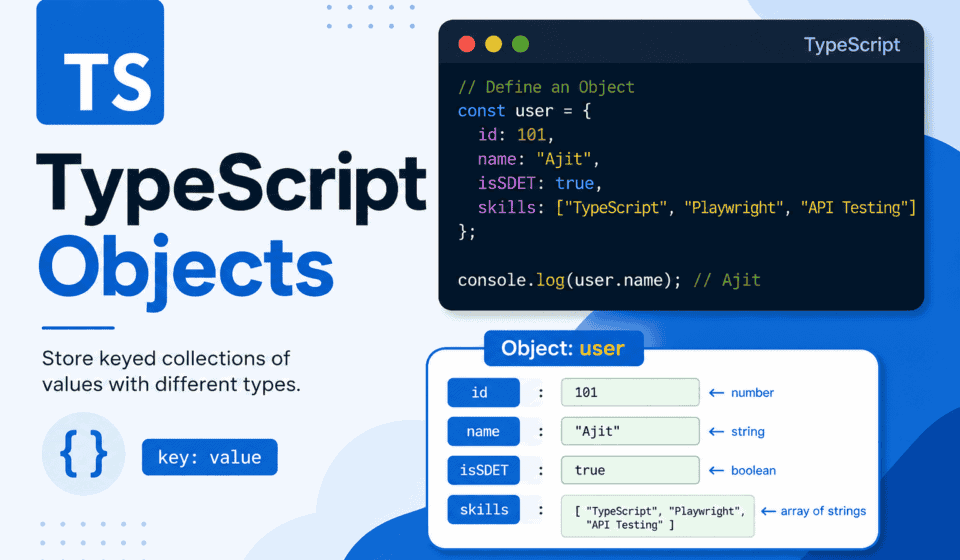
TypeScript Objects: Typing, Optional Properties & Read-only Fields
If you have spent any real time writing TypeScript, you already know that TypeScript objects are where most of the interesting typing decisions happen. Functions get a lot of attention in tutorials, and generics get all the “look how clever I am” blog posts, but the honest truth is that most production TypeScript code is really just people trying to describe objects correctly. Your API responses are objects. Your configuration files are objects. Your test fixtures, your Page Object Model classes, your Playwright test context, your mock data — all objects. Get object typing wrong, and everything downstream of it becomes a guessing game. Get it right, and your editor starts doing half your job for you.
Object typing sits at the center of TypeScript because objects sit at the center of JavaScript. Almost everything you touch in a real application — configuration, API payloads, DOM state, test fixtures, request and response bodies — is shaped as an object at some point. So when we talk about “typing objects,” we are really talking about how well your codebase describes reality. This matters even more in automated testing, where the cost of a wrong assumption is not a compiler warning you can quietly ignore, but a test that either fails for the wrong reason or, worse, passes when it should not.
This is not a “here are the basics” article, though the basics will be covered properly, because skipping fundamentals is how people end up with shaky mental models that fall apart the moment a real-world edge case shows up. This is a deep, practical, opinionated walkthrough of how to type objects in TypeScript properly — with a strong focus on optional properties, readonly fields, and all the subtle decisions in between that determine whether a codebase is a joy to maintain or a nightmare to debug.
By the end of this, you should be able to look at any object shape — a Playwright test fixture, an API payload, a configuration file, a Page Object — and know exactly how to type it, when to make a field optional, when to lock it down with readonly, and why those choices matter far beyond just making the compiler happy.
Let’s get into it.
Why Object Typing Deserves More Respect Than It Gets
Before touching a single line of syntax, it is worth making a case for why this topic matters so much, especially for anyone building test automation frameworks rather than just application code.
In application development, a poorly typed object might cause a bug that a user reports. Annoying, but recoverable. In test automation, a poorly typed object causes something worse: false confidence. If a test data object claims a field is always present when it is sometimes missing, a test might pass when it should fail, or fail with a cryptic runtime error that has nothing to do with the actual business logic being verified. A huge number of “why is this test flaky” investigations trace back, eventually, to loose object typing somewhere upstream.
When objects are typed properly:
Test files become self-documenting. Anyone opening a spec file for the first time can look at a fixture’s type and immediately understand what data is guaranteed and what might be missing.
Page Object Model classes stop lying about their own shape. If a locator or a property is genuinely optional (perhaps it only appears in a certain flow), the type should say so — and if it is always there, the type should promise that too.
API mocking becomes trustworthy. When stubbing network responses in Playwright using page.route(), the shape of the mock object needs to match reality, and TypeScript’s object typing is the first line of defense against mock drift.
Refactors become safe. This is the big one. When a field gets renamed or a config object gets restructured, TypeScript will flag every single place that needs updating — but only if the object was typed correctly in the first place.
None of this is academic. It is the difference between a test suite that scales cleanly to hundreds of specs across a dozen engineers and one that collapses under its own weight after eighteen months.
The Many Ways to Describe an Object’s Shape
TypeScript gives you several tools to describe what an object looks like (the official TypeScript Handbook). New developers often learn one approach (usually interfaces, because that is what most tutorials default to) and never explore the others, which means they miss opportunities to write cleaner, more maintainable code. Let’s go through each one, understand where it shines, and — more importantly for this article — understand how optional properties and readonly fields behave inside each.
Inline Object Types
The simplest way to type an object is to describe its shape right where it is used.
function printUser(user: { name: string; age: number }) {
  console.log(`${user.name} is ${user.age} years old`);
}
This works, and for small, one-off scenarios it is perfectly fine. But if the same shape starts appearing more than once, inline types become a maintenance liability. Updating the same object shape in six different function signatures because one of them got forgotten is exactly the kind of drift that TypeScript is supposed to prevent.
In test automation code, inline object types are typically best reserved for very local, throwaway shapes — think of a helper function that transforms raw API JSON into something a test assertion can use. Anything that represents a reusable concept (a User, a Product, a TestConfig, a Page fixture) deserves a proper name.
Type Aliases
A type alias lets you give a name to any type, including an object shape.
type User = {
  name: string;
  age: number;
};
function printUser(user: User) {
console.log(`${user.name} is ${user.age} years old`);
}Type aliases are extremely flexible. They can represent object shapes, but they can also represent unions, intersections, primitives, tuples, and function types. This flexibility is exactly why type aliases tend to work well as the default choice in modern TypeScript codebases, especially ones that use a lot of union types for representing different states — something that comes up constantly in test automation when modeling things like “a locator might resolve, might time out, or might throw.”
type TestResult =
  | { status: "passed"; durationMs: number }
  | { status: "failed"; durationMs: number; errorMessage: string }
  | { status: "skipped"; reason: string };
Try modeling that cleanly with interfaces alone and the friction shows up quickly. Interfaces cannot represent unions directly. Type aliases can.
Interfaces
Interfaces are the more “classic” object-shape-describing tool, and they remain hugely popular, particularly in codebases that lean object-oriented, which a lot of Page Object Model frameworks do.
interface User {
  name: string;
  age: number;
}
function printUser(user: User) {
console.log(`${user.name} is ${user.age} years old`);
}Interfaces have a few capabilities that type aliases lack:
They can be declaration-merged. If the same interface name is declared twice, TypeScript merges the members together. This is genuinely useful when extending third-party types — for example, augmenting the global Playwright TestInfo object with custom properties a framework injects — but it can also cause confusion if it happens accidentally.
They read slightly more naturally with extends for building hierarchies, which matters in Page Object Model architectures.
interface BasePage {
  readonly url: string;
  navigate(): Promise<void>;
}
interface LoginPage extends BasePage {
readonly usernameField: string;
readonly passwordField: string;
readonly submitButton: string;
}Interface vs Type Alias: The Practical Answer
This question comes up constantly in code reviews, so it deserves a practical, non-academic answer rather than the purely theoretical one found in most references.
For object shapes that represent a fixed, extendable “thing” in a domain — a User, a Product, a Page Object, an API entity — an interface tends to read naturally, supports extension, and pairs cleanly with the implements keyword in a class-based Page Object Model, which is what most large Playwright frameworks eventually become.
interface Clickable {
  click(): Promise<void>;
}
class SubmitButton implements Clickable {
async click(): Promise<void> {
// implementation
}
}For anything involving unions, mapped types, conditional types, or combining multiple shapes together, a type alias is the better tool. Test result states, API response variants, configuration modes — these are naturally union-shaped, and type aliases handle that elegantly.
In practice, mature TypeScript test automation frameworks tend to use both, deliberately, based on the shape of the problem rather than personal preference. Consistency matters more than the specific choice, so whichever convention a team picks, it is worth documenting and enforcing it across the codebase — ideally with an ESLint rule rather than tribal knowledge.
Object Typing Fundamentals: Getting the Shape Right
It’s worth slowing down here and making sure the fundamentals are airtight, because everything else in this article — optional properties, readonly fields, nested structures — builds on top of a correct understanding of basic object shape typing.
Consider:
interface TestConfig {
  baseUrl: string;
  timeout: number;
  retries: number;
  headless: boolean;
}
This tells TypeScript, and every developer who reads this code afterward, four things with absolute certainty: every object claiming to be a TestConfig must have a baseUrl property that is a string, a timeout that is a number, retries as a number, and headless as a boolean. No property may be missing. No property may be undefined unless explicitly typed that way. No property may be a different type than declared.
This is a required property by default. In TypeScript, unlike many other typed languages, all properties are required unless explicitly marked otherwise. This default matters — it means the “safe” default in TypeScript is strictness, and developers have to actively opt into looseness through optional properties. This is one of TypeScript’s stronger design decisions, because it forces a conscious choice about every field rather than accidentally leaving gaps.
Now consider a Playwright browser launch configuration:
interface BrowserLaunchOptions {
  headless: boolean;
  slowMo: number;
  args: string[];
  devtools: boolean;
}
Trying to launch a browser with only some of these properties:
const options: BrowserLaunchOptions = {
  headless: true,
  slowMo: 0
  // Missing 'args' and 'devtools'
};
TypeScript will immediately flag this as an error, because all four properties were promised, but only two were provided. This is exactly the kind of error that should be caught at compile time rather than discovered at runtime, when options.args turns out to be undefined and something further downstream tries to call .length on it.
But not every property in a real-world configuration object is actually required in practice. slowMo genuinely has a sensible default of 0. devtools genuinely has a sensible default of false. Forcing every consumer of this type to specify these values every single time is unnecessary friction. This is exactly the problem optional properties solve, and it’s where the article turns next.
Optional Properties: The Complete Guide
This is one of the two pillars of this article, so it deserves the depth it earns. Optional properties are one of those TypeScript features that seem trivially simple on the surface — just add a question mark — but have layers of nuance that matter enormously once you’re working in a real codebase with real edge cases.
The Basic Syntax
A property is marked optional by adding a question mark right after the property name, before the colon.
interface UserProfile {
  username: string;
  email: string;
  bio?: string;
  avatarUrl?: string;
}
Here, username and email are required — every UserProfile object must have them. But bio and avatarUrl are optional, meaning an object can either include them (with a string value) or omit them entirely.
const user1: UserProfile = {
  username: "sarah_qa",
  email: "sarah@example.com"
};
const user2: UserProfile = {
username: "mike_dev",
email: "mike@example.com",
bio: "Automation engineer who works with Playwright"
};Both user1 and user2 are valid UserProfile objects. This is the fundamental behavior of optional properties: they let a property be legitimately absent from the object.
What “Optional” Actually Means Under the Hood
Here’s something that trips up a lot of developers who are newer to TypeScript: marking a property optional with a question mark doesn’t just mean “this can be missing.” It actually means the property’s type becomes a union with undefined.
interface Config {
  timeout?: number;
}
This is functionally similar, from a type-checking perspective, to writing:
interface Config {
  timeout: number | undefined;
}
Except — and this is the crucial difference — there’s a subtle but important distinction in how these two are treated when it comes to whether the property needs to be present in the object at all.
With timeout?: number, the property can be omitted entirely:
const config: Config = {}; // ValidWith timeout: number | undefined (no question mark, but a union with undefined), depending on the exactOptionalPropertyTypes setting, the property might actually be required to be present, just with the value undefined:
interface StrictConfig {
  timeout: number | undefined;
}
const config: StrictConfig = {}; // Error if exactOptionalPropertyTypes is on — property must be present
const config2: StrictConfig = { timeout: undefined }; // ValidThis is a genuinely confusing corner of TypeScript, and it catches even experienced developers off guard. The practical takeaway: for most everyday work, use the question mark syntax. It’s clearer in intent, it’s what everyone expects, and it correctly allows the property to be absent from the object literal.
Why Optional Properties Matter So Much in Test Automation
Test data objects almost always have a mix of required and optional fields. Consider a typical “create user” test data factory:
interface CreateUserPayload {
  firstName: string;
  lastName: string;
  email: string;
  password: string;
  phoneNumber?: string;
  referralCode?: string;
  marketingOptIn?: boolean;
}
In this shape, firstName, lastName, email, and password are the non-negotiable fields a registration API demands. But phoneNumber, referralCode, and marketingOptIn are genuinely optional in the business flow — a user might sign up without a referral code, and that’s a completely valid scenario tests need to cover.
Marking everything as required forces fabricated values for fields that shouldn’t be present in certain test scenarios, which pollutes the intent of the test. Marking everything as optional — a very common mistake — removes the safety net that catches a developer forgetting to pass email when building a payload, letting undefined slip through to an API and produce a confusing error instead of a clear compile-time signal.
This is the heart of good object typing discipline: every property’s optionality should reflect its actual, real-world necessity — not convenience, not uncertainty, not “deal with it later.”
Optional Properties in Function Parameters
Optional properties aren’t just for standalone interfaces — they show up constantly in function parameter objects, an extremely common pattern in Playwright helper functions.
interface NavigateOptions {
  waitUntil?: "load" | "domcontentloaded" | "networkidle";
  timeout?: number;
  referer?: string;
}
async function goToPage(page: Page, url: string, options?: NavigateOptions) {
await page.goto(url, {
waitUntil: options?.waitUntil ?? "load",
timeout: options?.timeout ?? 30000,
referer: options?.referer
});
}Two things are happening here. First, the entire options parameter itself is optional (options?: NavigateOptions), meaning goToPage(page, url) can be called without any third argument at all. Second, even when an options object is passed, every field within it is individually optional, meaning a partial object like { timeout: 5000 } is valid without specifying waitUntil or referer.
This layered optionality — the whole object being optional, plus individual fields within it being optional — is an incredibly common and powerful pattern. It mirrors how Playwright’s own APIs are designed, and studying Playwright’s type definitions is genuinely one of the best ways to learn advanced object typing patterns in a real, production-grade codebase.
Accessing Optional Properties Safely
Once a property is optional, TypeScript forces handling of the possibility that it’s undefined before it can be safely used in most contexts. This is the compiler protecting you from runtime errors, and while it can feel like friction at first, it saves real debugging time later.
interface TestUser {
  username: string;
  email?: string;
}
function sendWelcomeEmail(user: TestUser) {
console.log(user.email.toLowerCase()); // Error: Object is possibly 'undefined'
}TypeScript is right to complain here. If email is optional, it might genuinely be undefined, and calling .toLowerCase() on undefined would throw a runtime error. There are several tools to handle this correctly.
Optional chaining safely accesses a property that might not exist, short-circuiting to undefined if any part of the chain is missing:
function sendWelcomeEmail(user: TestUser) {
  console.log(user.email?.toLowerCase());
}
Nullish coalescing provides a fallback value:
function sendWelcomeEmail(user: TestUser) {
  const emailToUse = user.email ?? "no-reply@example.com";
  console.log(emailToUse.toLowerCase());
}
Explicit narrowing with an if-check is often the clearest option, especially when the optional property gates a larger block of logic:
function sendWelcomeEmail(user: TestUser) {
  if (user.email) {
    console.log(user.email.toLowerCase());
    // TypeScript now knows user.email is a string here, not string | undefined
  } else {
    console.log("No email on file, skipping welcome message.");
  }
}
In Playwright test code specifically, optional chaining combined with nullish coalescing is especially useful when reading configuration or environment-driven test data, because it keeps assertions and setup code concise without sacrificing safety.
test("should display correct greeting", async ({ page }, testInfo) => {
  const customTimeout = testInfo.project.use.customTimeout ?? 5000;
  await page.waitForSelector(".greeting", { timeout: customTimeout });
});
Optional Properties and Destructuring
Destructuring is everywhere in modern TypeScript, and it interacts with optional properties in ways worth understanding deeply.
interface ApiTestOptions {
  baseUrl: string;
  headers?: Record<string, string>;
  timeout?: number;
}
function buildRequest({ baseUrl, headers = {}, timeout = 10000 }: ApiTestOptions) {
return {
url: baseUrl,
headers,
timeout
};
}Destructuring defaults (headers = {}, timeout = 10000) immediately resolve the optionality at the point of destructuring. This pattern is valuable because the rest of the function body never has to think about undefined at all — by the time execution is inside the function, headers and timeout are guaranteed to have concrete values. This pattern shows up constantly in Playwright fixture setup and in custom test helper libraries.
The Danger of Overusing Optional Properties
It’s worth spending real time on something that doesn’t get discussed enough: the temptation to make everything optional “to be safe.”
A common but damaging pattern is when a developer, unsure of exactly which fields would be present in every scenario, simply marks every single property in an interface as optional. It compiles without complaint, but it destroys the entire value proposition of using TypeScript in the first place.
// Avoid this pattern
interface OrderConfirmation {
  orderId?: string;
  totalAmount?: number;
  items?: OrderItem[];
  customerEmail?: string;
  status?: string;
}
If every field is optional, every single place in the codebase that touches an OrderConfirmation object has to defensively check for undefined before doing anything useful with it. Test assertions become bloated with null checks that shouldn’t need to exist:
expect(confirmation.orderId).toBeDefined();
expect(confirmation.orderId?.length).toBeGreaterThan(0);
versus what it should look like if orderId were correctly typed as required:
expect(confirmation.orderId.length).toBeGreaterThan(0);
The second version is not just shorter — it reflects the actual business reality that an order confirmation without an order ID is a genuine bug, not an edge case to defensively code around. Making something optional that should be required doesn’t make code “safer” — it actively hides a category of bugs from the compiler and pushes that discovery burden onto runtime, which in test automation usually means discovering it via a flaky, hard-to-diagnose test failure.
A reliable rule of thumb: a property should be optional if and only if there’s a legitimate, real-world scenario where the object is valid and complete without that property present. Not “might be missing due to a bug upstream.” Not “not 100% sure yet.” A genuine, intentional absence.
Optional Properties vs Nullable Properties
This is a distinction that trips up even experienced developers, so it’s worth nailing down clearly.
An optional property (field?: string) can be entirely absent from the object, or present with a string value. It cannot explicitly be null unless that’s added to the union.
A nullable property (field: string | null) must always be present in the object, but its value can either be a string or explicitly null.
These represent genuinely different real-world scenarios:
interface UserRecord {
  middleName?: string;        // Might not be collected at all
  deletedAt: string | null;   // Always tracked; null means "not deleted"
}
middleName being optional reflects that some users simply never provide this information — the field doesn’t apply, or wasn’t asked for. deletedAt being nullable (but required) reflects that every user record actively tracks deletion status — it’s either a timestamp or explicitly null, but the field itself is never simply missing.
Getting this distinction right matters enormously for API contract testing, a significant part of modern QA work. If a backend team says a field will “always be present but might be null,” modeling it as optional (field?: string) is technically wrong and will let bugs slip through — because the object could then be missing the field entirely, and tests wouldn’t catch a backend regression that stops sending the field altogether.
This distinction has real teeth in practice: correctly separating “optional” from “nullable” in test data types is exactly the kind of detail that catches a backend regression in code review, when a mock response is missing a field that should always be present, even if null.
Sometimes a field really is both — it might be absent entirely, or present but null. That’s valid too:
interface FlexibleRecord {
  lastLoginAt?: string | null;
}
The important thing is being intentional about which of these three states — required, optional, or nullable — actually reflects the domain being modeled.
Optional Properties with Union Types
Things get more interesting when optional properties interact with union types, which happens often when modeling different test scenarios or API response variants.
interface SuccessResponse {
  status: "success";
  data: Record<string, unknown>;
  warnings?: string[];
}
interface ErrorResponse {
status: "error";
message: string;
code?: number;
}type ApiResponse = SuccessResponse | ErrorResponse;
When writing an assertion against an ApiResponse, TypeScript’s discriminated union narrowing works cleanly with optional properties:
function handleResponse(response: ApiResponse) {
  if (response.status === "success") {
    console.log(response.data);
    if (response.warnings) {
      console.log(`Received ${response.warnings.length} warnings`);
    }
  } else {
    console.log(response.message);
    console.log(`Error code: ${response.code ?? "unknown"}`);
  }
}
Once TypeScript narrows the union down to SuccessResponse (through the status === “success” check), it knows exactly which optional properties are available on that branch, and it will correctly flag any attempt to access response.message inside that block, since message doesn’t exist on SuccessResponse.
This pattern — discriminated unions with optional properties layered on top — is a reliable way to model complex test scenarios in enterprise Playwright frameworks, particularly for things like multi-step checkout flows or multi-branch authentication logic (password login vs SSO vs magic link, each with a different shape and different optional metadata).
The exactOptionalPropertyTypes Compiler Flag
This is a more advanced setting, but anyone serious about object typing discipline should know about it.
By default, TypeScript treats these two things as interchangeable:
interface Settings {
  theme?: string;
}
const a: Settings = {};
const b: Settings = { theme: undefined };Both a and b are considered valid Settings objects. But there’s a subtle difference: a genuinely doesn’t have a theme key at all, while b has a theme key whose value is explicitly undefined. In most JavaScript code, these behave identically when accessing .theme (both return undefined), but they behave differently if something checks “theme” in a versus “theme” in b, or uses Object.keys().
Enabling exactOptionalPropertyTypes: true in tsconfig.json makes TypeScript stricter and prevents assigning undefined to an optional property unless the type is written as theme?: string | undefined (redundant-looking, but explicit).
// With exactOptionalPropertyTypes: true
interface Settings {
  theme?: string;
}
const b: Settings = { theme: undefined }; // Error!This matters for test automation because API mocking is exactly the scenario where this distinction bites. If a Playwright route mock sends back { theme: undefined } versus omitting the theme key entirely, and application code checks “theme” in response rather than response.theme !== undefined, these are genuinely different runtime behaviors. Turning on exactOptionalPropertyTypes forces precision about which one is actually meant, which tends to catch a surprising number of subtle mocking bugs before they ever reach a flaky CI failure.
This flag is not for every team. It adds friction, and if a codebase has years of looser optional property usage, turning it on retroactively can generate a wave of errors that takes real effort to clean up. But for greenfield test automation frameworks, turning it on from day one is a strong default, because the discipline it enforces pays off enormously as the framework scales.
Readonly Fields: Locking Down What Shouldn’t Change
Now let’s turn to the second pillar of this article, and arguably the one that’s more underused across the industry: readonly fields.
The Basic Syntax
A property is marked readonly by prefixing it with the readonly keyword.
interface TestEnvironment {
  readonly baseUrl: string;
  readonly apiKey: string;
  timeout: number;
}
Here, baseUrl and apiKey can be set once — typically when the object is created — but any attempt to reassign them afterward is a compile-time error.
const env: TestEnvironment = {
  baseUrl: "https://staging.example.com",
  apiKey: "abc123",
  timeout: 30000
};
env.timeout = 60000; // Fine, timeout isn't readonly env.baseUrl = "https://prod.example.com"; // Error: Cannot assign to 'baseUrl' because it is a read-only property
This might look like a small, cosmetic feature, but once the frequency of mutable-state bugs in test automation is fully appreciated, readonly starts to look like one of the most valuable, underused tools in the entire language.
Why Readonly Fields Matter So Much in Test Automation
Consider a scenario that will feel uncomfortably familiar to a lot of teams running shared TypeScript test suites.
A test suite has a shared configuration object — base URL, environment name, credentials, timeout defaults — imported across dozens of spec files. Somewhere deep in one of those spec files, out of view from everyone else, a “quick fix” for a failing test looks like this:
import { testConfig } from "../config";test("checkout flow works with extended timeout", async ({ page }) => {
testConfig.timeout = 120000; // "just for this test"
// ... test logic
});This mutation leaks. Because JavaScript objects are passed by reference, this change to testConfig.timeout now affects every single test that runs after this one in the same worker process, silently, invisibly, with zero indication in the test output that this happened. Weeks later, someone is debugging why tests that used to fail fast on a legitimate timeout issue are now taking two minutes to fail, with no obvious explanation in the file they’re looking at.
This exact bug pattern — mutable shared state bleeding across test boundaries — is one of the most common root causes behind “flaky” test suites, and it is entirely preventable with readonly.
interface TestConfig {
  readonly baseUrl: string;
  readonly environment: string;
  readonly credentials: {
    readonly username: string;
    readonly password: string;
  };
  readonly timeout: number;
}
Now, that same “quick fix” attempt fails at compile time, with a clear error message, before it ever gets merged, let alone deployed to CI:
testConfig.timeout = 120000; // Error: Cannot assign to 'timeout' because it is a read-only property
The correct fix becomes obvious: find a way to override the timeout for a single test without touching the shared object, usually by constructing a new object rather than mutating the existing one.
test("checkout flow works with extended timeout", async ({ page }) => {
  const extendedConfig = { ...testConfig, timeout: 120000 };
  // ... test logic using extendedConfig
});
This spreads the original config into a brand new object with the override applied, leaving the shared testConfig completely untouched for every other test. This is the kind of discipline readonly enforces almost effortlessly, once it’s in place.
Readonly vs Const: A Common Point of Confusion
This deserves direct clarification, because confusion between the two shows up constantly in code reviews and interviews. const and readonly solve related but distinctly different problems.
const prevents reassigning a variable. It says nothing about whether the value that variable points to can be internally mutated.
const user = { name: "Alice", age: 30 };
user.age = 31; // Totally fine! const doesn't protect object properties.
user = { name: "Bob", age: 25 }; // Error: Cannot assign to 'user' because it is a constant.
readonly prevents a specific property on an object type from being reassigned, regardless of whether the variable holding that object is declared with const or let.
interface User {
  readonly name: string;
  age: number;
}
let user: User = { name: "Alice", age: 30 };
user.age = 31; // Fine, age isn't readonly
user.name = "Bob"; // Error: Cannot assign to 'name' because it is a read-only property
user = { name: "Charlie", age: 40 }; // Fine! 'let' allows reassigning the whole variableconst protects the binding; readonly protects the property. In practice, both often need to work together — a const variable holding an object whose sensitive fields are also marked readonly — because that combination gives maximum protection: the variable can't be reassigned, and its protected fields can't be mutated either.
const apiClientConfig: TestConfig = {
  baseUrl: "https://staging.example.com",
  environment: "staging",
  credentials: { username: "test_user", password: "test_pass" },
  timeout: 30000
};
Neither apiClientConfig as a variable nor any of its readonly-marked fields can be reassigned after this point. That’s exactly the guarantee needed for shared test configuration.
Readonly and Shallow vs Deep Immutability
Here’s a nuance that catches people off guard: readonly in TypeScript is shallow by default. It protects the property itself from reassignment, but if that property’s value is an object, the nested properties of that object are not automatically protected unless explicitly marked too.
interface TestSuiteConfig {
  readonly database: {
    host: string;
    port: number;
  };
}
const config: TestSuiteConfig = {
database: { host: "localhost", port: 5432 }
};config.database = { host: "remote", port: 5433 }; // Error: readonly, can't reassign
config.database.host = "remote"; // Totally fine! Nested property isn't protectedThis surprises a lot of developers the first time they hit it. The readonly modifier on database only prevents swapping out the entire database object for a different one — it does nothing to prevent mutating the properties inside that nested object.
Genuine deep immutability requires marking nested properties as readonly too, recursively:
interface TestSuiteConfig {
  readonly database: {
    readonly host: string;
    readonly port: number;
  };
}
Now both layers are protected. In real-world config objects with several levels of nesting — extremely common in Playwright project configuration, environment settings, and test data fixtures — this means being deliberate about marking readonly at every level where mutation would be dangerous, not just the top level.
For deeply nested structures, manually adding readonly at every level gets tedious fast, and this is where TypeScript’s utility types and some custom type helpers earn their keep, covered shortly.
Readonly Arrays
Arrays deserve special mention because they’re everywhere in test automation — lists of test users, arrays of expected values, collections of locators — and mutable arrays cause exactly the same class of shared-state bugs as mutable object properties.
TypeScript provides the readonly modifier for array types too:
interface TestSuite {
  readonly testCaseIds: readonly string[];
}
Or equivalently, using the ReadonlyArray<T> generic type:
interface TestSuite {
  testCaseIds: ReadonlyArray<string>;
}
Both syntaxes mean the same thing: the array itself cannot be reassigned, and none of the mutating array methods — push, pop, splice, sort, reverse, shift, unshift, fill, copyWithin — are available on it. TypeScript’s type definitions for ReadonlyArray simply omit those methods from the type entirely, so attempting to call them produces a compile-time error rather than a runtime surprise.
const testCases: readonly string[] = ["TC-001", "TC-002", "TC-003"];
testCases.push(“TC-004”); // Error: Property ‘push’ does not exist on type ‘readonly string[]’ const filtered = testCases.filter(id => id !== “TC-002”); // Fine — filter returns a new array
This last line is worth emphasizing: readonly does not prevent you from deriving new arrays through non-mutating methods like map, filter, reduce, slice, or the spread operator. It only blocks the methods that mutate the original array in place. This is exactly the behavior wanted in test automation — read freely, transform freely, but never silently mutate shared test data out from under other tests.
A very common and very useful pattern is combining a readonly array of test data fixtures at the module level with functions that derive new arrays as needed:
const BASE_TEST_USERS: readonly TestUser[] = [
  { username: "admin_user", role: "admin" },
  { username: "standard_user", role: "standard" },
  { username: "guest_user", role: "guest" }
];
function getUsersByRole(role: string): TestUser[] {
return BASE_TEST_USERS.filter(user => user.role === role);
}BASE_TEST_USERS stays frozen at the type level for the lifetime of the module, and every test that needs a filtered subset gets a fresh, independent array through getUsersByRole, with zero risk of one test’s filtering logic accidentally corrupting the shared source array for every other test that runs afterward.
Readonly Class Properties
readonly isn’t limited to interfaces and type aliases — it applies to class properties too, which matters enormously in Page Object Model architectures built with classes, a very common pattern in Playwright TypeScript frameworks.
class LoginPage {
  readonly page: Page;
  readonly usernameInput: Locator;
  readonly passwordInput: Locator;
  readonly loginButton: Locator;
constructor(page: Page) {
this.page = page;
this.usernameInput = page.locator("#username");
this.passwordInput = page.locator("#password");
this.loginButton = page.locator("#login-button");
} async login(username: string, password: string): Promise<void> {
await this.usernameInput.fill(username);
await this.passwordInput.fill(password);
await this.loginButton.click();
}
}Marking the page reference and every locator as readonly communicates something important architecturally: once a LoginPage instance is constructed, its identity — which page it’s bound to, which locators it targets — never changes for the lifetime of that instance. If a later refactor tries to reassign this.loginButton somewhere deep inside a method (a mistake that’s easier to make than it sounds once a class grows past a few hundred lines), TypeScript catches it immediately.
This is a small thing that compounds into a large benefit across a big Page Object Model suite with dozens of page classes. It means anyone reading a page object class can trust, without reading every single method, that the locators defined in the constructor are exactly the locators used everywhere else in the class. That trust is worth a great deal when onboarding new engineers onto an automation framework, since they can read a class’s constructor and immediately understand its stable, unchanging contract.
The Readonly<T> Utility Type
Manually adding readonly to every single property in a large interface is tedious, and TypeScript provides a built-in utility type to handle exactly this case: Readonly<T>.
interface TestConfig {
  baseUrl: string;
  timeout: number;
  retries: number;
}
type ImmutableTestConfig = Readonly<TestConfig>;
const config: ImmutableTestConfig = {
  baseUrl: "https://staging.example.com",
  timeout: 30000,
  retries: 3
};
config.timeout = 5000; // Error: Cannot assign to 'timeout' because it is a read-only property
Readonly<T> takes any object type and produces a new type where every property is marked readonly. This is enormously useful when a type is defined elsewhere (perhaps generated from an API schema, or imported from a shared library) and can’t be edited directly, but a locally immutable version is still needed.
It’s worth remembering that Readonly<T>, like the readonly keyword itself, only applies shallowly. If TestConfig had a nested object property, that nested object’s own properties would remain mutable unless the nested type was also independently readonly, or unless a recursive utility type was used, which is covered in the next section.
Deep Immutability: Building a DeepReadonly Type
Since TypeScript’s built-in readonly and Readonly<T> only go one level deep, real-world nested configuration objects — which are the norm rather than the exception in test automation frameworks — often need a custom recursive utility type to achieve true deep immutability.
type DeepReadonly<T> = T extends (infer U)[]
  ? ReadonlyArray<DeepReadonly<U>>
  : T extends object
  ? { readonly [K in keyof T]: DeepReadonly<T[K]> }
  : T;
interface FrameworkConfig {
environments: {
staging: {
baseUrl: string;
apiKeys: {
payment: string;
auth: string;
};
};
production: {
baseUrl: string;
apiKeys: {
payment: string;
auth: string;
};
};
};
retries: number;
}type ImmutableFrameworkConfig = DeepReadonly<FrameworkConfig>;
const config: ImmutableFrameworkConfig = {
  environments: {
    staging: {
      baseUrl: "https://staging.example.com",
      apiKeys: { payment: "pk_test_123", auth: "auth_test_456" }
    },
    production: {
      baseUrl: "https://example.com",
      apiKeys: { payment: "pk_live_789", auth: "auth_live_012" }
    }
  },
  retries: 3
};
config.environments.staging.apiKeys.payment = "hacked"; // Error, every level is protected
This DeepReadonly type recursively walks through every property of an object type. If a property is itself an object, it recurses into that object and applies readonly there too, all the way down. If a property is an array, it wraps it in ReadonlyArray and recurses into the array’s element type as well. Primitive types (string, number, boolean, and so on) are left alone at the base case, since there’s nothing further to recurse into.
This kind of utility type is exactly the sort of thing worth adding once, carefully, to a shared types file in a test automation framework, and then reusing everywhere sensitive, shared configuration needs to be protected from accidental mutation — environment configs, credential sets, feature flag maps, and any other structure that should behave as a single source of truth across an entire test run.
Object.freeze and the Relationship Between Compile-Time and Runtime Immutability
It’s important to be clear about something that catches a lot of people off guard: readonly, Readonly<T>, and even a custom DeepReadonly type are entirely compile-time constructs. They exist purely within TypeScript’s type system and disappear completely once the code is compiled down to JavaScript. At runtime, there is nothing stopping a plain JavaScript consumer of that same object — or a piece of code that deliberately casts around the type system — from mutating a “readonly” property.
interface Config {
  readonly apiKey: string;
}
const config: Config = { apiKey: "abc123" };(config as any).apiKey = “mutated”; // No compile error, and this actually works at runtime!
console.log(config.apiKey); // "mutated"
This is a genuinely important limitation to understand. TypeScript’s readonly is a discipline and documentation tool for the development team — it prevents accidental mutation by well-behaved code that respects the type system. It is not a security boundary, and it will not stop deliberate or careless bypassing through type assertions, external JavaScript code, or JSON parsing that reconstructs a plain object without any type information attached.
For genuine runtime immutability — the kind that actually throws an error the instant someone tries to mutate a frozen object, even in plain JavaScript with no type checking involved — Object.freeze() (MDN’s Object.freeze() reference) is the tool for the job.
const frozenConfig = Object.freeze({
  apiKey: "abc123",
  timeout: 30000
});
frozenConfig.apiKey = "mutated"; // Silently fails in non-strict mode, throws in strict mode console.log(frozenConfig.apiKey); // Still "abc123"
Object.freeze() performs a genuinely shallow freeze at runtime — nested objects inside a frozen object are not automatically frozen themselves, mirroring the same shallow-versus-deep distinction that applies to readonly at the type level. Achieving deep runtime immutability typically means either writing a recursive freezing helper or reaching for a small, well-tested utility library that does it correctly, since hand-rolled recursive freeze functions are easy to get subtly wrong around edge cases like arrays, dates, and circular references.
The strongest, most defensive pattern for genuinely critical, shared configuration in a test automation framework combines both layers: readonly (or DeepReadonly) at the type level to catch mistakes during development, and Object.freeze() at runtime to guarantee that even code paths TypeScript can’t see into — dynamic imports, JSON responses coerced into the shape, third-party code — can’t silently corrupt the object either.
function createFrozenConfig<T extends object>(config: T): Readonly<T> {
  return Object.freeze(config);
}
const testConfig = createFrozenConfig({
baseUrl: "https://staging.example.com",
timeout: 30000
});This gives compile-time safety through the Readonly<T> return type and runtime safety through Object.freeze() in a single, reusable helper function, which is a pattern worth adopting for any configuration object that gets imported and shared across a large number of spec files.
Nested Objects: Typing Structures That Go Several Levels Deep
Real-world objects rarely stay flat. API responses nest deeply, configuration files have sections and subsections, and test fixtures often mirror complex domain models with several layers of structure. Typing nested objects well is a skill in its own right, separate from understanding the individual mechanics of optional and readonly properties.
Consider a fairly typical API response shape for an e-commerce order, the kind of thing a QA engineer writing API tests encounters constantly:
interface Address {
  street: string;
  city: string;
  postalCode: string;
  country: string;
}
interface OrderItem {
productId: string;
productName: string;
quantity: number;
unitPrice: number;
}interface Order {
orderId: string;
customerEmail: string;
shippingAddress: Address;
billingAddress?: Address;
items: OrderItem[];
totalAmount: number;
discountCode?: string;
status: "pending" | "confirmed" | "shipped" | "delivered" | "cancelled";
}Breaking a nested structure into smaller, named interfaces — Address, OrderItem, and then Order composing them together — is almost always better than inlining everything into one giant interface. This has several concrete benefits worth calling out explicitly.
Reusability: Address might be needed independently elsewhere — a user profile, a store location, a shipping calculator test. Defining it once and reusing it means a single source of truth, and a single place to update if the shape ever changes.
Readability: A deeply nested inline object type becomes genuinely hard to read past two or three levels. Breaking it into named pieces keeps each individual interface small and scannable, which matters enormously when a new team member is trying to understand a codebase for the first time.
Error message quality: When TypeScript reports a type error on a deeply nested inline object, the error message can become a wall of text describing the entire nested structure. When named interfaces are used, error messages reference the interface name directly, which is dramatically easier to parse when scanning a long list of compiler errors during a large refactor.
Testability: Named interfaces can be exported and reused directly in test files, factory functions, and mock builders, keeping test data perfectly aligned with production types without any duplication or drift.
Notice that billingAddress and discountCode are optional in this example, while shippingAddress and items are required. This reflects a real e-commerce domain: every order needs to ship somewhere and needs at least an items array (even if empty), but a customer might use the same address for billing as shipping (making a separate billing address optional or redundant), and not every order has a discount code applied. Getting this right — matching the type’s optionality to the actual business rules — is what separates a genuinely useful type definition from one that merely compiles without complaint.
Nested Optional Properties and the Optional Chaining Problem
Nested objects combined with optional properties introduce a specific challenge worth addressing directly: what happens when an optional property itself contains further properties that need to be accessed.
interface UserPreferences {
  notifications?: {
    email: boolean;
    sms: boolean;
    push?: boolean;
  };
}
function shouldSendPushNotification(prefs: UserPreferences): boolean {
return prefs.notifications?.push ?? false;
}Here, notifications as a whole is optional, and within it, push is also independently optional. Optional chaining (?.) handles the first layer of uncertainty (notifications might not exist at all), and nullish coalescing (?? false) handles the second layer (even if notifications exists, push might not be set on it), collapsing both layers of uncertainty down into a single reliable boolean with one concise line.
This pattern scales cleanly to arbitrarily deep nesting, which is exactly why optional chaining was such a significant addition to the language when it landed — before it existed, safely reading a deeply nested optional value required a chain of manual && checks or defensive if-statements that were verbose, error-prone, and genuinely painful to write correctly every single time.
// Before optional chaining existed const pushEnabled = prefs.notifications && prefs.notifications.push ? prefs.notifications.push : false;
// With optional chaining and nullish coalescing const pushEnabled = prefs.notifications?.push ?? false;
For test automation specifically, this pattern comes up constantly when reading configuration that’s assembled from multiple environment-specific sources, or when parsing API responses where entire nested sections might be conditionally present depending on feature flags, subscription tiers, or A/B test assignments.
Utility Types That Make Object Typing Dramatically Easier
TypeScript ships with a set of built-in utility types (the TypeScript Handbook’s Utility Types page) specifically designed to transform existing object types — adding or removing optionality, picking or omitting fields, locking things down with readonly. Understanding these deeply is what separates developers who write TypeScript from developers who write TypeScript efficiently, without constantly hand-rolling variations of the same base type over and over again.
Partial<T>: Making Everything Optional, On Demand
Partial<T> takes an object type and produces a new type where every property becomes optional. This is enormously useful for update operations, patch requests, and test data builders where a base object needs to be selectively overridden.
interface TestUser {
  id: string;
  username: string;
  email: string;
  role: "admin" | "standard" | "guest";
  isActive: boolean;
}
function updateUser(id: string, updates: Partial<TestUser>): void {
// updates might contain any subset of TestUser's fields
}updateUser("user-123", { email: "newemail@example.com" }); // Valid, only updating one field
updateUser("user-123", { role: "admin", isActive: false }); // Valid, updating two fieldsWithout Partial<T>, a second interface would need to be manually maintained with every field marked optional, duplicating the original TestUser definition and guaranteeing the two would eventually drift out of sync the moment someone updates one but forgets the other. Partial<T> eliminates that duplication entirely, deriving the optional version directly and automatically from the single source of truth.
This is exactly the pattern behind test data builder functions, which are one of the single most valuable patterns in any mature test automation framework:
const DEFAULT_TEST_USER: TestUser = {
  id: "default-id",
  username: "default_user",
  email: "default@example.com",
  role: "standard",
  isActive: true
};
function buildTestUser(overrides: Partial<TestUser> = {}): TestUser {
return { ...DEFAULT_TEST_USER, ...overrides };
}const adminUser = buildTestUser({ role: "admin", username: "admin_test" });
const inactiveGuest = buildTestUser({ role: "guest", isActive: false });This buildTestUser pattern is worth internalizing deeply, because it solves one of the most persistent problems in test automation: every test needs slightly different test data, but hand-writing a complete object literal for every single test case is repetitive and creates enormous noise that obscures what actually matters about each specific test. With this pattern, every test only specifies the fields it actually cares about, and buildTestUser fills in sensible, type-safe defaults for everything else. Because overrides is typed as Partial<TestUser>, TypeScript still validates that any field passed in matches the correct type and that no misspelled or nonexistent field name sneaks through unnoticed.
Required<T>: The Opposite Transformation
Required<T> does the exact opposite of Partial<T> — it takes an object type and makes every property required, stripping away any optionality that existed in the original type.
interface PartialConfig {
  baseUrl?: string;
  timeout?: number;
  retries?: number;
}
type FullyResolvedConfig = Required<PartialConfig>;
function launchWithFullConfig(config: FullyResolvedConfig) {
  // Every property is guaranteed to be present here
}
This is particularly useful after a configuration resolution step, where a partial user-provided config gets merged with defaults to produce a guaranteed-complete object. The type system can then reflect that resolution has actually happened, rather than continuing to treat every field as potentially missing even after defaults have already been applied.
function resolveConfig(userConfig: PartialConfig): FullyResolvedConfig {
  return {
    baseUrl: userConfig.baseUrl ?? "https://staging.example.com",
    timeout: userConfig.timeout ?? 30000,
    retries: userConfig.retries ?? 3
  };
}
Anything consuming the return value of resolveConfig can now access .baseUrl, .timeout, and .retries directly, with zero optional chaining or null checks needed, because the type honestly reflects the guarantee that resolution provides.
Readonly<T> Revisited in Context
Readonly<T> was covered earlier in detail, but it’s worth placing it explicitly alongside Partial<T> and Required<T> here, because the three form a natural trio that gets combined constantly in real code.
type ImmutablePartialConfig = Readonly<Partial<TestConfig>>;
This produces a type where every property is both optional and, if present, cannot be reassigned once set — a useful shape for something like a frozen set of user-supplied overrides that get merged into a base configuration exactly once and never touched again afterward.
Pick<T, K>: Extracting a Subset of Fields
Pick<T, K> constructs a new type by selecting a specific subset of properties from an existing type. This is invaluable when only a portion of a larger object’s fields is needed for a specific purpose, without duplicating the definitions of those fields by hand.
interface FullOrder {
  orderId: string;
  customerEmail: string;
  shippingAddress: Address;
  billingAddress?: Address;
  items: OrderItem[];
  totalAmount: number;
  discountCode?: string;
  status: string;
  createdAt: string;
  updatedAt: string;
}
type OrderSummary = Pick<FullOrder, "orderId" | "totalAmount" | "status">;
function displayOrderSummary(summary: OrderSummary) {
  console.log(`Order ${summary.orderId}: ${summary.status}, $${summary.totalAmount}`);
}
OrderSummary now contains exactly three fields, all derived directly from FullOrder, guaranteeing they stay in sync if FullOrder’s field types ever change. This is a far more maintainable approach than manually writing out a separate OrderSummary interface with its own independent type definitions for orderId, totalAmount, and status, which would silently drift out of sync the first time FullOrder’s orderId type changed from a string to something more specific, like a branded type, without a corresponding update to the manually maintained duplicate.
In test automation, Pick<T, K> is especially useful for building lightweight assertion helper functions that only care about a handful of fields out of a much larger response object:
function assertOrderStatus(order: Pick<FullOrder, "orderId" | "status">, expectedStatus: string) {
  expect(order.status).toBe(expectedStatus);
}
This function can now accept a full Order object, a partially constructed test fixture, or a hand-built mock — as long as it has orderId and status, TypeScript is satisfied, and the helper function’s signature honestly documents exactly what it depends on, nothing more.
Omit<T, K>: The Inverse of Pick
Omit<T, K> does the opposite of Pick<T, K> — it constructs a new type containing every property from the original type except the ones explicitly excluded.
type OrderWithoutTimestamps = Omit<FullOrder, "createdAt" | "updatedAt">;
function createOrder(data: OrderWithoutTimestamps): FullOrder {
  return {
    ...data,
    createdAt: new Date().toISOString(),
    updatedAt: new Date().toISOString()
  };
}
This models a very common real-world pattern precisely: a client submits an order without timestamps (since the server is responsible for setting those), and the server-side function fills them in before returning the complete object. The type signature of createOrder honestly documents this contract — the caller cannot and should not provide timestamps, and the function guarantees they’ll be present in whatever gets returned.
Omit<T, K> is also extremely common when building test fixtures that intentionally exclude fields a specific test doesn’t care about, or when modeling request payloads that mirror a response type minus a few server-generated fields like id, createdAt, or a database-assigned status.
Record<K, V>: Typing Objects Used as Maps or Dictionaries
Record<K, V> constructs an object type where every key is of type K and every value is of type V. This is the tool of choice whenever an object is being used less like a fixed-shape structure and more like a dictionary or lookup table.
type Environment = "local" | "staging" | "production";
const baseUrls: Record<Environment, string> = {
  local: "http://localhost:3000",
  staging: "https://staging.example.com",
  production: "https://example.com"
};
This is a hugely common and valuable pattern in test automation frameworks, where environment-specific configuration needs to be looked up by a known, finite set of environment names. Because Environment is a union of specific string literals rather than a generic string, TypeScript enforces that the baseUrls object has an entry for every single environment — miss one, and TypeScript throws a compile-time error immediately, long before a test run against a forgotten environment silently falls back to undefined and produces a confusing failure deep inside a test.
Record<K, V> is equally useful for things like mapping test tags to configuration overrides, mapping locale codes to translated strings for internationalization testing, or mapping HTTP status codes to expected error messages in API test suites.
const expectedErrorMessages: Record<number, string> = {
  400: "Bad Request: invalid input provided",
  401: "Unauthorized: authentication required",
  403: "Forbidden: insufficient permissions",
  404: "Not Found: resource does not exist",
  500: "Internal Server Error"
};
Combining Utility Types for Precise, Reusable Shapes
The real power of these utility types shows up when they’re composed together, producing exactly the shape needed for a specific situation without ever hand-writing a redundant, drift-prone interface from scratch.
type PartialOrderUpdate = Partial<Omit<FullOrder, "orderId" | "createdAt">>;
function updateOrder(orderId: string, updates: PartialOrderUpdate) {
  // orderId is handled separately as a function parameter,
  // createdAt should never be updated,
  // and everything else is optionally updatable
}
This single line expresses a fairly nuanced business rule — every field on an order can be optionally updated, except orderId (which identifies the order and is passed separately) and createdAt (which should never change after creation) — entirely through composition of two built-in utility types, with zero duplicated field definitions anywhere. If FullOrder ever changes, this derived type updates automatically, with no manual maintenance required.
This compositional style is, in a real sense, the payoff for typing the base object correctly in the first place. Every hour spent getting a foundational interface’s required, optional, and readonly fields exactly right is repaid many times over through derived types like this one, which take almost no effort to write and stay perfectly synchronized forever.
Index Signatures: When You Don’t Know Every Key in Advance
Sometimes an object’s exact set of keys genuinely isn’t known ahead of time — think of arbitrary HTTP headers, dynamic form field values, or a bag of feature flags whose names come from a remote configuration service. For these cases, TypeScript offers index signatures.
interface HttpHeaders {
  [headerName: string]: string;
}
const headers: HttpHeaders = {
"Content-Type": "application/json",
"Authorization": "Bearer abc123",
"X-Request-Id": "req-789"
};An index signature says: this object can have any number of string keys, and every single value associated with any of those keys must be a string. This is different from a fixed interface with named properties, because it doesn’t constrain which specific keys are allowed — only the type of value each key must map to.
Index signatures are genuinely useful, but they come with a real cost worth understanding: they weaken type safety for typos. If a fixed interface has a property named baseUrl, and somewhere in the codebase baseUlr is accidentally typed instead, TypeScript catches it immediately as a nonexistent property. But with an index signature, config[“baseUlr”] compiles without any complaint at all, because as far as the type system is concerned, any string key is valid — TypeScript has no way to know that a particular key was probably a typo rather than an intentional, dynamically-constructed key.
Because of this tradeoff, index signatures are best reserved for genuinely dynamic data — headers, query parameters, feature flag maps sourced from a remote service, translation dictionaries keyed by locale — and should generally be avoided for anything that has a known, fixed, enumerable set of keys. If the keys are known ahead of time, a regular interface or Record<K, V> with a union of specific string literals as the key type gives dramatically better safety, because typos in property names get caught immediately rather than silently accepted.
Combining index signatures with known, required properties is also possible, and comes up in real configuration objects fairly often:
interface AppConfig {
  baseUrl: string;
  timeout: number;
  [customKey: string]: string | number;
}
const config: AppConfig = {
baseUrl: "https://staging.example.com",
timeout: 30000,
customFeatureFlagA: "enabled",
customRetryDelay: 500
};Here, baseUrl and timeout are guaranteed, strongly typed, known properties, while anything else on the object is permitted as long as its value is a string or number. This pattern is useful for configuration objects that have a stable “core” shape plus an extensible area for arbitrary additional settings, though it’s worth being cautious with it, since the index signature’s value type has to be broad enough to cover every known property’s type too — notice that baseUrl’s string type and timeout’s number type both need to fit within the index signature’s string | number union, or TypeScript will complain about a conflict between the specific property types and the general index signature type.
Intersection Types: Combining Multiple Object Shapes Into One
Where union types (using the pipe symbol) represent “this OR that,” intersection types (using the ampersand symbol) represent “this AND that” — combining multiple object types together into a single type that must satisfy every one of the combined shapes simultaneously.
interface Timestamped {
  createdAt: string;
  updatedAt: string;
}
interface Identifiable {
id: string;
}interface TestUser {
username: string;
email: string;
}type PersistedTestUser = TestUser & Identifiable & Timestamped;
const user: PersistedTestUser = {
  id: "user-123",
  username: "sarah_qa",
  email: "sarah@example.com",
  createdAt: "2026-01-15T10:00:00Z",
  updatedAt: "2026-01-15T10:00:00Z"
};
This pattern is exceptionally useful for modeling the difference between a “draft” or “input” shape of an object and its “persisted” or “returned from the server” shape, without duplicating field definitions. TestUser captures the fields a client provides when creating a user, while Identifiable and Timestamped capture the additional fields the server attaches once that user has actually been created and stored. Composing them together with an intersection produces exactly the shape of a user object as it exists after persistence, built entirely out of small, independently reusable, single-purpose interfaces.
This compositional approach scales beautifully in test automation frameworks that model many different entities — users, orders, products, sessions — because Identifiable and Timestamped (and similar small, generic interfaces like Deletable or Auditable) get defined exactly once and reused everywhere a persisted entity needs those same common fields, rather than being redefined slightly differently in every single entity’s interface.
Intersections also come up constantly when combining a base fixture type with test-specific extensions in Playwright’s fixture system, which is one of its most powerful and most frequently misunderstood features.
Typing Playwright Fixtures: A Deep, Practical Walkthrough
Playwright’s fixture system (Playwright’s official fixtures documentation) is, at its core, a system for building and composing objects — and everything covered so far about required fields, optional fields, and readonly fields applies directly and immediately to how fixtures should be typed.
A basic custom fixture setup looks like this:
import { test as base, expect } from "@playwright/test";interface CustomFixtures {
loginPage: LoginPage;
testUser: TestUser;
apiClient: ApiClient;
}export const test = base.extend<CustomFixtures>({
loginPage: async ({ page }, use) => {
const loginPage = new LoginPage(page);
await use(loginPage);
},
testUser: async ({}, use) => {
const user = buildTestUser({ role: "standard" });
await use(user);
},
apiClient: async ({ request }, use) => {
const client = new ApiClient(request);
await use(client);
}
});Notice that CustomFixtures is a plain object type describing exactly what each fixture provides, with every field required, because every fixture declared here is genuinely guaranteed to be available in any test that uses this extended test object. This is a case where marking fields as optional would be actively wrong and misleading — if loginPage is declared as a fixture, it should always be available; there’s no legitimate scenario where a test using this custom test object would find loginPage missing. Optionality here would just mask a configuration bug rather than reflect genuine business reality.
Test files then consume these fixtures with full type safety and autocompletion:
test("user can log in with valid credentials", async ({ loginPage, testUser, page }) => {
  await loginPage.navigate();
  await loginPage.login(testUser.username, "correct-password");
  await expect(page).toHaveURL("/dashboard");
});
Because testUser is typed as TestUser, every property on it — username, email, role, isActive — is available with full autocompletion and type checking, and any typo in a property name is caught immediately rather than producing a silent undefined at runtime deep inside a test.
Extending Fixtures Across Multiple Files with Careful Typing
Larger test automation frameworks typically split fixtures across multiple files by domain — authentication fixtures, API client fixtures, test data fixtures — and compose them together. This is exactly where intersection types and careful interface design pay off enormously.
interface AuthFixtures {
  authenticatedPage: Page;
  authToken: string;
}
interface DataFixtures {
testUser: TestUser;
testProduct: Product;
}interface ApiFixtures {
apiClient: ApiClient;
}type AllFixtures = AuthFixtures & DataFixtures & ApiFixtures;
export const test = base.extend<AllFixtures>({
  // fixture implementations
});
Splitting fixture type definitions this way, and only combining them at the very end with an intersection, keeps each individual fixture file focused and independently understandable, while still producing a single, fully-typed, combined test object at the point of use. This mirrors exactly the same compositional philosophy covered earlier with Identifiable and Timestamped — small, focused, reusable pieces combined together, rather than one enormous, unwieldy interface trying to describe everything at once.
Readonly Fixtures for Immutable Test Context
A pattern worth adopting deliberately in larger frameworks: marking fixture-provided objects as readonly wherever they represent test context that shouldn’t be mutated mid-test.
interface TestContext {
  readonly testUser: TestUser;
  readonly environment: "staging" | "production";
  readonly startTime: number;
}
If a test somewhere accidentally tries to reassign testUser mid-test — perhaps confusing itself with a locally scoped variable of a similar name — TypeScript catches this immediately, rather than allowing a subtle bug where the “test user” silently changes identity halfway through a test’s execution, which can produce deeply confusing assertion failures that have nothing to do with the actual feature being tested.
Typing API Responses for Playwright’s Request Context
API testing with Playwright’s built-in request context (Playwright’s official API testing documentation) is another area where object typing discipline pays enormous, immediate dividends, because every response coming back from a real backend needs to be trusted, validated, and typed correctly for assertions to be meaningful.
interface CreateOrderResponse {
  orderId: string;
  status: "pending" | "confirmed";
  totalAmount: number;
  estimatedDelivery?: string;
}
test("creating an order returns a valid order id", async ({ request }) => {
const response = await request.post("/api/orders", {
data: { productId: "prod-123", quantity: 2 }
});expect(response.ok()).toBeTruthy();
const body: CreateOrderResponse = await response.json();
  expect(body.orderId).toBeDefined();
  expect(body.status).toBe("pending");
  expect(body.totalAmount).toBeGreaterThan(0);
});
Here, estimatedDelivery is correctly modeled as optional, because a newly created, pending order might not yet have an estimated delivery date calculated — that field only gets populated once the order moves to a later stage in its lifecycle. Marking it as required would force every single test asserting against a freshly created order to either fabricate a fake delivery date or add unnecessary workarounds, neither of which reflects the actual behavior of the system under test.
A particularly valuable but underused pattern is writing a small runtime type guard alongside the interface, so that response shapes are validated at runtime too, not just asserted to be a certain type through a type assertion that TypeScript trusts blindly without actually checking anything.
function isCreateOrderResponse(data: unknown): data is CreateOrderResponse {
  return (
    typeof data === "object" &&
    data !== null &&
    "orderId" in data &&
    typeof (data as any).orderId === "string" &&
    "status" in data &&
    ((data as any).status === "pending" || (data as any).status === "confirmed") &&
    "totalAmount" in data &&
    typeof (data as any).totalAmount === "number"
  );
}
test("creating an order returns a shape matching the contract", async ({ request }) => {
const response = await request.post("/api/orders", {
data: { productId: "prod-123", quantity: 2 }
});const body = await response.json();
  if (!isCreateOrderResponse(body)) {
    throw new Error(`Response did not match expected CreateOrderResponse shape: ${JSON.stringify(body)}`);
  }
expect(body.totalAmount).toBeGreaterThan(0); });
This is a genuinely important distinction worth internalizing: a TypeScript interface only describes what the response is expected to look like, and a type assertion like const body: CreateOrderResponse = await response.json() does absolutely nothing at runtime to actually verify that expectation — it just tells the compiler to trust the developer. If the backend team silently removes a field, or renames one, or changes a type, that type assertion will happily lie about it, and only a genuine assertion failure deeper in the test (or, worse, a passing test that should have failed) will reveal the drift. A runtime type guard, by contrast, actually checks the real data at the moment it arrives, catching contract drift the instant it happens rather than letting it hide behind an unverified type assertion.
For teams running a large number of API tests against a backend that changes frequently, investing in either hand-written type guards like this one, or a schema validation library like Zod that can both validate at runtime and derive a TypeScript type from the same schema definition, is one of the highest-leverage investments available for keeping API test suites honest and trustworthy over the long run.
Structural Typing and Excess Property Checks: A Subtlety Worth Understanding
TypeScript uses structural typing, sometimes called “duck typing,” which means an object satisfies a type as long as it has the right shape — the specific interface or type alias used to declare a variable doesn’t need to be explicitly referenced by the object being assigned to it. This is fundamentally different from nominal typing (used in languages like Java or C#), where an object must explicitly declare that it implements a particular interface to be considered compatible with it.
interface HasName {
  name: string;
}
function greet(entity: HasName) {
console.log(`Hello, ${entity.name}`);
}const user = { name: "Sarah", role: "QA Engineer" };
greet(user); // Totally fine — user has a 'name' property, extra properties don't matter hereThis works because user structurally satisfies HasName — it has a name property of type string. The extra role property doesn’t disqualify it, because greet only cares about what it actually uses.
However, there’s a specific, deliberate exception to this called excess property checking, which applies specifically to object literals assigned or passed directly, and it trips up a lot of developers the first time they encounter it.
interface Config {
  baseUrl: string;
  timeout: number;
}
function launch(config: Config) {
// ...
}launch({ baseUrl: "https://staging.example.com", timeout: 30000, retries: 3 });
// Error: Object literal may only specify known properties, and 'retries' does not exist in type 'Config'This looks like it contradicts structural typing, but it doesn’t — it’s a deliberate, additional safety check that only applies when an object literal is created directly inline, at the exact point of assignment. TypeScript reasons that if a literal is being written fresh, right here, right now, an extra property like retries is far more likely to be a typo or a misunderstanding of the target type’s actual shape (perhaps the developer meant retryCount, or confused this Config type with a different, similar one elsewhere in the codebase) than a deliberate, intentional addition.
The check can be sidestepped by assigning the object to an intermediate variable first, which switches the check from strict literal-checking back to normal structural compatibility checking:
const configWithExtra = { baseUrl: "https://staging.example.com", timeout: 30000, retries: 3 };
launch(configWithExtra); // No error — structural typing allows this
This distinction matters in test automation because it’s an extremely common and useful safety net for catching typos in test configuration objects, mock data literals, and fixture setup — all places where object literals get written directly, by hand, constantly, and where a small typo in a property name is one of the single most common sources of confusing test failures. Understanding why excess property checking exists, and specifically when it applies and when it quietly steps aside, prevents a lot of head-scratching moments when a seemingly correct object literal produces an error that structural typing alone wouldn’t predict.
Common Mistakes in Object Typing (and How to Actually Fix Them)
Having now covered the mechanics thoroughly, it’s worth going through the mistakes that show up over and over again in real codebases, because recognizing these patterns is often more valuable day-to-day than memorizing syntax.
Mistake One: Reaching for any the Moment the Compiler Complains
This is, without question, the most damaging habit a team can develop. The moment TypeScript raises an error about an object’s shape, there’s a strong temptation to silence it with any, which effectively opts that value out of type checking entirely.
function processApiResponse(data: any) {
  return data.results.map((item: any) => item.value);
}
This compiles without complaint, but it has thrown away every single benefit TypeScript was providing. If results doesn’t exist on the actual response, or if value is misspelled somewhere, none of it gets caught until a test fails at runtime with a confusing error, if it gets caught at all.
The fix is almost always to actually define the shape, even roughly at first, and refine it as understanding of the data improves:
interface ApiResult {
  value: string;
}
interface ApiResponse {
results: ApiResult[];
}function processApiResponse(data: ApiResponse) {
return data.results.map(item => item.value);
}If the exact shape genuinely isn’t known yet, unknown is a dramatically safer alternative to any, because unknown forces explicit narrowing before any property can be accessed on it, whereas any allows completely unchecked access to anything at all.
function processApiResponse(data: unknown) {
  if (isApiResponse(data)) {
    return data.results.map(item => item.value);
  }
  throw new Error("Unexpected response shape");
}
Mistake Two: Marking Everything Optional Out of Uncertainty
This was covered in depth earlier, but it’s worth repeating here as a named, common mistake because of how frequently it shows up. When uncertain whether a field will always be present, the safe-feeling but ultimately harmful instinct is to just mark it optional and move on. This defers the decision rather than actually making it, and it pushes the cost of that deferred decision onto every single consumer of the type, forever, in the form of unnecessary null checks scattered throughout the codebase.
The fix is to actually investigate — read the API documentation, check with the backend team, look at real response payloads — and make a deliberate, informed decision about whether a field is genuinely, always present or genuinely, sometimes absent.
Mistake Three: Confusing readonly with Deep Immutability
Also covered in depth earlier, but worth naming explicitly: assuming that marking a top-level property readonly protects everything nested inside it. It doesn’t. This mistake tends to surface much later than it’s introduced, when a nested mutation bug shows up in a completely unrelated part of the codebase, and tracing it back to a config object that was assumed to be fully immutable but wasn’t takes real debugging effort.
The fix is deliberate use of DeepReadonly (whether hand-rolled or from a small utility library) for any object where deep immutability genuinely matters, combined with Object.freeze() at runtime for the cases where the stakes are high enough to justify runtime enforcement, not just compile-time discipline.
Mistake Four: Duplicating Types Instead of Deriving Them
A subtler mistake, but an extremely common one in growing codebases: writing a new interface that happens to look almost identical to an existing one, rather than deriving the new shape from the existing type using Pick, Omit, Partial, or an intersection.
// Duplicated, drift-prone
interface OrderSummary {
  orderId: string;
  totalAmount: number;
  status: string;
}
// Derived, safe from drift type OrderSummary = Pick<FullOrder, “orderId” | “totalAmount” | “status”>;
The duplicated version works fine on day one, but the moment FullOrder’s status field changes from a plain string to a specific union of literal string values, the duplicated OrderSummary interface silently falls out of sync, and nothing in the type system will flag the mismatch, because as far as TypeScript is concerned, they’re two entirely unrelated interfaces that happen to look similar today.
Mistake Five: Ignoring the Difference Between Optional and Nullable
Covered in depth earlier, but repeated here because of how frequently it causes real bugs in API contract testing specifically: treating “might be missing” and “might be null” as interchangeable, when a backend team has actually committed to one specific, deliberate behavior. Getting this wrong means test types don’t actually reflect the real contract, which defeats much of the purpose of having contract tests in the first place.
Mistake Six: Not Using readonly on Class-Based Page Objects
A very specific but very common gap: building an entire Page Object Model suite with classes, where every locator and every page reference is declared as a regular, mutable property, when in the overwhelming majority of cases none of them should ever be reassigned after the constructor runs. This misses a genuinely free safety net — adding readonly costs nothing in terms of functionality and catches an entire category of accidental reassignment bugs that would otherwise only surface as confusing runtime failures when a locator unexpectedly points at the wrong element mid-test.
Mistake Seven: Overusing Index Signatures for Known, Fixed Shapes
Reaching for an index signature (like [key: string]: string) out of convenience, for an object whose keys are actually completely known and fixed ahead of time, throws away typo protection for no real benefit. If the set of valid keys is knowable, a regular interface or a Record with a specific union of string literals as its key type provides dramatically better safety, at essentially zero additional cost in terms of code written.
Best Practices for Typing Objects: A Practical Checklist
After all this detail, it helps to compress everything down into a working checklist — the kind of thing worth genuinely keeping in mind during code review, or even pinning to a team wiki page for a growing automation framework.
Default to required, opt into optional deliberately. Every property should start out required. Only add a question mark when there’s a genuine, specific, real-world scenario where the object is complete and valid without that field. If that scenario can’t be named concretely, the field should probably stay required.
Distinguish optional from nullable based on the actual contract. If a backend or system genuinely guarantees a field will always be present but its value might be null, model it as field: T | null, not field?: T. These represent different realities and different bugs.
Mark anything that shouldn’t change after creation as readonly. This applies to configuration objects, credentials, Page Object Model locators and page references, environment settings, and any shared test fixture. If there’s no legitimate reason for a property to be reassigned after the object is constructed, readonly should be the default, not an afterthought.
Reach for DeepReadonly or Object.freeze() when nested mutation genuinely matters. Shallow readonly is often enough, but for shared, critical configuration accessed across many spec files, deep protection is worth the small amount of extra setup.
Derive types instead of duplicating them. Before writing a new interface, check whether Pick, Omit, Partial, Required, or an intersection can express the needed shape by referencing an existing type. This keeps everything synchronized automatically as the codebase evolves.
Break large nested objects into small, named, reusable interfaces. A single sprawling interface with five levels of inline nesting is harder to read, harder to reuse, and produces worse compiler error messages than several small interfaces composed together.
Avoid any entirely; reach for unknown when the shape genuinely isn’t known yet. unknown forces safe narrowing before any property access is allowed, giving nearly all the flexibility of any with none of the silent risk.
Be deliberate, not lazy, with index signatures. Reserve them for genuinely dynamic key sets — headers, arbitrary metadata, feature flag maps from a remote source — and use regular interfaces or Record with specific literal key unions for anything with a known, fixed set of keys.
Validate external data at runtime, not just at compile time. A TypeScript interface describes an expectation; it does not enforce that expectation against real, external data arriving from a network response, a file, or user input. Pair type definitions with runtime validation — hand-written type guards or a schema library — for anything crossing a genuine trust boundary, which in test automation very much includes API responses from a backend under test.
Enable strict compiler settings from the start of a project, and turn them on incrementally for existing projects rather than avoiding them indefinitely. This is significant enough to deserve its own dedicated section below.
Strict Mode and the tsconfig Settings That Actually Matter for Object Typing
A huge amount of the safety described throughout this article depends on specific compiler flags being enabled in tsconfig.json. Writing readonly and optional properties correctly matters far less if the compiler itself is configured loosely enough to ignore violations elsewhere. It’s worth understanding exactly which flags matter most for object typing specifically, since “just turn on strict mode” is true but incomplete advice — knowing what strict mode actually bundles together makes debugging configuration issues much easier.
strict is the master flag that enables a whole bundle of individual strictness checks at once. For any new TypeScript project, especially a test automation framework being built from scratch, this should be turned on from day one, in the tsconfig.json file:
{
  "compilerOptions": {
    "strict": true
  }
}
Turning this single flag on enables, among others, the following flags that matter enormously for object typing specifically:
strictNullChecks (the strictNullChecks entry in the TSConfig reference) is arguably the single most important flag in the entire list for this topic. Without it, undefined and null are considered assignable to essentially every type, which means optional properties provide almost no real safety at all, because accessing a possibly-undefined optional property wouldn’t be flagged as an error in the first place. Every example throughout this article assumes strictNullChecks is enabled, because without it, the entire discussion of “safely accessing optional properties” becomes moot — everything would already be implicitly allowed to be undefined, everywhere, all the time, silently.
strictPropertyInitialization ensures that every class property, unless explicitly marked optional or given a default value, must be assigned a value in the constructor. This is directly relevant to the Page Object Model pattern covered earlier — it guarantees a class can’t declare a readonly locator property and then simply forget to initialize it in the constructor, which would otherwise leave it as undefined at runtime despite the type system claiming it was guaranteed to be a Locator.
noImplicitAny prevents TypeScript from silently inferring any for a value whose type genuinely can’t be determined, forcing an explicit type annotation instead. This directly supports the “avoid any” best practice covered above, by making its accidental, implicit form impossible rather than merely discouraged.
exactOptionalPropertyTypes (the exactOptionalPropertyTypes entry in the TSConfig reference), covered in depth earlier, is not bundled into strict and needs to be turned on separately. It’s a newer, more aggressive setting, and it’s worth evaluating deliberately for any codebase doing serious API contract testing, where the distinction between “property absent” and “property present but undefined” genuinely matters for catching real backend regressions.
noUncheckedIndexedAccess is another flag worth knowing about, though it’s not bundled into strict either. It changes the behavior of index signatures and array access so that reading a value by an arbitrary key or index returns T | undefined rather than just T, correctly reflecting the reality that an index signature or array index access might not actually find anything there. This is genuinely valuable for anyone using index signatures or Record types heavily, since without it, TypeScript optimistically assumes every key lookup succeeds, which is very often not true in practice.
{
  "compilerOptions": {
    "strict": true,
    "exactOptionalPropertyTypes": true,
    "noUncheckedIndexedAccess": true
  }
}
For teams inheriting a large, older codebase where turning on strict all at once produces an overwhelming wave of errors, TypeScript supports enabling these flags incrementally, and per-file suppression via targeted type assertions or, in genuinely unavoidable cases, well-documented @ts-expect-error comments (which, unlike @ts-ignore, actually fail if the suppressed error stops occurring, preventing them from silently going stale). The right long-term goal for any serious test automation framework, though, is the full strict set enabled across the entire codebase, because every flag in that set exists specifically to catch a category of real, historically common bugs.
Enforcing Object Typing Discipline with ESLint
Compiler flags catch a huge amount, but linting rules fill in several additional gaps that TypeScript’s compiler alone doesn’t cover, particularly around consistency and style, which matter enormously for keeping a large team’s code uniform over time.
The @typescript-eslint plugin (the typescript-eslint rules reference), which extends ESLint with TypeScript-aware rules, includes several rules directly relevant to everything covered in this article. A few worth specifically calling out for any team building a serious TypeScript test automation framework:
The rule discouraging explicit any usage flags any occurrence of the any type directly in source code, nudging developers toward unknown or a properly defined type instead, and making the “avoid any” best practice enforceable automatically in CI rather than depending purely on code review vigilance.
A rule enforcing consistent type definitions can enforce a team-wide convention of always using interface for object shapes (or always using type, depending on team preference), removing the “interface vs type alias” debate from every single pull request by settling it once, centrally, in configuration.
A rule around array types can enforce consistent syntax for readonly arrays specifically, ensuring the whole codebase consistently writes readonly string[] rather than a mix of that and ReadonlyArray<string> scattered inconsistently across different files, which matters more for readability and search-ability across a large codebase than it might initially seem.
A rule preferring readonly for class properties that are never reassigned outside the constructor can catch exactly the class-based Page Object Model gap described earlier as a common mistake, flagging any class property that could safely be made readonly but currently isn’t, directly in the editor, before a pull request is even opened.
Configuring a handful of these rules, once, at the project level, converts a long list of “best practices to remember” into automated, zero-effort enforcement that runs on every single commit, which is a dramatically more reliable mechanism than relying on every engineer remembering every guideline from a document like this one during every code review.
Generic Object Types: Writing Reusable, Type-Safe Structures
Everything covered so far has dealt with concrete, specific object shapes. But a huge amount of real value in TypeScript comes from writing generic object types that can adapt to many different concrete shapes while still preserving full type safety. This is especially relevant for test automation, where the same structural patterns — a wrapped API response, a paginated list, a test result envelope — repeat constantly across many different underlying data types.
Consider a common API response wrapper pattern, where every endpoint in a system wraps its actual payload inside a consistent envelope structure:
interface ApiEnvelope<T> {
  success: boolean;
  data: T;
  errors?: string[];
  meta?: {
    requestId: string;
    timestamp: string;
  };
}
This single generic interface can now describe the response shape for literally any endpoint, simply by substituting the appropriate type for T:
interface Product {
  id: string;
  name: string;
  price: number;
}
async function getProduct(id: string): Promise<ApiEnvelope<Product>> {
const response = await fetch(`/api/products/${id}`);
return response.json();
}async function getProducts(): Promise<ApiEnvelope<Product[]>> {
const response = await fetch("/api/products");
return response.json();
}Both functions reuse the exact same envelope structure, and TypeScript correctly infers that the data field contains a single Product in one case and an array of Product in the other, all from a single generic definition. Without generics, this would require either writing a separate, near-identical envelope interface for every single entity type in the system (an enormous amount of duplication), or falling back to a loosely typed data: any field that provides no real safety at all.
Generic object types combine directly and naturally with everything else covered in this article. A generic paginated response, extremely common in API test automation, might look like this:
interface PaginatedResponse<T> {
  readonly items: readonly T[];
  readonly page: number;
  readonly pageSize: number;
  readonly totalItems: number;
  readonly totalPages: number;
  nextPageUrl?: string;
  previousPageUrl?: string;
}
async function getOrders(page: number): Promise<PaginatedResponse<Order>> {
const response = await fetch(`/api/orders?page=${page}`);
return response.json();
}Notice how naturally readonly and optional properties fit inside this generic structure. The pagination metadata (items, page, pageSize, totalItems, totalPages) is marked readonly, because once a page of results has been fetched and returned, nothing about that specific response should ever be mutated — it represents a snapshot in time. Meanwhile, nextPageUrl and previousPageUrl are correctly optional, because the very first page of results has no previous page, and the very last page has no next page, both of which are entirely legitimate, expected states rather than error conditions.
Test code consuming this generic type gets full, precise autocompletion and type checking regardless of which entity type is being paginated:
test("orders list returns correct pagination metadata", async ({ apiClient }) => {
  const response: PaginatedResponse<Order> = await apiClient.getOrders(1);
expect(response.items.length).toBeLessThanOrEqual(response.pageSize); expect(response.page).toBe(1);
  if (response.page < response.totalPages) {
    expect(response.nextPageUrl).toBeDefined();
  } else {
    expect(response.nextPageUrl).toBeUndefined();
  }
});
This test directly exercises the optionality of nextPageUrl in a meaningful, business-relevant way — asserting it should be present on non-final pages and absent on the final page — which is exactly the kind of precise, contract-aware assertion that well-typed optional properties make natural to write.
Generic Constraints for Safer, More Specific Reusable Types
Sometimes a fully unconstrained generic parameter like T in the examples above is too permissive — allowing literally anything to be substituted in, when in reality only objects with a certain minimum shape should be valid. Generic constraints solve this using the extends keyword within a generic parameter’s declaration.
interface HasId {
  id: string;
}
function findById<T extends HasId>(items: readonly T[], id: string): T | undefined {
return items.find(item => item.id === id);
}const products: Product[] = [/* ... */]; const found = findById(products, "prod-123"); // Works, Product has an 'id' field
interface Metric {
  name: string;
  value: number;
}
const metrics: Metric[] = [/* ... */]; findById(metrics, "some-id"); // Error: Metric doesn't have an 'id' property, doesn't satisfy HasId
This constraint (T extends HasId) tells TypeScript that findById can accept any type, as long as that type includes at minimum an id: string property. This produces a genuinely reusable helper function that works across every entity type sharing that common shape, while still rejecting, at compile time, any attempt to use it with a type that doesn’t actually have the required id field. This is an extremely common and valuable pattern for building generic test utility functions — a genericized “find test data by id” helper, a genericized “assert entity was soft-deleted” helper (constrained to require a deletedAt field), and similar reusable utilities that operate across many different entity shapes in a test automation framework.
Testing the Types Themselves: A Brief Note on Type-Level Testing
A more advanced, but increasingly common practice worth being aware of: writing tests that verify the types themselves behave as expected, entirely separate from testing runtime behavior. Tools like tsd or the type-testing utilities bundled with libraries like Vitest allow assertions such as “this function’s return type should be exactly X” or “this property should not be assignable a certain value,” which get checked purely during compilation, with zero runtime execution at all.
// Using a type-testing utility (conceptual example)
import { expectType } from "tsd";
const config = buildTestConfig({ timeout: 5000 });
expectType<TestConfig>(config);For most test automation frameworks, this level of rigor is not necessary — the compiler itself, combined with disciplined code review, is more than sufficient for the vast majority of teams. But for teams building and maintaining a shared, internal TypeScript library that many other teams depend on (a common internal automation framework used across multiple product squads, for instance), type-level testing can be a valuable additional safety net, catching accidental breaking changes to exported type shapes before they ever reach a consuming team’s build pipeline.
A Complete Walkthrough: Typing a Test Automation Framework From the Ground Up
Everything so far has been presented somewhat piece by piece. It helps to see how these pieces actually come together in a single, coherent, realistic example — the kind of structure a mid-sized Playwright and TypeScript automation framework might actually contain, built up deliberately, decision by decision, with the reasoning behind each typing choice made explicit.
Start with the foundational domain types. These represent the actual business entities the application under test deals with, independent of any testing-specific concerns.
interface Address {
  readonly street: string;
  readonly city: string;
  readonly postalCode: string;
  readonly country: string;
}
interface Customer {
readonly id: string;
firstName: string;
lastName: string;
email: string;
phoneNumber?: string;
shippingAddress: Address;
billingAddress?: Address;
}The id field is readonly because a customer’s identity, once assigned, should never change for the lifetime of the object representing them within a test run — reassigning it would represent a completely different customer, not an update to the existing one. firstName, lastName, and email are mutable and required, since customers can update these details, and every customer genuinely has them. phoneNumber is optional because it reflects a real business rule: phone number collection might not be mandatory during signup. billingAddress is optional because many systems default to using the shipping address for billing unless a customer explicitly provides a separate one. shippingAddress itself uses the shared, reusable Address interface rather than duplicating its fields inline, and every field within Address is marked readonly, reflecting that once an order has committed to a specific address, that specific address snapshot shouldn’t be silently mutated afterward — a customer changing their address later should produce a new Address value, not a mutation of a previously used one.
Next, layer in the test-data-specific types, building on top of the domain types using the utility types covered earlier rather than duplicating field definitions.
type CustomerSignupPayload = Omit<Customer, "id"> & {
  password: string;
};
type CustomerUpdatePayload = Partial<Omit<Customer, "id">>;
CustomerSignupPayload correctly excludes id (since the server assigns that upon creation, not the client) while adding a password field that only exists during the sign-up flow itself and is never part of the persisted Customer entity afterward. CustomerUpdatePayload correctly excludes id for the same reason, but makes every remaining field optional, since a legitimate update request might only touch a single field, like updating just an email address without resending every other piece of customer data.
Now, the configuration layer, which should be immutable and validated once, at framework startup.
interface EnvironmentConfig {
  readonly baseUrl: string;
  readonly apiBaseUrl: string;
  readonly defaultTimeout: number;
  readonly credentials: {
    readonly adminUsername: string;
    readonly adminPassword: string;
  };
}
type Environment = "local" | "staging" | "production";
const ENVIRONMENT_CONFIGS: Readonly<Record<Environment, EnvironmentConfig>> = {
  local: {
    baseUrl: "http://localhost:3000",
    apiBaseUrl: "http://localhost:3001",
    defaultTimeout: 30000,
    credentials: { adminUsername: "local_admin", adminPassword: "local_pass" }
  },
  staging: {
    baseUrl: "https://staging.example.com",
    apiBaseUrl: "https://api-staging.example.com",
    defaultTimeout: 45000,
    credentials: { adminUsername: "staging_admin", adminPassword: "staging_pass" }
  },
  production: {
    baseUrl: "https://example.com",
    apiBaseUrl: "https://api.example.com",
    defaultTimeout: 60000,
    credentials: { adminUsername: "prod_admin", adminPassword: "prod_pass" }
  }
};
function getConfig(): EnvironmentConfig {
const env = (process.env.TEST_ENV as Environment) ?? "local";
return Object.freeze(ENVIRONMENT_CONFIGS[env]);
}Every field in EnvironmentConfig is readonly, including the nested credentials object’s individual fields, protecting this configuration at both the type level and, through the additional Object.freeze() call inside getConfig, at runtime as well. Using Record<Environment, EnvironmentConfig> for ENVIRONMENT_CONFIGS, rather than a looser Record<string, EnvironmentConfig>, guarantees at compile time that every single one of the three known environments has a corresponding, complete configuration entry — forgetting to add a configuration entry for a newly introduced environment would be caught immediately as a type error, rather than discovered only when tests against that new environment mysteriously fail with undefined configuration values.
Next, the Page Object Model layer, built as classes with readonly locators, exactly as covered earlier.
class CheckoutPage {
  readonly page: Page;
  readonly shippingAddressForm: Locator;
  readonly billingAddressCheckbox: Locator;
  readonly placeOrderButton: Locator;
constructor(page: Page) {
this.page = page;
this.shippingAddressForm = page.locator("[data-testid='shipping-form']");
this.billingAddressCheckbox = page.locator("[data-testid='same-as-billing']");
this.placeOrderButton = page.locator("[data-testid='place-order']");
} async fillShippingAddress(address: Address): Promise<void> {
await this.shippingAddressForm.locator("input[name='street']").fill(address.street);
await this.shippingAddressForm.locator("input[name='city']").fill(address.city);
await this.shippingAddressForm.locator("input[name='postalCode']").fill(address.postalCode);
await this.shippingAddressForm.locator("input[name='country']").fill(address.country);
} async placeOrder(): Promise<void> {
await this.placeOrderButton.click();
}
}Notice that fillShippingAddress accepts an Address directly — the exact same domain type used elsewhere in the framework, rather than a separate, duplicated shape specific to this page object. This is deliberate: the Page Object Model layer should consume the same domain types the rest of the framework uses, rather than inventing its own parallel set of shapes, which would create exactly the kind of drift-prone duplication warned about earlier.
Finally, the fixture layer, tying everything together into a single, fully-typed test context.
interface FrameworkFixtures {
  readonly config: EnvironmentConfig;
  readonly checkoutPage: CheckoutPage;
  readonly testCustomer: Customer;
}
export const test = base.extend<FrameworkFixtures>({
config: async ({}, use) => {
await use(getConfig());
},
checkoutPage: async ({ page }, use) => {
await use(new CheckoutPage(page));
},
testCustomer: async ({}, use) => {
const customer: Customer = {
id: "test-customer-001",
firstName: "Test",
lastName: "Customer",
email: "test.customer@example.com",
shippingAddress: {
street: "123 Test Street",
city: "Testville",
postalCode: "12345",
country: "Testland"
}
};
await use(customer);
}
});And a test consuming this fully assembled, fully typed framework:
test("customer can complete checkout with valid shipping address", async ({
  checkoutPage,
  testCustomer,
  page
}) => {
  await checkoutPage.fillShippingAddress(testCustomer.shippingAddress);
  await checkoutPage.placeOrder();
  await expect(page).toHaveURL(/\/order-confirmation/);
});
Every layer of this example — domain types, derived payload types, immutable configuration, class-based page objects with readonly locators, and fully-typed fixtures — reflects a deliberate typing decision made earlier in this article, applied consistently. This is what “typing discipline” actually looks like in practice: not a single clever trick, but a series of small, consistent, well-reasoned decisions, repeated across every layer of a framework, that compound into a codebase where the type system genuinely reflects business reality, catches real mistakes before they reach a test run, and remains pleasant and safe to refactor even as the framework grows to hundreds of specs across many contributors over a long period of time.
Migrating an Existing JavaScript Test Suite to Typed Objects Incrementally
A significant number of teams reading an article like this one aren’t starting from a blank slate — they have an existing, sizable JavaScript-based (or loosely typed) test suite, and the idea of retrofitting proper object typing across all of it feels daunting. It’s worth addressing this directly, because a full, one-shot rewrite is rarely the right approach, and rarely how successful migrations actually happen.
The most reliable strategy is incremental, file-by-file conversion, starting from the most foundational, most widely shared pieces of the codebase rather than the newest or most isolated ones. Shared configuration objects, core domain types, and base Page Object classes tend to be imported everywhere, so typing them correctly first produces the largest immediate benefit, since every file importing them gets safer immediately, even before those importing files are themselves converted.
Enabling allowJs alongside checkJs in tsconfig.json lets TypeScript analyze existing .js files for basic type errors without requiring an immediate rename to .ts, which allows JSDoc-based type annotations to be added to JavaScript files as a lightweight, non-disruptive first step, before committing to a full syntax conversion.
/**
 * @typedef {Object} TestConfig
 * @property {string} baseUrl
 * @property {number} timeout
 */
/**
* @param {TestConfig} config
*/
function launchWithConfig(config) {
// ...
}This JSDoc-based approach provides real, meaningful type checking benefits in an editor, and catches real mistakes, without requiring a wholesale conversion of every file to TypeScript syntax on day one. It’s a genuinely useful bridge for teams not yet ready to commit to a full migration, and it lets the value of proper object typing be demonstrated incrementally, file by file, building the case for a fuller migration through concrete, visible bug-catching rather than through argument alone.
Once a team is ready to convert files properly to .ts, prioritizing the exact same order — shared config, domain types, base page objects, then outward to individual spec files — tends to produce the fastest, most visible payoff, and builds momentum and buy-in from the rest of the team as they start seeing real bugs caught by the type system that would previously have slipped through into a flaky test failure or, worse, a missed regression in production.
Documenting Object Types So They Actually Help Future Readers
A well-typed object communicates a lot on its own, but there’s a layer of context types alone can’t express — why a field is optional, what a readonly field’s value actually represents, what unit a number is measured in. TSDoc comments fill this gap, and pairing them consistently with interfaces and type aliases turns a type definition into genuine, living documentation rather than just a shape the compiler checks.
interface RetryPolicy {
  /** Maximum number of retry attempts before the operation is considered failed. */
  readonly maxAttempts: number;
  /** Delay between retries, in milliseconds. */
  readonly delayMs: number;
  /**
   * Optional custom predicate to decide whether a specific error should trigger a retry.
   * If omitted, all errors are considered retryable.
   */
  shouldRetry?: (error: Error) => boolean;
}
Without the comments, a reader can infer that maxAttempts is a number and delayMs is a number, but nothing in the type itself communicates that delayMs is measured in milliseconds rather than seconds — a genuinely easy mistake to make when configuring a retry policy, and exactly the kind of subtle misunderstanding that produces confusing, hard-to-diagnose test behavior (retries happening far too quickly or far too slowly) without ever producing an actual compiler error, since both interpretations are valid numbers as far as the type system is concerned.
This matters disproportionately in test automation frameworks specifically, because these codebases tend to be read and extended by a wide range of people with varying levels of TypeScript experience — QA engineers newer to the language, developers contributing test coverage for their own features, and dedicated automation engineers maintaining the framework’s core. A well-commented type definition lowers the barrier for all of these contributors to use a shared type correctly on the first attempt, without needing to trace through implementation code or ask a teammate to understand what a particular optional field is actually for.
For editors that support it (which includes most modern TypeScript-aware editors), these TSDoc comments surface directly in autocomplete tooltips, meaning the documentation shows up exactly where and when it’s needed — while a developer is actively typing a property name — rather than living in a separate document that’s easy to forget exists and even easier to let go stale.
Performance Considerations: Does All This Typing Slow Anything Down
A fair and common question, especially from teams considering a more disciplined approach to object typing for the first time: does adding all these interfaces, utility types, readonly modifiers, and generic constraints have any negative impact on build times or runtime performance.
The runtime answer is unambiguous and reassuring: none of it has any runtime cost whatsoever. TypeScript’s entire type system — interfaces, type aliases, readonly, optional properties, generics, utility types, all of it — is erased completely during compilation. None of this information exists in the JavaScript that actually runs in a browser or in Node.js. A readonly property, an optional property, and a fully generic type all compile down to exactly the same plain JavaScript object as an untyped equivalent. There is no performance tax at all for writing well-typed code, which is worth stating plainly, because it removes what would otherwise be a legitimate-sounding objection to investing in proper typing discipline.
The compile-time answer is more nuanced but still generally favorable. Very large, deeply recursive utility types (an aggressive DeepReadonly applied to an enormous, deeply nested configuration object, for instance, or heavily recursive conditional types used elsewhere in a codebase) can measurably slow down the TypeScript compiler and, more noticeably, an editor’s live type-checking responsiveness, especially in very large codebases with thousands of files. This is rarely a practical concern for typical test automation object shapes, which tend to be moderately sized and only a few levels deep, but it’s worth being aware of as a boundary case for extremely large, complex frameworks. If compiler or editor performance genuinely becomes noticeable, the usual remedies are breaking overly large union types into smaller, more specific ones, avoiding excessively deep recursive utility types where a simpler, manually-written type would suffice, and ensuring tsconfig.json properly excludes build output directories and node_modules from the compiler’s project scope, which is a far more common and far more impactful source of slow compilation than typing discipline itself.
In short: proper object typing is effectively free at runtime and, for the overwhelming majority of real-world test automation codebases, has no meaningfully noticeable cost at compile time either. The genuine cost is entirely up front, in the deliberate thinking required to get a type right the first time — and that cost is repaid many times over in caught bugs, safer refactors, and faster onboarding.
Object Typing in Code Review: Questions Worth Asking
Code review is where typing discipline either gets reinforced as a genuine team habit or quietly erodes over time as pressure to ship features mounts. A short, consistent set of questions applied specifically to object type definitions during review tends to catch the majority of the mistakes covered throughout this article, well before they make it into the main branch.
Is every optional property genuinely, legitimately optional, with a real scenario in mind where the object is complete without it — or is this optionality actually masking uncertainty about the data’s actual shape.
Is every readonly opportunity actually being taken, particularly on configuration objects, credentials, class-based Page Object Model properties, and anything else that’s constructed once and never intentionally mutated afterward.
Does this new interface duplicate an existing type’s fields, when Pick, Omit, Partial, or an intersection could derive the new shape from the existing one instead, keeping both in sync automatically going forward.
Does any occurrence of any in this change genuinely reflect a case where the shape truly cannot be known, or is it standing in for a shape that could be defined properly with a small amount of additional effort.
For any object type that represents data crossing a genuine trust boundary — an external API response, user input, a file being parsed — is there a runtime validation step alongside the compile-time type, or is the type purely an unverified assertion.
Are nested objects broken into smaller, named, reusable types where it makes sense, rather than existing entirely as one large, deeply inlined type definition that’s hard to read and hard to reuse elsewhere.
Making these questions a routine, explicit part of how object type changes get reviewed — rather than leaving typing quality purely to individual habit and varying levels of experience — is one of the more reliable ways to keep a growing team’s TypeScript codebase consistent over the long run, especially as a framework’s contributor base grows beyond a small, tightly aligned core team.
Where Object Typing Fits Into the Broader Picture of TypeScript in QA and Automation
It’s worth stepping back briefly and placing this specific topic — object typing, optional properties, readonly fields — within the wider context of why TypeScript has become such a strong default choice for serious test automation work over plain JavaScript, since it’s easy to lose sight of the bigger picture after this much detail on a single topic.
Test automation frameworks are, fundamentally, long-lived pieces of software maintained by teams that change over time, extended by contributors with varying levels of context about the framework’s history and conventions, and relied upon to produce trustworthy, meaningful signal about whether an application actually works. Every property covered in this article — whether a field is required, optional, nullable, or readonly — is, in the end, a small piece of institutional knowledge about how the system under test actually behaves, encoded directly into the code itself rather than living only in a wiki page, a Slack thread, or a departed team member’s memory.
Well-typed objects mean a new contributor can open a Page Object class, a fixture file, or a domain type definition and understand, immediately and with confidence, what’s guaranteed, what’s optional, and what shouldn’t be touched after creation — without needing to trace through runtime behavior or ask around. That is, in a very real sense, the entire value proposition of static typing applied specifically to the domain of test automation: turning tribal knowledge about a system’s actual behavior into something the compiler actively checks, on every single commit, for as long as the framework exists.
Working Alongside AI Coding Assistants When Typing Objects
It’s worth addressing directly, since AI-assisted coding tools have become a standard part of how a lot of TypeScript gets written today, including in test automation frameworks. These tools are genuinely useful for scaffolding object types quickly, but they come with a specific, predictable failure mode worth watching for deliberately: AI-generated interfaces very often default to marking far too many properties as optional.
This tends to happen because an AI assistant, when generating a type from a loosely described request or an example JSON payload, has no actual insight into the underlying business rules that determine whether a field is genuinely, always present. It sees one example object, notices that a particular field wasn’t included in that one example, and reasonably concludes it might be optional — without any way to know whether that absence was a deliberate, meaningful business state or simply an artifact of that one specific example payload not happening to include it.
// A plausible AI-generated first draft from a single example payload
interface Order {
  orderId?: string;
  customerEmail?: string;
  items?: OrderItem[];
  totalAmount?: number;
  status?: string;
}
If this were accepted as-is, every consumer of Order would need defensive checks for fields that, in reality, are always present on a real order. The fix is exactly the discipline covered throughout this article: treat AI-generated types as a fast first draft, not a final answer, and deliberately go through each property asking the same question posed earlier — is there a genuine, real-world scenario where this object is complete and valid without this specific field. Fields that pass that test stay optional. Fields that don’t should be tightened back to required.
The same caution applies to AI-suggested readonly usage, which tends to trend in the opposite direction — AI assistants often under-apply readonly, since without deep context about how an object flows through a codebase, there’s no strong signal suggesting a particular property should be locked down. This is exactly where the human judgment covered throughout this article remains essential: understanding which fields represent identity, configuration, or credentials that shouldn’t change after construction is a business and architecture decision, not something that can be reliably inferred purely from a type’s shape or a single example payload.
Used well, AI assistance can meaningfully speed up the mechanical part of writing object types — generating the initial interface skeleton, suggesting utility type compositions, drafting TSDoc comments — while the actual decisions about optionality, immutability, and structure remain a deliberate, human judgment call grounded in real knowledge of the system being tested. Treating AI output as a draft to be reviewed against the same checklist used for any other code review, rather than as a finished, trustworthy artifact, keeps this collaboration genuinely productive rather than quietly reintroducing the exact typing mistakes this entire article has worked through.
Troubleshooting: Common Compiler Errors and What They’re Actually Telling You
A short, practical reference for some of the specific error messages that show up constantly when working with object types, optional properties, and readonly fields, since recognizing these on sight saves real time compared to puzzling through them fresh every time they appear.
“Property ‘x’ is possibly ‘undefined’.” This appears when accessing an optional property without first narrowing it. The fix is optional chaining, a nullish coalescing fallback, or an explicit if-check before use, exactly as covered earlier in the section on safely accessing optional properties.
“Cannot assign to ‘x’ because it is a read-only property.” This is readonly doing exactly its job — something is attempting to reassign a property that was deliberately locked down. The fix is almost never to remove the readonly modifier reflexively; it’s to find the actual reason the code is trying to mutate that property, and instead construct a new object with the desired change, typically using the spread operator, as shown earlier in the shared-configuration example.
“Object literal may only specify known properties, and ‘x’ does not exist in type ‘Y’.” This is excess property checking, covered in detail earlier, catching a property on an inline object literal that isn’t part of the target type. Nine times out of ten this is a genuine typo worth fixing directly. Occasionally it’s a legitimate extra property that should either be added to the type definition (if it’s meant to be there permanently) or passed through an intermediate variable (if it’s genuinely meant to be excess for a specific, deliberate reason).
“Type ‘x’ is not assignable to type ‘y’. Property ‘z’ is missing in type ‘x’ but required in type ‘y’.” This is the compiler catching an object literal or variable that’s missing one or more required properties. The fix is either adding the missing property, or reconsidering whether that property should actually be optional if there’s a legitimate scenario where it wouldn’t be available.
“Argument of type ‘x’ is not assignable to parameter of type ‘y’.” A broader version of the previous error, showing up specifically at function call sites rather than at variable assignment. The underlying cause is almost always the same category of shape mismatch, and the same diagnostic questions apply.
“Type instantiation is excessively deep and possibly infinite.” This shows up specifically with heavily recursive utility types, like an aggressive hand-rolled DeepReadonly applied to an unusually deep or self-referential structure. The fix is typically simplifying the recursive type, adding an explicit depth limit to the recursion, or, for genuinely self-referential structures, being more deliberate about which specific parts of the structure actually need deep protection rather than applying a blanket recursive transformation to the entire thing.
Each of these errors, once recognized, points directly back to one of the core concepts covered throughout this article — required versus optional properties, readonly enforcement, structural typing and excess property checks, or the mechanics of recursive utility types. Building genuine fluency in reading and immediately understanding these specific error messages is, in a very real sense, what separates comfortable, confident TypeScript usage from a frustrating, adversarial relationship with the compiler.
Frequently Asked Questions About Typing TypeScript Objects
A handful of questions come up repeatedly whenever this topic gets discussed, whether in code review, in team onboarding, or in general TypeScript community conversations. It’s worth addressing the most common ones directly and concretely.
Should every property in an interface default to optional, just to be flexible?
No, and this is worth stating firmly, because it’s the single most common mistake covered throughout this article. Flexibility achieved by making everything optional isn’t actually flexibility — it’s deferred responsibility, pushed onto every future consumer of that type in the form of unnecessary null checks. The right default is required, with optionality added deliberately, only when there’s a genuine, nameable, real-world scenario where the object is valid and complete without that specific field.
What’s the actual difference between marking a property readonly and just documenting “please don’t change this” in a comment?
A comment is a suggestion that depends entirely on every future reader noticing it, understanding it, and choosing to respect it. readonly is enforced automatically by the compiler, on every single build, for every single contributor, indefinitely, with zero reliance on anyone reading or remembering a comment. Comments are useful for explaining why something shouldn’t change; readonly is what actually prevents it from changing by accident.
Does using interface instead of type (or vice versa) actually matter for how optional and readonly properties behave?
No — optional properties and readonly fields behave identically whether declared inside an interface or a type alias describing an object shape. The choice between the two is almost entirely about extensibility (interfaces support declaration merging and read naturally with extends and implements), how the type will be composed with unions or intersections (type aliases handle this more naturally), and team convention. Neither choice changes how strictly TypeScript checks required, optional, or readonly properties.
Is it worth using a schema validation library instead of hand-writing interfaces and type guards?
For object shapes that only ever exist within TypeScript code and never cross a genuine trust boundary, hand-written interfaces are perfectly sufficient, and often simpler. For anything crossing a real trust boundary — API responses from a backend under test, data read from a file, values parsed from environment variables or a configuration file — a schema validation library that can both validate data at runtime and derive a matching TypeScript type from a single schema definition removes an entire category of drift risk, since the runtime check and the compile-time type can never fall out of sync with each other, unlike a hand-written interface paired with a separately hand-written, easy-to-forget-to-update type guard.
Why does TypeScript allow assigning undefined to an optional property but not to a required one, even without exactOptionalPropertyTypes enabled?
Because marking a property optional is, under the hood, equivalent to unioning its type with undefined, as covered earlier in this article. A required property has no such union, so strictNullChecks correctly rejects any attempt to assign undefined to it. This is precisely why enabling strictNullChecks is a prerequisite for optional properties to provide any meaningful safety at all — without it, undefined would be silently permitted essentially everywhere, optional or not.
Is there a performance cost to using a lot of utility types like Pick, Omit, and Partial throughout a codebase?
No runtime cost whatsoever, as covered in detail earlier — all of TypeScript’s type-level constructs are erased entirely during compilation and have zero presence in the actual JavaScript that runs. There can be a very minor compile-time and editor-responsiveness cost for extremely large, complex, or deeply recursive type compositions, but for the moderate-sized object shapes typical of most test automation frameworks, this is not a practical concern.
How strict should a team actually be about enforcing this level of typing discipline in day-to-day code review?
Strict enough that it becomes an automatic habit rather than a special, one-off consideration reserved for “important” code. The value of this discipline compounds specifically because it’s applied consistently — a single perfectly-typed core interface surrounded by a dozen loosely-typed, any-riddled call sites provides only a fraction of the protection that consistent typing across the entire path would provide. Pairing the practices covered in this article with compiler flags and linting rules, as described earlier, turns much of this enforcement into something automatic rather than something that depends purely on reviewer diligence and memory.
Conclusion: Object Typing as a Long-Term Investment, Not a One-Time Task
Typing objects well in TypeScript — getting required and optional properties right, applying readonly deliberately and consistently, structuring nested data with reusable, well-named interfaces, and reaching for the right utility type instead of duplicating shapes by hand — is not a box to check once and move on from. It’s an ongoing discipline that pays out continuously, in the form of bugs caught before they ever reach a test run, refactors that stay safe as a framework grows, and a codebase that stays genuinely readable and trustworthy for every new contributor who joins a team over the years a framework stays in active use.
The specific patterns covered throughout this piece — optional properties reflecting real, nameable business scenarios rather than convenience or uncertainty; readonly fields protecting configuration, credentials, and page object locators from accidental mutation; utility types like Partial, Required, Pick, Omit, and Record deriving new shapes from existing ones instead of duplicating field definitions; runtime validation paired with compile-time types at genuine trust boundaries; and strict compiler settings and linting rules turning best practices into automatic, enforced habits — are not exotic, advanced techniques reserved for large, elite engineering teams. They are the ordinary, day-to-day craft of writing TypeScript well, and every one of them is available, right now, to any team willing to apply the same level of care to object shapes that’s already routinely applied to test logic, assertions, and application code.
The next time an interface gets written — for a new Page Object, a new API response shape, a new piece of shared configuration — it’s worth pausing on each individual property for just a moment longer than feels strictly necessary. Is this genuinely required, or is there a real, specific scenario where it’s legitimately absent? Should this be protected from mutation once it’s set? Is this shape actually new, or is it a variation of something that already exists elsewhere in the codebase, better expressed through composition than duplication? Those few extra seconds of deliberate thought, repeated consistently across a growing codebase, are exactly what separates a TypeScript test automation framework that becomes more valuable and more trustworthy as it grows, from one that slowly accumulates the kind of quiet, compounding technical debt that eventually makes every single change feel more dangerous than the last.
Branded Types: Adding Extra Precision to Object Properties That Look Identical
There’s a subtler typing technique worth introducing here, because it directly extends everything covered about required, optional, and readonly properties, and it solves a specific problem that shows up constantly in test automation frameworks dealing with several different kinds of identifiers: what happens when two completely different concepts happen to share the exact same underlying type.
interface Order {
  orderId: string;
  customerId: string;
}
function getOrderById(orderId: string): Order | undefined {
// ...
}const order = { orderId: "ord-1", customerId: "cust-1" };
getOrderById(order.customerId); // Compiles without error, but this is almost certainly a bugBoth orderId and customerId are plain strings, so TypeScript has no way to catch this mistake — accidentally passing a customerId where an orderId was intended compiles perfectly cleanly, because structurally, both are just strings, and TypeScript’s structural type system considers them fully interchangeable. This is a genuinely common source of subtle bugs in larger test automation frameworks that juggle many different kinds of identifiers across users, orders, products, sessions, and requests.
Branded types (sometimes called nominal types, since they simulate the nominal typing found in languages like Java or C#) solve this by attaching an invisible, compile-time-only marker to an otherwise plain type, making two structurally identical types incompatible with each other from the compiler’s point of view.
type OrderId = string & { readonly __brand: "OrderId" };
type CustomerId = string & { readonly __brand: "CustomerId" };
function toOrderId(id: string): OrderId {
return id as OrderId;
}function toCustomerId(id: string): CustomerId {
return id as CustomerId;
}interface Order {
orderId: OrderId;
customerId: CustomerId;
}function getOrderById(orderId: OrderId): Order | undefined {
// ...
}const order: Order = {
orderId: toOrderId("ord-1"),
customerId: toCustomerId("cust-1")
};getOrderById(order.customerId); // Error: Argument of type ‘CustomerId’ is not assignable to parameter of type ‘OrderId’ getOrderById(order.orderId); // Correct, and now the compiler actually enforces it
Notice the __brand field uses readonly and is never actually assigned a real value at runtime — it exists purely as a type-level marker to make OrderId and CustomerId structurally distinct from each other and from a plain string, even though at runtime, both are just ordinary strings with no actual extra property attached. This is a clever, deliberate use of an object intersection purely for its type-level effect, with genuinely zero runtime footprint, continuing the same “readonly and structure have no runtime cost” theme covered earlier in the performance section.
This technique is particularly valuable in test automation frameworks that pass identifiers between many layers — building a test order through an API client, then locating that same order through a UI Page Object, then verifying it through a separate reporting API — where a mixed-up identifier passed to the wrong function is exactly the kind of mistake that’s easy to make under time pressure and painfully time-consuming to trace back to its source once a test starts failing with a confusing “resource not found” error deep inside a helper function several layers removed from where the actual mistake was made.
Branded types are an advanced technique, and they shouldn’t be reached for reflexively on every single string or number field in a codebase — that would add unnecessary friction for very little benefit in cases where confusion between two similar identifiers is genuinely unlikely. They earn their keep specifically in larger frameworks with many overlapping identifier types passed around extensively across many functions, where the cost of a mixed-up identifier is high and the friction of an explicit conversion function at the boundary is a reasonable, worthwhile trade.
Working With Third-Party and Library Object Types
Test automation frameworks rarely exist in isolation — they depend heavily on Playwright’s own types, on assertion library types, on utility libraries, and often on typed API client libraries generated from an OpenAPI specification. Understanding how to work with, extend, and occasionally patch these external object types is a practical skill directly related to everything covered so far.
Most well-maintained libraries, Playwright included, ship their own TypeScript type definitions directly, meaning objects like Page, Locator, TestInfo, and BrowserContext already come with fully worked-out required, optional, and readonly properties reflecting the library authors’ own domain knowledge of the tool. It’s worth actually reading through these definitions occasionally — most editors allow jumping directly to a type’s definition file with a single click — because they tend to be excellent, real-world examples of exactly the kind of thoughtful optional and readonly property decisions covered throughout this article, made by engineers with deep expertise in the specific domain they’re modeling.
Sometimes, though, a project needs to extend a third-party type with additional properties specific to a particular framework — for instance, attaching custom metadata to Playwright’s TestInfo object. This is precisely the scenario where interface declaration merging, mentioned briefly earlier as one of interfaces’ distinguishing capabilities over type aliases, becomes genuinely essential rather than just a nice-to-have.
declare module "@playwright/test" {
  interface TestInfo {
    customMetadata?: {
      jiraTicketId?: string;
      testCategory?: "smoke" | "regression" | "sanity";
    };
  }
}
Because TestInfo is declared as an interface within Playwright’s own type definitions, declaring it again in a project’s own type declaration file, with this additional customMetadata property, causes TypeScript to merge the two declarations together into a single combined type. Every test file in the project now sees a TestInfo type that includes both Playwright’s original properties and this project-specific addition, with full type safety and autocompletion, without ever needing to modify Playwright’s own source code directly. Notice that customMetadata itself is correctly marked optional here, since this augmentation applies globally to every single TestInfo object across the entire project, and the vast majority of tests won’t actually set any custom metadata at all — only specific tests that deliberately choose to attach it.
This pattern of careful, deliberate type augmentation, rather than resorting to any or a type assertion to bypass a library’s types entirely, keeps the benefits of proper object typing intact even when extending behavior that originates outside a project’s own codebase.
Typing Test Data Builders and Factories at Scale
The test data builder pattern was introduced earlier through the buildTestUser example, but it’s worth returning to it with more depth, because at scale, across dozens of entity types in a large test automation framework, the way these builders are typed has an outsized impact on how pleasant the framework actually is to work in day to day.
A common evolution, once a framework has more than a handful of entity types needing builders, is to formalize the builder pattern into a small, reusable, generic helper rather than hand-writing a nearly identical builder function for every single entity.
function createBuilder<T extends object>(defaults: T) {
  return function build(overrides: Partial<T> = {}): T {
    return { ...defaults, ...overrides };
  };
}
const buildTestUser = createBuilder<TestUser>({
id: "default-id",
username: "default_user",
email: "default@example.com",
role: "standard",
isActive: true
});const buildTestProduct = createBuilder<Product>({
id: "default-product-id",
name: "Default Product",
price: 9.99,
inStock: true
});const adminUser = buildTestUser({ role: "admin" });
const outOfStockProduct = buildTestProduct({ inStock: false });This single generic createBuilder function, defined once, eliminates the need to hand-write a nearly identical build function for every single entity type in a growing framework, while still preserving full, precise type safety for every individual builder it produces — buildTestUser only accepts overrides matching Partial<TestUser>, and buildTestProduct only accepts overrides matching Partial<Product>, exactly as if each had been hand-written separately.
For entities with fields that need to vary in more structured, non-trivial ways between test scenarios — not just simple value overrides, but entirely different valid states — a slightly more elaborate builder pattern using explicit “scenario” functions layered on top of the base builder tends to read more clearly than trying to cram increasingly complex conditional logic into override objects passed at call sites.
function buildAdminUser(overrides: Partial<TestUser> = {}): TestUser {
  return buildTestUser({ role: "admin", isActive: true, ...overrides });
}
function buildLockedOutUser(overrides: Partial<TestUser> = {}): TestUser {
return buildTestUser({ isActive: false, ...overrides });
}Each of these named scenario functions still ultimately returns a fully-typed TestUser, still accepts further Partial<TestUser> overrides for the rare test that needs to tweak an otherwise-standard scenario, and gives every test file calling buildAdminUser() or buildLockedOutUser() an immediately readable signal about exactly what kind of test data is being constructed, without needing to read through override objects scattered across the test file to reconstruct that intent.
Choosing Between readonly, Private Class Fields, and Object.freeze: A Synthesis
Several different immutability mechanisms have been covered throughout this article — the readonly keyword on interfaces and type aliases, readonly on class properties, Object.freeze() at runtime, and private class fields as a related but distinct concept worth briefly clarifying. It helps to see them side by side, synthesized into clear guidance, since it’s common for teams to reach for the wrong one simply because the options weren’t laid out together in one place.
readonly on an interface or type alias property is a purely compile-time, structural guarantee. It works well anywhere a plain object shape needs to communicate “this field shouldn’t be reassigned after construction,” and it’s the natural default for configuration objects, domain entities, and any function parameter or return type describing an immutable value.
readonly on a class property behaves identically at the type level but additionally interacts with strictPropertyInitialization, requiring the property to be assigned in the constructor if it isn’t given a default value inline. This is the right tool specifically for class-based structures — Page Object Model classes being the most common example in test automation — where a property’s identity is fixed for the lifetime of an instance.
Private class fields (declared with the # syntax, or with the private keyword in TypeScript-specific syntax) address a different concern entirely: encapsulation, not immutability. A private field can still be freely reassigned from within the class’s own methods; it’s simply inaccessible from outside the class. It’s entirely possible, and often desirable, to combine both — a private field that’s also effectively read-only from the outside because no public method exposes a way to change it, achieving encapsulation and a form of external immutability together, without needing the readonly keyword at all for genuinely private internal state.
class Session {
  #token: string;
constructor(token: string) {
this.#token = token;
} get token(): string {
return this.#token;
}
}Here, #token can never be reassigned from outside the Session class, because it isn’t even visible outside the class, while still allowing internal methods (not shown here) to legitimately rotate or refresh the token if the class’s own logic requires it — a level of controlled mutability that a simple readonly property wouldn’t allow, since readonly locks a value down even from the class’s own methods after the constructor completes.
Object.freeze(), as covered in depth earlier, is the only one of these mechanisms that provides genuine runtime enforcement, actively preventing mutation even from code that TypeScript’s compiler doesn’t check — dynamically parsed JSON, plain JavaScript consumers, or code that deliberately bypasses the type system through a type assertion. It’s the right additional layer specifically for shared, critical, framework-wide configuration objects where the consequences of accidental mutation are severe enough to justify paying for both compile-time and runtime protection together.
A reasonable, practical decision process: default to readonly on interface and type alias properties for any object shape that shouldn’t change after construction. Use readonly on class properties for anything set once in a constructor and never reassigned afterward, which in a Page Object Model context is most locators and page references. Reach for private fields (with or without an accompanying readonly, depending on whether internal mutation is legitimately needed) when genuine encapsulation is the goal, not just external immutability. And layer in Object.freeze() specifically for shared configuration objects where the cost of an accidental runtime mutation — silently corrupting shared state across an entire test run — is high enough to justify the extra defensive layer.
Key Takeaways on TypeScript Objects, Optional Properties, and Readonly Fields
Bringing everything covered across this article together into a single, condensed summary worth internalizing as a lasting mental model for working with TypeScript objects going forward.
TypeScript objects default to requiring every declared property, and that strictness is a deliberate, valuable design choice worth preserving rather than working around. Optional properties, marked with a question mark, should be reserved specifically for fields with a genuine, nameable, real-world scenario where an object is legitimately complete without them — not for convenience, and not as a way of deferring uncertainty about a data shape onto every future consumer of that type.
Readonly fields, whether on interfaces, type aliases, or class properties, provide a compile-time guarantee against accidental reassignment, and they’re dramatically underused relative to how much value they provide, especially for configuration objects, credentials, and class-based Page Object Model properties that are set once and never legitimately changed afterward. Remember that readonly is shallow by default, and reach for a recursive DeepReadonly utility type, combined with Object.freeze() for genuine runtime enforcement, whenever nested mutation protection actually matters.
Nested TypeScript objects read and maintain far better when broken into small, focused, reusable interfaces rather than one large, deeply inlined shape, and utility types like Partial, Required, Pick, Omit, and Record should be reached for by default whenever a new type can be derived from an existing one, rather than duplicating field definitions and accepting the drift risk that duplication inevitably introduces over time.
Compile-time types alone never validate real, external data — pairing type definitions with runtime validation at genuine trust boundaries, particularly API responses in test automation, is what actually keeps a test suite honest about contract drift rather than merely hopeful about it. And finally, none of this typing discipline has any runtime performance cost at all — the investment is purely in the deliberate thought applied once, up front, at the point a type is first defined, and it’s repaid many times over across the entire remaining lifetime of the codebase it protects.
Every one of these principles applies with equal force whether the object in question is a simple two-field configuration object or a deeply nested API response feeding into a large, cross-team Playwright automation framework. The syntax involved — question marks for optional properties, the readonly keyword for immutable fields, and a handful of built-in utility types for deriving new shapes from existing ones — is genuinely simple to learn in an afternoon. The judgment involved in applying it well, consistently, across a growing, evolving codebase, is what actually separates a TypeScript test automation framework that stays trustworthy, maintainable, and pleasant to extend for years, from one that slowly, quietly becomes exactly the kind of brittle, low-confidence test suite that proper object typing was supposed to prevent in the first place.
Typing Arrays of Objects: Collections That Show Up Constantly in Test Automation
A huge share of the data test automation frameworks actually deal with isn’t a single object at all — it’s a collection of them. Lists of users returned from an admin API, arrays of line items on an order, a table of expected values driving a data-driven test. Getting the typing right for arrays of objects deserves its own focused attention, because a few specific patterns come up constantly and are worth having ready.
The basic syntax is straightforward, and follows directly from everything already covered about typing a single object:
interface LineItem {
  productId: string;
  quantity: number;
  unitPrice: number;
}
const lineItems: LineItem[] = [
{ productId: "prod-1", quantity: 2, unitPrice: 19.99 },
{ productId: "prod-2", quantity: 1, unitPrice: 49.99 }
];Every object in the array is checked against the LineItem shape individually, meaning a mistake in any single array element — a missing field, a misspelled property name, a wrong type — is caught at exactly that element, with a precise error message pointing to its specific position in the array, rather than only surfacing as a vague failure somewhere downstream once the array is actually consumed.
Data-driven tests are one of the most common places arrays of objects appear directly in test files, and typing them properly turns what would otherwise be a loosely structured array of magic values into something self-documenting and safe to extend.
interface LoginTestCase {
  readonly description: string;
  readonly username: string;
  readonly password: string;
  readonly expectedOutcome: "success" | "invalid-credentials" | "account-locked";
}
const loginTestCases: readonly LoginTestCase[] = [
{ description: "valid credentials", username: "valid_user", password: "correct-pass", expectedOutcome: "success" },
{ description: "wrong password", username: "valid_user", password: "wrong-pass", expectedOutcome: "invalid-credentials" },
{ description: "locked account", username: "locked_user", password: "correct-pass", expectedOutcome: "account-locked" }
];for (const testCase of loginTestCases) {
test(testCase.description, async ({ loginPage, page }) => {
await loginPage.login(testCase.username, testCase.password);
if (testCase.expectedOutcome === "success") {
await expect(page).toHaveURL("/dashboard");
} else if (testCase.expectedOutcome === "invalid-credentials") {
await expect(loginPage.errorMessage).toContainText("Invalid credentials");
} else {
await expect(loginPage.errorMessage).toContainText("Account locked");
}
});
}Marking loginTestCases as readonly LoginTestCase[], with every field on LoginTestCase itself also readonly, correctly reflects that this is static, fixed test data defined once at the top of a file and never meant to be mutated by any of the tests that iterate over it. If a future contributor accidentally tries to reassign testCase.expectedOutcome inside a test body — perhaps while debugging, intending only a local, temporary change — the compiler catches it immediately, preventing a mistake that could otherwise silently corrupt the shared array for every other test case still to run in the same loop.
Deriving new arrays through non-mutating methods remains completely unrestricted even on a readonly array, exactly as covered earlier in the general readonly arrays section. Filtering to just the success cases, mapping to just descriptions for a report, or reducing to a count of a particular outcome all work exactly as expected:
const successCases = loginTestCases.filter(tc => tc.expectedOutcome === "success");
const descriptions = loginTestCases.map(tc => tc.description);
const lockedCount = loginTestCases.reduce((count, tc) => tc.expectedOutcome === "account-locked" ? count + 1 : count, 0);
Enums Versus Union Literal Types for Fixed-Value Object Fields
Several examples throughout this article — order status, login outcome, test result state — used a union of specific string literals, like “pending” | “confirmed” | “shipped”, rather than a TypeScript enum. This choice is deliberate and worth explaining directly, since enums are a commonly reached-for alternative and the tradeoffs matter for object typing specifically.
enum OrderStatus {
  Pending = "PENDING",
  Confirmed = "CONFIRMED",
  Shipped = "SHIPPED"
}
interface Order {
status: OrderStatus;
}const order: Order = { status: OrderStatus.Pending };Versus the union literal equivalent:
type OrderStatus = "PENDING" | "CONFIRMED" | "SHIPPED";
interface Order {
  status: OrderStatus;
}
const order: Order = { status: "PENDING" };For object properties specifically, union literal types tend to be the better default in most modern TypeScript codebases, including test automation frameworks, for a few concrete, practical reasons. They require no import at the point of use — the string literal “PENDING” can be assigned directly, which matters a great deal when constructing test fixtures, mock API responses, and test data builders where the actual value being tested very often comes from parsing a real JSON payload that already contains plain strings, not enum members. Enums, by contrast, require importing the enum itself and referencing OrderStatus.Pending specifically, which adds friction exactly in the places — test data construction, mock responses — where TypeScript object typing gets used the most heavily and repetitively.
Union literal types also serialize and deserialize far more naturally when working with real JSON, since a plain string like “PENDING” round-trips through JSON.stringify and JSON.parse identically to how it started, whereas numeric enums (TypeScript’s default enum behavior unless string values are explicitly specified, as in the example above) can introduce a layer of translation between the numeric value stored at runtime and the human-readable name used in source code, which is exactly the kind of subtle mismatch that produces confusing assertion failures when comparing a numeric enum value against a plain number pulled directly from an API response.
Enums retain genuine advantages in some scenarios — namespacing a related set of constants under a single, discoverable name via autocomplete, and providing a slightly more familiar syntax for developers coming from more traditionally object-oriented languages. But for the specific, extremely common use case of typing a fixed-value object property in a test automation context — status fields, environment names, test outcome states — union literal types tend to produce lighter, friction-free, JSON-compatible code that fits more naturally alongside everything else covered in this article about optional properties, readonly fields, and object shapes derived from real, external data.
One More Consideration: Object Typing in Cross-Browser and Cross-Environment Test Runs
A detail worth closing on, specifically relevant to Playwright-based automation running across multiple browsers, devices, and environments in parallel: shared TypeScript objects representing configuration and test context are exactly the kind of state most likely to be accessed concurrently across parallel worker processes. Playwright’s default parallel execution model means multiple tests, potentially targeting different browsers or projects, can be running simultaneously, each importing the same shared configuration modules.
This is precisely the scenario where the readonly discipline covered throughout this article stops being a nice-to-have and becomes genuinely load-bearing. A mutable shared configuration object that happens to work correctly when tests run serially can produce genuinely nondeterministic, hard-to-reproduce failures once parallel execution is introduced, because the exact timing of when one test’s mutation lands relative to another test’s read of that same shared object becomes a race condition — sometimes the mutation happens before the read, sometimes after, and the resulting test failures appear to happen randomly, without any obvious pattern, which is often the most frustrating kind of bug to diagnose in an entire test suite.
interface WorkerContext {
  readonly workerId: number;
  readonly baseUrl: string;
  readonly credentials: Readonly<{
    username: string;
    password: string;
  }>;
}
Typing worker-scoped fixtures and configuration objects with readonly throughout doesn’t just prevent accidental mutation within a single test file anymore in this context — it actively prevents an entire category of cross-worker, timing-dependent bugs that are exceptionally difficult to reproduce locally, since they often depend on the specific scheduling and parallelism characteristics of a CI environment that a developer’s local machine doesn’t replicate exactly. Catching these mutation opportunities at compile time, before parallel execution ever has a chance to expose the underlying race condition at runtime, is a genuinely disproportionate return on a very small amount of upfront typing discipline.
This is also a strong, practical argument for constructing fresh, independent objects rather than mutating shared ones whenever a test genuinely needs a variation of standard configuration or test data — precisely the pattern demonstrated earlier with the spread operator, building a new object from an existing readonly one rather than attempting to modify the original in place. In a parallel execution context, this isn’t just cleaner code; it’s the difference between a test suite that behaves identically and reliably whether it’s run with a single worker locally during development or with dozens of workers in a CI pipeline, and one that only reveals its hidden shared-state bugs once real parallelism is introduced, often for the first time in a production CI environment rather than during local development, which is exactly the wrong place and the wrong time to discover this specific class of mistake.
A Few More Practical Patterns Worth Knowing
Two smaller but genuinely common situations deserve a direct mention before wrapping up, since both come up constantly in real TypeScript objects within test automation code and don’t fit neatly under the broader topics already covered in depth.
Typing dates and timestamps on objects is a source of recurring confusion, because JSON has no native date type at all — every timestamp coming back from a real API arrives as a plain string, even though the object it eventually gets mapped to in application code might use an actual Date instance. This mismatch matters directly for how a TypeScript object should be typed depending on which side of that boundary it represents.
// Represents the raw shape exactly as it arrives over the wire
interface RawOrderResponse {
  orderId: string;
  createdAt: string; // ISO 8601 string, exactly as JSON delivers it
}
// Represents the shape after the application has parsed the response
interface Order {
orderId: string;
createdAt: Date;
}function parseOrder(raw: RawOrderResponse): Order {
return {
orderId: raw.orderId,
createdAt: new Date(raw.createdAt)
};
}Keeping these as two distinct, honestly-named types — one representing the raw wire format, one representing the parsed, application-ready shape — avoids a subtle but common bug where a field typed as Date is actually still holding a raw string at runtime, because a JSON.parse call, on its own, never magically converts a date-like string into an actual Date instance. TypeScript has no way to catch this particular mismatch on its own, since as far as the type system is concerned, a variable declared as type Date is trusted to actually be a Date, even if the real underlying value at runtime is just a plain string. Being deliberate about separating the raw and parsed shapes into two clearly named types, and funneling every response through an explicit parsing function like parseOrder, is the most reliable way to prevent this specific category of drift between what a type promises and what a value at runtime actually is.
Boolean flags on objects deserve a brief, specific mention too, because they interact with optional properties in a way that’s easy to get subtly wrong. A boolean field marked optional, like isActive?: boolean, technically allows three distinct states at the type level — true, false, and entirely absent — but it’s worth asking directly whether all three states genuinely represent different, meaningful things in the domain being modeled, or whether “absent” was really only ever meant to mean “false,” in which case the field should simply be required with a real default value applied wherever the object gets constructed, rather than left optional and forcing every consumer to handle a third, ambiguous state that doesn’t actually carry any additional meaning.
interface FeatureFlags {
  betaCheckoutEnabled?: boolean; // Genuinely three states: on, off, or "we don't know yet"
  isActive: boolean; // Should just be required — every entity is either active or not
}
Getting this distinction right avoids a specific, recurring source of confusing test assertions, where a test checks if (order.isActive) and treats both false and undefined identically, quietly masking the fact that the field’s optionality was never actually meaningful in the first place, and should have just been a plain, required boolean from the very beginning.
Closing Note on Consistency
Every pattern, utility type, and piece of guidance covered across this article works best not in isolation, but as part of a consistently applied set of habits across an entire codebase. A single beautifully-typed interface surrounded by a hundred loosely-typed ones provides only a small fraction of the value that consistent discipline across every TypeScript object in a framework provides. The goal throughout has never been to memorize every syntax detail covered here for its own sake, but to build a genuine, lasting instinct for asking the right questions every time a new object shape gets written — is this field really required, does this value need to be protected from mutation, and is this shape actually new, or does it already exist somewhere else in the codebase, waiting to be reused rather than duplicated. That instinct, once built, tends to apply itself automatically, turning what started as a deliberate, effortful checklist into simply how good TypeScript gets written, day after day, across an entire team.
Appendix: A Quick Reference for Everyday Use
For anyone who has read through everything above and wants a condensed reference to come back to while actually writing code, the following summarizes the core decisions covered throughout this article in a form that’s easy to scan quickly during a busy work session.
When defining a new property on an object, start by asking whether there’s a genuine, real-world scenario where a complete, valid instance of that object could exist without this field. If no such scenario can be named concretely, the property should be required, with no question mark. If a specific, legitimate scenario can be named — a field that only applies after a certain step in a workflow, a piece of data that’s genuinely optional in the underlying business process — mark it optional, and make sure every place that reads it handles the possibility of it being absent, using optional chaining, nullish coalescing, or an explicit conditional check.
When a field represents something that should never be reassigned after an object is constructed — an identifier, a piece of configuration, a credential, a locator or page reference inside a Page Object class — mark it readonly by default rather than only adding the modifier reactively after a mutation bug has already occurred. Remember that this protection is shallow unless deliberately extended deeper through a recursive DeepReadonly utility type, and that only Object.freeze() provides a matching guarantee that actually holds at runtime, for the specific, higher-stakes cases where that additional layer is worth the small extra setup cost.
When a new type looks similar to one that already exists elsewhere in a codebase, resist the urge to hand-write a new interface from scratch. Reach first for Pick to extract a known subset of fields, Omit to exclude a few specific fields, Partial to make an existing shape’s fields optional for update or override scenarios, Required to strip optionality after a resolution step has genuinely guaranteed every field is present, Record for dictionary-like structures keyed by a known, finite set of values, or a straightforward intersection to compose several smaller, focused, reusable interfaces together into a larger, complete shape.
When an object’s data originates from outside the TypeScript compiler’s own reach — a network response, a parsed file, an environment variable, anything crossing a genuine trust boundary — remember that the interface or type alias describing it is only ever a stated expectation, not an enforced guarantee. Pair it with a runtime check, whether a small hand-written type guard or a schema validation library, so contract drift gets caught the moment it actually happens in a real test run, rather than silently slipping through an unverified type assertion until an assertion failure somewhere downstream eventually reveals it, often in a far more confusing and time-consuming way than a direct, immediate validation failure would have.
And finally, when reviewing someone else’s newly introduced TypeScript object — whether in a pull request, a pairing session, or a personal review of older code — run through the same short list of questions covered earlier: is every optional property genuinely, legitimately optional; is every reasonable opportunity for readonly actually being taken; does this duplicate an existing shape that could instead be derived through composition; does any occurrence of any actually reflect a shape that truly can’t be known, or one that simply hasn’t been defined properly yet; and, for anything touching a real trust boundary, is there a runtime check alongside the compile-time type, or only an unverified assumption. Applied consistently, this short, repeatable set of questions is what turns the detailed guidance covered throughout this entire article into a fast, practical, everyday habit — one that pays for itself many times over across the full lifetime of any serious TypeScript test automation framework.
Bringing It Into a Team’s Daily Workflow
None of the patterns covered throughout this article do much good sitting in a single well-typed reference file if the rest of a team’s day-to-day habits don’t reinforce them. A few closing, practical notes on actually operationalizing good object typing across a real team, rather than just understanding it individually.
Onboarding new engineers onto a TypeScript test automation framework goes noticeably faster when the framework’s core TypeScript objects — its domain types, its fixture definitions, its Page Object classes — are typed with the discipline covered throughout this article. A new hire reading a well-typed Order interface, with required fields clearly separated from genuinely optional ones and immutable fields marked readonly, learns the actual business rules of the system under test directly from the type definitions themselves, often faster than they would from a design document, since the type definitions are guaranteed to be accurate and current in a way that separate documentation frequently isn’t.
Pull request templates for TypeScript test automation repositories benefit from explicitly including a short checklist item referencing object typing quality — something as simple as “New or modified interfaces reviewed for correct required/optional/readonly usage” — turning an implicit expectation into an explicit, visible part of the review process that every contributor sees on every single pull request, rather than depending entirely on reviewers independently remembering to check for it.
Pairing sessions and code walkthroughs focused specifically on a framework’s core TypeScript objects — walking a newer team member through why a particular field is optional, why another is readonly, why a shape was derived with Pick rather than hand-written — tend to transfer this kind of judgment far more effectively than a written guideline alone, since the reasoning behind a specific typing decision is often more instructive than the decision itself, and that reasoning is exactly what a written interface definition, however well-typed, can’t fully convey on its own without the accompanying conversation.
And periodically revisiting older, established TypeScript objects within a framework — the ones that haven’t been touched in a long time, and might predate a team’s current typing conventions — is worth treating as legitimate, valuable maintenance work, not just a nice-to-have. A configuration interface written early in a framework’s life, before readonly was adopted as a team convention, or before a team settled on distinguishing optional from nullable fields consistently, is exactly the kind of quiet technical debt that’s easy to overlook simply because it doesn’t produce an active bug most of the time — right up until it does, usually at an inconvenient moment, in the middle of a release crunch, when a shared object gets mutated in a way that should have been prevented by the type system years earlier.
Final Thoughts
The mechanics covered throughout this piece — the question mark that marks a property optional, the readonly keyword that locks a field down, the handful of built-in utility types that let one type be derived cleanly from another — are genuinely simple pieces of syntax. Anyone can learn to write them correctly within an afternoon of focused practice. What actually takes sustained, deliberate practice is the judgment behind each individual decision: recognizing which fields in a real system are genuinely, always present versus which ones represent a legitimate, nameable absence; recognizing which values should be locked down the moment they’re constructed versus which ones need to remain freely mutable; and recognizing when a new shape is truly novel versus when it’s simply a variation of something that already exists elsewhere in a codebase, better expressed through composition than duplicated by hand.
That judgment, applied consistently across every TypeScript object a framework defines — from the smallest utility interface to the largest, most deeply nested API response type — is what ultimately determines whether a test automation framework becomes an asset that gets more valuable, more trustworthy, and more pleasant to extend the longer it’s maintained, or a slowly accumulating liability that makes every future change feel just a little riskier than the one before it. Getting object typing right isn’t a one-time task to check off; it’s a habit worth building deliberately, reinforcing through code review, and revisiting periodically as a codebase and the team maintaining it both continue to grow.
Treat every new interface, every new type alias, and every new class property as a small opportunity to encode real, lasting knowledge about how a system actually behaves directly into the code itself. Required fields, optional properties, and readonly modifiers are not decorative syntax — they are precise, compiler-enforced statements about reality, and getting them right is one of the most quietly powerful things a TypeScript developer, QA engineer, or automation architect can do for the long-term health of a codebase. The syntax takes an afternoon. The discipline takes ongoing attention. Both are worth investing in fully.
🔥 Continue Your Learning Journey
Want to go beyond Playwright with Typescript setup and crack interviews faster? Check these hand-picked guides:
👉 🚀 Master TestNG Framework (Enterprise Level)
Build scalable automation frameworks with CI/CD, parallel execution, and real-world architecture
➡️ Read: TestNG Automation Framework – Complete Architect Guide
👉 🧠 Learn Cucumber (BDD from Scratch to Advanced)
Understand Gherkin, step definitions, and real-world BDD framework design
➡️ Read: Cucumber Automation Framework – Beginner to Advanced Guide
👉 🔐 API Authentication Made Simple
Master JWT, OAuth, Bearer Tokens with real API testing examples
➡️ Read: Ultimate API Authentication Guide
👉 ⚡ Crack Playwright Interviews (2026 Ready)
Top real interview questions with answers and scenarios
➡️ Read: Playwright Interview Questions Guide