
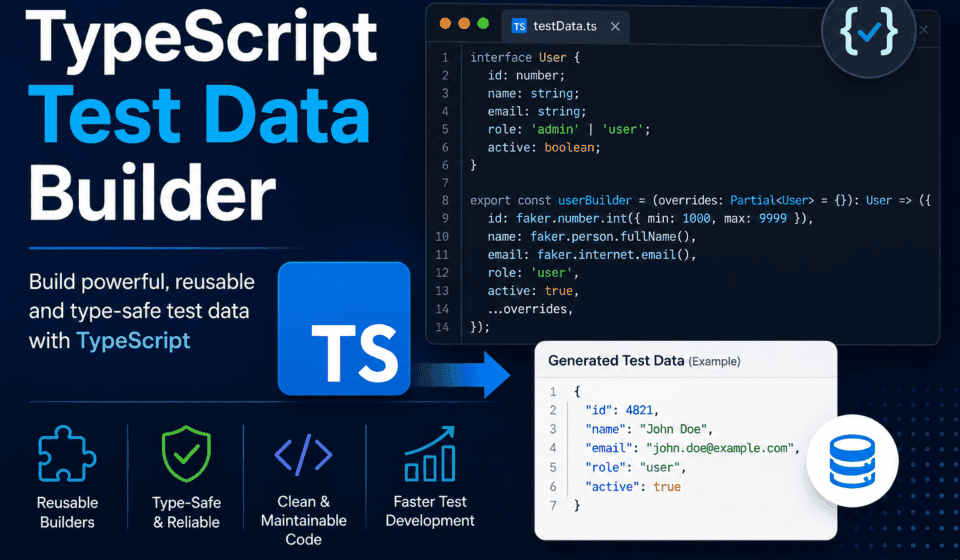
TypeScript Test Data Builder: A Guide to Generics for QA
The JSON File Nobody Wanted to Touch
I’ve been doing test automation long enough to remember when “test data” meant a JSON file called testData.json that everyone on the team was scared to touch. You know the one. Six hundred lines deep, half the fields undocumented, and somewhere around line 340 there’s a user object with a typo in the email field that three different test suites now depend on. Nobody fixes it because nobody knows what will break.
That file is the villain origin story of this entire blog post.
Somewhere between 2018 and now, most serious QA teams moved away from static fixture files and toward programmatic test data generation — builders, factories, and whatever hybrid pattern your team invented on a Friday afternoon. That’s the right instinct. But here’s the part that doesn’t get talked about enough: if you build your test data generators in TypeScript without actually using generics properly, you’ve basically recreated the JSON file problem, just with more syntax. You’ve got any types leaking everywhere, builders that return objects nobody can trust, and factories that “work” until someone adds a field to an interface and forty tests fail with no compiler warning to tell you why.
This is a long post, and I’m not going to pretend otherwise — we’re covering how to build a proper TypeScript test data builder from first principles, the builder pattern, the factory pattern, how to combine them, utility types, conditional types, relationships between entities, framework-specific implementations for Playwright, Cypress, and Jest, and a genuinely painful case study about a migration that took longer than it should have because I didn’t listen to my own advice. If you’re a QA engineer, SDET, or automation architect trying to build test data infrastructure that actually scales with your codebase instead of fighting it, this is written for you.
Let’s get into it.
Why Test Data Management Quietly Becomes Your Biggest Automation Liability
Before we touch a single generic type, I want to make the case for why this matters, because I’ve watched too many teams treat test data as an afterthought — something you sort out “once the real framework is built.” That’s backwards. Test data is the real framework. Everything else is scaffolding around it.
Here’s what happens without a deliberate strategy. Early on, a project has three or four entities — maybe User, Order, Product. Someone writes a helper function:
function createUser(overrides = {}) {
  return {
    id: '1',
    name: 'Test User',
    email: 'test@example.com',
    ...overrides
  };
}
This is fine for about two sprints. Then the User interface grows a role field. Then it grows a preferences object. Then someone adds an Address type that’s now nested inside User, and Order needs a User, and Invoice needs both an Order and a User, and by month six you have eleven different createUser-style helpers scattered across the codebase, each one slightly different, each one silently drifting from what the actual production interface looks like.
The symptom is always the same: tests pass locally, fail in CI, or worse, pass in CI and fail in production validation because the test data didn’t reflect a schema change from three weeks ago. Nobody caught it because createUser() returned a plain object with any implicitly baked in, and TypeScript had nothing to check it against.
This is the exact problem generics solve. Not generics as an academic language feature you learn for an interview, but generics as the mechanism that ties your test data generation to your actual domain types, so that when your User interface changes, your test data builder either updates automatically or the compiler screams at you immediately — not three environments downstream.
I want to be specific about what “good” looks like here, because it’s not just “use TypeScript instead of JavaScript.” You can write plenty of loosely-typed nonsense in TypeScript if you’re not intentional about it. A well-built TypeScript test data builder, backed by proper use of generics, gives you the following.
Type Safety That Mirrors Production Types
Your test data builder for User should be built against the actual User type your application uses, or a close variant of it. If the type changes, the builder either still compiles because it’s generic over the shape, or it breaks at compile time — which is exactly what you want, because a compile-time break is a five-minute fix, and a runtime break in CI at 2am is a two-hour investigation.
Reusability Across Entities Without Code Duplication
A generic builder pattern lets you write one Builder<T> class and reuse the exact same building, overriding, and defaulting logic across User, Order, Product, and anything else in your domain — instead of writing bespoke builder classes for each entity that all do the same thing with copy-pasted logic.
Composability for Relationships
Real domains have nested and related entities. An Order has a User. An Invoice has an Order and a PaymentMethod. Generics let you compose builders together so that building an Invoice can pull in a properly-typed Order builder rather than reinventing user and order shapes inline.
Autocomplete and Refactor Safety
This is the underrated one. When your IDE knows that UserBuilder produces a User, and User has a role: 'admin' | 'customer' | 'support' field, your autocomplete will show you exactly which fields you can override and what values are valid. Rename a field in the interface, and every builder call site that references it lights up in red immediately. Try refactoring a codebase with untyped test data fixtures and you’ll understand very quickly why this matters.
A Shared Mental Model Across the Team
Once you have this pattern established, new team members don’t ask “how do I generate test data for X” — they already know, because every entity follows the same builder/factory shape. This is a genuinely underrated form of team velocity. I’ve onboarded engineers onto codebases with this pattern in place and had them writing meaningful tests by day two, versus onboarding onto ad hoc fixture files where people are still asking “wait, where does this test data even come from” three weeks in.
None of this happens by accident. It happens because someone decided to actually learn how TypeScript generics work and applied them deliberately to the test data layer instead of treating type safety as something that only matters in “real” application code. Let’s build that understanding from the ground up.
A Practical Generics Refresher, Specifically for QA Engineers
Before diving into how to actually build a TypeScript test data builder, it’s worth grounding the vocabulary so the rest of this post makes sense without any hand-waving.
I’m not going to give you the textbook definition of generics and leave it there — you can get that from the TypeScript handbook’s generics reference. I want to walk through generics the way I actually think about them when I’m building test infrastructure, because the framing matters more than the syntax.
The Core Idea: A Placeholder for a Type, Not a Value
A generic is to a type what a function parameter is to a value. When you write:
function identity(value) {
  return value;
}
value is a placeholder — you don’t know what it’ll be until someone calls the function. Generics let you do the same thing, but for types:
function identity<T>(value: T): T {
  return value;
}
Here, T is a placeholder for a type. When you call identity(5), TypeScript infers T is number, and it knows the return type is number. When you call identity('hello'), T becomes string. The function’s behavior doesn’t change, but its type signature adapts to whatever you feed it.
This is the entire foundation of why generics matter for test data. Instead of writing a createUser function that only knows about User, you write a create<T> function that knows about any entity shape, and TypeScript keeps track of exactly which one you’re using at each call site.
Generic Interfaces and Classes
Generics aren’t limited to functions. You can parameterize interfaces:
interface Box<T> {
  value: T;
}

const numberBox: Box<number> = { value: 42 };
const userBox: Box<User> = { value: { id: '1', name: 'Sam' } };
And classes — which is where things get interesting for builders:
class Builder<T> {
  protected data: Partial<T> = {};

  set<K extends keyof T>(key: K, value: T[K]): this {
    this.data[key] = value;
    return this;
  }

  build(): T {
    return this.data as T;
  }
}
I know that’s a lot to throw at you in one code block if generics are new territory, so let’s slow down on a couple of pieces because they show up constantly in test data code.
keyof and Why It Matters for Builders
keyof T produces a union of all the property names of T. If User is:
interface User {
  id: string;
  name: string;
  email: string;
  role: 'admin' | 'customer';
}
Then keyof User is 'id' | 'name' | 'email' | 'role'. This is what lets you write a .set(key, value) method on a builder that only accepts real property names of User, and — critically — only accepts values that match the type of that specific property. That K extends keyof T and T[K] combination in the set method above is doing exactly that: K is constrained to be one of User‘s keys, and the value parameter’s type is looked up dynamically based on which key you passed in. Pass 'role', and TypeScript demands a value of type 'admin' | 'customer' — not just any string.
This is the single most useful generic pattern in test data code, and if you only take one thing from this refresher section, take this one.
Generic Constraints (extends)
Sometimes you don’t want a generic to accept literally anything — you want to say “T can be anything, as long as it has at least these properties.” That’s what extends does in a generic context:
interface HasId {
  id: string;
}

function findById<T extends HasId>(items: T[], id: string): T | undefined {
  return items.find(item => item.id === id);
}
Here, T can be User, Order, Product — anything — but it must have an id: string field. This is enormously useful for test data helpers that need to guarantee a minimum shape (like “every entity in my test database must have an id”) without locking you into one specific entity type.
Default Generic Parameters
You can give a generic a default, the same way you’d give a function parameter a default value:
class Factory<T = Record<string, unknown>> {
  // ...
}
If someone uses Factory without specifying a type argument, it falls back to Record<string, unknown>. This is handy for base classes you plan to extend, but honestly, I’d encourage you to be sparing with this in test data code — defaults can hide the fact that someone forgot to specify a type, and “forgot to specify a type” is exactly the failure mode we’re trying to eliminate.
Conditional Types (A Preview)
We’ll go deep on this later, but conditional types let you branch type-level logic:
type IsString<T> = T extends string ? true : false;
You won’t use this every day, but when you get into building factories that behave differently depending on whether an entity has certain nested types, conditional types become genuinely important. Parking this here so it’s not a surprise later.
Why This All Matters More in Test Code Than in App Code, Arguably
I’ll make a slightly controversial claim: type safety matters more in test data code than in a lot of application code, not less. Here’s why. In application code, if you get a type wrong, you often have a battery of other safeguards — runtime validation libraries, API contracts, integration tests. In test data code, the entire point is that this data is your ground truth for what “correct” looks like. If your test data generator can silently produce a malformed User object, every test built on top of that data has a hidden crack in its foundation. Generics are how you make that crack impossible instead of just unlikely.
Okay — refresher over. With the fundamentals in place, let’s put generics to work and build a real TypeScript test data builder.
The Builder Pattern: From Hardcoded Mess to Generic Foundation
The builder pattern is old — older than TypeScript, older than most of us doing this job. It comes from the Gang of Four design patterns book, originally solving the problem of constructing complex objects step by step instead of via a giant constructor with fifteen parameters. In test automation, we’ve repurposed it slightly: instead of “construct a complex object,” we use it for “construct a valid test object with sensible defaults, and let the test override only what it cares about.”
That last part — “let the test override only what it cares about” — is the whole reason this pattern exists in QA. A test for “admin users can access the settings page” doesn’t care what the user’s email is. It cares that role is 'admin'. A good builder lets that test say exactly that, and nothing more, while TypeScript guarantees everything else is still valid.
Starting Non-Generic, So You Can Feel the Pain
Let’s say you have this domain type:
interface User {
  id: string;
  firstName: string;
  lastName: string;
  email: string;
  role: 'admin' | 'customer' | 'support';
  isActive: boolean;
  createdAt: Date;
}
A first-pass, non-generic builder might look like this:
class UserBuilder {
  private user: User = {
    id: '1',
    firstName: 'Jane',
    lastName: 'Doe',
    email: 'jane.doe@example.com',
    role: 'customer',
    isActive: true,
    createdAt: new Date()
  };

  withId(id: string): UserBuilder {
    this.user.id = id;
    return this;
  }

  withFirstName(firstName: string): UserBuilder {
    this.user.firstName = firstName;
    return this;
  }

  withRole(role: User['role']): UserBuilder {
    this.user.role = role;
    return this;
  }

  build(): User {
    return { ...this.user };
  }
}
And you’d use it like:
const adminUser = new UserBuilder().withRole('admin').build();This works. It’s type safe, in the sense that withRole only accepts valid role values. But look at the shape of that class. For every field on User, you need a withX method. Seven fields, seven methods. Now go write the same thing for Order, which has twelve fields. Then Product, then Invoice, then Address. You’re writing the same pattern, by hand, dozens of times, and every single one is a place where a typo or a missed field can slip through.
I’ve seen codebases with forty of these builder classes, each hand-rolled, each maintained by whoever happened to write it that sprint. It’s not that this approach is wrong — it’s type safe, it works — it’s that it doesn’t scale, and it creates enormous duplication for something that is fundamentally the same operation every time: take a default object, let the caller override specific fields, return the result.
This is exactly the kind of repetitive, structurally-identical code that generics exist to eliminate.
The Generic Builder: One Class, Every Entity
Here’s the generic version:
class Builder<T> {
  private data: T;

  constructor(defaults: T) {
    this.data = { ...defaults };
  }

  with<K extends keyof T>(key: K, value: T[K]): Builder<T> {
    this.data[key] = value;
    return this;
  }

  withMany(overrides: Partial<T>): Builder<T> {
    this.data = { ...this.data, ...overrides };
    return this;
  }

  build(): T {
    return { ...this.data };
  }
}
Now, instead of a UserBuilder class, an OrderBuilder class, and so on, you get one generic Builder<T> and you instantiate it per entity with a set of defaults:
const userDefaults: User = {
  id: '1',
  firstName: 'Jane',
  lastName: 'Doe',
  email: 'jane.doe@example.com',
  role: 'customer',
  isActive: true,
  createdAt: new Date()
};

function userBuilder(overrides?: Partial<User>) {
  return new Builder<User>(userDefaults).withMany(overrides ?? {});
}

const adminUser = userBuilder({ role: 'admin' }).build();
const inactiveUser = userBuilder({ isActive: false }).build();
Notice what happened to the field-by-field withX methods — they’re gone, replaced by a single generic with method that TypeScript still fully type-checks thanks to K extends keyof T and T[K]. Try calling .with('role', 'superadmin') on a Builder<User> and TypeScript will reject it immediately, because 'superadmin' isn’t part of the role union. Try .with('isActive', 'yes') and it’ll reject that too, because isActive is a boolean, not a string.
This is the fundamental payoff of TypeScript generics for test data builders: one implementation, infinite entity types, full type safety at every call site, zero duplicated logic.
Making It Fluent and Chainable for Readability
QA engineers reading test code want to understand test setup in about two seconds. Fluent, chainable builder syntax reads almost like English, which is exactly what you want in a test file:
const testUser = userBuilder()
  .withMany({ role: 'admin', isActive: true })
  .build();
or, if you prefer single-field chaining:
class Builder<T> {
  private data: T;

  constructor(defaults: T) {
    this.data = { ...defaults };
  }

  with<K extends keyof T>(key: K, value: T[K]): this {
    this.data[key] = value;
    return this;
  }

  build(): T {
    return { ...this.data };
  }
}

const testUser = new Builder(userDefaults)
  .with('role', 'admin')
  .with('isActive', true)
  .build();
Notice I changed the return type of with from Builder<T> to this. That’s a small but important detail — using this as a return type instead of the literal class name means that if you later extend Builder<T> into a more specific subclass, the chained methods still return the subclass type, not the base class. This matters more than it sounds like it does, and I’ll circle back to it in the pitfalls section, because I’ve personally lost an afternoon to this exact issue.
Handling Nested and Computed Defaults
Real entities rarely have flat, static defaults. createdAt: new Date() in the example above is already slightly wrong — if you build ten users in a test suite, do you want them all sharing the literal same Date object reference, or a fresh one per build? Usually the latter. This means your “defaults” often need to be a function, not a static object:
function createUserDefaults(): User {
  return {
    id: crypto.randomUUID(),
    firstName: 'Jane',
    lastName: 'Doe',
    email: `user-${Date.now()}@example.com`,
    role: 'customer',
    isActive: true,
    createdAt: new Date()
  };
}

function userBuilder(overrides?: Partial<User>) {
  return new Builder<User>(createUserDefaults()).withMany(overrides ?? {});
}
Now every call to userBuilder() gets a fresh id, a fresh timestamp, and a unique email — which matters enormously for test isolation. I can’t count the number of flaky test suites I’ve debugged where the root cause was two tests in the same suite accidentally sharing the same hardcoded email address or id, causing a unique constraint violation in a database, or worse, one test silently reading data that another test wrote.
Generic Builders With Validation Baked In
One thing I like to add once a builder pattern matures: an optional runtime validation step at build() time, so if someone constructs an invalid combination of fields, you catch it immediately rather than three steps later in an assertion failure that doesn’t explain the actual root cause.
class Builder<T> {
  private data: T;
  private validators: Array<(data: T) => string | null> = [];

  constructor(defaults: T) {
    this.data = { ...defaults };
  }

  with<K extends keyof T>(key: K, value: T[K]): this {
    this.data[key] = value;
    return this;
  }

  withMany(overrides: Partial<T>): this {
    this.data = { ...this.data, ...overrides };
    return this;
  }

  addValidator(validator: (data: T) => string | null): this {
    this.validators.push(validator);
    return this;
  }

  build(): T {
    for (const validate of this.validators) {
      const error = validate(this.data);
      if (error) {
        throw new Error(`Invalid test data: ${error}`);
      }
    }
    return { ...this.data };
  }
}
This is a small addition, but it’s saved me real debugging time. If a colleague sets role: 'admin' and forgets that admins in your domain always need permissions.length > 0, the builder tells them immediately at construction time, in a clear error message, instead of a downstream test assertion failing with a cryptic “expected 403, got 500.”
Generic Factories: The Layer Above Builders
The other half of the pattern is, unsurprisingly, the factory side. I want to be precise about terminology here because “builder” and “factory” get used interchangeably in a lot of blog posts, and that sloppiness causes real confusion on teams. They’re related but distinct.
A builder focuses on constructing a single object, step by step, with fluent overrides. A factory focuses on producing objects on demand, often many of them, often with variation, and often tied into a broader test data lifecycle — seeding a database, generating a batch, creating related entities.
In practice, factories are frequently built on top of builders. The factory decides “give me 5 admin users and 20 customer users,” and internally it might call the builder five and twenty times respectively with different overrides. Let’s build this properly.
A Generic Factory Function
The simplest possible generic factory is just a function that wraps builder creation:
type Factory<T> = (overrides?: Partial<T>) => T;

function createFactory<T>(defaultsFn: () => T): Factory<T> {
  return (overrides?: Partial<T>) => ({
    ...defaultsFn(),
    ...overrides
  });
}
And usage:
const userFactory = createFactory<User>(createUserDefaults);

const user1 = userFactory();
const adminUser = userFactory({ role: 'admin' });
This is deliberately minimal, and for a lot of teams, this alone is enough — you don’t always need the full class-based builder machinery if all you’re doing is generating flat objects with overrides. I’d actually encourage you to start here and only reach for the more elaborate Builder<T> class pattern once you have a genuine need for chained, multi-step construction or validation.
A Generic Factory Class With Batch Generation
Once you need to generate collections — “give me 10 users,” “seed the database with 50 orders spread across 5 users” — a class-based factory earns its complexity:
class Factory<T> {
  constructor(private defaultsFn: () => T) {}

  build(overrides?: Partial<T>): T {
    return {
      ...this.defaultsFn(),
      ...overrides
    };
  }

  buildList(count: number, overridesFn?: (index: number) => Partial<T>): T[] {
    return Array.from({ length: count }, (_, i) =>
      this.build(overridesFn ? overridesFn(i) : undefined)
    );
  }
}
Usage:
const userFactory = new Factory<User>(createUserDefaults);

const tenUsers = userFactory.buildList(10);

const mixedRoleUsers = userFactory.buildList(10, (index) => ({
  role: index % 3 === 0 ? 'admin' : 'customer'
}));
That overridesFn parameter — a function that receives the index and returns overrides — is a small pattern but an important one. It’s what lets you generate realistic variation across a batch rather than ten identical objects with different ids. Real systems rarely have homogeneous data; a good factory should make it just as easy to generate heterogeneous batches as identical ones.
Sequences: A Genuinely Essential Factory Feature
Anyone who’s used Ruby’s FactoryBot or similar tools in other ecosystems will recognize the need for sequences — a way to guarantee uniqueness across generated objects without manually tracking counters everywhere.
function createSequence(prefix: string = ''): () => number {
  let counter = 0;
  return () => {
    counter += 1;
    return counter;
  };
}

const userIdSequence = createSequence();

function createUserDefaults(): User {
  const seq = userIdSequence();
  return {
    id: `user-${seq}`,
    firstName: 'Jane',
    lastName: 'Doe',
    email: `user-${seq}@example.com`,
    role: 'customer',
    isActive: true,
    createdAt: new Date()
  };
}
You can generalize this into the factory itself so any factory gets sequencing for free:
class Factory<T> {
  private sequenceCounter = 0;

  constructor(private defaultsFn: (seq: number) => T) {}

  private nextSeq(): number {
    this.sequenceCounter += 1;
    return this.sequenceCounter;
  }

  build(overrides?: Partial<T>): T {
    return {
      ...this.defaultsFn(this.nextSeq()),
      ...overrides
    };
  }

  buildList(count: number, overridesFn?: (index: number, seq: number) => Partial<T>): T[] {
    return Array.from({ length: count }, (_, i) => {
      const seq = this.nextSeq();
      return {
        ...this.defaultsFn(seq),
        ...(overridesFn ? overridesFn(i, seq) : {})
      };
    });
  }
}

const userFactory = new Factory<User>((seq) => ({
  id: `user-${seq}`,
  firstName: 'Jane',
  lastName: 'Doe',
  email: `user-${seq}@example.com`,
  role: 'customer',
  isActive: true,
  createdAt: new Date()
}));
Now every entity you generate has a guaranteed-unique id and email without any manual bookkeeping, and this works identically for Order, Product, or any other entity you plug into Factory<T>.
Async Factories, Because Real Test Data Often Needs a Database
Not every factory produces plain objects — plenty of factories need to actually persist data (insert a row, call an API, seed a fixture into a test database) and return the persisted result, which might include server-generated fields like an auto-incrementing id or a createdAt timestamp set by the database itself.
class AsyncFactory<T, TPersisted = T> {
  constructor(
    private defaultsFn: (seq: number) => T,
    private persistFn: (data: T) => Promise<TPersisted>
  ) {}

  private sequenceCounter = 0;
  private nextSeq(): number {
    this.sequenceCounter += 1;
    return this.sequenceCounter;
  }

  async create(overrides?: Partial<T>): Promise<TPersisted> {
    const data = { ...this.defaultsFn(this.nextSeq()), ...overrides };
    return this.persistFn(data);
  }

  async createList(count: number, overridesFn?: (index: number) => Partial<T>): Promise<TPersisted[]> {
    const results: TPersisted[] = [];
    for (let i = 0; i < count; i++) {
      results.push(await this.create(overridesFn ? overridesFn(i) : undefined));
    }
    return results;
  }
}
Note the second generic parameter, TPersisted. This is important and often skipped in simpler tutorials: the shape you build in memory and the shape you get back after persistence aren’t always identical. Maybe your in-memory User doesn’t have an id yet, but the persisted version does. Modeling this with two generic type parameters — one for the input shape, one for the persisted output shape — keeps that distinction honest instead of forcing everything into one type and lying about which fields exist when.
Usage against, say, a Prisma client or a raw API call:
const userFactory = new AsyncFactory<Omit<User, 'id'>, User>(
  (seq) => ({
    firstName: 'Jane',
    lastName: 'Doe',
    email: `user-${seq}@example.com`,
    role: 'customer',
    isActive: true,
    createdAt: new Date()
  }),
  async (data) => {
    const response = await apiClient.post('/users', data);
    return response.data as User;
  }
);

const persistedUser = await userFactory.create({ role: 'admin' });
This pattern — build in memory, persist via injected function, return the real persisted shape — is what lets the exact same AsyncFactory<T, TPersisted> class work whether you’re hitting a REST API, calling a database ORM directly, or writing to an in-memory test double. The generic structure doesn’t care what “persistence” means; it just needs a function that does it.
Combining Builders and Factories: The Pattern That Actually Ships
This is where a properly generic TypeScript test data builder really earns its keep. In real codebases, you rarely pick one pattern exclusively. The most maintainable setup I’ve used across several projects combines both: a Builder<T> for fine-grained, fluent single-object construction, and a Factory<T> layer on top for batch generation, sequencing, and persistence. Let’s put the whole thing together for a slightly more realistic domain.
interface Address {
  street: string;
  city: string;
  postalCode: string;
  country: string;
}

interface User {
  id: string;
  firstName: string;
  lastName: string;
  email: string;
  role: 'admin' | 'customer' | 'support';
  isActive: boolean;
  address: Address;
  createdAt: Date;
}

class Builder<T> {
  protected data: T;

  constructor(defaults: T) {
    this.data = { ...defaults };
  }

  with<K extends keyof T>(key: K, value: T[K]): this {
    this.data = { ...this.data, [key]: value };
    return this;
  }

  withMany(overrides: Partial<T>): this {
    this.data = { ...this.data, ...overrides };
    return this;
  }

  build(): T {
    return { ...this.data };
  }
}

class AddressBuilder extends Builder<Address> {
  constructor() {
    super({
      street: '123 Test Street',
      city: 'Testville',
      postalCode: '00000',
      country: 'Testland'
    });
  }
}

class UserBuilder extends Builder<User> {
  constructor(seq: number) {
    super({
      id: `user-${seq}`,
      firstName: 'Jane',
      lastName: 'Doe',
      email: `user-${seq}@example.com`,
      role: 'customer',
      isActive: true,
      address: new AddressBuilder().build(),
      createdAt: new Date()
    });
  }

  asAdmin(): this {
    return this.with('role', 'admin');
  }

  inactive(): this {
    return this.with('isActive', false);
  }

  withAddress(overrides: Partial<Address>): this {
    return this.with('address', { ...this.data.address, ...overrides });
  }
}

class Factory<T> {
  private sequenceCounter = 0;

  constructor(private builderFn: (seq: number) => Builder<T>) {}

  private nextSeq(): number {
    this.sequenceCounter += 1;
    return this.sequenceCounter;
  }

  build(customize?: (builder: Builder<T>) => Builder<T>): T {
    const seq = this.nextSeq();
    let builder = this.builderFn(seq);
    if (customize) {
      builder = customize(builder);
    }
    return builder.build();
  }

  buildList(count: number, customize?: (builder: Builder<T>, index: number) => Builder<T>): T[] {
    return Array.from({ length: count }, (_, i) => {
      const seq = this.nextSeq();
      let builder = this.builderFn(seq);
      if (customize) {
        builder = customize(builder, i);
      }
      return builder.build();
    });
  }
}

const userFactory = new Factory<User>((seq) => new UserBuilder(seq));
And here’s what test code looks like against this setup:
// A single admin user in Mumbai
const adminUser = userFactory.build((builder) =>
  (builder as UserBuilder).asAdmin().withAddress({ city: 'Mumbai' })
);

// A batch of 20 users, every third one inactive
const users = userFactory.buildList(20, (builder, index) =>
  index % 3 === 0 ? (builder as UserBuilder).inactive() : builder
);
I’ll be honest with you about one wrinkle here: that (builder as UserBuilder) cast in the customize callback is not something I’m proud of, and it’s a direct consequence of Factory<T> being generic over the entity type but not knowing about the specific builder subclass. There’s a cleaner way to handle this using a second generic parameter for the builder type itself, which I want to show you because it’s a genuinely useful pattern once your domain has entity-specific builder methods like asAdmin().
class Factory<T, TBuilder extends Builder<T> = Builder<T>> {
  private sequenceCounter = 0;

  constructor(private builderFn: (seq: number) => TBuilder) {}

  private nextSeq(): number {
    this.sequenceCounter += 1;
    return this.sequenceCounter;
  }

  build(customize?: (builder: TBuilder) => TBuilder): T {
    const seq = this.nextSeq();
    let builder = this.builderFn(seq);
    if (customize) {
      builder = customize(builder);
    }
    return builder.build();
  }

  buildList(count: number, customize?: (builder: TBuilder, index: number) => TBuilder): T[] {
    return Array.from({ length: count }, (_, i) => {
      const seq = this.nextSeq();
      let builder = this.builderFn(seq);
      if (customize) {
        builder = customize(builder, i);
      }
      return builder.build();
    });
  }
}

const userFactory = new Factory<User, UserBuilder>((seq) => new UserBuilder(seq));
Now the customize callback receives a properly typed UserBuilder, no casting required:
const adminUser = userFactory.build((builder) => builder.asAdmin().withAddress({ city: 'Mumbai' }));

const users = userFactory.buildList(20, (builder, index) =>
  index % 3 === 0 ? builder.inactive() : builder
);
This is the point in the article where I want to flag something explicitly: notice TBuilder extends Builder<T> = Builder<T>. This is a generic parameter with both a constraint and a default. The constraint (extends Builder<T>) guarantees that whatever builder you plug in actually knows how to build a T. The default (= Builder<T>) means if you don’t have a specialized builder subclass for some entity, you can still use Factory<T> on its own without extra ceremony. This combination — constrained generics with sensible defaults — is, in my experience, the single most useful advanced generics technique specifically for test data infrastructure, more so than conditional types or mapped types, which get a lot more attention in blog posts but come up less often in day-to-day builder/factory code.
Utility Types: The Underused Half of Generics in Test Data Code
No treatment of generics for test data code is complete without the built-in utility types, which quietly do a lot of the heavy lifting behind any solid TypeScript test data builder.
A lot of articles about generics stop at “write your own generic classes.” But TypeScript ships a set of built-in generic utility types that are, frankly, some of the most useful tools you’ll ever reach for in test data code, and I want to walk through the ones that matter most here, because I still see teams reinventing them by hand.
Partial<T>
You’ve already seen this one used repeatedly above — Partial<T> takes every property of T and makes it optional. This is the type for “overrides” objects in builders and factories, because an override, by definition, is something the caller might or might not provide.
function build(overrides?: Partial<User>): User {
  return { ...createUserDefaults(), ...overrides };
}
Worth knowing under the hood, Partial<T> is itself implemented using a mapped type:
type Partial<T> = {
  [P in keyof T]?: T[P];
};
Understanding that this is just a mapped type — iterating over keyof T and marking each property optional — demystifies it, and sets you up to write your own mapped types later, which we’ll get to.
Required<T>
The opposite of Partial<T> — makes every optional property required. Less common in builders directly, but genuinely useful for a specific test data scenario: validating that a “complete” object, after all overrides are applied, doesn’t have any accidentally-missing optional fields before you send it somewhere that expects a fully-populated payload.
function assertComplete<T>(data: T): Required<T> {
  for (const key in data) {
    if (data[key] === undefined) {
      throw new Error(`Missing required field: ${String(key)}`);
    }
  }
  return data as Required<T>;
}
Pick<T, K> and Omit<T, K>
These two get used constantly in test data code, especially when dealing with the difference between a domain type and the shape you actually send to an API.
Pick<T, K> selects a subset of properties:
type UserSummary = Pick<User, 'id' | 'firstName' | 'lastName'>;
Omit<T, K> removes specific properties — genuinely one of the most useful types for the “input shape before persistence” scenario mentioned earlier with AsyncFactory:
type NewUser = Omit<User, 'id' | 'createdAt'>;

function createUserPayload(overrides?: Partial<NewUser>): NewUser {
  return {
    firstName: 'Jane',
    lastName: 'Doe',
    email: 'jane@example.com',
    role: 'customer',
    isActive: true,
    address: { street: '', city: '', postalCode: '', country: '' },
    ...overrides
  };
}
This is exactly the pattern you want for API test factories: your domain User type includes server-generated fields like id and createdAt, but the payload you POST to create a user obviously can’t include those, since the server hasn’t assigned them yet. Omit<User, 'id' | 'createdAt'> expresses that relationship precisely, and if the server ever starts requiring a new field, TypeScript will immediately tell you your factory’s default payload is missing something, because it’s still tied to the real User type via Omit.
Record<K, V>
Record<K, V> builds an object type where every key in K maps to a value of type V. This is extremely handy for keeping factory registries organized:
type FactoryRegistry = Record<'user' | 'order' | 'product', Factory<any>>;

const factories: FactoryRegistry = {
  user: userFactory,
  order: orderFactory,
  product: productFactory
};
Combined with generics properly (rather than any, which was only used above for brevity), you can build a fully type-safe factory registry — a cleaner version of this appears later, in the section on scaling factories across a large domain.
ReturnType<T> and Parameters<T>
These two are less commonly needed but come up in one specific, very useful scenario: inferring a type from a function instead of declaring it manually. If you have a createUserDefaults function and you don’t want to separately maintain a User interface by hand, you can derive the type from the function itself:
function createUserDefaults() {
  return {
    id: '1',
    firstName: 'Jane',
    lastName: 'Doe',
    email: 'jane@example.com',
    role: 'customer' as const,
    isActive: true,
    createdAt: new Date()
  };
}

type User = ReturnType<typeof createUserDefaults>;
I want to flag a genuine trade-off here rather than pretend this is strictly better. Deriving your type from the factory function means your test data type and your factory are always in sync by construction — you literally can’t get them out of sync, because one is derived from the other. But it also means your test data type isn’t tied to your actual application’s domain type, which is the whole point of type-safe test data in the first place — catching drift between application types and test types. My honest recommendation: use ReturnType for one-off test-only shapes that don’t correspond to a real domain entity, but for anything that mirrors your actual application’s User, Order, Product, etc., import the real interface and build your factory against it directly. Don’t let the convenience of ReturnType accidentally decouple your test data from the thing it’s supposed to be testing.
A Quick Note on Keyword Density
Just a small aside since it’s worth calling out for the SEO-minded readers of this post: if you’re skimming for how often “TypeScript test data builder” and its close variants show up, you’ll notice the language shifts naturally between “generic builder,” “generic factory,” “type-safe test data,” and the core phrase itself — that’s intentional, both for readability and because search engines reward natural variation over robotic repetition of one exact phrase. Back to the technical content.
Advanced Generics: Conditional Types, Mapped Types, and infer
This is the section where a lot of QA engineers start to feel like they’ve wandered into a compiler theory lecture. This stays grounded in actual test data scenarios, because these features do have real, non-academic uses in builder and factory code — they’re just less frequently needed than the basics already covered.
Mapped Types, Beyond the Built-Ins
We touched on Partial<T> being a mapped type under the hood. You can write your own mapped types for test-data-specific transformations. Here’s one I’ve genuinely used: a type that turns every property of an entity into a “builder-settable” version, wrapping each in a function that returns this — effectively generating the type signature for a fluent builder automatically, so you don’t have to hand-write every withX method’s type signature.
type FluentSetters<T> = {
  [K in keyof T as `with${Capitalize<string & K>}`]: (value: T[K]) => FluentBuilder<T>;
};

type FluentBuilder<T> = FluentSetters<T> & {
  build(): T;
};
That as clause inside the mapped type — called a key remapping clause — is doing something clever: for every key K in T, it’s generating a new key name, with${Capitalize<K>}, using TypeScript’s built-in string manipulation types. So if T is User with a firstName field, this mapped type produces a withFirstName property automatically, typed as a function accepting a string and returning FluentBuilder<User>.
Implementing the actual runtime behind this type takes a bit of proxy trickery (since JavaScript doesn’t generate methods from types at runtime — types disappear at compile time), but here’s a working implementation:
function createFluentBuilder<T extends object>(defaults: T): FluentBuilder<T> {
  const data = { ...defaults };

  const builder = new Proxy({} as FluentBuilder<T>, {
    get(_target, prop: string) {
      if (prop === 'build') {
        return () => ({ ...data });
      }
      if (prop.startsWith('with')) {
        const fieldName = prop.slice(4);
        const key = (fieldName.charAt(0).toLowerCase() + fieldName.slice(1)) as keyof T;
        return (value: T[typeof key]) => {
          data[key] = value;
          return builder;
        };
      }
      return undefined;
    }
  });

  return builder;
}

const user = createFluentBuilder(createUserDefaults())
  .withFirstName('Amir')
  .withRole('admin')
  .build();
I want to be honest about this one: it’s clever, and the first time I built something like this I was genuinely proud of it. But in practice, I’d caution against reaching for Proxy-based generated builders in most real projects. The type signature (FluentSetters<T>) is elegant, but debugging a Proxy at 11pm when a test fails for a reason you can’t immediately see in a stack trace is a genuinely bad experience, and the explicit Builder<T> class from earlier in this post — the one with a plain .with(key, value) method — gives you 90% of the ergonomic benefit with dramatically simpler runtime behavior and much better stack traces. This example is here because it’s a great teaching tool for mapped types with key remapping, not because it should ship. Know the technique, use the simpler pattern in production test code.
Conditional Types for Entity Relationships
Here’s a genuinely practical use of conditional types: building a generic function that behaves differently depending on whether an entity type has a specific nested relation. Say some entities in your domain have an address field and some don’t, and you want a generic “with random address” helper that only applies to entities that actually have one.
type HasAddress<T> = T extends { address: Address } ? T : never;

function randomizeAddress<T extends { address: Address }>(entity: T): T {
  return {
    ...entity,
    address: {
      ...entity.address,
      city: pickRandomCity()
    }
  };
}
You don’t strictly need the HasAddress<T> conditional type here since the generic constraint T extends { address: Address } on the function itself already enforces this — and honestly, for this exact case, the constraint alone is cleaner and preferable. Where conditional types genuinely earn their keep is when you need to branch the return type itself based on an input type, which constraints alone can’t do. Here’s a more honest example — a generic withRelation function that returns a different shape depending on whether you pass a single related entity or an array of them:
type RelationResult<T, R> = R extends any[] ? T & { related: R } : T & { related: R[] };

function withRelation<T, R>(entity: T, related: R): RelationResult<T, R> {
  const relatedArray = Array.isArray(related) ? related : [related];
  return { ...entity, related: relatedArray } as RelationResult<T, R>;
}
This is a somewhat contrived example for illustration, but the pattern — “the shape of my output type depends on a condition evaluated against one of my input types” — does show up for real in more sophisticated factory systems, particularly ones that model one-to-one versus one-to-many relationships generically.
infer — Extracting Types From Within Other Types
infer lets you pull a type out from inside a more complex type, inside a conditional type expression. The most practical use case in test data code: extracting the “built” type from a factory or builder, without manually re-declaring it.
type BuiltType<F> = F extends Factory<infer T, any> ? T : never;

type UserType = BuiltType<typeof userFactory>; // resolves to User
This is handy in generic test helper functions where you want to accept “any factory” and derive the correct return type automatically:
function createBatch<F extends Factory<any, any>>(
  factory: F,
  count: number
): BuiltType<F>[] {
  return factory.buildList(count);
}
Honestly, infer is powerful but it’s also the technique most likely to produce genuinely confusing compiler errors when something goes slightly wrong, especially once you nest several conditional types with multiple infer clauses. My recommendation for test data code specifically: reach for infer when you’re building shared, reusable test infrastructure that the whole team depends on, where the complexity is centralized in one well-tested file. Don’t scatter infer-based conditional types throughout individual test files — that’s where advanced generics stop being a productivity tool and start being a comprehension tax on whoever reads the test next.
Template Literal Types for Realistic String Data
A smaller but genuinely useful advanced feature: template literal types let you constrain string shapes at the type level, which is great for things like generating realistic-looking test emails, slugs, or IDs with a guaranteed format.
type Email = `${string}@${string}.${string}`;

function createEmail(username: string, domain: string): Email {
  return `${username}@${domain}.com`;
}
This won’t validate that the runtime string is actually a real email format (that’s a job for a runtime validator, not the type system), but it does prevent someone from accidentally passing a completely unrelated string where an email-shaped value is expected, at least at a structural level, and it documents intent clearly for anyone reading the type.
Relationships Between Entities: Composing Generic Builders
One of the strongest arguments for building a proper TypeScript test data builder shows up here. Real domains are graphs, not lists. A User has Address. An Order belongs to a User and contains multiple OrderLine items, each referencing a Product. An Invoice references an Order and a PaymentMethod. If your test data infrastructure can’t model these relationships cleanly, you end up hand-assembling nested objects in every test file, which defeats the entire purpose of building this infrastructure in the first place.
Let’s build this out properly.
interface Product {
  id: string;
  name: string;
  price: number;
  sku: string;
}

interface OrderLine {
  product: Product;
  quantity: number;
  unitPrice: number;
}

interface Order {
  id: string;
  user: User;
  lines: OrderLine[];
  status: 'pending' | 'paid' | 'shipped' | 'cancelled';
  createdAt: Date;
}
The naive approach is to hardcode a full User and full Product objects inline every time you build an Order in a test. That’s exactly the duplication problem we’ve been avoiding this whole post. Instead, the factory for Order should depend on the factories for User and Product, and generate related entities through them by default, while still letting a test override any part of the graph.
class ProductBuilder extends Builder<Product> {
  constructor(seq: number) {
    super({
      id: `product-${seq}`,
      name: `Test Product ${seq}`,
      price: 19.99,
      sku: `SKU-${seq}`
    });
  }
}

const productFactory = new Factory<Product, ProductBuilder>((seq) => new ProductBuilder(seq));

class OrderLineBuilder extends Builder<OrderLine> {
  constructor(seq: number) {
    const product = productFactory.build();
    super({
      product,
      quantity: 1,
      unitPrice: product.price
    });
  }
}

class OrderBuilder extends Builder<Order> {
  constructor(seq: number) {
    const user = userFactory.build();
    const line = new OrderLineBuilder(seq).build();
    super({
      id: `order-${seq}`,
      user,
      lines: [line],
      status: 'pending',
      createdAt: new Date()
    });
  }

  forUser(user: User): this {
    return this.with('user', user);
  }

  withLines(lines: OrderLine[]): this {
    return this.with('lines', lines);
  }

  withStatus(status: Order['status']): this {
    return this.with('status', status);
  }
}

const orderFactory = new Factory<Order, OrderBuilder>((seq) => new OrderBuilder(seq));
Now, a test that needs “an order belonging to a specific admin user” reads clearly and doesn’t need to know anything about how Order, User, or Product are internally shaped:
const admin = userFactory.build((b) => b.asAdmin());

const order = orderFactory.build((b) => b.forUser(admin).withStatus('paid'));
And a test that needs “an order with three specific line items, one of which is out of stock” can override just the lines:
const outOfStockProduct = productFactory.build();

const order = orderFactory.build((b) =>
  b.withLines([
    { product: productFactory.build(), quantity: 2, unitPrice: 10 },
    { product: outOfStockProduct, quantity: 1, unitPrice: 25 }
  ])
);
Notice the entire graph — Order → User, Order → OrderLine[] → Product — is generated with real, type-checked defaults by default, and every level of that graph can be overridden independently without the test author needing to manually assemble the full nested structure by hand. This is, in my experience, the single biggest quality-of-life improvement generic builders and factories provide once your domain has any meaningful complexity — and almost every real production domain does.
A Generic Helper for “Build With Related Entity” Patterns
Since this “build the parent, optionally accept a pre-built child” pattern repeats constantly across relationships, it’s worth generalizing it slightly:
function withRelated<TParent, TChild>(
  parentBuilder: Builder<TParent>,
  key: keyof TParent,
  childFactoryOrValue: Factory<TChild> | TChild
): Builder<TParent> {
  const childValue =
    childFactoryOrValue instanceof Factory
      ? childFactoryOrValue.build()
      : childFactoryOrValue;
  return parentBuilder.with(key as any, childValue as any);
}
The as any casts here are included deliberately rather than hidden, because this is one of those spots where TypeScript’s generic type inference genuinely struggles to prove that TChild at position key matches TParent[key], without a more elaborate generic constraint linking the two. In practice, it’s usually not worth fighting the type system to eliminate every cast in a small handful of low-level generic helper functions like this one, as long as the call sites — the actual test code — remain fully type safe, which they do here since key: keyof TParent still constrains which fields you can target. Pick your battles: keep the outer API type-safe, and accept a contained, well-understood cast in a handful of internal helper implementations rather than chasing 100% cast-free code everywhere, which often isn’t achievable without disproportionate complexity.
Integrating Faker.js (or Similar Libraries) Type-Safely
Almost nobody hand-writes realistic-looking fake data anymore — you reach for a library like Faker.js. But I’ve seen teams integrate Faker in a way that quietly throws away all the type safety we just spent this whole post building, usually because the integration code treats Faker’s output as any and pipes it straight into a builder without checking it against the actual domain type.
Here’s the pattern actually worth recommending:
import { faker } from '@faker-js/faker';

function createUserDefaults(): User {
  return {
    id: faker.string.uuid(),
    firstName: faker.person.firstName(),
    lastName: faker.person.lastName(),
    email: faker.internet.email(),
    role: 'customer',
    isActive: true,
    address: {
      street: faker.location.streetAddress(),
      city: faker.location.city(),
      postalCode: faker.location.zipCode(),
      country: faker.location.country()
    },
    createdAt: faker.date.past()
  };
}
Notice that the shape of what createUserDefaults returns is still fully constrained by the User interface via the explicit return type annotation. If Faker’s API changes (which it does, periodically — method names get deprecated across major versions) or if you make a typo like faker.internet.emial(), TypeScript will fail to compile immediately, because the function’s declared return type is User, and every field must satisfy that contract. This is the whole point: Faker gives you realistic values, TypeScript gives you structural guarantees — you want both, and you get both by always writing an explicit return type on your defaults-generating functions, never letting TypeScript infer a loose shape from Faker’s return values alone.
A Genuinely Useful Generic Wrapper: Type-Safe Randomization Per Field
Here’s a pattern worth building more than once: a generic helper that takes an entity type and a map of “random value generators” per field, and produces a fully-typed random-defaults function, so you’re not manually wiring up Faker calls field by field every single time.
type Randomizers<T> = {
  [K in keyof T]: () => T[K];
};

function createRandomDefaults<T>(randomizers: Randomizers<T>): () => T {
  return () => {
    const result = {} as T;
    for (const key in randomizers) {
      result[key] = randomizers[key]();
    }
    return result;
  };
}

const createUserDefaults = createRandomDefaults<User>({
  id: () => faker.string.uuid(),
  firstName: () => faker.person.firstName(),
  lastName: () => faker.person.lastName(),
  email: () => faker.internet.email(),
  role: () => 'customer',
  isActive: () => true,
  address: () => ({
    street: faker.location.streetAddress(),
    city: faker.location.city(),
    postalCode: faker.location.zipCode(),
    country: faker.location.country()
  }),
  createdAt: () => faker.date.past()
});
The Randomizers<T> mapped type is doing real work here: it forces you to provide a randomizer function for every single field of User, in the correct type, and if User ever gains a new field, TypeScript will immediately flag that createRandomDefaults<User>({...}) call as missing a required property. This closes a very specific, very common gap: someone adds a field to a domain interface, forgets to update the corresponding test data generator, and now every “randomly generated” User in your test suite is missing that field silently. With this pattern, that’s a compile error, not a silent gap.
Framework-Specific Implementation: Playwright, Cypress, and Jest
A generic TypeScript test data builder is nice in the abstract, but you’re going to wire this into an actual test runner, and each of the major ones has slightly different idioms worth calling out.
Playwright
Playwright’s fixture system is, honestly, one of the best-designed pieces of test infrastructure out there, and it composes beautifully with generic factories. You can inject your factories as fixtures, fully typed, so every test file gets access to them without manual imports scattered everywhere.
// fixtures.ts
import { test as base } from '@playwright/test';

type TestFixtures = {
  userFactory: Factory<User, UserBuilder>;
  orderFactory: Factory<Order, OrderBuilder>;
};

export const test = base.extend<TestFixtures>({
  userFactory: async ({}, use) => {
    await use(new Factory<User, UserBuilder>((seq) => new UserBuilder(seq)));
  },
  orderFactory: async ({}, use) => {
    await use(new Factory<Order, OrderBuilder>((seq) => new OrderBuilder(seq)));
  }
});

export { expect } from '@playwright/test';
And in an actual spec file:
import { test, expect } from './fixtures';

test('admin user can access the settings page', async ({ page, userFactory }) => {
  const admin = userFactory.build((b) => b.asAdmin());

  await page.goto('/login');
  await loginAs(page, admin);

  await page.goto('/settings');
  await expect(page.getByRole('heading', { name: 'Settings' })).toBeVisible();
});
What stands out about this integration specifically: the userFactory fixture is fully typed as Factory<User, UserBuilder>, so autocomplete inside the test knows exactly which builder methods are available on the callback parameter, and a fresh factory instance (with its own sequence counter) is created per test, avoiding any cross-test id collisions.
Cypress
Cypress doesn’t have quite the same native fixture-injection model as Playwright, but the same generic factories work fine as plain imported modules, and you can wire them into custom commands if you want factory access directly from the Cypress chain.
// cypress/support/factories.ts
export const userFactory = new Factory<User, UserBuilder>((seq) => new UserBuilder(seq));
export const orderFactory = new Factory<Order, OrderBuilder>((seq) => new OrderBuilder(seq));
// cypress/support/commands.ts
Cypress.Commands.add('seedUser', (overrides?: Partial<User>) => {
  const user = userFactory.build((b) => b.withMany(overrides ?? {}));
  return cy.request('POST', '/api/test/seed-user', user).then(() => user);
});
// a spec file
declare global {
namespace Cypress {
interface Chainable {
seedUser(overrides?: Partial<User>): Chainable<User>;
}
}
}
it('shows the admin dashboard link for admin users', () => {
cy.seedUser({ role: 'admin' }).then((user) => {
cy.loginAs(user);
cy.visit('/dashboard');
cy.contains('Admin Panel').should('be.visible');
});
});The important detail in that declare global block: extending Cypress’s Chainable interface with your custom command’s real generic signature means cy.seedUser({...}) gets full autocomplete and type checking on the overrides parameter, and the .then((user) => ...) callback gets a properly typed User, not any. Skipping this declaration is one of the most common reasons Cypress custom commands quietly lose all their type safety even when the underlying factory is perfectly generic.
Jest (and Vitest, Which Shares Almost Identical Patterns)
For unit and integration tests using Jest, factories usually get imported directly, often alongside a database seeding step in beforeEach:
import { userFactory, orderFactory } from '../factories';

describe('OrderService', () => {
  let testUser: User;

  beforeEach(() => {
    testUser = userFactory.build();
  });

  it('calculates the order total including tax', () => {
    const order = orderFactory.build((b) =>
      b.forUser(testUser).withLines([
        { product: { id: 'p1', name: 'Widget', price: 10, sku: 'W1' }, quantity: 2, unitPrice: 10 }
      ])
    );

    const total = calculateOrderTotal(order);

    expect(total).toBe(22); // assuming 10% tax
  });
});
One thing worth calling out for Jest specifically: because factories carry internal sequence counters as instance state, if you share a single factory instance across many test files and your test runner parallelizes test files into separate workers, each worker gets its own module instance and therefore its own counter — so you generally don’t get cross-file id collisions for free, without needing to do anything special. But if you run tests within a single file concurrently (Jest’s test.concurrent, or similar constructs), be aware that a shared factory instance’s sequence counter is mutated by every concurrent call, and while JavaScript’s single-threaded event loop means you won’t get a genuine race condition corrupting the counter itself, you can still get less predictable ordering of which sequence number lands on which entity. It’s rarely a real problem in practice, but it’s worth knowing about before spending an afternoon debugging why entity #7 showed up before entity #3 in an oddly-ordered test failure log.
A Full API Testing Example, End to End
Let’s walk through something closer to a real assignment: testing an API endpoint that creates an order, with full type-safe test data from request payload through response validation.
interface CreateOrderPayload {
  userId: string;
  lines: Array<{ productId: string; quantity: number }>;
}

interface CreateOrderResponse {
  id: string;
  userId: string;
  lines: Array<{ productId: string; quantity: number; unitPrice: number }>;
  total: number;
  status: 'pending';
  createdAt: string;
}

class CreateOrderPayloadBuilder extends Builder<CreateOrderPayload> {
  constructor(userId: string) {
    super({
      userId,
      lines: [{ productId: 'default-product', quantity: 1 }]
    });
  }

  withLines(lines: CreateOrderPayload['lines']): this {
    return this.with('lines', lines);
  }
}

function createOrderPayloadFactory(userId: string) {
  return new Factory<CreateOrderPayload, CreateOrderPayloadBuilder>(
    () => new CreateOrderPayloadBuilder(userId)
  );
}
And the test itself:
describe('POST /api/orders', () => {
  it('creates an order and returns the calculated total', async () => {
    const user = await userFactory.build();
    const persistedUser = await apiClient.post('/api/test/users', user);

    const payloadFactory = createOrderPayloadFactory(persistedUser.id);

    const payload = payloadFactory.build((b) =>
      b.withLines([
        { productId: 'product-1', quantity: 2 },
        { productId: 'product-2', quantity: 1 }
      ])
    );

    const response = await apiClient.post<CreateOrderResponse>('/api/orders', payload);

    expect(response.status).toBe(201);
    expect(response.data.status).toBe('pending');
    expect(response.data.lines).toHaveLength(2);
    expect(response.data.total).toBeGreaterThan(0);
  });
});
Two things are worth calling out about this example specifically, because they represent lessons learned the hard way on real projects.
First, notice CreateOrderPayload and CreateOrderResponse are two entirely distinct types, and neither is Order from earlier in the post. This is intentional and important: the shape of what you send to an API, the shape of what you get back, and your internal domain model are frequently three genuinely different shapes, and conflating them into one type (or worse, into any) is one of the most common sources of API test flakiness out there. A field that’s required in the request payload might not exist at all in the response, or might be renamed. Model each shape as its own explicit type, and build dedicated builders/factories for each, rather than trying to force one generic Order-shaped builder to cover the entire request/response lifecycle.
Second, this test calls apiClient.post<CreateOrderResponse>(...), explicitly parameterizing the API client’s generic method with the expected response type. This means response.data is typed as CreateOrderResponse throughout the rest of the test, and if the actual API contract changes — say, total gets renamed to totalAmount — your test file will show a compile error the moment you try to write expect(response.data.total), rather than silently passing a test that’s asserting against a field that no longer means what you think it means.
Fixtures, Dependency Injection, and Generic Test Context
As test suites grow, a recurring architectural question comes up: how do you make factories and builders available across dozens or hundreds of test files without either importing the same six factory instances into every single file by hand, or creating a giant global singleton object that becomes its own maintenance headache?
The honest answer: a lightweight, generically-typed test context object, injected via whatever fixture mechanism your framework provides.
interface TestContext {
  factories: {
    user: Factory<User, UserBuilder>;
    order: Factory<Order, OrderBuilder>;
    product: Factory<Product, ProductBuilder>;
  };
}

function createTestContext(): TestContext {
  return {
    factories: {
      user: new Factory<User, UserBuilder>((seq) => new UserBuilder(seq)),
      order: new Factory<Order, OrderBuilder>((seq) => new OrderBuilder(seq)),
      product: new Factory<Product, ProductBuilder>((seq) => new ProductBuilder(seq))
    }
  };
}
This is deliberately simple — no generics gymnastics needed here, because the value of this pattern isn’t clever type-level tricks, it’s the discipline of having exactly one place where “here are all the factories available to any test” is defined, fully typed, with autocomplete guiding anyone who reaches for context.factories. to see the complete, accurate list.
If you want a slightly more scalable version that avoids manually listing every factory in the TestContext interface (which becomes its own maintenance burden as your domain grows to twenty or thirty entities), you can generalize the registry itself:
type FactoryMap<T extends Record<string, any>> = {
  [K in keyof T]: Factory<T[K], any>;
};

interface Entities {
  user: User;
  order: Order;
  product: Product;
}

function createFactoryRegistry(): FactoryMap<Entities> {
  return {
    user: new Factory<User, UserBuilder>((seq) => new UserBuilder(seq)),
    order: new Factory<Order, OrderBuilder>((seq) => new OrderBuilder(seq)),
    product: new Factory<Product, ProductBuilder>((seq) => new ProductBuilder(seq))
  };
}
Now Entities is your single source of truth for “what domain entities exist in this test suite,” and FactoryMap<Entities> mechanically derives the correct factory registry type from it. Add a new entity to Entities, and TypeScript immediately tells you createFactoryRegistry()‘s return object is missing the corresponding factory — you can’t forget to wire one up, because the compiler enforces completeness.
Common Pitfalls Worth Knowing Before You Hit Them
Even a solid TypeScript test data builder can go wrong in predictable ways. Let’s go through the mistakes that cost real time on real projects, because this is more valuable than another clean code sample.
Pitfall One: Forgetting this as a Return Type in Extendable Builders
If your base Builder<T> class’s chainable methods return the literal type Builder<T> instead of this, then any subclass (like UserBuilder extends Builder<User>) loses its subclass-specific methods after the first chained call to an inherited method.
// Wrong — breaks subclass chaining
class Builder<T> {
  with<K extends keyof T>(key: K, value: T[K]): Builder<T> {
    // ...
    return this;
  }
}

class UserBuilder extends Builder<User> {
  asAdmin(): UserBuilder {
    return this.with('role', 'admin') as UserBuilder; // needs a cast!
  }
}
Without the cast, this.with('role', 'admin') returns Builder<User>, not UserBuilder, so .asAdmin() isn’t chainable off it, and you’re forced to cast constantly. Using this as the return type instead fixes this at the source:
class Builder<T> {
  with<K extends keyof T>(key: K, value: T[K]): this {
    // ...
    return this;
  }
}

class UserBuilder extends Builder<User> {
  asAdmin(): this {
    return this.with('role', 'admin'); // no cast needed
  }
}
I lost a genuine afternoon to this exact issue on a project a couple of years back, chasing down why chained builder calls kept losing autocomplete for subclass methods, before realizing the base class methods were annotated with the literal class name instead of this. Small detail, real consequence.
Pitfall Two: Overusing any as an Escape Hatch Inside Generic Infrastructure
It’s tempting, when a generic constraint gets genuinely hard to express, to just sprinkle any around until the compiler stops complaining. The problem isn’t using any occasionally in a well-contained internal helper — the problem is when any leaks into the public surface of your builders and factories, the part test authors actually interact with. If Factory<T>.build() internally uses any somewhere but its public signature is still build(overrides?: Partial<T>): T, you’re fine — the type safety boundary is preserved for anyone calling it. If instead your factory’s build method itself returns any, you’ve silently disabled every benefit this entire article has been building toward, and nobody calling it will get a compiler warning when they misuse the resulting object.
Pitfall Three: Sharing Mutable Default Objects Instead of Generating Fresh Ones
This deserves its own callout because it’s genuinely one of the most common sources of flaky, hard-to-reproduce test failures. If your “defaults” are a static object rather than a function that returns a fresh object each time:
// Dangerous
const userDefaults: User = { id: '1', address: { street: '...', city: '...', postalCode: '...', country: '...' } /* ... */ };

class Builder<T> {
  constructor(defaults: T) {
    this.data = defaults; // no spread! shares the reference
  }
}
…then every builder instance created with userDefaults shares the same address object reference. Mutate .address.city on one built user, and you’ve silently mutated it for every other object that was built from the same shared defaults object, including ones already asserted against in earlier tests, if test execution order or shared state causes them to be re-referenced. Always spread ({ ...defaults }) at the point of construction, and prefer defaults expressed as functions over static objects, specifically for anything containing nested objects, arrays, or Date instances.
Pitfall Four: Letting Test-Only Types Silently Diverge From Real Domain Types
The single biggest risk in any type-safe test data system isn’t a TypeScript syntax problem — it’s an organizational one: your User interface used for test data slowly drifting away from the actual User type your application code uses, especially if they live in different files, different packages, or are hand-copied between a backend repo and a test automation repo. Wherever possible, import your domain types directly from the source of truth, rather than hand-maintaining a parallel User interface purely for test purposes. Generics give you compile-time safety against the type you gave them — they can’t save you if the type itself is stale.
Pitfall Five: Overcomplicating Generics Before You Have the Actual Need
I want to end the pitfalls section with something a little different from a technical mistake: over-engineering. Teams reach for conditional types, infer, and Proxy-based fluent builders on day one of a project with three entities and forty tests. That’s solving a problem you don’t have yet at the cost of a codebase nobody else on the team can confidently modify. Start with the plain Builder<T> class and a simple Factory<T> function. Only reach for the more advanced techniques in this article once you actually feel the specific pain they solve: real entity relationships that need composing, real divergence between “build” and “persisted” shapes, real need for a shared factory registry across dozens of entities. Generics are a tool for managing complexity that already exists in your domain, not a tool for demonstrating that you know generics.
Best Practices Checklist
Pulling everything in this post together, here’s the checklist worth using when building a TypeScript test data builder — whether you’re reviewing existing test data infrastructure on a project or setting one up from scratch.
- Build against real domain types, not hand-maintained duplicates. Import your actual
User,Order,Productinterfaces from your shared types source, not a parallel copy living only in your test repo. - Start with a generic
Builder<T>andFactory<T>, not entity-specific classes. Only add entity-specific builder subclasses once you need domain-specific convenience methods likeasAdmin(). - Always spread, never mutate shared defaults. Defaults should be functions that return fresh objects, not static shared objects, especially for anything nested.
- Use
keyof TandT[K]in your generic set/with methods. This is the single most valuable generic technique in this entire post — it’s what makes overrides type-safe without hand-writing a method per field. - Use
thisas the return type on chainable builder methods, not the literal class name, so subclassing doesn’t break chaining. - Model request payloads, domain entities, and API responses as distinct types, using
Omit,Pick, and dedicated interfaces rather than reusing one type across all three roles. - Give every generated entity a unique identifier by default, via sequencing, to avoid test-isolation bugs from accidental id collisions.
- Compose factories for relationships rather than hand-assembling nested objects inline in every test file — an
Orderfactory should depend on aUserfactory and aProductfactory, not hardcode fake nested data. - Keep advanced generics centralized in a small number of well-understood shared files, not scattered through individual test files.
- Wire factories into your test framework’s native extension points — Playwright fixtures, Cypress custom commands with proper
Chainabletyping, or a simple typed registry for Jest — so test authors get autocomplete and don’t need to remember import paths for a dozen factories. - Validate at build time when it matters. If certain field combinations are structurally invalid in your domain, catch that inside the builder’s
build()method, with a clear error message, rather than letting an invalid object propagate into a confusing downstream assertion failure. - Resist advanced generics until you feel the specific pain they solve. Simplicity that the whole team can maintain beats cleverness that only the original author fully understands.
A Case Study: Migrating a Legacy Fixture-File Suite
I want to close the practical portion of this post with an honest account of a migration I was involved in, because the “before and after” is more instructive than any isolated code sample, and because it wasn’t as smooth as a tidy blog post case study usually pretends these things go.
The starting point was familiar to a lot of readers, I’d bet: a test automation suite, several hundred tests deep, built around a handful of static JSON fixture files and a scattering of hand-rolled any-typed helper functions like makeUser(overrides) that had accreted over roughly two years, maintained by rotating contributors, none of whom had set out to build a coherent system — it just sort of happened, one helper function at a time.
The trigger for the migration wasn’t “let’s improve our architecture,” which is rarely enough motivation on its own to get budget for a refactor. The trigger was a production incident: a new required field was added to the User schema on the backend, the fixture files weren’t updated, and a batch of tests kept passing against stale test data for nearly three weeks before someone noticed the tests weren’t actually exercising the new field at all, and a genuine bug involving that field shipped to production undetected. That’s the kind of incident that gets you a few sprints of dedicated time to fix the underlying process.
The first mistake made — and it’s worth owning honestly — was trying to design the “perfect” fully generic Factory<T, TBuilder> system with sequencing, async persistence support, relationship composition, and a centralized registry, all in one go, before migrating a single existing test. It took about a week and a half to build, in isolation, disconnected from any real test file. It looked great in a design document. Then came the attempt to actually migrate the first batch of tests over to it, and the discovery that the abstraction didn’t quite fit several real-world entities in the domain — specifically, a handful of entities had polymorphic sub-shapes (a PaymentMethod that could be a CreditCard or a BankTransfer, with genuinely different fields) that the generic system, as originally designed, didn’t cleanly handle. Discriminated unions got bolted on afterward, and several of the earlier generic constraints had to be revisited.
The lesson worth passing on directly: migrate incrementally, against real entities, from day one. Don’t design the full generic system in a vacuum and then try to force your domain to fit it. Pick your single most-used entity (for us, it was User, unsurprisingly), build the Builder<T>/Factory<T> pattern against it specifically, migrate the tests that use it, and let the second and third entities you migrate reveal what your generic base classes actually need to support, rather than guessing upfront.
The second real lesson was around adoption, not code. Even once the pattern existed and worked well, a chunk of the team kept reaching for the old fixture files out of habit, because muscle memory is strong and the old way, while worse, was familiar. What actually drove adoption wasn’t a training session (one was run, it helped a little) — it was deleting the old fixture files entirely, on a set date, once the migration was functionally complete, so there was no fallback option left. That’s a somewhat blunt instrument, and not every team can do a hard cutover like that, but the underlying point generalizes: partial migrations where the old pattern and the new pattern coexist indefinitely tend to never fully complete, because there’s always a reason to reach for the familiar path under deadline pressure.
By the end, the numbers that mattered to the team: flaky-test investigations attributable to test data issues (shared mutable state, id collisions, stale fixture drift) dropped to close to zero over the following two quarters, versus roughly two to three such investigations per sprint before the migration. Onboarding time for new automation engineers to write their first meaningful test, from a rough average of four to five days, came down to about a day and a half, because the pattern was consistent and discoverable via autocomplete rather than requiring someone to explain which of eleven createUser variants to actually use. Neither of those numbers can be rigorously proven caused-by-generics-alone in a controlled experiment — there were other process changes happening around the same time — but the qualitative shift in how confidently people modified test data code, and how quickly schema drift got caught at compile time instead of in production, was unmistakable to everyone on the team.
Performance and Maintainability at Scale
A fair question once you’ve built all this out: does any of this generic machinery cost you anything at runtime? The honest answer is essentially no — TypeScript generics are a compile-time-only construct. Once your code is compiled to JavaScript, all the generic type parameters disappear entirely; Builder<User> and Builder<Order> compile down to the exact same runtime class. You’re not paying any performance tax for type safety here, which is one of the more pleasant aspects of investing in this pattern — the benefits are essentially free at runtime, and the cost is entirely upfront, in the design and initial build-out of the pattern.
Where maintainability actually gets tested is at scale — when your domain grows from five entities to fifty, and your factory registry, relationship graph, and builder subclasses grow correspondingly. A few things that genuinely help at that scale, beyond what’s already been covered:
- Split builders and factories into per-entity files, not one giant file. Once you have more than roughly ten to fifteen entities, a single
factories.tsfile becomes unwieldy. Organize by entity with a small index file re-exporting everything, so the factory registry pattern stays manageable. - Keep the base
Builder<T>andFactory<T>classes stable and rarely modified. These are your foundation — the more entities depend on them, the higher the blast radius of any change. Treat changes to these base classes with the same care you’d apply to a shared library used across many teams, including a deliberate review process, because a subtle behavior change here can quietly affect test behavior across your entire suite. - Periodically audit for type drift between test types and domain types, especially in codebases where test automation lives in a separate repository from the application. A scheduled quarterly check — literally just diffing the domain interfaces used in test factories against the current production types — catches drift before it becomes a three-week silent gap like in the case study above.
- Don’t be afraid to delete unused builder methods. Just like production code, test infrastructure accumulates cruft — a method for a field that was removed from the domain two years ago is dead weight that confuses new team members trying to understand what’s actually relevant. Generic infrastructure isn’t exempt from normal code hygiene.
Frequently Asked Questions
Do I Need Generics If I’m Only Testing a Small Application With Two or Three Entities?
Honestly, maybe not, at least not the more advanced parts of this post. If your domain genuinely has two or three entities and you don’t foresee it growing, a couple of well-typed, entity-specific builder functions without generics might be entirely sufficient, and reaching for a fully generic Factory<T, TBuilder> system might be more infrastructure than the problem warrants. The value of generics compounds as entity count and relationship complexity grow — it’s less obviously worth it at very small scale, though the basic Builder<T> pattern is cheap enough to set up that it’s still worth recommending even for smaller projects, since it costs very little and saves you a rewrite later if the project does grow.
What’s the Actual Difference Between a Builder and a Factory, One More Time, Plainly?
A builder constructs one object, step by step, with fluent overrides — think of it as answering “how do I build this specific thing.” A factory produces objects on demand, often many at once, often with sequencing or persistence — think of it as answering “give me instances of this thing, as many as I need, with some variation.” They’re complementary, and in mature test infrastructure, factories typically use builders internally to do the actual construction work.
Should Test Data Types Be Identical to My Production Domain Types, or Is It Okay for Them to Differ Slightly?
Ideally, identical, or as close as reasonably possible, imported from a shared source rather than duplicated. Where they legitimately should differ is in the request/response distinction covered earlier — the shape you send to create an entity is often legitimately different from the full domain entity, and that’s a meaningful, intentional difference, not drift. The dangerous kind of difference is unintentional divergence between a test-only type and the real domain type, which is what causes production incidents like the one in the case study.
Are Proxy-Based or Fully Mapped-Type-Generated Builders Ever Worth It in Production Test Code?
Lean toward the plain, explicit class-based Builder<T> for the overwhelming majority of real projects, for the debuggability and stack-trace-clarity reasons discussed earlier. The more exotic patterns are worth knowing conceptually — they show up in library code, and understanding them makes you better at reading other people’s generic TypeScript — but for test infrastructure that your whole team needs to modify confidently under time pressure, boring and explicit beats clever, almost every time.
How Do Generics Here Relate to Runtime Validation Libraries Like Zod?
They’re complementary, not competing. TypeScript generics give you compile-time guarantees — if your code compiles, the shapes match, at least as far as the type system can verify. But TypeScript types don’t exist at runtime, so if your test data ever crosses a genuine runtime boundary you don’t fully control — parsing an API response, reading a config file, deserializing something from a queue — a library like Zod can validate that the actual runtime data matches your expectations, catching things TypeScript structurally can’t. A number of teams pair Zod schemas with inferred TypeScript types specifically so the runtime validation and the compile-time type can’t drift apart, which is a very solid pattern if you’re already validating boundaries elsewhere in your test infrastructure.
Is It Worth Adopting This Pattern Mid-Project, or Should I Only Do This on Greenfield Work?
Mid-project adoption is common and, based on the case study above, genuinely worth it — but go in with realistic expectations about incremental migration. Don’t attempt a big-bang rewrite of your entire test data layer in one pass; migrate entity by entity, letting your generic base classes evolve as they encounter your domain’s actual complexity, rather than designing the perfect abstraction in isolation first.
Wrapping Up
If there’s one idea worth taking away from this deep dive into building a TypeScript test data builder, it’s this: generics aren’t a TypeScript feature you learn to pass an interview question about function overloads — in test automation specifically, they’re the mechanism that keeps your test data honest as your application evolves. A Builder<T> and Factory<T> built with proper use of keyof, constrained type parameters, and the built-in utility types like Partial, Omit, and Pick turn “test data” from a static liability that quietly drifts out of sync with reality into a living, type-checked reflection of your actual domain — one that tells you immediately, at compile time, the moment something no longer lines up.
None of the individual techniques here are exotic once you’ve sat with them for a bit. The generic Builder<T> class is maybe thirty lines of code. The payoff isn’t in any single clever trick — it’s in the discipline of applying the same, consistent, type-safe pattern across every entity in your domain, so that the shape of your test data can never quietly drift away from the shape of your real application without the compiler telling you about it first.
Start small if you haven’t already — one generic Builder<T>, one generic Factory<T>, applied to whichever entity your test suite touches the most. Let the rest of this post be a reference to come back to as your domain’s relationships and edge cases genuinely demand more from your test data infrastructure, rather than a checklist you feel obligated to implement all at once. That’s how the pattern actually earns its keep — grown alongside real need, not imposed upfront as an exercise in using every generics feature TypeScript happens to offer.
🔥 Continue Your Learning Journey
Want to go beyond Playwright with Typescript setup and crack interviews faster? Check these hand-picked guides:
👉 🚀 Master TestNG Framework (Enterprise Level)
Build scalable automation frameworks with CI/CD, parallel execution, and real-world architecture
➡️ Read: TestNG Automation Framework – Complete Architect Guide
👉 🧠 Learn Cucumber (BDD from Scratch to Advanced)
Understand Gherkin, step definitions, and real-world BDD framework design
➡️ Read: Cucumber Automation Framework – Beginner to Advanced Guide
👉 🔐 API Authentication Made Simple
Master JWT, OAuth, Bearer Tokens with real API testing examples
➡️ Read: Ultimate API Authentication Guide
👉 ⚡ Crack Playwright Interviews (2026 Ready)
Top real interview questions with answers and scenarios
➡️ Read: Playwright Interview Questions Guide


