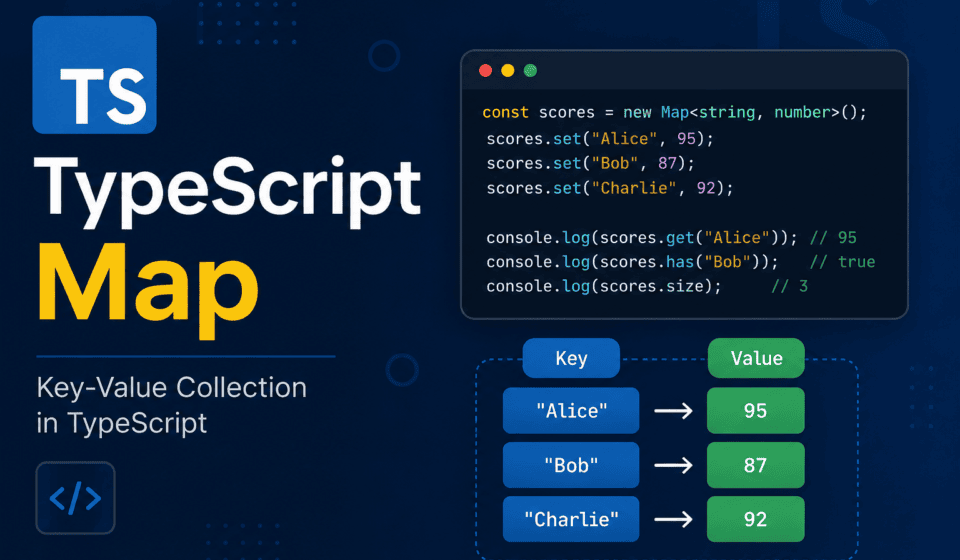
TypeScript Map: Definition, Syntax & Use Cases vs Objects
The TypeScript Map is one of those built-in types that a lot of test automation engineers know exists but rarely reach for on instinct. If you’ve spent any real time writing Playwright or Selenium tests in TypeScript, you’ve probably reached for a plain object more times than you can count. Need to store some test data keyed by user ID? Object. Need a lookup table mapping environment names to base URLs? Object. Need to track which locators have already been resolved in a test run? Object, object, object.
And honestly, for a long time, that’s fine. Objects are familiar, they’re everywhere in JavaScript, and most of us learned to reach for {} before we even knew what a Map was. But somewhere around the time your test suite starts growing — more page objects, more fixtures, more shared state between test steps — you start hitting little annoyances. Keys behaving weirdly. Iteration order you didn’t expect. A size property that doesn’t exist. An accidental collision with toString or hasOwnProperty because someone used a “reserved” word as a key.
That’s usually the point where someone on the team says “why don’t we just use a Map here?” and half the room nods along without really knowing why, and the other half quietly Googles it later. This post is for both halves of that room.
I want to walk through the TypeScript Map type properly — what it actually is, how its syntax works, where it genuinely beats plain objects, and where it doesn’t. I’ll lean heavily on examples from test automation because that’s the world most of you reading this live in, but the underlying concepts apply whether you’re building a React app, a Node backend, or a Playwright test framework. By the end, you should be able to look at a piece of state in your code and instantly know whether it belongs in an object or a Map, instead of defaulting to whatever’s muscle memory.
What Exactly Is a TypeScript Map?
A TypeScript Map is a built-in JavaScript object (TypeScript just adds types on top of it) — specifically, it’s TypeScript’s typed wrapper around the native JavaScript Map object — that stores key-value pairs. That sentence alone makes it sound identical to a plain object, so let’s be more precise.
A Map is a collection of keyed data items, just like an object, but with a few structural guarantees an object doesn’t give you:
- Keys can be any type — strings, numbers, booleans, objects, functions, even other Maps. Not just strings and symbols.
- Keys maintain their insertion order, guaranteed, every time you iterate.
- A Map has a real
sizeproperty. You don’t have to doObject.keys(obj).lengthgymnastics. - A Map is directly iterable with
for...of, without needingObject.entries()orObject.keys()as a middleman. - A Map doesn’t have a prototype chain full of inherited properties getting in your way.
Here’s the most basic version of it:
const testResults = new Map<string, string>();

testResults.set('login-test', 'passed');
testResults.set('checkout-test', 'failed');
testResults.set('search-test', 'passed');

console.log(testResults.get('checkout-test')); // "failed"
console.log(testResults.size); // 3
Compare that to how most of us would’ve written the same thing a year ago:
const testResults: Record<string, string> = {};

testResults['login-test'] = 'passed';
testResults['checkout-test'] = 'failed';
testResults['search-test'] = 'passed';

console.log(testResults['checkout-test']); // "failed"
console.log(Object.keys(testResults).length); // 3
They look functionally similar in this trivial example, and for something this small, honestly it doesn’t matter much which one you pick. The differences start to matter once your data gets more complex, your keys aren’t strings, or you care about iteration order and performance. We’ll get into all of that.
Why Should a QA Engineer or SDET Care About This?
I get this question a lot when I talk about “JavaScript fundamentals” topics on this blog — isn’t this more of a frontend developer concern? Not really, and here’s why it matters specifically for people writing test automation:
Test frameworks are full of keyed data. Locator caches, fixture data, environment configs, API response caches, retry counters keyed by test name, screenshot metadata keyed by test ID — almost everything in a mature automation framework is a lookup table of some kind. Choosing the right data structure for these lookups affects readability, bugs, and sometimes real performance in large suites.
Dynamic keys are everywhere in test data. You’re often keying things by values you don’t control — a user ID that comes back from an API response, a session token, a DOM element reference, a randomly generated test data value. Objects get awkward here in ways Maps don’t.
Interviewers ask about this. If you’re going for an SDET Lead, QA Architect, or Automation Architect role — and I know a good chunk of you reading this are, because I get messages about it constantly — “explain the difference between Map and Object in JavaScript/TypeScript” is a genuinely common interview question. Not because it’s obscure trivia, but because your answer reveals whether you understand JavaScript’s object model at all, or whether you’ve just been copy-pasting patterns without knowing why they work.
Memory leaks in long-running test suites are a real thing. If you’ve ever had a Playwright test suite that gets progressively slower or eventually runs out of memory during a long CI run, unmanaged references sitting around in objects or Maps that never get cleared can be part of the story. Understanding WeakMap (which we’ll cover later) is directly relevant here.
So no, this isn’t just “JavaScript trivia for frontend devs.” It’s core to how you structure state in any TypeScript-based framework, and test automation frameworks are no exception.
TypeScript Map Syntax: The Complete Walkthrough
Let’s go through every piece of the Map API methodically. I’ll use test-automation-flavored examples throughout so this doesn’t feel like a generic JS tutorial.
Creating a Map
The most common way is the constructor with no arguments, followed by .set() calls:
const envConfig = new Map<string, string>();
envConfig.set('dev', 'https://dev.myapp.com');
envConfig.set('qa', 'https://qa.myapp.com');
envConfig.set('staging', 'https://staging.myapp.com');
envConfig.set('prod', 'https://myapp.com');
You can also initialize a Map directly from an array of key-value pairs, which is often cleaner:
const envConfig = new Map<string, string>([
  ['dev', 'https://dev.myapp.com'],
  ['qa', 'https://qa.myapp.com'],
  ['staging', 'https://staging.myapp.com'],
  ['prod', 'https://myapp.com'],
]);
Notice the type annotation: Map<string, string>. The first type parameter is the key type, the second is the value type. This is where TypeScript actually earns its keep over plain JavaScript Maps — you get full autocomplete and type-checking on both keys and values.
You can also build a Map from an existing object using Object.entries(), which is a pattern you’ll use constantly when migrating legacy config objects into Maps:
const configObject = {
  dev: 'https://dev.myapp.com',
  qa: 'https://qa.myapp.com',
  prod: 'https://myapp.com',
};

const configMap = new Map(Object.entries(configObject));
// Map(3) { 'dev' => '...', 'qa' => '...', 'prod' => '...' }
The Core Methods: set, get, has, delete, clear
These five methods cover 95% of everyday Map usage.
const locatorCache = new Map<string, string>();

// set() - adds or updates a key-value pair, returns the Map itself
locatorCache.set('loginButton', '#btn-login');
locatorCache.set('usernameField', 'input[name="username"]');

// get() - retrieves the value for a key, returns undefined if not found
console.log(locatorCache.get('loginButton')); // "#btn-login"
console.log(locatorCache.get('nonExistentKey')); // undefined

// has() - checks if a key exists, returns boolean
console.log(locatorCache.has('loginButton')); // true
console.log(locatorCache.has('logoutButton')); // false

// delete() - removes a key-value pair, returns true if it existed
locatorCache.delete('usernameField'); // true
locatorCache.delete('usernameField'); // false (already gone)

// clear() - removes everything
locatorCache.clear();
console.log(locatorCache.size); // 0
One nice detail: because .set() returns the Map itself, you can chain calls:
const testDataMap = new Map<string, number>()
  .set('retryCount', 3)
  .set('timeoutMs', 30000)
  .set('maxParallelWorkers', 5);
This chaining pattern is genuinely useful in fixture setup code where you’re building configuration inline.
The size Property
This is one of the small but real quality-of-life wins. With an object, checking how many entries you have requires Object.keys(obj).length, which allocates a temporary array just to count it. With a Map, size is a live property:
const openTabs = new Map<string, Page>();
openTabs.set('main', mainPage);
openTabs.set('popup', popupPage);

console.log(openTabs.size); // 2

// vs the object equivalent
const openTabsObj: Record<string, Page> = { main: mainPage, popup: popupPage };
console.log(Object.keys(openTabsObj).length); // 2, but you built and discarded an array to get there
Small thing on its own, but it adds up in hot paths, and it reads more cleanly in code reviews. Nobody has to squint at Object.keys().length and mentally parse what it’s doing.
Iterating a Map: keys(), values(), entries(), and forEach()
This is where Maps really start to feel different from objects. A Map gives you four built-in ways to walk through its contents, and all of them respect insertion order.
const testSuiteStatus = new Map<string, 'passed' | 'failed' | 'skipped'>([
  ['login-suite', 'passed'],
  ['checkout-suite', 'failed'],
  ['search-suite', 'skipped'],
]);

// Iterate keys only
for (const suiteName of testSuiteStatus.keys()) {
  console.log(suiteName);
}

// Iterate values only
for (const status of testSuiteStatus.values()) {
  console.log(status);
}

// Iterate key-value pairs (most common)
for (const [suiteName, status] of testSuiteStatus.entries()) {
  console.log(`${suiteName}: ${status}`);
}

// entries() is actually the default iterator, so this works identically:
for (const [suiteName, status] of testSuiteStatus) {
  console.log(`${suiteName}: ${status}`);
}

// forEach also works, with (value, key, map) argument order — note value comes first
testSuiteStatus.forEach((status, suiteName) => {
  console.log(`${suiteName}: ${status}`);
});
Quick gotcha worth flagging because it trips people up constantly: in forEach, the callback receives (value, key, map) — value first, key second. This is easy to mix up when you’re moving fast and your loop output looks “swapped.”
Because Maps are natively iterable, you can also spread them straight into arrays:
const entriesArray = [...testSuiteStatus];
// [['login-suite', 'passed'], ['checkout-suite', 'failed'], ['search-suite', 'skipped']]

const keysArray = [...testSuiteStatus.keys()];
// ['login-suite', 'checkout-suite', 'search-suite']
This is genuinely handy when you need to run .filter(), .map(), or .sort() on Map contents — you convert to an array, do your array operations, and optionally convert back.
TypeScript Map vs Object: The Real Differences That Matter
Okay, this is the section most of you clicked in for. Let’s go through each meaningful difference one at a time, with concrete reasoning for why it matters in practice, not just as a trivia fact.
1. Key Types
Plain JavaScript objects only support string and Symbol keys. If you try to use anything else — a number, a boolean, an object reference — JavaScript silently coerces it into a string.
const obj: Record<any, string> = {};
obj[1] = 'one';
obj[true] = 'yes';

console.log(Object.keys(obj)); // ['1', 'true'] — both became strings!
console.log(obj['1']); // 'one' — string '1' and number 1 collide as the same key
This coercion is a genuine source of bugs. I’ve seen it bite people in test data setup where someone keys an object by a numeric user ID, then later tries to look it up with the number instead of the string form (or vice versa), and gets undefined back with no obvious explanation.
A Map has none of this problem. Keys keep their actual type and identity:
const userMap = new Map<number, string>();
userMap.set(1, 'Ajit');
userMap.set(2, 'Neha');

console.log(userMap.get(1)); // 'Ajit' — number key, exactly as stored
console.log(userMap.get('1')); // undefined — string '1' is NOT the same as number 1
This distinction becomes genuinely useful in test automation when you want to key data by something that isn’t naturally a string — a Playwright Locator object, a Page instance, a DOM element handle, a full request object. You simply can’t do that cleanly with a plain object.
Here’s a real pattern I use in frameworks — keying test metadata by the actual Playwright Page object when running multi-tab or multi-context tests:
import { Page } from '@playwright/test';

const pageMetadata = new Map<Page, { role: string; loggedInAs: string }>();

pageMetadata.set(adminPage, { role: 'admin', loggedInAs: 'admin@test.com' });
pageMetadata.set(customerPage, { role: 'customer', loggedInAs: 'customer@test.com' });

function getRoleForPage(page: Page): string | undefined {
  return pageMetadata.get(page)?.role;
}
You genuinely cannot do this cleanly with a plain object, because object keys get stringified — you’d end up with something like "[object Object]" as the key for every Page instance, and every subsequent Page would silently overwrite the previous entry. This is a real, not-hypothetical bug I’ve watched people run into.
2. Guaranteed Iteration Order
Modern JavaScript engines (V8, which powers Node.js and Chrome, included) do actually maintain insertion order for string keys in objects in most practical cases — but there’s a catch that trips people up: integer-like string keys get sorted numerically and placed before all other keys, regardless of insertion order. This isn’t a Map-specific quirk, it’s an object quirk, but it’s exactly the kind of thing that makes object ordering “mostly reliable, except when it really isn’t.”
const obj: Record<string, string> = {};
obj['banana'] = 'yellow';
obj['2'] = 'two';
obj['apple'] = 'red';
obj['1'] = 'one';

console.log(Object.keys(obj));
// ['1', '2', 'banana', 'apple'] — numeric keys jumped to the front!
If you were relying on insertion order to, say, execute test steps in the order they were registered, this is a landmine. A Map sidesteps it entirely — insertion order is guaranteed, full stop, no special casing for numeric-looking keys:
const stepMap = new Map<string, () => Promise<void>>();
stepMap.set('banana', stepA);
stepMap.set('2', stepB);
stepMap.set('apple', stepC);
stepMap.set('1', stepD);

console.log([...stepMap.keys()]);
// ['banana', '2', 'apple', '1'] — exactly the order they were added
I’ve used this specifically for things like ordered test step execution logs, ordered API call sequences for request replay, and ordered form-fill sequences where the order genuinely matters for the test to behave correctly.
3. Performance in Frequent Add/Remove Scenarios
For a small, mostly-static set of keys, performance differences between Map and Object are negligible — don’t over-engineer a five-entry config lookup over this. But if you’re doing frequent additions and deletions of keys — think a cache that’s constantly being written to and evicted from during a long test run — Maps are generally better optimized for that access pattern, because engines can implement them as genuine hash tables without worrying about all the extra baggage a JavaScript object carries (prototype chain, property descriptors, potential for engine de-optimization when the “shape” of the object keeps changing).
Objects, on the other hand, are optimized by JS engines using an approach V8 documents in detail as hidden classes and fast property access — the engine assumes a relatively stable “shape,” the same set of properties, largely unchanged over the object’s lifetime. Every time you add or delete a property from an object, especially dynamically at runtime, you risk falling out of that optimized fast path.
Practically speaking: if you’re building something like an in-memory response cache that gets hit and evicted constantly across hundreds of API mocks in a test suite, reach for a Map. If you’re storing a fixed config with five or six known properties, an object (or better yet, a proper TypeScript interface) is fine and arguably more readable.
4. The size Property vs Manual Counting
We touched on this already, but it’s worth restating as a distinct advantage: map.size is O(1) — a direct property read. Object.keys(obj).length is O(n) — it has to build an array of every key first. For a small object this doesn’t matter. For something you’re checking repeatedly inside a loop across a big test data set, it can.
5. Serialization Behavior (JSON.stringify)
Here’s a difference that catches people off guard constantly, especially when logging test data or writing results to a file. Plain objects serialize to JSON exactly how you’d expect:
const resultObj = { login: 'passed', checkout: 'failed' };
console.log(JSON.stringify(resultObj));
// '{"login":"passed","checkout":"failed"}'
A Map does not serialize meaningfully out of the box with JSON.stringify:
const resultMap = new Map([['login', 'passed'], ['checkout', 'failed']]);
console.log(JSON.stringify(resultMap));
// '{}' — completely empty! This is a genuinely common gotcha.
If you need to write a Map to a JSON test report, or send it over an API mock, you have to convert it explicitly:
// Map to plain object
const asObject = Object.fromEntries(resultMap);
console.log(JSON.stringify(asObject));
// '{"login":"passed","checkout":"failed"}'

// Map to array of pairs (useful if you need to round-trip back to a Map later)
const asArray = [...resultMap];
console.log(JSON.stringify(asArray));
// '[["login","passed"],["checkout","failed"]]'

// Rebuilding the Map from that array
const rebuiltMap = new Map(JSON.parse(JSON.stringify(asArray)));
This is genuinely one of the biggest practical downsides of Maps in a test automation context, because test reports, logs, and fixtures very often need to be JSON. If you’re storing something that eventually needs to be written to a JSON report file (think custom Playwright reporters, or Allure attachments), keep this conversion step in mind — or honestly, just use a plain object for that particular piece of state instead of fighting the serialization behavior.
6. Prototype Pollution and Accidental Key Collisions
Plain objects inherit from Object.prototype unless you explicitly create them with Object.create(null). This means every plain object already “has” properties like toString, hasOwnProperty, constructor, and __proto__, even before you add anything to it.
Most of the time this doesn’t matter. But if your test data happens to include a key with one of these names — and I promise, this happens more than you’d think when your keys come from real-world data like user-submitted form field names or API response keys — things get weird:
const formFieldValues: Record<string, string> = {};
formFieldValues['toString'] = 'user typed this as a field name';

console.log(formFieldValues.toString);
// 'user typed this as a field name' — okay, worked here because we overwrote it directly

console.log(formFieldValues.hasOwnProperty('toString'));
// true, correctly, but this kind of check gets fragile fast

// Now imagine someone does this instead:
const dangerousData = JSON.parse('{"__proto__": {"isAdmin": true}}');
const merged = { ...someUserObject, ...dangerousData };
// depending on how this merge happens, this can be a genuine security issue
// known as prototype pollution
This is a real, documented class of security vulnerability (prototype pollution) that has affected real npm packages in the past. A Map sidesteps this entire category of problem, because Map keys are stored in an internal data structure, completely separate from the object’s own prototype chain. There’s no __proto__ key collision risk with a Map, ever.
For test automation specifically, this matters most if you’re writing utility functions that merge or process externally-sourced JSON (API responses, config files, user-uploaded test data) into keyed lookups. If that data isn’t fully trusted, a Map is the structurally safer choice.
7. Checking for Key Existence
With an object, checking whether a key exists is more fiddly than it should be, because of that inherited-property problem again:
const obj = { name: 'Ajit' };

console.log('name' in obj); // true — but 'in' also checks inherited properties
console.log('toString' in obj); // true! toString is inherited from Object.prototype

console.log(obj.hasOwnProperty('name')); // true, correctly scoped to own properties
console.log(obj.hasOwnProperty('toString')); // false, correctly excludes inherited stuff
So the “correct” way to check key existence on a plain object is obj.hasOwnProperty(key), not the more intuitive-looking key in obj. Most developers use in anyway because it reads more naturally, and it works fine 99% of the time — until it doesn’t.
A Map’s .has() method has no such ambiguity, because there’s no prototype chain to worry about:
const testMap = new Map([['name', 'Ajit']]);
console.log(testMap.has('name')); // true
console.log(testMap.has('toString')); // false — as expected, no inherited nonsense
A Side-by-Side Cheat Sheet
I know a lot of you are going to bookmark this TypeScript Map cheat sheet specifically for this table, so let me lay it out plainly.
| Aspect | Object | Map |
|---|---|---|
| Key types | String and Symbol only (others coerced to string) | Any type — string, number, object, function, etc. |
| Key order | Mostly insertion order, but integer-like keys jump to the front | Always strict insertion order |
| Size | Object.keys(obj).length | map.size (direct property) |
| Iteration | Needs Object.keys/values/entries() first | Directly iterable with for...of |
| Default keys | Inherits from Object.prototype (toString, etc.) | No inherited keys, clean by default |
| JSON serialization | Works natively with JSON.stringify | Serializes to {}, needs manual conversion |
| Performance (frequent add/remove) | Can degrade with shape changes | Generally better optimized for this pattern |
| Prototype pollution risk | Present if handling untrusted data | Not applicable |
| Syntax familiarity | Very familiar, dot/bracket notation | Method-based (get/set), slightly more verbose |
| Object literal shorthand | Supports destructuring, spread, JSX-like patterns | Needs conversion for these |
If you take one thing away from this table: reach for a Map when your keys aren’t guaranteed to be strings, when insertion order genuinely matters to your logic, or when you’re doing frequent adds and removes. Reach for an object when you’re modeling a fixed shape of data (which, frankly, is most of the time in day-to-day test code) or when you need it to serialize cleanly to JSON.
WeakMap: The Lesser-Known Cousin
Now let’s talk about something that comes up far less often in day-to-day test writing, but matters a lot more than people realize once your automation framework grows large: WeakMap.
A WeakMap is almost identical to a TypeScript Map, with a few important restrictions:
- Keys must be objects (not primitives like strings or numbers).
- It’s not iterable — no
.keys(), no.forEach(), no spreading it into an array. - It has no
.sizeproperty. - Most importantly: it doesn’t prevent its keys from being garbage collected.
That last point is the entire reason WeakMap exists. With a regular Map, if you store an object as a key, that object stays alive in memory for as long as the Map exists — even if nothing else in your program references it anymore. This is a genuine, real-world source of memory leaks in long-running processes, and test automation suites (especially ones running hundreds or thousands of tests in a single CI process) are exactly the kind of long-running process where this bites people.
// Regular Map — this can leak memory over a long test run
const elementMetadataMap = new Map<object, { testId: string; createdAt: number }>();

function trackElement(el: object, testId: string) {
  elementMetadataMap.set(el, { testId, createdAt: Date.now() });
}

// Even after `el` goes out of scope everywhere else in your code,
// the Map keeps a reference to it, so it can never be garbage collected.
// Do this across thousands of test iterations, and memory just climbs.
Now the WeakMap version:
const elementMetadataWeakMap = new WeakMap<object, { testId: string; createdAt: number }>();

function trackElement(el: object, testId: string) {
  elementMetadataWeakMap.set(el, { testId, createdAt: Date.now() });
}

// Once `el` has no other references anywhere in the program,
// the garbage collector is free to clean it up, AND its entry
// in the WeakMap disappears automatically along with it.
In practical Playwright/Selenium test automation terms, WeakMap is most useful for attaching metadata to objects that already have a defined lifecycle you don’t fully control — DOM element handles, request/response objects, or internal framework objects that get created and destroyed constantly across a test run. You want the metadata to disappear automatically when the underlying object does, rather than manually tracking cleanup yourself (and inevitably forgetting to, somewhere, in some edge case, six months from now).
A realistic use case: caching computed locator strategies against page objects without worrying about cleanup:
import { Page } from '@playwright/test';

const pageAnalysisCache = new WeakMap<Page, { hasModal: boolean; theme: string }>();

async function getPageAnalysis(page: Page) {
  if (pageAnalysisCache.has(page)) {
    return pageAnalysisCache.get(page)!;
  }

  const hasModal = await page.locator('.modal-overlay').count() > 0;
  const theme = await page.evaluate(() => document.body.dataset.theme || 'light');

  const analysis = { hasModal, theme };
  pageAnalysisCache.set(page, analysis);
  return analysis;
}
When that Page instance eventually gets closed and dereferenced by Playwright internally, this cache entry cleans itself up. You never had to write a single line of cleanup code, and you never risk this cache silently ballooning across a 2000-test CI run.
Should you use WeakMap everywhere instead of Map? No — most of the time, your data has a clear, bounded lifetime (a single test, a single describe block) and a regular Map or object is perfectly fine, plus you often want to iterate or check the size, which WeakMap doesn’t support. Reach for WeakMap specifically when you’re attaching auxiliary data to objects whose lifecycle you don’t control and don’t want to manually manage.
Real-World Use Cases: Where a TypeScript Map Genuinely Shines in Test Automation
Let’s move from “here’s the theory” to “here’s exactly where I’d reach for this in a real framework.” These are patterns I’ve either used directly or seen work well in production test suites.
Use Case 1: Caching Resolved Locators
In larger Page Object Model implementations, resolving a Playwright locator (especially a dynamic one built from a template string) repeatedly across a test can be wasteful. A Map-based cache keyed by the locator string is a clean fix:
import { Page, Locator } from '@playwright/test';

class LocatorCache {
  private cache = new Map<string, Locator>();

  constructor(private page: Page) {}

  get(selector: string): Locator {
    if (!this.cache.has(selector)) {
      this.cache.set(selector, this.page.locator(selector));
    }
    return this.cache.get(selector)!;
  }

  clear(): void {
    this.cache.clear();
  }
}

// usage in a page object
class ProductPage {
  private locators: LocatorCache;

  constructor(private page: Page) {
    this.locators = new LocatorCache(page);
  }

  productCard(productId: string): Locator {
    return this.locators.get(`[data-product-id="${productId}"]`);
  }
}
This keeps repeated locator string construction out of your test steps and centralizes it, and the Map naturally handles the “have I already built this one?” check with .has().
Use Case 2: Deduplicating and Grouping API Responses During Mocking
When you’re intercepting and mocking network requests in Playwright (via page.route()), you often need to track which requests you’ve already handled or group responses by some key like the request URL pattern:
const interceptedRequests = new Map<string, number>();

await page.route('**/api/**', async (route) => {
  const url = route.request().url();
  const count = interceptedRequests.get(url) ?? 0;
  interceptedRequests.set(url, count + 1);

  if (count > 5) {
    // this endpoint is being hit unusually often, might indicate a polling bug
    console.warn(`Endpoint ${url} hit ${count + 1} times`);
  }

  await route.continue();
});

test.afterEach(() => {
  for (const [url, count] of interceptedRequests) {
    console.log(`${url}: called ${count} times`);
  }
});
The ?? nullish coalescing pattern combined with .get() here is a genuinely common and clean way to implement counters without objects’ awkward “does this key exist yet” checks.
Use Case 3: Test Data Factories Keyed by Scenario
If you maintain a library of test data generators for different scenarios (new user, existing user with orders, user with expired subscription, and so on), a Map of factory functions keyed by scenario name is cleaner and more type-safe than a big switch statement:
type UserScenario = 'newUser' | 'existingUser' | 'expiredSubscription' | 'adminUser';

interface TestUser {
  email: string;
  role: string;
  subscriptionStatus: string;
}

const userFactories = new Map<UserScenario, () => TestUser>([
  ['newUser', () => ({ email: `new-${Date.now()}@test.com`, role: 'customer', subscriptionStatus: 'none' })],
  ['existingUser', () => ({ email: 'existing@test.com', role: 'customer', subscriptionStatus: 'active' })],
  ['expiredSubscription', () => ({ email: 'expired@test.com', role: 'customer', subscriptionStatus: 'expired' })],
  ['adminUser', () => ({ email: 'admin@test.com', role: 'admin', subscriptionStatus: 'active' })],
]);

function createTestUser(scenario: UserScenario): TestUser {
  const factory = userFactories.get(scenario);
  if (!factory) {
    throw new Error(`No factory registered for scenario: ${scenario}`);
  }
  return factory();
}

// usage
const user = createTestUser('expiredSubscription');
This pattern scales well — adding a new scenario means adding one line to the Map, not adding a new case to a growing switch statement buried somewhere in your codebase. It’s also trivially testable in isolation, since userFactories is just data you can inspect and iterate over.
Use Case 4: Tracking Retry Counts Per Test
If you’re implementing custom retry logic on top of Playwright’s built-in retries (say, for flaky third-party integrations you’re testing against), a Map keyed by test name or test ID is a natural fit:
const retryTracker = new Map<string, number>();

async function withCustomRetry<T>(
  testId: string,
  fn: () => Promise<T>,
  maxRetries = 3
): Promise<T> {
  const attempts = retryTracker.get(testId) ?? 0;

  try {
    const result = await fn();
    retryTracker.delete(testId); // clean up on success
    return result;
  } catch (error) {
    if (attempts < maxRetries) {
      retryTracker.set(testId, attempts + 1);
      console.log(`Retrying ${testId}, attempt ${attempts + 1}`);
      return withCustomRetry(testId, fn, maxRetries);
    }
    retryTracker.delete(testId);
    throw error;
  }
}
Use Case 5: Building a Cross-Reference Between Test IDs and Jira Tickets
A lot of automation frameworks maintain some kind of mapping between automated test identifiers and their corresponding manual test case IDs or Jira ticket references, often for reporting purposes:
const jiraTraceabilityMap = new Map<string, string[]>([
  ['login.spec.ts::valid credentials', ['QA-102', 'QA-103']],
  ['checkout.spec.ts::apply coupon', ['QA-210']],
  ['search.spec.ts::filter by price', ['QA-88', 'QA-89', 'QA-90']],
]);

function getLinkedTickets(testFullName: string): string[] {
  return jiraTraceabilityMap.get(testFullName) ?? [];
}
This kind of Map is often generated programmatically (parsing test titles for tags like @QA-102) rather than hand-written, but the storage structure itself — a Map from test identity to an array of linked tickets — is exactly the right shape for this kind of lookup.
Use Case 6: Environment-Based Configuration Resolution
This is probably the single most common real-world Map usage across every framework I’ve reviewed or built. Environment configs genuinely benefit from Map’s clean iteration and lookup semantics, especially when you want to validate that every configured environment has all required keys:
interface EnvConfig {
  baseUrl: string;
  apiKey: string;
  timeout: number;
}

const environments = new Map<string, EnvConfig>([
  ['dev', { baseUrl: 'https://dev.myapp.com', apiKey: process.env.DEV_API_KEY!, timeout: 30000 }],
  ['qa', { baseUrl: 'https://qa.myapp.com', apiKey: process.env.QA_API_KEY!, timeout: 30000 }],
  ['staging', { baseUrl: 'https://staging.myapp.com', apiKey: process.env.STAGING_API_KEY!, timeout: 45000 }],
]);

function getConfig(envName: string): EnvConfig {
  const config = environments.get(envName);
  if (!config) {
    const available = [...environments.keys()].join(', ');
    throw new Error(`Unknown environment "${envName}". Available: ${available}`);
  }
  return config;
}

const config = getConfig(process.env.TEST_ENV || 'qa');
I particularly like this pattern because the error message practically writes itself — [...environments.keys()] gives you a clean list of valid options to show the user when they typo an environment name, which is a small thing but genuinely helpful when you’re debugging a broken CI pipeline at 11pm.
Where Object Still Wins — Let’s Be Honest About It
I don’t want this post to turn into “Maps are always better, throw away objects.” That’s not true, and anyone telling you that hasn’t actually shipped enough TypeScript code to have felt the downsides. Here’s where I’d still reach for a plain object without hesitation:
Fixed-shape data (most of your interfaces)
If you know the exact set of properties ahead of time — a test config, a page object’s constructor options, an API request payload — a typed object (with a proper interface) is more readable, gets better autocomplete for the specific known properties, and integrates naturally with destructuring:
interface TestConfig {
  baseUrl: string;
  headless: boolean;
  retries: number;
}

// This is clean, readable, and correct. Don't turn this into a Map.
const config: TestConfig = {
  baseUrl: 'https://qa.myapp.com',
  headless: true,
  retries: 2,
};

const { baseUrl, retries } = config; // destructuring just works
JSON-heavy code paths
If the data is going to be serialized, deserialized, sent over HTTP, or written to a file at any point, an object avoids the whole Map serialization dance we covered earlier.
When you need object spread and rest syntax
The ... spread operator works beautifully with objects for merging and creating variations of test data:
const baseUser = { email: 'test@test.com', role: 'customer', active: true };
const inactiveUser = { ...baseUser, active: false };
const adminUser = { ...baseUser, role: 'admin' };
You can technically do something similar with Maps using the spread-into-array-and-back approach, but it’s clunkier and loses the readability advantage entirely.
Interop with libraries expecting plain objects
A lot of libraries — including parts of Playwright’s own API, most reporting tools, and virtually all JSON-based configuration systems — expect plain objects, not Maps. Fighting against that expectation just to use a Map “because it’s better” adds friction for no real benefit.
Converting Between Map and Object
Since you’ll frequently need to move between the two depending on context, here are the conversions you’ll use constantly, all in one place.
// Object → Map
const obj = { login: 'passed', checkout: 'failed', search: 'passed' };
const map = new Map(Object.entries(obj));

// Map → Object
const map2 = new Map([['login', 'passed'], ['checkout', 'failed']]);
const obj2 = Object.fromEntries(map2);

// Map → Array of entries
const entriesArray = Array.from(map2);
// or: const entriesArray = [...map2];

// Array of entries → Map
const rebuiltMap = new Map(entriesArray);

// Map → Array of just keys
const keysArray = Array.from(map2.keys());

// Map → Array of just values
const valuesArray = Array.from(map2.values());
Worth calling out: Object.fromEntries() was only added in ES2019, so if you’re targeting a genuinely old runtime (unlikely in a modern Playwright/Node setup, but worth a mental note if you’re maintaining a legacy framework), double-check your tsconfig.json target and lib settings support it.
Type Safety Deep Dive: Getting the Most Out of Map’s Generics
One thing that often gets underused is how expressive TypeScript’s generics can be with Map, beyond the basic Map<string, string> pattern.
Union types as values
type TestStatus = 'passed' | 'failed' | 'skipped' | 'flaky';

const suiteResults = new Map<string, TestStatus>();
suiteResults.set('login-suite', 'passed');
// suiteResults.set('checkout-suite', 'broken'); // TypeScript error — 'broken' isn't a valid TestStatus
Complex object values with interfaces
interface TestExecutionRecord {
  status: TestStatus;
  durationMs: number;
  retries: number;
  errorMessage?: string;
}

const executionLog = new Map<string, TestExecutionRecord>();

executionLog.set('login.spec.ts::valid login', {
  status: 'passed',
  durationMs: 1240,
  retries: 0,
});

executionLog.set('checkout.spec.ts::apply coupon', {
  status: 'failed',
  durationMs: 3400,
  retries: 2,
  errorMessage: 'Timeout waiting for #coupon-applied-badge',
});
Nested Maps for hierarchical data
You can absolutely nest Maps for hierarchical lookups — say, environment, then feature, then test:
type FeatureResults = Map<string, TestStatus>;
const environmentResults = new Map<string, FeatureResults>();

const qaFeatures: FeatureResults = new Map([
  ['login', 'passed'],
  ['checkout', 'failed'],
]);

environmentResults.set('qa', qaFeatures);

function getStatus(env: string, feature: string): TestStatus | undefined {
  return environmentResults.get(env)?.get(feature);
}

console.log(getStatus('qa', 'checkout')); // 'failed'
Notice the optional chaining (?.) between the two .get() calls — that’s essential here, because .get() on a Map always returns | undefined as part of its type signature (TypeScript can’t statically know the key exists), so if you skip the ?. and the outer .get(env) returns undefined, calling .get(feature) on undefined would throw a runtime error.
Generic utility functions over Maps
Since Map itself is generic, you can write reusable utility functions that work across any Map shape:
function getOrCreate<K, V>(map: Map<K, V>, key: K, factory: () => V): V {
  if (!map.has(key)) {
    map.set(key, factory());
  }
  return map.get(key)!;
}

// usage — this pattern is extremely common for caches
const cache = new Map<string, Locator>();
const locator = getOrCreate(cache, 'submitButton', () => page.locator('#submit'));
This getOrCreate helper is one I end up writing in almost every framework I build, because the “check if it exists, create it if not, return it either way” pattern comes up constantly with caches, and having it as a typed generic utility means it works for any Map you throw at it, without rewriting the logic each time.
Common Mistakes I See in Real Codebases
Let me go through the mistakes I’ve actually seen people make (myself included, at various points), because these are more useful than abstract “gotchas” — these are things that genuinely happened in real PRs.
Mistake 1: Forgetting Map doesn’t support bracket notation
const testMap = new Map<string, string>();

// WRONG — this doesn't throw an error, but it doesn't do what you think either
testMap['login'] = 'passed';
console.log(testMap.get('login')); // undefined!
console.log(testMap.size); // still 0!

// what actually happened: you added a regular property called 'login'
// directly onto the Map object instance, completely bypassing its internal storage

// CORRECT
testMap.set('login', 'passed');
console.log(testMap.get('login')); // 'passed'
This one is sneaky because it doesn’t throw a TypeScript compile error in loosely-typed code, and it doesn’t throw a runtime error either — it just silently does the wrong thing. If your Map ever seems to “not be storing anything,” check for this first.
Mistake 2: Comparing object keys by reference, not value
const cache = new Map<{ id: number }, string>();

cache.set({ id: 1 }, 'first');
console.log(cache.get({ id: 1 })); // undefined!

// Even though the objects look identical, they're different references.
// Map uses SameValueZero equality, which for objects means reference equality,
// not deep/structural equality.
If you want structural equality for object keys, you need to either use a consistent, already-existing object reference as the key, or convert your key to a primitive (like a stringified version of the object, or a specific ID field) before using it as a Map key:
// Better — key by a stable primitive derived from the object
const cache2 = new Map<number, string>();
cache2.set(1, 'first'); // keyed by the id field itself, not the whole object
console.log(cache2.get(1)); // 'first'
Mistake 3: Expecting JSON.stringify to just work
We covered this in detail above, but it’s worth repeating as a “mistake” specifically because it’s usually discovered in the worst possible way — a test report silently missing data, or a debug log showing {} where you expected real content, hours into debugging something unrelated.
Mistake 4: Using Map when the data is genuinely a fixed shape
// Overkill and less readable — this data has a known, fixed shape
const testConfig = new Map<string, any>();
testConfig.set('baseUrl', 'https://qa.myapp.com');
testConfig.set('headless', true);
testConfig.set('retries', 2);

// Just use an interface and an object here instead
interface TestConfig {
  baseUrl: string;
  headless: boolean;
  retries: number;
}
const betterConfig: TestConfig = { baseUrl: 'https://qa.myapp.com', headless: true, retries: 2 };
This is the mirror image of every other mistake in this list — reaching for Map out of habit or because it feels more “modern,” when the data genuinely has a fixed, known shape that an interface expresses more clearly. Notice also the any value type in the Map version — that’s a symptom of the underlying problem, not a coincidence. Fixed-shape data almost always wants an interface, not a Map.
Mistake 5: Forgetting non-null assertion after .get()
const scores = new Map<string, number>([['login', 95]]);

const score = scores.get('login');
// score has type `number | undefined`, not `number`

const total = score + 10;
// TypeScript error: Object is possibly 'undefined'

// Fix option 1: non-null assertion (only if you're CERTAIN the key exists)
const total2 = scores.get('login')! + 10;

// Fix option 2: nullish coalescing with a sensible default (usually the safer choice)
const total3 = (scores.get('login') ?? 0) + 10;

// Fix option 3: explicit check
const rawScore = scores.get('login');
if (rawScore !== undefined) {
  const total4 = rawScore + 10;
}
I’d generally push you towards option 2 or 3 over the non-null assertion (!) unless you have very strong, provable guarantees that the key exists — the whole point of TypeScript flagging this is to prevent exactly the kind of “assumed it was there, it wasn’t, production broke” bug that non-null assertions let you silently paper over.
Map in TypeScript Interview Questions — What Interviewers Actually Want to Hear
Since a good chunk of you reading this are actively interviewing for QA Lead, SDET, or Automation Architect roles, let me address this directly. Here are the questions I’ve either been asked myself or have asked candidates, along with what a genuinely strong answer looks like — not just the textbook definition, but the reasoning behind it.
“What’s the difference between Map and Object in JavaScript/TypeScript?”
Don’t just recite the differences in isolation — show that you understand why they matter. A strong answer touches on key type flexibility, iteration order guarantees, the size property, and — this is the part that separates a good answer from a great one — mentions that Objects are still usually the better choice for fixed-shape data, and Maps shine specifically for dynamic, frequently-changing keyed collections. Showing you know when not to use something is more impressive than reciting a features list.
“When would you use a WeakMap over a Map?”
This one filters candidates fast, because a lot of people have genuinely never used WeakMap in practice. A solid answer: when you’re associating metadata with objects whose lifecycle you don’t control, and you want that metadata to be automatically garbage collected when the object itself is no longer referenced elsewhere — avoiding manual cleanup and potential memory leaks in long-running processes.
“How would you deeply clone a Map?”
const original = new Map([['a', { nested: 1 }], ['b', { nested: 2 }]]);

// Shallow clone — new Map, but nested objects are still shared references
const shallowClone = new Map(original);

// Deep clone — structuredClone (built into modern Node and browsers)
// handles Maps natively, including nested objects
const deepClone = structuredClone(original);
Mentioning structuredClone here is a nice signal that you’re keeping up with more recent JavaScript runtime additions, rather than reaching straight for a manual recursive clone function or an external library.
“Why might JSON.stringify(myMap) not work as expected?”
This tests whether you actually understand the internal difference between how Map stores data versus how a plain object does, and it’s directly relevant to test reporting, which makes it a genuinely fair question for a QA-focused role specifically.
“Is a Map iterable? How would you prove it?”
const map = new Map([['a', 1]]);
console.log(typeof map[Symbol.iterator]); // 'function' — proves it implements the iterable protocol

for (const [key, value] of map) {
  console.log(key, value); // this works because of that Symbol.iterator implementation
}
A great answer here connects back to the underlying iterable protocol in JavaScript, showing you understand not just “Maps can be looped over” but why — which demonstrates real depth rather than memorized syntax.
Performance Benchmarking: Does It Actually Matter?
I want to be honest with you here rather than just repeating the general “Maps are faster for frequent mutations” claim without context, because context genuinely matters.
For collections under a few hundred entries — which covers the overwhelming majority of what you’ll deal with in test automation state (locator caches, test result trackers, config objects) — the performance difference between Map and Object is not something you’ll ever notice or need to care about. Modern JS engines are extremely well optimized for both, and premature optimization here is exactly that: premature.
Where it does start to matter is genuinely large-scale scenarios — tens of thousands of entries, with frequent adds and removes, in a hot loop that runs many times per second. Think something like a load-testing harness built on top of Playwright, tracking response times for tens of thousands of individual requests, with entries being added and evicted constantly. In that kind of scenario, Map’s more consistent hash-table-like performance characteristics genuinely do win out over an object that’s constantly having its internal “shape” invalidated by dynamic key changes.
My honest, practical advice: don’t choose Map over Object for a typical test automation framework based on performance alone. Choose it based on the structural reasons we covered — key type flexibility, iteration order guarantees, avoiding prototype pollution, and cleaner semantics for genuinely dynamic keyed data. If you ever do hit a scenario where you suspect Map vs Object performance is a real bottleneck, profile it properly rather than guessing — Node’s built-in --prof flag or Chrome DevTools’ performance tab will tell you far more than intuition will.
A Practical Decision Framework for Choosing a TypeScript Map
Let me leave you with something concrete you can actually apply the next time you’re writing code and pause to think “should this be a TypeScript Map or an object?” Ask yourself these questions in order:
1. Do I know the exact shape of this data ahead of time, with a fixed, known set of property names? If yes, use an object with a proper TypeScript interface. Stop here.
2. Will this data need to be JSON-serialized (written to a report, sent over HTTP, logged as structured output)? If yes, lean towards an object, or plan explicitly for the Map-to-object conversion step if you still want Map’s other benefits during runtime.
3. Do my keys need to be something other than strings (objects, Page instances, numbers where type matters, functions)? If yes, use a Map. This is the single clearest signal.
4. Does the order I iterate through this data matter for correctness, not just cosmetics? If yes, use a Map — objects’ ordering, while mostly reliable, has that numeric-key edge case that can bite you.
5. Am I adding and removing keys frequently, in a genuinely hot code path? If yes, lean towards Map.
6. Do I need this metadata to automatically clean itself up when the underlying object it’s tied to goes away, without me manually managing that? If yes, that’s specifically a WeakMap use case, not a regular Map.
If none of these clearly apply, honestly, either works — pick whichever reads more naturally in the context of the surrounding code and move on. Don’t lose sleep over it.
Putting It All Together: A TypeScript Map Framework Example
Let me close with a slightly more complete example that pulls together several of the patterns from this post, the way you might actually structure part of a real Playwright framework.
import { Page, Locator, test as base } from '@playwright/test';

// Fixed shape → interface + object, not a Map
interface EnvironmentConfig {
  baseUrl: string;
  apiBaseUrl: string;
  defaultTimeout: number;
}

// Known set of environments → Map for clean, safe lookup with a helpful error path
const environments = new Map<string, EnvironmentConfig>([
  ['qa', { baseUrl: 'https://qa.myapp.com', apiBaseUrl: 'https://api-qa.myapp.com', defaultTimeout: 30000 }],
  ['staging', { baseUrl: 'https://staging.myapp.com', apiBaseUrl: 'https://api-staging.myapp.com', defaultTimeout: 45000 }],
]);

function resolveEnvironment(name: string): EnvironmentConfig {
  const env = environments.get(name);
  if (!env) {
    throw new Error(`Unknown environment "${name}". Available: ${[...environments.keys()].join(', ')}`);
  }
  return env;
}

// Locator objects as keys → only possible with Map, not Object
class ElementStateTracker {
  private states = new Map<Locator, { lastCheckedAt: number; wasVisible: boolean }>();

  async checkAndRecord(locator: Locator): Promise<boolean> {
    const isVisible = await locator.isVisible();
    this.states.set(locator, { lastCheckedAt: Date.now(), wasVisible: isVisible });
    return isVisible;
  }

  getLastState(locator: Locator) {
    return this.states.get(locator);
  }
}

// WeakMap for auto-cleanup metadata tied to Page lifecycle
const pageContextData = new WeakMap<Page, { sessionStarted: number }>();

function markSessionStart(page: Page) {
  pageContextData.set(page, { sessionStarted: Date.now() });
}

export const test = base.extend<{ elementTracker: ElementStateTracker }>({
  elementTracker: async ({}, use) => {
    await use(new ElementStateTracker());
  },
});
Notice how this one small example genuinely uses both objects and Maps, deliberately, for different reasons — the config is an object because it’s fixed-shape and predictable, the environment lookup is a Map because it benefits from clean iteration for error messages, the element tracker is a Map because Locator objects can’t be object keys, and the session data is a WeakMap because it should clean up automatically. That’s the mindset I want you to walk away with — not “Maps are better” or “Objects are better,” but genuinely picking the right tool for what the data actually needs to do.
Wrapping Up
If there’s one thing I hope sticks after all of this, it’s that the TypeScript Map versus Object decision isn’t really about which one is objectively “better” — it’s about matching the structural guarantees of your data structure to the actual shape and behavior of your data. Fixed, known properties that need to serialize cleanly? Object. Dynamic keys, non-string keys, order-sensitive iteration, or frequent mutation? Map. Metadata tied to an object’s lifecycle that should clean itself up? WeakMap.
Once you internalize that framework, you stop defaulting to whatever’s familiar and start making a genuinely deliberate choice every time — which, frankly, is the difference between code that works and code that’s actually well-architected. And if you’re heading into interviews for QA Lead or Automation Architect roles, being able to articulate this reasoning clearly, with real examples from your own framework work, is exactly the kind of depth that separates candidates who’ve memorized syntax from candidates who’ve actually built and maintained large-scale automation systems.
If you found this useful, I’ve got a companion piece on bridging Java testing habits into TypeScript that covers a lot of the broader type-system thinking this post builds on — worth a read if you’re still getting comfortable with TypeScript’s type system as a whole rather than JavaScript-with-annotations.
🔥 Continue Your Learning Journey
Want to go beyond Playwright with Typescript setup and crack interviews faster? Check these hand-picked guides:
👉 🚀 Master TestNG Framework (Enterprise Level)
Build scalable automation frameworks with CI/CD, parallel execution, and real-world architecture
➡️ Read: TestNG Automation Framework – Complete Architect Guide
👉 🧠 Learn Cucumber (BDD from Scratch to Advanced)
Understand Gherkin, step definitions, and real-world BDD framework design
➡️ Read: Cucumber Automation Framework – Beginner to Advanced Guide
👉 🔐 API Authentication Made Simple
Master JWT, OAuth, Bearer Tokens with real API testing examples
➡️ Read: Ultimate API Authentication Guide
👉 ⚡ Crack Playwright Interviews (2026 Ready)
Top real interview questions with answers and scenarios
➡️ Read: Playwright Interview Questions Guide