TypeScript Interfaces: Definition, Syntax & Examples — The Complete 2026 Guide
Introduction:
If you have spent any amount of time writing modern JavaScript applications, you have almost certainly run into TypeScript. And if you have written TypeScript, you have almost certainly run into the humble but powerful interface. TypeScript Interfaces are one of the most foundational building blocks of the TypeScript language, and understanding them deeply is one of the fastest ways to level up as a developer, QA automation engineer, or software architect.
This guide is written from the perspective of someone who has worn many hats — QA manager, automation architect, and technical SEO practitioner — and who has used TypeScript Interfaces daily across production codebases, test automation frameworks, API contracts, and AI-assisted tooling. The goal of this article is simple: to give you the single most comprehensive, practical, and example-driven resource on TypeScript Interfaces available anywhere on the web.
Throughout this article, you will see the phrase “TypeScript Interfaces” used repeatedly and intentionally. This is the focus keyword for this piece, and it has been woven naturally throughout every section so that the article remains both highly readable for humans and highly relevant for search engines. Whether you are a beginner trying to understand what TypeScript Interfaces are, or a senior engineer looking for advanced patterns involving TypeScript Interfaces, generics, and declaration merging, this guide has something for you.
By the end of this guide, you will understand:
- What TypeScript Interfaces are and why they exist
- The complete syntax for declaring TypeScript Interfaces
- How TypeScript Interfaces differ from type aliases and classes
- Optional properties, readonly properties, and index signatures in TypeScript Interfaces
- How to extend and merge TypeScript Interfaces
- Generic TypeScript Interfaces and advanced patterns
- How TypeScript Interfaces are used in real-world frameworks like React, Angular, and Node.js
- How QA automation engineers use TypeScript Interfaces to build robust, type-safe test frameworks
- Best practices, common mistakes, and performance considerations
- A complete FAQ section answering the most commonly searched questions about TypeScript Interfaces
Let’s begin.
Table of Contents
- What Are TypeScript Interfaces? (Definition)
- Why TypeScript Interfaces Matter
- Basic Syntax of TypeScript Interfaces
- Declaring and Using TypeScript Interfaces
- Optional Properties in TypeScript Interfaces
- Readonly Properties in TypeScript Interfaces
- Function Types in TypeScript Interfaces
- Index Signatures in TypeScript Interfaces
- Extending TypeScript Interfaces (Inheritance)
- Multiple Inheritance With TypeScript Interfaces
- TypeScript Interfaces vs Type Aliases
- TypeScript Interfaces vs Classes
- Hybrid Types Using TypeScript Interfaces
- Generic TypeScript Interfaces
- Declaration Merging in TypeScript Interfaces
- Nested TypeScript Interfaces
- TypeScript Interfaces With Arrays and Tuples
- TypeScript Interfaces for Function Parameters
- TypeScript Interfaces in React
- TypeScript Interfaces in Angular
- TypeScript Interfaces in Node.js and Express APIs
- TypeScript Interfaces for API Response Modeling
- TypeScript Interfaces in QA Automation Frameworks
- TypeScript Interfaces and AI-Assisted Development
- Best Practices for Writing TypeScript Interfaces
- Common Mistakes When Using TypeScript Interfaces
- Performance Considerations for TypeScript Interfaces
- TypeScript Interfaces: Frequently Asked Questions
- Conclusion
1. What Are TypeScript Interfaces? (Definition)
Let’s start with the definition, because that is what most people searching for this topic actually want first.
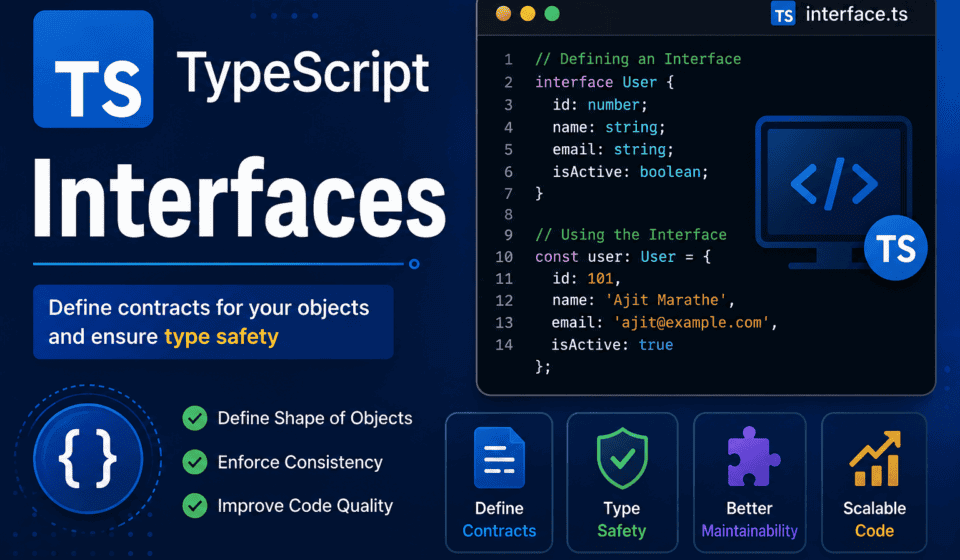
TypeScript Interfaces are structural contracts that define the shape of an object in TypeScript. In simple terms, a TypeScript Interface tells the compiler — and every developer who reads your code — exactly what properties and methods an object must have, without specifying how those properties or methods are implemented. TypeScript Interfaces do not contain logic; they contain structure.
Think of TypeScript Interfaces as blueprints. A blueprint for a house tells you it must have a certain number of rooms, doors, and windows, but it does not tell you what color to paint the walls or what furniture to put inside. Similarly, TypeScript Interfaces describe what an object should look like — its properties, their types, and any methods it exposes — while leaving the actual implementation entirely up to the developer.
Here is the simplest possible example of a TypeScript Interface:
typescript
interface User {
  id: number;
  name: string;
  email: string;
}
This TypeScript Interface named User declares that any object claiming to be of type User must have an id of type number, a name of type string, and an email of type string. If you try to create an object that does not match this shape, the TypeScript compiler will throw an error at compile time — long before your code ever runs in a browser or a server.
typescript
const user: User = {
  id: 1,
  name: "Alice",
  email: "alice@example.com",
};
This is the essence of what TypeScript Interfaces do: they enforce structural typing. TypeScript uses a system called “structural typing” (sometimes called “duck typing”) which means that if an object has the right shape, it is considered compatible with the TypeScript Interface — regardless of how that object was created or what class it may or may not have come from. This is one of the most important and unique aspects of TypeScript Interfaces compared to interfaces in languages like Java or C#, which use nominal typing instead.
A More Formal Definition
To put it more formally: a TypeScript Interface is a TypeScript-specific construct, part of the type system, used exclusively at compile time to describe the shape of values — objects, functions, arrays, or classes. TypeScript Interfaces do not exist in the compiled JavaScript output. When TypeScript code is transpiled into JavaScript, all interface declarations are completely erased, because JavaScript has no native concept of interfaces. TypeScript Interfaces exist purely to help developers and tooling (like editors, linters, and compilers) catch mistakes early.
This “erasure” property is a defining characteristic of TypeScript Interfaces: they are a compile-time-only construct. (For the official reference on this behavior, see the TypeScript Handbook’s Interfaces chapter.) This is different from classes, which do generate real JavaScript code. Understanding this distinction is critical for anyone learning TypeScript Interfaces, because it explains why interfaces are zero-cost from a runtime performance perspective — they add no bytes, no logic, and no overhead to your final bundle.
Why the Word “Interface” Is Used
The term “interface” is borrowed from general software engineering and electrical engineering concepts, where an interface represents a boundary across which two systems communicate. In object-oriented programming, an interface is a contract: it specifies what a class or object must do (or contain) without dictating how it does it. TypeScript Interfaces follow this same philosophy — they define contracts between different parts of your application, such as between a function and its caller, between a UI component and the data it receives as props, or between a backend API and the frontend consuming it.
TypeScript Interfaces in the Broader Type System
TypeScript Interfaces are one of several tools TypeScript gives you to describe types, alongside type aliases, classes, enums, and primitive types. However, TypeScript Interfaces hold a special place because they are specifically designed to describe the shape of objects and are extensible in ways that other type constructs are not (more on this in the sections on extending and merging TypeScript Interfaces later in this guide).
In short, if you remember only one sentence from this entire section, remember this: TypeScript Interfaces define the expected shape of an object — its properties, their types, and its methods — enforced entirely at compile time, with zero runtime cost.
2. Why TypeScript Interfaces Matter
Before diving deeper into syntax, it’s worth pausing to understand why TypeScript Interfaces have become such a central part of modern software engineering. As a QA manager and automation architect, I have seen firsthand how the presence — or absence — of well-designed TypeScript Interfaces can make or break the reliability of a codebase.
2.1 TypeScript Interfaces Catch Bugs Before They Happen
The single biggest reason teams adopt TypeScript Interfaces is early error detection. In plain JavaScript, if you misspell a property name or pass the wrong data type into a function, you often will not find out until runtime — sometimes not until a customer reports a bug in production. TypeScript Interfaces move that detection to compile time, inside your editor, often as you type.
Consider a function that accepts an object with a price property:
typescript
function calculateTotal(item: { price: number; quantity: number }): number {
  return item.price * item.quantity;
}
Without a TypeScript Interface, this inline type works, but it does not scale. If ten different functions need the same shape, you’d be repeating this object type ten times. Using TypeScript Interfaces, you centralize this definition:
typescript
interface CartItem {
  price: number;
  quantity: number;
}

function calculateTotal(item: CartItem): number {
  return item.price * item.quantity;
}
Now, if someone calls calculateTotal({ price: "10", quantity: 2 }), the compiler immediately flags the mismatch — price should be a number, not a string. This single feature of TypeScript Interfaces alone prevents an entire category of runtime bugs.
2.2 TypeScript Interfaces Improve Developer Experience and Autocomplete
Every time you define a TypeScript Interface and use it in your code, your editor (VS Code, WebStorm, and others) uses that interface to provide accurate autocomplete, inline documentation, and “go to definition” support. This dramatically speeds up development because engineers spend less time context-switching to check documentation or the underlying implementation. When TypeScript Interfaces are well written, your editor essentially becomes a live, interactive API reference.
2.3 TypeScript Interfaces Serve as Living Documentation
Unlike comments, which can go stale and lie about the actual code, TypeScript Interfaces are enforced by the compiler, so they can never become outdated without breaking the build. This makes TypeScript Interfaces one of the most reliable forms of documentation available in a codebase. A new engineer joining a team can read the TypeScript Interfaces in a project and immediately understand the shape of the core domain objects — a User, an Order, a Product, a TestCase — without having to read through business logic first.
2.4 TypeScript Interfaces Enable Safer Refactoring
When you change the shape of an object described by a TypeScript Interface — say, you rename a property or add a new required field — the compiler will immediately show you every single place in your codebase that needs to be updated. This is enormously valuable in large codebases where a manual search-and-replace would be error-prone and slow. TypeScript Interfaces essentially give you a safety net for large-scale refactors.
2.5 TypeScript Interfaces Improve Collaboration Between Frontend and Backend Teams
In many organizations, frontend and backend teams are separate, but they must agree on the exact shape of the data flowing between them via APIs. TypeScript Interfaces are frequently used as the “contract” for this data. When backend and frontend teams both agree on a shared TypeScript Interface (sometimes generated automatically from OpenAPI specs or GraphQL schemas), miscommunication and integration bugs drop dramatically.
2.6 TypeScript Interfaces Are Central to QA Automation
As someone who has built and led QA automation teams, I can say with confidence that TypeScript Interfaces are indispensable in test automation frameworks. Whether you’re using Playwright, Cypress, WebdriverIO, or a custom framework, TypeScript Interfaces let you define the shape of test data, page object models, API response schemas, and configuration objects. This means test scripts fail fast — during compilation — rather than failing mysteriously mid-run because a test data object was missing a field. We will explore this in much greater depth later in this guide, in the dedicated section on TypeScript Interfaces in QA automation frameworks.
2.7 TypeScript Interfaces Support Scalable Architecture
As applications grow from a few thousand lines of code to hundreds of thousands, unstructured JavaScript becomes increasingly fragile. TypeScript Interfaces provide the scaffolding that allows large engineering organizations to scale their codebases without collapsing under the weight of implicit assumptions and undocumented data shapes. Every major JavaScript framework and library in active development today — React, Angular, Vue, Node.js, NestJS, and more — either fully embraces or strongly recommends the use of TypeScript and, by extension, TypeScript Interfaces.
3. Basic Syntax of TypeScript Interfaces
Now that we understand what TypeScript Interfaces are and why they matter, let’s look closely at the syntax. The syntax of TypeScript Interfaces is designed to be readable, declarative, and close to the shape of the JavaScript objects they describe.
3.1 The interface Keyword
Every TypeScript Interface begins with the interface keyword, followed by a name (by convention, PascalCase), followed by a body enclosed in curly braces:
typescript
interface InterfaceName {
  propertyName: PropertyType;
}
For example:
typescript
interface Product {
  id: number;
  title: string;
  price: number;
  inStock: boolean;
}
Here, Product is the name of the TypeScript Interface, and it has four required properties: id, title, price, and inStock, each with an explicit type.
3.2 Property Separators
Properties inside TypeScript Interfaces can be separated using either a semicolon or a comma — TypeScript treats these interchangeably in interface bodies. Semicolons are more common and idiomatic:
typescript
interface Product {
  id: number;
  title: string;
}
is equivalent to:
typescript
interface Product {
  id: number,
  title: string,
}
Most style guides, including the popular Airbnb and Google TypeScript style guides, recommend semicolons for consistency with the rest of the codebase.
3.3 Using a TypeScript Interface as a Type Annotation
Once declared, a TypeScript Interface can be used anywhere a type annotation is expected — variable declarations, function parameters, function return types, class property types, generic constraints, and more.
typescript
interface Product {
  id: number;
  title: string;
  price: number;
}

const laptop: Product = {
  id: 101,
  title: "Ultrabook Pro",
  price: 1299.99,
};

function printProduct(product: Product): void {
  console.log(`${product.title}: $${product.price}`);
}
3.4 Strict Structural Matching (Excess Property Checks)
One nuance that trips up many newcomers to TypeScript Interfaces is the concept of “excess property checks.” When you assign an object literal directly to a variable typed with a TypeScript Interface, TypeScript performs a stricter check than normal structural typing, flagging any property that is not defined in the interface:
typescript
interface Product {
  id: number;
  title: string;
}

const item: Product = {
  id: 1,
  title: "Mouse",
  color: "black", // Error: 'color' does not exist in type 'Product'
};
This behavior exists specifically to catch typos and accidental extra properties. If you genuinely want to allow extra properties, you can either use a variable first (structural typing without the literal excess-property check) or add an index signature (covered later in this guide):
typescript
const draft = {
  id: 1,
  title: "Mouse",
  color: "black",
};

const item: Product = draft; // No error, because draft is not a literal at the assignment site
3.5 Naming Conventions for TypeScript Interfaces
There has historically been debate in the TypeScript community about whether TypeScript Interfaces should be prefixed with an “I” (e.g., IUser), a convention borrowed from C#. However, the official TypeScript team and most modern style guides (including the TypeScript Handbook itself) recommend against the “I” prefix. Instead, TypeScript Interfaces should simply use descriptive PascalCase names that match the concept they represent — User, Order, TestResult, ApiResponse, and so on. This keeps TypeScript Interfaces readable and consistent with how types are named elsewhere in the codebase.
3.6 TypeScript Interfaces Can Be Declared Anywhere Types Are Needed
TypeScript Interfaces are not limited to describing plain objects. As you’ll see in later sections, TypeScript Interfaces can describe:
- Function signatures (callable interfaces)
- Constructor signatures (newable interfaces)
- Indexable types (like dictionaries or arrays)
- Class contracts (via the
implementskeyword) - Generic, reusable structures
This flexibility is one of the reasons TypeScript Interfaces remain the preferred choice for describing object shapes across the vast majority of professional TypeScript codebases.
4. Declaring and Using TypeScript Interfaces
Let’s go deeper into practical usage patterns for declaring and consuming TypeScript Interfaces in real projects.
4.1 Declaring TypeScript Interfaces in Separate Files
In any non-trivial project, TypeScript Interfaces are typically declared in dedicated files, often grouped by domain. A common convention is to create a types or interfaces folder:
src/
  types/
    user.interface.ts
    product.interface.ts
    order.interface.ts
Inside user.interface.ts:
typescript
export interface User {
  id: number;
  firstName: string;
  lastName: string;
  email: string;
  isActive: boolean;
}
This TypeScript Interface can then be imported anywhere it’s needed:
typescript
import { User } from "./types/user.interface";

function getFullName(user: User): string {
  return `${user.firstName} ${user.lastName}`;
}
Organizing TypeScript Interfaces this way keeps your codebase maintainable, especially as the number of interfaces grows into the hundreds in large enterprise applications.
4.2 Using TypeScript Interfaces With Arrays of Objects
TypeScript Interfaces are frequently used to type arrays of structured data:
typescript
interface Employee {
  id: number;
  name: string;
  department: string;
}

const employees: Employee[] = [
  { id: 1, name: "John Doe", department: "Engineering" },
  { id: 2, name: "Jane Smith", department: "QA" },
  { id: 3, name: "Ahmed Khan", department: "DevOps" },
];
Here, Employee[] tells the compiler that employees is an array where every element must conform to the Employee TypeScript Interface. Attempting to push an object that doesn’t match this shape will immediately produce a compile-time error.
4.3 Using TypeScript Interfaces as Function Return Types
TypeScript Interfaces are also commonly used to define what a function returns, ensuring consistency across multiple implementations:
typescript
interface ApiResult {
  success: boolean;
  data: unknown;
  message: string;
}

function fetchUserData(userId: number): ApiResult {
  return {
    success: true,
    data: { id: userId, name: "Sample User" },
    message: "User fetched successfully",
  };
}
4.4 Combining TypeScript Interfaces With Union and Intersection Types
TypeScript Interfaces can be combined with other TypeScript type system features, including unions and intersections, to describe more complex data shapes:
typescript
interface Admin {
  role: "admin";
  permissions: string[];
}

interface Customer {
  role: "customer";
  loyaltyPoints: number;
}

type AppUser = Admin | Customer;

function describeUser(user: AppUser): string {
  if (user.role === "admin") {
    return `Admin with permissions: ${user.permissions.join(", ")}`;
  }
  return `Customer with ${user.loyaltyPoints} loyalty points`;
}
This pattern — often called a “discriminated union” — is extremely powerful when combined with TypeScript Interfaces, because it lets the compiler narrow down exactly which interface applies based on a shared “discriminant” property (role in this example).
4.5 Exporting and Reusing TypeScript Interfaces Across a Monorepo
In larger organizations using monorepos, TypeScript Interfaces are often published as shared packages so that both frontend and backend teams consume the exact same type definitions. For example, a shared @company/types package might export:
typescript
export interface OrderPayload {
  orderId: string;
  items: { sku: string; quantity: number }[];
  totalAmount: number;
  currency: "USD" | "EUR" | "GBP";
}
Both the Node.js backend and the React frontend import this same TypeScript Interface, guaranteeing that the contract between the two systems never silently drifts out of sync.
5. Optional Properties in TypeScript Interfaces
Not every property on an object is always required. TypeScript Interfaces support optional properties, marked with a question mark (?) after the property name.
typescript
interface UserProfile {
  id: number;
  username: string;
  bio?: string;
  website?: string;
}
In this TypeScript Interface, id and username are required, but bio and website are optional — meaning objects of type UserProfile may or may not include them.
typescript
const profile1: UserProfile = {
  id: 1,
  username: "techqueen",
};

const profile2: UserProfile = {
  id: 2,
  username: "devguy",
  bio: "Full-stack engineer and QA automation architect.",
  website: "https://example.com",
};
Both profile1 and profile2 are valid, because bio and website are optional in this TypeScript Interface.
5.1 Why Optional Properties Matter
Optional properties in TypeScript Interfaces are essential for modeling real-world data where not every field is always present — think of a user who hasn’t filled out their bio yet, or an API response where certain fields are only included under certain conditions. Without optional properties, developers would be forced to either make every field required (leading to excessive null or empty-string placeholder values) or abandon TypeScript Interfaces altogether in favor of loosely typed objects.
5.2 Accessing Optional Properties Safely
Because optional properties might be undefined, TypeScript encourages safe access patterns using optional chaining (?.) and nullish coalescing (??):
typescript
function printBio(profile: UserProfile): string {
  return profile.bio?.trim() ?? "No bio provided";
}
TypeScript’s compiler will actually warn you if you try to use an optional property in a way that assumes it’s always present — for example, calling .trim() directly on profile.bio without a check would produce a compile-time error, because bio could be undefined. This is a subtle but extremely valuable safety feature of TypeScript Interfaces working together with TypeScript’s strict null checks.
5.3 Optional Properties vs. Properties That Allow undefined
It’s worth distinguishing between an optional property (bio?: string) and a required property whose type explicitly includes undefined (bio: string | undefined). These behave similarly in many cases, but there is a key difference when exactOptionalPropertyTypes is enabled in your tsconfig.json. With this flag on, bio?: string means the property can be omitted entirely, while bio: string | undefined means the property must be present but can hold the value undefined. This distinction matters for teams building strict TypeScript Interfaces for critical systems like payment processing or medical data, where the difference between “field not provided” and “field explicitly empty” can be significant.
5.4 Optional Methods in TypeScript Interfaces
Optional properties aren’t limited to plain data fields — they can also apply to method signatures within TypeScript Interfaces:
typescript
interface Logger {
  log(message: string): void;
  warn?(message: string): void;
  error?(message: string): void;
}

const simpleLogger: Logger = {
  log: (message) => console.log(message),
};

const fullLogger: Logger = {
  log: (message) => console.log(message),
  warn: (message) => console.warn(message),
  error: (message) => console.error(message),
};
Both simpleLogger and fullLogger satisfy the Logger TypeScript Interface because warn and error are optional.
6. Readonly Properties in TypeScript Interfaces
TypeScript Interfaces also support the readonly modifier, which prevents a property from being reassigned after the object is created.
typescript
interface Point {
  readonly x: number;
  readonly y: number;
}

const origin: Point = { x: 0, y: 0 };

origin.x = 10; // Error: Cannot assign to 'x' because it is a read-only property.
6.1 Why Readonly Properties Matter
Readonly properties in TypeScript Interfaces are especially useful for modeling immutable data — values that should never change after creation, such as unique identifiers, creation timestamps, or configuration constants.
typescript
interface AuditRecord {
  readonly id: string;
  readonly createdAt: Date;
  status: "pending" | "approved" | "rejected";
}

function approveRecord(record: AuditRecord): AuditRecord {
  return { ...record, status: "approved" };
}
Notice that approveRecord doesn’t mutate the original record object directly — because id and createdAt are readonly, attempting to reassign them would fail. Instead, the function returns a new object using the spread operator. This pattern encourages immutable, predictable data flows, which is especially valuable in state management libraries like Redux, and in QA automation frameworks where test data integrity must be guaranteed across parallel test runs.
6.2 Readonly Arrays in TypeScript Interfaces
TypeScript also provides a ReadonlyArray<T> type (and the shorthand readonly T[]), which can be used inside TypeScript Interfaces to prevent array mutation methods like push, pop, splice, and direct index assignment:
typescript
interface Team {
  name: string;
  readonly members: readonly string[];
}

const qaTeam: Team = {
  name: "QA Automation",
  members: ["Alice", "Bob", "Charlie"],
};

qaTeam.members.push("Dave"); // Error: Property 'push' does not exist on type 'readonly string[]'.
6.3 Readonly vs. const
A common point of confusion is the difference between readonly in TypeScript Interfaces and const in JavaScript. const prevents reassignment of a variable binding, but it does not prevent mutation of the object the variable points to. readonly, on the other hand, operates at the property level within a TypeScript Interface and prevents mutation of that specific property, regardless of how the containing variable was declared. These two mechanisms are complementary, not interchangeable, and understanding the difference is essential for writing robust TypeScript Interfaces.
7. Function Types in TypeScript Interfaces
TypeScript Interfaces are not limited to describing data properties — they can also describe callable function signatures. This is one of the most underused but powerful capabilities of TypeScript Interfaces.
7.1 Method Signatures
The most common way function types appear inside TypeScript Interfaces is as method signatures — functions attached to an object shape:
typescript
interface Calculator {
  add(a: number, b: number): number;
  subtract(a: number, b: number): number;
}

const calculator: Calculator = {
  add: (a, b) => a + b,
  subtract: (a, b) => a - b,
};
7.2 Callable Interfaces (Function Types)
TypeScript Interfaces can also describe a function itself as a callable value, rather than a method on an object. This is done using a special call signature syntax:
typescript
interface GreetFunction {
  (name: string): string;
}

const greet: GreetFunction = (name) => `Hello, ${name}!`;
This is functionally similar to writing type GreetFunction = (name: string) => string; using a type alias, but expressed through the TypeScript Interface syntax. Callable interfaces are especially useful when you need to attach additional properties to a function (see the section on Hybrid Types later in this guide).
7.3 Constructor Signatures (Newable Interfaces)
TypeScript Interfaces can also describe the shape of a class constructor using the new keyword inside the interface body. This is called a “newable interface”:
typescript
interface UserConstructor {
  new (name: string, email: string): { name: string; email: string };
}

function createUser(ctor: UserConstructor, name: string, email: string) {
  return new ctor(name, email);
}
This pattern is commonly used in factory functions and dependency injection frameworks, where you need to pass a class itself (not an instance) as a parameter and later instantiate it.
7.4 Optional and Overloaded Function Signatures
TypeScript Interfaces support function overloading — multiple call signatures for the same method name, allowing different combinations of parameters:
typescript
interface Formatter {
  format(value: number): string;
  format(value: number, decimals: number): string;
}

const priceFormatter: Formatter = {
  format(value: number, decimals = 2): string {
    return value.toFixed(decimals);
  },
};
This flexibility makes TypeScript Interfaces suitable for describing complex, real-world APIs where a function might behave differently depending on the number or type of arguments passed.
8. Index Signatures in TypeScript Interfaces
Sometimes you don’t know the exact property names an object will have ahead of time — for example, when modeling a dictionary, a dynamic configuration object, or a lookup table. TypeScript Interfaces solve this problem with index signatures.
typescript
interface StringDictionary {
  [key: string]: string;
}

const translations: StringDictionary = {
  hello: "Hola",
  goodbye: "Adiós",
  thanks: "Gracias",
};
Here, the TypeScript Interface StringDictionary says: “any property name (a string) maps to a string value.” This allows the object to have any number of keys, all constrained to a consistent value type.
8.1 Numeric Index Signatures
TypeScript Interfaces also support numeric index signatures, typically used for array-like structures:
typescript
interface StringArray {
  [index: number]: string;
}

const colors: StringArray = ["red", "green", "blue"];
console.log(colors[0]); // "red"
8.2 Combining Index Signatures With Named Properties
TypeScript Interfaces allow you to combine a fixed, named property with an index signature, as long as the named property’s type is compatible with the index signature’s value type:
typescript
interface Config {
  environment: string;
  [key: string]: string;
}

const appConfig: Config = {
  environment: "production",
  apiUrl: "https://api.example.com",
  timeout: "5000", // must be a string to satisfy the index signature
};
This is a common pattern for TypeScript Interfaces that model configuration objects with a mix of known and dynamic keys.
8.3 Index Signatures With Record<K, V>
In modern TypeScript codebases, the built-in Record<K, V> utility type is often used instead of writing out index signatures manually inside TypeScript Interfaces, since it’s more concise for simple dictionary-style types:
typescript
type FeatureFlags = Record<string, boolean>;

const flags: FeatureFlags = {
  darkMode: true,
  betaFeatures: false,
};
While Record<K, V> is technically a type alias rather than a TypeScript Interface, it’s often used alongside TypeScript Interfaces and can even be used as a property type within one:
typescript
interface AppState {
  featureFlags: Record<string, boolean>;
  currentUser: User | null;
}
8.4 Caveats With Index Signatures in TypeScript Interfaces
One nuance to be aware of: once you add a string index signature to a TypeScript Interface, all named properties on that interface must be compatible with the index signature’s value type. This can sometimes feel restrictive, and is one of the reasons many teams prefer Record<K, V> or Map<K, V> for purely dynamic key-value structures, reserving TypeScript Interfaces with index signatures for cases where there truly is a mix of known and dynamic keys.
9. Extending TypeScript Interfaces (Inheritance)
One of the most powerful features of TypeScript Interfaces is the ability to extend one interface from another using the extends keyword. This allows you to build up complex types from smaller, reusable building blocks — a core principle of good software design.
typescript
interface BaseEntity {
  id: string;
  createdAt: Date;
  updatedAt: Date;
}

interface Product extends BaseEntity {
  title: string;
  price: number;
}
Here, the Product TypeScript Interface inherits all the properties of BaseEntity (id, createdAt, updatedAt) and adds its own (title, price). Any object typed as Product must satisfy all five properties.
typescript
const product: Product = {
  id: "prod_123",
  createdAt: new Date(),
  updatedAt: new Date(),
  title: "Wireless Mouse",
  price: 29.99,
};
9.1 Why Extending TypeScript Interfaces Matters
Extending TypeScript Interfaces promotes the DRY principle (Don’t Repeat Yourself). Instead of copy-pasting common fields like id, createdAt, and updatedAt across dozens of interfaces, you define them once in a base interface and extend from it wherever needed. This is especially valuable in large domain models where many entities share common metadata fields.
typescript
interface BaseEntity {
  id: string;
  createdAt: Date;
  updatedAt: Date;
}

interface Order extends BaseEntity {
  items: string[];
  totalAmount: number;
}

interface Customer extends BaseEntity {
  name: string;
  email: string;
}
9.2 Overriding Properties When Extending TypeScript Interfaces
When one TypeScript Interface extends another, it can narrow (but not widen or contradict) an inherited property’s type, as long as the narrowed type is assignable to the original:
typescript
interface Shape {
  color: string;
}

interface Circle extends Shape {
  color: "red" | "blue" | "green"; // Narrower than 'string', which is allowed
  radius: number;
}
However, if you try to override a property with an incompatible type, TypeScript will raise a compile-time error, protecting the integrity of the inheritance chain.
9.3 Extending Multiple Interfaces at Once
TypeScript Interfaces can extend more than one interface simultaneously, effectively combining multiple contracts into a single, unified shape (this is explored in more depth in the next section on multiple inheritance).
typescript
interface Timestamped {
  createdAt: Date;
}

interface Identifiable {
  id: string;
}

interface AuditableEntity extends Timestamped, Identifiable {
  updatedBy: string;
}
9.4 Extending a Type Alias From a TypeScript Interface
Interestingly, TypeScript Interfaces can also extend type aliases, as long as the type alias describes an object type:
typescript
type Coordinates = {
  latitude: number;
  longitude: number;
};

interface Location extends Coordinates {
  name: string;
}
This interoperability between TypeScript Interfaces and type aliases is one of the reasons TypeScript’s type system feels so flexible in practice, even though interfaces and type aliases are technically distinct constructs (a distinction we cover in detail in Section 11).
10. Multiple Inheritance With TypeScript Interfaces
Unlike classes in TypeScript (and in most object-oriented languages), which can only extend a single parent class, TypeScript Interfaces support true multiple inheritance. A single TypeScript Interface can extend as many other interfaces as needed.
typescript
interface Flyable {
  fly(): void;
}

interface Swimmable {
  swim(): void;
}

interface Walkable {
  walk(): void;
}

interface Duck extends Flyable, Swimmable, Walkable {
  quack(): void;
}

const duck: Duck = {
  fly: () => console.log("Flying"),
  swim: () => console.log("Swimming"),
  walk: () => console.log("Walking"),
  quack: () => console.log("Quack!"),
};
The Duck TypeScript Interface must satisfy all four contracts: Flyable, Swimmable, Walkable, and its own quack method. This is an incredibly expressive pattern for modeling composable capabilities.
10.1 Multiple Inheritance vs. Mixins
Multiple inheritance through TypeScript Interfaces is conceptually similar to “mixins” in other languages, though TypeScript Interfaces achieve this purely at the type level, with no runtime behavior attached. If you need actual runtime behavior mixed into a class (not just type shape), you would use TypeScript’s mixin pattern with classes, but for describing type contracts alone, extending multiple TypeScript Interfaces is the simplest and most idiomatic approach.
10.2 Resolving Conflicts When Extending Multiple TypeScript Interfaces
If two interfaces being extended have a property with the same name but incompatible types, TypeScript will raise a compile-time error in the extending interface:
typescript
interface A {
  value: string;
}

interface B {
  value: number;
}

interface C extends A, B { } // Error: Interface 'C' cannot simultaneously extend types 'A' and 'B'.
This strictness ensures that TypeScript Interfaces built through multiple inheritance remain logically consistent and free of ambiguous property types.
11. TypeScript Interfaces vs Type Aliases
This is, without question, one of the most frequently asked questions about TypeScript Interfaces: “What’s the difference between a TypeScript Interface and a type alias, and when should I use each?”
At a surface level, TypeScript Interfaces and type aliases can often be used interchangeably to describe object shapes:
typescript
interface UserInterface {
  id: number;
  name: string;
}

type UserType = {
  id: number;
  name: string;
};
Both UserInterface and UserType describe an identical shape, and both can be used the same way in most everyday code. However, there are meaningful differences that every TypeScript developer should understand.
11.1 Declaration Merging
TypeScript Interfaces support declaration merging — you can declare the same interface name multiple times, and TypeScript will automatically merge all the declarations into a single interface. Type aliases do not support this at all; declaring the same type alias name twice results in a compile-time error.
typescript
interface Animal {
  name: string;
}

interface Animal {
  sound: string;
}

// Merged result: { name: string; sound: string; }
const cat: Animal = { name: "Whiskers", sound: "Meow" };
This is a defining, unique capability of TypeScript Interfaces, and it’s covered in much greater depth in Section 15.
11.2 Extending Behavior
Both TypeScript Interfaces and type aliases support extension, but the syntax differs. TypeScript Interfaces use extends, while type aliases use intersection types (&):
typescript
interface Base {
  id: number;
}
interface Extended extends Base {
  name: string;
}

type BaseType = { id: number };
type ExtendedType = BaseType & { name: string };
Functionally these achieve similar results, but TypeScript Interfaces tend to produce clearer, more readable error messages when extension chains are deep, because the compiler preserves the interface hierarchy in diagnostics rather than flattening everything into a single intersection.
11.3 What Type Aliases Can Do That TypeScript Interfaces Cannot
Type aliases have capabilities that TypeScript Interfaces simply do not have, because type aliases can represent any type, not just object shapes:
typescript
type ID = string | number; // Union types
type Handler = (event: Event) => void; // Function type alias
type Point = [number, number]; // Tuple types
type Nullable<T> = T | null; // Generic utility types
TypeScript Interfaces cannot directly represent primitive unions, tuples as a top-level alias, or many advanced mapped/conditional type patterns. If you need to describe a union of primitives, a tuple, or a complex conditional type, a type alias is the only option — TypeScript Interfaces are simply not designed for that use case.
11.4 Performance Considerations
According to the official TypeScript team’s guidance, TypeScript Interfaces are generally recommended over type aliases (specifically intersections) for object shapes because interfaces are cached by name internally by the compiler, whereas complex intersection types (especially deeply nested ones) can sometimes be slower for the compiler to resolve, particularly in very large codebases. This is a subtle, performance-oriented reason to prefer TypeScript Interfaces when modeling plain object shapes.
11.5 The Official Recommendation
The official TypeScript Handbook page on Types vs. Interfaces states a simple heuristic: use TypeScript Interfaces until you need a feature only available with type. In practice, this means:
- Use TypeScript Interfaces for object shapes, class contracts, and anything that might need to be extended or merged later.
- Use type aliases for unions, tuples, primitives, function types (when not needing declaration merging), and complex mapped/conditional types.
11.6 A Practical Comparison Table (in prose form)
To summarize the comparison between TypeScript Interfaces and type aliases:
- Declaration merging: Supported by TypeScript Interfaces; not supported by type aliases.
- Extending other types: TypeScript Interfaces use
extends; type aliases use&intersections. - Describing unions: Only possible with type aliases.
- Describing tuples: Only possible with type aliases.
- Describing primitives directly: Only possible with type aliases.
- Implementing in classes: Both TypeScript Interfaces and object-shaped type aliases can be used with the
implementskeyword. - Readability in large hierarchies: TypeScript Interfaces tend to produce cleaner compiler error messages.
- Community convention: TypeScript Interfaces are generally the default choice for public API shapes and object contracts across most style guides.
Understanding this distinction deeply is one of the most valuable things you can learn about TypeScript Interfaces, because it directly affects the architectural decisions you make every single day as a TypeScript developer.
12. TypeScript Interfaces vs Classes
Another common area of confusion is the relationship between TypeScript Interfaces and classes. While both can describe the “shape” of an object, they serve fundamentally different purposes.
12.1 The implements Keyword
A class can formally declare that it satisfies a TypeScript Interface using the implements keyword:
typescript
interface Vehicle {
  make: string;
  model: string;
  start(): void;
  stop(): void;
}

class Car implements Vehicle {
  make: string;
  model: string;

  constructor(make: string, model: string) {
    this.make = make;
    this.model = model;
  }

  start(): void {
    console.log(`${this.make} ${this.model} is starting.`);
  }

  stop(): void {
    console.log(`${this.make} ${this.model} is stopping.`);
  }
}
By writing class Car implements Vehicle, we’re telling the compiler: “This class must provide every property and method defined in the Vehicle TypeScript Interface.” If Car were missing the stop() method, TypeScript would immediately throw a compile-time error.
12.2 Interfaces Describe Shape; Classes Provide Implementation
This is the core distinction: TypeScript Interfaces describe what an object must look like, while classes describe how that shape is actually implemented, including constructors, private/protected members, and runtime behavior. TypeScript Interfaces are erased at compile time and produce zero JavaScript output, while classes are compiled into real JavaScript constructor functions (or ES6 classes) that exist at runtime.
12.3 A Class Can Implement Multiple TypeScript Interfaces
Just as one TypeScript Interface can extend multiple other interfaces, a single class can implement multiple TypeScript Interfaces simultaneously:
typescript
interface Loggable {
  log(): void;
}

interface Serializable {
  serialize(): string;
}

class Report implements Loggable, Serializable {
  constructor(private title: string, private content: string) {}

  log(): void {
    console.log(`Report: ${this.title}`);
  }

  serialize(): string {
    return JSON.stringify({ title: this.title, content: this.content });
  }
}
This is one of the ways TypeScript Interfaces bring the benefits of multiple inheritance to a language (JavaScript, via TypeScript) whose classes only support single inheritance.
12.4 Interfaces Can Describe the Static Side of a Class
TypeScript Interfaces can also describe the “static side” of a class — the shape of the class constructor itself, rather than its instances — using the newable interface pattern discussed earlier in Section 7.3. This is a more advanced pattern, typically used in factory functions, plugin systems, and dependency injection containers.
12.5 Why Not Just Use Abstract Classes Instead?
A natural question is: why use a TypeScript Interface at all when TypeScript also supports abstract classes, which can define both structure and shared implementation? The answer comes down to flexibility and composability. Abstract classes can only be extended singly (a class can only extend one class), and abstract classes also generate actual JavaScript output at runtime. TypeScript Interfaces, on the other hand, are pure compile-time contracts with zero runtime footprint, and — as we’ve established — support multiple inheritance. When you only need to describe a contract (not shared logic), TypeScript Interfaces are the leaner, more idiomatic, and more flexible choice. When you need shared logic across a family of related classes, an abstract class (potentially combined with TypeScript Interfaces) is more appropriate.
12.6 Classes Implementing TypeScript Interfaces in Dependency Injection
TypeScript Interfaces are heavily used in frameworks that rely on dependency injection, such as NestJS and Angular. A service class implements a TypeScript Interface, and consumers of that service depend only on the interface, not the concrete implementation. This decouples the consumer from any specific implementation detail, enabling techniques like mocking in unit tests (a pattern QA automation engineers rely on constantly, discussed further in Section 23).
typescript
interface PaymentGateway {
  charge(amount: number): Promise<boolean>;
}

class StripeGateway implements PaymentGateway {
  async charge(amount: number): Promise<boolean> {
    // real Stripe API call here
    return true;
  }
}

class MockPaymentGateway implements PaymentGateway {
  async charge(amount: number): Promise<boolean> {
    return true; // simulate success in tests
  }
}
Both StripeGateway and MockPaymentGateway satisfy the same PaymentGateway TypeScript Interface, so any code depending on PaymentGateway can swap between the real and mock implementations seamlessly — a cornerstone technique in both software architecture and QA automation testing.
13. Hybrid Types Using TypeScript Interfaces
One of the lesser-known but genuinely powerful capabilities of TypeScript Interfaces is describing “hybrid types” — objects that behave as both a callable function and a regular object with properties, at the same time. This pattern appears frequently in real-world JavaScript libraries (jQuery being a classic historical example, where $() is both a function and an object with static properties).
typescript
interface Counter {
  (start: number): string;
  interval: number;
  reset(): void;
}

function createCounter(): Counter {
  let counter = ((start: number) => {
    return `Counter started at ${start}`;
  }) as Counter;

  counter.interval = 123;
  counter.reset = function () {
    console.log("Counter reset");
  };

  return counter;
}

const c = createCounter();
console.log(c(10)); // "Counter started at 10"
c.reset(); // "Counter reset"
console.log(c.interval); // 123
Here, the Counter TypeScript Interface describes something that can be called directly like a function (c(10)), but that also carries additional properties (interval) and methods (reset()), just like a regular object. This hybrid pattern is a great demonstration of how flexible TypeScript Interfaces truly are — they aren’t limited to describing plain data objects; they can describe virtually any JavaScript value shape, including callable ones.
13.1 Real-World Use Cases for Hybrid Types
Hybrid types described by TypeScript Interfaces show up in a variety of real-world scenarios:
- Event emitter libraries where the emitter itself is callable but also exposes methods like
.on()and.off(). - Utility libraries like Lodash, where the main export is both a function (
_(value)) and a namespace of static methods (_.map,_.filter, etc.). - Configuration functions that can be called to get a value but also expose metadata properties, like
.defaultor.schema. - Test automation helper functions that can be invoked directly to perform an action but also expose configuration properties like
.timeoutor.retries, a pattern often seen in custom Playwright or Cypress command wrappers.
13.2 Why Hybrid Types Aren’t More Common
Hybrid types, while powerful, are used sparingly in modern TypeScript codebases because they can make code harder to reason about — a value that behaves as both a function and an object blurs the line between “data” and “behavior.” Most modern API designs favor pure objects with clearly named methods over callable hybrids, partly for clarity, and partly because tree-shaking and static analysis tools work more predictably with simple object and function exports. Still, understanding how TypeScript Interfaces support hybrid types rounds out your knowledge of just how expressive the interface syntax can be.
14. Generic TypeScript Interfaces
Generics allow TypeScript Interfaces to become reusable templates rather than fixed, single-purpose shapes. If you’ve ever written the same interface multiple times with only the property types changing, generic TypeScript Interfaces are the solution.
14.1 Basic Generic Syntax
typescript
interface ApiResponse<T> {
  success: boolean;
  data: T;
  error?: string;
}
Here, T is a placeholder type parameter. When you use this TypeScript Interface, you supply the concrete type:
typescript
interface User {
  id: number;
  name: string;
}

const userResponse: ApiResponse<User> = {
  success: true,
  data: { id: 1, name: "Alice" },
};

const numberResponse: ApiResponse<number> = {
  success: true,
  data: 42,
};
The same ApiResponse TypeScript Interface can now describe a response containing a User, a number, an array of products, or literally any other type — all with full type safety and zero duplication.
14.2 Multiple Type Parameters
Generic TypeScript Interfaces can accept more than one type parameter, just like generic functions:
typescript
interface KeyValuePair<K, V> {
  key: K;
  value: V;
}

const pair1: KeyValuePair<string, number> = { key: "age", value: 30 };
const pair2: KeyValuePair<number, boolean> = { key: 1, value: true };
14.3 Generic Constraints in TypeScript Interfaces
You can constrain a generic type parameter so it only accepts types that satisfy a certain shape, using the extends keyword within the generic declaration:
typescript
interface Identifiable {
  id: number;
}

interface Repository<T extends Identifiable> {
  getById(id: number): T | undefined;
  save(item: T): void;
  delete(id: number): void;
}

interface Product extends Identifiable {
  title: string;
  price: number;
}

class ProductRepository implements Repository<Product> {
  private items: Product[] = [];

  getById(id: number): Product | undefined {
    return this.items.find((item) => item.id === id);
  }

  save(item: Product): void {
    this.items.push(item);
  }

  delete(id: number): void {
    this.items = this.items.filter((item) => item.id !== id);
  }
}
This pattern — a generic Repository<T> TypeScript Interface constrained to Identifiable types — is extremely common in enterprise applications following the repository pattern, and it demonstrates how generic TypeScript Interfaces enable reusable, type-safe architecture across an entire codebase.
14.4 Default Type Parameters
TypeScript Interfaces also support default values for generic type parameters, similar to default function parameters:
typescript
interface Paginated<T = unknown> {
  items: T[];
  page: number;
  pageSize: number;
  total: number;
}

const defaultPage: Paginated = { items: [], page: 1, pageSize: 10, total: 0 };
const userPage: Paginated<User> = { items: [], page: 1, pageSize: 10, total: 0 };
14.5 Generic TypeScript Interfaces for Utility Patterns
Generic TypeScript Interfaces are the backbone of many widely used utility patterns in the TypeScript ecosystem, including:
- Result/Either types:
interface Result<T, E> { ok: boolean; value?: T; error?: E; } - State containers:
interface Store<S> { getState(): S; setState(newState: Partial<S>): void; } - Event handlers:
interface EventBus<EventMap> { emit<K extends keyof EventMap>(event: K, payload: EventMap[K]): void; } - Test fixtures:
interface Fixture<T> { setup(): Promise<T>; teardown(data: T): Promise<void>; }
Mastering generic TypeScript Interfaces is often the single biggest jump in sophistication for developers moving from “using TypeScript” to genuinely “thinking in types.”
15. Declaration Merging in TypeScript Interfaces
We touched on declaration merging briefly in Section 11, but this capability is significant enough to deserve its own dedicated deep dive, because it is entirely unique to TypeScript Interfaces — type aliases cannot do this at all.
15.1 What Is Declaration Merging?
Declaration merging is a feature where TypeScript automatically combines multiple separate declarations of the same TypeScript Interface name into a single, unified interface. Every property from every declaration becomes part of the final merged shape.
typescript
interface Vehicle {
  make: string;
  model: string;
}

interface Vehicle {
  year: number;
}

// The merged Vehicle interface now requires: make, model, and year
const car: Vehicle = {
  make: "Toyota",
  model: "Corolla",
  year: 2024,
};
15.2 Why Would You Want to Merge TypeScript Interfaces?
At first glance, this might seem like an odd or even dangerous feature — why would you want to declare the same interface twice? In practice, declaration merging solves several very real problems:
Extending third-party library types. This is by far the most common real-world use case. Many popular libraries expose a TypeScript Interface that you, as a consumer, might need to extend without modifying the library’s source code. A classic example is extending Express.js’s Request interface to add custom properties (like an authenticated user object) attached by your own middleware:
typescript
// express.d.ts
import { User } from "./types/user.interface";

declare global {
  namespace Express {
    interface Request {
      user?: User;
    }
  }
}
After this declaration merge, every Request object throughout your Express application now has an optional user property, fully typed, without ever touching Express’s own source code.
Augmenting global objects. Declaration merging is also used to safely extend global objects like Window in browser-based TypeScript applications:
typescript
interface Window {
  myAppConfig: {
    apiUrl: string;
    version: string;
  };
}

window.myAppConfig = {
  apiUrl: "https://api.example.com",
  version: "1.0.0",
};
Splitting large interfaces across multiple files for organizational purposes, particularly common in generated type definitions or plugin architectures, where different plugins might each contribute their own properties to a shared, central TypeScript Interface (for example, a PluginConfig interface that different plugin packages each extend with their own settings).
15.3 Rules Governing Declaration Merging
There are a few important rules to understand about how TypeScript Interfaces merge:
- Non-function members (properties) must be unique across all merged declarations, or if they repeat, their types must match exactly.
- Function members (methods) can be repeated across declarations — TypeScript treats them as overloads, with later declarations taking overload precedence during resolution.
- Declaration merging only works with
interface; it does not work withtypealiases, classes, or a mix ofinterfaceandclasswith the same name (with a narrow exception for merging a class with a namespace of the same name, which is a separate, unrelated feature).
15.4 A Word of Caution
While declaration merging is a genuinely useful feature of TypeScript Interfaces, it should be used deliberately, not accidentally. Because interfaces automatically merge by name, an accidental duplicate interface declaration in a large codebase can silently combine two unrelated types instead of producing a helpful “duplicate identifier” error (which is what would happen with a duplicate type alias or duplicate class). Most linting setups and well-organized codebases avoid this problem by keeping each TypeScript Interface’s canonical definition in a single, clearly owned file, reserving declaration merging specifically for legitimate augmentation scenarios like the Express and Window examples above.
16. Nested TypeScript Interfaces
Real-world data is rarely flat. TypeScript Interfaces can be nested inside one another to model rich, hierarchical data structures, exactly like the nested JSON objects you’d encounter in real API responses.
16.1 Basic Nesting
typescript
interface Address {
  street: string;
  city: string;
  postalCode: string;
  country: string;
}

interface Customer {
  id: number;
  name: string;
  address: Address;
}

const customer: Customer = {
  id: 1,
  name: "Maria Lopez",
  address: {
    street: "123 Main St",
    city: "Austin",
    postalCode: "73301",
    country: "USA",
  },
};
Here, the Customer TypeScript Interface references the separately defined Address TypeScript Interface as the type of its address property. This composition pattern — building larger TypeScript Interfaces out of smaller, well-named ones — is one of the most important habits to develop as you gain experience with TypeScript.
16.2 Inline Nested Object Types
You can also nest object type literals directly inside a TypeScript Interface, without creating a separate named interface, though this is generally discouraged for anything beyond very small, one-off shapes:
typescript
interface Order {
  id: string;
  shipping: {
    method: string;
    estimatedDays: number;
  };
}
While this works, extracting shipping into its own named ShippingDetails TypeScript Interface is usually a better long-term choice, because it makes the shape reusable and gives it a clear, documented name that can appear in error messages and autocomplete suggestions.
16.3 Deeply Nested TypeScript Interfaces
TypeScript Interfaces can nest arbitrarily deep, modeling complex domain structures like e-commerce orders, healthcare records, or QA test reports:
typescript
interface LineItem {
  sku: string;
  quantity: number;
  unitPrice: number;
}

interface ShippingDetails {
  method: "standard" | "express" | "overnight";
  address: Address;
  estimatedDeliveryDate: Date;
}

interface Order {
  id: string;
  customer: Customer;
  items: LineItem[];
  shipping: ShippingDetails;
  status: "pending" | "processing" | "shipped" | "delivered" | "cancelled";
}
This Order TypeScript Interface composes Customer, LineItem, ShippingDetails, and (transitively) Address into a single, richly typed, deeply nested structure — precisely mirroring how a real e-commerce order would be represented in JSON.
16.4 Accessing Nested Properties Safely
When working with deeply nested TypeScript Interfaces, optional chaining becomes essential, especially when some levels of nesting are themselves optional:
typescript
interface Order {
  shipping?: ShippingDetails;
}

function getDeliveryMethod(order: Order): string {
  return order.shipping?.method ?? "not specified";
}
16.5 Using keyof and Indexed Access With Nested TypeScript Interfaces
TypeScript provides powerful utilities for working with nested TypeScript Interfaces programmatically. The keyof operator extracts the property names of an interface as a union of string literal types, and indexed access types let you extract the type of a nested property directly:
typescript
type OrderKeys = keyof Order; // "id" | "customer" | "items" | "shipping" | "status"
type ShippingMethod = Order["shipping"]; // ShippingDetails | undefined
type ItemType = Order["items"][number]; // LineItem
These utilities are frequently used in generic, reusable code — for example, building a generic sorting function that accepts any key of a given TypeScript Interface as a parameter.
17. TypeScript Interfaces With Arrays and Tuples
17.1 Arrays of Objects Typed by TypeScript Interfaces
We touched on this briefly in Section 4, but it’s worth exploring further because arrays of interface-typed objects are among the most common patterns you’ll write in everyday TypeScript code.
typescript
interface TestCase {
  id: string;
  name: string;
  status: "passed" | "failed" | "skipped";
  durationMs: number;
}

const testResults: TestCase[] = [
  { id: "TC-001", name: "Login with valid credentials", status: "passed", durationMs: 1200 },
  { id: "TC-002", name: "Login with invalid password", status: "failed", durationMs: 950 },
  { id: "TC-003", name: "Password reset flow", status: "skipped", durationMs: 0 },
];

const failedTests = testResults.filter((test) => test.status === "failed");
Because testResults is typed as TestCase[], every array method — filter, map, reduce, find, and so on — automatically infers the correct element type, giving you full autocomplete and type checking throughout the entire data pipeline.
17.2 Tuples Referencing TypeScript Interfaces
While TypeScript Interfaces cannot themselves be declared as tuples (tuples require a type alias), a property inside a TypeScript Interface can absolutely be typed as a tuple:
typescript
interface ChartDataPoint {
  coordinates: [x: number, y: number];
  label: string;
}

const point: ChartDataPoint = {
  coordinates: [10, 25],
  label: "Q1 Revenue",
};
Named tuple members (x: number, y: number) are a modern TypeScript feature that improves readability when tuples appear as properties within TypeScript Interfaces, making it clear what each position in the tuple represents without needing separate documentation.
17.3 Readonly Tuples in TypeScript Interfaces
Combining readonly with tuples inside a TypeScript Interface produces an immutable, fixed-length, fixed-type sequence — useful for representing things like RGB color values or fixed coordinate pairs:
typescript
interface ColorSwatch {
  name: string;
  rgb: readonly [number, number, number];
}

const red: ColorSwatch = { name: "Red", rgb: [255, 0, 0] };
18. TypeScript Interfaces for Function Parameters
TypeScript Interfaces are extremely commonly used to type the parameters of functions, especially when a function accepts a single “options” or “config” object rather than a long list of positional parameters.
18.1 The Options Object Pattern
typescript
interface CreateUserOptions {
  name: string;
  email: string;
  sendWelcomeEmail?: boolean;
  role?: "admin" | "member";
}

function createUser(options: CreateUserOptions) {
  const { name, email, sendWelcomeEmail = true, role = "member" } = options;
  console.log(`Creating user ${name} (${email}) with role ${role}`);
  if (sendWelcomeEmail) {
    console.log(`Sending welcome email to ${email}`);
  }
}

createUser({ name: "Sam", email: "sam@example.com" });
createUser({ name: "Priya", email: "priya@example.com", role: "admin" });
This “options object” pattern, backed by a well-defined TypeScript Interface, is dramatically more maintainable than a function with many positional parameters, especially as the number of optional configuration values grows. It also allows callers to specify arguments in any order and to skip optional ones entirely, all while retaining full type checking and autocomplete.
18.2 Destructuring Function Parameters Typed by TypeScript Interfaces
You can destructure directly in the function signature while still referencing a TypeScript Interface for the parameter type:
typescript
interface ResizeOptions {
  width: number;
  height: number;
  maintainAspectRatio?: boolean;
}

function resizeImage({ width, height, maintainAspectRatio = true }: ResizeOptions) {
  console.log(`Resizing to ${width}x${height}, aspect ratio locked: ${maintainAspectRatio}`);
}
18.3 Callback Function Parameters Typed by TypeScript Interfaces
TypeScript Interfaces also frequently describe the shape of arguments passed into callback functions, ensuring type safety even across asynchronous boundaries:
typescript
interface RequestContext {
  requestId: string;
  timestamp: Date;
  userId?: string;
}

function handleRequest(callback: (context: RequestContext) => void) {
  callback({ requestId: "req_123", timestamp: new Date() });
}

handleRequest((context) => {
  console.log(`Handling request ${context.requestId} at ${context.timestamp.toISOString()}`);
});
19. TypeScript Interfaces in React
React and TypeScript together form one of the most popular combinations in modern frontend development, and TypeScript Interfaces sit right at the heart of that combination — most commonly for typing component props and state.
19.1 Typing Component Props With TypeScript Interfaces
typescript
interface ButtonProps {
  label: string;
  onClick: () => void;
  variant?: "primary" | "secondary" | "danger";
  disabled?: boolean;
}

function Button({ label, onClick, variant = "primary", disabled = false }: ButtonProps) {
  return (
    <button className={`btn btn-${variant}`} onClick={onClick} disabled={disabled}>
      {label}
    </button>
  );
}
By typing props with a TypeScript Interface, any consumer of the Button component gets full autocomplete for available props, along with compile-time errors if a required prop like label or onClick is missing.
19.2 Typing State With TypeScript Interfaces
typescript
interface FormState {
  username: string;
  password: string;
  isSubmitting: boolean;
  errors: Record<string, string>;
}

const [formState, setFormState] = useState<FormState>({
  username: "",
  password: "",
  isSubmitting: false,
  errors: {},
});
19.3 Extending HTML Element Props With TypeScript Interfaces
A very common pattern in React component libraries is extending the native HTML element attributes using TypeScript Interfaces, so your custom component accepts all the same props a native element would, plus your own additions:
typescript
interface InputProps extends React.InputHTMLAttributes<HTMLInputElement> {
  label: string;
  errorMessage?: string;
}

function TextInput({ label, errorMessage, ...rest }: InputProps) {
  return (
    <div>
      <label>{label}</label>
      <input {...rest} />
      {errorMessage && <span className="error">{errorMessage}</span>}
    </div>
  );
}
Here, the InputProps TypeScript Interface extends React.InputHTMLAttributes<HTMLInputElement>, meaning TextInput automatically supports every native <input> attribute — value, onChange, placeholder, maxLength, and dozens more — in addition to the custom label and errorMessage props.
19.4 Typing Children Props
typescript
interface CardProps {
  title: string;
  children: React.ReactNode;
}

function Card({ title, children }: CardProps) {
  return (
    <div className="card">
      <h3>{title}</h3>
      <div className="card-body">{children}</div>
    </div>
  );
}
19.5 Typing Context With TypeScript Interfaces
React’s Context API pairs naturally with TypeScript Interfaces to provide fully typed global or shared state:
typescript
interface AuthContextValue {
  user: User | null;
  login: (credentials: { email: string; password: string }) => Promise<void>;
  logout: () => void;
}

const AuthContext = React.createContext<AuthContextValue | undefined>(undefined);
19.6 Typing Custom Hooks With TypeScript Interfaces
Custom hooks frequently return an object whose shape is described by a TypeScript Interface, giving consumers of the hook full autocomplete and type safety:
typescript
interface UseFetchResult<T> {
  data: T | null;
  loading: boolean;
  error: Error | null;
}

function useFetch<T>(url: string): UseFetchResult<T> {
  const [data, setData] = useState<T | null>(null);
  const [loading, setLoading] = useState<boolean>(true);
  const [error, setError] = useState<Error | null>(null);

  useEffect(() => {
    fetch(url)
      .then((res) => res.json())
      .then((json) => setData(json))
      .catch((err) => setError(err))
      .finally(() => setLoading(false));
  }, [url]);

  return { data, loading, error };
}
This generic UseFetchResult<T> TypeScript Interface, combined with a generic hook, is a widely used pattern across production React applications for fetching typed data from APIs.
20. TypeScript Interfaces in Angular
Angular was one of the earliest major frameworks to fully embrace TypeScript, and TypeScript Interfaces are woven throughout nearly every layer of a typical Angular application.
20.1 Typing Component Inputs and Outputs
typescript
import { Component, Input, Output, EventEmitter } from "@angular/core";

interface Task {
  id: number;
  title: string;
  completed: boolean;
}

@Component({
  selector: "app-task-item",
  template: `
    <div>
      <span>{{ task.title }}</span>
      <button (click)="toggle()">Toggle</button>
    </div>
  `,
})
export class TaskItemComponent {
  @Input() task!: Task;
  @Output() taskToggled = new EventEmitter<Task>();

  toggle(): void {
    this.taskToggled.emit({ ...this.task, completed: !this.task.completed });
  }
}
20.2 Typing Services With TypeScript Interfaces
Angular services frequently rely on TypeScript Interfaces to describe the data they fetch, cache, or manipulate:
typescript
import { Injectable } from "@angular/core";
import { HttpClient } from "@angular/common/http";
import { Observable } from "rxjs";

interface Task {
  id: number;
  title: string;
  completed: boolean;
}

@Injectable({ providedIn: "root" })
export class TaskService {
  private apiUrl = "/api/tasks";

  constructor(private http: HttpClient) {}

  getTasks(): Observable<Task[]> {
    return this.http.get<Task[]>(this.apiUrl);
  }

  createTask(task: Omit<Task, "id">): Observable<Task> {
    return this.http.post<Task>(this.apiUrl, task);
  }
}
Note the use of Omit<Task, "id"> — a built-in TypeScript utility type that removes a property from an existing TypeScript Interface. This is extremely common when creating new records, since the id is typically generated by the backend and shouldn’t be supplied by the client.
20.3 Typing Reactive Forms With TypeScript Interfaces
Modern Angular applications (Angular 14+) support strongly typed reactive forms, where TypeScript Interfaces describe the shape of the form’s underlying data model:
typescript
interface LoginForm {
  email: string;
  password: string;
  rememberMe: boolean;
}

const loginForm = new FormGroup<{
  email: FormControl<string>;
  password: FormControl<string>;
  rememberMe: FormControl<boolean>;
}>({
  email: new FormControl("", { nonNullable: true }),
  password: new FormControl("", { nonNullable: true }),
  rememberMe: new FormControl(false, { nonNullable: true }),
});
20.4 Typing Route Data and Resolvers
Angular’s router allows you to attach typed data to routes, and resolvers — which fetch data before a route activates — are commonly typed with TypeScript Interfaces to ensure the resolved data matches what the component expects:
typescript
interface TaskDetailResolverData {
  task: Task;
  relatedTasks: Task[];
}
20.5 Dependency Injection Tokens and TypeScript Interfaces
Because TypeScript Interfaces are erased at runtime (as discussed in Section 1), they cannot be used directly as Angular dependency injection tokens (Angular’s DI system requires a real, runtime-existing value as a token). Angular developers work around this using InjectionToken, while still relying on a TypeScript Interface for full compile-time type checking of whatever value flows through that token:
typescript
interface AppConfig {
  apiUrl: string;
  featureFlags: Record<string, boolean>;
}

const APP_CONFIG = new InjectionToken<AppConfig>("APP_CONFIG");
This pattern elegantly bridges the gap between TypeScript’s compile-time-only TypeScript Interfaces and Angular’s runtime dependency injection container.
21. TypeScript Interfaces in Node.js and Express APIs
On the backend, TypeScript Interfaces are just as central as they are in frontend frameworks — arguably more so, because backend code is often the single source of truth for the data contracts an entire system depends on.
21.1 Typing Request and Response Bodies
typescript
import express, { Request, Response } from "express";

interface CreateOrderRequestBody {
  customerId: string;
  items: { productId: string; quantity: number }[];
}

interface CreateOrderResponseBody {
  orderId: string;
  status: "created";
  totalAmount: number;
}

const app = express();
app.use(express.json());

app.post(
  "/orders",
  (req: Request<{}, {}, CreateOrderRequestBody>, res: Response<CreateOrderResponseBody>) => {
    const { customerId, items } = req.body;
    // business logic to create the order...
    res.status(201).json({
      orderId: "order_abc123",
      status: "created",
      totalAmount: 149.97,
    });
  }
);
By supplying TypeScript Interfaces as generic parameters to Express’s Request and Response types, both req.body and the shape of res.json() become fully type-checked, catching mismatches between what your route expects and what it actually receives or sends.
21.2 Typing Environment Configuration
Backend applications almost always need to read environment variables, and TypeScript Interfaces are commonly used to give shape and safety to configuration objects derived from process.env:
typescript
interface EnvironmentConfig {
  PORT: number;
  DATABASE_URL: string;
  JWT_SECRET: string;
  NODE_ENV: "development" | "production" | "test";
}

function loadConfig(): EnvironmentConfig {
  return {
    PORT: Number(process.env.PORT) || 3000,
    DATABASE_URL: process.env.DATABASE_URL || "",
    JWT_SECRET: process.env.JWT_SECRET || "",
    NODE_ENV: (process.env.NODE_ENV as EnvironmentConfig["NODE_ENV"]) || "development",
  };
}
21.3 Typing Database Models With TypeScript Interfaces
Whether you’re using an ORM like Prisma, TypeORM, or Sequelize, or writing raw SQL queries, TypeScript Interfaces are typically used to describe the shape of rows returned from the database:
typescript
interface UserRow {
  id: number;
  email: string;
  password_hash: string;
  created_at: Date;
}

async function findUserByEmail(email: string): Promise<UserRow | null> {
  const result = await db.query<UserRow>(
    "SELECT * FROM users WHERE email = $1",
    [email]
  );
  return result.rows[0] ?? null;
}
21.4 Middleware Typed With TypeScript Interfaces
Express middleware functions frequently rely on TypeScript Interfaces to describe custom properties attached to the request object (often combined with the declaration merging pattern covered in Section 15):
typescript
interface AuthenticatedRequest extends Request {
  user: { id: number; role: string };
}

function requireAuth(req: AuthenticatedRequest, res: Response, next: NextFunction) {
  const token = req.headers.authorization;
  if (!token) {
    return res.status(401).json({ message: "Unauthorized" });
  }
  req.user = { id: 1, role: "admin" }; // simplified for example
  next();
}
21.5 GraphQL Resolvers and TypeScript Interfaces
For teams using GraphQL, TypeScript Interfaces are frequently auto-generated from the GraphQL schema itself using tools like GraphQL Code Generator, ensuring that resolver implementations always match the schema exactly:
typescript
interface Resolvers {
  Query: {
    user: (parent: unknown, args: { id: string }) => Promise<User | null>;
    orders: (parent: unknown, args: { customerId: string }) => Promise<Order[]>;
  };
}
Across every one of these Node.js and Express scenarios, the common thread is the same: TypeScript Interfaces act as the enforceable contract between different parts of the system, catching mismatches before they ever reach a running server.
22. TypeScript Interfaces for API Response Modeling
Modeling API responses accurately is one of the highest-leverage uses of TypeScript Interfaces in any full-stack or integration-heavy application.
22.1 Modeling Success and Error Responses Separately
A common and highly recommended pattern is to model successful and failed API responses as two distinct TypeScript Interfaces, joined together with a discriminated union:
typescript
interface SuccessResponse<T> {
  success: true;
  data: T;
}

interface ErrorResponse {
  success: false;
  error: {
    code: string;
    message: string;
  };
}

type ApiResponse<T> = SuccessResponse<T> | ErrorResponse;

function handleResponse<T>(response: ApiResponse<T>): T | null {
  if (response.success) {
    return response.data; // TypeScript knows this is SuccessResponse<T>
  }
  console.error(response.error.message); // TypeScript knows this is ErrorResponse
  return null;
}
This pattern of combining TypeScript Interfaces with discriminated unions is enormously valuable, because it forces every consumer of an API response to explicitly handle both the success and failure cases — the compiler simply will not allow you to access response.data without first checking response.success.
22.2 Modeling Paginated API Responses
typescript
interface PaginatedResponse<T> {
  data: T[];
  pagination: {
    currentPage: number;
    totalPages: number;
    totalItems: number;
    pageSize: number;
  };
}

async function fetchProducts(page: number): Promise<PaginatedResponse<Product>> {
  const res = await fetch(`/api/products?page=${page}`);
  return res.json();
}
22.3 Modeling Nested, Third-Party API Responses
When integrating with third-party APIs, TypeScript Interfaces are often used to model only the subset of fields your application actually cares about, rather than the entire (sometimes enormous) response payload:
typescript
interface WeatherApiResponse {
  location: {
    name: string;
    country: string;
  };
  current: {
    temp_c: number;
    condition: {
      text: string;
      icon: string;
    };
  };
}
Even if the real API returns dozens of additional fields, TypeScript’s structural typing means your application code can still safely treat the response as a WeatherApiResponse, as long as the fields you’ve declared are actually present.
22.4 Generating TypeScript Interfaces From OpenAPI/Swagger Specs
Many teams avoid manually writing TypeScript Interfaces for API responses altogether by auto-generating them directly from an OpenAPI (Swagger) specification, using tools like openapi-typescript or swagger-typescript-api. This guarantees that the TypeScript Interfaces used on the frontend are always perfectly in sync with the backend’s documented API contract, eliminating an entire class of integration bugs caused by manually maintained, drifting type definitions.
22.5 Validating API Responses at Runtime
It’s worth emphasizing an important limitation: TypeScript Interfaces provide compile-time safety only. They do not validate data at runtime. If an external API silently changes its response shape, your TypeScript Interfaces will not catch that — your code will simply assume the (now incorrect) shape and may fail unpredictably at runtime. For this reason, many production systems pair TypeScript Interfaces with a runtime validation library like Zod, Yup, or io-ts, which can both validate data at runtime and automatically infer a matching TypeScript type or interface, giving you both compile-time and runtime safety from a single source of truth.
typescript
import { z } from "zod";

const UserSchema = z.object({
  id: z.number(),
  name: z.string(),
  email: z.string().email(),
});

type UserFromSchema = z.infer<typeof UserSchema>;

const result = UserSchema.safeParse(apiResponseData);
if (result.success) {
  const user: UserFromSchema = result.data;
}
This combination — TypeScript Interfaces (or inferred types) for compile-time safety, plus a schema validation library for runtime safety — represents current best practice for any application that consumes external, potentially untrusted data.
23. TypeScript Interfaces in QA Automation Frameworks
As a QA manager and automation architect, this section is close to my heart, because TypeScript Interfaces have fundamentally changed how modern test automation frameworks are designed, built, and maintained. Let’s go deep into how TypeScript Interfaces are used across every layer of a professional QA automation stack.
23.1 Why QA Automation Teams Should Care About TypeScript Interfaces
Test automation code is still code, and it suffers from the exact same problems as application code when it lacks strong typing: brittle scripts, silent failures caused by typos in test data, and painful debugging sessions caused by a test that “should have worked” but didn’t because a property name was misspelled somewhere deep in a fixture file. TypeScript Interfaces solve these problems in test automation exactly the way they solve them in application code — by catching structural mistakes at compile time, before a single test ever runs.
In my experience leading QA automation teams, adopting TypeScript Interfaces across a test framework typically reduces “false failure” investigations (where a test fails not because of a real bug, but because of malformed test data or an incorrect locator object) by a significant margin, simply because so many of those mistakes are now caught immediately by the compiler.
23.2 TypeScript Interfaces for Page Object Models
The Page Object Model (POM) is one of the most widely used design patterns in UI test automation, and TypeScript Interfaces pair extremely well with it. A TypeScript Interface can define the contract that every page object must satisfy:
typescript
interface PageObject {
  navigate(): Promise<void>;
  isLoaded(): Promise<boolean>;
}

interface LoginPage extends PageObject {
  enterUsername(username: string): Promise<void>;
  enterPassword(password: string): Promise<void>;
  clickLoginButton(): Promise<void>;
  getErrorMessage(): Promise<string | null>;
}

class PlaywrightLoginPage implements LoginPage {
  constructor(private page: import("playwright").Page) {}

  async navigate(): Promise<void> {
    await this.page.goto("/login");
  }

  async isLoaded(): Promise<boolean> {
    return this.page.isVisible("#login-form");
  }

  async enterUsername(username: string): Promise<void> {
    await this.page.fill("#username", username);
  }

  async enterPassword(password: string): Promise<void> {
    await this.page.fill("#password", password);
  }

  async clickLoginButton(): Promise<void> {
    await this.page.click("#login-button");
  }

  async getErrorMessage(): Promise<string | null> {
    return this.page.textContent(".error-message");
  }
}
By defining the LoginPage TypeScript Interface separately from its Playwright-specific implementation, the test framework becomes tool-agnostic at the architectural level. If the team later migrates from Playwright to Cypress or WebdriverIO, only the implementation class needs to change — every test written against the LoginPage TypeScript Interface continues to work unmodified, because it depends only on the contract, not the underlying automation tool.
23.3 TypeScript Interfaces for Test Data Management
Every QA automation framework needs a reliable way to manage test data — user credentials, product fixtures, expected results, and so on. TypeScript Interfaces make test data self-documenting and resistant to malformed entries:
typescript
interface TestUser {
  username: string;
  password: string;
  role: "admin" | "standard" | "guest";
  isLocked?: boolean;
}

const testUsers: Record<string, TestUser> = {
  validAdmin: { username: "admin@test.com", password: "Admin@123", role: "admin" },
  lockedUser: { username: "locked@test.com", password: "Locked@123", role: "standard", isLocked: true },
  invalidPassword: { username: "user@test.com", password: "wrongpass", role: "standard" },
};
Because testUsers is typed using the TestUser TypeScript Interface, any missing or misspelled field — for example, writing usernmae instead of username — is caught immediately by the compiler, rather than surfacing later as a mysterious “undefined” value deep inside a test run.
23.4 TypeScript Interfaces for API Test Automation
API testing frameworks rely heavily on TypeScript Interfaces to validate that both requests and responses conform to expected contracts:
typescript
interface CreateOrderRequest {
  customerId: string;
  items: { sku: string; quantity: number }[];
}

interface OrderResponse {
  orderId: string;
  status: string;
  totalAmount: number;
}

async function testCreateOrderApi(client: ApiClient) {
  const requestBody: CreateOrderRequest = {
    customerId: "cust_001",
    items: [{ sku: "SKU-123", quantity: 2 }],
  };

  const response = await client.post<OrderResponse>("/orders", requestBody);

  expect(response.status).toBe(201);
  expect(response.data.orderId).toBeDefined();
  expect(response.data.status).toBe("created");
}
Using TypeScript Interfaces for both the request payload and the expected response shape means that if the backend team changes the API contract — renaming a field, changing a data type — the QA automation suite will fail to even compile, immediately surfacing the breaking change long before it reaches a CI pipeline or, worse, production.
23.5 TypeScript Interfaces for Test Configuration
Modern test frameworks like Playwright and Cypress expose configuration objects that are themselves described by TypeScript Interfaces, and QA teams frequently extend these with their own custom configuration shapes:
typescript
interface CustomTestConfig {
  baseUrl: string;
  environment: "dev" | "staging" | "production";
  retries: number;
  parallelWorkers: number;
  reportingEndpoint?: string;
}

const config: CustomTestConfig = {
  baseUrl: "https://staging.example.com",
  environment: "staging",
  retries: 2,
  parallelWorkers: 4,
};
23.6 TypeScript Interfaces for Custom Test Reporters
QA automation architects often build custom reporters that aggregate test results into dashboards, Slack notifications, or QA metrics systems. TypeScript Interfaces ensure that every reporter implementation produces a consistent, predictable data shape:
typescript
interface TestResult {
  testName: string;
  suite: string;
  status: "passed" | "failed" | "skipped" | "flaky";
  durationMs: number;
  errorMessage?: string;
  retryCount: number;
}

interface TestReporter {
  onTestComplete(result: TestResult): void;
  onSuiteComplete(suiteName: string, results: TestResult[]): void;
  generateSummary(): { total: number; passed: number; failed: number; skipped: number };
}
Any reporter — whether it writes to a JSON file, posts to Slack, or pushes metrics to Grafana — implements this same TestReporter TypeScript Interface, which means the core test runner never needs to know which specific reporter (or combination of reporters) is active. This is a textbook example of the “program to an interface, not an implementation” principle, applied directly to QA automation architecture.
23.7 TypeScript Interfaces for Mocking and Stubbing
QA automation engineers frequently need to mock external dependencies — payment gateways, third-party APIs, email services — to create fast, reliable, isolated tests. TypeScript Interfaces are the foundation that makes this mocking type-safe:
typescript
interface EmailService {
  sendEmail(to: string, subject: string, body: string): Promise<boolean>;
}

class MockEmailService implements EmailService {
  public sentEmails: { to: string; subject: string; body: string }[] = [];

  async sendEmail(to: string, subject: string, body: string): Promise<boolean> {
    this.sentEmails.push({ to, subject, body });
    return true;
  }
}

test("sends a welcome email on registration", async () => {
  const mockEmailService = new MockEmailService();
  const registrationService = new RegistrationService(mockEmailService);

  await registrationService.register({ email: "newuser@test.com", password: "Test@123" });

  expect(mockEmailService.sentEmails).toHaveLength(1);
  expect(mockEmailService.sentEmails[0].to).toBe("newuser@test.com");
});
Because MockEmailService implements the same EmailService TypeScript Interface as the real implementation, it can be substituted anywhere the real service is expected, with zero type errors and complete confidence that the mock accurately represents the real contract.
23.8 TypeScript Interfaces for CI/CD Pipeline Metadata
QA automation architects working on CI/CD integrations often use TypeScript Interfaces to describe the metadata passed between pipeline stages — test results, build artifacts, deployment status, and quality gates:
typescript
interface QualityGateResult {
  buildId: string;
  passed: boolean;
  metrics: {
    codeCoverage: number;
    testPassRate: number;
    criticalBugsOpen: number;
  };
  blockers: string[];
}

function evaluateQualityGate(result: QualityGateResult): boolean {
  return (
    result.metrics.codeCoverage >= 80 &&
    result.metrics.testPassRate >= 95 &&
    result.metrics.criticalBugsOpen === 0
  );
}
23.9 Summary: TypeScript Interfaces as QA Architecture
Across every one of these examples — page objects, test data, API testing, configuration, custom reporters, mocking, and CI/CD metadata — the underlying theme is consistent: TypeScript Interfaces give QA automation architecture the same structural rigor that TypeScript Interfaces give application architecture. They transform test automation from a collection of loosely typed scripts into a genuinely engineered system, with contracts that are enforced by the compiler rather than merely hoped for by convention. For any QA manager or automation architect building a framework meant to scale across dozens of engineers and thousands of test cases, TypeScript Interfaces are not optional — they are foundational.
24. TypeScript Interfaces and AI-Assisted Development
Artificial intelligence tools have rapidly become part of the everyday software development workflow, and TypeScript Interfaces play a surprisingly important role in how effectively AI coding assistants — including tools like Claude, GitHub Copilot, and other LLM-based assistants — can help developers write correct, reliable code.
24.1 TypeScript Interfaces as Context for AI Code Generation
Large language models generate code by predicting the most statistically likely continuation of a given context. When a codebase has clear, well-named TypeScript Interfaces, an AI assistant has a much easier time generating code that is actually correct — because the interface itself acts as a precise, unambiguous specification of what data shape is expected. Compare these two prompts to an AI coding assistant:
Without a TypeScript Interface: “Write a function that processes a user object.” (Ambiguous — what properties does the object have?)
With a TypeScript Interface: “Write a function that processes a User object with the following interface: interface User { id: number; name: string; email: string; roles: string[]; }.” (Unambiguous — the AI now knows exactly what fields exist and their types.)
TypeScript Interfaces essentially function as machine-readable specifications that dramatically improve the accuracy of AI-generated code, reducing hallucinated property names and incorrect assumptions about data shape.
24.2 AI-Assisted Generation of TypeScript Interfaces
The relationship works in both directions. Developers increasingly use AI assistants to generate TypeScript Interfaces automatically from sample JSON data, database schemas, or OpenAPI specifications. For example, pasting a raw JSON API response into an AI assistant and asking it to “convert this into a TypeScript Interface” is now a common, time-saving workflow that used to require manual, tedious, error-prone transcription.
24.3 TypeScript Interfaces in AI-Powered Test Generation
QA automation teams are increasingly experimenting with AI-generated test cases, and TypeScript Interfaces significantly improve the quality of this generated test code. When an AI assistant is given the TypeScript Interfaces for TestCase, TestUser, or ApiResponse objects (as covered in Section 23), it can generate test scaffolding, mock data, and assertions that are structurally correct on the first attempt, rather than requiring several rounds of manual correction.
24.4 TypeScript Interfaces and Static Analysis Tools Powered by AI
Modern static analysis and code review tools increasingly incorporate AI-driven suggestions, and TypeScript Interfaces provide these tools with the structural ground truth they need to flag genuinely risky code changes — for example, detecting when a function’s return type no longer matches the TypeScript Interface it’s supposed to satisfy, or suggesting a more precise TypeScript Interface when a function currently accepts an overly permissive any type.
24.5 Best Practices for Working With AI Tools and TypeScript Interfaces
Based on hands-on experience integrating AI tooling into engineering and QA workflows, a few best practices consistently improve outcomes when combining AI assistance with TypeScript Interfaces:
- Keep TypeScript Interfaces close to the code that uses them, ideally in the same file or a clearly linked file, so AI assistants working with limited context windows can see the full contract.
- Name TypeScript Interfaces descriptively (as discussed in Section 3.5), since AI models rely heavily on naming conventions to infer intent.
- Avoid overly broad types like
anyorobjectin favor of precise TypeScript Interfaces, since vague types give AI assistants far less signal to work with, increasing the likelihood of incorrect suggestions. - Regenerate or validate AI-suggested TypeScript Interfaces against real data before committing them, since AI-generated interfaces can occasionally miss edge cases like optional fields or union types that only appear in certain API responses.
- Use TypeScript’s compiler as a feedback loop when accepting AI-generated code — if the AI-suggested code doesn’t compile against your existing TypeScript Interfaces, that’s an immediate, reliable signal that something needs correction, functioning as a built-in guardrail against AI hallucination.
As AI-assisted development continues to grow, TypeScript Interfaces are likely to become even more valuable, not less — precisely because they provide the kind of unambiguous, machine-verifiable structure that both human engineers and AI systems depend on to collaborate effectively on the same codebase.
25. Best Practices for Writing TypeScript Interfaces
Having covered the full breadth of syntax and real-world usage, let’s consolidate everything into a practical set of best practices for writing high-quality TypeScript Interfaces — the kind of guidance I’d give to any engineer or QA automation specialist joining one of my teams.
25.1 Name TypeScript Interfaces Clearly and Consistently
Use descriptive, PascalCase names that reflect the concept being modeled — UserProfile, OrderSummary, TestExecutionResult — rather than vague names like Data, Info, or Obj. Avoid the I prefix convention (IUser), which is discouraged by the official TypeScript Handbook and most modern style guides.
25.2 Keep TypeScript Interfaces Small and Composable
Favor multiple small, focused TypeScript Interfaces combined through extension (Section 9) over a single, sprawling interface with dozens of unrelated properties. Small, composable TypeScript Interfaces are easier to test, easier to reuse, and easier to reason about.
25.3 Prefer TypeScript Interfaces Over any
Every time you’re tempted to type something as any, ask whether a proper TypeScript Interface (even a partial or generic one) would better capture the actual shape of the data. any disables type checking entirely, defeating the entire purpose of using TypeScript in the first place.
25.4 Use Optional Properties Sparingly and Intentionally
While optional properties (Section 5) are useful, an interface with too many optional fields often signals that it’s actually modeling multiple distinct states that should be represented as separate TypeScript Interfaces joined by a discriminated union, rather than a single interface with a dozen ? markers.
25.5 Use readonly for Data That Should Never Change
Apply the readonly modifier (Section 6) to properties like IDs, timestamps, and other values that should remain immutable after object creation. This communicates intent clearly and prevents accidental mutation bugs.
25.6 Co-locate TypeScript Interfaces With Related Code, But Extract Shared Ones
Interfaces used only by a single component or module can live directly alongside that code. Interfaces used across multiple files or packages should be extracted into a shared, well-organized types directory (Section 4.1) to avoid duplication and circular import issues.
25.7 Document Complex TypeScript Interfaces With JSDoc Comments
Even though TypeScript Interfaces are largely self-documenting, complex or non-obvious properties benefit from JSDoc comments, which most editors will surface directly in autocomplete tooltips:
typescript
interface RetryPolicy {
  /** Maximum number of retry attempts before giving up. */
  maxRetries: number;
  /** Delay between retries, in milliseconds, using exponential backoff. */
  baseDelayMs: number;
}
25.8 Favor Composition Over Deep Inheritance Chains
While TypeScript Interfaces support multiple inheritance (Section 10), extremely deep or tangled inheritance hierarchies can become difficult to trace. Where possible, favor flatter, composed structures over deeply nested extends chains that span five or six levels.
25.9 Use Generic TypeScript Interfaces to Eliminate Duplication
Whenever you notice the same interface shape repeated with only one or two property types changing, that’s a strong signal to introduce a generic TypeScript Interface (Section 14) instead.
25.10 Enable Strict Mode in tsconfig.json
TypeScript Interfaces are only as strong as the compiler settings enforcing them. Enabling "strict": true in your tsconfig.json (which turns on strictNullChecks, noImplicitAny, and related flags) ensures that TypeScript Interfaces are checked with maximum rigor, catching far more potential bugs than a loosely configured project would.
25.11 Pair TypeScript Interfaces With Runtime Validation for External Data
As discussed in Section 22.5, remember that TypeScript Interfaces provide zero runtime protection on their own. For any data coming from outside your application’s control — API responses, user input, file uploads — pair your TypeScript Interfaces with a runtime validation library.
25.12 Version Your Public TypeScript Interfaces Carefully
If you’re publishing TypeScript Interfaces as part of a public package or shared internal library, treat changes to those interfaces as breaking changes requiring a major version bump whenever you remove a property, change a property’s type incompatibly, or make an optional property required. Semantic versioning discipline is essential for any TypeScript Interface that other teams or external consumers depend on.
26. Common Mistakes When Using TypeScript Interfaces
Even experienced developers make recurring mistakes when working with TypeScript Interfaces. Here are the most common ones I’ve encountered while reviewing production codebases and mentoring engineering and QA teams.
26.1 Overusing any Instead of Defining a Proper TypeScript Interface
typescript
// Mistake
function processOrder(order: any) {
  console.log(order.total); // no safety at all
}

// Better
interface Order {
  id: string;
  total: number;
}

function processOrder(order: Order) {
  console.log(order.total);
}
Using any as a shortcut defeats the entire value proposition of TypeScript Interfaces and reintroduces the exact class of runtime bugs TypeScript was adopted to prevent.
26.2 Confusing Optional Properties With Nullable Properties
typescript
interface Profile {
  bio?: string; // may be omitted entirely
}

interface ProfileStrict {
  bio: string | null; // must be present, but may be null
}
Mixing these up can lead to confusing bugs — code that checks if (profile.bio) might behave unexpectedly depending on whether bio was omitted, set to undefined, or set to null. Be explicit about which behavior you actually intend when designing TypeScript Interfaces.
26.3 Forgetting That TypeScript Interfaces Are Erased at Runtime
A very common mistake among developers new to TypeScript Interfaces is attempting to use an interface as if it were a runtime value:
typescript
interface Shape {
  sides: number;
}

function isShape(obj: unknown): obj is Shape {
  return obj instanceof Shape; // Error: 'Shape' only refers to a type, but is being used as a value here.
}
Because TypeScript Interfaces don’t exist at runtime, instanceof cannot be used with them. Instead, use type predicates with manual property checks, or use a class (which does exist at runtime) if you truly need instanceof checks.
typescript
function isShape(obj: unknown): obj is Shape {
  return typeof obj === "object" && obj !== null && "sides" in obj;
}
26.4 Accidentally Triggering Unwanted Declaration Merging
As discussed in Section 15.4, declaring two unrelated TypeScript Interfaces with the same name in the same scope will silently merge them rather than producing an error — which can be a source of very confusing bugs in large codebases without clear file ownership conventions.
26.5 Using Overly Wide Property Types
typescript
// Too wide
interface Order {
  status: string; // allows literally any string, including typos like "compelted"
}

// Better
interface Order {
  status: "pending" | "processing" | "shipped" | "delivered" | "cancelled";
}
Using string literal unions instead of a bare string type dramatically increases the value of a TypeScript Interface, because it constrains the property to only valid, known values, catching typos at compile time.
26.6 Not Leveraging extends and Repeating Common Fields
A very common anti-pattern is copy-pasting the same fields (id, createdAt, updatedAt) across dozens of TypeScript Interfaces instead of extracting a shared base interface, as covered in Section 9. This duplication makes future changes — like renaming a shared field — far more error-prone than it needs to be.
26.7 Mixing Business Logic Into TypeScript Interfaces
TypeScript Interfaces should describe shape only — they cannot and should not contain implementation logic. Developers coming from languages where interfaces can include default method implementations sometimes expect similar behavior from TypeScript Interfaces, but TypeScript Interfaces cannot include method bodies at all; any actual logic must live in a class or standalone function.
26.8 Ignoring Excess Property Checks Instead of Understanding Them
As covered in Section 3.4, many developers are confused the first time they encounter an excess property check error and work around it improperly — by casting to any or using a type assertion (as Product) — rather than understanding why the check exists (usually to catch a genuine typo) and fixing the actual underlying mistake.
26.9 Not Using Utility Types Alongside TypeScript Interfaces
Developers sometimes manually rewrite variations of an existing TypeScript Interface (e.g., a version without the id field for creation, or a version with all fields optional for a partial update) instead of using TypeScript’s built-in utility types like Omit, Partial, Pick, and Required, which derive new types directly from an existing TypeScript Interface:
typescript
interface Product {
  id: string;
  title: string;
  price: number;
}

type NewProduct = Omit<Product, "id">;
type ProductUpdate = Partial<Product>;
type ProductSummary = Pick<Product, "id" | "title">;
27. Performance Considerations for TypeScript Interfaces
Because TypeScript Interfaces exist purely at compile time and are completely erased from the final JavaScript output (as established in Section 1), they carry zero runtime performance cost. There is no such thing as a TypeScript Interface being “slow” when your application actually executes in a browser or on a server — interfaces simply don’t exist anymore by the time your code runs. However, TypeScript Interfaces do have measurable effects on two other kinds of performance: compiler performance and developer/editor performance. Understanding both is important for teams working with very large codebases.
27.1 Compiler Performance and TypeScript Interfaces
The TypeScript compiler (tsc) needs to type-check every TypeScript Interface, every usage of that interface, and every relationship between interfaces (extension, merging, generics) across your entire codebase. In small to medium projects, this is essentially instantaneous. In very large codebases — tens of thousands of files, deeply nested generic TypeScript Interfaces, or extensive declaration merging — compilation time can become a genuine concern.
A few practical tips for keeping compiler performance healthy as your usage of TypeScript Interfaces grows:
- Avoid excessively deep generic nesting. A TypeScript Interface with several layers of nested generic parameters (
Repository<Paginated<ApiResponse<T>>>) is more expensive for the compiler to resolve than flatter structures. - Use project references (
tsconfig.json‘sreferencesfield) to split very large codebases into smaller, independently compiled projects, so changes to TypeScript Interfaces in one package don’t force a full recompilation of the entire monorepo. - Prefer TypeScript Interfaces over large intersection types for object shapes, since — as noted in Section 11.4 — interfaces are cached and resolved more efficiently by the compiler than deeply nested intersections in very large codebases.
- Avoid circular references between TypeScript Interfaces where possible, as circular type dependencies can sometimes force the compiler to do additional resolution work.
27.2 Editor and IDE Performance
Modern editors like VS Code run a TypeScript language server in the background that continuously type-checks your code as you type, powering features like autocomplete, inline errors, and “go to definition.” This language server relies on exactly the same type-checking engine as tsc, so the same principles that affect compiler performance also affect how responsive your editor feels while working with TypeScript Interfaces. In very large enterprise codebases, teams sometimes need to tune editor settings (like excluding certain folders from the TypeScript project, or increasing the Node.js memory limit for the language server) specifically because of the cumulative complexity of thousands of interconnected TypeScript Interfaces.
27.3 Bundle Size and TypeScript Interfaces
To reiterate one final time, because it’s such an important and often-misunderstood point: TypeScript Interfaces have zero impact on your final JavaScript bundle size. Since interfaces are erased entirely during compilation, adding one hundred TypeScript Interfaces to your codebase, or one thousand, changes nothing about the size or performance of the JavaScript that actually ships to users. This is fundamentally different from adding, say, a large utility library, which does add real bytes to your bundle. Teams should never hesitate to add well-designed TypeScript Interfaces out of a misplaced concern about runtime or bundle performance — that concern simply does not apply.
27.4 Type-Checking Performance in CI/CD Pipelines
For QA automation architects and DevOps engineers, it’s worth noting that type-checking a large project full of TypeScript Interfaces does take measurable time in a CI/CD pipeline, separate from the actual test execution time. Many teams run tsc --noEmit as a dedicated, parallel CI step (distinct from building or testing) specifically to catch TypeScript Interface violations as early as possible in the pipeline, often using incremental compilation (tsc --incremental) or caching strategies to keep this step fast even as the number of TypeScript Interfaces in the codebase grows over time.
28. TypeScript Interfaces: Frequently Asked Questions
This FAQ section addresses the most commonly searched questions about TypeScript Interfaces, written to be a standalone quick-reference in addition to everything covered in the sections above.
Q1: What is a TypeScript Interface in simple terms? A TypeScript Interface is a way to define the expected shape of an object — its properties and their types — so that TypeScript can check, at compile time, whether an object actually matches that shape. Think of it as a contract or blueprint for data.
Q2: How do you define a TypeScript Interface? You define a TypeScript Interface using the interface keyword, followed by a name, followed by a body in curly braces listing property names and their types: interface User { id: number; name: string; }.
Q3: Are TypeScript Interfaces compiled into JavaScript? No. TypeScript Interfaces are completely erased during compilation and produce zero JavaScript output. They exist purely as a compile-time construct to help catch errors and improve tooling.
Q4: What is the difference between a TypeScript Interface and a type alias? The biggest differences are that TypeScript Interfaces support declaration merging (type aliases do not), TypeScript Interfaces use extends for inheritance while type aliases use & intersections, and type aliases can represent unions, tuples, and primitives directly, while TypeScript Interfaces are limited to object-like shapes. See Section 11 for a full comparison.
Q5: Can a TypeScript Interface extend a class? Yes. A TypeScript Interface can extend a class, in which case it inherits the class’s members (including private and protected members) but not their implementations. This is a fairly advanced, less commonly used pattern.
Q6: Can a class implement multiple TypeScript Interfaces? Yes. A single class can implement as many TypeScript Interfaces as needed, using a comma-separated list after the implements keyword: class Foo implements A, B, C { }.
Q7: Can one TypeScript Interface extend multiple interfaces? Yes. TypeScript Interfaces support true multiple inheritance, unlike classes, which can only extend a single parent. See Section 10 for details.
Q8: What are optional properties in TypeScript Interfaces? Optional properties are marked with a ? after the property name (e.g., bio?: string) and indicate that the property may be omitted entirely from an object that otherwise satisfies the TypeScript Interface.
Q9: What does readonly mean in a TypeScript Interface? The readonly modifier prevents a property from being reassigned after the object is created. It’s commonly used for IDs, timestamps, and other values meant to be immutable.
Q10: Can TypeScript Interfaces have default values? No. TypeScript Interfaces only describe types — they cannot assign default values to properties, since interfaces contain no implementation or runtime behavior. Default values are typically handled in function parameter destructuring or in a class constructor.
Q11: Can TypeScript Interfaces describe functions? Yes. TypeScript Interfaces can describe function types using call signatures ((param: Type): ReturnType), as covered in Section 7. This lets an interface describe a callable value, not just an object with properties.
Q12: What is declaration merging in TypeScript Interfaces? Declaration merging is a feature unique to TypeScript Interfaces where multiple declarations of the same interface name are automatically combined into a single merged interface. It’s commonly used to extend third-party or global types. See Section 15.
Q13: Why can’t I use instanceof with a TypeScript Interface? Because TypeScript Interfaces are erased at compile time and don’t exist as real values at runtime, instanceof — which is a runtime check — cannot be used with them. Use a type predicate function or a class instead.
Q14: Should I use TypeScript Interfaces or type aliases for React props? Both work equally well for typing React props in the vast majority of cases. Many teams default to TypeScript Interfaces for props specifically because component prop shapes are often extended (e.g., extending native HTML attributes), and TypeScript Interfaces handle extension more idiomatically.
Q15: Can TypeScript Interfaces be generic? Yes. TypeScript Interfaces fully support generic type parameters, allowing a single interface definition to be reused across many different concrete types. See Section 14 for detailed examples.
Q16: What is an index signature in a TypeScript Interface? An index signature (e.g., [key: string]: string) allows a TypeScript Interface to describe objects with dynamic, unknown property names, constrained to a consistent value type. See Section 8.
Q17: Can a TypeScript Interface have private properties? No. TypeScript Interfaces cannot have private or protected modifiers — those modifiers only apply to class members, since interfaces have no implementation to hide. All properties described by a TypeScript Interface are implicitly public.
Q18: What happens if an object is missing a required property from a TypeScript Interface? The TypeScript compiler will produce a compile-time error, refusing to compile the code until the missing property is added or the property is marked optional.
Q19: Can TypeScript Interfaces validate data at runtime? No. TypeScript Interfaces provide compile-time type checking only. For runtime validation of external data (like API responses or user input), you need a separate validation library such as Zod, Yup, or io-ts. See Section 22.5.
Q20: How do you extend a TypeScript Interface? You use the extends keyword: interface Dog extends Animal { breed: string; }. The resulting interface includes all properties from both the base and extended interfaces.
Q21: Is it better to use many small TypeScript Interfaces or one large one? Many small, composable TypeScript Interfaces combined through extension are generally considered better practice than one large, monolithic interface, because they’re easier to reuse, test, and reason about. See Section 25.2.
Q22: Can TypeScript Interfaces be exported and imported across files? Yes, and this is the standard, recommended pattern for any non-trivial project. Use export interface MyInterface { } in one file and import { MyInterface } from './path' in another.
Q23: What is the excess property check in TypeScript Interfaces? It’s a stricter check TypeScript performs specifically when you assign an object literal directly to a variable typed with a TypeScript Interface, flagging any property not defined in that interface — usually catching typos. See Section 3.4.
Q24: Do TypeScript Interfaces affect bundle size? No, never. Because TypeScript Interfaces are completely erased at compile time, they have zero effect on the size of your final JavaScript bundle, regardless of how many interfaces you define. See Section 27.3.
Q25: Can a TypeScript Interface have both required and optional properties? Yes, absolutely — this is extremely common. A TypeScript Interface can mix required properties and optional properties (marked with ?) freely within the same interface body.
Q26: What naming convention should I use for TypeScript Interfaces? Use PascalCase, descriptive names (e.g., UserProfile, not userprofile or Data). Avoid the legacy I prefix convention (IUserProfile), which is discouraged by the official TypeScript Handbook.
Q27: Can TypeScript Interfaces describe arrays directly? A TypeScript Interface itself describes an object shape, but a property within an interface can absolutely be typed as an array (e.g., items: string[]), and you can also type a standalone variable as an array of an interface type (e.g., const users: User[] = []).
Q28: What’s the difference between interface and abstract class in TypeScript? A TypeScript Interface is a pure compile-time contract with no implementation and no runtime footprint, and it supports multiple inheritance. An abstract class can include actual implemented methods shared across subclasses, does generate runtime JavaScript output, and only supports single inheritance. See Section 12.5.
Q29: Can TypeScript Interfaces be used with Node.js and Express? Yes, extensively. TypeScript Interfaces are commonly used to type request bodies, response bodies, environment configuration, and database models in Node.js and Express applications. See Section 21.
Q30: Are TypeScript Interfaces required to use TypeScript effectively? No, technically you could write TypeScript using only primitive types and type aliases without ever declaring an interface. However, TypeScript Interfaces are the idiomatic, community-standard way to describe object shapes, and skipping them means missing out on features like declaration merging and the cleanest possible extension syntax.
Q31: How do TypeScript Interfaces help with QA automation testing? TypeScript Interfaces let QA automation architects define type-safe contracts for page objects, test data, API requests and responses, custom reporters, and mocks — catching structural mistakes in test code at compile time rather than during a live test run. See Section 23 for a comprehensive breakdown.
Q32: Can TypeScript Interfaces be nested inside each other? Yes. A TypeScript Interface can reference another TypeScript Interface as the type of one of its properties, allowing you to build deeply nested, realistic data models that mirror real-world JSON structures. See Section 16.
Q33: What is a discriminated union, and how does it relate to TypeScript Interfaces? A discriminated union combines multiple TypeScript Interfaces (each with a shared “discriminant” property holding a distinct literal value) into a single union type, allowing TypeScript to automatically narrow which interface applies based on that discriminant. See Sections 4.4 and 22.1.
Q34: Can I convert a JSON object into a TypeScript Interface automatically? Yes. Many editor plugins, online tools, and AI coding assistants can automatically generate a TypeScript Interface from a sample JSON object, which is a common time-saving workflow, especially when working with large or complex API responses. See Section 24.2.
Q35: Do TypeScript Interfaces support method overloading? Yes. A TypeScript Interface can declare multiple call signatures for the same method name, and TypeScript will select the most appropriate overload based on how the method is called. See Section 7.4.
Q36: What is the implements keyword used for with TypeScript Interfaces? The implements keyword is used on a class to declare that the class satisfies a given TypeScript Interface, meaning the compiler will verify the class includes every required property and method defined by that interface. See Section 12.1.
Q37: Can TypeScript Interfaces reference themselves recursively? Yes. TypeScript Interfaces can be recursive, which is especially useful for modeling tree-like or hierarchical data, such as nested comments or folder structures: interface TreeNode { value: string; children: TreeNode[]; }.
Q38: Is there a performance cost to using many TypeScript Interfaces in a large project? There is no runtime cost at all, but very large numbers of complex, deeply nested, or heavily merged TypeScript Interfaces can slightly increase TypeScript compiler and editor type-checking time in extremely large codebases. See Section 27 for mitigation strategies.
Q39: Should I always enable strict mode when working with TypeScript Interfaces? Yes, this is strongly recommended. Enabling "strict": true in tsconfig.json ensures TypeScript Interfaces are enforced with maximum rigor, including strict null checks, which significantly increases the real-world bug-catching value of every interface you define.
Q40: Where can I learn more about advanced TypeScript Interfaces topics? The official TypeScript Handbook (available at typescriptlang.org) remains the most authoritative and up-to-date resource for advanced topics like conditional types, mapped types, and the latest TypeScript Interface features introduced in recent TypeScript releases.
29. Real-World Case Study: Modeling an E-Commerce Platform With TypeScript Interfaces
To bring everything in this guide together, let’s walk through a realistic, end-to-end case study: designing the TypeScript Interfaces for a mid-sized e-commerce platform, from the domain model through the API layer and into the QA automation suite that tests it. This section is meant to demonstrate how all the individual concepts covered earlier — extension, generics, optional properties, discriminated unions, and more — come together in a real system.
29.1 Defining the Core Domain TypeScript Interfaces
We start with a shared base interface for common metadata fields, following the DRY principle discussed in Section 9:
typescript
interface BaseEntity {
  readonly id: string;
  readonly createdAt: Date;
  updatedAt: Date;
}
Next, we model the core domain entities, each extending BaseEntity:
typescript
interface Category extends BaseEntity {
  name: string;
  slug: string;
  parentCategoryId?: string;
}

interface Product extends BaseEntity {
  title: string;
  description: string;
  price: number;
  currency: "USD" | "EUR" | "GBP";
  categoryId: string;
  stockQuantity: number;
  images: string[];
  tags?: string[];
}

interface Customer extends BaseEntity {
  firstName: string;
  lastName: string;
  email: string;
  addresses: Address[];
}

interface Address {
  street: string;
  city: string;
  postalCode: string;
  country: string;
  isDefault?: boolean;
}
29.2 Modeling Orders With a Discriminated Union
Orders move through several distinct states, each with different available data. Rather than cramming every possible field into a single Order TypeScript Interface with dozens of optional properties, we model this using a discriminated union, exactly as discussed in Sections 4.4 and 22.1:
typescript
interface OrderItem {
  productId: string;
  productTitle: string;
  quantity: number;
  unitPrice: number;
}

interface BaseOrder extends BaseEntity {
  customerId: string;
  items: OrderItem[];
  totalAmount: number;
}

interface PendingOrder extends BaseOrder {
  status: "pending";
}

interface ShippedOrder extends BaseOrder {
  status: "shipped";
  trackingNumber: string;
  carrier: string;
  shippedAt: Date;
}

interface CancelledOrder extends BaseOrder {
  status: "cancelled";
  cancelledReason: string;
  cancelledAt: Date;
}

type Order = PendingOrder | ShippedOrder | CancelledOrder;

function describeOrder(order: Order): string {
  switch (order.status) {
    case "pending":
      return `Order ${order.id} is pending.`;
    case "shipped":
      return `Order ${order.id} shipped via ${order.carrier}, tracking: ${order.trackingNumber}.`;
    case "cancelled":
      return `Order ${order.id} was cancelled: ${order.cancelledReason}.`;
  }
}
Because each variant of Order extends BaseOrder and adds its own status-specific fields, TypeScript’s control flow analysis automatically narrows the type inside each case branch of the switch statement — inside case "shipped", TypeScript knows order.trackingNumber and order.carrier are guaranteed to exist, without any manual type assertions.
29.3 The API Layer
Building on the domain TypeScript Interfaces, the API layer defines request and response shapes for each endpoint:
typescript
interface CreateProductRequest {
  title: string;
  description: string;
  price: number;
  currency: "USD" | "EUR" | "GBP";
  categoryId: string;
  stockQuantity: number;
  images: string[];
}

type CreateProductResponse = Product;

interface ListProductsQuery {
  categoryId?: string;
  minPrice?: number;
  maxPrice?: number;
  page?: number;
  pageSize?: number;
}

interface ListProductsResponse {
  data: Product[];
  pagination: {
    currentPage: number;
    totalPages: number;
    totalItems: number;
  };
}
Notice that CreateProductRequest deliberately omits fields like id, createdAt, and updatedAt — those are generated by the server, not supplied by the client — which could also be expressed more concisely using the Omit utility type introduced in Section 26.9: type CreateProductRequest = Omit<Product, "id" | "createdAt" | "updatedAt">.
29.4 The QA Automation Layer
Finally, the QA automation team builds their test framework directly on top of these same domain TypeScript Interfaces, ensuring the tests always reflect the real, current shape of the system (exactly the philosophy described in Section 23):
typescript
interface ProductTestFixture {
  validProduct: CreateProductRequest;
  outOfStockProduct: CreateProductRequest;
  invalidPriceProduct: Partial<CreateProductRequest>;
}

const productFixtures: ProductTestFixture = {
  validProduct: {
    title: "Wireless Keyboard",
    description: "A comfortable wireless mechanical keyboard.",
    price: 89.99,
    currency: "USD",
    categoryId: "cat_electronics",
    stockQuantity: 50,
    images: ["kb1.jpg"],
  },
  outOfStockProduct: {
    title: "Limited Edition Mouse",
    description: "A rare, limited-run mouse.",
    price: 129.99,
    currency: "USD",
    categoryId: "cat_electronics",
    stockQuantity: 0,
    images: ["mouse1.jpg"],
  },
  invalidPriceProduct: {
    title: "Broken Price Test",
    price: -10,
  },
};

async function testCreateProductApi(client: ApiClient) {
  const response = await client.post<CreateProductResponse>(
    "/products",
    productFixtures.validProduct
  );

  expect(response.status).toBe(201);
  expect(response.data.stockQuantity).toBe(50);
}
29.5 What This Case Study Demonstrates
This end-to-end example demonstrates the real power of a well-designed system of TypeScript Interfaces: a single, coherent set of domain interfaces — Product, Order, Customer, Address — flows consistently from the core business logic, through the API contract layer, and all the way into the QA automation suite that validates the system’s behavior. When a business requirement changes (say, adding a new status to the Order union), the TypeScript compiler immediately surfaces every single place across the entire stack — domain logic, API handlers, and test fixtures — that needs to be updated, turning what would otherwise be a risky, manual, error-prone change into a guided, compiler-verified refactor.
30. Migrating a JavaScript Codebase to TypeScript Interfaces
Many teams don’t get to start a project from scratch with TypeScript Interfaces already in place — instead, they inherit a large, existing JavaScript codebase and need to migrate it incrementally. As someone who has led exactly this kind of migration across multiple QA automation frameworks and application codebases, here is a practical, battle-tested approach.
30.1 Step 1: Enable TypeScript Without Breaking Anything
The first step is simply renaming files from .js to .ts (or .jsx to .tsx) and configuring a tsconfig.json with relatively permissive settings initially:
json
{
  "compilerOptions": {
    "target": "ES2020",
    "module": "ESNext",
    "strict": false,
    "allowJs": true,
    "noImplicitAny": false,
    "esModuleInterop": true
  }
}
At this stage, no TypeScript Interfaces exist yet — the goal is simply to get the codebase compiling under TypeScript without introducing new errors. Most existing JavaScript code will compile with minimal changes at this permissive setting.
30.2 Step 2: Identify High-Value Targets for Your First TypeScript Interfaces
Rather than trying to add TypeScript Interfaces everywhere at once, identify the highest-value targets first — typically the “core domain objects” that flow through the most code paths: User, Order, Product, or, in a QA automation context, TestCase, TestResult, and TestConfig. These are the objects where a single well-designed TypeScript Interface will pay dividends across dozens or hundreds of usage sites.
typescript
// Before: implicit shape, scattered across the codebase
function getUserDisplayName(user) {
  return user.firstName + " " + user.lastName;
}

// After: explicit TypeScript Interface
interface User {
  firstName: string;
  lastName: string;
}

function getUserDisplayName(user: User): string {
  return `${user.firstName} ${user.lastName}`;
}
30.3 Step 3: Use // @ts-check and JSDoc for Files Not Yet Converted
For files that haven’t been fully converted to .ts yet, TypeScript allows you to get partial type checking benefits inside plain .js files using a // @ts-check comment combined with JSDoc annotations that reference your newly created TypeScript Interfaces:
javascript
// @ts-check
/** @typedef {import('./types').User} User */

/**
 * @param {User} user
 * @returns {string}
 */
function getUserDisplayName(user) {
  return user.firstName + " " + user.lastName;
}
This bridge technique lets teams benefit from TypeScript Interfaces even before every file has been formally converted to .ts, which is especially useful for very large legacy codebases where a full, all-at-once migration isn’t realistic.
30.4 Step 4: Gradually Tighten Compiler Strictness
Once the codebase compiles cleanly and core TypeScript Interfaces are in place for your highest-value domain objects, gradually enable stricter compiler options one at a time — noImplicitAny, then strictNullChecks, then finally the full "strict": true flag. Each flag will likely surface a batch of new errors to fix, but tackling them incrementally, flag by flag, is far more manageable than trying to fix everything simultaneously.
30.5 Step 5: Replace any With Real TypeScript Interfaces Over Time
During an incremental migration, it’s completely normal — and expected — to have many properties and function parameters typed as any initially. Treat these as a backlog. A useful technique is to search the codebase for : any and systematically work through the list, replacing each occurrence with either an existing TypeScript Interface or a newly created one, prioritizing the areas of code that change most frequently or that have historically been the source of the most production bugs.
30.6 Step 6: Extend the Migration Into the QA Automation Suite
QA automation code is often migrated later than application code, but based on direct experience, I strongly recommend migrating test automation code to TypeScript (and introducing TypeScript Interfaces for test data and page objects) as early as possible, even in parallel with the application migration. This is because test code is exactly where undetected structural bugs — a misspelled property in test data, an incorrect locator object — cause the most wasted investigation time, and TypeScript Interfaces provide an outsized return on investment specifically in this area, as detailed extensively in Section 23.
30.7 Common Pitfalls During Migration
- Trying to convert everything at once. This almost always stalls out. Incremental, prioritized migration consistently succeeds where “big bang” rewrites often fail.
- Skipping
strictNullChecksindefinitely. This is the single most valuable strict flag for catching real bugs, and delaying it too long means TypeScript Interfaces provide far less protection than they could. - Not updating build and CI pipelines to actually run
tscas a blocking step. Introducing TypeScript Interfaces without enforcing them in CI means type errors can silently creep back in over time. - Under-communicating the migration plan to the wider team. A successful migration to TypeScript Interfaces requires buy-in and shared understanding across the whole engineering and QA organization, not just the individuals doing the initial conversion work.
31. Advanced Patterns With TypeScript Interfaces
Beyond the core syntax and everyday usage patterns covered so far, there are several advanced techniques involving TypeScript Interfaces that experienced engineers and architects reach for when building particularly sophisticated systems.
31.1 Conditional Behavior With Mapped Types Derived From TypeScript Interfaces
TypeScript’s mapped types allow you to programmatically transform an existing TypeScript Interface into a new type by applying a rule to every property:
typescript
interface Product {
  id: string;
  title: string;
  price: number;
}

type ReadonlyProduct = { readonly [K in keyof Product]: Product[K] };
type OptionalProduct = { [K in keyof Product]?: Product[K] };
type NullableProduct = { [K in keyof Product]: Product[K] | null };
These mapped types are functionally similar to the built-in Readonly<T> and Partial<T> utility types, but understanding how they work under the hood — by iterating over keyof a TypeScript Interface — unlocks the ability to build fully custom transformations tailored to your own domain needs.
31.2 Conditional Types Based on TypeScript Interface Shape
Conditional types allow you to branch type logic based on whether a type satisfies a certain TypeScript Interface:
typescript
interface HasId {
  id: string;
}

type ExtractId<T> = T extends HasId ? T["id"] : never;

interface Product extends HasId {
  title: string;
}

type ProductIdType = ExtractId<Product>; // string
31.3 Branded Types Combined With TypeScript Interfaces
A common advanced pattern for adding extra type safety is “branding” — using a TypeScript Interface (or intersection) to make otherwise-identical primitive types incompatible with each other, preventing accidental mix-ups:
typescript
interface Brand<B> {
  readonly __brand: B;
}

type UserId = string & Brand<"UserId">;
type ProductId = string & Brand<"ProductId">;

function getUser(id: UserId) {
  /* ... */
}

declare const productId: ProductId;
getUser(productId); // Error: Argument of type 'ProductId' is not assignable to parameter of type 'UserId'.
Even though both UserId and ProductId are ultimately just strings at runtime, the TypeScript Interface-based branding prevents them from being accidentally interchanged at compile time — a technique especially valuable in large systems with many different kinds of string or numeric identifiers.
31.4 Builder Pattern Typed With TypeScript Interfaces
The builder pattern, used to incrementally construct complex objects, pairs naturally with TypeScript Interfaces to ensure the final built object always satisfies the target shape:
typescript
interface HttpRequestConfig {
  url: string;
  method: "GET" | "POST" | "PUT" | "DELETE";
  headers: Record<string, string>;
  body?: unknown;
}

class HttpRequestBuilder {
  private config: Partial<HttpRequestConfig> = { headers: {} };

  setUrl(url: string): this {
    this.config.url = url;
    return this;
  }

  setMethod(method: HttpRequestConfig["method"]): this {
    this.config.method = method;
    return this;
  }

  setHeader(key: string, value: string): this {
    this.config.headers = { ...this.config.headers, [key]: value };
    return this;
  }

  build(): HttpRequestConfig {
    if (!this.config.url || !this.config.method) {
      throw new Error("URL and method are required");
    }
    return this.config as HttpRequestConfig;
  }
}

const request = new HttpRequestBuilder()
  .setUrl("/api/orders")
  .setMethod("POST")
  .setHeader("Content-Type", "application/json")
  .build();
31.5 Plugin Architecture Using TypeScript Interfaces
Extensible systems — QA automation frameworks, CMS platforms, build tools — frequently rely on a TypeScript Interface to define the plugin contract, allowing third parties to write compatible plugins without needing access to the core system’s internal implementation:
typescript
interface TestPlugin {
  name: string;
  version: string;
  onTestStart?(testName: string): void;
  onTestEnd?(testName: string, passed: boolean): void;
  onSuiteComplete?(): void;
}

class TestRunner {
  private plugins: TestPlugin[] = [];

  registerPlugin(plugin: TestPlugin): void {
    this.plugins.push(plugin);
  }

  private notifyTestStart(testName: string): void {
    for (const plugin of this.plugins) {
      plugin.onTestStart?.(testName);
    }
  }
}

const slackNotifierPlugin: TestPlugin = {
  name: "slack-notifier",
  version: "1.0.0",
  onSuiteComplete: () => console.log("Posting results to Slack..."),
};
This pattern is exactly how many real-world QA automation tools, linters, and bundlers implement their plugin systems, with a central TypeScript Interface acting as the stable, versioned contract that all plugins — first-party or third-party — must satisfy.
32. Essential Tools and Resources for Working With TypeScript Interfaces
As a practitioner who has built out tooling for both engineering and QA automation teams, here is a curated set of tools and resources that make working with TypeScript Interfaces significantly easier and more productive.
32.1 Editors and IDE Extensions
- Visual Studio Code offers first-class, built-in support for TypeScript Interfaces, including autocomplete, inline type errors, “go to definition,” “find all references,” and automatic refactoring (like renaming a property across every TypeScript Interface usage in the project).
- WebStorm/IntelliJ IDEA provides similarly deep TypeScript Interface support, with additional refactoring tools favored by many enterprise teams.
- ESLint with
@typescript-eslintenforces consistent conventions around TypeScript Interfaces, such as disallowing the legacyIprefix, requiring explicit return types, and flagging unused interface properties.
32.2 Code Generation Tools
openapi-typescriptandswagger-typescript-apiautomatically generate TypeScript Interfaces directly from an OpenAPI/Swagger specification, keeping frontend types perfectly synchronized with backend API contracts.graphql-code-generatorgenerates TypeScript Interfaces (and typed resolvers, hooks, and queries) directly from a GraphQL schema.quicktypeconverts raw JSON samples into TypeScript Interfaces (and equivalent types in many other languages), which is especially useful when integrating with an undocumented or legacy third-party API.- Prisma automatically generates fully typed models (functionally similar to TypeScript Interfaces) directly from your database schema, keeping your data layer types perfectly synchronized with your actual database structure.
32.3 Runtime Validation Libraries That Complement TypeScript Interfaces
- Zod is currently one of the most popular runtime validation libraries in the TypeScript ecosystem, allowing you to define a schema once and derive both runtime validation and a matching TypeScript type automatically.
- Yup is a long-established validation library, frequently used alongside form libraries like Formik and React Hook Form.
- io-ts takes a more functional-programming-oriented approach to combining runtime validation with static TypeScript Interfaces and types.
- class-validator is commonly used in NestJS applications, using decorators on class properties (which double as TypeScript Interfaces via
implements) to enforce validation rules.
32.4 Testing and QA Automation Tools That Leverage TypeScript Interfaces
- Playwright and Cypress both ship with first-class TypeScript support, and QA automation architects widely use TypeScript Interfaces to type page objects, fixtures, and custom commands, as detailed in Section 23.
- Jest and Vitest, the two most widely used JavaScript/TypeScript test runners, both provide full type inference for assertions made against objects typed with TypeScript Interfaces.
- ts-jest and @swc/jest are commonly used transformers that allow Jest to run TypeScript test files (including those relying heavily on TypeScript Interfaces) without a separate manual compilation step.
32.5 Official Documentation
The single most authoritative resource for TypeScript Interfaces remains the official TypeScript Handbook, maintained by the TypeScript team at Microsoft. It is regularly updated to reflect new language features and is the definitive source of truth whenever this guide (or any other resource) might become slightly out of date relative to the latest TypeScript release. The TypeScript Playground is also an excellent way to experiment with TypeScript Interfaces directly in the browser without any local setup.
33. Glossary of Key Terms Related to TypeScript Interfaces
To round out this guide, here is a glossary of terms frequently used throughout any discussion of TypeScript Interfaces, gathered in one place for quick reference.
- Interface: A TypeScript construct used to define the shape of an object — its properties, their types, and any methods — enforced entirely at compile time.
- Structural typing: TypeScript’s approach to type compatibility, where an object satisfies a TypeScript Interface if it has the required shape, regardless of its actual declared type or origin.
- Type alias: An alternative way to name a type in TypeScript, created with the
typekeyword, capable of representing object shapes, unions, tuples, and primitives — unlike TypeScript Interfaces, which are limited to object-like shapes. - Declaration merging: The process by which multiple declarations of the same TypeScript Interface name are automatically combined into a single interface.
- Optional property: A property in a TypeScript Interface marked with
?, indicating it may be omitted from a conforming object. - Readonly property: A property in a TypeScript Interface marked with
readonly, preventing reassignment after the object’s creation. - Index signature: A special property definition in a TypeScript Interface (e.g.,
[key: string]: string) used to describe objects with dynamic, unknown property names. - Generic interface: A TypeScript Interface that accepts one or more type parameters, allowing it to be reused across many different concrete types.
- Discriminated union: A union of multiple TypeScript Interfaces (or types) that share a common “discriminant” property with distinct literal values, enabling automatic type narrowing.
- Excess property check: A stricter compatibility check TypeScript performs when an object literal is assigned directly to a variable typed with a TypeScript Interface, flagging properties not defined on that interface.
- Type erasure: The process by which TypeScript Interfaces (and all other type annotations) are completely removed during compilation, producing plain JavaScript with no trace of the original type information.
implementskeyword: Used on a class to declare that it satisfies a given TypeScript Interface, verified by the compiler.extendskeyword (for interfaces): Used to inherit properties from one or more other TypeScript Interfaces.- Hybrid type: A TypeScript Interface describing a value that is simultaneously callable as a function and usable as an object with properties.
- Utility types: Built-in TypeScript helpers (like
Partial,Omit,Pick,Required,Readonly, andRecord) that derive new types from an existing TypeScript Interface without manual duplication. - Mapped type: A type created by iterating over the keys of an existing TypeScript Interface (via
keyof) and applying a transformation rule to each property. - Branded type: A technique using a TypeScript Interface or intersection to make structurally identical primitive types (like two different string-based IDs) incompatible with one another at compile time.
tsconfig.json: The configuration file that controls how the TypeScript compiler behaves, including strictness settings that directly affect how rigorously TypeScript Interfaces are enforced.
34. A Quick-Reference Checklist for TypeScript Interfaces
Before wrapping up, here is a condensed, practical checklist you can use when reviewing or writing TypeScript Interfaces in a code review, whether you’re an individual contributor, a tech lead, or a QA automation architect setting standards for a team.
- Does the TypeScript Interface have a clear, descriptive, PascalCase name (without an unnecessary
Iprefix)? - Are required vs. optional properties clearly and correctly distinguished with
?? - Are immutable fields (IDs, timestamps) marked
readonlywhere appropriate? - Are string properties that only accept a known set of values typed as string literal unions instead of a bare
string? - Is common, shared structure extracted into a base TypeScript Interface using
extends, rather than duplicated? - Would this TypeScript Interface benefit from being generic, based on repeated patterns elsewhere in the codebase?
- Is the TypeScript Interface located in a sensible, discoverable file (co-located for single-use interfaces, or in a shared
typesdirectory for widely used ones)? - Are utility types (
Partial,Omit,Pick,Required) used instead of manually duplicating variations of an existing TypeScript Interface? - If this TypeScript Interface models data from an external source (an API, user input, a file), is there a corresponding runtime validation schema (Zod, Yup, etc.) alongside it?
- If this is a public or shared TypeScript Interface, has the impact on consumers been considered before making a breaking change?
- Is
strictmode enabled intsconfig.jsonso this TypeScript Interface is enforced with full rigor, including strict null checks? - Are JSDoc comments present on any non-obvious properties to aid both human developers and AI coding assistants?
35. The Future of TypeScript Interfaces
TypeScript itself continues to evolve rapidly, with the TypeScript team at Microsoft shipping regular releases that refine and extend the type system. While the core syntax and behavior of TypeScript Interfaces has remained remarkably stable over the language’s history — a testament to how well the original design has held up — a few broader trends are worth watching for anyone deeply invested in TypeScript Interfaces going forward.
35.1 Continued Convergence With Runtime Validation
As covered in Sections 22.5 and 32.3, the boundary between compile-time TypeScript Interfaces and runtime validation continues to blur, with libraries like Zod allowing developers to define a single schema that produces both a runtime validator and a fully inferred TypeScript type. It’s likely that this “schema-first” approach will continue to grow in popularity, particularly at the boundaries of a system (API inputs, form submissions, configuration files) where runtime safety matters just as much as compile-time safety.
35.2 Deeper Integration With AI-Assisted Development
As discussed extensively in Section 24, TypeScript Interfaces are becoming increasingly important as structured, machine-readable context for AI coding assistants. It’s reasonable to expect that future tooling will lean even further into using TypeScript Interfaces as a kind of “specification language” that both humans and AI systems can read, write, and verify against — with AI assistants potentially getting even better at inferring, generating, and refactoring TypeScript Interfaces automatically from context like sample data, natural-language requirements, or existing API documentation.
35.3 Performance-Focused Compiler Improvements
The TypeScript team has invested significant engineering effort into compiler performance in recent releases, and this trend is expected to continue. Faster type-checking directly benefits any codebase with a large, interconnected web of TypeScript Interfaces, since — as discussed in Section 27 — compiler and editor responsiveness scale with the complexity of your type graph.
35.4 TypeScript Interfaces Remain the Standard for Object Shapes
Despite ongoing community discussion about interfaces versus type aliases (Section 11), there is no indication that TypeScript Interfaces are going away or being deprecated in favor of type aliases. If anything, the unique capabilities of TypeScript Interfaces — declaration merging, cleaner extension syntax, and generally better compiler performance for object shapes — mean they are likely to remain the recommended, idiomatic default for describing object-like structures for the foreseeable future.
36. Ten More Advanced Questions About TypeScript Interfaces
Q41: Can TypeScript Interfaces be used with Array.prototype methods like map, filter, and reduce? Yes, seamlessly. When an array is typed using a TypeScript Interface (e.g., Product[]), every array method automatically infers the correct element type, giving you full type safety and autocomplete throughout chained operations like .filter(...).map(...).
Q42: How do TypeScript Interfaces interact with unknown and never? A TypeScript Interface can include properties typed as unknown when the shape of that specific value truly cannot be known ahead of time, forcing consumers to perform a type check or type guard before using it. never is typically used to represent a property or return type that should be logically unreachable, and is sometimes used inside TypeScript Interfaces to enforce exhaustiveness checks in discriminated unions, similar to the pattern shown in Section 29.2.
Q43: Can a TypeScript Interface property reference a function that itself returns another TypeScript Interface? Yes. This is extremely common. For example: interface Factory { createUser(): User; }, where User is itself another, separately defined TypeScript Interface.
Q44: What is the difference between interface Foo { } and type Foo = { } in terms of how errors are reported? Functionally, both describe the same object shape and behave almost identically in day-to-day usage. However, error messages involving TypeScript Interfaces tend to reference the interface’s name directly and cleanly, while errors involving equivalent type aliases (especially those built from intersections) can sometimes display a more expanded, harder-to-read structural breakdown, particularly in deeply nested cases.
Q45: Can TypeScript Interfaces be used to type Redux or Zustand state? Yes, extensively. State management libraries like Redux, Zustand, and Recoil all commonly rely on TypeScript Interfaces to type the global or local state shape, action payloads, and selector return values, giving developers full type safety across state updates and reads.
Q46: Is it possible to make every property in a TypeScript Interface optional at once? Yes, using the built-in Partial<T> utility type: type PartialProduct = Partial<Product>;, which is far more concise than manually adding ? to every single property.
Q47: Can TypeScript Interfaces be circular (reference each other)? Yes. Two or more TypeScript Interfaces can reference each other, which is common when modeling bidirectional relationships, such as a Post interface referencing an Author interface, which in turn references an array of that author’s Post objects.
Q48: How do TypeScript Interfaces relate to JSON Schema? TypeScript Interfaces and JSON Schema serve a conceptually similar purpose — describing the shape of data — but TypeScript Interfaces are a compile-time-only TypeScript language construct, while JSON Schema is a runtime-checkable, language-agnostic specification format. Tools exist to convert between the two in either direction, which is useful when a system needs both compile-time TypeScript Interface safety and runtime, cross-language schema validation.
Q49: Can you have a TypeScript Interface with zero properties? Yes, technically: interface Empty { }. However, an empty TypeScript Interface matches almost any non-nullish value due to how structural typing works, so empty interfaces are rarely useful on their own and are generally considered a code smell unless used as a deliberate, temporary placeholder during incremental development.
Q50: What’s the best way to keep a large set of TypeScript Interfaces organized in an enterprise codebase? Group TypeScript Interfaces by domain (not by technical layer), use consistent, predictable file naming (e.g., product.types.ts, order.types.ts), export everything through a central index.ts barrel file for convenient importing, and enforce naming and organization conventions through a shared ESLint configuration across the entire engineering and QA organization.
37. Key Takeaways: TypeScript Interfaces at a Glance
Before the final conclusion, let’s consolidate the most important points about TypeScript Interfaces covered across this entire guide into a single, dense summary — useful both as a refresher and as a standalone reference you can bookmark.
TypeScript Interfaces are compile-time-only constructs used to describe the shape of objects, functions, and classes in TypeScript. They are completely erased during compilation, meaning TypeScript Interfaces add zero bytes and zero runtime cost to your final JavaScript output, regardless of how extensively they’re used throughout a codebase. TypeScript Interfaces rely on structural typing, meaning any object that matches the required shape satisfies the interface, regardless of how that object was created.
The basic syntax of TypeScript Interfaces uses the interface keyword, a PascalCase name, and a body listing typed properties. TypeScript Interfaces support optional properties (?), readonly properties (readonly), function and method signatures (including call signatures and constructor signatures for hybrid and newable types), and index signatures for dynamic, dictionary-like keys.
TypeScript Interfaces can extend one another — including extending multiple interfaces simultaneously, a form of multiple inheritance not available to TypeScript classes. This extension capability, combined with TypeScript Interfaces’ unique support for declaration merging (automatically combining multiple same-named interface declarations), makes TypeScript Interfaces especially well suited for building composable, extensible type systems and for safely augmenting third-party or global types.
When compared to type aliases, TypeScript Interfaces are generally preferred for describing object shapes, particularly when extension or declaration merging is needed, while type aliases remain necessary for unions, tuples, and primitive type aliases that TypeScript Interfaces cannot represent directly. When compared to classes, TypeScript Interfaces describe pure structural contracts with zero implementation and zero runtime footprint, while classes provide actual, executable implementations that can formally declare their conformance to one or more TypeScript Interfaces via the implements keyword.
Generic TypeScript Interfaces allow a single interface definition to be reused across many different concrete types, dramatically reducing duplication in reusable architecture like API response wrappers, repositories, and state containers. Real-world applications rely on TypeScript Interfaces extensively across every major framework — React (typing props, state, and hooks), Angular (typing components, services, and dependency injection tokens), and Node.js/Express (typing request bodies, response bodies, and database models).
For QA automation professionals specifically, TypeScript Interfaces provide the structural backbone for page object models, test data fixtures, API test contracts, custom reporters, and mocking infrastructure — transforming test automation from a loosely typed collection of scripts into genuinely engineered, compiler-verified test architecture. As AI-assisted development continues to grow in prominence, TypeScript Interfaces are also proving increasingly valuable as precise, machine-readable specifications that improve the accuracy and reliability of AI-generated code, both in application development and in QA test generation.
Best practices for writing high-quality TypeScript Interfaces include clear and consistent naming, favoring small and composable interfaces over sprawling monoliths, using readonly and optional properties intentionally, pairing TypeScript Interfaces with runtime validation for any externally sourced data, and enabling strict compiler settings to maximize the real-world bug-catching value every TypeScript Interface provides. Common mistakes to avoid include overusing any instead of defining proper TypeScript Interfaces, confusing optional versus nullable properties, forgetting that TypeScript Interfaces are erased at runtime (and therefore cannot be used with instanceof), and failing to leverage extension and utility types to avoid unnecessary duplication.
38. Conclusion
TypeScript Interfaces are, without exaggeration, one of the most important tools available to any developer, architect, or QA automation professional working in the TypeScript ecosystem today. Across this guide, we’ve covered the full spectrum of what TypeScript Interfaces can do — from the simplest possible definition of a shape with a couple of properties, all the way through generics, declaration merging, discriminated unions, hybrid types, and advanced architectural patterns like the repository pattern, the builder pattern, and plugin systems.
What makes TypeScript Interfaces so valuable isn’t any single feature in isolation — it’s the way all of these capabilities work together to create a coherent, enforceable system of contracts across an entire codebase. A well-designed set of TypeScript Interfaces turns implicit assumptions about data shape into explicit, compiler-verified guarantees. It turns tribal knowledge about “what fields does this object actually have” into something anyone on the team (or any AI assistant helping the team) can discover instantly through autocomplete and inline type information. It turns risky, manual refactors into guided, compiler-assisted changes where every affected location lights up red until it’s fixed.
From my own perspective as a QA manager and automation architect, I’ve watched TypeScript Interfaces transform test automation frameworks from fragile, easily broken scripts into robust, maintainable systems that scale gracefully as test suites grow into the thousands of test cases. I’ve watched frontend and backend teams stop arguing about API contracts because a shared TypeScript Interface made the contract unambiguous and enforceable. And increasingly, I’ve watched AI coding assistants become dramatically more useful and accurate specifically because well-designed TypeScript Interfaces gave them the precise, structured context they needed to generate correct code on the first try.
If you take away only a handful of lessons from this guide, let them be these: define TypeScript Interfaces for every meaningful data shape in your application, favor small and composable TypeScript Interfaces over large monolithic ones, use extends and generics to eliminate duplication, enable strict compiler settings to get the maximum protective value out of every TypeScript Interface you write, and pair your TypeScript Interfaces with runtime validation at the boundaries of your system where untrusted data enters. Do these consistently, and TypeScript Interfaces will reward you many times over — in fewer bugs reaching production, in faster onboarding for new team members, in safer and faster refactors, and in a codebase that remains genuinely pleasant to work in as it grows from a few hundred lines into a few hundred thousand.
TypeScript Interfaces aren’t just a syntax feature to memorize — they’re a way of thinking about software as a system of explicit, verifiable contracts. Once that mindset clicks, you’ll find yourself reaching for TypeScript Interfaces instinctively, in every new function, every new component, every new API endpoint, and every new test case you write. That instinct, more than any single piece of syntax, is what separates developers and QA automation engineers who merely use TypeScript from those who truly understand and leverage the full power of TypeScript Interfaces.
Thank you for reading this complete guide to TypeScript Interfaces. Bookmark it, share it with your team, and revisit it whenever you need a definitive reference on definition, syntax, examples, and real-world best practices for TypeScript Interfaces.
39. TypeScript Interfaces: Common Interview Questions and Model Answers
As a QA manager and automation architect who has both interviewed candidates and been interviewed myself, I’ve compiled the questions about TypeScript Interfaces that come up most frequently in technical interviews for frontend, backend, full-stack, and QA automation engineering roles. Each question includes a strong model answer you can use to prepare.
Interview Question 1: “Explain what a TypeScript Interface is and why you would use one.”
A strong answer explains that a TypeScript Interface is a compile-time construct used to define the expected shape of an object — its properties, their types, and any methods — without providing implementation. You’d use one to catch structural mistakes early (before runtime), to enable better editor autocomplete and tooling, to serve as living, enforced documentation of your data model, and to make large-scale refactors safer, since the compiler flags every location that no longer matches an updated TypeScript Interface.
Interview Question 2: “What’s the difference between an interface and a type alias in TypeScript?”
A complete answer covers that TypeScript Interfaces support declaration merging while type aliases do not; interfaces use extends for inheritance while type aliases use intersection (&); type aliases can represent unions, tuples, and primitives directly, which interfaces cannot; and that TypeScript Interfaces are generally the recommended default for object shapes, per the official TypeScript Handbook’s own guidance, while type aliases fill in the gaps for everything interfaces can’t express.
Interview Question 3: “How would you make a property in a TypeScript Interface optional, and what does that actually mean at compile time?”
The answer should demonstrate the ? syntax (bio?: string) and clearly explain that this means an object satisfying the TypeScript Interface may omit that property entirely — as opposed to a property typed as T | undefined, which must still be present, just potentially holding the value undefined. A strong candidate will also mention the exactOptionalPropertyTypes compiler flag as evidence of deeper familiarity with the nuance here.
Interview Question 4: “Can you give an example of extending one TypeScript Interface from another, and explain a real scenario where you’d do this?”
A good answer provides a working code example using extends and explains a realistic scenario — such as a shared BaseEntity interface with id, createdAt, and updatedAt fields, extended by multiple domain-specific interfaces like Product, Order, and Customer, to avoid duplicating those common fields across the entire domain model.
Interview Question 5: “What happens when TypeScript code containing interfaces is compiled to JavaScript?”
The correct answer is that TypeScript Interfaces are completely erased — they produce zero JavaScript output. This demonstrates understanding of TypeScript’s “type erasure” model and explains why TypeScript Interfaces carry no runtime performance cost, regardless of how many are used throughout a codebase.
Interview Question 6: “How would you type a function that accepts an object with several optional configuration properties?”
A strong answer walks through the “options object” pattern: defining a TypeScript Interface with a mix of required and optional (?) properties, then using that interface as the type of a single function parameter, optionally destructured with default values — exactly the pattern demonstrated in Section 18.
Interview Question 7: “What is declaration merging, and can you think of a real use case?”
The answer should define declaration merging as TypeScript automatically combining multiple same-named TypeScript Interface declarations into one, and should cite a concrete real-world use case, such as extending Express’s Request interface to add a custom user property attached by authentication middleware, or extending the global Window interface in a browser application.
Interview Question 8: “How do TypeScript Interfaces relate to the implements keyword, and can a class implement more than one interface?”
A complete answer explains that implements is used on a class to declare it satisfies a given TypeScript Interface’s contract, verified by the compiler, and confirms that yes, a single class can implement multiple TypeScript Interfaces simultaneously by listing them comma-separated after implements.
Interview Question 9: “Describe a scenario where you’d use a generic TypeScript Interface.”
A strong answer describes a reusable wrapper pattern — such as a generic ApiResponse<T> interface used to describe successful responses containing different payload types across many different API endpoints — and explains how this avoids duplicating a nearly identical interface for every single response type in the system.
Interview Question 10 (QA-focused): “How have you used TypeScript Interfaces in a test automation framework?”
This is a common question specifically for QA automation roles, and a strong answer (drawing on the patterns covered extensively in Section 23) should mention using TypeScript Interfaces to define page object contracts (decoupling tests from a specific automation tool), typing test data fixtures to catch malformed data at compile time, typing API request and response shapes in API test suites, defining a common TestReporter interface for pluggable custom reporters, and using TypeScript Interfaces to enable type-safe mocking of external dependencies like payment gateways or email services.
Interview Question 11: “What’s a discriminated union, and how does it use TypeScript Interfaces?”
A strong answer explains that a discriminated union combines multiple TypeScript Interfaces that share a common literal-typed “discriminant” property (like status: "pending" | "shipped" | "cancelled"), which allows TypeScript to automatically narrow down which specific interface applies inside conditional or switch logic, providing full type safety for status-specific fields without manual type assertions.
Interview Question 12: “Why might you choose readonly for a property in a TypeScript Interface?”
A good answer explains that readonly communicates and enforces immutability for values that should never change after object creation — commonly IDs, timestamps, or configuration constants — and prevents accidental mutation bugs by causing a compile-time error on any attempted reassignment.
Interview Question 13: “What is an index signature, and when would you use one in a TypeScript Interface?”
A strong answer defines an index signature (e.g., [key: string]: string) as a way to describe objects with dynamic, not-fully-known-in-advance property names, and gives a realistic example, such as a translation dictionary or a dynamic configuration object, while also noting that Record<K, V> is often preferred for purely dynamic key-value structures.
Interview Question 14: “How would you safely convert a JSON API response into a TypeScript Interface, and what are the risks of skipping validation?”
The strongest answers acknowledge that a TypeScript Interface alone provides no runtime protection — if the actual API response doesn’t match the declared shape, TypeScript won’t catch that at runtime — and recommend pairing the TypeScript Interface with a runtime validation library like Zod to catch and safely handle any mismatch between the expected and actual response shape.
Interview Question 15: “Walk me through how you’d migrate a legacy JavaScript codebase to use TypeScript Interfaces.”
A comprehensive answer follows the incremental migration approach detailed in Section 30: enabling TypeScript with permissive settings first, prioritizing high-value core domain objects for the earliest TypeScript Interfaces, using // @ts-check and JSDoc as a bridge for files not yet converted, gradually tightening compiler strictness flags, and systematically replacing any with real TypeScript Interfaces over time, rather than attempting a risky, all-at-once rewrite.
40. TypeScript Interfaces in Vue.js and NestJS
While React, Angular, and Node/Express cover a huge share of real-world usage, TypeScript Interfaces are just as central to two other extremely popular frameworks: Vue.js on the frontend, and NestJS on the backend.
40.1 TypeScript Interfaces in Vue.js
Vue 3’s Composition API, combined with <script setup lang="ts">, offers excellent, first-class support for TypeScript Interfaces when defining component props, emitted events, and reactive state.
typescript
<script setup lang="ts">
import { ref } from "vue";

interface Task {
  id: number;
  title: string;
  completed: boolean;
}

interface Props {
  initialTasks: Task[];
}

const props = defineProps<Props>();

interface Emits {
  (event: "task-added", task: Task): void;
  (event: "task-removed", taskId: number): void;
}

const emit = defineEmits<Emits>();

const tasks = ref<Task[]>(props.initialTasks);

function addTask(title: string) {
  const newTask: Task = { id: Date.now(), title, completed: false };
  tasks.value.push(newTask);
  emit("task-added", newTask);
}
</script>
Here, both Props and Emits are TypeScript Interfaces used directly with Vue’s defineProps and defineEmits macros, giving full compile-time and editor-level type safety for every prop the component accepts and every event it can emit — mirroring the same benefits TypeScript Interfaces provide for React component props, covered in Section 19.
40.2 TypeScript Interfaces in Pinia (Vue’s State Management Library)
Pinia, the officially recommended state management library for Vue 3, relies heavily on TypeScript Interfaces to type store state, getters, and actions:
typescript
interface CartState {
  items: { productId: string; quantity: number }[];
  discountCode: string | null;
}

export const useCartStore = defineStore("cart", {
  state: (): CartState => ({
    items: [],
    discountCode: null,
  }),
  getters: {
    totalItems: (state): number =>
      state.items.reduce((sum, item) => sum + item.quantity, 0),
  },
  actions: {
    addItem(productId: string, quantity: number) {
      this.items.push({ productId, quantity });
    },
  },
});
By typing the state function’s return value with the CartState TypeScript Interface, every property, getter, and action across the entire store benefits from full autocomplete and compile-time checking.
40.3 TypeScript Interfaces in NestJS
NestJS is a backend framework built specifically around TypeScript from the ground up, and TypeScript Interfaces appear throughout nearly every architectural layer — controllers, services, DTOs (Data Transfer Objects), and dependency injection tokens.
typescript
interface CreateTaskDto {
  title: string;
  description?: string;
  dueDate?: Date;
}

interface Task {
  id: string;
  title: string;
  description?: string;
  dueDate?: Date;
  completed: boolean;
}

interface TaskService {
  create(dto: CreateTaskDto): Promise<Task>;
  findAll(): Promise<Task[]>;
  findOne(id: string): Promise<Task | null>;
}

@Controller("tasks")
class TaskController {
  constructor(@Inject("TaskService") private readonly taskService: TaskService) {}

  @Post()
  async create(@Body() dto: CreateTaskDto): Promise<Task> {
    return this.taskService.create(dto);
  }

  @Get()
  async findAll(): Promise<Task[]> {
    return this.taskService.findAll();
  }
}
NestJS’s heavy use of dependency injection pairs naturally with TypeScript Interfaces, since services are frequently defined as interfaces first (describing the contract) and implemented as injectable classes second — exactly the “program to an interface, not an implementation” principle discussed earlier in Section 12.6, now applied at true framework scale.
40.4 TypeScript Interfaces and Validation Pipes in NestJS
NestJS commonly pairs TypeScript Interfaces (or classes implementing them) with the class-validator library to combine compile-time TypeScript Interface safety with runtime request validation, directly echoing the best practice discussed in Section 22.5 and Section 32.3:
typescript
import { IsString, IsOptional, IsDateString } from "class-validator";

class CreateTaskDto implements CreateTaskDtoInterface {
  @IsString()
  title: string;

  @IsOptional()
  @IsString()
  description?: string;

  @IsOptional()
  @IsDateString()
  dueDate?: string;
}
Across Vue.js and NestJS alike, the underlying philosophy remains exactly the same as everywhere else in this guide: TypeScript Interfaces define the contract, and the surrounding framework tooling — whether it’s Vue’s defineProps, NestJS’s dependency injection container, or a validation pipe — enforces and consumes that contract consistently throughout the application.
41. Further Reading and Outbound Resources
Before the final thoughts, here is a consolidated list of authoritative, official sources referenced throughout this guide on TypeScript Interfaces, useful for verification or for going deeper on any specific topic:
- TypeScript Handbook — the official, Microsoft-maintained reference for the TypeScript language, including its dedicated chapter on Object Types and Interfaces.
- TypeScript Playground — an in-browser sandbox for experimenting with TypeScript Interfaces and seeing the compiled JavaScript output in real time.
- MDN Web Docs — the standard reference for underlying JavaScript language behavior that TypeScript Interfaces sit on top of.
- React documentation — for TypeScript integration guidance on typing props, state, and hooks.
- Vue.js documentation — for TypeScript usage with
defineProps,defineEmits, and the Composition API. - Angular documentation — for TypeScript-based component, service, and dependency injection patterns.
- NestJS documentation — for DTOs, providers, and dependency injection built natively around TypeScript Interfaces.
- Express documentation — for the underlying
Request/Responseobjects commonly extended via TypeScript Interface declaration merging. - Zod documentation — for pairing TypeScript Interfaces with runtime schema validation.
- Playwright documentation — for TypeScript-based end-to-end test automation and page object patterns referenced in Section 23.
42. Further Reading and Final Thoughts
If this guide has left you wanting to go even deeper into TypeScript Interfaces, here are a few directions worth pursuing next, depending on your role and goals.
If you’re a frontend engineer, spend time exploring how TypeScript Interfaces interact with generic components, discriminated unions for UI state (loading/success/error), and strict prop typing across whichever framework you use — React, Vue, or Angular. The patterns in Sections 19, 20, and 40 of this guide are a solid starting point, but the best way to internalize TypeScript Interfaces is to actively refactor real components in your own codebase to use them more rigorously.
If you’re a backend engineer, focus on how TypeScript Interfaces flow from your database layer through your service layer and out through your API contracts, and get comfortable pairing TypeScript Interfaces with a runtime validation library at every system boundary, as discussed in Sections 21, 22, and 32.3.
If you’re a QA manager or automation architect, revisit Section 23 closely, and consider auditing your current test automation framework for places where TypeScript Interfaces are missing — page objects without a shared interface contract, test data without a defined shape, or API test assertions that aren’t backed by a proper response TypeScript Interface. In my own experience, these audits consistently surface the exact areas where flaky, hard-to-debug test failures are most concentrated, and introducing well-designed TypeScript Interfaces in those areas tends to produce an outsized improvement in test suite reliability.
If you’re exploring AI-assisted development, experiment directly with feeding your existing TypeScript Interfaces as context to an AI coding assistant and observe how much more accurate and relevant the generated code becomes compared to working with loosely typed or untyped code, as discussed in Section 24.
Throughout this guide, we’ve deliberately kept the focus keyword — TypeScript Interfaces — present and central across every single section, not as an artificial SEO exercise, but because TypeScript Interfaces genuinely are the connecting thread running through every topic covered here: definition, syntax, optional and readonly properties, function types, index signatures, extension, multiple inheritance, generics, declaration merging, nested structures, arrays and tuples, function parameters, framework integration across React, Angular, Vue, Node.js, and NestJS, QA automation architecture, AI-assisted development, best practices, common mistakes, performance, and real-world case studies. Whether you found this guide while searching for “what are TypeScript Interfaces,” “TypeScript Interfaces syntax,” “TypeScript Interfaces examples,” or a more specific question buried in the FAQ sections, the goal has been the same throughout: to give you a complete, practical, example-rich understanding of TypeScript Interfaces that you can immediately apply to real code, real architecture decisions, and real QA automation frameworks.
TypeScript Interfaces will very likely remain one of the most important tools in your day-to-day toolkit for as long as you continue working with TypeScript, and the investment you make now in truly understanding TypeScript Interfaces — not just the syntax, but the underlying philosophy of structural contracts — will continue paying dividends across every project, every team, and every codebase you touch going forward.
Article Summary
This guide has covered TypeScript Interfaces across 41 sections spanning definition, complete syntax, optional and readonly properties, function and constructor signatures, index signatures, extension and multiple inheritance, the interfaces-versus-type-aliases debate, interfaces-versus-classes, hybrid types, generics, declaration merging, nested structures, arrays and tuples, function parameter patterns, real-world framework integration across React, Angular, Vue.js, Node.js, Express, and NestJS, a full section dedicated to QA automation architecture, AI-assisted development, best practices, common mistakes, performance considerations, a complete end-to-end e-commerce case study, a JavaScript-to-TypeScript migration playbook, advanced patterns, essential tools, a glossary, a review checklist, fifty frequently asked questions, and fifteen interview questions with model answers. If there is one single idea to carry forward from all of this, it’s that TypeScript Interfaces are the enforceable, structural backbone of any well-architected TypeScript codebase — and mastering them is one of the highest-leverage skills any developer, architect, or QA automation professional can invest in.
🔥 Continue Your Learning Journey
Want to go beyond Playwright with Typescript setup and crack interviews faster? Check these hand-picked guides:
👉 🚀 Master TestNG Framework (Enterprise Level)
Build scalable automation frameworks with CI/CD, parallel execution, and real-world architecture
➡️ Read: TestNG Automation Framework – Complete Architect Guide
👉 🧠 Learn Cucumber (BDD from Scratch to Advanced)
Understand Gherkin, step definitions, and real-world BDD framework design
➡️ Read: Cucumber Automation Framework – Beginner to Advanced Guide
👉 🔐 API Authentication Made Simple
Master JWT, OAuth, Bearer Tokens with real API testing examples
➡️ Read: Ultimate API Authentication Guide
👉 ⚡ Crack Playwright Interviews (2026 Ready)
Top real interview questions with answers and scenarios
➡️ Read: Playwright Interview Questions Guide