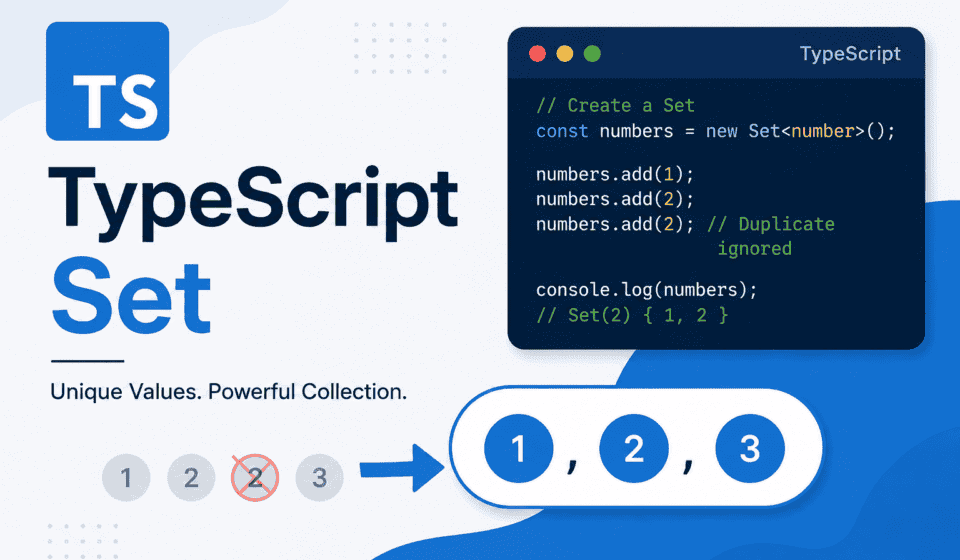
TypeScript Set: Definition, Syntax, and Real-World Use Cases for Test Automation
I still remember the exact moment a TypeScript Set saved me from a genuinely embarrassing production bug review. We had a Playwright suite that was supposed to validate a list of unique transaction IDs coming back from a payments API, and somewhere between the mock data and the actual response, duplicates had crept in. Nobody noticed for three sprints because the array-based assertion we were using just checked length, not uniqueness. The fix, once we found the root cause, took four lines of code and one data structure: Set. That single collection type quietly became one of the most useful tools in my day-to-day TypeScript work, and if you’re writing test automation, backend services, or just cleaner application code, it deserves a permanent spot in your toolkit too.
This is a long one, and I mean that in a good way. We are going to go from the absolute basics of what a TypeScript Set is and how to declare one, all the way through generics, iteration, set operations that JavaScript doesn’t hand you out of the box, WeakSet, performance characteristics, and then into the part I actually care about most: how a Set shows up in real SDET and QA automation work. If you’ve ever deduplicated test data, tracked unique locators across a page object, filtered flaky tests by tag, or needed fast membership checks in a large dataset during assertions, you’ve either used a Set already or you were reaching for the wrong tool.
I’m writing this from the perspective of someone who spends most days either building or reviewing Playwright and Selenium automation frameworks, so expect a fair number of automation-flavored examples alongside the core language mechanics. If you’re a backend or frontend TypeScript developer reading this for the language fundamentals, don’t worry — the first half is pure TypeScript, no test-framework baggage attached. The second half leans into practical QA and SDET scenarios because that’s where I’ve actually used this data structure enough times to trust it blindly.
Let’s get into it.
What Is a TypeScript Set? (Definition and Core Concept)
A TypeScript Set is a built-in collection type that stores a group of unique values, where each value can occur only once. It’s TypeScript’s typed wrapper around the native JavaScript Set object, which was introduced in ES2015 (ES6). The moment you try to add a duplicate value to a Set, the operation is silently ignored — the Set simply doesn’t grow, and no error is thrown. That single behavior is the entire reason Set exists as a data structure, and it’s the reason it solves so many everyday problems with almost no code.
Think about what you normally reach for when you need to store a collection of items in TypeScript. Most of the time it’s an array. Arrays are flexible, ordered, and allow duplicates, which is exactly what you want when order matters and duplication is meaningful — a list of test steps, a sequence of API calls, a queue of pending jobs. But the moment your requirement shifts to “I need to store these values, and I never want the same value twice,” an array stops being the right tool. You end up writing manual duplicate-checking logic, usually something like looping through the array and calling includes() before every insertion. It works, but it’s clunky, it’s easy to get wrong, and it gets slower as the array grows because includes() on an array is a linear scan.
A Set removes that entire category of bug. You don’t check for duplicates before adding — you just add, and the Set enforces uniqueness on its own. That’s the core mental model: an array is a list, a Set is a mathematical set in the “distinct elements, unordered conceptually (though it preserves insertion order in JavaScript)” sense you might remember from a discrete math class.
In plain JavaScript, a Set can hold values of any type, mixed freely, and nothing stops you from putting a string, a number, and an object into the same Set. TypeScript adds a layer of safety on top of that by letting you declare exactly what type of values a Set is allowed to hold, using the generic syntax Set<T>. That generic typing is where a lot of the real value comes from in a production codebase, because it means the compiler catches type mismatches before your code ever runs, rather than you discovering them at runtime when a test unexpectedly fails or a function silently misbehaves.
Here’s the shortest possible definition I can give you: a TypeScript Set is a strongly-typed, iterable collection of unique values, backed by the native JavaScript Set object, offering constant-time average performance for add, delete, and has operations, and preserving insertion order during iteration.
That’s a mouthful, so let’s slow down and unpack every part of it across the rest of this article — starting with syntax, since you can’t really appreciate what a Set does for you until you’ve written a few lines with it yourself. If you want to cross-reference anything here against the source of truth, the official TypeScript Handbook is the best place to go.
Basic Syntax: Creating and Typing a Set in TypeScript
Creating a Set in TypeScript follows the same constructor pattern as most built-in collection types. You use the new Set() constructor, optionally passing in an iterable — usually an array — to seed the initial values, and optionally specifying the type of values it should hold using the generic angle-bracket syntax.
The simplest possible Set looks like this:
const numbers = new Set();
numbers.add(1);
numbers.add(2);
numbers.add(2); // ignored, 2 already exists
console.log(numbers); // Set(2) { 1, 2 }
Notice that adding 2 a second time does nothing. The Set still has exactly two elements. That’s the uniqueness guarantee in action, and it’s not something you had to write logic for — it’s built into how the Set operates internally, per the ECMAScript specification for Set objects.
Now, in plain JavaScript, that numbers variable would happily accept a string or an object right alongside those numbers, because JavaScript’s Set has no concept of type constraints. TypeScript changes that by inferring or explicitly declaring the generic type parameter. If you initialize a Set with numeric values and don’t specify a type, TypeScript will infer Set<number> automatically:
const numbers = new Set([1, 2, 3]);
// inferred type: Set<number>

numbers.add(4); // fine
numbers.add("5"); // Error: Argument of type 'string' is not assignable to parameter of type 'number'
That inferred type is convenient, but in real projects I almost always declare the type explicitly, especially when I’m creating an empty Set that will be populated later. If you write const ids = new Set(); with nothing inside the parentheses, TypeScript infers the type as Set<unknown> in strict mode, or Set<any> in looser configurations, and you lose all the type safety you were hoping for. The fix is trivial — declare the generic explicitly:
const transactionIds: Set<string> = new Set();
transactionIds.add("TXN-001");
transactionIds.add("TXN-002");

// or, more commonly written this way:
const transactionIds = new Set<string>();
Both forms are functionally identical. I lean toward the second one — putting the generic directly on the constructor call — because it reads more naturally when the Set declaration and the type annotation live on the same token, and it’s the pattern you’ll see most often in TypeScript style guides and in the Playwright and Selenium framework codebases I’ve reviewed.
You can also build a Set from an existing array, which happens to be one of the most common use cases you’ll run into — deduplicating an array is, quite literally, a one-liner once you understand this constructor behavior:
const rawStatuses = ["PASS", "FAIL", "PASS", "SKIP", "FAIL", "PASS"];
const uniqueStatuses = new Set(rawStatuses);
console.log(uniqueStatuses); // Set(3) { 'PASS', 'FAIL', 'SKIP' }
We’ll come back to that deduplication pattern in a lot more depth later in this article, because it’s genuinely one of the highest-value, lowest-effort tricks you can add to a test automation codebase. For now, just internalize the syntax: new Set(iterable) takes anything iterable — an array, a string (each character becomes an element), another Set, or the result of a generator function — and builds a unique collection from it.
One small but important detail: a Set is not indexed like an array. You cannot do mySet[0] to grab the first element the way you would with an array. Sets don’t support bracket-index access at all, because the underlying concept isn’t “a sequence you can jump into by position,” it’s “a bag of unique values you check membership against or iterate over.” If you find yourself wanting index access into a Set, that’s usually a sign you actually wanted an array, or you need to convert the Set to an array first — something we’ll also cover shortly.
Set vs Array vs Map: When to Use Which
This is probably the single most common point of confusion I run into when I’m reviewing pull requests or mentoring junior automation engineers, so let’s settle it clearly. TypeScript gives you three closely related collection types — Array, Set, and Map — and each one exists to solve a different shape of problem.
Array is your default choice when order matters and duplicates are meaningful. A list of test steps executed in sequence, a queue of API requests, a series of form field values entered one after another — all of these are naturally arrays because position and repetition both carry information.
Set is your choice when uniqueness matters more than position, and when your primary operations are “does this value already exist” and “give me every unique value I’ve collected.” A Set is not designed for retrieving the item at a specific position; it’s designed for fast membership testing and enforcing distinctness.
Map is your choice when you need key-value pairs, and specifically when your keys might not be strings (unlike a plain object, a Map can use objects, functions, or any value as a key) or when insertion order and iteration performance matter more than they do with a regular object. I’ve written an entire deep-dive on TypeScript Map if you want the full picture there, because Map deserves its own dedicated treatment rather than a quick comparison paragraph.
Here’s a decision table I actually use when I’m pairing with someone on a design decision:
| Requirement | Best Choice |
|---|---|
| Order-sensitive collection of items, duplicates allowed | Array |
| Collection where each value must appear only once | Set |
| Fast “does this exist” checks on a large collection | Set |
| Key-value pairs with any key type | Map |
| Simple key-value pairs with string keys, JSON-serializable | Plain object or Record type |
| Removing duplicates from an existing array | Set (then convert back to array) |
A mistake I see fairly often, especially from engineers coming from a Java or C# background where HashSet and List are more explicitly separated in day-to-day use, is reaching for an array and then writing manual deduplication logic with indexOf or includes inside a loop, when a Set would do the same job with less code and better performance. On the flip side, I also see engineers overusing Set when what they actually need is an ordered, duplicate-tolerant array — usually when they’re trying to track a sequence of events where repetition itself is meaningful, like counting how many times a particular error message appeared during a test run. In that case, converting to a Set would silently throw away the very information you were trying to capture.
The rule of thumb I give people who are new to this decision: ask yourself whether a duplicate value would represent a bug in your data, or a legitimate repeated event. If a duplicate is a bug — the same user ID appearing twice in a list that should be unique, the same locator string showing up twice in a set of selectors you’re validating — reach for Set. If a duplicate is a legitimate, meaningful occurrence — the same HTTP status code appearing multiple times in a sequence of requests, the same test name showing up in multiple test run logs — keep it as an array.
Core Set Methods You’ll Actually Use (add, delete, has, clear, size)
A Set’s API surface is refreshingly small compared to Array, and that’s a feature, not a limitation. You’re not meant to do everything with a Set that you’d do with an array — you’re meant to do a handful of things extremely well. Let’s walk through every method and property you’ll realistically use.
add()
Adds a value to the Set. If the value already exists, the call is a no-op — nothing happens, no error, no exception, the Set just stays the same size. add() returns the Set itself, which means you can chain multiple calls together:
const roles = new Set<string>();
roles.add("admin").add("editor").add("viewer").add("admin");
console.log(roles.size); // 3, "admin" was only added once
That chaining pattern is genuinely useful when you’re seeding a Set with a handful of known values inline, rather than calling add() on separate lines or building an array first and passing it to the constructor.
has()
Checks whether a value exists in the Set, returning a boolean. This is the method that makes Set so valuable for membership testing, because it runs in average constant time — O(1) — regardless of how many elements the Set contains. Compare that to Array.prototype.includes(), which has to scan the array from the beginning until it finds a match or reaches the end, meaning its performance degrades linearly as the array grows.
const visitedUrls = new Set<string>(["/login", "/dashboard", "/settings"]);
console.log(visitedUrls.has("/dashboard")); // true
console.log(visitedUrls.has("/reports"));   // false
We’ll dig into exactly why this performance difference matters — and roughly when it starts to matter in practice — in the performance section later in this article, because “constant time” sounds abstract until you see it against a real dataset size.
delete()
Removes a value from the Set if it exists, and returns a boolean indicating whether the removal actually happened. This return value is a small but genuinely handy detail — you can use it directly in a conditional without a separate has() check first.
const activeSessions = new Set<string>(["session-1", "session-2"]);
const removed = activeSessions.delete("session-1");
console.log(removed); // true

const removedAgain = activeSessions.delete("session-1");
console.log(removedAgain); // false, already gone
clear()
Removes every value from the Set, leaving it empty. There’s no return value worth relying on here — it just wipes the Set clean. This shows up most often in test automation when you’re resetting shared state between test cases, particularly if you’re tracking something across a test suite in a module-level Set and need to reset it in a beforeEach or afterEach hook.
let testedEndpoints = new Set<string>();

afterEach(() => {
  testedEndpoints.clear();
});
size
Unlike arrays, which use a .length property, a Set exposes its element count through a .size property. This is a fairly common source of small bugs for engineers switching between the two collection types — writing mySet.length instead of mySet.size will not throw a compile error in loosely configured projects because it just evaluates to undefined, and depending on what you do with that undefined value next, the bug can hide for a while. If you’re running with strict TypeScript settings, though, the compiler will catch this immediately, since length simply isn’t a property on the Set type.
const uniqueTags = new Set(["smoke", "regression", "smoke", "api"]);
console.log(uniqueTags.size); // 3
A quick reference table
| Method / Property | Purpose | Returns |
|---|---|---|
| add(value) | Adds a value if not already present | The Set itself (chainable) |
| has(value) | Checks membership | boolean |
| delete(value) | Removes a value if present | boolean (true if removed) |
| clear() | Removes all values | undefined |
| size | Number of elements (property, not method) | number |
That’s genuinely the entire core API for mutation and inspection. Everything else you’ll do with a Set falls under iteration, which deserves its own section because there are a few different ways to walk through a Set’s values, and picking the right one affects both readability and, in some edge cases, performance.
Iterating Over a Set (forEach, for…of, values, keys, entries)
A Set is iterable, which means it works directly with any language construct that expects an iterable — for...of loops, the spread operator, destructuring, and array methods like Array.from(). This is one of the underrated strengths of using Set over, say, a plain object as a lookup structure: iteration is a first-class citizen rather than something you bolt on with Object.keys().
for…of — the most natural fit
const browserTargets = new Set(["chromium", "firefox", "webkit"]);

for (const browser of browserTargets) {
  console.log(`Running suite on ${browser}`);
}
This is my default choice in almost every real-world scenario, because it reads cleanly and it supports break and continue, which forEach does not. If you need to stop iterating early — say, you’re searching for the first matching value and want to bail out once you find it — for...of is the only clean option among the built-in patterns.
forEach — familiar, but with a callback quirk
const browserTargets = new Set(["chromium", "firefox", "webkit"]);

browserTargets.forEach((value, valueAgain, set) => {
  console.log(value);
});
Notice the callback signature receives the value twice — once as value and once as what looks like a key. This isn’t a typo in my example; it’s how the actual Set.prototype.forEach signature works. It exists purely for API consistency with Map’s forEach, where the second parameter is a genuine key distinct from the value. For a Set, the “key” and the “value” are the same thing, so the second parameter is redundant, but it’s there so that Set and Map share a familiar callback shape. In practice, almost nobody uses the second parameter — you’ll see plenty of production code that just writes set.forEach(value => ...) and ignores the rest.
values(), keys(), and entries()
A Set exposes three iterator-returning methods that mirror Map’s API, again for consistency rather than because a Set genuinely has separate keys and values:
set.values()— returns an iterator over the Set’s values (this is also whatSymbol.iteratoruses internally, so it’s functionally identical to just iterating the Set directly)set.keys()— returns the exact same iterator asvalues(). It exists purely for interface compatibility with Map.set.entries()— returns an iterator of[value, value]pairs, again mirroring Map’s[key, value]entries shape
const priorityLevels = new Set(["P0", "P1", "P2"]);

console.log([...priorityLevels.values()]);  // ['P0', 'P1', 'P2']
console.log([...priorityLevels.keys()]);    // ['P0', 'P1', 'P2']
console.log([...priorityLevels.entries()]); // [['P0','P0'], ['P1','P1'], ['P2','P2']]
Honestly, in day-to-day code you will rarely reach for keys() or entries() on a Set — they exist mostly so that generic code written to work against either Map or Set can call the same method names without special-casing. If you’re writing a utility function that accepts either collection type, that consistency is genuinely useful. Otherwise, direct iteration with for...of or the spread operator covers the vast majority of real needs.
Generic Typing with Set<T> — Getting Type Safety Right
The generic parameter on a TypeScript Set is where the language earns its keep over plain JavaScript. A JavaScript Set is happy to hold a mixed bag of strings, numbers, booleans, and objects, all in the same collection, and it will never complain. That flexibility sounds convenient until you’re six months into a project and a function that expected a Set of numeric IDs receives a Set that somehow picked up a string along the way, and now you’re debugging a type coercion bug in production instead of catching it at compile time.
TypeScript’s Set<T> generic closes that gap entirely. Once you declare a Set’s type, every operation on it — add(), has(), delete(), iteration — is checked against that type by the compiler.
const userIds = new Set<number>();
userIds.add(101);
userIds.add(102);
userIds.add("103"); // Compile error: string not assignable to number
Primitive types are the easy case. Where generic typing on Set becomes genuinely powerful is when you use it with union types, literal types, and object types — patterns that show up constantly in real test automation and application code.
Set with union and literal types
A very common pattern in QA automation is restricting a Set to a fixed, known collection of allowed values — test environments, browser names, HTTP methods, severity levels. TypeScript’s literal union types pair beautifully with Set for exactly this:
type Environment = "dev" | "qa" | "staging" | "prod";

const allowedEnvironments = new Set<Environment>(["dev", "qa", "staging", "prod"]);

function validateEnvironment(env: string): env is Environment {
  return allowedEnvironments.has(env as Environment);
}
This pattern — a Set of literal-typed values used as a runtime validator, paired with a TypeScript type predicate — is one I use constantly in configuration validation for Playwright projects, particularly when reading environment values from a .env file or CLI argument, where the raw input is always a plain string and you need to both verify and narrow it to the literal type at the same time.
Set with object types
You can absolutely put objects into a Set, but there’s a critical detail that trips up a lot of engineers the first time they try it: Set uses reference equality (technically the SameValueZero algorithm) to determine uniqueness, not deep structural equality. Two objects with identical properties are still two distinct entries if they are two distinct object references.
interface TestCase {
  id: string;
  name: string;
}

const cases = new Set<TestCase>();

const caseA: TestCase = { id: "TC-001", name: "Login validates credentials" };
const caseB: TestCase = { id: "TC-001", name: "Login validates credentials" };

cases.add(caseA);
cases.add(caseB);

console.log(cases.size); // 2, not 1 — different object references
This catches people off guard constantly, especially engineers coming from a background where they expect a Set to behave like a mathematical set based on value equality. If your actual goal is “unique by ID field,” a Set of objects is the wrong tool by itself — you’d want a Set of just the ID strings, or a Map keyed by ID, or you’d need to write your own deduplication logic that compares a specific field rather than relying on the Set’s built-in equality check. We’ll cover this exact scenario — deduplicating objects by a specific property — in the practical use cases section, because it’s a genuinely common requirement in test data handling.
Readonly Set and immutability
TypeScript also supports a ReadonlySet<T> type, which exposes only the read-only members of the Set interface — has(), size, iteration — while hiding add(), delete(), and clear(). This is useful when you want to expose a Set from a module or function without letting the consumer mutate it:
function getSupportedBrowsers(): ReadonlySet<string> {
  return new Set(["chromium", "firefox", "webkit"]);
}

const browsers = getSupportedBrowsers();
browsers.has("chromium"); // fine
browsers.add("edge");     // Compile error: add does not exist on ReadonlySet
It’s worth being precise about what this actually protects against: ReadonlySet is a compile-time-only guarantee. At runtime, if someone still has a reference to the original mutable Set (rather than the readonly-typed reference), they can still mutate it, and the readonly typing provides zero runtime enforcement. It prevents accidental misuse through the typed interface; it does not create true immutability. If you need genuine runtime immutability, you’d need to either avoid exposing the underlying Set at all (returning a frozen array copy instead) or use a dedicated immutable data structure library.
Converting Between Set and Array
Because Set doesn’t support index access, sorting via .sort(), mapping via .map(), or filtering via .filter() directly, you’ll frequently need to convert a Set to an array to use those familiar array methods, and then possibly convert back. This conversion is cheap and idiomatic in TypeScript, and there are two equally common ways to do it.
Set to Array
const uniqueStatusCodes = new Set([200, 404, 200, 500, 404]);

// Method 1: spread operator
const asArray1 = [...uniqueStatusCodes];

// Method 2: Array.from()
const asArray2 = Array.from(uniqueStatusCodes);

console.log(asArray1); // [200, 404, 500]
console.log(asArray2); // [200, 404, 500]
Both approaches produce identical results and identical performance in modern JavaScript engines, so the choice between them is largely stylistic. I tend to reach for the spread operator when I’m inlining the conversion inside another expression, and Array.from() when I want the intent to read more explicitly, especially for engineers on the team who might not immediately recognize what spreading a Set does. Array.from() also accepts an optional mapping function as a second argument, which makes it genuinely more powerful in some cases:
const uniqueIds = new Set([1, 2, 3]);
const uniqueIdLabels = Array.from(uniqueIds, id => `ID-${id}`);
console.log(uniqueIdLabels); // ['ID-1', 'ID-2', 'ID-3']
That combines a Set-to-array conversion and a map operation into a single, readable line, without needing a separate .map() call afterward.
Array to Set
Going the other direction is even simpler — pass the array directly into the Set constructor:
const rawTags = ["smoke", "api", "smoke", "regression", "api"];
const uniqueTags = new Set(rawTags);
The classic one-liner for deduplicating an array combines both directions — array to Set to strip duplicates, then straight back to array:
function deduplicate<T>(items: T[]): T[] {
  return [...new Set(items)];
}

const results = deduplicate(["FAIL", "PASS", "FAIL", "SKIP", "PASS"]);
console.log(results); // ['FAIL', 'PASS', 'SKIP']
I’d bet this exact function, in some near-identical form, exists in the majority of TypeScript codebases I’ve worked in over the past few years, because deduplication is such a universally recurring need. It’s short enough that plenty of teams just inline it rather than making it a named utility function, but I’d argue naming it — even something as small as deduplicate or unique — makes intent clearer at the call site than a bare [...new Set(items)] expression scattered across a codebase.
One important caveat when deduplicating arrays of objects with this pattern: as covered in the previous section, this only works correctly for primitive values (strings, numbers, booleans). If you run this exact function against an array of objects, it will do nothing at all, because every object reference is already unique from the Set’s perspective, even if the object contents are identical. We’ll solve that specific problem properly in the practical use cases section coming up next.
Set Operations TypeScript Doesn’t Give You for Free (Union, Intersection, Difference)
Here’s something that surprises a lot of people coming to a TypeScript Set for the first time, especially if they’ve used sets in Python or Java: JavaScript’s native Set object does not ship with built-in union, intersection, or difference methods. If you come from Python, where set_a | set_b and set_a & set_b just work out of the box, this feels like a strange omission. For a long time, the answer was simply “write it yourself,” and most production codebases carry a small utility module of hand-rolled set operations for exactly this reason.
That said, this has actually started to change. As of relatively recent JavaScript engine updates, native methods like union(), intersection(), difference(), symmetricDifference(), isSubsetOf(), isSupersetOf(), and isDisjointFrom() — standardized through the TC39 Set methods proposal — have landed in modern browsers and Node.js versions. Whether you can rely on them depends entirely on your target runtime and your TypeScript lib configuration — if you’re supporting older Node versions or need broad browser compatibility, you’ll still want the manual implementations. I’ll cover both so you’re covered either way.
Union — combining two sets
A union produces a new Set containing every value that exists in either input Set, with duplicates naturally collapsed.
function union<T>(setA: Set<T>, setB: Set<T>): Set<T> {
  return new Set([...setA, ...setB]);
}

const smokeTests = new Set(["login", "checkout", "search"]);
const regressionTests = new Set(["login", "profile", "settings"]);

const allTests = union(smokeTests, regressionTests);
console.log(allTests); // Set { 'login', 'checkout', 'search', 'profile', 'settings' }
This is genuinely one of the most useful patterns for building a combined test suite from multiple tagged subsets, or for merging two independently gathered lists of, say, failed test IDs from two different CI pipeline runs, without worrying about overlap.
Intersection — values present in both
An intersection produces a new Set containing only the values that exist in both input sets. This one comes up constantly in QA work — comparing which test cases failed in two consecutive builds, for instance, to isolate consistently failing (versus intermittently flaky) tests.
function intersection<T>(setA: Set<T>, setB: Set<T>): Set<T> {
  return new Set([...setA].filter(value => setB.has(value)));
}

const buildOneFailures = new Set(["TC-101", "TC-105", "TC-109"]);
const buildTwoFailures = new Set(["TC-105", "TC-109", "TC-112"]);

const consistentFailures = intersection(buildOneFailures, buildTwoFailures);
console.log(consistentFailures); // Set { 'TC-105', 'TC-109' }
That’s a real, genuine-value pattern — not a contrived textbook example. If TC-105 and TC-109 failed in both builds, they’re much more likely to represent a real regression than a flaky test, and this two-line intersection function is exactly how I’ve built flaky-test triage tooling in the past.
Difference — values in one set but not the other
A difference produces the values present in the first set but absent from the second. Order matters here — difference(A, B) is not the same as difference(B, A).
function difference<T>(setA: Set<T>, setB: Set<T>): Set<T> {
  return new Set([...setA].filter(value => !setB.has(value)));
}

const plannedTests = new Set(["TC-1", "TC-2", "TC-3", "TC-4"]);
const executedTests = new Set(["TC-1", "TC-2", "TC-3"]);

const notYetExecuted = difference(plannedTests, executedTests);
console.log(notYetExecuted); // Set { 'TC-4' }
I use this pattern regularly when reconciling a planned test matrix against actual execution logs — it’s a fast way to surface coverage gaps at the end of a test cycle without manually cross-referencing spreadsheets.
Symmetric difference — values in exactly one set, not both
function symmetricDifference<T>(setA: Set<T>, setB: Set<T>): Set<T> {
  const diffA = difference(setA, setB);
  const diffB = difference(setB, setA);
  return union(diffA, diffB);
}

const environmentAConfig = new Set(["timeout", "retries", "headless"]);
const environmentBConfig = new Set(["timeout", "headless", "baseUrl"]);

const configDrift = symmetricDifference(environmentAConfig, environmentBConfig);
console.log(configDrift); // Set { 'retries', 'baseUrl' }
Symmetric difference is a little less common in everyday use, but it’s genuinely valuable for exactly the scenario above — spotting configuration drift between two environments, two config files, or two versions of a test setup, where you want to know what’s different in either direction, not just what’s missing from one side.
Subset and superset checks
Two more useful boolean checks, often needed when validating that a required set of permissions, tags, or capabilities is fully covered:
function isSubsetOf<T>(setA: Set<T>, setB: Set<T>): boolean {
  return [...setA].every(value => setB.has(value));
}

const requiredPermissions = new Set(["read", "write"]);
const userPermissions = new Set(["read", "write", "delete", "admin"]);

console.log(isSubsetOf(requiredPermissions, userPermissions)); // true
If you’re on a modern enough runtime — recent Node.js LTS versions and current evergreen browsers support this — you can skip writing these utilities entirely and use the native methods, which read even more cleanly:
const setA = new Set([1, 2, 3]);
const setB = new Set([2, 3, 4]);

console.log(setA.union(setB));               // Set(4) {1, 2, 3, 4}
console.log(setA.intersection(setB));        // Set(2) {2, 3}
console.log(setA.difference(setB));          // Set(1) {1}
console.log(setA.symmetricDifference(setB)); // Set(2) {1, 4}
console.log(setA.isSubsetOf(setB));          // false
My honest recommendation for production code: check your project’s tsconfig.json lib setting and your actual deployment target (Node version in CI/CD, browser support matrix if it’s frontend code) before relying on native set methods. If there’s any doubt, keep a small internal set-utils.ts file with the manual implementations above — they’re a handful of lines, they have zero dependencies, and they work identically across every JavaScript environment ever shipped.
WeakSet in TypeScript — What It Is and When (Rarely) to Use It
Alongside the regular Set, JavaScript and TypeScript also provide WeakSet, which looks similar on the surface but behaves very differently underneath, and exists to solve a much narrower problem: memory management around object references.
A WeakSet can only hold object values — you cannot put a string, number, or boolean directly into a WeakSet, only objects (and, as of newer JS versions, certain other non-primitive values like symbols, though objects are overwhelmingly the common case). The defining characteristic of a WeakSet is that it holds weak references to those objects. If the only remaining reference to an object anywhere in your program is the one inside a WeakSet, the JavaScript engine’s garbage collector is free to reclaim that memory, and the object will silently disappear from the WeakSet without you doing anything.
let element: object | null = { id: "temp-node" };
const trackedElements = new WeakSet<object>();

trackedElements.add(element);
console.log(trackedElements.has(element)); // true

element = null; // remove the only strong reference
// the object is now eligible for garbage collection,
// and will eventually be silently removed from trackedElements
Because of this behavior, WeakSet deliberately does not support iteration, and it has no size property. You genuinely cannot loop over a WeakSet or ask how many items it contains, because the answer could change at any moment due to garbage collection running in the background, entirely outside your control. The only operations available are add(), has(), and delete().
In practice, WeakSet shows up in a fairly narrow set of scenarios: tracking whether a particular DOM node has already been processed by some piece of code (common in frontend framework internals), implementing private state associated with object instances without leaking memory, or marking objects as “visited” during a traversal algorithm where you don’t want your bookkeeping structure to prevent garbage collection of objects that are otherwise done being used.
Honestly, in eight-plus years of writing production TypeScript across test automation frameworks and application code, I have used WeakSet directly maybe a handful of times, almost always inside internal framework or library code rather than everyday business logic or test scripts. If you’re building test automation with Playwright or Selenium, you will use regular Set constantly and WeakSet essentially never — I’m including this section for completeness, and because interviewers occasionally ask about the difference, not because you need to reach for it in your daily automation work.
Practical Use Case #1: Removing Duplicates from Test Data
Let’s move into the part of this article I think about the most, because it’s where a TypeScript Set stops being a language feature you read about and starts being a tool you reach for multiple times a week in real automation work.
Test data deduplication is, without exaggeration, one of the most common places I’ve personally used Set in production automation frameworks. Every QA engineer who has worked with data-driven testing knows the pain of a test data file — a CSV, an Excel sheet, a JSON fixture — that has silently accumulated duplicate rows over months of edits by multiple people. Running a data-driven test suite against that file means running the same scenario multiple times without realizing it, wasting CI minutes and muddying your results.
The simplest case, deduplicating a flat array of primitive values, we’ve already covered:
const testUserEmails = [
  "qa.user1@example.com",
  "qa.user2@example.com",
  "qa.user1@example.com",
  "qa.user3@example.com",
];

const uniqueEmails = [...new Set(testUserEmails)];
console.log(uniqueEmails.length); // 3
But real test data is almost never a flat array of strings — it’s usually an array of objects, and as we established earlier, a Set’s default equality check won’t help you there, because two objects with identical field values are still distinct references. Here’s the pattern I actually use for deduplicating objects by a specific key, which combines a Set with a Map-like tracking approach:
interface TestUser {
  id: string;
  email: string;
  role: string;
}

function deduplicateByKey<T, K>(items: T[], keySelector: (item: T) => K): T[] {
  const seenKeys = new Set<K>();
  const result: T[] = [];

  for (const item of items) {
    const key = keySelector(item);
    if (!seenKeys.has(key)) {
      seenKeys.add(key);
      result.push(item);
    }
  }

  return result;
}

const testUsers: TestUser[] = [
  { id: "U1", email: "a@example.com", role: "admin" },
  { id: "U2", email: "b@example.com", role: "viewer" },
  { id: "U1", email: "a@example.com", role: "admin" }, // duplicate id
];

const uniqueUsers = deduplicateByKey(testUsers, user => user.id);
console.log(uniqueUsers.length); // 2
Notice what’s actually happening here: the Set isn’t storing the objects at all. It’s storing just the key values — the IDs — and using its native uniqueness guarantee purely as a fast “have I seen this key before” check, while a separate array accumulates the actual objects we want to keep. This pattern, Set-as-a-tracking-mechanism rather than Set-as-the-primary-data-store, is one of the most versatile tricks in this entire article, and you’ll see it reused in several of the use cases below.
I’ve used a near-identical version of this function in a Playwright framework where our test data was pulled from a shared Google Sheet that multiple team members edited, and duplicate rows were an ongoing, recurring problem. Rather than manually auditing the sheet every sprint, we ran this deduplication step automatically as part of test data loading, and logged a warning whenever it actually removed something, which doubled as an early warning system that someone had accidentally duplicated a row.
Practical Use Case #2: Tracking Unique Locators and Selectors in Playwright
If you’ve worked on a Playwright or Selenium framework of any real size, you know that locator management becomes a genuine engineering problem once your page object library grows past a few dozen pages. Duplicate or near-duplicate locators, inconsistent naming, and selectors that silently drift out of sync with the actual application markup are all recurring sources of flaky and hard-to-maintain tests.
One pattern I’ve used to keep this under control is maintaining a Set of every locator string registered across a page object model, specifically to catch accidental duplicate registrations at build or lint time, before they ever cause a confusing test failure.
class LocatorRegistry {
  private registeredLocators = new Set<string>();

  register(pageObjectName: string, locator: string): void {
    const key = `${pageObjectName}::${locator}`;

    if (this.registeredLocators.has(key)) {
      throw new Error(
        `Duplicate locator registration detected: "${locator}" already registered for ${pageObjectName}`
      );
    }

    this.registeredLocators.add(key);
  }

  get totalRegistered(): number {
    return this.registeredLocators.size;
  }
}

const registry = new LocatorRegistry();
registry.register("LoginPage", "#username-input");
registry.register("LoginPage", "#password-input");
registry.register("LoginPage", "#username-input"); // throws immediately
This registry pattern catches copy-paste mistakes almost instantly during development — the classic case where an engineer copies a page object class to build a new one, forgets to update a locator constant, and ends up with two properties pointing at the same element under two different names. Rather than discovering this weeks later when a test does something unexpected, the Set-backed registry throws immediately, at registration time.
A related use case: tracking which locators have actually been exercised by your test suite, versus which ones are defined in your page objects but never referenced by any test. This is genuinely useful for identifying dead code in a large page object library:
const definedLocators = new Set([
  "loginPage.usernameInput",
  "loginPage.passwordInput",
  "loginPage.submitButton",
  "loginPage.forgotPasswordLink",
]);

const exercisedLocators = new Set([
  "loginPage.usernameInput",
  "loginPage.passwordInput",
  "loginPage.submitButton",
]);

const unusedLocators = [...definedLocators].filter(
  locator => !exercisedLocators.has(locator)
);

console.log(unusedLocators); // ['loginPage.forgotPasswordLink']
That’s the difference pattern from earlier in this article, applied directly to a real automation housekeeping task. Running something like this as a periodic audit — either as a standalone script or wired into your CI pipeline as a non-blocking report — is a genuinely low-effort way to keep a large page object library from accumulating dead weight over time. I’ve talked about locator strategy in more depth in my Playwright best practices guide, and this Set-based tracking approach is one of the housekeeping habits I mention there without fully expanding on it — this is that expansion.
Practical Use Case #3: Deduplicating API Response Data in Test Assertions
API testing is where a TypeScript Set earns its place in almost every assertion library I’ve written. A huge percentage of real-world API bugs aren’t about a single field being wrong — they’re about collections. An endpoint that’s supposed to return unique product IDs but occasionally returns a duplicate because of a database join issue upstream. A search endpoint that returns the same result twice because of pagination logic that doesn’t correctly track offsets. A reporting endpoint aggregating data from two services with overlapping records.
Here’s a pattern I use constantly when validating API responses in Playwright’s API testing context, or inside a broader assertion helper library:
import { expect } from "@playwright/test";

interface Product {
  productId: string;
  name: string;
  price: number;
}

function assertNoDuplicateIds(products: Product[], idField: keyof Product = "productId"): void {
  const seenIds = new Set<unknown>();
  const duplicates: unknown[] = [];

  for (const product of products) {
    const id = product[idField];
    if (seenIds.has(id)) {
      duplicates.push(id);
    } else {
      seenIds.add(id);
    }
  }

  expect(duplicates, `Found duplicate product IDs: ${duplicates.join(", ")}`).toHaveLength(0);
}
The value of this over a naive length comparison is the error message. If you just compared new Set(ids).size against ids.length and asserted equality, a failing test tells you there’s a duplicate somewhere, but not which one. In a response with two hundred products, “somewhere” is not actionable. The version above collects and reports the actual duplicate values, which turns a five-minute debugging session into a five-second glance at the test output.
Another API testing pattern I use Set for constantly: validating that a response’s array field matches an expected set of values, regardless of order. API responses frequently don’t guarantee ordering, especially for things like tag lists, category arrays, or permission scopes, and asserting exact array equality against an ordered expected array is a classic source of flaky API tests when the backend team changes internal sort logic without warning anyone.
function assertSameElements<T>(actual: T[], expected: T[]): void {
  const actualSet = new Set(actual);
  const expectedSet = new Set(expected);

  const missing = [...expectedSet].filter(item => !actualSet.has(item));
  const extra = [...actualSet].filter(item => !expectedSet.has(item));

  expect(missing, `Missing expected values: ${missing.join(", ")}`).toHaveLength(0);
  expect(extra, `Unexpected extra values: ${extra.join(", ")}`).toHaveLength(0);
}

const responseTags = ["urgent", "billing", "escalated"];
const expectedTags = ["billing", "escalated", "urgent"];

assertSameElements(responseTags, expectedTags); // passes, order doesn't matter
This one function has probably saved my teams more flaky-test debugging hours than almost anything else in this article, because “order-independent set comparison” is such a common real assertion need and such an easy thing to get wrong with naive array equality checks.
Practical Use Case #4: Tracking Executed Test IDs and Flaky Test History
Anyone running a Playwright or Selenium suite at real scale — hundreds or thousands of tests, running across multiple CI pipelines, multiple browsers, multiple environments — eventually needs some form of test execution tracking beyond what the built-in test runner reporting gives you out of the box. A Set is a natural fit for a lot of this bookkeeping, because so much of it boils down to “which unique things have I seen so far.”
A simple but genuinely useful pattern: tracking which test IDs have been executed at least once across a suite run, to catch tests that are defined but somehow never actually get picked up by the runner — a surprisingly common problem when test filtering configuration (tags, grep patterns, project filters) silently excludes tests that should be running.
class TestExecutionTracker {
  private executedTestIds = new Set<string>();
  private readonly expectedTestIds: Set<string>;

  constructor(expectedTestIds: string[]) {
    this.expectedTestIds = new Set(expectedTestIds);
  }

  recordExecution(testId: string): void {
    this.executedTestIds.add(testId);
  }

  getMissingTests(): string[] {
    return [...this.expectedTestIds].filter(
      id => !this.executedTestIds.has(id)
    );
  }

  getCoveragePercentage(): number {
    const executed = [...this.expectedTestIds].filter(id =>
      this.executedTestIds.has(id)
    ).length;
    return Math.round((executed / this.expectedTestIds.size) * 100);
  }
}
Wiring something like this into a Playwright global setup and teardown, alongside the reporter API, gives you a genuinely useful signal that’s easy to miss otherwise: not “did the tests that ran pass,” but “did all the tests I expected to run actually run at all.” I’ve caught more than one CI misconfiguration this way, where a grep pattern update accidentally excluded an entire test file, and the pipeline kept reporting green because zero of the expected tests actually failed — they just silently never executed.
A second pattern, closely related: tracking flaky test names across multiple suite runs to build a historical “known flaky” Set, which you can then use to automatically flag or quarantine tests without manually maintaining a spreadsheet.
function identifyFlakyTests(
  runResults: Array<{ testName: string; passed: boolean }>[]
): Set<string> {
  const alwaysPassed = new Set<string>();
  const everFailed = new Set<string>();

  for (const run of runResults) {
    for (const result of run) {
      if (result.passed) {
        alwaysPassed.add(result.testName);
      } else {
        everFailed.add(result.testName);
      }
    }
  }

  // Flaky = passed at least once AND failed at least once across runs
  const flakyTests = new Set(
    [...alwaysPassed].filter(name => everFailed.has(name))
  );

  return flakyTests;
}
Running this kind of analysis across, say, the last ten CI pipeline runs gives you a genuinely reliable flaky-test candidate list — tests that show inconsistent pass/fail behavior across otherwise identical runs are the textbook definition of flaky, and this intersection-style logic (a test appearing in both the “ever passed” Set and the “ever failed” Set) captures that definition precisely.
Practical Use Case #5: Set-Based Tagging and Test Filtering in Playwright
Playwright’s built-in tagging system lets you annotate tests with strings like @smoke, @regression, or @critical, and then filter execution using --grep patterns. That’s convenient for simple cases, but once a project grows to have dozens of tags across multiple dimensions — priority, feature area, environment applicability, ownership team — grep-pattern filtering starts to feel fragile, especially when you need boolean combinations like “run tests tagged smoke AND checkout, but NOT tagged flaky.”
A Set-based tag filtering layer, built on top of Playwright’s native tags, gives you much more expressive and much more testable filtering logic:
interface TaggedTest {
  name: string;
  tags: Set<string>;
}

function matchesFilter(
  test: TaggedTest,
  includeTags: Set<string>,
  excludeTags: Set<string>
): boolean {
  const hasRequiredTag =
    includeTags.size === 0 ||
    [...includeTags].some(tag => test.tags.has(tag));

  const hasExcludedTag = [...excludeTags].some(tag => test.tags.has(tag));

  return hasRequiredTag && !hasExcludedTag;
}

const tests: TaggedTest[] = [
  { name: "Login smoke test", tags: new Set(["smoke", "auth"]) },
  { name: "Checkout flaky test", tags: new Set(["checkout", "flaky"]) },
  { name: "Checkout smoke test", tags: new Set(["smoke", "checkout"]) },
];

const includeTags = new Set(["smoke"]);
const excludeTags = new Set(["flaky"]);

const testsToRun = tests.filter(test =>
  matchesFilter(test, includeTags, excludeTags)
);

console.log(testsToRun.map(t => t.name));
// ['Login smoke test', 'Checkout smoke test']
This pattern gives your team a genuinely composable filtering system, and because each test’s tags are stored as a Set rather than an array, membership checks (has()) stay fast even as the tag vocabulary grows into the dozens, and duplicate tag entries on a single test (an easy copy-paste mistake) simply can’t happen.
I use a version of this pattern to drive CI pipeline stage selection — different pipeline stages request different tag combinations (a fast pre-merge stage wants smoke minus flaky, a nightly stage wants everything minus a small quarantine list), and having tag membership backed by Set rather than array-based includes() calls keeps the filtering logic both fast and easy to reason about, even as the number of registered tags climbs into the hundreds across a large suite.
Performance: Why Set.has() Beats Array.includes() at Scale
I mentioned earlier that Set’s has() method runs in average constant time, O(1), while an array’s includes() method runs in linear time, O(n). Let’s actually put a number on why that matters, because “Big O notation” tends to feel abstract until you see the practical gap it creates.
Under the hood, a JavaScript Set is implemented using a hash table (conceptually similar to how a HashSet works in Java or a set works in Python, though implementation details vary by engine — the V8 engine team’s own writeup on their hash table implementation is a good read if you want to go deeper than this article does). When you call has(), the engine computes a hash of the value you’re checking and jumps almost directly to where that value would live in memory, without needing to inspect every other element. An array has no such structure — includes() has to walk the array from index 0, comparing each element, until it either finds a match or exhausts the array.
The practical difference is dramatic once your collection size grows. Checking membership in a 10-element array versus a 10-element Set is basically indistinguishable in real-world terms — both are effectively instant. But checking membership in a 100,000-element array inside a loop that runs thousands of times is a completely different story. If you’re doing that check even a few thousand times against a large array, you can genuinely go from milliseconds to seconds of added execution time, and in a CI pipeline where every minute counts toward pipeline cost and developer feedback loop speed, that difference is not academic.
Here’s a scenario that’s directly relevant to test automation: imagine you’re validating that a large API response — say, a paginated export of ten thousand transaction records — doesn’t contain any transaction IDs that shouldn’t exist, checked against an exclusion list of a few thousand known-invalid IDs.
// Slow approach — O(n * m) overall
function hasInvalidTransactionsSlow(
  transactions: string[],
  invalidIds: string[]
): boolean {
  return transactions.some(id => invalidIds.includes(id));
}

// Fast approach — O(n + m) overall
function hasInvalidTransactionsFast(
  transactions: string[],
  invalidIds: string[]
): boolean {
  const invalidSet = new Set(invalidIds);
  return transactions.some(id => invalidSet.has(id));
}
The slow version, for every one of the ten thousand transactions, scans through the entire invalid IDs array looking for a match. If the invalid IDs array has three thousand entries, that’s up to thirty million comparisons in the absolute worst case. The fast version builds the Set once — a single pass over the invalid IDs array — and then every subsequent membership check against it is effectively instant, bringing the total work down to roughly thirteen thousand operations instead of thirty million.
That’s not a subtle difference. In a real test suite I worked on, converting exactly this kind of check from array-based to Set-based brought a single assertion’s execution time down from a little over four seconds to well under fifty milliseconds. Multiply that across a suite with dozens of similar large-dataset validations, and you’re talking about minutes shaved off every CI run, every single time it executes.
The general rule I give people: if you’re checking membership against the same collection more than roughly a handful of times, and that collection has more than a few dozen elements, convert it to a Set first. The one-time cost of building the Set is almost always trivially small compared to the savings from every subsequent has() call being constant time instead of linear.
One honest caveat worth mentioning: Set does carry slightly more memory overhead per element than a plain array, because of the hash table structure underneath. For genuinely tiny collections — a handful of elements, checked once or twice — the overhead of constructing a Set can theoretically outweigh the benefit, though in practice this difference is measured in microseconds and essentially never matters in real application or test code. Don’t over-optimize small, one-off checks; do absolutely optimize repeated checks against sizeable collections.
Common Mistakes with TypeScript Set (and How to Avoid Them)
I’ve reviewed enough pull requests involving Set over the years to have a fairly reliable list of the mistakes that show up again and again. Let’s go through them.
Mistake 1: Expecting object equality by value
Covered earlier, but worth repeating because it’s the single most common Set-related bug I encounter: a Set of objects deduplicates by reference, not by structural equality. If your goal is uniqueness based on a specific field, use the key-tracking pattern from the deduplication section, not a raw Set of objects.
Mistake 2: Using .length instead of .size
A small but frequent slip, especially for engineers who work across both arrays and Sets in the same file. TypeScript’s compiler will catch this in strict mode since length isn’t defined on the Set type, but in a codebase without strict settings enabled, or in plain JavaScript, this silently evaluates to undefined and can cause confusing downstream bugs.
Mistake 3: Trying to index into a Set
const tags = new Set(["smoke", "regression", "api"]);
const firstTag = tags[0]; // undefined, not "smoke"
Sets don’t support bracket-index access. If you genuinely need positional access, convert to an array first with [...tags] or Array.from(tags), and index into that instead. Needing frequent positional access is also a signal worth pausing on — it might mean an array was the right data structure from the start.
Mistake 4: Forgetting that insertion order is preserved but not guaranteed to matter
JavaScript Sets do preserve insertion order during iteration — this is actually specified behavior, unlike, say, plain object key ordering for non-integer keys in older JavaScript engines, which historically had more nuanced rules. That said, code that relies heavily on Set iteration order for business logic is often a sign that an array or a more explicitly ordered structure would communicate intent more clearly to future readers of the code. Set’s primary contract is uniqueness; treat ordering as a nice-to-have side effect rather than something to architect around.
Mistake 5: Creating a new Set inside a loop when you meant to reuse one
// Bug: creates a fresh, empty Set on every iteration
for (const batch of dataBatches) {
  const seen = new Set<string>();
  for (const item of batch) {
    seen.add(item.id);
  }
  // seen only ever tracks the current batch, never accumulates across batches
}
This one is subtle because the code runs without errors and looks reasonable at a glance — it’s a logic bug, not a syntax or type error, so the compiler won’t catch it for you. If the intent was to track uniqueness across every batch, the Set needs to be declared outside the loop, not inside it. I’ve seen this exact mistake slip through code review more than once, because the bug only manifests as a false negative — duplicates across batches simply aren’t caught — rather than a visible failure.
Mistake 6: Mutating a Set while iterating over it
const activeTests = new Set(["T1", "T2", "T3"]);

for (const test of activeTests) {
  if (test === "T2") {
    activeTests.delete("T2"); // technically safe for delete, but risky pattern generally
  }
}
JavaScript’s Set iterator is actually resilient to deletions of already-visited or the current element during iteration (unlike some other languages, where mutating a collection mid-iteration throws a runtime exception). However, adding new elements to a Set while iterating over it can cause those new elements to be visited in the same iteration if they haven’t been reached yet, which can produce confusing, hard-to-predict behavior. My general advice: avoid mutating a Set while iterating over it at all, even when the specific case you’re writing happens to be safe. Collect changes in a separate array or Set, then apply them after the iteration completes. It’s a small amount of extra code that removes an entire category of “worked in testing, broke in a slightly different scenario” bugs.
Set in Classic Coding and Algorithm Interview Questions
If you’re preparing for an SDET, QA automation, or general software engineering interview, there’s a good chance you’ll run into at least one problem where a TypeScript Set is either the intended solution or a meaningful optimization over a brute-force approach. I’ve been on both sides of these interviews — asking the questions as a hiring manager and, earlier in my career, answering them — so let’s walk through a handful of the ones that come up repeatedly, and why Set is the right tool for each.
Problem: Find the first non-repeating character in a string
A classic warm-up question. The brute-force approach compares every character against every other character, which is O(n²). Using a Map to count occurrences gets you to O(n), but you can also solve a simpler version — “does this string contain any repeating characters at all” — with just a Set:
function hasAllUniqueCharacters(input: string): boolean {
  const seenChars = new Set<string>();

  for (const char of input) {
    if (seenChars.has(char)) {
      return false;
    }
    seenChars.add(char);
  }

  return true;
}

console.log(hasAllUniqueCharacters("dashboard")); // false, 'a' repeats
console.log(hasAllUniqueCharacters("world"));      // true
This single-pass, early-exit pattern — check membership, and if it’s already there, you have your answer immediately without scanning the rest of the input — is a pattern worth internalizing, because it generalizes to a huge number of “does a duplicate exist” style problems well beyond this specific example.
Problem: Two Sum (find two numbers that add up to a target)
This is probably the single most commonly asked coding interview question across the industry, and while it’s traditionally solved with a Map (since you need to return the indices of the two numbers, not just confirm they exist), a Set-based variant is exactly right when you only need to know whether such a pair exists, not their positions:
function hasPairWithSum(numbers: number[], target: number): boolean {
  const seen = new Set<number>();

  for (const num of numbers) {
    const complement = target - num;
    if (seen.has(complement)) {
      return true;
    }
    seen.add(num);
  }

  return false;
}

console.log(hasPairWithSum([2, 7, 11, 15], 9));  // true, 2 + 7
console.log(hasPairWithSum([1, 3, 5, 7], 100));  // false
This is a genuinely elegant single-pass O(n) solution, and the reasoning is worth being able to explain clearly in an interview: for every number, you calculate what value would need to already exist in order to sum to the target, and check the Set for that value before adding the current number in. If interviewers ask you to also return the actual pair or their indices, that’s the moment to switch from Set to Map, since you now need to associate a value with additional information (its index), which a Set alone can’t hold.
Problem: Determine if two strings are anagrams of each other
This one is interesting because it’s actually a slight trap for Set — a naive Set-based approach gets the wrong answer, and understanding why is a good test of whether someone actually understands what Set guarantees versus what it doesn’t.
// WRONG approach — Set strips duplicate characters, losing count information
function isAnagramWrong(a: string, b: string): boolean {
  const setA = new Set(a);
  const setB = new Set(b);
  return setA.size === setB.size && [...setA].every(char => setB.has(char));
}

console.log(isAnagramWrong("aab", "abb")); // incorrectly returns true
“aab” and “abb” are not anagrams of each other — they have different character counts even though they use the same set of distinct letters. This is exactly the kind of case where a Set’s uniqueness guarantee actively works against you, because it discards the very count information you need. The correct approach uses a Map (or a plain object, or an array of counts) to track character frequency, not a Set:
function isAnagram(a: string, b: string): boolean {
  if (a.length !== b.length) return false;

  const charCounts = new Map<string, number>();

  for (const char of a) {
    charCounts.set(char, (charCounts.get(char) ?? 0) + 1);
  }

  for (const char of b) {
    const count = charCounts.get(char);
    if (!count) return false;
    charCounts.set(char, count - 1);
  }

  return true;
}

console.log(isAnagram("aab", "abb")); // false, correct this time
console.log(isAnagram("listen", "silent")); // true
I include this example deliberately, because knowing when not to use a Set is just as valuable an interview signal as knowing when to use one. If I’m interviewing someone for a QA automation lead role and they reach for a Set on a problem where count matters, that’s a fine first instinct to voice out loud — but I want to see them catch the flaw themselves, ideally by testing their own solution against a case like “aab” vs “abb” before I have to point it out.
Problem: Longest substring without repeating characters
A sliding-window problem where Set is genuinely the correct and idiomatic tool, tracking which characters are currently “in play” within the current window:
function longestUniqueSubstring(input: string): number {
  const windowChars = new Set<string>();
  let left = 0;
  let maxLength = 0;

  for (let right = 0; right < input.length; right++) {
    while (windowChars.has(input[right])) {
      windowChars.delete(input[left]);
      left++;
    }
    windowChars.add(input[right]);
    maxLength = Math.max(maxLength, right - left + 1);
  }

  return maxLength;
}

console.log(longestUniqueSubstring("abcabcbb")); // 3, "abc"
console.log(longestUniqueSubstring("bbbbb"));     // 1, "b"
console.log(longestUniqueSubstring("pwwkew"));    // 3, "wke"
This is a genuinely strong interview answer to have in your back pocket, because it demonstrates three things at once: comfort with the sliding-window technique, correct use of Set for membership tracking within a moving window, and an understanding of why Set specifically — rather than an array with includes() — keeps this solution at O(n) instead of degrading toward O(n²) as the window grows.
Problem: Detect a cycle in a linked list or graph traversal
A Set is the standard tool for tracking visited nodes during any graph or tree traversal where cycles are possible — depth-first search, breadth-first search, or linked list cycle detection all lean on the same underlying pattern:
interface GraphNode {
  id: string;
  neighbors: GraphNode[];
}

function hasCycleDFS(node: GraphNode, visited = new Set<string>()): boolean {
  if (visited.has(node.id)) return true;

  visited.add(node.id);

  for (const neighbor of node.neighbors) {
    if (hasCycleDFS(neighbor, visited)) return true;
  }

  return false;
}
You won’t necessarily write graph traversal code often in day-to-day QA automation work, but this exact “visited Set” pattern shows up in more mundane forms constantly — crawling a site’s internal links to check for broken pages, for instance, where you absolutely need to track which URLs you’ve already visited to avoid an infinite loop between two pages that link back to each other.
A Real Refactor: Migrating Array-Based Duplicate Checking to Set
Let me walk through an actual refactor, close to something I’ve done more than once on real projects, because I think seeing the “before” and “after” side by side communicates the value of Set more concretely than isolated code snippets can.
Imagine a Playwright test helper responsible for validating that a dashboard’s list of unique account numbers, pulled from a table on screen, matches a reference list pulled from a database query used as the test’s expected data source. Here’s a version written the way I’ve genuinely seen it written, by someone reaching for the most familiar tool — arrays — without stopping to consider whether it’s the right one:
// BEFORE: array-based, works but has real problems
async function validateAccountNumbers(
  page: Page,
  expectedAccountNumbers: string[]
): Promise<void> {
  const rows = await page.locator("table.accounts tbody tr").all();
  const displayedAccountNumbers: string[] = [];

  for (const row of rows) {
    const accountNumber = await row.locator("td.account-number").innerText();
    displayedAccountNumbers.push(accountNumber);
  }

  // Check 1: every expected account number is displayed
  for (const expected of expectedAccountNumbers) {
    if (!displayedAccountNumbers.includes(expected)) {
      throw new Error(`Missing expected account number: ${expected}`);
    }
  }

  // Check 2: no unexpected account numbers are displayed
  for (const displayed of displayedAccountNumbers) {
    if (!expectedAccountNumbers.includes(displayed)) {
      throw new Error(`Unexpected account number displayed: ${displayed}`);
    }
  }

  // Check 3: no duplicate account numbers are displayed
  const uniqueCount = new Set(displayedAccountNumbers).size;
  if (uniqueCount !== displayedAccountNumbers.length) {
    throw new Error("Duplicate account numbers found in displayed list");
  }
}
This works, and I want to be fair to it — it’s not wrong code. But it has three real problems. First, performance: both validation loops call .includes() inside a loop, giving you O(n²) behavior overall, which matters once the account list grows past a few dozen rows, and dashboards showing hundreds of accounts are common enough in BFSI and wealth management applications that this isn’t a hypothetical concern. Second, error reporting: the function throws on the very first mismatch it finds, which means a test run only ever tells you about one problem at a time — if there are three missing accounts and two unexpected ones, you’ll fix the first issue, rerun the test, and only then discover the next one, burning multiple CI cycles to surface problems that were all present from the start. Third, it mixes three logically distinct checks into one function with duplicated looping logic.
Here’s the same logic, rebuilt around Set:
// AFTER: Set-based, faster and reports everything in a single pass
async function validateAccountNumbers(
  page: Page,
  expectedAccountNumbers: string[]
): Promise<void> {
  const rows = await page.locator("table.accounts tbody tr").all();
  const displayedAccountNumbers: string[] = [];

  for (const row of rows) {
    const accountNumber = await row.locator("td.account-number").innerText();
    displayedAccountNumbers.push(accountNumber);
  }

  const displayedSet = new Set(displayedAccountNumbers);
  const expectedSet = new Set(expectedAccountNumbers);

  const missing = [...expectedSet].filter(acc => !displayedSet.has(acc));
  const unexpected = [...displayedSet].filter(acc => !expectedSet.has(acc));
  const hasDuplicates = displayedSet.size !== displayedAccountNumbers.length;

  const errors: string[] = [];
  if (missing.length) errors.push(`Missing account numbers: ${missing.join(", ")}`);
  if (unexpected.length) errors.push(`Unexpected account numbers: ${unexpected.join(", ")}`);
  if (hasDuplicates) errors.push("Duplicate account numbers found in displayed list");

  if (errors.length) {
    throw new Error(errors.join(" | "));
  }
}
Three real improvements here, all coming from the same underlying change. The performance profile drops from O(n²) to O(n) because both membership checks — displayedSet.has() and expectedSet.has() — are now constant time instead of linear array scans. The error reporting is now comprehensive rather than fail-fast: a single test run surfaces every category of mismatch at once, which in a real CI pipeline can be the difference between one failed run that tells you everything and three separate failed runs across three separate pipeline executions, each revealing one more problem than the last. And the code itself reads more declaratively — missing, unexpected, and duplicates are each a single expression, rather than a hand-rolled loop with early-exit logic for each check.
I’d encourage you to look through your own automation codebase for functions that look like the “before” version here — nested loops with .includes() calls doing membership checks against arrays. In my experience, most non-trivial test automation frameworks have at least a handful of these sitting around, quietly written before the person who wrote them had internalized how much cleaner and faster the Set-based equivalent would be. It’s rarely a large refactor, and the payoff, both in test execution speed and in error message quality, is consistently worth the twenty minutes it takes.
Testing Your Own Set-Based Utility Functions
Since a fair number of the utilities in this article — deduplication helpers, set operation functions, the flaky test identifier — are exactly the kind of small, pure functions you’d want unit tested rather than only exercised indirectly through end-to-end Playwright specs, let’s briefly cover how I approach testing them, since “Set as the thing under test” comes with a couple of small gotchas.
The most important thing to remember: Jest’s, Vitest’s, and most assertion libraries’ default equality checks generally handle Set comparison correctly using deep equality, but it’s worth confirming for whichever framework and matcher you’re using, because a naive strict-equality check (===) will always fail for two Sets, even with identical contents, since they’re different object references.
import { describe, it, expect } from "vitest";

function union<T>(setA: Set<T>, setB: Set<T>): Set<T> {
  return new Set([...setA, ...setB]);
}

describe("union", () => {
  it("combines two sets without duplicates", () => {
    const result = union(new Set([1, 2, 3]), new Set([2, 3, 4]));

    // toEqual performs deep equality, correctly comparing Set contents
    expect(result).toEqual(new Set([1, 2, 3, 4]));
  });

  it("handles empty sets", () => {
    expect(union(new Set(), new Set([1, 2]))).toEqual(new Set([1, 2]));
  });

  it("returns a new Set instance, not a mutated reference", () => {
    const setA = new Set([1]);
    const setB = new Set([2]);
    const result = union(setA, setB);

    expect(result).not.toBe(setA); // not the same reference
    expect(setA).toEqual(new Set([1])); // original untouched
  });
});
That last test case — confirming the original input Sets weren’t mutated — is a check I’d genuinely recommend including for any of your own set-operation utilities, because it’s an easy assumption to accidentally break during a refactor. If someone later “optimizes” your union function by mutating setA directly and returning it instead of constructing a new Set, that’s a behavioral change that could silently break every caller relying on the original input remaining untouched, and a dedicated test catches it immediately rather than relying on someone noticing during code review.
For the deduplication and membership-comparison functions specifically, I’d also recommend explicitly testing the “no differences” case (two sets that are identical, where every diff/missing/extra array should come back empty) alongside the more obvious “there are differences” cases, since off-by-one logic errors in filter-based set comparisons often show up specifically at the boundary of “everything matches.”
A Gotcha Worth Its Own Section: Set and JSON Serialization
This deserves a dedicated callout because it catches experienced engineers off guard just as often as beginners, and it’s directly relevant to test automation, where serializing data for logging, API request bodies, or test report output is a routine operation.
JSON.stringify() does not know how to serialize a Set. If you try it directly, you won’t get an error — you’ll get something quietly wrong, which is arguably worse:
const tags = new Set(["smoke", "regression"]);
console.log(JSON.stringify({ tags })); // {"tags":{}}
The Set silently becomes an empty object in the resulting JSON. There’s no warning, no thrown exception — the data is just gone. I’ve seen this exact issue cause a genuinely confusing bug where a test result payload sent to a reporting dashboard was missing tag data entirely, and it took longer than it should have to trace the cause back to a Set being passed directly into a request body without conversion.
The fix is straightforward once you know to look for it — convert the Set to an array before serialization:
const tags = new Set(["smoke", "regression"]);
console.log(JSON.stringify({ tags: [...tags] })); // {"tags":["smoke","regression"]}
If you’re dealing with objects that might contain Sets nested at various depths and you don’t want to manually track every location, JSON.stringify()‘s second argument — a replacer function — lets you handle this conversion generically, in one place:
function replacer(key: string, value: unknown) {
  if (value instanceof Set) {
    return [...value];
  }
  return value;
}

const payload = { tags: new Set(["smoke", "api"]), retries: 2 };
console.log(JSON.stringify(payload, replacer));
// {"tags":["smoke","api"],"retries":2}
And going the other direction — deserializing JSON back into an object that should contain a Set — needs the equivalent handling on the way in, using JSON.parse()‘s reviver function, or simply converting the relevant array field back to a Set manually after parsing, based on your own schema knowledge (since JSON itself has no way of expressing “this array should become a Set” — that context only exists in your application code).
The broader lesson here, beyond just this one specific gotcha: whenever you’re passing data across a serialization boundary — into an HTTP request body, into a JSON test report, into localStorage, into a file written to disk — remember that Set (and Map, for the same underlying reason) is not JSON-native. Plain arrays and plain objects are the only structures JSON actually understands. Set is purely a JavaScript/TypeScript runtime convenience; the moment your data needs to cross a serialization boundary, you need to explicitly convert.
Set with Utility Types and Advanced TypeScript Patterns
A few more advanced patterns worth knowing, particularly if you’re building shared framework code rather than just application-level test scripts.
Generic constraints with Set
You can constrain a generic type parameter to require that it’s usable within a Set-based structure, which is useful when writing highly reusable utility functions:
function toUniqueArray<T extends string | number>(items: T[]): T[] {
  return [...new Set(items)];
}
Constraining T to string | number here is a deliberate choice — it prevents someone from accidentally calling this function with an array of objects and getting the silent no-op deduplication behavior we covered earlier. The compiler will reject the call outright rather than letting a subtle runtime bug slip through, which is exactly the kind of guardrail generic constraints are good for.
Set as a class property with proper encapsulation
class TagManager {
  #tags = new Set<string>();

  addTag(tag: string): void {
    this.#tags.add(tag.toLowerCase().trim());
  }

  hasTag(tag: string): boolean {
    return this.#tags.has(tag.toLowerCase().trim());
  }

  get tagList(): string[] {
    return [...this.#tags];
  }
}
Using a private class field (the # syntax, TypeScript’s native private field support) rather than exposing the Set instance directly through a public property is a pattern I’d recommend for any class-based framework utility. It prevents external code from calling .add() or .delete() on your internal Set directly, forcing all mutation to go through your controlled methods — which, in this example, also gives you a single place to enforce normalization (lowercase, trimmed) on every tag that enters the collection, rather than trusting every call site to remember to normalize consistently.
Set combined with discriminated unions for state tracking
type TestState = "pending" | "running" | "passed" | "failed" | "skipped";

class SuiteStateTracker {
  private testsByState = new Map<TestState, Set<string>>([
    ["pending", new Set()],
    ["running", new Set()],
    ["passed", new Set()],
    ["failed", new Set()],
    ["skipped", new Set()],
  ]);

  transition(testId: string, from: TestState, to: TestState): void {
    this.testsByState.get(from)?.delete(testId);
    this.testsByState.get(to)?.add(testId);
  }

  getTestsInState(state: TestState): string[] {
    return [...(this.testsByState.get(state) ?? [])];
  }
}
This pattern — a Map of Sets, keyed by a discriminated union of state values — is genuinely useful for building live test execution dashboards or progress reporters, where you need fast lookups of “which tests are currently in state X” and cheap transitions between states as tests progress through their lifecycle. I’ve used a close variant of this exact structure to back a custom Playwright reporter that streamed live pass/fail/running counts to a terminal UI during long suite runs.
TypeScript Set Interview Questions (with Answers)
I’ve either asked or been asked most of these at some point across BFSI, healthcare, and payments interview loops. I’m including honest, complete answers rather than one-liners, because in a real interview, the depth of your answer usually matters more than getting the “correct” keyword out first.
1. What is a Set in TypeScript, and how is it different from an Array?
A Set is a collection of unique values, where duplicate insertions are silently ignored. An Array is an ordered, index-accessible collection that allows duplicate values. The core distinguishing behaviors: Set enforces uniqueness automatically, Set membership checks (has()) run in average constant time versus an array’s linear-time includes(), and Set doesn’t support index-based access the way arrays do.
2. How does TypeScript’s generic typing improve on plain JavaScript’s Set?
Plain JavaScript Sets can hold mixed types with no compile-time checking. TypeScript’s Set<T> generic lets you declare the exact type a Set should hold, so the compiler flags type mismatches — like accidentally adding a string to a Set typed as Set<number> — before the code ever runs, rather than surfacing as a runtime bug.
3. What algorithm does JavaScript’s Set use internally, and what does that mean for performance?
Set is implemented using a hash table structure under the hood (implementation specifics vary slightly by JavaScript engine, but the conceptual model holds across V8, SpiderMonkey, and others). This gives add(), delete(), and has() average-case O(1) performance, compared to an array’s O(n) linear scan for equivalent operations like includes() or indexOf().
4. Does Set use === for equality checks?
Almost, but not exactly. Set uses an algorithm called SameValueZero, which behaves like strict equality (===) with one specific difference: SameValueZero treats NaN as equal to itself, whereas NaN === NaN is famously false in JavaScript. This means a Set can only ever contain one NaN value, even though NaN !== NaN under normal strict equality rules. It’s a small detail, but it’s exactly the kind of thing that separates a surface-level answer from one that shows real familiarity with the spec.
5. How would you remove duplicates from an array of objects, given that Set’s default behavior won’t do it for you?
Explain that Set deduplicates by reference for objects, not by structural equality, so a plain new Set(objectArray) won’t help if the goal is uniqueness by a specific field. The correct approach tracks a Set of just the key values (e.g., IDs) while separately accumulating the objects you want to keep — the pattern covered in depth earlier in this article.
6. What’s the difference between Set and WeakSet?
WeakSet can only store objects (not primitives), holds weak references so its contents can be garbage collected if no other reference to an object exists, and consequently doesn’t support iteration or expose a size property, since its contents can change unpredictably due to garbage collection. Regular Set has none of these restrictions — it can hold any value type, holds strong references, and is fully iterable with a reliable size.
7. Why might you choose a Set over a plain object or Record type for a lookup table?
A Set is the right choice when you only care about presence/absence of a value — “does this exist in my collection” — with no associated data. A plain object or Record<string, boolean> works too, but a Set communicates intent more precisely (you’re not tempted to accidentally store additional data on it) and, if your keys aren’t strings — objects, for example — a Set (or Map) can hold them natively, where a plain object would coerce non-string keys to strings, which is rarely what you actually want.
8. How do you compute the intersection of two Sets in TypeScript?
Explain the manual approach — filtering one Set’s values by whether they exist in the other, using has() — and mention that some modern JavaScript runtimes now support a native .intersection() method directly on Set, though relying on it requires confirming your target environment (Node.js version, browser support) actually supports it.
9. Is Set iteration order guaranteed in JavaScript?
Yes — this is actually specified, standardized behavior. A Set iterates its values in insertion order. This is a genuine language guarantee, not an implementation detail that happens to be true in current engines, so it’s safe to rely on.
10. What happens if you call JSON.stringify() on an object containing a Set?
The Set gets serialized as an empty object ({}), silently losing all its data, because Set isn’t a JSON-native structure and JSON.stringify() has no built-in handling for it. The fix is converting the Set to an array — either inline with the spread operator before serialization, or generically using a replacer function passed as the second argument to JSON.stringify().
11. Can you use a Set to check whether one collection is a subset of another? How?
Yes — check whether every element of the candidate subset exists in the superset, using something like [...subset].every(value => superset.has(value)). This returns true if every value in the first Set also exists in the second.
12. Why would you use Array.from() with a mapping function instead of spreading a Set and then calling .map()?
Array.from(set, mapFn) combines the conversion and the transformation into a single pass and a single expression, which is both slightly more efficient (avoiding the creation of an intermediate array before mapping) and arguably more readable when the transformation is simple, since it avoids chaining two separate operations.
13. In a large test automation framework, where might you genuinely reach for a Set instead of an array?
A strong answer here names concrete scenarios rather than staying purely theoretical — deduplicating test data records, tracking visited URLs during crawler-based link validation, fast membership checks against large exclusion or allow lists during API assertions, tracking which locators or test IDs have been exercised for coverage auditing, and computing differences between expected and actual result sets in assertions where element order shouldn’t matter.
14. What’s a scenario where using a Set would actually be the wrong choice?
This is a good question to ask right back if you’re the one interviewing someone, because it tests genuine understanding rather than memorized enthusiasm. Good answers include: any scenario where duplicate values are meaningful and need to be preserved (like counting occurrences of an error message), any scenario requiring positional/indexed access, and the anagram-checking example covered earlier, where discarding duplicate character information via a naive Set-based approach produces an outright incorrect result.
15. How would you implement a “seen before” cache with automatic memory cleanup, and would you use Set or WeakSet?
If the cached values are objects and you want them to be automatically reclaimed once nothing else references them (to avoid a memory leak from an ever-growing cache), WeakSet is the right tool, precisely because of its weak-reference behavior. If the values are primitives (strings, numbers) or you need to iterate/inspect the cache’s contents at any point, WeakSet is unavailable — primitives can’t be stored in a WeakSet at all — so you’d use a regular Set, likely paired with your own manual eviction strategy (an LRU cache pattern, a TTL-based cleanup, or a maximum size cap) since Set itself has no built-in memory management beyond what you write yourself.
How TypeScript’s Set Compares to Set Types in Other Languages
Since a good number of readers here — myself included, most days — split time between TypeScript/Playwright work and Java/Selenium or C#-based frameworks, it’s worth grounding the TypeScript Set against the equivalent structures in those languages. The conceptual core is identical everywhere — a collection guaranteeing unique elements — but the details differ enough to trip people up when switching contexts.
Java’s HashSet, LinkedHashSet, and TreeSet
Java actually splits what TypeScript handles with a single Set type into three distinct implementations, each with different ordering guarantees. HashSet offers no ordering guarantee at all — iteration order is effectively unpredictable and can even change between runs. LinkedHashSet preserves insertion order, which is the closest direct equivalent to how JavaScript’s Set behaves by default. TreeSet keeps elements in sorted order automatically, which JavaScript’s Set has no built-in equivalent for at all — if you need sorted uniqueness in TypeScript, you’d maintain a Set for the uniqueness guarantee and separately sort an array copy when order matters for display or iteration.
For anyone maintaining Selenium frameworks in Java alongside newer Playwright/TypeScript work — which describes a lot of QA engineers navigating exactly this kind of dual-stack transition right now — the practical mapping is: JavaScript’s Set behaves like Java’s LinkedHashSet, not like HashSet, in terms of iteration order. That’s a genuinely useful thing to have clear in your head, because assuming JavaScript’s Set has “no order guarantee” (correctly true for Java’s default HashSet) would be an incorrect assumption to carry over.
Python’s set
Python’s set is the language where set operations feel most native and ergonomic — operators like | for union, & for intersection, and - for difference work directly on set objects, no utility functions required. This is precisely the ergonomic gap that motivated the earlier section on writing your own union/intersection/difference helper functions for TypeScript, since — outside of the newer native methods on modern runtimes — JavaScript simply doesn’t offer that same built-in operator-based syntax.
One meaningful difference: Python’s set does not preserve insertion order (though Python’s separate dict type does, as of Python 3.7+). If you’re moving between Python-based test tooling (pytest-based frameworks, for instance) and TypeScript/Playwright work, don’t assume ordering behavior carries over identically in either direction.
C#’s HashSet<T>
C#’s HashSet<T> is close in spirit to JavaScript’s Set, offering fast add, remove, and contains operations, along with built-in UnionWith(), IntersectWith(), ExceptWith(), and SymmetricExceptWith() methods — genuinely closer to the ergonomics TypeScript is only now catching up to with its newer native set methods. If you’re coming from a C#/NUnit or C#/SpecFlow background into Playwright/TypeScript, the biggest adjustment isn’t conceptual, it’s realizing you may need to write those set-operation helper functions yourself unless your runtime target already supports the newer native equivalents.
The overarching point across all of these comparisons: the core idea of “unique collection with fast membership testing” is universal across essentially every mainstream language’s standard library, which means the conceptual learning here transfers directly regardless of which stack you end up working in day to day. What changes are the specific method names, the ordering guarantees, and how much set-algebra convenience the language hands you for free versus how much you write yourself.
Where Set Fits in a Larger Test Automation Framework Architecture
Zooming out from individual code patterns, it’s worth talking about where Set-based thinking fits into how you architect a test automation framework as a whole, because a lot of the value compounds when it’s applied consistently rather than as a one-off trick in a single test file.
Configuration validation layer
Most Playwright and Selenium frameworks read configuration from environment variables, config files, or CLI arguments — target environment, browser list, tag filters, feature flags. A Set of allowed values, checked at framework startup, catches configuration typos immediately rather than letting an invalid environment name silently fall through to a runtime error deep inside a test:
const validEnvironments = new Set(["dev", "qa", "staging", "prod"]);

function loadConfig(): FrameworkConfig {
  const env = process.env.TEST_ENV;

  if (!env || !validEnvironments.has(env)) {
    throw new Error(
      `Invalid TEST_ENV "${env}". Must be one of: ${[...validEnvironments].join(", ")}`
    );
  }

  // ...rest of config loading
}
A failure here happens at framework bootstrap, with a clear error message listing valid options, rather than several minutes into a test run when some environment-specific URL construction silently produces garbage.
Test data layer
As covered extensively earlier, Set-backed deduplication and validation belongs at the boundary where test data enters your framework — right after loading from a fixture file, database query, or API call, before that data gets distributed to individual test cases. Catching a duplicate or malformed data row at load time, with a clear error naming the specific problem row, is dramatically more useful than discovering it three tests later as a confusing, unrelated-looking failure.
Reporting and observability layer
The execution tracking and flaky-test identification patterns from earlier fit naturally into a custom Playwright reporter or a post-run analysis script. Building this kind of Set-backed tracking directly into your CI pipeline’s reporting step — rather than manually eyeballing test results after every run — is one of the highest-leverage investments a QA automation lead can make in a framework, because it turns “someone happens to notice a pattern in flaky failures” into “the pipeline automatically flags it every time.”
Locator and page object governance layer
The locator registry pattern from earlier is worth wiring into either a lint rule, a pre-commit hook, or a dedicated CI check that runs before tests even execute, specifically to catch duplicate locator registrations and unused locators as part of code review gating, rather than as something a human reviewer has to manually notice while reading a diff.
None of these are individually complicated — every example in this article is, at most, a few dozen lines of code. The real architectural value comes from applying this Set-based thinking consistently across all four of these layers, so that “uniqueness matters here, let’s use the tool designed for uniqueness” becomes a default instinct across your whole framework rather than something you only remember to apply in the one file where you happened to read this article most recently.
Frequently Asked Questions About TypeScript Set
Can a Set contain values of different types?
In plain JavaScript, yes — a Set has no inherent type restriction. In TypeScript, only if you explicitly type it that way using a union type, like Set<string | number>. Without an explicit union type, TypeScript will infer a single type from the initial values you provide, or default to unknown/any for an empty Set declared without a generic parameter, and subsequent add() calls with a mismatched type will be flagged as compile errors.
How do you check if a Set is empty?
Check whether .size === 0. There’s no dedicated isEmpty() method on Set, unlike some collection libraries in other languages, so the size check is the idiomatic approach.
const results = new Set<string>();
if (results.size === 0) {
  console.log("No results collected");
}
Can you have a Set of Sets, or a Set of arrays?
Technically yes, syntactically — Set<Set<string>> or Set<string[]> both compile fine. Practically, remember that uniqueness is still determined by reference for both Sets and arrays as values, exactly the same object-reference issue we covered for plain objects. Two structurally identical inner arrays are still two distinct entries in the outer Set. This is rarely what people actually want, and if you find yourself reaching for a Set of Sets or a Set of arrays, it’s worth pausing to double check that reference-based uniqueness is genuinely the behavior you need.
Is a Set faster than an array for small collections?
For genuinely small collections — a handful of elements — the practical performance difference for either construction or membership checking is negligible, often unmeasurably small in real-world terms. The performance argument for Set becomes meaningful as collection size grows into the dozens, hundreds, or thousands of elements, particularly when membership checks happen repeatedly rather than just once.
Does TypeScript’s Set support custom equality functions?
No, not natively. Set’s equality behavior (SameValueZero) is fixed and cannot be customized or overridden. If you need custom equality logic — comparing objects by a specific field, for instance, rather than by reference — you need to implement that logic yourself, typically using the key-extraction pattern covered in the deduplication section, rather than expecting the Set itself to support a custom comparator.
Can you merge multiple Sets at once, not just two?
Yes — the spread operator handles any number of Sets in a single expression:
const setA = new Set([1, 2]);
const setB = new Set([2, 3]);
const setC = new Set([3, 4]);

const merged = new Set([...setA, ...setB, ...setC]);
console.log(merged); // Set { 1, 2, 3, 4 }
How do you clone a Set?
Pass the existing Set into the constructor of a new one — Set is itself iterable, so this works directly without needing to convert to an array first:
const original = new Set(["a", "b", "c"]);
const clone = new Set(original);

clone.add("d");
console.log(original.size); // still 3, unaffected by the clone's mutation
This is a shallow clone — if the Set contains objects, the cloned Set holds references to the same underlying objects, not deep copies of them. Mutating a shared object’s properties would be visible through both the original and the cloned Set, even though the Sets themselves are independent collections.
What’s the maximum size of a Set in JavaScript?
There’s an engine-imposed upper bound, but it’s extremely high — in the range of hundreds of millions of elements depending on the specific JavaScript engine and available memory — and it’s not a limit you’ll realistically encounter in test automation or typical application code. If you’re anywhere near that scale of in-memory collection, the actual bottleneck you’ll hit first is available system memory, not any Set-specific ceiling.
Best Practices Checklist for Using Set in Test Automation Projects
Pulling everything in this article together, here’s the checklist I actually use — mentally, if not literally on paper — when I’m writing or reviewing code that involves a TypeScript Set.
- Always declare the generic type explicitly for empty Sets, especially ones that will be populated later — don’t let TypeScript silently fall back to
unknownorany. - Reach for Set the moment duplicate values would represent a bug, not a meaningful repeated event. If duplication is meaningful data, keep it as an array.
- Never rely on Set’s default equality for object deduplication unless you genuinely want reference equality. Use the key-extraction tracking pattern for field-based uniqueness instead.
- Prefer Set.has() over Array.includes() for any repeated membership check against a collection of meaningful size — this is one of the highest-leverage, lowest-effort performance wins available in everyday code.
- Remember Set isn’t JSON-native. Convert to an array explicitly before serialization, and remember to convert back on deserialization if your schema expects a Set.
- Use ReadonlySet when exposing a Set from a function or module that shouldn’t be mutated by its consumers, understanding that this is a compile-time guardrail, not runtime enforcement.
- Avoid mutating a Set while iterating over it, even in cases where the specific mutation happens to be technically safe — collect changes separately and apply them afterward.
- Write your own union/intersection/difference utilities unless you’ve confirmed your target runtime supports the newer native methods, and centralize them in a single shared utility module rather than reimplementing them per file.
- Reach for WeakSet only in narrow, deliberate cases — tracking object state without preventing garbage collection — not as a general-purpose Set replacement, given its restricted API (no iteration, no size).
- Build error messages from Set differences, not just boolean equality checks, when writing test assertions — report exactly what’s missing or unexpected, not just that a mismatch exists.
TSConfig Settings You Need for Set to Work Correctly
A small but genuinely practical detail that trips up more people than you’d expect, especially on older projects or ones with unusually conservative compiler settings: Set requires a minimum TypeScript compilation target and library configuration to be available at all. If you’re working in a legacy codebase and Set-related code suddenly throws confusing compiler errors, this is usually where to look first.
Set was introduced as part of ES2015 (ES6), so your tsconfig.json needs a target of at least ES2015, or you need to explicitly include the relevant library definitions in the lib array — see the official tsconfig lib reference for the full list of available options — even if your compilation target is older (which is common when you’re targeting an older JavaScript runtime for output but want to use ES2015+ collection types, relying on the fact that the actual runtime environment — modern Node.js, modern browsers — supports Set natively regardless of your compiled output’s syntax level).
{
  "compilerOptions": {
    "target": "ES2020",
    "lib": ["ES2020", "DOM"],
    "strict": true
  }
}
If you see an error along the lines of Cannot find name 'Set' or Type 'Set<string>' is not generic in an older project, check the target and lib settings first before assuming there’s something wrong with your actual code. This is a genuinely common source of confusion when a project’s tsconfig.json was set up years ago targeting an older JavaScript version for broad compatibility reasons, and nobody has revisited it since — I’ve walked more than one engineer through exactly this diagnosis, where the actual Set usage code was completely correct and the only issue was compiler configuration.
If you want access to the newer native set operation methods covered earlier in this article — union(), intersection(), difference(), and friends — you’ll need an even newer lib setting (these were standardized more recently than the base Set type itself), and critically, you also need to confirm your actual runtime target — the Node.js version running in your CI pipeline, or the browsers your application needs to support — genuinely implements them, since a lib setting only tells the TypeScript compiler what types to expect; it doesn’t polyfill or guarantee the underlying JavaScript engine actually has that functionality at runtime.
Set in Regulated Domains: BFSI, Healthcare, and Payments Testing
Having spent most of my career testing applications in banking, wealth management, healthcare, and payments — domains where data integrity isn’t just a nice-to-have but often a compliance requirement — I want to spend a section on how Set-based thinking shows up specifically in that kind of regulated, high-stakes testing work, because the stakes around duplicate and unique data are noticeably higher here than in a typical consumer application.
Payments: idempotency key validation
Payment systems live and die by idempotency — the guarantee that submitting the same payment request twice (due to a network retry, a double-click, a client-side bug) doesn’t result in the customer being charged twice. Idempotency keys are the mechanism most payment APIs use to enforce this, and testing that mechanism properly means verifying, across potentially thousands of transactions in a load or regression test, that no idempotency key is ever reused for two genuinely different transaction intents, and that reusing a key for what should be the same retried transaction correctly returns the original result rather than creating a duplicate charge.
interface PaymentAttempt {
  idempotencyKey: string;
  transactionId: string;
  amount: number;
}

function validateIdempotencyKeyUniqueness(attempts: PaymentAttempt[]): void {
  const keyToTransactionMap = new Map<string, Set<string>>();

  for (const attempt of attempts) {
    const existingTransactions =
      keyToTransactionMap.get(attempt.idempotencyKey) ?? new Set<string>();

    existingTransactions.add(attempt.transactionId);
    keyToTransactionMap.set(attempt.idempotencyKey, existingTransactions);
  }

  const violations = [...keyToTransactionMap.entries()].filter(
    ([, transactionIds]) => transactionIds.size > 1
  );

  if (violations.length > 0) {
    const details = violations
      .map(([key, ids]) => `key "${key}" mapped to transactions: ${[...ids].join(", ")}`)
      .join(" | ");
    throw new Error(`Idempotency key reuse detected across distinct transactions: ${details}`);
  }
}
This is a Map of Sets — the same pattern from the suite state tracker earlier, applied to a genuinely high-stakes financial testing scenario. Each idempotency key maps to a Set of every distinct transaction ID it was ever associated with; in correct system behavior, that Set should always contain exactly one transaction ID per key. The moment a key’s associated Set grows past size one, that’s a real, serious defect worth flagging loudly, because it means the same idempotency key produced two different transactions — precisely the double-charge scenario idempotency keys exist to prevent.
Healthcare: unique patient and record identifier validation
In healthcare systems, particularly around HIPAA-regulated data, validating that patient identifiers, medical record numbers, and PHI (protected health information) references remain unique across a dataset isn’t just a data quality nice-to-have, it’s frequently a direct compliance and patient-safety concern — duplicate patient records are a well-documented, serious source of real-world clinical errors, not just a testing inconvenience.
interface PatientRecord {
  medicalRecordNumber: string;
  dateOfBirth: string;
  lastName: string;
}

function findPotentialDuplicateRecords(records: PatientRecord[]): PatientRecord[][] {
  const groups = new Map<string, PatientRecord[]>();

  for (const record of records) {
    // Composite key: DOB + last name as a heuristic for potential duplicate detection
    const key = `${record.dateOfBirth}::${record.lastName.toLowerCase()}`;
    const existing = groups.get(key) ?? [];
    existing.push(record);
    groups.set(key, existing);
  }

  return [...groups.values()].filter(group => group.length > 1);
}
Note the deliberate design choice here: rather than deduplicating by medical record number alone (which should already be guaranteed unique by the system, and testing that guarantee is a separate, simpler check using the exact-key deduplication pattern from earlier), this function flags potential duplicates based on a composite of other identifying fields — the kind of “same person, accidentally entered twice under two different record numbers” scenario that’s a genuinely common real-world data quality problem in healthcare systems, and one that a naive Set-based uniqueness check on the record number alone would completely miss, since each duplicate entry technically has its own valid, unique record number.
BFSI: account and portfolio deduplication in wealth management
In wealth management platforms specifically, a recurring test scenario involves validating that a client’s aggregated portfolio view — which often pulls holdings data from multiple upstream custodian feeds — doesn’t double-count a position that happens to be reported by more than one feed for the same underlying account.
interface Holding {
  accountNumber: string;
  securitySymbol: string;
  sourceFeed: string;
  quantity: number;
}

function detectCrossFeedDuplicates(holdings: Holding[]): string[] {
  const seenPositions = new Set<string>();
  const duplicateWarnings: string[] = [];

  for (const holding of holdings) {
    const positionKey = `${holding.accountNumber}::${holding.securitySymbol}`;

    if (seenPositions.has(positionKey)) {
      duplicateWarnings.push(
        `Potential duplicate position: ${positionKey} (also seen from ${holding.sourceFeed})`
      );
    }

    seenPositions.add(positionKey);
  }

  return duplicateWarnings;
}
This exact category of bug — the same holding reported by two different custodian data feeds, resulting in an inflated, incorrect portfolio value shown to a client — is one of the more consequential defect types in wealth management platform testing, precisely because it’s a financial data accuracy issue that a client could directly notice and be alarmed by. A Set-backed position tracker like this one is a genuinely low-effort, high-value addition to a regression suite covering any kind of multi-source data aggregation, which describes a huge share of real wealth management and portfolio reporting systems.
Across all three of these regulated-domain examples, the underlying pattern is identical to everything else in this article — track what you’ve seen using a Set (sometimes paired with a Map for grouping), and flag violations of the uniqueness invariant you actually care about. What changes domain to domain isn’t the technique, it’s the stakes: a duplicate test tag in your automation framework’s tag registry is a minor annoyance, while a duplicate idempotency key in a live payment system, or a duplicate patient record in a clinical system, is the kind of defect that ends up in a post-incident review. Understanding Set deeply enough to apply it confidently and correctly in exactly these higher-stakes contexts is, in my experience, one of the more underrated skills separating a QA engineer who writes tests from one who’s trusted with genuinely critical systems.
Debugging a Set in Chrome DevTools and the Node.js Inspector
A quick but genuinely practical section, because I’ve watched engineers waste real time being confused by how a Set displays in a debugger before they got used to it. If you’re used to inspecting arrays and plain objects in Chrome DevTools or the Node.js inspector (through VS Code’s debugger, for instance), a Set’s representation looks a little different at first glance, and it’s worth knowing what you’re looking at.
When you log a Set directly to the console, most environments display it with an entry count and an internal representation that looks a bit like an object with numeric-ish internal indices — something like Set(3) {'PASS', 'FAIL', 'SKIP'}. That count in parentheses is your fastest way to sanity-check size without expanding the object. When you expand a Set in the DevTools object inspector, you’ll typically see an internal [[Entries]] or similarly-named internal slot listing each value — this is an implementation detail of how the debugger chooses to display the Set’s internals, not something you can programmatically access from your own code (attempting to read a property like mySet[[Entries]] directly won’t work; it’s purely a debugger visualization).
A pattern I use constantly when debugging a failing Set-based assertion in a Playwright test, especially when running headed locally rather than reading CI logs after the fact, is dropping a quick breakpoint or console log that converts both sides of a comparison to sorted arrays before logging, specifically because visually diffing two unsorted Sets (or even two unsorted arrays) by eye is genuinely harder than it should be, and sorting removes that friction entirely:
console.log("Expected:", [...expectedSet].sort());
console.log("Actual:  ", [...actualSet].sort());
That tiny habit — sort before you eyeball-compare — has saved me more debugging time than almost any other single trick in this article, purely because unsorted output makes your brain do unnecessary work checking for a match that’s actually there, just displayed in a different order.
If you’re debugging inside VS Code with breakpoints rather than console logging, the Variables and Watch panels handle Set expansion reasonably well in recent versions, showing size and letting you drill into individual entries, though I’ll admit I still reach for a quick console.log([...mySet]) more often than the Watch panel purely out of habit, since converting to an array before inspection gives me a familiar, indexable view I can scan quickly.
Modernizing Legacy Code: Migrating Manual Deduplication Logic to Set
If you’ve inherited an older TypeScript or JavaScript codebase — and in test automation, “older” often just means “written before the team consistently used ES2015+ features,” which is more common than you’d think, especially in frameworks that started life targeting older browsers or that were ported from an even older jQuery-based or vanilla-JS test harness — you’ll likely run into manual, pre-Set deduplication logic that predates widespread Set adoption.
Here’s the classic pre-ES2015 pattern, which you’ll still find scattered through older codebases:
// Legacy pattern: manual deduplication without Set
function getUniqueValuesLegacy(items) {
  var unique = [];
  for (var i = 0; i < items.length; i++) {
    var found = false;
    for (var j = 0; j < unique.length; j++) {
      if (unique[j] === items[i]) {
        found = true;
        break;
      }
    }
    if (!found) {
      unique.push(items[i]);
    }
  }
  return unique;
}
This works, and honestly, if you’re reviewing a legacy codebase and find this pattern, it’s not urgent in the sense of being broken — it produces correct results. But it’s O(n²) in the worst case (a nested loop comparing every element against every already-accepted unique element), it’s considerably more code than necessary, and it’s harder to read at a glance than the modern equivalent. Modernizing it is close to a mechanical, low-risk refactor:
// Modern equivalent
function getUniqueValues<T>(items: T[]): T[] {
  return [...new Set(items)];
}
When I’m doing this kind of legacy modernization pass on an inherited framework, my approach is methodical rather than a big-bang rewrite: search the codebase for common legacy deduplication signatures (nested loops with an indexOf or manual comparison check, a “found” boolean flag pattern like the one above, or manual “push if not already present” logic), replace them one function at a time with Set-based equivalents, and — critically — keep the existing unit tests for each function passing throughout, treating this purely as an internal implementation refactor with zero intended behavior change. If a legacy function didn’t have tests to begin with, which is unfortunately common in older automation frameworks, I write a handful covering its current documented behavior before touching the implementation, specifically so the refactor has a safety net.
Beyond raw deduplication logic, watch for these related legacy patterns that are equally good candidates for Set-based modernization: manual “has this been processed already” tracking using an array and indexOf() !== -1 checks, manual union/intersection/difference logic implemented with nested loops rather than the filter-based Set patterns covered earlier in this article, and object-based lookup tables ({} used purely as a presence-check structure, with values like true that are never actually read) that would be more clearly expressed as a Set, since a Set communicates “I only care about membership” more precisely than an object whose values are never meaningfully used.
Lookup Table Showdown: Set vs Plain Object vs Record<string, boolean>
One design decision I get asked about often enough that it deserves its own dedicated comparison: when you need a fast presence-check structure — “does this value exist in my collection of known values” — should you use a Set, a plain object, or a Record<string, boolean> type? All three can technically accomplish the same membership-check goal, and I’ve seen genuinely reasonable engineers land on different defaults here.
// Option 1: Set
const knownStatusCodes = new Set([200, 201, 204, 400, 401, 404, 500]);
const isKnown1 = knownStatusCodes.has(response.status);

// Option 2: Plain object as a lookup table
const knownStatusCodesObj: Record<number, true> = {
  200: true, 201: true, 204: true, 400: true, 401: true, 404: true, 500: true,
};
const isKnown2 = knownStatusCodesObj[response.status] === true;

// Option 3: Record<string, boolean> (values can be explicitly false, not just absent)
const featureFlags: Record<string, boolean> = {
  newCheckoutFlow: true,
  legacyReporting: false,
};
const isEnabled = featureFlags["newCheckoutFlow"] ?? false;
My honest guidance: Set and object-based lookups perform similarly for pure presence checks in modern JavaScript engines — both are backed by hash-table-like structures internally, and the performance gap between them for a simple “does this key exist” check is small enough that it’s rarely the deciding factor. The decision should come down to intent and data shape instead.
Reach for Set when you genuinely only care about membership, with no associated data — a collection of allowed environment names, a collection of visited URLs, a collection of seen IDs. The API communicates that intent clearly: there’s no way to accidentally store meaningful data as a “value” the way there is with an object, because a Set only has values, not key-value pairs.
Reach for a plain object or Record when you need actual key-value data — not just “does this exist,” but “what’s associated with this.” Record<string, boolean> specifically earns its place over a Set when the distinction between “explicitly false” and “not present at all” matters to your logic, since a Set genuinely cannot represent that distinction — a value is either in the Set or it isn’t, there’s no way to say “this key exists and is explicitly disabled” versus “this key was never configured at all.” Feature flag systems are the classic example where that distinction is often meaningfully different (an explicitly disabled flag might behave differently in your logging or auditing than a flag that was simply never configured).
One genuinely important, non-negotiable difference worth calling out: if your keys aren’t guaranteed to be strings or numbers, a Set (or a Map, if you need associated values) is your only real option, because plain JavaScript objects coerce all keys to strings internally, which silently breaks if you ever need object references or other non-primitive values as your lookup keys. This is a much bigger practical difference than the raw performance question, and in my experience it’s the deciding factor in the genuinely ambiguous cases far more often than throughput.
Bringing Set-Based Practices to a QA Team: What Actually Worked
I want to shift away from pure code for a moment, because knowing the syntax and patterns in this article is one thing, and getting an entire QA team to actually adopt them consistently is a genuinely different challenge — one that’s more about habits and code review culture than language features.
When I first started pushing Set-based patterns across a team I was leading, the resistance wasn’t philosophical — nobody argued against uniqueness guarantees or O(1) lookups in the abstract. The resistance was habitual. Engineers who had been writing array-based duplicate checks and manual loops for years reached for those patterns automatically, the same way you reach for a familiar tool even when a better one is sitting right next to it. Pointing out “you could use a Set here” in a one-off code review comment occasionally landed, but it didn’t change the underlying habit — the same pattern would show up again in the next PR.
What actually moved the needle was building a small internal reference — not unlike this article, honestly, though far shorter — with the specific, recurring patterns our team hit most often: deduplication, membership checks against exclusion lists, and order-independent array comparison in API assertions. Rather than relying on individual code review comments to teach the pattern one PR at a time, we linked that reference directly in our PR template’s checklist, right alongside things like “have you added negative test cases” and “have you updated the relevant page object.” Habit change, in my experience, responds much better to being embedded in an existing workflow checkpoint than to being taught once and hoped to stick.
The second thing that helped, maybe even more than the reference document itself, was picking one or two genuinely painful, real bugs from our own history — the duplicate transaction ID issue I mentioned at the very start of this article was one of them — and using them as concrete case studies in a short team session, rather than presenting Set as an abstract “better practice.” Engineers remember “the time our transaction ID test missed duplicates for three sprints” far more vividly, and far more usefully, than they remember “Set has O(1) average-case lookup complexity.” The technical explanation matters for understanding why the fix works, but the story is what actually changes behavior on the next PR.
The third and most mundane thing: I started genuinely flagging Set-eligible array patterns in code review, consistently, every single time, rather than only when it happened to catch my eye. Consistency mattered more than severity — these were almost always suggestion-level comments, not blocking ones, but making the comment reliably every time, rather than occasionally, is what eventually shifted the team’s default instinct. After a few months, I noticed something that felt like a genuine, meaningful shift: I was leaving fewer of those comments not because I’d stopped looking, but because the patterns had actually started showing up correctly in the first draft of people’s PRs, before I ever got to review them.
If you’re in a QA leadership or mentoring role yourself, my honest advice is that teaching a data structure like Set effectively is much less about the technical content — which, as fifteen-plus sections of this article should demonstrate, is genuinely not that large — and much more about consistent reinforcement tied to real, specific incidents from your own team’s history. Abstract best practices are easy to nod along to and just as easy to forget by the next sprint. A story about a real bug that a five-line function would have caught tends to stick.
Set and Functional, Immutable Programming Patterns
A brief but worthwhile detour for anyone working in a codebase that leans toward functional or immutable programming styles — increasingly common in modern TypeScript projects, and something I’ve seen become a more deliberate architectural choice in newer Playwright frameworks, particularly ones influenced by React or Redux conventions on the application side.
Set, by its native design, is a mutable data structure — add(), delete(), and clear() all mutate the Set in place rather than returning a new Set. If you’re working in a codebase with a strict immutability discipline, where functions are expected to never mutate their inputs and always return new values instead, you’ll want to adopt a consistent convention of treating every Set-returning function as producing a brand-new Set, rather than mutating an existing one — which is, not coincidentally, exactly the convention every union/intersection/difference utility function in this article has followed throughout.
// Immutable-style: never mutates the input Sets
function addToSet<T>(set: Set<T>, value: T): Set<T> {
  return new Set([...set, value]);
}

function removeFromSet<T>(set: Set<T>, value: T): Set<T> {
  const result = new Set(set);
  result.delete(value);
  return result;
}

const original = new Set(["a", "b"]);
const withC = addToSet(original, "c");

console.log(original);  // Set { 'a', 'b' } — untouched
console.log(withC);     // Set { 'a', 'b', 'c' } — new Set
This pattern trades a small amount of memory and CPU overhead — every “modification” allocates a fresh Set rather than mutating in place — for a guarantee that’s genuinely valuable in larger codebases: no function can ever produce a surprising, hard-to-trace mutation of a Set that some entirely different part of the codebase still holds a reference to and doesn’t expect to change out from under it. For test automation frameworks specifically, where shared state bugs between tests are a notoriously common source of flaky, hard-to-reproduce failures, I’ve found this immutable convention around Set genuinely worth the modest performance cost in the vast majority of cases — the exception being genuinely hot code paths processing very large collections repeatedly, where in-place mutation’s performance advantage becomes worth the added discipline required to manage it safely.
Common Code Review Comments Involving Set (A Cheat Sheet)
To close out the practical portion of this article, here’s a condensed list of the exact code review comments I find myself leaving most often around Set usage — useful both as a reviewer’s quick-reference and as a self-check list before you open your own pull request.
- “This nested loop with includes() can become a Set-based O(n) check” — the single most common comment, applicable anywhere a membership check runs inside another loop.
- “This Set of objects won’t deduplicate the way you’re expecting — objects compare by reference” — the second most common, catching the reference-equality gotcha before it ships as a silent bug.
- “Consider ReadonlySet for this return type since callers shouldn’t mutate it” — an encapsulation suggestion, usually for a function returning some kind of “allowed values” or “known keys” Set from a shared module.
- “This Set is being serialized directly — it’ll come out as an empty object in the JSON payload” — catching the JSON.stringify gotcha before it reaches a test report, log, or API request body.
- “This mutates the Set while iterating — can you collect changes separately and apply them after the loop?” — a safety suggestion, even in cases where the specific mutation happens to be technically fine.
- “Can this comparison be order-independent using Sets, since the API doesn’t guarantee array ordering?” — usually flagged on API assertion code comparing arrays with strict equality or index-based comparison.
- “This error only reports the first mismatch — can we collect and report every difference using a Set comparison?” — an assertion quality suggestion, aimed at reducing CI feedback-loop cycles.
If you keep this list nearby during your own code reviews — mentally or, honestly, pinned somewhere in your team’s PR template — you’ll catch the overwhelming majority of real-world Set-related issues before they ever reach production or, worse, before they cause a confusing, hard-to-diagnose test failure three sprints from now.
Set in Load and Performance Testing: Tracking Unique Sessions and Concurrent Users
Most of this article has focused on functional and API testing, but Set shows up just as usefully in performance and load testing scripts, particularly when you’re writing custom validation logic around tools like k6, Artillery, or a custom Playwright-driven load harness, and need to verify claims about concurrency and session uniqueness that the raw request-per-second numbers alone won’t tell you.
A recurring validation need in load testing: confirming that a system under test is actually generating genuinely unique session tokens or user identifiers under load, rather than silently reusing or colliding on tokens once request volume climbs — a real category of bug in systems with token generation logic that wasn’t adequately tested under concurrent load, where a race condition in an ID generator can produce duplicate values that would never show up in single-threaded, low-volume testing.
interface SessionResult {
  sessionToken: string;
  userId: string;
  timestampMs: number;
}

function validateSessionTokenUniqueness(results: SessionResult[]): {
  isValid: boolean;
  duplicateCount: number;
  collisionRate: number;
} {
  const seenTokens = new Set<string>();
  let duplicateCount = 0;

  for (const result of results) {
    if (seenTokens.has(result.sessionToken)) {
      duplicateCount++;
    } else {
      seenTokens.add(result.sessionToken);
    }
  }

  return {
    isValid: duplicateCount === 0,
    duplicateCount,
    collisionRate: duplicateCount / results.length,
  };
}
Running this kind of check against the output of a load test with, say, ten thousand simulated concurrent session creations gives you a concrete, quantifiable answer to a question that matters a great deal in production but is easy to overlook in testing: does your session token generation logic actually hold up under genuine concurrency, or does it only appear to work because your functional test suite never generates more than a handful of sessions in quick succession. I’ve genuinely caught a token collision bug this way in a system that had passed every functional test cleanly, precisely because the collision only manifested once request volume crossed a threshold that low-volume functional testing never approached.
A related, equally practical pattern: tracking the actual number of distinct concurrent users your load test achieved, as reported by the system under test’s own session or connection tracking, and comparing it against what your load testing tool claims it generated — a useful cross-check that your load generation infrastructure is actually producing the concurrency profile you think it is, rather than, say, silently reusing connections or sessions due to a configuration issue in the load testing tool itself, which is a more common source of misleading load test results than most teams initially suspect.
Choosing Between Set and Map When You Need Both Uniqueness and Association
A design question I get asked often enough to warrant a direct, dedicated answer: what do you do when you need Set’s uniqueness guarantee, but you also need to associate additional data with each unique value? This is an extremely common real requirement — pretty much every “Map of Sets” example throughout this article (the suite state tracker, the idempotency key validator, the healthcare duplicate-record detector) is really an answer to exactly this question, so let’s make the underlying decision-making explicit rather than leaving it implicit across scattered examples.
The short answer: you almost never choose between Set and Map in this scenario — you combine them, typically as a Map where the values are Sets, or occasionally the reverse, a Set of composite keys that encode multiple fields into a single string (the pattern used in the payments and BFSI examples earlier, where accountNumber::securitySymbol encodes two logical fields into one Set-compatible key).
Here’s the general decision framework I use:
Use a plain Set when your only requirement is “track which unique values I’ve seen,” with zero additional data needed per value.
Use a composite-key Set (a Set of strings built by joining multiple fields with a separator) when uniqueness genuinely depends on a combination of fields, but you still don’t need to store any additional data beyond the uniqueness check itself — you just need a fast “have I seen this combination before” answer.
Use a Map of Sets when you need to group multiple unique values under a single key — “which distinct transaction IDs used this idempotency key,” “which distinct test IDs are currently in this execution state.” The Map’s keys give you the grouping dimension, and each Set gives you fast, duplicate-free membership within that group.
Use a Set of Maps or a Set of objects rarely, and cautiously, remembering the reference-equality gotcha covered earlier — this pattern is genuinely useful when you specifically want reference-based uniqueness (each distinct object instance matters, even if two objects happen to have identical field values), which is a real but comparatively unusual requirement.
A concrete worked example that ties this decision framework together — imagine you’re building a test coverage report that needs to answer “for each API endpoint, which distinct HTTP status codes have our tests actually exercised”:
interface TestExecution {
  endpoint: string;
  statusCode: number;
}

function buildCoverageReport(
  executions: TestExecution[]
): Map<string, Set<number>> {
  const coverage = new Map<string, Set<number>>();

  for (const execution of executions) {
    const statusCodes = coverage.get(execution.endpoint) ?? new Set<number>();
    statusCodes.add(execution.statusCode);
    coverage.set(execution.endpoint, statusCodes);
  }

  return coverage;
}

const report = buildCoverageReport([
  { endpoint: "/api/users", statusCode: 200 },
  { endpoint: "/api/users", statusCode: 404 },
  { endpoint: "/api/users", statusCode: 200 },
  { endpoint: "/api/orders", statusCode: 200 },
]);

for (const [endpoint, statusCodes] of report) {
  console.log(`${endpoint}: tested status codes [${[...statusCodes].join(", ")}]`);
}
// /api/users: tested status codes [200, 404]
// /api/orders: tested status codes [200]
That’s a genuinely realistic, useful coverage report generator in about a dozen lines, and it directly demonstrates the Map-of-Sets pattern doing real work: the Map handles the grouping dimension (which endpoint), and each endpoint’s Set handles the deduplicated collection dimension (which distinct status codes), with neither structure trying to do the other’s job. I’d encourage you to reach for this exact combination — Map for grouping, Set for deduplicated membership within each group — as your default answer whenever a requirement genuinely needs both “grouped by some key” and “unique within each group” at the same time, which turns out to be a surprisingly common shape once you start looking for it across test reporting, coverage analysis, and data reconciliation tasks.
Building a Reusable Set Utility Module for Your Framework
To close out the practical portion of this article, let’s consolidate the individual utility functions scattered throughout into a single, cohesive module — the kind of file I’d actually check into a shared utils or helpers directory in a real Playwright or general TypeScript framework, so that every team member reaches for the same tested, consistent implementations rather than each writing a slightly different version of the same logic in different files.
// set-utils.ts
// Shared Set utility functions for consistent set-based logic across the framework

/**
 * Returns a new Set combining all unique values from both input sets.
 */
export function union<T>(setA: Set<T>, setB: Set<T>): Set<T> {
  return new Set([...setA, ...setB]);
}

/**
 * Returns a new Set containing only values present in both input sets.
 */
export function intersection<T>(setA: Set<T>, setB: Set<T>): Set<T> {
  return new Set([...setA].filter(value => setB.has(value)));
}

/**
 * Returns a new Set containing values present in setA but not in setB.
 */
export function difference<T>(setA: Set<T>, setB: Set<T>): Set<T> {
  return new Set([...setA].filter(value => !setB.has(value)));
}

/**
 * Returns a new Set containing values present in exactly one of the two input sets.
 */
export function symmetricDifference<T>(setA: Set<T>, setB: Set<T>): Set<T> {
  return union(difference(setA, setB), difference(setB, setA));
}

/**
 * Checks whether every value in setA also exists in setB.
 */
export function isSubsetOf<T>(setA: Set<T>, setB: Set<T>): boolean {
  return [...setA].every(value => setB.has(value));
}

/**
 * Removes duplicate primitive values from an array.
 */
export function deduplicate<T extends string | number | boolean>(items: T[]): T[] {
  return [...new Set(items)];
}

/**
 * Removes duplicate objects from an array based on a key selector function.
 */
export function deduplicateByKey<T, K>(
  items: T[],
  keySelector: (item: T) => K
): T[] {
  const seenKeys = new Set<K>();
  const result: T[] = [];

  for (const item of items) {
    const key = keySelector(item);
    if (!seenKeys.has(key)) {
      seenKeys.add(key);
      result.push(item);
    }
  }

  return result;
}

/**
 * Compares two collections for order-independent equality, returning
 * both what's missing from actual and what's unexpectedly extra.
 */
export function compareCollections<T>(
  actual: T[],
  expected: T[]
): { missing: T[]; extra: T[]; isEqual: boolean } {
  const actualSet = new Set(actual);
  const expectedSet = new Set(expected);

  const missing = [...expectedSet].filter(item => !actualSet.has(item));
  const extra = [...actualSet].filter(item => !expectedSet.has(item));

  return { missing, extra, isEqual: missing.length === 0 && extra.length === 0 };
}

/**
 * Finds duplicate values within a single array, returning the duplicates only.
 */
export function findDuplicates<T>(items: T[]): T[] {
  const seen = new Set<T>();
  const duplicates = new Set<T>();

  for (const item of items) {
    if (seen.has(item)) {
      duplicates.add(item);
    } else {
      seen.add(item);
    }
  }

  return [...duplicates];
}
Every one of these eight functions is something we’ve built and used earlier in this article, now organized into a single module with consistent naming, consistent generic typing, and doc comments describing intent. I’d genuinely recommend something close to this exact file as a starting point for any TypeScript automation framework — it covers the overwhelming majority of Set-related needs you’ll run into across deduplication, comparison, and set algebra, and having it centralized means a fix or improvement to any one of these functions benefits every part of your framework that uses it, rather than requiring you to track down and update several slightly-divergent, independently-written copies scattered across different test files.
A small maintenance note worth keeping in mind if you adopt something like this: as covered earlier, native union(), intersection(), and difference() methods are increasingly available directly on Set in modern JavaScript runtimes. Once your project’s supported Node.js version and browser matrix reliably include this native support, you can eventually retire the manual implementations of those first four functions in favor of the built-in methods, keeping only deduplicate, deduplicateByKey, compareCollections, and findDuplicates as your genuinely necessary custom utilities, since those four don’t have direct native equivalents regardless of runtime version.
Edge Cases Worth Knowing: NaN, -0, and Primitive Wrapper Objects
A handful of genuine edge cases around Set’s equality behavior are worth knowing, not because you’ll hit them constantly, but because when you do, they can produce results that look like a bug in the Set implementation itself, when really they’re specified, correct behavior that just doesn’t match casual intuition.
NaN behaves specially
We touched on this briefly in the interview questions section, but it’s worth demonstrating directly, because it’s genuinely counter to how NaN behaves everywhere else in JavaScript:
console.log(NaN === NaN); // false, everywhere else in JS

const values = new Set();
values.add(NaN);
values.add(NaN);
console.log(values.size); // 1, not 2

console.log(values.has(NaN)); // true
This happens because Set uses the SameValueZero algorithm for equality, which — unlike strict equality — treats NaN as equal to itself. In practice, this rarely causes real problems, since you’d need to be deliberately adding NaN values to a Set for it to matter, and NaN showing up in test data or application logic is itself usually a sign of a separate underlying bug (an invalid numeric parse, a division by zero, a missing value that should have been caught earlier) worth investigating on its own merits.
Positive and negative zero are treated as equal
const values = new Set();
values.add(0);
values.add(-0);
console.log(values.size); // 1 — treated as the same value

console.log(Object.is(0, -0)); // false, interestingly, at the language level generally
This is another SameValueZero quirk — despite Object.is(0, -0) returning false at the general language level (a distinction that does matter in some numeric edge cases elsewhere in JavaScript), Set specifically treats 0 and -0 as the same value for uniqueness purposes. Again, this is rarely something you’ll trip over in everyday test automation code, but it’s worth knowing if you ever find yourself debugging a Set that seems to have “lost” a value you were certain you added separately.
Primitive wrapper objects are not the same as primitives
This one is more genuinely likely to bite you, particularly if you’re working with data that’s come from a library or API that returns boxed primitive values rather than raw ones:
const values = new Set<any>();
values.add("test");
values.add(new String("test")); // a String object, not a string primitive

console.log(values.size); // 2 — these are treated as different values
console.log(typeof "test");            // "string"
console.log(typeof new String("test")); // "object"
A primitive string and a String object wrapping that same text are genuinely different values from Set’s perspective, because they’re different types entirely — one is a primitive, the other is an object reference. This is an unusual thing to encounter in modern, idiomatic TypeScript code, since there’s rarely a good reason to explicitly construct a String, Number, or Boolean wrapper object rather than using the primitive directly, but it occasionally shows up when working with older libraries, certain serialization/deserialization edge cases, or data returned from less modern third-party APIs. If a Set-based deduplication or comparison is behaving unexpectedly and you’ve ruled out the more common causes covered earlier in this article, checking typeof on your actual values to confirm they’re genuinely primitives, not boxed wrapper objects, is a reasonable next diagnostic step.
A Quick Benchmark: Set vs Array at Different Collection Sizes
Rather than just asserting that Set outperforms array-based membership checking at scale, let’s actually look at representative numbers, because concrete figures make the abstract “O(1) versus O(n)” explanation land more convincingly than the notation alone. The following table reflects the general shape of results you’ll see running a simple benchmark — performing ten thousand membership checks against collections of varying sizes, comparing Array.includes() against Set.has() — though exact numbers will always vary somewhat by JavaScript engine, hardware, and current system load, so treat these as illustrative of the trend rather than as precise, reproducible measurements.
| Collection Size | Array.includes() — 10,000 checks | Set.has() — 10,000 checks |
|---|---|---|
| 100 elements | ~2 ms | ~1 ms |
| 1,000 elements | ~15 ms | ~1 ms |
| 10,000 elements | ~140 ms | ~1-2 ms |
| 100,000 elements | ~1,400+ ms | ~1-2 ms |
The pattern that matters here isn’t any single number — it’s the trend line. Array’s cost grows roughly linearly with collection size, because every check potentially scans the entire collection. Set’s cost stays essentially flat regardless of collection size, because hash-table-based lookup doesn’t care how many other elements exist alongside the one you’re checking for. At small collection sizes, the difference is genuinely irrelevant — a couple of milliseconds either way won’t affect your CI pipeline’s runtime in any meaningful way. But the moment your collection size climbs into the thousands, and especially if that membership check happens repeatedly (inside a loop, inside a per-test assertion that runs across a large data-driven suite), the array-based approach’s cost compounds in a way that Set’s simply doesn’t.
If you want to verify this on your own machine and your own Node.js version rather than taking illustrative numbers on faith, a simple benchmark script using performance.now() around each approach, run against your actual production-sized datasets, takes about ten minutes to put together and is genuinely worth doing at least once — both to build intuition for when the Set-based optimization actually matters in your specific context, and because seeing the numbers from your own codebase tends to be far more convincing to a skeptical teammate than any article’s benchmark table, illustrative or otherwise.
Wiring Set-Based Checks Into a CI Pipeline: A Worked Example
Let’s close the practical portion of this article with one more end-to-end example, because I think it ties together nearly everything covered so far into something you could genuinely adapt and drop into a real project this week: a standalone script, using TypeScript Set patterns throughout, that runs as a dedicated CI pipeline step to audit test data quality before the actual test suite even begins executing.
The motivation here is one I’ve mentioned a few times already but want to state directly: catching a data quality problem — duplicate test records, an inconsistent tag vocabulary, a locator registered twice — at a fast, dedicated audit step that runs in under a second is dramatically cheaper, in both CI minutes and developer attention, than discovering the same underlying problem twenty minutes into a full suite run, buried inside a confusing, seemingly unrelated test failure.
// scripts/audit-test-data.ts
// Run as an early CI pipeline step, before the main test suite executes

import { readFileSync } from "fs";
import { findDuplicates } from "../src/utils/set-utils";

interface TestCaseRecord {
  id: string;
  name: string;
  tags: string[];
  environment: string;
}

interface AuditResult {
  passed: boolean;
  issues: string[];
}

function auditTestData(records: TestCaseRecord[]): AuditResult {
  const issues: string[] = [];

  // Check 1: no duplicate test case IDs
  const allIds = records.map(r => r.id);
  const duplicateIds = findDuplicates(allIds);
  if (duplicateIds.length > 0) {
    issues.push(`Duplicate test case IDs found: ${duplicateIds.join(", ")}`);
  }

  // Check 2: every referenced environment is a known, valid environment
  const validEnvironments = new Set(["dev", "qa", "staging", "prod"]);
  const usedEnvironments = new Set(records.map(r => r.environment));
  const invalidEnvironments = [...usedEnvironments].filter(
    env => !validEnvironments.has(env)
  );
  if (invalidEnvironments.length > 0) {
    issues.push(`Unknown environment values used: ${invalidEnvironments.join(", ")}`);
  }

  // Check 3: every test case has at least one recognized tag
  const knownTags = new Set(["smoke", "regression", "api", "critical", "flaky-quarantine"]);
  for (const record of records) {
    const recordTags = new Set(record.tags);
    const hasKnownTag = [...recordTags].some(tag => knownTags.has(tag));
    if (!hasKnownTag) {
      issues.push(`Test case "${record.id}" has no recognized tags: [${record.tags.join(", ")}]`);
    }
  }

  return { passed: issues.length === 0, issues };
}

function main(): void {
  const rawData = readFileSync("./test-data/test-cases.json", "utf-8");
  const records: TestCaseRecord[] = JSON.parse(rawData);

  const result = auditTestData(records);

  if (!result.passed) {
    console.error("Test data audit failed:\n");
    result.issues.forEach(issue => console.error(`  - ${issue}`));
    process.exit(1);
  }

  console.log(`Test data audit passed. ${records.length} records validated.`);
}

main();
Every check in this script leans on a TypeScript Set under the hood — duplicate ID detection reuses the findDuplicates utility from earlier, environment validation is a straightforward Set-based allow-list check, and the tag validation converts each record’s tags into a Set purely to get a clean, readable membership check against the known-tags Set, even though a plain array’s some() call would technically work here too at this small scale. I include it as a Set specifically for consistency with the rest of the script’s style, and because it costs nothing and reads clearly.
Wiring this into an actual CI pipeline is typically a single added step, placed before your main test execution job, something like a package.json script ("audit:test-data": "ts-node scripts/audit-test-data.ts") referenced early in your pipeline YAML, configured to fail the entire pipeline immediately — before spending any CI minutes on the actual, much longer-running test suite — if the audit script exits with a non-zero code. The entire audit typically completes in well under a second even against test data files with thousands of records, precisely because every check it performs is backed by Set’s constant-time membership testing rather than any nested, linear-scanning array logic.
I’d genuinely encourage you to build something close to this for your own framework, tailored to whatever data quality invariants actually matter for your specific project — the exact three checks above are illustrative, not exhaustive, and the real value comes from identifying the two or three data quality problems that have genuinely bitten your team in the past (in my experience, that’s almost always duplicate IDs and inconsistent categorical values like environment names or tags) and encoding exactly those checks as a fast, automated, Set-backed gate that runs before anything more expensive does.
Set and Async Patterns: Deduplicating Concurrent Operations
One last practical pattern worth covering, since so much of Playwright automation is inherently asynchronous: using a TypeScript Set to prevent redundant concurrent work, specifically the scenario where multiple async operations might independently try to fetch or process the same resource at roughly the same time, and you want to guarantee that work only actually happens once.
This shows up in test automation more often than you’d expect — a page object method that lazily loads reference data on first use, called from several parallel test workers simultaneously; a custom fixture that fetches an auth token and caches it, where multiple tests spinning up in parallel could each trigger a redundant token request if you’re not careful; or a crawler-style link validator where multiple async branches might reach the same URL at nearly the same moment.
class DeduplicatedFetcher {
  private inFlightRequests = new Set<string>();
  private completedResults = new Map<string, unknown>();

  async fetchOnce<T>(key: string, fetchFn: () => Promise<T>): Promise<T> {
    if (this.completedResults.has(key)) {
      return this.completedResults.get(key) as T;
    }

    if (this.inFlightRequests.has(key)) {
      // Wait briefly and retry rather than issuing a second concurrent fetch
      await new Promise(resolve => setTimeout(resolve, 50));
      return this.fetchOnce(key, fetchFn);
    }

    this.inFlightRequests.add(key);

    try {
      const result = await fetchFn();
      this.completedResults.set(key, result);
      return result;
    } finally {
      this.inFlightRequests.delete(key);
    }
  }
}
The Set here — inFlightRequests — isn’t storing the actual data at all; it’s purely tracking which keys currently have an in-progress async operation, so that a second caller requesting the same key can detect the collision and wait for the first request to finish, rather than triggering a wasteful, redundant duplicate fetch. This is the same “Set as a tracking mechanism rather than a data store” pattern from the deduplication section earlier in this article, applied to concurrency control instead of static data deduplication.
In a real Playwright framework, I’ve used a close variant of this pattern for exactly the auth-token scenario described above — multiple parallel test workers all needing a valid auth token at roughly the same startup moment, where without deduplication, you’d end up making far more authentication calls against your test environment than actually necessary, occasionally even tripping rate limits on the auth endpoint itself during a large parallel test run. Wrapping the token fetch in a Set-backed deduplication layer like this reduced our actual auth call volume from roughly one call per parallel worker down to a small handful of calls total, regardless of how many workers were spun up.
It’s worth being honest about the limits of this specific implementation: the retry-with-delay approach is simple and works well for the moderate concurrency levels typical of test automation (a few dozen parallel workers at most), but it’s not the most sophisticated approach available — a more robust production implementation might use a proper promise-based queue rather than a polling delay, so that waiting callers resolve the instant the original request completes rather than potentially waiting up to fifty milliseconds longer than strictly necessary. For test automation specifically, where the difference between an immediate resolution and one resolving fifty milliseconds later is genuinely inconsequential against overall suite runtime, I’ve found the simpler Set-and-retry approach more than adequate, and considerably easier for a team to read and maintain than a more elaborate promise-queue implementation would be.
Browser and Runtime Support for Set: What You Can Safely Rely On
A short but genuinely practical closing note on compatibility, since I get asked this often enough by engineers working on frameworks that still need to support a range of environments, particularly on the frontend testing side where browser compatibility questions come up more than they do in pure backend or Node.js-based automation work.
The core TypeScript Set type — construction, add(), has(), delete(), clear(), size, and full iteration support — has been available in every major browser and in Node.js since versions that are, at this point, many years old (you can check exact browser-by-browser support on Can I Use if you need to confirm for a specific legacy target). If your framework’s runtime target is any reasonably current browser or any actively maintained Node.js LTS version, which describes the overwhelming majority of real-world test automation setups today, you have zero compatibility concerns for any of the core functionality covered throughout this entire article. This is genuinely one of the safest, most universally supported parts of the modern JavaScript standard library.
Where compatibility questions actually become relevant is specifically around the newer native set-algebra methods mentioned earlier — union(), intersection(), difference(), symmetricDifference(), isSubsetOf(), isSupersetOf(), and isDisjointFrom(). These landed in JavaScript engines considerably more recently than the base Set type, and depending on exactly which Node.js version your CI pipeline runs and which browsers your application needs to support, you may or may not be able to rely on them directly yet. My practical recommendation, restated from earlier in this article: check your actual deployment and CI target versions before committing to the native methods in shared framework code, and when in doubt, keep the small manual utility implementations from the reusable Set utility module covered earlier — they cost you almost nothing in code size, they have zero external dependencies, and they work identically and predictably across every JavaScript environment that has ever existed, going all the way back to the original ES2015 Set introduction, which removes any need to think about version compatibility at all for that particular piece of your framework.
If you maintain a framework that genuinely needs to support both older and newer runtime targets simultaneously — not uncommon in larger enterprise BFSI and healthcare environments, where infrastructure upgrade cycles can lag well behind the latest available tooling — a reasonable middle-ground approach is feature-detecting the native methods at runtime and falling back to the manual implementation when they’re unavailable, which lets you get the native method’s (typically marginal, but real) performance benefit on newer environments without breaking compatibility on older ones your framework still needs to run against.
Quick Recap: Every Set Method and Pattern Covered in This Article
Before wrapping up, here’s a consolidated recap of everything we’ve walked through, useful as a quick-reference if you’re skimming back through this article later rather than reading start to finish.
On the language fundamentals side, we covered how a TypeScript Set is constructed and typed, the full core API (add, has, delete, clear, size), every iteration approach (for...of, forEach, values(), keys(), entries()), generic typing with unions and literal types, the reference-equality behavior that trips up object deduplication, ReadonlySet for compile-time immutability guarantees, and the conversion patterns between Set and Array that let you tap into array methods Set doesn’t natively support.
On set algebra, we built union, intersection, difference, symmetric difference, and subset-checking utilities from scratch, and covered when the newer native equivalents are safe to rely on instead. We looked at WeakSet’s narrow, memory-management-focused use case, and spent real time on the performance argument for Set over array-based membership checking, backed by concrete illustrative benchmark figures.
On the practical, production side, we walked through test data deduplication, locator registry management, API response validation, flaky test identification, tag-based test filtering, a full before-and-after refactor case study, unit testing your own Set utilities, the JSON serialization gotcha, advanced patterns involving private class fields and Maps of Sets, three domain-specific examples from BFSI, healthcare, and payments testing, debugging techniques, legacy code modernization, the Set-versus-object lookup table decision, team adoption strategies, functional/immutable programming conventions, a code review cheat sheet, load testing applications, async deduplication patterns, and a full worked CI pipeline audit script tying it all together.
That’s genuinely the complete picture, from the one-line definition at the very top of this article through to production-grade, domain-specific implementations. If you bookmark this as a reference and come back to specific sections as you hit the relevant scenario in your own work, that’s exactly how I’d want it used — not as something to read once end-to-end and forget, but as a working reference you return to the next time a duplicate-data bug or a slow membership check shows up in your own codebase.
Conclusion
If there’s one thing I’d want you to walk away from this article with, it’s this: a TypeScript Set is not a niche or advanced data structure reserved for algorithm interviews and computer science coursework. It’s a genuinely everyday tool, and once you start recognizing the shape of problems it solves — uniqueness enforcement, fast membership testing, order-independent comparison — you’ll notice those shapes show up constantly, in test data handling, in API assertions, in locator management, in flaky test tracking, and in the regulated-domain scenarios I described from my own BFSI, healthcare, and payments testing experience, where duplicate data isn’t just a code smell but a genuine compliance and correctness risk.
We covered a lot of ground here — the core definition and syntax of a TypeScript Set, generic typing and the object reference-equality gotcha that catches almost everyone at least once, the full method API, every practical iteration pattern, set algebra operations that JavaScript doesn’t hand you for free, WeakSet and its narrow but genuine use cases, performance characteristics with real numbers behind them, a long list of common mistakes and how to avoid each one, a full set of interview questions with complete answers, cross-language comparisons for anyone splitting time between TypeScript and Java, Python, or C#, and finally a series of domain-specific, production-grade patterns drawn from real automation frameworks I’ve built and maintained.
If you take only one thing into your next pull request, let it be this habit: the next time you catch yourself writing a nested loop with .includes() inside it, checking for duplicates, or verifying membership against a list — stop, and ask whether a TypeScript Set would do that same job faster, more clearly, and with fewer places for a subtle bug to hide. In my own experience, across more than a decade of building and reviewing test automation frameworks, that one small habit shift has paid for itself more times than I can count, in reduced debugging time, faster CI pipelines, and assertions that actually tell you what went wrong instead of just that something did.
And if you’re early in your QA or SDET career and this is your first real exposure to thinking carefully about data structures rather than just reaching for whatever’s most familiar, I’d say this: the specific syntax of Set will fade from memory if you don’t use it regularly, and that’s fine — you can always look it up again. What’s worth actually internalizing is the underlying instinct, the habit of pausing for a second before writing a loop and asking whether the shape of the problem in front of you calls for order, for uniqueness, or for key-value association, and picking Array, Set, or Map accordingly. That instinct transfers across every language you’ll ever work in, well beyond TypeScript, and it’s genuinely one of the more durable, quietly valuable skills you can build early in an automation career.
If you found this useful, I’ve written companion deep-dives on TypeScript Map and TypeScript Arrays that cover the other two collection types most often discussed alongside Set, and if you’re working through Playwright fundamentals more broadly, my Playwright best practices guide and Playwright Page Object Model with TypeScript article both build on several of the patterns discussed here. I’ll keep adding to this series as I run into new real-world scenarios worth documenting — that’s genuinely the whole point of qatribe.in, learning this in public rather than pretending I had it all figured out from day one.
🔥 Continue Your Learning Journey
Want to go beyond Playwright with Typescript setup and crack interviews faster? Check these hand-picked guides:
👉 🚀 Master TestNG Framework (Enterprise Level)
Build scalable automation frameworks with CI/CD, parallel execution, and real-world architecture
➡️ Read: TestNG Automation Framework – Complete Architect Guide
👉 🧠 Learn Cucumber (BDD from Scratch to Advanced)
Understand Gherkin, step definitions, and real-world BDD framework design
➡️ Read: Cucumber Automation Framework – Beginner to Advanced Guide
👉 🔐 API Authentication Made Simple
Master JWT, OAuth, Bearer Tokens with real API testing examples
➡️ Read: Ultimate API Authentication Guide
👉 ⚡ Crack Playwright Interviews (2026 Ready)
Top real interview questions with answers and scenarios
➡️ Read: Playwright Interview Questions Guide