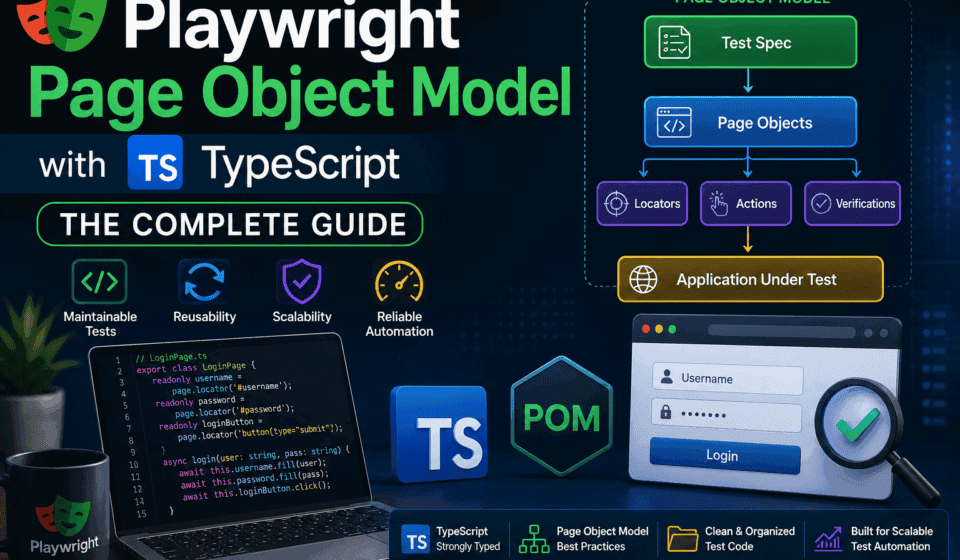
Playwright Page Object Model with TypeScript: The Complete Guide
This guide is written for QA engineers, SDETs, and automation architects who already know the basics of Playwright and TypeScript and want to build something that survives contact with a real product team — one where the UI changes every sprint, three people commit to the same repo, and the test suite runs in CI on every pull request. We will not stop at “here is a Page Object class.” We will go through locator strategy, component objects, fixtures, base classes, generics, API-plus-UI hybrid patterns, anti-patterns that look clean but rot over time, and how the Playwright Page Object Model compares to alternatives like the Screenplay pattern. Every section has runnable TypeScript code you can drop into your own framework.
If you have spent more than a week writing Playwright tests, you already know the feeling. Your first ten tests were fast to write and satisfying to watch pass. By test fifty, every locator change means editing ten files. By test two hundred, nobody on the team wants to touch the test suite because nobody fully understands it anymore. This is not a Playwright problem. It is a structure problem, and the standard fix is the Playwright Page Object Model.
By the end, you should be able to answer — for your own project, not just in theory — the question that separates a maintainable Playwright Page Object Model from a fragile one: when the application changes, how many files do I have to touch? In a well-built framework, the answer is almost always “one.”
What the Page Object Model Actually Is
The Page Object Model is a design pattern, not a Playwright feature. It existed long before Playwright — it came out of the Selenium community around 2008-2009 as engineers realized that mixing “how to click things” with “what the test is verifying” produced test suites that broke constantly and told you nothing useful when they did. The pattern is simple to state and easy to get wrong in practice: every page, or every meaningful section of a page, gets its own class. That class owns the locators for that page and the methods for interacting with it. Your test files never touch a raw locator. They only ever call methods like loginPage.login(username, password) or checkoutPage.applyPromoCode(code).
Playwright did not invent this idea, but it did make it dramatically easier to implement well, for a few concrete reasons that matter to anyone building a Playwright Page Object Model in 2026:
- Auto-waiting is built into locators. A Playwright
Locatorobject is lazy — it does not resolve to an element until you act on it, and every action retries until the element is actionable. This means Page Object methods do not need the explicit wait helpers that clutter older Selenium-based Page Object Models. - TypeScript support is first-class. Playwright ships its own type definitions, so a Page Object written in TypeScript gets real autocomplete, real compile-time errors when a method signature changes, and real refactoring support in VS Code or WebStorm.
- The fixture system replaces manual setup/teardown. Playwright’s
test.extend()lets you inject Page Object instances directly into your test function signature, which removes an entire category of boilerplate that older frameworks needed. - Locators are chainable and composable, which makes component-level Page Objects (a header, a modal, a data table) genuinely reusable across many page classes instead of copy-pasted.
None of this happens automatically just because you are using Playwright. You still have to design the Playwright Page Object Model deliberately. Plenty of Playwright test suites use raw page.locator() calls scattered across test files and never build a Page Object Model at all — they work fine for a demo, and then fall apart the first time a designer renames a CSS class.
The Problem the Page Object Model Solves
Let’s look at what test code looks like without any structure, because the pain is what makes the pattern worth the extra files. Here is a login test written directly against the page, the way most people write their very first Playwright test:
import { test, expect } from '@playwright/test';

test('user can log in with valid credentials', async ({ page }) => {
  await page.goto('https://app.example.com/login');
  await page.locator('#email').fill('qa.tester@example.com');
  await page.locator('#password').fill('SecurePass123!');
  await page.locator('button[type="submit"]').click();
  await expect(page.locator('.dashboard-welcome-banner')).toBeVisible();
  await expect(page.locator('.dashboard-welcome-banner')).toContainText('Welcome back');
});

test('user sees error with invalid password', async ({ page }) => {
  await page.goto('https://app.example.com/login');
  await page.locator('#email').fill('qa.tester@example.com');
  await page.locator('#password').fill('WrongPassword');
  await page.locator('button[type="submit"]').click();
  await expect(page.locator('.error-message')).toBeVisible();
  await expect(page.locator('.error-message')).toContainText('Invalid credentials');
});
This looks fine. It is readable, it is short, and if you run it today it will pass. The trouble shows up on a timeline, not in a single test run. Six weeks from now, imagine any one of these entirely ordinary things happens:
- The frontend team migrates the login form to a component library and the submit button loses its
type="submit"attribute in favor of a data-testid. - A designer changes
.error-messageto.form-error-bannerduring a UI refresh. - Someone adds a “Remember me” checkbox between the password field and the submit button, and a flaky test starts failing because of a layout shift.
Without a Page Object Model, each of these changes means grep-ing through every test file that touches the login page, editing the same locator string in five, ten, or thirty places, and hoping you caught them all. Teams that skip the Playwright Page Object Model early because “it’s just extra files for a small suite” almost always regret it once the suite crosses roughly 40-50 tests — that is usually the point where locator duplication turns from an annoyance into a recurring source of broken CI builds.
There is a second, quieter cost: readability. A test file with fifteen tests that each contain six or seven raw locator calls buries the actual test intent — what is being verified — under implementation detail. A reviewer scanning a pull request has to mentally parse CSS selectors to understand what the test is even checking. Compare the login test above to the same test built on a Playwright Page Object Model:
import { test, expect } from '../fixtures/pageFixtures';

test('user can log in with valid credentials', async ({ loginPage, dashboardPage }) => {
  await loginPage.goto();
  await loginPage.login('qa.tester@example.com', 'SecurePass123!');
  await expect(dashboardPage.welcomeBanner).toBeVisible();
  await expect(dashboardPage.welcomeBanner).toContainText('Welcome back');
});

test('user sees error with invalid password', async ({ loginPage }) => {
  await loginPage.goto();
  await loginPage.login('qa.tester@example.com', 'WrongPassword');
  await expect(loginPage.errorMessage).toBeVisible();
  await expect(loginPage.errorMessage).toContainText('Invalid credentials');
});
The test file now reads like a specification. Every locator lives in exactly one place. When the submit button’s selector changes, you edit LoginPage.ts once, and every test that logs in — there might be dozens across the suite — keeps working. This is the entire value proposition of the Playwright Page Object Model in one sentence: it turns “how” into a single, centrally-maintained implementation detail, and leaves test files free to express only “what.”
Core Architecture of a Playwright Page Object Model
Before writing any code, it helps to agree on vocabulary, because “Page Object Model” gets used loosely and teams end up arguing about naming instead of design. A mature Playwright Page Object Model in TypeScript is usually built from four layers:
1. Page Objects
One class per distinct page or route in the application — LoginPage, DashboardPage, CheckoutPage. A Page Object owns the locators that are unique to that page and the high-level actions a user can perform on it.
2. Component Objects
One class per reusable UI fragment that appears on multiple pages — a site header, a navigation sidebar, a data table with sorting and pagination, a modal dialog, a toast notification system. Component Objects get composed into Page Objects rather than duplicated across them.
3. Base Classes
A BasePage (and optionally a BaseComponent) that all Page Objects and Component Objects extend, holding shared behavior — navigation helpers, common wait strategies, screenshot utilities, and the constructor pattern that wires up the Playwright Page object.
4. Fixtures
Playwright’s test.extend() mechanism, which instantiates your Page Objects and injects them into test functions automatically, replacing manual new LoginPage(page) calls scattered throughout test files.
Here is how these four layers typically relate to each other in a real Playwright Page Object Model:
Fixtures (pageFixtures.ts)
        │
        ├── instantiates ──▶ LoginPage           ─┐
        ├── instantiates ──▶ DashboardPage        │  extend
        ├── instantiates ──▶ CheckoutPage         │  BasePage
        └── instantiates ──▶ ProductListPage     ─┘
                                   │
                                   │ composes
                                   ▼
                         HeaderComponent, FilterSidebarComponent,
                         PaginationComponent ── extend ── BaseComponent
This layered structure is what separates a Playwright Page Object Model that scales to hundreds of tests from one that becomes unmanageable at fifty. Teams that only build layer one — flat Page Objects with no base class, no components, no fixtures — usually hit a wall once the application has any meaningfully reusable UI, which is to say, almost every real application. We will build every one of these four layers in this guide, in order, with working code.
Setting Up a Playwright TypeScript Project for the Page Object Model
Before writing your first Page Object, get the project scaffolding right. A surprising number of “Page Object Model is messy” complaints trace back to project structure decisions made in the first hour, not to Playwright or TypeScript themselves. Start with a fresh Playwright project:
npm init playwright@latest

# When prompted:
# - TypeScript (not JavaScript)
# - tests folder name: tests
# - Add a GitHub Actions workflow: Yes
# - Install Playwright browsers: Yes
Once the base project exists, restructure it for a proper Playwright Page Object Model instead of leaving everything under a single tests/ folder. This is the folder structure I use across enterprise Playwright TypeScript frameworks, refined over several fintech and banking projects where the suite eventually crossed 500+ tests:
playwright-pom-framework/
├── src/
│   ├── pages/
│   │   ├── base/
│   │   │   └── BasePage.ts
│   │   ├── LoginPage.ts
│   │   ├── DashboardPage.ts
│   │   ├── ProductListPage.ts
│   │   └── CheckoutPage.ts
│   ├── components/
│   │   ├── base/
│   │   │   └── BaseComponent.ts
│   │   ├── HeaderComponent.ts
│   │   ├── FilterSidebarComponent.ts
│   │   └── DataTableComponent.ts
│   ├── fixtures/
│   │   └── pageFixtures.ts
│   ├── data/
│   │   └── testData.ts
│   ├── api/
│   │   └── ApiClient.ts
│   └── utils/
│       ├── waitHelpers.ts
│       └── env.ts
├── tests/
│   ├── auth/
│   │   └── login.spec.ts
│   ├── checkout/
│   │   └── checkout.spec.ts
│   └── smoke/
│       └── smoke.spec.ts
├── playwright.config.ts
├── tsconfig.json
└── package.json
Three decisions here are worth explaining because they are the ones people get wrong most often when building their first Playwright Page Object Model.
Page Objects live outside the tests folder, under src/. This is a small thing that has an outsized effect on how a team treats the framework. If Page Objects sit inside tests/, new contributors treat them as disposable test code and are more willing to inline locators directly instead of extending a Page Object properly. Putting them under src/ signals — correctly — that this is framework code, held to the same standard as production code.
Components are separated from Pages from the start. Even if your application currently has only three pages and no obviously reusable components, create the folder. Retrofitting component extraction onto fifteen already-written Page Objects is real, tedious work; deciding upfront that a header or a data table belongs in components/ the moment it appears on a second page costs almost nothing.
Fixtures get their own file, separate from Page Objects and separate from tests. This is what lets test files import one thing — { test, expect } from '../fixtures/pageFixtures' — and get every Page Object automatically injected, which we will build out in detail later in this guide.
Update tsconfig.json to support path aliases, which keeps import statements clean as the Playwright Page Object Model grows past a handful of files:
{
  "compilerOptions": {
    "target": "ES2021",
    "module": "commonjs",
    "lib": ["ES2021", "DOM"],
    "strict": true,
    "esModuleInterop": true,
    "skipLibCheck": true,
    "forceConsistentCasingInFileNames": true,
    "resolveJsonModule": true,
    "baseUrl": ".",
    "paths": {
      "@pages/*": ["src/pages/*"],
      "@components/*": ["src/components/*"],
      "@fixtures/*": ["src/fixtures/*"],
      "@data/*": ["src/data/*"],
      "@utils/*": ["src/utils/*"]
    }
  },
  "include": ["src/**/*.ts", "tests/**/*.ts"]
}
With path aliases configured, an import inside a deeply nested test file goes from import { LoginPage } from '../../../src/pages/LoginPage' to import { LoginPage } from '@pages/LoginPage'. It looks cosmetic, but for a Playwright Page Object Model with dozens of Page Objects spread across nested test folders, this consistently prevents the kind of import-path errors that waste time during code review.
Your First Page Object Class
Let’s build a real LoginPage class properly, then explain every decision in it. This is the canonical shape of a Page Object in a Playwright Page Object Model written in TypeScript:
import { Page, Locator, expect } from '@playwright/test';

export class LoginPage {
  readonly page: Page;
  readonly emailInput: Locator;
  readonly passwordInput: Locator;
  readonly submitButton: Locator;
  readonly errorMessage: Locator;
  readonly rememberMeCheckbox: Locator;

  constructor(page: Page) {
    this.page = page;
    this.emailInput = page.getByTestId('login-email-input');
    this.passwordInput = page.getByTestId('login-password-input');
    this.submitButton = page.getByRole('button', { name: 'Sign in' });
    this.errorMessage = page.getByTestId('login-error-message');
    this.rememberMeCheckbox = page.getByLabel('Remember me');
  }

  async goto(): Promise {
    await this.page.goto('/login');
    await expect(this.emailInput).toBeVisible();
  }

  async login(email: string, password: string): Promise {
    await this.emailInput.fill(email);
    await this.passwordInput.fill(password);
    await this.submitButton.click();
  }

  async loginWithRememberMe(email: string, password: string): Promise {
    await this.emailInput.fill(email);
    await this.passwordInput.fill(password);
    await this.rememberMeCheckbox.check();
    await this.submitButton.click();
  }

  async getErrorText(): Promise {
    await expect(this.errorMessage).toBeVisible();
    return (await this.errorMessage.textContent()) ?? '';
  }

  async isSubmitButtonEnabled(): Promise {
    return this.submitButton.isEnabled();
  }
}
Every design decision in this class is deliberate, and each one matters once your Playwright Page Object Model has forty Page Objects instead of one:
Locators are declared as readonly class properties, initialized in the constructor. This is the standard shape recommended in Playwright’s own documentation, and there is a real reason to follow it rather than defining locators inline inside each method. Declaring them once means every method that needs emailInput reuses the exact same locator definition — there is no risk of two methods using slightly different selectors for what is supposed to be the same element, which is a surprisingly common bug in Page Object Models where locators are written ad hoc inside methods.
Locators use getByTestId, getByRole, and getByLabel instead of CSS selectors. We will cover locator strategy in depth in the next section, but the short version: Playwright’s role-based and test-id-based locators are dramatically more resistant to unrelated UI changes than CSS class selectors, and a Playwright Page Object Model is only as stable as the locators inside it.
Methods represent user actions, not UI mechanics. login() describes what a user does, not which fields get filled in which order. This is the difference between a Page Object Model and what some teams end up building by accident — a thin wrapper class that exposes raw locators with no behavior, which provides almost none of the real benefit of the pattern.
The constructor only ever takes a Page object. Resist the temptation to pass test data, configuration, or other Page Objects into the constructor. Keeping the constructor signature to just (page: Page) is what makes fixtures trivial to write later, and it is what makes every Page Object in your Playwright Page Object Model interchangeable and predictable.
Return types are explicit. Promise<void>, Promise<string>, Promise<boolean> — every method declares what it returns. This is not TypeScript ceremony for its own sake. In a large Playwright Page Object Model, explicit return types are what let IntelliSense tell a teammate, without opening the file, whether getErrorText() returns a string they can assert against directly or something they need to unwrap first.
Locator Strategy Inside a Playwright Page Object Model
Locators are the single biggest determinant of how long a Playwright Page Object Model survives real-world UI churn. A well-organized class hierarchy with brittle CSS selectors inside it will still break every sprint. Playwright’s locator API gives you several strategies, and choosing correctly, in order of preference, is one of the highest-leverage decisions you make while building Page Objects.
The Locator Priority Order
Here is the priority order I use on every Playwright Page Object Model I build, from most stable to least stable:
getByRole()— matches by ARIA role and accessible name. This is Playwright’s recommended default because it mirrors how assistive technology and real users perceive the page, and it survives most visual and structural refactors.getByTestId()— matches a dedicateddata-testidattribute. Extremely stable because it is explicitly reserved for testing and developers know not to repurpose it for styling.getByLabel()— matches form controls by their associated label text. Good for form-heavy pages, and doubles as an accessibility check.getByPlaceholder()— matches by placeholder text. Useful but weaker, since placeholder copy changes more often than labels.getByText()— matches by visible text content. Reasonable for static content, risky for anything that gets localized or A/B tested.- CSS or XPath selectors — the last resort. Use only when nothing above applies, and isolate the selector inside a single Page Object property so at least the blast radius of a future change is contained.
Here is the same set of elements located five different ways, to make the trade-offs concrete:
// Best: role + accessible name — resilient, and doubles as an a11y check
page.getByRole('button', { name: 'Add to cart' });

// Excellent: dedicated test attribute, immune to styling/markup changes
page.getByTestId('add-to-cart-btn');

// Good for forms: tied to the  element, not the DOM structure
page.getByLabel('Shipping address');

// Acceptable: fine for static, non-localized copy
page.getByText('Add to cart', { exact: true });

// Last resort: fragile, breaks the moment a class name changes
page.locator('.btn.btn-primary.cart-action');
A pattern I strongly recommend for any Playwright Page Object Model on a product where you have influence over the frontend codebase: negotiate with developers to add data-testid attributes to interactive elements as part of the definition of done for new UI work. This single process change, more than any clever locator syntax, is what keeps a Page Object Model’s locators stable release after release. Teams that treat test IDs as a shared contract between engineering and QA see dramatically fewer “the UI changed and broke forty tests” incidents than teams where QA reverse-engineers CSS selectors after the fact.
Scoping Locators Instead of Chaining Global Selectors
A common mistake inside a growing Playwright Page Object Model is writing global locators that happen to work today because there is only one matching element on the page, and then breaking silently the day a second matching element appears — for example, when a second “Delete” button shows up in a newly added modal. Scope locators to their container wherever the page has repeatable sections:
export class ProductListPage {
  readonly page: Page;
  readonly productCards: Locator;

  constructor(page: Page) {
    this.page = page;
    this.productCards = page.getByTestId('product-card');
  }

  // Scoped to a specific card, not the whole page — safe even with
  // dozens of "Add to cart" buttons rendered on the same page.
  productCardByName(productName: string): Locator {
    return this.productCards.filter({ hasText: productName });
  }

  async addToCartByName(productName: string): Promise {
    const card = this.productCardByName(productName);
    await card.getByRole('button', { name: 'Add to cart' }).click();
  }

  async getProductCount(): Promise {
    return this.productCards.count();
  }
}
Notice that addToCartByName never queries the whole page for “the” Add to cart button. It scopes down to the specific card first, using .filter({ hasText }), and only then locates the button within that scope. This scoping habit is one of the most reliable ways to prevent the flaky, “sometimes it clicks the wrong item” failures that plague Page Object Models built on unscoped global selectors — and it becomes essential the moment your Playwright Page Object Model needs to handle lists, tables, or repeated cards, which almost every real application has somewhere.
Dynamic Locators as Methods, Not Properties
A subtlety that trips up engineers coming from a Selenium-based Page Object Model background: not every locator belongs in the constructor. Locators that depend on a runtime parameter — “the row for this specific order ID,” “the tab labeled X” — should be methods that return a Locator, not fixed properties:
export class OrderHistoryPage {
  readonly page: Page;

  constructor(page: Page) {
    this.page = page;
  }

  // Dynamic — parameterized, returns a fresh Locator per call
  orderRowById(orderId: string): Locator {
    return this.page.getByTestId(`order-row-${orderId}`);
  }

  async getOrderStatus(orderId: string): Promise {
    const row = this.orderRowById(orderId);
    return (await row.getByTestId('order-status').textContent()) ?? '';
  }
}
This is safe in Playwright specifically because a Locator is a description of how to find an element, not a reference to an already-found DOM node — unlike Selenium’s WebElement, which resolves immediately and can go stale. That laziness is what makes parameterized locator methods a natural, idiomatic part of the Playwright Page Object Model rather than a workaround.
The BasePage Pattern
Once you have written three or four Page Objects, you will notice repetition: every page needs a way to wait for it to be fully loaded, every page needs a screenshot helper for debugging, most pages share a way to check the current URL or page title. This shared behavior belongs in a BasePage class that every Page Object in your Playwright Page Object Model extends.
import { Page, expect } from '@playwright/test';

export abstract class BasePage {
  readonly page: Page;

  constructor(page: Page) {
    this.page = page;
  }

  async waitForPageLoad(): Promise {
    await this.page.waitForLoadState('networkidle');
  }

  async getTitle(): Promise {
    return this.page.title();
  }

  async getCurrentUrl(): Promise {
    return this.page.url();
  }

  async takeScreenshot(name: string): Promise {
    await this.page.screenshot({
      path: `test-results/screenshots/${name}-${Date.now()}.png`,
      fullPage: true,
    });
  }

  async assertUrlContains(fragment: string): Promise {
    await expect(this.page).toHaveURL(new RegExp(fragment));
  }

  async reload(): Promise {
    await this.page.reload();
    await this.waitForPageLoad();
  }
}
Every concrete Page Object then extends BasePage instead of duplicating this logic:
import { Page, Locator } from '@playwright/test';
import { BasePage } from './base/BasePage';

export class DashboardPage extends BasePage {
  readonly welcomeBanner: Locator;
  readonly logoutButton: Locator;

  constructor(page: Page) {
    super(page);
    this.welcomeBanner = page.getByTestId('welcome-banner');
    this.logoutButton = page.getByRole('button', { name: 'Log out' });
  }

  async logout(): Promise {
    await this.logoutButton.click();
    await this.waitForPageLoad();
  }
}
Note the super(page) call — this is what wires the child class’s inherited this.page property. If you forget it, TypeScript will not compile, which is a nice built-in safety net that a purely JavaScript Page Object Model does not get for free. A word of caution on where to draw the line with BasePage: keep it to genuinely universal, structural behavior. Resist the urge to add page-specific business logic to the base class “because two pages happen to need it right now” — that is usually a sign the shared logic actually belongs in a Component Object, which we cover next, not in the base class every single Page Object inherits from.
Component Objects: The Piece Most Page Object Models Get Wrong
Here is where a lot of otherwise well-structured Playwright Page Object Model implementations start to break down. A typical enterprise web application has a header with a search bar and a notifications bell on every single page. It has a footer. It might have a filter sidebar that appears on three different list pages with identical behavior. If each Page Object re-declares locators and methods for these shared elements, you are back to the exact duplication problem the Page Object Model was supposed to solve — just one abstraction layer removed instead of eliminated.
The fix is Component Objects: classes that represent a reusable UI fragment, built the same way as a Page Object, but composed into Page Objects rather than standing alone.
import { Page, Locator } from '@playwright/test';

export class HeaderComponent {
  readonly page: Page;
  readonly root: Locator;
  readonly searchInput: Locator;
  readonly notificationsBell: Locator;
  readonly userMenuTrigger: Locator;

  constructor(page: Page) {
    this.page = page;
    this.root = page.getByTestId('app-header');
    this.searchInput = this.root.getByRole('searchbox');
    this.notificationsBell = this.root.getByTestId('notifications-bell');
    this.userMenuTrigger = this.root.getByTestId('user-menu-trigger');
  }

  async search(query: string): Promise {
    await this.searchInput.fill(query);
    await this.searchInput.press('Enter');
  }

  async openUserMenu(): Promise {
    await this.userMenuTrigger.click();
  }

  async getUnreadNotificationCount(): Promise {
    const badge = this.notificationsBell.getByTestId('unread-count');
    const text = await badge.textContent();
    return text ? parseInt(text, 10) : 0;
  }
}
Notice that every locator inside HeaderComponent is scoped under this.root, the header container, exactly the same scoping discipline covered in the locator strategy section above. This matters even more for components than for pages, because a component like a header is by definition something that repeats — if your application ever renders two headers on screen at once (a common pattern in slide-out panels or embedded iframes), unscoped locators inside a component will immediately become ambiguous.
Now compose HeaderComponent into any Page Object that needs it:
import { Page } from '@playwright/test';
import { BasePage } from './base/BasePage';
import { HeaderComponent } from '../components/HeaderComponent';

export class ProductListPage extends BasePage {
  readonly header: HeaderComponent;

  constructor(page: Page) {
    super(page);
    this.header = new HeaderComponent(page);
  }
}

export class DashboardPage extends BasePage {
  readonly header: HeaderComponent;

  constructor(page: Page) {
    super(page);
    this.header = new HeaderComponent(page);
  }
}
A test can now write await productListPage.header.search('running shoes') from any page that composes the header, and if the search input’s locator ever changes, there is exactly one file to update — HeaderComponent.ts — regardless of how many Page Objects use it. This composition-over-duplication approach is, in practice, the single biggest predictor of whether a Playwright Page Object Model stays maintainable past the six-month mark on a real product.
A More Advanced Component: Reusable Data Table
Component Objects earn their keep even more on genuinely complex, repeated UI like data tables. Here is a generic table component used across order history, user management, and audit log pages in a typical enterprise Playwright Page Object Model:
import { Page, Locator } from '@playwright/test';

export class DataTableComponent {
  readonly page: Page;
  readonly root: Locator;
  readonly rows: Locator;
  readonly nextPageButton: Locator;
  readonly prevPageButton: Locator;

  constructor(page: Page, testId: string) {
    this.page = page;
    this.root = page.getByTestId(testId);
    this.rows = this.root.locator('tbody tr');
    this.nextPageButton = this.root.getByRole('button', { name: 'Next page' });
    this.prevPageButton = this.root.getByRole('button', { name: 'Previous page' });
  }

  async getRowCount(): Promise {
    return this.rows.count();
  }

  rowByCellText(text: string): Locator {
    return this.rows.filter({ hasText: text });
  }

  async sortByColumn(columnName: string): Promise {
    await this.root.getByRole('columnheader', { name: columnName }).click();
  }

  async goToNextPage(): Promise {
    await this.nextPageButton.click();
  }

  async getCellValue(rowText: string, columnIndex: number): Promise {
    const row = this.rowByCellText(rowText);
    const cell = row.locator('td').nth(columnIndex);
    return (await cell.textContent()) ?? '';
  }
}
Because the constructor accepts a testId parameter, this single component powers every data table in the application. A Page Object composes it like this:
export class OrderHistoryPage extends BasePage {
  readonly ordersTable: DataTableComponent;

  constructor(page: Page) {
    super(page);
    this.ordersTable = new DataTableComponent(page, 'orders-table');
  }
}

export class UserManagementPage extends BasePage {
  readonly usersTable: DataTableComponent;

  constructor(page: Page) {
    super(page);
    this.usersTable = new DataTableComponent(page, 'users-table');
  }
}
This is a good moment to state a rule of thumb explicitly: if you find yourself writing near-identical locator and method blocks in two different Page Objects, that is the signal to extract a Component Object, not to keep duplicating. Component extraction is, along with locator strategy, the technique that most separates a Playwright Page Object Model that scales cleanly from one that grows linearly worse with every new page.
Wiring It Together with Playwright Fixtures
So far, every test that wants to use a Page Object has to manually instantiate it: const loginPage = new LoginPage(page);. That works, but it means every test file repeats the same instantiation boilerplate, and it means adding a new Page Object to a test requires editing the test’s setup code, not just the test body. Playwright’s fixture system, via test.extend(), solves this cleanly and is the piece that turns a collection of Page Object classes into an actual Playwright Page Object Model framework rather than just a folder of helper classes.
import { test as base } from '@playwright/test';
import { LoginPage } from '@pages/LoginPage';
import { DashboardPage } from '@pages/DashboardPage';
import { ProductListPage } from '@pages/ProductListPage';
import { CheckoutPage } from '@pages/CheckoutPage';

type PageObjectFixtures = {
  loginPage: LoginPage;
  dashboardPage: DashboardPage;
  productListPage: ProductListPage;
  checkoutPage: CheckoutPage;
};

export const test = base.extend({
  loginPage: async ({ page }, use) => {
    await use(new LoginPage(page));
  },
  dashboardPage: async ({ page }, use) => {
    await use(new DashboardPage(page));
  },
  productListPage: async ({ page }, use) => {
    await use(new ProductListPage(page));
  },
  checkoutPage: async ({ page }, use) => {
    await use(new CheckoutPage(page));
  },
});

export { expect } from '@playwright/test';
Test files now import test and expect from this fixtures file instead of directly from @playwright/test, and every Page Object becomes available as a parameter, fully instantiated, with no manual setup:
import { test, expect } from '@fixtures/pageFixtures';

test.describe('Checkout flow', () => {
  test('user can complete checkout with a valid promo code', async ({
    loginPage,
    productListPage,
    checkoutPage,
  }) => {
    await loginPage.goto();
    await loginPage.login('qa.tester@example.com', 'SecurePass123!');
    await productListPage.addToCartByName('Running Shoes');
    await checkoutPage.goto();
    await checkoutPage.applyPromoCode('SAVE10');
    await expect(checkoutPage.discountLine).toContainText('10% off');
  });
});
Two things happen automatically here that used to be manual: only the fixtures a specific test actually names as parameters get instantiated (Playwright’s fixtures are lazy — checkoutPage is not created for a test that never lists it), and every Page Object receives the correct, isolated page instance for that test’s browser context without any of that plumbing appearing in the test body. This is what a mature Playwright Page Object Model looks like from the test author’s perspective: pick the Page Objects you need as named parameters, and everything else is handled.
Fixture Composition for Component-Heavy Pages
Fixtures scale the same way Page Objects do. If most tests need to start already logged in, you can build an authenticatedPage fixture that performs login once and hands back a ready-to-use Page Object, saving every downstream test from repeating the login flow:
export const test = base.extend({
  // ...other fixtures...
  authenticatedDashboard: async ({ page }, use) => {
    const loginPage = new LoginPage(page);
    await loginPage.goto();
    await loginPage.login(
      process.env.QA_USER_EMAIL ?? 'qa.tester@example.com',
      process.env.QA_USER_PASSWORD ?? 'SecurePass123!'
    );
    const dashboardPage = new DashboardPage(page);
    await dashboardPage.waitForPageLoad();
    await use(dashboardPage);
  },
});
Any test that names authenticatedDashboard as a parameter starts already logged in, with zero login boilerplate in the test body. This pattern — pushing common setup into a fixture rather than into a beforeEach hook duplicated across spec files — is, in my experience building Playwright Page Object Model frameworks across fintech and wealth-management platforms, the single change that most reduces test file bloat once a suite passes a few hundred tests.
Handling Multiple Pages, Tabs, and Popups
Real applications open new tabs for things like PDF statements, third-party payment gateways, or “open in new window” links, and a Playwright Page Object Model needs a clean way to represent this without breaking the one-class-per-page discipline. Playwright models a new tab or popup as a new Page object belonging to the same BrowserContext, and the Page Object pattern extends naturally:
export class CheckoutPage extends BasePage {
  readonly payWithCardButton: Locator;

  constructor(page: Page) {
    super(page);
    this.payWithCardButton = page.getByRole('button', { name: 'Pay with card' });
  }

  async openPaymentGateway(): Promise {
    const [popup] = await Promise.all([
      this.page.waitForEvent('popup'),
      this.payWithCardButton.click(),
    ]);
    await popup.waitForLoadState();
    return new PaymentGatewayPage(popup);
  }
}

export class PaymentGatewayPage extends BasePage {
  readonly cardNumberInput: Locator;
  readonly payButton: Locator;

  constructor(page: Page) {
    super(page);
    this.cardNumberInput = page.getByLabel('Card number');
    this.payButton = page.getByRole('button', { name: 'Pay now' });
  }

  async payWithTestCard(cardNumber: string): Promise {
    await this.cardNumberInput.fill(cardNumber);
    await this.payButton.click();
  }
}
The key idea is that openPaymentGateway() returns a brand-new Page Object bound to the popup’s Page, and the test consumes it exactly like any other Page Object:
test('user can pay via the external gateway popup', async ({ checkoutPage }) => {
  const gatewayPage = await checkoutPage.openPaymentGateway();
  await gatewayPage.payWithTestCard('4242424242424242');
  await expect(checkoutPage.confirmationBanner).toBeVisible();
});
This “method returns a new Page Object” pattern is worth generalizing: any Page Object method that causes navigation to a genuinely different page — clicking a link that opens a new tab, submitting a form that redirects to a different route — is a good candidate to return the destination Page Object instead of leaving the test to construct it manually. It keeps the chain of navigation legible directly in the test file, and it is a pattern that scales well as your Playwright Page Object Model grows to cover multi-step, cross-page workflows like checkout, onboarding wizards, or document upload flows that hand off to a third-party viewer.
Combining API Calls with the Page Object Model
Pure UI-driven Page Object Models have a well-known cost: every test that needs a logged-in user, an existing order, or seeded data has to drive the UI to create that state before the actual test even starts. This is slow, and it makes tests brittle in a way that has nothing to do with what the test is meant to verify — a UI-based setup step failing shouldn’t fail a test whose actual purpose is checking, say, a discount calculation. A mature Playwright Page Object Model usually pairs UI Page Objects with a thin API client used purely for test data setup and teardown.
import { APIRequestContext, request } from '@playwright/test';

export class ApiClient {
  private context: APIRequestContext;
  private constructor(context: APIRequestContext) {
    this.context = context;
  }

  static async create(baseURL: string, authToken?: string): Promise {
    const context = await request.newContext({
      baseURL,
      extraHTTPHeaders: authToken ? { Authorization: `Bearer ${authToken}` } : {},
    });
    return new ApiClient(context);
  }

  async createOrder(payload: { productId: string; quantity: number }): Promise<{ id: string }> {
    const response = await this.context.post('/api/orders', { data: payload });
    if (!response.ok()) {
      throw new Error(`Failed to create order: ${response.status()}`);
    }
    return response.json();
  }

  async deleteOrder(orderId: string): Promise {
    await this.context.delete(`/api/orders/${orderId}`);
  }

  async dispose(): Promise {
    await this.context.dispose();
  }
}
A test can then use the API purely to establish state, and reserve the actual Page Object interactions for the behavior it is testing:
test('order status updates correctly after cancellation', async ({ page, orderHistoryPage }) => {
  const api = await ApiClient.create(process.env.API_BASE_URL!, process.env.QA_AUTH_TOKEN);
  const order = await api.createOrder({ productId: 'prod_123', quantity: 2 });

  await orderHistoryPage.goto();
  await orderHistoryPage.cancelOrder(order.id);

  const status = await orderHistoryPage.ordersTable.getCellValue(order.id, 3);
  expect(status).toBe('Cancelled');

  await api.deleteOrder(order.id);
  await api.dispose();
});
This test creates its order over the API in milliseconds instead of driving through a multi-step “add to cart, checkout, pay” UI flow, and it cleans up after itself the same way. The Page Object Model is still doing exactly what it’s good at — representing the cancellation flow and reading the resulting status — while the API client handles setup that has nothing to do with the behavior under test. On enterprise Playwright Page Object Model frameworks I have built for banking and wealth-management platforms, this API-for-setup, UI-for-verification split routinely cuts total suite runtime by 40% or more, simply because dozens of tests stop re-driving the same multi-step UI flows just to get to a starting state.
TypeScript Generics and Interfaces in the Page Object Model
TypeScript’s type system is not just documentation — used well, it prevents entire categories of bugs in a Playwright Page Object Model before a test ever runs. Two patterns are worth adding once your framework has more than a handful of Page Objects: a shared interface for form-like pages, and generics for reusable components that wrap different data shapes.
Interfaces for Consistent Page Object Contracts
export interface FormPage {
  fillForm(data: TFormData): Promise;
  submit(): Promise;
  getValidationErrors(): Promise;
}

interface RegistrationFormData {
  fullName: string;
  email: string;
  password: string;
}

export class RegistrationPage extends BasePage implements FormPage {
  readonly fullNameInput: Locator;
  readonly emailInput: Locator;
  readonly passwordInput: Locator;
  readonly submitButton: Locator;
  readonly validationErrors: Locator;

  constructor(page: Page) {
    super(page);
    this.fullNameInput = page.getByLabel('Full name');
    this.emailInput = page.getByLabel('Email');
    this.passwordInput = page.getByLabel('Password');
    this.submitButton = page.getByRole('button', { name: 'Create account' });
    this.validationErrors = page.getByTestId('validation-error');
  }

  async fillForm(data: RegistrationFormData): Promise {
    await this.fullNameInput.fill(data.fullName);
    await this.emailInput.fill(data.email);
    await this.passwordInput.fill(data.password);
  }

  async submit(): Promise {
    await this.submitButton.click();
  }

  async getValidationErrors(): Promise {
    return this.validationErrors.allTextContents();
  }
}
Implementing a shared FormPage<T> interface across every form-based Page Object means a generic helper — a data-driven test runner, a shared “submit and expect success” utility — can operate against any form page without knowing its concrete type. This kind of contract is what separates a Playwright Page Object Model built with real software-engineering discipline from one that happens to use TypeScript syntax but ignores what the type system offers.
Generic Component Wrappers
Generics also help when the same UI pattern renders different data shapes. A dropdown component, for instance, can be typed against whatever option type the page actually uses:
export class DropdownComponent {
  readonly page: Page;
  readonly trigger: Locator;
  readonly optionsList: Locator;

  constructor(page: Page, testId: string) {
    this.page = page;
    this.trigger = page.getByTestId(testId);
    this.optionsList = page.getByTestId(`${testId}-options`);
  }

  async select(option: TOption): Promise {
    await this.trigger.click();
    await this.optionsList.getByText(option, { exact: true }).click();
  }

  async getSelectedValue(): Promise {
    return (await this.trigger.textContent()) ?? '';
  }
}

type SortOption = 'Price: Low to High' | 'Price: High to Low' | 'Newest first';
type CountryOption = 'India' | 'United States' | 'United Kingdom' | 'Australia';

export class ProductListPage extends BasePage {
  readonly sortDropdown: DropdownComponent;

  constructor(page: Page) {
    super(page);
    this.sortDropdown = new DropdownComponent(page, 'sort-dropdown');
  }
}
Because sortDropdown.select() is typed against the literal union SortOption, calling productListPage.sortDropdown.select('Pric') — a typo — fails at compile time, not at runtime three minutes into a CI job. This is a small thing multiplied across a hundred dropdown interactions in a large Playwright Page Object Model, and it is exactly the kind of safety net that a JavaScript-only Page Object Model cannot offer.
Should Assertions Live Inside Page Objects?
This is one of the most debated design questions in any Page Object Model, Playwright-based or otherwise, and reasonable, experienced automation architects land on different answers. It is worth walking through the actual trade-off rather than declaring one side correct, because the right answer depends on what kind of Playwright Page Object Model you are building.
The Case for Keeping Assertions Out of Page Objects
The traditional, purist view — carried over largely unchanged from the original Selenium-era Page Object Model — is that Page Objects should expose state (locators, getters) and behavior (actions), and test files should own every assertion. Under this view, LoginPage never calls expect() except in narrow, structural cases like confirming a page finished loading. The argument is separation of concerns: a Page Object represents the page, and whether a given state on that page is correct or incorrect is a test-level decision, not something baked into the object representing the page itself. This keeps Page Objects reusable across very different kinds of tests — a smoke test and a detailed negative-path test can both use the same LoginPage without either being constrained by assertions the other doesn’t want.
The Case for Some Assertions Inside Page Objects
In practice, on large Playwright Page Object Model frameworks, a purely assertion-free Page Object leads to real duplication of a different kind: dozens of test files independently re-implementing “wait for this element to be visible, then check its text,” each with slightly different wait strategies and slightly different failure messages when something goes wrong. A more pragmatic, and in my experience more maintainable, middle ground is:
- Structural/navigational assertions live in the Page Object. “Did the login page finish loading” or “did navigation actually land on the checkout page” are properties of the page itself, not of any individual test’s business logic, and belong in methods like
goto(). - Business/functional assertions live in the test. “Is the discount 10%,” “does the error say the specific right thing for this specific scenario” — these are what the test is actually about, and they belong in the test file where a reviewer can see exactly what is being verified without opening the Page Object source.
export class LoginPage extends BasePage {
  // ...locators...

  async goto(): Promise {
    await this.page.goto('/login');
    // Structural assertion: confirms the page itself loaded correctly.
    // Belongs here because every single test that uses LoginPage needs this to be true.
    await expect(this.emailInput).toBeVisible();
  }

  async login(email: string, password: string): Promise {
    await this.emailInput.fill(email);
    await this.passwordInput.fill(password);
    await this.submitButton.click();
    // No assertion here — whether login succeeded, failed, or was rejected
    // is exactly what different tests want to verify differently.
  }
}

test('valid login redirects to dashboard', async ({ loginPage, page }) => {
  await loginPage.goto();
  await loginPage.login('qa.tester@example.com', 'SecurePass123!');
  // Business assertion: this is what the test is actually checking. It belongs here.
  await expect(page).toHaveURL(/\/dashboard/);
});
This split — structural assertions in the Page Object, business assertions in the test — is the convention I recommend defaulting to on any new Playwright Page Object Model, and it is the one I have seen hold up best across teams of mixed experience levels, since it gives junior engineers an unambiguous rule instead of a philosophical debate to resolve on every pull request.
Anti-Patterns: What a Bad Page Object Model Looks Like
Most Playwright Page Object Model implementations do not fail loudly. They fail slowly, by accumulating small compromises that each seemed reasonable in isolation. Here are the anti-patterns I see most often when reviewing frameworks, roughly ordered by how much long-term damage they do.
1. God Page Objects
A single Page class — often literally named that — that accumulates locators and methods for the entire application because nobody drew page boundaries early. Symptoms: a class file with 800+ lines, methods with names like doStuffOnHomepage2(), and merge conflicts every time two people touch it in the same week. The fix is the discipline covered earlier in this guide: one class per route, components extracted the moment something repeats across two pages.
2. Locators Recomputed Inline Instead of Declared Once
// Anti-pattern: the same locator string typed slightly differently
// in three different methods of the same Page Object.
async clickSubmit() {
  await this.page.locator('button[type=submit]').click();
}
async isSubmitDisabled() {
  return this.page.locator("button[type='submit']").isDisabled();
}
Two subtly different selector strings for what is supposed to be the same button is a bug waiting to happen — the moment the markup changes, only one of the two gets updated, and a test starts failing with a confusing error that has nothing to do with what actually changed. Declare every locator exactly once, as a class property, as shown throughout this guide.
3. Test Data Baked Into Page Objects
// Anti-pattern: hardcoded test data inside a Page Object method
async loginAsDefaultUser() {
  await this.login('qa.tester@example.com', 'SecurePass123!');
}
This looks convenient until a second environment, a second test user, or a data-driven test suite needs different credentials, and now the Page Object itself has to change to support a new test scenario — which defeats the entire point of separating “how” from “what.” Test data belongs in fixtures, environment variables, or dedicated data files, never hardcoded inside a Page Object Model’s methods.
4. Sleep-Based Waits Layered on Top of Playwright’s Auto-Waiting
// Anti-pattern: defeats the entire point of Playwright's auto-waiting locators
async submitForm() {
  await this.page.waitForTimeout(2000);
  await this.submitButton.click();
}
Playwright locators already retry until actionable — a hardcoded waitForTimeout is almost always either masking a genuine race condition that deserves a real fix, or adding pure, unnecessary latency to every test run. If a specific interaction genuinely needs to wait for something, wait for that condition explicitly (waitForResponse, waitForSelector with a real state, an explicit network idle check) rather than an arbitrary duration.
5. Page Objects That Know About Other Page Objects’ Internals
// Anti-pattern: CheckoutPage reaching into ProductListPage's internal locators
export class CheckoutPage extends BasePage {
  async goBackAndAddAnotherItem(productName: string) {
    await this.page.goBack();
    const productList = new ProductListPage(this.page);
    await productList.addToCartByName(productName); // fine
    // but worse versions of this anti-pattern directly poke at
    // productList's private locators or internal state
  }
}
Cross-page navigation methods are fine when they operate through another Page Object’s public methods — that is healthy composition. The anti-pattern is when a Page Object reaches past another Page Object’s public interface into its locators or private helpers directly, which quietly re-couples two classes that were supposed to be independent, and reintroduces the exact fragility the Playwright Page Object Model pattern exists to prevent.
6. No Base Class, Full Duplication of Shared Utilities
Covered in depth earlier, but worth repeating as an anti-pattern in its own right: if waitForPageLoad(), screenshot helpers, or URL assertions are copy-pasted across every Page Object instead of inherited from a BasePage, every future improvement to that shared behavior means editing every single Page Object file instead of one.
Scaling a Playwright Page Object Model for Enterprise Test Suites
Everything covered so far works well from a handful of tests up to a few hundred. Past that point — the range where suites for large fintech, banking, and enterprise SaaS platforms typically live — a few additional practices matter more than they do early on.
Split Page Objects by Domain, Not Just by Page
Once an application has fifty or more pages, a flat src/pages/ folder becomes hard to navigate. Group Page Objects into domain-aligned subfolders that mirror how the product itself is organized — pages/auth/, pages/checkout/, pages/account-management/, pages/reporting/. This mirrors how most enterprise engineering teams are themselves organized, which makes it easier for a QA engineer new to the team to find the right Page Object without a guided tour.
Enforce the Pattern with Lint Rules, Not Just Code Review
Code review catches Page Object Model violations inconsistently, especially on a team where reviewers rotate. A more durable enforcement mechanism is a custom ESLint rule that flags raw page.locator() calls inside test files (under tests/) while allowing them inside Page Object and Component files (under src/pages/ and src/components/). This turns “always use Page Objects, never raw locators in tests” from a guideline into something CI actually enforces on every pull request, which matters enormously once a team grows past two or three engineers who can no longer review every single line personally.
Version Page Objects Alongside the Application They Test
On platforms with multiple parallel release branches — common in banking and fintech, where a production hotfix branch and a next-release branch can diverge in UI — keep the Playwright Page Object Model framework in the same repository as the application, or in a tightly version-pinned sibling repository. Page Objects that drift out of sync with the actual application version under test are a routine, avoidable source of false test failures in exactly the kind of regulated, multi-branch environments where reliable automation matters most.
Introduce a Registry Fixture for Very Large Page Object Sets
Once a framework has sixty or more Page Objects, listing every single one individually in the fixtures file, as shown earlier in this guide, becomes unwieldy. A lazy-instantiation registry pattern keeps the fixtures file itself small regardless of how many Page Objects exist:
import { Page } from '@playwright/test';
import { LoginPage } from '@pages/auth/LoginPage';
import { DashboardPage } from '@pages/DashboardPage';
// ...many more imports as the framework grows...

export class PageObjectRegistry {
  private page: Page;
  private cache = new Map();

  constructor(page: Page) {
    this.page = page;
  }

  private getOrCreate(key: string, factory: () => T): T {
    if (!this.cache.has(key)) {
      this.cache.set(key, factory());
    }
    return this.cache.get(key) as T;
  }

  get loginPage(): LoginPage {
    return this.getOrCreate('loginPage', () => new LoginPage(this.page));
  }

  get dashboardPage(): DashboardPage {
    return this.getOrCreate('dashboardPage', () => new DashboardPage(this.page));
  }

  // ...one getter per Page Object, each cheap and consistent to add...
}
A single fixture then exposes the registry, and tests destructure only what they need:
export const test = base.extend<{ pages: PageObjectRegistry }>({
  pages: async ({ page }, use) => {
    await use(new PageObjectRegistry(page));
  },
});

test('example', async ({ pages }) => {
  await pages.loginPage.goto();
  await pages.loginPage.login('qa.tester@example.com', 'SecurePass123!');
  await pages.dashboardPage.waitForPageLoad();
});
This trades a small amount of verbosity at each call site (pages.loginPage instead of a bare loginPage fixture parameter) for a fixtures file that never needs to grow past a few lines, no matter how large the Playwright Page Object Model becomes underneath it. On very large frameworks, this trade-off is usually worth making somewhere between fifty and a hundred Page Objects.
Page Object Model vs. the Screenplay Pattern
The Page Object Model is not the only structured approach to UI automation, and it’s worth understanding the alternative that comes up most often in architecture discussions: the Screenplay pattern. Understanding the trade-off helps justify, rather than just assume, that a Playwright Page Object Model is the right choice for a given team.
The Screenplay pattern, most associated with the Serenity BDD framework in the Java ecosystem, models tests around actors who perform tasks using abilities, and verify outcomes through questions. Instead of a test calling loginPage.login(email, password), a Screenplay-style test reads more like actor.attemptsTo(Login.withCredentials(email, password)). The pattern is explicitly built around composability of small, single-responsibility task objects, and it decouples “what an actor can do” from any specific page, which matters more in complex, multi-actor scenarios like testing a chat feature where two separate users interact within the same test.
For the overwhelming majority of Playwright TypeScript projects, the Page Object Model remains the better default, for a few concrete reasons:
- Tooling and community fit. Playwright’s own documentation, official examples, and the wider ecosystem of blog posts, courses, and Stack Overflow answers are built around the Page Object Model. Screenplay is well-supported in the Java/Serenity world but is a much less common pattern in Playwright-specific TypeScript codebases, which means less prior art to lean on when a new engineer joins the team.
- Lower conceptual overhead. A Page Object Model maps directly onto something every engineer already understands intuitively — “this class represents this page.” Screenplay’s actor/task/ability/question vocabulary has a real learning curve, and that cost is only worth paying when the complexity it solves — genuinely multi-actor, cross-cutting scenarios — is a significant fraction of the actual test suite.
- Playwright’s fixture system already solves much of what Screenplay solves elsewhere. Screenplay’s “abilities” concept — giving an actor the ability to browse the web, call an API, and so on — overlaps significantly with what Playwright fixtures and the API-plus-POM hybrid pattern covered earlier in this guide already provide natively.
Screenplay becomes genuinely worth considering when a test suite is dominated by multi-actor scenarios — two users messaging each other, an admin approving something a regular user submitted, in the same test — where the “actor performs task” framing maps more naturally onto the domain than “page objects representing pages” does. For the single-actor, page-and-flow-driven testing that makes up the large majority of e-commerce, fintech, and SaaS UI automation, the Playwright Page Object Model remains the pragmatic default, and it is the pattern I recommend starting with on essentially every new Playwright TypeScript framework unless there is a specific, demonstrated multi-actor need that justifies the extra conceptual overhead of Screenplay.
Running a Playwright Page Object Model in CI/CD
A Playwright Page Object Model that only ever runs on one engineer’s laptop provides a fraction of its potential value. The pattern’s real payoff — locator changes fixed in one place, readable diffs in pull requests, tests that stay green across contributors — shows up most clearly once the suite is running automatically on every pull request. A few CI-specific considerations matter more once the framework is structured around Page Objects and fixtures.
Parallelization Is Free, But Only If State Is Isolated
Playwright runs tests in parallel by default, each in its own isolated BrowserContext. This works cleanly with a Playwright Page Object Model as long as Page Objects never hold cross-test state — which is exactly why the constructor pattern used throughout this guide takes only a Page object and nothing else. A Page Object instantiated fresh per test, from a fixture, with no module-level shared state, is inherently safe to run in parallel. The moment a Page Object or a shared utility starts caching something at the module level — a common accidental mistake when someone tries to “optimize” by reusing an API client across tests — parallel CI runs start producing flaky, hard-to-reproduce failures.
A Representative GitHub Actions Workflow
name: Playwright Tests

on:
  pull_request:
    branches: [main]

jobs:
  test:
    runs-on: ubuntu-latest
    strategy:
      matrix:
        shard: [1, 2, 3, 4]
    steps:
      - uses: actions/checkout@v4
      - uses: actions/setup-node@v4
        with:
          node-version: 20
      - run: npm ci
      - run: npx playwright install --with-deps
      - run: npx playwright test --shard=${{ matrix.shard }}/4
      - uses: actions/upload-artifact@v4
        if: always()
        with:
          name: playwright-report-${{ matrix.shard }}
          path: playwright-report/
          retention-days: 14
Sharding across four parallel jobs, as shown above, distributes the Playwright Page Object Model’s tests roughly evenly, and because Page Objects carry no shared state across tests, sharding requires no special handling on the framework side — it works out of the box, purely as a consequence of having followed the constructor and fixture patterns covered earlier in this guide.
TypeScript Compilation as a CI Gate
Because a Playwright Page Object Model is written in TypeScript, add a dedicated tsc --noEmit step to CI, separate from actually running the tests. This catches interface violations, incorrect method signatures, and locator typos in generic-typed dropdowns (like the SortOption example earlier in this guide) before a single browser even launches — which is both faster and cheaper than discovering the same problem forty seconds into a real browser-driven test run.
"scripts": {
  "typecheck": "tsc --noEmit",
  "test": "playwright test",
  "test:ci": "npm run typecheck && playwright test"
}
Complete Folder Structure Reference
Pulling every pattern from this guide together, here is the full, production-shaped structure for a mature Playwright Page Object Model in TypeScript:
playwright-pom-framework/
├── src/
│   ├── pages/
│   │   ├── base/BasePage.ts
│   │   ├── auth/LoginPage.ts
│   │   ├── auth/RegistrationPage.ts
│   │   ├── DashboardPage.ts
│   │   ├── checkout/ProductListPage.ts
│   │   ├── checkout/CheckoutPage.ts
│   │   ├── checkout/PaymentGatewayPage.ts
│   │   └── account/OrderHistoryPage.ts
│   ├── components/
│   │   ├── base/BaseComponent.ts
│   │   ├── HeaderComponent.ts
│   │   ├── DataTableComponent.ts
│   │   └── DropdownComponent.ts
│   ├── fixtures/
│   │   └── pageFixtures.ts
│   ├── api/
│   │   └── ApiClient.ts
│   ├── data/
│   │   └── testData.ts
│   └── utils/
│       └── env.ts
├── tests/
│   ├── auth/login.spec.ts
│   ├── checkout/checkout.spec.ts
│   └── smoke/smoke.spec.ts
├── .github/workflows/playwright.yml
├── playwright.config.ts
├── tsconfig.json
├── .eslintrc.json
└── package.json
Every file in this structure maps to a pattern covered earlier: base classes for shared behavior, domain-organized Page Objects, extracted Component Objects for anything that repeats, a single fixtures file that wires everything together, and a thin API layer for fast, UI-independent test data setup. This is the shape a Playwright Page Object Model naturally converges toward once a team has been through a full growth cycle from a handful of tests to several hundred.
Interview Questions on the Playwright Page Object Model
Since QA and SDET interviews for Playwright roles frequently probe understanding of the Page Object Model beyond just “have you used it,” here are the questions that come up most often, with the kind of answer that demonstrates real, hands-on understanding rather than a memorized definition.
Q: What problem does the Page Object Model actually solve?
It centralizes the “how” of interacting with a page or component into one class, so UI changes require editing one file instead of every test file that happens to interact with that element. It also improves test readability by keeping test files focused on “what” is being verified rather than implementation detail.
Q: How does Playwright’s Page Object Model differ from Selenium’s?
Playwright’s built-in auto-waiting locators remove the need for explicit wait logic inside Page Object methods, which Selenium-based Page Object Models typically need. Playwright’s Locator is also lazy — it doesn’t resolve to a specific DOM element until an action is performed — which avoids the stale-element problems common in Selenium’s WebElement-based approach, and makes parameterized, dynamic locators a natural part of the pattern rather than a workaround.
Q: When would you extract a Component Object instead of keeping something inside a Page Object?
The moment the same UI fragment — a header, a modal, a data table — appears on more than one page with the same behavior. Keeping it inline in each Page Object duplicates locators and methods; extracting it into a Component Object that gets composed into multiple Page Objects keeps a single source of truth.
Q: Should assertions live inside Page Objects?
A reasonable default is structural assertions (confirming a page loaded, confirming navigation succeeded) inside the Page Object, and business/functional assertions (checking specific values, specific error text) inside the test file, so the test file remains the single place a reviewer looks to understand what is actually being verified.
Q: How do Playwright fixtures improve on manually instantiating Page Objects in every test?
Fixtures via test.extend() let Page Objects be injected as typed parameters, are lazily instantiated only when a test actually uses them, and centralize any shared setup — like pre-authenticated sessions — in one place instead of duplicated beforeEach hooks across many spec files.
Q: How would you handle test data setup without slowing down every test with UI-driven setup steps?
Pair the Page Object Model with a thin API client used purely for setup and teardown of test data, reserving UI-driven Page Object interactions for the actual behavior under test. This is a common enterprise pattern that significantly reduces total suite execution time.
Q: What’s the difference between the Page Object Model and the Screenplay pattern?
Page Object Model organizes automation code around pages and reusable components; Screenplay organizes it around actors performing tasks using abilities, verified through questions. Screenplay tends to fit better for genuinely multi-actor scenarios, while Page Object Model is the more common and generally lower-overhead default for single-actor, page-and-flow-driven UI automation, which is what most Playwright TypeScript projects actually need.
Frequently Asked Questions
Is the Page Object Model still relevant with Playwright, or is it a leftover from Selenium?
It’s still relevant, and arguably more useful with Playwright than it ever was with Selenium, because Playwright’s auto-waiting locators and native TypeScript support remove most of the boilerplate that made older implementations of the pattern feel heavy. The underlying problem the pattern solves — locator duplication and unreadable test files — has nothing to do with which browser automation library you’re using. Any Playwright TypeScript suite past roughly fifty tests benefits from the same separation of “how” and “what” that made the pattern popular in the Selenium era.
How many Page Objects should one page have?
Usually exactly one class per distinct route or view, with any repeated fragment on that page — a header, a filter panel, a data table — pulled out into a separate Component Object rather than folded into the page’s own class. If a single page has genuinely distinct, independently testable sections (a multi-tab settings page, for instance), it’s reasonable to give each tab its own class as well, composed by a parent class for the page as a whole.
Should I use classes or plain functions for Page Objects in TypeScript?
Classes are the more common and more idiomatic choice, mainly because they map cleanly onto inheritance (a shared base class) and composition (components as class properties) in a way that’s harder to express as cleanly with plain functions. A functional style is workable, but you end up recreating equivalents of inheritance and dependency injection manually, which mostly reintroduces the same complexity classes already handle natively in TypeScript.
Where should test data live in a well-structured framework?
Outside the Page Objects themselves. Static reference data (test user credentials, default form values) typically lives in dedicated data files under something like src/data/. Dynamic data needed for a specific test — an order created just for that test — is usually generated at runtime, often via the API-plus-UI hybrid pattern covered earlier in this guide, and passed into Page Object methods as parameters rather than hardcoded inside them.
Can the same Page Object structure work for both web and mobile web testing in Playwright?
Yes, with almost no structural change. Playwright’s mobile emulation (device descriptors like Pixel 7 or iPhone 14 in the config) changes viewport size and user agent, not the locator API, so the same Page Object classes generally work unmodified across desktop and mobile viewports. The one adjustment worth making is designing locators — getByRole, getByTestId — so they don’t depend on layout specifics that differ between a desktop and a mobile rendering of the same page, like assuming a sidebar is visible when a mobile layout collapses it into a hamburger menu.
How do I handle a page that renders completely differently for different user roles?
Two reasonable approaches, and the right one depends on how different the pages actually are. If the underlying route and most of the structure are the same and only specific sections differ (an admin sees an extra button), keep one class and expose role-aware methods or optional components. If the page is functionally a different experience entirely for different roles (a completely different dashboard layout for an admin versus a regular user), it’s usually cleaner to build two separate classes — AdminDashboardPage and UserDashboardPage — that may both extend a shared base class for whatever genuinely is common between them.
Is it worth writing a Page Object for a page you’ll only test once?
Generally, yes, mainly for consistency — a framework where some pages have proper classes and others get raw locators inline in test files is confusing for anyone who joins the project later and has to guess which convention applies where. That said, for a genuinely one-off, throwaway verification (a one-time data migration check that will never run again), a lightweight approach without a full class is a defensible exception rather than a violation of the pattern.
How do Component Objects interact with Playwright’s iframe support?
Cleanly. A Component Object whose root element happens to live inside an iframe just needs its locators scoped through page.frameLocator() instead of directly through page, and everything else about the pattern — constructor taking a page reference, readonly locator properties, action methods — stays identical. This is one of the advantages of keeping components self-contained: the iframe-handling detail lives in exactly one place rather than scattered across every Page Object that happens to touch that embedded content.
What’s the biggest mistake teams make when adopting this pattern for the first time?
Treating it as “create a class per page and put locators in it” without also adopting the supporting practices — a base class for shared behavior, actual component extraction once something repeats, and fixtures instead of manual instantiation. A framework with the class structure but none of the supporting discipline still ends up with substantial duplication; it’s just spread across Page Object files instead of test files, which is a smaller improvement than it looks like at first.
How do you test that the framework itself — the Page Objects and components — is working correctly?
Most teams don’t write dedicated unit tests for Page Object classes, since their correctness is effectively validated every time the end-to-end tests that use them run. What is worth adding is the TypeScript compilation check covered in the CI/CD section above — running tsc --noEmit as a separate, fast CI step catches structural mistakes (wrong method signatures, broken interface implementations) before any browser launches.
Does adopting this pattern slow down initial framework development?
Slightly, yes — writing a proper class with a base class, scoped locators, and clean method names takes longer than pasting a raw locator directly into a test file. That upfront cost is exactly why some teams skip it early and regret it later. The honest trade-off: a small time cost per Page Object today, against a large, compounding time cost in locator maintenance and confused code reviews once the suite has grown past a few dozen tests.
How does this pattern relate to the broader idea of the testing pyramid?
It’s largely orthogonal — the testing pyramid is about how many tests exist at the unit, integration, and end-to-end layers, while this pattern is about how well-structured the end-to-end (UI) layer specifically is. A well-organized Page Object framework doesn’t change how many UI tests you should write; it changes how maintainable those UI tests are once you’ve decided to write them, which matters because UI tests sit at the most expensive, slowest layer of the pyramid and are exactly where structural discipline pays off the most.
Can this approach be combined with visual regression testing in Playwright?
Yes, and it fits naturally. A visual assertion — await expect(page).toHaveScreenshot() — is just another kind of assertion, and following the earlier guidance on where assertions belong, visual checks typically live in the test file (since they’re a business-level concern about what the page should look like), while the Page Object provides the locator or the fully-loaded page state the screenshot is taken against.
What’s the single highest-leverage thing to fix in an existing, messy framework that already has hundreds of tests?
Almost always locator strategy, not folder structure. A framework with unscoped CSS selectors scattered through otherwise well-organized classes will keep breaking regardless of how clean the class hierarchy looks. Migrating high-traffic Page Objects to role- and test-id-based locators first, before doing any structural reorganization, tends to produce the fastest, most visible reduction in flaky and broken tests.
Conclusion
None of the individual techniques in this guide — a base class, extracted components, fixtures instead of manual setup, a thoughtful locator priority order — is complicated in isolation. What makes the difference between a fragile automation suite and one that survives years of active product development is applying all of them consistently, from the first Page Object you write, rather than retrofitting discipline onto a suite that already has a hundred tests built on raw locators.
If you’re starting fresh, the order to build things in roughly matches the order of this guide: get the folder structure and TypeScript configuration right first, write a clean base class, get comfortable with role- and test-id-based locators before anything else, extract your first Component Object the moment something repeats across two pages, and wire everything together with fixtures before your test files start accumulating manual instantiation boilerplate. Everything past that — generics, the API-plus-UI hybrid pattern, CI sharding — is refinement you add as the suite genuinely needs it, not scaffolding you need to get right on day one.
The test for whether it’s working, mentioned at the top of this guide, is worth repeating: when the application changes, how many files do you have to touch? If the honest answer is consistently “one,” the structure is doing its job.
Migrating an Existing Test Suite to POM
Most teams don’t get the luxury of starting from a blank repository. Far more often, the real task is taking a suite of forty, eighty, or two hundred tests that were written quickly against raw locators, and bringing structure to it without freezing feature work for a month. Here is the migration approach that has worked reliably on legacy Playwright suites I’ve refactored.
Step 1: Inventory Before You Refactor
Before touching any code, run a simple audit. Grep the test directory for raw page.locator(), page.getByText(), and similar calls, and count occurrences per test file. This tells you two useful things immediately: which pages are touched by the most tests (and therefore give the biggest maintainability win once extracted), and which locators are duplicated identically across multiple files (a strong signal for where a class boundary should go).
# Rough audit — counts raw locator calls per spec file
grep -rn "page\.\(locator\|getBy\)" tests/ | \
  awk -F: '{print $1}' | sort | uniq -c | sort -rn
Step 2: Extract the Highest-Traffic Page First
Resist the urge to refactor the whole suite at once. Pick the single page that appears in the most test files — login is almost always the answer, since nearly every test needs an authenticated session — build a proper class for it following the patterns in this guide, and migrate every test that touches it. This gives the team a visible, working example to model the rest of the migration on, and it delivers real value (one login locator to maintain instead of forty) before the migration is anywhere near finished.
Step 3: Run Old and New Side by Side
During migration, it’s completely normal for some test files to use the new class-based structure while others still use raw locators. Don’t block feature work waiting for a big-bang cutover. A reasonable rule during the transition: any new test written from this point forward must use a proper class if one exists for that page, and must create one if it doesn’t yet exist. This stops the debt from growing while the existing backlog gets paid down incrementally.
Step 4: Delete Dead Duplication as You Go
Each time a page gets its class, immediately search for every other file with the same raw locator strings and replace them. This step is what actually delivers the maintainability win — a class existing alongside untouched duplicate locators elsewhere in the suite provides almost none of the benefit, since a future UI change still requires hunting down every remaining raw occurrence.
Data-Driven Testing with a Structured Page Layer
A well-built class layer pairs naturally with data-driven test patterns, since Page Object methods already accept parameters rather than hardcoded values. This makes it straightforward to loop a single test body across many data variations without duplicating test logic.
import { test, expect } from '@fixtures/pageFixtures';

interface LoginScenario {
  description: string;
  email: string;
  password: string;
  expectedError: string;
}

const invalidLoginScenarios: LoginScenario[] = [
  { description: 'empty password', email: 'qa.tester@example.com', password: '', expectedError: 'Password is required' },
  { description: 'malformed email', email: 'not-an-email', password: 'SecurePass123!', expectedError: 'Enter a valid email' },
  { description: 'wrong password', email: 'qa.tester@example.com', password: 'wrong', expectedError: 'Invalid credentials' },
  { description: 'unregistered email', email: 'ghost@example.com', password: 'SecurePass123!', expectedError: 'Account not found' },
];

for (const scenario of invalidLoginScenarios) {
  test(`login fails correctly for ${scenario.description}`, async ({ loginPage }) => {
    await loginPage.goto();
    await loginPage.login(scenario.email, scenario.password);
    const errorText = await loginPage.getErrorText();
    expect(errorText).toContain(scenario.expectedError);
  });
}
Because login() was written from the start to accept parameters rather than assuming fixed credentials — one of the anti-patterns called out earlier in this guide is exactly the opposite habit — this data-driven expansion required zero changes to the class itself. This is a useful litmus test for whether a given class was designed well: can you drive it with a data table without editing it? If yes, the abstraction is doing its job.
Debugging Failures with Trace Viewer and a Structured Framework
One underrated benefit of a well-structured class hierarchy shows up specifically during debugging. Playwright’s Trace Viewer records a full timeline of actions, network requests, and DOM snapshots for a failed run, and when locators are consistently defined once per class instead of scattered inline, the trace becomes dramatically easier to read — every action in the trace maps back to a named, single-purpose method rather than an anonymous inline locator call.
// playwright.config.ts
import { defineConfig } from '@playwright/test';

export default defineConfig({
  use: {
    trace: 'retain-on-failure',
    screenshot: 'only-on-failure',
    video: 'retain-on-failure',
  },
});
When a failure happens in CI, open the trace with npx playwright show-trace trace.zip and the action list will read as a sequence like loginPage.login, checkoutPage.applyPromoCode, checkoutPage.assertDiscountApplied — effectively a readable narrative of what the test did, generated for free from well-named class methods. Teams that skip proper method naming and lean on inline locators lose this benefit; their traces show a flat sequence of anonymous clicks and fills with no indication of intent.
A Pre-Merge Review Checklist
Consistency across a team matters more than any individual engineer’s personal preference on how to structure a class. Here is the checklist I use in code review for any pull request that adds or modifies a Page Object, Component Object, or fixture:
| Check | Why it matters |
|---|---|
| Are all locators declared once, as readonly properties or single-purpose methods? | Prevents subtly divergent duplicate locator strings for the same element. |
Does the constructor take only a Page (and, for parameterized components, a test ID)? | Keeps classes trivially compatible with fixtures and safe for parallel execution. |
| Is a repeated UI fragment extracted into a Component Object instead of duplicated? | Avoids the duplicated-locator problem re-appearing one layer up. |
| Do locators prefer role, test-id, or label over CSS selectors where possible? | Directly affects how often the class breaks under normal UI churn. |
| Are locators inside list-like or repeated sections properly scoped, not global? | Prevents ambiguous-match flakiness once a second matching element appears. |
| Is test data passed in as parameters rather than hardcoded inside methods? | Keeps the class reusable across environments and data-driven scenarios. |
Are there any waitForTimeout calls that could be replaced with a real wait condition? | Arbitrary sleeps add latency and usually mask a real race condition. |
| Does the class avoid reaching into another class’s private locators or internals? | Keeps classes independently maintainable rather than silently coupled. |
Pinning this checklist directly into the pull request template, rather than leaving it as tribal knowledge, is a small operational change that meaningfully improves consistency once more than one or two engineers are contributing to the same framework.
Case Study: Refactoring a Real Checkout Flow
Abstract examples only go so far. Here is a realistic before-and-after refactor of a multi-step checkout flow, close to what I’ve actually walked teams through on production frameworks. The “before” version is typical of a suite that grew fast without structure — it works, but every change to the checkout UI touches multiple test files.
Before: Everything Inline
test('checkout with valid card succeeds', async ({ page }) => {
  await page.goto('/products');
  await page.locator('.product-card:has-text("Running Shoes")').locator('.add-to-cart').click();
  await page.locator('.cart-icon').click();
  await page.locator('.checkout-btn').click();
  await page.locator('#promo-code').fill('SAVE10');
  await page.locator('.apply-promo-btn').click();
  await page.locator('#card-number').fill('4242424242424242');
  await page.locator('#card-expiry').fill('12/28');
  await page.locator('#card-cvc').fill('123');
  await page.locator('.place-order-btn').click();
  await expect(page.locator('.order-confirmation')).toBeVisible();
});

test('checkout fails with expired card', async ({ page }) => {
  await page.goto('/products');
  await page.locator('.product-card:has-text("Running Shoes")').locator('.add-to-cart').click();
  await page.locator('.cart-icon').click();
  await page.locator('.checkout-btn').click();
  await page.locator('#card-number').fill('4000000000000069');
  await page.locator('#card-expiry').fill('01/20');
  await page.locator('#card-cvc').fill('123');
  await page.locator('.place-order-btn').click();
  await expect(page.locator('.payment-error')).toContainText('card has expired');
});
Notice the duplicated add-to-cart-and-navigate-to-checkout sequence in both tests. In a suite with twenty checkout-related tests, that sequence — and every locator inside it — is duplicated twenty times. When the frontend team renames .checkout-btn to a data-testid-based selector, all twenty tests need editing.
After: Structured Around Classes and Components
// src/pages/checkout/ProductListPage.ts
export class ProductListPage extends BasePage {
  productCardByName(name: string): Locator {
    return this.page.getByTestId('product-card').filter({ hasText: name });
  }
  async addToCartByName(name: string): Promise {
    await this.productCardByName(name).getByRole('button', { name: 'Add to cart' }).click();
  }
  async goToCheckout(): Promise {
    await this.page.getByTestId('cart-icon').click();
    await this.page.getByRole('button', { name: 'Checkout' }).click();
    return new CheckoutPage(this.page);
  }
}

// src/pages/checkout/CheckoutPage.ts
export class CheckoutPage extends BasePage {
  readonly promoCodeInput: Locator;
  readonly applyPromoButton: Locator;
  readonly cardNumberInput: Locator;
  readonly cardExpiryInput: Locator;
  readonly cardCvcInput: Locator;
  readonly placeOrderButton: Locator;
  readonly orderConfirmation: Locator;
  readonly paymentError: Locator;

  constructor(page: Page) {
    super(page);
    this.promoCodeInput = page.getByLabel('Promo code');
    this.applyPromoButton = page.getByRole('button', { name: 'Apply' });
    this.cardNumberInput = page.getByLabel('Card number');
    this.cardExpiryInput = page.getByLabel('Expiry');
    this.cardCvcInput = page.getByLabel('CVC');
    this.placeOrderButton = page.getByRole('button', { name: 'Place order' });
    this.orderConfirmation = page.getByTestId('order-confirmation');
    this.paymentError = page.getByTestId('payment-error');
  }

  async applyPromoCode(code: string): Promise {
    await this.promoCodeInput.fill(code);
    await this.applyPromoButton.click();
  }

  async payWithCard(cardNumber: string, expiry: string, cvc: string): Promise {
    await this.cardNumberInput.fill(cardNumber);
    await this.cardExpiryInput.fill(expiry);
    await this.cardCvcInput.fill(cvc);
    await this.placeOrderButton.click();
  }
}
// tests/checkout/checkout.spec.ts
import { test, expect } from '@fixtures/pageFixtures';
test('checkout with valid card succeeds', async ({ productListPage }) => {
await productListPage.addToCartByName('Running Shoes');
const checkoutPage = await productListPage.goToCheckout();
await checkoutPage.applyPromoCode('SAVE10');
await checkoutPage.payWithCard('4242424242424242', '12/28', '123');
await expect(checkoutPage.orderConfirmation).toBeVisible();
});
test('checkout fails with expired card', async ({ productListPage }) => {
await productListPage.addToCartByName('Running Shoes');
const checkoutPage = await productListPage.goToCheckout();
await checkoutPage.payWithCard('4000000000000069', '01/20', '123');
await expect(checkoutPage.paymentError).toContainText('card has expired');
});The refactored version is shorter to read, and more importantly, the add-to-cart-and-navigate sequence now lives in exactly one method, goToCheckout(). When the cart icon’s selector changes, one line changes, and every test across the suite that reaches checkout through this path keeps working without modification. This is the practical, everyday payoff the entire rest of this guide has been building toward — not a theoretical architecture diagram, but twenty real test files that survive a routine frontend refactor untouched.
Factory and Builder Patterns for Complex Object Creation
Most classes in this guide have simple constructors — just a Page. Occasionally, a class genuinely needs more setup than a bare constructor comfortably handles: a page that needs to know which of several environments it’s testing against, or a component that needs to be constructed differently depending on a feature flag. In these cases, a factory function or static factory method keeps the constructor itself simple while still handling the extra setup cleanly.
export class ReportingDashboardPage extends BasePage {
  private constructor(page: Page, private readonly locale: string) {
    super(page);
  }

  static async createForLocale(page: Page, locale: string): Promise {
    const instance = new ReportingDashboardPage(page, locale);
    await instance.page.goto(`/reports?locale=${locale}`);
    await instance.waitForPageLoad();
    return instance;
  }

  async getFormattedRevenue(): Promise {
    // Uses this.locale to know which number format to expect and parse
    const raw = await this.page.getByTestId('revenue-total').textContent();
    return raw ?? '';
  }
}
Keeping the constructor private and exposing a static async factory method is a useful pattern whenever object creation needs to be asynchronous (navigating and waiting for load, in this example) or needs validation logic before the object is considered ready to use. It is not needed for the majority of classes in a typical framework — most genuinely are fine with a plain public constructor — but it’s a good tool to reach for when a class’s setup is more involved than “store the page reference.”
Accessibility Testing Alongside Functional Automation
Because Playwright’s recommended locators — getByRole, getByLabel — are built directly on the accessibility tree, a framework built with the locator priority order recommended earlier in this guide gets a meaningful accessibility side-benefit for free: if getByRole('button', { name: 'Place order' }) can’t find the element, that’s very often a sign the button has an accessibility problem (missing or incorrect ARIA role, missing accessible name), not just a “wrong selector” problem to route around.
Teams that want to go further can integrate @axe-core/playwright directly into existing classes, running an automated accessibility scan as part of a page’s load sequence:
import AxeBuilder from '@axe-core/playwright';

export class BasePage {
  // ...existing methods...

  async assertNoAccessibilityViolations(): Promise {
    const results = await new AxeBuilder({ page: this.page }).analyze();
    expect(results.violations, JSON.stringify(results.violations, null, 2)).toEqual([]);
  }
}
Calling await dashboardPage.assertNoAccessibilityViolations() at the end of a test’s setup, or as a dedicated test on its own, turns every page a framework already covers functionally into an accessibility regression check as well, at very low incremental cost given the class structure already exists.
Multi-User and Multi-Context Testing
Some of the most valuable end-to-end tests involve two users interacting with the same underlying data — an admin approving a request a regular user submitted, a chat message sent by one user appearing for another, a document shared by one account and opened by another. Playwright’s BrowserContext makes this straightforward to model, and it composes cleanly with a class-based structure because each context gets its own independent set of Page Object instances.
import { test as base, chromium, Browser } from '@playwright/test';
import { LoginPage } from '@pages/auth/LoginPage';
import { ChatPage } from '@pages/ChatPage';

test('message sent by user A appears for user B', async () => {
  const browser: Browser = await chromium.launch();

  const contextA = await browser.newContext();
  const pageA = await contextA.newPage();
  const loginPageA = new LoginPage(pageA);
  await loginPageA.goto();
  await loginPageA.login('userA@example.com', 'SecurePass123!');
  const chatPageA = new ChatPage(pageA);

  const contextB = await browser.newContext();
  const pageB = await contextB.newPage();
  const loginPageB = new LoginPage(pageB);
  await loginPageB.goto();
  await loginPageB.login('userB@example.com', 'SecurePass123!');
  const chatPageB = new ChatPage(pageB);

  await chatPageA.sendMessage('Hello from user A');
  await chatPageB.waitForIncomingMessage('Hello from user A');

  await contextA.close();
  await contextB.close();
  await browser.close();
});
The important detail here is that each BrowserContext gets its own independent instances of every class it needs — chatPageA and chatPageB are two separate objects, each bound to its own isolated Page, even though they’re instances of the identical ChatPage class. This is a direct, practical benefit of the constructor discipline recommended throughout this guide: because classes never hold shared or global state, and take only a page reference, standing up N independent, simultaneous user sessions from the same class definitions requires no special-case code at all.
For a fixtures-based version of the same pattern, extend the fixture type to expose two independent, pre-authenticated sessions:
type MultiUserFixtures = {
  userAChatPage: ChatPage;
  userBChatPage: ChatPage;
};

export const test = base.extend({
  userAChatPage: async ({ browser }, use) => {
    const context = await browser.newContext();
    const page = await context.newPage();
    await new LoginPage(page).goto();
    await new LoginPage(page).login('userA@example.com', 'SecurePass123!');
    await use(new ChatPage(page));
    await context.close();
  },
  userBChatPage: async ({ browser }, use) => {
    const context = await browser.newContext();
    const page = await context.newPage();
    await new LoginPage(page).goto();
    await new LoginPage(page).login('userB@example.com', 'SecurePass123!');
    await use(new ChatPage(page));
    await context.close();
  },
});
Tests using this fixture pair read almost like plain English: await userAChatPage.sendMessage(...), await userBChatPage.waitForIncomingMessage(...), with all the context and session plumbing hidden behind the fixtures, exactly the same benefit fixtures provide for single-user tests, extended naturally to a multi-actor scenario.
Watching for Flakiness at the Framework Level
A class-based structure doesn’t automatically eliminate flaky tests, but it does concentrate flakiness fixes in a way that pays off repeatedly. When a specific interaction — say, a dropdown that occasionally needs an extra moment to render its options — turns out to be flaky, fixing the wait behavior inside the shared DropdownComponent fixes it for every page that uses that component, instead of requiring a fix to be copy-pasted into every test file that happens to interact with a dropdown.
A practical habit worth adopting: when a flaky test gets fixed, ask whether the fix belongs in the test (a scenario-specific quirk) or in the class (a general interaction pattern that any test using that class should benefit from). Fixes that quietly go into test files instead of the underlying class tend to get re-discovered and re-fixed independently by different engineers months later, because the next flaky occurrence, elsewhere in the suite, looks like a brand-new problem rather than a repeat of one already solved.
// Flakiness fix belongs in the component, not scattered across tests
export class DropdownComponent {
  // ...
  async select(option: TOption): Promise {
    await this.trigger.click();
    // Fix lives here once — every page using this component benefits
    await this.optionsList.waitFor({ state: 'visible' });
    await this.optionsList.getByText(option, { exact: true }).click();
  }
}
Documenting a Framework So It Outlives Its Original Author
A structured suite is, among other things, an internal API that other engineers will use without necessarily reading the source of every class. Two lightweight documentation habits go a long way and cost very little to maintain.
JSDoc on Public Methods
export class CheckoutPage extends BasePage {
  /**
   * Applies a promo code and waits for the discount line to update.
   * Does not assert the code was valid — callers should check
   * `discountLine` themselves for the specific expected behavior.
   */
  async applyPromoCode(code: string): Promise {
    await this.promoCodeInput.fill(code);
    await this.applyPromoButton.click();
    await this.discountLine.waitFor({ state: 'visible' });
  }
}
This kind of comment is most valuable exactly where the assertion-placement convention from earlier in this guide needs to be made explicit — telling a future caller “this method changes state but doesn’t verify anything, verification is your job” saves a confused debugging session the first time someone assumes a method both acts and asserts.
A README Inside the Pages and Components Folders
A short src/pages/README.md stating the team’s conventions — locator priority order, where assertions belong, when to extract a component — turns decisions that would otherwise live only in one engineer’s head, or scattered across old pull request comments, into something a new hire can read in five minutes on their first day. This is a small investment that pays for itself the very first time someone new joins the team and needs to write their first class without shadowing a senior engineer to learn the unwritten rules.
Coming From Cypress or WebdriverIO: What Changes and What Doesn’t
A meaningful number of engineers building a class-based Playwright framework are migrating from another tool, and it’s worth being explicit about what carries over directly and what needs to be rethought, since assuming full equivalence in either direction causes real mistakes.
From Cypress
Cypress encourages a similar page-object-like structure, but its command chaining model (cy.get(...).should(...)) and automatic retry-until-assertion-passes behavior work differently from Playwright’s locator-based, action-level auto-waiting. A common mistake engineers bring over from Cypress is over-asserting inside action methods, since Cypress’s philosophy leans toward chaining assertions directly onto commands. In a class built for Playwright, keep the separation covered earlier — structural assertions in the class, business assertions in the test — rather than importing Cypress’s more assertion-heavy chaining style wholesale. Cypress also runs exclusively inside the browser, which shapes how its object model handles cross-origin navigation and multiple tabs; Playwright’s out-of-process architecture makes the popup and multi-context patterns shown earlier in this guide considerably more natural to express.
From WebdriverIO
WebdriverIO’s Page Object conventions, especially in its native “Page Object” boilerplate, map quite closely onto what’s covered in this guide — classes with locators as properties and methods as actions — so the conceptual transition is usually smaller than from Cypress. The biggest practical difference engineers run into is WebdriverIO’s synchronous-looking API (in its classic mode) versus Playwright’s fully promise-based, explicitly-awaited API. Every method in a Playwright class needs consistent async/await usage throughout, and a common source of hard-to-debug failures during migration is a missing await on a Playwright action that silently doesn’t block the way the equivalent WebdriverIO call did.
What Transfers Directly Regardless of Origin Tool
Locator scoping discipline, avoiding hardcoded test data inside methods, extracting reusable components, and the general instinct to centralize “how” and separate it from “what” — none of this is Playwright-specific. If you’re bringing solid structural habits from another framework, the bulk of the transition is learning Playwright’s specific APIs (getByRole, fixtures, BrowserContext), not relearning the underlying design discipline.
Common Code Smells and How to Spot Them in Review
Beyond the anti-patterns already covered in depth, a handful of smaller code smells are worth training reviewers to notice, since each one is a leading indicator of a bigger structural problem forming.
- A class importing another concrete class just to call one of its methods once. Often a sign a shared utility or a returned-object navigation pattern (as shown in the multi-page section earlier) would be cleaner than direct cross-class coupling.
- Boolean parameters with unclear meaning, like
await checkoutPage.submit(true). A future reader has no way to know whattruemeans without opening the method. Prefer a named options object:await checkoutPage.submit({ expressCheckout: true }). - Methods that both act and return an unrelated boolean, such as a
login()method that quietly returns whether login succeeded by checking for an error message internally. This blurs the action/assertion boundary discussed earlier and tends to produce tests that don’t clearly say what they’re actually checking. - Locators named after their CSS class instead of their purpose, like
this.btnPrimary1instead ofthis.placeOrderButton. The name should describe what the element does for the user, not an implementation detail that will itself change over time. - A test file with more than one or two calls directly to
page.locator()orpage.getBy*(). This is usually the clearest, single sign that some interaction has been left unencapsulated and should move into the relevant class.
Glossary
A short reference for terms used throughout this guide, useful for onboarding engineers new to structured browser automation:
Page Object — a class representing one distinct page or route in an application, owning that page’s locators and the actions a user can take on it.
Component Object — a class representing a reusable UI fragment (a header, a table, a dropdown) that appears on more than one page, composed into Page Objects rather than duplicated.
Fixture — a Playwright mechanism (test.extend()) for providing setup, teardown, and injected objects — commonly Page Object instances — to test functions as typed parameters.
Locator — Playwright’s lazy, auto-retrying representation of “how to find an element,” as opposed to a reference to an already-resolved DOM node.
BrowserContext — an isolated browser session within Playwright, roughly equivalent to an incognito window, used to model separate users or separate independent sessions within a single test run.
Screenplay pattern — an alternative structural pattern to the Page Object Model, organizing automation around actors, tasks, abilities, and questions rather than pages and components.
Auto-waiting — Playwright’s built-in behavior of retrying an action against a locator until the target element is in an actionable state, removing the need for most explicit wait logic.
Structural assertion — an assertion confirming a page or component loaded or navigated correctly, generally placed inside the class itself since it applies to every use of that class.
Business assertion — an assertion checking a specific, scenario-dependent expected outcome, generally placed inside the test file since it’s what the individual test is actually verifying.
Environment Configuration and Secrets Management
Every real framework eventually needs to run against more than one environment — local, staging, a pre-production environment, sometimes production for smoke checks — and classes should never hardcode which environment they’re pointed at. The cleanest approach is to keep environment awareness entirely outside the class layer, in Playwright’s own configuration.
// playwright.config.ts
import { defineConfig } from '@playwright/test';

const ENV = process.env.TEST_ENV ?? 'staging';

const BASE_URLS: Record = {
  local: 'http://localhost:3000',
  staging: 'https://staging.example.com',
  preprod: 'https://preprod.example.com',
};

export default defineConfig({
  use: {
    baseURL: BASE_URLS[ENV],
  },
});
Because every class in this guide calls relative paths — this.page.goto('/login'), not a fully-qualified URL — the same class works unmodified against every environment, with the actual base URL resolved once, centrally, by the config. This is another quiet benefit of the constructor discipline recommended throughout: a class that only knows about a Page, and never hardcodes a hostname, is automatically environment-portable.
Credentials deserve the same discipline. Never commit real credentials into a data file inside the repository, even a “test” account — treat test credentials with the same seriousness as production ones, since test environments are frequently connected to real third-party services (payment sandboxes, email delivery, SMS gateways) where a leaked credential has real consequences. Load credentials from environment variables or a secrets manager integrated into CI, and keep only non-sensitive structural test data (product names, expected copy) in committed data files.
// src/utils/env.ts
function requireEnv(key: string): string {
  const value = process.env[key];
  if (!value) {
    throw new Error(`Missing required environment variable: ${key}`);
  }
  return value;
}

export const QA_USER_EMAIL = requireEnv('QA_USER_EMAIL');
export const QA_USER_PASSWORD = requireEnv('QA_USER_PASSWORD');
Failing fast with a clear error message when a required credential is missing — rather than letting a class silently receive undefined and fail with a confusing downstream error three steps later — saves real debugging time, especially for a new team member setting up the framework locally for the first time.
Test Organization: Tags, Projects, and Retry Strategy
A well-structured class layer is only half of a maintainable framework; the other half is how tests built on top of it are organized and run. Playwright supports tagging tests and grouping them into projects, which pairs naturally with a class-based suite once it grows large enough that running everything on every commit is no longer practical.
test('user can log in with valid credentials @smoke', async ({ loginPage, dashboardPage }) => {
  await loginPage.goto();
  await loginPage.login('qa.tester@example.com', 'SecurePass123!');
  await expect(dashboardPage.welcomeBanner).toBeVisible();
});
// Run only smoke-tagged tests, e.g., on every push npx playwright test --grep @smoke // Run everything except smoke tests, e.g., on a nightly schedule npx playwright test --grep-invert @smoke
Because tagging happens at the test level, not the class level, the same classes support both a fast, small smoke suite and a comprehensive nightly regression run without any duplication — the difference is purely in which test files get selected, not in how the underlying pages and components are represented.
Retry strategy is worth setting deliberately rather than leaving at the default. A small number of automatic retries in CI (not locally, where a retry can mask a real bug during active development) absorbs genuine environmental flakiness — a slow staging deploy, a transient network blip — without hiding a real regression, as long as the retry count stays low enough that a persistently broken feature still fails the build.
export default defineConfig({
  retries: process.env.CI ? 2 : 0,
  reporter: process.env.CI
    ? [['html'], ['github']]
    : [['list']],
});
Localization and Multi-Language Testing
Applications that support multiple languages introduce a specific challenge for the locator strategy recommended earlier: getByText() and getByRole()‘s accessible-name matching both depend on the actual rendered text, which changes per locale. A few adjustments keep a class layer stable across languages.
Where possible, lean on getByTestId() for elements likely to be tested across multiple locales, since test IDs are typically locale-independent by convention. Where role-based locators are still preferred (and they usually are, for the accessibility benefits covered earlier), keep locale-specific expected strings in a dedicated translation-aware data file rather than hardcoded inside the class, so tests can assert against the correct expected text per locale without the class itself needing to know which language it’s running in.
// src/data/locales/en.ts
export const en = {
  loginButtonLabel: 'Sign in',
  welcomeMessage: 'Welcome back',
};

// src/data/locales/hi.ts
export const hi = {
  loginButtonLabel: 'साइन इन करें',
  welcomeMessage: 'वापसी पर स्वागत है',
};
import { en } from '@data/locales/en';
test('login works in English locale', async ({ loginPage, dashboardPage }) => {
await loginPage.goto();
await loginPage.login('qa.tester@example.com', 'SecurePass123!');
await expect(dashboardPage.welcomeBanner).toContainText(en.welcomeMessage);
});The class itself — LoginPage, DashboardPage — stays entirely locale-agnostic, since its locators use role and test-id strategies that don’t hardcode expected text. Only the test file, which already owns business-level assertions per the earlier convention, needs to know which locale’s expected strings to check against.
Handling Authentication Once, Reused Everywhere
Logging in through the UI at the start of every single test, as several earlier examples in this guide do for clarity, is correct for tests that are specifically about the login flow itself, but wasteful for the majority of tests that just need to already be authenticated to test something unrelated. Playwright supports saving and reusing browser storage state, which combines well with a class-based login flow to authenticate once per test run instead of once per test.
// global-setup.ts
import { chromium, FullConfig } from '@playwright/test';
import { LoginPage } from './src/pages/auth/LoginPage';

async function globalSetup(config: FullConfig) {
  const browser = await chromium.launch();
  const page = await browser.newPage();
  const loginPage = new LoginPage(page);
  await loginPage.goto();
  await loginPage.login(
    process.env.QA_USER_EMAIL!,
    process.env.QA_USER_PASSWORD!
  );
  await page.context().storageState({ path: 'storageState.json' });
  await browser.close();
}

export default globalSetup;
// playwright.config.ts
export default defineConfig({
globalSetup: require.resolve('./global-setup.ts'),
use: {
storageState: 'storageState.json',
},
});Notice that the global setup script itself still uses LoginPage — the class isn’t bypassed, just called once at the start of the run instead of at the start of every test. Every test in the suite then starts already authenticated, since Playwright loads the saved storage state into each new context automatically, and the login flow itself remains fully covered by whichever dedicated tests specifically exercise it. This pattern typically produces the second-largest reduction in total suite runtime, after the API-based data setup pattern covered earlier, on any suite where the majority of tests need an authenticated session but aren’t actually testing the login flow itself.
For applications using SSO or OAuth-based authentication, where the login flow involves a redirect to a third-party identity provider, the same storage-state approach applies — the one-time setup script drives through whatever multi-step flow is required (including, if necessary, a dedicated SsoLoginPage or IdentityProviderPage class following the same patterns as any other class in this guide), and every subsequent test benefits from the saved session without repeating that flow.
Integrating Reporting Tools
Playwright’s built-in HTML reporter is a reasonable default, but many teams integrate a dedicated reporting tool like Allure for richer historical trends, categorized failure reasons, and integration with existing dashboards. A class-based suite integrates with these tools without any special accommodation — reporting operates at the test-result level, entirely independent of whether the test internally used classes or raw locators.
npm install -D allure-playwright
// playwright.config.ts
export default defineConfig({
  reporter: [
    ['html'],
    ['allure-playwright', { resultsDir: 'allure-results' }],
  ],
});
One place classes do meaningfully improve reporting quality: Allure supports step annotations, and wrapping a class’s higher-level methods in allure.step() produces a readable, hierarchical report where each reported step corresponds to a named method rather than an anonymous action, similar to the Trace Viewer benefit covered earlier.
import { allure } from 'allure-playwright';

export class CheckoutPage extends BasePage {
  async applyPromoCode(code: string): Promise {
    await allure.step(`Apply promo code: ${code}`, async () => {
      await this.promoCodeInput.fill(code);
      await this.applyPromoButton.click();
      await this.discountLine.waitFor({ state: 'visible' });
    });
  }
}
Performance Considerations at Scale
A large class-based framework can slow down for reasons unrelated to the pattern itself — but a few performance habits are worth building in from the start, since fixing them retroactively across hundreds of files is far more expensive than establishing them early.
Avoid unnecessary waitForLoadState('networkidle') calls. The BasePage.waitForPageLoad() helper shown earlier is convenient, but networkidle can be slower than necessary on pages with long-polling requests, analytics beacons, or websocket connections that never truly go idle. For pages where a specific element reliably indicates readiness, prefer waiting on that element directly rather than the network-idle heuristic.
Reuse a single ApiClient instance per worker, not per test, where the underlying HTTP context is expensive to create and doesn’t hold test-specific state. Playwright’s worker-scoped fixtures (as opposed to test-scoped) are the right tool for this — instantiate once per worker process, reused across every test that worker runs, cutting down on repeated context creation overhead.
export const test = base.extend<{}, { apiClient: ApiClient }>({
  apiClient: [
    async ({}, use) => {
      const client = await ApiClient.create(process.env.API_BASE_URL!);
      await use(client);
      await client.dispose();
    },
    { scope: 'worker' },
  ],
});
Watch for accidental over-instantiation of components. A DataTableComponent instantiated fresh inside a getter that’s called repeatedly in a loop, rather than once and cached, adds up across a large suite. This is rarely a problem at small scale, but worth profiling for once a suite’s total CI runtime starts becoming a bottleneck for the team’s overall pull request velocity.
File Uploads, Downloads, and Drag-and-Drop in a Class Layer
A few interaction types don’t fit the simple fill-and-click model shown in most examples so far, and it’s worth covering how they fit into the same class structure, since these are exactly the interactions engineers most often fall back to raw, un-encapsulated Playwright API calls for.
File Uploads
export class DocumentUploadPage extends BasePage {
  readonly fileInput: Locator;
  readonly uploadedFileName: Locator;

  constructor(page: Page) {
    super(page);
    this.fileInput = page.getByTestId('file-upload-input');
    this.uploadedFileName = page.getByTestId('uploaded-file-name');
  }

  async uploadDocument(filePath: string): Promise {
    await this.fileInput.setInputFiles(filePath);
    await this.uploadedFileName.waitFor({ state: 'visible' });
  }
}
The method still follows the same shape as every other class in this guide: a clearly named action method, a wait for the resulting state, and no assertion about whether the upload was actually accepted — that judgment stays with the calling test, consistent with the assertion-placement convention covered earlier.
File Downloads
export class ReportsPage extends BasePage {
  readonly downloadReportButton: Locator;

  constructor(page: Page) {
    super(page);
    this.downloadReportButton = page.getByRole('button', { name: 'Download PDF report' });
  }

  async downloadReport(): Promise {
    const [download] = await Promise.all([
      this.page.waitForEvent('download'),
      this.downloadReportButton.click(),
    ]);
    const path = await download.path();
    return path ?? '';
  }
}
Returning the resolved file path from the method, rather than the raw Download object, keeps the method’s return type simple and lets the test decide what to do with the file — validate its contents, check its size, or just confirm it exists — without needing to understand Playwright’s download event API directly.
Drag and Drop
export class KanbanBoardPage extends BasePage {
  cardByTitle(title: string): Locator {
    return this.page.getByTestId('kanban-card').filter({ hasText: title });
  }
  columnByName(name: string): Locator {
    return this.page.getByTestId('kanban-column').filter({ hasText: name });
  }

  async moveCardToColumn(cardTitle: string, columnName: string): Promise {
    await this.cardByTitle(cardTitle).dragTo(this.columnByName(columnName));
  }
}
Playwright’s built-in dragTo() handles the majority of drag-and-drop interactions cleanly. For components using custom drag libraries that don’t respond correctly to native drag events, the fallback is manual mouse event sequencing (hover, mouse.down(), mouse.move(), mouse.up()) — still wrapped inside the same moveCardToColumn() method signature, so the added complexity stays contained inside the class and invisible to every test that calls it.
Testing Real-Time, WebSocket-Driven UI
Pages that update via WebSocket — live notifications, real-time collaborative editing, live dashboards — need a slightly different waiting strategy than form-driven pages, since there’s no discrete “submit and wait for response” moment to hook a Playwright locator’s auto-waiting onto. The right approach is still to encapsulate the waiting inside the class, using expect.poll() or a locator-based wait against the eventual UI state, rather than any fixed delay.
export class LiveDashboardPage extends BasePage {
  readonly activeUserCount: Locator;

  constructor(page: Page) {
    super(page);
    this.activeUserCount = page.getByTestId('active-user-count');
  }

  async waitForActiveUserCount(expected: number): Promise {
    await expect(this.activeUserCount).toHaveText(String(expected), { timeout: 10_000 });
  }
}
Because toHaveText() itself polls and retries until the timeout elapses, this method correctly waits for a WebSocket-driven update to arrive without a hardcoded sleep, and without the test file needing to know anything about the underlying transport mechanism pushing the update. The class hides that detail exactly the way it hides CSS selectors — the test just says what it expects to eventually be true.
A Framework Maturity Self-Assessment
For teams trying to gauge how far their own suite is from the patterns described in this guide, here is a rough, practical rubric. It isn’t scientific, but it’s a useful conversation-starter in a retrospective or architecture review.
| Level | Characteristics |
|---|---|
| Level 0 — Ad hoc | Raw locators directly in test files, no shared classes, heavy duplication, frequent broken-build incidents after UI changes. |
| Level 1 — Basic classes | One class per page exists, but no base class, no component extraction, manual instantiation in every test, inconsistent locator strategy. |
| Level 2 — Structured | Base class, extracted components, fixtures wiring, consistent role/test-id locator priority, clear assertion-placement convention. |
| Level 3 — Production-hardened | Everything in Level 2, plus API-based test data setup, saved authentication state, CI sharding, lint-enforced conventions, and documented onboarding materials. |
| Level 4 — Optimized | Everything in Level 3, plus active flakiness tracking fed back into shared components, generics used deliberately for type-safe reusable UI patterns, and a framework maturity review built into the team’s regular retrospective cadence. |
Most teams that haven’t deliberately invested in structure sit at Level 0 or Level 1 without realizing it, since the suite still technically works — it just costs more, in maintenance time and broken-build frustration, than the team has attributed to the actual root cause. Moving from Level 1 to Level 2 is almost always the highest-value single investment, and it’s exactly the set of patterns covered in the first two-thirds of this guide.
Making the Case for Structural Investment to a Manager or Product Owner
Every technique covered in this guide takes time to implement, and QA leads regularly need to justify that time to a manager or product owner who sees test automation purely as a cost center rather than a compounding investment. A few framings tend to land better than an abstract appeal to “code quality.”
Talk in terms of build stability, not architecture. “Our last three sprints each had at least one day where CI was red because of a single locator change” is a concrete, business-relevant cost that a class-based structure directly reduces, in a way “we should refactor to follow the Page Object pattern” is not.
Quantify duplicated maintenance, if you can. A quick grep-based audit, like the one shown in the migration section earlier in this guide, can produce a genuinely persuasive number — “this locator is duplicated across 23 files” is a concrete, visible argument for extraction that most engineering managers immediately understand, even without deep automation expertise.
Frame it as risk reduction, not just convenience, on regulated or high-stakes platforms. On fintech, banking, and other compliance-sensitive systems, a flaky or unmaintainable UI suite tends to get quietly disabled or ignored under deadline pressure, which is itself a risk — coverage silently degrading without anyone deciding that on purpose. A well-structured suite is meaningfully more likely to stay trusted and actually maintained through periods of schedule pressure, which is a real risk-management argument distinct from pure engineering elegance.
Start with a small, visible win rather than asking for a dedicated refactor sprint. The migration approach described earlier — extract the single highest-traffic page first — produces a demonstrable improvement (fewer broken tests after the next login-page UI change) within days, which is a far easier ask than requesting weeks of dedicated “technical debt” time upfront with no visible interim progress.
Metrics Worth Tracking Once a Framework Is in Place
Beyond simple pass/fail counts, a few metrics specifically reveal whether a class-based structure is actually delivering its intended benefit over time, rather than just existing on paper.
- Files touched per UI-driven test failure fix. Track, informally or via a simple pull-request-history search, how many files typically need to change when a routine UI update breaks tests. A healthy, well-structured suite trends toward “one file” over time; a suite where this number stays high despite having classes usually has a duplication or coupling problem hiding inside those classes.
- Time-to-green after a UI change. How long, from a UI change landing to the test suite going green again, does it typically take. This is a good proxy for whether the team actually has the “one file to touch” property in practice, not just in theory.
- Flaky test re-occurrence rate. Whether the same underlying flaky interaction (a slow-rendering dropdown, a race condition on page load) keeps reappearing in different test files, which — per the flakiness discussion earlier — usually indicates fixes are landing in test files rather than in the shared class where they’d actually stick.
- CI suite runtime trend. Whether runtime is growing roughly linearly with test count (healthy) or faster than linearly (a sign of accumulating inefficiency — repeated unnecessary UI-driven setup, missing parallelization, or classes doing more work than their tests actually need).
- New-hire time-to-first-contribution. How long it takes a new engineer to submit their first passing test or class. A framework with good conventions and documentation, as covered in the documentation section earlier, tends to shrink this over time as the pattern becomes more consistent and easier to learn by example.
Tooling That Reinforces the Pattern
A few small tooling additions make it meaningfully harder for the conventions in this guide to erode over time, especially as a team grows past the size where every pull request gets careful individual review.
ESLint Rule Restricting Raw Locators in Test Files
// .eslintrc.json (simplified concept — actual implementation
// typically uses a custom rule or eslint-plugin-boundaries)
{
  "overrides": [
    {
      "files": ["tests/**/*.spec.ts"],
      "rules": {
        "no-restricted-syntax": [
          "error",
          {
            "selector": "CallExpression[callee.property.name=/^(locator|getByText|getByRole)$/]",
            "message": "Raw locator calls are not allowed in test files. Add or use a method on the relevant Page Object instead."
          }
        ]
      }
    }
  ]
}
Prettier for Consistent Formatting
Formatting disagreements are a low-value source of pull request friction, and a shared Prettier config removes the debate entirely, letting code review focus on the things that actually matter — locator strategy, method naming, whether a component should be extracted — rather than spacing and quote style.
Husky Pre-Commit Hooks
npx husky init
echo "npx tsc --noEmit && npx eslint . && npx prettier --check ." > .husky/pre-commit
Running the TypeScript compiler and linter before every commit, rather than waiting for CI to catch a problem minutes later, keeps the feedback loop tight and stops a meaningful fraction of avoidable, easily-caught mistakes from ever reaching a pull request in the first place.
Extended FAQ
Do I need a separate Component Object for something that only ever appears once on one page?
No — if a UI fragment genuinely only exists in one place, keep its locators and methods directly on that page’s class. Extraction earns its cost specifically because of reuse; extracting prematurely, before a second use case exists, just adds an extra layer of indirection with no corresponding benefit, and can even make the code harder to follow for no real gain.
How do I handle a page that’s part of a third-party embed I don’t control, like a payment widget?
Treat it the same way as any other page or iframe-scoped component — build a class for it based on whatever stable locators the third-party widget exposes (ideally test IDs or roles, if the vendor provides them; otherwise the most stable selectors available). Keep this class especially well isolated, since third-party UI is more likely to change without warning, and a clean boundary limits how much of your own suite is affected when it does.
What’s a reasonable amount of time to budget for building out a framework properly on a new project?
For a small-to-medium application, a base class, three or four core Page Objects, a couple of Component Objects, and a working fixtures setup is usually achievable in two to four focused days for an engineer already comfortable with Playwright and TypeScript. The ongoing cost after that initial setup is incremental — each new page or component typically takes only marginally longer to build properly than it would to hack together with raw locators, once the base patterns and conventions already exist to copy from.
Should QA engineers who are new to TypeScript still attempt this pattern, or start with plain JavaScript first?
It’s reasonable to start writing simple classes in JavaScript to get comfortable with the structural ideas first, but the type-safety benefits covered throughout this guide — compile-time catches on method signatures, generic-typed dropdowns, interface contracts across form pages — are a large part of what makes the pattern hold up well at scale. Most engineers find the TypeScript learning curve manageable specifically because classes, interfaces, and generics map onto concepts most QA engineers with programming experience in Java or C# already recognize.
How do I know if my team is over-engineering the framework?
A rough warning sign: if building a new, simple test regularly requires touching more than two or three files (a new Page Object, maybe a new component, and the test itself), or if engineers on the team frequently ask “where does this locator actually belong” without an obvious answer, the abstraction layers may have grown past what the application’s actual complexity justifies. The patterns in this guide are meant to reduce friction, not add ceremony — if they’re doing the opposite for a given team or application, it’s worth simplifying back toward what the earlier sections describe as Level 2 on the maturity rubric, rather than pushing further toward Level 4 for its own sake.
Can this pattern be introduced gradually on a huge legacy suite with thousands of tests, or is it only practical for smaller suites?
It’s entirely practical at that scale, and the incremental migration approach described earlier in this guide is specifically designed for large, legacy suites where a full rewrite isn’t realistic. The key is picking off the highest-traffic pages first and enforcing the convention only for new work going forward, rather than trying to migrate thousands of existing tests all at once.
Working with Component Libraries: Material UI, Ant Design, and Similar Kits
Applications built on component libraries like Material UI, Ant Design, or a custom internal design system introduce a specific wrinkle: many of these libraries render complex internal DOM structures — nested divs for a dropdown’s portal, generated class names that change on every build — that make naive CSS-selector-based locators especially fragile. This is precisely where the locator priority order recommended earlier in this guide pays off the most, since these libraries are almost always built with accessibility in mind and expose correct ARIA roles even when their underlying markup is deeply nested and unstable.
// Fragile — depends on Material UI's internal, auto-generated class names
page.locator('.MuiSelect-select.css-1x3q2f9');

// Stable — targets the accessible role Material UI correctly exposes
// regardless of internal markup or generated class names
page.getByRole('combobox', { name: 'Country' });
A component wrapper class for a commonly reused design-system element (a custom select, a date picker, a multi-step form stepper) is one of the highest-value Component Objects a team can build early, precisely because these elements tend to appear dozens of times across an application built on a shared design system, and their interaction quirks (a date picker that requires two clicks to open a month view, for instance) are exactly the kind of detail that should live in one place rather than being rediscovered by every engineer who touches a page containing one.
export class DatePickerComponent {
  readonly page: Page;
  readonly trigger: Locator;

  constructor(page: Page, testId: string) {
    this.page = page;
    this.trigger = page.getByTestId(testId);
  }

  async selectDate(day: number, month: string, year: number): Promise {
    await this.trigger.click();
    const monthYearHeader = this.page.getByRole('button', { name: /^\w+ \d{4}$/ });
    while (!(await monthYearHeader.textContent())?.includes(`${month} ${year}`)) {
      await this.page.getByRole('button', { name: 'Next month' }).click();
    }
    await this.page.getByRole('gridcell', { name: String(day), exact: true }).click();
  }
}
Every page in the application that includes a date field composes this one component instead of each independently reinventing the same month-navigation-then-click-day logic — again the same composition-over-duplication principle covered in the Component Objects section earlier, applied specifically to the kind of interaction-heavy widget that design systems tend to produce in bulk.
Shadow DOM and Web Components
Applications built with web components, or that embed third-party widgets using shadow DOM for style isolation, need one adjustment to standard locator usage: Playwright’s locators pierce shadow DOM automatically for standard CSS and text-based queries, but role-based and label-based queries depend on the shadow tree correctly exposing its accessibility information, which not every custom element implementation does correctly.
export class CustomWidgetPage extends BasePage {
  readonly widgetSubmitButton: Locator;

  constructor(page: Page) {
    super(page);
    // Playwright's locator engine pierces open shadow roots automatically —
    // no special shadow-DOM-specific API needed for most cases
    this.widgetSubmitButton = page.locator('my-custom-widget').getByRole('button', { name: 'Submit' });
  }
}
If a role-based locator doesn’t resolve correctly against a shadow-DOM element — a reasonably common issue with poorly-implemented custom elements that don’t set ARIA attributes properly — falling back to a scoped CSS selector inside that specific shadow host, isolated to a single locator property inside the relevant class, is a reasonable exception to the general locator priority order, rather than a reason to abandon the priority order across the whole framework.
Dynamic and Generated Test IDs
Some applications generate test IDs dynamically — appending a database ID or a UUID, like data-testid="order-row-a1b2c3" — rather than using static, predictable IDs. This is common in list-heavy applications and doesn’t require abandoning the getByTestId strategy recommended earlier; it just means locator methods need to accept the dynamic portion as a parameter, similar to the dynamic locator pattern covered in the locator strategy section.
export class OrderHistoryPage extends BasePage {
  orderRowById(orderId: string): Locator {
    // Matches "order-row-a1b2c3" style dynamic test IDs via a regex
    return this.page.locator(`[data-testid="order-row-${orderId}"]`);
  }

  // For cases where you don't know the exact ID but need "any" row
  // matching a partial identifier pattern:
  orderRowsMatchingPrefix(prefix: string): Locator {
    return this.page.locator(`[data-testid^="order-row-${prefix}"]`);
  }
}
Coordinating with the frontend team on a consistent, documented convention for how dynamic test IDs are structured — a fixed prefix followed by the record’s ID, for instance — is worth pushing for the same way the earlier locator strategy section recommends pushing for static test IDs generally. A predictable convention here means every future Page Object interacting with dynamically-rendered rows can use the same parameterized method pattern shown above, rather than each engineer working out selector logic independently.
Code Ownership and Review Assignment
On larger teams, assigning clear ownership over specific parts of the class layer — using a CODEOWNERS file, for instance — helps keep conventions consistent as more people contribute, without requiring every single pull request to go through the same one or two senior engineers.
# .github/CODEOWNERS
src/pages/base/          @qa-leads
src/components/base/     @qa-leads
src/fixtures/            @qa-leads
src/pages/checkout/      @checkout-team-qa
src/pages/auth/          @platform-team-qa
Requiring sign-off from a small, designated group specifically on the base classes and fixtures — the files that every other class in the framework depends on — while allowing broader team ownership over domain-specific Page Objects, strikes a reasonable balance: the shared foundation stays consistent and deliberate, while day-to-day contribution to individual pages doesn’t bottleneck on a small group of reviewers.
Putting It All Together: A Minimal End-to-End Reference Implementation
To close out this guide, here is a compact, complete slice of a framework — base class, one component, one page, one fixture file, and one passing test — showing every pattern from this guide working together in a single, runnable reference rather than scattered across isolated snippets.
// src/pages/base/BasePage.ts
import { Page, expect } from '@playwright/test';

export abstract class BasePage {
  constructor(protected readonly page: Page) {}

  async waitForPageLoad(): Promise {
    await this.page.waitForLoadState('domcontentloaded');
  }
}

// src/components/HeaderComponent.ts
import { Page, Locator } from '@playwright/test';

export class HeaderComponent {
  readonly root: Locator;
  readonly userMenuTrigger: Locator;

  constructor(page: Page) {
    this.root = page.getByTestId('app-header');
    this.userMenuTrigger = this.root.getByTestId('user-menu-trigger');
  }

  async openUserMenu(): Promise {
    await this.userMenuTrigger.click();
  }
}

// src/pages/DashboardPage.ts
import { Page, Locator } from '@playwright/test';
import { BasePage } from './base/BasePage';
import { HeaderComponent } from '../components/HeaderComponent';

export class DashboardPage extends BasePage {
  readonly header: HeaderComponent;
  readonly welcomeBanner: Locator;

  constructor(page: Page) {
    super(page);
    this.header = new HeaderComponent(page);
    this.welcomeBanner = page.getByTestId('welcome-banner');
  }
}

// src/fixtures/pageFixtures.ts
import { test as base } from '@playwright/test';
import { DashboardPage } from '../pages/DashboardPage';

export const test = base.extend<{ dashboardPage: DashboardPage }>({
  dashboardPage: async ({ page }, use) => {
    await page.goto('/dashboard');
    await use(new DashboardPage(page));
  },
});
export { expect } from '@playwright/test';

// tests/dashboard.spec.ts
import { test, expect } from '../src/fixtures/pageFixtures';

test('dashboard shows welcome banner and header user menu opens', async ({ dashboardPage }) => {
  await dashboardPage.waitForPageLoad();
  await expect(dashboardPage.welcomeBanner).toBeVisible();
  await dashboardPage.header.openUserMenu();
});
Five small files, each with a single clear responsibility, produce a test that reads cleanly and that survives the header’s internal markup changing, the dashboard route changing, or the welcome banner’s selector changing — each change requires editing exactly one of these five files, never the test itself. That is the entire architecture this guide has walked through, compressed into its smallest working form.
Key Takeaways
- Centralize “how to interact with the UI” into classes, and keep “what the test verifies” in the test file — this single separation is the core value of the pattern, everything else is refinement.
- Prefer role-based and test-id-based locators over CSS selectors; this decision alone determines most of how often a suite breaks under normal UI churn.
- Extract a Component Object the moment a UI fragment repeats across two pages — don’t wait for a third occurrence.
- Use a
BasePagefor genuinely universal behavior, but keep business logic out of it. - Wire everything together with Playwright fixtures instead of manual instantiation, and reach for a registry pattern once the framework grows past fifty or sixty pages.
- Pair UI-driven Page Objects with an API client for fast, reliable test data setup wherever possible.
- Enforce conventions with tooling — lint rules, pre-commit hooks, CODEOWNERS — not just code review, once more than two or three people are contributing.
- Migrate legacy suites incrementally, starting with the highest-traffic page, rather than attempting a big-bang rewrite.
The pattern covered across this guide is not exotic or Playwright-specific in its underlying philosophy — it is, at its core, ordinary software engineering discipline (single responsibility, composition over duplication, clear contracts between layers) applied to browser automation. What Playwright and TypeScript add is a toolset that makes following that discipline unusually easy compared to the frameworks that came before, which is exactly why a properly structured suite in 2026 is realistic to build and maintain even for a small team, not just a dedicated automation platform group at a large organization.
Running the Framework on Other CI Providers
The GitHub Actions example earlier in this guide is the most common setup, but the same class-based, fixture-driven framework runs identically on any CI provider, since none of the patterns in this guide depend on GitHub specifically. Two other common setups are worth showing concretely, since the sharding and artifact-handling syntax differs enough between providers to trip people up during a first CI migration.
GitLab CI
# .gitlab-ci.yml
playwright-tests:
  image: mcr.microsoft.com/playwright:v1.55.0-jammy
  stage: test
  parallel: 4
  script:
    - npm ci
    - npx playwright test --shard=$CI_NODE_INDEX/$CI_NODE_TOTAL
  artifacts:
    when: always
    paths:
      - playwright-report/
    expire_in: 14 days
Jenkins Declarative Pipeline
pipeline {
  agent { docker { image 'mcr.microsoft.com/playwright:v1.55.0-jammy' } }
  stages {
    stage('Install') {
      steps { sh 'npm ci' }
    }
    stage('Type Check') {
      steps { sh 'npx tsc --noEmit' }
    }
    stage('Test') {
      steps { sh 'npx playwright test' }
    }
  }
  post {
    always {
      archiveArtifacts artifacts: 'playwright-report/**', allowEmptyArchive: true
    }
  }
}
In both cases, notice that the actual test invocation — npx playwright test, optionally with a --shard flag — is identical to the GitHub Actions example shown earlier. The class layer, fixtures, and every pattern covered in this guide are completely CI-provider-agnostic; only the surrounding pipeline syntax for checkout, caching, and artifact storage changes between providers.
Visual Regression Testing Integration
Playwright’s built-in toHaveScreenshot() assertion pairs naturally with the class layer described throughout this guide, since a class already exposes exactly the locators and page-ready state a visual check needs, without a test needing to know how the page becomes ready.
test('checkout page visual baseline', async ({ checkoutPage }) => {
  await checkoutPage.waitForPageLoad();
  await expect(checkoutPage.page).toHaveScreenshot('checkout-page.png', {
    maxDiffPixelRatio: 0.02,
    mask: [checkoutPage.orderIdBadge], // mask dynamic content that changes per run
  });
});
The mask option is worth calling out specifically, since visual tests against pages with dynamic content (order IDs, timestamps, randomly-assigned user avatars) are a common source of noisy, hard-to-trust visual diffs. Exposing the relevant dynamic-content locators as class properties, the same way every other locator in this guide is exposed, means a test can mask exactly the unstable regions without needing to know their underlying selectors directly.
Comparing Playwright’s Class-Based Approach to Other Automation Tools
For teams evaluating tools or justifying a Playwright migration, a quick, honest comparison of how this pattern plays out across the major current options is useful context.
| Tool | Structural fit |
|---|---|
| Playwright (TypeScript) | Native fixtures, first-class TypeScript types, auto-waiting locators — the class-based pattern in this guide is close to a first-party recommendation from the framework itself. |
| Selenium WebDriver | The pattern’s original home; works well but requires manually implementing wait strategies that Playwright provides natively, and has no built-in fixture equivalent. |
| Cypress | Supports a similar structure, but its command-chaining and automatic retry-on-assertion model encourages a somewhat different assertion-placement convention than the one recommended in this guide. |
| WebdriverIO | Ships an official Page Object boilerplate that maps closely onto the patterns in this guide; migration between the two tools tends to be structurally straightforward. |
None of this is a reason to avoid the pattern on any of these tools — the underlying design discipline is portable — but Playwright’s specific combination of native fixtures, TypeScript support, and auto-waiting locators is, in practice, what makes the version of the pattern covered in this guide unusually low-friction to implement well compared to earlier eras of browser automation tooling.
More Questions From the Field
How do I handle a page object method that needs to branch based on a feature flag?
Keep the branching logic inside the method rather than pushing the decision out to every test that calls it. A method like submit() can internally check which UI variant is active (perhaps via a small helper that reads a feature-flag cookie or an exposed test-only endpoint) and interact with whichever version of the submit control is currently live, so callers keep using the same simple method regardless of which variant is running.
export class CheckoutPage extends BasePage {
  async submit(): Promise {
    const newFlowButton = this.page.getByTestId('submit-order-v2');
    const legacyFlowButton = this.page.getByTestId('submit-order-legacy');
    if (await newFlowButton.isVisible().catch(() => false)) {
      await newFlowButton.click();
    } else {
      await legacyFlowButton.click();
    }
  }
}
This keeps the feature-flag complexity contained to one method, and once the flag is fully rolled out and the legacy path is removed from the product, cleaning up the test framework is a one-file change rather than a hunt through every test that happens to submit a checkout form.
Is it a problem if two different classes both compose the same component?
No — this is exactly the intended use of Component Objects, and it’s the entire reason they’re extracted in the first place. Multiple Page Objects composing the same HeaderComponent or DataTableComponent instance type is healthy reuse, not duplication, as long as each Page Object instantiates its own instance of the component (as shown throughout this guide) rather than trying to share a single instance across unrelated pages.
How should error states and toast notifications be modeled?
As a Component Object, since toast notifications are almost always a page-independent overlay that can appear on top of any page in the application. A dedicated ToastComponent with methods like getMessage() and dismiss(), composed into a shared layout-level wrapper or into BasePage itself if truly universal, avoids every individual page class needing its own toast-handling logic.
export class ToastComponent {
  readonly page: Page;
  readonly toast: Locator;

  constructor(page: Page) {
    this.page = page;
    this.toast = page.getByRole('status');
  }

  async getMessage(): Promise {
    await this.toast.waitFor({ state: 'visible' });
    return (await this.toast.textContent()) ?? '';
  }

  async dismiss(): Promise {
    await this.toast.getByRole('button', { name: 'Dismiss' }).click();
  }
}
What’s the right way to test pagination behavior across a large data table?
Build the pagination controls directly into the relevant Component Object — the DataTableComponent shown earlier in this guide already includes goToNextPage() for exactly this reason — and let tests combine pagination with row-lookup methods rather than writing raw page-number arithmetic inline. For genuinely large datasets, prefer verifying specific known rows (via the API-plus-UI hybrid pattern covered earlier, seeding a predictable dataset) over asserting exact total row or page counts, which tend to be brittle against unrelated data changes in a shared test environment.
Should a Page Object ever call another Page Object’s constructor directly, or should navigation always go through fixtures?
Both are legitimate, and they serve different purposes. Fixtures are the right mechanism for classes tests need from the start of a test. Direct construction inside a method — as shown in the multi-page and popup-handling section earlier, where openPaymentGateway() returns a freshly constructed PaymentGatewayPage — is the right mechanism for classes that only come into existence partway through a test, as a direct result of an action the test just performed. Neither approach should require a test to manually track which page it’s currently “on”; the return value of a navigation method is what should communicate that.
How do I avoid a Page Object becoming a dumping ground for every possible interaction, even rarely-used ones?
It’s reasonable for a well-used page’s class to accumulate methods over time as more tests need more interactions — that’s expected growth, not necessarily a problem. The warning sign is a class holding methods that are used by exactly one test and duplicate logic already available elsewhere on the same class. Periodically reviewing unused or single-use methods during a broader test suite cleanup is a reasonable maintenance habit, though not something that needs to happen on every pull request.
Does this pattern still apply for testing single-page applications built with heavy client-side routing?
Yes, and the “page” in Page Object doesn’t need to correspond to a full server-rendered page load — it corresponds to a distinct, meaningful view or route, however that view is actually rendered. A React or Vue single-page application with client-side routing still has distinct views a user navigates between, and each of those views is a reasonable boundary for its own class, exactly as if each were a separate server-rendered page.
What’s a reasonable maximum number of locators or methods before a class should be split?
There’s no hard number, but if a single class regularly requires scrolling past a couple of screens to find the method you’re looking for, or if a page genuinely has several independently testable sections (tabs, accordion panels, a multi-step wizard), that’s usually a sign the page itself has enough internal complexity to warrant splitting into a parent class with several composed sub-objects, following the same composition pattern used for Component Objects throughout this guide, rather than one increasingly large flat class.
Is there a “wrong” way to name Page Object files and classes that still causes confusion later?
The most common naming mistake isn’t a typo or a style violation — it’s inconsistency between what a class represents and what it’s actually named. A class named CheckoutPage that secretly also drives most of the cart and product-listing interactions, because those flows happen to feed into checkout, misleads every future reader who assumes the name accurately describes the class’s scope. Keeping class names tightly aligned with the actual route or view they represent, and splitting out a separate class the moment a page’s responsibilities grow beyond what its name implies, avoids this specific, easy-to-overlook source of long-term confusion.
Further Reading and External Sources
This guide draws on and extends the concepts described in Playwright’s own documentation and the wider automation community’s established best practices. For the underlying, canonical references on the specific mechanisms covered throughout this guide, the following official sources are worth bookmarking alongside this article:
- Playwright’s official Page Object Models documentation: playwright.dev/docs/pom
- Playwright’s Locators guide, covering
getByRole,getByTestId, and locator resilience: playwright.dev/docs/locators - Playwright’s official Best Practices guide, covering locator strategy, sharding, and CI recommendations: playwright.dev/docs/best-practices
- Playwright’s Fixtures documentation, covering
test.extend()and worker-scoped fixtures: playwright.dev/docs/test-fixtures - Playwright’s Trace Viewer introduction, referenced in the debugging section of this guide: playwright.dev/docs/trace-viewer-intro
- Playwright’s Accessibility Testing documentation, covering
@axe-core/playwrightintegration: playwright.dev/docs/accessibility-testing - TypeScript’s official Handbook, for a deeper reference on the generics and interface patterns used in the type-safety sections of this guide: typescriptlang.org/docs/handbook/generics
These are the primary, authoritative sources for the mechanics covered in this guide; everything else here — the architectural conventions, the anti-pattern catalog, the maturity rubric, and the migration approach — reflects hands-on practice building and refactoring Playwright TypeScript frameworks on real production applications, rather than any single external source.
Testing Keyboard Navigation and Focus Management
Keyboard accessibility is a common gap in automated coverage, even on suites with otherwise solid structure, largely because it’s easy to test everything with .click() and never verify that the same action works via keyboard alone. Once a class already exposes clean, role-based locators, adding keyboard-driven interaction methods alongside the mouse-driven ones is a small addition with an outsized payoff for accessibility coverage.
export class CheckoutPage extends BasePage {
  // ...existing locators...

  async submitViaKeyboard(): Promise {
    await this.placeOrderButton.focus();
    await this.page.keyboard.press('Enter');
  }

  async isPlaceOrderButtonFocused(): Promise {
    return this.placeOrderButton.evaluate((el) => el === document.activeElement);
  }
}
A small but valuable pattern is a shared, reusable keyboard-navigation test that any Page Object can be run against, since the underlying check — can every interactive element on this page be reached and activated using only Tab, Shift+Tab, and Enter — is largely the same regardless of which page it’s checking.
export async function assertAllInteractiveElementsReachableByTab(page: Page): Promise {
  const interactiveElements = page.getByRole('button').or(page.getByRole('link')).or(page.getByRole('textbox'));
  const count = await interactiveElements.count();
  for (let i = 0; i < count; i++) {
    await page.keyboard.press('Tab');
    const focused = await page.evaluate(() => document.activeElement?.tagName);
    expect(focused).toBeTruthy();
  }
}
Placed in a shared utilities file rather than duplicated per page, a helper like this can be called from any test — await assertAllInteractiveElementsReachableByTab(page) — following the same “write it once, reuse everywhere” philosophy that runs through every pattern in this guide, just applied to a cross-cutting accessibility concern rather than a specific page’s business logic.
Responsive and Multi-Viewport Testing
Applications with meaningfully different mobile and desktop layouts — not just a resized version of the same layout, but genuinely different navigation patterns, like a desktop sidebar collapsing into a mobile hamburger menu — need Page Objects that account for viewport-dependent UI without duplicating the entire class per breakpoint.
export class HeaderComponent {
  readonly page: Page;
  readonly desktopNav: Locator;
  readonly mobileMenuTrigger: Locator;

  constructor(page: Page) {
    this.page = page;
    this.desktopNav = page.getByTestId('desktop-nav');
    this.mobileMenuTrigger = page.getByTestId('mobile-menu-trigger');
  }

  async navigateTo(section: string): Promise {
    const viewport = this.page.viewportSize();
    const isMobile = viewport !== null && viewport.width < 768;
    if (isMobile) {
      await this.mobileMenuTrigger.click();
      await this.page.getByRole('link', { name: section }).click();
    } else {
      await this.desktopNav.getByRole('link', { name: section }).click();
    }
  }
}
Because the branching logic lives inside navigateTo(), tests calling this method don’t need to know or care which viewport they’re running under — the same test file runs correctly whether Playwright’s project configuration points it at a desktop or a mobile device profile. Playwright’s projects configuration is the natural place to define these viewport variants:
export default defineConfig({
  projects: [
    { name: 'Desktop Chrome', use: { ...devices['Desktop Chrome'] } },
    { name: 'Mobile Safari', use: { ...devices['iPhone 14'] } },
  ],
});
Running npx playwright test --project="Mobile Safari" executes the exact same test files and the exact same classes against a mobile viewport profile, and any viewport-aware branching, like the one shown in HeaderComponent above, handles the difference internally rather than requiring separate mobile-specific test files or duplicated classes.
Scaling Conventions Across Multiple Product Squads
On larger organizations where several independent squads each own a different part of the same product, and each squad contributes to the same shared framework, a few additional practices keep the conventions in this guide from drifting apart between teams over time.
A shared “framework guild” or working group, even an informal one that meets briefly every few weeks, gives squads a place to propose and agree on changes to base classes and shared components before those changes are made unilaterally by whichever squad happens to need them first. Base classes and widely-shared components, per the CODEOWNERS pattern covered earlier, benefit from this kind of light central coordination even when day-to-day page-level work stays fully decentralized.
A living example app or reference implementation, similar to the minimal end-to-end reference shown earlier in this guide, gives every squad a canonical, always-up-to-date example to copy from, rather than each squad’s newest engineers learning conventions by reading whichever existing class happens to be nearby — which, on a large enough framework, might itself be an outdated or non-representative example.
Regular, lightweight framework health reviews — checking flakiness trends, CI runtime growth, and the maturity rubric covered earlier — catch drift early, before an inconsistency that started in one squad’s corner of the codebase has a chance to become the accepted local convention that a new squad member then copies elsewhere.
Keeping the Framework Current as Playwright Evolves
Playwright ships frequent releases, and while the core class-based structure covered in this guide has stayed stable across versions, a few practices help a framework age well rather than quietly drifting out of step with the tool it’s built on.
Pin the Playwright version deliberately and upgrade on a schedule, rather than letting package.json drift on a loose semver range that upgrades silently. A scheduled, deliberate upgrade — reviewing the release notes, running the full suite against the new version in a branch before merging — catches breaking changes in a controlled way, rather than discovering them the first time CI happens to reinstall dependencies and picks up a new minor version mid-sprint.
// package.json — pin exact version rather than a caret range
"devDependencies": {
  "@playwright/test": "1.55.0"
}
Watch for new built-in locators and assertions that can replace custom workarounds. Playwright has, over its release history, absorbed common community workarounds into first-class APIs — a class written a year or two ago might have a hand-rolled wait-and-poll helper for something a newer Playwright version now handles with a single built-in assertion. Periodically reviewing whether a class’s older, more verbose methods can be simplified against current APIs keeps the framework from accumulating unnecessary complexity that the tool itself has since made redundant.
Re-run the migration audit periodically, not just once. The grep-based audit for raw locator calls, shown in the migration section earlier in this guide, is worth re-running every few months even on an already well-structured framework, since new contributors under deadline pressure occasionally reintroduce exactly the shortcuts this guide recommends against, and catching that drift early is far cheaper than discovering it once it’s spread across dozens of new test files.
One More Worked Example: Testing a Multi-Step Onboarding Wizard
Multi-step wizards — onboarding flows, guided setup, multi-page forms with a progress indicator — are common enough, and structurally distinct enough from a single-page interaction, that they deserve one more worked example tying together several patterns from this guide at once: a returned-page-object navigation chain, a shared progress-indicator component, and scoped locators for step-specific content.
export class OnboardingStepIndicator {
  readonly root: Locator;
  constructor(page: Page) {
    this.root = page.getByTestId('onboarding-progress');
  }
  async getCurrentStepNumber(): Promise {
    const text = await this.root.getByTestId('current-step').textContent();
    return text ? parseInt(text, 10) : 0;
  }
}

export class OnboardingStepOnePage extends BasePage {
  readonly stepIndicator: OnboardingStepIndicator;
  readonly companyNameInput: Locator;
  readonly continueButton: Locator;

  constructor(page: Page) {
    super(page);
    this.stepIndicator = new OnboardingStepIndicator(page);
    this.companyNameInput = page.getByLabel('Company name');
    this.continueButton = page.getByRole('button', { name: 'Continue' });
  }

  async fillCompanyName(name: string): Promise {
    await this.companyNameInput.fill(name);
    await this.continueButton.click();
    return new OnboardingStepTwoPage(this.page);
  }
}

export class OnboardingStepTwoPage extends BasePage {
  readonly stepIndicator: OnboardingStepIndicator;
  readonly teamSizeSelect: DropdownComponent<'1-10' | '11-50' | '51-200' | '200+'>;
  readonly continueButton: Locator;

  constructor(page: Page) {
    super(page);
    this.stepIndicator = new OnboardingStepIndicator(page);
    this.teamSizeSelect = new DropdownComponent(page, 'team-size-select');
    this.continueButton = page.getByRole('button', { name: 'Continue' });
  }

  async selectTeamSize(size: '1-10' | '11-50' | '51-200' | '200+'): Promise {
    await this.teamSizeSelect.select(size);
    await this.continueButton.click();
    return new OnboardingCompletePage(this.page);
  }
}
test('user can complete onboarding wizard', async ({ onboardingStepOnePage }) => {
const stepTwo = await onboardingStepOnePage.fillCompanyName('Acme Corp');
expect(await stepTwo.stepIndicator.getCurrentStepNumber()).toBe(2);
const completePage = await stepTwo.selectTeamSize('11-50');
await expect(completePage.confirmationHeading).toBeVisible();
});Every step of the wizard returns the next step’s class, so the test reads as a linear chain that mirrors the actual user journey, each intermediate assertion (checking the step indicator, in this case) slots in naturally between steps, and the shared OnboardingStepIndicator component means the progress-tracking logic exists in exactly one place regardless of how many steps the wizard eventually grows to include. This chained-return pattern, combined with shared components and scoped, typed locators, is the same small set of ideas from earlier in this guide, just applied to one more shape of real-world UI.
Applying This Pattern in Regulated Industries
Fintech, banking, insurance, and healthcare platforms add a layer of requirements on top of everything covered so far, and it’s worth addressing how the class-based structure in this guide interacts with those requirements specifically, since regulated environments are exactly where a fragile, poorly-structured suite tends to cause the most real damage.
Audit trails favor readable test names and clear method boundaries. Compliance reviews and internal audits sometimes require demonstrating that specific business rules are covered by automated tests. A suite built around clearly-named classes and methods — checkoutPage.applyPromoCode(), loanApplicationPage.submitForApproval() — makes it far easier to map a specific regulatory requirement to a specific, demonstrable test than a suite built on raw, unlabeled locator calls, where the connection between a test and the business rule it verifies is not always obvious from the code itself.
Sensitive test data needs the same discipline as production data. The environment-configuration and secrets-management practices covered earlier in this guide matter even more here — synthetic PII, tokenized card numbers, and test-only bank account identifiers should be treated with the same seriousness as the credentials-handling guidance already covered, and ideally sourced from a dedicated test-data service rather than hardcoded, even in a supposedly non-production environment, since regulated test environments are frequently subject to the same data-handling audits as production.
Multi-approval and maker-checker workflows map naturally onto the multi-context pattern. Many regulated financial workflows require a second user to approve an action a first user initiated — a classic maker-checker control. This is structurally identical to the multi-user chat example covered earlier in this guide: two independent BrowserContext instances, each with their own class instances, modeling two genuinely separate user sessions interacting with the same underlying record.
Slow, careful UI-driven verification still has its place alongside the API-based speed optimizations covered earlier. The API-plus-UI hybrid pattern is valuable for setup, but for the specific business rule under test in a regulated context — did the interest calculation display correctly, did the required disclosure text actually render — driving the actual verification through the real UI, exactly as an end user or auditor would see it, remains the right call even when it’s slower than an equivalent API-only check. The hybrid pattern’s value is in removing unrelated setup overhead, not in replacing genuine UI verification with API shortcuts for the behavior actually being tested.
Summary Checklist
A condensed, single-page version of everything covered in this guide — useful to keep pinned somewhere a team can reference quickly during code review or when starting a new page.
| Area | Rule of thumb |
|---|---|
| Class boundaries | One class per route; extract a component the moment something repeats across two pages. |
| Locators | Prefer role, then test ID, then label, then text, then CSS/XPath as a last resort. |
| Constructors | Take only a Page (plus, for parameterized components, an identifier) — nothing else. |
| Assertions | Structural checks in the class; business checks in the test file. |
| Test data | Passed as parameters, never hardcoded inside a method. |
| Waiting | Lean on Playwright’s auto-waiting and web-first assertions; avoid fixed-duration sleeps. |
| Setup | Fixtures over manual instantiation; API calls over UI-driven data setup where possible. |
| Enforcement | Back conventions with lint rules, pre-commit hooks, and CODEOWNERS, not review discipline alone. |
Everything else in this guide — the CI configuration, the accessibility integration, the multi-context patterns, the migration approach for legacy suites — builds on this small set of rules. Get these eight rows right and consistently applied, and the resulting Playwright TypeScript framework will hold up under exactly the kind of sustained, real-world product change that breaks suites built without them.
Testing Around A/B Experiments and Feature Flags
Applications running active A/B tests or gradual feature rollouts present a specific challenge: the same route can render meaningfully different UI depending on which experiment variant a given session is assigned to, and a class that assumes only one variant exists will fail unpredictably as traffic gets split between variants. This is a slightly different problem from the feature-flag branching covered earlier — an experiment isn’t a binary old-vs-new toggle being rolled out once, it’s an ongoing split where both variants are expected to coexist indefinitely, or at least for the duration of the test.
The most reliable approach is to force a specific variant deterministically for automated tests, rather than trying to build a class that handles every possible variant gracefully at runtime. Most experimentation platforms support forcing a variant via a query parameter, cookie, or header specifically for this purpose.
export class ProductListPage extends BasePage {
  async gotoWithVariant(variant: 'control' | 'treatment'): Promise {
    await this.page.goto(`/products?force_variant=${variant}`);
    await this.waitForPageLoad();
  }
}
test('control variant shows classic layout', async ({ productListPage }) => {
await productListPage.gotoWithVariant('control');
await expect(productListPage.classicGridLayout).toBeVisible();
});
test('treatment variant shows new carousel layout', async ({ productListPage }) => {
await productListPage.gotoWithVariant('treatment');
await expect(productListPage.carouselLayout).toBeVisible();
});Where an experimentation platform doesn’t support forced variants directly, the fallback is stubbing the experimentation service’s response at the network level using Playwright’s request interception, still wrapped inside a class method so the interception logic lives in one place rather than being copy-pasted into every test that needs a specific variant.
export class ProductListPage extends BasePage {
  async gotoWithMockedVariant(variant: 'control' | 'treatment'): Promise {
    await this.page.route('**/api/experiments/product-list-layout', (route) =>
      route.fulfill({ status: 200, body: JSON.stringify({ variant }) })
    );
    await this.page.goto('/products');
    await this.waitForPageLoad();
  }
}
Either way, the important structural point is consistent with everything else in this guide: the mechanism for controlling which variant renders belongs inside the relevant class as a named method, not scattered as ad hoc query-string manipulation or route interception repeated across individual test files. When the experiment eventually concludes and one variant is promoted to be the only variant, cleaning up the framework means removing or simplifying this one method, and every test using it inherits the cleanup automatically.
Closing Thoughts
This guide has covered a lot of ground — from a first fifteen-line LoginPage class through multi-context testing, CI sharding, accessibility integration, and regulated-industry considerations. It’s worth stepping back and remembering that all of it descends from one small idea: keep the knowledge of how to interact with the application in one well-organized place, and keep the knowledge of what a test is actually checking somewhere else, clearly separated. Every pattern in this guide — components, fixtures, base classes, generics, the API-plus-UI hybrid, the assertion-placement convention — is a refinement of that one idea applied to a specific, recurring situation a real Playwright TypeScript framework eventually runs into.
Teams that internalize that one idea early tend to build frameworks that get easier to extend over time, not harder — new pages compose existing components instead of reinventing them, new engineers have working examples to copy, and a UI change that would have meant a frantic afternoon of grep-and-replace across dozens of test files instead means a calm, five-minute edit to a single class. That compounding effect, more than any individual technique in this guide, is what a mature Playwright Page Object Model in TypeScript is actually for.
If there is one habit worth carrying forward above all the others in this guide, it’s the simple discipline of asking, every time a new interaction gets automated, “does this belong on an existing class, does it belong on a new class, or does it belong on a component I haven’t extracted yet.” Answered honestly and consistently, sprint after sprint, that one question is what keeps a Playwright TypeScript framework structured a year in the same way it was structured on day one — and that consistency, more than any single pattern covered here, is ultimately what separates a suite engineers trust from one they quietly route around.
Appendix: Quick Reference for Common Locator Conversions
A short lookup table for engineers translating an existing, CSS-selector-heavy suite into the locator priority order recommended throughout this guide. Keep this handy during the migration approach described earlier — it covers the conversions that come up most often in practice.
| Old pattern | Preferred replacement |
|---|---|
page.locator('button.submit-btn') | page.getByRole('button', { name: 'Submit' }) |
page.locator('#email') | page.getByLabel('Email') or page.getByTestId('email-input') |
page.locator('.error-message') | page.getByRole('alert') or page.getByTestId('error-message') |
page.locator('div.card:nth-child(3)') | page.getByTestId('product-card').filter({ hasText: 'Name' }) |
page.locator('a[href="/logout"]') | page.getByRole('link', { name: 'Log out' }) |
page.locator('input[placeholder="Search"]') | page.getByPlaceholder('Search') or page.getByRole('searchbox') |
None of these conversions are mechanical find-and-replace operations — each one requires confirming the target application actually exposes the right accessible role or label, which sometimes means asking the frontend team to add or correct an ARIA attribute rather than just changing the test. That conversation is worth having; it’s a small, one-time cost that pays off every time this guide’s central promise — one file to touch when the UI changes — holds true in practice.
Appendix: Troubleshooting Common Setup Errors
A short list of the setup problems that come up most often when a team first wires together the folder structure, path aliases, and fixtures described earlier in this guide — useful to check before assuming a deeper structural problem when a new framework doesn’t run cleanly on day one.
“Cannot find module ‘@pages/LoginPage'” despite the path alias being configured. Path aliases configured in tsconfig.json are a TypeScript-compiler-only concept; Playwright’s own module resolution at runtime needs a matching entry, typically via tsconfig-paths registered in the Playwright config, or by relying on Playwright’s built-in support for tsconfig path mapping in recent versions. Confirm the installed Playwright version’s documentation for the current recommended approach, since this specific mechanism has changed across major versions.
Fixtures silently not running. The most common cause is a test file still importing test and expect from @playwright/test directly instead of from the project’s own fixtures file. Since the custom fixtures are only registered on the extended test object exported from pageFixtures.ts, importing from the wrong place compiles fine but silently loses every custom fixture.
TypeScript errors only appearing in CI, not locally. Usually a sign that tsc --noEmit isn’t actually being run as part of the local development workflow — a common gap when engineers rely solely on their editor’s inline type checking, which can behave slightly differently from a full command-line compilation, especially around path aliases and certain generic inference edge cases. Adding the type-check script as a pre-commit hook, as shown in the tooling section earlier, closes this gap.
Locators that work in Playwright’s Inspector but fail in the actual test run. Usually a timing issue rather than a locator-correctness issue — the Inspector pauses execution and gives you time to manually verify an element exists, which can mask a genuine race condition that only shows up at full test speed. This is exactly the kind of situation the auto-waiting behavior discussed throughout this guide is designed to handle, and it’s worth double-checking that the locator itself, and not a fixed-duration workaround layered on top of it, is what the test is actually relying on.
Component Objects returning “strict mode violation: multiple elements found” errors. Almost always a missing scoping step — a component’s locators defined against the full page instead of scoped under the component’s own root container, exactly the mistake the scoping guidance in the locator strategy section of this guide is meant to prevent. Revisiting whether every locator inside the component is chained from this.root, rather than from this.page directly, resolves the large majority of these errors.
Working through this list before assuming a deeper architectural issue saves real debugging time, particularly for a team standing up their first class-based Playwright TypeScript framework and still building intuition for how the pieces described throughout this guide fit together in practice.
🔥 Continue Your Learning Journey
Want to go beyond Playwright with Typescript setup and crack interviews faster? Check these hand-picked guides:
👉 🚀 Master TestNG Framework (Enterprise Level)
Build scalable automation frameworks with CI/CD, parallel execution, and real-world architecture
➡️ Read: TestNG Automation Framework – Complete Architect Guide
👉 🧠 Learn Cucumber (BDD from Scratch to Advanced)
Understand Gherkin, step definitions, and real-world BDD framework design
➡️ Read: Cucumber Automation Framework – Beginner to Advanced Guide
👉 🔐 API Authentication Made Simple
Master JWT, OAuth, Bearer Tokens with real API testing examples
➡️ Read: Ultimate API Authentication Guide
👉 ⚡ Crack Playwright Interviews (2026 Ready)
Top real interview questions with answers and scenarios
➡️ Read: Playwright Interview Questions Guide